
Kakao Biz Message
Kakao Biz Message is a bundle of channels that deliver informational notices, promotional messages, and conversational support to KakaoTalk users.
Before you adopt it, the important first step is to work out which Kakao channel matches your purpose.
Best for informational notices such as orders, deliveries, verification codes, and reservations.
Best for promotional and marketing messages to customers who opted in to advertising.
Best for support operations that need real-time one-to-one conversations with customers.
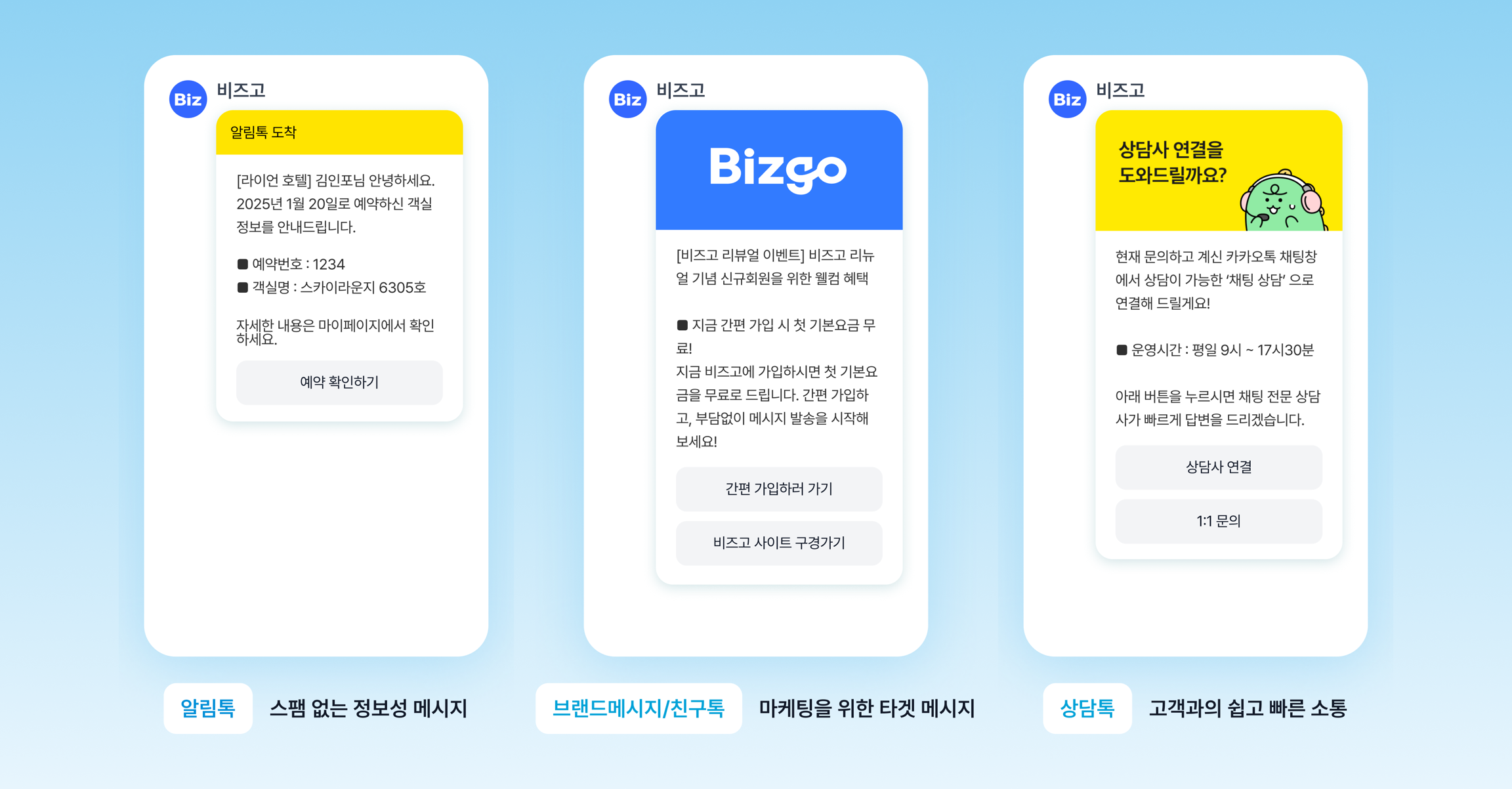
Alimtalk
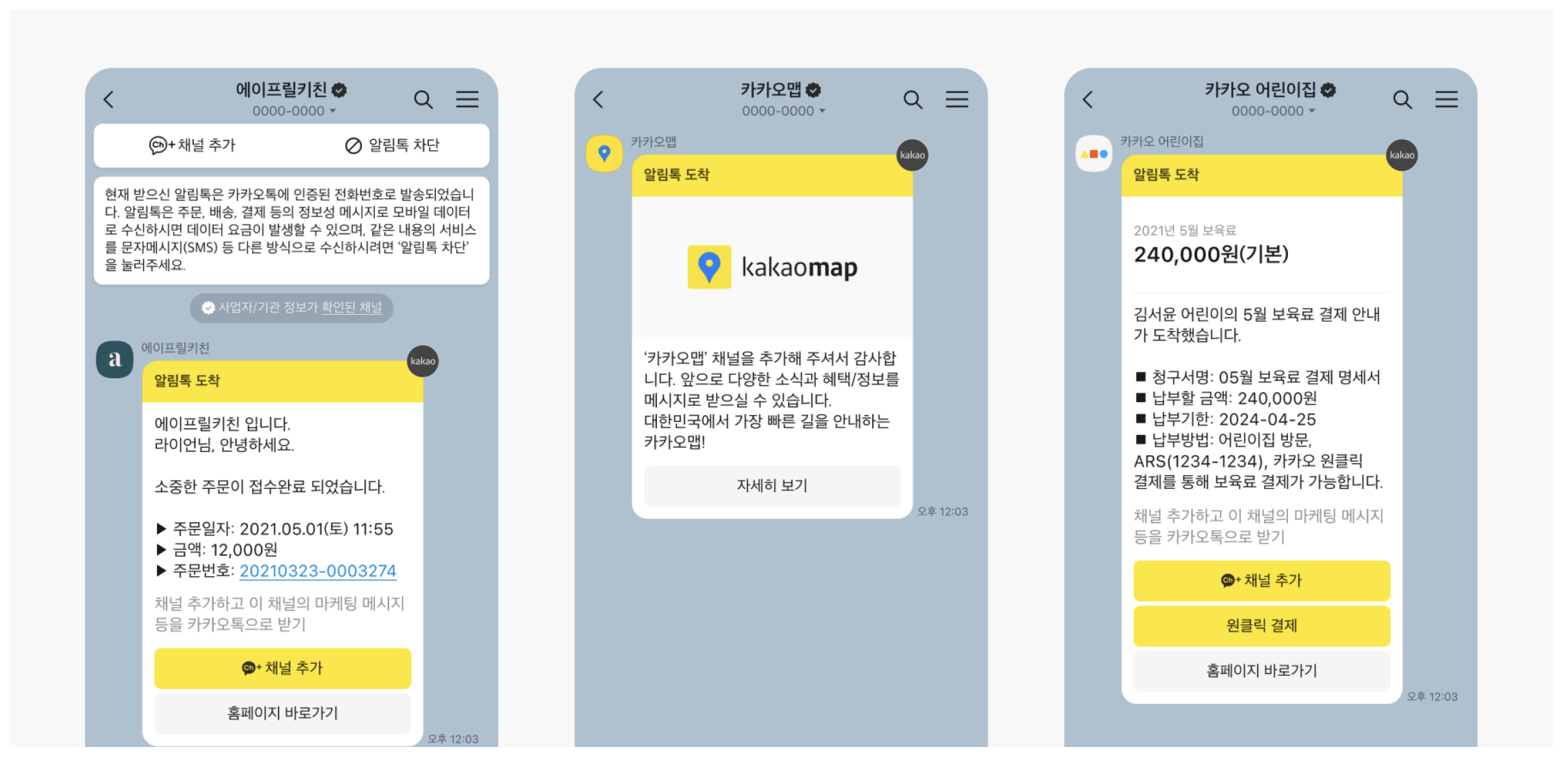
Alimtalk is the channel a business uses to send informational messages to customers over KakaoTalk.
You can send it even to users who are not channel friends, and you can only send it from templates that have passed review in advance.
At a glance
- Use: informational messages such as order, shipping, payment, verification, and reservation notices
- Audience: KakaoTalk users, whether or not they are channel friends
- Send requirement: an approved Alimtalk template
- Promotional messages: not allowed
- Failover: can be designed together with SMS/LMS/MMS or RCS
It fits cases like these
- Order completion notices
- Shipment departure and arrival notices
- Payment completion notices
- Sending verification codes
- Reservation confirmation and change notices
Messages with a strongly promotional character — advertising, promotions, coupons — are not eligible for Alimtalk.
Key characteristics
- You can send it even to users who are not Kakao channel friends.
- Templates must pass review.
- You can only send informational messages.
- It pairs well with failover to SMS/LMS/MMS or RCS on failure.
Message types
| Type | Meaning | Description |
|---|---|---|
AL | Alimtalk text | The basic text-style Alimtalk |
AI | Alimtalk image | An Alimtalk that includes an image |
Whichever type you use, you must send it against an approved template code.
How to confirm the response
Push method
This is the recommended method.
- It helps reduce duplicate delivery caused by failover sends.
- It sends to active users who match conditions you defined in advance, and treats that as a success.
- If the conditions are not met, it can respond with a
NoSendAvailableExceptionerror.
Polling method
With this method you check the result with a separate lookup after the request.
- After the send request, you confirm the result through the delivery result lookup.
- If the result arrives within the
timeout, it is treated as a success. - Otherwise the send can remain in a state where success is uncertain.
You can set the timeout on the request; the original specification uses a range of 10 seconds to 86,400 seconds (1 day).
Brand Message
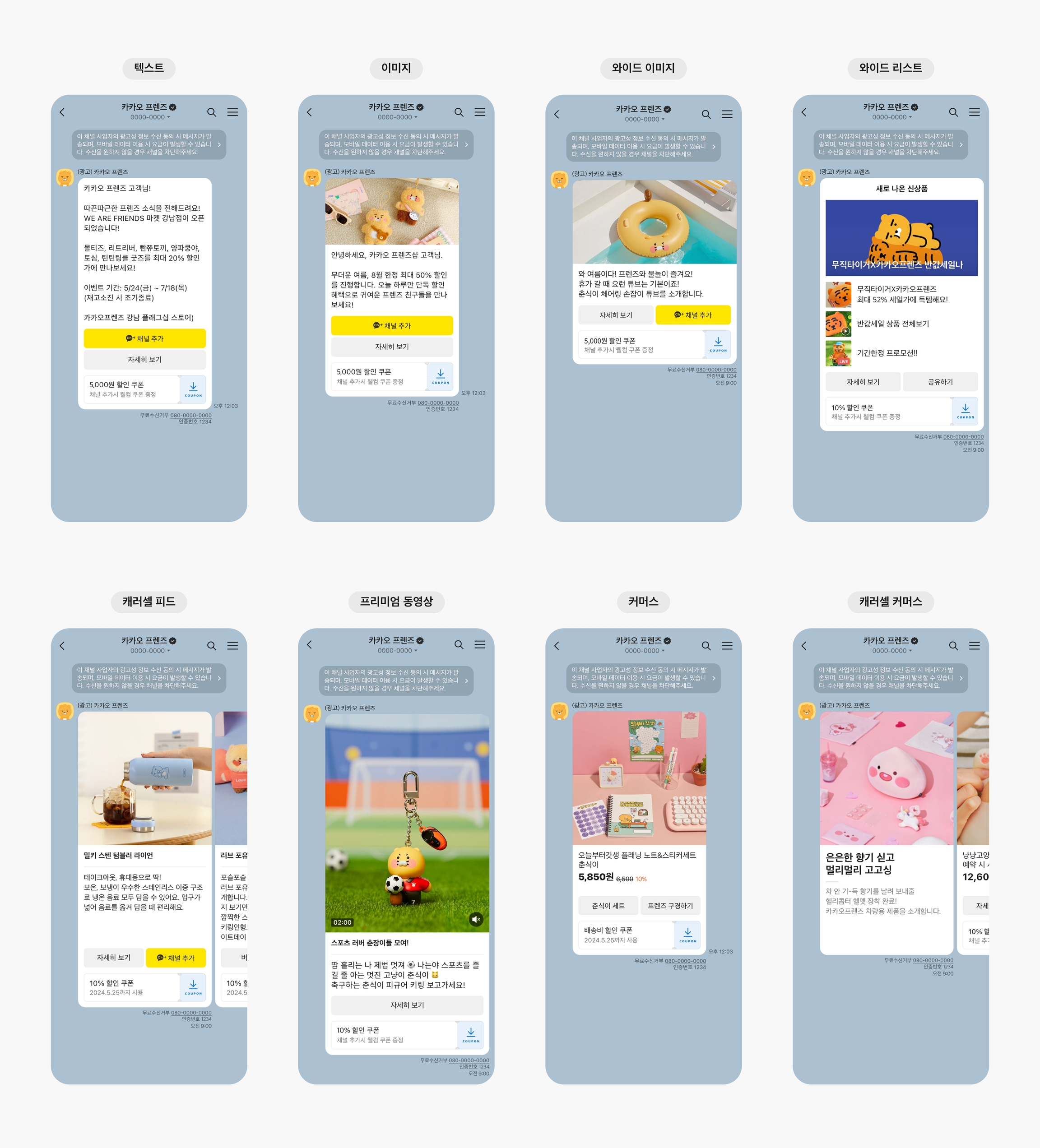
Brand Message is the channel that lets you send promotional messages to KakaoTalk channel friends and to customers who consented to marketing.
It fits cases where you deliver promotional messages to a segmented target, such as events, promotions, and campaigns.
At a glance
- Use: promotional messages for promotions, events, coupons, and campaigns
- Audience: channel friends, or customers who consented to marketing
- Sending hours:
08:00 to 20:50Korea time - Send method: both template-based and free-form are available
- Promotional labeling: requires the
(광고)("advertisement") label and toll-free opt-out information
It fits cases like these
- When you need to send promotional messages to channel friends
- When you need to send promotional messages to customers who consented to marketing even though they are not channel friends
- When you run campaigns with buttons, images, carousels, or commerce-style messages
Product structure
Brand Message products are divided by audience, as follows.
- Targeting your own members — sent based on the consent to receive promotional information that you collected
- Targeting channel friends — sent based on the consent to receive promotional information that Kakao collected
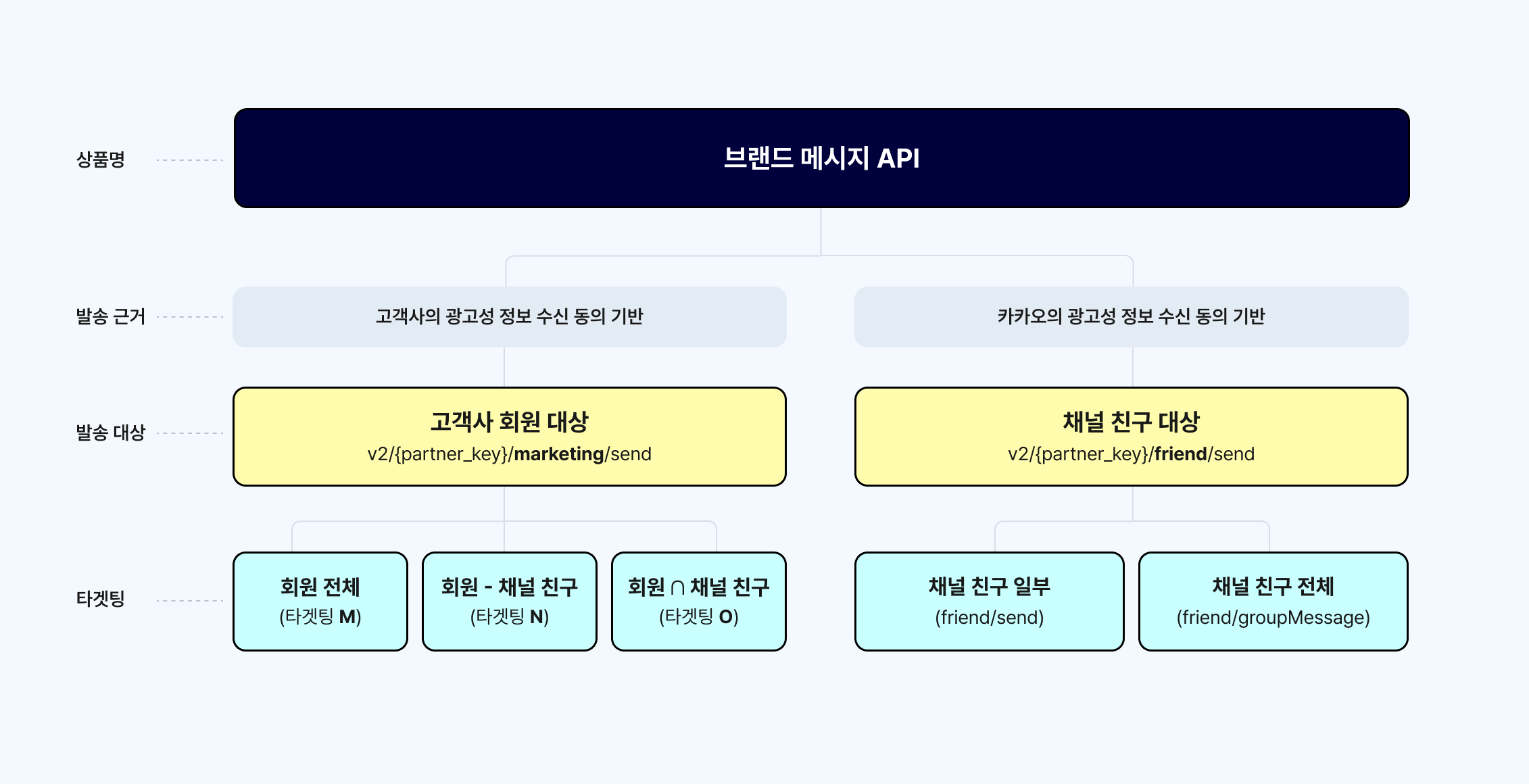
Send methods
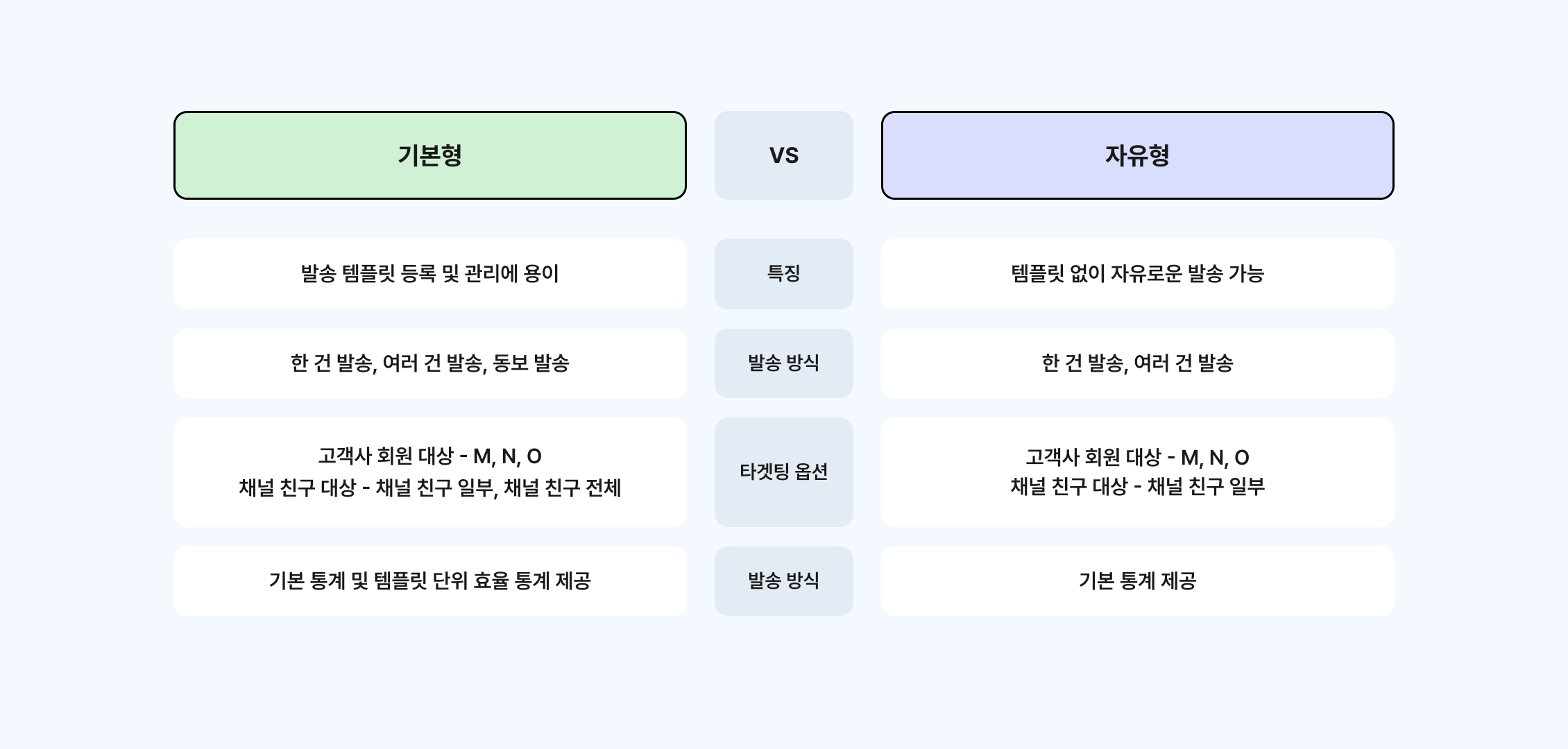
Basic message
- You must register a template in advance. Unlike Alimtalk templates, however, there is no approval process.
- For templates that contain variables, you can substitute the message variables either through the full payload or by separating the variables out.
- Single sends, multiple sends, and broadcast sends are all supported.
- Basic statistics and per-template performance statistics are provided.
- To use Brand Message send targeting M, N, O, or I (targeting your own members), you must be granted separate permission.
Free-form message
- Sent through the full payload, with no template registration required.
- Single sends and multiple sends are supported. Broadcast sends are not.
- For targeting channel friends, only the "some channel friends" option is supported.
- Basic statistics are provided.
Brand Message targeting
Targeting your own members
Targeting your own members requires you to apply for send permission in advance.
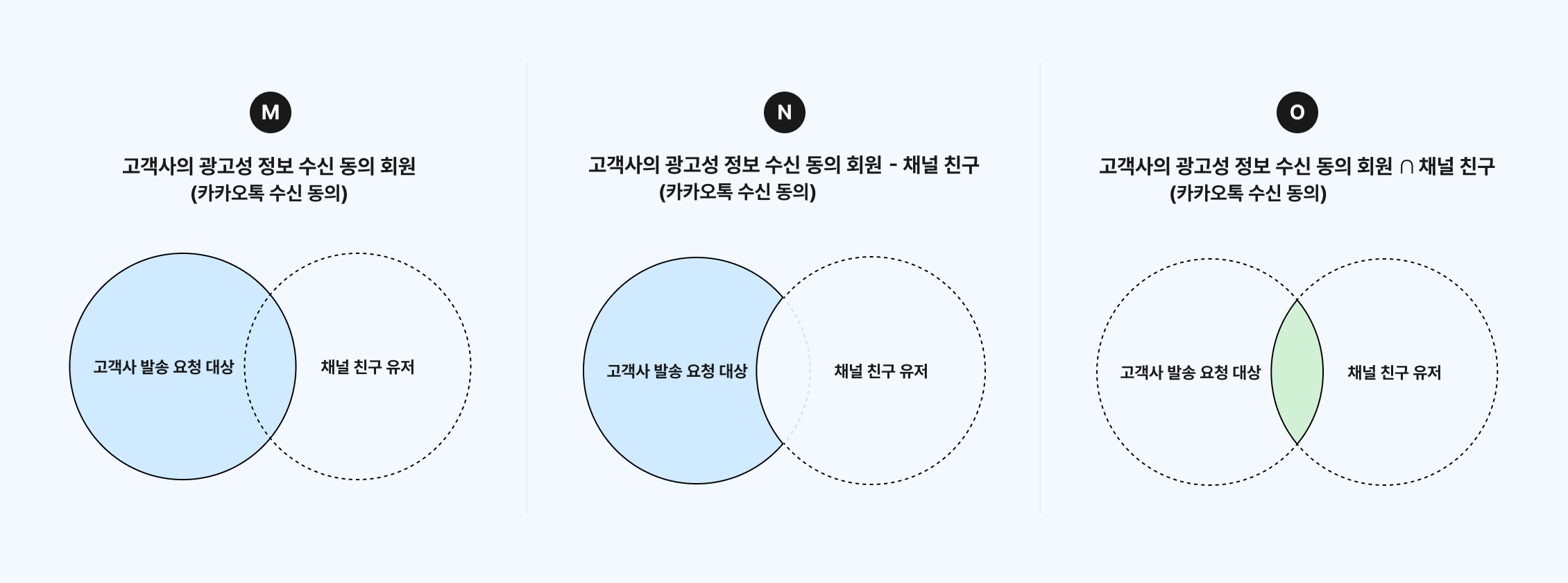
M and N need all three steps completed
Registering a toll-free opt-out (080) number is not enough on its own. All of the following must be completed, in order.
| Step | Item | Notes |
|---|---|---|
| ① | Apply to switch to Brand Message | A prerequisite for registering the 080 opt-out number |
| ② | Register the 080 toll-free opt-out number | Available only after the switch is complete |
| ③ | Apply to expand the send audience (beyond channel friends → everyone) | M and N are enabled once Kakao approves the review |
If M and N appear greyed out in the console, or the API returns 628 (targeting option not available), step ③ has not been approved yet. Both symptoms have the same cause.
Once it is approved, M and N work in both the console and the API with no extra configuration.
M — your members who consented to receive promotional information
Sends promotional messages to your members who consented to receive promotional information (KakaoTalk consent).
You can register and manage your own toll-free opt-out information in the sender profile of the sending channel.
N — your members who consented to receive promotional information, minus channel friends
Sends promotional messages to your members who consented to receive promotional information (KakaoTalk consent), excluding channel friends.
You can register and manage your own toll-free opt-out information in the sender profile of the sending channel.
O — your members who consented to receive promotional information ∩ channel friends (opt-out method: 080 number notice)
Sends promotional messages only to those of your members who consented to receive promotional information (KakaoTalk consent) and are also channel friends.
You can register and manage your own toll-free opt-out information in the sender profile of the sending channel.
I — your members who consented to receive promotional information ∩ channel friends (opt-out method: channel block notice)
The audience is the same as for O; only the opt-out method differs.
It presents blocking the channel as the channel's opt-out method.
O and I have the same audience. Use O to point recipients to a toll-free opt-out (080) number, and I to point them to blocking the channel.
Targeting channel friends
For targeting channel friends, you can send as soon as you register a sender profile.
Some channel friends
Sends promotional messages only to the channel friends you request as the send audience.
It presents blocking the channel as the channel's opt-out method.
All channel friends
Sends promotional messages to all channel friends or to a friend group.
It presents blocking the channel as the channel's opt-out method.
Message types
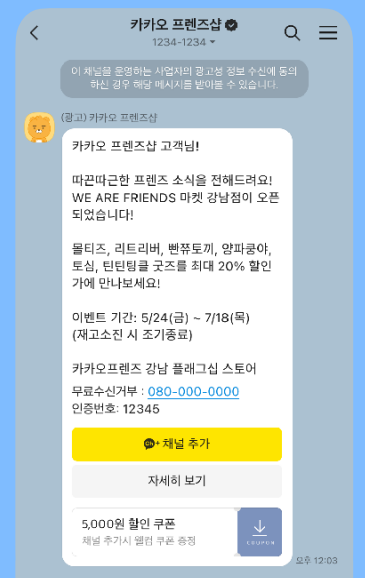
Message-focused, with optional buttons and coupons
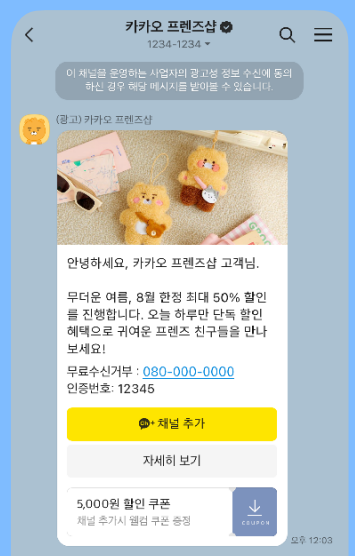
Image + message + buttons/coupons
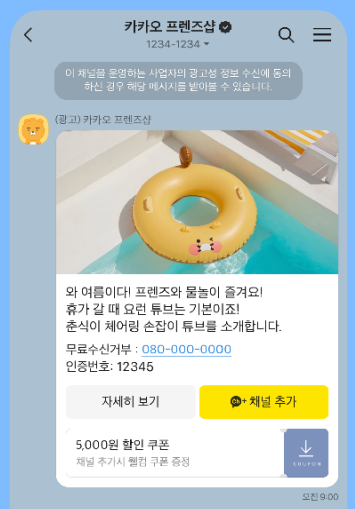
Wide image + message + buttons/coupons
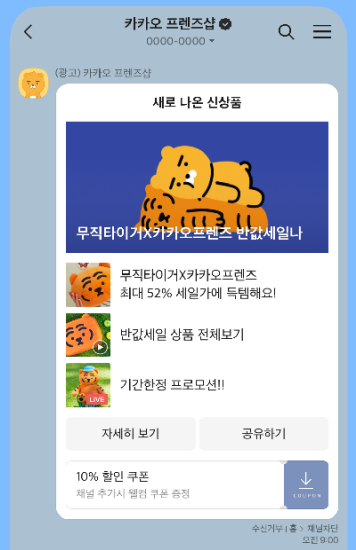
Header + 3–4 list items + buttons/coupons
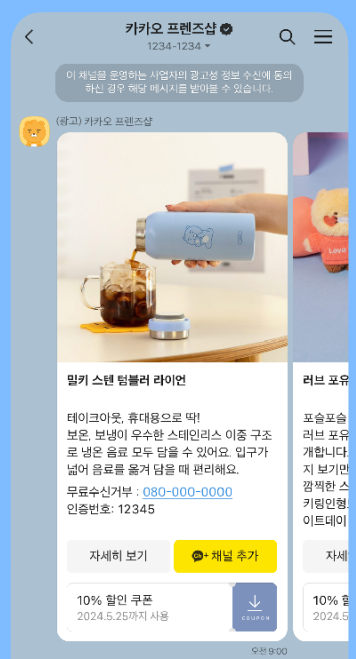
2–6 carousel items + See more
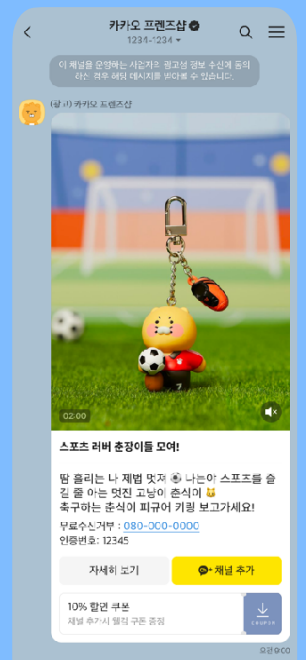
Video + header/message + buttons/coupons
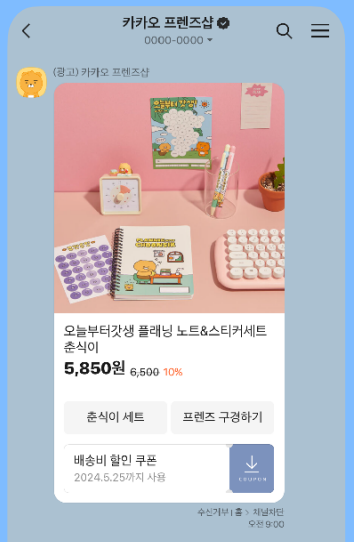
Product image + product details + buttons/coupons
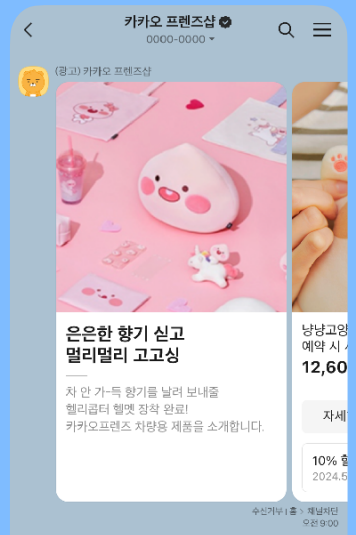
Carousel intro + product list + See more
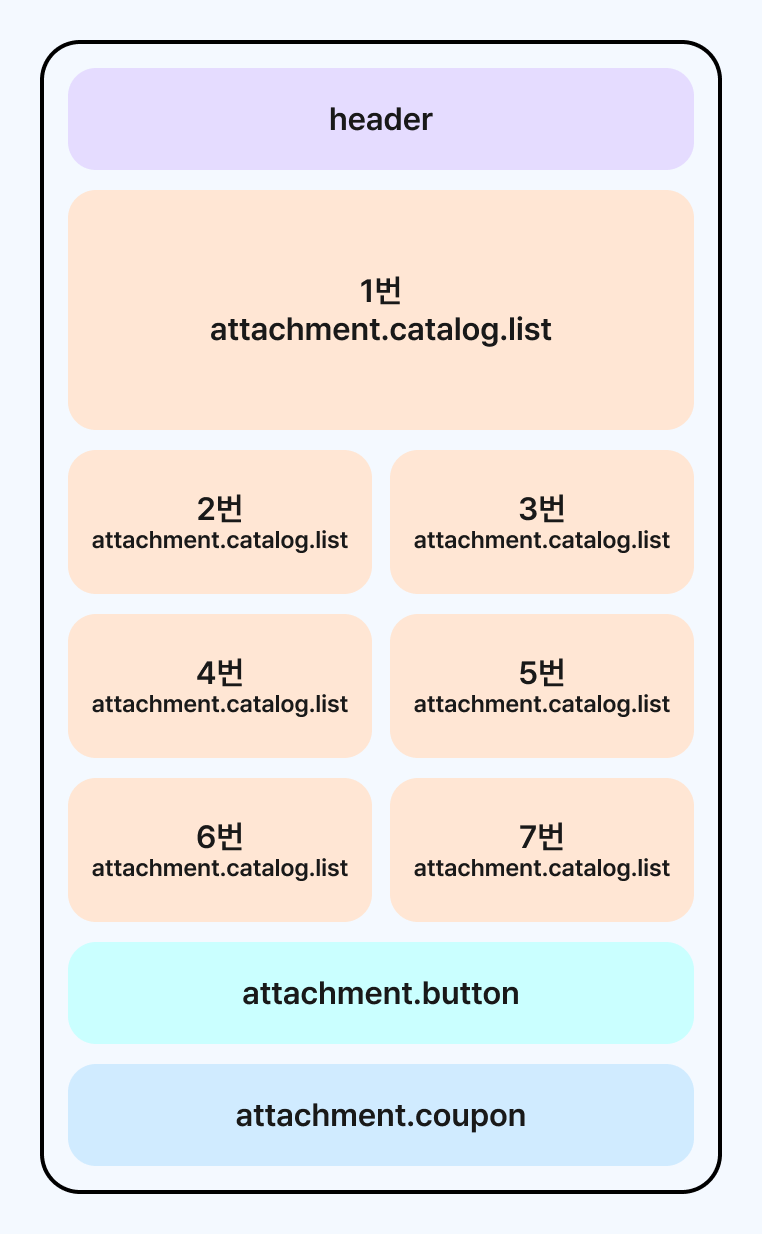
Header + 3-7 product list + buttons/coupons
What to check when you operate it
- Because these are promotional messages, the hours in which you can send are restricted.
- You must manage marketing consent status and toll-free opt-out handling together.
- The fields you need change with the targeting scope and the message type.
- Designing a failover strategy alongside SMS/LMS/MMS or RCS improves operational stability.
CS Talk
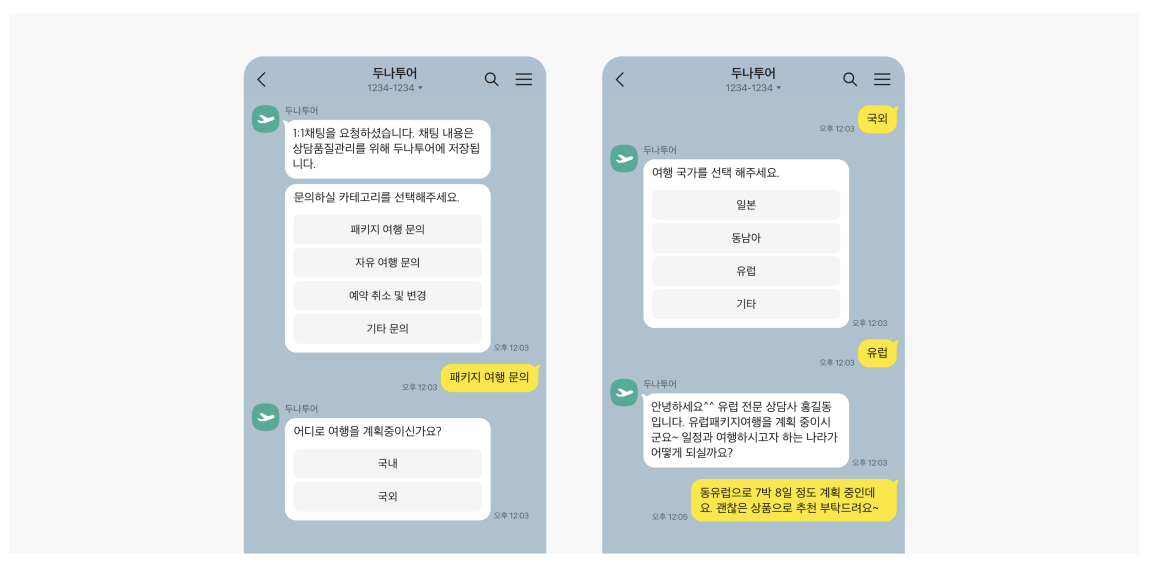
CS Talk is the Kakao channel you use when you need real-time 1:1 chat — customer center inquiries, connecting to an agent, or conversational support.
It offers two families of message types, Plain and Rich, so you can compose the message content to fit the situation.
At a glance
- Use: handling customer inquiries, connecting to an agent, conversational operations
- Conversation style: the customer and the agent exchange 1:1 messages in a KakaoTalk chatroom
- Message composition: Plain and Rich types supported
- File use: upload images and files before you use them
- Operational focus: agent assignment, queueing, and response flow design matter
Plain bubble types
This type suits basic conversational messages.
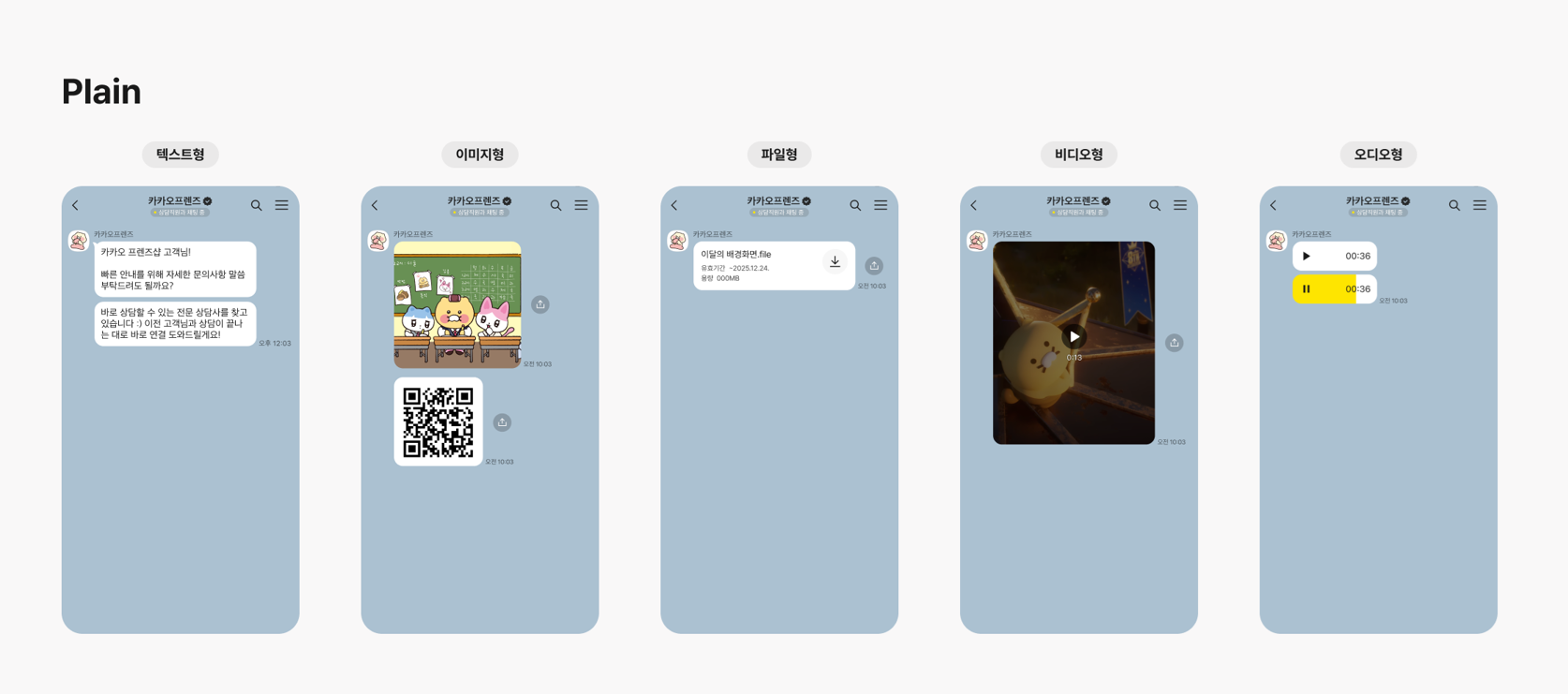
| Type | Description |
|---|---|
TEXT | Text |
IMAGE | Image |
VIDEO | Video file |
AUDIO | Audio file |
FILE | General file |
Plain type limits
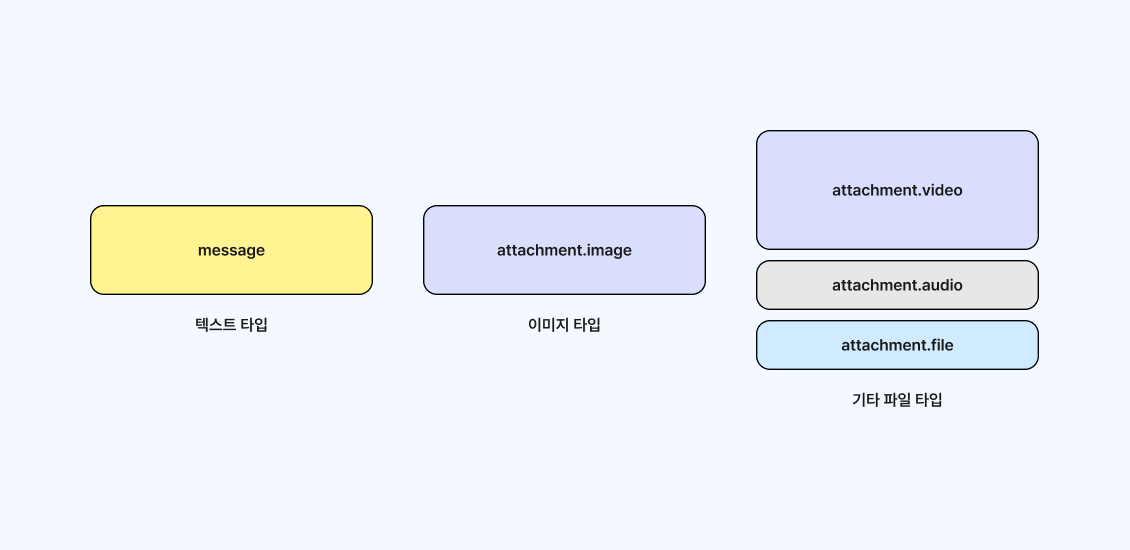
- Text: up to 1,000 characters
- Image:
jpg,png,gif, up to5MB - General file: up to
300MB - Video file: up to
300MB - Audio file: up to
10MB
Rich bubble types
Use this type when you need a richer support screen — combinations of buttons, coupons, lists, and images.
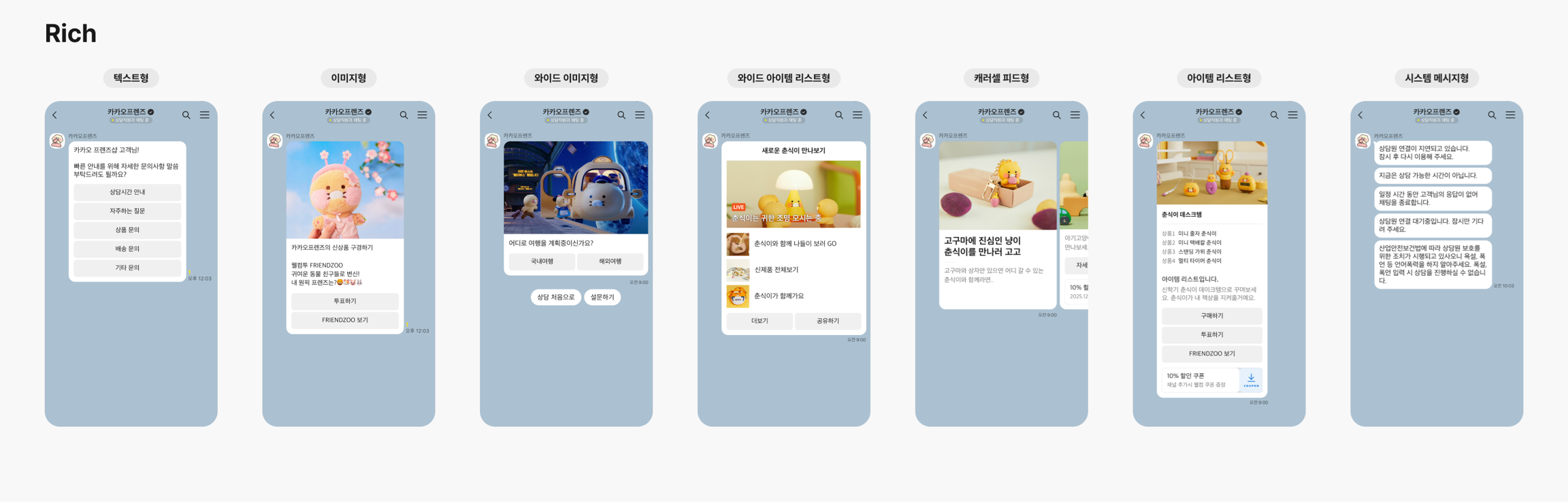
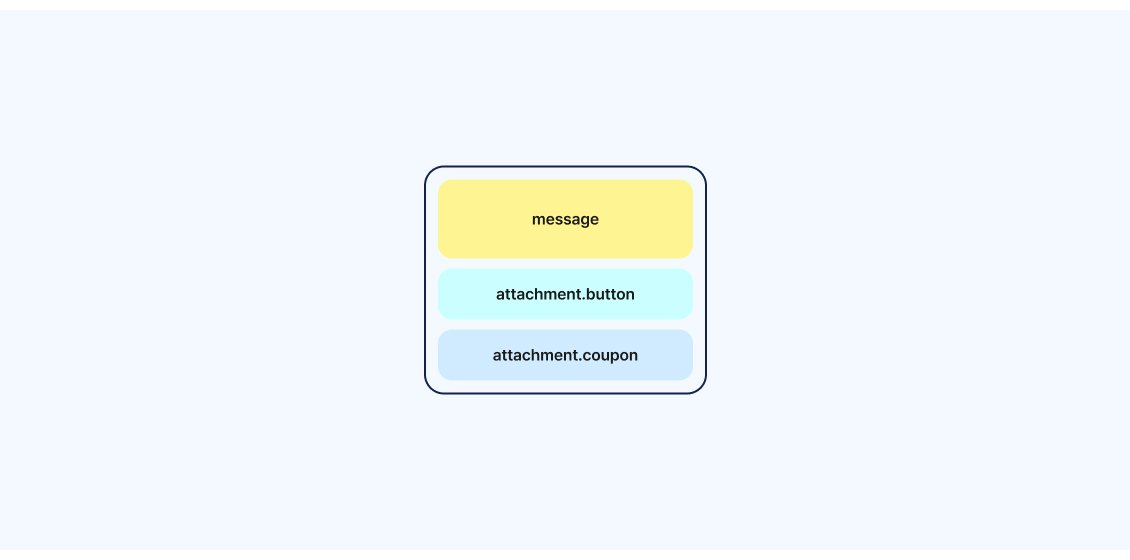
Text + buttons + coupons
Message required, up to 1,000 characters
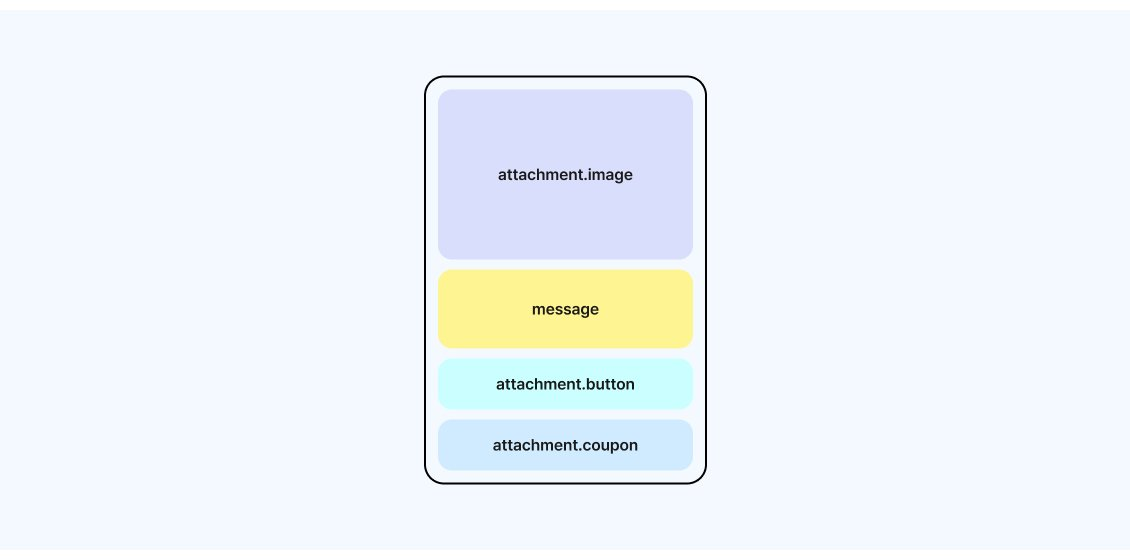
Image + message + buttons + coupons
Image and message required; uses the image upload API
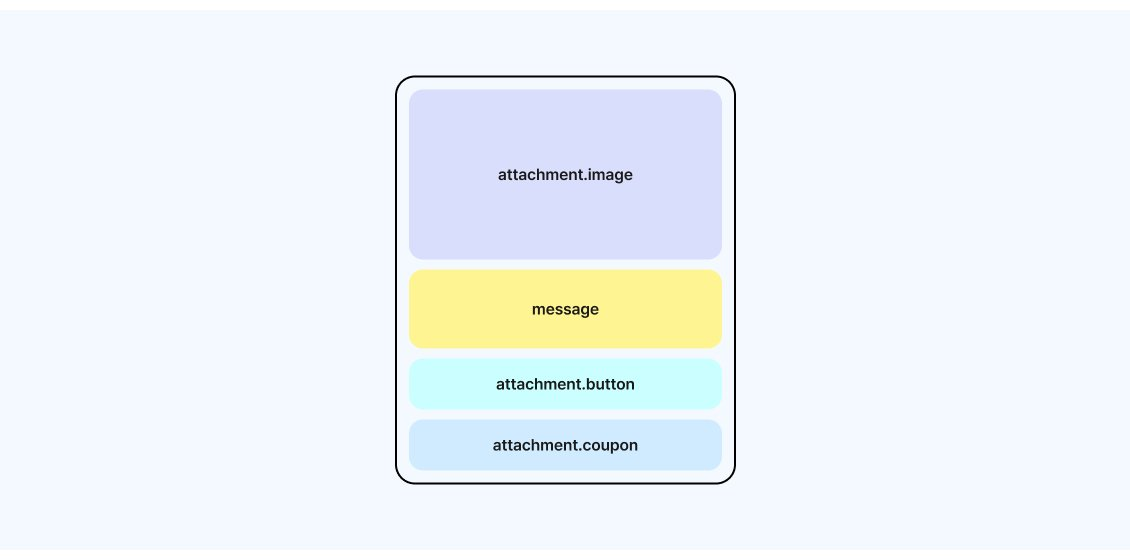
Wide image + message + buttons + coupons
Wide image and message required; message up to 76 characters
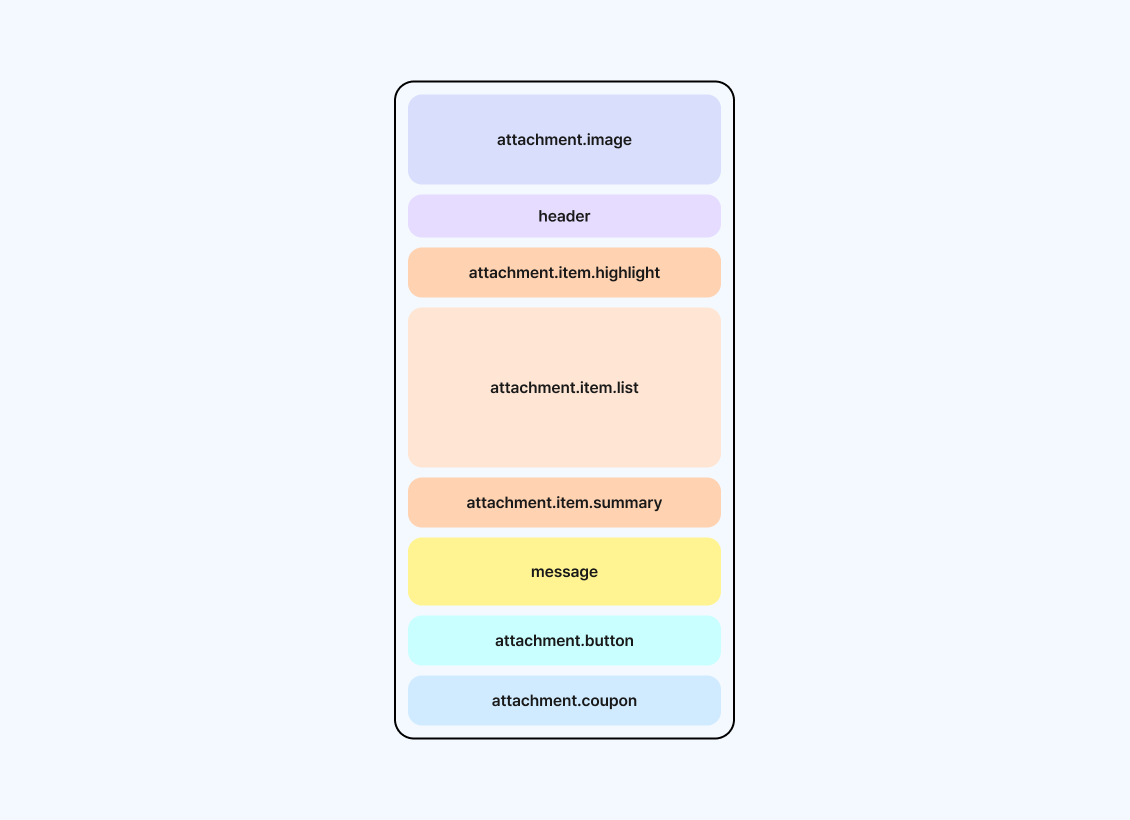
Combination of image, header, and item list
2–10 list items; can combine a highlight and a summary
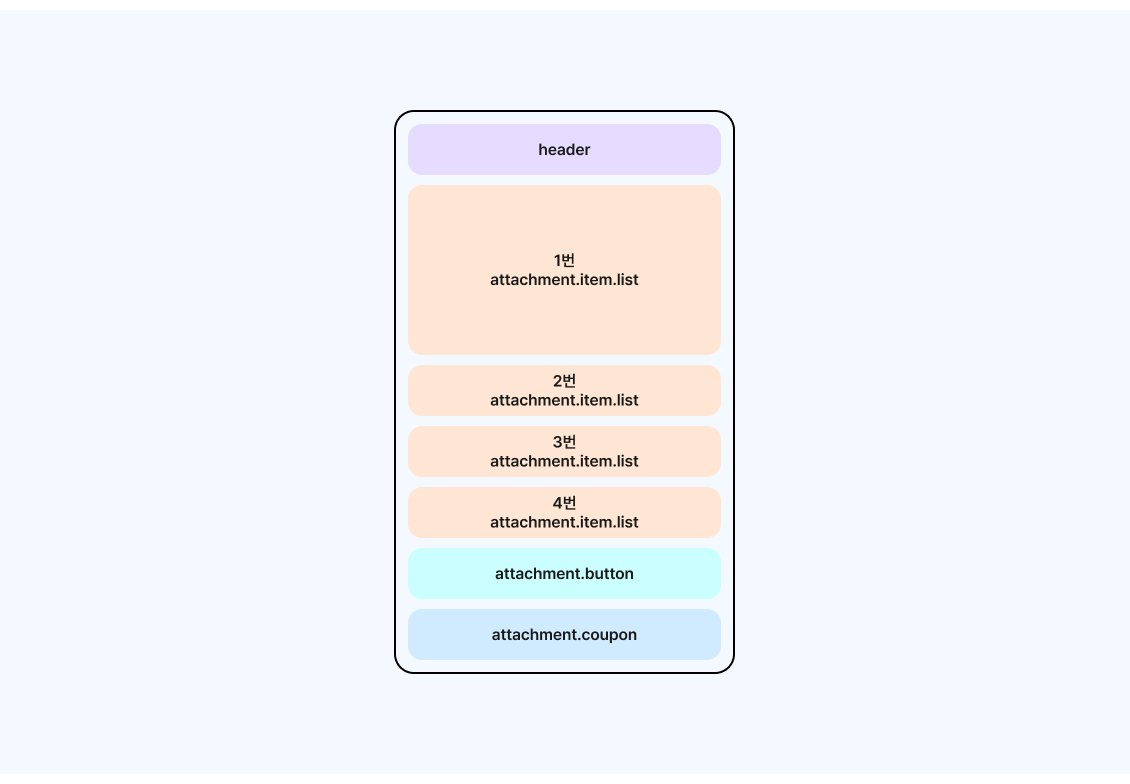
Header + wide item list
Header and 3–4 list items required
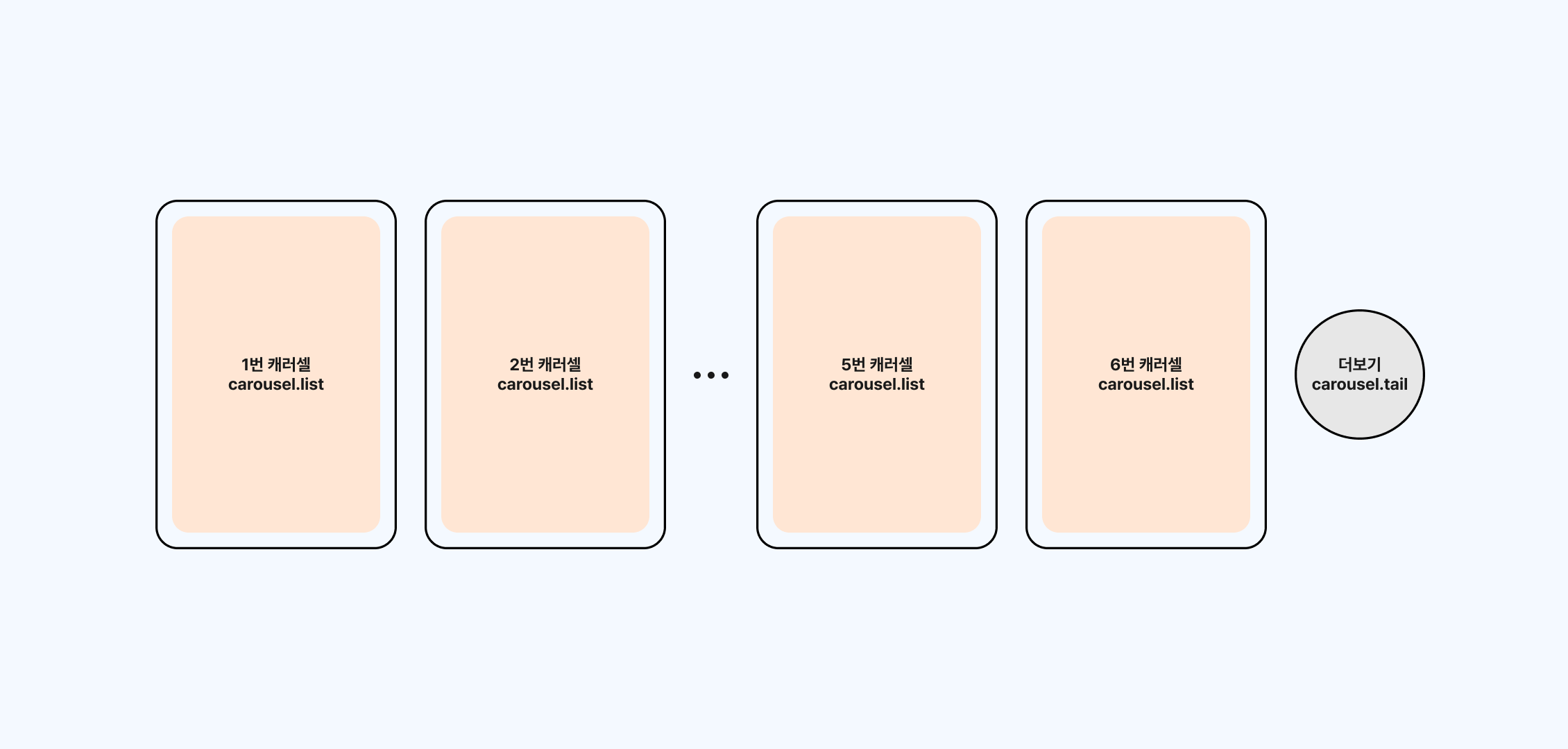
Carousel list + See more
Made up of 2–6 carousel cards
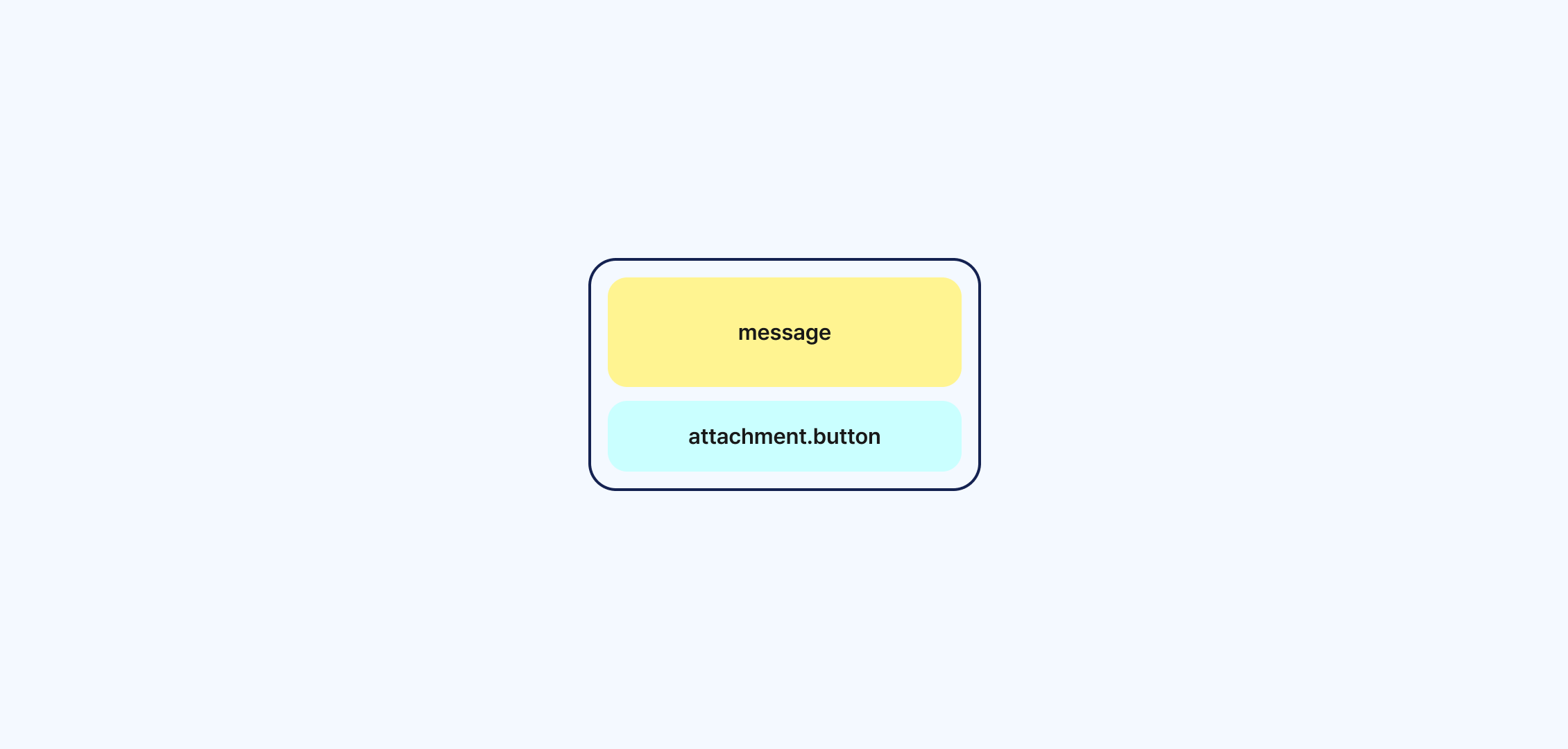
Consent to provide personal data
What to check when you operate it
- The support process and your agent structure matter more here than the send itself.
- You must upload images and files before you use them.
- The required fields and the allowed counts change with the bubble type.
- It is better to design your inquiry categories, agent handoff, and response-wait policy up front.
Kakao channels at a glance
| Channel | Purpose | Key requirement | Recommended for |
|---|---|---|---|
| Alimtalk | Informational notices | Template review required | Order, shipping, verification, and reservation notices |
| Brand Message | Promotions and advertising | Consent to promotional messages required | Coupons, events, marketing campaigns |
| CS Talk | 1:1 support | A support operation structure required | Customer inquiries, agent responses |
Shared operational points
- Kakao channels differ in their review, consent, and support-operation requirements depending on what you send.
- For Alimtalk and Brand Message, it is best to design SMS/LMS/MMS or RCS failover alongside them to cover send failures.
- Before you implement, it is safer to read Understand the send request structure.
- Alimtalk source reference: Bizgo API development guide, Alimtalk
Check the send structure before you integrate
Once you understand the destinations and messageFlow structure, you can handle it the same way no matter which integration method you use.
Follow the flow diagram to see how a send progresses.
Check the destinations, messageFlow, and failover structure on a single page.
How will you integrate?
Now that you understand the structure, choose your integration method below.