
Change the automated messages
Under Bizgo > Messages > Kakao > Counsel Talk > Automated messages, adapt the messages that go out automatically at each stage of a conversation — when it starts, when it ends, and so on. With nothing registered, Kakao's default messages are sent.
Production (PRD) channels only
Automated messages cannot be set on a development/test (CBT) channel.
1. Start registering
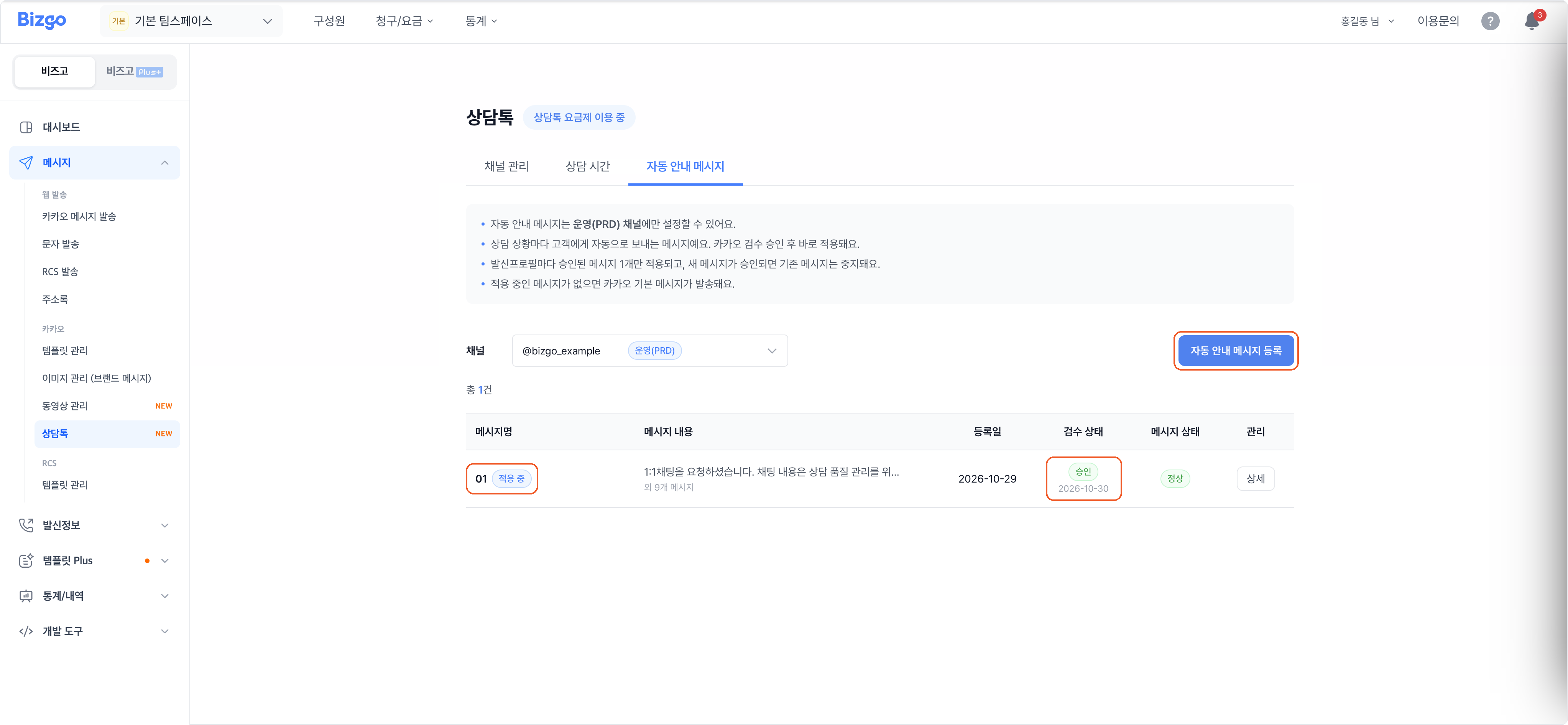
Choose a channel and click Register automated messages.
2. Write the message for each situation
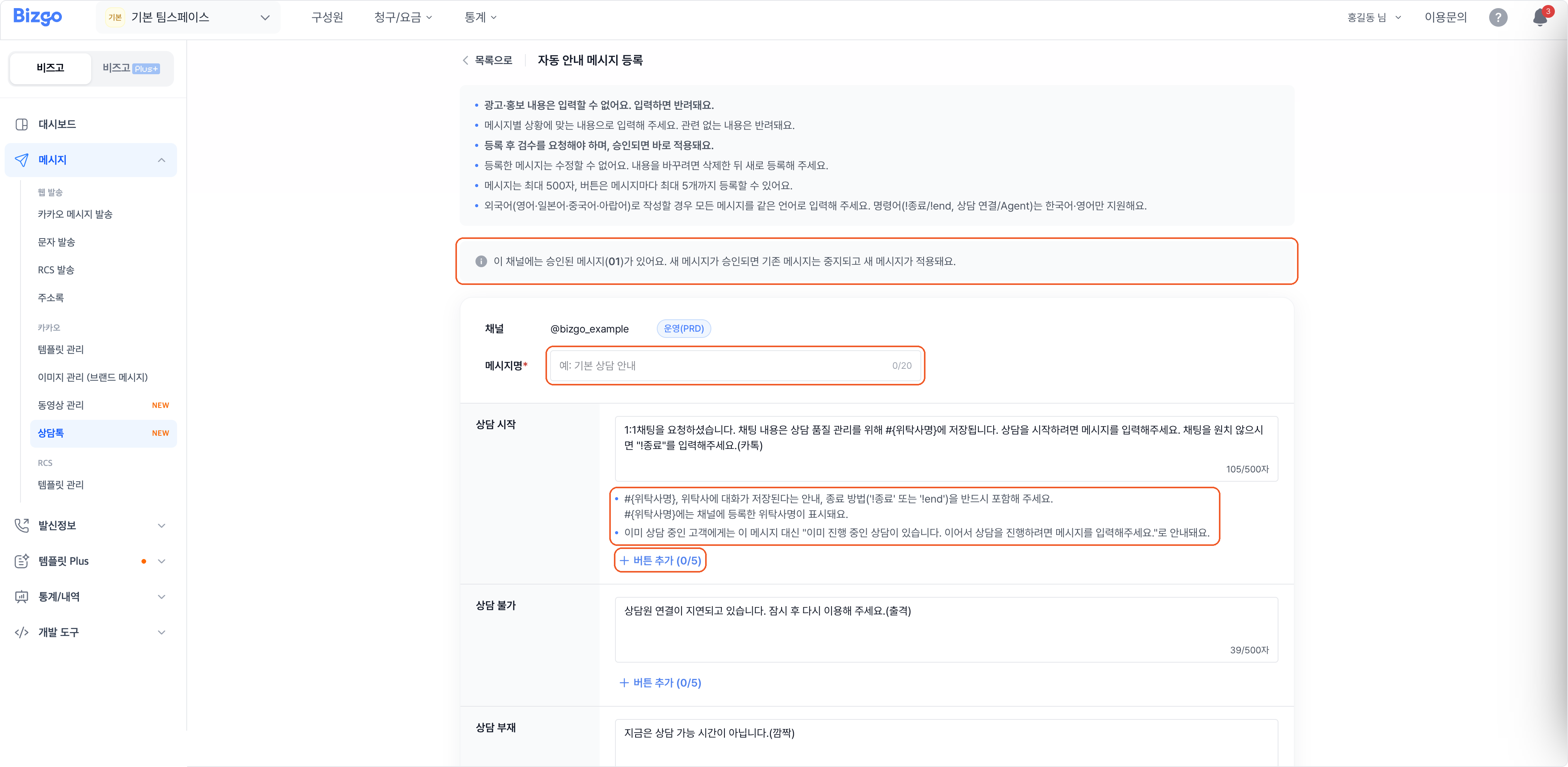
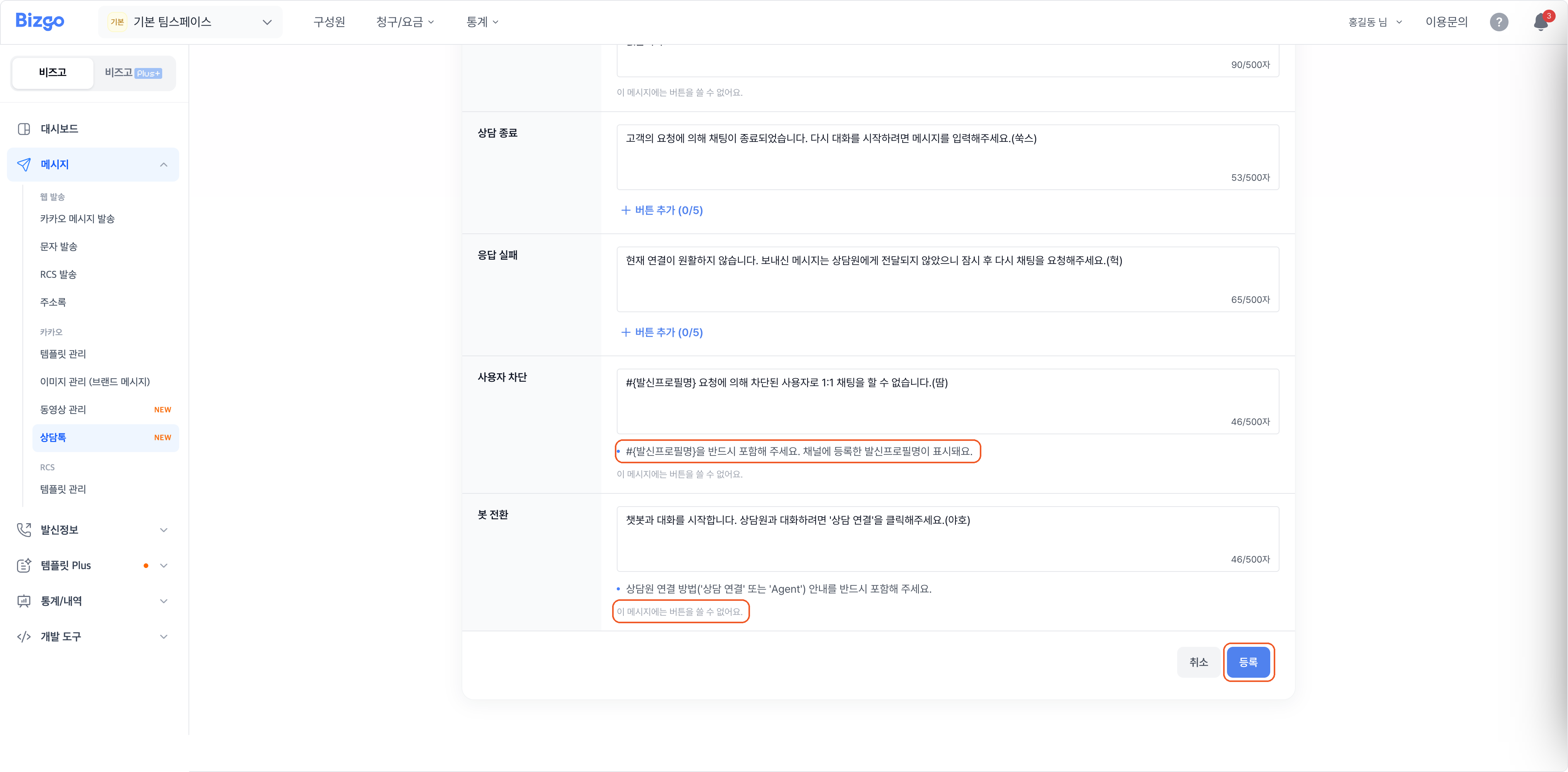
Enter a name for the set and write the message for each situation. Default wording is pre-filled, so you only edit what you need. Each message holds up to 500 characters, with up to 5 buttons per message.
| Message | What it must contain |
|---|---|
| Conversation start | #{operator name}, a notice that the conversation is stored by the operator, and how to end it (!종료 or !end) |
| User blocked | #{sender profile name} (buttons not allowed) |
| Handover to bot | How to reach a human agent (상담 연결 or Agent) (buttons not allowed) |
| Blocked by banned word | Buttons not allowed |
Writing in another language
Write every message in the same language. The commands themselves (!종료/!end, 상담 연결/Agent) are supported only in Korean and English.
3. Register and check the review
Click Register and Kakao reviews the set. Once approved it applies immediately; the list shows the review status and the message status.
Click Details in the list to see the reviewer's comments and the per-situation messages. To replace the set in use, open Details and click Register a new set; to fall back to Kakao's defaults, click Delete.
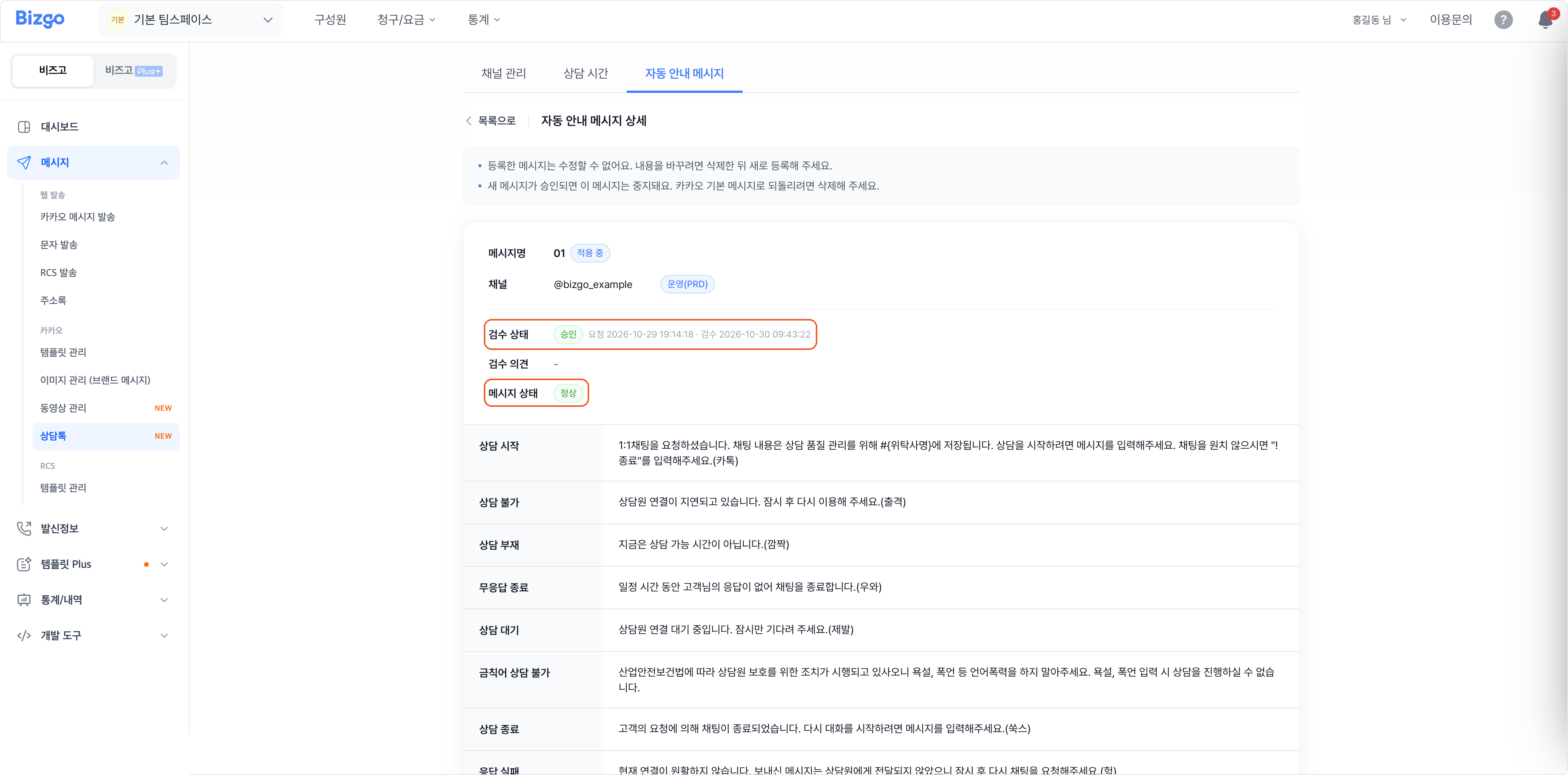
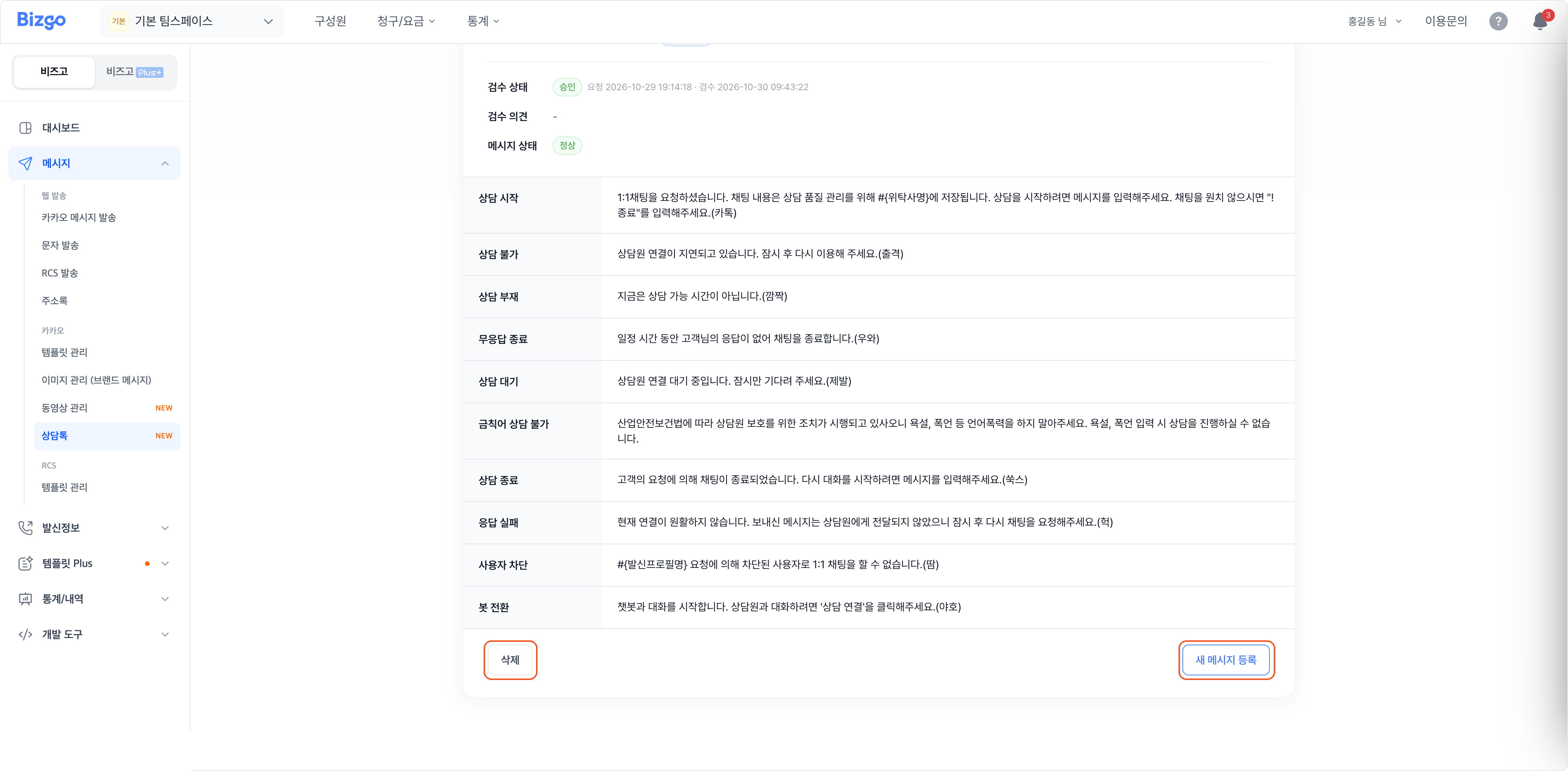
A registered set cannot be edited
Advertising, promotion, or anything unrelated to the situation is rejected. To change the wording, delete the set and register a new one. Only one approved set applies per channel — when a new one is approved, the previous one stops.
Next
- Set counselling hours
- The payload specification → Kakao Counsel Talk API