
Check billing records
Company menu > Billing and charges holds your billing records.
Three tabs: Billed amount, Invoice, and Usage by service.
Tax invoice schedule
The tax invoice for the current month's usage is issued on the 10th of the following month (the preceding business day if that is not a business day), so it appears in Billing history around the 10th. Records go back up to five years by billing month.
Billed amount
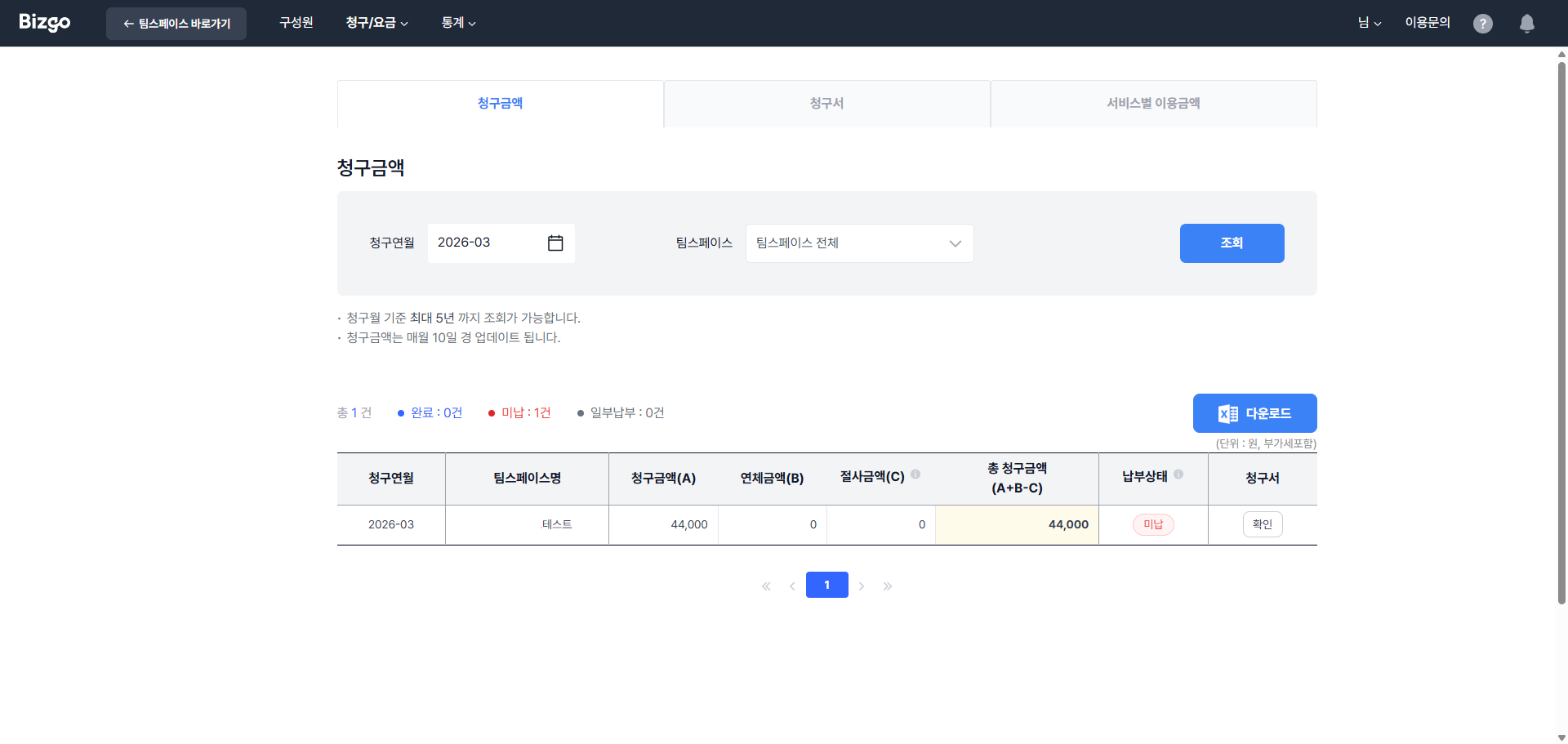
Choose the Billing month and Team space and click Search. To see every team space together, choose All team spaces. The completed, unpaid, and partially paid counts at the top show the overall payment status.
| Item | Description |
|---|---|
| Billed amount (A) | Usage for that billing month, VAT included |
| Overdue amount (B) | Accumulated amount unpaid from earlier billing months |
| Rounded-off amount (C) | The amount excluded from the bill |
| Total billed (A + B − C) | The total due for the billing month |
Save the list with Download as Excel. The button is disabled when the search returns nothing.
Invoice
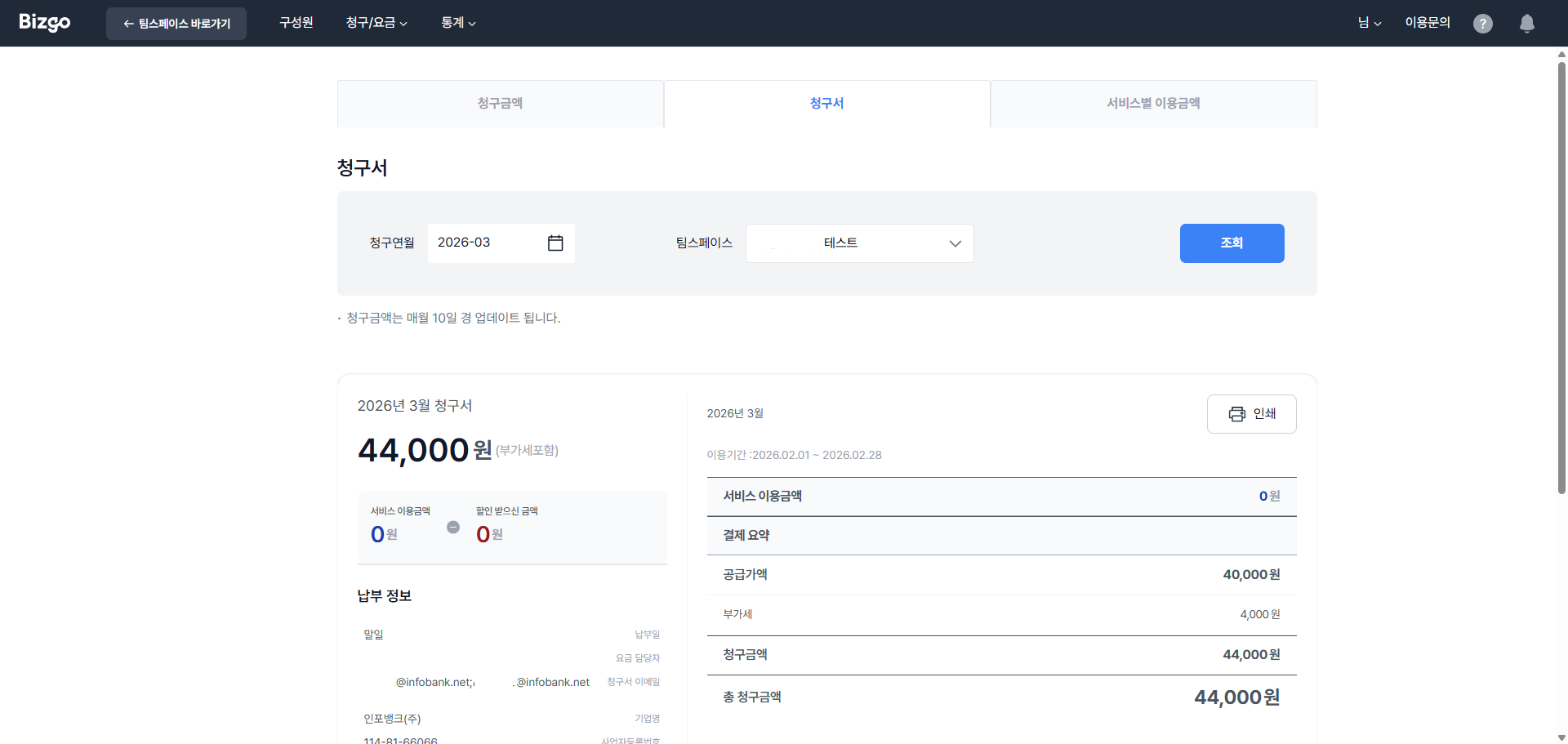
Choose the billing month and team space and click Search to see the billing information including business details, the breakdown of the total, and usage by message type. Click Print to print it.
Usage by service
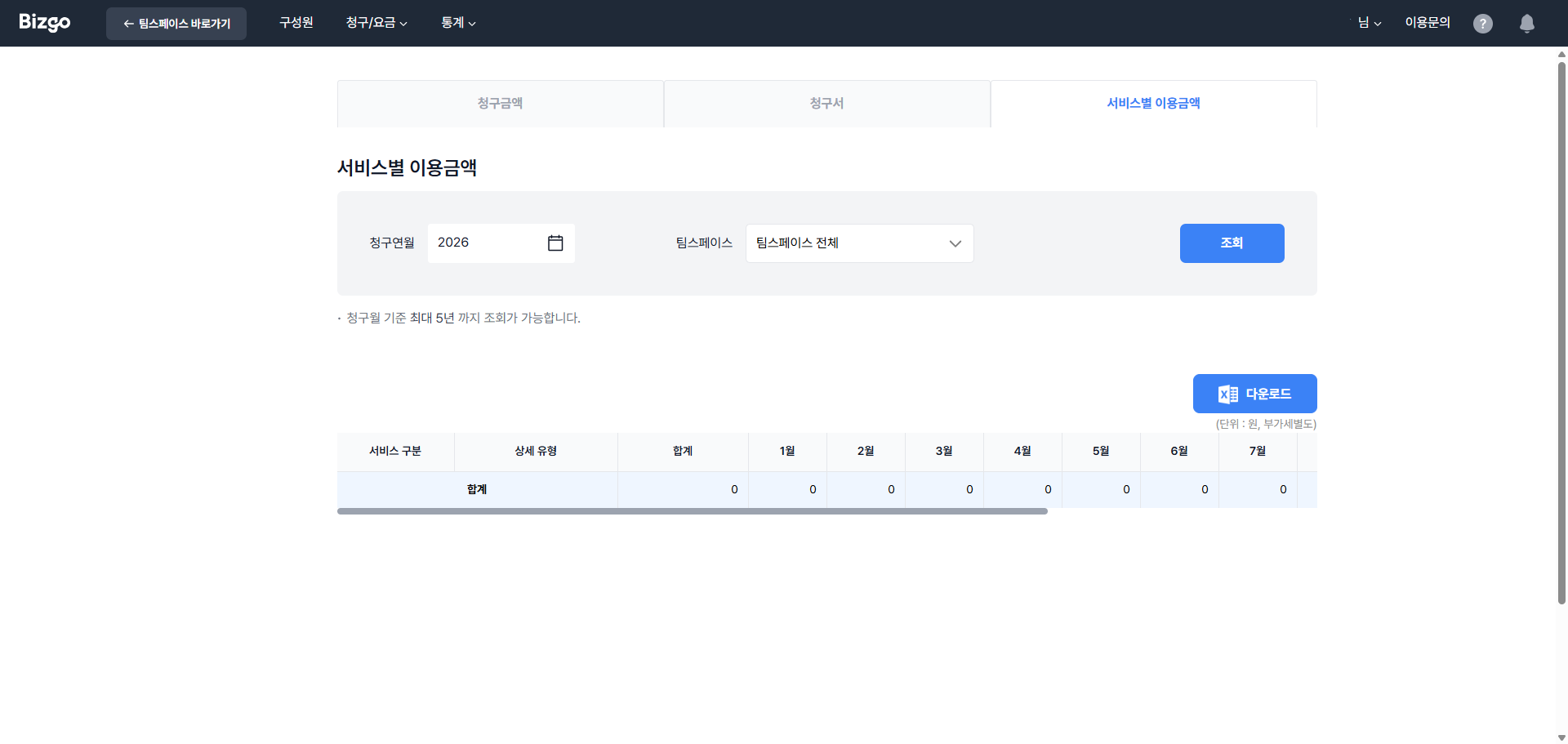
This tab is searched by year, not by month. Use it to compare monthly charges per service and message type for each team space. If you use a CS Talk plan, CS Talk charges appear here too.
Next
- Your plan → Check your plan
- Changing how you pay → Change your payment method (CMS)