
Security settings
Account menu > Security settings covers two-factor sign-in and IP restrictions.
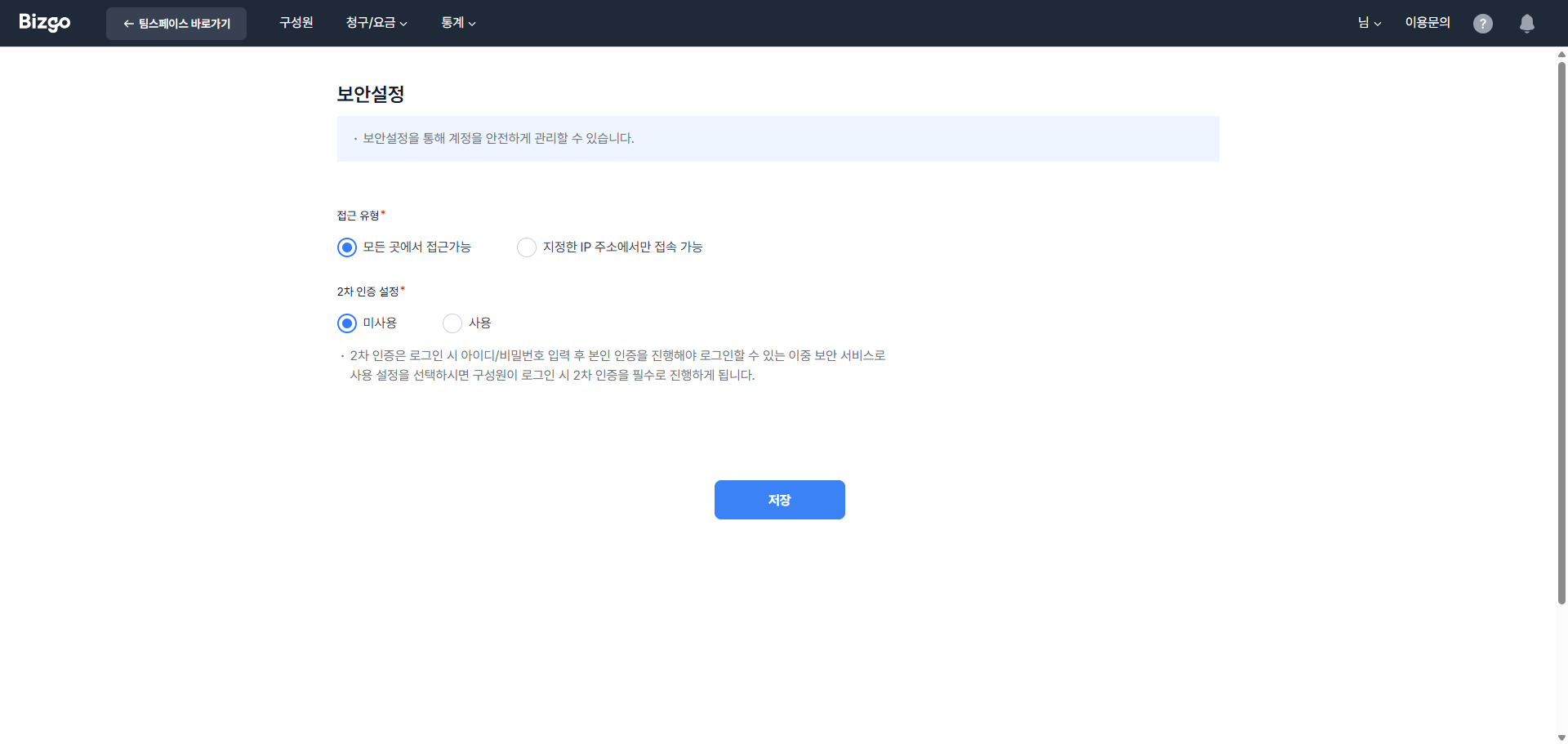
Mobile two-factor authentication
On the Mobile two-factor tab, select Use and click Save. From then on, signing in requires mobile identity verification after the ID and password. The number used for verification is changed under My information.
IP access control
On the IP access control tab, choose an access type.
| Access type | Meaning |
|---|---|
| Accessible from anywhere | You can sign in regardless of IP |
| Accessible only from the specified IPs (ranges) | You can sign in only from the registered IPs |
Enter the allowed IPs as single addresses or ranges (CIDR, for example 123.123.123.0/24). Look up my public IP shows the address you are using now, and up to 50 entries are allowed.
Console access IPs are not the API allowlist
The IPs set here restrict console sign-in. The IPs allowed to call the API are registered separately on each unified key under Developer tools > Key management. → Issue and manage API keys
Central security management for members
The Master can control members' security permissions (two-factor and IP access control) centrally.
Central control toggle
A central control toggle visible only to the Master sits at the top of the Members screen and governs members' access to their own security settings.
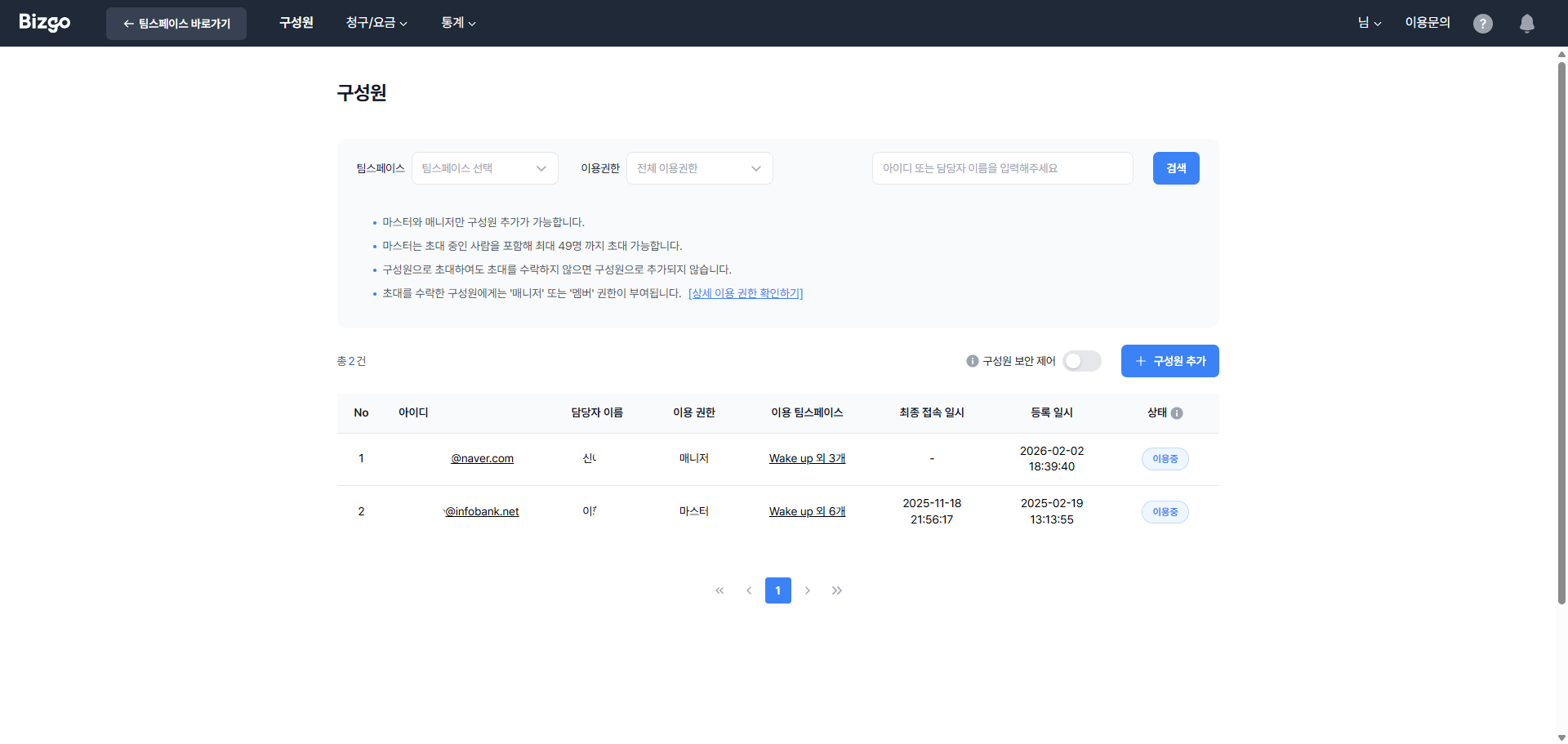
- Default: OFF
- When ON: Other members cannot reach their Security settings menu, and only the Master manages their security settings. Direct URL access is blocked too.
Per-account security options
Set these per account in the Security options section of the Invite/Edit member screen. Only the Master sees it.
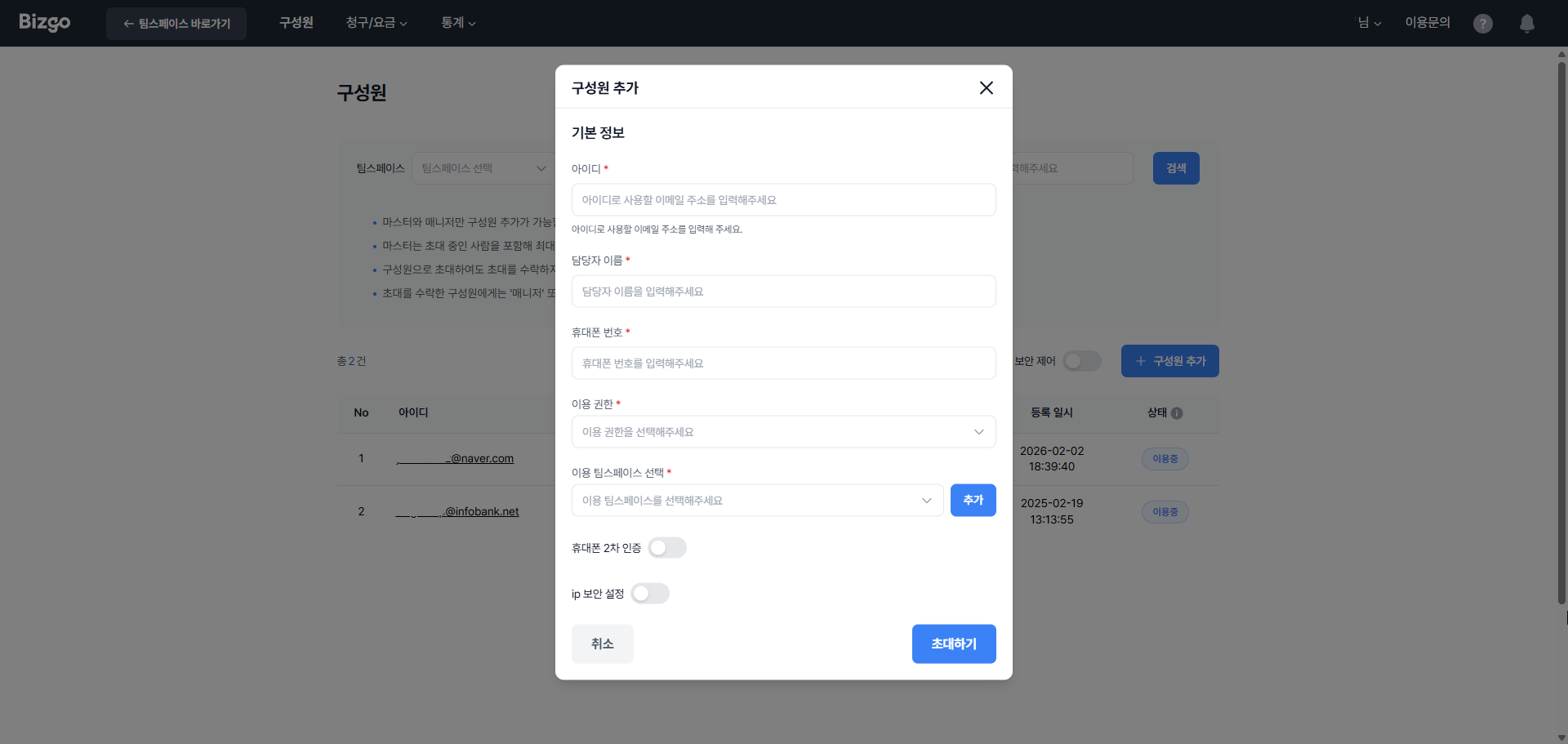
- Mobile two-factor ON/OFF — Requires mobile identity verification after the ID and password when that member signs in.
- IP access control ON/OFF — Allows that member to reach the console only from specific IPs.
- Turning it on reveals the allowed-IP field, which is required.
- Saving with no IP shows "Enter at least one allowed IP."
- An invalid entry shows "This is not a valid IPv4 or CIDR format." on that line.
- Up to 50 entries are allowed.
Security feature permissions
| Feature | Master | Member |
|---|---|---|
| View/change the central control toggle | O | X |
| Set per-account security options | O | X |
| Reach the Security settings menu (while central control is ON) | O | X |
Next
- The API allowlist is separate → Issue and manage API keys
- Per-member options → Invite teammates