
API Overview
This is the common guide you should read before you start integrating with the Bizgo API.
On this page you will find everything in one place: how to issue an API Key, the Base URL, authentication headers, the request/response body structure, and firewall and security settings.
Looking for the previous v1 API documentation?
The API reference on the developer center is written against v2. If you are still using the v1 API, see the v1 API documentation for the earlier specification.
QUICK NAVIGATION
API guide shortcuts
STEP 1
Common guide
Follow the first-time integration order
Communication API
Send specifications for each channel
Verify API
2FA and social login specifications
API key
An API Key is the basic credential that identifies and authenticates whoever calls the Bizgo API.
Never expose it directly in the browser — keep it in a server environment variable or a secure secret store.
How to issue and check an API key
- Sign in to Bizgo and complete business verification.
- Select the workspace you want to use in the console.
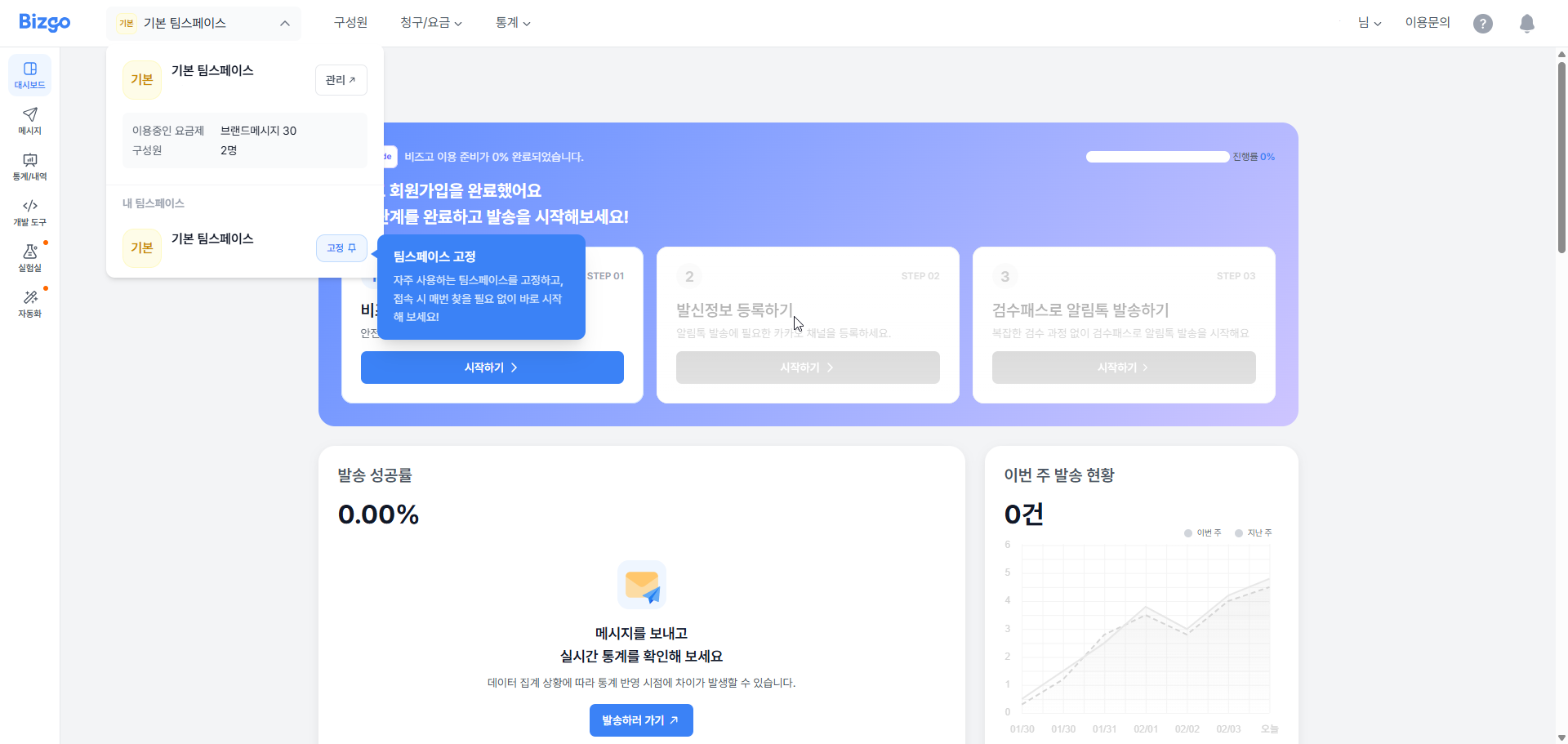
- From the workspace dashboard, go to
연동관리(Integration management), copy the issued unified API Key, and use it for your server integration.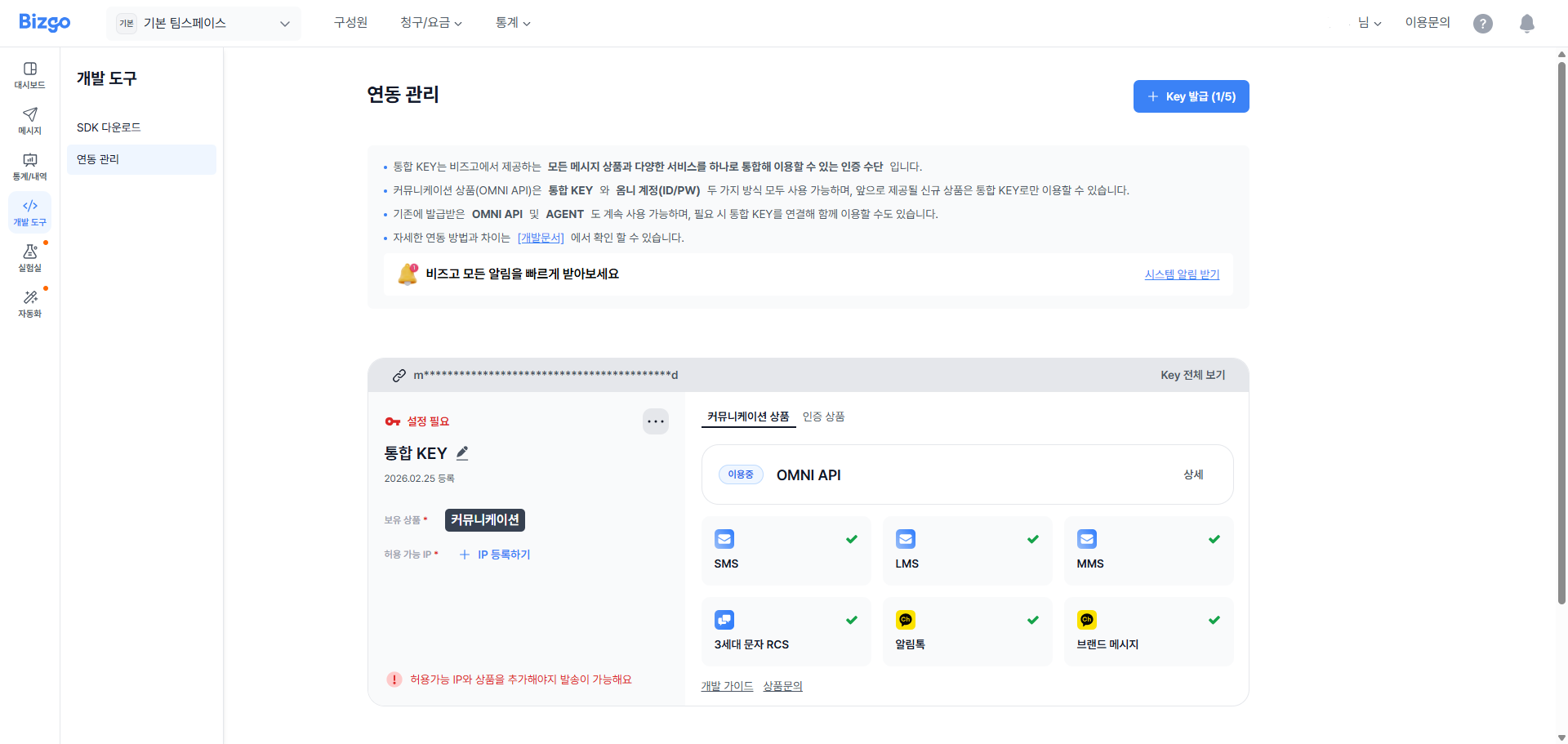
Authentication and other header settings
The Bizgo API uses HTTPS-based REST calls.
Only the path differs between products — the authentication method and the base header rules stay the same everywhere.
Base URL
Product (production)
Check IPshttps://mars.ibapi.krSandbox (test)
Check IPshttps://sandbox-mars.ibapi.krHow to use Sandbox
Sandbox uses the same API key as production, but it is a test environment where no real message is sent. Right after a key is issued or changed, it can take up to 10 minutes to take effect.
In both the production and test environments, calls are only accepted from public IPs that you allowed in advance. You can find the full list of allowed IPs in Firewall and security protocols.
Request headers
Content-Type:application/jsonAuthorization: API KEY
Request and response body
The request body uses JSON format.
The response body is split into a common part (common) and an individual part (data). The common part carries the authentication and permission check result, and the individual part carries the processing result of the actual product API.
The default encoding for the Bizgo API is UTF-8 .
For text messages (SMS/LMS/MMS), however, Korean carrier specifications mean you can send content that includes EUC-KR characters.
- Build the request body structure to match the API specification of each product.
- Message APIs use common fields such as
destinations,messageFlow, andref, while the channel-specific detail fields are defined in each product specification. - In the response,
commonmeans the API Gateway common result anddatameans the actual product processing result.
Request example
{} JSONResponse example
{} JSONFirewall and security protocols
TLS
- All API communication is provided over HTTPS (TLS).
- TLS 1.2 or higher is supported.
Firewall allowed IPs
Production environment
- Outbound direction (customer server → Bizgo API)
PORT 4433.35.80.15,43.203.83.174,54.116.59.12 - Inbound direction (Bizgo Webhook → customer server)
3.37.214.83,3.39.75.204,43.200.251.230,211.115.98.154,211.115.98.155,211.115.98.205
Sandbox environment
- Outbound direction (customer server → Bizgo API)
PORT 443211.115.98.231 - Inbound direction (Bizgo Webhook → customer server)
211.115.98.231
ACL (IP access control)
- The public IP used to call the API must be registered in advance against the API Key.
- If your development and production servers are separate, register the public IP of every environment.
- Calls from an unregistered IP are blocked at the authentication or access control stage.
How to register an IP
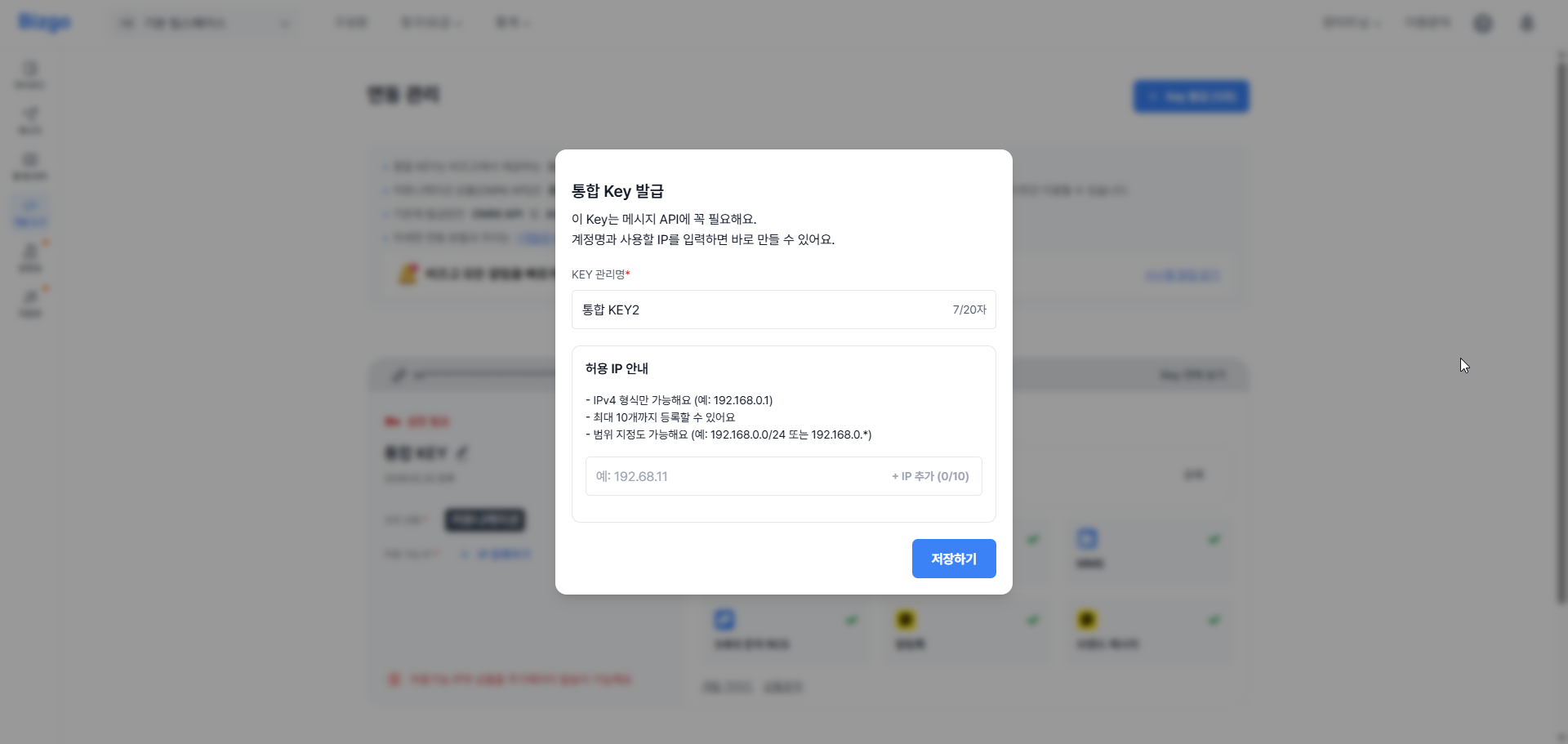
- Sign in to Bizgo, then go to
발송관리 > 연동관리(Send management > Integration management) in the left menu of the console. - Register the public IPs you want to allow for the unified API Key you are using.
- Add both your development and production server IPs, then save.
Rate Limit
- Call limits may apply per API.
- The current default Rate Limit is
200 TPSfor send APIs and5 TPSfor non-send APIs such as management, lookup, and report. - If you exceed the limit, you may receive
429 Too Many Requestsor an equivalent policy error. - For bulk sends or repeated lookups, we recommend retrying with exponential backoff.
About the Rate Limit baseline
The values above are the current defaults and may change later depending on service operation policy, account status, and API type.
Recommended security checklist
- Keep the API Key only in a server environment variable or a secret store.
- Mask sensitive information such as API Keys, phone numbers, and payloads before writing them to logs.
- We recommend keeping your outbound firewall policy open only to the Bizgo API domain and the allowed ports.