
Check engagement by template
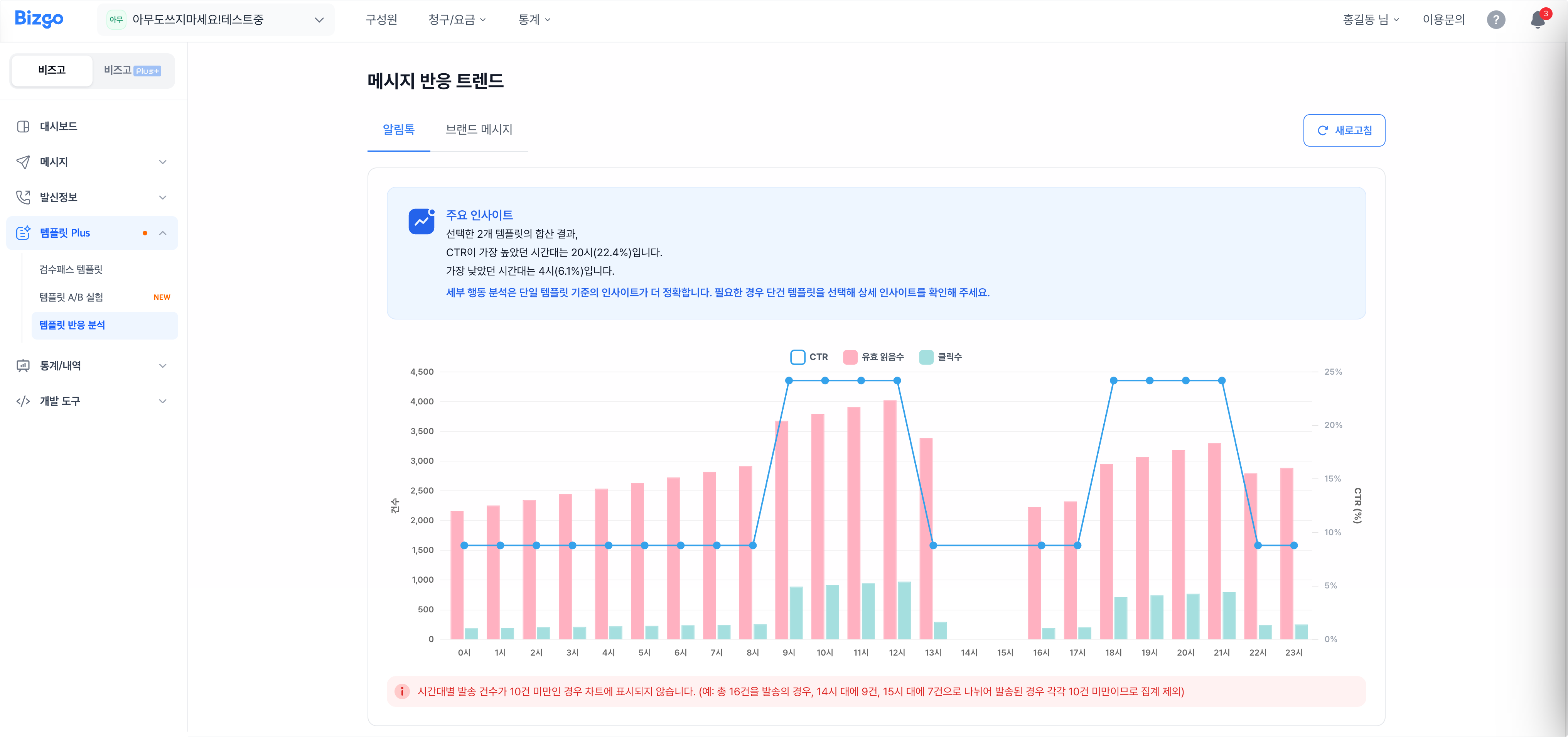
Bizgo > Template Plus > Template engagement analysis compares read and click engagement per template on a graph and shows how it moves through the day.
1. Find the messages to analyse
Pick the Alimtalk or Brand Message tab, set the send date (up to 7 days), the channel, and the template code, then click Search.
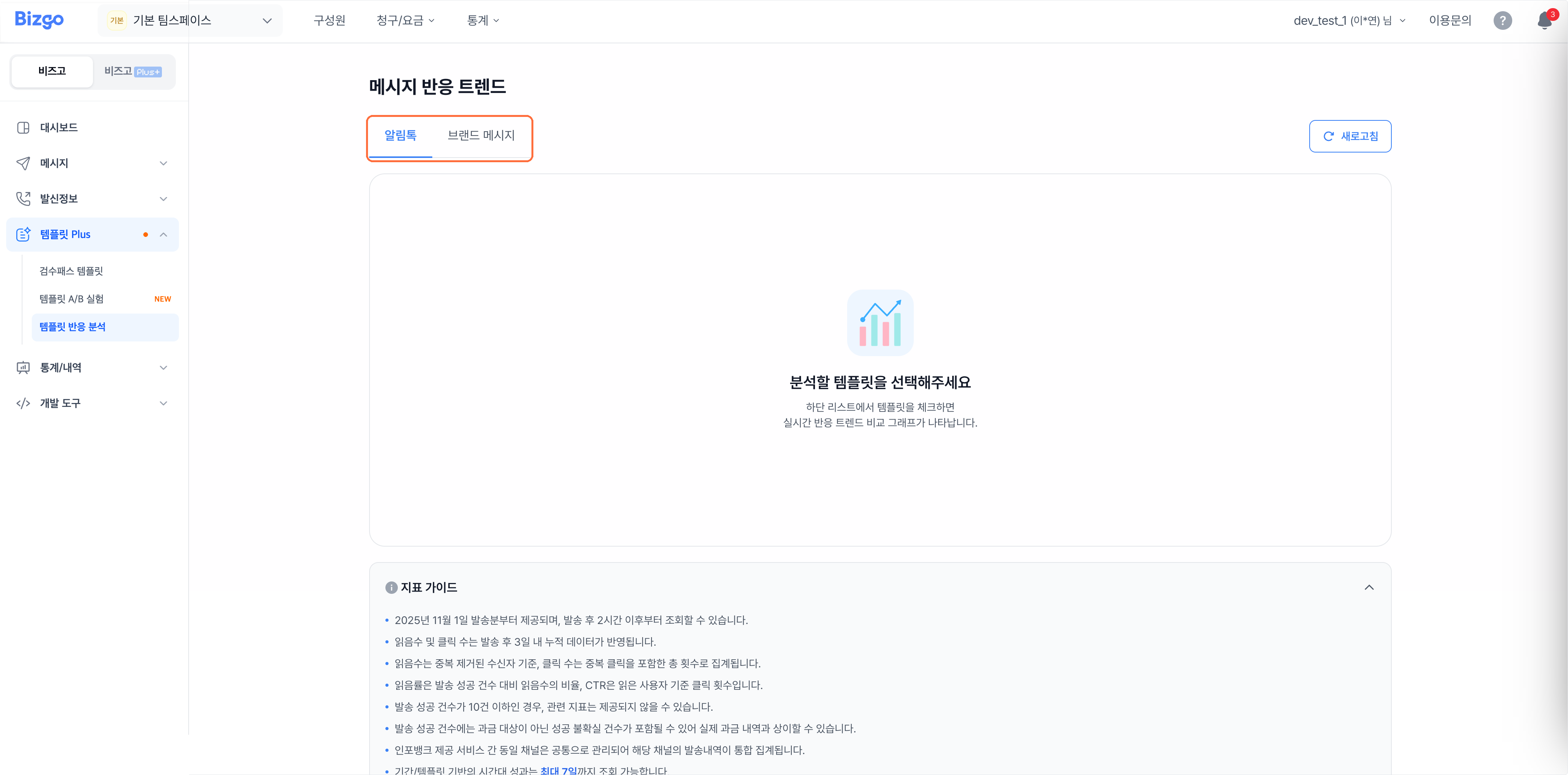
2. Select templates
Tick the templates you want to compare in the list below. The engagement graph for the ticked templates appears above.
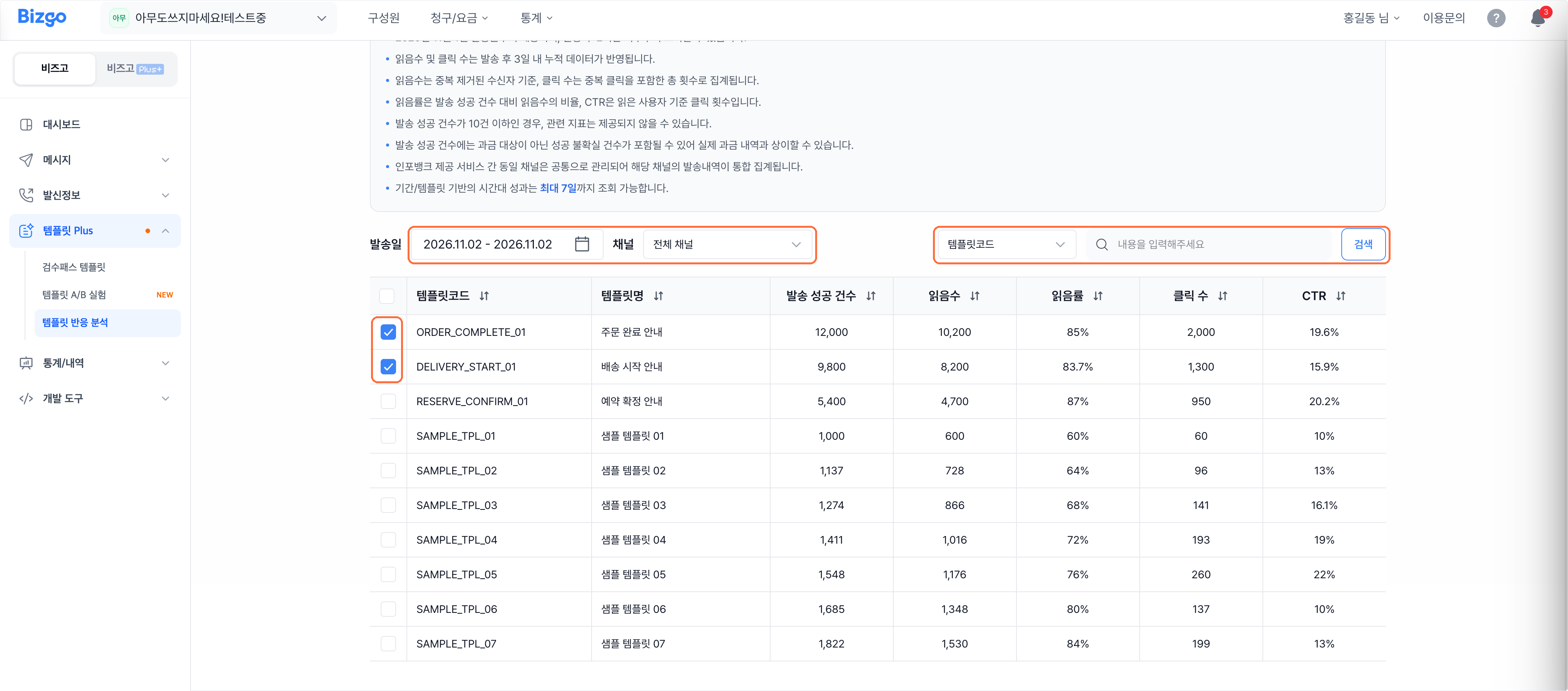
3. Compare the metrics
The list compares successful sends, reads, read rate, clicks, and CTR. Click Metric guide if you are unsure what one means, and Refresh for the latest data.
| Metric | What it means |
|---|---|
| Reads | Reads counted per recipient, duplicates excluded |
| Read rate | Reads as a share of successful sends |
| Clicks | Total clicks, repeat clicks included |
| CTR | Clicks as a share of users who read the message |
Check the lookup rules
- Available from sends on 1 November 2025 onward, and only 2 hours after the send.
- Reads and clicks reflect three days of cumulative data after the send.
- With 10 or fewer successful sends, metrics may not be provided.
- Successful sends can include uncertain successes that are not charged, so the figure may differ from your actual billing.
Next
- Volume-focused figures → See performance by template
- A/B comparison → Compare which template performs better