
Send RCS
Go to Bizgo > Messages > Web send > RCS send.
The flow is Choose the message → Set up failover → Add recipients → Send.
You need an RCS brand and chatroom
RCS can only be sent from a registered brand and chatroom (sender number). If you do not have them, create the brand and chatroom in the RCS Biz Center and raise a Service inquiry. → Registering sender information
1. Choose the message
Pick Load a registered template or Write a new message. Select the brand and chatroom, set the message, then click Done.
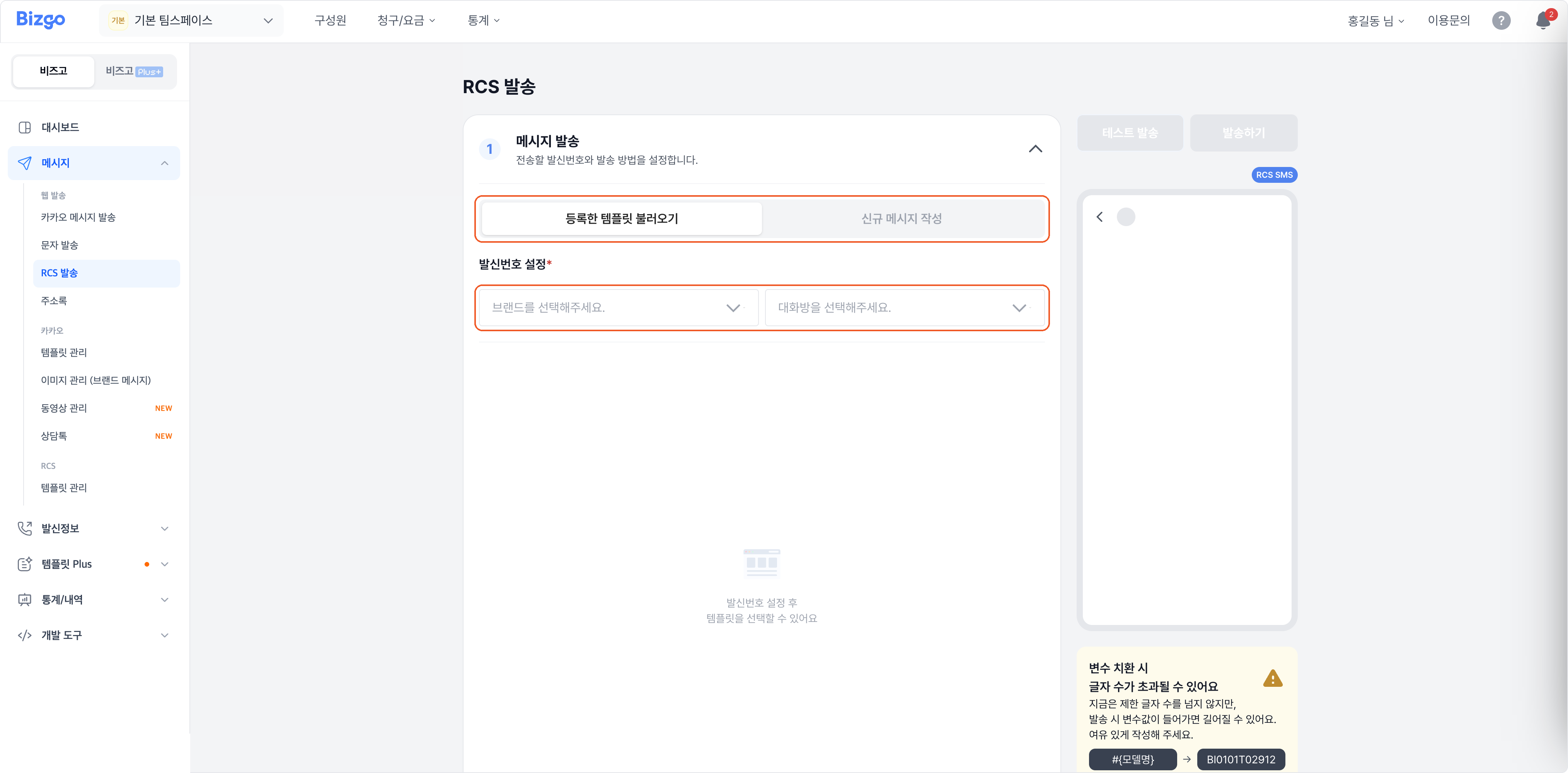
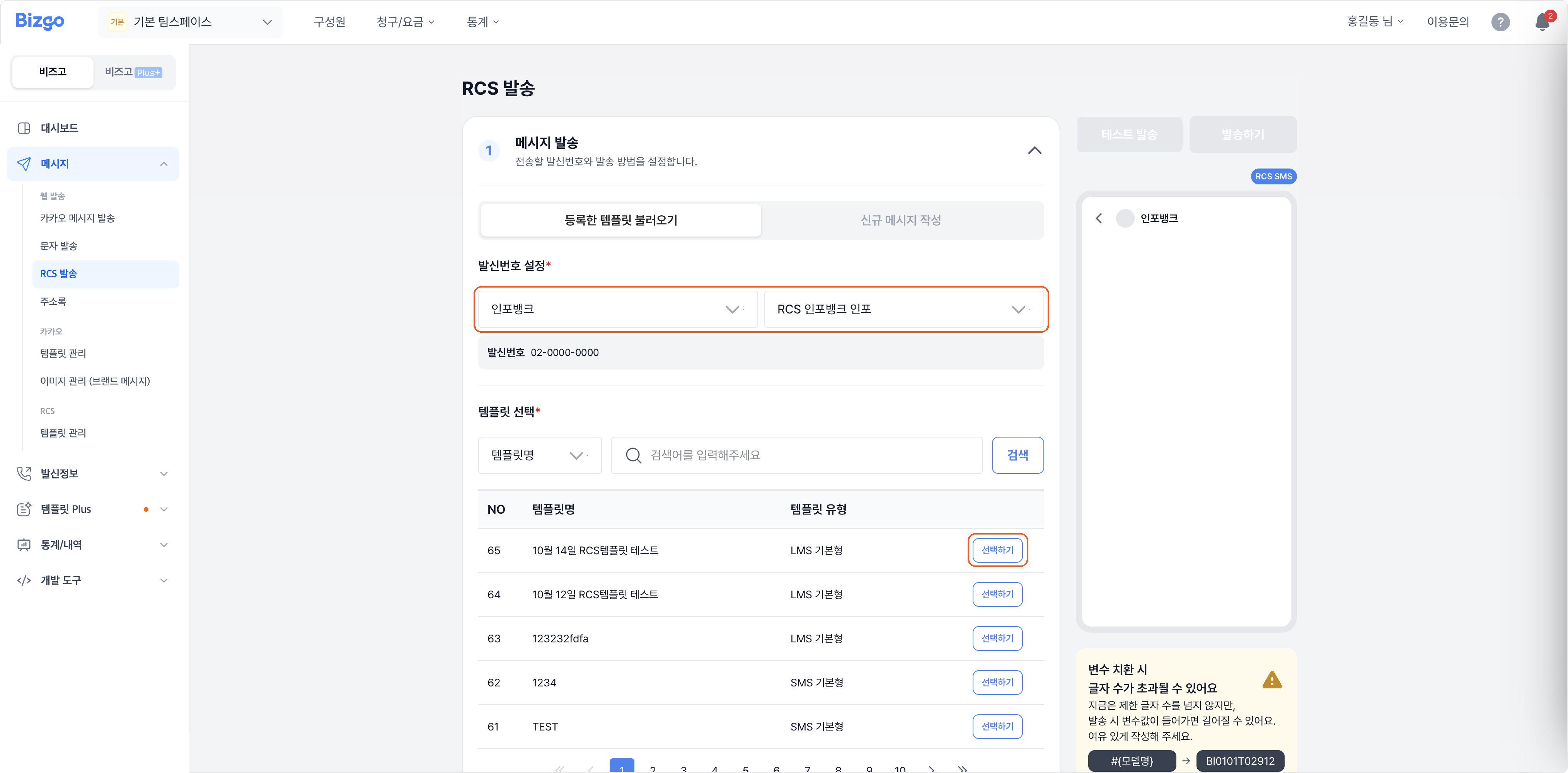
2. Set up failover
Decide whether to fall back to SMS when the device cannot receive RCS or the send fails. Choosing Use lets you pick a sender number and review the SMS text. The fallback is sent as the same type (informational or promotional) as the original.
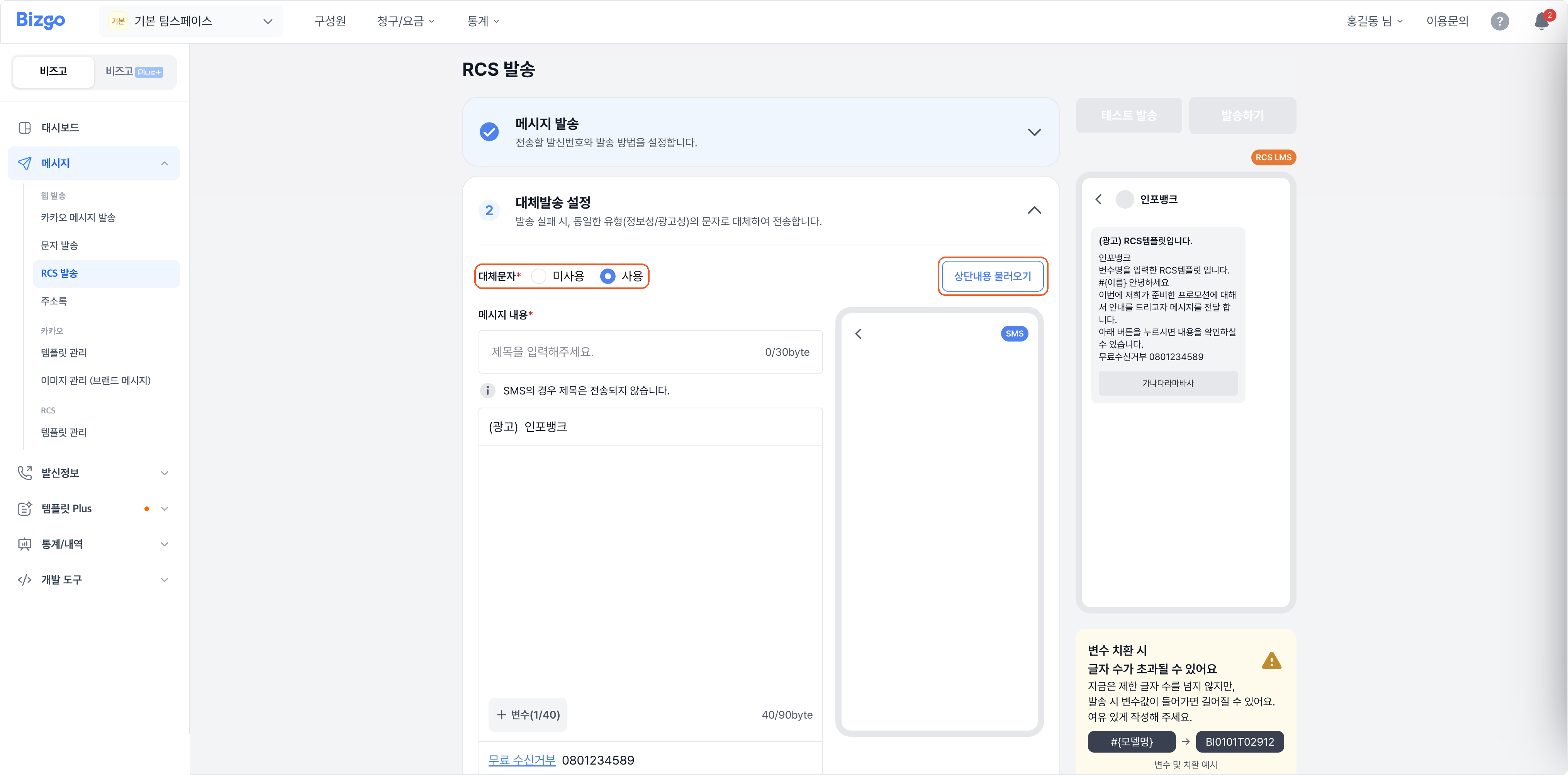
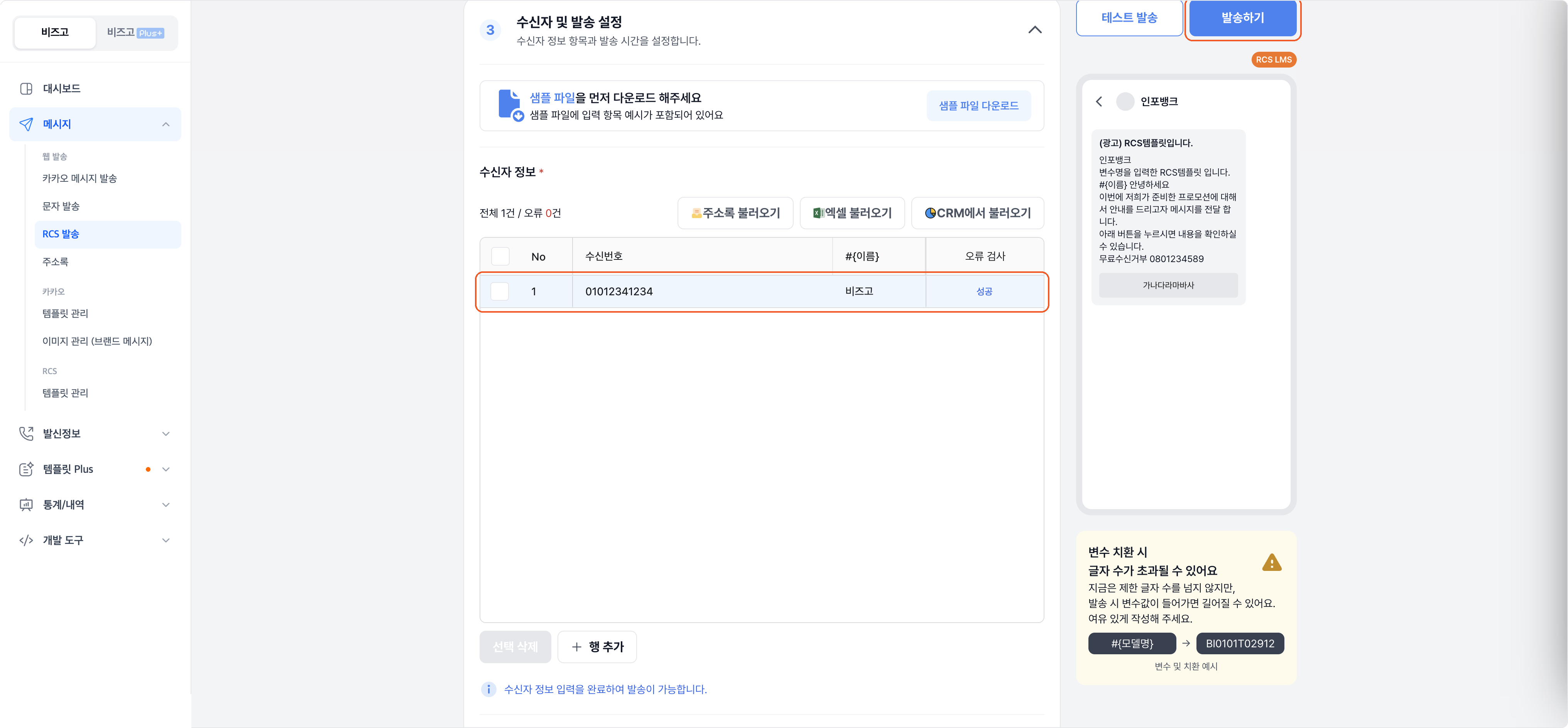
3. Add recipients
Use Import from address book, Import from Excel, or Import from CRM, or type them in with Add row. If there are variables, fill in each recipient's values.
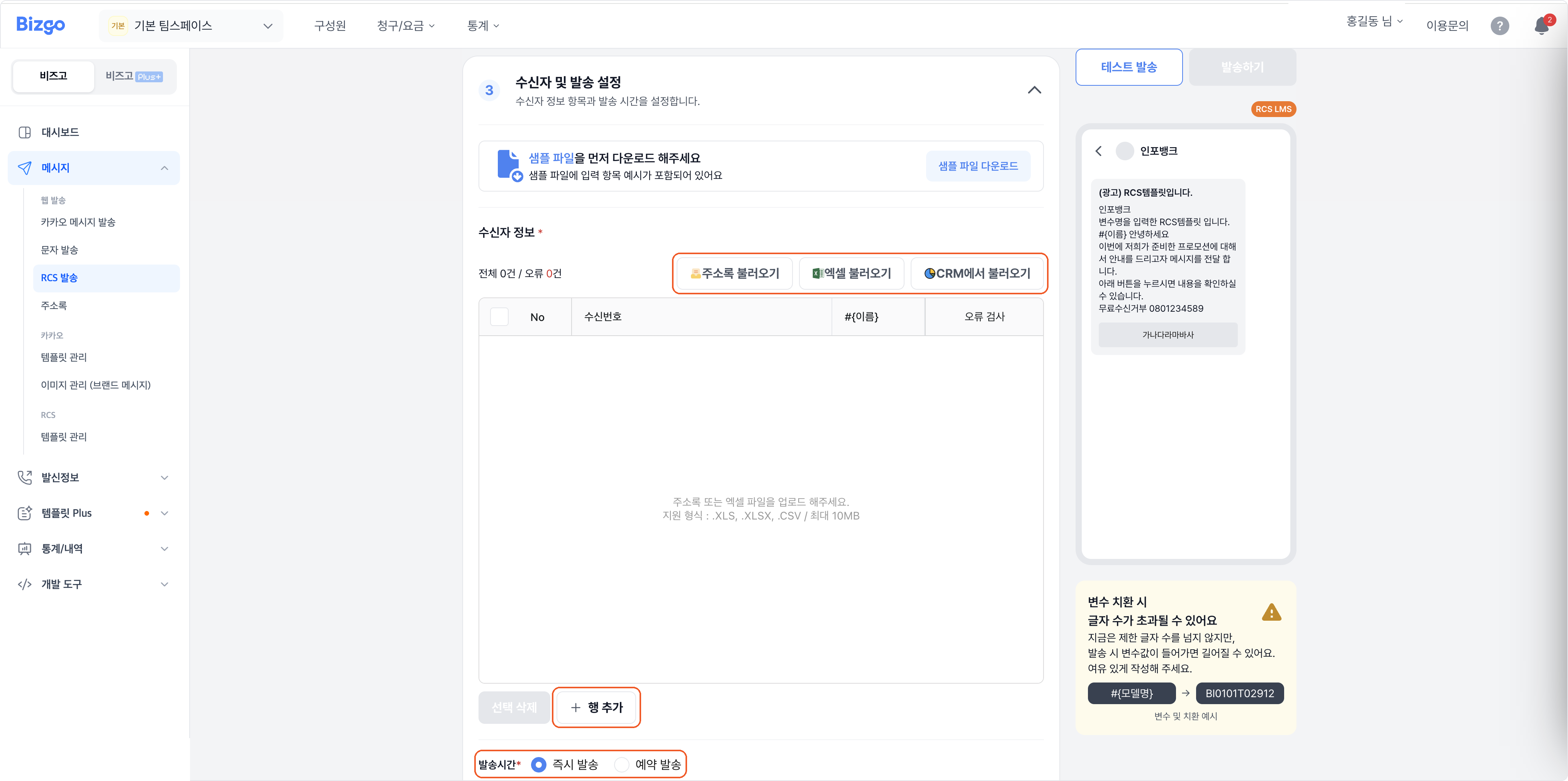
4. Send
Choose Send now or Schedule, and use Test send if you want a preview. Review the content, then click Send.
Next
- Creating templates → Create an RCS template
- Checking what you sent → Message box
- Sending through the API → RCS