
Check web and system send results
Bizgo > Statistics/History > Send history shows the per-recipient results and failure reasons for messages sent from the web and from your systems (API or Agent).
API results land here too
The menu is called Send history, but it covers both web and system sends. To look at a web send message by message, or to manage scheduled messages, use the Message box. → Message box
1. Read the summary figures
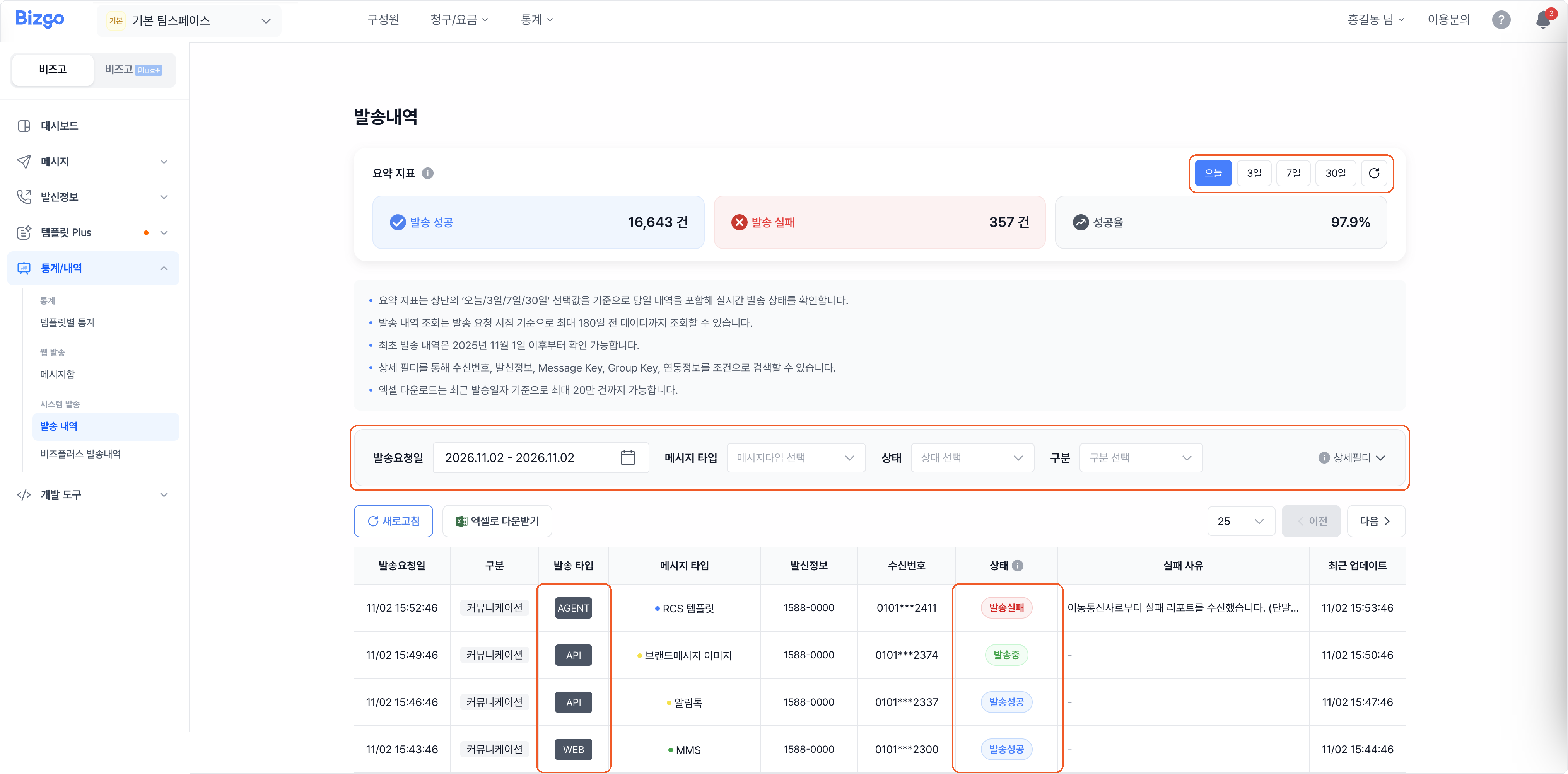
Pick Today, 3 days, 7 days, or 30 days to see the send volume and the success rate. The summary includes the current day.
2. Search by condition
Choose the request date, the message type, the status, and the category (communication or commerce). To narrow further, open Advanced filters and enter a recipient number, sender information (a sender number or @channelID), Message Key, Group Key, or integration details.
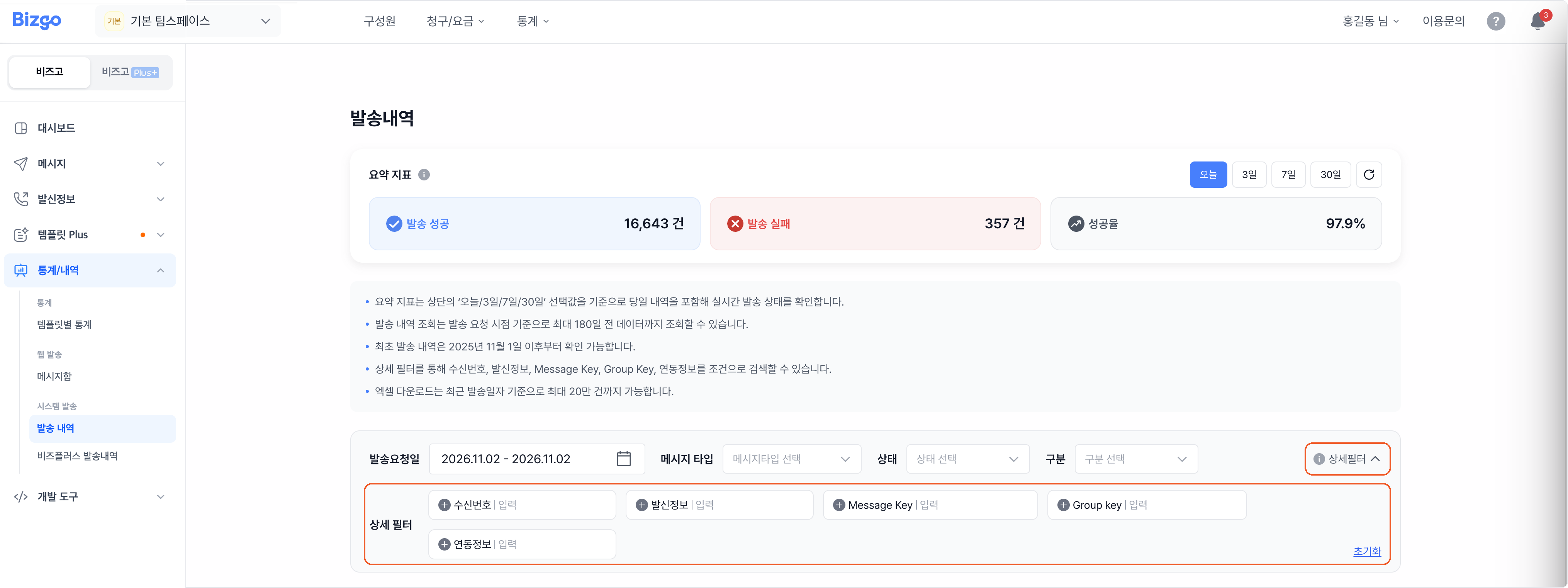
The filter you will use while integrating
You can look a message up directly by the msgKey or groupKey you set when sending through the API. When chasing an incident, one key from your logs is enough to see the actual delivery stage in the console. → Checking send results
3. Read the results and failure reasons
The list shows the send type (WEB, API, AGENT), the message type, the sender information, and each recipient's status and failure reason. Messages delivered as a fallback SMS are marked as such.
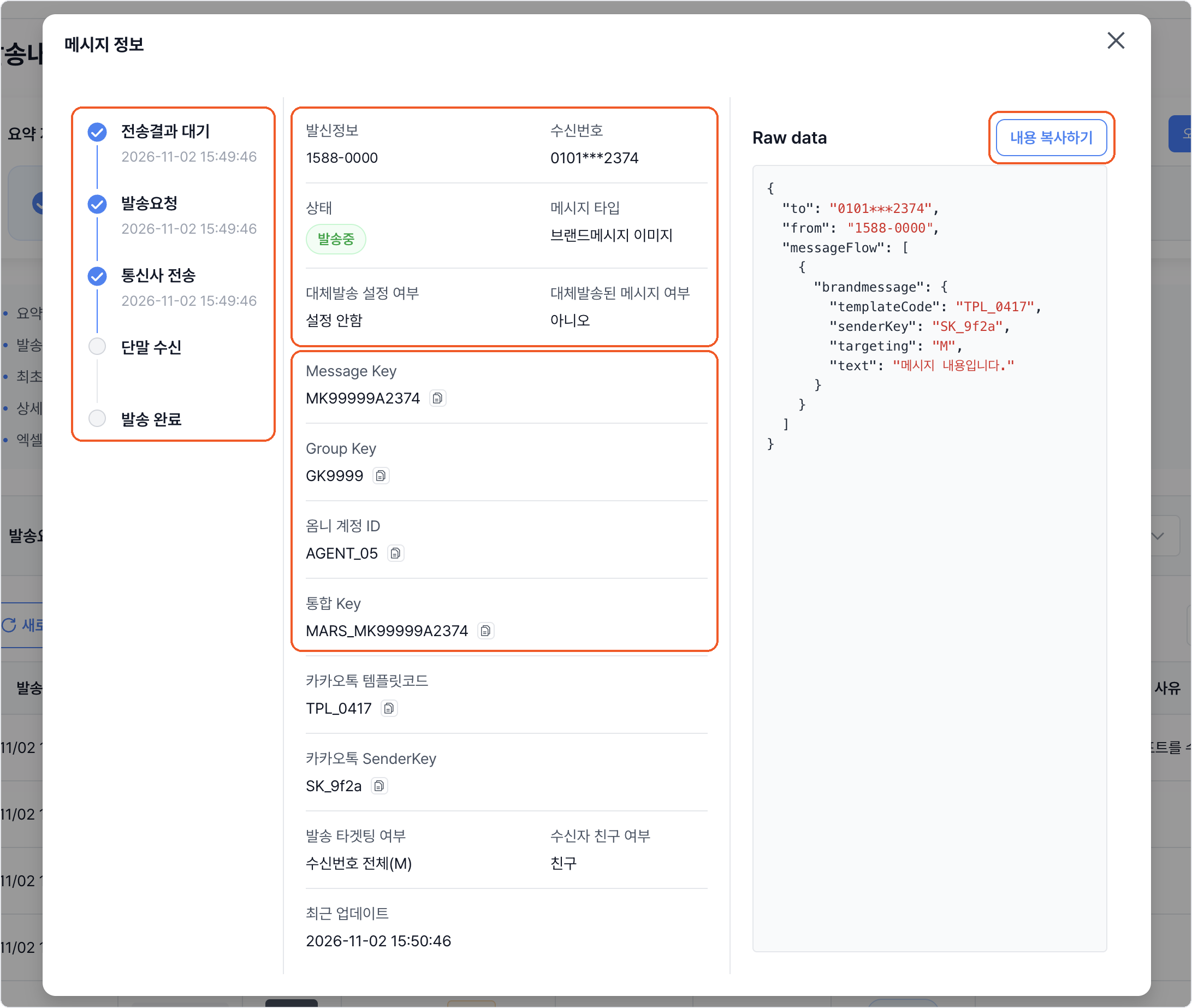
Clicking a row opens Message details, with the progress stage (awaiting result → send requested → sent to carrier → received by device → delivered), whether a fallback was used, and integration details such as Message Key and Group Key. Refresh reloads the latest results, and Download Excel saves the history.
| Status | What it means |
|---|---|
| Send request failed | The send never started — an invalid number, a malformed payload, and so on |
| Sending | Requested successfully, waiting on the gateway response |
| Send succeeded | The request reached the mobile carrier |
| Send failed | No carrier report came back, so the send failed |
Lookup and download limits
- You can look back up to 180 days from the send request time. History is available from 1 November 2025 onward.
- Downloads come as CSV, up to 200,000 rows counted from the most recent send date.
Next
- A summary of your usage → See your usage on the dashboard
- Getting results through the API → Checking send results · Report polling