
Check and edit company information
Account menu > Company information shows the company name, business registration number, company type, whether you are a special-type value-added telecommunications business, the representative's name, industry, business category, and address.
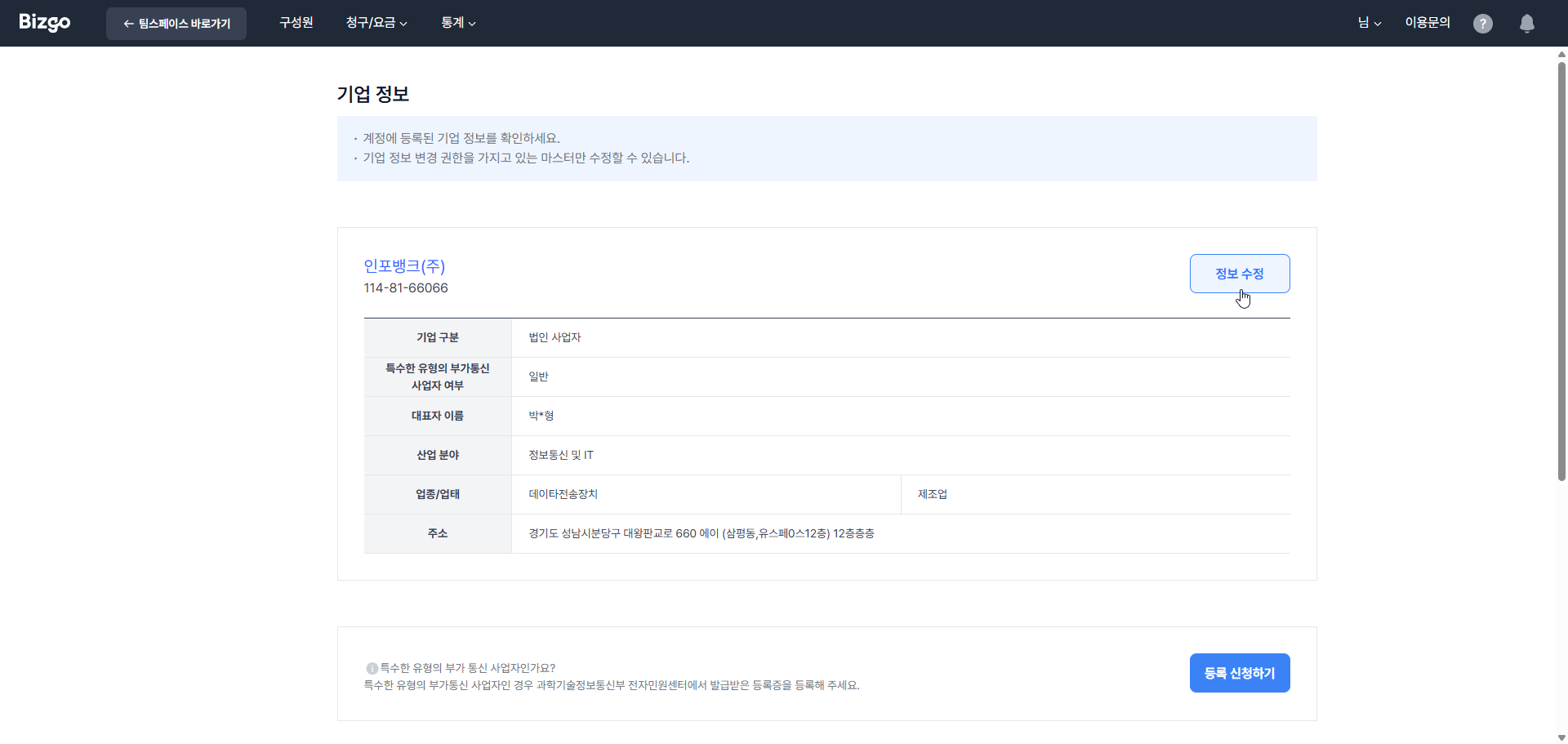
Click Edit and confirm your identity with your password, then enter the new details. You must attach the business registration certificate when changing business details. Once requested, the button changes to Edit requested and the change applies after an administrator checks it.
| Item | How it applies |
|---|---|
| Business registration number and certificate, company name, representative's name | Applied after an administrator checks the request and the supporting documents |
| Business category, address | Applied immediately |
Changing business details disables your existing sender numbers
Only the Master, who holds the company information permission, can make these changes.
When the business registration number, company name, or representative's name changes, every registered sender number becomes unusable at the moment the change completes and sends fail. Register your sender numbers again under the new business details first. → Registering sender information
Registering as a special-type value-added telecommunications business
If this applies to you, register the certificate issued by the Ministry of Science and ICT electronic civil service centre. Click Apply for registration at the bottom of the screen to upload it.
Next
- Re-registering sender numbers → Register an SMS sender number
- Your own account details → Edit my information