
Change your payment method (CMS)
Check the payment method and payment date for each team space. Click Settings on a team space to open its details.
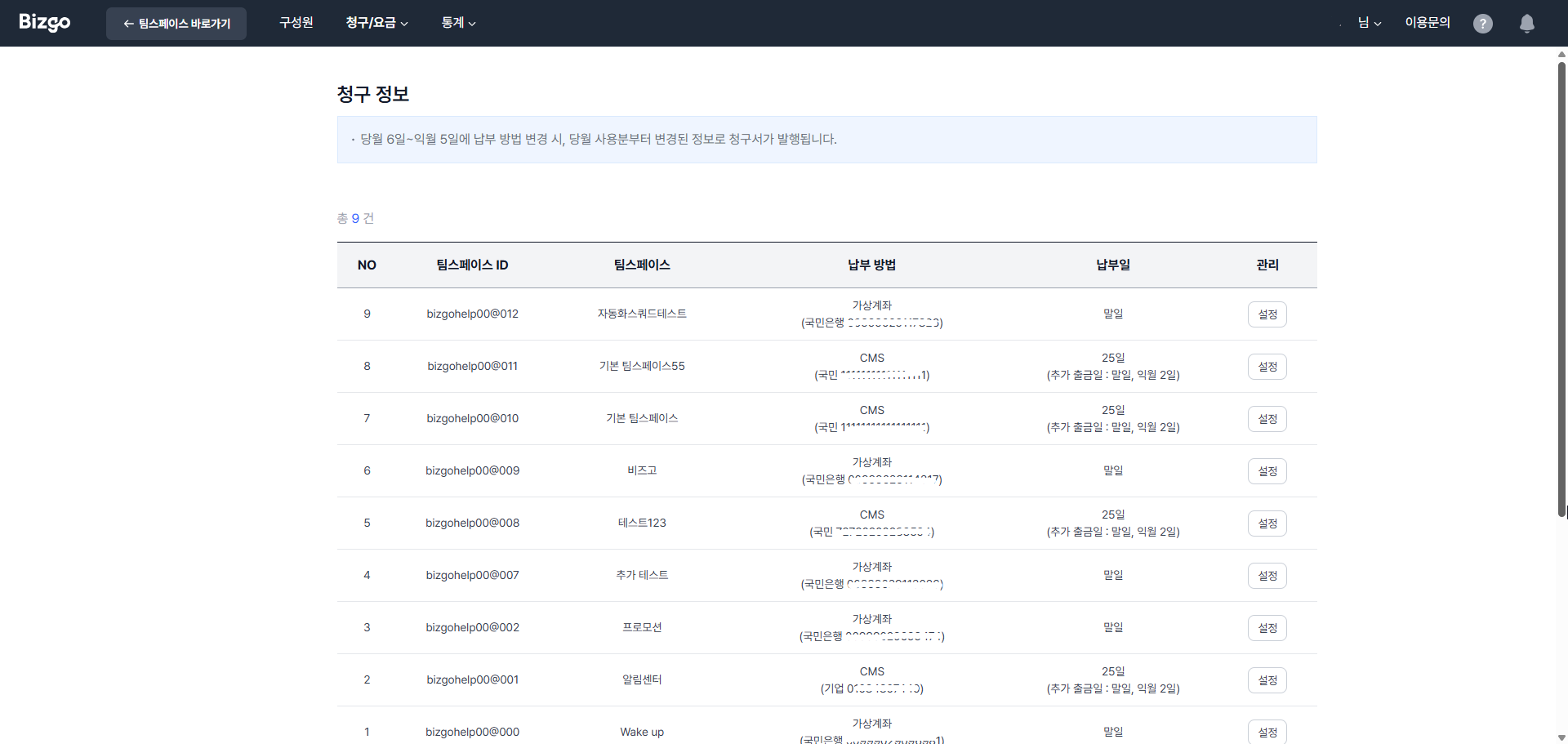
When you can change the payment method
Changes made between the 6th of the current month and the 5th of the next apply from the current month's usage. For earlier usage, ask through Service inquiry.
Applying for CMS direct debit
- In the team space details, click Edit information under Payment method.
- Click Apply for CMS direct debit and enter the account holder's name, mobile and landline numbers, relationship, the bank, the account number, and the account holder verification number.
- Individuals and sole proprietors — six-digit date of birth
- Corporations — ten-digit business registration number
- Choose the 20th or 25th of the month as the debit date, agree to the required items, and click Next.
- Print the application, stamp or sign it, and upload it.
You must upload the signed application
Entering the details alone does not complete the direct debit application. Finish the document upload and save steps. Check the processing status and effective date through Service inquiry.
Next
- Billing records → Check billing records
- Team space billing → Create and manage team spaces