
Download an SDK
Under Bizgo > Developer tools > SDK download, get the SDK you use to send messages through the API.
An API key comes first
Issue a key under Developer tools > Key management and set its send type to OMNI API. → Issue and manage API keys
1. Pick the SDK for your language
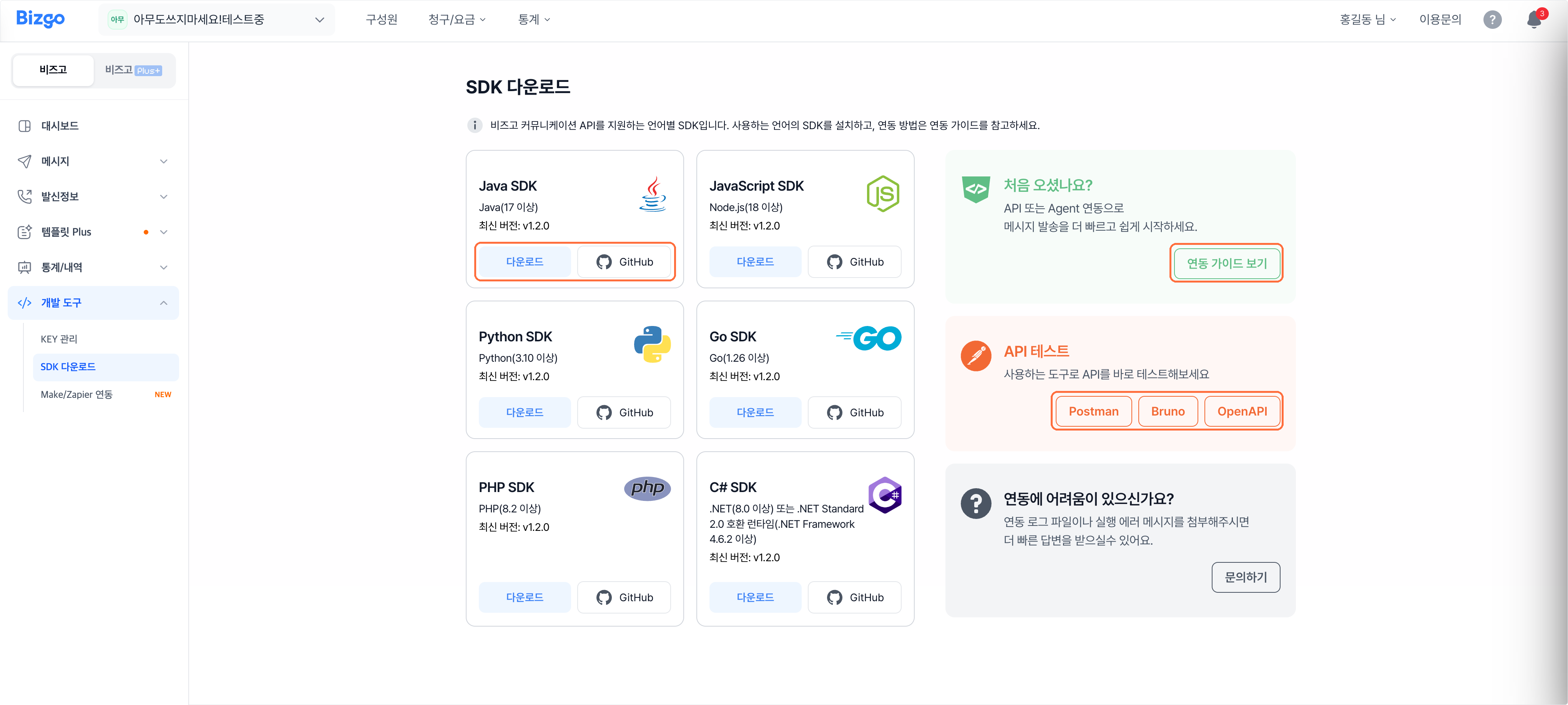
Choose the SDK that matches your language. Each card shows the supported versions and the latest release.
2. Download it
Click Download for the file, or GitHub for the source. Installation and usage are covered under View the integration guide.
→ The full SDK documentation on the developer center: SDK installation · SDK reference
3. Try the API
To try the API before writing code, click Postman, Bruno, or OpenAPI — whichever tool you use.
→ To call it straight from the browser, use the sandbox
Integration not working?
Click Contact us and attach your integration log file or the error message — it gets you an answer faster.
Next
- Issuing a key → Issue and manage API keys
- No-code integration → Make · Zapier integration (no-code)
- The API specification → API reference