
Pick a review-free template
Under Bizgo > Template Plus > Review-pass templates, pick a template you can send straight away without Kakao review or approval.
Register a Kakao channel first
Review-pass templates still go out through a Kakao channel registered with Bizgo. → Register a Kakao channel
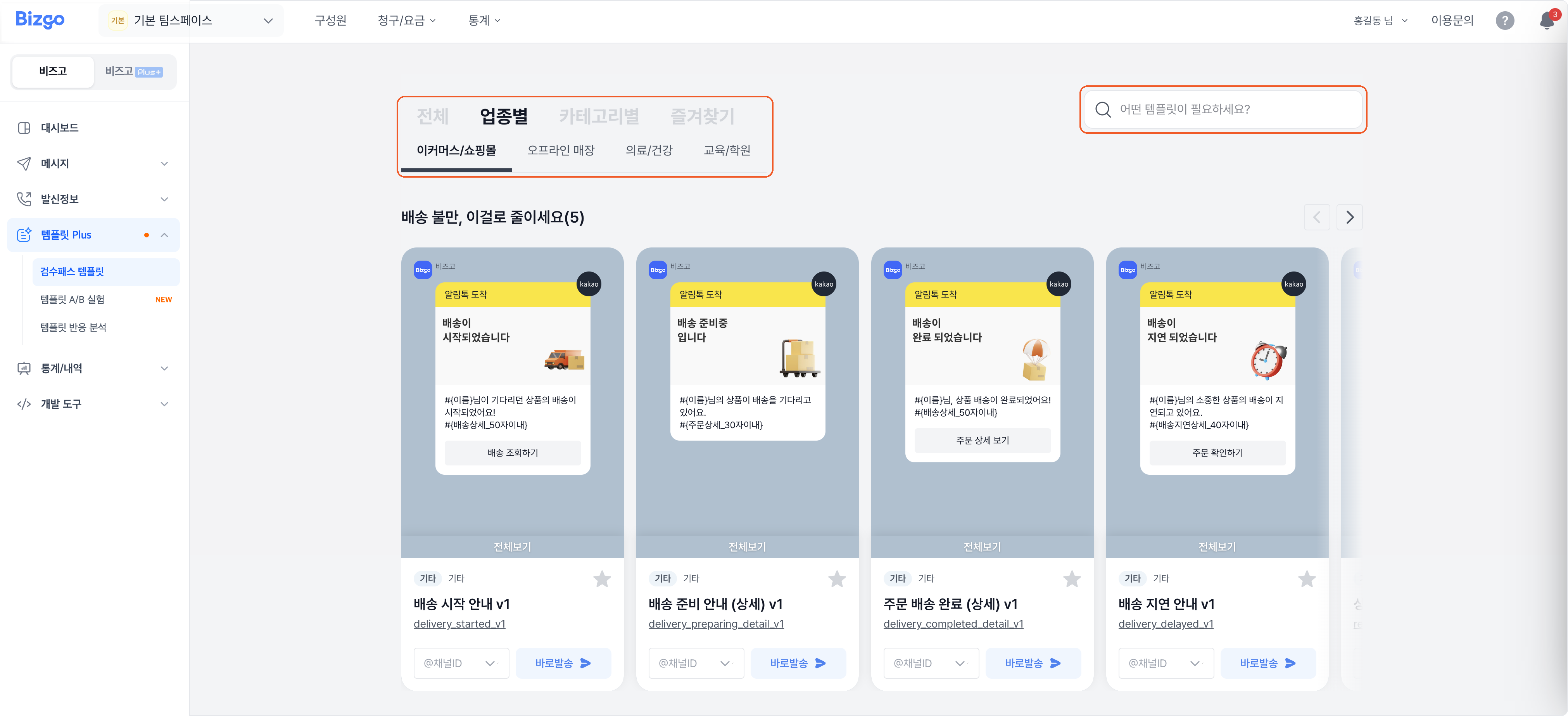
1. Find a template
Filter by industry or category, or type a search term. Read the message and pick the template you want.
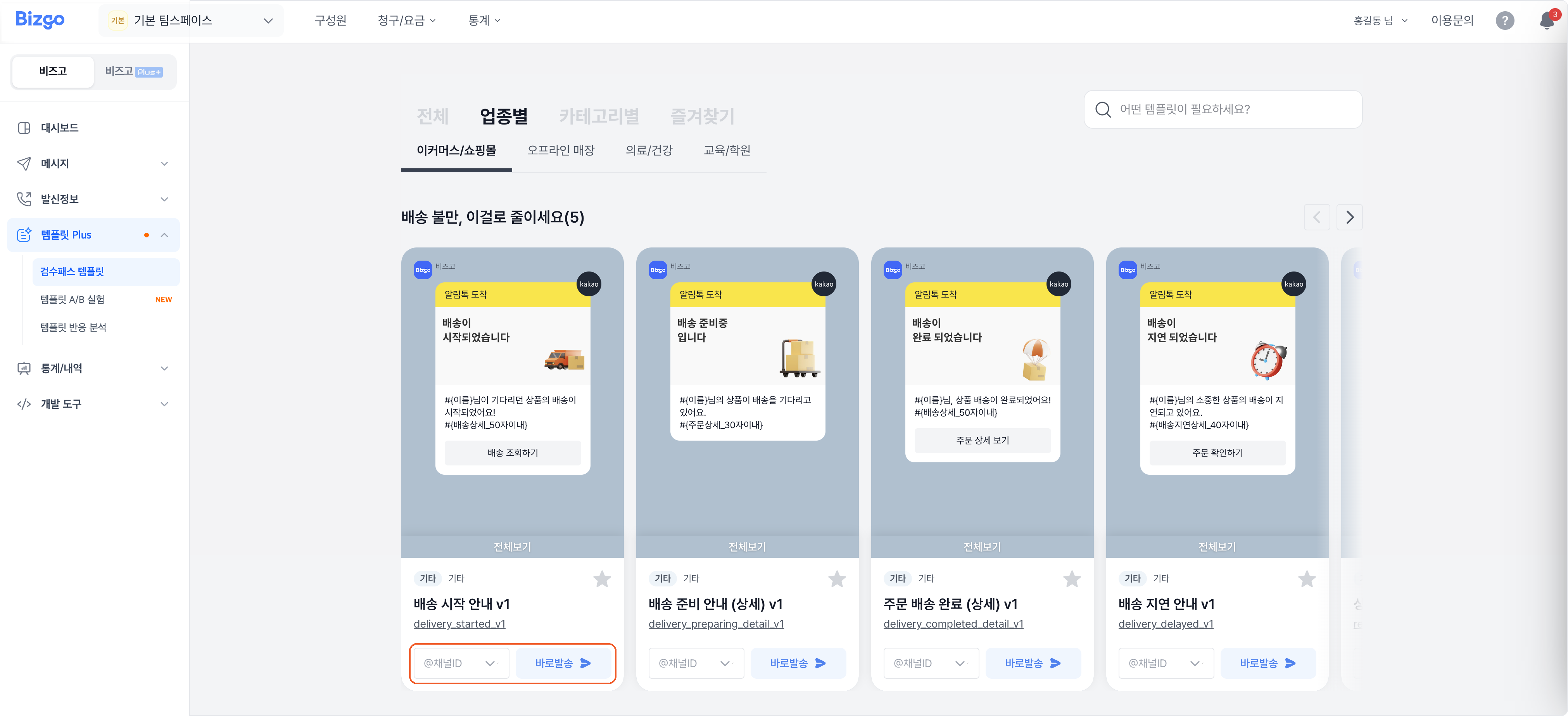
2. Choose a channel and send
Select the Kakao channel to send it from and click Send now.
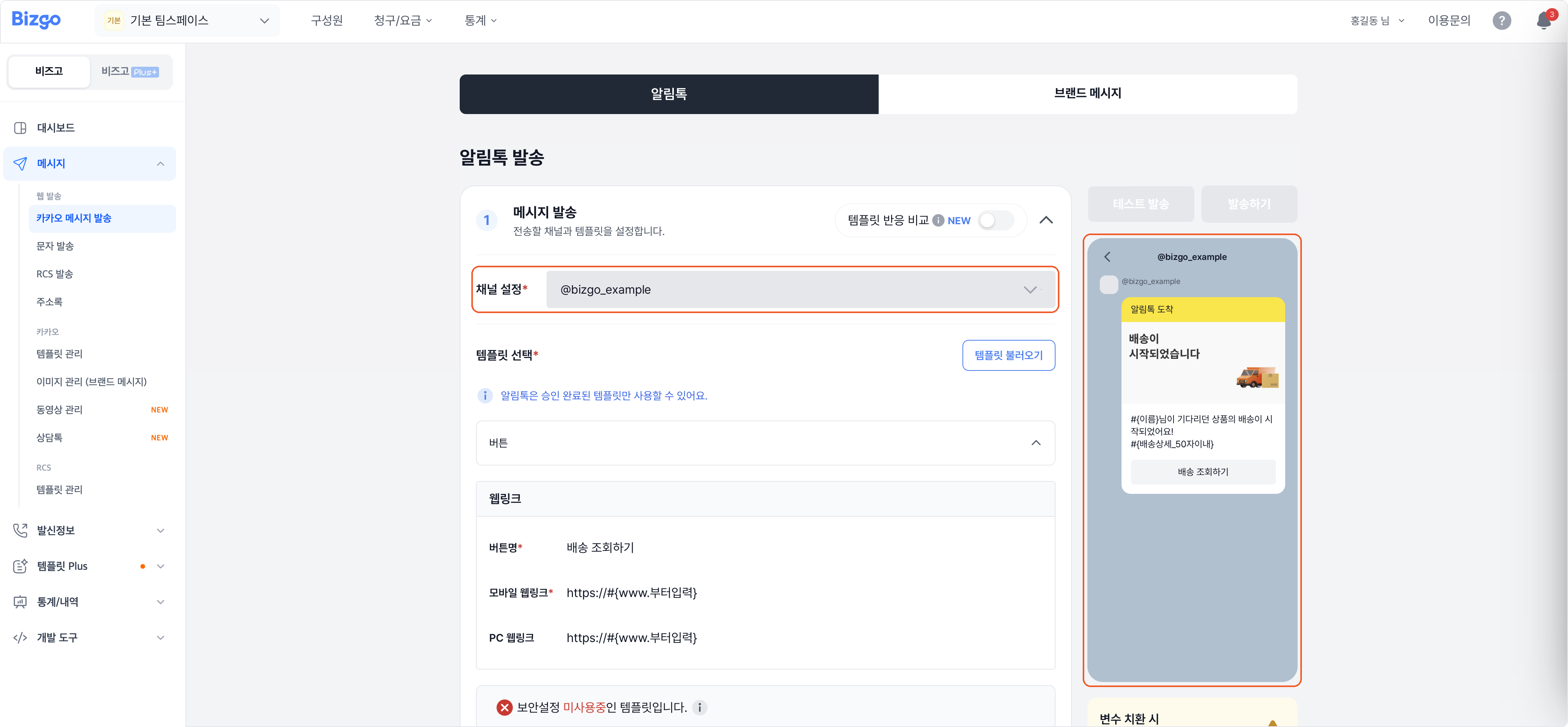
Send now takes you to the Kakao send screen with the template already filled in.
Next
- Adding recipients and sending → Send KakaoTalk messages
- Building your own instead → Create an Alimtalk template