
Register a Counsel Talk channel
Under Bizgo > Messages > Kakao > Counsel Talk > Channel management, register the KakaoTalk channel Counsel Talk will run on.
What a developer settles here
Counsel Talk delivers customer messages over a webhook. The API key and webhook URL you pick on this screen are the integration settings. → Counsel Talk integration flow
1. Start registering a channel
Click + Register channel and pick the environment tab — development/test (CBT) or production (PRD).
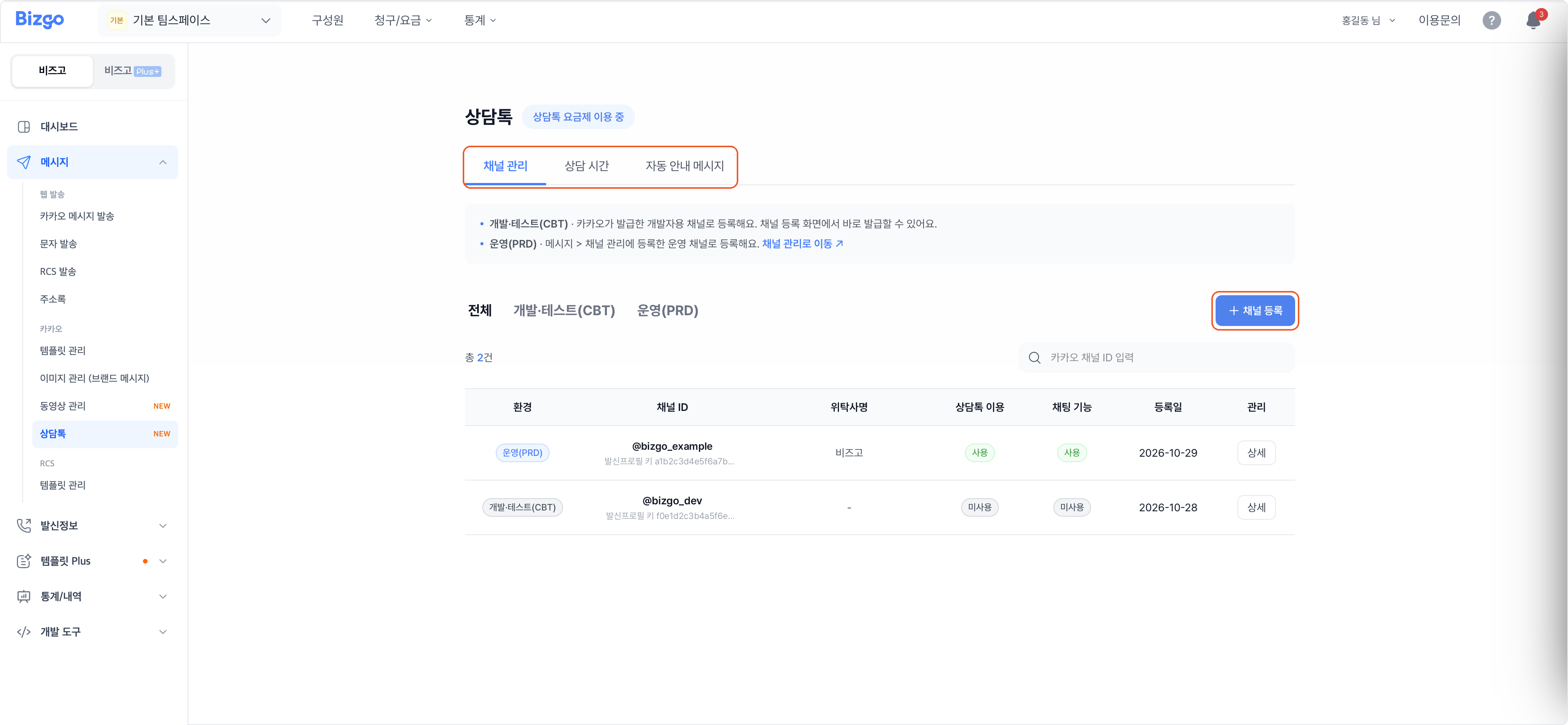
2. Choose the channel
Choosing a channel for that environment fills in the sender profile key automatically.
Development/test (CBT) — Choose a developer KakaoTalk channel ID. If it is not listed, click + Register a developer channel and register the channel ID, the category, and the channel administrator's mobile number through verification.
A caution about developer channels
On a developer channel, a sender profile whose business registration number does not match can be blocked. The sender profile key issued here works only for development/test (CBT) Counsel Talk.
Production (PRD) — Choose a Kakao channel ID.
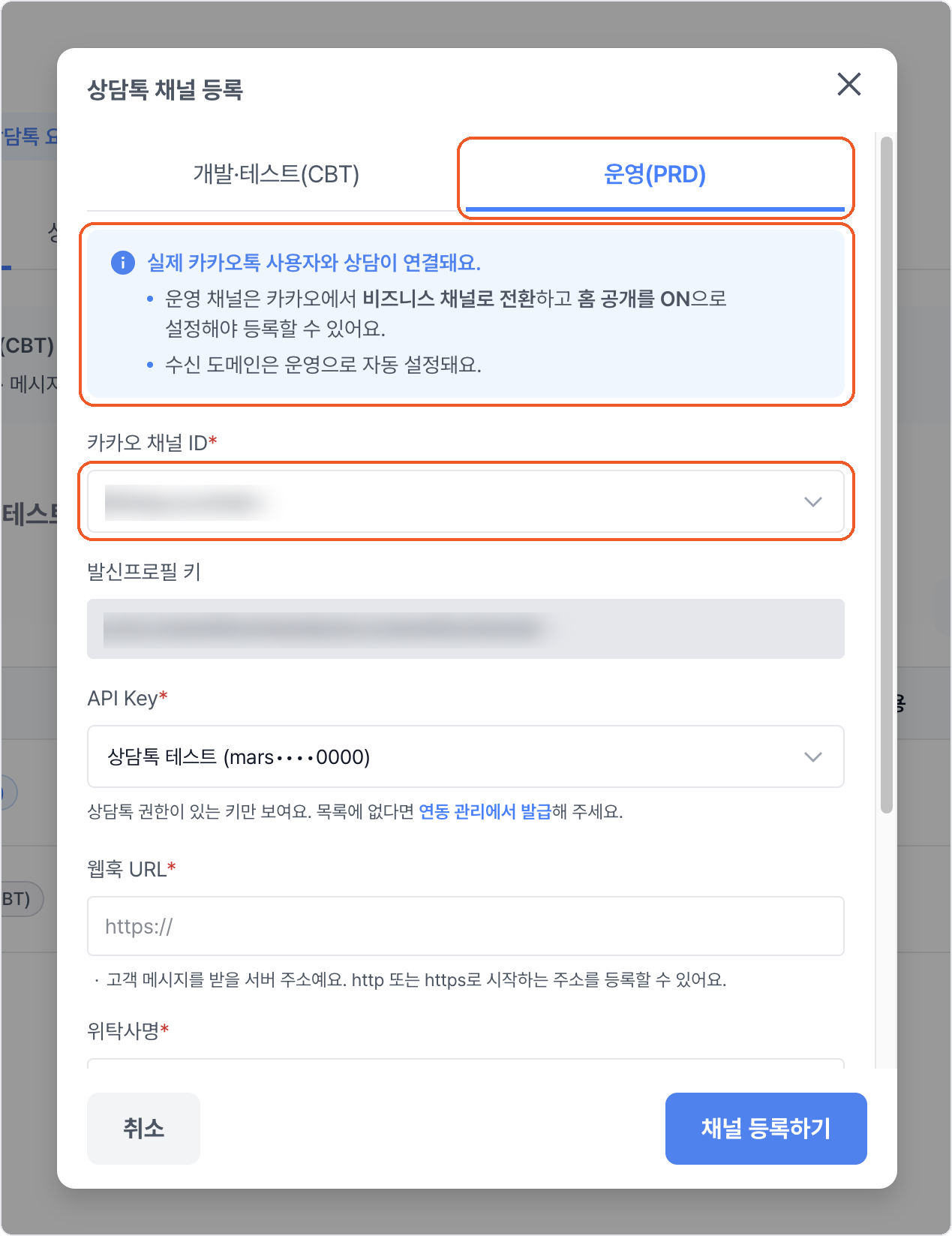
What a production channel needs
A production channel can only be registered once Kakao has switched it to a business channel and its home visibility is ON. → Register a Kakao channel
3. Enter the integration details
Select an API key, then enter the webhook URL and the operator name.
| Item | How to fill it in |
|---|---|
| API key | Only keys with Counsel Talk permission appear in the list. Issue one first if there is none. → Issue and manage API keys |
| Webhook URL | The server address that receives customer messages. It must start with http or https. |
| Operator name | Your own company name if you run the conversations yourself, or the vendor's name if you have outsourced them. |
4. Decide what is enabled and register
Decide whether Use Counsel Talk and Chat features are on, then click Register channel. The channel is added to the channel management list, where Details opens it.
Turning Counsel Talk off deletes the counselling hours
With Use Counsel Talk off, customers cannot start a conversation and the counselling hours you registered are deleted.
Changing a registered channel
In the channel management list, click Details to change the webhook URL, the operator name, Use Counsel Talk, and Chat features, then click Save.
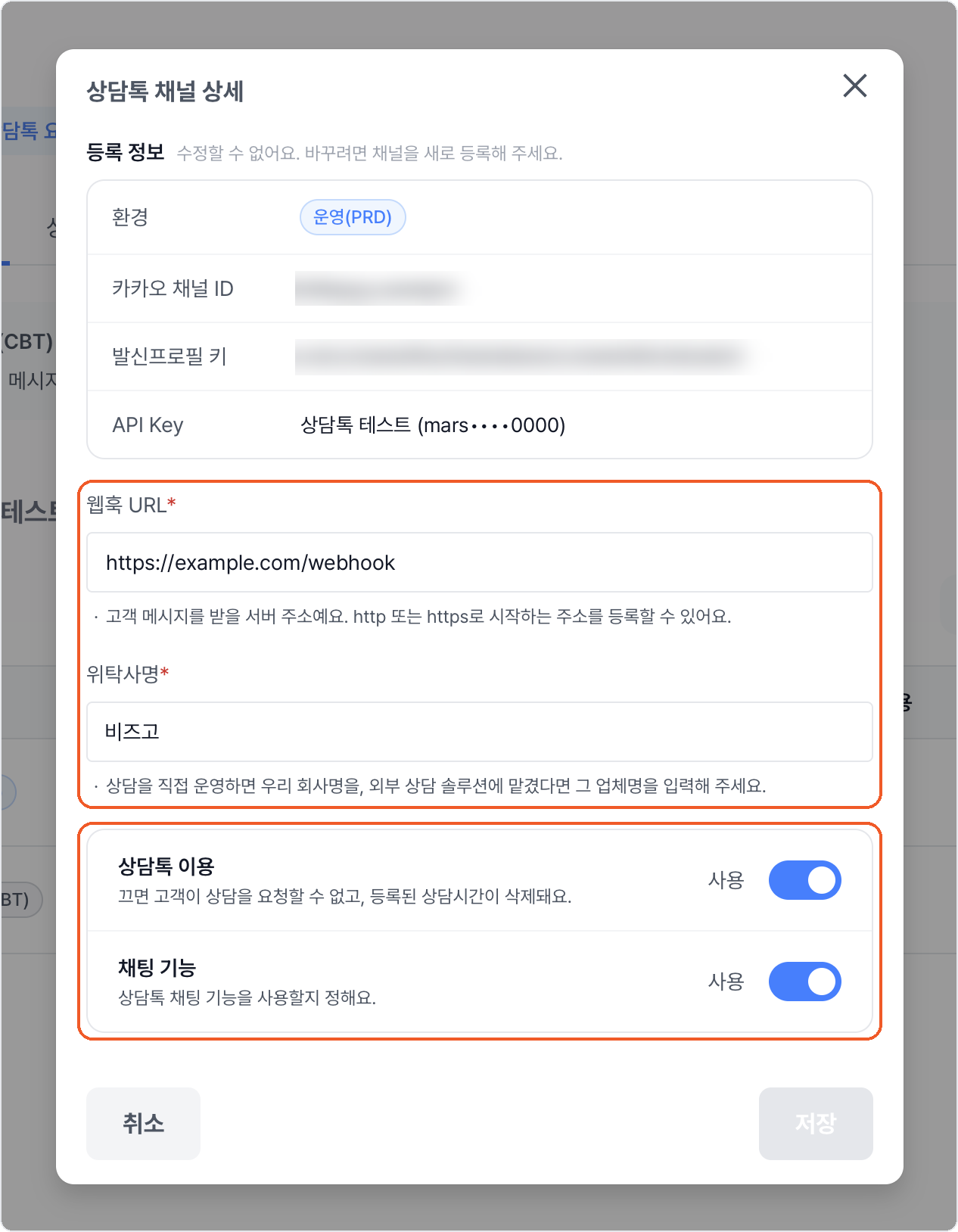
What cannot be changed
The environment, the Kakao channel ID, the sender profile key, and the API key cannot be edited. To change them, register the channel again.
Next
- Set counselling hours
- Change the automated messages
- The payload specification → Kakao Counsel Talk API