
Register an SMS sender number
Under carrier policy, you can only send SMS from a registered sender number. It has to be a number the company, the institution, or an employee genuinely owns.
In the Bizgo console, go to Sender info (발신정보) > Sender number management (발신번호 관리) and click + Register a sender number (+ 발신번호 등록하기).
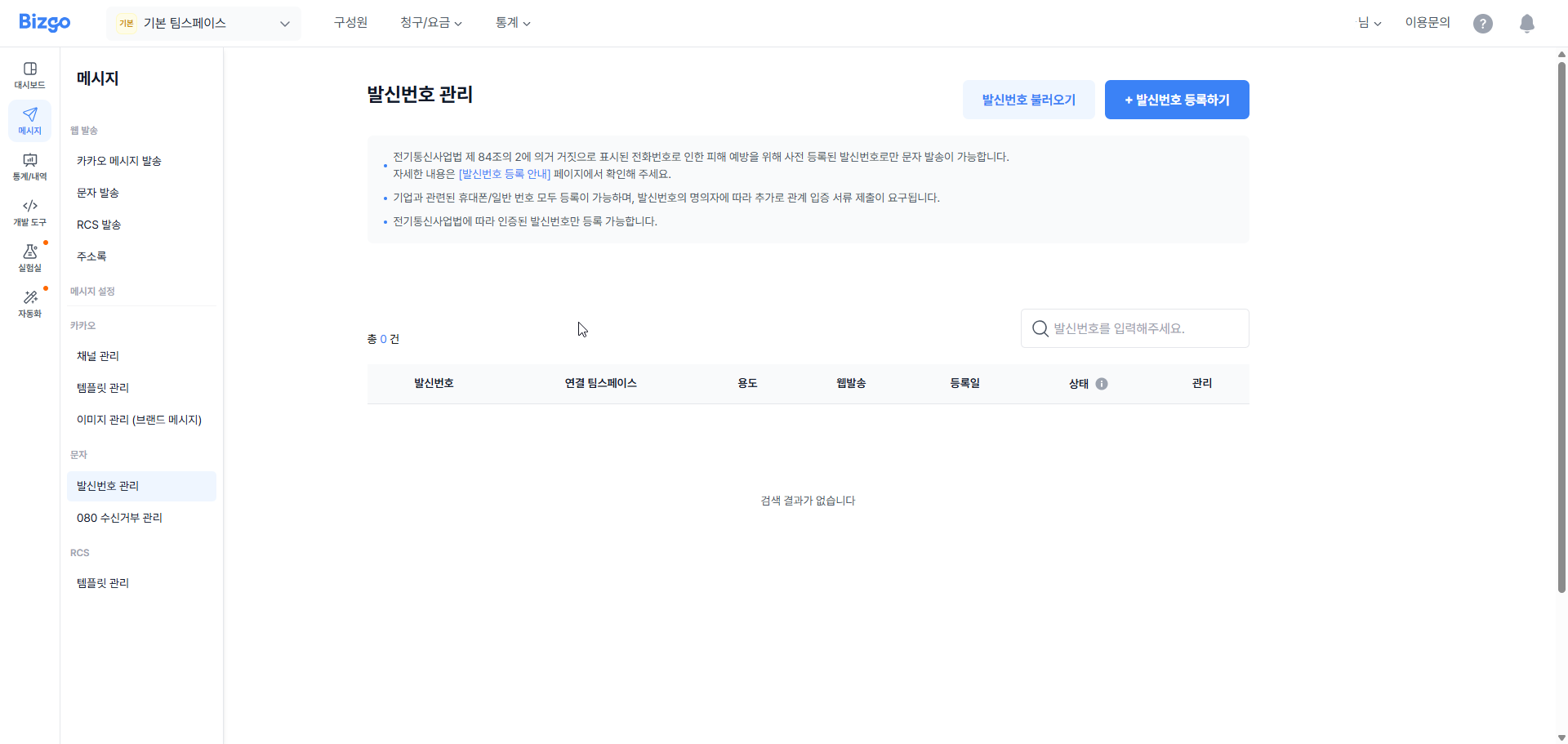
Registration rules are stricter under the sending-eligibility verification scheme
- Identity verification and accounts — The connecting information (CI) issued by an identity verification agency is stored, and one name can use only one account. Complete identity verification on the account before you register a sender number.
- Registration limit — The limit differs for individuals and corporations, and for landline and mobile numbers. It applies to web sending and can be checked under Sender number management.
- SMS send verification — When you send an SMS or a fallback SMS from the web, a verification code is sent to the mobile number on your member profile. Verification lasts 12 hours after the first check, and sends of 50,000 messages or more require verification every time.
Register a number that the company, the organisation, or an employee actually owns.
Enter the sender number details
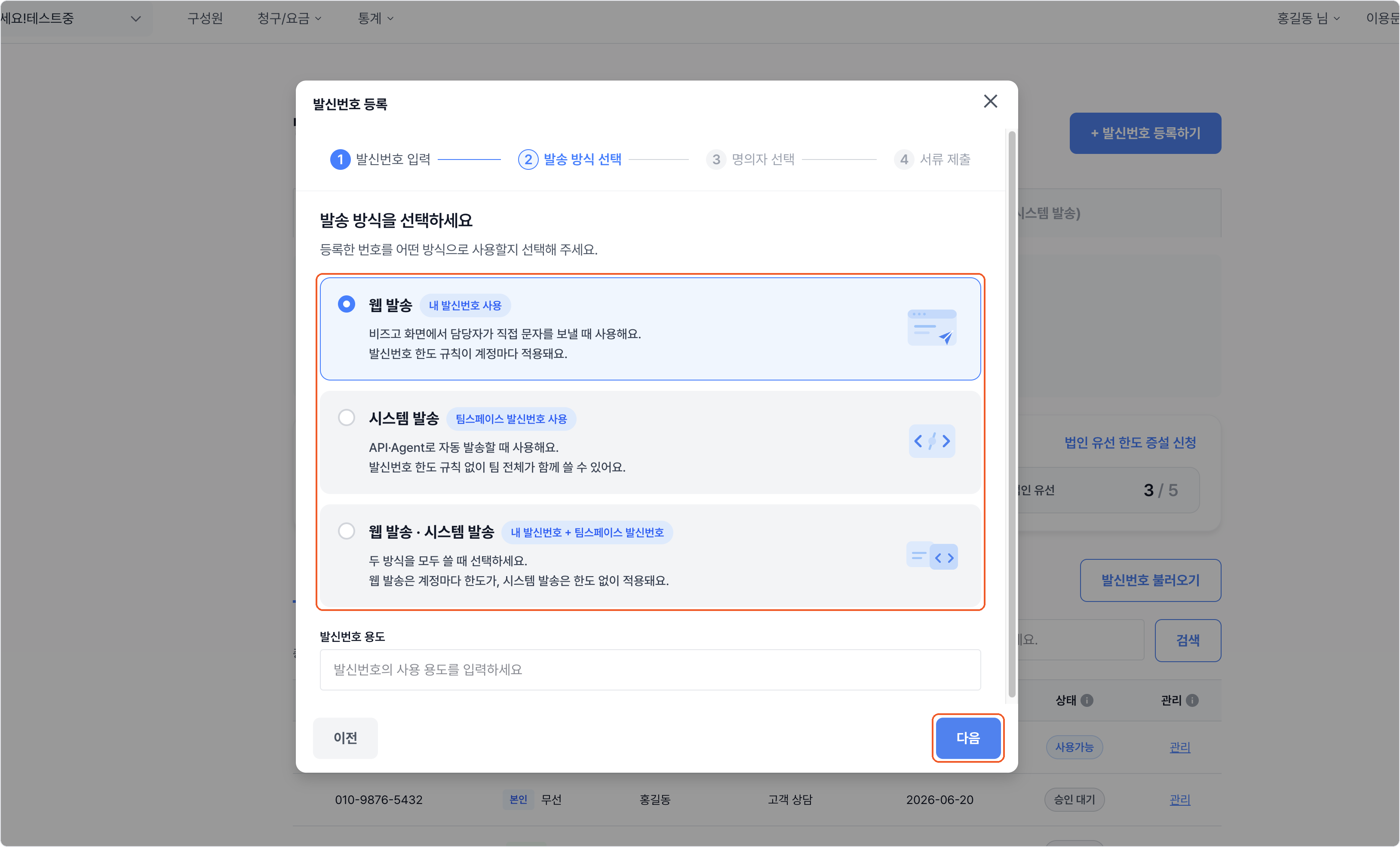
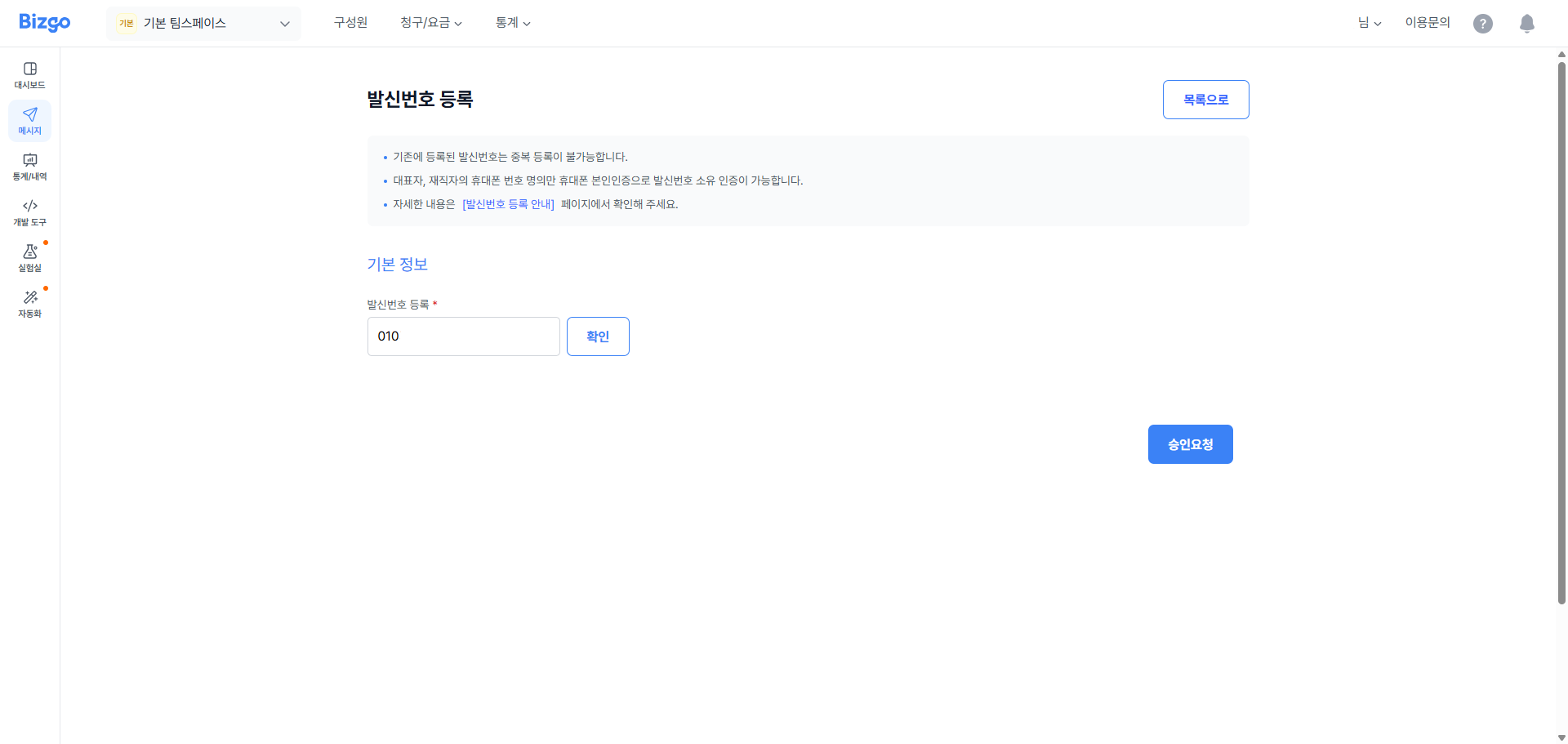
Enter the sender number you want to use and its related information.
Choose the send method among Web send (웹 발송), System send (시스템 발송), and Web send · System send (웹 발송 · 시스템 발송). If you send through the API or an Agent, you must choose a method that includes system send. If you choose web send only, the sender number is rejected on API calls.
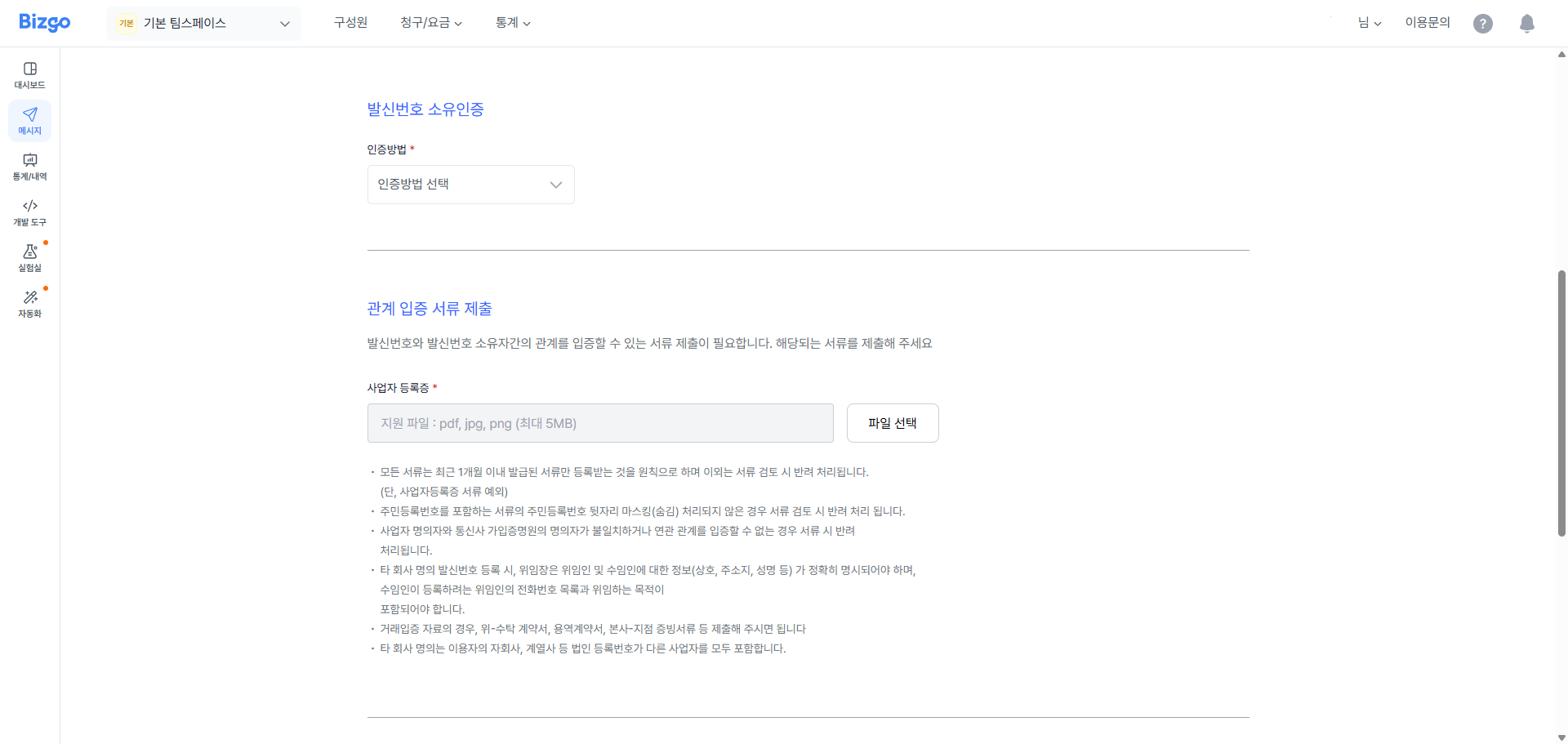
Verify ownership of the sender number
Choose a verification method, then complete verification and submit the supporting documents.
Request approval
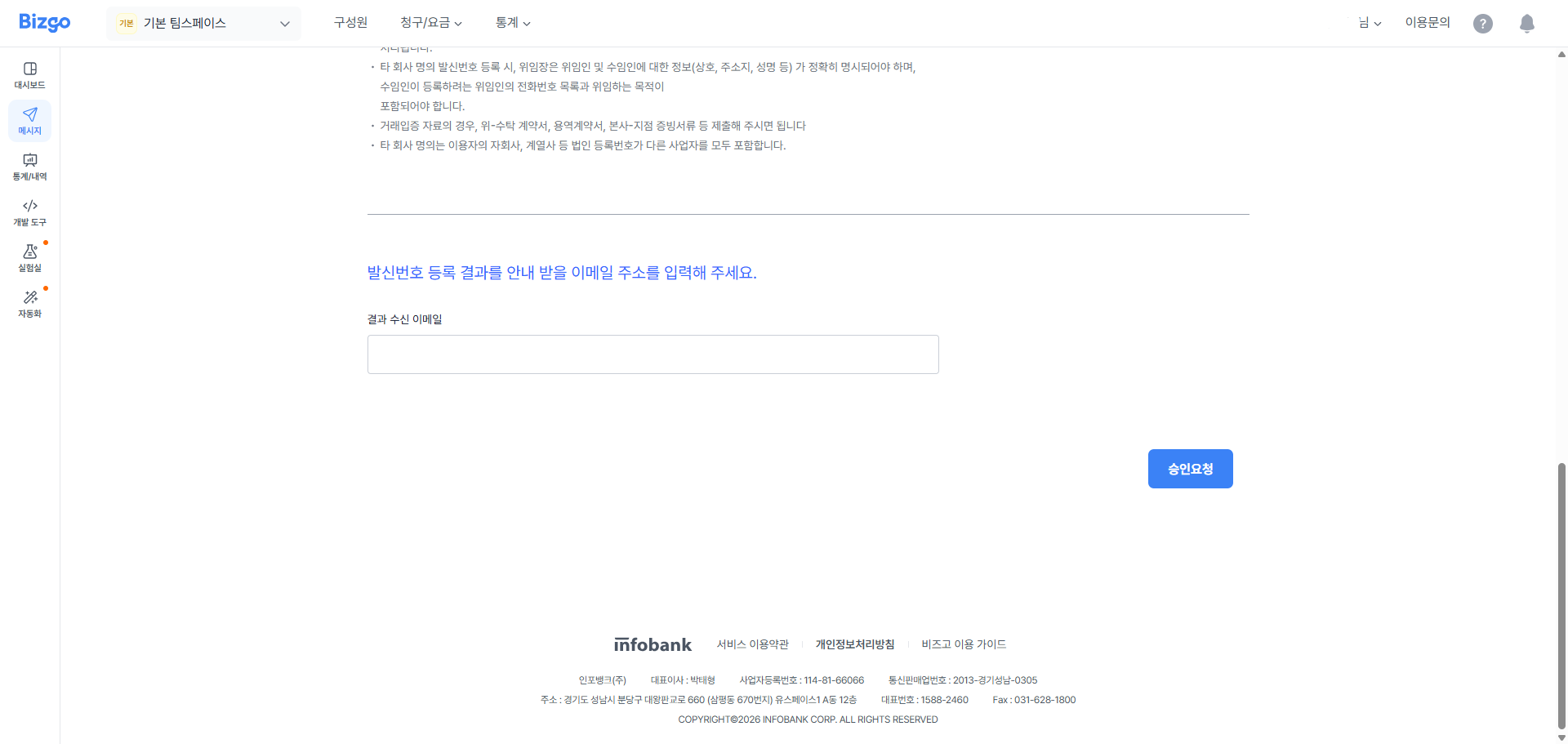
Enter the email address that should receive the result, then request approval.
Receive the approval email
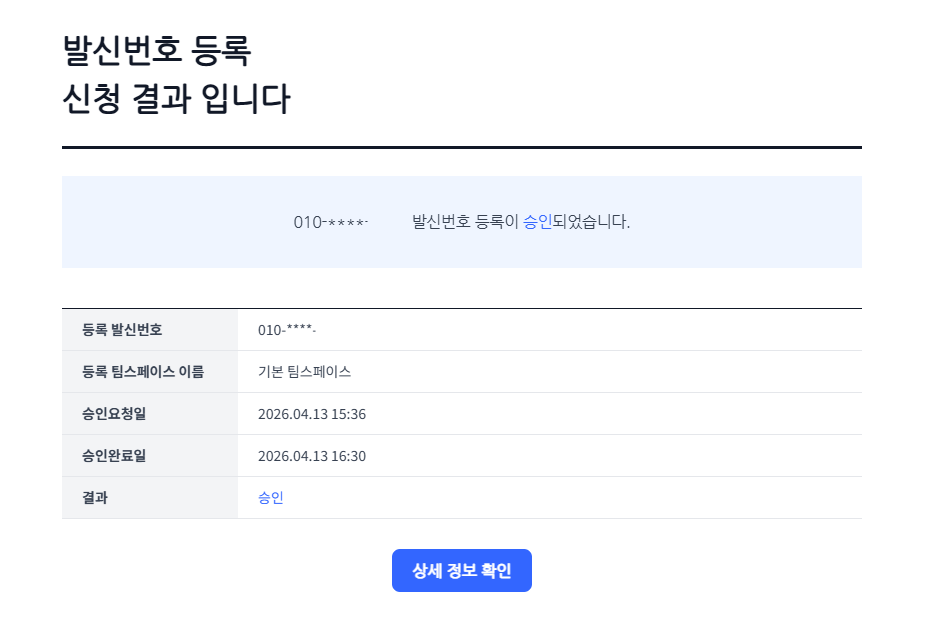
Once the review is complete, the result is sent to the email address you registered.
How long approval takes
ARS verification takes anywhere from a moment to an hour; document verification takes about one business day. Start the channels that need review early and set the rest up while you wait.
Next
- Sending promotional SMS → Set up an 080 opt-out number
- Try sending one → Send SMS