
Send KakaoTalk messages
Go to Bizgo > Messages > Web send > Kakao message send. Alimtalk and Brand Message are sent from the same screen.
The flow is Choose the message → Set up failover → Add recipients → Send.
Before you send
You need a Kakao channel and a template. Alimtalk accepts approved templates only; Brand Message accepts a registered template or a message you write now.
1. Choose the message
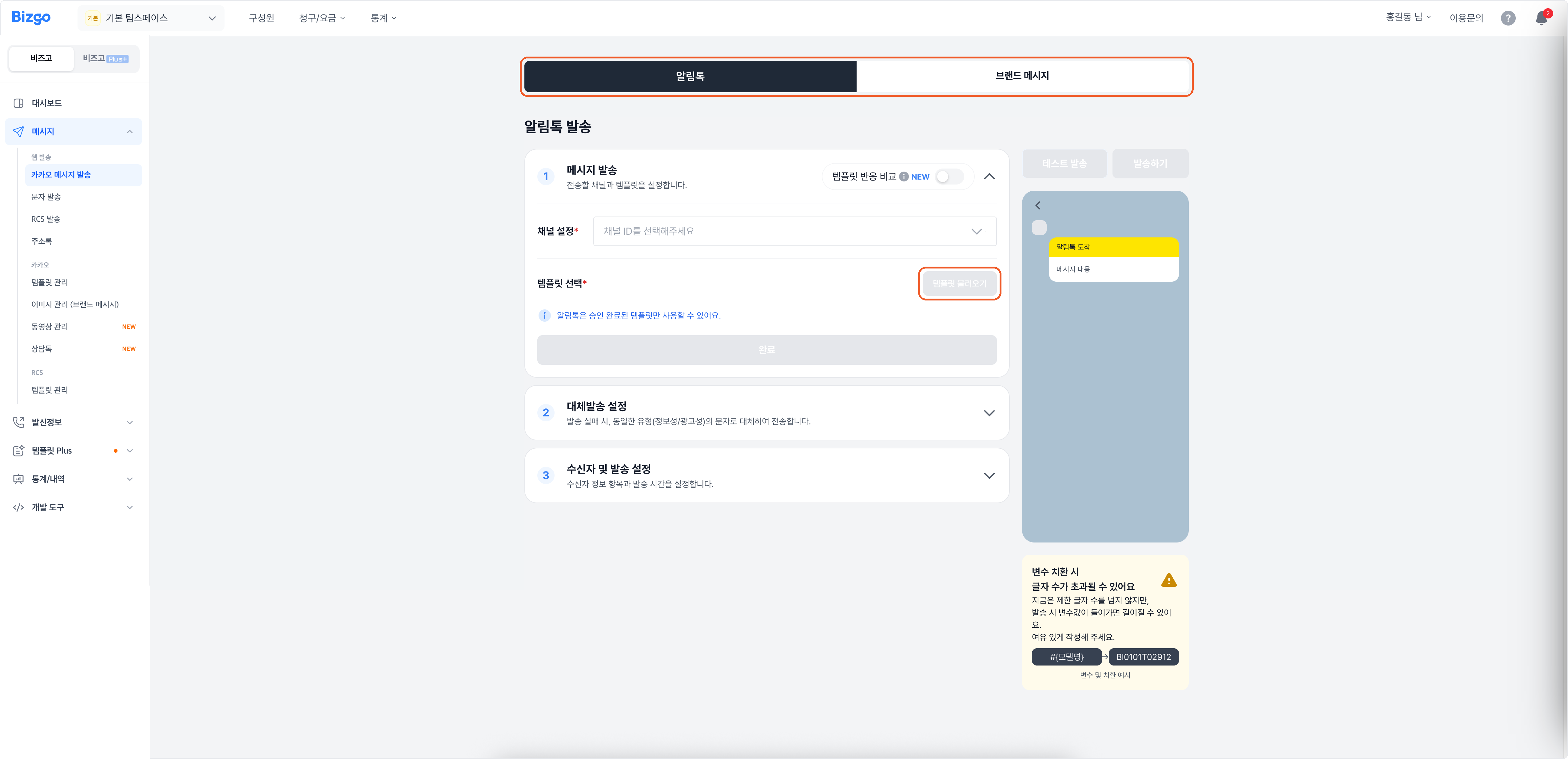
Pick the Alimtalk or Brand Message tab at the top.
- Alimtalk — Select the channel ID, choose a template under Load template, then click Done.
- Brand Message — Choose Load a registered template or Write a new message, set the channel ID and the message, then click Done.
2. Set up failover
Decide whether to fall back to SMS when the Kakao message fails. Choosing Use lets you pick a sender number and review the SMS text. Edit content changes it; Done finishes the setup.
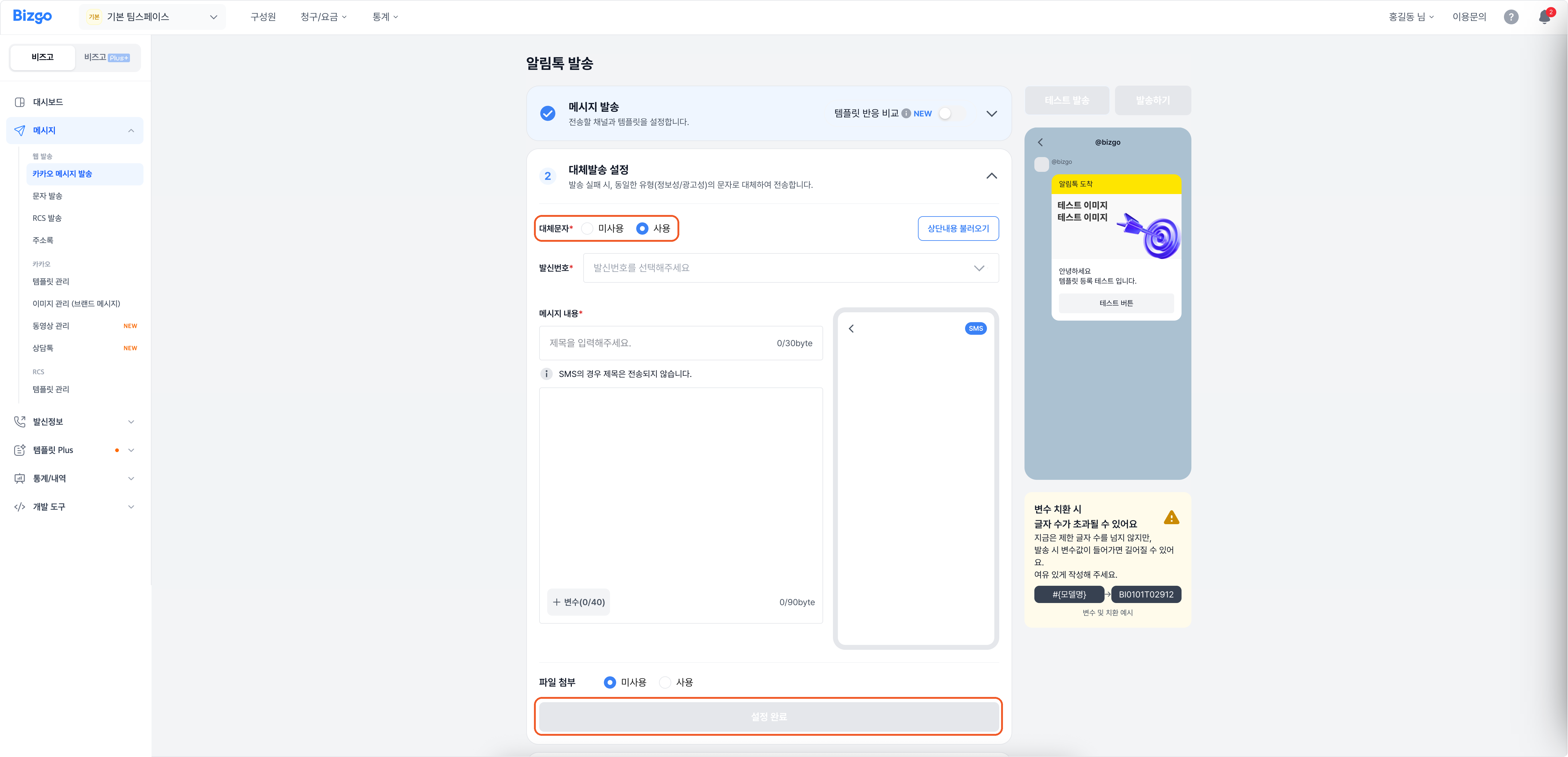
How the fallback SMS goes out
It is sent as the same type (informational or promotional) as the original message. A Brand Message fallback carries the (광고) marker and the toll-free opt-out number.
3. Add recipients
Use Import from address book, Import from Excel, or Import from CRM, or type them in with Add row. If the template has variables, fill in each recipient's values.
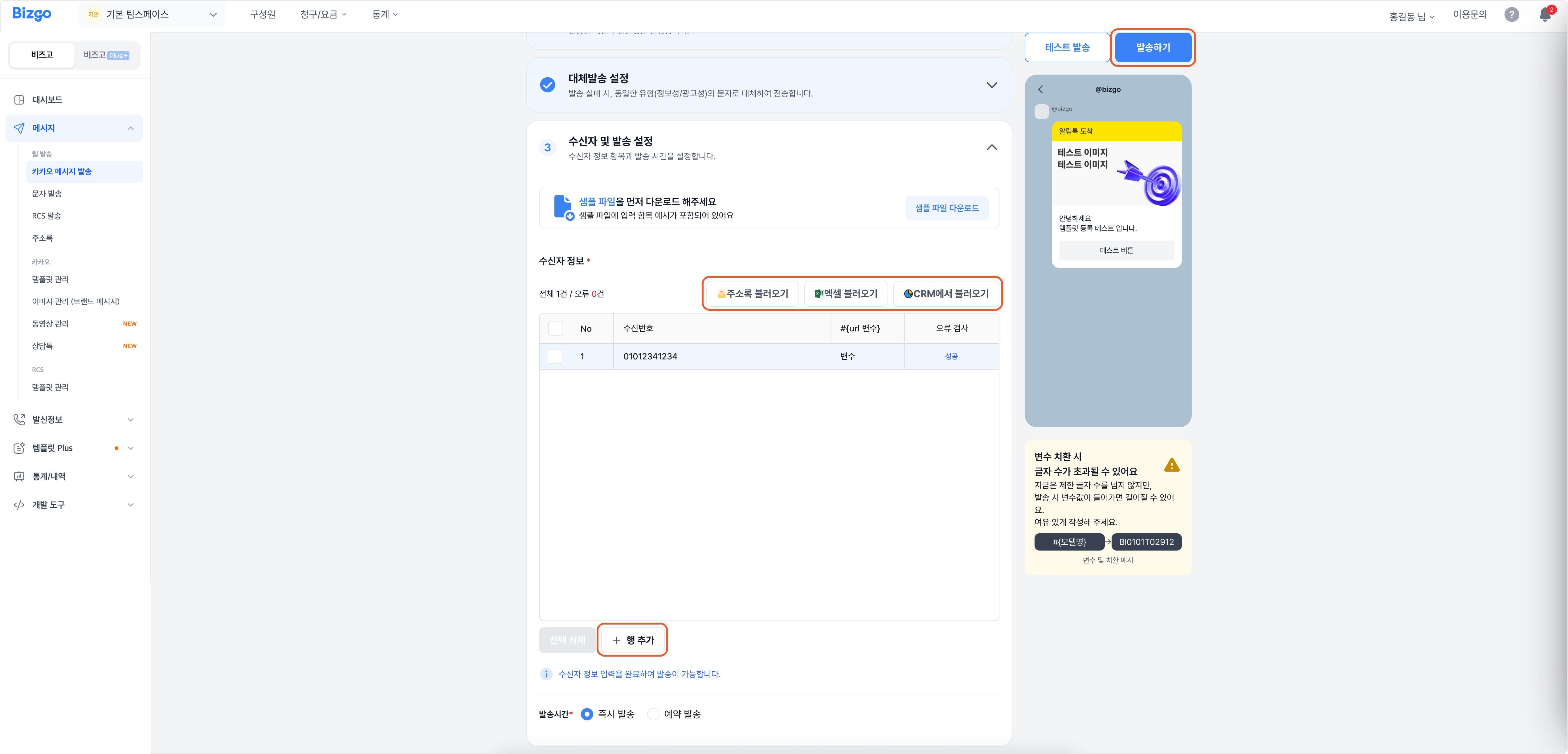
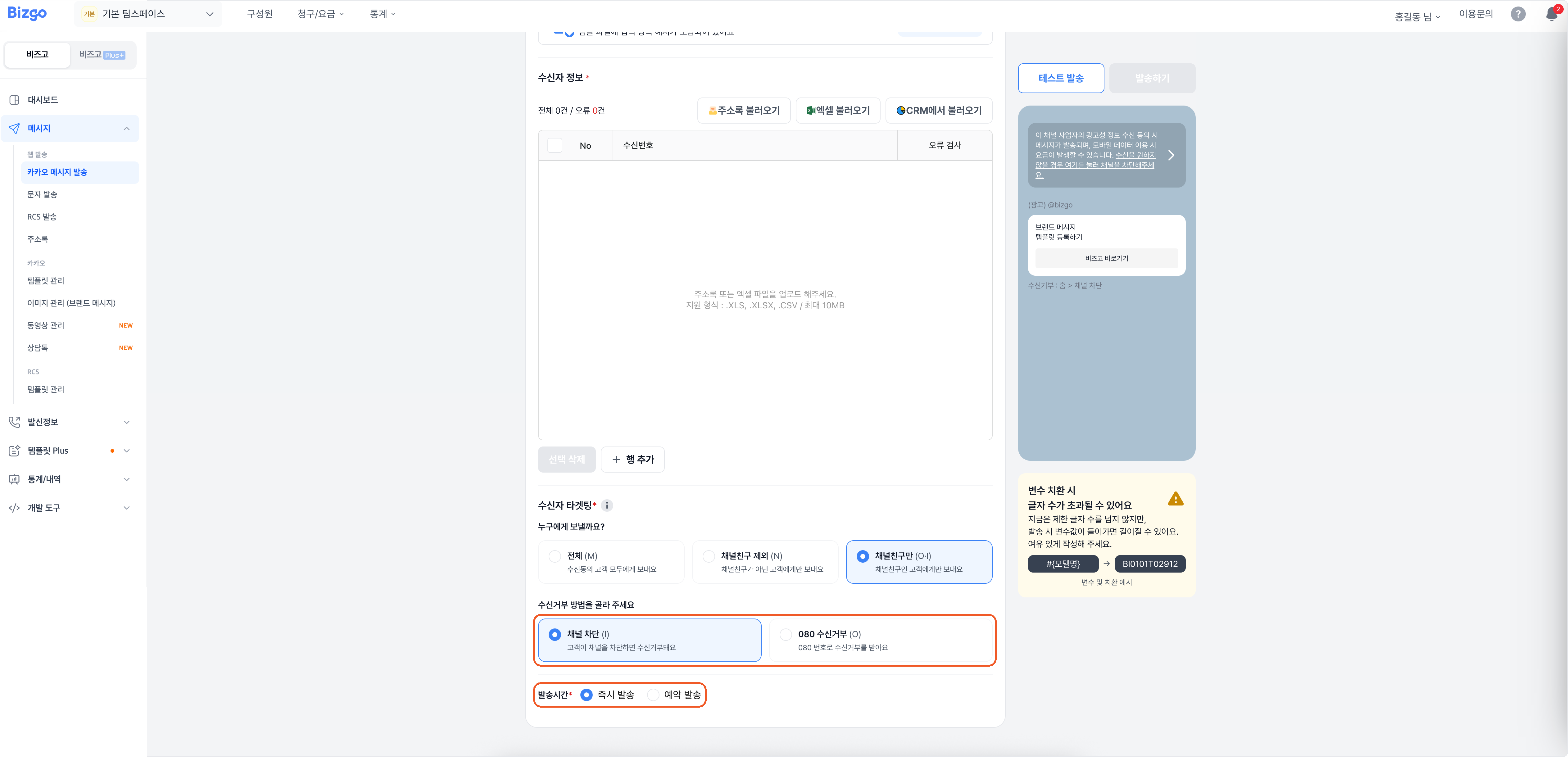
For Brand Message, choose the audience here under Recipient targeting. See Brand Message send types below.
4. Send
Choose Send now or Schedule, and use Test send if you want a preview. Review the content, then click Send.
Brand Message test sends
Brand Message can be test-sent only to channel friends, so the test number must already be a friend of the channel. Test send goes out immediately and is charged.
Next
- Choosing who receives it → Brand Message send types
- Checking what you sent → Message box
- Sending through the API → Kakao Biz Message