
See performance by template
Bizgo > Statistics/History > Template statistics shows send results, reads, and clicks for each Alimtalk and Brand Message template.
1. Choose the message type and period
Pick the Alimtalk or Brand Message tab and select the period.
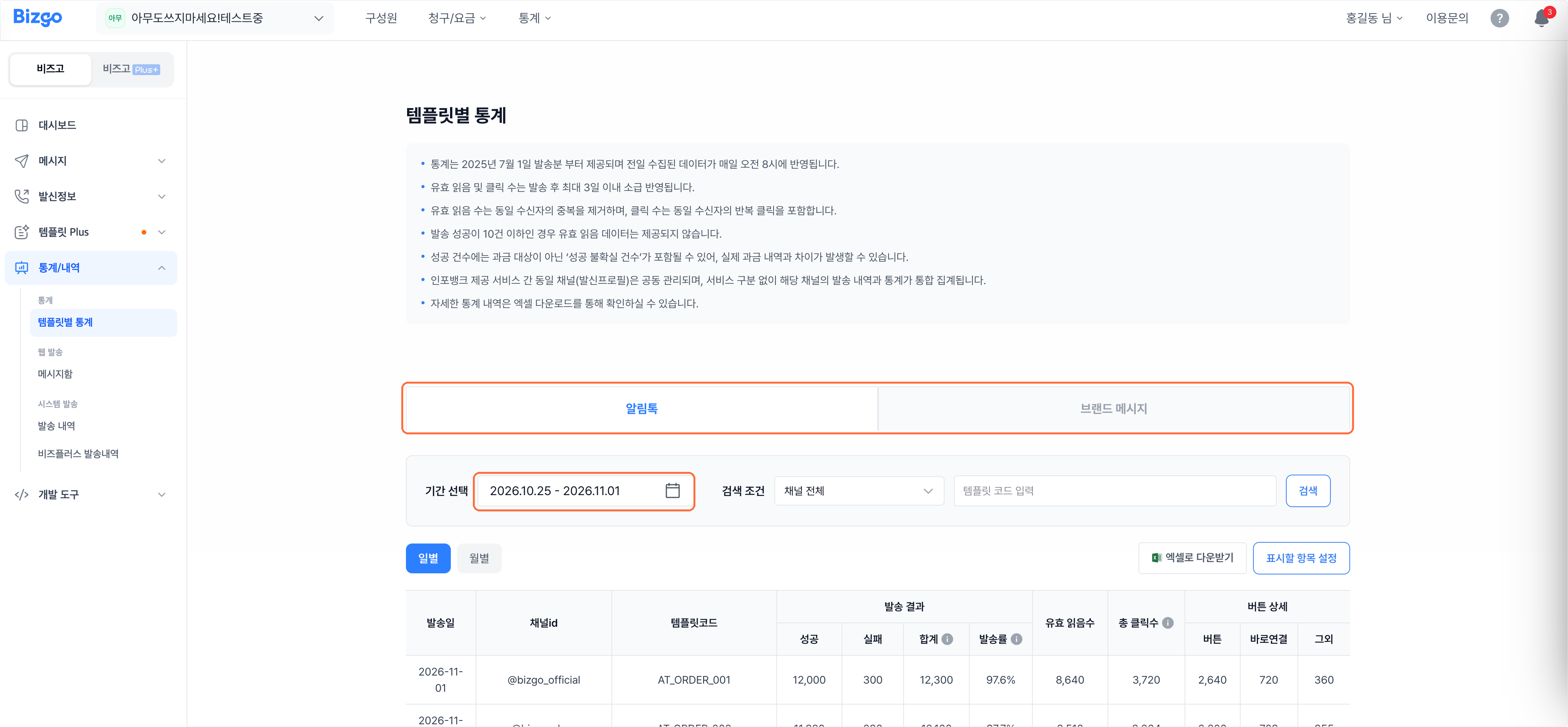
2. Search by condition
Enter the channel and the template code, then click Search. Brand Message can also be narrowed by message type and recipient targeting. Daily and Monthly switch how figures are grouped.

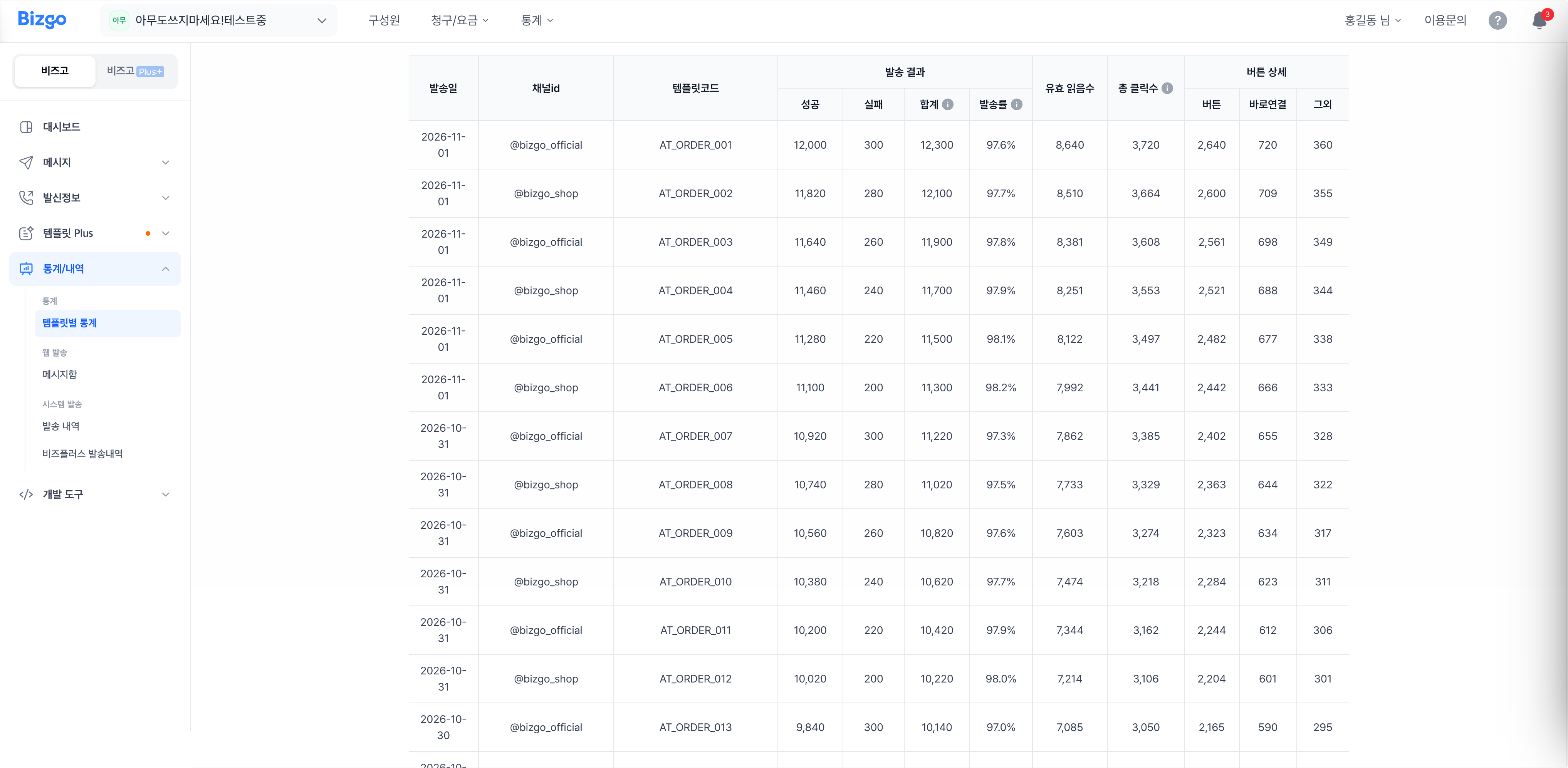
3. Read the results
Review the success and failure counts, valid reads, and button and quick-link clicks per template. Brand Message additionally shows whether recipients were channel friends and the image and list click counts. Configure columns changes which columns appear, and Download Excel saves the view.
How the numbers are counted
- Available from sends on 1 July 2025 onward; the previous day's data lands at 08:00 each morning.
- Valid reads and clicks are backfilled for up to three days after the send.
- Valid reads exclude duplicates from the same recipient; clicks include repeat clicks.
- With 10 or fewer successful sends, valid read data is not provided.
Next
- Engagement over time → Check engagement by template
- Comparing two templates → Compare which template performs better