
RCS
RCS (Rich Communication Services) is a next-generation message channel that adds a brand logo, images, and buttons to the familiar SMS/LMS/MMS.
Think of it as the way to add trust to an SMS/LMS/MMS message — you get branding effects at a lower cost than SMS.
Unified RCS launched in September 2025 and supports both Android and iOS (26 and later).
When should you use RCS?
- When you want to raise trust by showing your brand logo in the message
- When you want to send messages with images and buttons more cheaply than SMS
- When you want a rich message format without running a Kakao channel
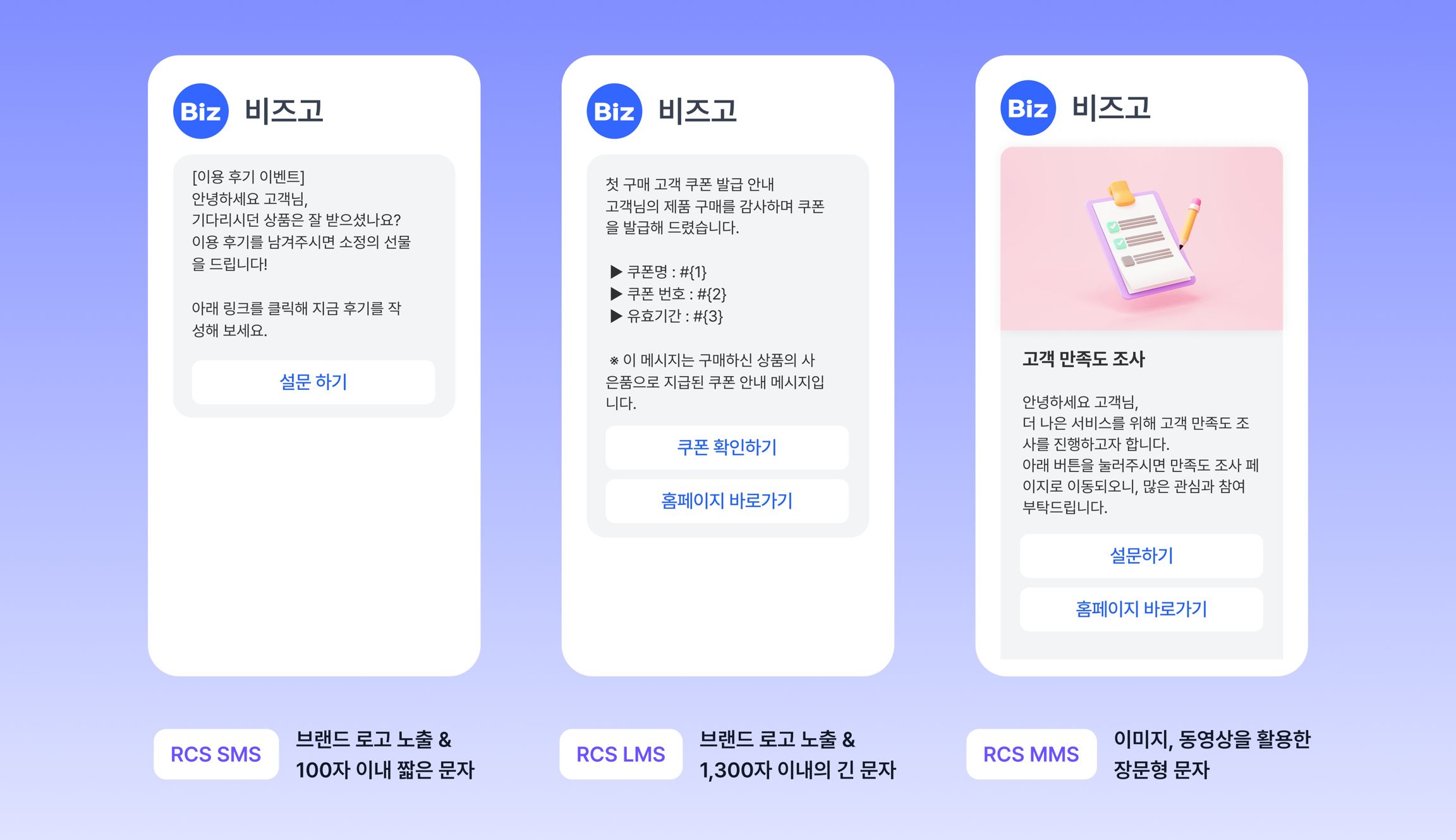
RCS vs. Unified RCS
| Item | RCS (Android only) | Unified RCS (Android + iOS) |
|---|---|---|
| Supported devices | Android devices that support 채팅플러스 (Chat+) | All devices connected to Korean carrier RCS |
| Promotional labeling | Set through the API header field | Written directly in the message subject or body |
| Toll-free opt-out | Set through the API footer field | Written directly at the end of the message |
| Open rich card | ✓ Supported | ✗ Not supported |
| KISA 안심마크 (KISA Ansim Mark, Korea's verified-sender mark) | Shown on Samsung devices only | Shown on Samsung devices only |
Service types
| Type | Description | Pre-registration |
|---|---|---|
| SMS | RCS short message | Brand registration |
| LMS | RCS long message | Brand registration |
| MMS | RCS message with an image | Brand registration |
| Text template | Pre-registered informational message | Brand + template registration |
| Image template | Pre-registered message with an image | Brand + template registration |
Operational cautions
- Brand registration is required — you must register your brand with the carriers before you use RCS (this takes 1 to 2 weeks)
- Template registration — text and image templates must be registered in advance before use
- Device coverage — iOS is supported only from Unified RCS (iOS 26+), so failover is essential for unsupported devices
- Failover is recommended — because a share of devices will not support RCS, always include SMS failover
Check the send structure before you integrate
Once you understand the destinations and messageFlow structure, you can handle it the same way no matter which integration method you use.
Follow the flow diagram to see how a send progresses.
Understand the send request structure
Check the destinations, messageFlow, and failover structure on a single page.
Understand the send structure →
How will you integrate?
Now that you understand the structure, choose your integration method below.