
Send SMS
Go to Bizgo > Messages > Web send > Text send.
The flow is Write the message → Add recipients → Send. SMS has no failover.
Register your sender number first
SMS can only be sent from a fully registered sender number. → SMS sender number
1. Write the message
Select a sender number, enter the message, and click Done.
| Item | Rule |
|---|---|
| Title | Up to 30 bytes. SMS does not carry a title |
| Body | Over 90 bytes switches automatically to LMS |
| Variables | #{name} format, up to 40 |
| Attachment | Choose Use to attach an image and send as MMS |
Tick This contains promotional information whenever the content is promotional.
For wording you send often
Save it with Save template and pull it back with Load template next time.
2. Add recipients
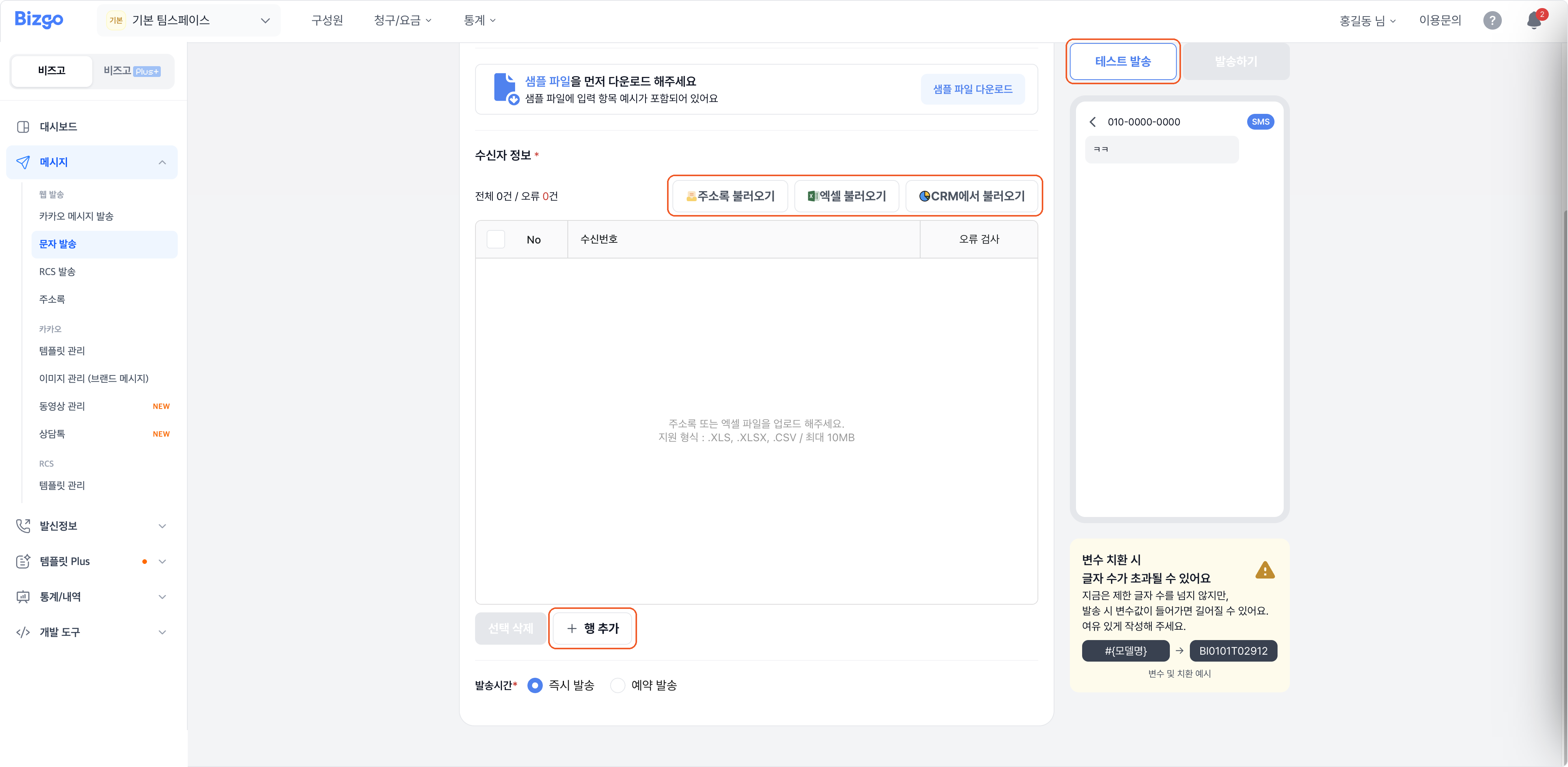
Use Import from address book, Import from Excel, or Import from CRM, or type them in with Add row. If you used variables, fill in each recipient's values too.
For Excel, check the format with Download sample file; XLS, XLSX, and CSV up to 10MB are accepted.
3. Send
Choose Send now or Schedule, and use Test send to receive a preview if you want. Check the sender number, recipients, and send time, then click Send.
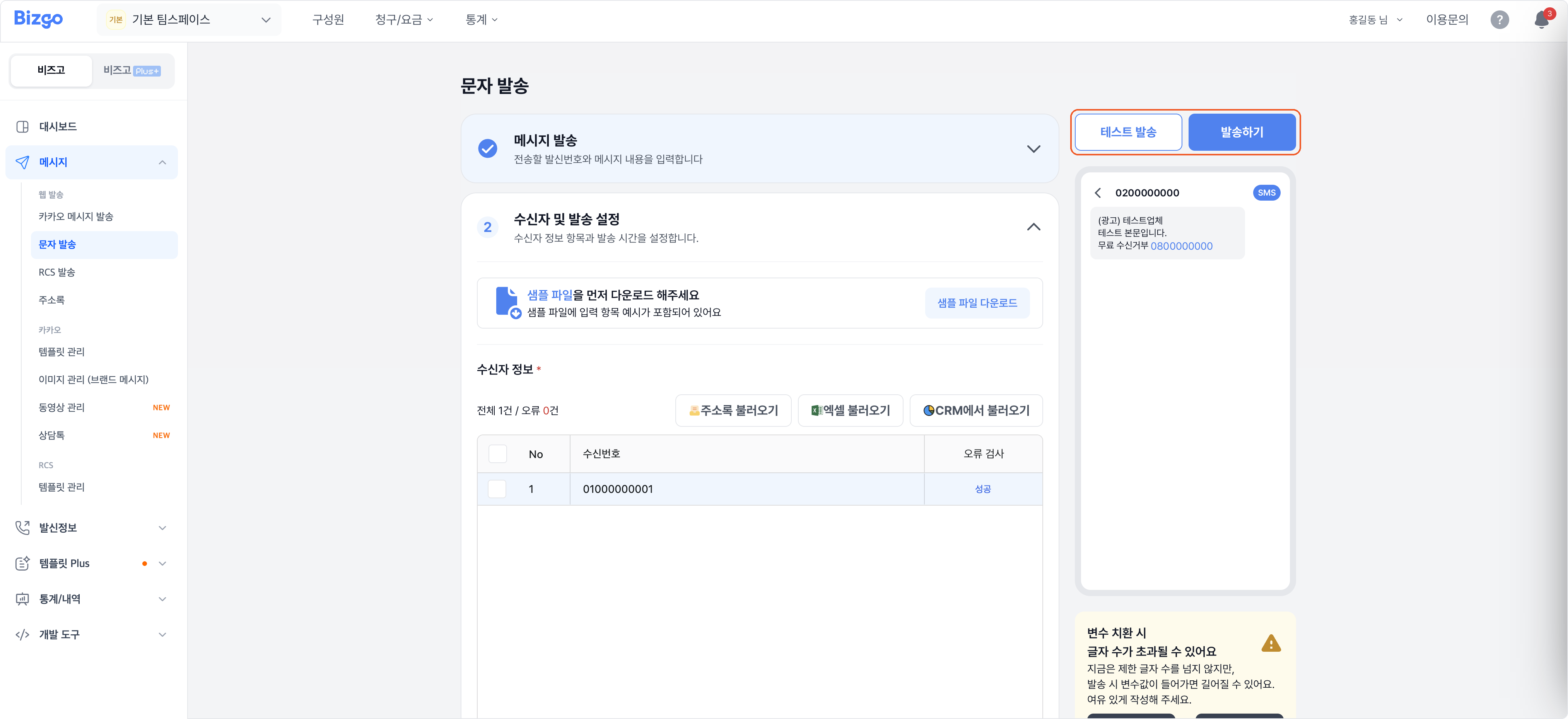
Sending promotional SMS
You must tick the promotional box, and you must include a free way for recipients to opt out, such as an 080 number. → Set up an 080 opt-out number
Next
- Checking what you sent → Message box
- Sending through the API → SMS