
Check messages you sent from the web
Bizgo > Statistics/History > Message box shows the messages you sent from the web and the ones you scheduled.
The message box covers web sends only
Messages sent through the API or an Agent, and per-recipient failure reasons, are found under Statistics/History > Send history. → Send history · to query them through the API, see Checking send results
Sent messages
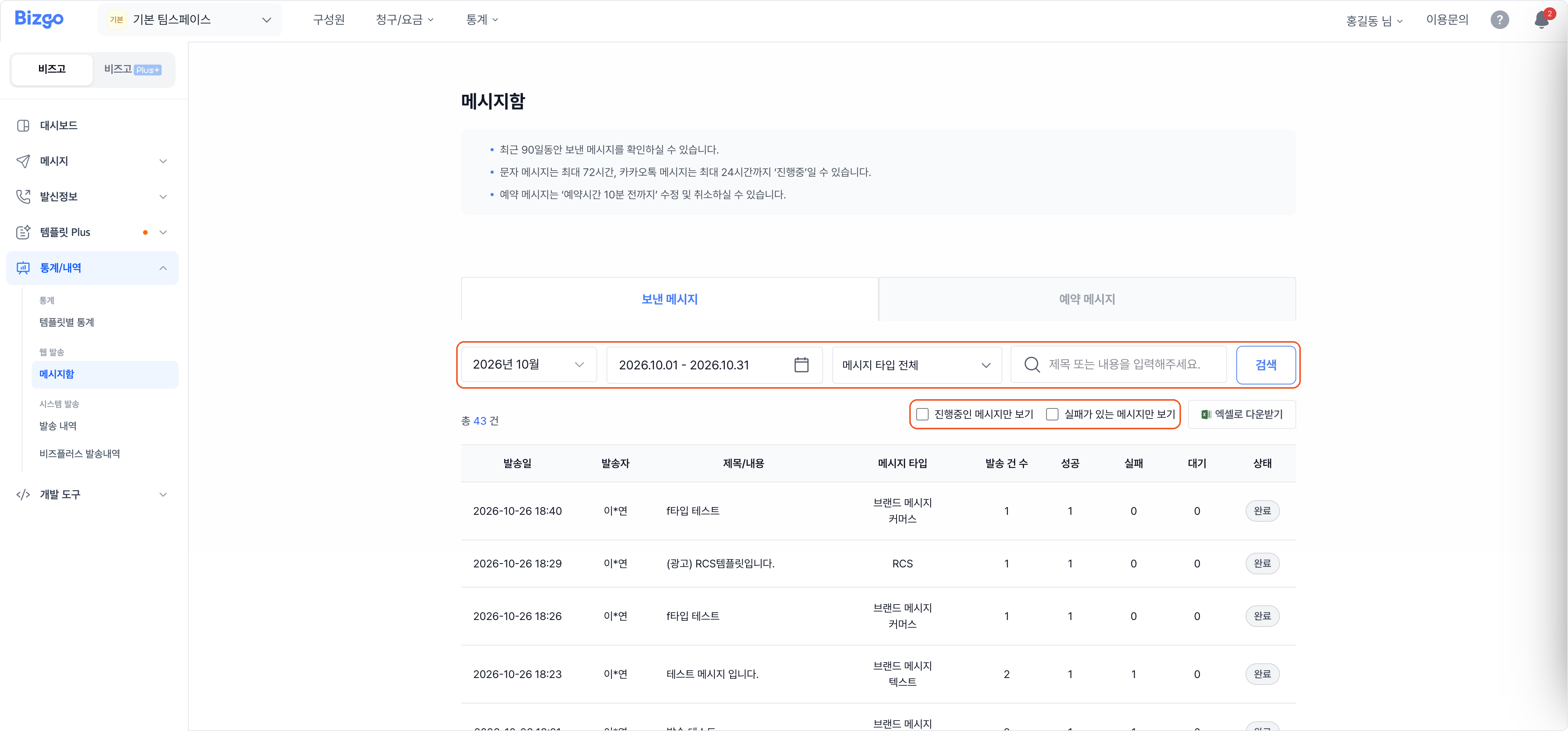
Choose a month, date, and message type, or search by title or content. Show in-progress only and Show messages with failures only narrow the list. Each row shows the send volume, the success, failure, and pending counts, and the status.
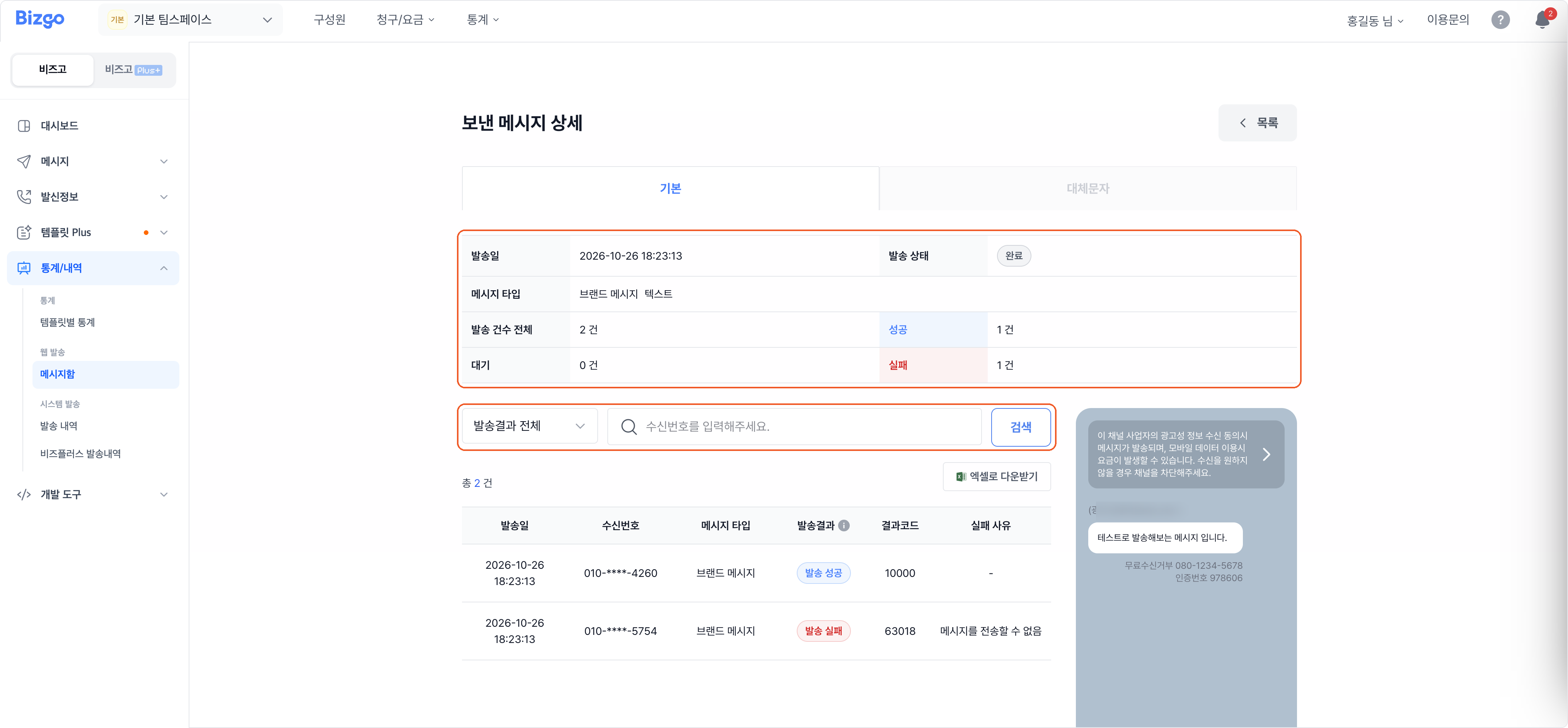
Clicking a message opens Sent message details, with each recipient's result, result code, and failure reason. You can search by recipient number or filter to successes or failures. If you configured a fallback, the Fallback SMS tab shows those results separately.
If 'in progress' lingers
SMS can stay in progress for up to 72 hours and KakaoTalk messages for up to 24 hours. The message box holds the last 90 days of sends.
Scheduled messages
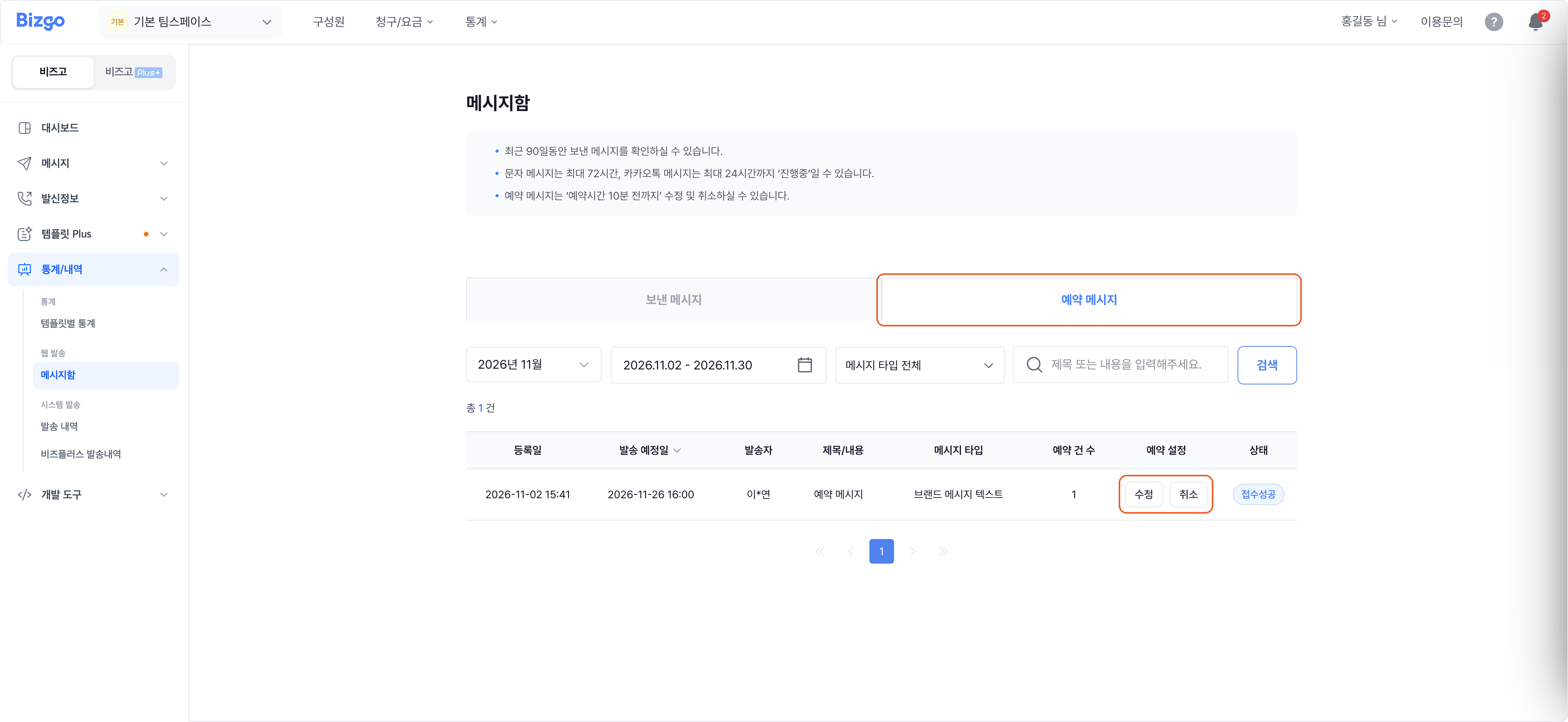
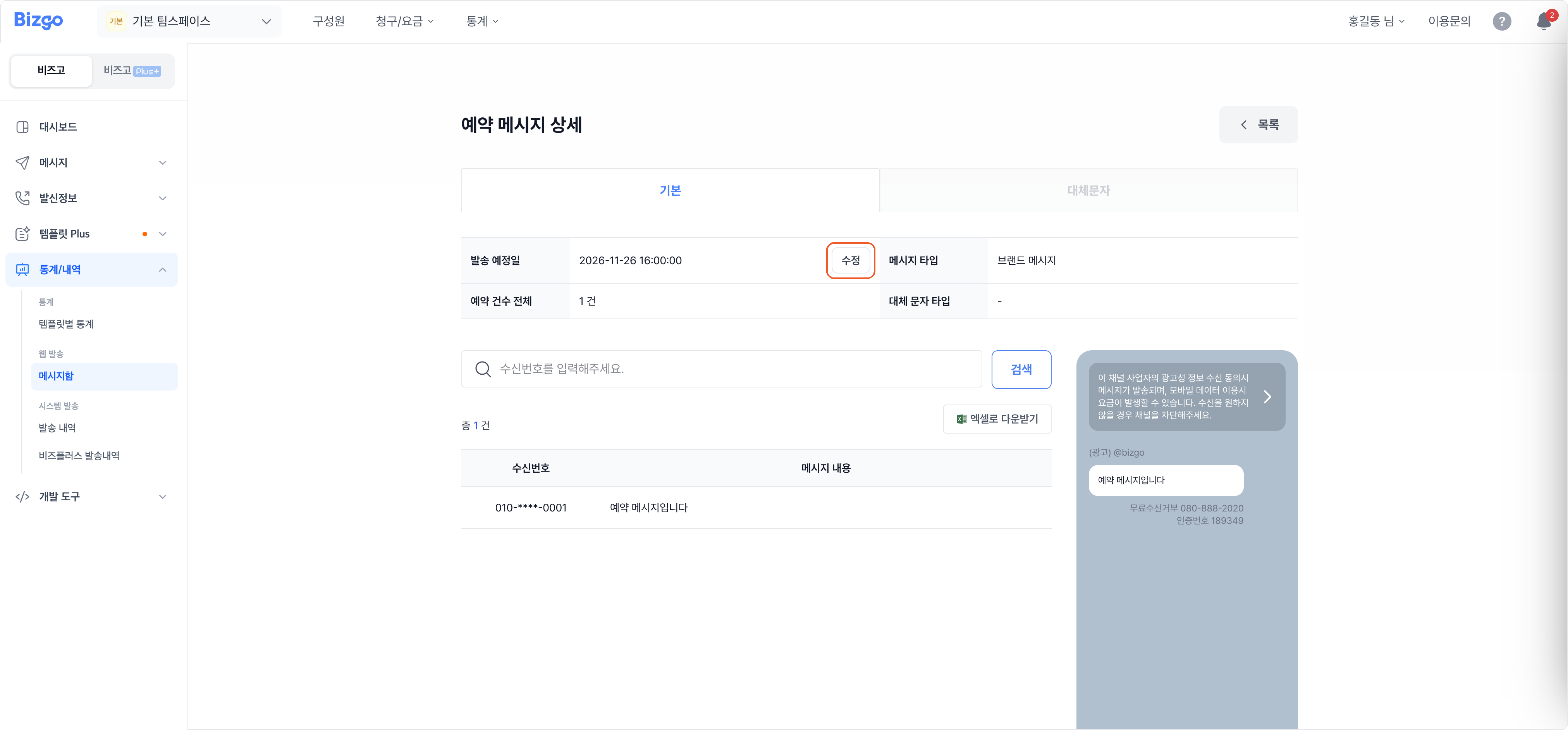
See the scheduled date, the volume, and the status. Edit changes the schedule and Cancel stops it. Clicking a message shows the recipients and the content, and Edit next to the scheduled date changes the time.
Scheduled messages can be changed only up to 10 minutes before
After that you cannot edit or cancel them. A broadcast send (type F) cannot be rescheduled at all — cancel it and register it again.
Next
- Including system sends → Send history
- A summary of your usage → See your usage on the dashboard