
See your usage on the dashboard
Bizgo > Dashboard shows your send results, usage charges, team space details, and announcements on one screen.
Send statistics appear once you have sent something
With nothing sent yet, Go and send appears where the send success rate would be. Depending on how aggregation is running, figures can lag slightly.
Send results and usage charges
- Send success rate — Pick Today, 3 days, 7 days, or 30 days to see the success rate and the success and failure counts. For failure reasons, use Message box for web sends or Go to send history for web and system sends together.
- This week's sending — Compares daily volume this week against last week.
- This month's usage — Usage charges by service (KakaoTalk, SMS, RCS, other) and the total.
- Billed amount — The confirmed billed amount and the share taken by each service. More opens the billing records.
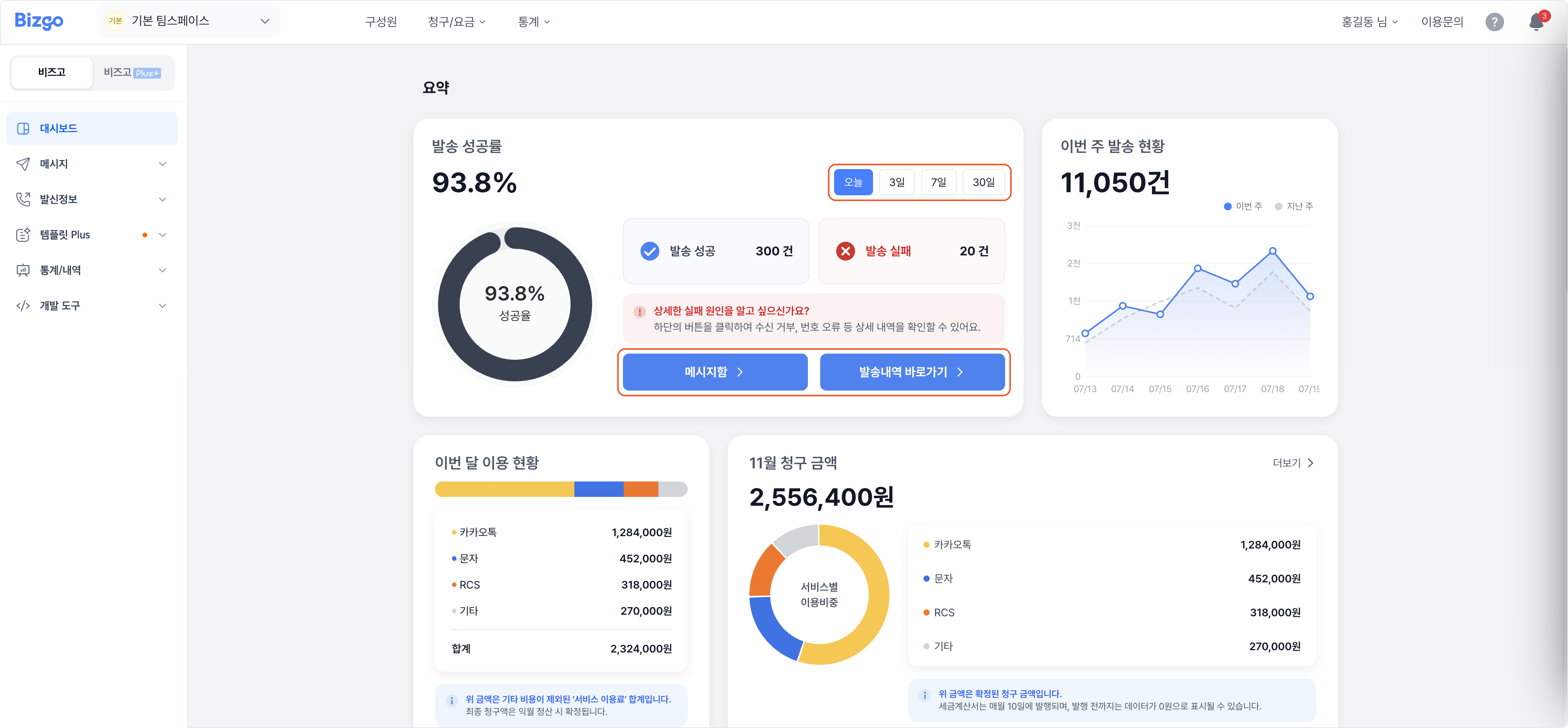
This month's usage is not the billed amount
It is the service usage total with other costs excluded. The final amount is confirmed at next month's settlement, and the tax invoice is issued on the 10th of each month — before that it can read as zero. → Check your plan
Team space details and help
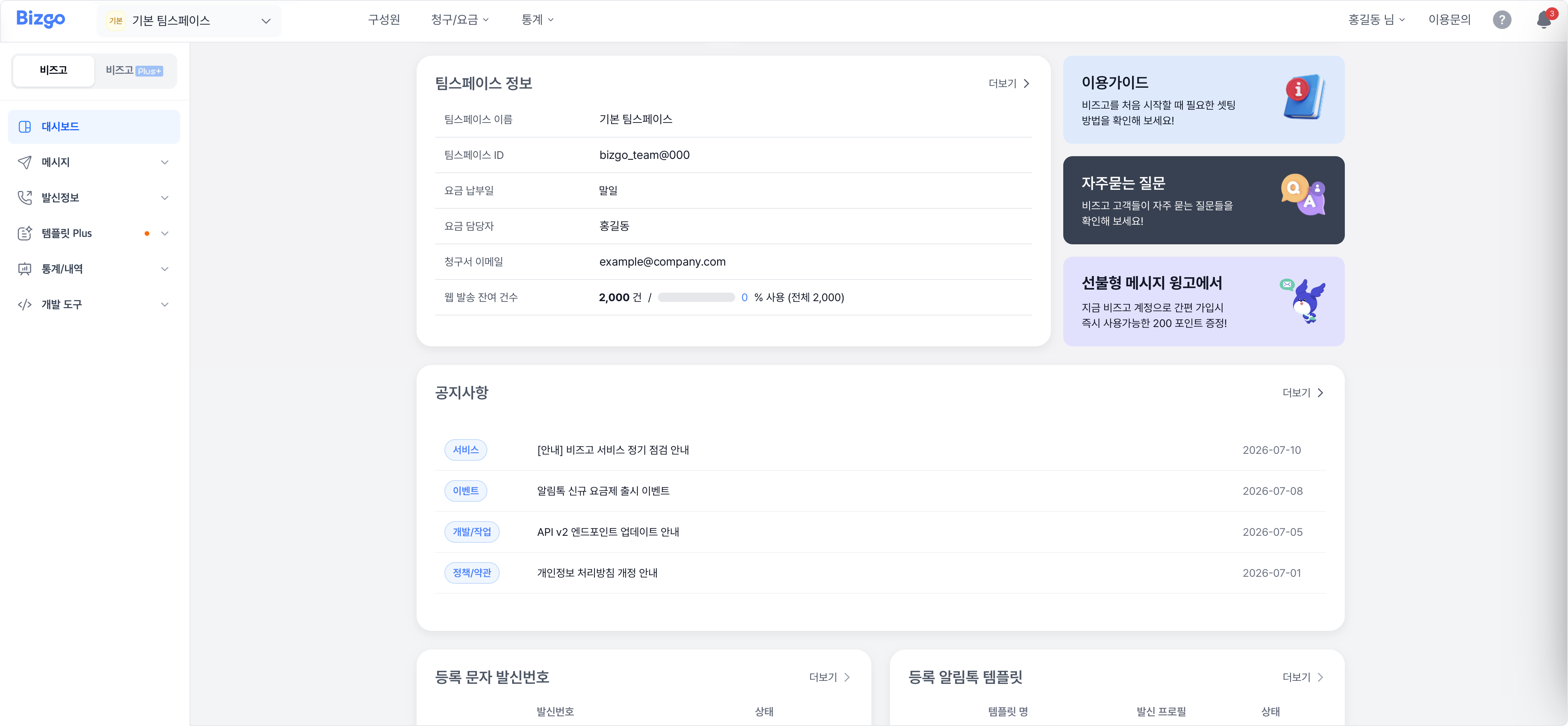
- Team space details — The team space name and ID, the payment date, the billing contact, the invoice email, and the remaining web send allowance.
- User guide and FAQ — Opens the first-time setup steps and frequently asked questions directly.
Announcements, sender numbers, and templates
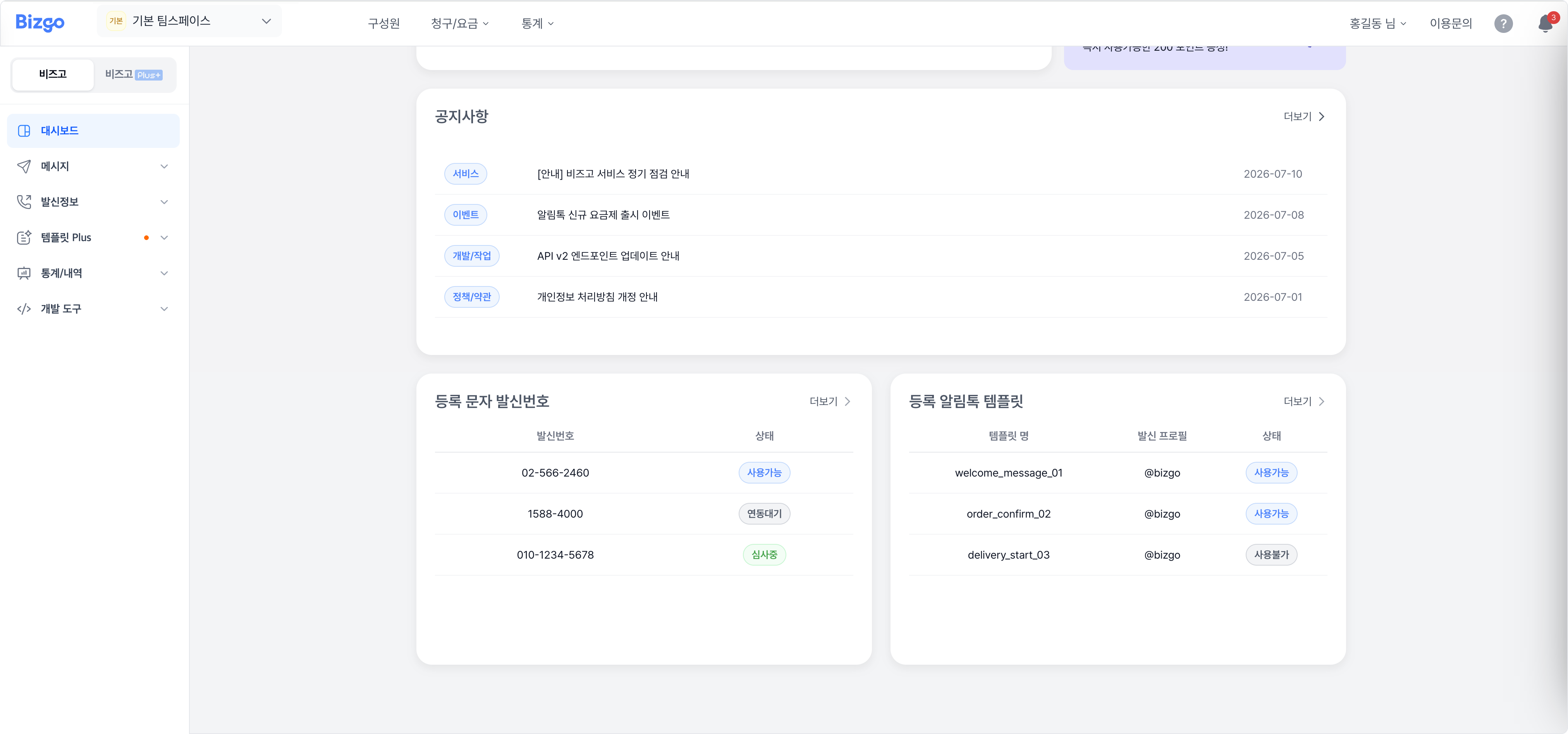
- Announcements — Service, event, development, and policy news.
- Registered SMS sender numbers — The sender numbers you registered and their status (available, awaiting integration, under review, and so on).
- Registered Alimtalk templates — Your templates, their sender profiles, and whether they are usable.
More in each area opens that screen.
Next
- Per-recipient results and failure reasons → Check web and system send results
- Messages you sent from the web → Message box