
Two-factor authentication
This service sends and verifies verification codes for service sign-up and as a second factor at login.
It supports the SMS, Kakao Alimtalk, and RCS channels, and you can configure multi-channel failover in a single API call.
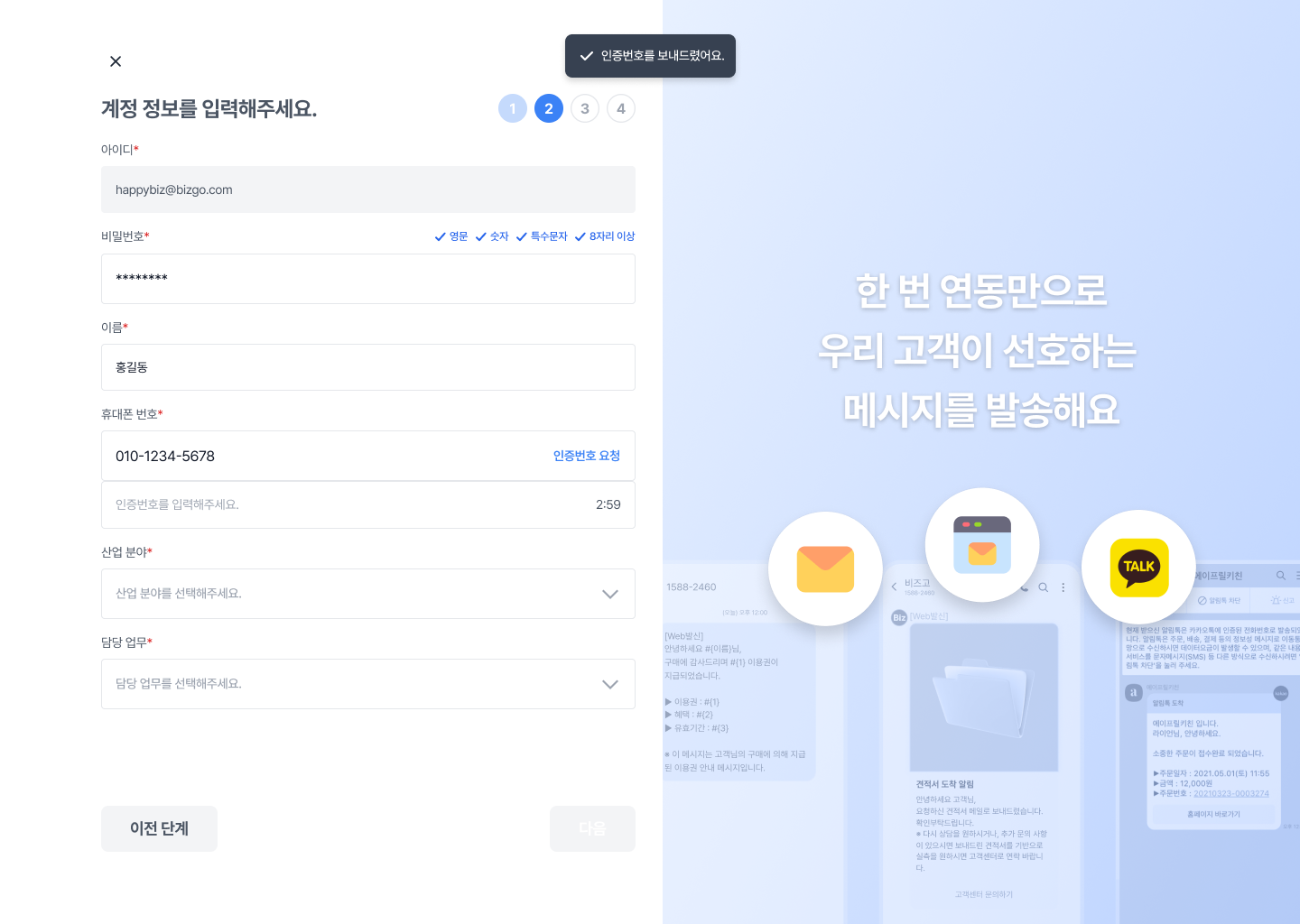
Two-factor authentication is also applied to the sign-up step of the Bizgo console itself.
Key features
| Feature | Description |
|---|---|
| Use one unified key | Call it with a single API key issued by Bizgo. A consistent specification keeps management simple. |
| Multiple channels | Supports SMS, Kakao Alimtalk, and RCS. You can apply multi-channel failover. |
| Authentication state management | Track request, success, and failure logs. Duplicate-verification prevention and timeout handling are built in. |
| Social login integration | Combine it with social login as an extra verification step. |
Recommended for
- Services where personal data protection matters, such as finance, healthcare, and commerce
- Companies that need additional identity verification after social login
- Companies that require two-step authentication for internal system access
Authentication flow
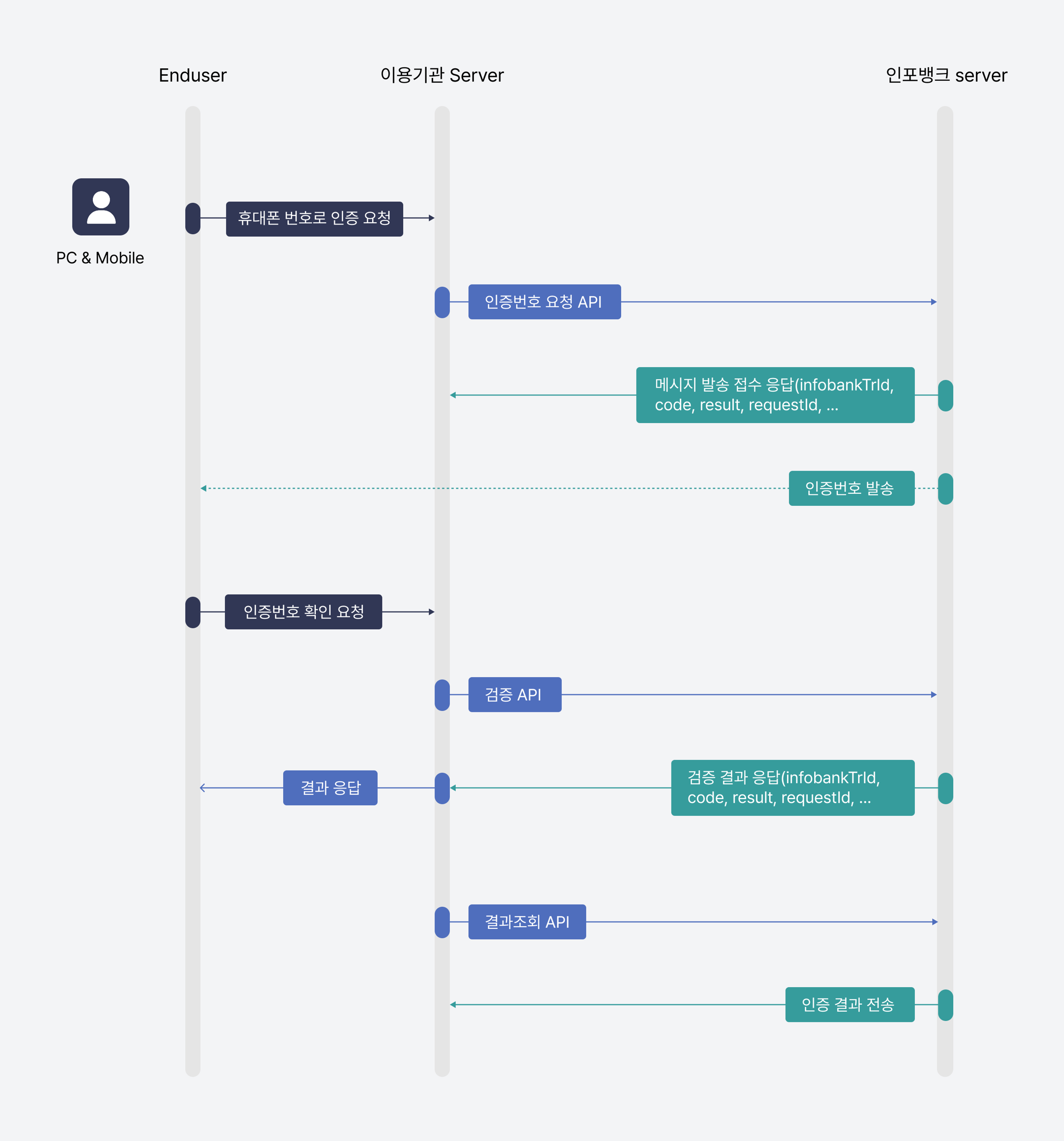
TEXT
1. Client → Bizgo API: request a verification code send (recipient number, channel)
2. Bizgo API → user's device: send the verification code (SMS / Kakao / RCS)
3. User → client: enter the verification code
4. Client → Bizgo API: request verification of the code
5. Bizgo API → client: return the verification result (success / failure)
How will you integrate?
Two-factor authentication supports API integration only. Check the API spec and the request/response structure below.
Next steps
- See the full API spec → API reference — Verify 2FA
- To combine it with social login → Social login
- For an overview of all authentication services → Authentication overview