
Set up an 080 opt-out number
Under Bizgo > Sender info > 080 opt-out management, apply for the 080 opt-out service and review the numbers that have opted out.
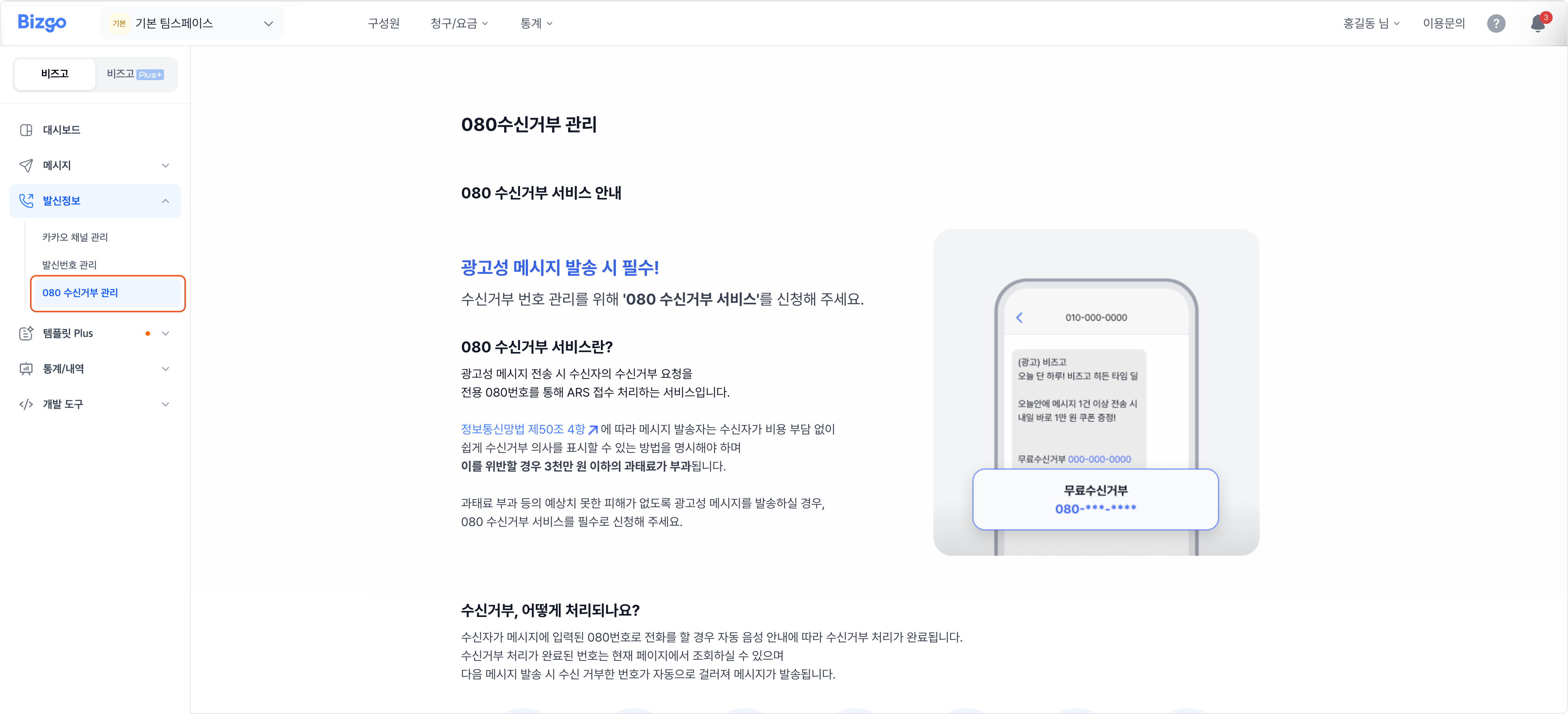
Apply for it if you send promotional messages
A promotional message must show recipients a free way to opt out. Failing to show one can draw a fine of up to KRW 30 million.
1. Start the application
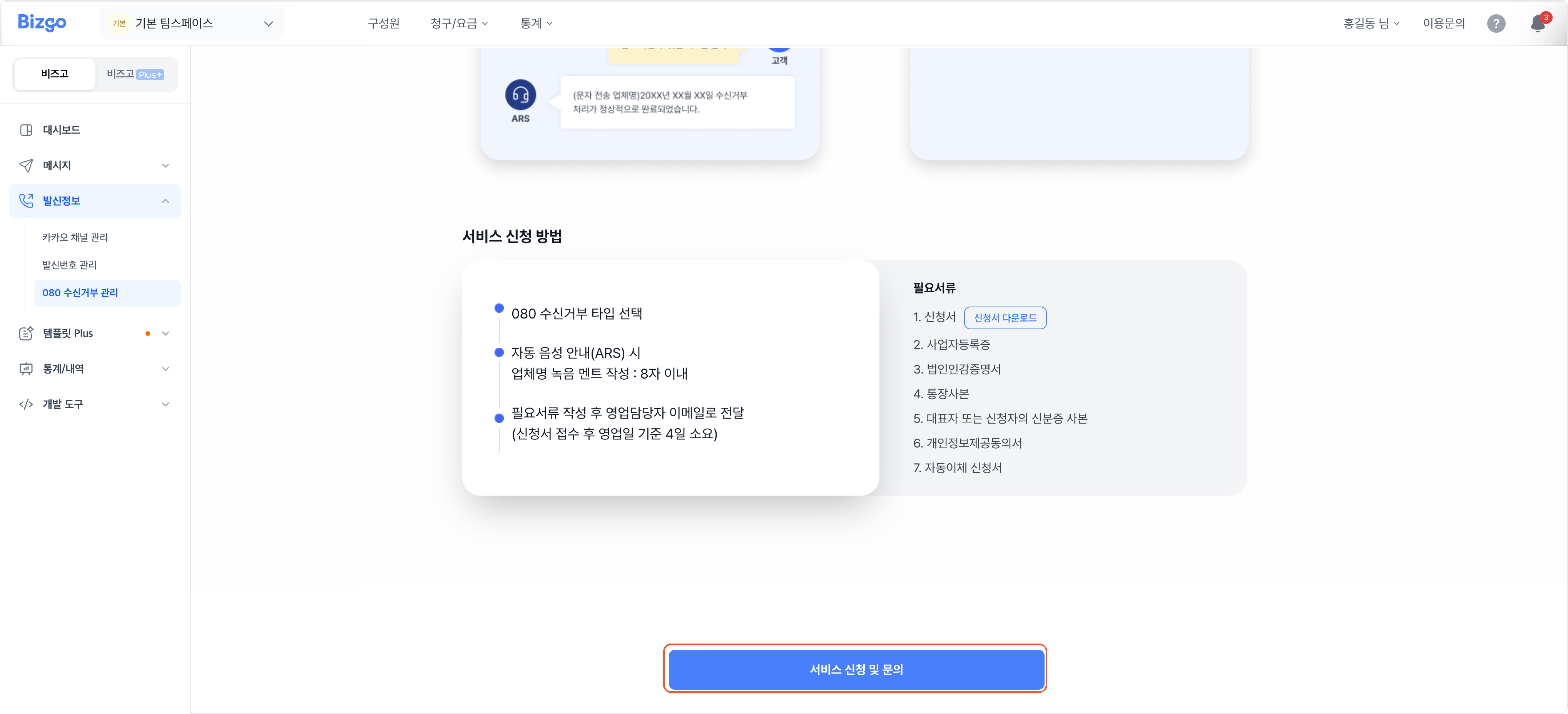
At the bottom of the 080 opt-out management screen, click Apply and enquire.
2. Enter the application details
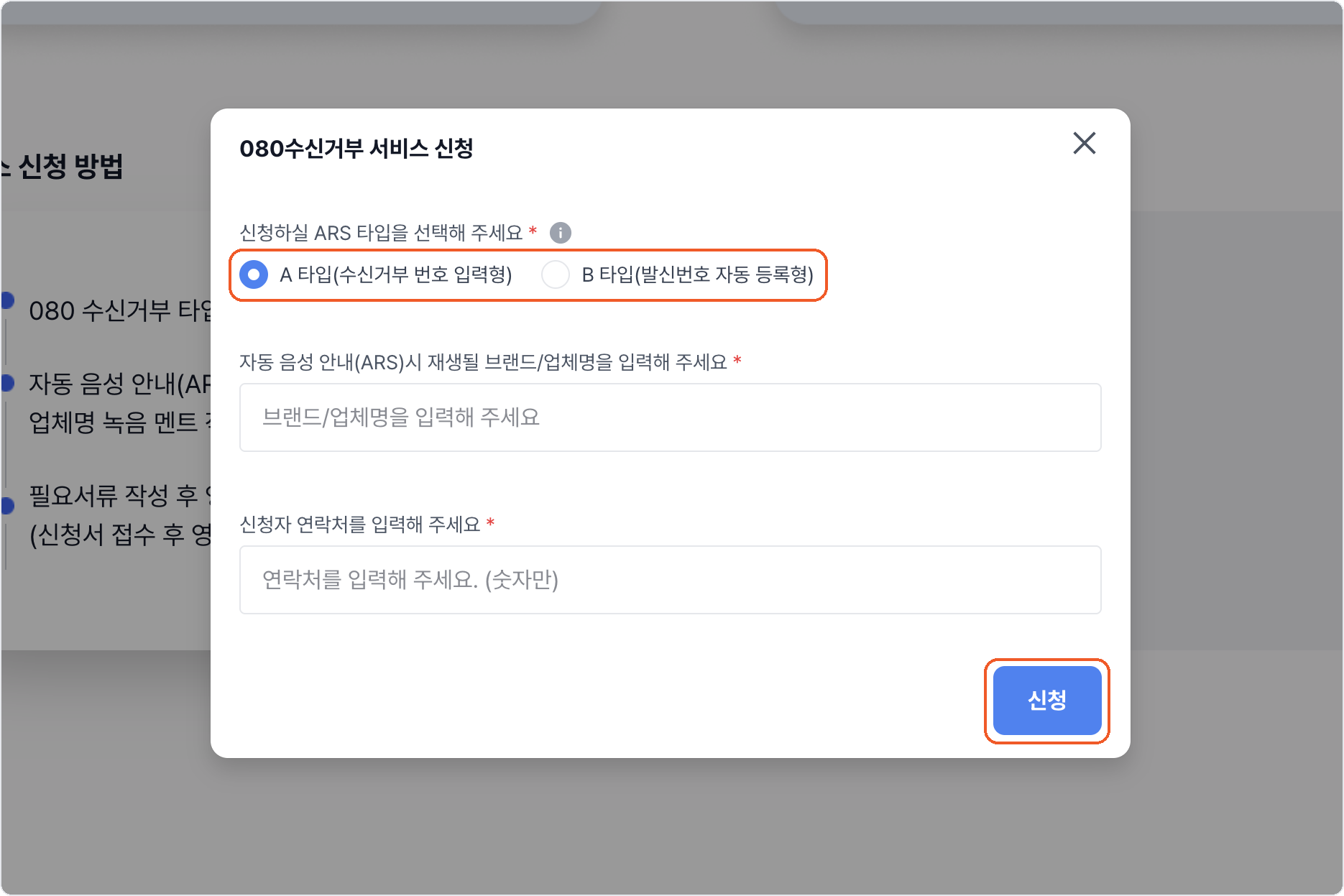
Choose the ARS type, enter the brand or company name to be read out in the voice prompt (up to 8 characters) and the applicant's contact number, then click Apply.
| Type | How it works |
|---|---|
| Type A | The recipient enters the number they want to block |
| Type B | The sender number is registered automatically |
What it costs
A Bizgo monthly fee of KRW 22,000 (VAT included), plus the monthly line fee (KRW 5,000 for type A, KRW 10,000 for type B) and call charges. Sejong Networks bills and terminates the line fee and call charges.
Call charges — local and long distance KRW 45 / 3 min, long distance band 2 KRW 13.8 / 10 sec, mobile KRW 15.63 / 10 sec, VOIP KRW 65 / 3 min.
3. Send the paperwork
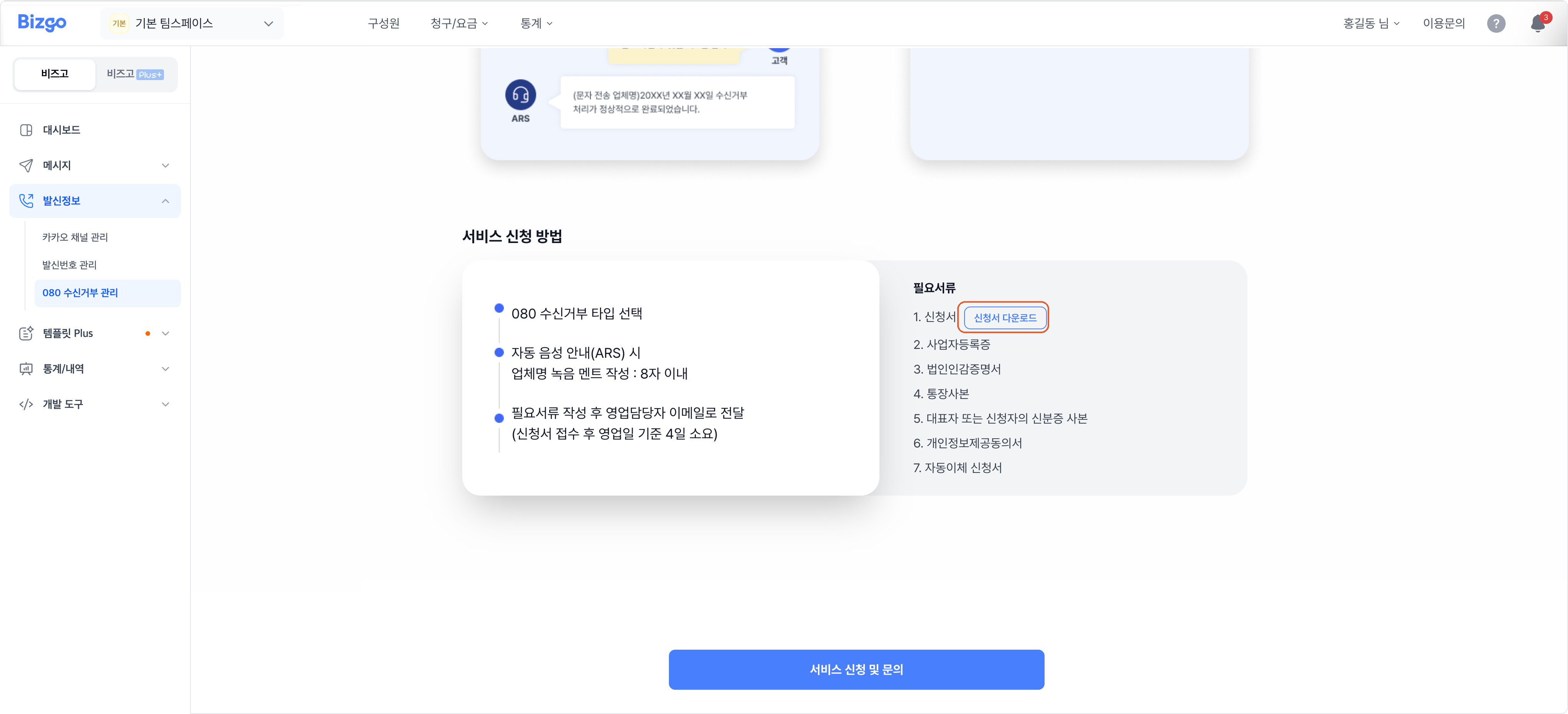
Click Download application form, fill it in, and email it to your sales contact along with the documents below. It takes about four business days after receipt.
- Application form, business registration certificate, corporate seal certificate, bank account copy
- A copy of the representative's or applicant's ID, consent to provide personal information, direct debit application
4. Find your 080 number
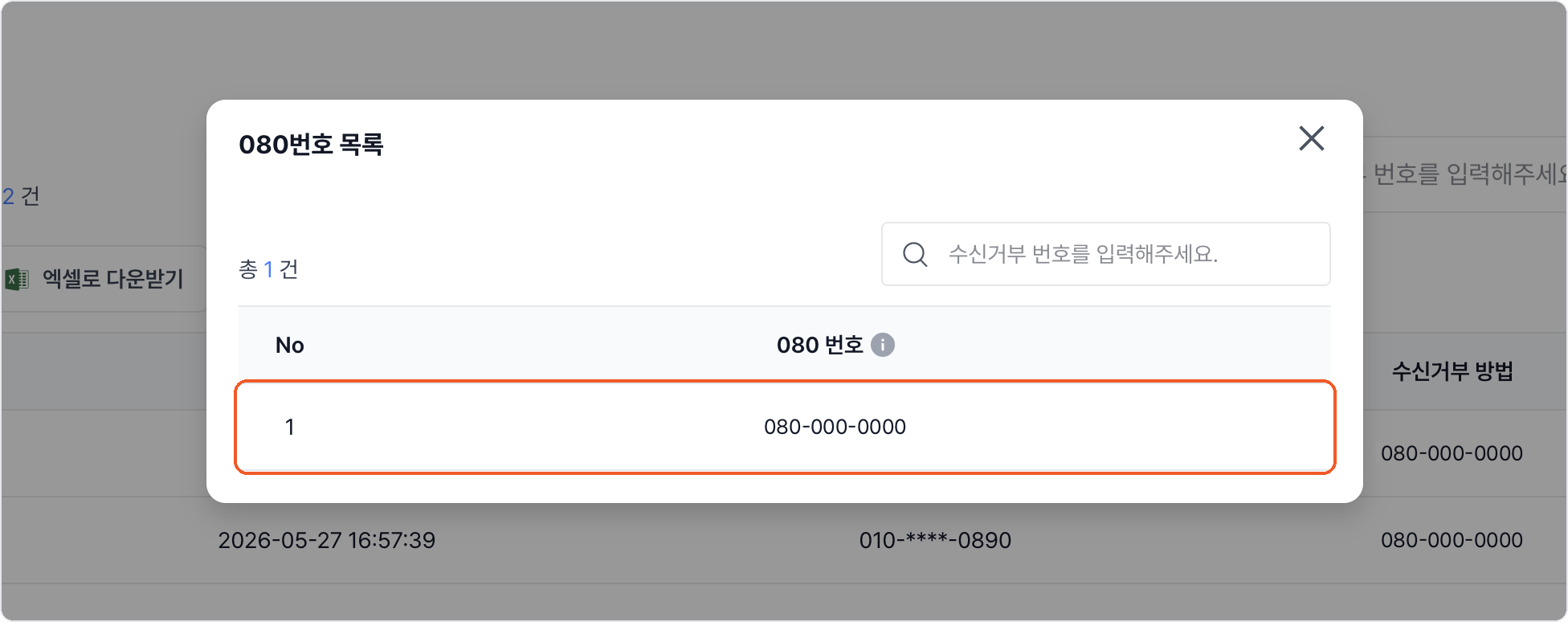
Once the line is live, click Show my 080 number on the 080 opt-out management screen. Put that number in your promotional messages.
5. Review the opt-out list
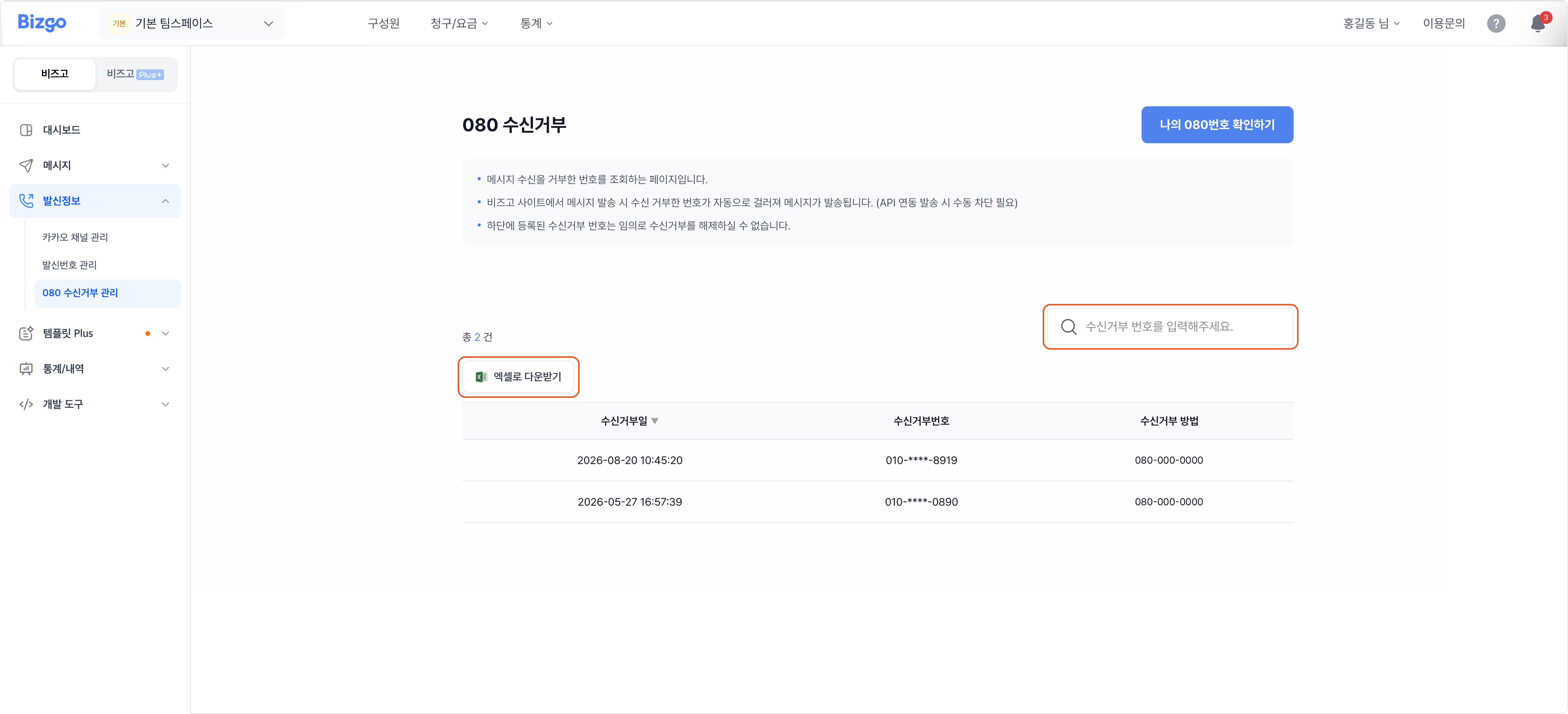
When a recipient opts out through the 080 number, they are added to the list. Search by number, or click Download Excel to export it.
Bizgo does not filter opt-outs for API or Agent sends
- Web sends from Bizgo automatically exclude numbers that opted out. System sends over the API or an Agent are not filtered, so you have to check the opt-out list and exclude them yourself. To feed the list into your own system, ask your sales contact.
- A registered opt-out cannot be lifted manually.
Next
- Sending promotional SMS → Send SMS
- How Brand Message handles opt-outs → Brand Message send types