
Upload videos for Brand Message
Under Bizgo > Messages > Kakao > Video management, register the video you will use for the Brand Message premium video type.
Videos belong to one channel
A video is uploaded to Kakao under the channel you choose, and it can only be used on that channel.
1. Start uploading
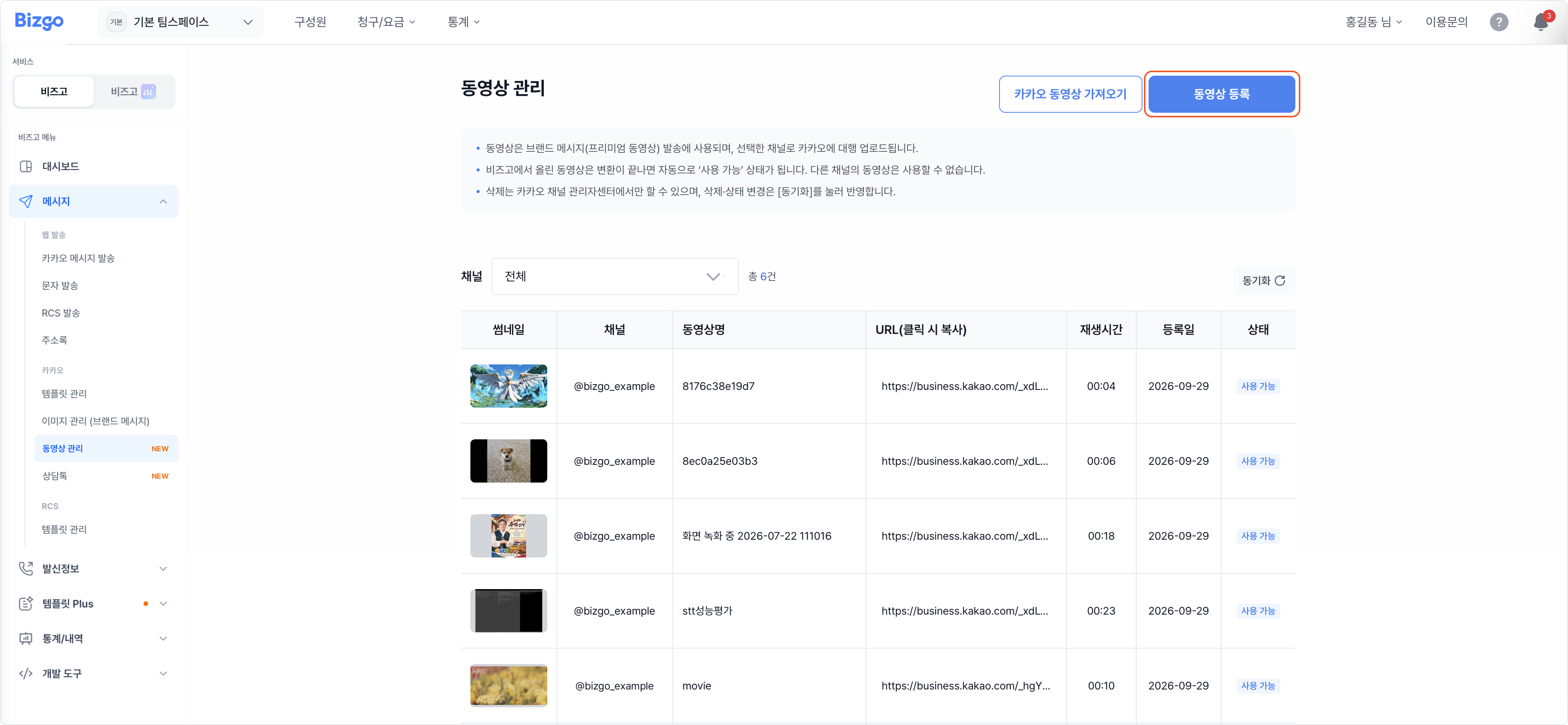
Click Register video.
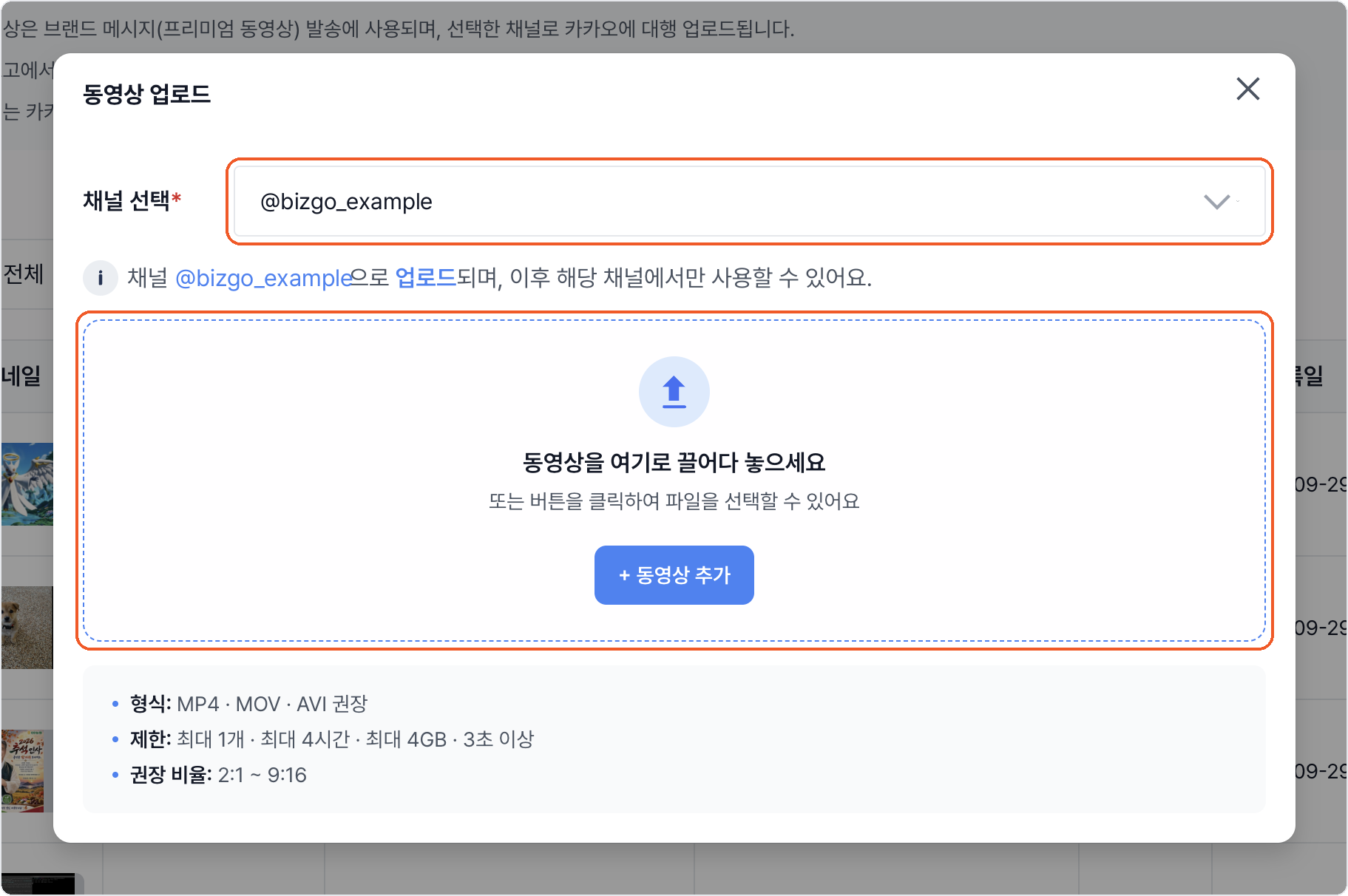
2. Choose a channel and add the file
Choose the channel the video is for. Drag the file onto the upload area, or click + Add video to pick it.
| Item | Requirement |
|---|---|
| Format | MP4, MOV, or AVI recommended |
| Count | One at a time |
| Length | At least 3 seconds, up to 4 hours |
| Size | Up to 4GB |
| Recommended ratio | 2:1 to 9:16 |
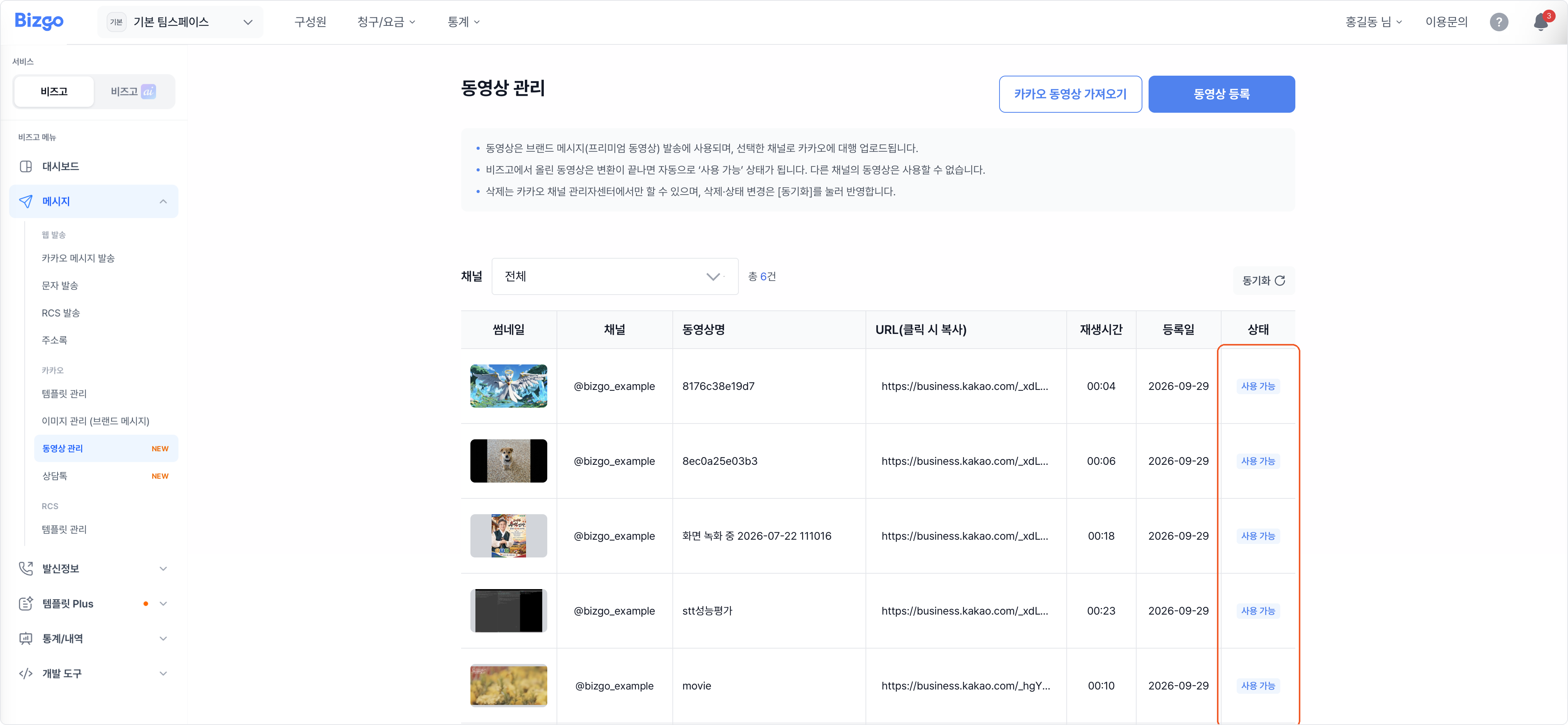
3. Wait for it to become available
Once Kakao finishes transcoding, the status turns Available on its own. Check it in the list; clicking the URL copies the video address.
Thumbnails are not uploaded separately
After the video goes up, pick a thumbnail from the frames Kakao extracts.
Importing a video already on Kakao
A video you have already uploaded to the Kakao Business partner center is imported by its address.
1. Copy the video address
In the Kakao Business partner center, go to Channel > Video management, open the video's detail screen, and copy the entire address from the browser bar.
https://business.kakao.com/space/000000/channel/_xxxxxx/videos/0000000
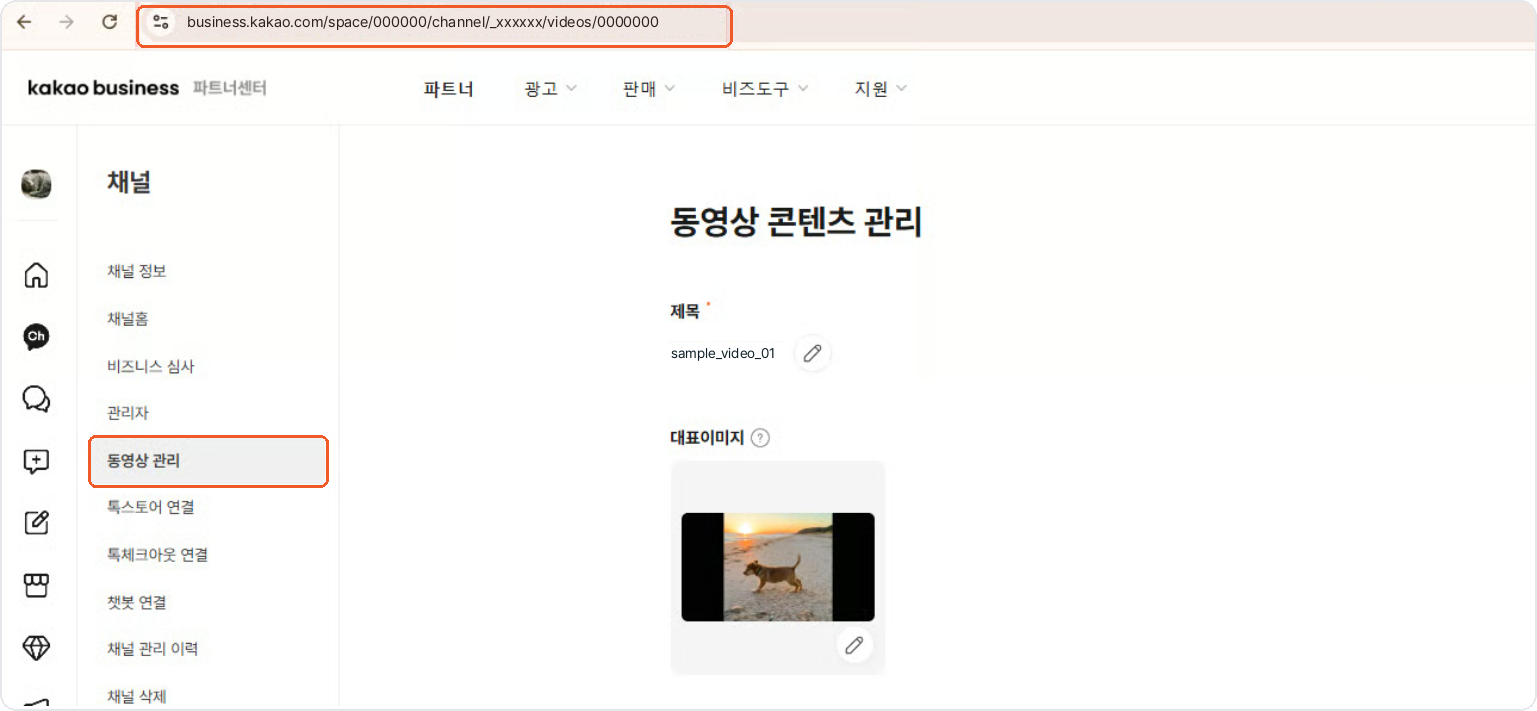
Copying only the trailing number will not work
Paste the whole address.
2. Paste the address and register
Click Import Kakao video and choose the channel the video sits on. Paste the address into Video address and click Register. Separate several addresses with line breaks to import them in one go.
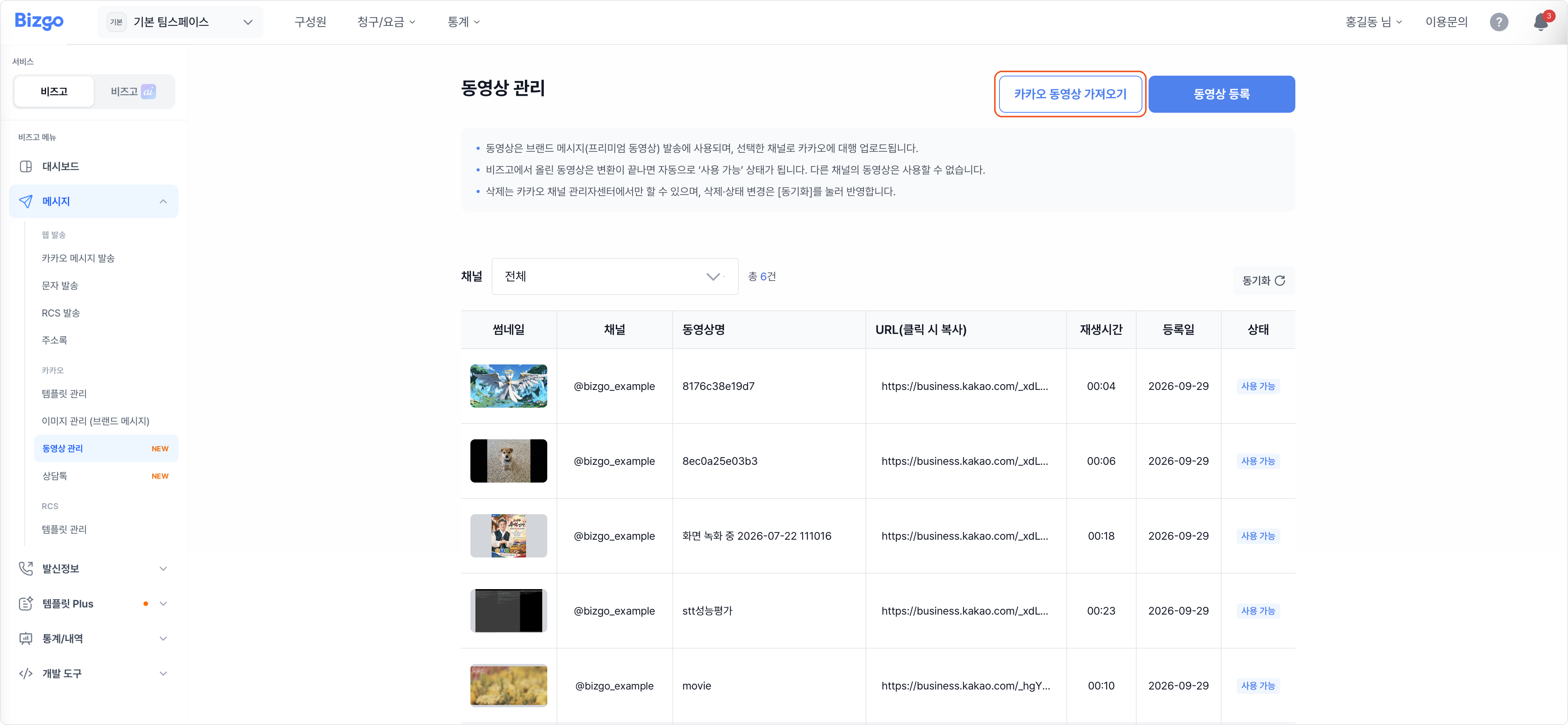
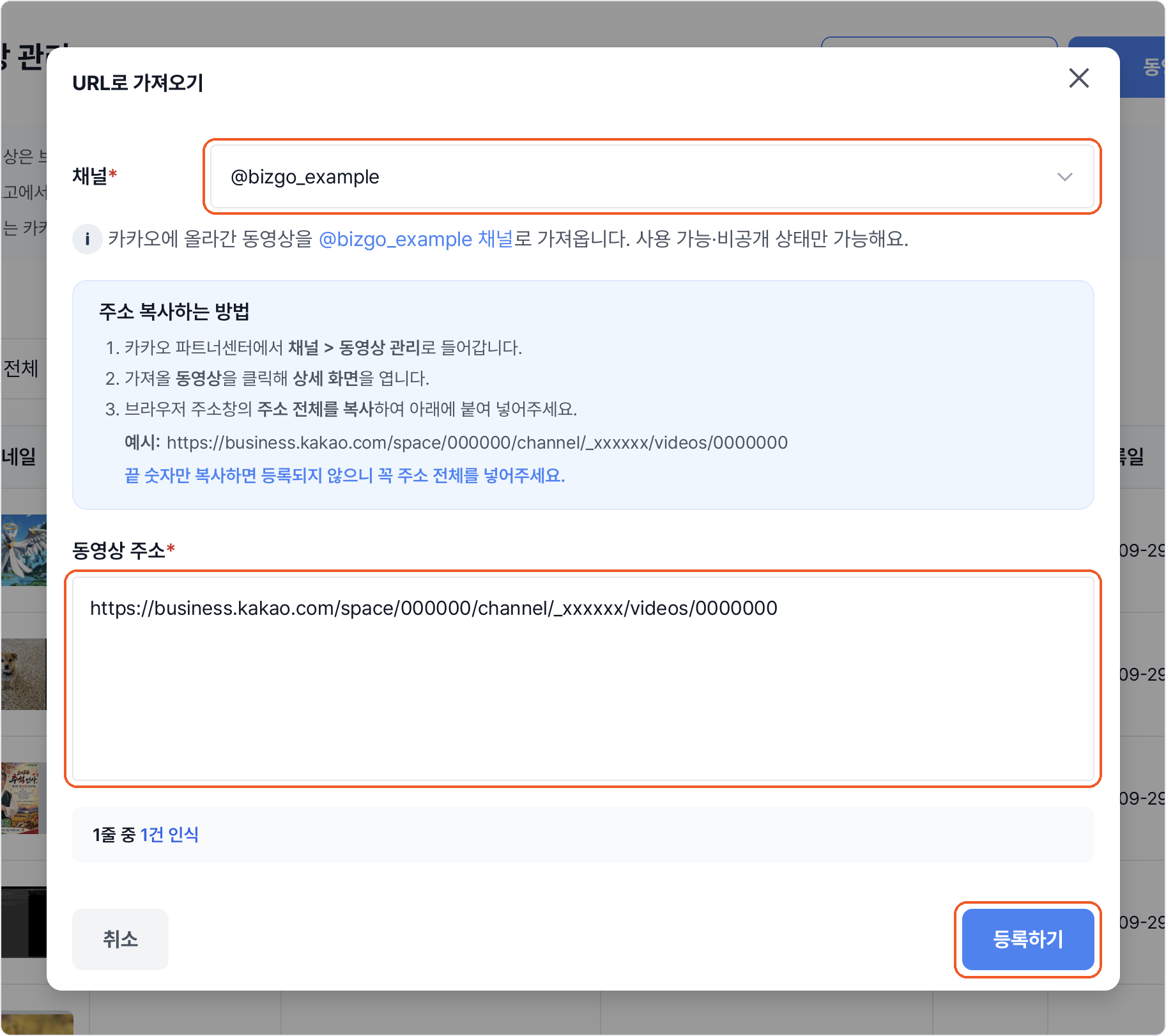
Only videos that are available or private on Kakao can be imported. Because the file is already on Kakao, it registers immediately with no upload or transcoding.
Videos cannot be deleted from Bizgo
Delete it in the Kakao Business partner center, then click Sync in the Bizgo video management list for the change to show.
Next
- Images as well → Upload images for Brand Message
- Creating a template → Create a Brand Message template