
Automation overview
The Bizgo automation service sends messages automatically based on external events such as commerce orders and shipping.
You can send customer notification messages automatically in line with operational flows in Naver Smart Store, such as orders, payments, and shipping.
Automation services
| Service | Method | Purpose | Audience |
|---|---|---|---|
| Naver Smart Store | Direct commerce integration | Notification automation based on order and delivery events | Developers and non-developers |
| No-code tools (Make · n8n · Zapier) | Workflow tool integration | Automated sending based on external service events | Non-developers |
Try automated sending
You can try the Naver Smart Store automated sending flow first, at no charge.
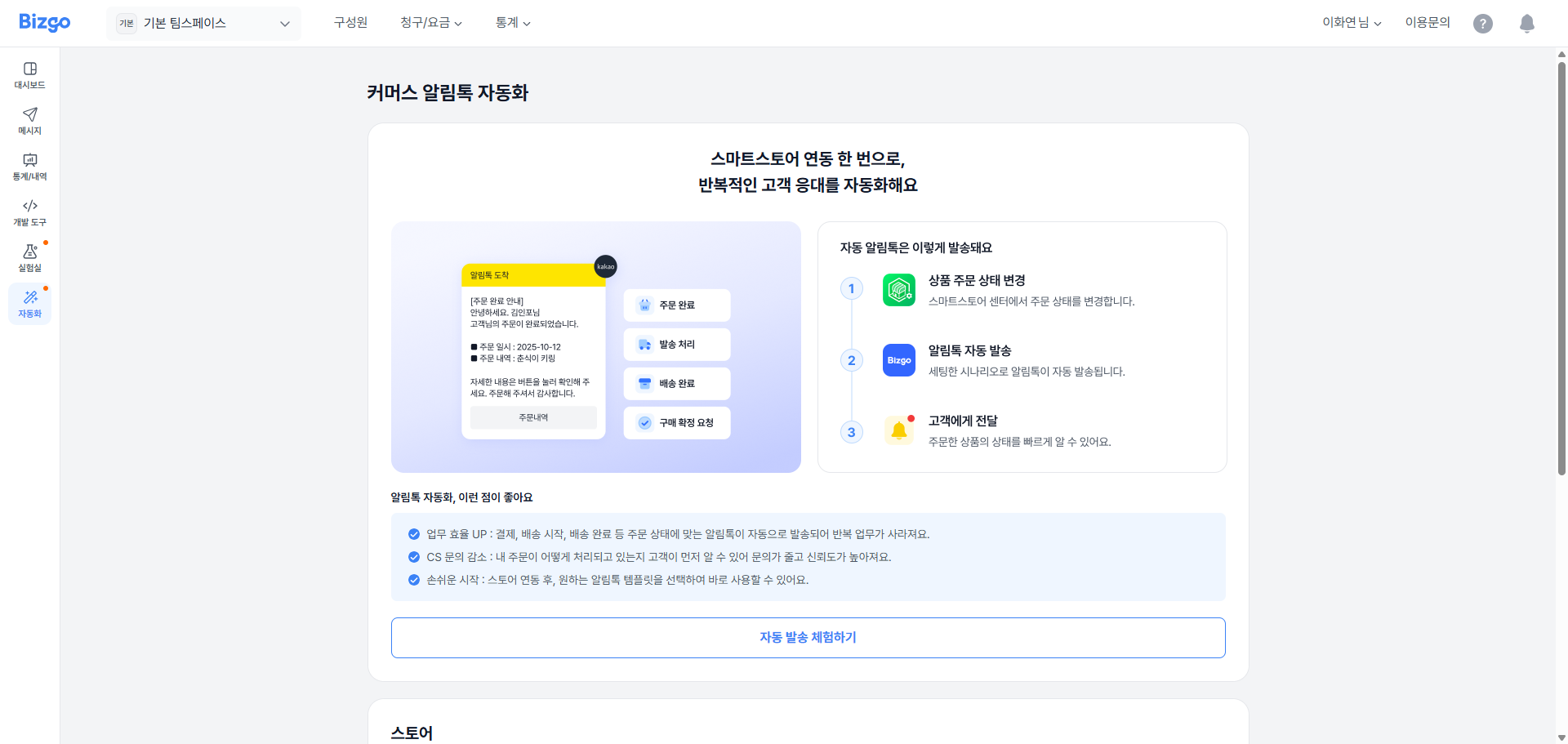
- Go to Console > Team space > Automation > Commerce Alimtalk automation.
- Click the Try automated sending button.
- Choose a template to try and check the automated sending result.
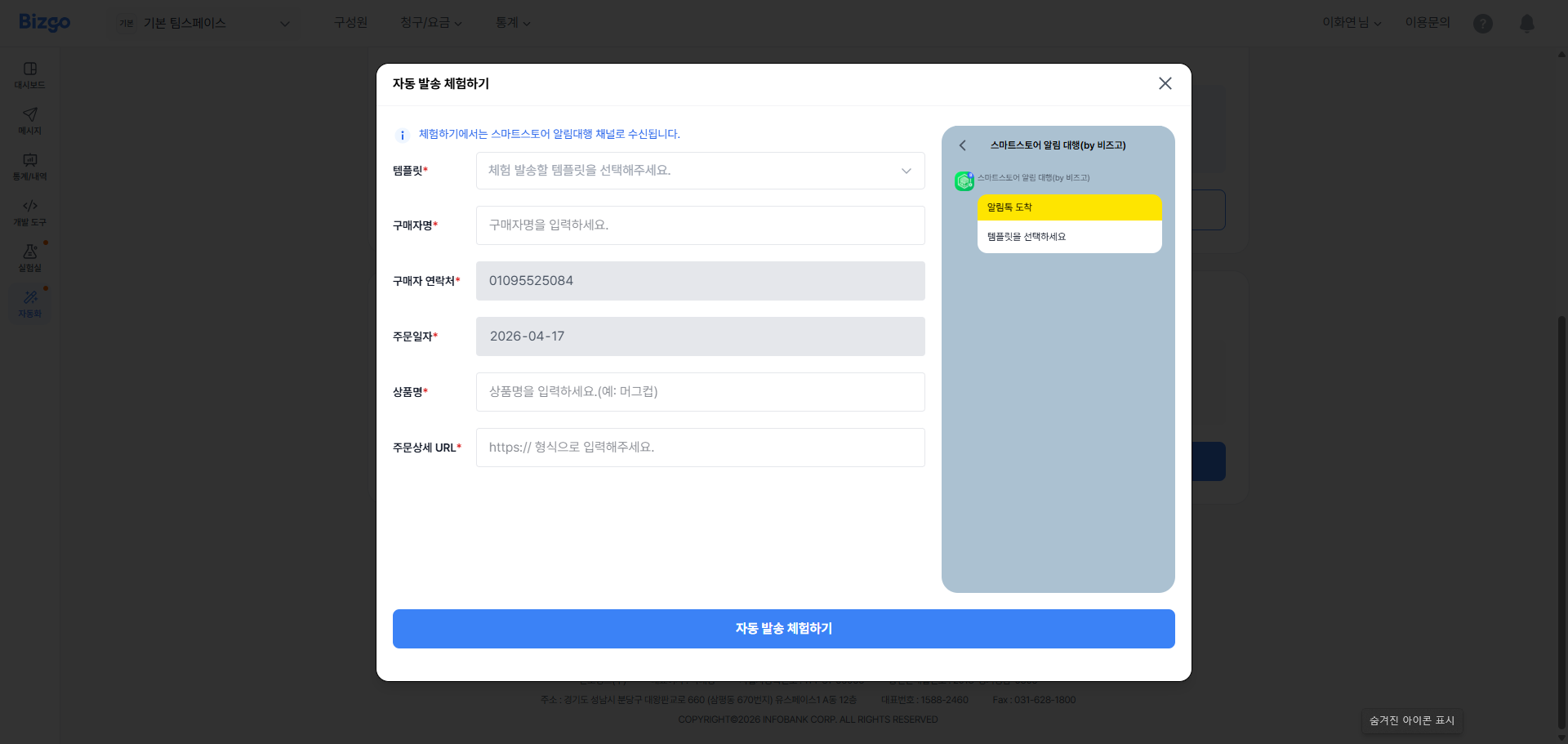
You can run the automated sending trial for each template, and messages are delivered only to the mobile number on the account you are signed in with.
Before you begin: sign up and try it out
Complete the steps below before you use the automation service.
Step 1 — Sign up
- Sign up from the Bizgo website with Quick sign-up.
- After signing up, complete business verification (enter your business registration number and upload your business registration certificate; 1–2 business days).
- Create a team space.
Step 2 — Set Bizgo as your API agency
In Naver Smart Store Center, set your Commerce API agency to Bizgo (Infobank).
Step 3 — Connect Bizgo
In the Bizgo console, go to Team space > Automation > Commerce Alimtalk automation and enter your Smart Store seller ID to finish the connection.
Related documents
- Operational prerequisites — sign-up, business verification, sender information registration
- Naver Smart Store — integrating Smart Store order and delivery events