
Bizgo Plus+ is open
Bizgo Plus+ adds customer data, automation and AI to message sending.
26.11.18 Bizgo Plus+ is open
In one line
Bizgo Plus+, which adds customer data, automation and AI to message sending, is now open. From 18 November 2026 you can use it from the [Bizgo Plus+] tab on the left of the Bizgo console.
What changes
Until now, organising your customer list, choosing who to send to, writing the message and scheduling the send were separate jobs in separate menus.
In Bizgo Plus+ you group customers from the data gathered across your store and social accounts, and send the right message automatically as situations arise. You can also create message copy and images with AI on the spot.
Main features
AI Home
Type what you want to do as a sentence and Zio, the Bizgo AI, finds the right feature and opens the screen you need.
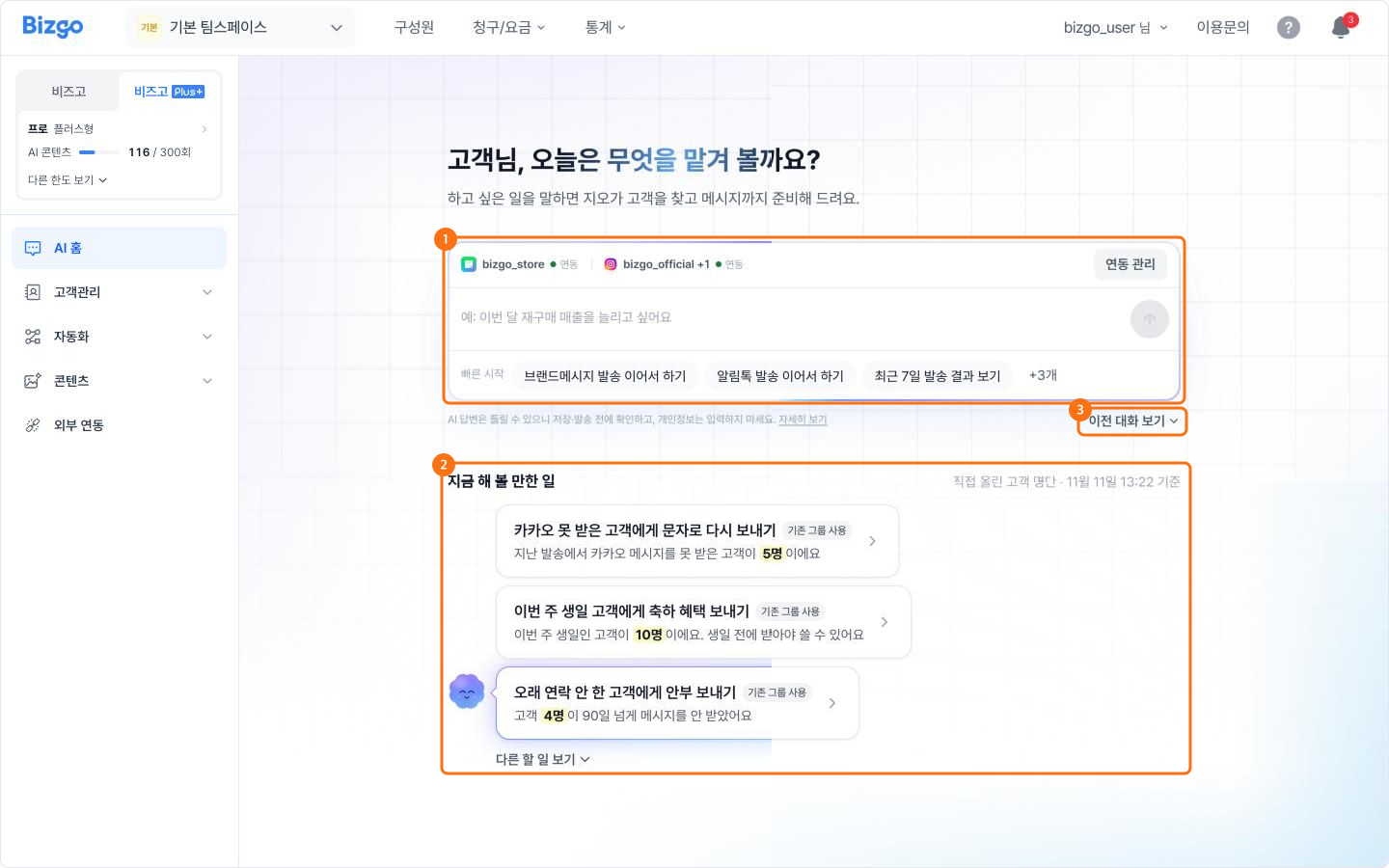
- Type something like "Send a coupon Alimtalk to VIP customers" and grouping customers, writing the message and setting up the send all happen in one conversation.
- Worth doing now looks at your team's data and suggests work that is worth doing today.
- Sending and saving only happen when you check the work screen and press the button yourself.
Customers
Bring scattered customer information into one place and group customers by condition to use as a send audience.
- Customer profile — see each customer's basic details and their SmartStore order and purchase history at a glance.
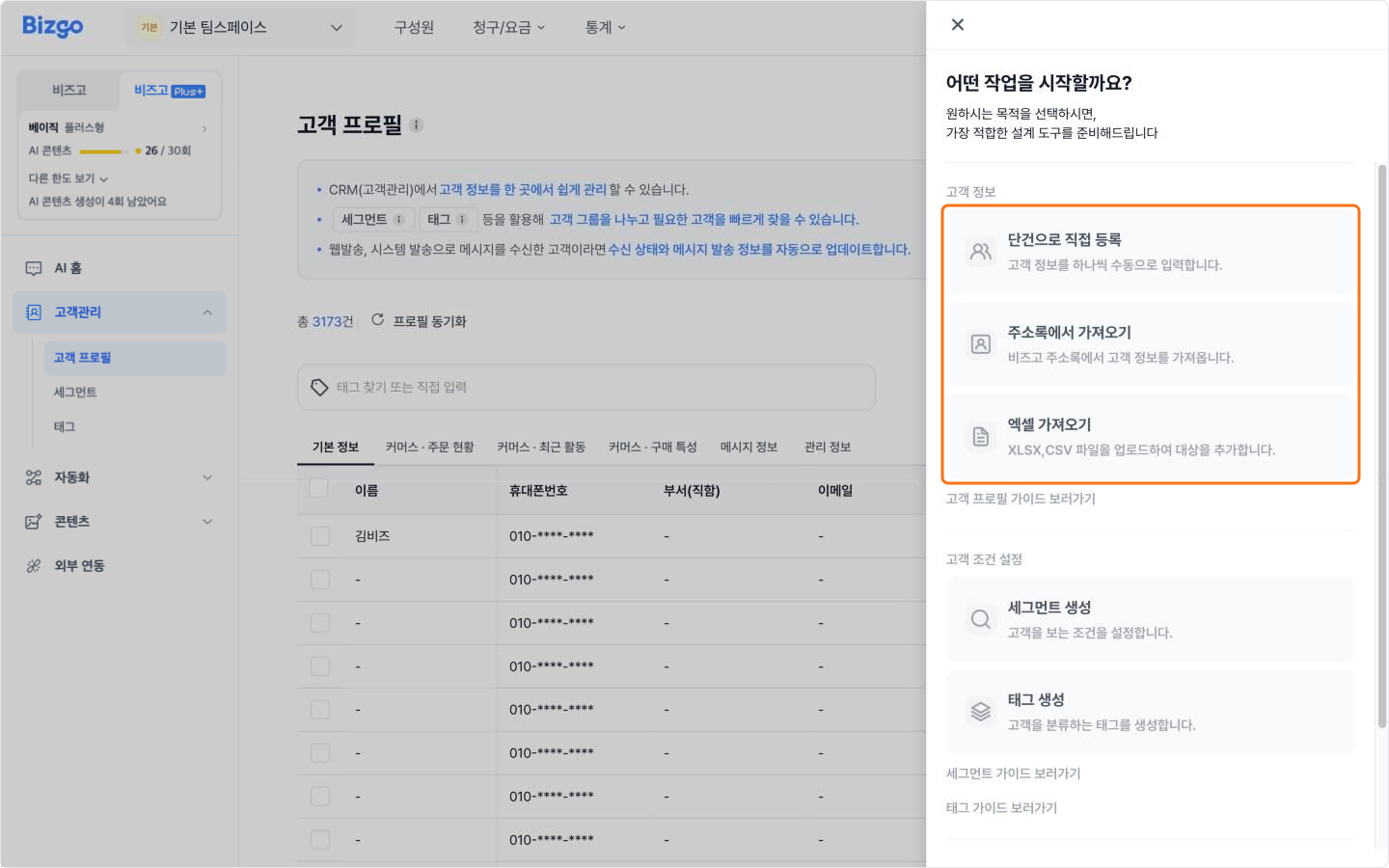
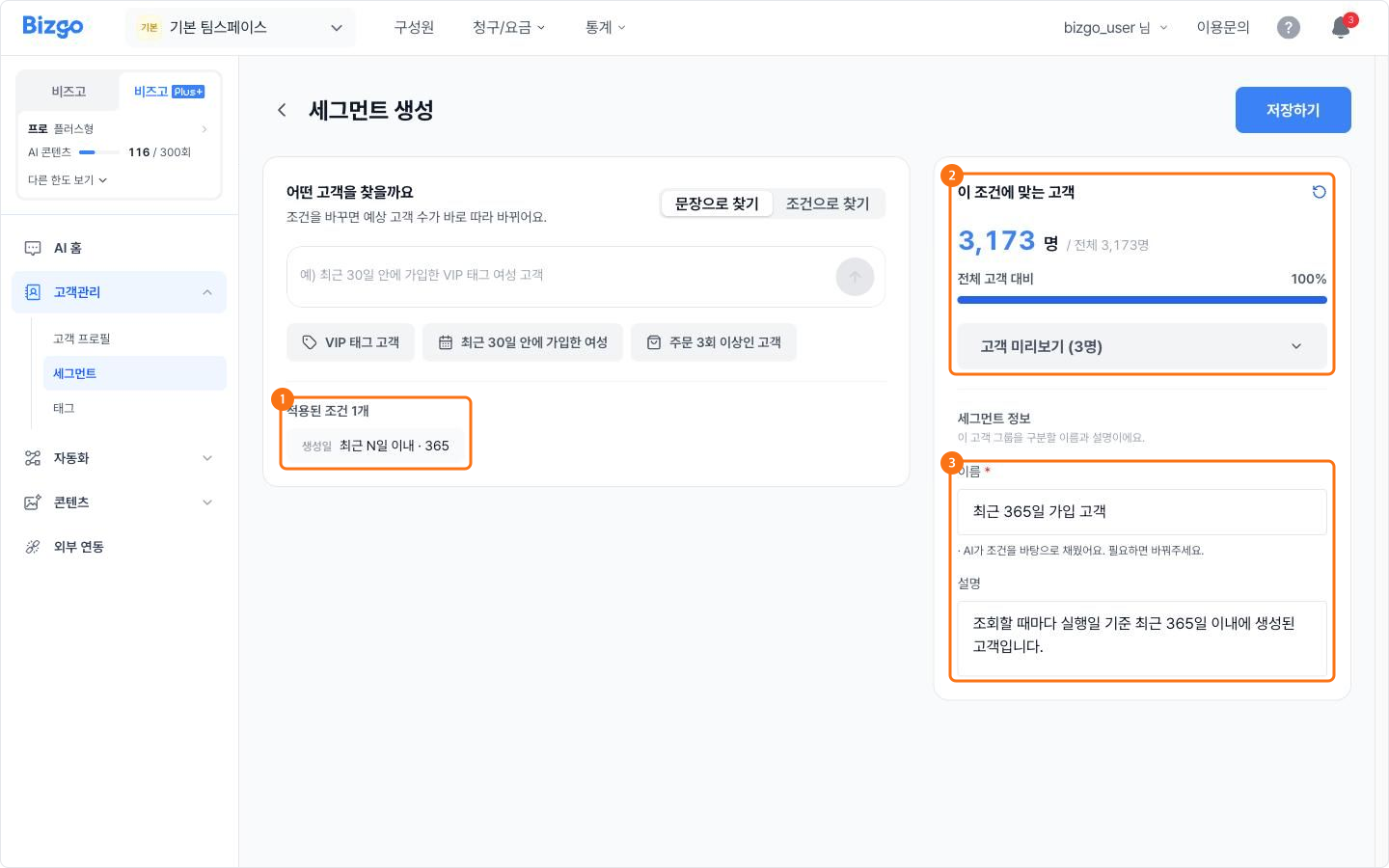
- Segments — describe the customers you want in a sentence and AI builds the conditions. You can also pick fields and values yourself.
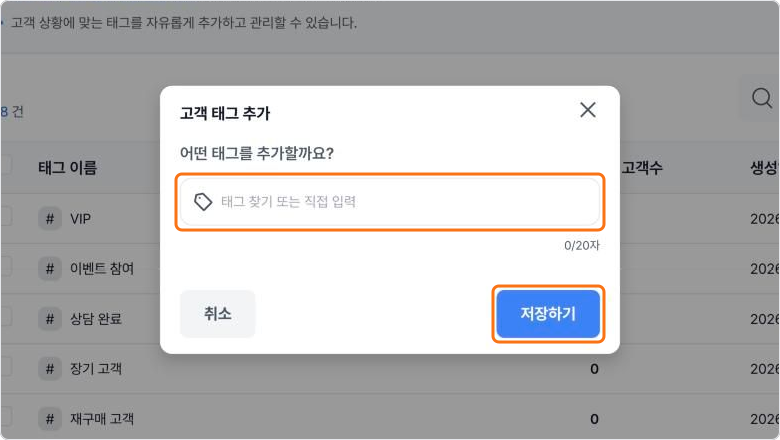
- Tags — mark customer states with tags such as Event participant or Long-term customer, and use them in segment conditions.
Automation
Set it up once and messages go out automatically whenever the conditions match.
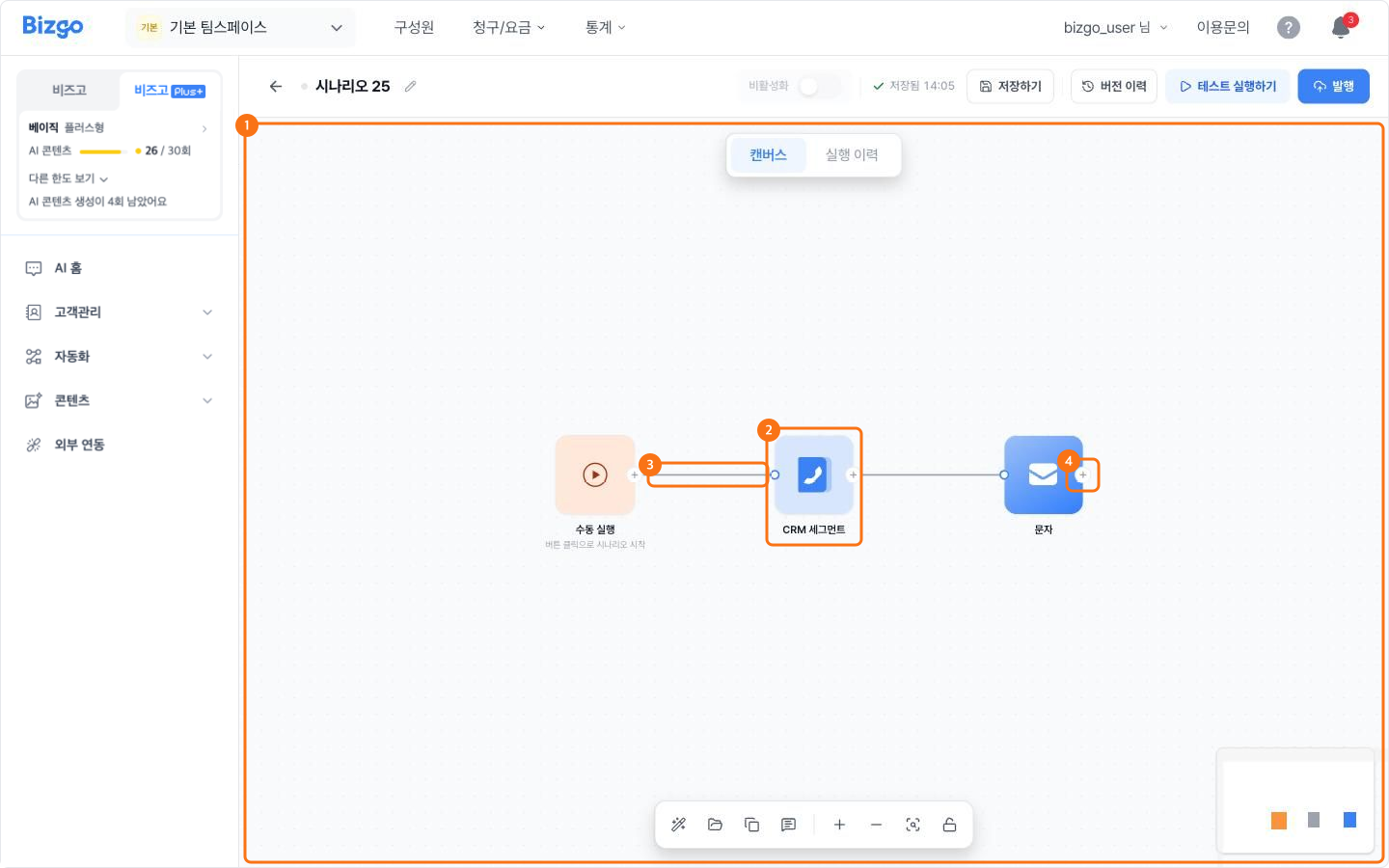
- Scenarios — chain "when it starts → who it goes to → what is sent" on a canvas to build an automated send. For example, send an Alimtalk to the VIP segment every Monday at 10:00.
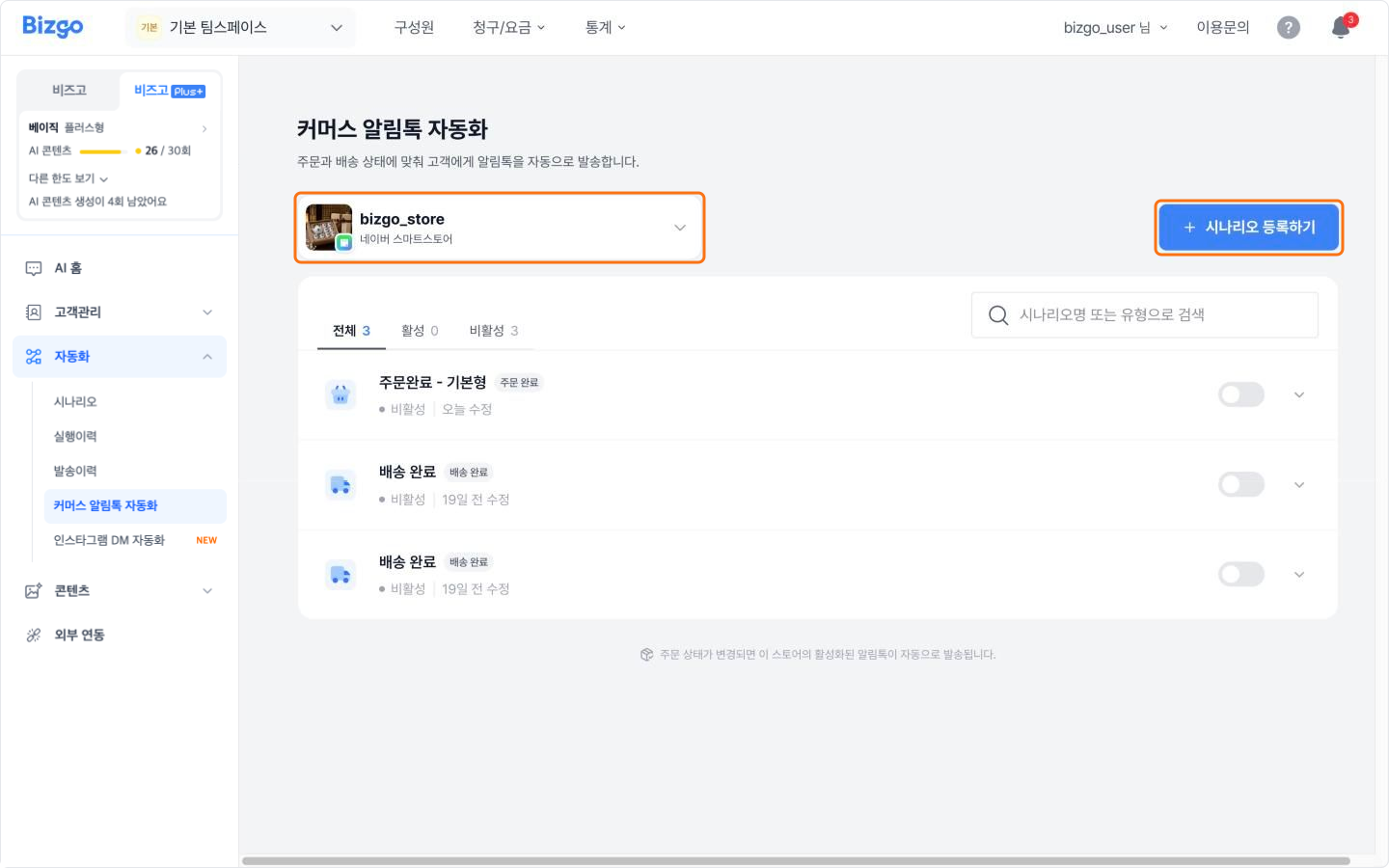
- Commerce Alimtalk automation — send an Alimtalk automatically each time a SmartStore order moves to Order complete, Shipment processed, Delivery complete or Purchase confirmation requested.
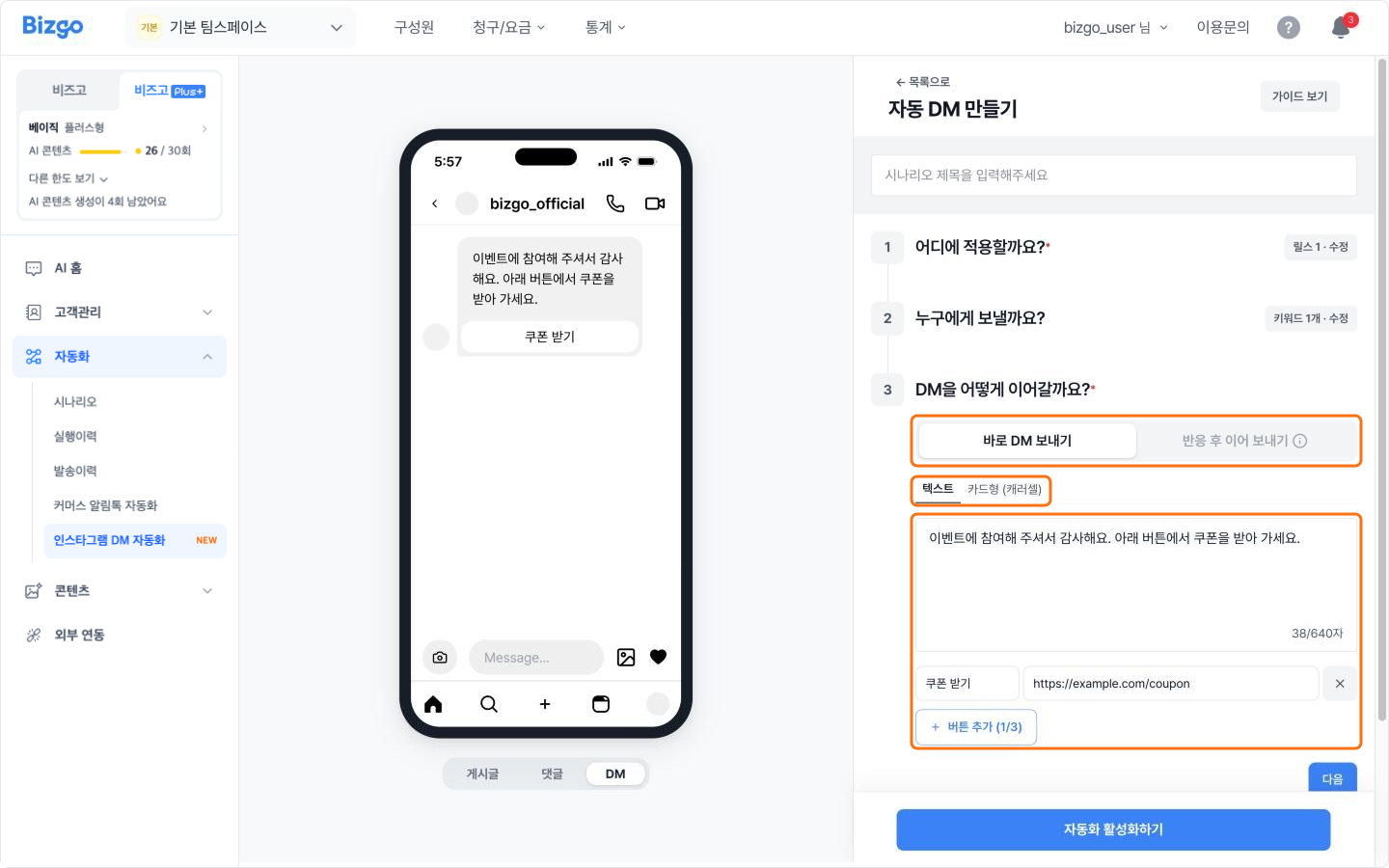
- Instagram DM automation — send a DM automatically when someone comments on a post or reel, or replies to a story.
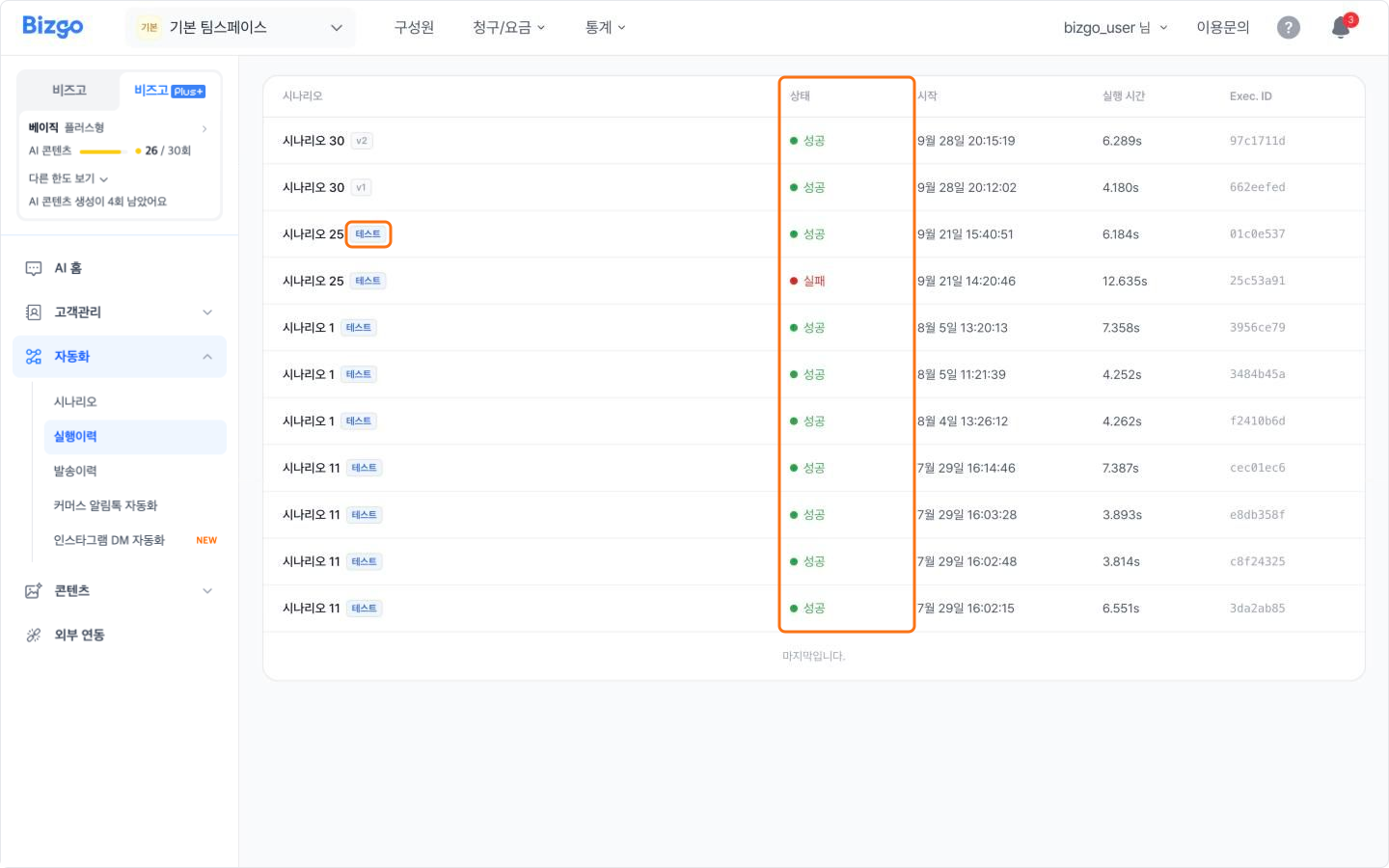
- Run history and send history — check when an automation ran and which messages went out.
Content
Use AI to draft Kakao Brand Message and Alimtalk templates and advertising images.
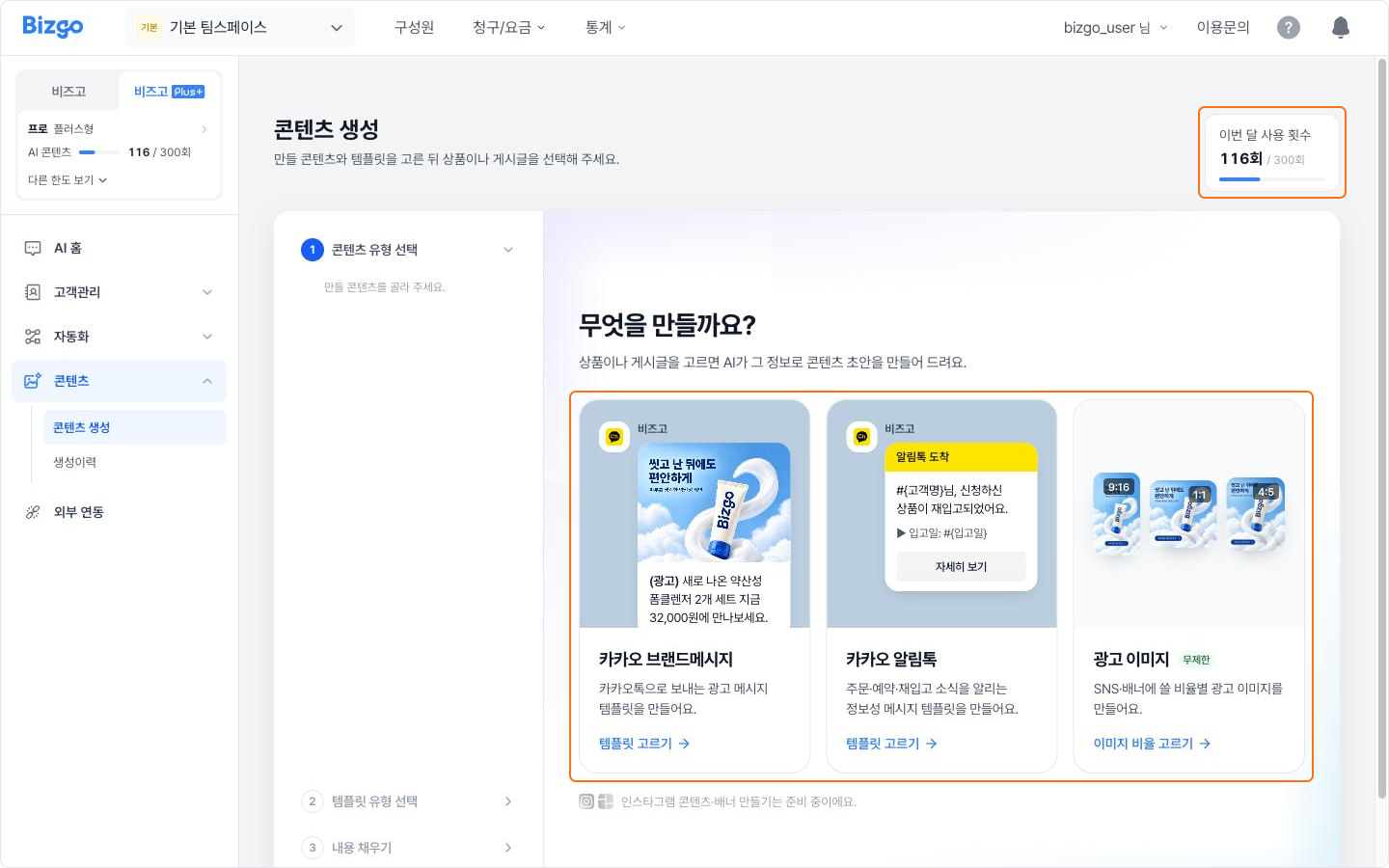
- Pull in a product from a connected store or an Instagram post, and the product name, price and image go straight into the draft.
- Press [Register as template] on a draft to continue into the template registration screen.
- You can also jump to AI content creation from the Alimtalk and Brand Message template builders.
Integrations
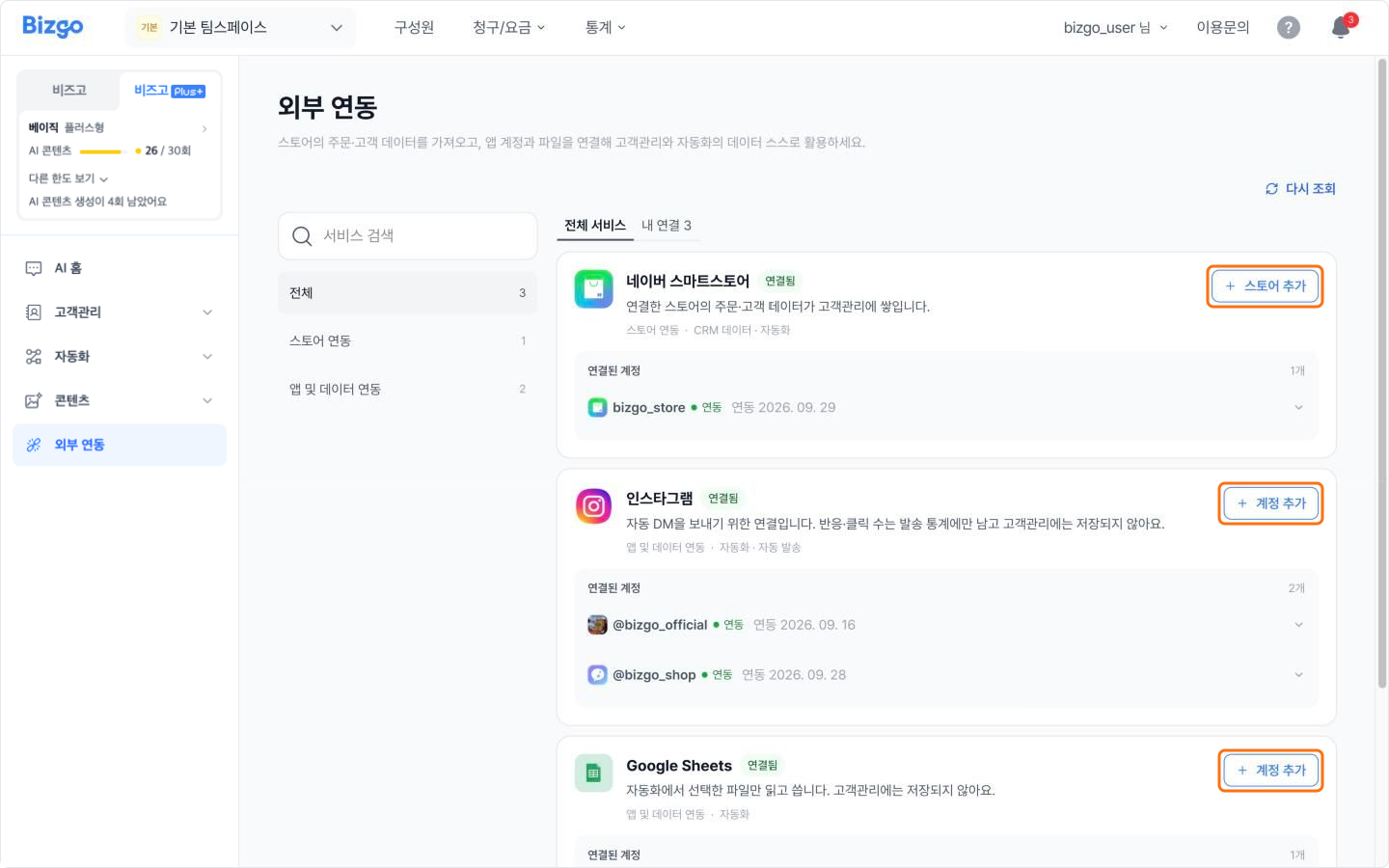
Connect Naver SmartStore, Instagram and Google accounts to use in Customers, Automation and AI content creation.
Ways to use it
- Delegate the goal, not the steps — type "I want to grow repeat-purchase revenue this month" into AI Home. Zio finds the audience and prepares the message.
- Pick out exactly the customers you want — describe them in a sentence, such as "VIP customers who bought in the last 30 days", and AI builds the conditions and saves them as a segment.
- Mark customer states — tag the customers who joined an event and use that tag as the audience for the next one. Sort customers with tags
- Hand over a recurring send — set a coupon Alimtalk to go to VIP customers every Monday at 10:00.
- Automate order notices — when a SmartStore order is delivered, send an Alimtalk asking the customer to confirm the purchase. Send shopping mall Alimtalk automatically
- Answer comment events — DM a coupon link straight to anyone who comments "Join" on a post. Reply to Instagram DMs automatically
- Check what was sent — see when an automated send ran and how many messages succeeded. Check automated send results
- Build messages from products — pull in a store product and let AI create a Brand Message draft and an advertising image.
- Connect your data — connect SmartStore and Instagram and every feature above runs on your real customer data.
How to start
- Complete business verification and choose a Bizgo Plus+ plan.
- Connect SmartStore or Instagram under [Bizgo Plus+] > [Integrations].
- Type what you want to do in [AI Home], or start straight from the menu you need.
Things to note
- Bizgo Plus+ features need a Bizgo Plus+ plan. They are not available on message-only plans.
- How much you can use depends on the plan.
| Item | Solo | Basic | Pro |
|---|---|---|---|
| Automation scenarios | 3 | 10 | Unlimited |
| Connectable store and social accounts | 2 | 5 | Unlimited |
| AI template drafts | 10 per month | 30 per month | 300 per month |
- The scenario count covers scenarios, commerce Alimtalk automation and Instagram DM automation combined. The four default commerce notices (order complete, shipment processed, delivery complete, purchase confirmation requested) do not count toward it.
- The account count covers SmartStore and Instagram accounts combined.
- AI answers and AI-written drafts can be wrong. Always check the content before you save or send.