
2025.06SDK
SDK download hub is open
1. Open SDK download in the console and choose your language. 2. Check the minimum runtime version and the latest release version on the card. 3. Download it, or head to GitHub for the changelog, examples, and issues.
[ 25.06.10 ] SDK download hub is open
Summary
Pick your development language and download the SDK, read the docs on GitHub, and run a Postman test — all in one place.
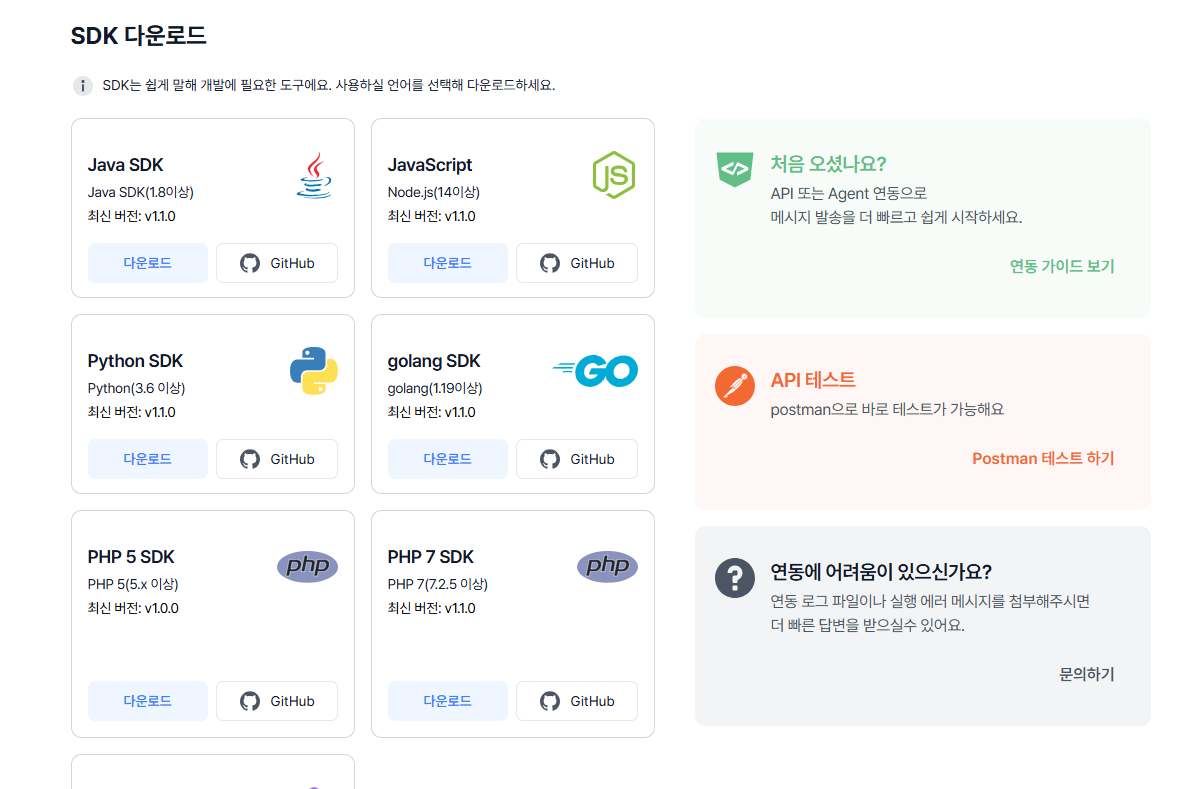
At a glance
- Download the SDK for your language straight from the console, and review the source and docs on GitHub.
- For first-time integrations, the integration guide, the Postman test link, and the support channel are gathered on one screen.
What changed?
- Each SDK card shows the latest version.
- Entry points for the integration guide and API testing (Postman) are provided alongside it.
Why it matters
- Standard SDKs give you compatibility and stability, and cut down on version confusion.
- Consolidating docs, examples, and issue tracking on GitHub raises operational efficiency.
How to use it
- Open SDK download in the console and choose your language.
- Check the minimum runtime version and the latest release version on the card.
- Download it, or head to GitHub for the changelog, examples, and issues.
- If this is your first time, open the integration guide to set your environment variables and keys quickly.
- Verify your API calls with the Postman test, then apply the SDK in your service code.
- If something goes wrong, use the support link and include your logs and screenshots.
Things to note
- Separate your production and development keys, and check your network and firewall policies in advance.
- We recommend always using the latest SDK version.
- Older environments may run into compatibility issues.