
2026.09Update
Kakao Brand Message 'Premium video' is now open
A premium video template lets you build a Brand Message around video material.
26.09.29 Kakao Brand Message 'Premium video' is now open
In one line
A premium video template lets you build a Brand Message around video material. You can upload the video straight from the send screen, or pull in a video you keep in video management.
What it does
The 'Premium video' Brand Message template lets you compose and send a message built around a video.
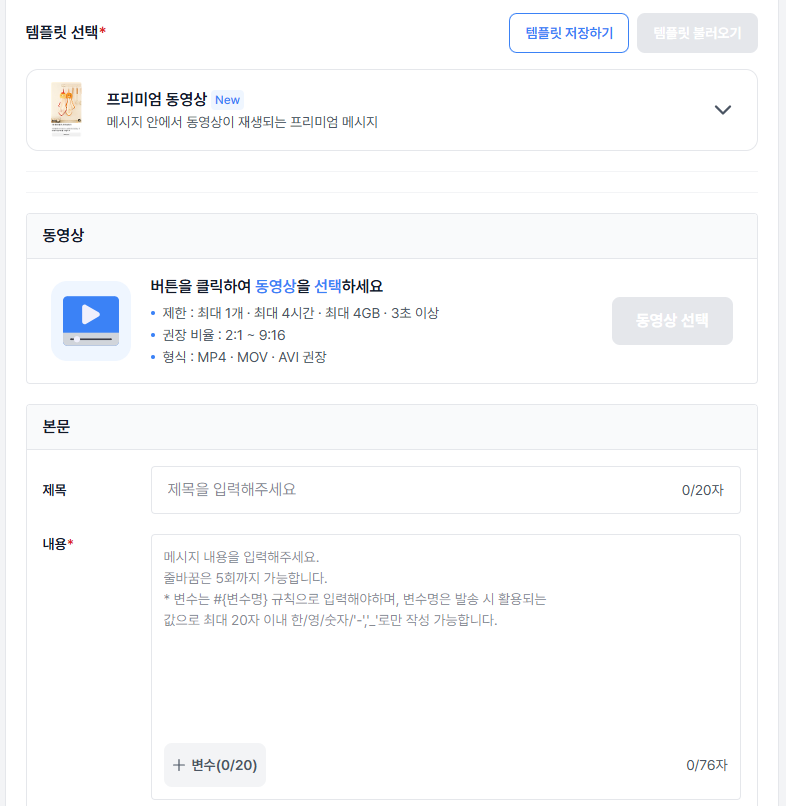
- Upload a video directly on the send screen, or pull in one you keep in video management. A video you upload yourself turns to 'available' automatically once encoding finishes.
- A video already registered on a Kakao channel can be pulled in by URL through 'Import Kakao video' in video management.
- Once registered or imported, a video is stored in video management and can be reused for later sends.
- Videos are managed per Kakao channel — registration, sending, and synchronization all follow the channel.
How to use it
- Go to Kakao message send > Brand Message send.
- Create a new message, set the channel and template name, then choose 'Premium video'.
- Choose the video — upload one and then check and pick the thumbnail, or pull in a video from video management.
- Check the preview, run a test send, then send.
Things to note
- A video belongs to one Kakao channel. You cannot use another channel's video in your message.
- A video registered on a Kakao channel can only be brought in through 'Import Kakao video' in video management; the message attachment screen does not support it.
- Video specifications: AVI, MOV, or MP4 / at most 1 file, up to 4 hours, up to 4GB / at least 3 seconds, recommended ratio 2:1 to 9:16.
- A video that is 'private' in the Kakao Business Partner Center can be registered in a template but cannot be used for sending.
- Videos can only be deleted on each Kakao channel, not in Bizgo. If a video you registered or changed on Kakao does not appear in the list, refresh it with 'Sync'.