
Register sender information
Register the sender information for each channel before you send anything for real.
SMS sender number
Under carrier policy, you can only send SMS from a registered sender number.
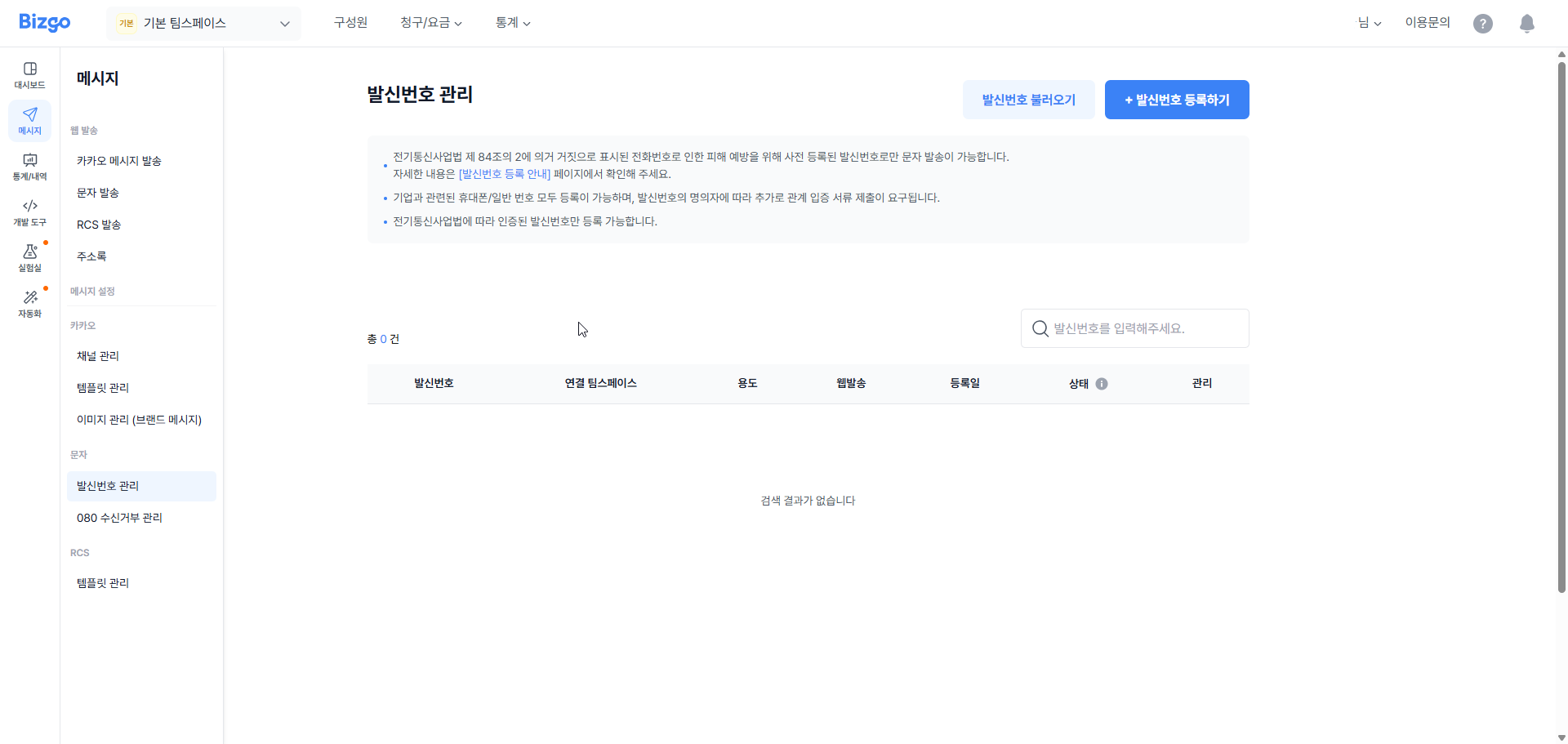
Enter the sender number details
Enter the sender number you want to use and its related information.
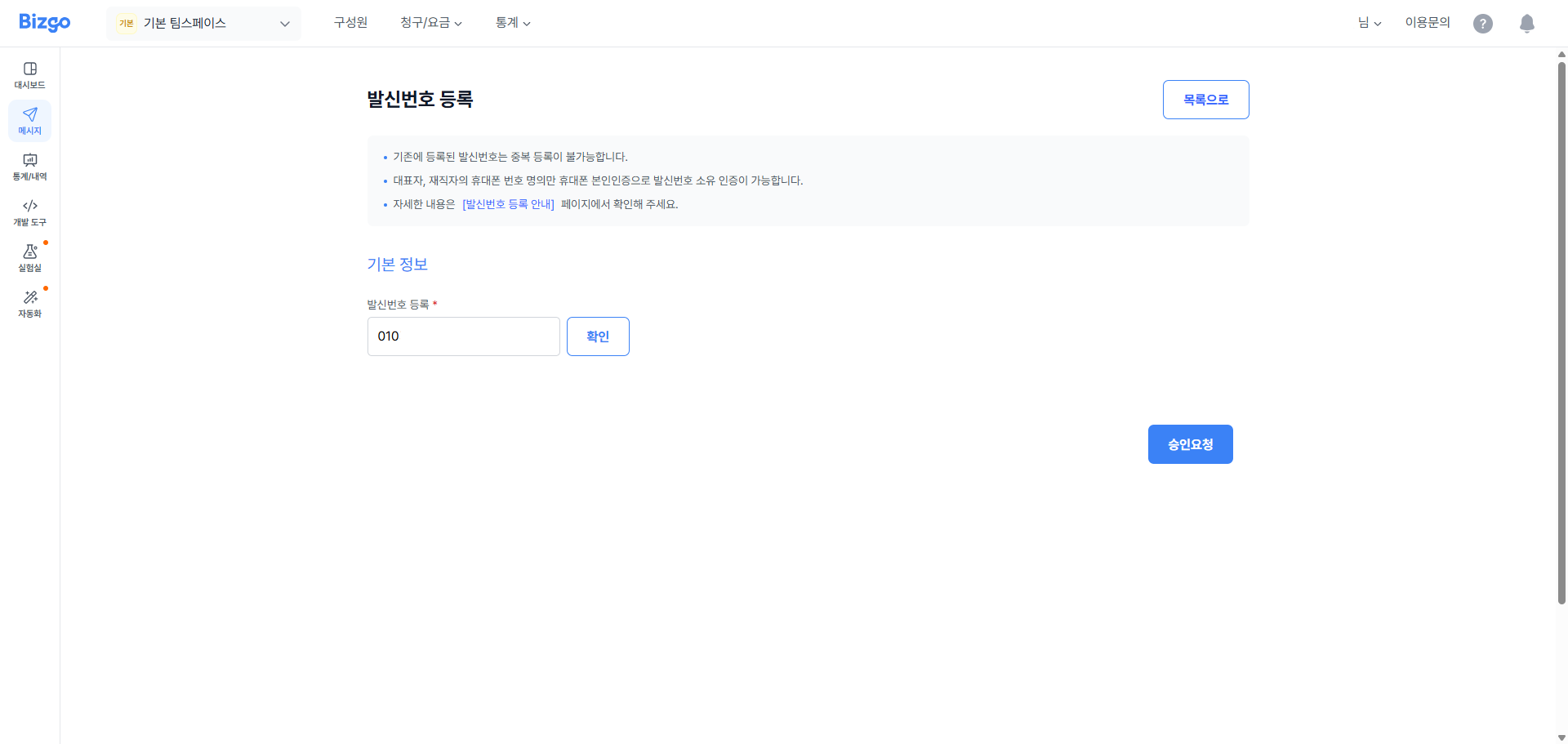
Verify ownership of the sender number
Choose a verification method, then complete verification and submit the supporting documents.
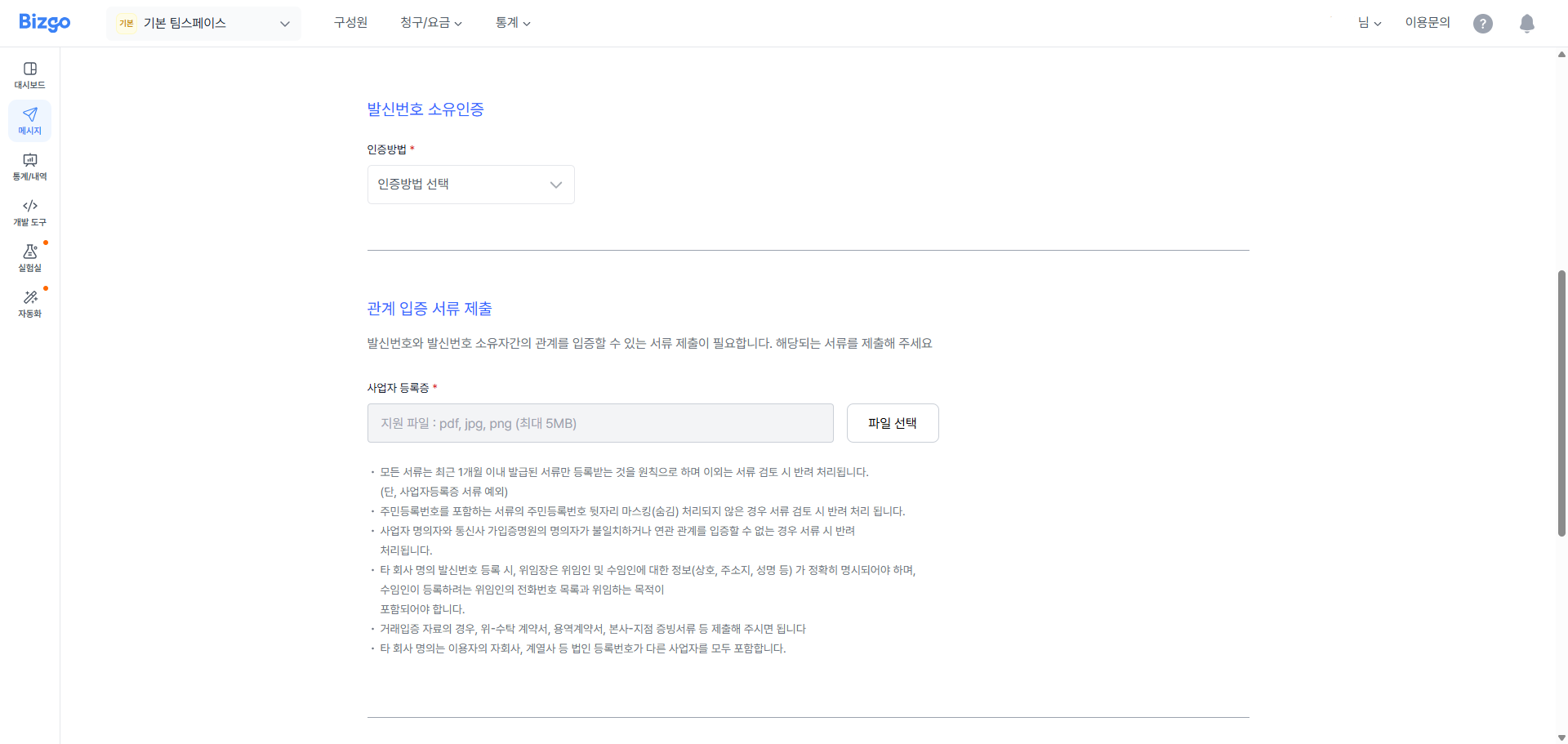
Request approval
Enter the email address that should receive the result, then request approval.
Receive the approval email
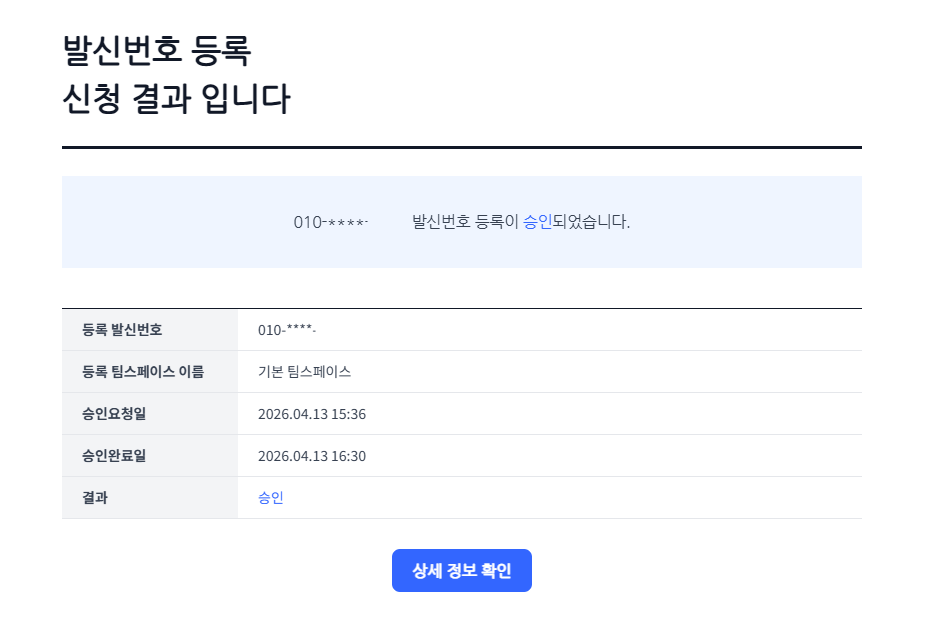
Once the review is complete, the result is sent to the email address you registered.
Kakao channel
To register a Kakao channel you need a Kakao business channel. Create the channel in Kakao Business Manager first, then follow the steps below.
Step 1: Create a KakaoTalk channel
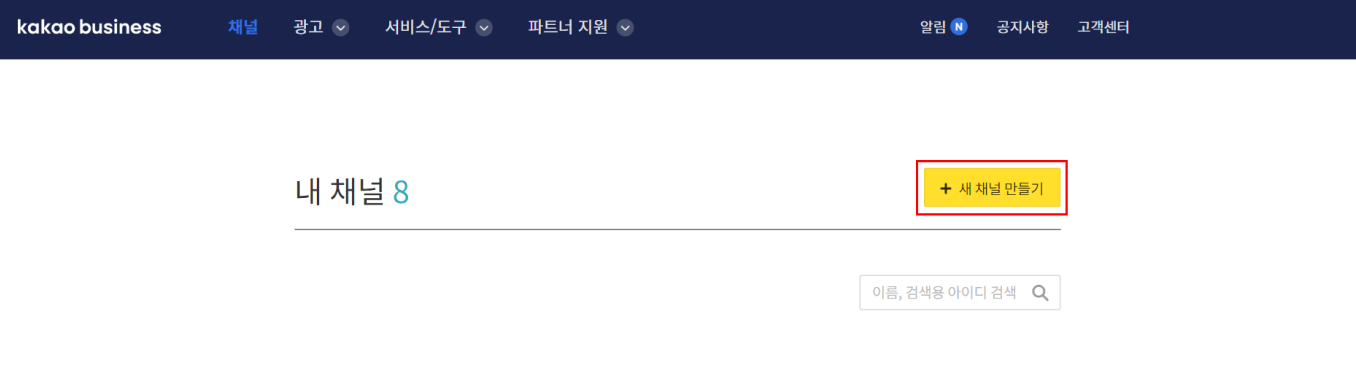
Sign in to Kakao Business Manager, click Channel (채널) in the top menu, then click Create new channel (새 채널 만들기).
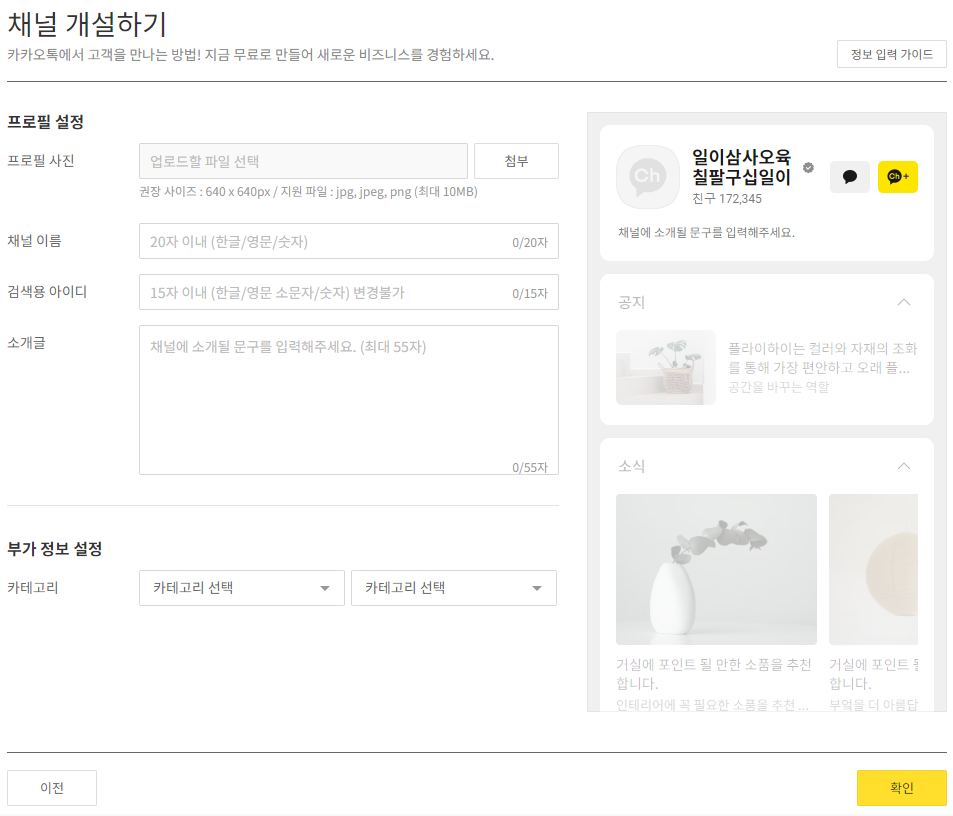
Next, enter the information required to create the channel. Enter the channel name shown on the channel home and the search ID used when searching for the channel in KakaoTalk. That search ID is your sender profile. Once you have also set your company's category, the channel is created.
Step 2: Switch to a business channel
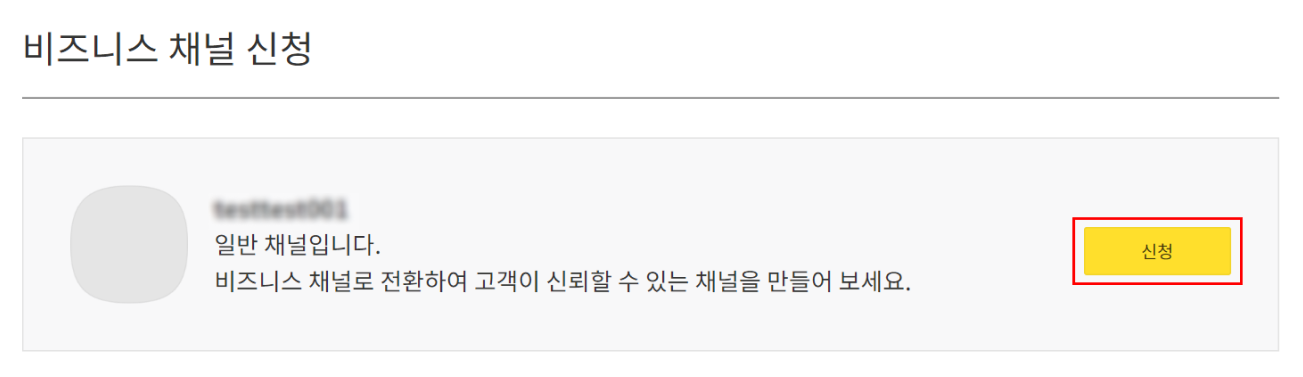
Go to the channel admin center for the channel you created, click Manage (관리) > Apply for business channel (비즈니스 채널 신청) in the left menu, then click Apply (신청) at the top. Enter your business information, attach the requested documents, and complete the channel application.
Step 3: Register the sender profile
Once the channel is approved as a business channel, you need to register the channel ID with Bizgo. Open the team space where you want to register the channel ID, click KakaoTalk (카카오톡) > Channel management (채널관리) in the left menu, then click the Register channel ID (채널ID 등록) button.
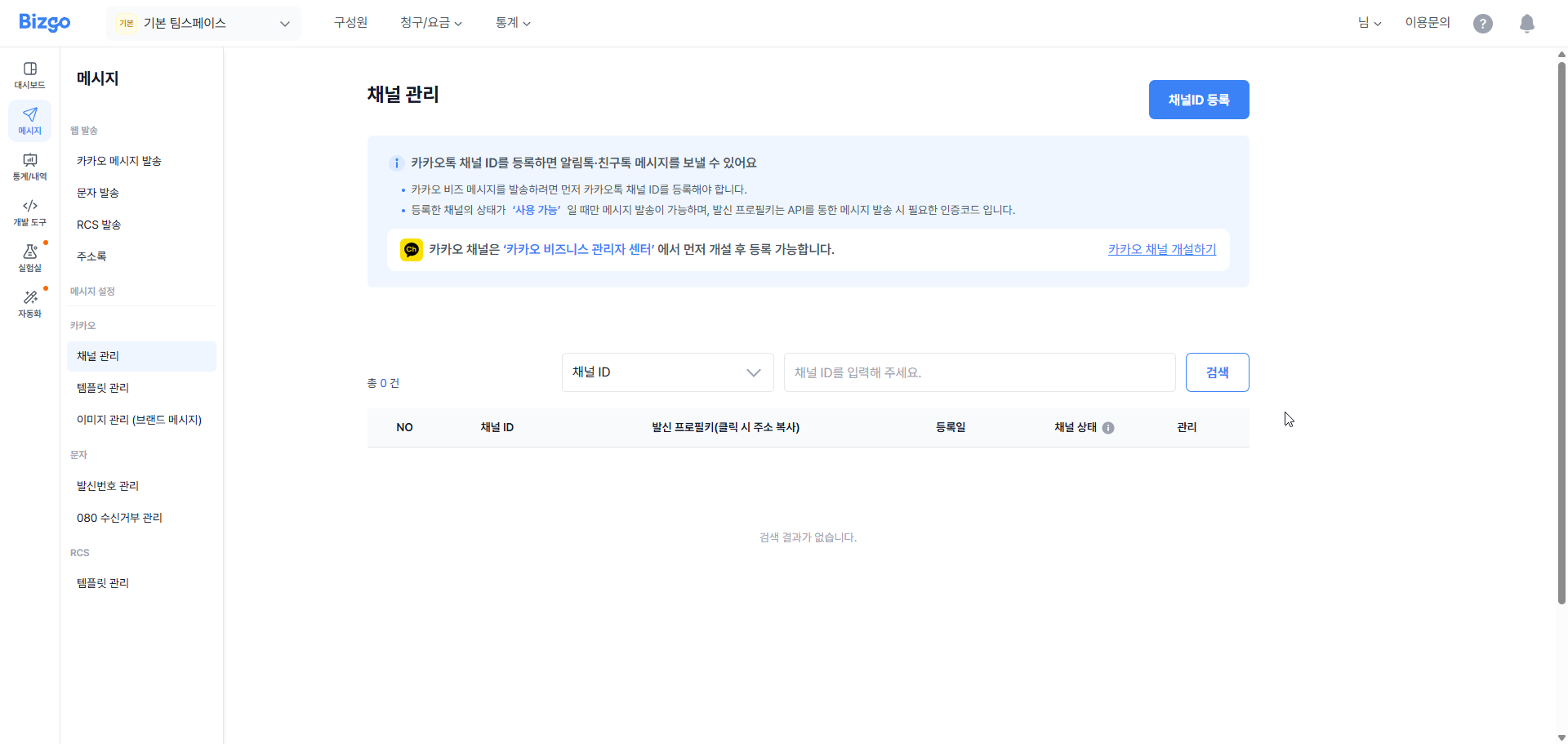
Enter the KakaoTalk channel ID and the category information registered on the channel. Then complete verification using the mobile phone number of the person registered as the channel admin. When verification succeeds, the channel ID you entered is registered with Bizgo.
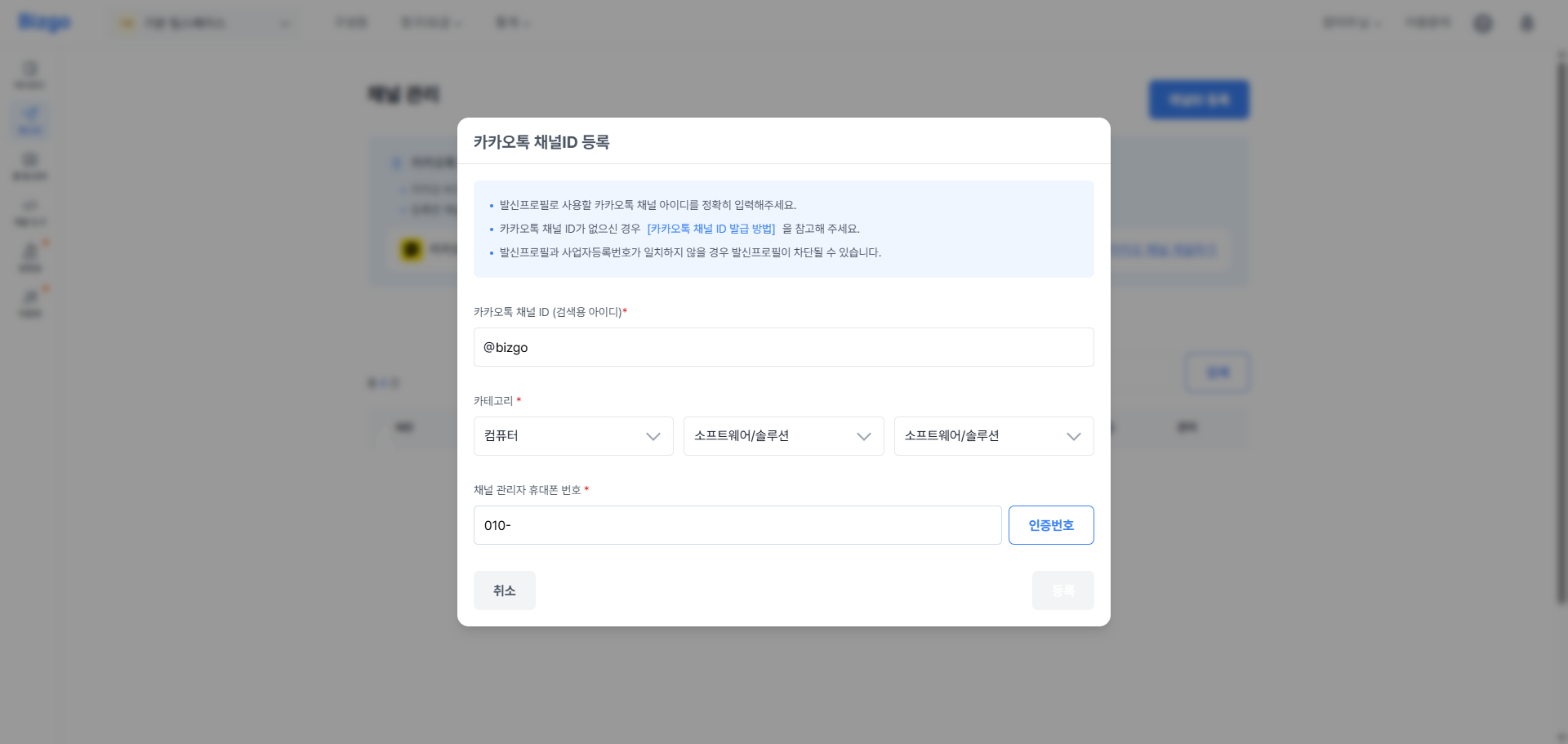
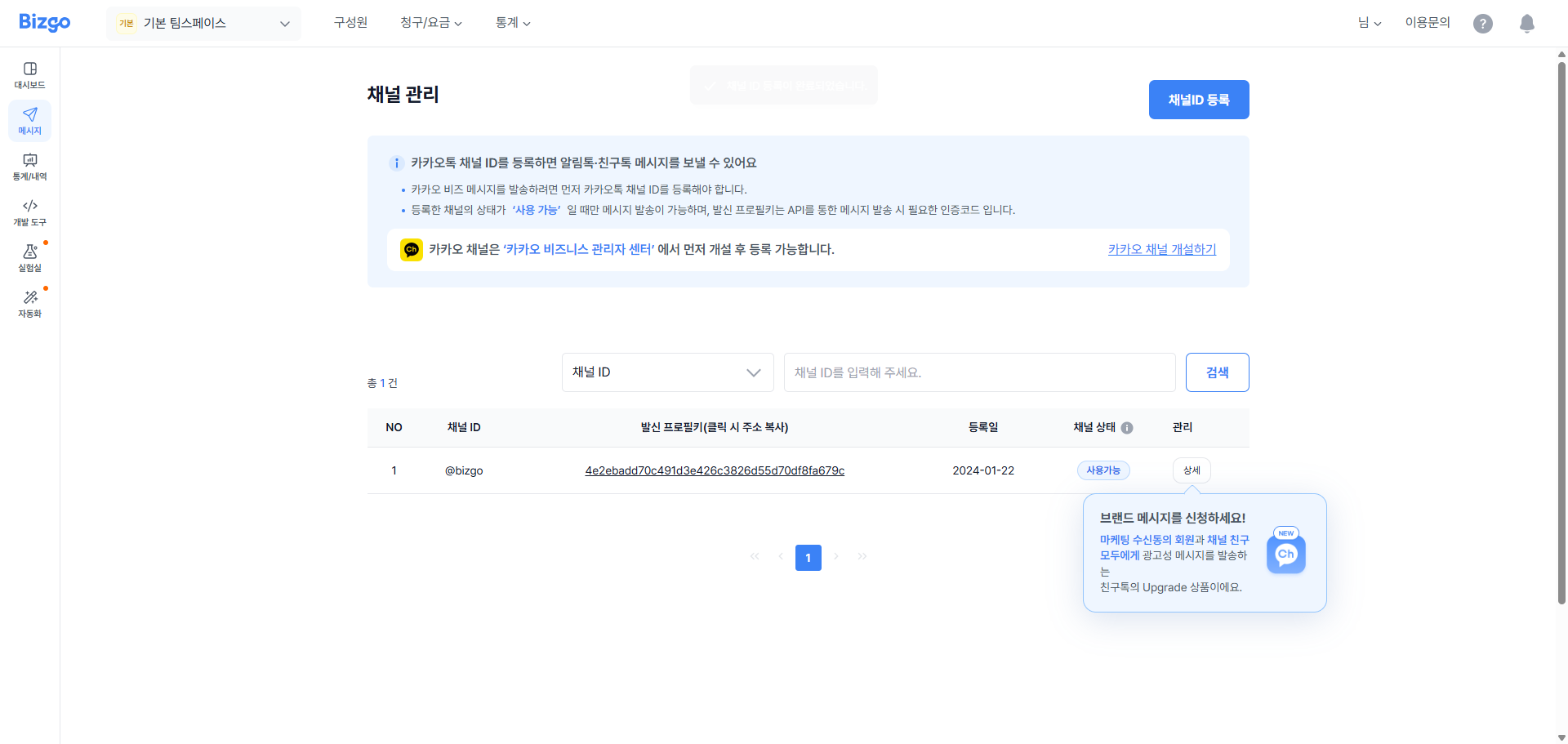
Extra steps for Alimtalk
To send Alimtalk you also need to register templates in advance and get them approved.
Register an RCS brand
To send RCS you need an RCS brand. Sign up as a '기업담당자' (corporate representative) at RCS Biz Center first, then create your company's brand.
Step 1: Create the RCS brand and register the agency
Sign in to RCS Biz Center, click the Company dashboard (기업 대시보드) menu at the top, then click Create brand (브랜드 개설) in the upper right to create your brand.
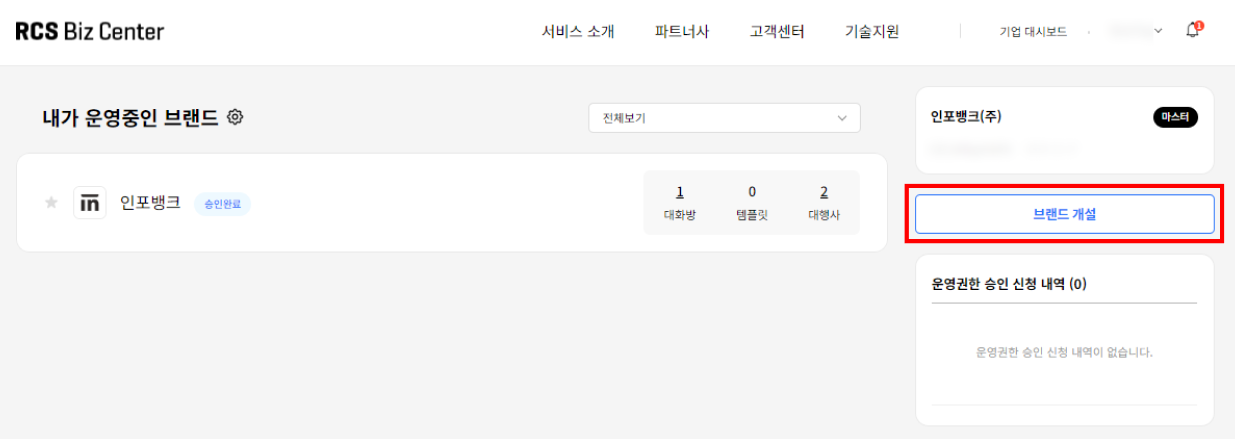
Once the brand is created, register the agency next. RCS service is only available through an agency (대행사), so you must designate an agency for your brand. Click the Company dashboard menu at the top of the page and select the brand you want to use to go to its brand management page.
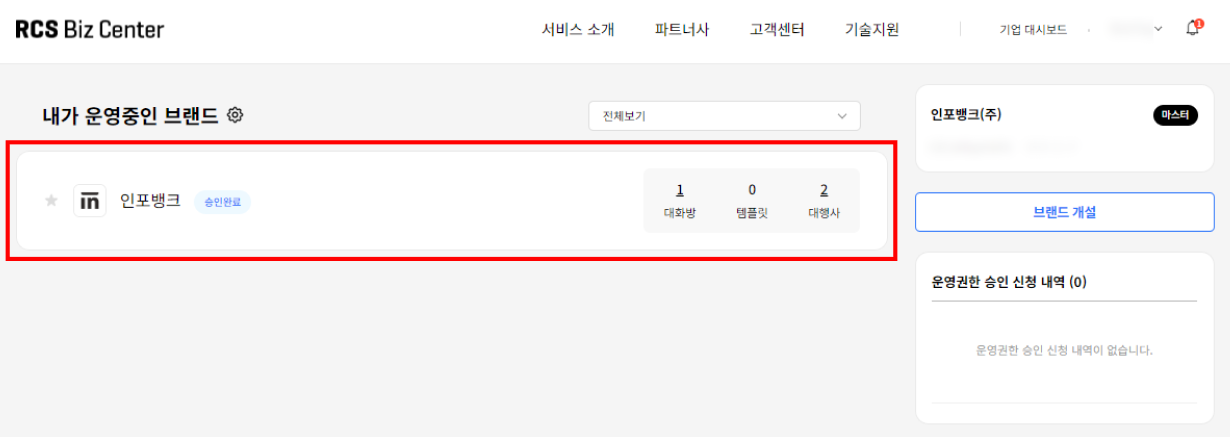
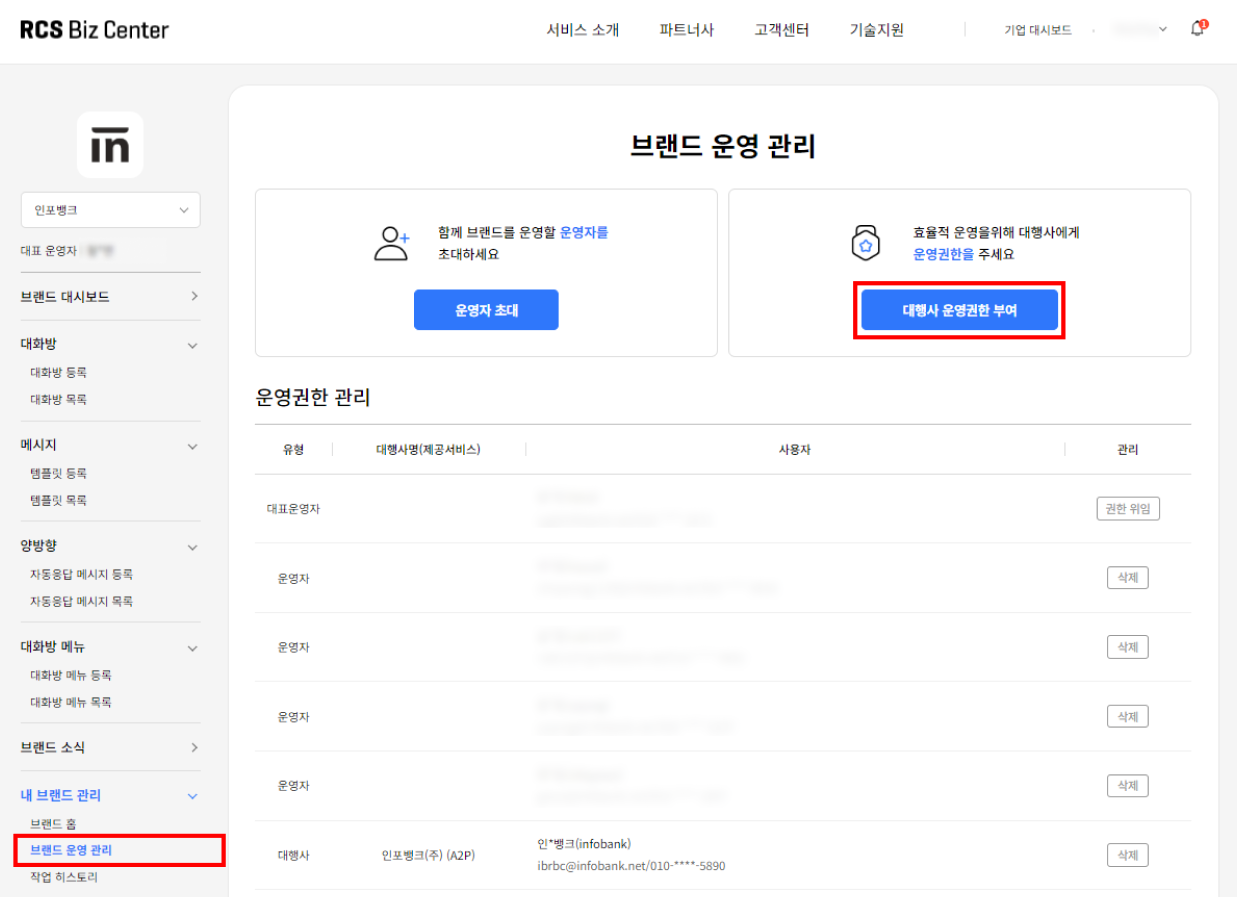
Click My brand management (내 브랜드 관리) > Brand operation management (브랜드 운영 관리) in the left menu. Then click Grant agency operating permission (대행사 운영권한 부여) at the top, search for Infobank and select it, and click Invite (초대) to finish adding the agency.
Step 2: Register the sender number
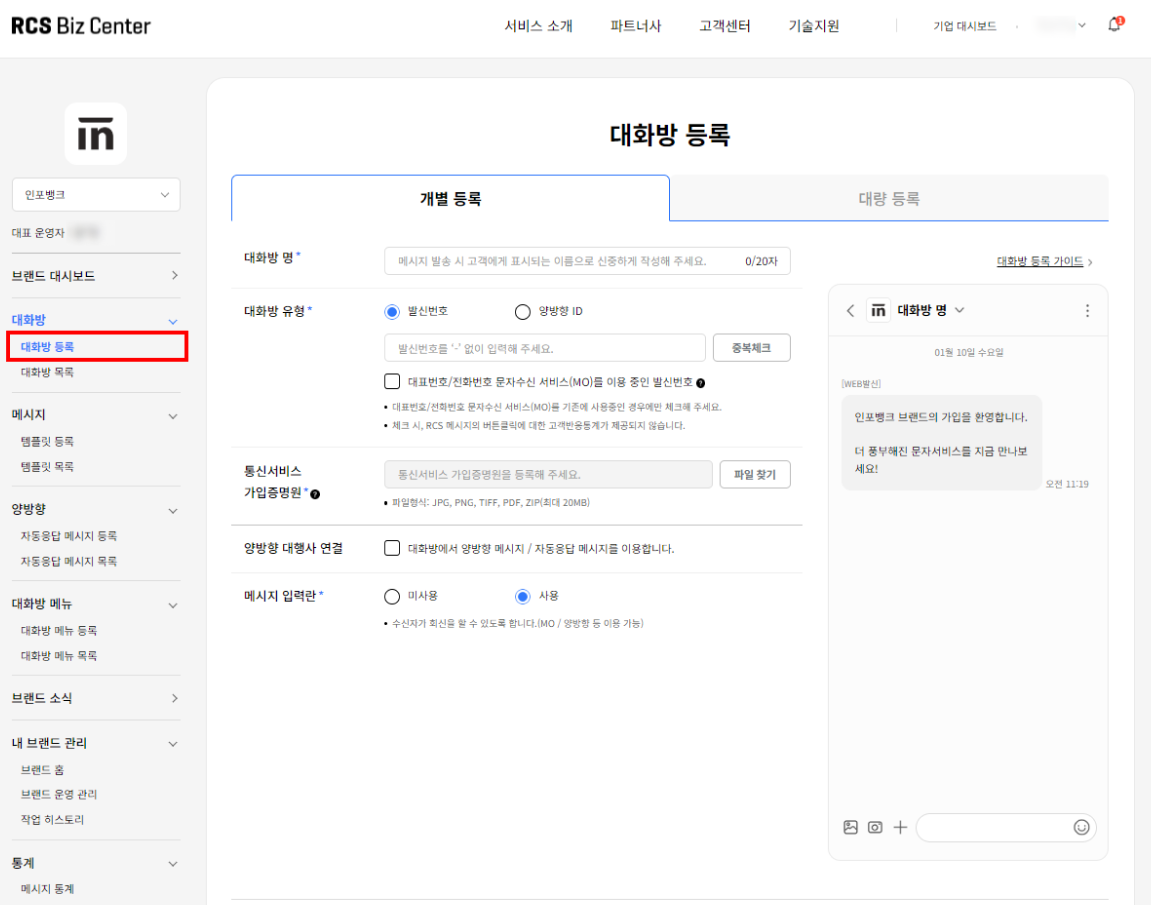
Finally, you need to register the sender number you will use for RCS sending with both RCS Biz Center and Bizgo. First, go to RCS Biz Center, click the Company dashboard menu at the top of the page, and select the brand you want to use to go to its brand management page.
Click Chatroom (대화방) > Register chatroom (대화방 등록) in the left menu. To register sender numbers one at a time, register them on the Individual registration (개별 등록) page; to register several at once, register them on the Bulk registration (대량 등록) page. (Up to 1,000 numbers can be registered.)
Sender number restrictions
Landline numbers, main representative numbers, and internet phone (VoIP) numbers can be used as sender numbers, but mobile phone numbers, numbers containing special characters (starting with # or *), 특수번호 (special service numbers), and numbers with 8 or fewer digits cannot be used as sender numbers.
Note that for 080 numbers, the '080-4 digits-4 digits' format cannot be used for technical reasons. ('080-3 digits-4 digits' can be used.)
If you use 공인알림문자 (gongin almimmunja, Korea's certified official notification message service), please submit an inquiry through RBC (RCS Biz Center) online support.
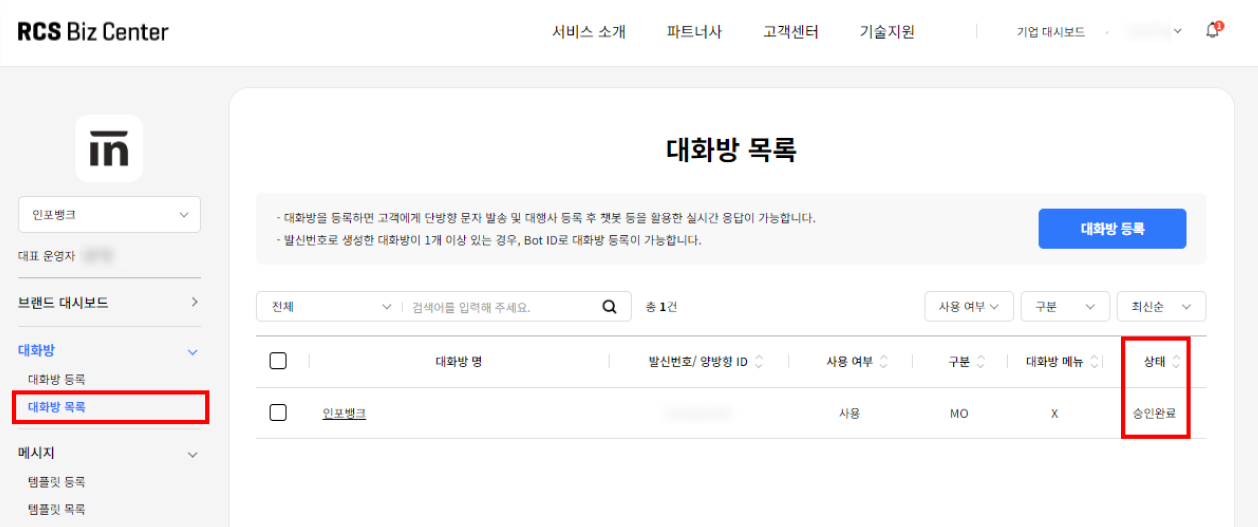
Once the sender number status changes to "승인 완료" (approved), register that sender number with Bizgo by following the sender number registration guide.
How long registration takes by channel
| Channel | Duration |
|---|---|
| SMS sender number (ARS 인증 — automated voice call verification) | Immediately to 1 hour |
| SMS sender number (서류 인증 — document verification) | 1 business day |
| Kakao channel integration | 3–5 business days |
| RCS brand integration | 3–7 business days |
Plan around review schedules
For channels that involve a review, it is best to apply early and work on your other settings in parallel.