# Bizgo 개발자 가이드
> 비즈고 API 연동 및 콘솔 사용법 통합 문서입니다. 문자메시지(SMS/LMS/MMS), 카카오 비즈메시지(알림톡·친구톡), RCS 비즈메시지, 국제메시지를 하나의 API와 콘솔에서 통합 관리할 수 있습니다.
# 2FA 인증
URL: https://developers.bizgo.io/guide/auth/2fa
# 2FA 인증
서비스 회원가입·로그인 2차 인증 시 인증번호를 발송하고 검증하는 서비스입니다.
SMS, 카카오 알림톡, RCS 채널을 지원하며, 단일 API 호출로 다중 채널 Failover도 구성할 수 있습니다.
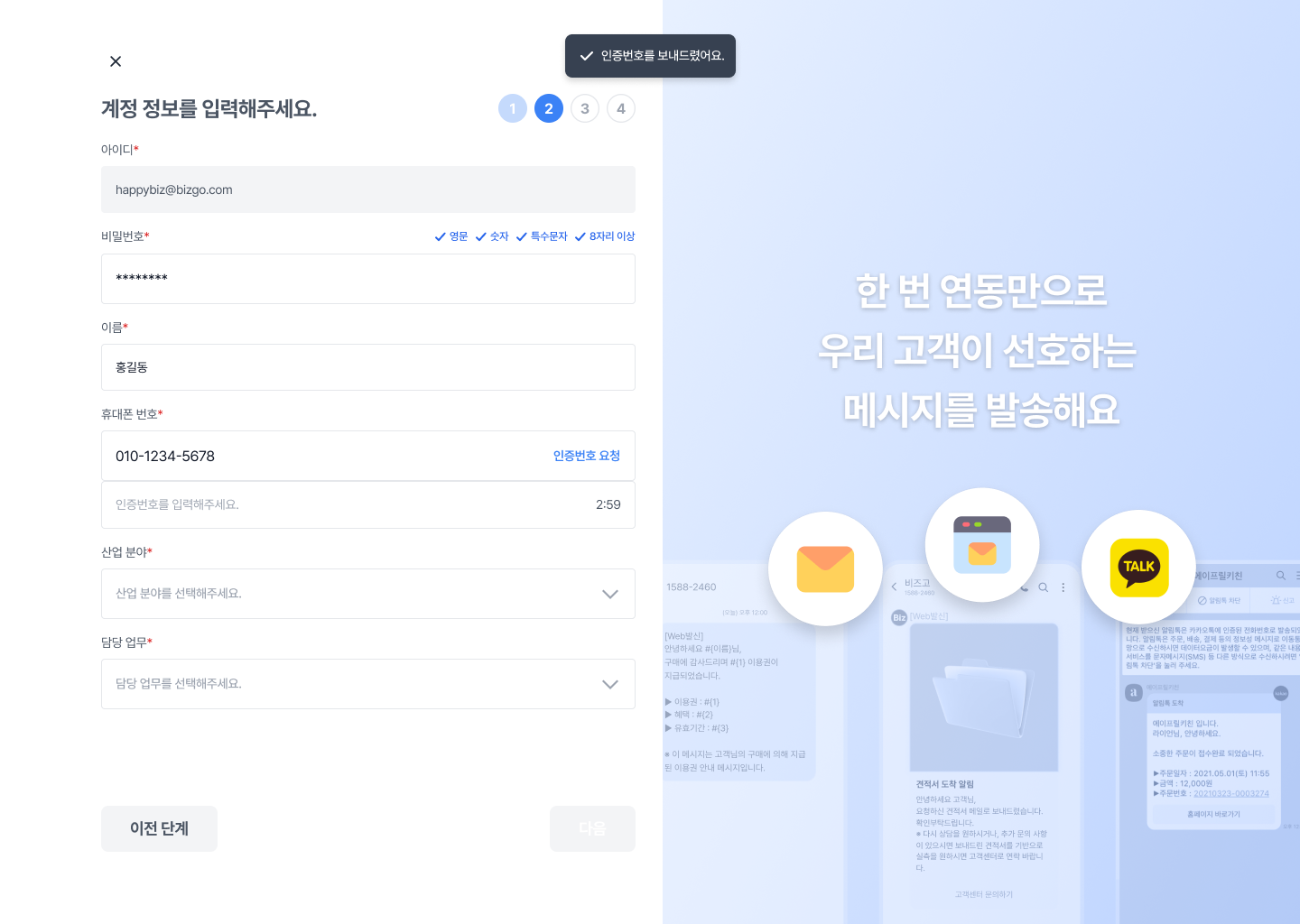
> 비즈고 콘솔 회원가입 단계에도 2FA 인증이 적용되어 있습니다.
---
## 주요 특징
| 특징 | 설명 |
|------|------|
| 통합 키로 사용 | 비즈고에서 발급한 API 키 하나로 호출 가능. 통일된 규격으로 관리가 용이합니다. |
| 다양한 채널 지원 | SMS, 카카오 알림톡, RCS 방식 지원. 다중 채널 Failover 적용이 가능합니다. |
| 인증 상태 관리 | 인증 요청·성공·실패 로그 추적 가능. 중복 인증 방지 및 타임아웃 처리가 내장되어 있습니다. |
| 소셜 로그인 연동 | 간편 소셜 로그인 후 추가 인증 단계와 조합해 사용할 수 있습니다. |
---
## 추천 대상
- 금융·의료·커머스 등 개인정보 보호가 중요한 서비스
- 소셜 로그인 후 추가 본인 확인이 필요한 기업
- 사내 시스템 접근에 2단계 인증이 필요한 기업
---
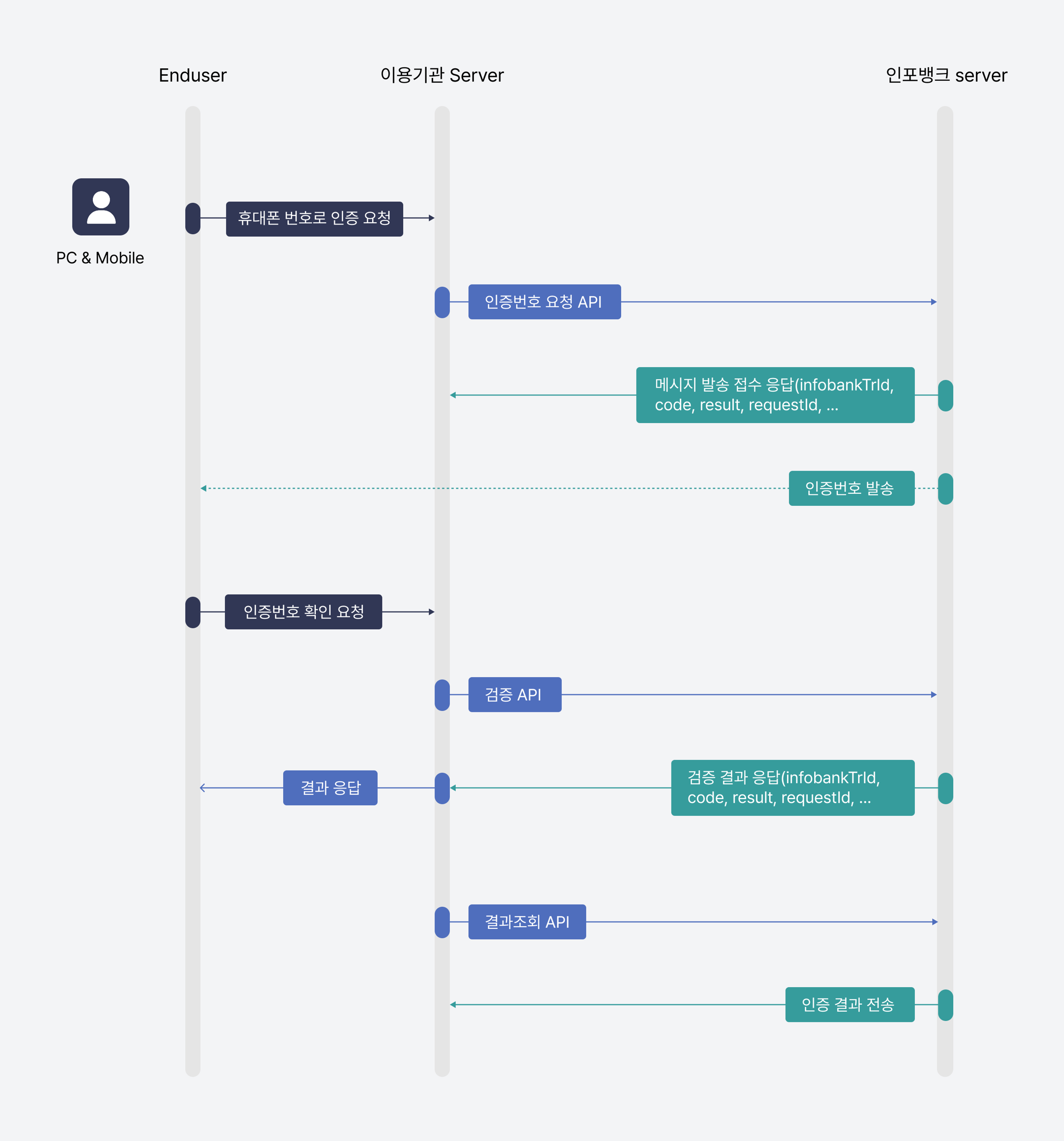
## 인증 흐름
```
1. 클라이언트 → 비즈고 API: 인증번호 발송 요청 (수신번호, 채널)
2. 비즈고 API → 사용자 단말: 인증번호 발송 (SMS / 카카오 / RCS)
3. 사용자 → 클라이언트: 인증번호 입력
4. 클라이언트 → 비즈고 API: 인증번호 검증 요청
5. 비즈고 API → 클라이언트: 검증 결과 반환 (성공 / 실패)
```
---
## 어떻게 연동하시나요?
2FA 인증은 API 연동 방식만 지원합니다. 아래에서 API 스펙과 요청/응답 구조를 확인하세요.
---
## 다음 단계
- API 전체 스펙 확인 → [API 레퍼런스 — Verify 2FA](/api-sdk/api-reference/verify/2fa)
- 소셜 로그인과 함께 구성하려면 → [간편소셜로그인](/guide/auth/social)
- 인증 서비스 전체 개요 → [인증 개요](/guide/auth/overview)
---
# 인증 개요
URL: https://developers.bizgo.io/guide/auth/overview
# 인증 개요
비즈고 Verify API는 서비스 가입·로그인·본인인증에 필요한 두 가지 인증 방식을 제공합니다.
목적에 따라 2FA 인증와 간편소셜로그인을 단독 또는 조합해 사용할 수 있습니다.
---
## 인증 서비스 종류
- [2FA 인증](/guide/auth/2fa): SMS·카카오·RCS로 인증번호를 발송하고 검증하는 2단계 인증을 구현합니다.
- [간편소셜로그인](/guide/auth/social): 카카오, 네이버, 구글, 애플 소셜 계정으로 간편 가입·로그인을 구현합니다.
---
## 시작하기 전에: 회원가입
2FA/간편소셜로그인을 사용하기 전에 아래 단계를 먼저 완료해야 합니다.
### 1단계 : 회원가입 및 비즈니스 인증
1. 비즈고 홈페이지에서 **간편 가입하기**로 가입합니다.
2. 가입 후 비즈니스 인증을 진행합니다. (사업자등록번호 입력 + 사업자등록증 업로드, 영업일 1~2일)
3. 팀스페이스를 생성합니다.
- [운영 준비 가이드](/guide/bizgo/operational-prep): 회원가입, 비즈니스 인증, 팀스페이스, 구성원 초대까지 실제 사용 전에 필요한 준비를 한 번에 확인합니다.
---
## 2FA 인증
2FA 인증 API를 사용하려면 먼저 통합 KEY를 발급하고, 이용할 상품을 연결해야 합니다.
통합 KEY는 비즈고에서 제공하는 메시지 상품과 인증 서비스를 하나로 이용할 수 있는 인증 수단입니다.
### 2단계 : 통합 KEY 발급
1. 콘솔에서 **팀스페이스**로 이동합니다.
2. 좌측 메뉴에서 **연동관리**를 선택합니다.
3. **KEY 발급** 버튼을 클릭해 통합 KEY를 발급합니다.
4. 통합 KEY에 2FA 인증 상품을 연결하고, 호출 서버의 IP ACL을 등록합니다.
> **최초 가입 시 자동 발급**
최초 신규 가입 시 비즈니스 인증 완료 후 통합 KEY 1개가 자동 발급됩니다. 선택한 요금제에 따라 2FA 인증 상품이 연결된 상태로 확인할 수 있습니다.
- [연동관리](/guide/setup): 통합 KEY 발급, IP ACL 설정, 상품 연결, 인증 헤더 구성 방법을 확인합니다.
### 3단계 : 서비스명 호출
인증 메시지 본문에 서비스명을 표시하려면 사전에 서비스명을 등록합니다.
> **서비스명 등록 API 최초 1회 호출**
2FA 인증 메시지에 서비스명을 노출하려면 운영 전에 서비스명 등록 API를 최초 1회 호출해야 합니다. 등록된 서비스명은 이후 인증번호 발송 요청에서 사용할 수 있습니다.
- API: `POST /api/verify/v1/2fa/service/regist`
- 상세 스펙: [API 레퍼런스 — Verify 2FA 서비스명 등록](/api-sdk/api-reference/verify/2fa#서비스명-등록)
- 서비스명 등록 인증문자 예시
```
인증번호는 [123456]입니다.
[비즈고]에서 인포뱅크를 통해 발송된 메시지입니다.
```
- 서비스명 미등록 인증문자 예시
```
인증번호는 [123456]입니다.
인포뱅크를 통해 발송된 메시지입니다.
```
- [간편소셜로그인 가이드](/guide/auth/social): 카카오싱크, 네이버 로그인 연동 방법과 앱 정보 등록 절차를 상세히 확인합니다.
---
## 간편소셜로그인
카카오, 네이버, 구글, 애플 소셜 플랫폼을 단일 API로 통합해 간편 가입·로그인을 제공하는 상품입니다.
여러 소셜 플랫폼을 `provider` 파라미터 하나로 전환해 사용할 수 있습니다.
### 2단계 : 통합 KEY 발급
1. 콘솔에서 **팀스페이스**로 이동합니다.
2. 좌측 메뉴에서 **연동관리**를 선택합니다.
3. **KEY 발급** 버튼을 클릭해 통합 KEY를 발급합니다.
4. 통합 KEY에 소셜 로그인 인증 상품을 연결하고, 호출 서버의 IP ACL을 등록합니다.
> **최초 가입 시 자동 발급**
최초 신규 가입 시 비즈니스 인증 완료 후 통합 KEY 1개가 자동 발급됩니다. 선택한 요금제에 따라 소셜 로그인 상품이 연결된 상태로 확인할 수 있습니다.
- [연동관리](/guide/setup): 통합 KEY 발급, IP ACL 설정, 상품 연결, 인증 헤더 구성 방법을 확인합니다.
### 3단계 : 카카오/네이버 디벨로퍼스 사전설정
사전설정 방법에 따라 제공사 디벨로퍼스에서 앱을 생성하고 설정합니다.
> **제공사 디벨로퍼스에 앱 생성 시 Redirect URI 등록**
카카오와 네이버는 제공사 콘솔에 비즈고 콜백 URL을 정확히 등록해야 인증 완료 후 정상적으로 돌아올 수 있습니다.
카카오 : https://mars-verify-cb.ibapi.kr/api/callback/kakao
네이버 : https://mars-verify-cb.ibapi.kr/api/callback/naver
#### 카카오싱크 설정
[카카오 디벨로퍼스](https://developers.kakao.com/)에서 카카오싱크 간편가입에 필요한 항목을 순서대로 확인합니다.
| 설정 항목 | 확인할 내용 | 설정 경로 및 참고 |
|----------|-------------|------------------|
| 기본 정보 | 카카오싱크 간편가입 동의 화면에 노출할 서비스 정보를 설정합니다. 앱 이름, 아이콘, 회사명이 실제 서비스와 일치해야 합니다. | **내 애플리케이션 > 일반** 애플리케이션 |
| 테스트 환경 | 기존 서비스에 영향이 없도록 테스트 앱과 개발자용 채널을 사용할 수 있습니다. 카카오 로그인을 아직 사용하지 않는 서비스도 필요하면 테스트 앱을 생성해 연동 개발을 진행합니다. | **내 애플리케이션 > 카카오 로그인** 테스트 앱, 개발자용 채널 |
| 카카오 로그인 | 카카오싱크 간편가입을 사용하려면 카카오 로그인을 활성화해야 합니다. 웹 서비스는 Redirect URI를 등록해야 합니다. | **내 애플리케이션 > 카카오 로그인** 카카오 로그인 활성화 설정, Redirect URI 등록 |
| 간편가입 | 카카오싱크 간편가입 사용 여부와 서비스 약관을 설정합니다. 간편가입을 사용하면 동의 화면에 서비스 약관 동의항목이 노출됩니다. | **내 애플리케이션 > 카카오 로그인 > 간편가입** 간편가입, 간편가입 사용 설정 |
| 동의항목 | 카카오로부터 제공받을 사용자 정보와 기능 권한을 설정합니다. 일부 동의항목은 별도 검수가 필요할 수 있습니다. | **내 애플리케이션 > 카카오 로그인** 동의항목 |
| 대표 채널 | 카카오싱크 간편가입 동의 화면에 노출할 대표 채널을 설정합니다. | **내 애플리케이션 > 카카오 로그인 > 카카오톡 채널** 대표 채널 설정 |
> **카카오 Redirect URI**
카카오 로그인 설정에서 Redirect URI에 `https://mars-verify-cb.ibapi.kr/api/callback/kakao`를 등록합니다.
#### 네이버 로그인 설정
[네이버 디벨로퍼스](https://developers.naver.com/)에서 네이버 로그인에 필요한 항목을 순서대로 확인합니다.
| 설정 항목 | 확인할 내용 | 설정 경로 및 참고 |
|----------|-------------|------------------|
| 애플리케이션 등록 | 약관동의, 계정정보 등록, 애플리케이션 등록을 진행합니다. 애플리케이션 등록 시 사용 API를 **네이버 로그인**으로 설정합니다. | 애플리케이션 등록 |
| 클라이언트 아이디와 클라이언트 시크릿 확인 | 애플리케이션 등록 완료 후 클라이언트 아이디와 클라이언트 시크릿을 확인합니다. 확인한 값은 비즈고 API 요청 또는 운영 설정에 사용합니다. | 클라이언트 아이디/시크릿 확인 |
> **네이버 Callback URL**
네이버 로그인 설정에서 Callback URL에 `https://mars-verify-cb.ibapi.kr/api/callback/naver`를 등록합니다.
### 4단계 : 앱 정보 등록 API 최초 1회 호출
사전설정 후 제공사에서 발급받은 `appId`, Client ID, Client Secret과 콜백 URL을 등록합니다.
> **[중요] 앱 정보등록**
앱 정보를 최초 1회 필수로 등록해야 간편소셜로그인을 이용할 수 있습니다.
사전 설정을 통해 발급받은 `appId`, Client ID, Client Secret, 콜백 URL을 반드시 등록해 주세요.
- API: `POST /api/verify/v1/social/app-config/regist`
- 상세 스펙: [API 레퍼런스 — 소셜로그인 앱 정보 등록](/api-sdk/api-reference/verify/social-login)
---
## 함께 보는 문서
- [환경 설정하기](/guide/setup) — API 키 발급, IP ACL, 인증 헤더 구성
- [운영 준비](/guide/bizgo/operational-prep) — 회원가입, 비즈니스 인증, 발신정보 등록
- [보안 정책](/guide/deep-dive/security) — API 키 보안 및 HTTPS 정책
---
# 간편소셜로그인
URL: https://developers.bizgo.io/guide/auth/social
# 간편소셜로그인
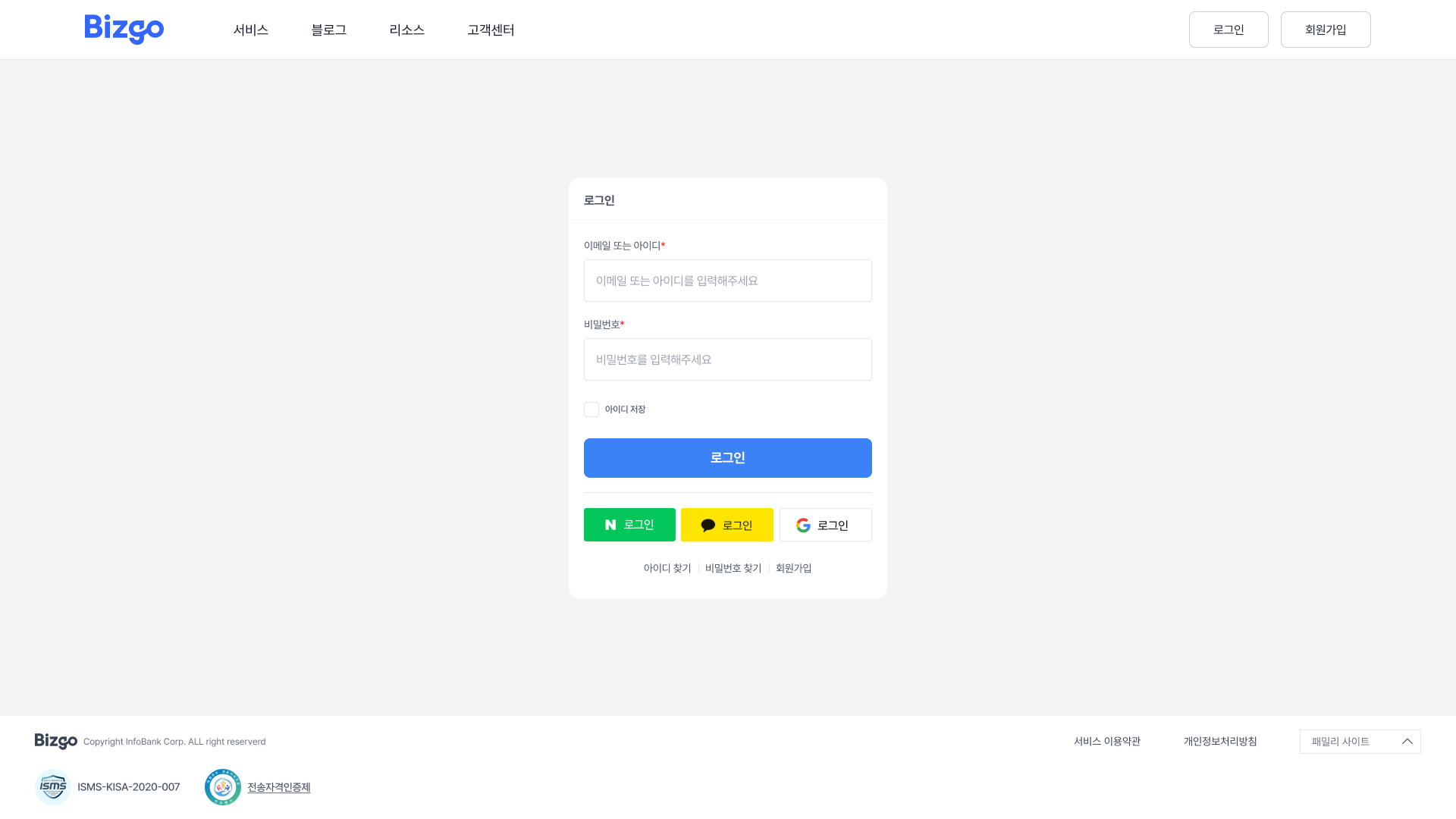
복잡한 회원가입 절차를 간편 소셜 로그인 상품을 통해 한 번에 빠르게 가입할 수 있도록 제공하는 솔루션입니다.
카카오싱크, 네이버, 구글 로그인 API를 통합한 형태로 제공됩니다.
---
## 주요 특징
> **간편소셜로그인 이용 신청**
요금제 선택 또는 고객센터 문의를 통해 신청할 수 있습니다.
| 특징 | 설명 |
|------|------|
| 통합 키로 사용 | 비즈고에서 발급받은 통합 키 하나로 호출 가능. 통일된 규격으로 관리가 용이합니다. |
| 소셜 플랫폼 통합 | 여러 소셜 플랫폼을 단일 API로 처리. `provider` 파라미터로 플랫폼을 선택합니다. |
| 토큰 자동 갱신 | 제공사의 토큰 주기에 맞춰 자동 갱신되어 직접 관리할 필요가 없습니다. |
| 보안 강화 | 2FA 인증 상품과 결합 시 계정 관리의 보안성이 향상됩니다. |
---
## 추천 대상
- 빠른 회원가입 경험이 필요한 스타트업
- 제휴사에 인증 기능을 제공하는 플랫폼
- 인증 로직을 단순화하려는 기업
---
## 지원 소셜 채널
| 채널 | provider 코드 |
|------|--------------|
| 카카오 | `KAKAO` |
| 네이버 | `NAVER` |
| 구글 | `GOOGLE` |
| 애플 | `APPLE` |
---
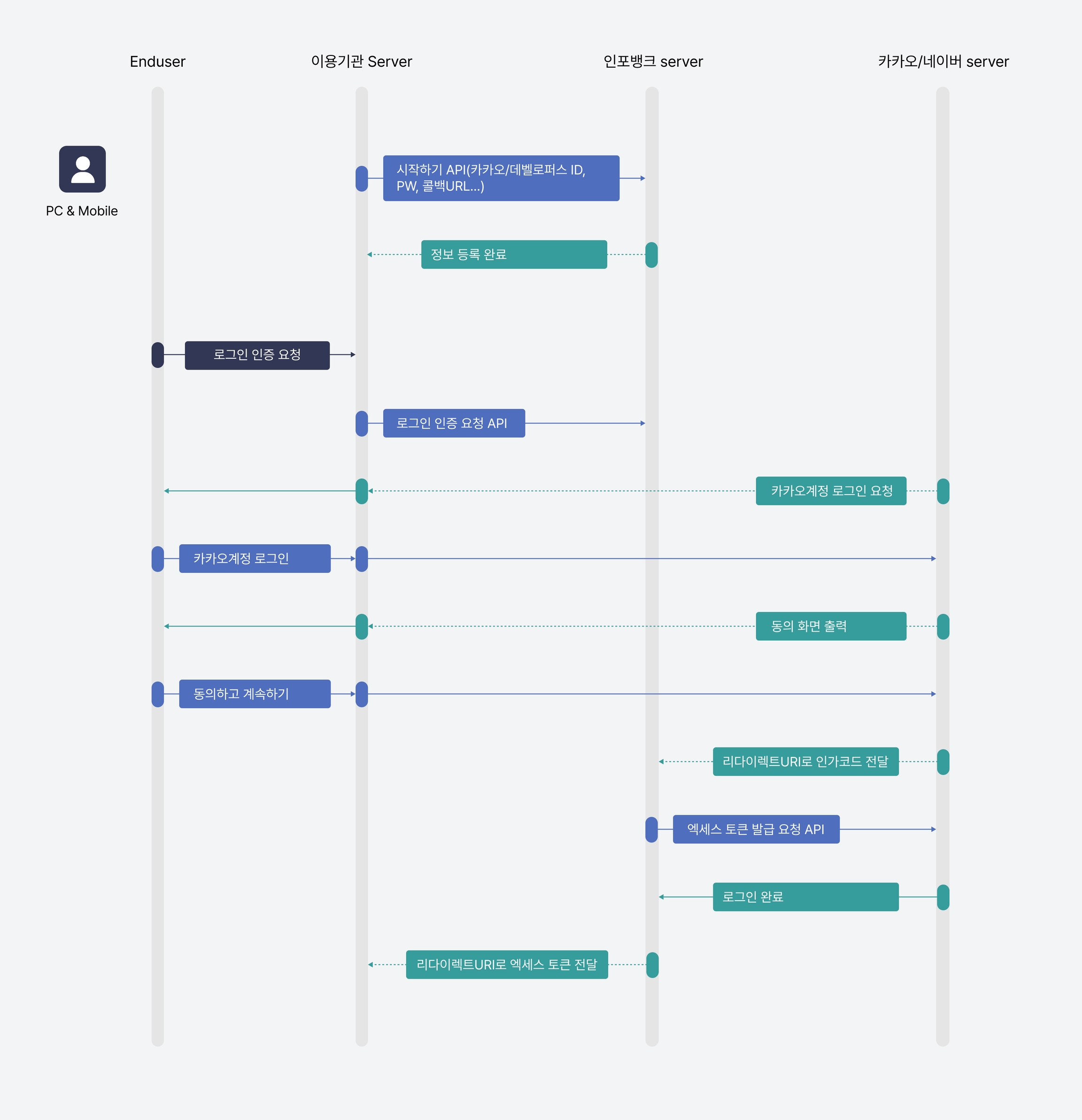
## 인증 흐름
```
1. 클라이언트 → 비즈고 API: 로그인 URL 생성 요청 (provider, redirectUri)
2. 비즈고 API → 클라이언트: 소셜 플랫폼 OAuth URL 반환
3. 사용자 → 소셜 플랫폼: 로그인 및 동의
4. 소셜 플랫폼 → 클라이언트: Authorization Code 전달 (redirect)
5. 클라이언트 → 비즈고 API: 토큰 교환 요청
6. 비즈고 API → 클라이언트: 액세스 토큰 + 사용자 정보 반환
```
---
## 어떻게 연동하시나요?
간편소셜로그인은 API 연동 방식으로 사용할 수 있습니다. 아래에서 앱 정보 등록, 인증 요청, 사용자 정보 조회 등 API 스펙과 요청/응답 구조를 확인하세요.
---
## 다음 단계
- API 스펙 확인 → [API 레퍼런스 — 소셜로그인](/api-sdk/api-reference/verify/social-login)
- 2단계 인증과 함께 구성하려면 → [OTP / 2FA](/guide/auth/2fa)
- 인증 서비스 전체 개요 → [인증 개요](/guide/auth/overview)
---
# 네이버 스마트스토어
URL: https://developers.bizgo.io/guide/automation/naver-commerce
# 네이버 스마트스토어
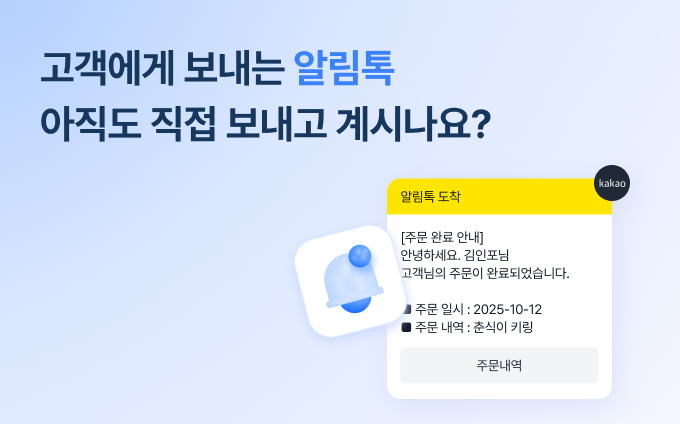
스마트스토어 주문 상태 변화에 따라 고객에게 알림톡을 자동으로 발송하는 상품입니다.
비즈고 스마트 알림톡 자동화 솔루션을 이용하면 주문·배송 이벤트에 맞춰 카카오 알림톡과 문자메시지를 자동으로 발송할 수 있습니다.
---
## 장점
- 콘솔에서 몇 번의 클릭만으로 연동을 완료할 수 있습니다.
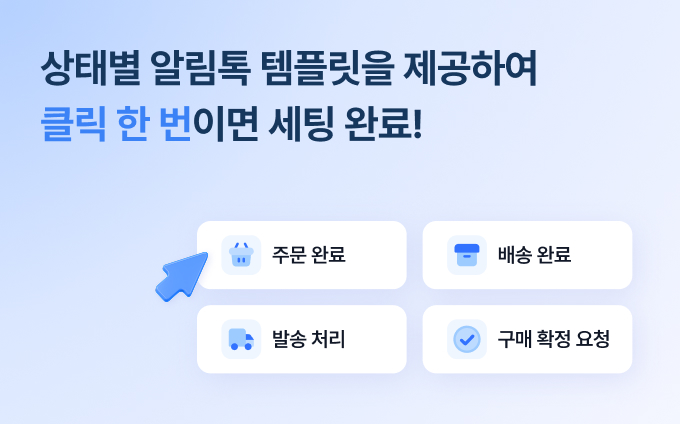
- 주문, 발송, 구매확정 등 다양한 템플릿을 제공해 직접 작성할 필요가 없습니다.
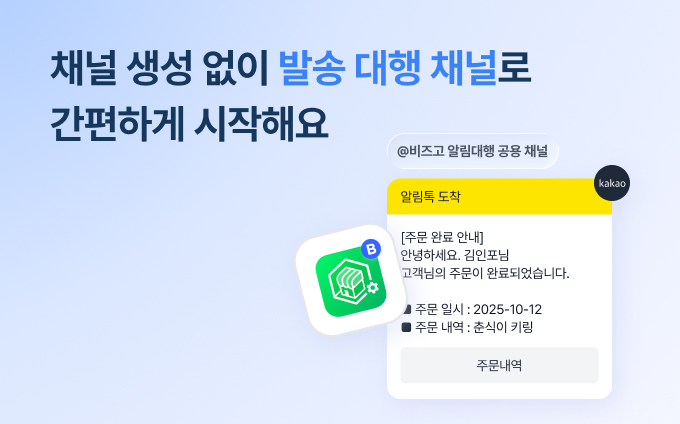
- 카카오 채널 개설 과정을 거치지 않아도 대행 채널을 통해 알림톡 발송이 가능합니다.
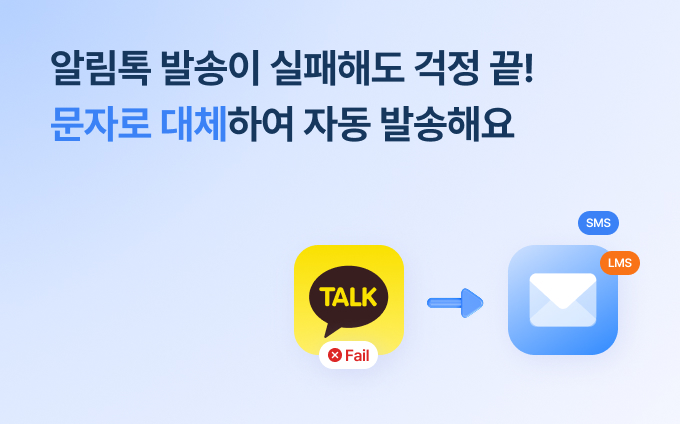
- 알림톡 발송이 실패하면 문자메시지로 자동 전환됩니다.
---
## 지원 이벤트
| 이벤트 | 설명 |
|--------|------|
| 주문 완료 | 고객이 주문을 완료한 시점 |
| 결제 완료 | 결제가 확정된 시점 |
| 발송 시작 | 상품 배송이 시작된 시점 |
| 구매 확정 | 고객이 구매를 확정한 시점 |
---
## 이런 경우에 적합합니다
- 스마트스토어 주문 상태 변화에 맞춰 고객 안내를 자동화하고 싶을 때
- 주문 완료, 발송 시작 같은 반복 안내를 수동으로 처리하고 있을 때
- 알림톡 실패 시 문자 Fallback까지 포함한 운영 흐름을 빠르게 구성하고 싶을 때
---
## 함께 보는 문서
- [자동화 개요](/guide/automation/overview) — 네이버 스마트스토어 자동화 흐름
- [카카오 비즈메시지](/guide/message/kakao) — 알림톡·브랜드메시지 상품 이해
---
# No-Code 자동화
URL: https://developers.bizgo.io/guide/automation/no-code
# No-Code 자동화
코드 없이 워크플로 자동화 툴과 비즈고를 연결해 메시지를 자동 발송합니다.
Google Sheets, Typeform, CRM, 커머스 플랫폼 등 외부 서비스의 이벤트를 트리거로 삼아 비즈고 API를 호출할 수 있습니다.
---
## Make · Zapier 연동 상품 출시
비즈고가 **Make**와 **Zapier** 공식 연동 상품을 출시했습니다.
기존에는 HTTP 모듈을 직접 설정해야 했지만, 이제 비즈고 전용 액션을 선택하는 것만으로 메시지 발송 자동화를 구성할 수 있습니다.
- **Make** — 비즈고 앱을 마켓플레이스에서 검색해 시나리오에 바로 추가
- **Zapier** — 비즈고 액션을 Zap에 연결해 수천 개 앱과 즉시 연동
- 별도의 HTTP 설정 없이 통합키만 입력하면 연동 완료
아래 데모에서 연동키 관리 흐름을 직접 확인해 보세요.
---
## 개요
**메시지 발송 자동화**란 특정 이벤트가 발생했을 때 사람의 개입 없이 메시지가 자동으로 발송되도록 구성하는 방식입니다.
반복 발송 작업을 자동화하면 운영 효율을 높이고 실수를 줄일 수 있습니다.
**주요 활용 사례**
- Google Sheets에 행이 추가되면 고객에게 안내 문자를 자동 발송
- 주문·배송 상태가 변경될 때 알림 메시지 전송
- 정리된 수신자 목록 기반으로 공지 메시지를 반복 발송
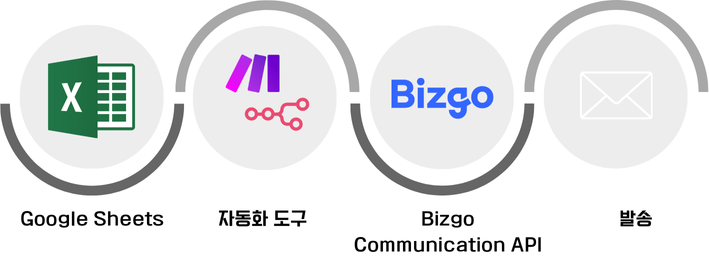
데이터 소스에서 이벤트가 발생하면 자동화 도구가 이를 감지해 비즈고 API를 호출하고, 지정된 채널로 메시지를 발송합니다.
---
## 도구 선택
---
## 공통 준비사항
도구에 관계없이 연동 전 아래 항목을 준비합니다.
1. 비즈고 계정과 팀스페이스를 생성합니다.
2. 사용할 메시지 채널의 발신번호·발신정보를 등록합니다.
3. 비즈고 V2 API 키를 발급하고 IP ACL에 자동화 도구 서버의 IP를 등록합니다.
4. 발송에 사용할 트리거 데이터를 정리합니다. 예: 수신번호, 이름, 주문번호, 배송상태
> **API 키 보안**
API 키는 각 도구의 Credentials·Secret·환경변수 기능을 사용해 저장하세요.
시나리오 본문이나 공유 문서에 직접 노출하지 마세요.
---
## 발송 흐름
1. **이벤트 발생** — 외부 서비스(Google Sheets, Typeform, Shopify 등)에서 트리거 발생
2. **데이터 수집** — 자동화 도구가 수신번호·변수값 등 트리거 데이터 수집
3. **API 호출** — HTTP 요청 단계에서 비즈고 발송 API 호출
4. **결과 처리** — 비즈고 응답 코드 확인 후 성공·실패에 따라 후속 처리
---
## Make
Google Form에 데이터를 입력하면 Make가 Google Sheets의 새 행을 감지해 비즈고 API로 메시지를 자동 발송하는 흐름을 직접 구성합니다.
```
Google Form 제출 → Google Sheets 행 추가 → Make 감지 → 비즈고 API 호출 → 메시지 발송
```
### 준비사항
| 항목 | 안내 |
|------|------|
| Make 계정 | [make.com](https://make.com) 가입 |
| Google 계정 | Google Form / Sheets 사용 |
| 비즈고 통합키 | [연동관리](/guide/setup)에서 발급 |
| 발신번호 | [발신번호 등록](/guide/bizgo/sender-registration) 완료 필요 |
| 카카오 채널·템플릿 | 알림톡으로 보낼 때만 필요. [카카오 채널 연동](/guide/bizgo/sender-registration)과 템플릿 승인 |
---
### 1단계: Google Form 설정
Google Form을 만들어 수신자 정보를 수집하고, 응답을 Google Sheets에 자동 연결합니다.
1. Google 계정으로 로그인합니다.
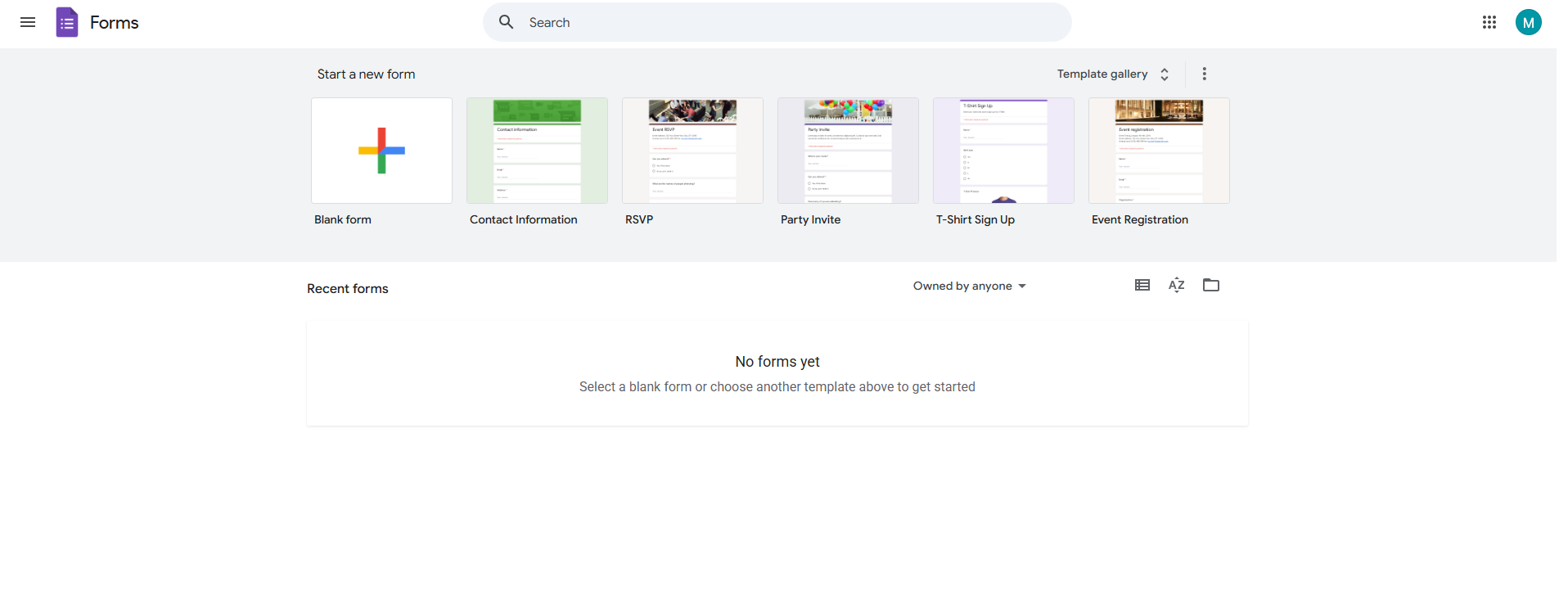
2. Google Form 생성 페이지로 이동합니다.
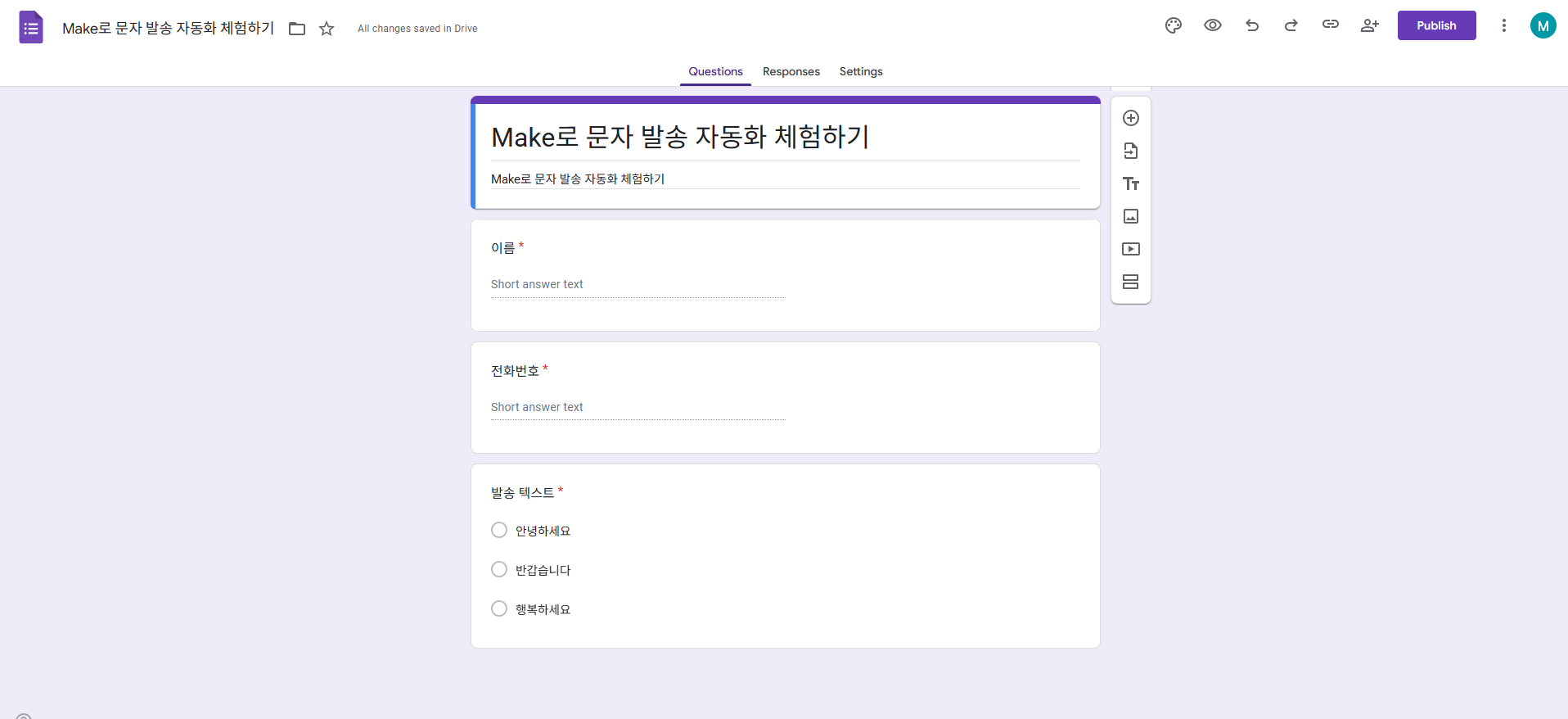
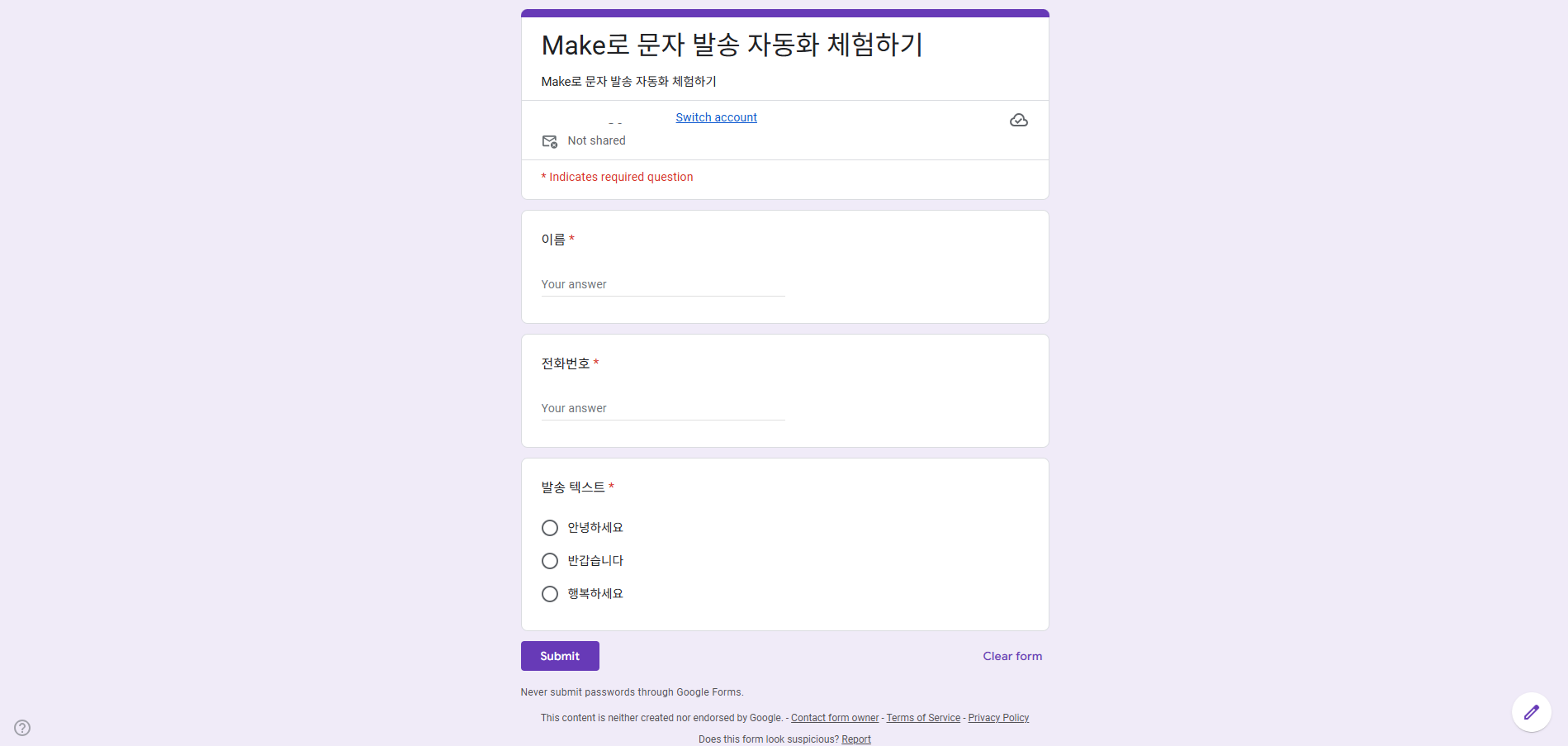
3. 전화번호, 발송 텍스트 등 필요한 항목을 추가해 Google Form을 생성 후 게시합니다. 알림톡으로 보낸다면 템플릿 변수마다 질문을 추가합니다(예: 이름, 배송상세).
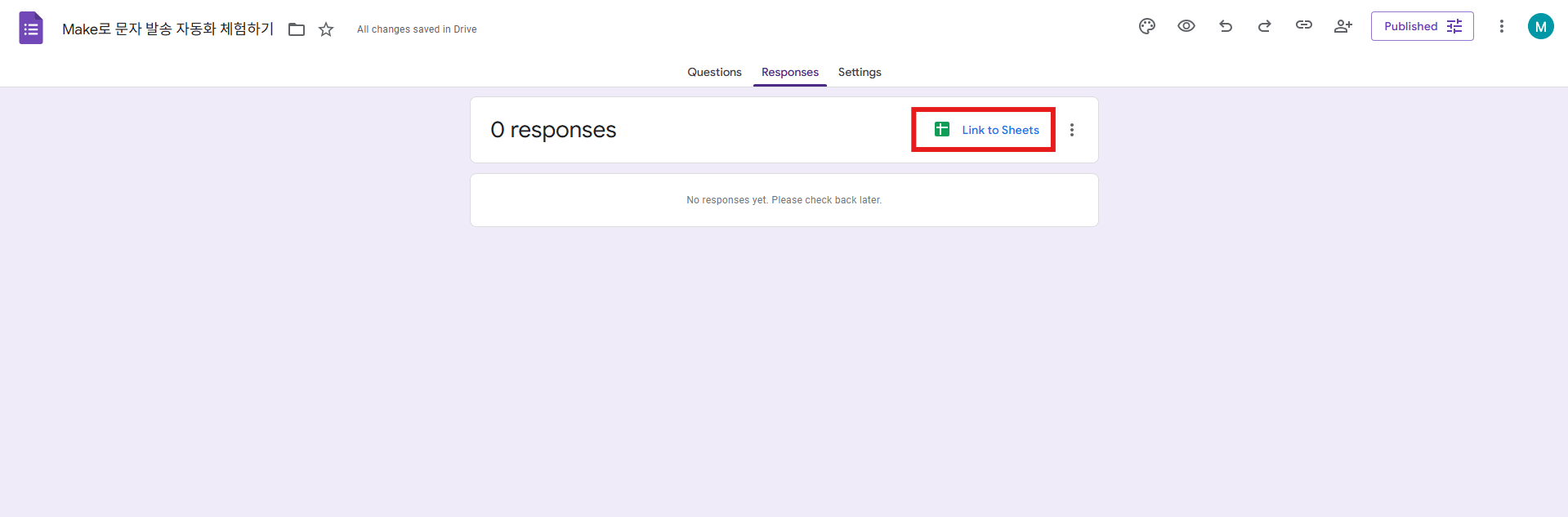
4. 응답 탭에서 **Link to Sheets**를 선택합니다.
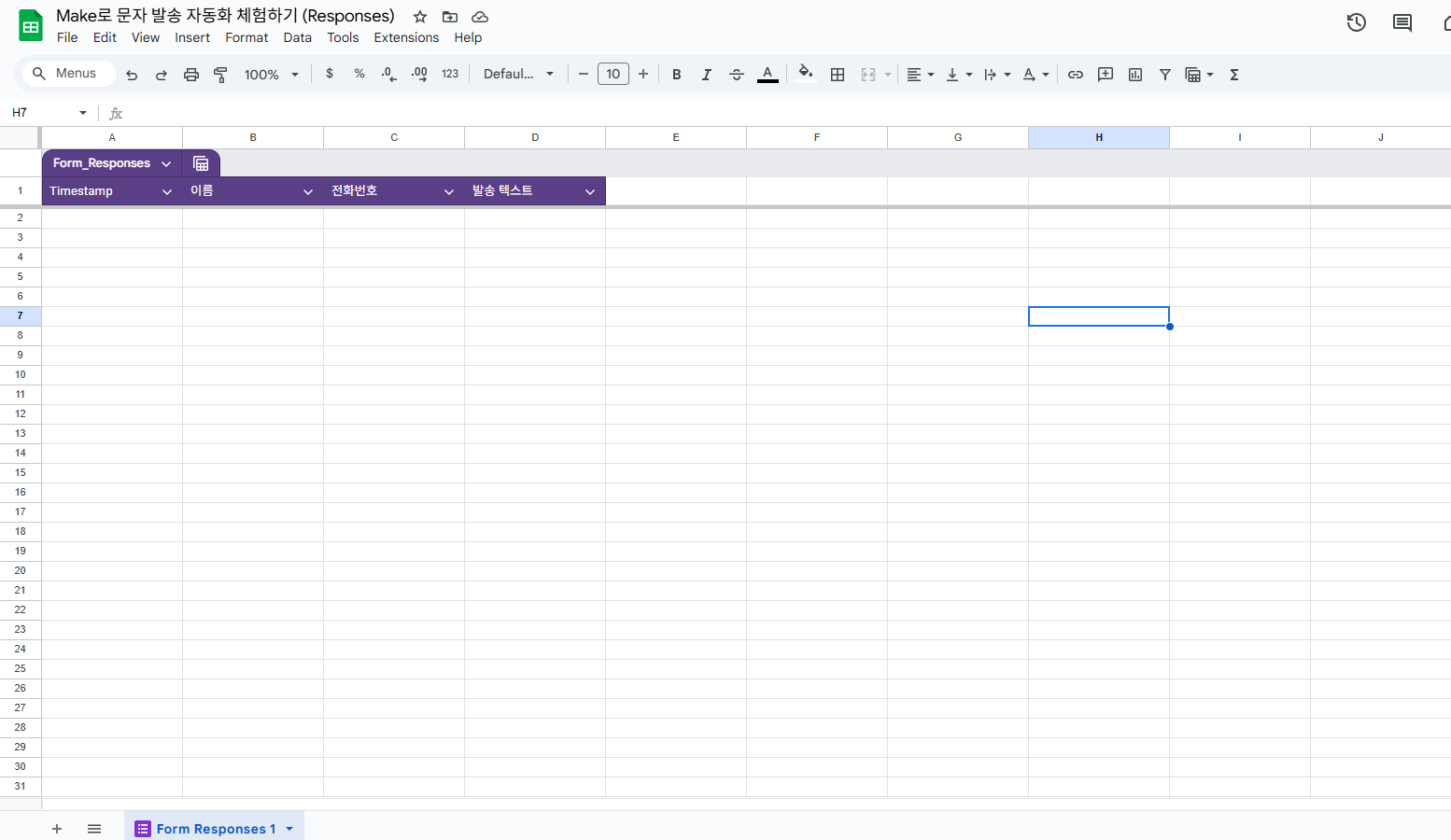
5. 응답 데이터가 Google Sheets에 자동으로 기록되는 것을 확인합니다.
---
### 2단계: Make 시나리오 만들기
Make에서 Google Sheets를 트리거로 새 행이 추가될 때 감지하도록 설정합니다.
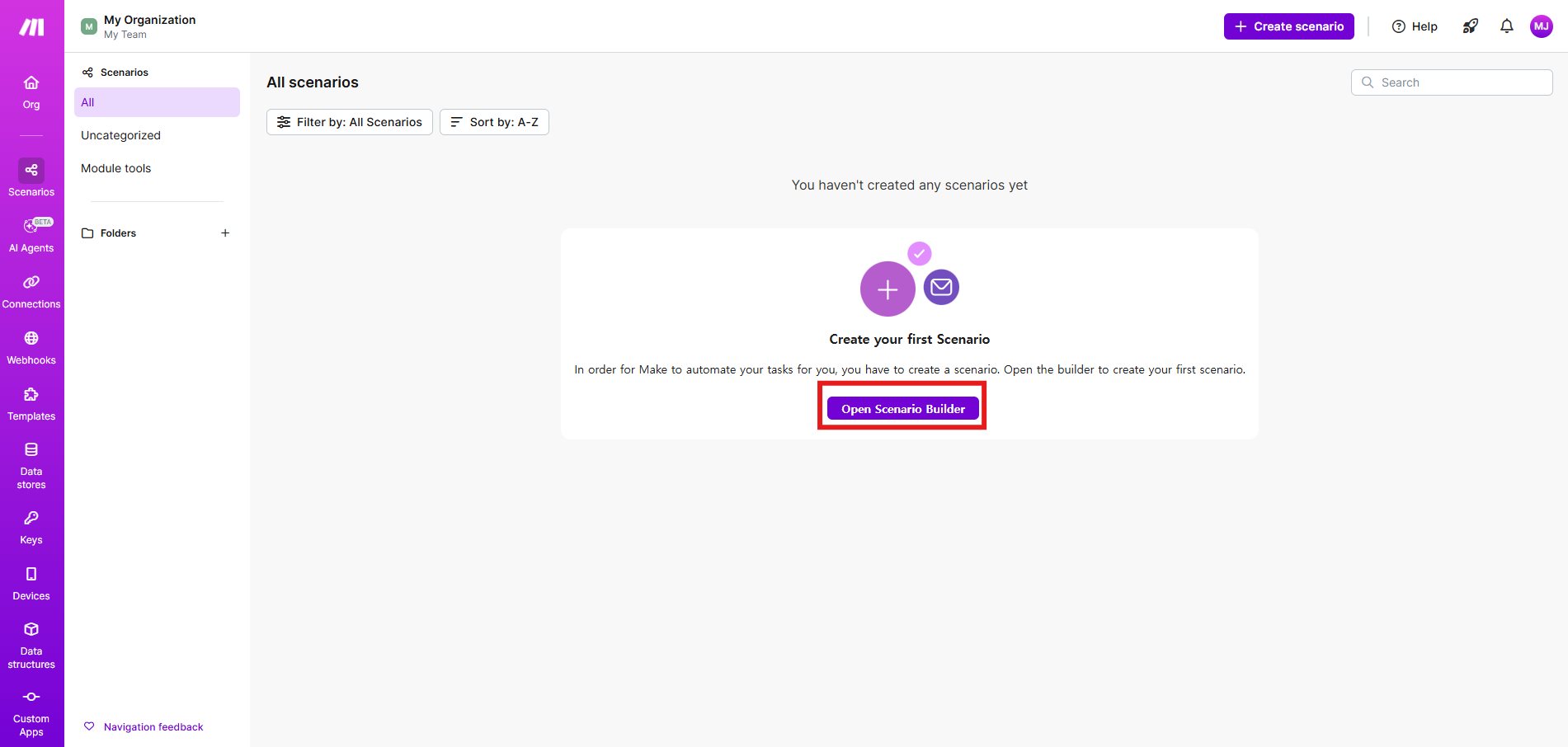
1. Make에 로그인 후 새 시나리오를 생성합니다.
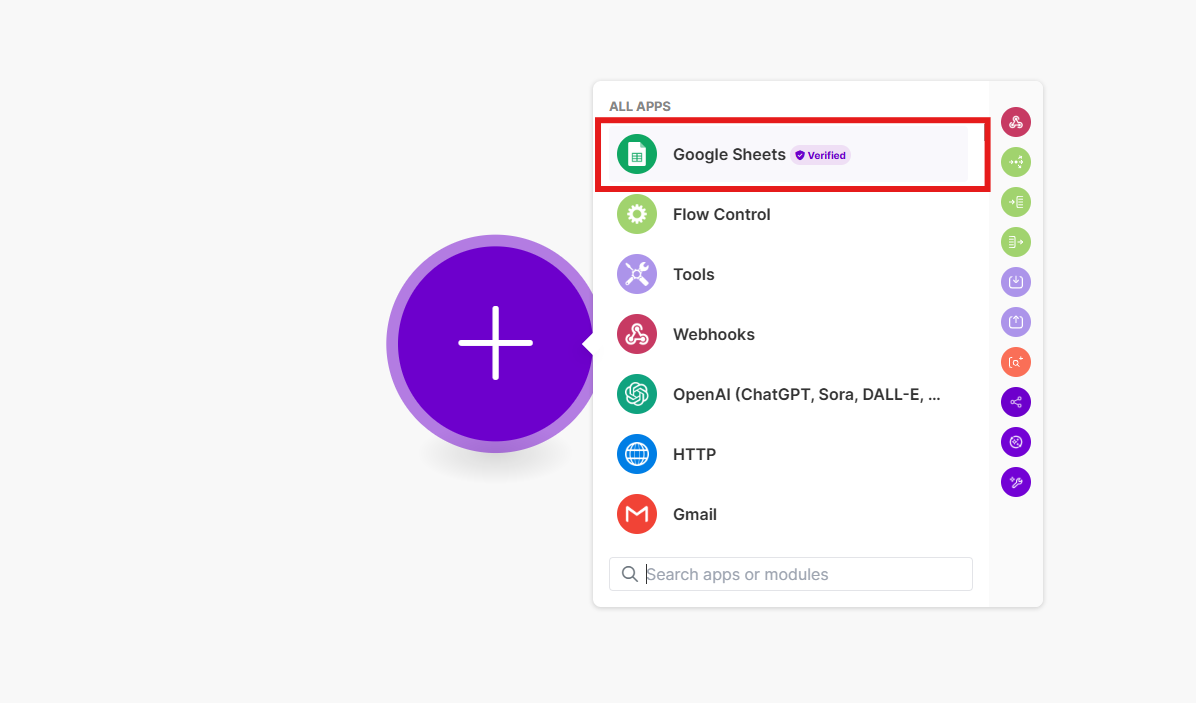
2. 트리거 모듈 목록에서 **Google Sheets**를 선택합니다.
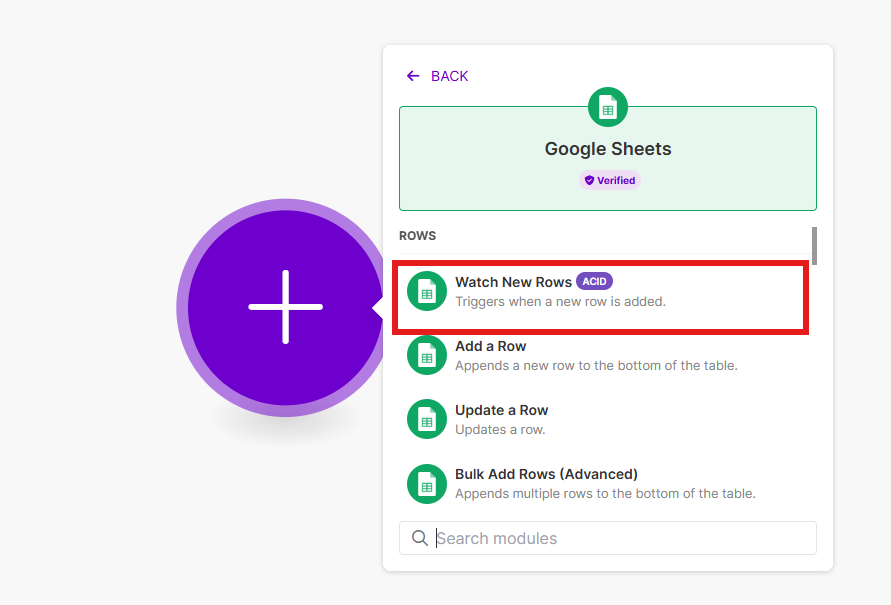
3. 액션으로 **Watch New Rows**를 선택합니다.
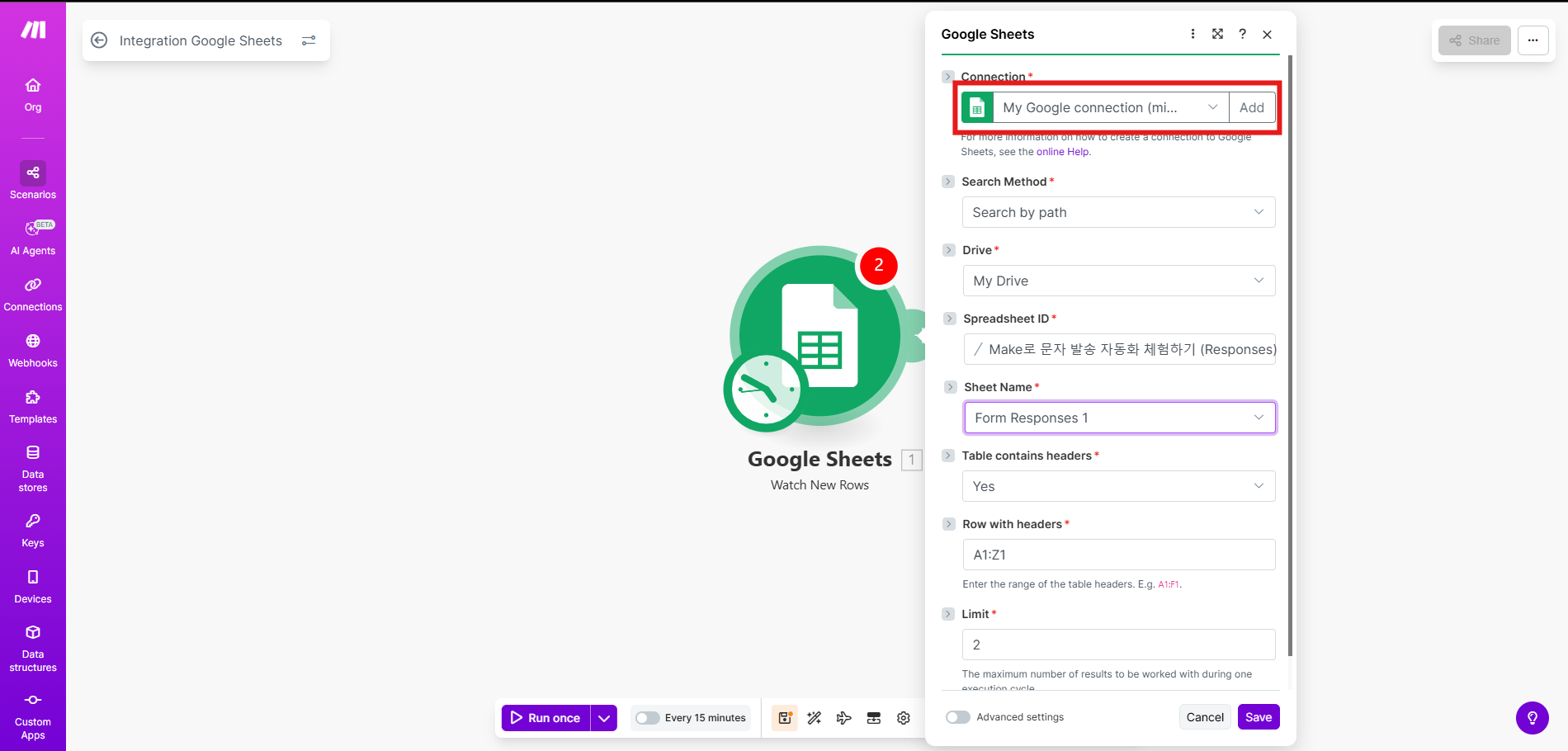
4. Connection에서 Google 계정으로 로그인해 권한을 허용합니다.
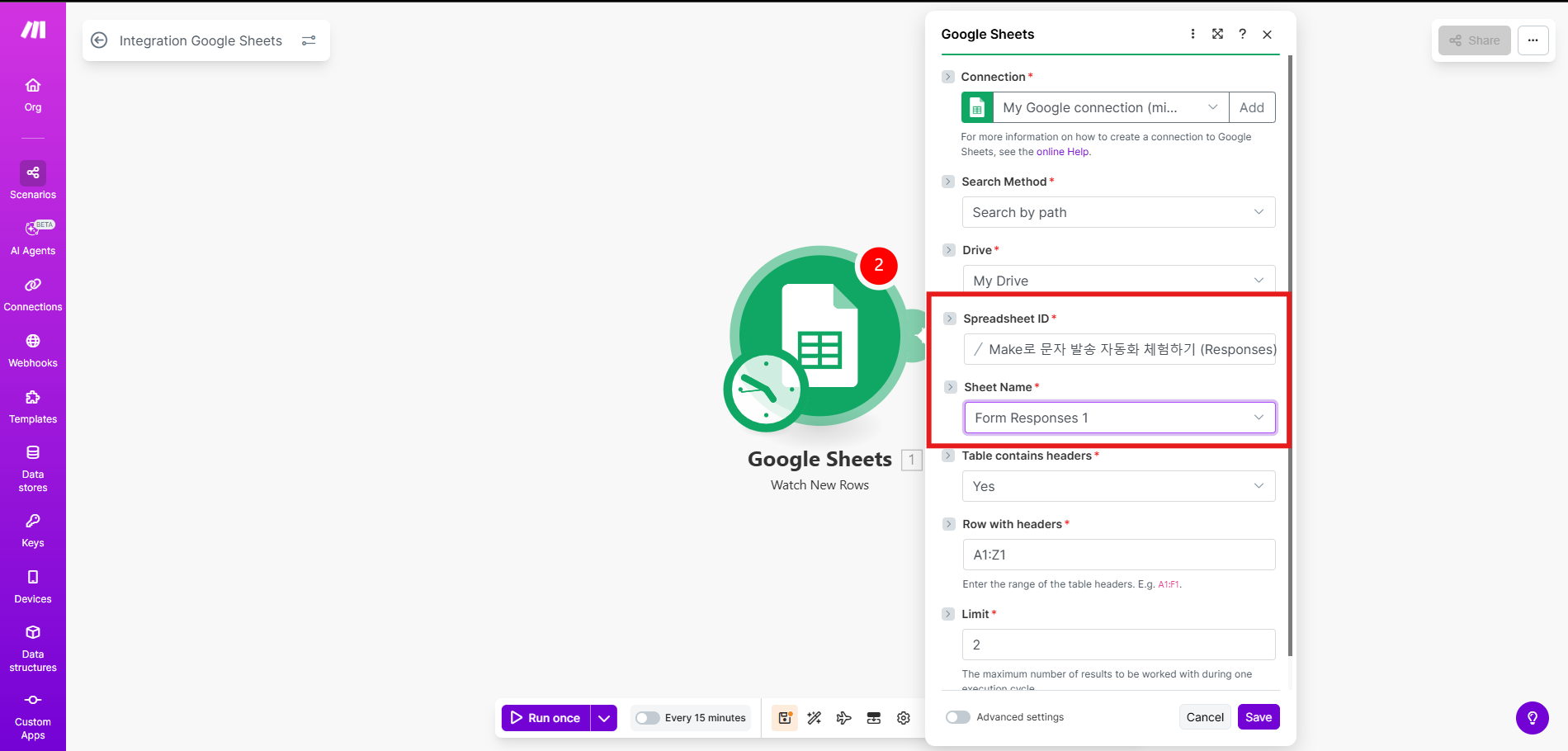
5. 1단계에서 연결한 스프레드시트 ID와 시트 이름을 선택합니다.
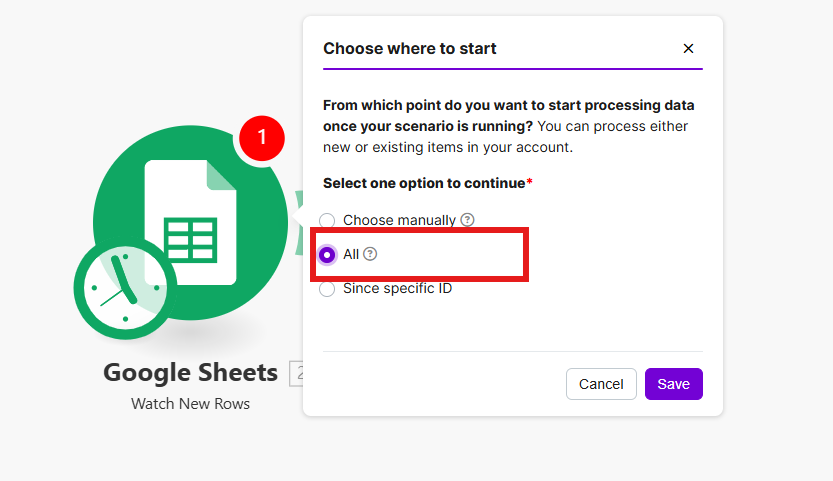
6. **Save**를 클릭하고 감지 시작 시점으로 **All**을 선택합니다. 시트에 이미 응답이 쌓여 있다면 4단계의 시작 지점 안내를 먼저 확인하세요.
---
### 3단계: 비즈고 API 연동
Google Sheets 모듈 오른쪽에 HTTP 모듈을 추가해 비즈고 발송 API를 호출합니다.
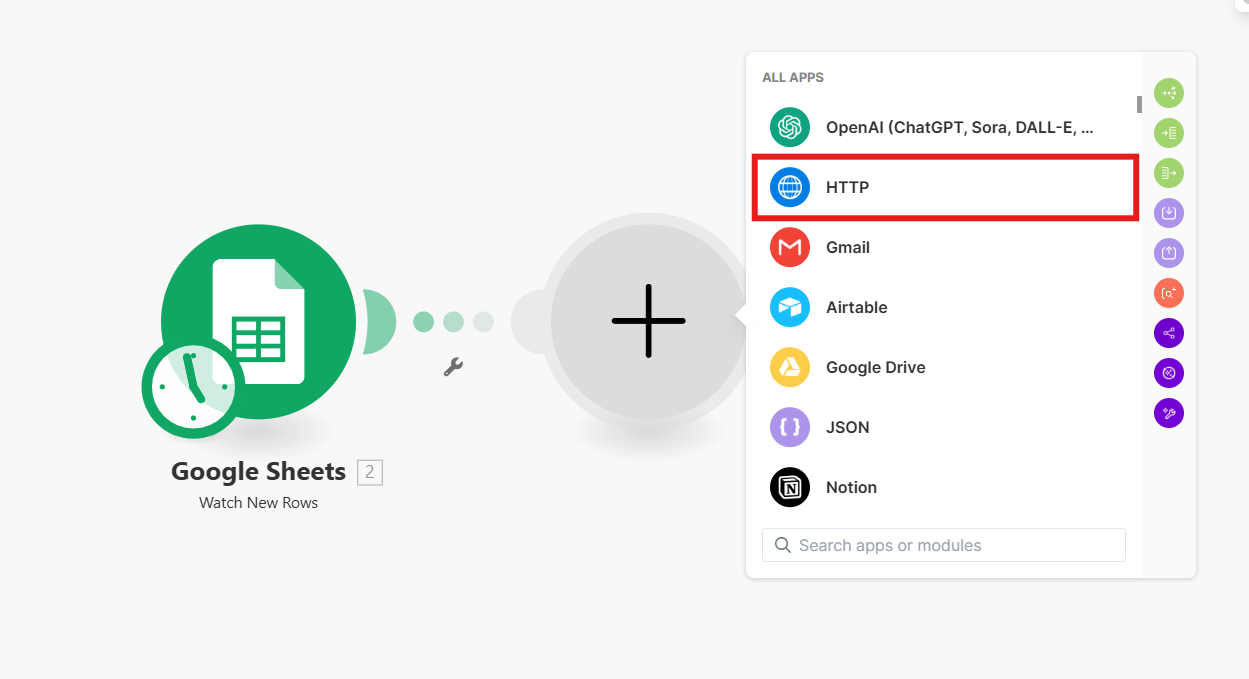
1. Google Sheets 모듈 오른쪽에 **HTTP** 모듈을 추가합니다.
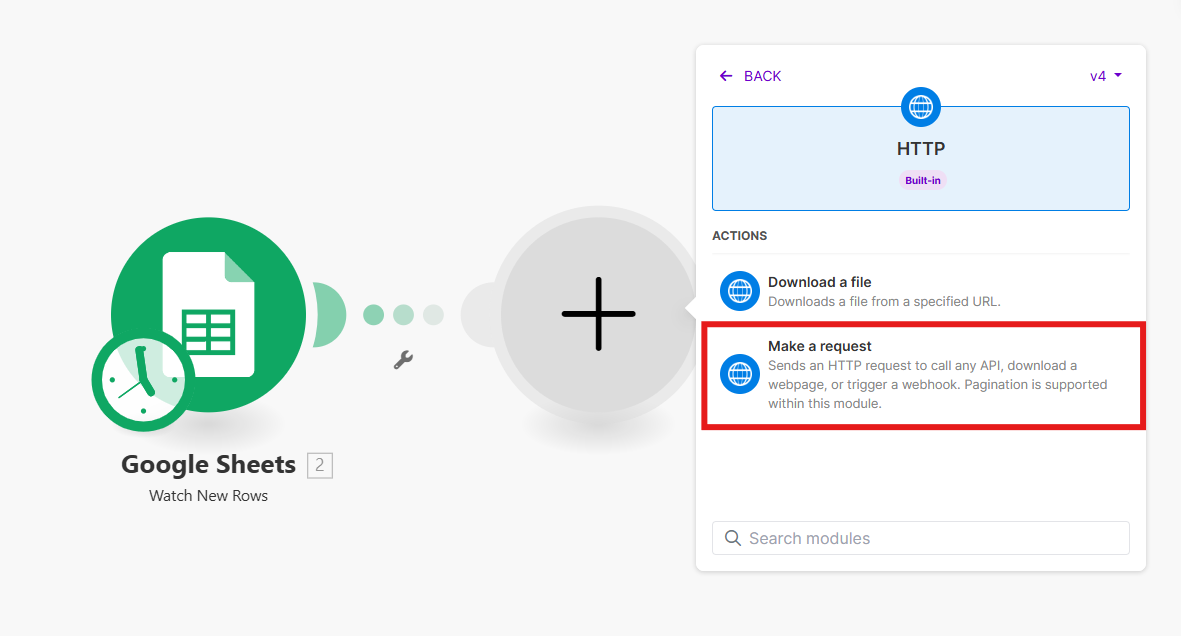
2. 액션으로 **Make a request**를 선택합니다.
3. Authentication type을 **API Key**로 선택합니다.
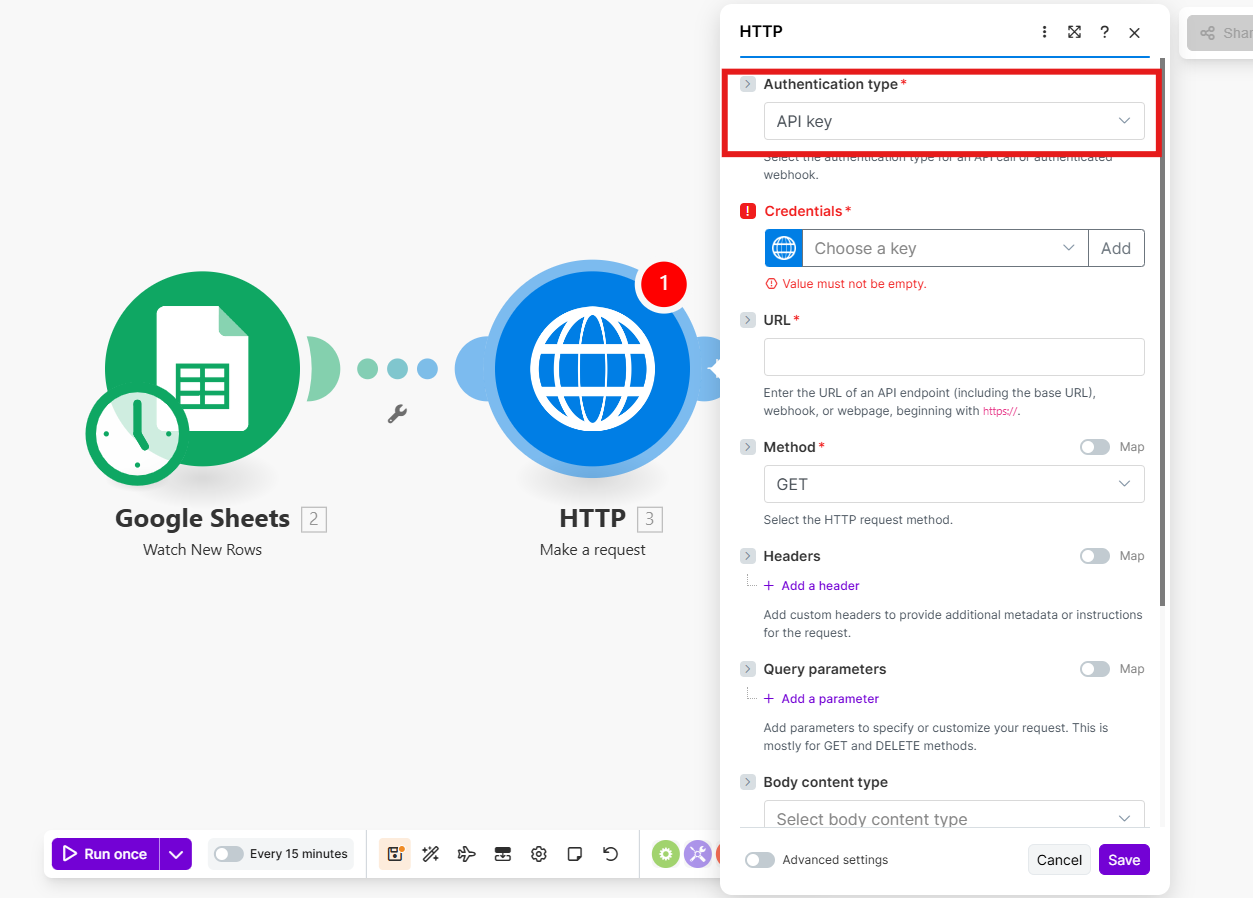
4. Credentials의 **Add** 버튼을 눌러 비즈고 통합키를 입력합니다.
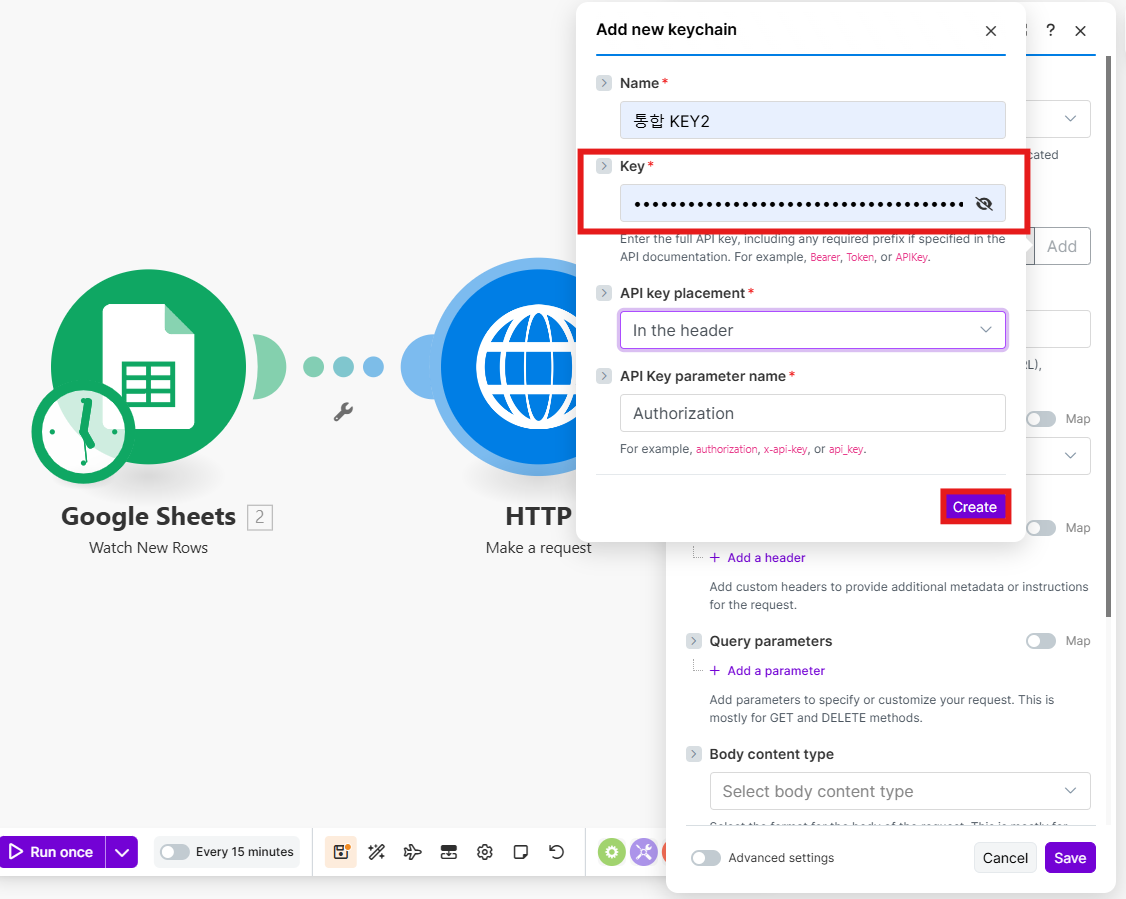
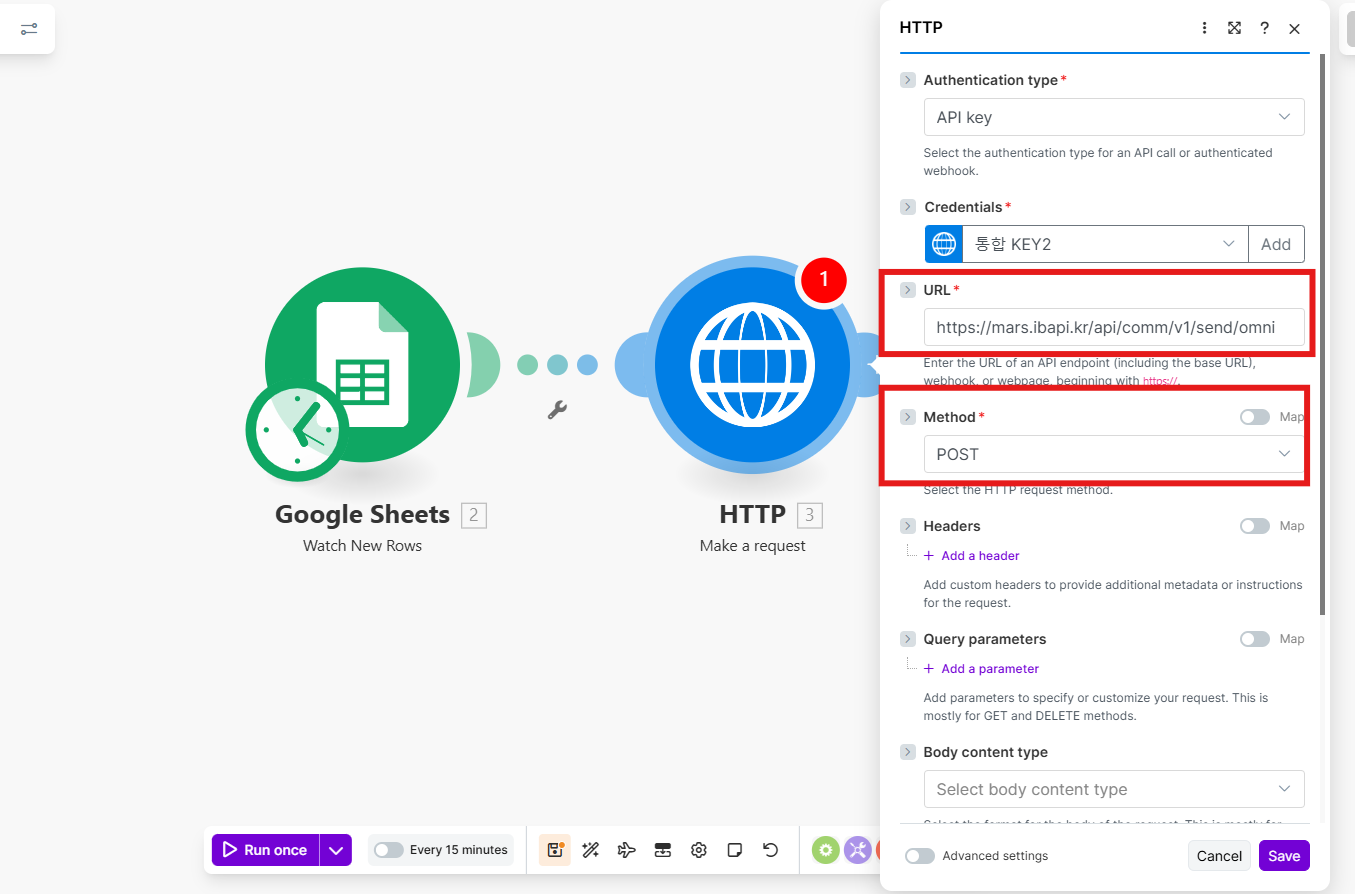
5. URL과 Method를 설정합니다.
| 항목 | 값 |
|------|----|
| Method | `POST` |
| URL | `https://mars.ibapi.kr/api/comm/v1/send/omni` |
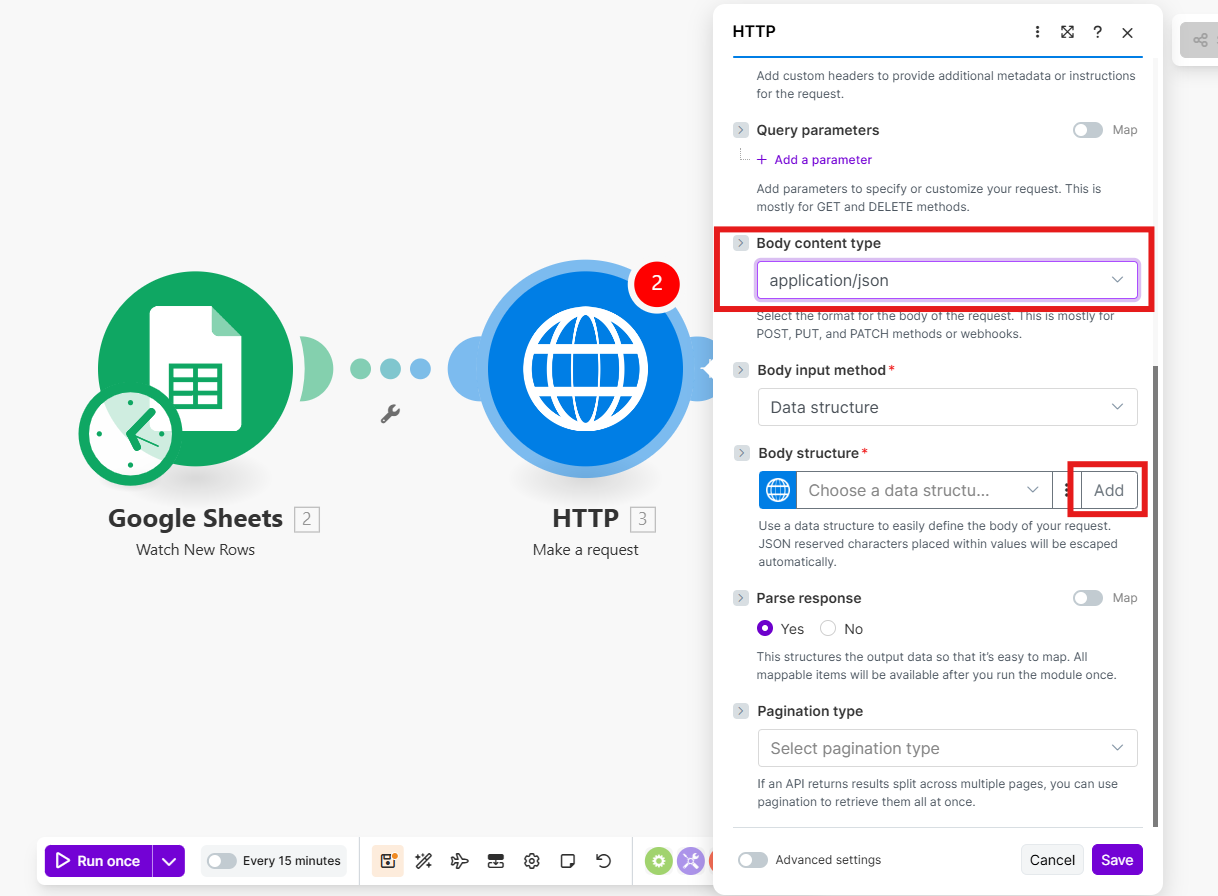
6. Body Content type을 `application/json`으로 설정합니다.
7. **Specification → Generate**를 선택합니다.
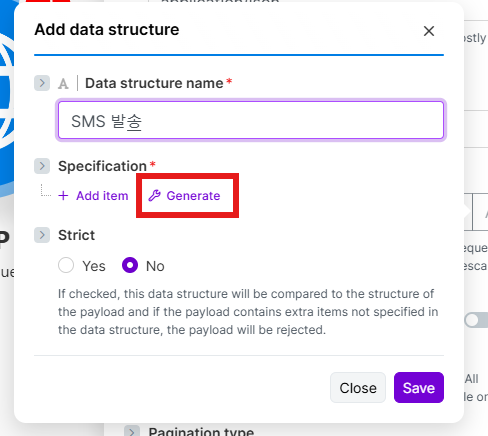
여기까지는 SMS와 알림톡이 같습니다. 4단계에서 보낼 채널 탭을 골라 이어서 진행하세요.
> **채널을 바꾸면 Generate를 다시 실행하세요**
Make는 Generate 시점의 Sample JSON 구조로 입력 필드를 고정합니다. 채널을 바꿀 때는 7번 **Specification → Generate**부터 다시 진행하세요.
---
### 4단계: 채널별 입력과 테스트 발송
보낼 채널 탭을 고르세요. 3단계에서 연 Generate 창의 Sample data 입력부터 테스트 발송까지 채널별로 이어집니다.
#sms
**메시지 입력**
1. Sample data에 아래 JSON을 입력하고 **Generate**를 누릅니다. 90byte 이하 단문은 `sms` 객체를 씁니다.
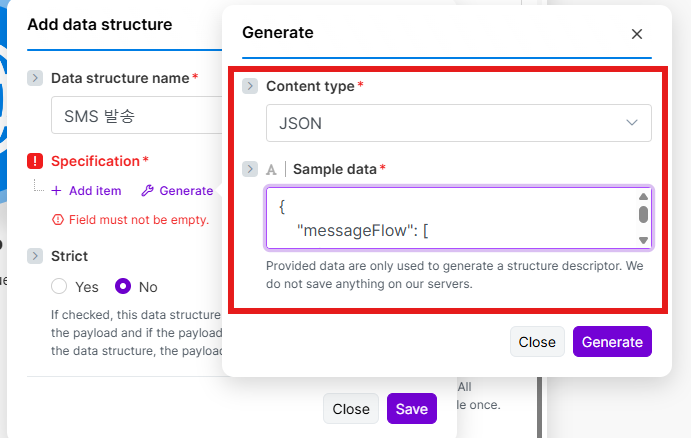
```json
{
"messageFlow": [
{
"sms": {
"from": "{{CALLER_NUMBER}}",
"text": "테스트 메시지"
}
}
],
"destinations": [
{
"to": "{{PHONE_NUMBER}}"
}
]
}
```
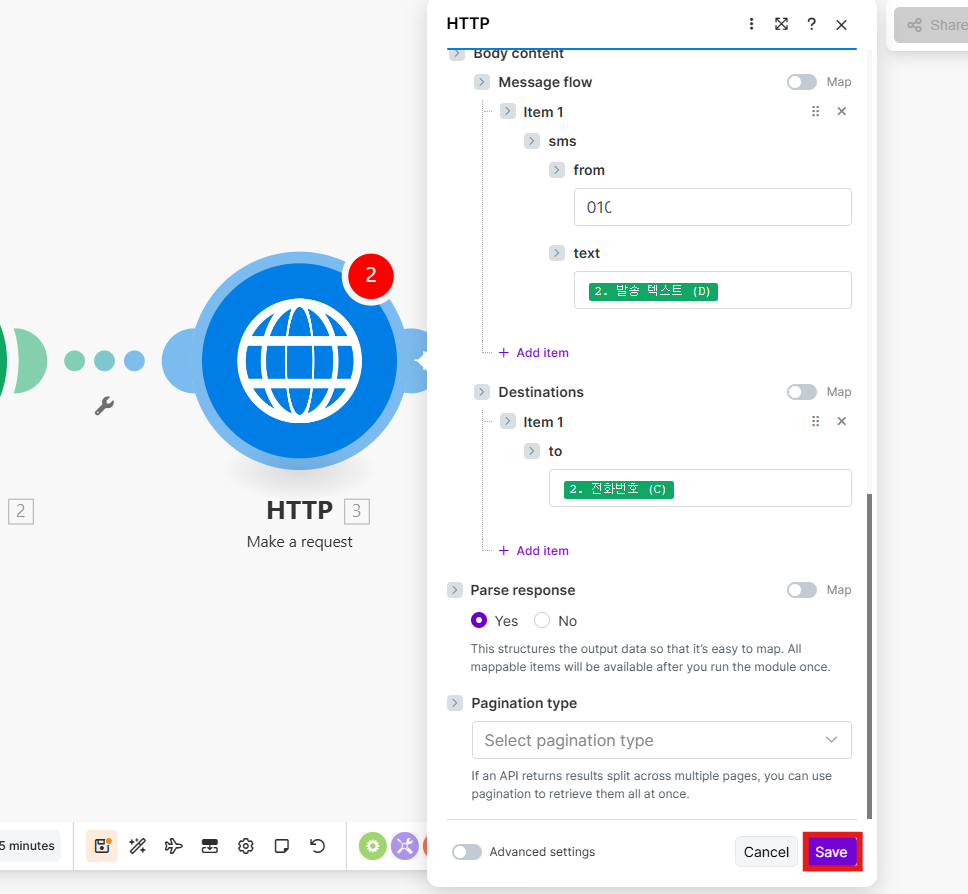
2. **Message flow** 하단의 **Add item**을 클릭합니다.
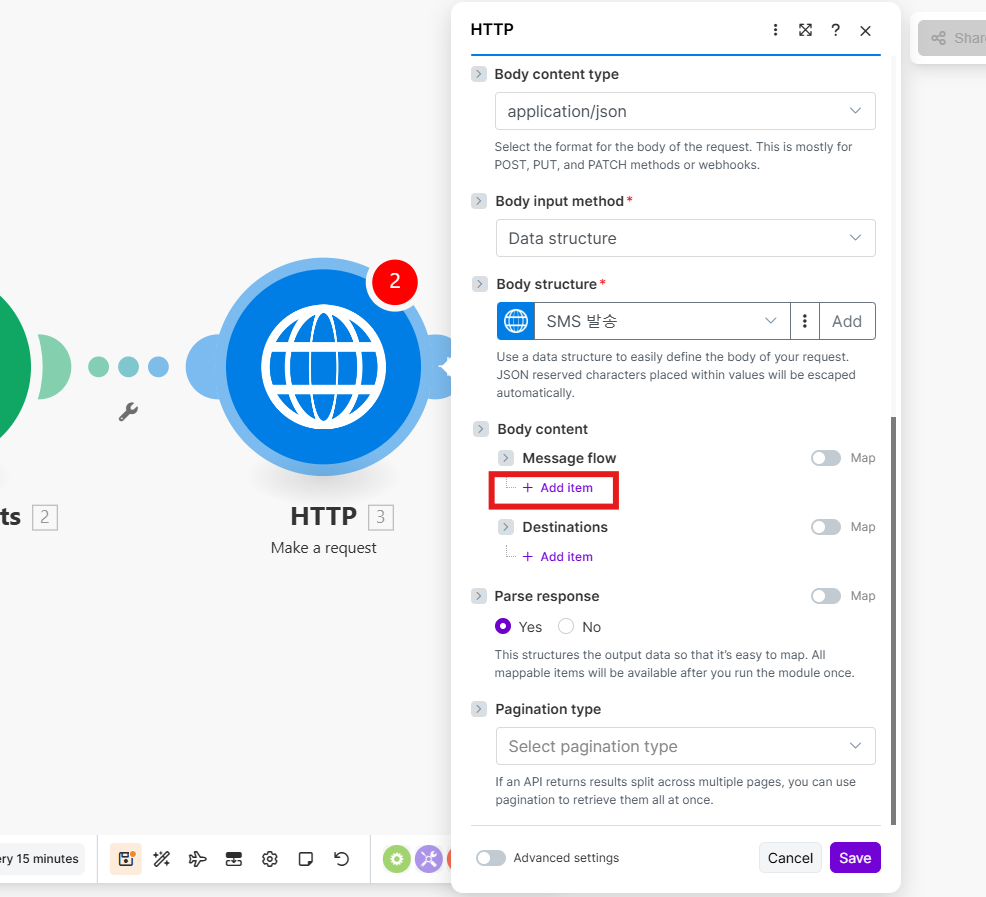
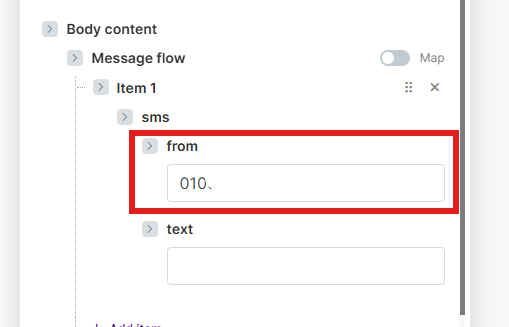
3. `from` 필드에 등록된 발신번호를 입력합니다.
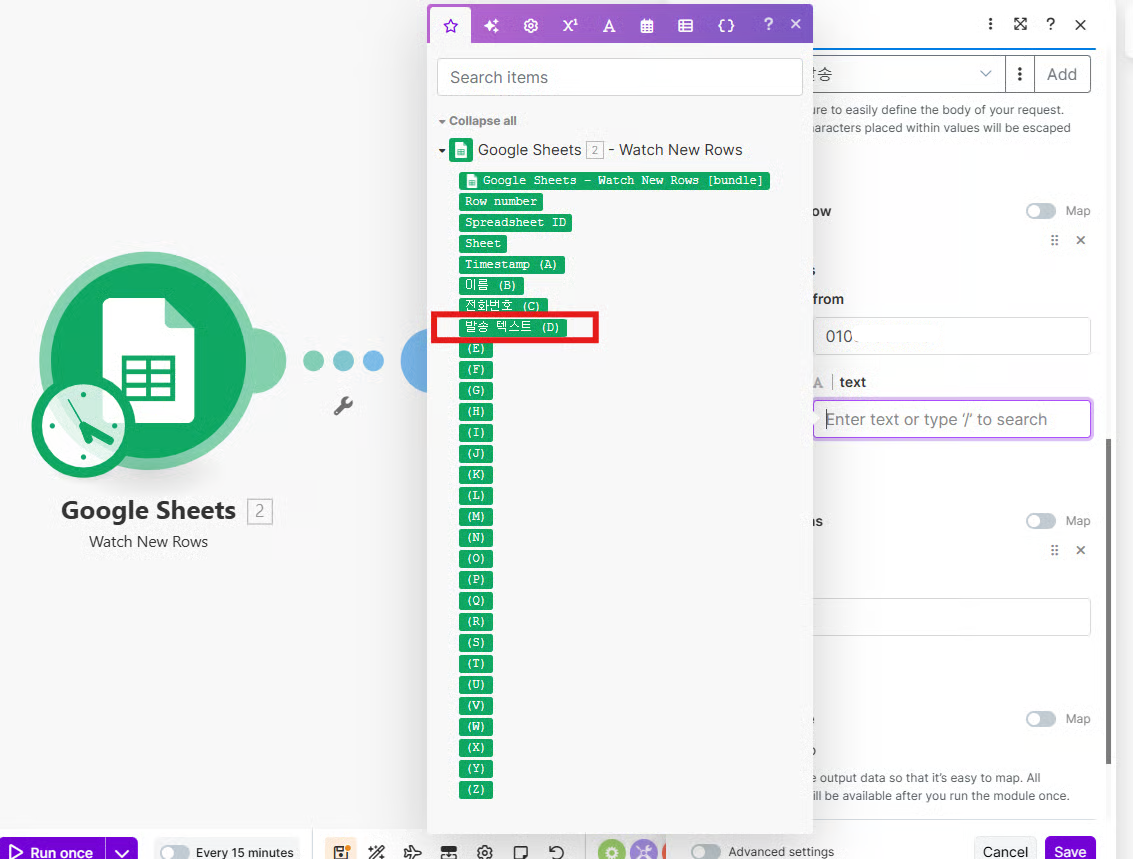
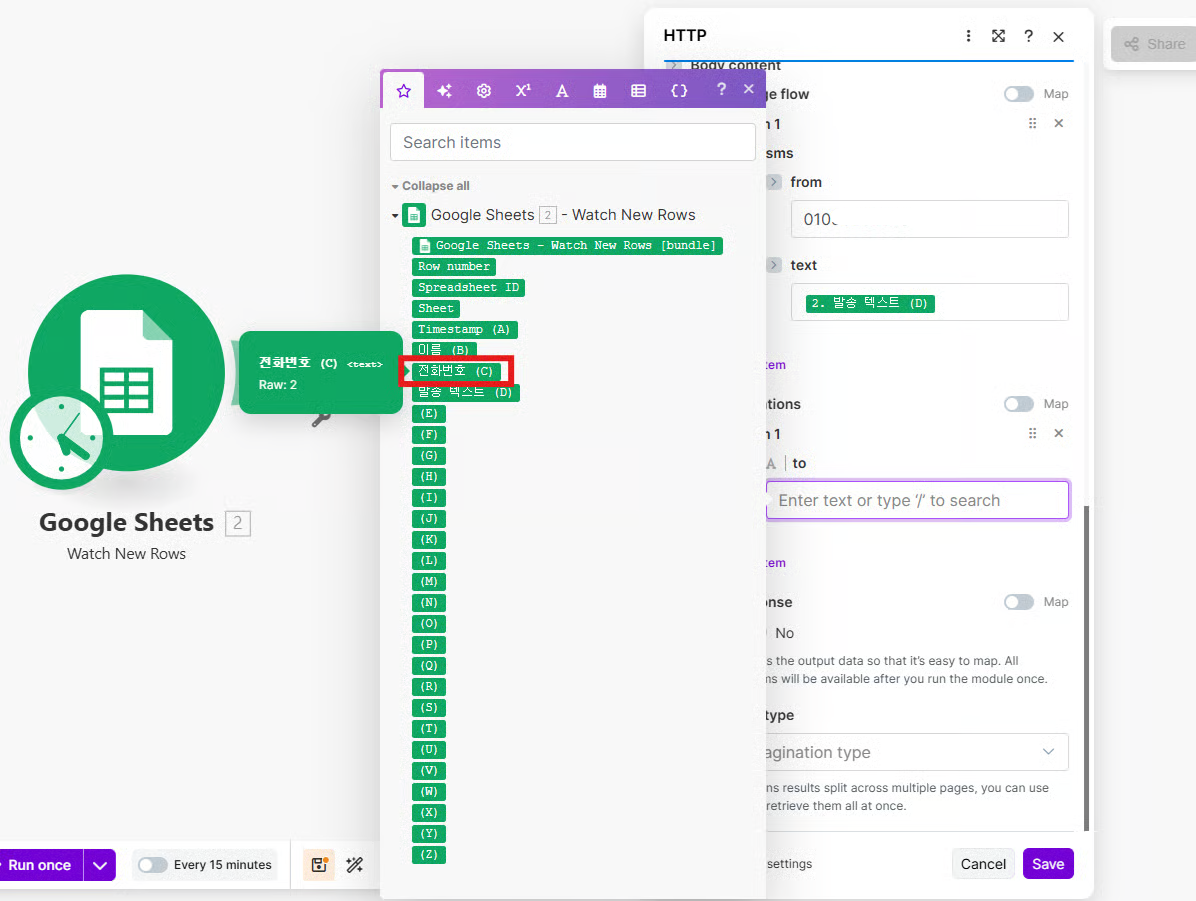
4. `text` 필드에 Google Sheets의 발송 텍스트 컬럼을 선택합니다.
5. **Destinations**의 `to` 필드에 Google Sheets의 전화번호 컬럼을 선택합니다.
6. **Save**를 클릭해 저장합니다.
**LMS로 보내려면**
90byte를 넘는 장문입니다. LMS는 `mms` 객체를 사용하고, 이미지 `fileKey` 없이 보내면 LMS로 발송됩니다.
```json
{
"messageFlow": [
{
"mms": {
"from": "{{CALLER_NUMBER}}",
"title": "안내",
"text": "장문 테스트 메시지"
}
}
],
"destinations": [
{
"to": "{{PHONE_NUMBER}}"
}
]
}
```
| 필드 | 매핑 값 |
|------|---------|
| `mms.from` | 등록된 발신번호 |
| `mms.title` | 제목 (선택, 최대 40byte) |
| `mms.text` | Sheets의 발송 텍스트 컬럼 (최대 2,000byte) |
| `to` | Sheets의 전화번호 컬럼 |
입력 순서는 위와 같습니다. Sample data에 이 JSON을 넣어 Generate 한 뒤, `mms` 아래의 `from`·`title`·`text`를 입력하고 `to`에 전화번호 컬럼을 선택해 저장합니다.
**테스트 발송**
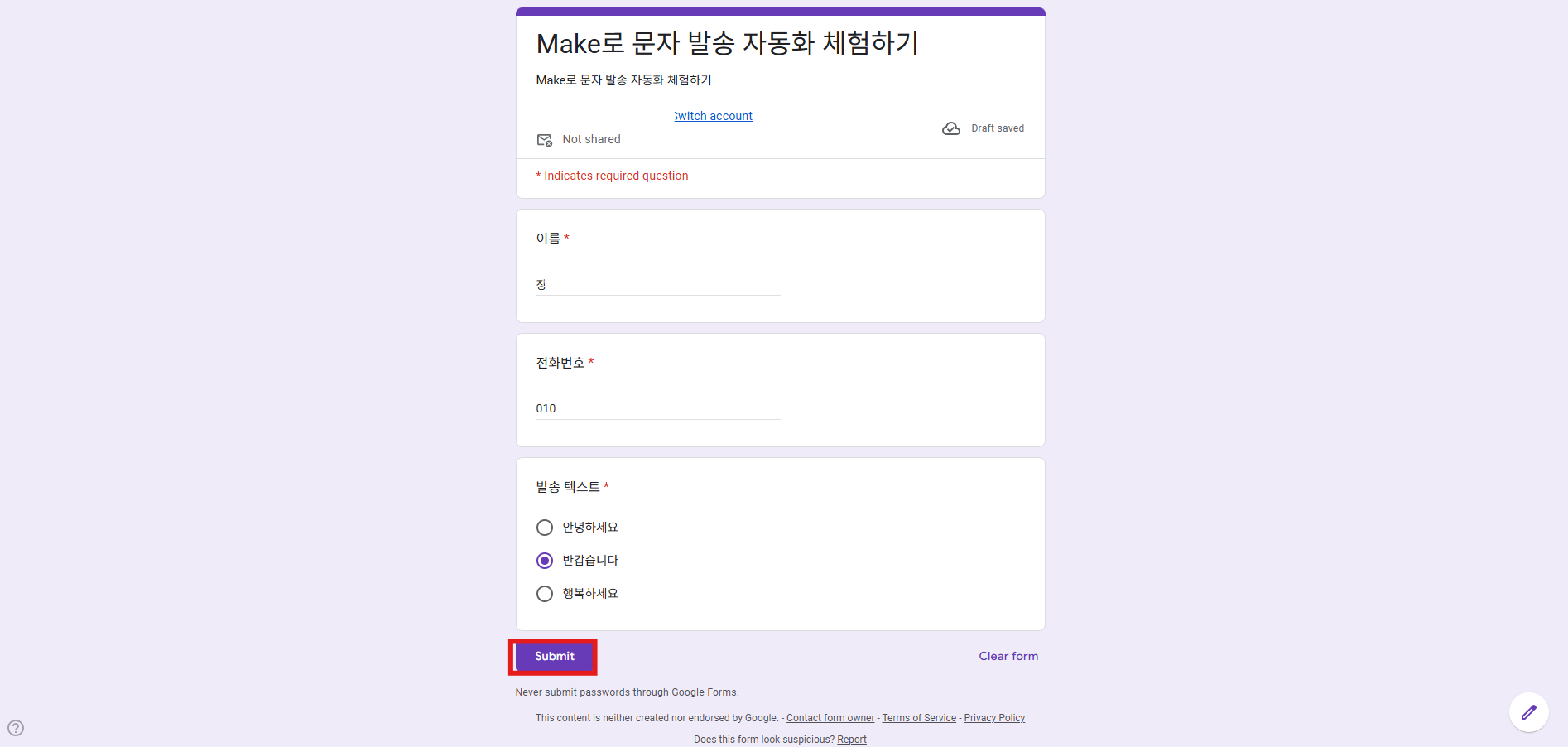
1. Google Form에 테스트 데이터를 입력하고 제출합니다.
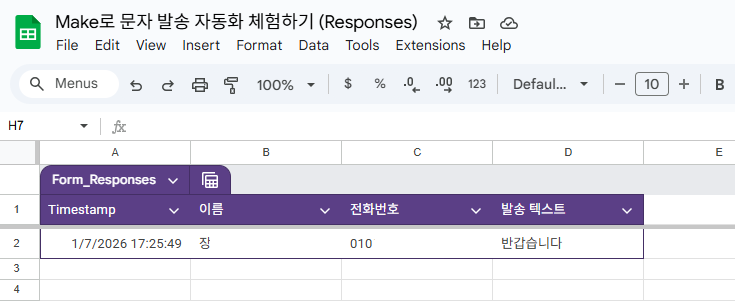
2. Google Sheets에 행이 추가된 것을 확인합니다.
> **처음 실행 전에 시작 지점을 확인하세요**
2단계에서 감지 시작 시점을 **All**로 골랐다면, 처음 실행할 때 시트에 이미 있는 행까지 발송합니다. 기존 응답자에게 보내지 않으려면 Google Sheets 모듈을 우클릭 → **Choose where to start** → **Choose manually**에서 가장 최근 행을 고르세요. 그 다음에 추가된 행부터 발송합니다.
3. Make 시나리오를 실행합니다.
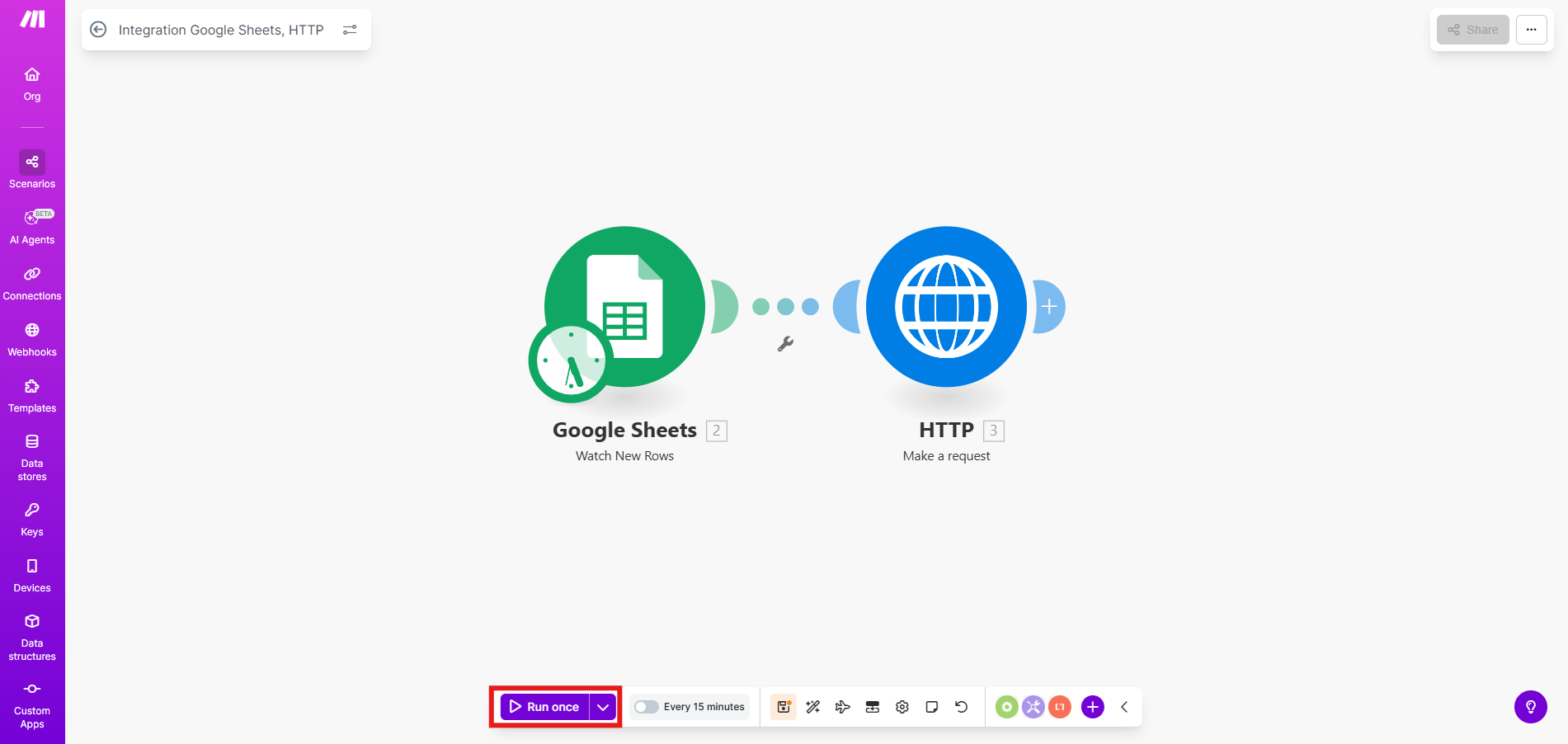
4. 발송 성공 여부를 확인합니다.
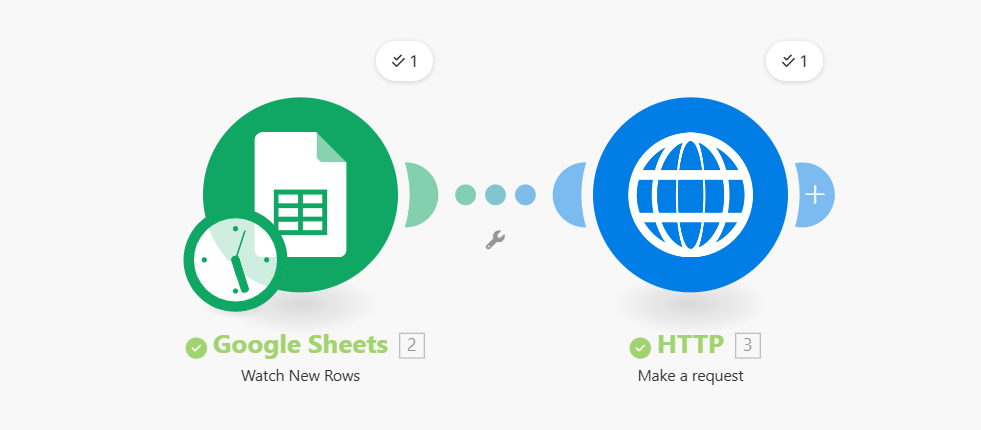
5. 실제 기기에서 메시지 수신을 확인합니다.
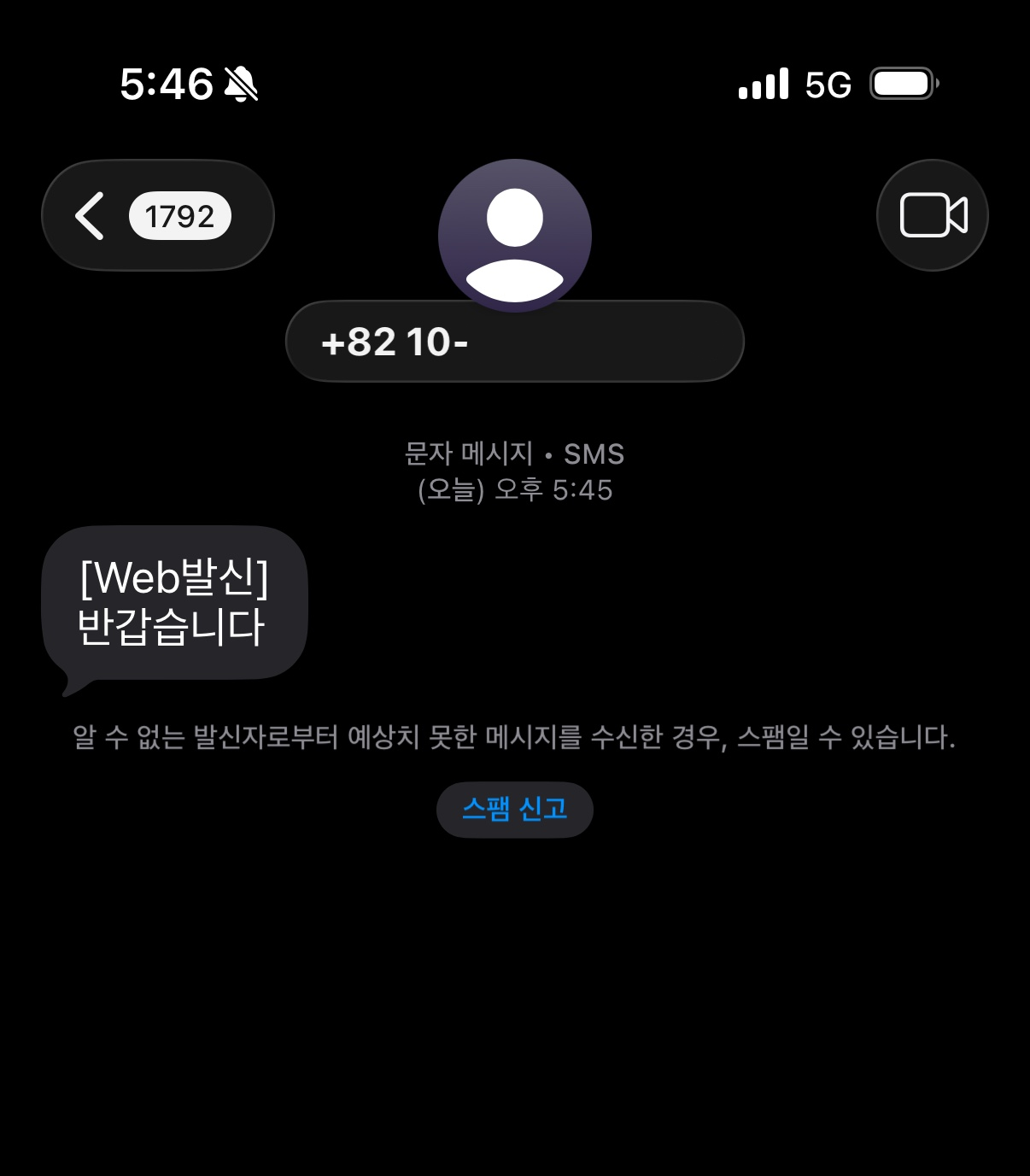
#alimtalk
카카오에서 승인된 템플릿으로 발송합니다. [카카오 채널 연동](/guide/bizgo/sender-registration)과 템플릿 승인이 먼저 필요합니다.
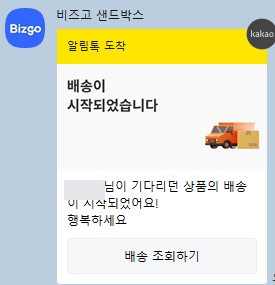
아래는 이미지와 버튼이 있는 배송 시작 안내 템플릿으로 Make에서 실제 발송까지 확인한 예시입니다.
| 항목 | 템플릿 내용 |
|------|------|
| 유형 | 이미지형 (`msgType`: `AI`) |
| 본문 | `#{이름}님이 기다리던 상품의 배송이 시작되었어요!` (줄바꿈) `#{배송상세_50자이내}` |
| 버튼 | 웹링크(`WL`) `배송 조회하기`, URL `https://#{www.부터입력}` |
```json
{
"messageFlow": [
{
"alimtalk": {
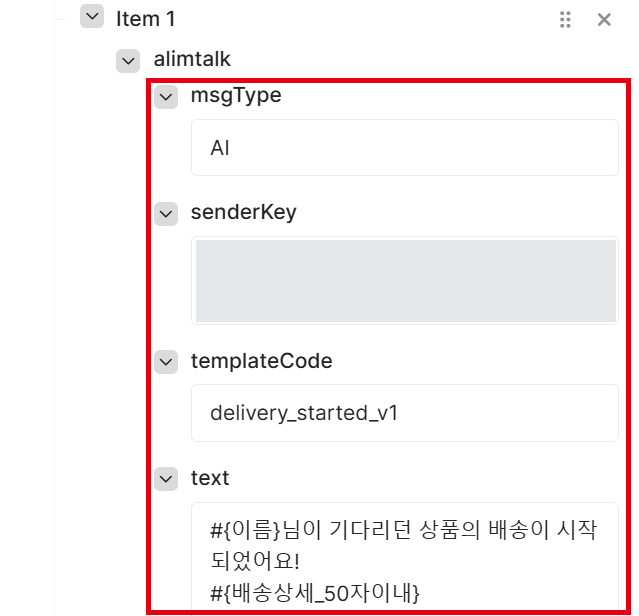
"msgType": "AI",
"senderKey": "{{SENDER_KEY}}",
"templateCode": "{{TEMPLATE_CODE}}",
"text": "#{이름}님이 기다리던 상품의 배송이 시작되었어요!\n#{배송상세_50자이내}",
"attachment": {
"button": [
{
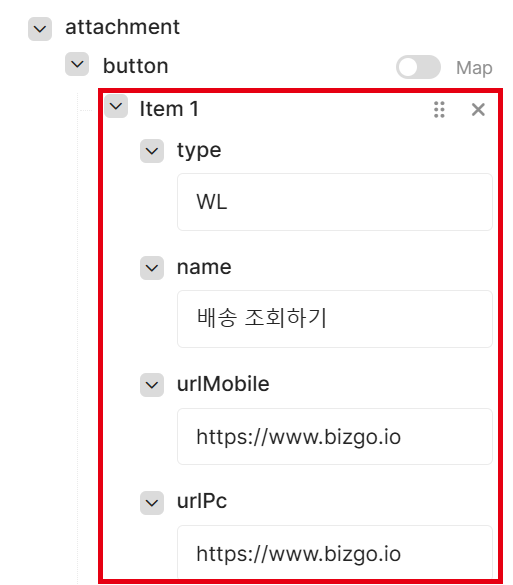
"type": "WL",
"name": "배송 조회하기",
"urlMobile": "https://www.bizgo.io",
"urlPc": "https://www.bizgo.io"
}
]
}
}
}
],
"destinations": [
{
"to": "{{PHONE_NUMBER}}",
"replaceWords": {
"이름": "홍길동",
"배송상세_50자이내": "CJ대한통운 송장번호 123456789"
}
}
]
}
```
| 필드 | 매핑 값 |
|------|---------|
| `alimtalk.msgType` | 텍스트형은 `AT`, 이미지형은 `AI`. 이미지는 템플릿에 등록된 것이 쓰이므로 요청에 넣지 않습니다. |
| `alimtalk.senderKey` | 카카오 발신프로필 키 |
| `alimtalk.templateCode` | 승인된 템플릿 코드 |
| `alimtalk.text` | 승인된 템플릿 본문 (`#{변수}`와 줄바꿈까지 그대로) |
| `alimtalk.attachment.button` | 템플릿 버튼과 같은 `type`·`name`, 실제 URL |
| `to` | Sheets의 전화번호 컬럼 |
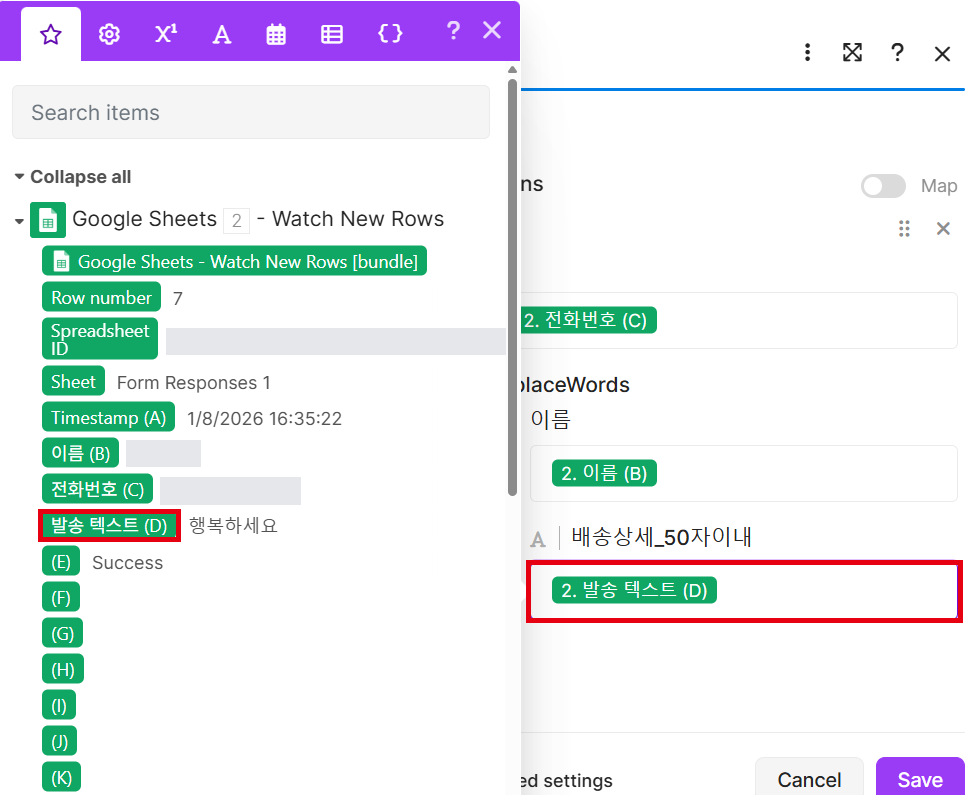
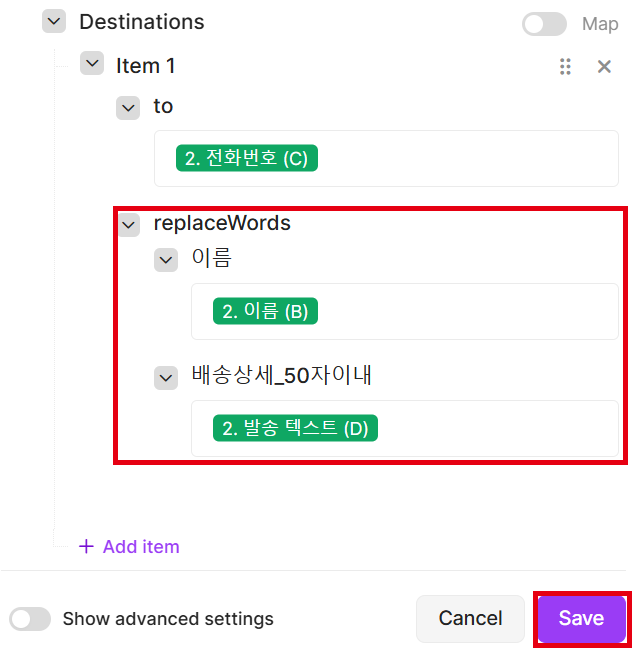
| `replaceWords.이름` | Sheets의 이름 컬럼 |
| `replaceWords.배송상세_50자이내` | Sheets의 배송상세 컬럼 |
**변수 사용하기**
템플릿 본문의 `#{변수}` 자리는 수신자마다 `replaceWords`에 넣은 값으로 바뀌어 발송됩니다.
| 구분 | 예시 |
|------|------|
| 템플릿 본문 (`text`) | `#{이름}님이 기다리던 상품의 배송이 시작되었어요!` (줄바꿈) `#{배송상세_50자이내}` |
| 치환 값 (`replaceWords`) | `이름`: 홍길동, `배송상세_50자이내`: CJ대한통운 송장번호 123456789 |
| 실제 수신 메시지 | 홍길동님이 기다리던 상품의 배송이 시작되었어요! (줄바꿈) CJ대한통운 송장번호 123456789 |
- `replaceWords`의 키는 `#{ }`를 뺀 변수 이름이며, 템플릿 변수와 글자 그대로 같아야 합니다. 한글 변수명도 그대로 씁니다.
- 템플릿에 있는 변수는 모두 `replaceWords`에 넣으세요. 빠진 변수는 치환되지 않아 템플릿 불일치로 실패할 수 있습니다.
- 버튼 URL에 변수가 있는 템플릿(예: `https://#{www.부터입력}`)은 `replaceWords`가 아니라, 변수 자리를 채운 실제 URL을 `urlMobile`·`urlPc`에 넣습니다.
- Google Form에 변수마다 질문을 추가하면 Sheets에 컬럼이 생기고, 각 컬럼을 같은 이름의 변수에 매핑하면 됩니다.
> **Make에서는 변수마다 입력 칸이 생깁니다**
Generate는 Sample JSON의 `replaceWords` 키마다 입력 칸을 만듭니다. 위 예시의 키를 내 템플릿 변수 이름으로 바꾼 뒤 Generate 하세요. 템플릿 변수가 바뀌면 Generate를 다시 실행해야 합니다.
> **알림톡 본문은 템플릿과 일치해야 합니다**
`text`가 승인된 템플릿 본문과 다르면 발송이 실패합니다. Sheets에서는 문장 전체가 아니라 변수값만 받고, `text`에는 템플릿 본문을 그대로 입력하세요. 템플릿에 버튼이 있으면 `attachment.button`도 템플릿과 같은 `type`·`name`으로 넣어야 합니다. 자세한 규격은 [알림톡 API](/api-sdk/api-reference/comm/kakao-alimtalk)를 참고하세요.
**메시지 입력**
> **다른 시나리오의 데이터 구조를 고치지 마세요**
SMS 시나리오를 복제했다면 Body structure가 SMS용 구조를 가리킵니다. 데이터 구조는 여러 시나리오가 함께 쓰므로, 그 구조를 고치면 SMS 시나리오도 바뀝니다. **Add**로 알림톡용 구조를 새로 만드세요.
1. Sample data에 위 JSON을 넣고 **Generate**를 누릅니다. SMS 시나리오를 복제해 쓴다면 Body structure 옆의 **Add**로 새 데이터 구조(예: 알림톡 발송)를 먼저 만듭니다.
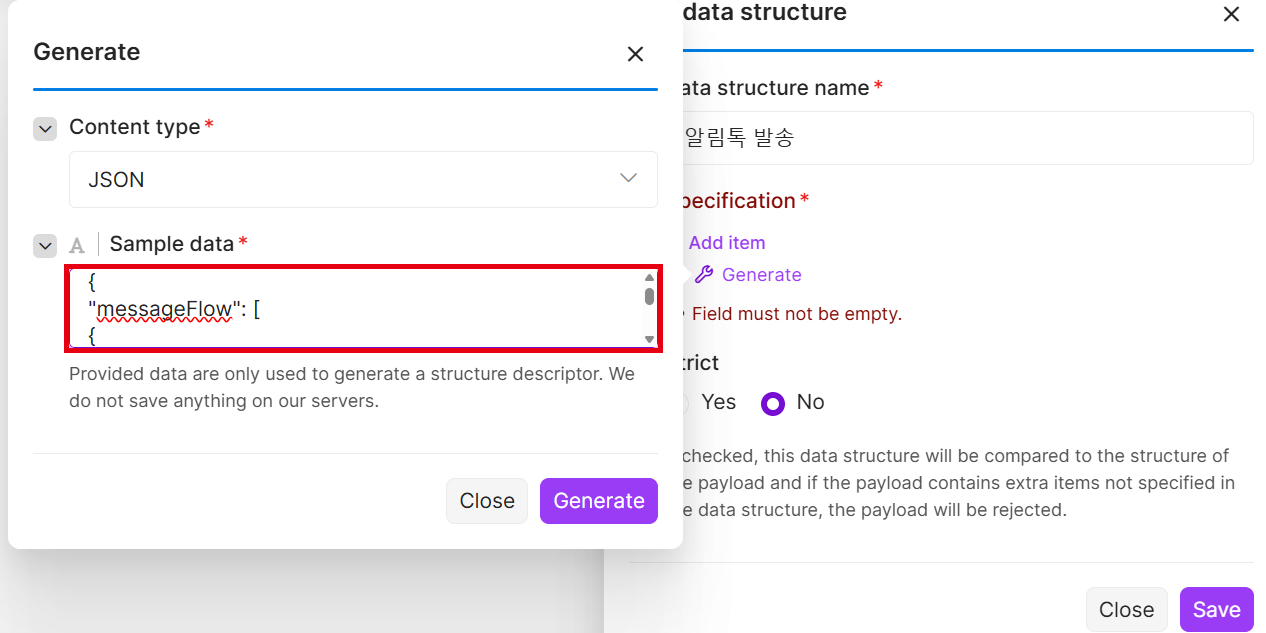
2. **Message flow → Item 1 → alimtalk** 아래에 `msgType`, `senderKey`, `templateCode`, `text`를 입력합니다. Item 1이 없으면 **Add item**을 먼저 누릅니다.
3. **attachment → button**의 **Add item**을 눌러 `type`, `name`, `urlMobile`, `urlPc`를 템플릿 버튼과 같게 입력합니다.
4. **Destinations**의 `to`에 전화번호 컬럼을 선택하고, `replaceWords` 아래 각 변수에 같은 이름의 Sheets 컬럼을 선택합니다.
5. 매핑을 확인하고 **Save**를 클릭해 저장합니다.
**테스트 발송**
> **처음 실행 전에 시작 지점을 확인하세요**
2단계에서 감지 시작 시점을 **All**로 골랐다면, 처음 실행할 때 시트에 이미 있는 행까지 발송합니다. 기존 응답자에게 보내지 않으려면 Google Sheets 모듈을 우클릭 → **Choose where to start** → **Choose manually**에서 가장 최근 행을 고르세요. 그 다음에 추가된 행부터 발송합니다.
1. Google Form에 이름·전화번호와 템플릿 변수값(예: 배송상세)을 입력해 제출합니다.
2. Make 시나리오를 실행합니다.

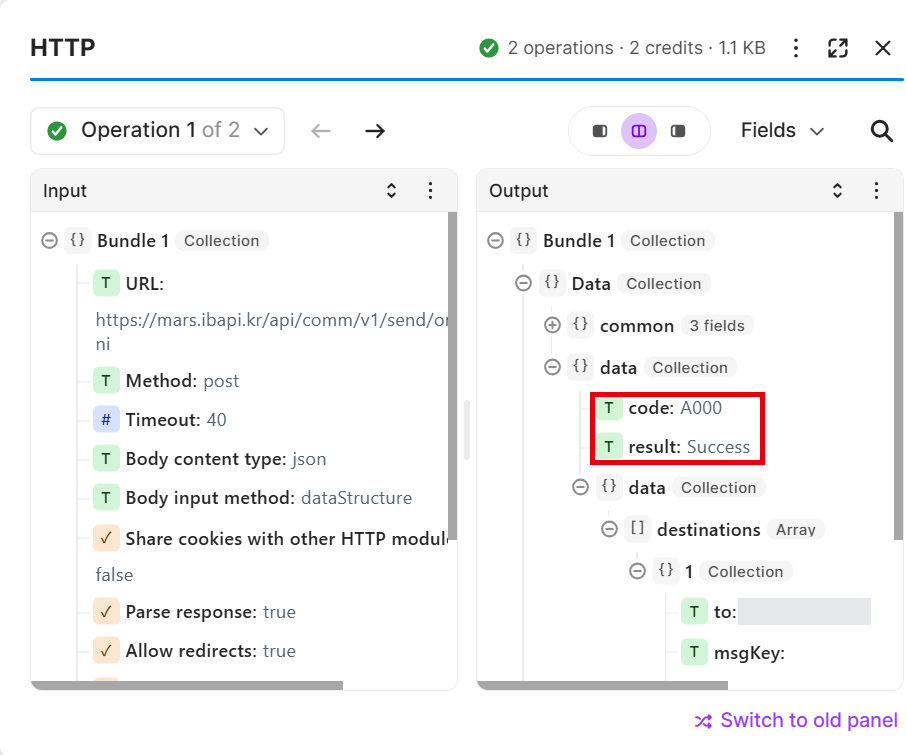
3. HTTP 결과의 `data.code`가 `A000`(접수 성공)인지 확인합니다. 수신자별 결과와 `msgKey`도 같은 곳에 있습니다.
4. 카카오톡에서 이미지·변수·버튼이 템플릿대로 표시되는지 확인합니다.
**알림톡 실패 시 문자로 대체 발송**
`messageFlow`에 넣은 순서대로 발송을 시도합니다. 카카오톡 미설치·수신 거부 등으로 알림톡이 실패하면 다음 객체로 자동 대체 발송합니다.
> **대체 발송은 Data structure로 만들 수 없습니다**
Make의 Generate는 배열의 첫 번째 항목 모양만 구조로 만듭니다. `alimtalk`와 `sms`를 함께 넣고 Generate 하면 SMS 입력 칸이 생기지 않습니다. 대체 발송은 Body input method를 **JSON string**으로 바꿔 본문을 직접 입력하세요.
1. HTTP 모듈의 **Body input method**를 **JSON string**으로 바꿉니다.
2. Body content에 아래 JSON을 붙여넣습니다.
3. `senderKey`, `templateCode`, `from`은 직접 입력하고, `{{PHONE_NUMBER}}`·`{{NAME}}`·`{{DELIVERY_DETAIL}}` 자리는 지운 뒤 그 자리에 Google Sheets 컬럼을 선택해 넣습니다.
```json
{
"messageFlow": [
{
"alimtalk": {
"msgType": "AI",
"senderKey": "{{SENDER_KEY}}",
"templateCode": "{{TEMPLATE_CODE}}",
"text": "#{이름}님이 기다리던 상품의 배송이 시작되었어요!\n#{배송상세_50자이내}",
"attachment": {
"button": [
{
"type": "WL",
"name": "배송 조회하기",
"urlMobile": "https://www.bizgo.io",
"urlPc": "https://www.bizgo.io"
}
]
}
}
},
{
"mms": {
"from": "{{CALLER_NUMBER}}",
"text": "#{이름}님이 기다리던 상품의 배송이 시작되었어요!\n#{배송상세_50자이내}"
}
}
],
"destinations": [
{
"to": "{{PHONE_NUMBER}}",
"replaceWords": {
"이름": "{{NAME}}",
"배송상세_50자이내": "{{DELIVERY_DETAIL}}"
}
}
]
}
```
- 대체 문자는 변수값에 따라 90byte를 넘을 수 있어 LMS(`mms` 객체)로 보냅니다. 짧은 문구만 보낸다면 `sms` 객체를 써도 됩니다.
- 알림톡 객체는 알림톡 탭과 같고, 대체 문자에도 같은 `replaceWords` 값이 적용됩니다.
> **JSON string은 값을 자동으로 이스케이프하지 않습니다**
Sheets 값에 큰따옴표(`"`)나 줄바꿈이 들어 있으면 JSON이 깨져 요청이 실패합니다. 본문의 줄바꿈은 `\n`으로 씁니다.
> **대체 발송 과금**
최종 발송에 성공한 채널 단가로만 과금됩니다. 알림톡이 실패하고 문자로 발송되면 문자 요금만 부과됩니다.
---
### 문제 해결
> **ACL 오류 (A403)**
비즈고 통합키는 등록된 IP에서만 요청을 허용합니다. 아래와 같은 오류가 발생하면 응답의 IP 주소를 복사해 [연동관리](/guide/setup)의 ACL에 등록하세요.
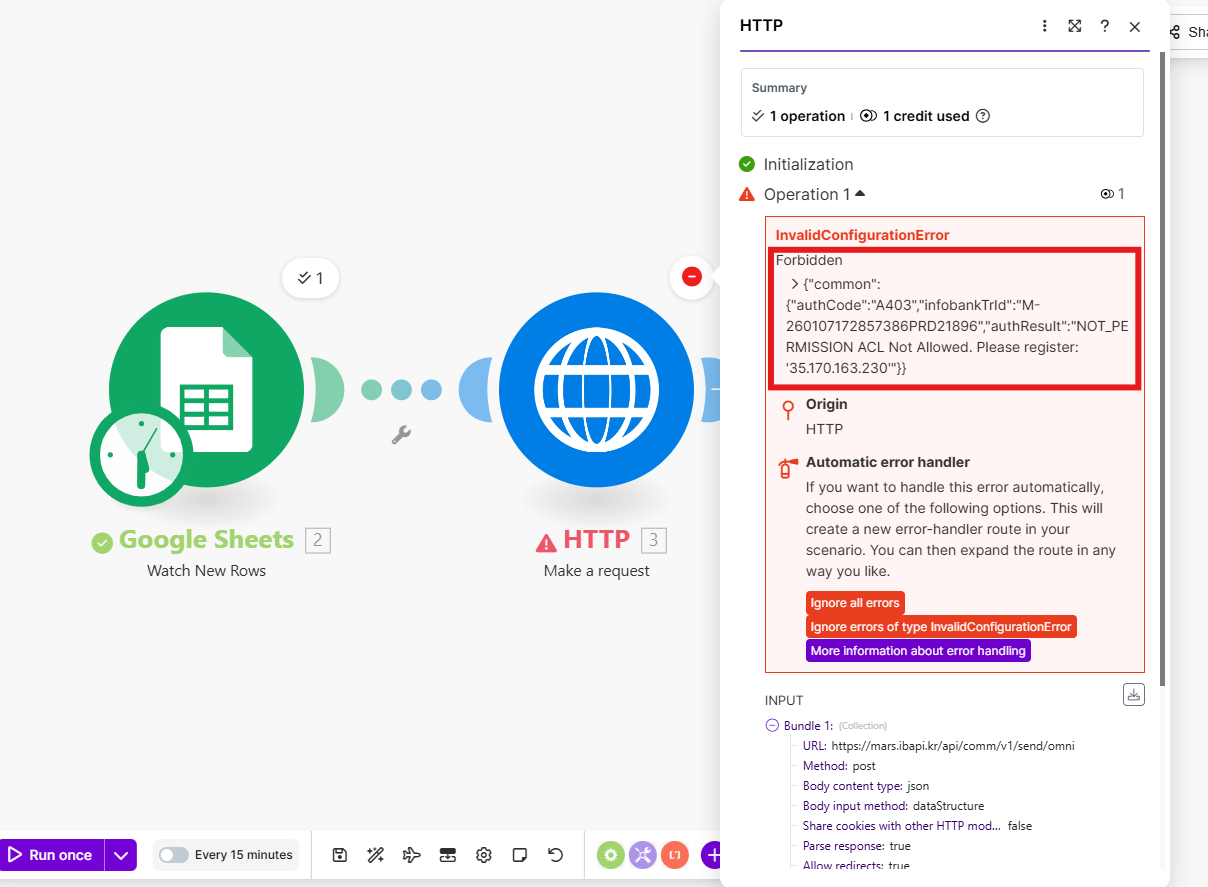
```json
{
"common": {
"authCode": "A403",
"authResult": "NOT_PERMISSION ACL Not Allowed. Please register: '35.170.163.230'"
}
}
```
---
## n8n
Google Form에 데이터를 입력하면 n8n이 Google Sheets의 새 행을 감지해 비즈고 API로 메시지를 자동 발송하는 흐름을 직접 구성합니다.
```
Google Form 제출 → Google Sheets 행 추가 → n8n 감지 → 비즈고 API 호출 → 메시지 발송
```
### 준비사항
| 항목 | 안내 |
|------|------|
| n8n 계정 | [n8n.io](https://n8n.io) 가입 |
| Google 계정 | Google Form / Sheets 사용 |
| 비즈고 통합키 | [연동관리](/guide/setup)에서 발급 |
| 발신번호 | [발신번호 등록](/guide/bizgo/sender-registration) 완료 필요 |
---
### 1단계: Google Form 설정
Google Form을 만들어 수신자 정보를 수집하고, 응답을 Google Sheets에 자동 연결합니다.
1. Google Form 생성 페이지로 이동합니다.
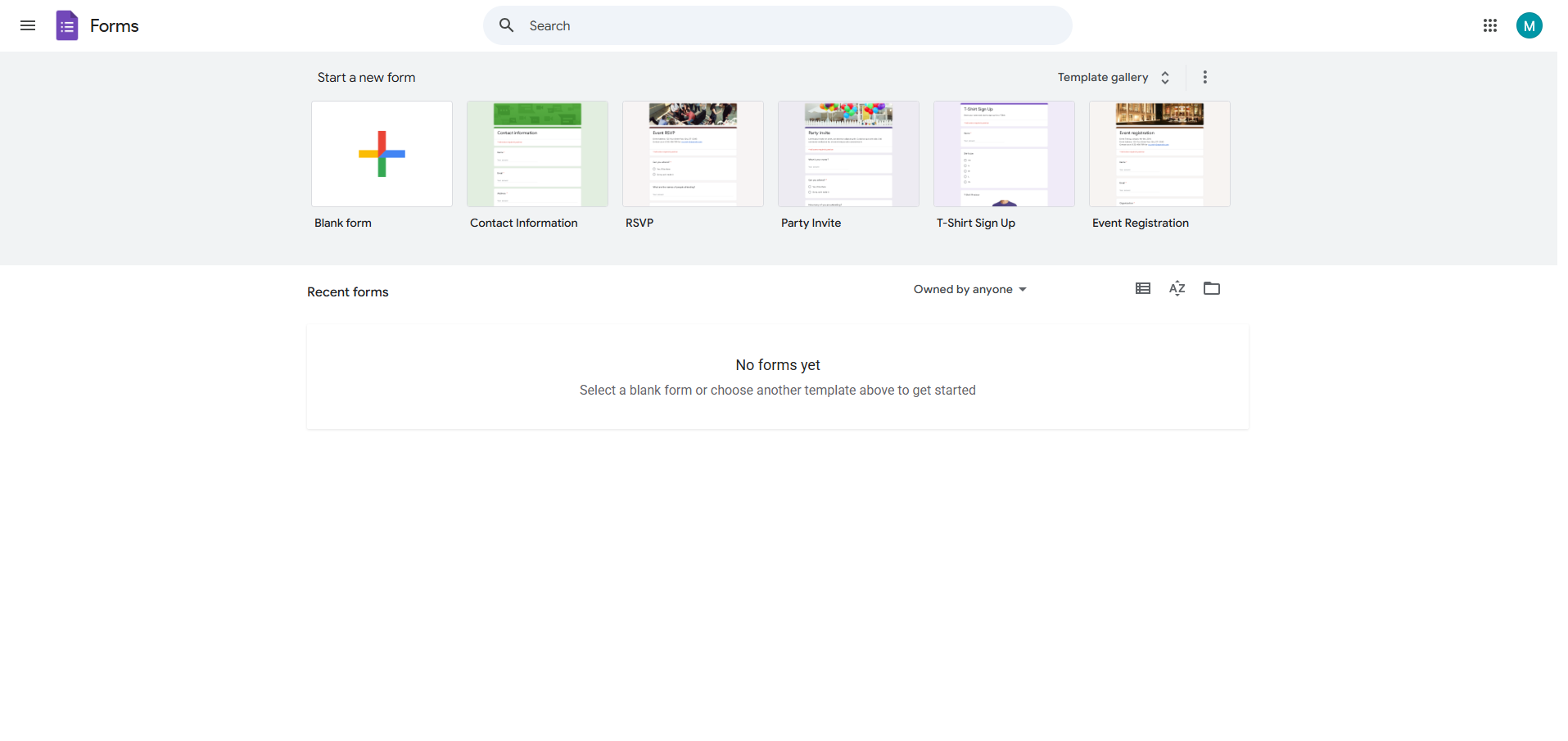
2. 전화번호, 발송 텍스트 등 필요한 항목을 추가해 Google Form을 생성합니다.
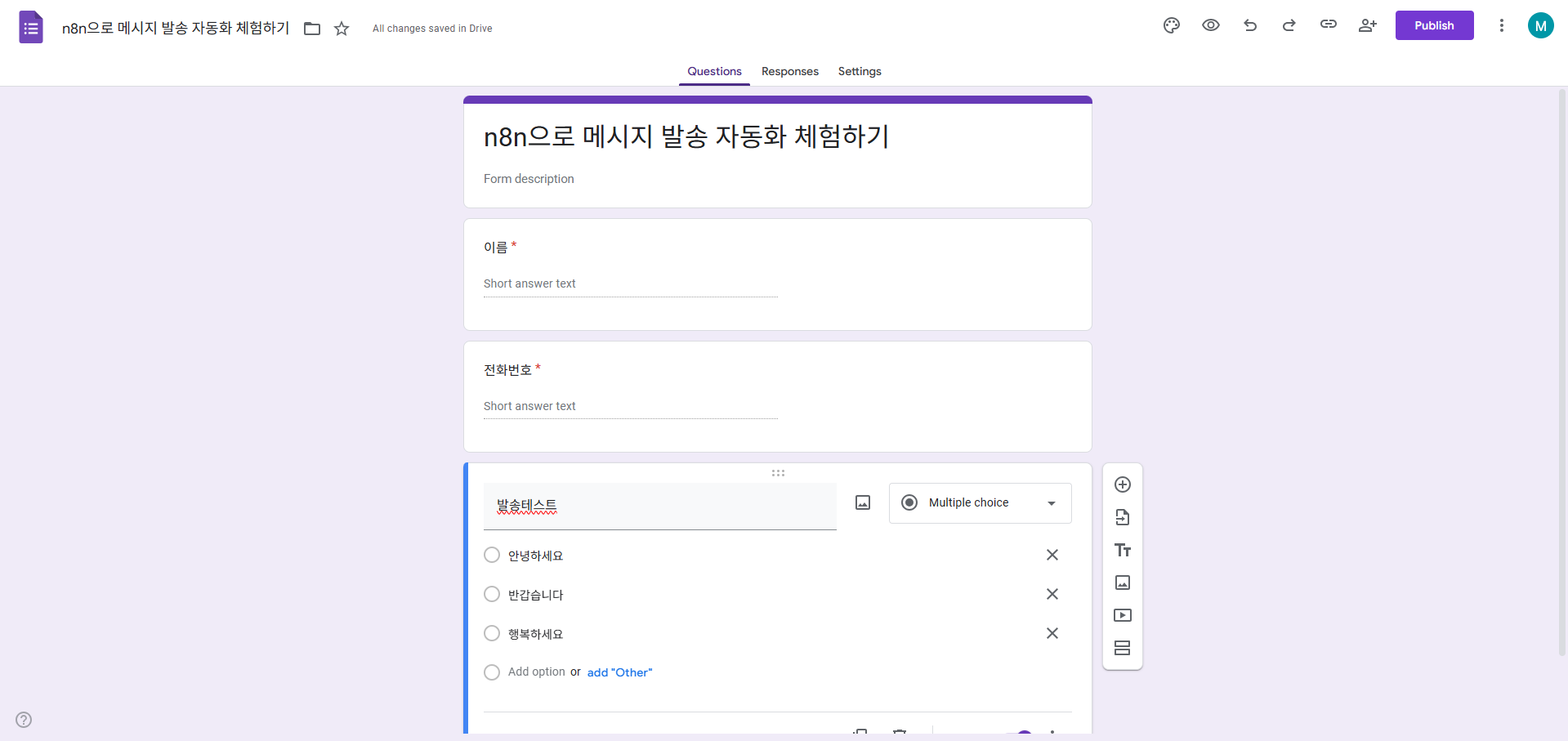
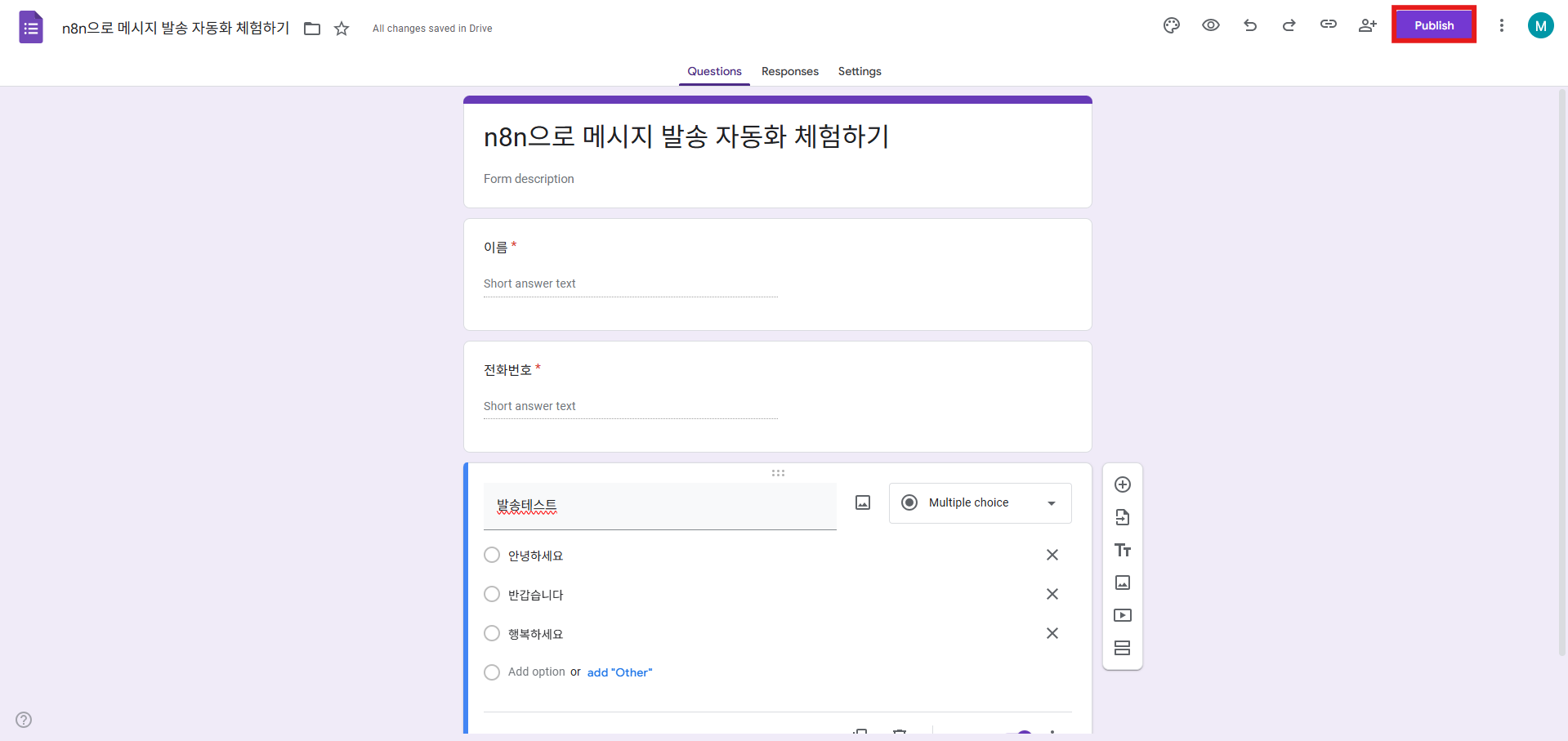
3. 생성한 폼을 게시합니다.
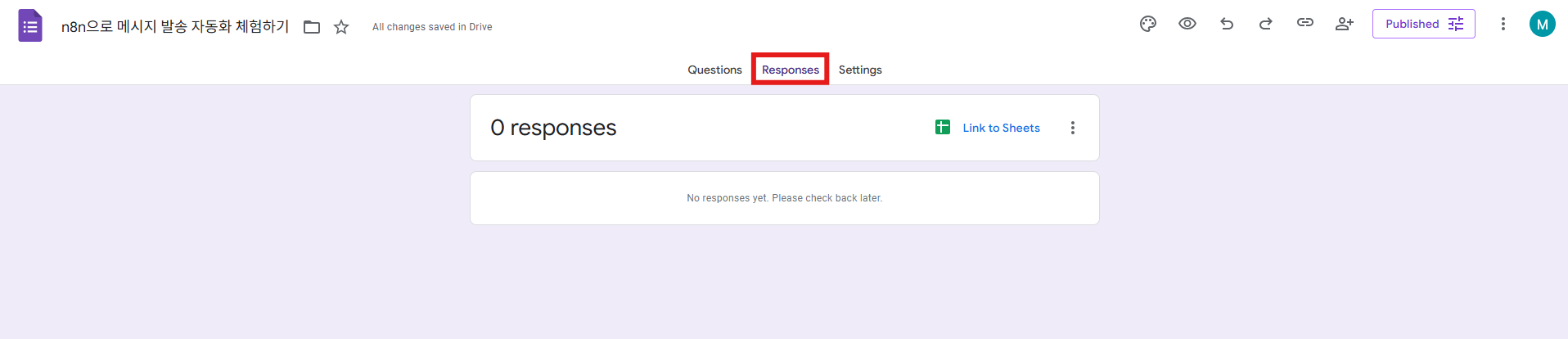
4. 응답 탭으로 이동합니다.
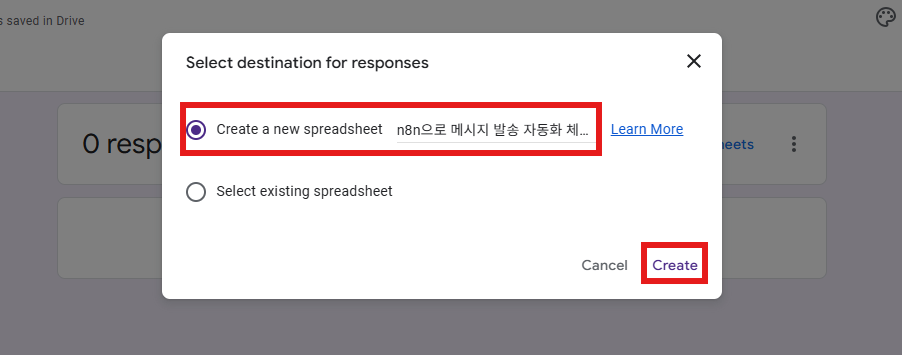
5. **Link to Sheets**를 선택합니다.
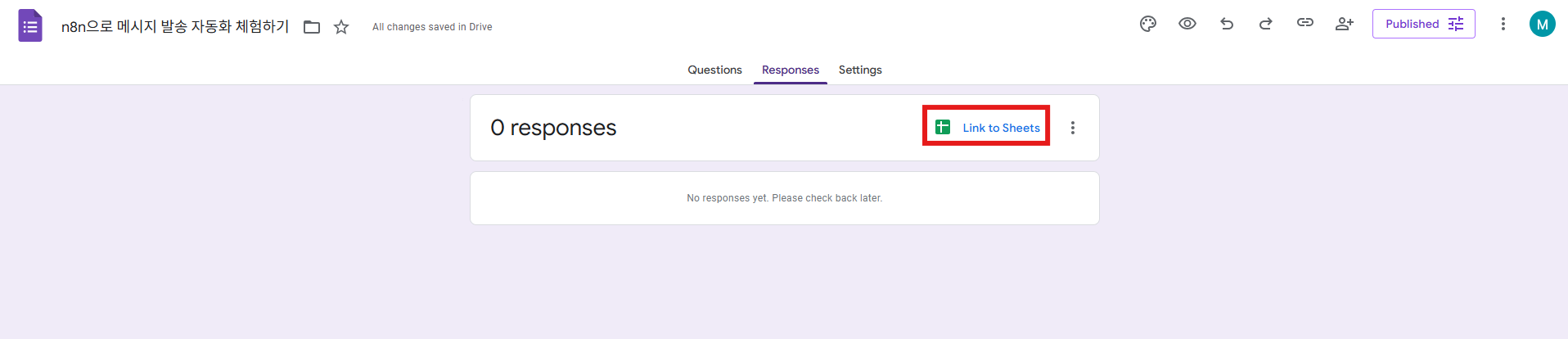
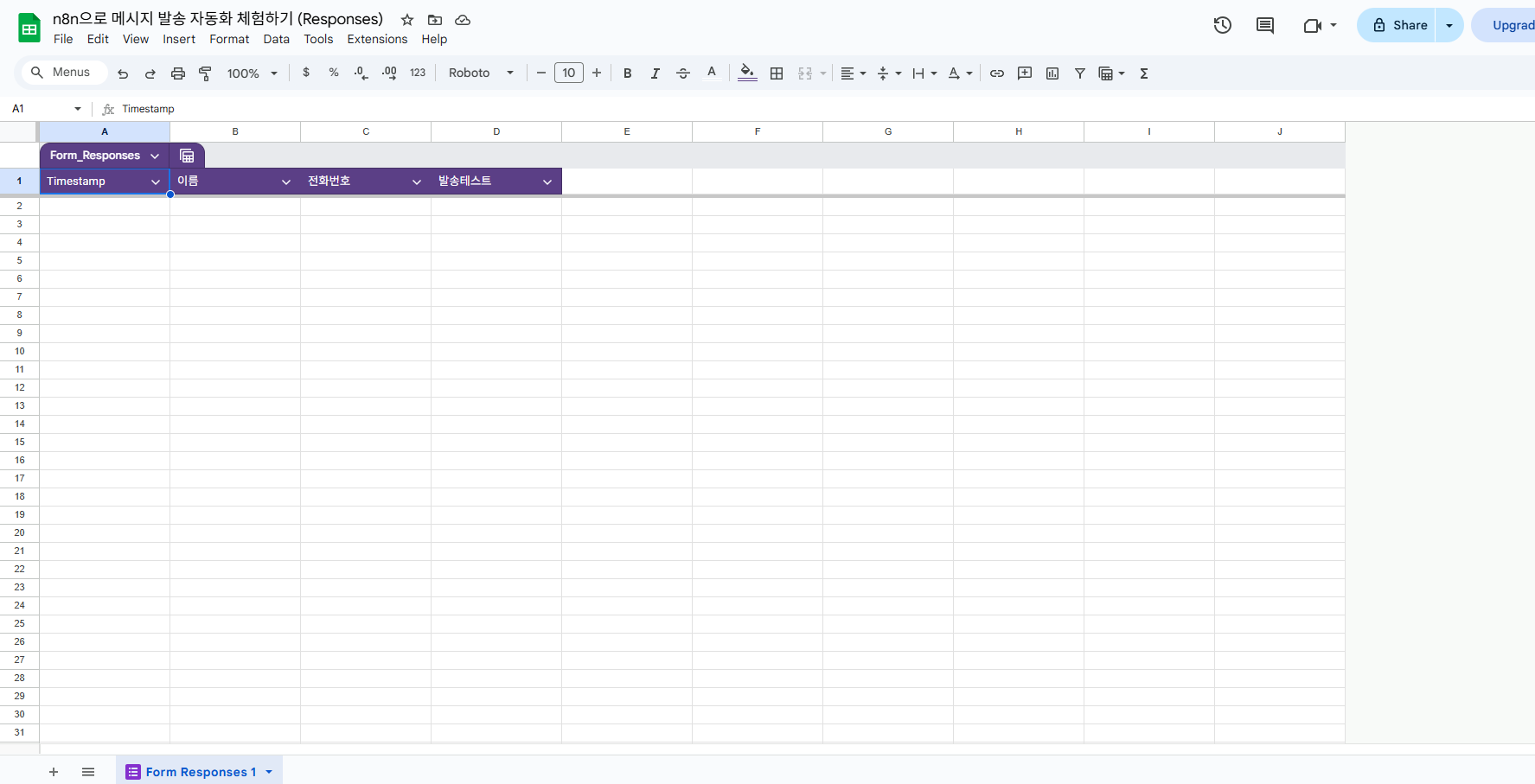
6. 응답 데이터가 Google Sheets에 자동으로 기록되는 것을 확인합니다. 이후 이 시트에 행이 추가될 때 n8n이 이를 감지합니다.
---
### 2단계: Google Sheets 트리거 연결
n8n 워크플로에서 Google Sheets를 트리거로 설정하고 Google 계정을 연동합니다.
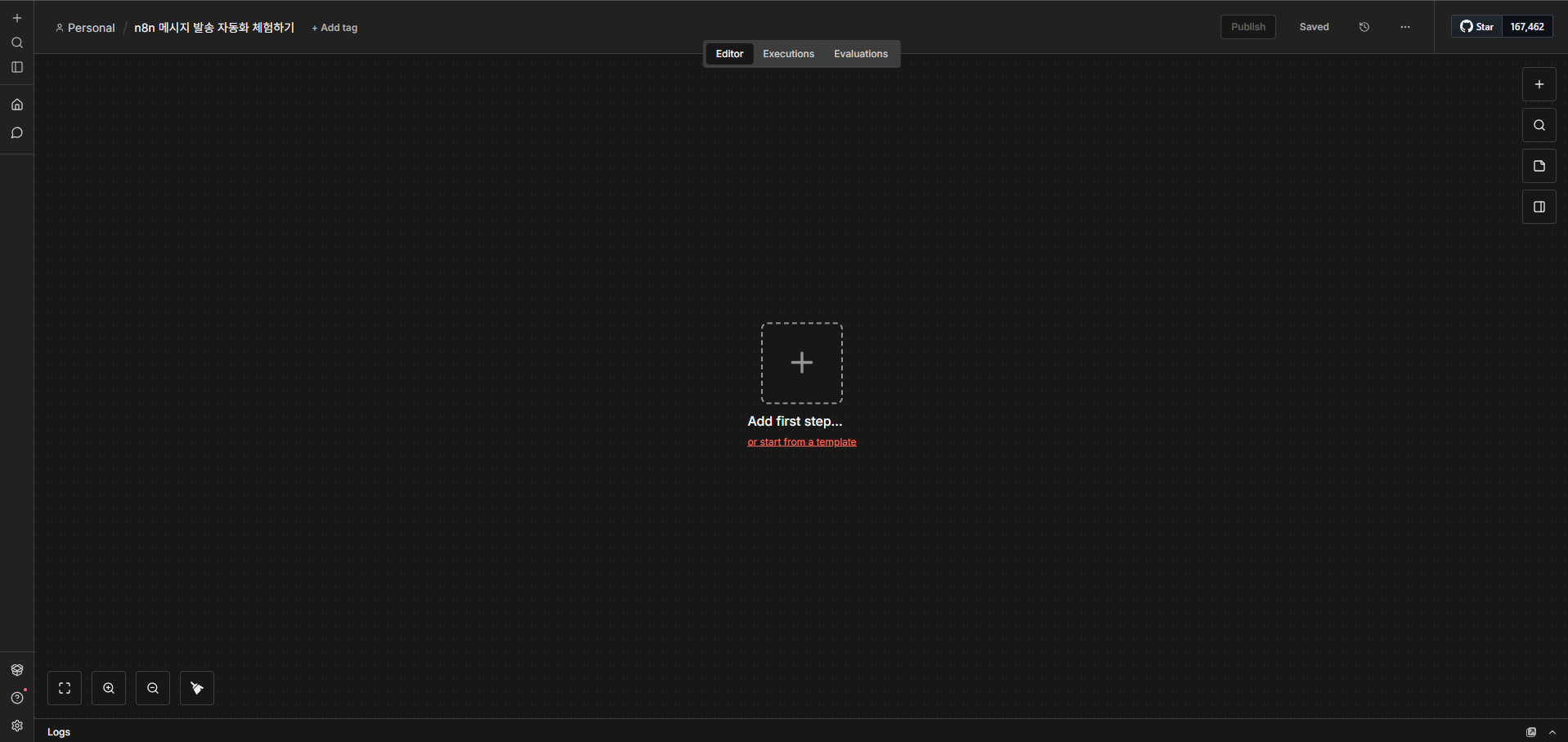
1. n8n에 로그인 후 새 워크플로를 생성합니다.
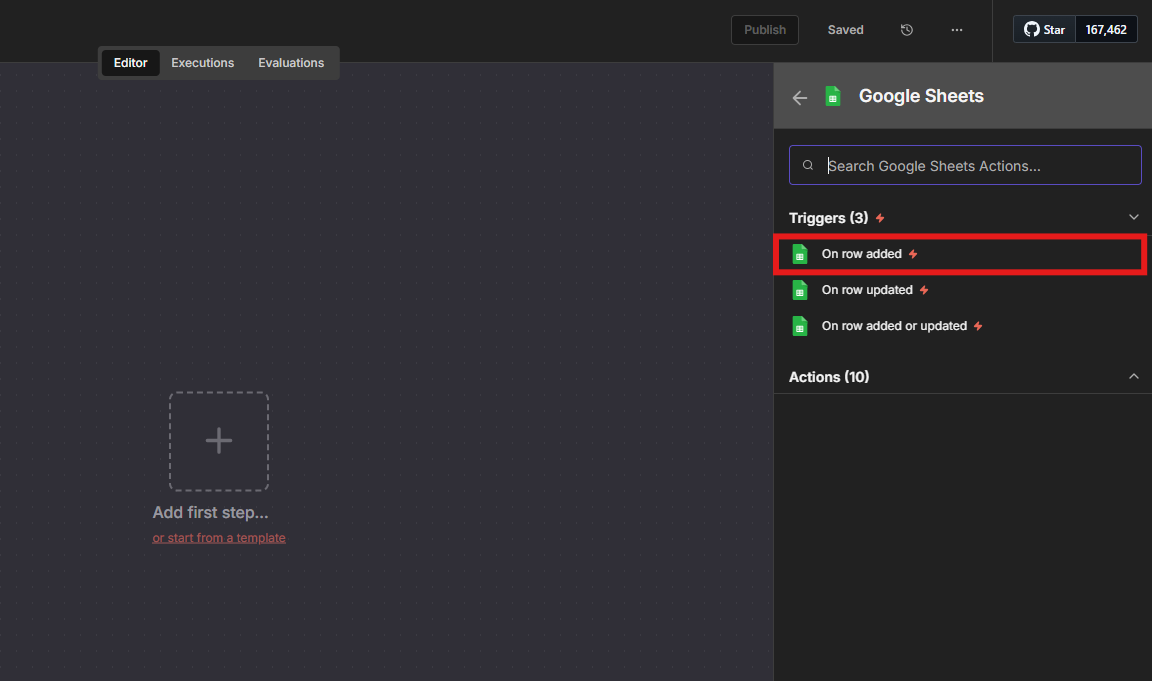
2. **On app event → Google Sheets**를 선택합니다.
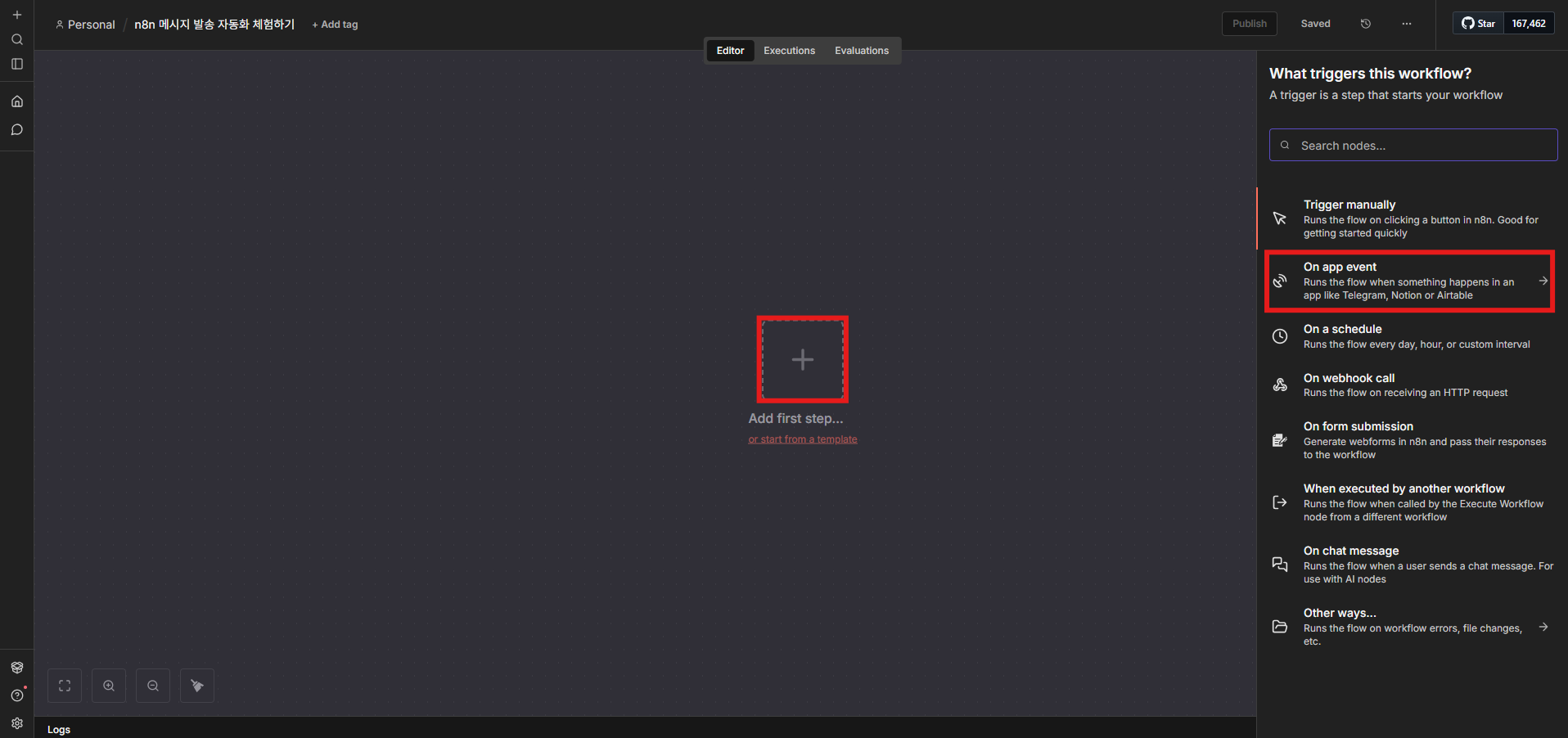
3. Event를 **Row Added**로 설정합니다.
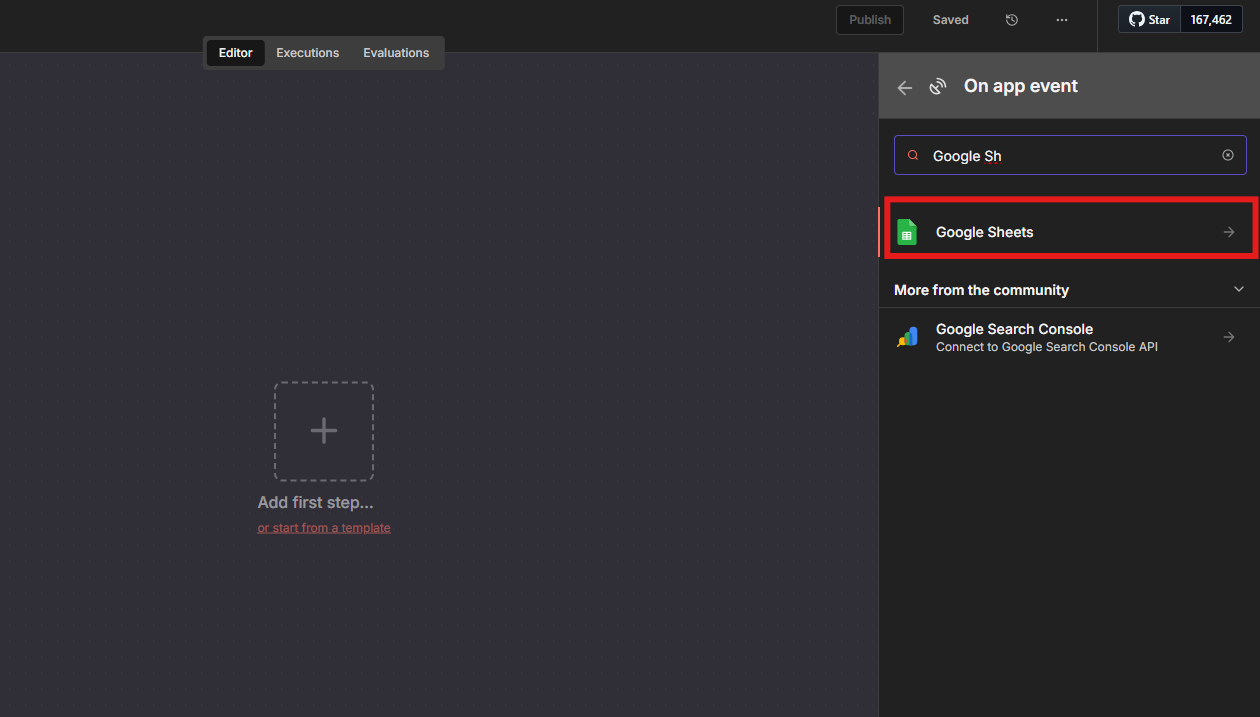
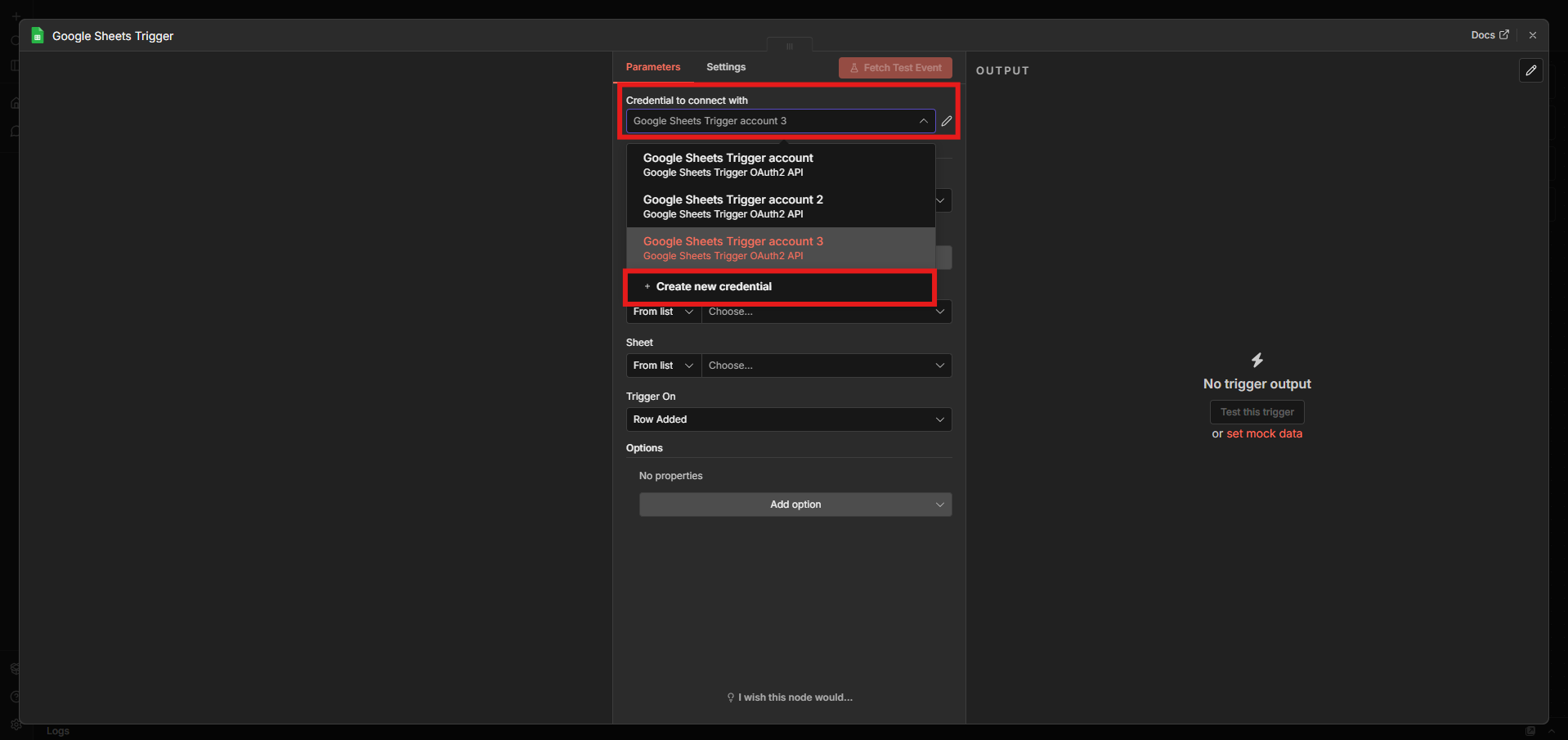
4. Google 자격증명 연동을 시작합니다.
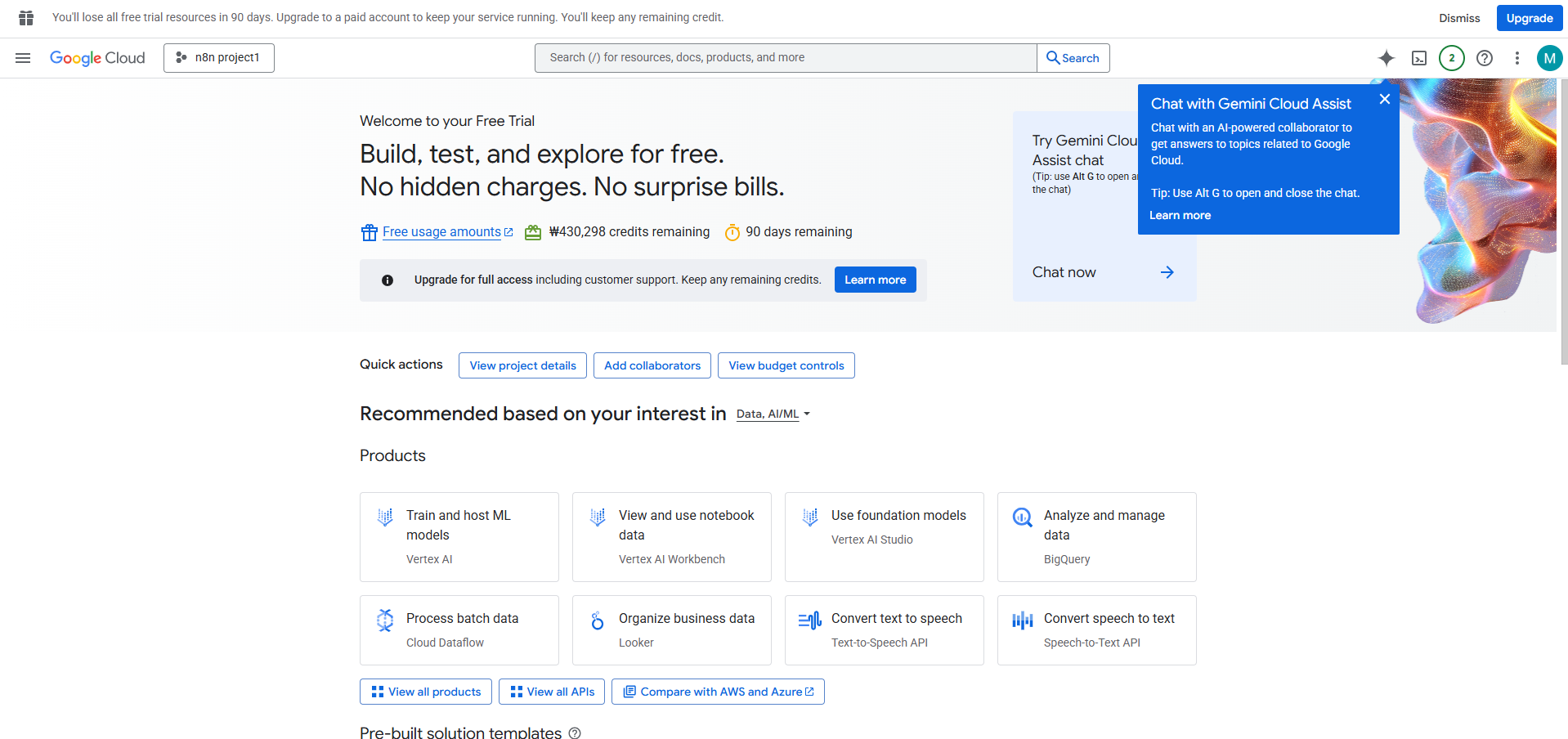
5. Google Cloud Console에 접속합니다.
6. 새 프로젝트를 생성합니다.
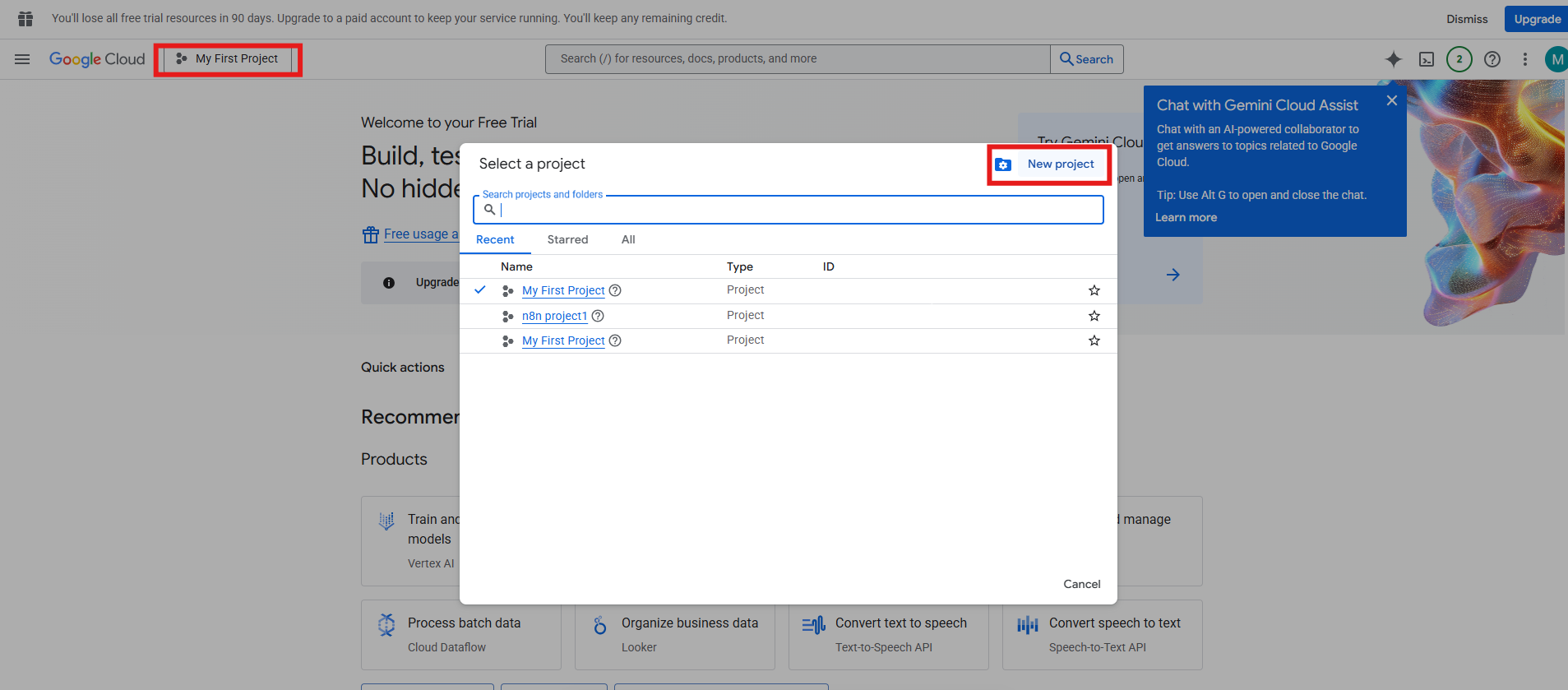
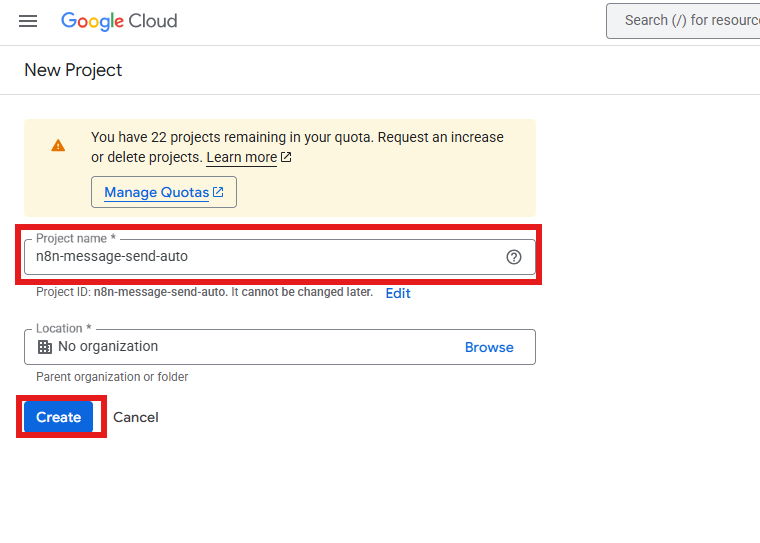
7. 프로젝트 이름을 입력하고 **Create**를 클릭합니다.
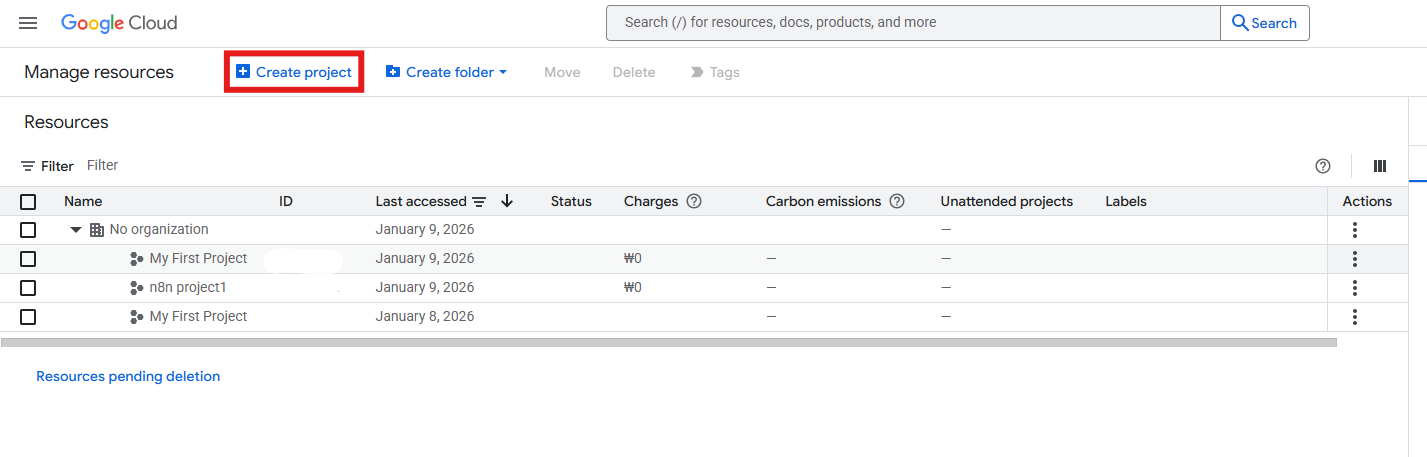
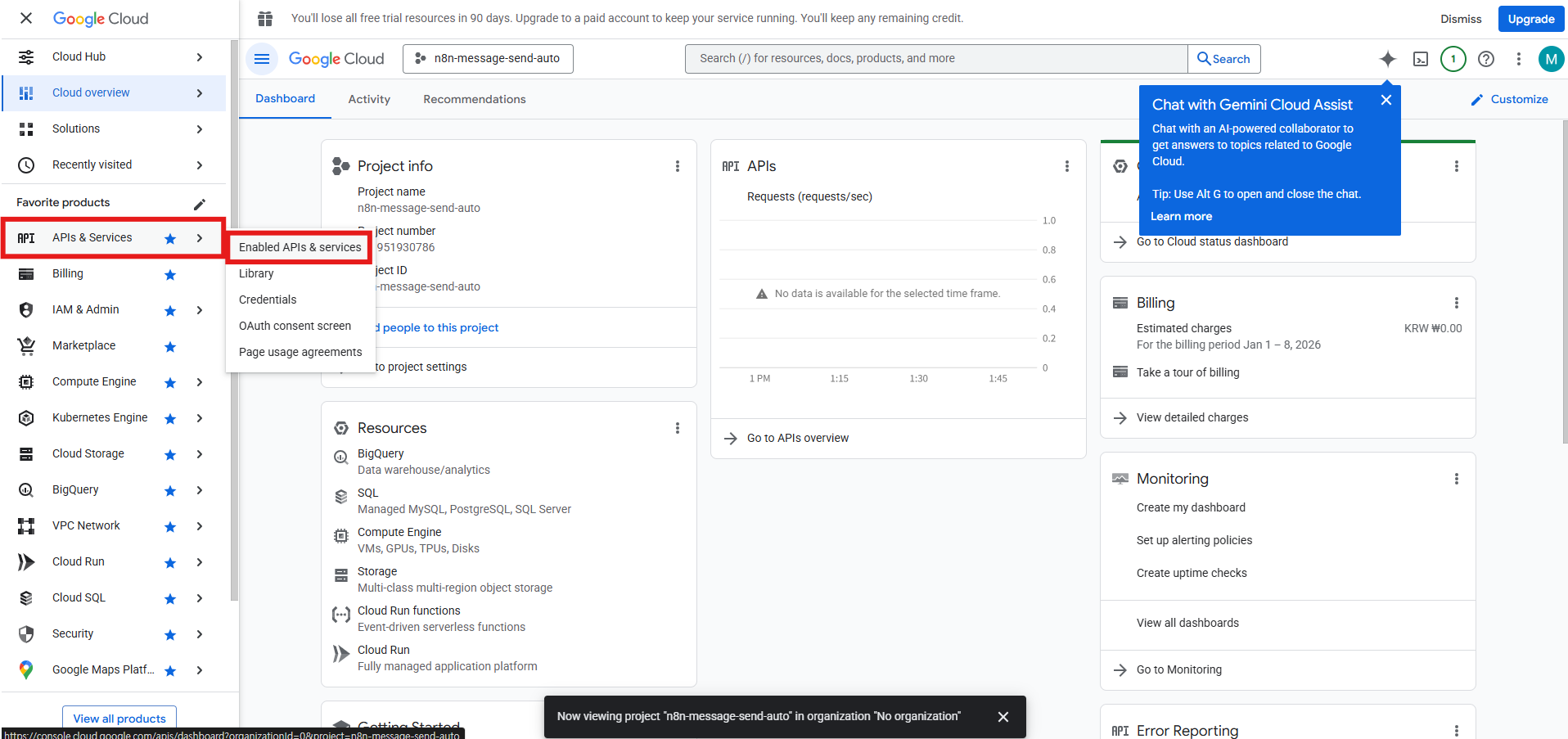
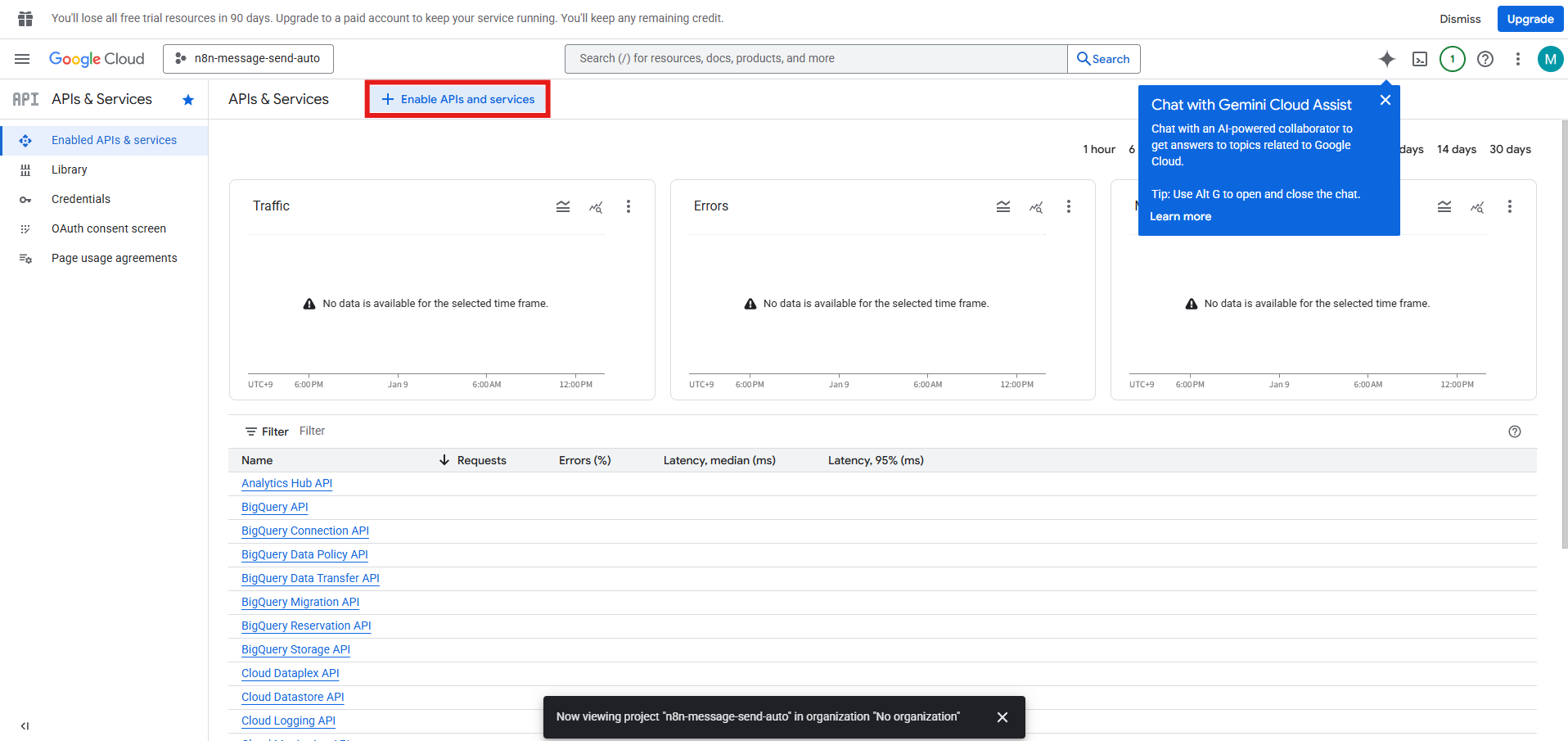
8. **APIs & Services → Enabled APIs & services**를 선택합니다.
9. **Enable APIs and services**를 클릭합니다.
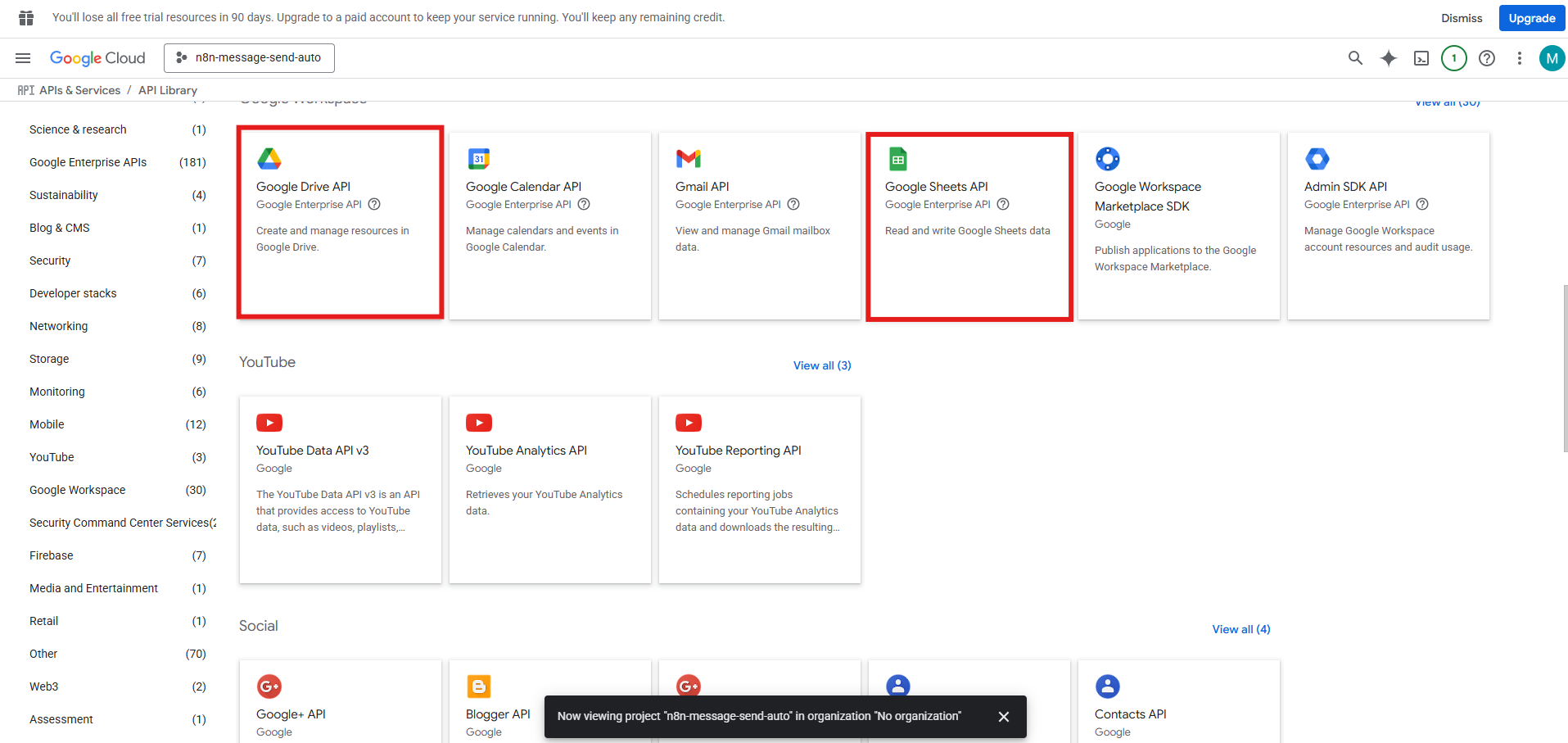
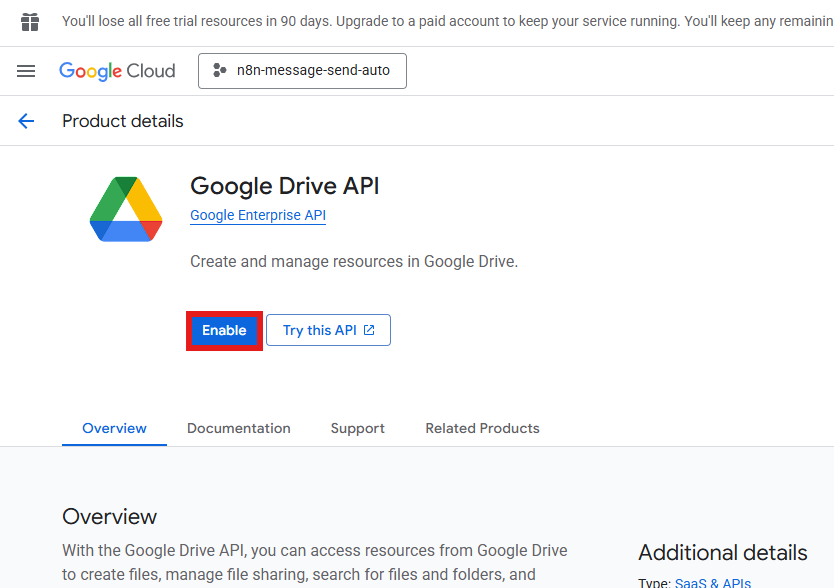
10. **Google Drive API**를 검색해 활성화합니다.
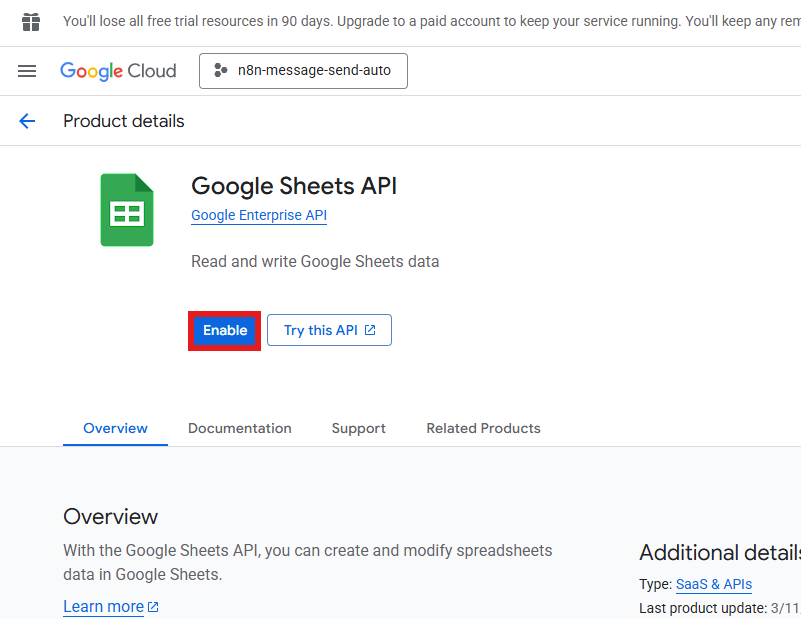
11. **Google Sheets API**를 검색해 활성화합니다.
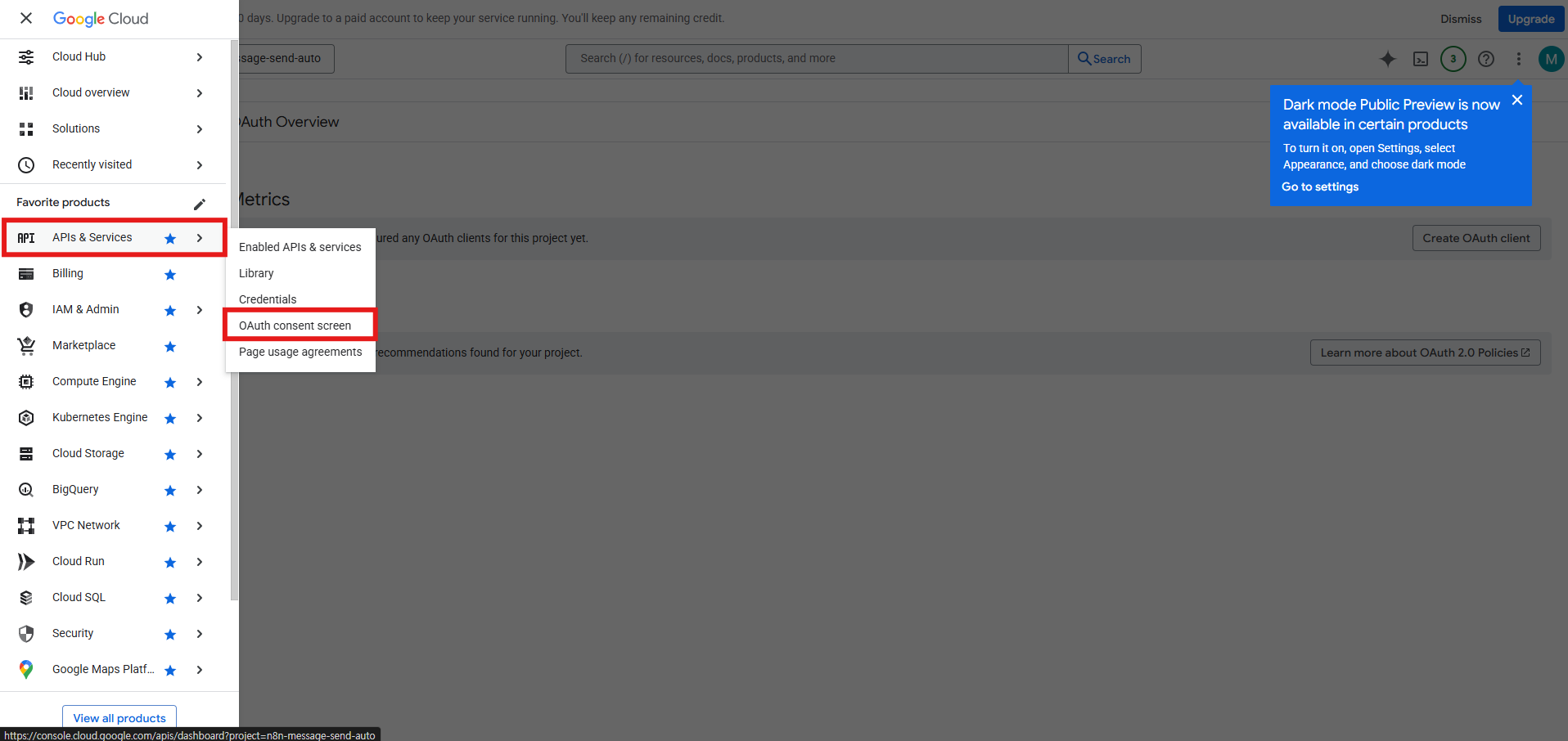
12. **OAuth consent screen**을 선택합니다.
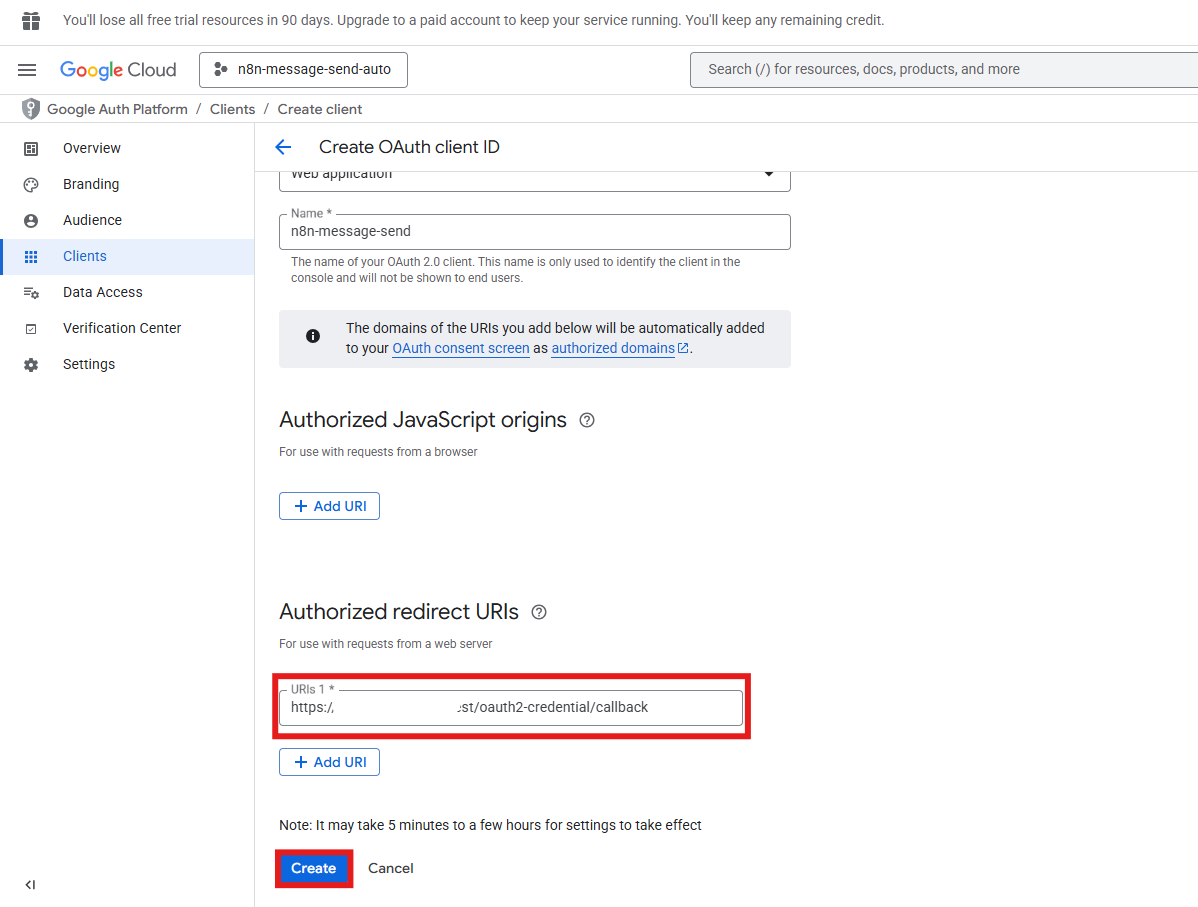
13. **Clients → Create client**를 클릭합니다.
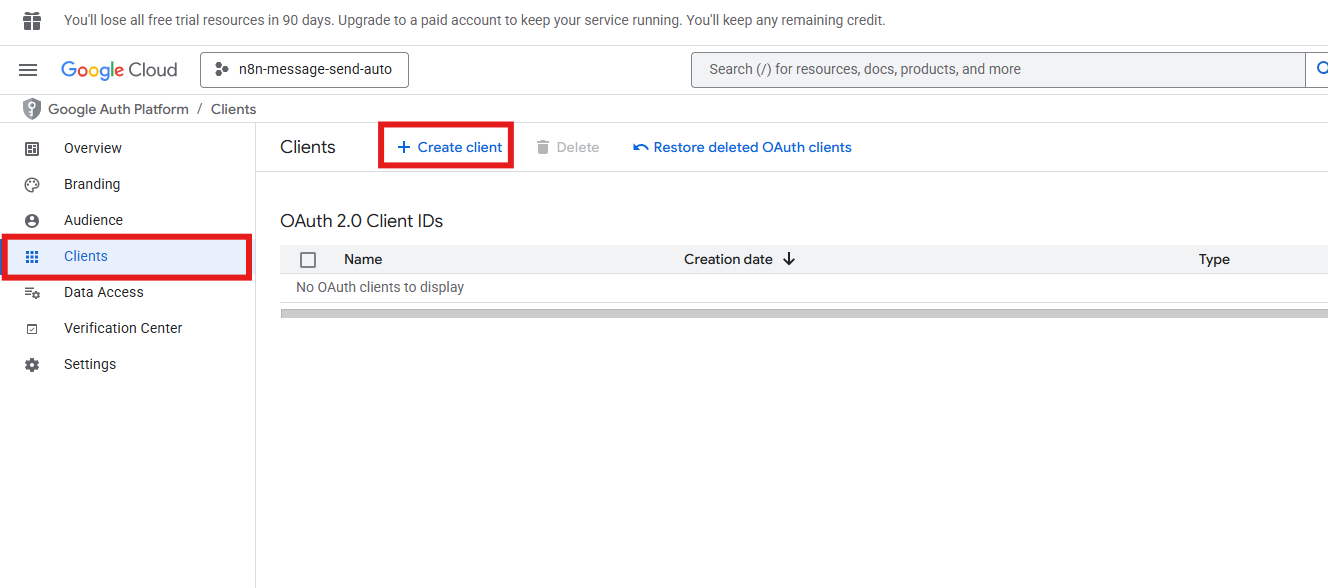
14. Application type을 **Web application**으로 선택하고 이름을 입력합니다.
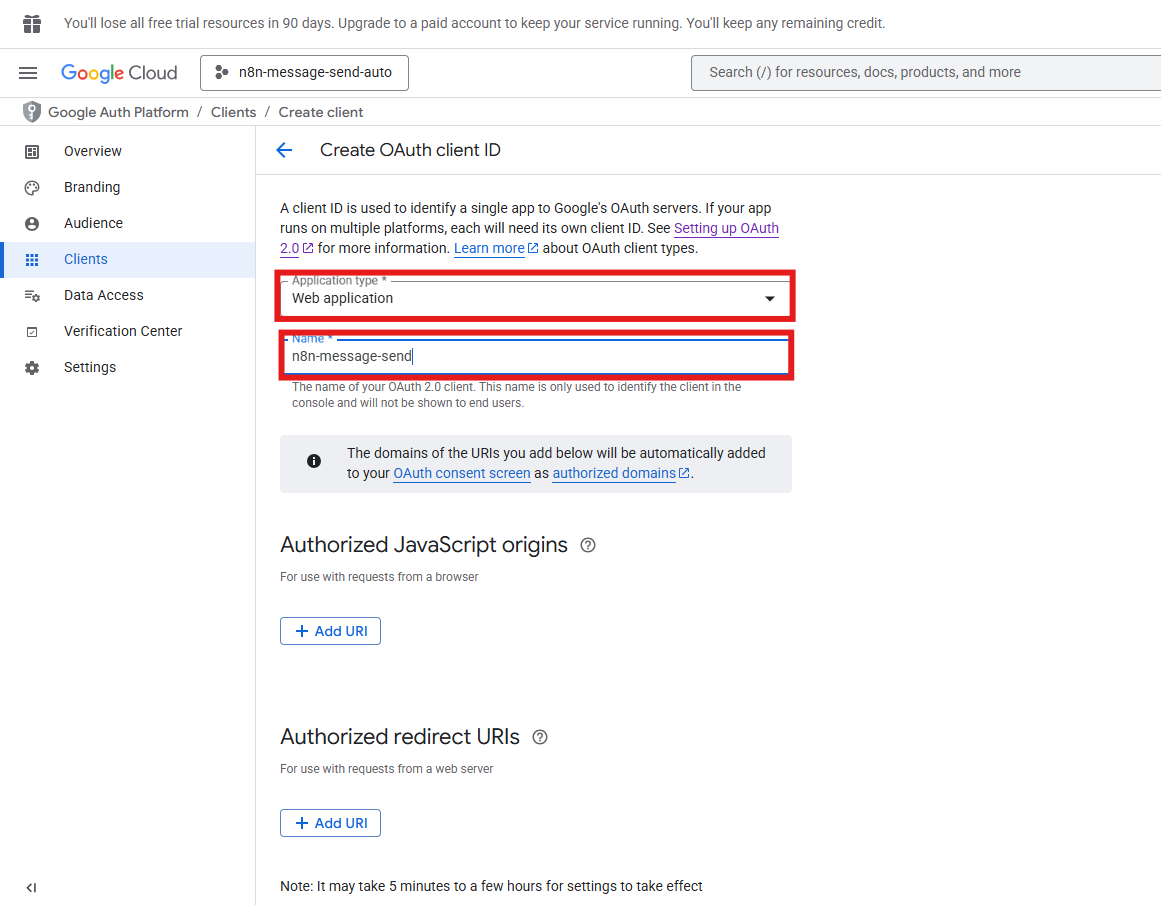
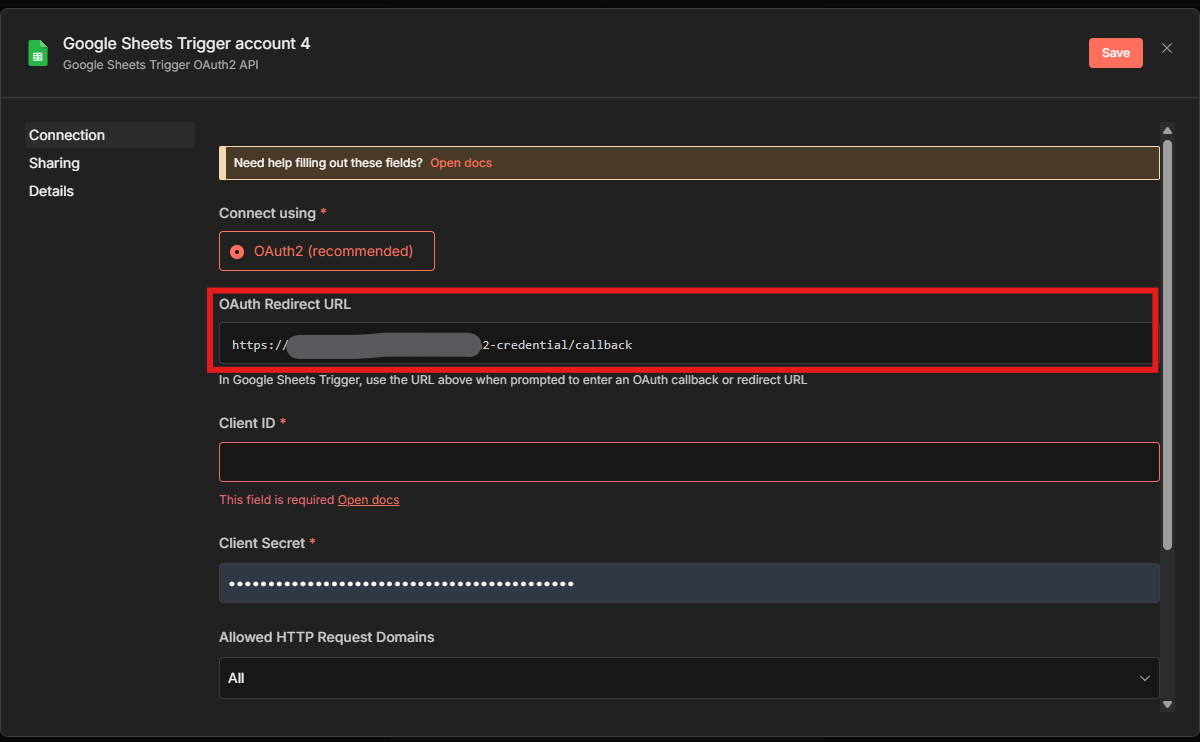
15. **Authorized redirect URIs → Add URL**을 클릭합니다.
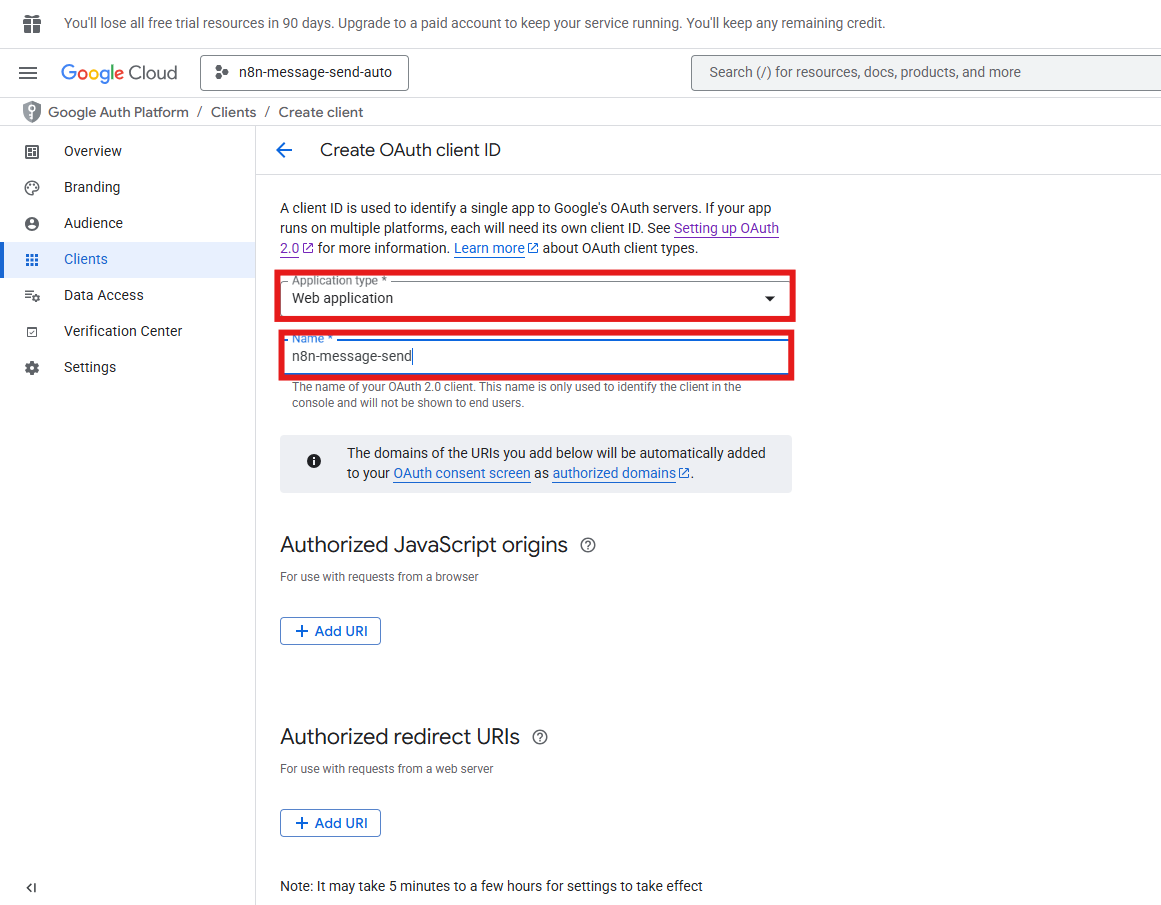
16. n8n의 OAuth Redirect URL을 복사해 붙여넣습니다.
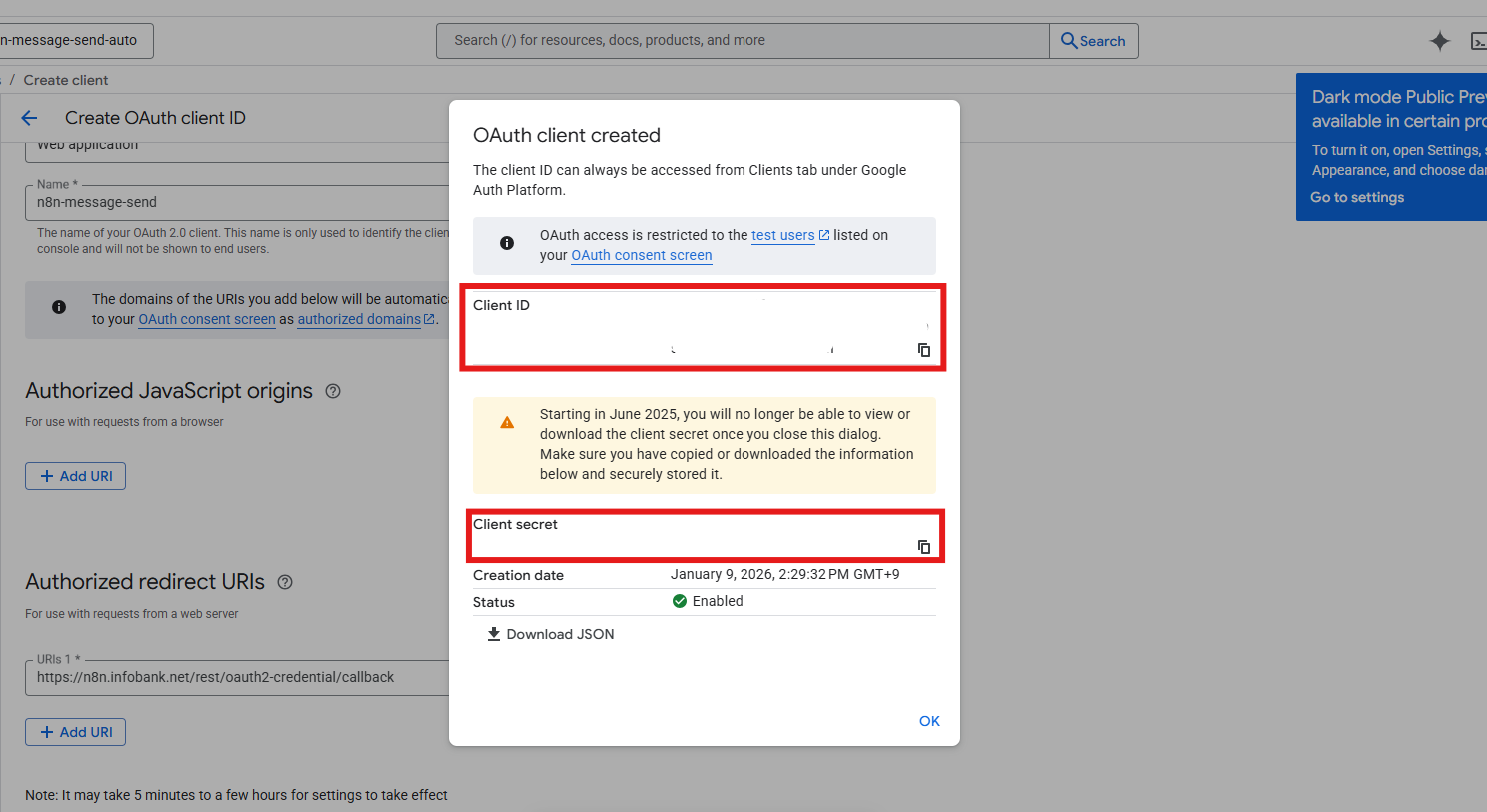
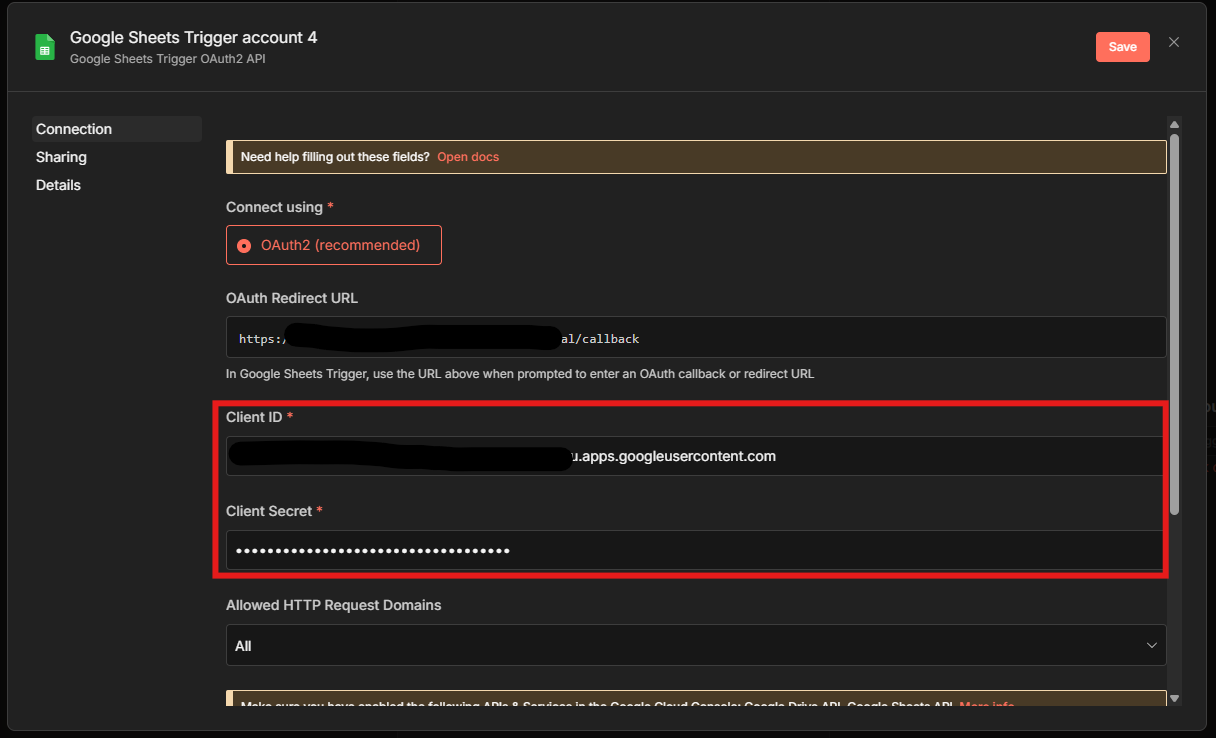
17. 생성된 Client ID와 Client secret을 확인합니다.
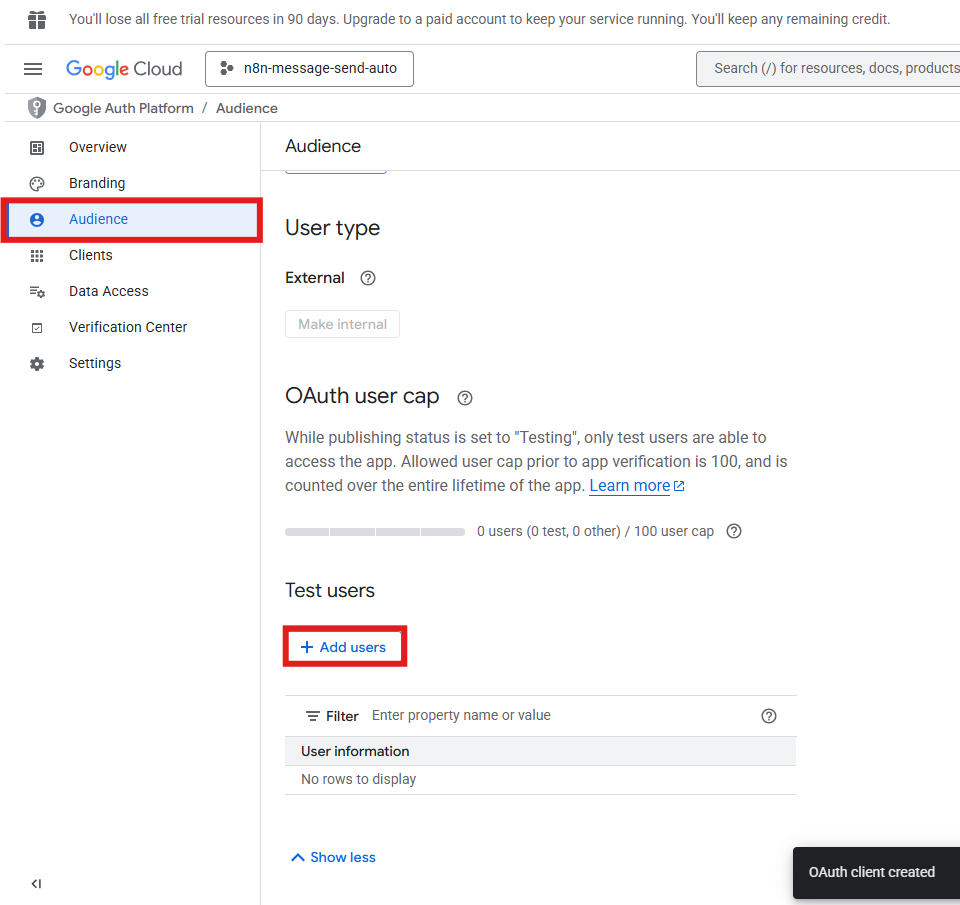
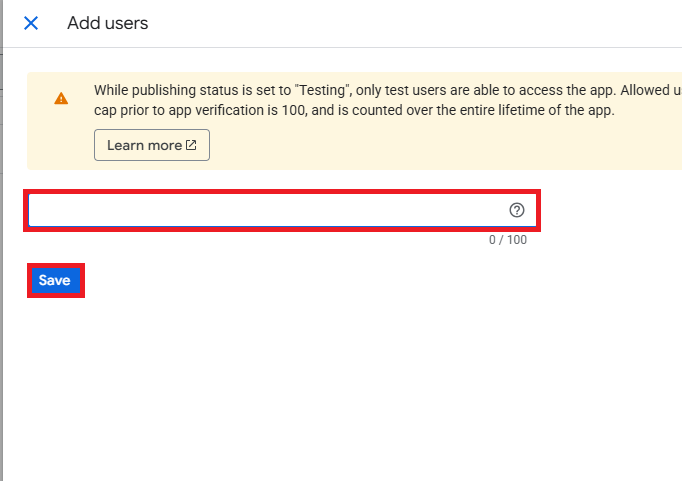
18. **Audience → Test Users → Add users**를 클릭합니다.
19. 사용할 Google 계정을 입력하고 **Save**를 클릭합니다.
20. n8n의 자격증명 입력 필드에 Client ID와 Client secret을 입력합니다.
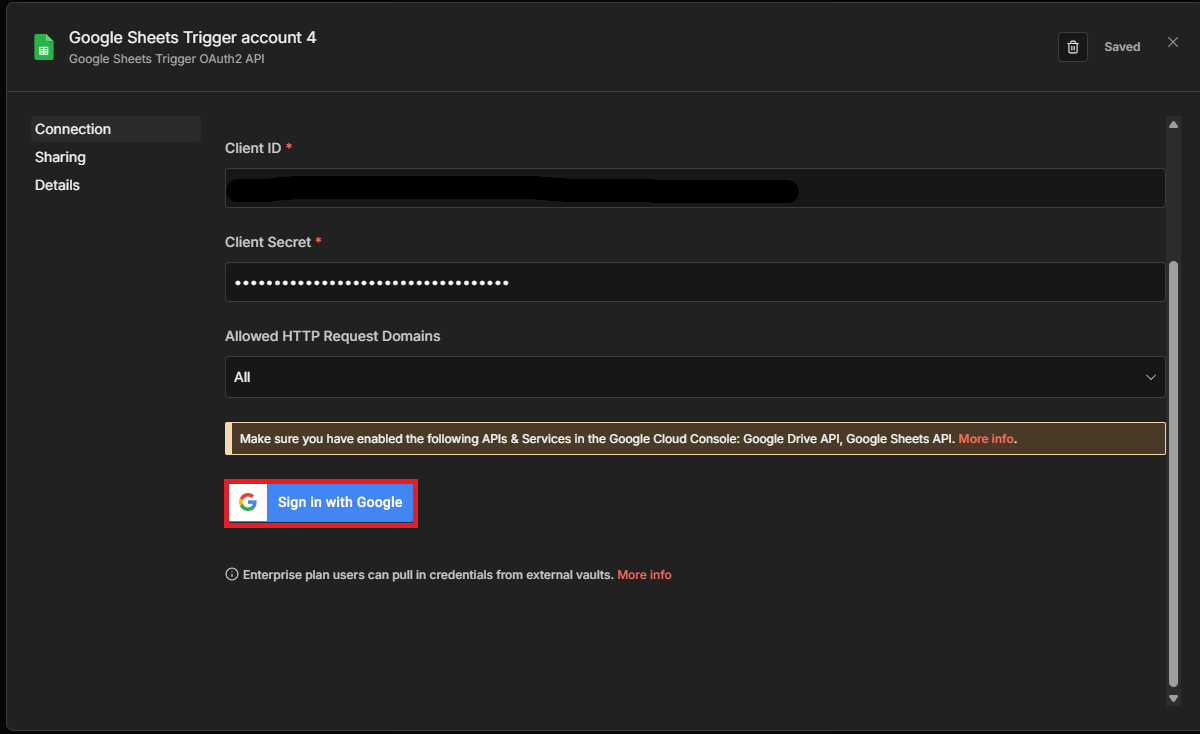
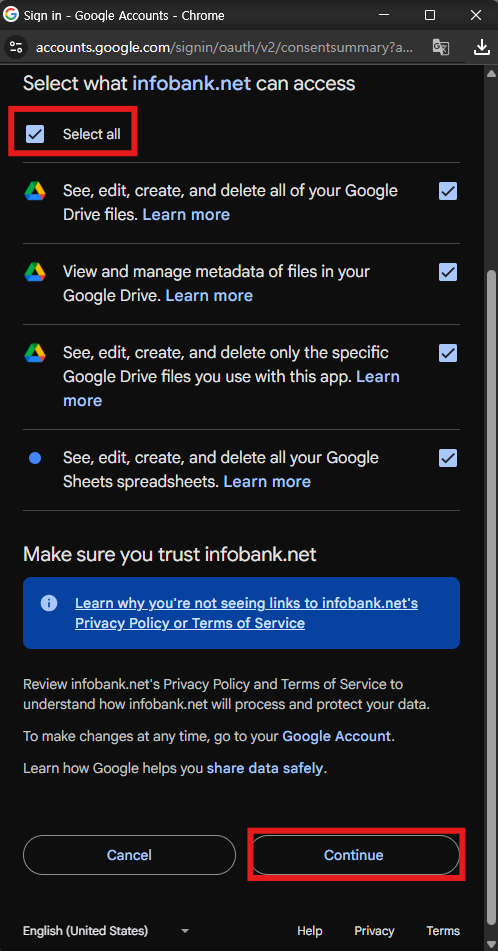
21. **Sign in with Google**을 선택합니다.
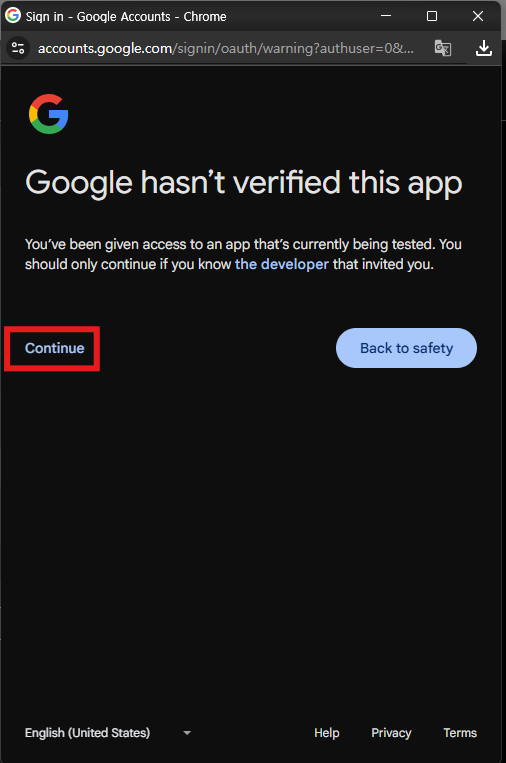
22. 로그인 팝업에서 **Continue**를 클릭합니다.
23. 권한 요청을 확인하고 **Continue**를 클릭합니다.
24. Google 계정 연결 성공을 확인합니다.
---
### 3단계: Google Sheets 연동 설정
트리거가 동작할 스프레드시트와 폴링 주기를 설정하고 테스트 데이터를 가져옵니다.
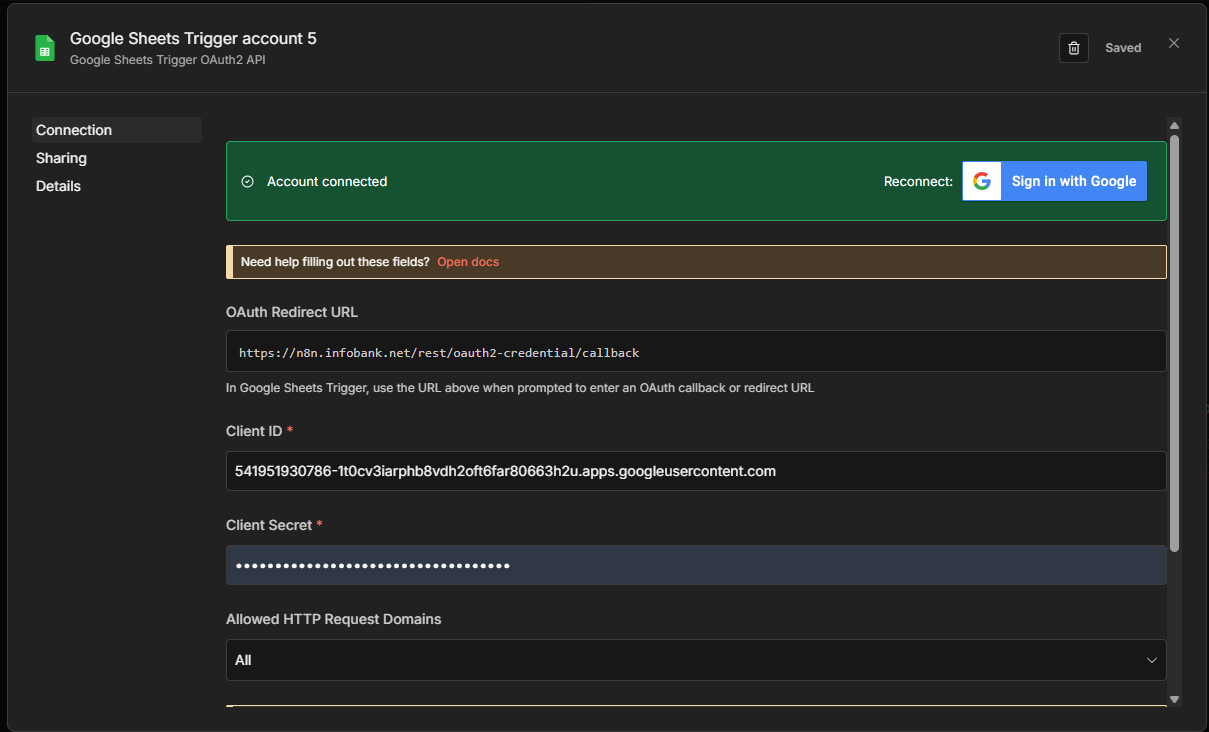
1. Google Sheets에 발송 결과를 저장할 컬럼을 추가합니다.
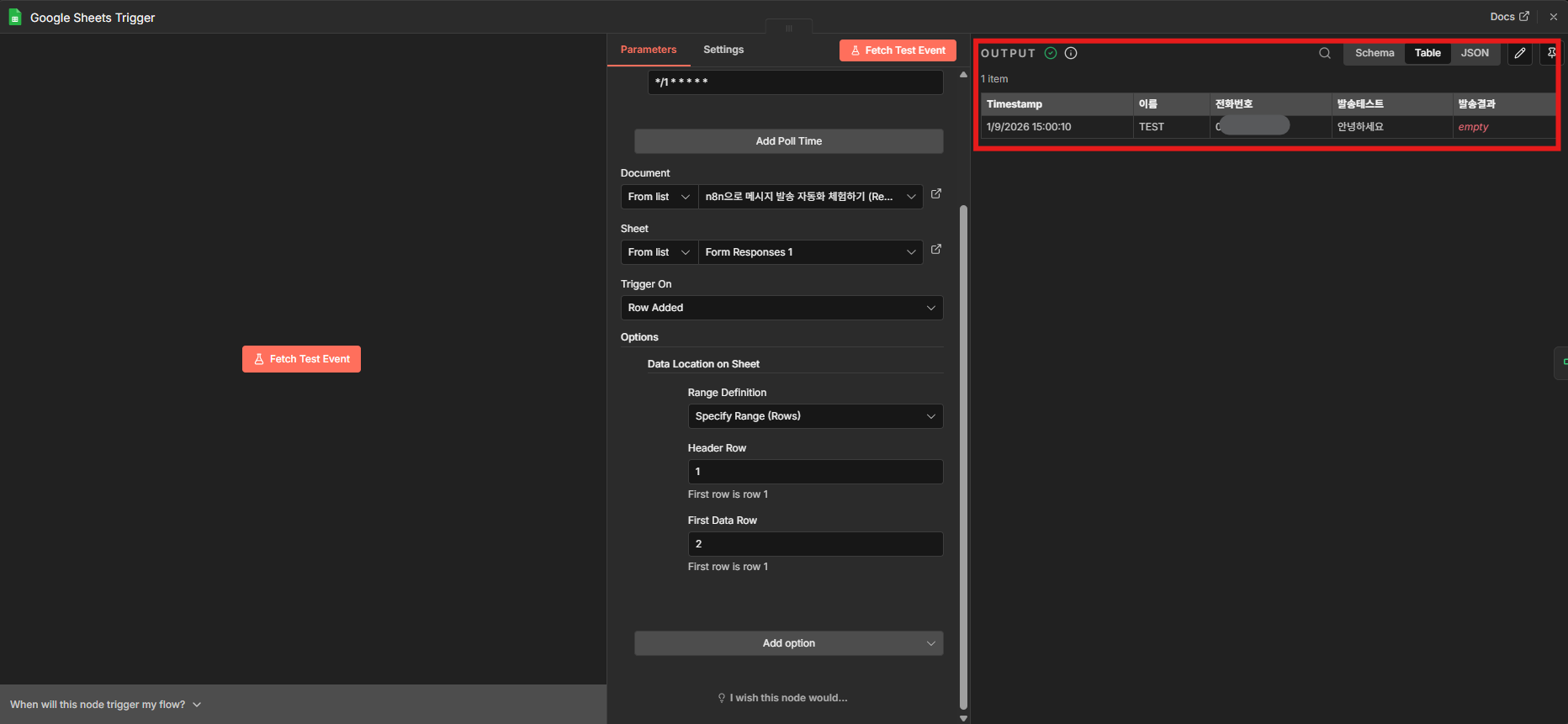
2. Poll Times를 **Custom**으로 설정하고 아래 값을 입력합니다.
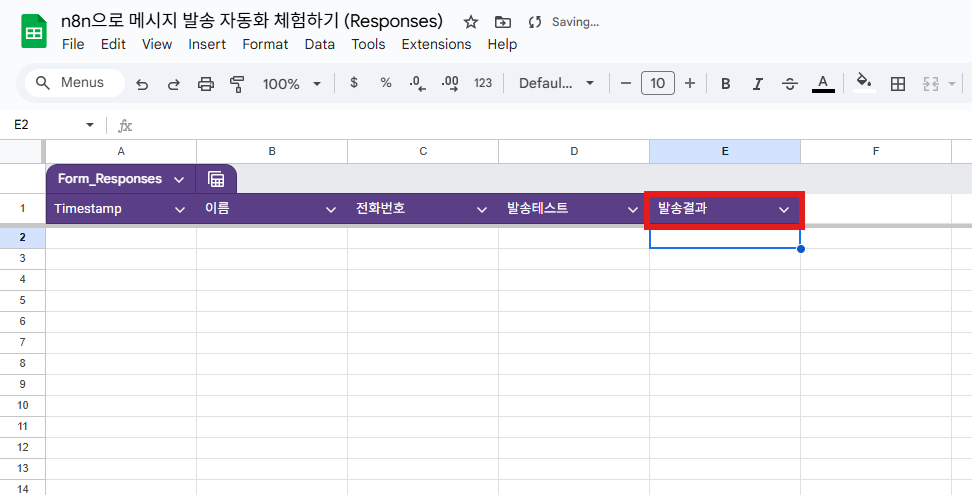
```
*/1 * * * * *
```
3. Document, Sheet를 선택하고 Trigger On을 **Row Added**로 설정합니다.
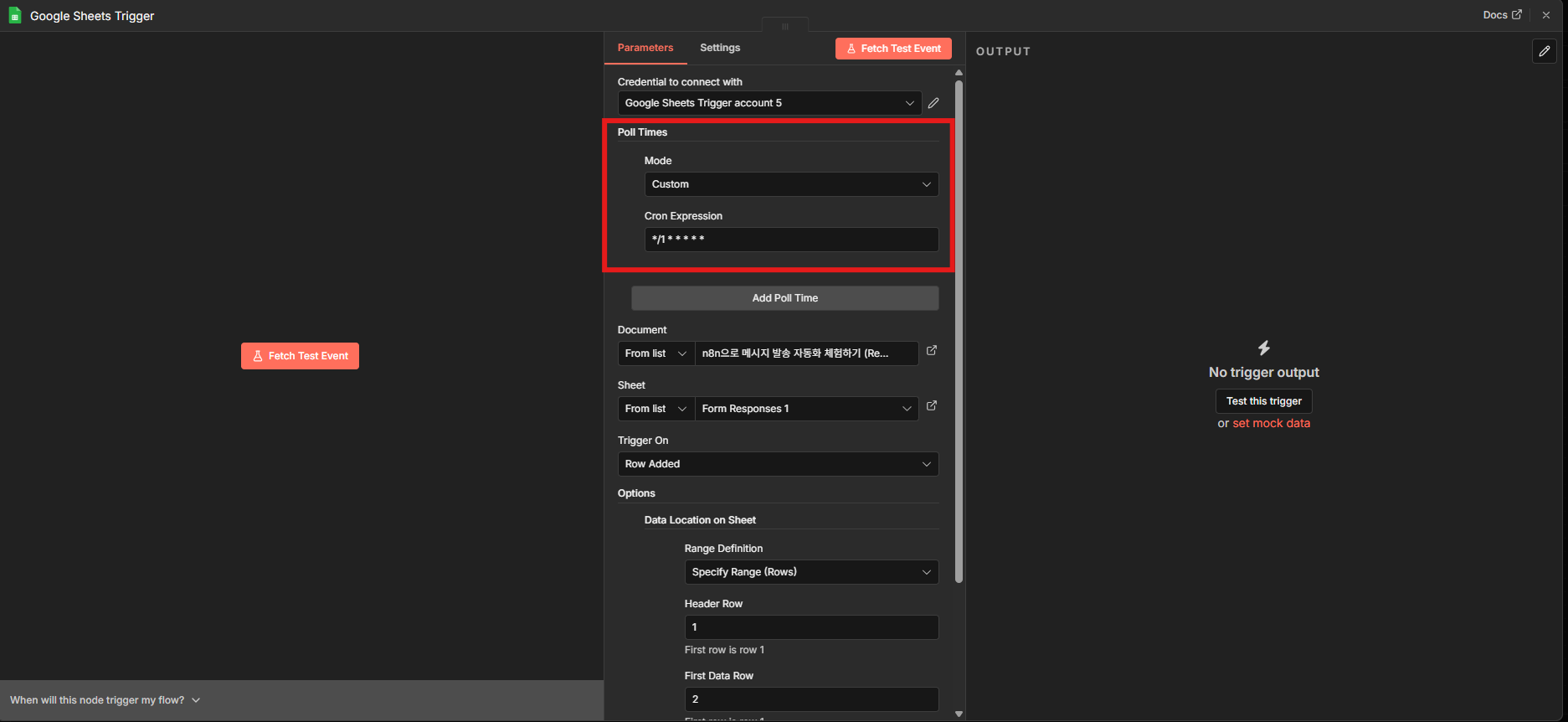
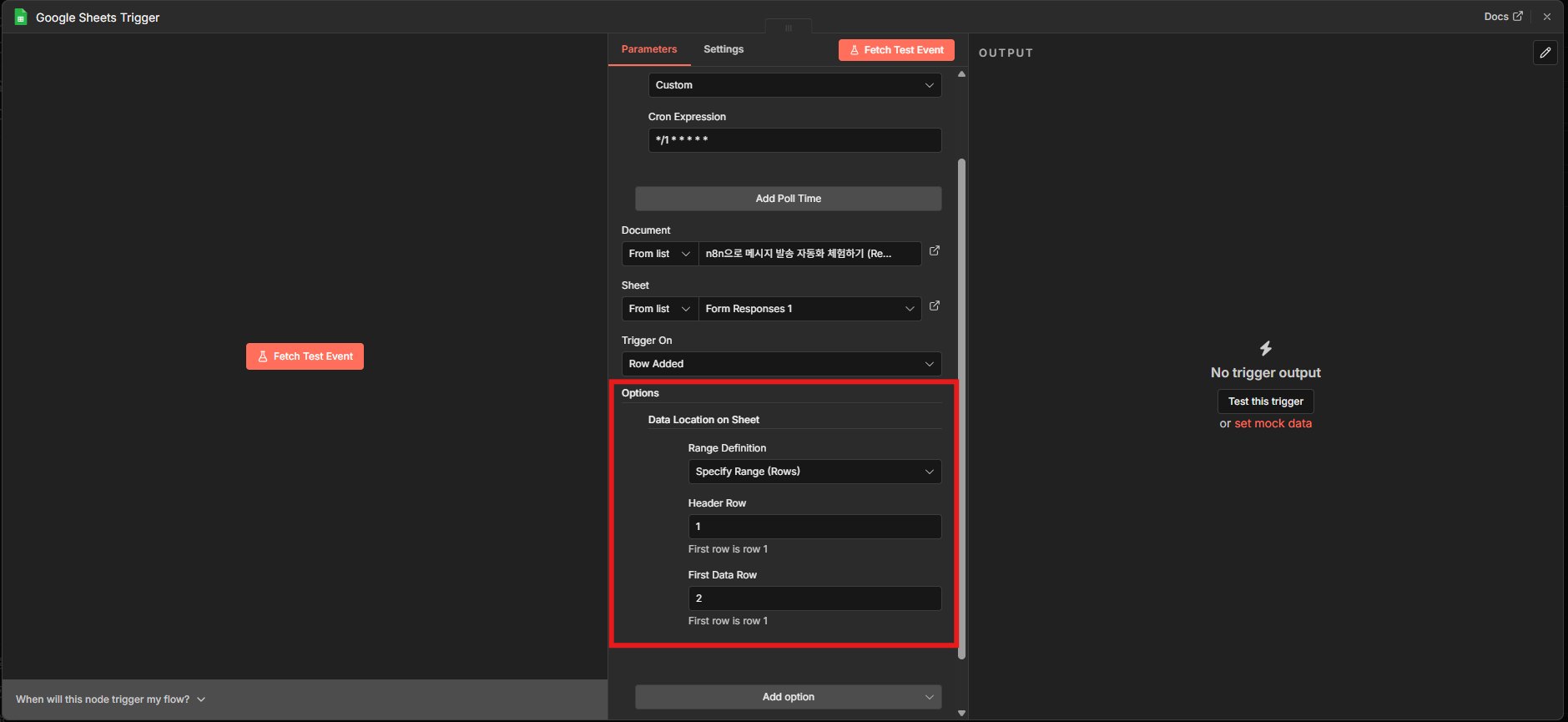
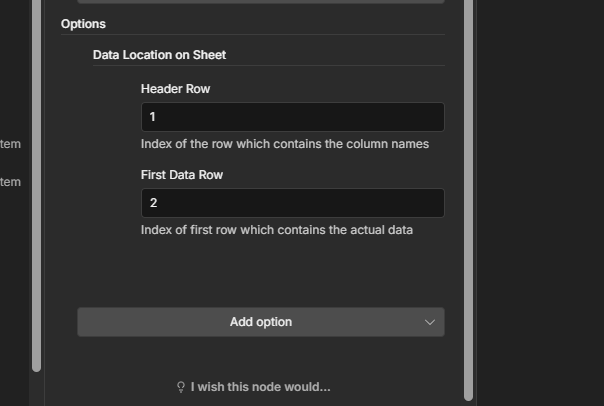
4. **Add option → Data Location on Sheet**를 선택하고 아래와 같이 설정합니다.
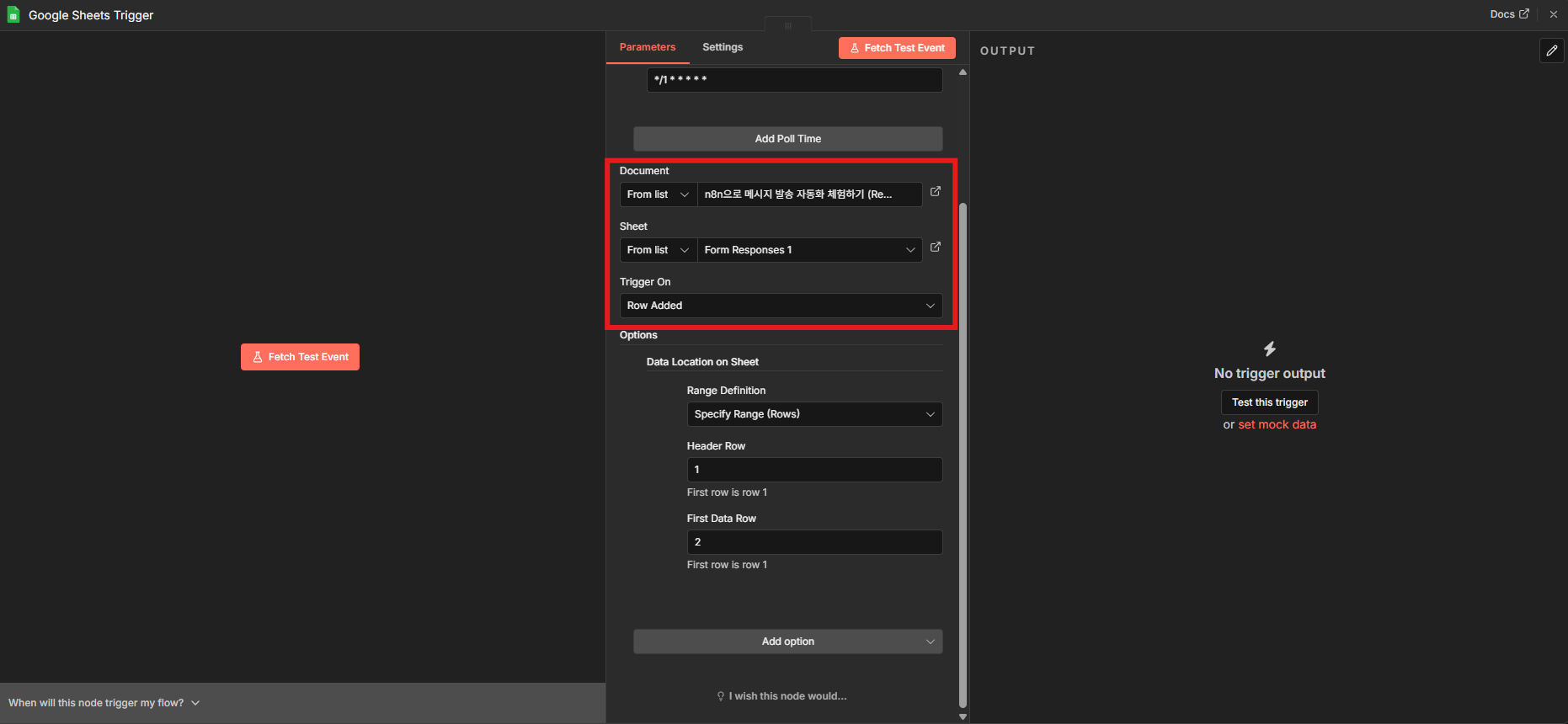
| 항목 | 값 |
|------|----|
| Range Definition | Specify Range (Rows) |
| Header Row | 1 |
| First Data Row | 2 |
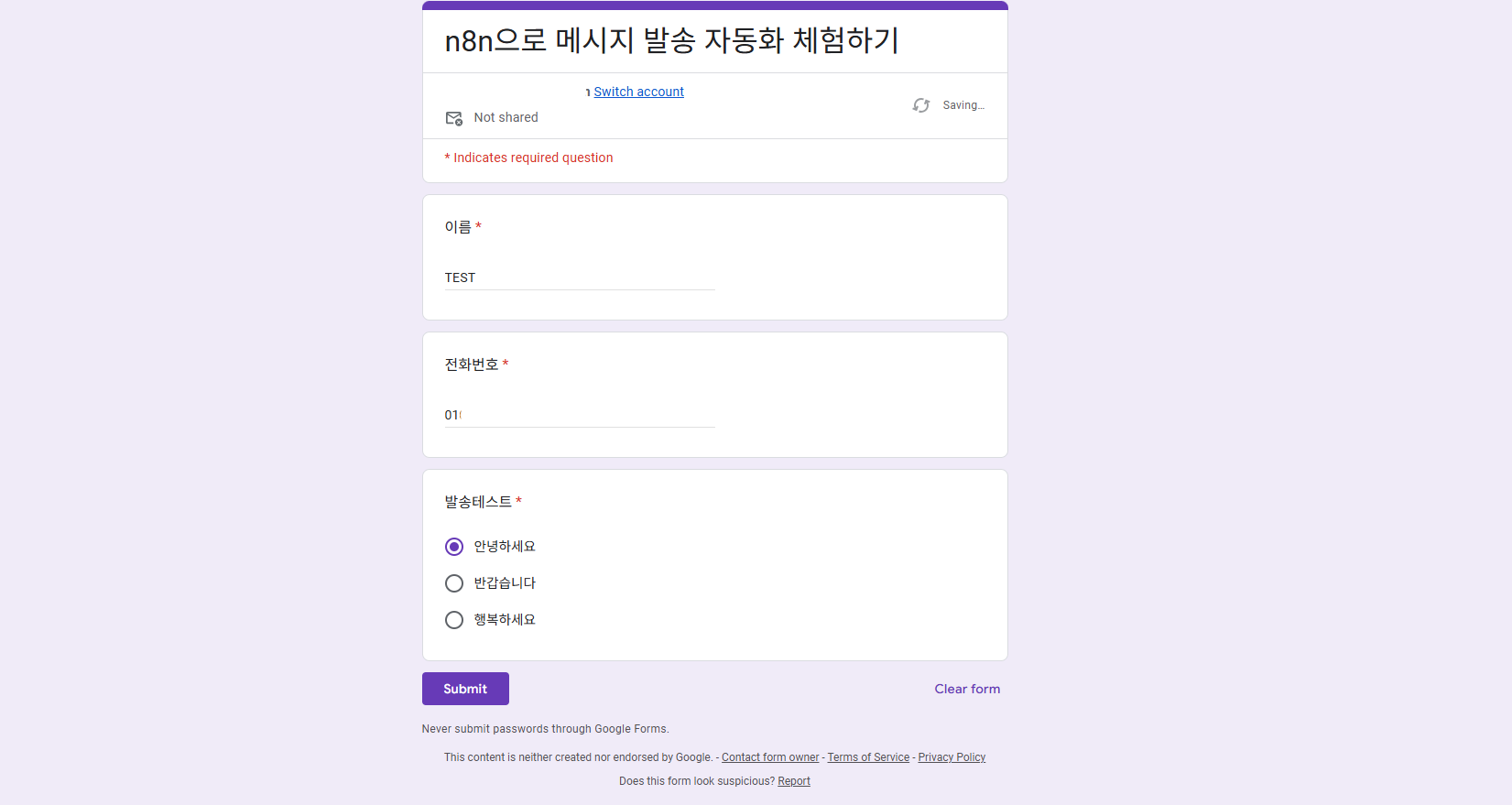
5. Google Form에 테스트 데이터를 입력하고 제출합니다.
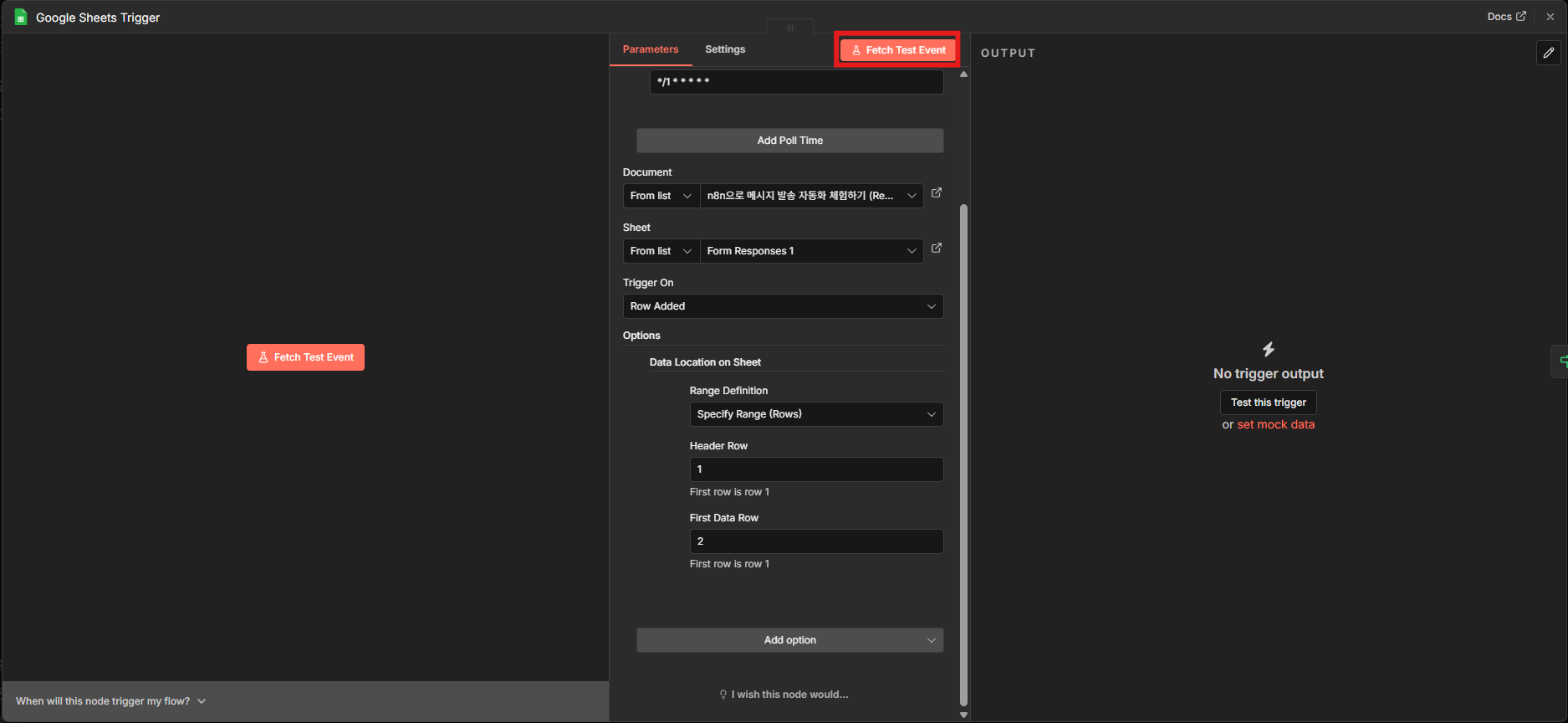
6. **Fetch Test Event**를 클릭합니다.
7. OUTPUT에서 Google Sheets 데이터를 확인합니다.
---
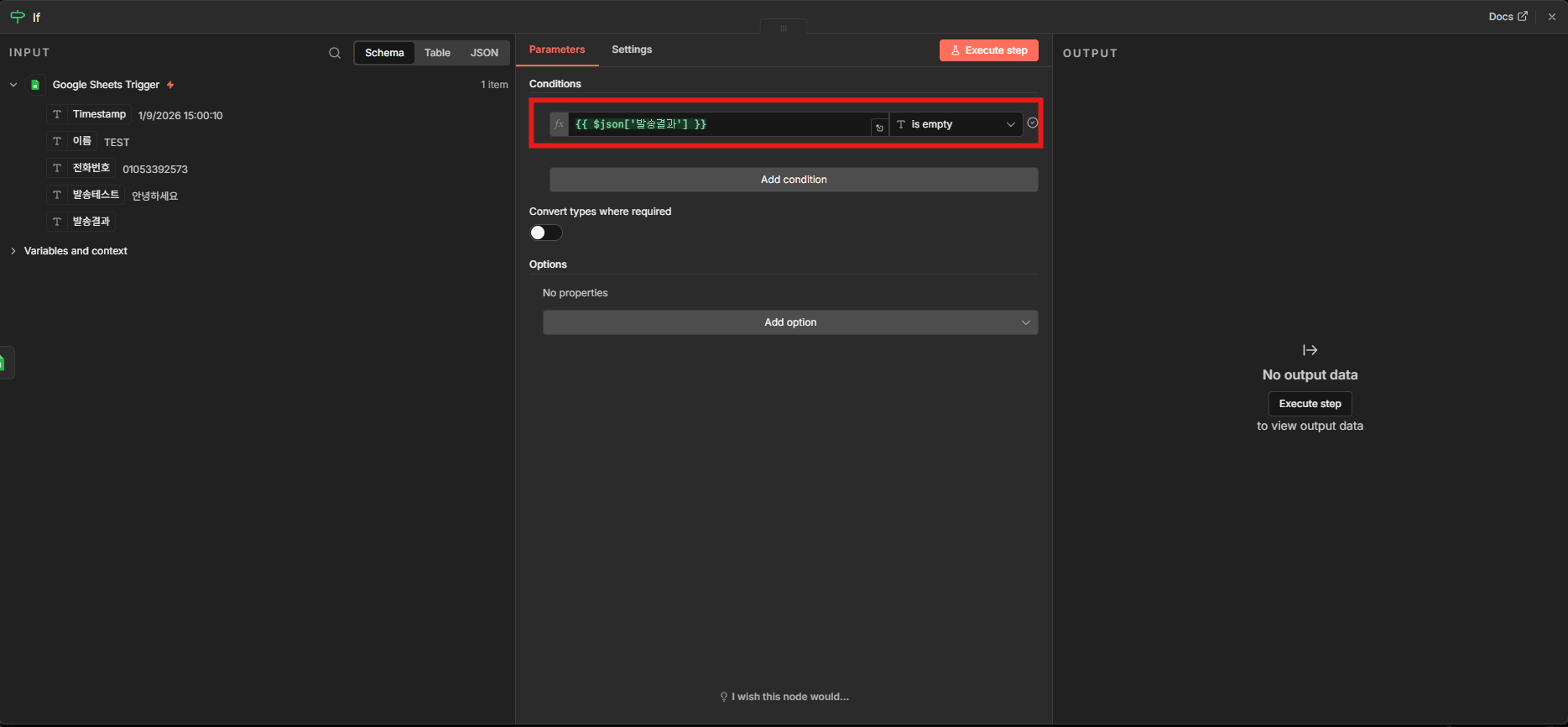
### 4단계: 조건 분기(Flow) 설정
발송 결과 컬럼이 비어 있을 때만 발송하도록 if 조건을 추가합니다.
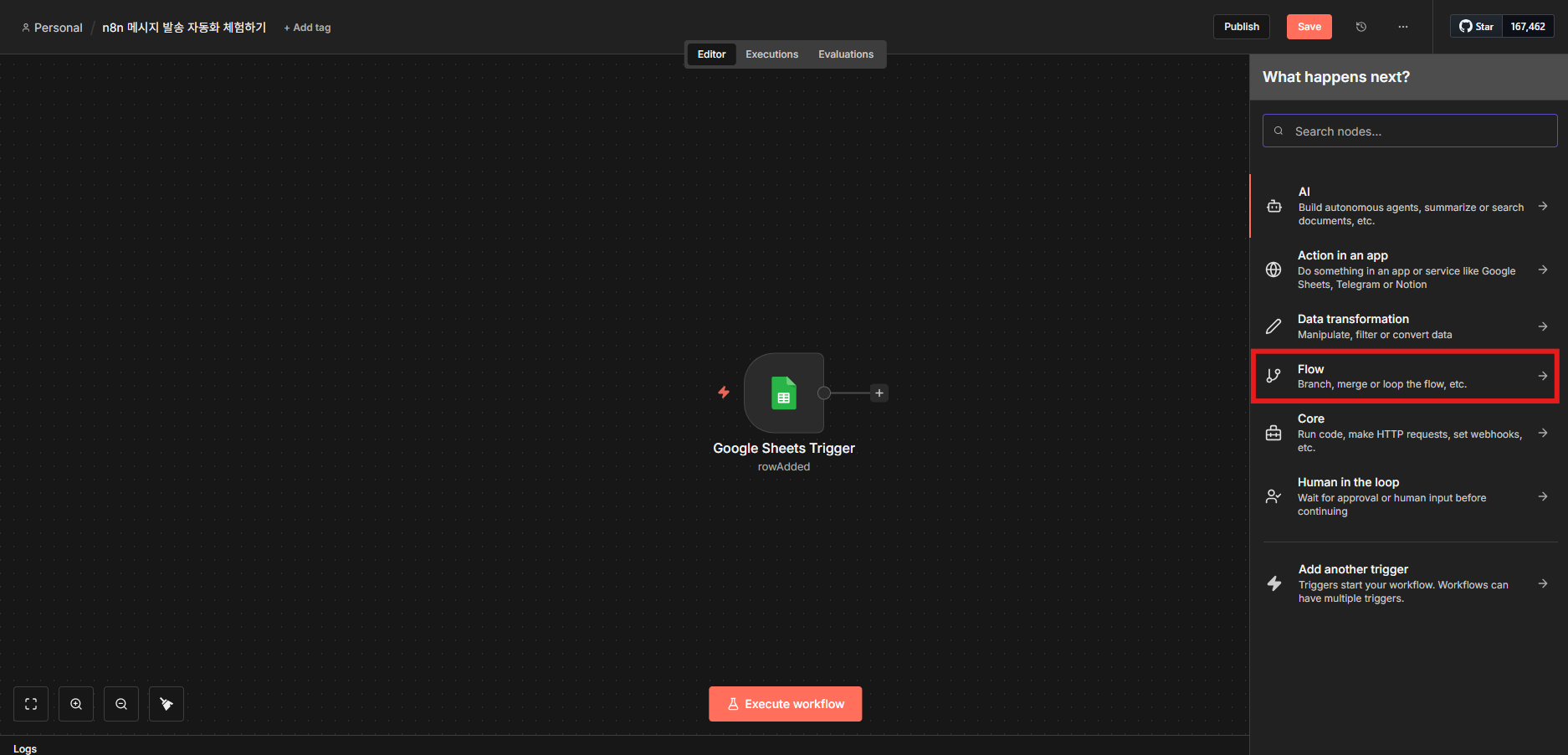
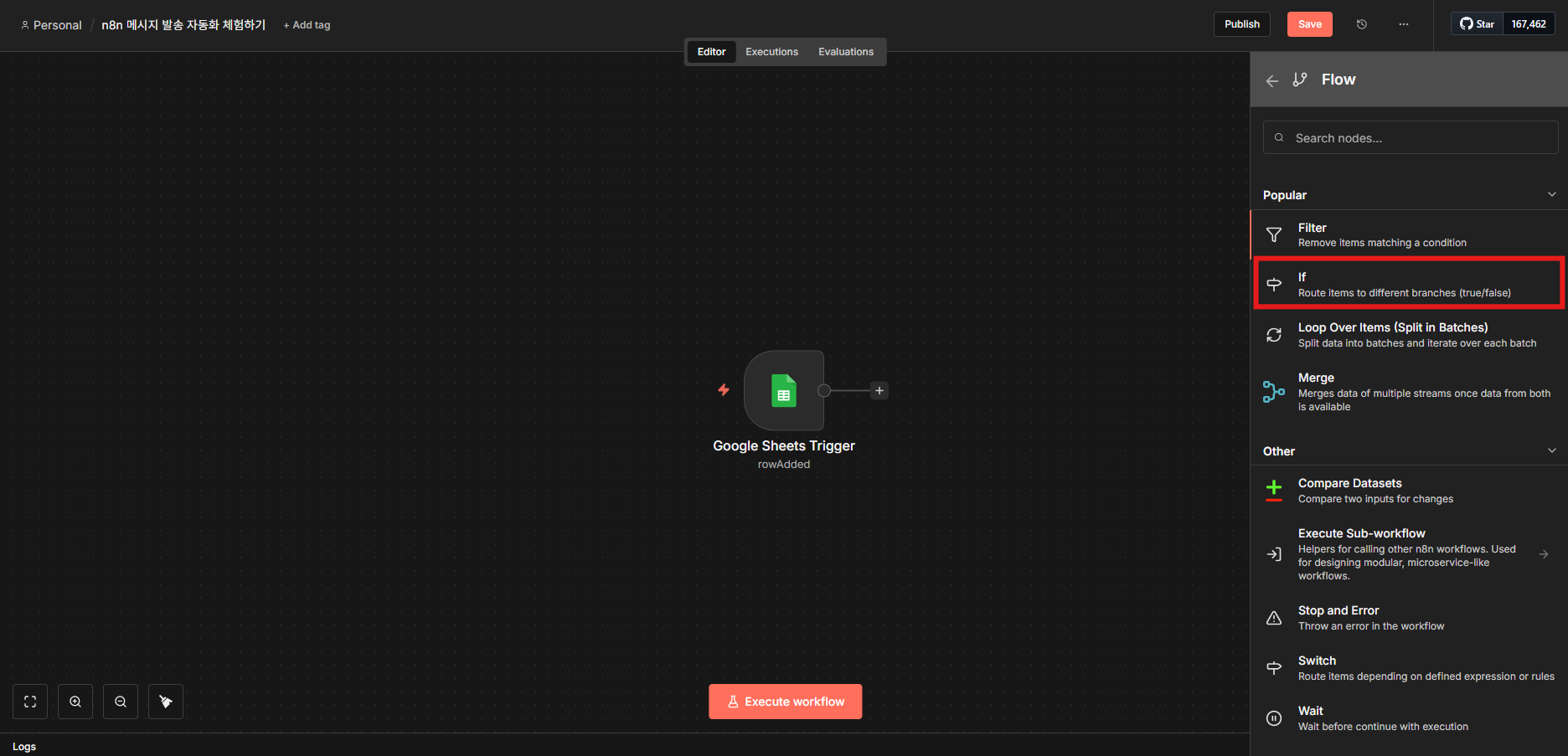
1. Google Sheets 노드 뒤에 **Flow → if**를 추가합니다.
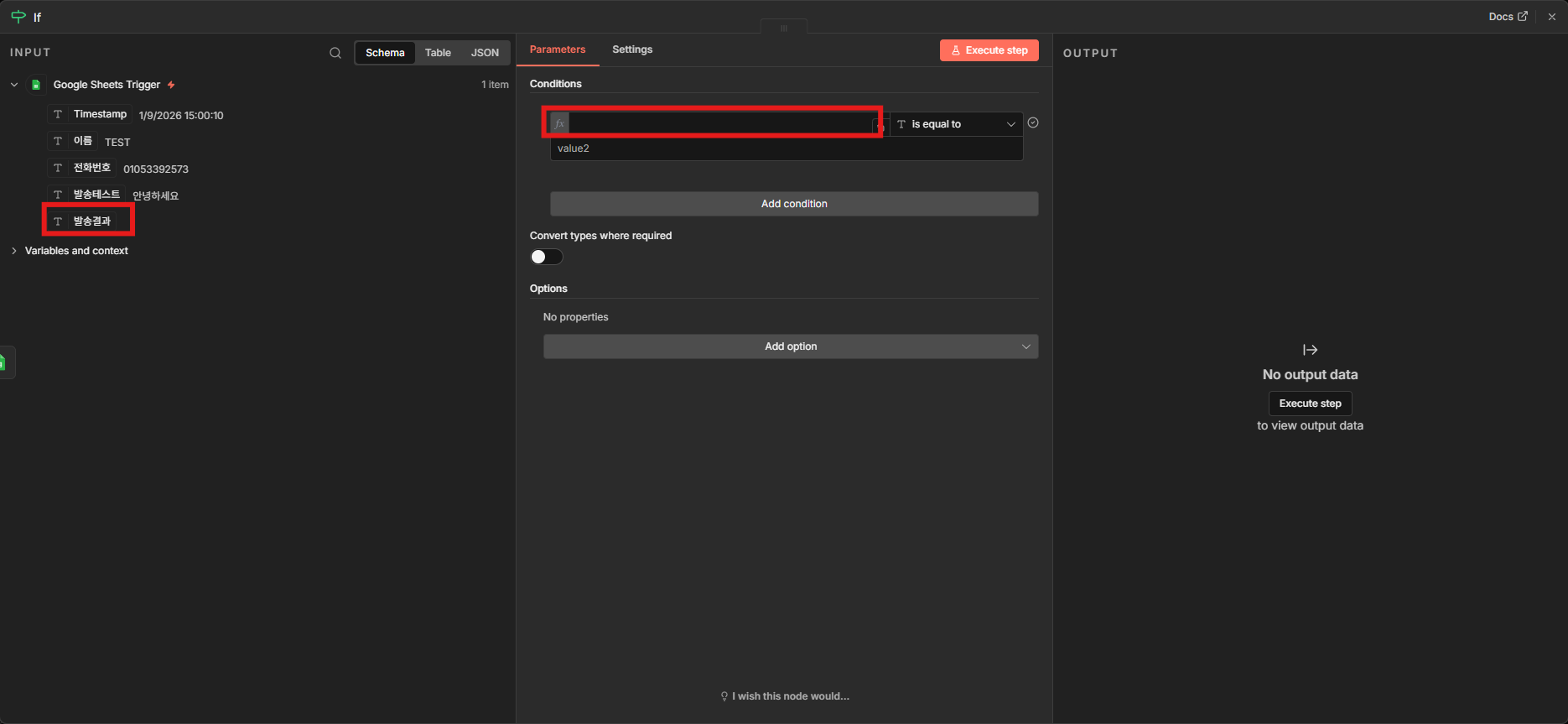
2. INPUT에서 발송결과 필드를 드래그해 if 조건에 적용합니다.
3. 조건을 **is empty**로 설정합니다.
---
### 5단계: 비즈고 API 연동
if true 경로에 HTTP Request 노드를 추가해 비즈고 발송 API를 호출합니다.
1. if true 경로에 **Action in an app → HTTP Request**를 추가합니다.
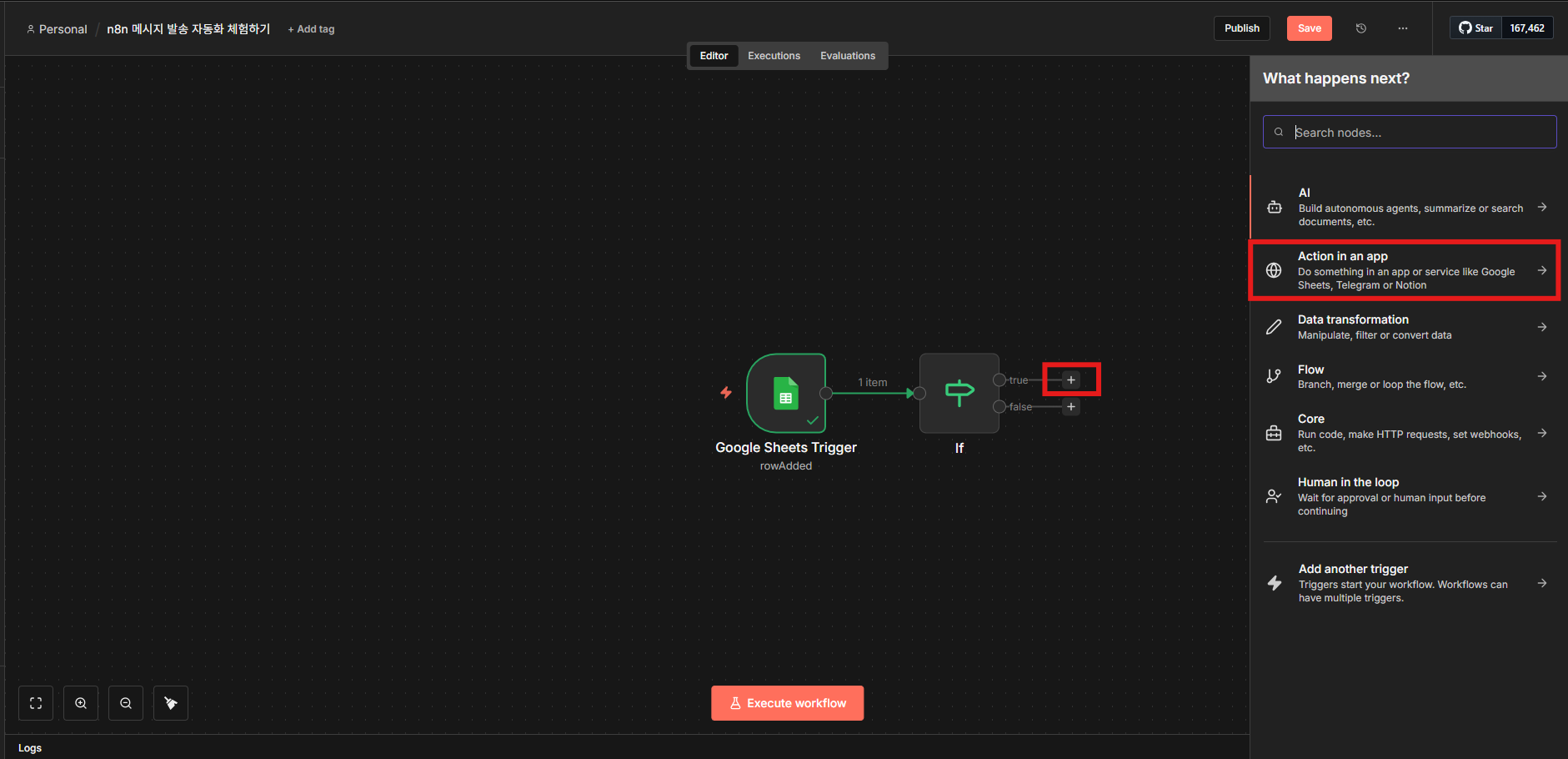
2. HTTP Request 기본 항목을 설정합니다.
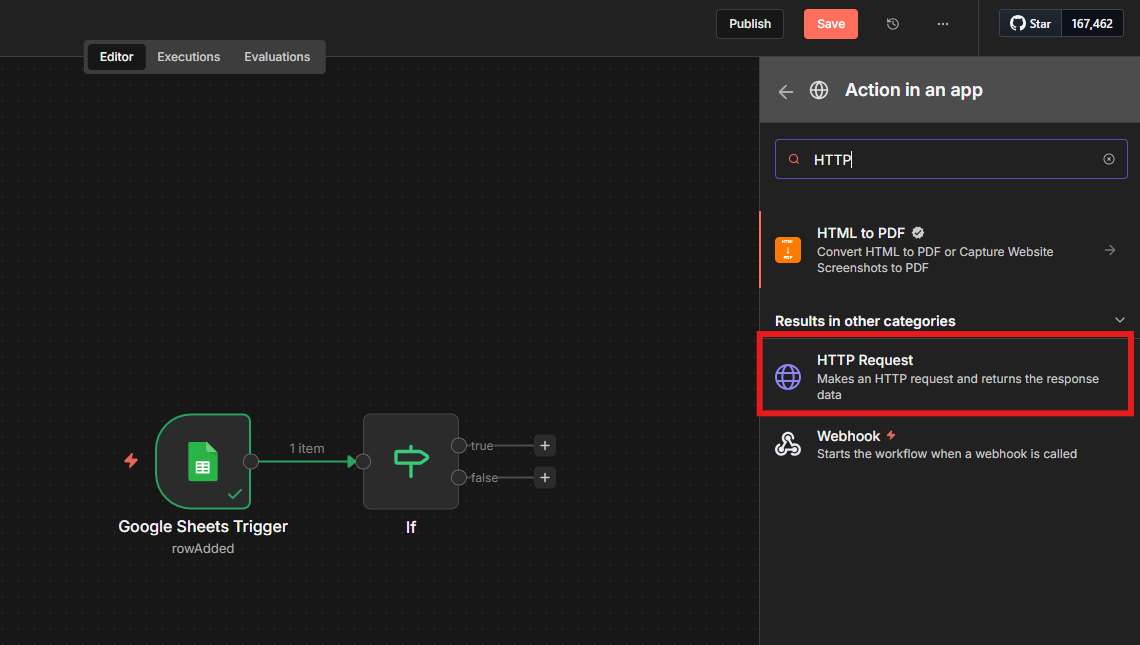
| 항목 | 값 |
|------|----|
| Method | `POST` |
| URL | `https://mars.ibapi.kr/api/comm/v1/send/omni` |
| Authorization | None |
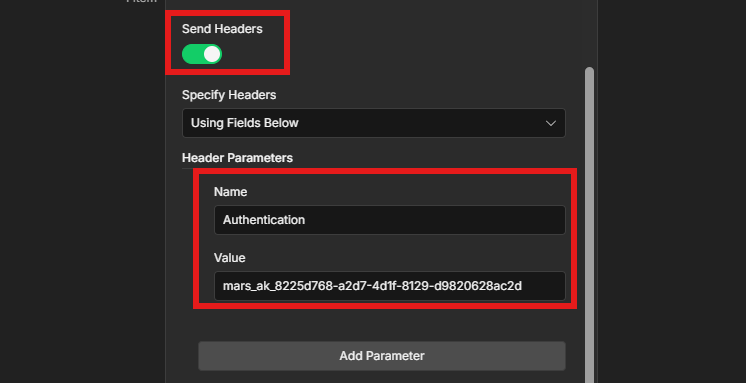
3. **Send Headers**를 활성화하고 `Authorization` 헤더에 `ApiKey {비즈고 통합키}` 형식으로 입력합니다.
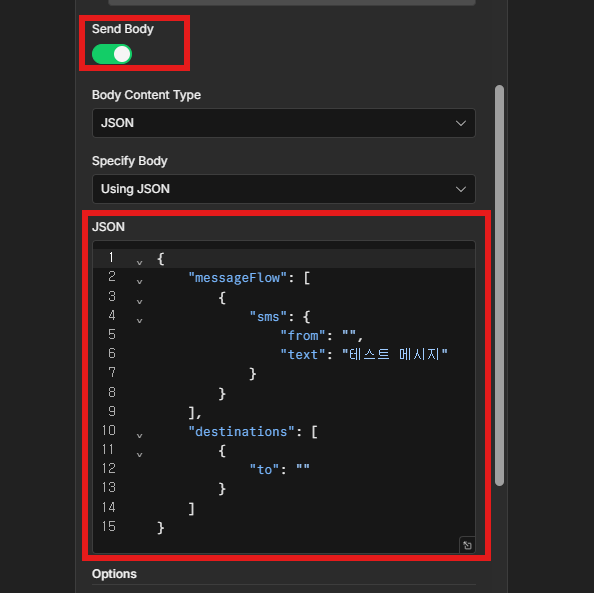
4. **Send Body**를 활성화하고 **Using JSON**을 선택한 뒤 아래 JSON을 입력합니다.
```json
{
"messageFlow": [
{
"sms": {
"from": "{{CALLER_NUMBER}}",
"text": "테스트 메시지"
}
}
],
"destinations": [
{
"to": "{{PHONE_NUMBER}}"
}
]
}
```
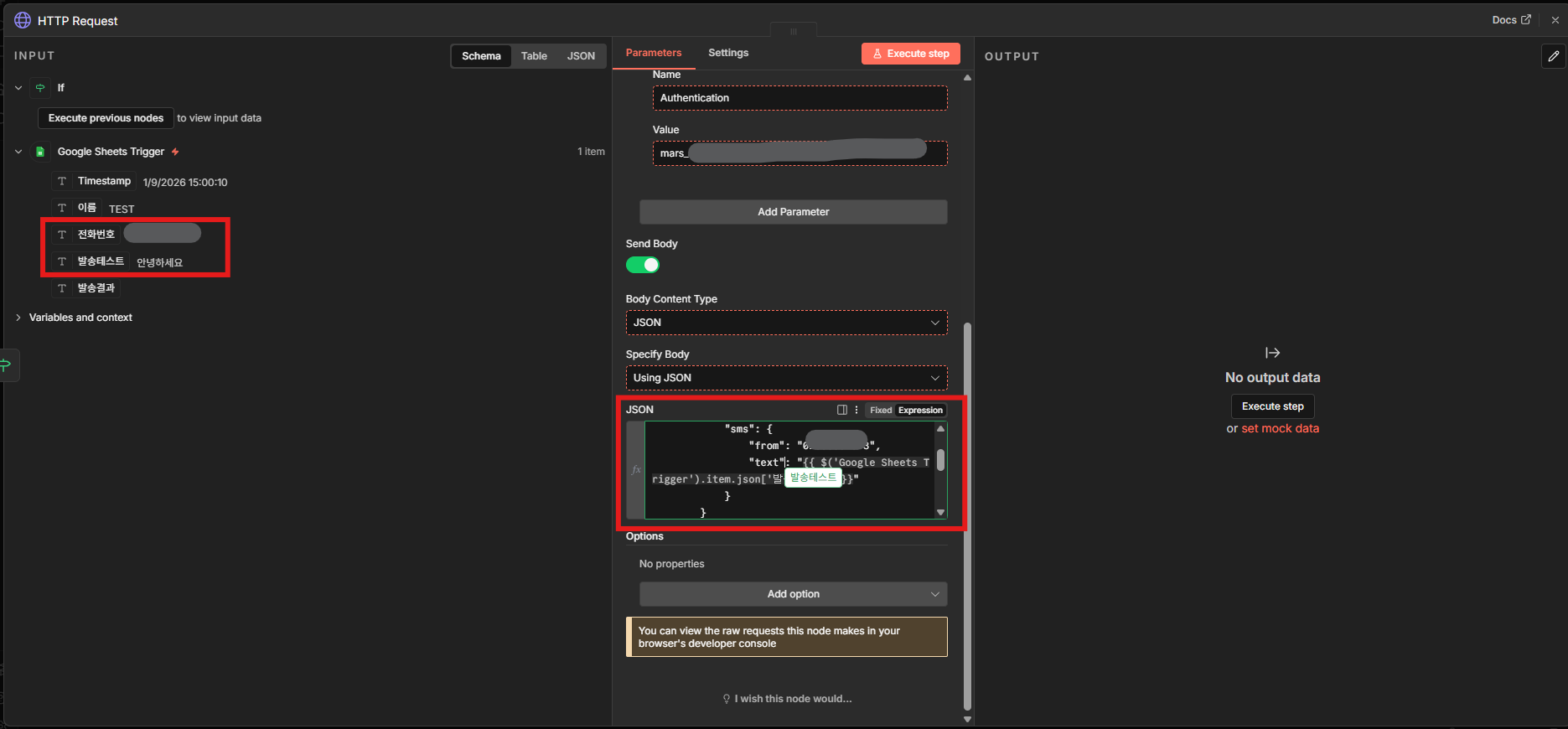
5. INPUT 필드에서 Google Sheets의 전화번호·발송 텍스트 데이터를 드래그해 매핑합니다.
6. **Execute step**을 클릭해 발송 테스트를 실행합니다.
---
### 6단계: 발송 결과 저장
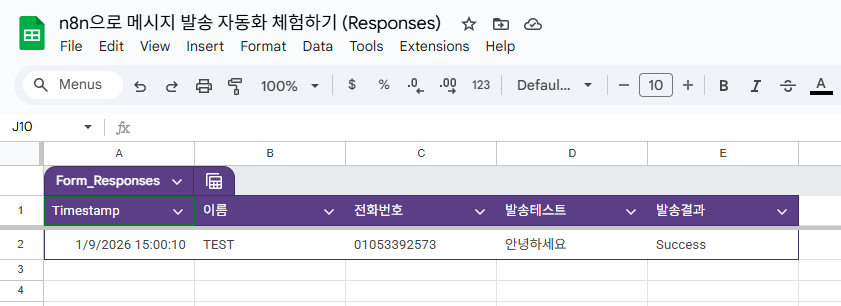
발송 결과를 Google Sheets에 기록해 중복 발송을 방지합니다.
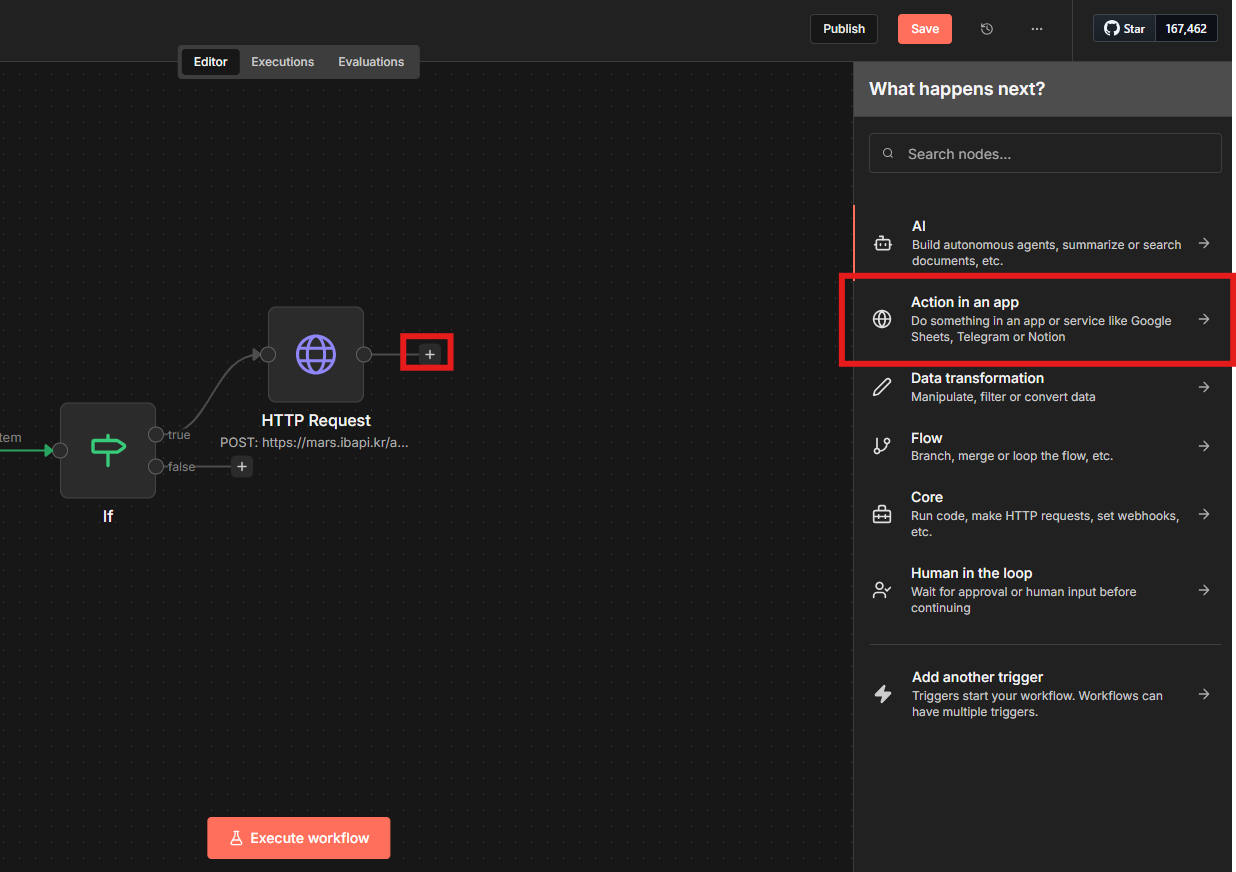
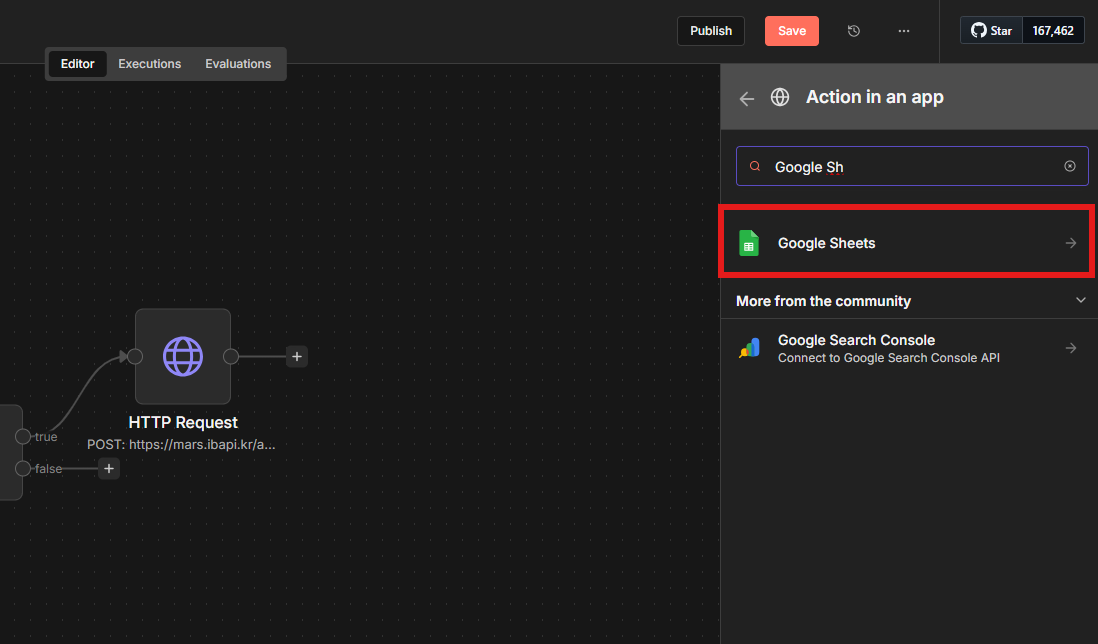
1. HTTP Request 노드 오른쪽에 **Action in an app → Google Sheets**를 추가합니다.
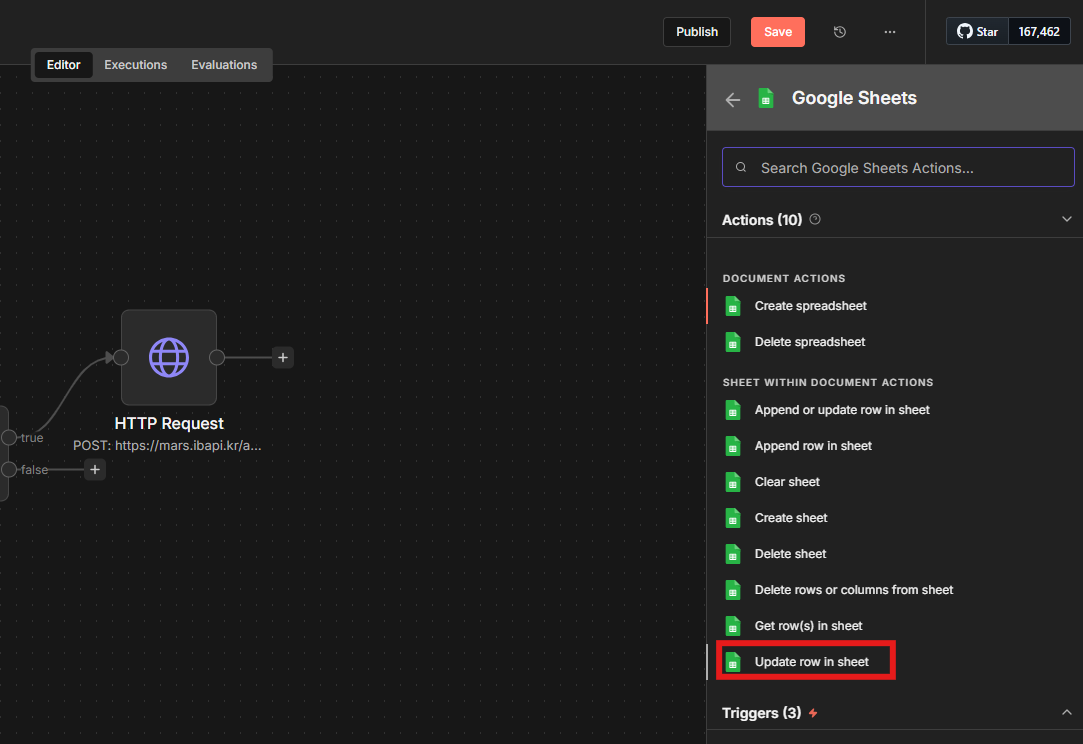
2. **Update row in sheet**를 선택합니다.
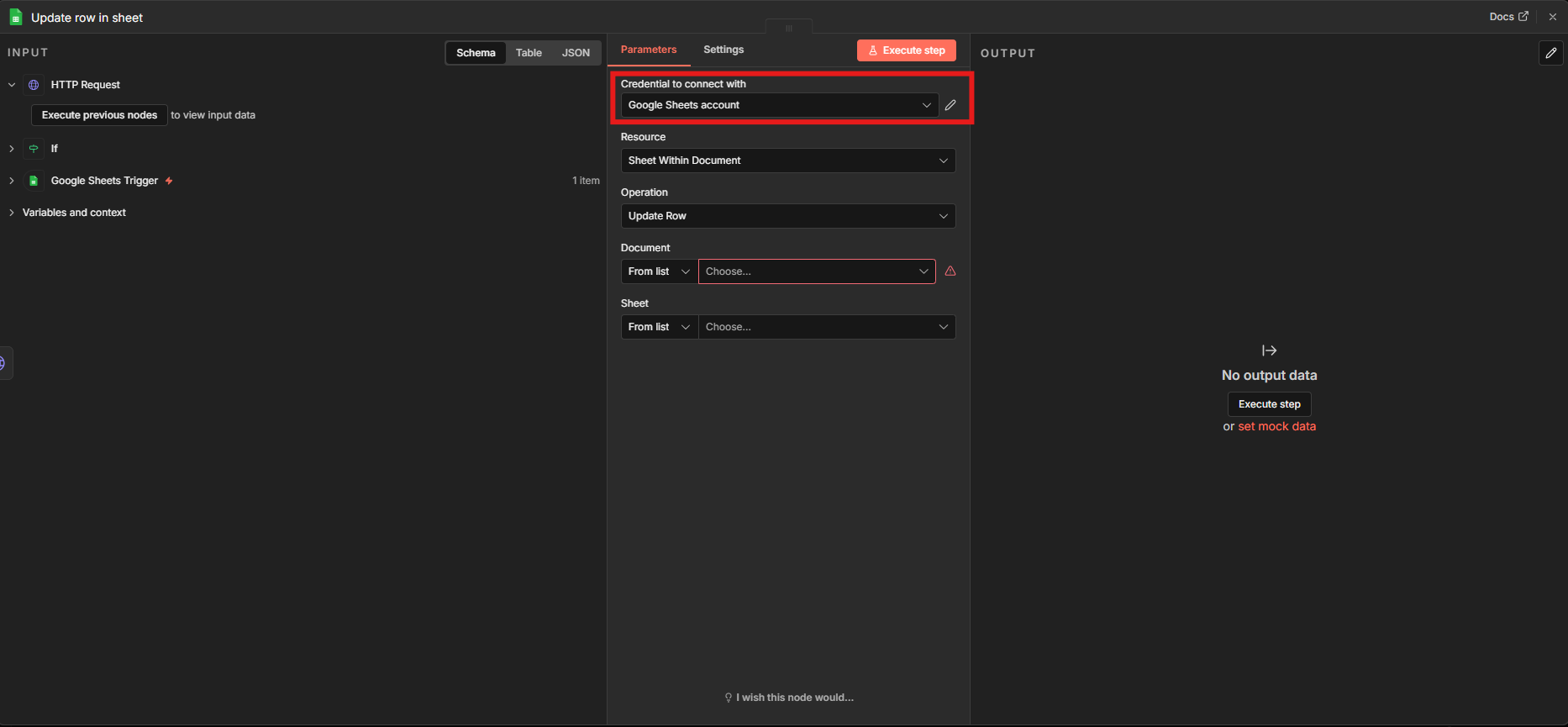
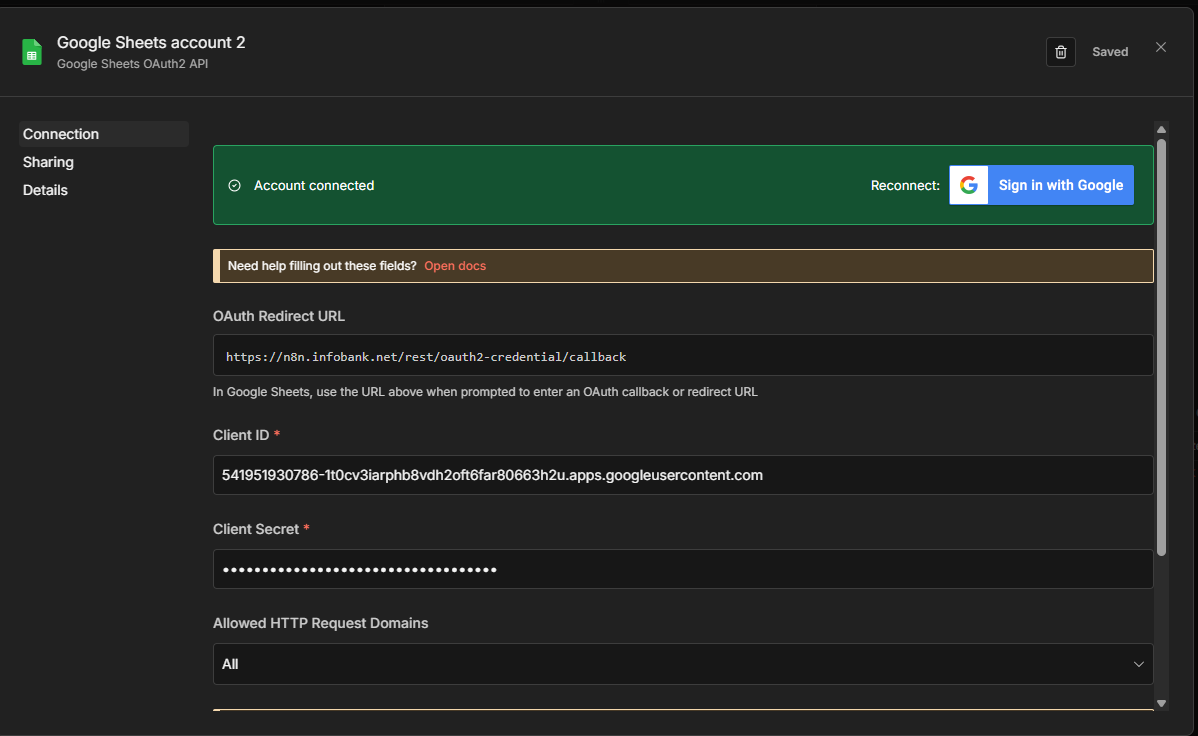
3. Google 계정으로 연결합니다.
4. Parameters를 아래와 같이 설정합니다.
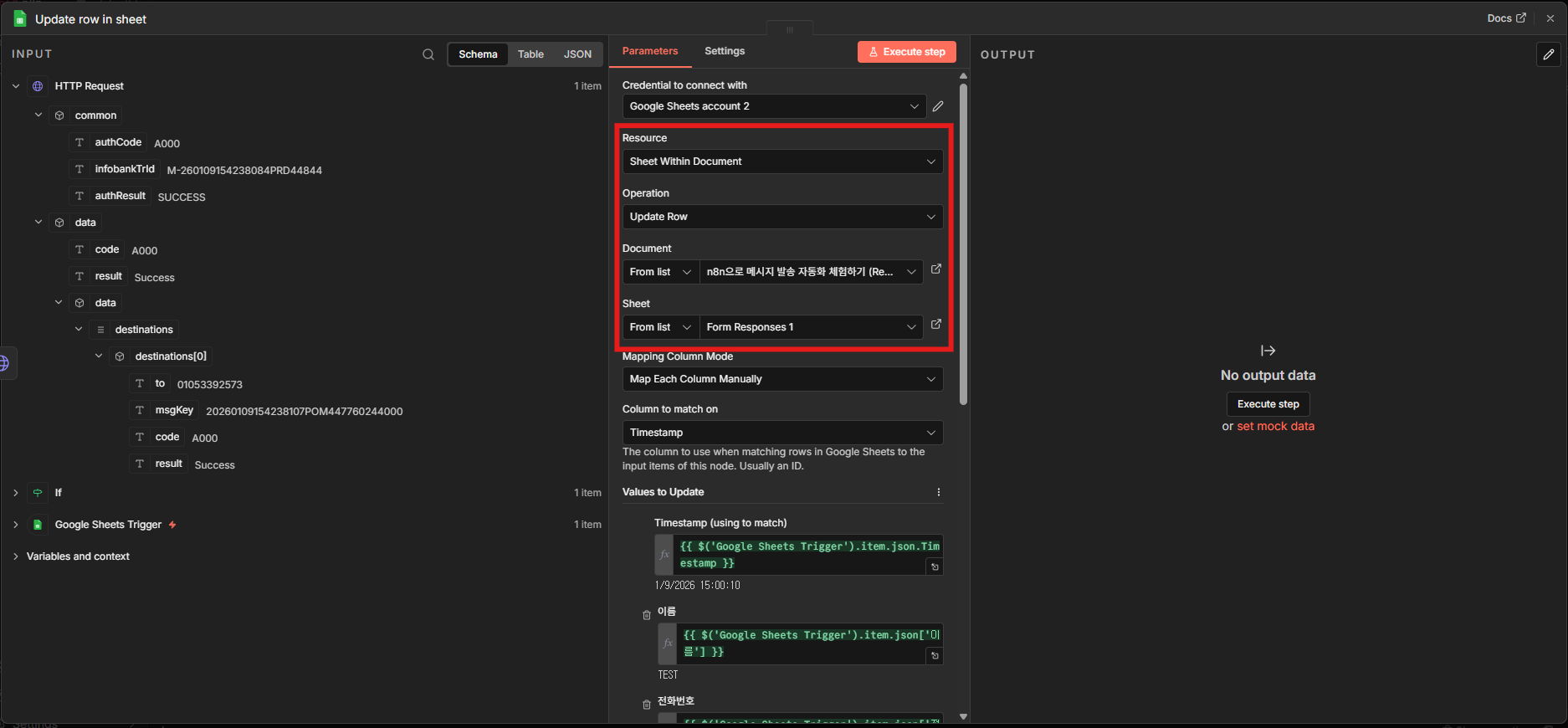
| 항목 | 값 |
|------|----|
| Resource | Sheet Within Document |
| Operation | Update Row |
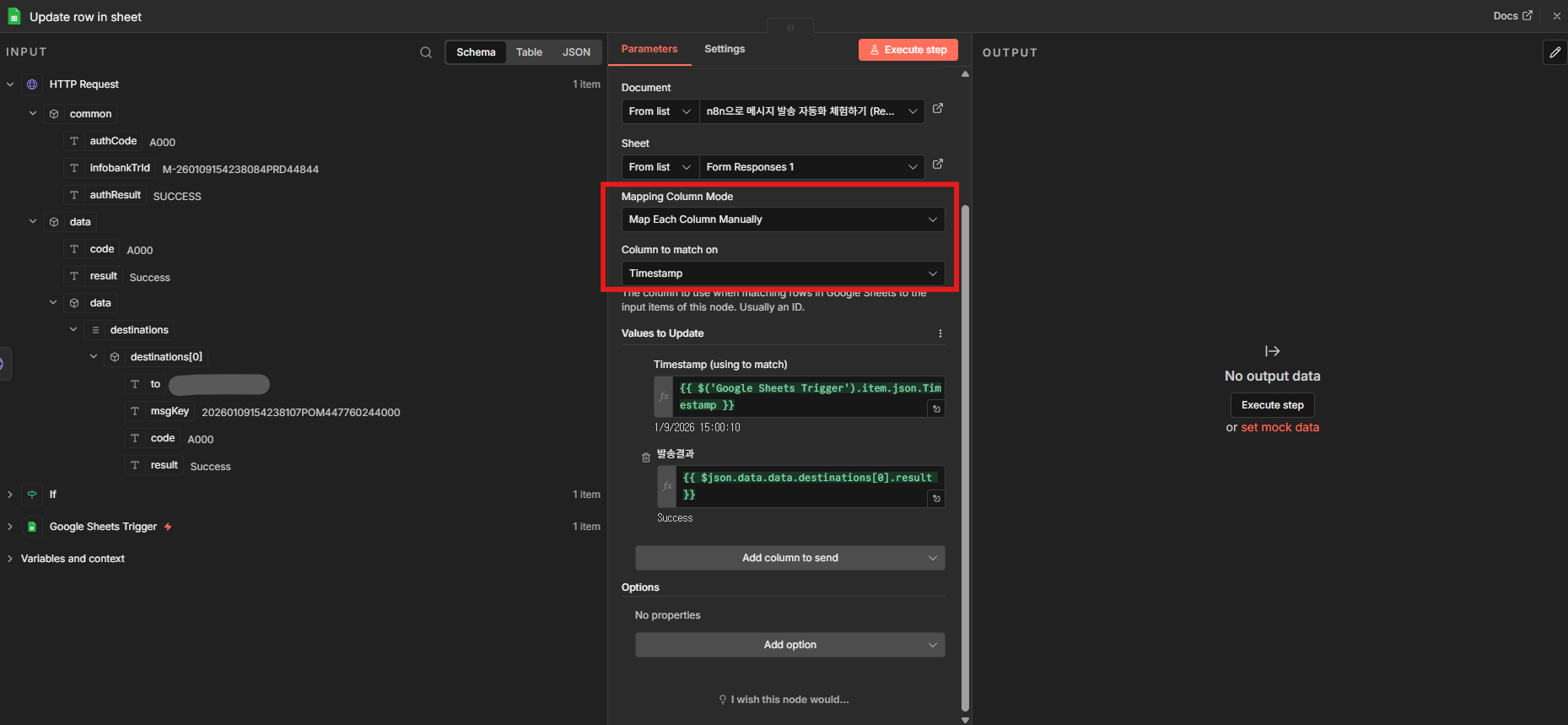
5. Mapping Column Mode를 **Map Each Column Manually**로 설정하고 match on을 **Timestamp**로 지정합니다.
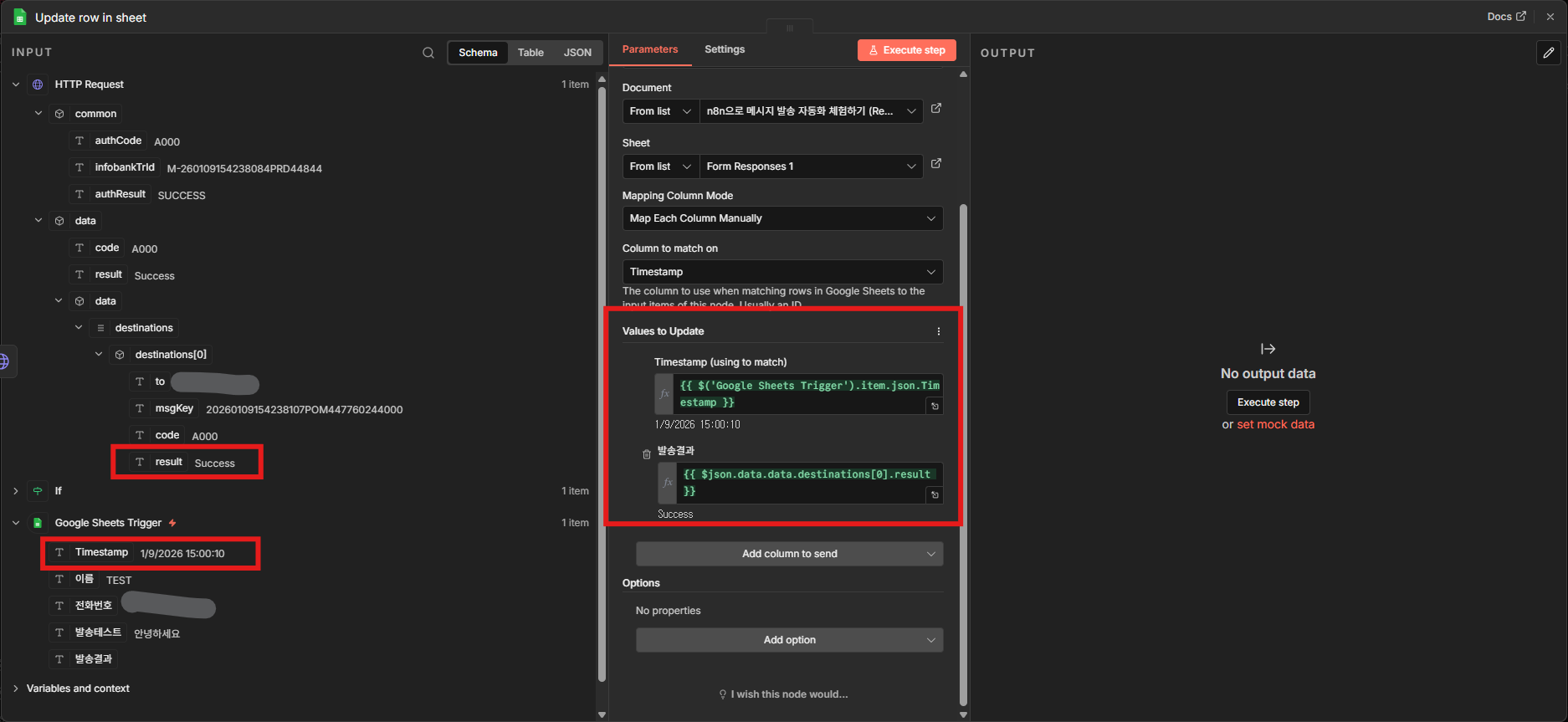
6. Timestamp와 HTTP Request 결과값을 드래그해 매핑합니다.
7. **Add option → Data Location on Sheet**를 선택합니다.
8. **Execute step**을 클릭합니다.
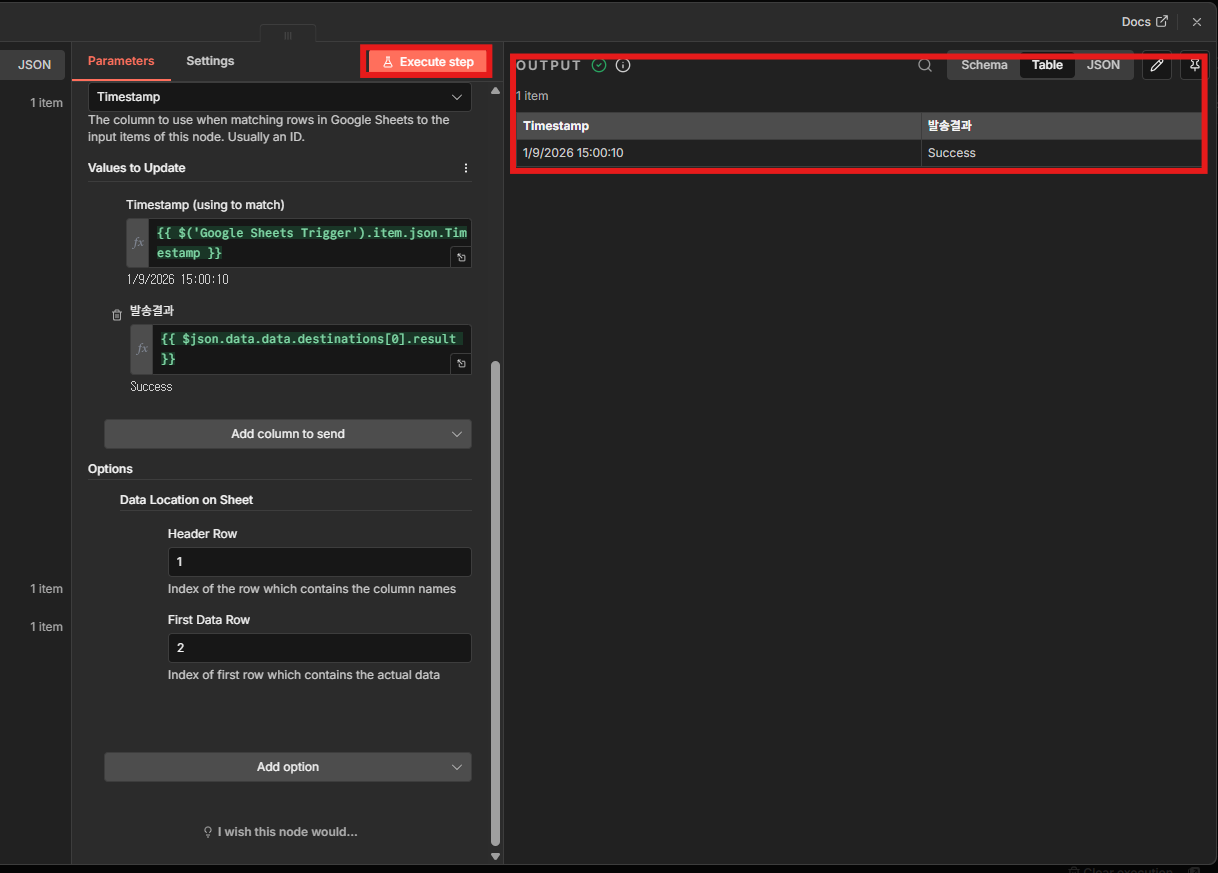
9. OUTPUT에서 저장 결과를 확인합니다.
---
### 7단계: 최종 실행 확인
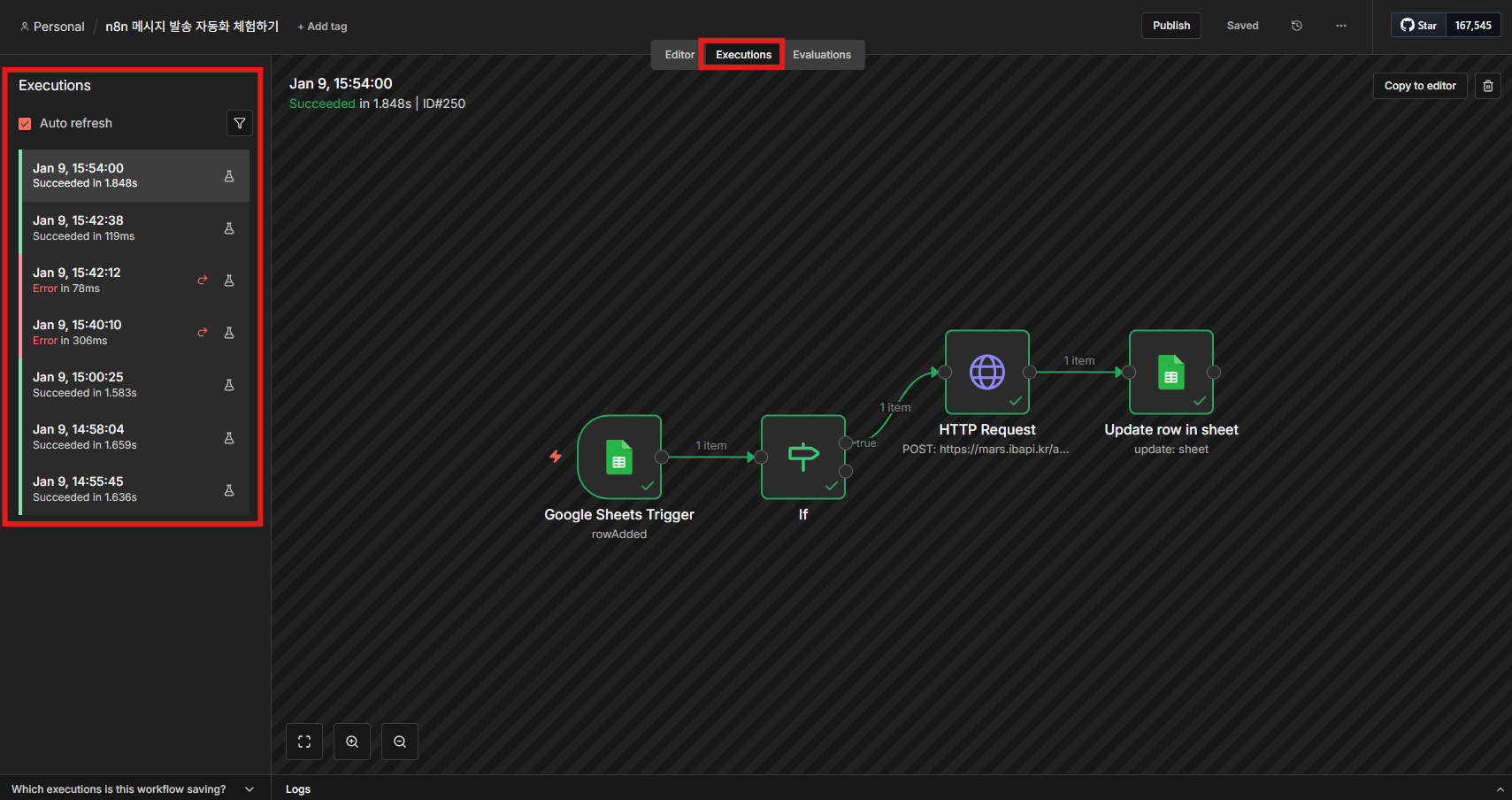
1. 우측 상단 **Executions**에서 워크플로 실행 이력을 확인합니다.
---
### 문제 해결
> **ACL 오류 (A403)**
비즈고 통합키는 등록된 IP에서만 요청을 허용합니다. 아래와 같은 오류가 발생하면 응답의 IP 주소를 복사해 [연동관리](/guide/setup)의 ACL에 등록하세요.
```json
{
"common": {
"authCode": "A403",
"authResult": "NOT_PERMISSION ACL Not Allowed. Please register: '35.170.163.230'"
}
}
```
---
## Zapier
Zapier의 **Webhooks by Zapier** 액션을 사용해 트리거 데이터를 비즈고 메시지 발송 요청에 매핑합니다.
### 연동 흐름
1. Zap을 생성하고 트리거 앱을 선택합니다. 예: Typeform, Google Sheets, Shopify
2. Action 앱으로 **Webhooks by Zapier**를 선택합니다.
3. Action Event는 **Custom Request**를 선택합니다.
4. URL, Method, Headers, Data를 설정합니다.
5. 트리거 데이터를 JSON Body에 매핑합니다.
6. 테스트 후 Zap을 활성화합니다.
### 요청 설정
| 항목 | 값 |
|------|----|
| Method | `POST` |
| URL | `https://mars.ibapi.kr/api/comm/v1/send/omni` |
| Authorization | `ApiKey YOUR_API_KEY` |
| Content-Type | `application/json` |
| Data Pass-Through | false |
### Data 예시
```json
{
"destinations": [
{
"to": "{{phone}}",
"replaceWords": {
"name": "{{name}}"
}
}
],
"messageFlow": [
{
"sms": {
"from": "0200000000",
"text": "#{name}님, 접수가 완료되었습니다."
}
}
]
}
```
---
## 다음 단계
- [자동화 개요](/guide/automation/overview): 네이버 스마트스토어 커머스 연동과 No-Code 툴 연동 등 비즈고 자동화의 전체 방식을 확인합니다.
- [네이버 스마트스토어](/guide/automation/naver-commerce): 주문·배송 이벤트를 비즈고와 연동해 고객 알림 메시지를 자동 발송합니다.
- [발송 요청 구조](/guide/deep-dive/message-structure): 비즈고 메시지 발송 API의 전체 구조와 파라미터를 상세히 확인합니다.
---
# 자동화 개요
URL: https://developers.bizgo.io/guide/automation/overview
# 자동화 개요
비즈고 자동화 서비스는 커머스 주문·배송 등 외부 이벤트를 기준으로 메시지를 자동 발송하는 기능입니다.
네이버 스마트스토어의 주문, 결제, 배송 같은 운영 흐름에 맞춰 고객 안내 메시지를 자동으로 발송할 수 있습니다.
---
## 자동화 서비스 종류
| 서비스 | 방식 | 용도 | 대상 |
|--------|------|------|------|
| **네이버 스마트스토어** | 커머스 직접 연동 | 주문·배송 이벤트 기반 알림 자동화 | 개발자·비개발자 |
| **No-Code 툴 (Make · n8n · Zapier)** | 워크플로 자동화 툴 연동 | 외부 서비스 이벤트 기반 발송 자동화 | 비개발자 |
---
## 자동 발송 체험하기
> **과금 없이 네이버 스마트스토어 자동 발송 흐름을 먼저 체험할 수 있습니다.**
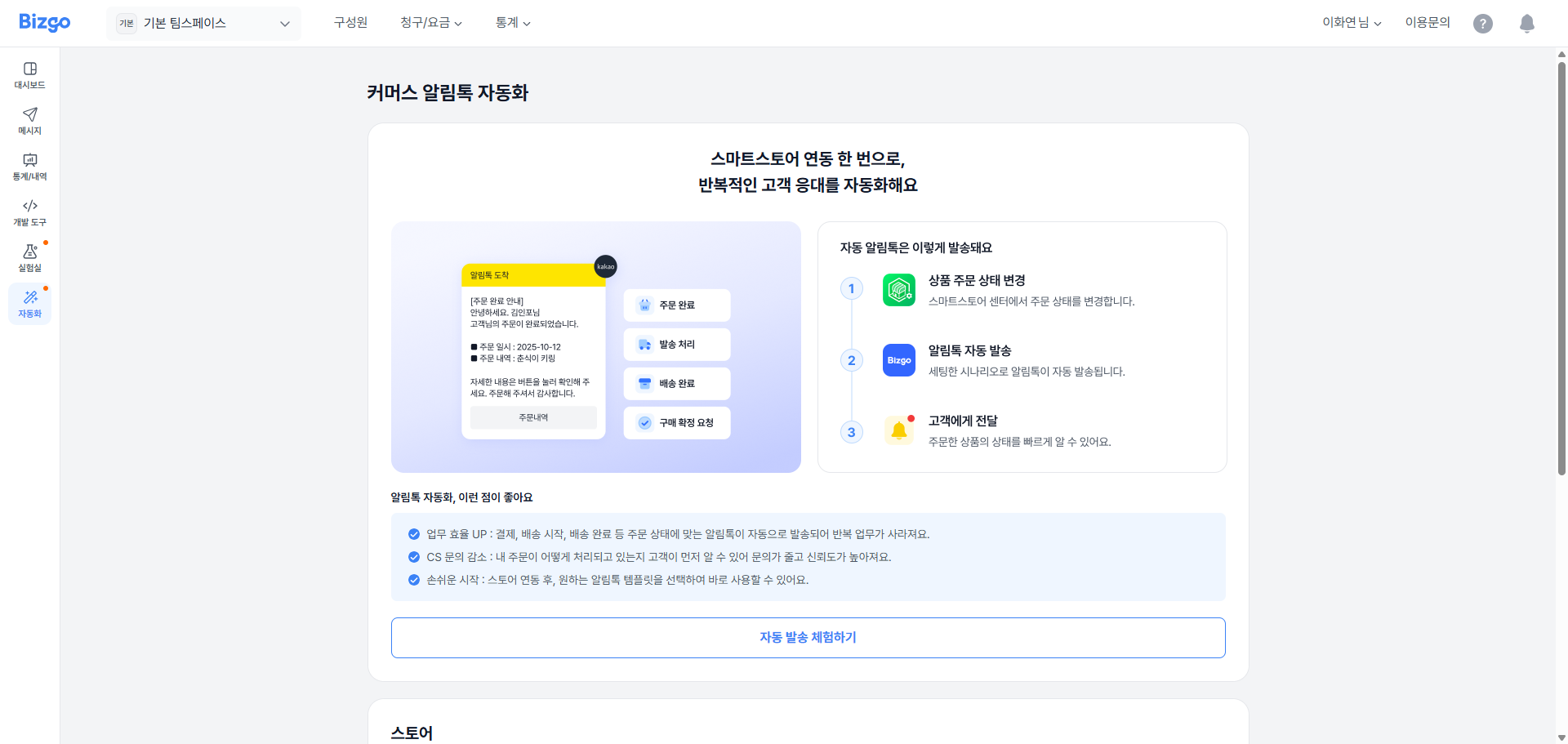
1. **[콘솔] > [팀스페이스] > [자동화] > [커머스 알림톡 자동화]** 메뉴로 이동합니다.
2. **자동 발송 체험하기** 버튼을 클릭합니다.
3. 체험할 템플릿을 선택해 자동 발송 결과를 확인합니다.
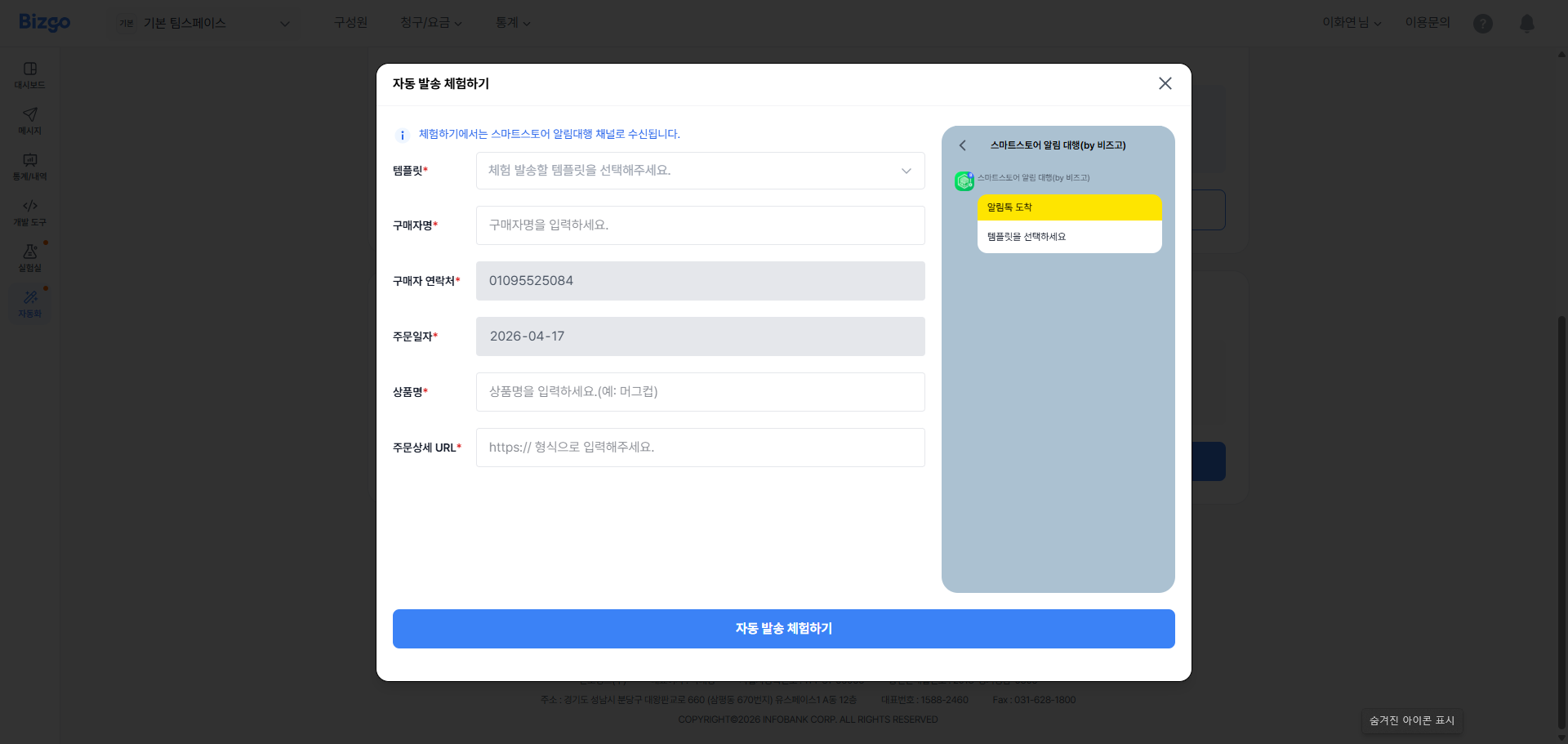
> 자동발송 체험하기는 템플릿별로 진행할 수 있으며, 로그인한 계정의 휴대폰 번호로만 수신됩니다.
---
## 시작하기 전에: 회원가입 및 체험하기
자동화 서비스를 사용하기 전에 아래 단계를 먼저 완료해야 합니다.
### 1단계 — 회원가입
1. 비즈고 홈페이지에서 **간편 가입하기**로 가입합니다.
2. 가입 후 비즈니스 인증을 진행합니다. (사업자등록번호 입력 + 사업자등록증 업로드, 영업일 1~2일)
3. 팀스페이스를 생성합니다.
- [운영 준비 가이드](/guide/bizgo/operational-prep): 회원가입, 비즈니스 인증, 팀스페이스, 구성원 초대까지 실제 사용 전에 필요한 준비를 한 번에 확인합니다.
### 2단계 — API 대행사 설정
네이버 스마트스토어센터에서 커머스 API 대행사를 **비즈고(인포뱅크)** 로 설정합니다.
### 3단계 — 비즈고 연동하기
비즈고 콘솔 **[팀스페이스] > [자동화] > [커머스 알림톡 자동화]** 메뉴에서 스마트스토어 판매자 아이디를 입력해 연동을 완료합니다.
- [네이버 스마트스토어 가이드](/guide/automation/naver-commerce): 스마트스토어 주문·배송 이벤트와 비즈고 메시지를 연동하는 방법을 확인합니다.
---
## 함께 보는 문서
- [운영 준비](/guide/bizgo/operational-prep) — 회원가입, 비즈니스 인증, 발신정보 등록
- [네이버 스마트스토어](/guide/automation/naver-commerce) — 스마트스토어 주문·배송 이벤트 연동
---
# 콘솔 사용하기
URL: https://developers.bizgo.io/guide/bizgo/console
# 콘솔 사용하기
비즈고 콘솔은 준비, 발송, 운영 조회를 각각 다른 메뉴에서 다룹니다.
---
## 대시보드
콘솔 대시보드에서는 당월 청구 금액, 등록된 구성원, 팀스페이스와 공지사항을 한눈에 확인할 수 있습니다.
---
## 팀스페이스
팀스페이스는 부서/지점 또는 업무 단위로 각 특성에 맞게 서비스 이용 및 관리할 수 있는 팀 전용 작업 공간입니다. 팀스페이스에서는 다음과 같은 기능을 제공합니다.
**시스템 연동 발송을 위한 연동 계정 발급 및 관리**
시스템 연동 발송에 필요한 연동 계정을 발급받으실 수 있고, 연동 규격, 리포트 수신 등 연동 계정 정보와 G/W 접속 정보를 확인하실 수 있습니다. 팀스페이스별로 최대 5개의 연동 계정을 발급받을 수 있으며, 5개 초과 발급이 필요하시면 고객센터로 문의해 주세요.
**웹 발송**
별도의 시스템 연동 없이 웹 사이트 상에서 메시지를 단건 또는 대량으로 동시 발송할 수 있습니다. 방송통신위원회 스팸 방지 정책에 따라 신규 계정에는 월 2,000건, 일 300건의 발송 한도가 적용되며, 추가 발송 건수가 필요하시면 고객센터로 문의해 주세요. 한도는 팀스페이스별로 조정됩니다.
**발신 정보 등록**
발송 시 필요한 발신번호, 발신프로필 등 서비스별로 필요한 발신 정보를 팀스페이스별로 등록하고 관리할 수 있습니다. 발신번호의 경우, 다른 팀스페이스에서 이미 등록한 발신번호를 가져와 바로 사용하실 수 있습니다.
**080 수신 거부 서비스 신청 및 관리**
광고성 메시지 하단에 수신자가 메시지 수신 거부 의사를 전달할 수 있는 080번호를 비즈고의 제휴 통신사(세종텔레콤)를 통해 개통해 드리고, 24시간 ARS 시스템으로 수신 거부 번호 목록을 비즈고 웹 페이지에서 확인하실 수 있으며, 고객사 시스템에 API 형태로도 받아보실 수 있습니다.
> **API 연동 발송에는 수신 거부가 자동 적용되지 않습니다**
080 수신 거부로 차단된 번호는 **비즈고 콘솔에서 발송할 때만 자동으로 제외**됩니다. API 로 연동해 발송하는 건에는 적용되지 않으므로, 발송 대상에서 직접 빼야 합니다.
**[콘솔] > [080 수신 거부]** 에서 수신 거부 목록을 내려받아 발송 시스템에 반영해 주세요. 목록은 API 로도 받아보실 수 있습니다.
**대시보드**
메시지 발송을 위해 사전에 필요한 작업의 단계와 팀스페이스에서 이용 중인 연동 계정, 발신 정보, 템플릿 등의 현황을 한눈에 요약해서 확인하실 수 있습니다.
### 팀스페이스 생성하기
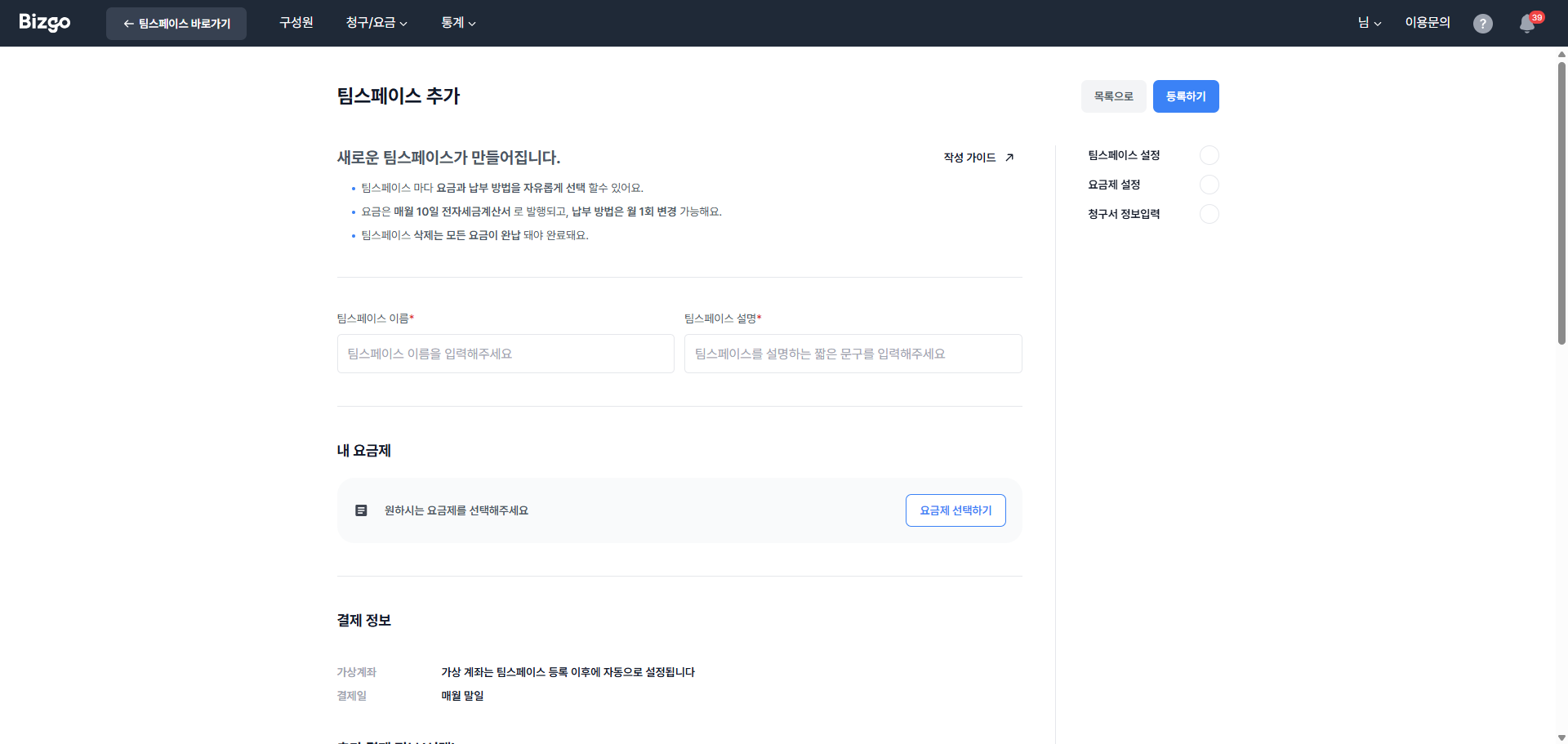
팀스페이스를 추가로 생성하기 위해 **[콘솔] > [팀스페이스]** 메뉴로 접속 후, **[새 팀스페이스 만들기]** 를 클릭해 주세요.
팀스페이스는 최대 50개까지 생성할 수 있으며, 팀스페이스별로 다른 청구 정보를 등록할 수 있습니다.
### 팀스페이스 관리하기
팀스페이스의 기본 정보 및 요금 납부 정보를 확인하기 위해서 팀스페이스 목록 우측 컬럼의 **[설정]** 버튼을 클릭해 주세요. 팀스페이스 ID 등 팀스페이스 기본 정보를 확인할 수 있고, 이 중 팀스페이스 이름과 웹 발송 사용 여부를 조정할 수 있습니다.
팀스페이스를 삭제하고자 하시는 경우, 팀스페이스 상세 설정 페이지에서 **[삭제 요청]** 버튼을 클릭해 주세요. 팀스페이스에서 이용하신 요금을 모두 완납하셔야 팀스페이스 삭제 승인이 완료됩니다.
해당 팀스페이스에 등록된 이용 요금 납부 방법, 납부일, 요금 담당자 정보를 확인할 수 있으며, 납부 방법을 변경하기 원하시는 경우 우측 **[납부 방법 변경]** 버튼을 클릭해 주세요.
요금 납부 방법은 월 1회 변경 가능하며, 당월 6일에서 익월 5일 사이에 변경 시 당월 사용분부터 변경된 요금 납부 방법이 적용됩니다.
전자세금계산서는 매월 10일(휴일인 경우 직전 영업일)에, 비즈고 요금 청구서는 전자세금계산서 발행 익일(휴일인 경우 직전 영업일)에 청구서 이메일로 발송됩니다.
---
## 구성원
여러 구성원이 같은 자원을 이용하고 관리할 수 있도록 가입 계정 아래 여러 개의 초대 계정을 제공하는 서비스입니다. 하나의 계정을 여러 명이 공유하는 것으로 인해 발생할 수 있는 보안 이슈를 방지하고, 접근 가능한 팀스페이스와 이용 권한을 다르게 부여함으로써 허용된 권한 안에서 보다 안정적으로 서비스를 운영하고 관리할 수 있습니다.
> **계정 유형**
**가입 계정** — 회원가입을 통해 비즈고와 정규 이용 계약을 체결 후 제공받은 메인 계정입니다.
**초대 계정** — 가입 계정의 비즈고 자원을 공동으로 사용할 수 있게 가입 계정 아래 생성된 서브 계정입니다.
### 구성원의 이용 권한
구성원에게 부여되는 이용 권한은 마스터, 매니저, 멤버 총 3가지로 분류됩니다.
- **마스터** — 서비스를 제공받기 위하여 회원 가입 신청 및 기업의 가입 계정을 대표하여 관리하는 기업 담당자에게 부여하는 이용 권한으로, 콘솔의 모든 메뉴에 접근 및 관리할 수 있는 권한을 가지고 있습니다.
- **매니저** — 초대 계정에게 부여되는 이용 권한 중 하나로, 발신번호 및 발신프로필 등록 등 서비스를 관리하는 데 필요한 주요 기능을 이용할 수 있는 레벨입니다.
- **멤버** — 초대 계정에게 부여되는 이용 권한 중 하나로, 웹 발송 등 최소한의 기능만 이용할 수 있는 레벨입니다.
**주요 기능 이용 권한**
| 기능 | 마스터 | 매니저 | 멤버 |
|------|:------:|:------:|:----:|
| 구성원 초대 및 설정 변경 | O | O | X |
| 팀스페이스 생성 및 설정 변경 | O | X | X |
| KEY 발급 및 설정 변경 | O | X | X |
| 발신번호 등록 | O | O | X |
| 발신프로필 등록 | O | O | X |
| 알림톡 템플릿 등록 | O | O | X |
| 080 수신 거부 서비스 신청 | O | X | X |
| 080 수신 거부 번호 조회 및 관리 | O | O | X |
| 웹 발송 | O | O | O |
| 이용 내역 조회 | O | O | O |
| 통계 | O | O | O |
| 청구 내역 및 요금제 조회 | O | O | O |
| 청구 정보 변경 | O | X | X |
| 기업 정보 변경 | O | X | X |
| 회원 탈퇴 신청 | O | X | X |
### 구성원 추가하기
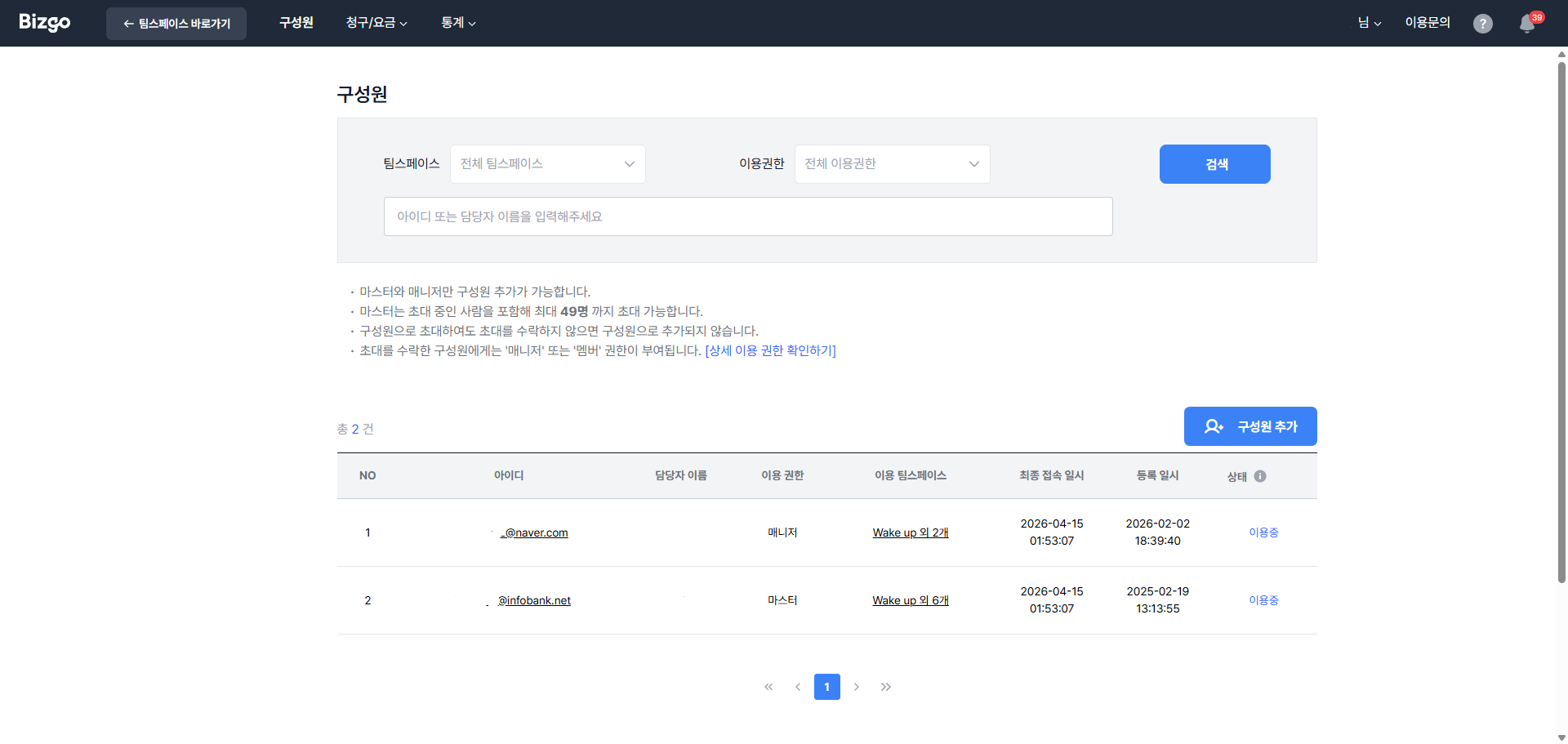
구성원을 추가하기 위해 **[콘솔] > [구성원]** 페이지로 접속하신 후, 페이지 우측의 **[구성원 추가]** 버튼을 클릭해 주세요.
> **초대 한도**
구성원 추가 권한은 마스터와 매니저에게 있으며, 초대 중인 구성원을 포함해 총 49명까지 초대 가능합니다.
### 구성원 관리하기
추가한 구성원의 정보를 확인하거나 수정하기 위해 **[구성원]** 페이지 목록에서 구성원의 아이디를 클릭하여 **[구성원 설정]** 페이지에 접속해 주세요.
구성원 설정 페이지에서는 담당자 이름, 휴대폰 번호, 이용 권한, 이용 팀스페이스 등의 기본 정보를 확인하실 수 있으며, 이용 권한과 이용 팀스페이스를 수정할 수 있습니다.
> **내 정보 수정**
담당자 이름 또는 휴대폰 번호는 초대 계정으로 로그인 후 **[계정 관리] > [내 정보]** 페이지에서 수정 가능합니다.
---
## 청구/요금
청구 내역, 청구 정보, 이용 요금제 등을 확인하고 관리할 수 있습니다.
### 청구 내역
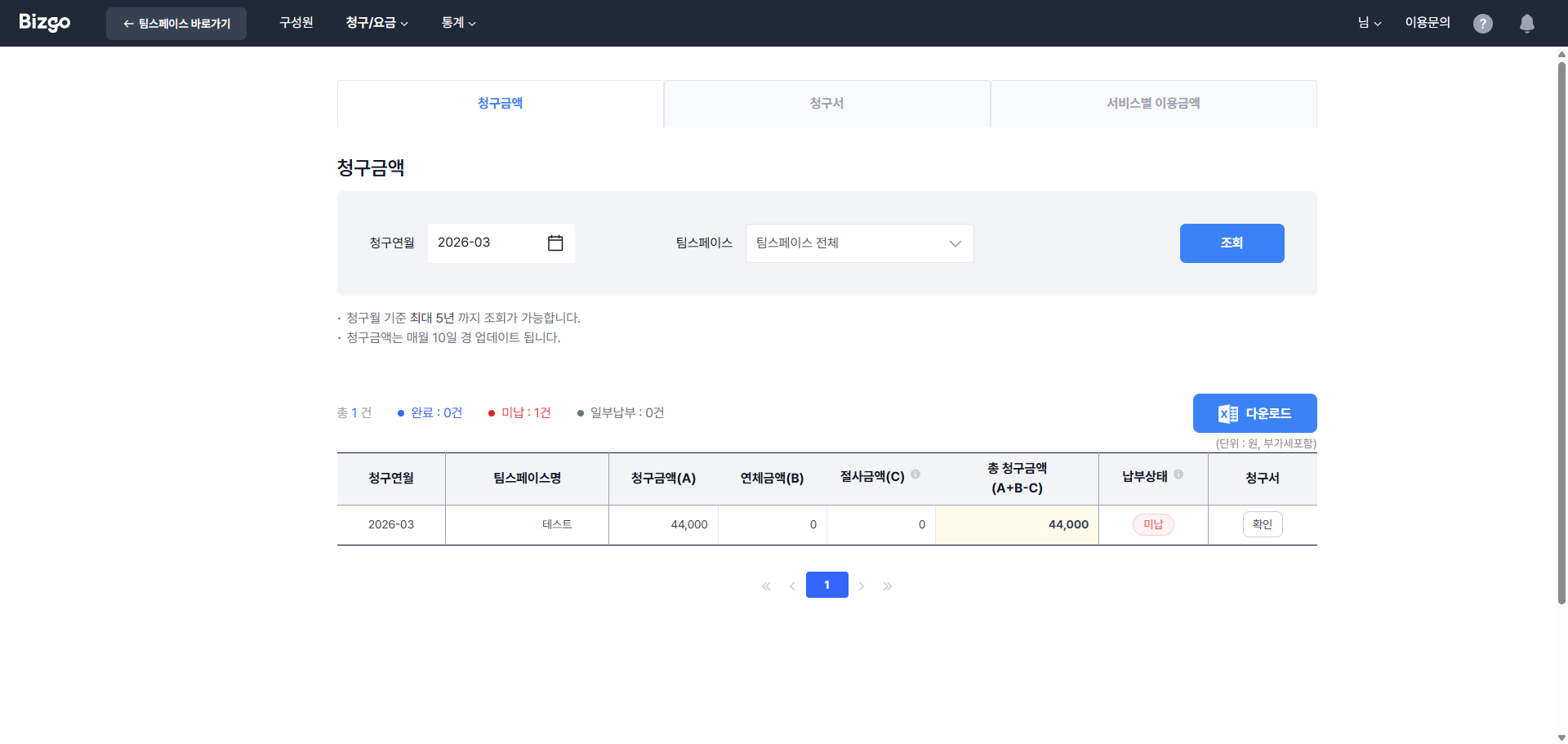
**[콘솔] > [청구/요금] > [청구 내역]** 으로 접속하세요. 청구 내역은 **[청구금액]**, **[청구서]**, **[서비스별 이용금액]** 총 3가지 탭으로 분류되어 있습니다.
- **청구금액** — 팀스페이스별 청구 금액과 납부 상태를 한눈에 확인
- **청구서** — 상세 청구 내역 확인
- **서비스별 이용금액** — 메시지 타입별 결제 금액 확인. 상담톡 요금제를 이용 중이라면 상담톡 사용 금액도 함께 표시됩니다
> **세금계산서 발행 일정**
당월 사용분에 대한 세금계산서 청구는 익월 10일(청구일이 비영업일인 경우 직전 영업일)에 발행되며, **[청구 내역]** 페이지에서는 익월 10일경 확인하실 수 있습니다.
**청구금액**
청구금액(A)은 청구월에 부가세가 포함된 이용 금액을 말하며, 연체금액(B)는 지난 청구월에 납부되지 않은 누적 연체 금액을, 절사금액(C)는 10원 또는 100원 단위의 금액을 제외한 금액입니다. 총 청구금액(A+B+C)는 청구월에 납부되어야 하는 총 금액을 의미합니다.
**청구서**
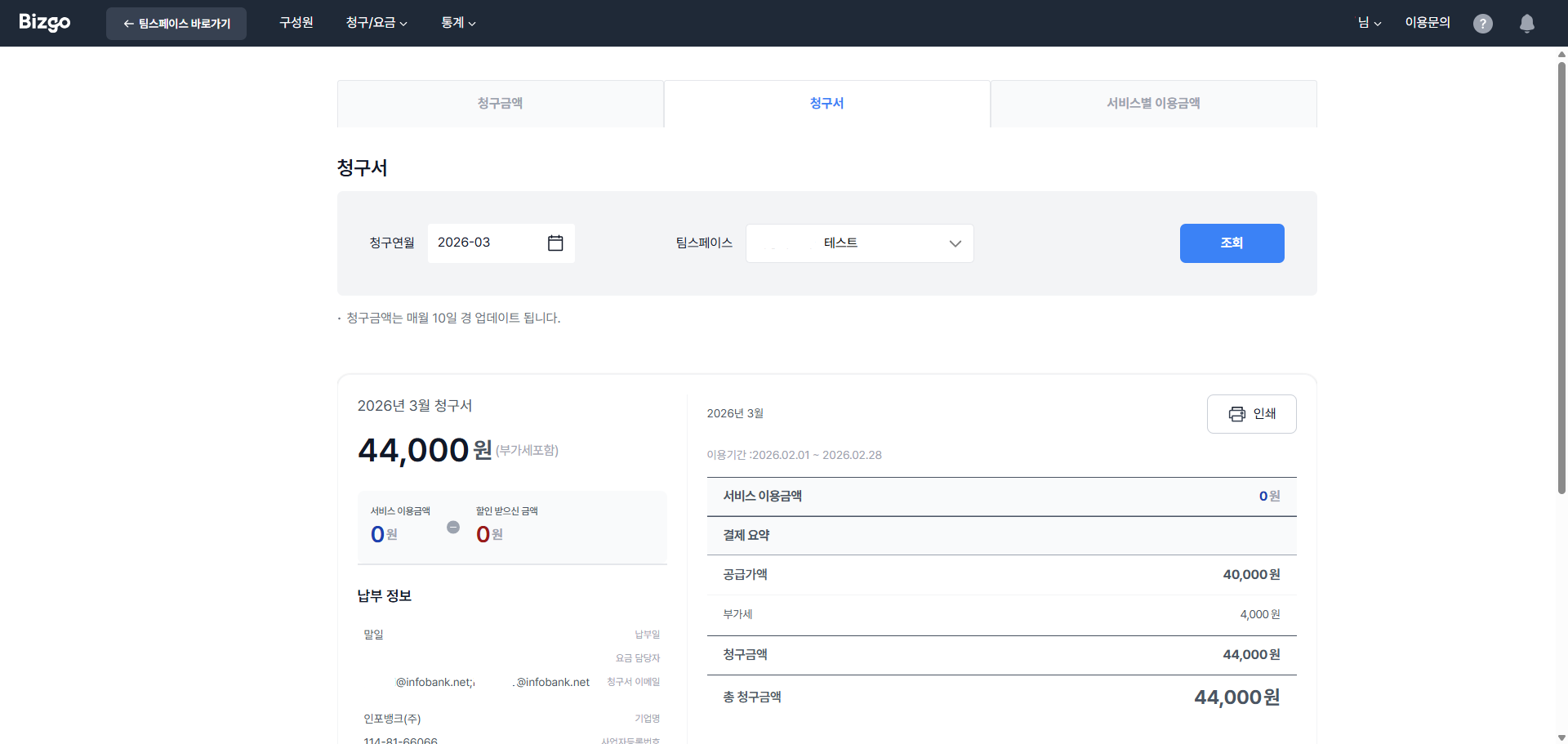
조회하고자 하는 청구연월과 팀스페이스를 선택 후 **[조회]** 버튼을 클릭하시면 청구 상세 내역을 확인하실 수 있습니다. 청구 내역을 인쇄하실 경우 청구서 우측 **[인쇄하기]** 버튼을 클릭해 주세요.
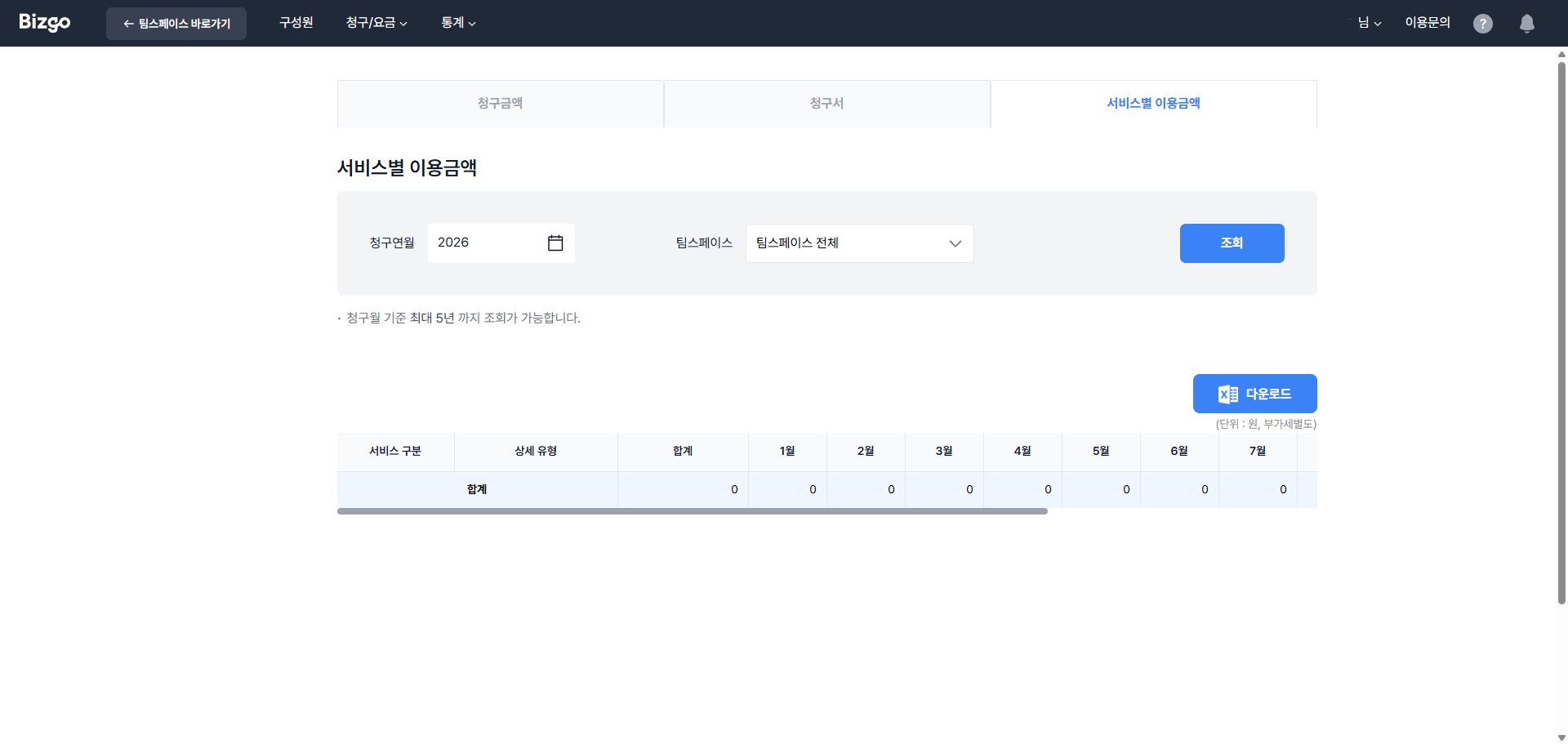
**서비스별 이용금액**
팀스페이스별 서비스의 메시지 타입별 월 이용 금액을 확인하실 수 있습니다.
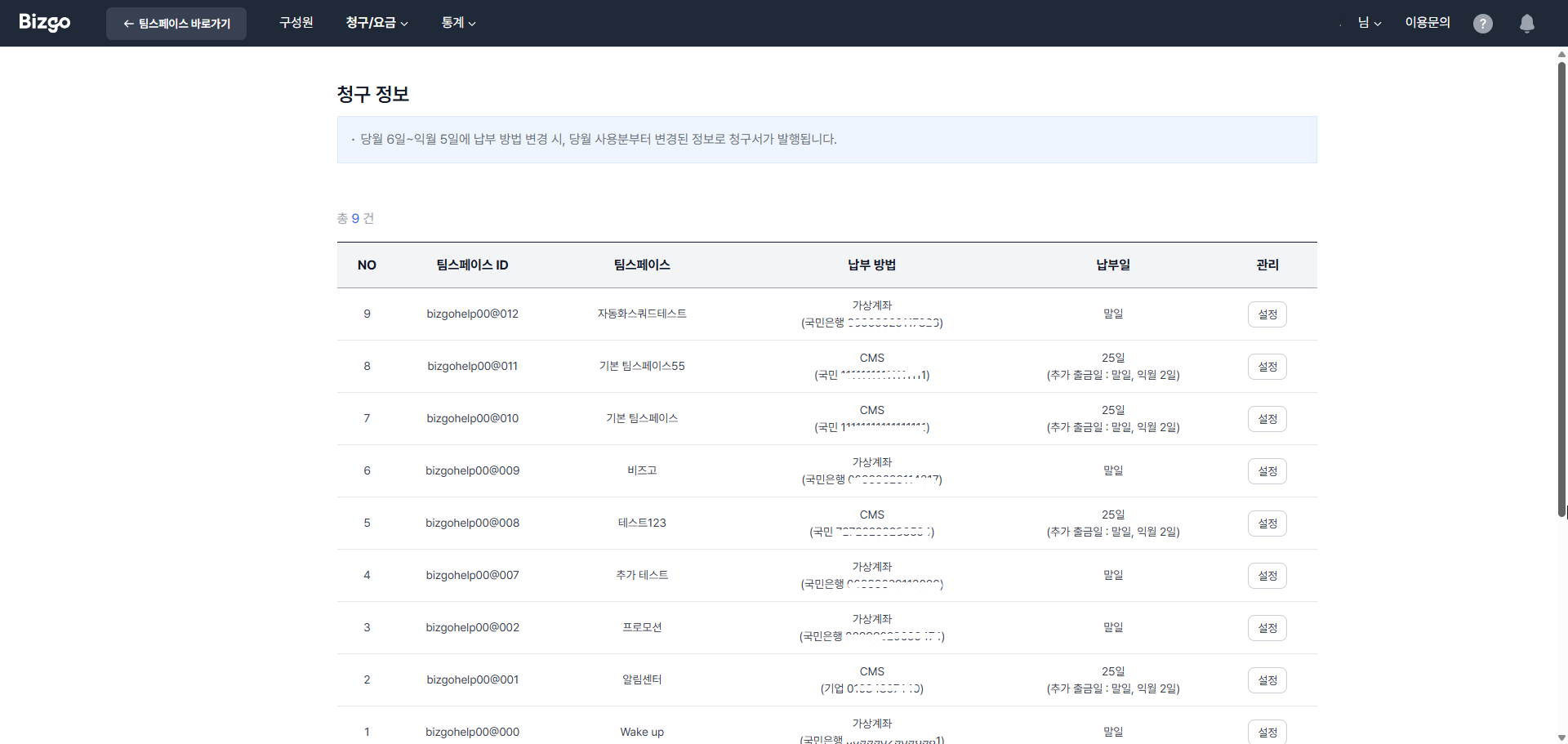
### 청구 정보
팀스페이스별로 납부 방법 등의 청구 정보를 확인하실 수 있습니다. **[설정]** 버튼을 클릭하여 납부 방법 및 요금 담당자 정보를 변경할 수 있습니다.
> **납부 방법 변경 가능 기간**
당월 6일~익월 5일까지 당월 사용분에 대한 납부 방법 변경이 가능합니다. (전월 사용분에 대한 납부 방법은 변경 불가)
**납부 방법 변경 방법**
1. **[콘솔] > [청구/요금] > [청구 정보]** 에 접속합니다.
2. 변경하고자 하는 팀스페이스의 **[설정]** 버튼을 클릭합니다.
3. 요금 납부 정보 항목에서 **[납부 방법 변경]** 버튼을 클릭합니다.
4. 자동이체 또는 가상계좌 방식 중 변경하고자 하는 납부 방법을 선택합니다.
- **CMS 자동이체** 선택 시: **[CMS 신청서 작성하기]** 버튼을 클릭하여 신청서를 작성합니다. 작성 완료 후 **[저장하기]** → **[출력하기]** 를 클릭합니다. 출력된 신청서에 신청일, 신청인, 예금주 이름을 작성하고 서명한 후 스캔하여 파일을 첨부합니다.
5. **[수정완료]** 버튼을 클릭하면 납부 방법 변경이 완료됩니다.
### 요금제
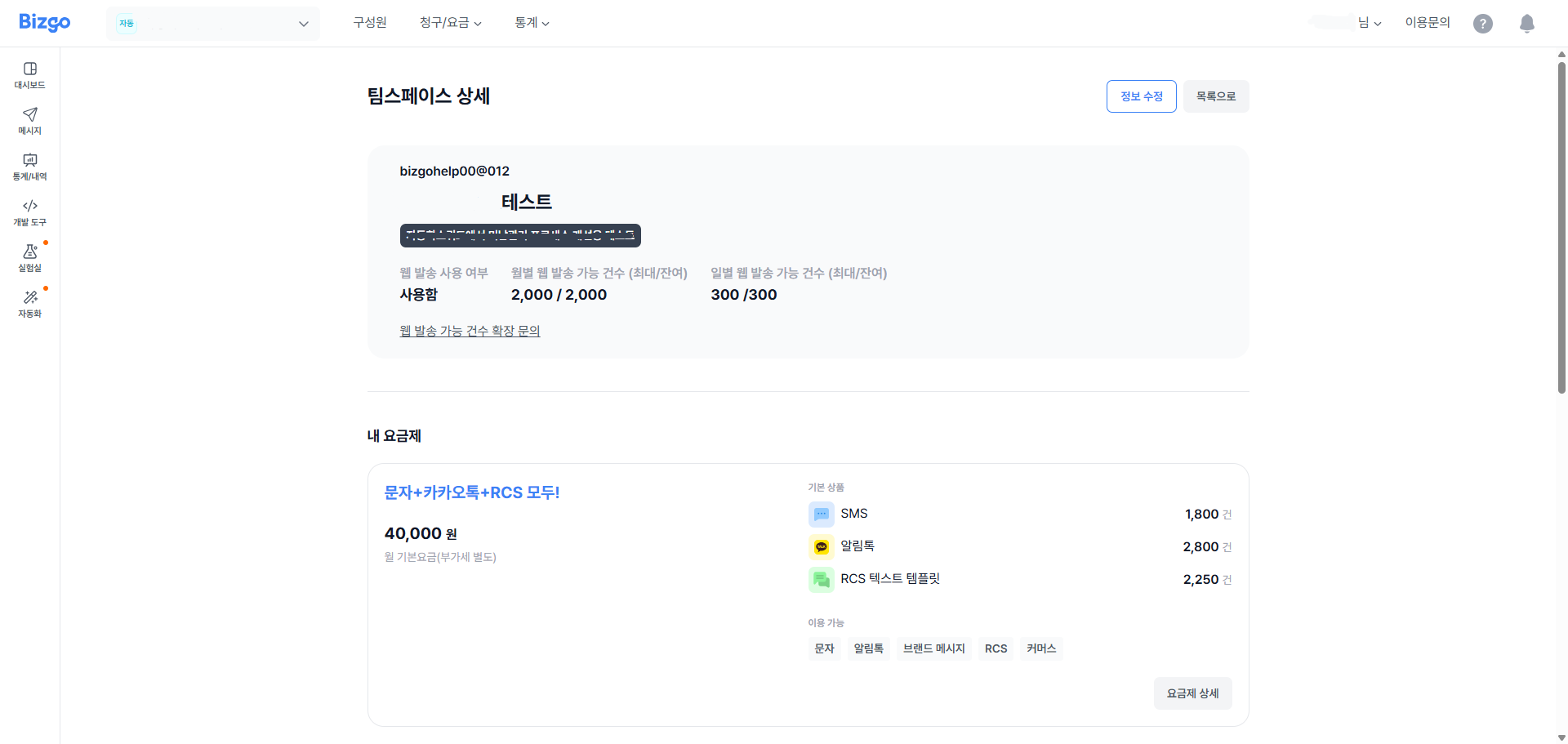
팀스페이스별로 이용하고 계신 요금제를 확인하실 수 있습니다.
**상담톡 요금제**
커뮤니케이션 상품 요금제와 별도로 **상담톡 요금제**를 선택하실 수 있습니다. 요금제를 선택하면 상담톡용 **옴니키**가 발급됩니다.
- 커뮤니케이션 상품 요금제와 **함께 보유**할 수 있습니다. 기존 요금제를 해지하지 않아도 됩니다.
- 과금은 채널 수와 채팅방 건수를 기준으로 하며, 채널을 추가하면 채널당 요금이 더해집니다.
- 요금제별 단가는 계약 조건에 따라 다릅니다. 정확한 금액은 비즈고 영업팀에 문의해 주세요.
> **상담톡 초기 세팅은 별도 요청이 필요합니다**
요금제 선택과 옴니키 발급은 콘솔에서 직접 하실 수 있지만, **카카오 채널 등록과 상담톡 사용을 위한 초기 세팅은 아직 수동으로 지원**됩니다. 상담 시간 설정, 시스템 메시지 설정 등 콘솔에서 직접 설정하는 기능은 순차적으로 제공될 예정입니다. 그전까지는 비즈고 고객센터로 요청해 주세요.
---
## 기업 정보 변경
계정에 등록된 기업 정보를 확인할 수 있습니다.
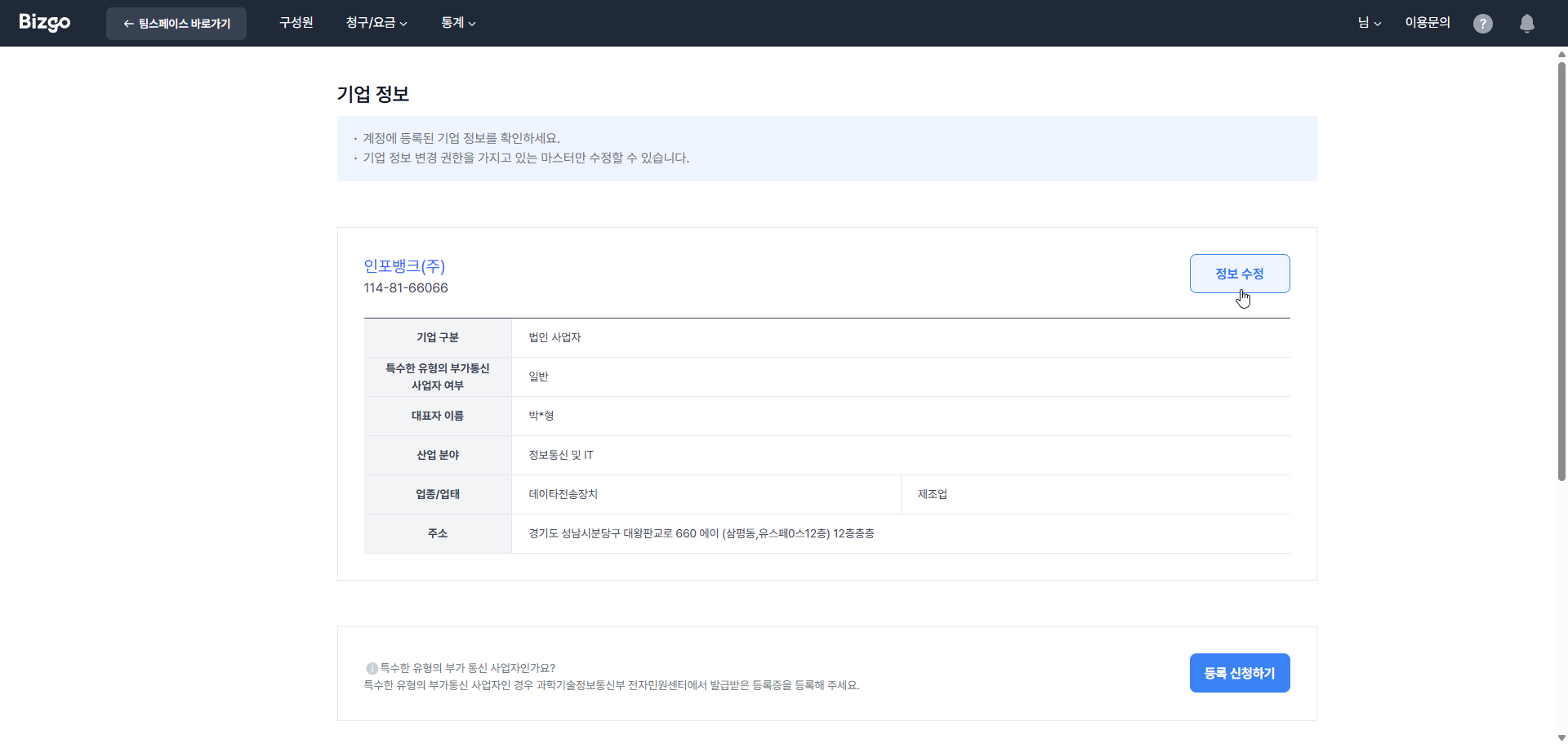
> **수정 권한 및 주의사항**
기업 정보 변경 권한을 가지고 있는 **마스터만** 수정 가능합니다.
사업자 등록번호, 사업자 등록증, 회사 이름, 대표자 이름 수정 시 관리자 승인 절차를 거친 후 변경 사항이 적용되며, **기업 정보 변경 완료 시점에 등록된 발신번호가 모두 사용 불가 상태로 전환**되어 메시지 전송이 실패합니다. 원활한 서비스 이용을 위해 변경된 사업자 정보로 발신번호를 사전에 신규 등록해 주세요.
- 사업자 등록번호, 사업자 등록증, 회사 이름, 대표자 이름 수정 시 신청 정보와 증빙 서류에 대한 관리자 승인 절차가 필요합니다.
- 업종/업태, 주소는 관리자 승인 절차 없이 즉시 변경하실 수 있습니다.
- 신청 정보 확인 과정에서 필요 시 추가 정보를 요청하거나 합리적인 이유가 있는 경우 신청을 거절할 수 있습니다.
---
## 내 정보 변경
내 정보를 확인하고 관리할 수 있습니다.
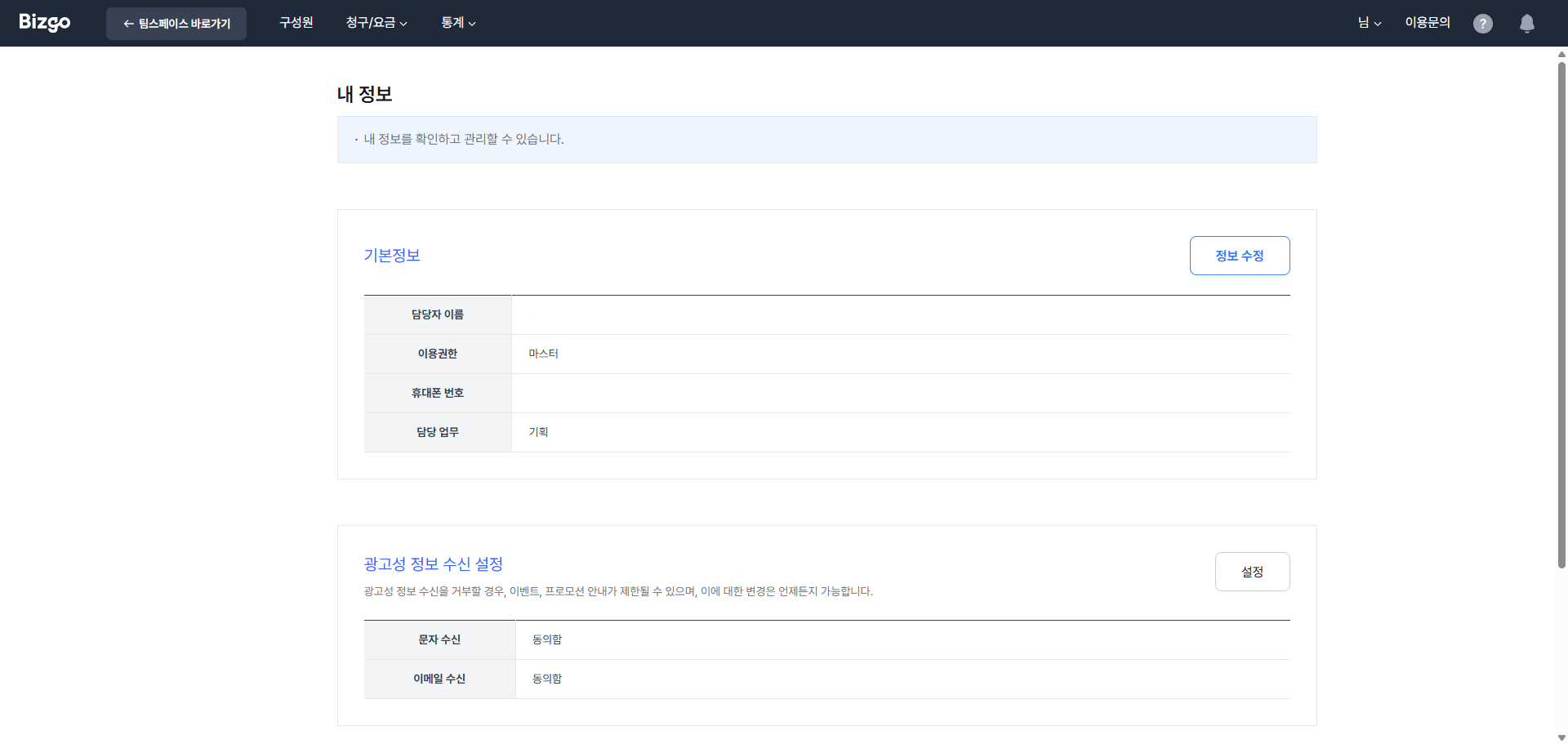
- 기업과 마스터와의 관계, 담당자 이름 수정 시 영업일 1~2일 내에 관리자 승인 절차를 거친 후 변경 사항이 적용됩니다.
- 휴대폰 번호, 유선번호, 이메일, 부서는 관리자 승인 절차 없이 즉시 변경하실 수 있습니다.
- 신청 정보 확인 과정에서 필요 시 추가 정보를 요청하거나 합리적인 이유가 있는 경우 신청을 거절할 수 있습니다.
---
## 보안설정
보안설정을 통해 보다 안전하게 계정을 관리할 수 있습니다.
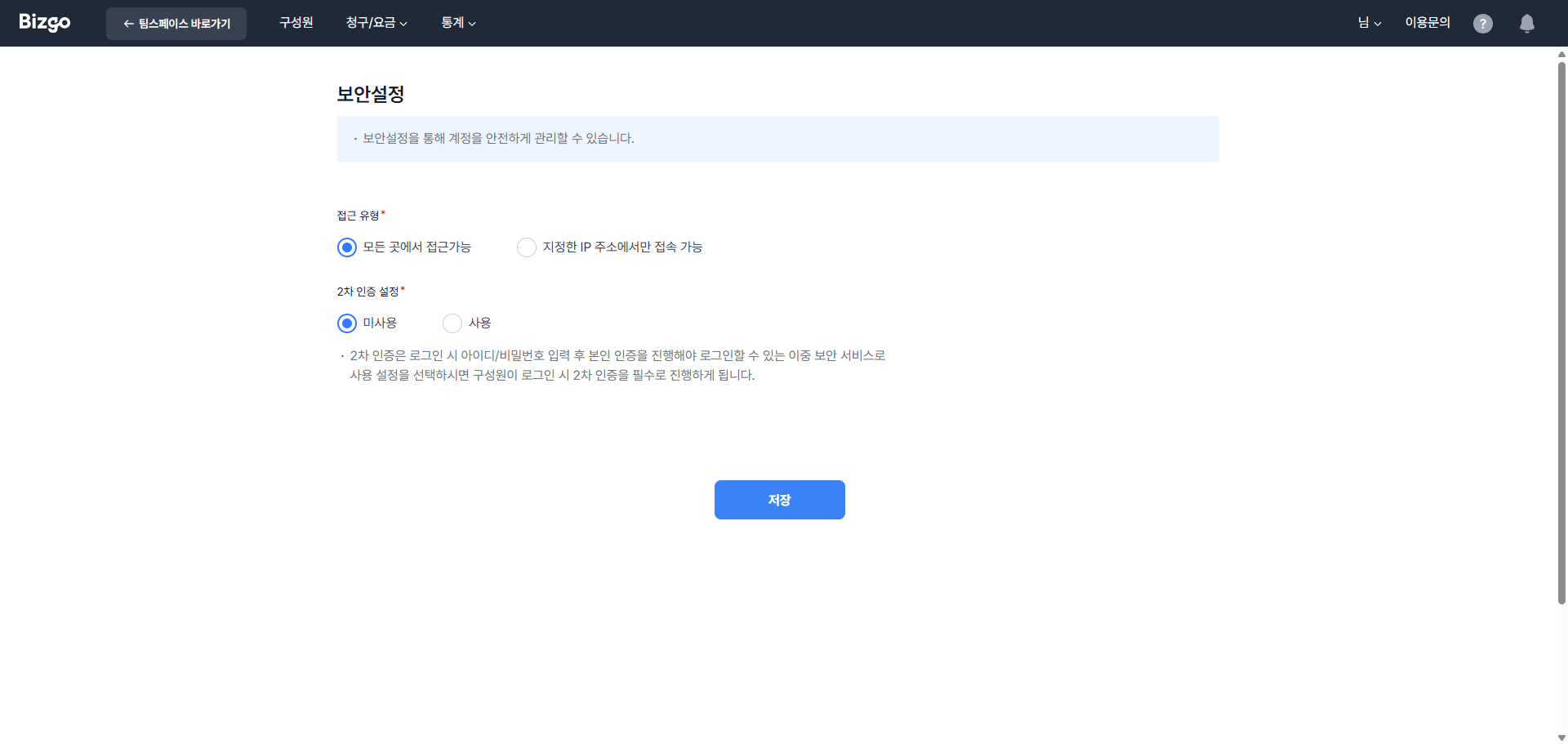
- 지정된 IP에서만 접속이 가능하도록 설정할 수 있습니다. (최대 50개의 접속 가능한 IP 설정 가능)
- 로그인 시 아이디/비밀번호 입력 후 본인 인증을 진행해야 로그인이 가능한 **2차 인증 설정**이 가능합니다.
### 구성원 보안 중앙 관리
마스터는 구성원의 보안 권한(2차 인증·접근 IP 제어)을 중앙에서 통제할 수 있습니다.
**중앙 제어 토글**
**[구성원 관리]** 화면 상단에 마스터에게만 노출되는 중앙 제어 토글을 통해 구성원의 보안 설정 접근을 일괄 제어할 수 있습니다.
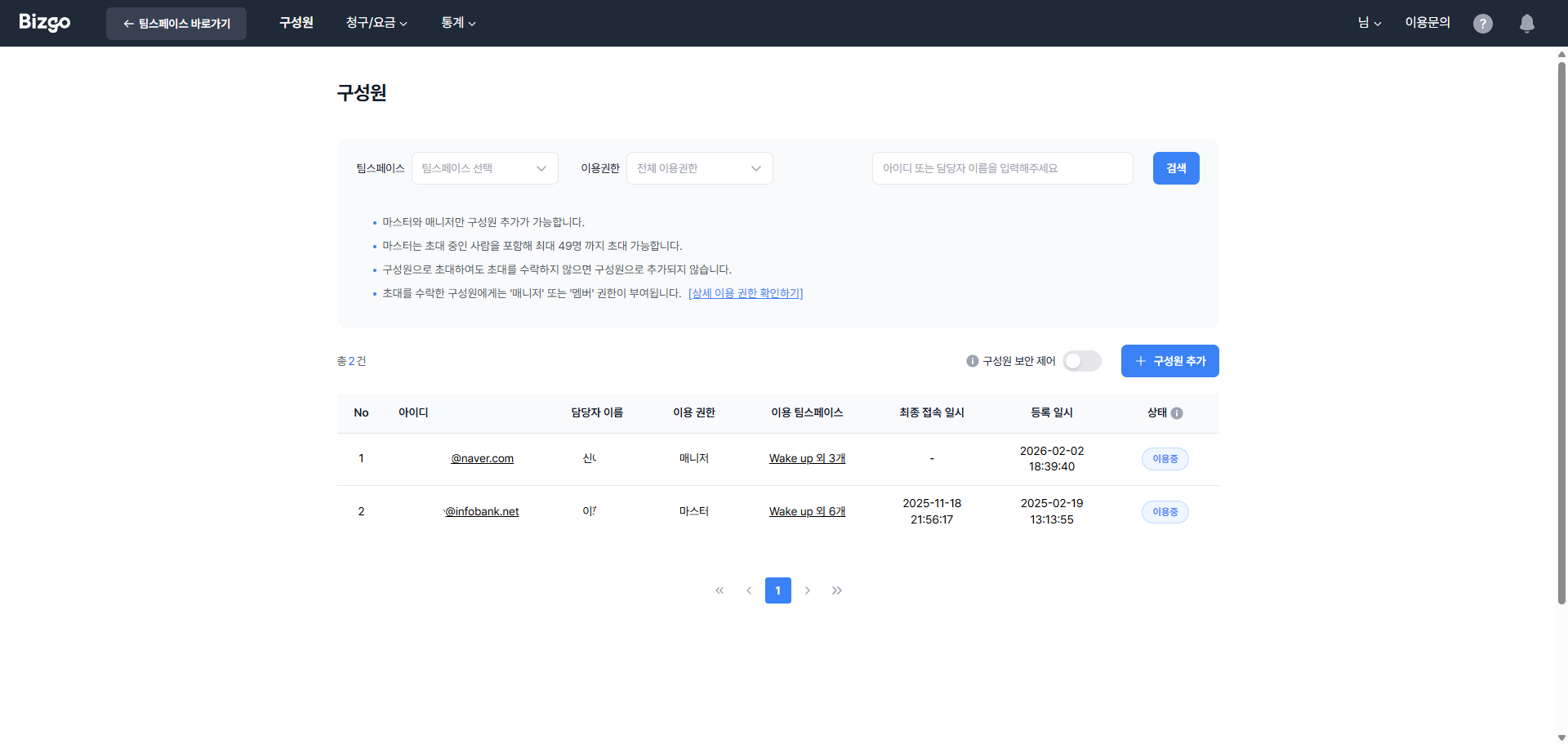
- **기본값:** OFF
- **ON으로 설정 시:** 다른 구성원의 **[보안 설정]** 메뉴 접근이 차단되며, 마스터만 구성원의 보안 설정을 관리할 수 있습니다.
> **중앙 제어 활성화 안내**
중앙 제어 토글을 ON으로 설정하면 구성원이 본인의 **[보안 설정]** 메뉴에 직접 접근하는 것이 차단됩니다. URL로 직접 접근하더라도 접속이 제한됩니다.
**계정별 보안 옵션**
**[구성원 초대/수정]** 화면 내 **'보안 옵션'** 섹션에서 계정별 보안 설정을 지정할 수 있습니다. 마스터에게만 노출됩니다.
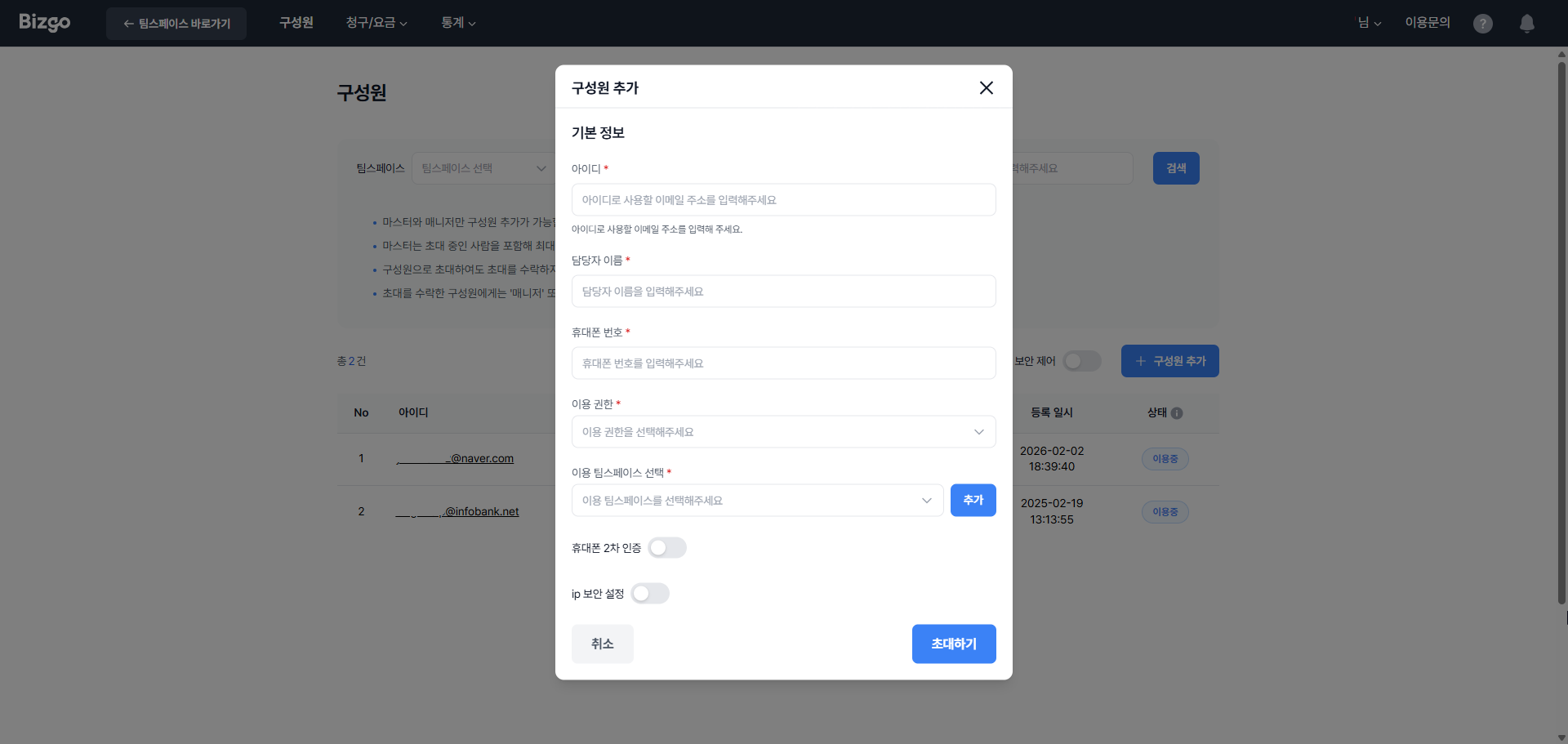
- **휴대폰 2차 인증 ON/OFF** — 해당 구성원 로그인 시 아이디/비밀번호 입력 후 휴대폰 본인 인증을 추가로 요구합니다.
- **접근 IP 제어 ON/OFF** — 특정 IP에서만 해당 구성원의 콘솔 접속을 허용합니다.
- ON으로 설정 시 허용 IP 입력 필드가 노출됩니다. (필수)
- IP 미입력 상태로 저장 시도 시 저장이 불가하며, "허용 IP를 1개 이상 입력해주세요." 안내 문구가 표시됩니다.
- IP 형식이 올바르지 않은 경우 해당 라인에 "올바른 IPv4 또는 CIDR 형식이 아닙니다." 안내 문구가 표시됩니다.
- 최대 50개까지 등록할 수 있습니다.
### UI 동작 규칙
| 구분 | 처리 방식 |
|------|-----------|
| 중앙 제어 토글 **OFF** | 구성원이 본인 **[보안 설정]** 메뉴를 직접 관리 |
| 중앙 제어 토글 **ON** | 구성원의 **[보안 설정]** 메뉴 비활성 + 툴팁 안내 / 직접 URL 접근 차단 |
| IP 미입력 저장 시도 | 저장 불가 + "허용 IP를 1개 이상 입력해주세요." |
| IP 형식 오류 | 해당 라인 빨간 테두리 + "올바른 IPv4 또는 CIDR 형식이 아닙니다." |
### 보안 기능 권한
| 기능 | 마스터 | 구성원 |
|------|:------:|:------:|
| 중앙 제어 토글 조회/변경 | O | X |
| 계정별 보안 옵션 설정 | O | X |
| **[보안 설정]** 메뉴 접근 (중앙 제어 ON 시) | O | X |
---
## 다음 문서
- 실제 발송 방법은 → [웹 발송](/guide/bizgo/web-send)
- API 키 설정은 → [환경 설정하기](/guide/setup)
---
# 운영 준비
URL: https://developers.bizgo.io/guide/bizgo/operational-prep
# 운영 준비
비즈고를 실제로 사용하기 전에 필요한 준비 작업을 한 흐름으로 정리한 문서입니다.
---
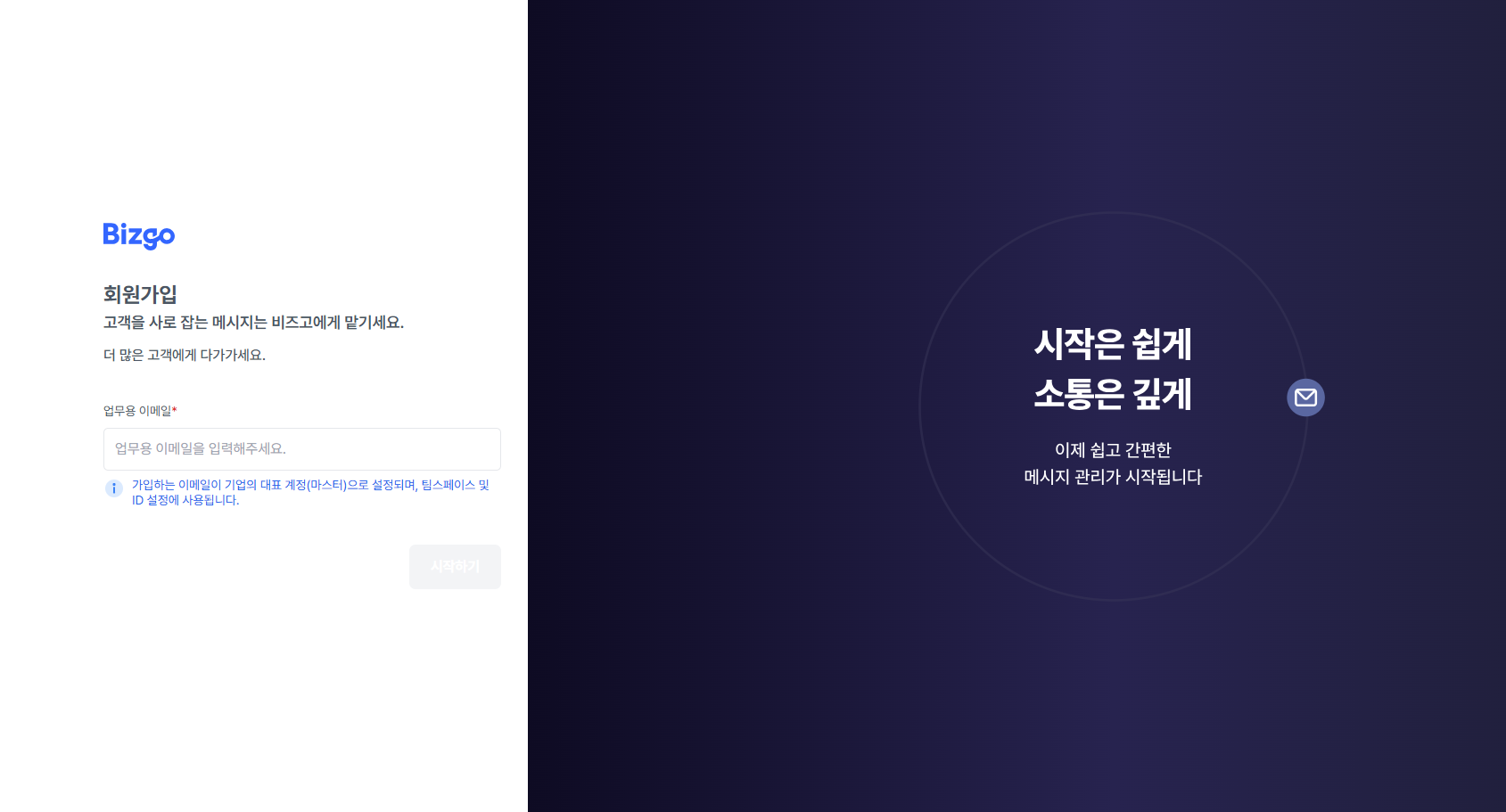
## 1. 회원가입
비즈고 메인 화면에서 **간편 가입하기**로 가입을 시작합니다.
- 회사 도메인 이메일 사용 권장
- 개인 계정으로도 가입 가능
- 가입 후 정보 수정 가능
---
## 2. 비즈니스 인증
회원가입 후 실제 발송 준비를 하려면 비즈니스 인증을 진행해야 합니다.
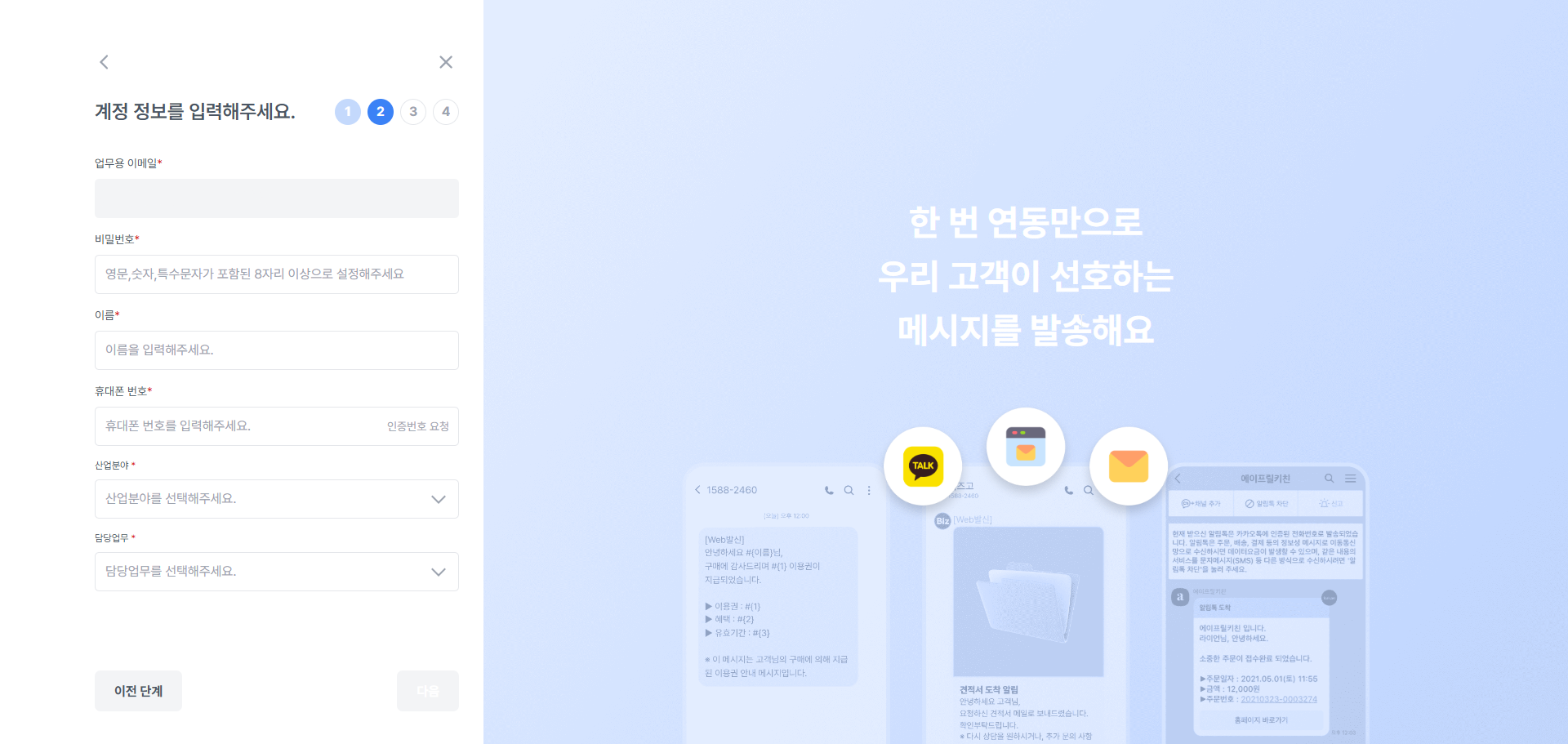
### 계정 정보 입력
이름, 연락처 등 기본 계정 정보를 입력합니다.
### 사업자 인증
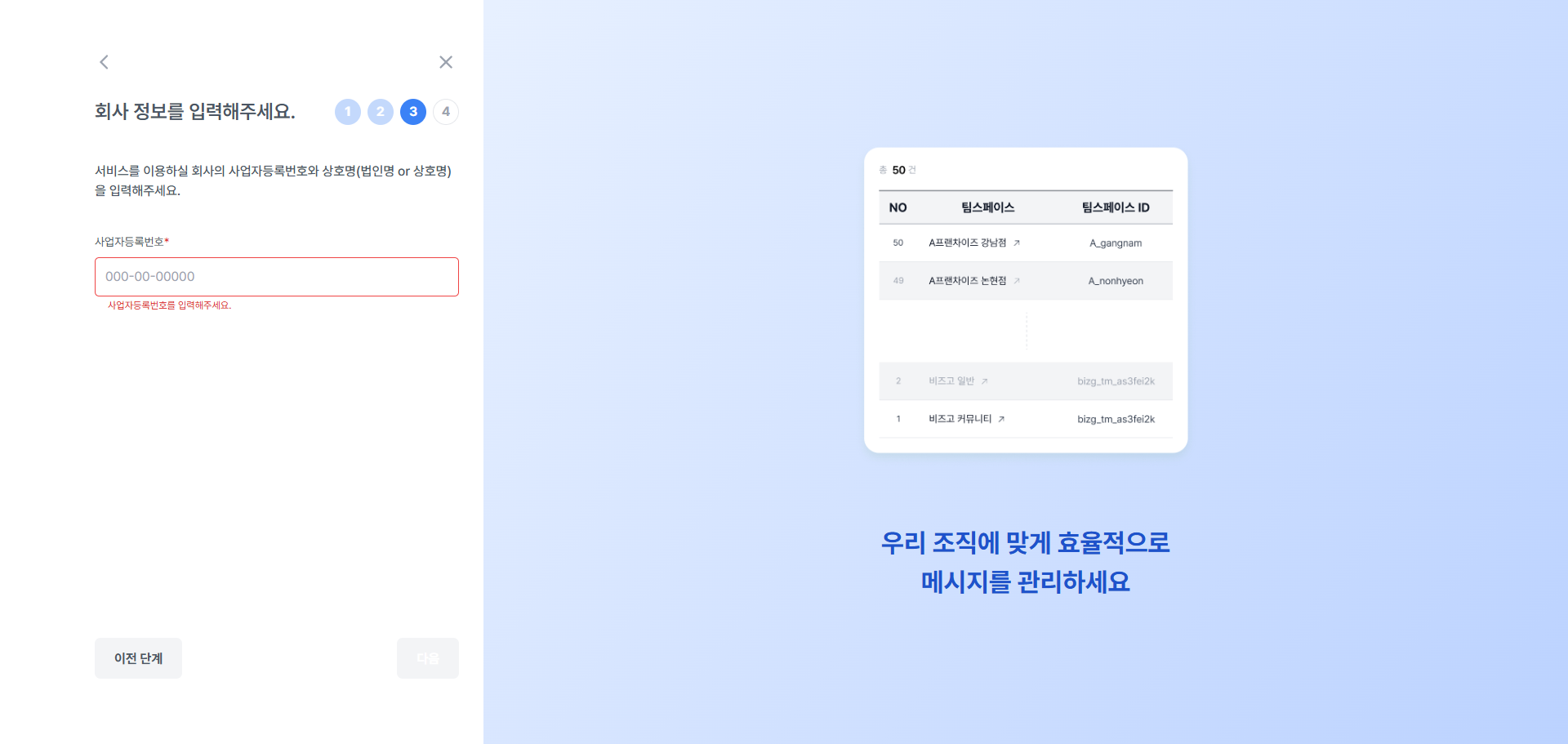
사업자등록번호와 사업자등록증을 제출해 기업 인증을 진행합니다.
| 항목 | 내용 |
|------|------|
| 사업자등록번호 | 유효한 사업자등록번호 입력 |
| 사업자등록증 | 파일 업로드 (PDF, JPG, PNG) |
| 처리 시간 | 영업일 1~2일 이내 승인 |
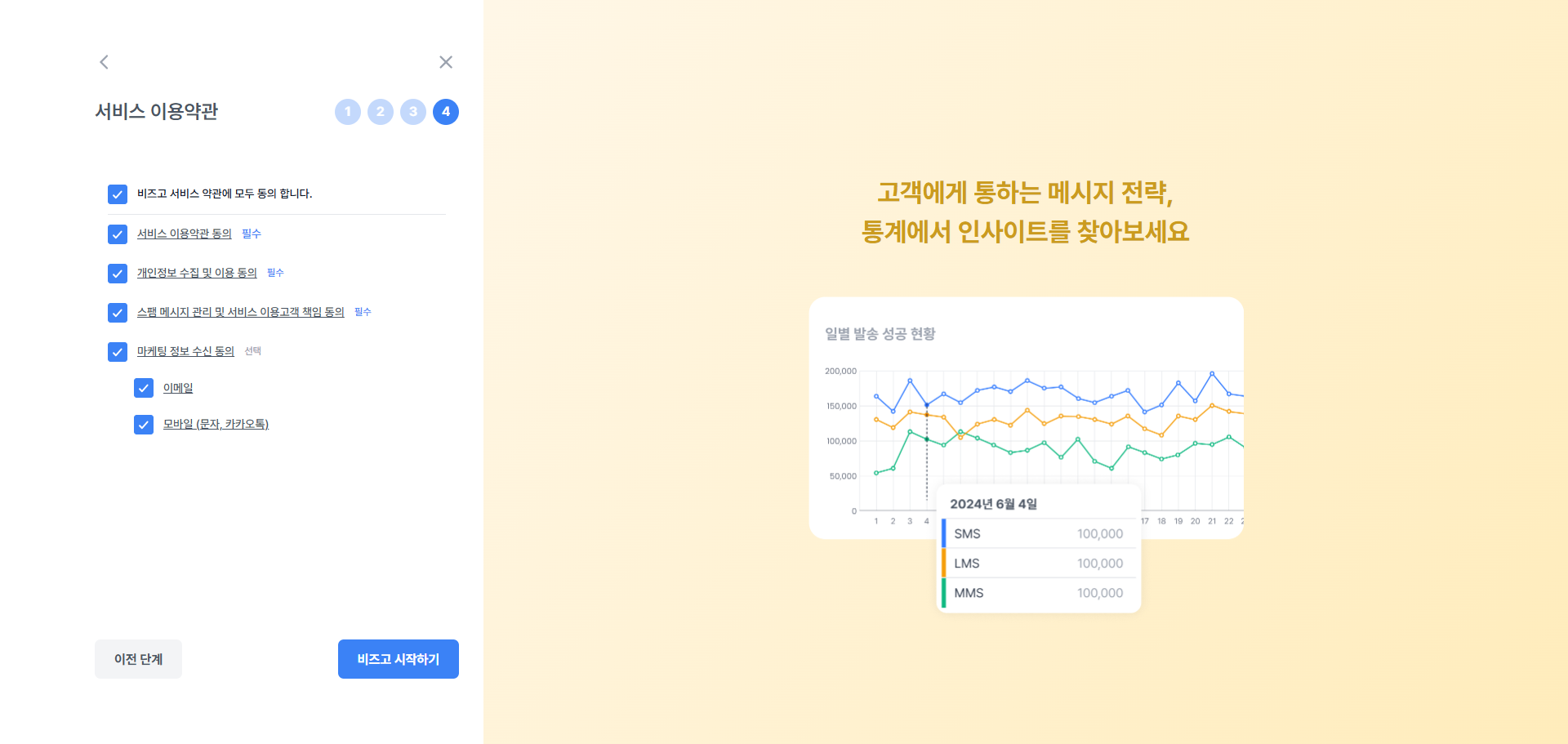
### 비즈고 서비스 동의
서비스 이용약관 및 개인정보 처리방침에 동의합니다. 동의 완료 후 비즈니스 인증이 신청됩니다.
---
## 3. 팀스페이스 준비
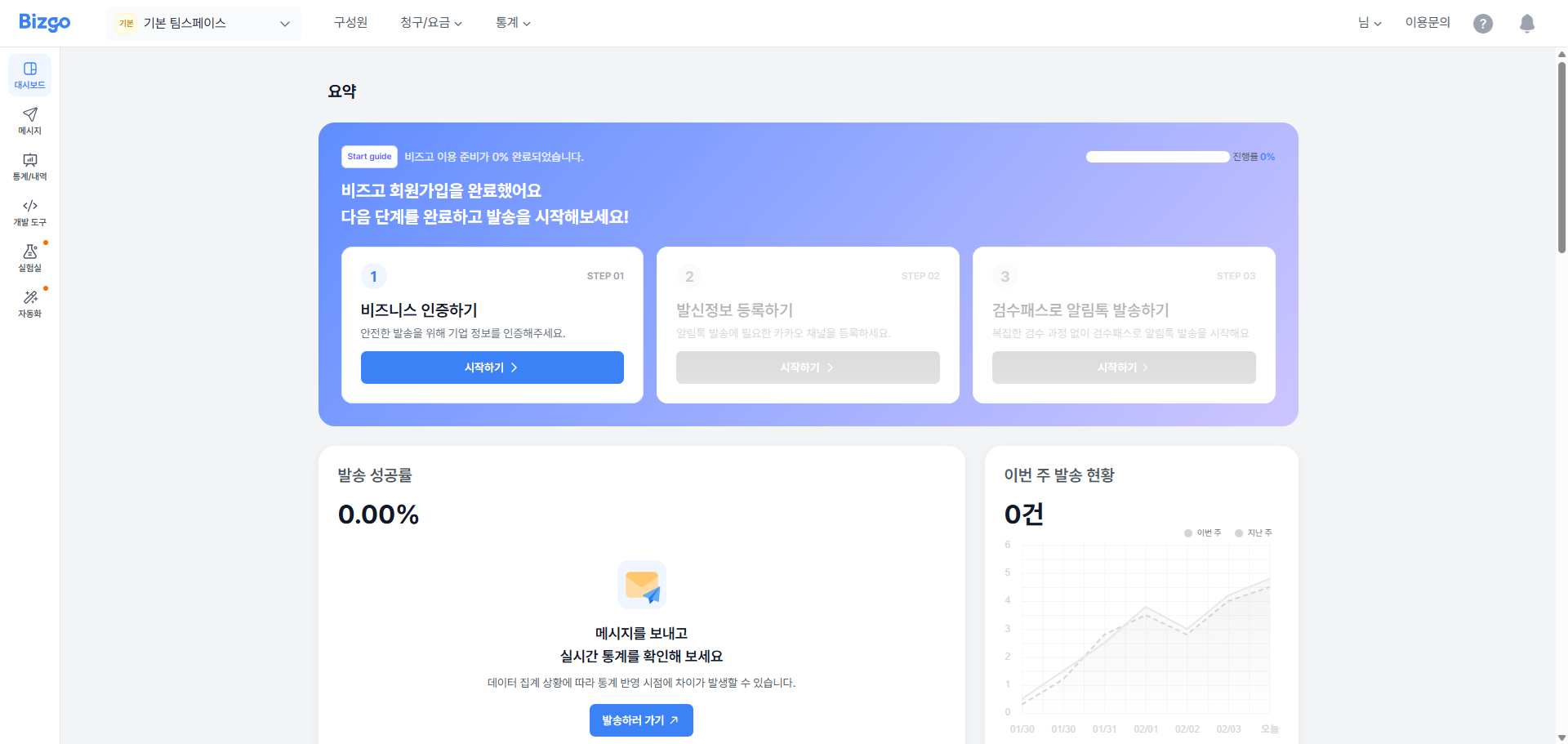
팀스페이스는 비즈고 운영의 기본 단위입니다.
- 기본 팀스페이스 1개가 자동 생성됨
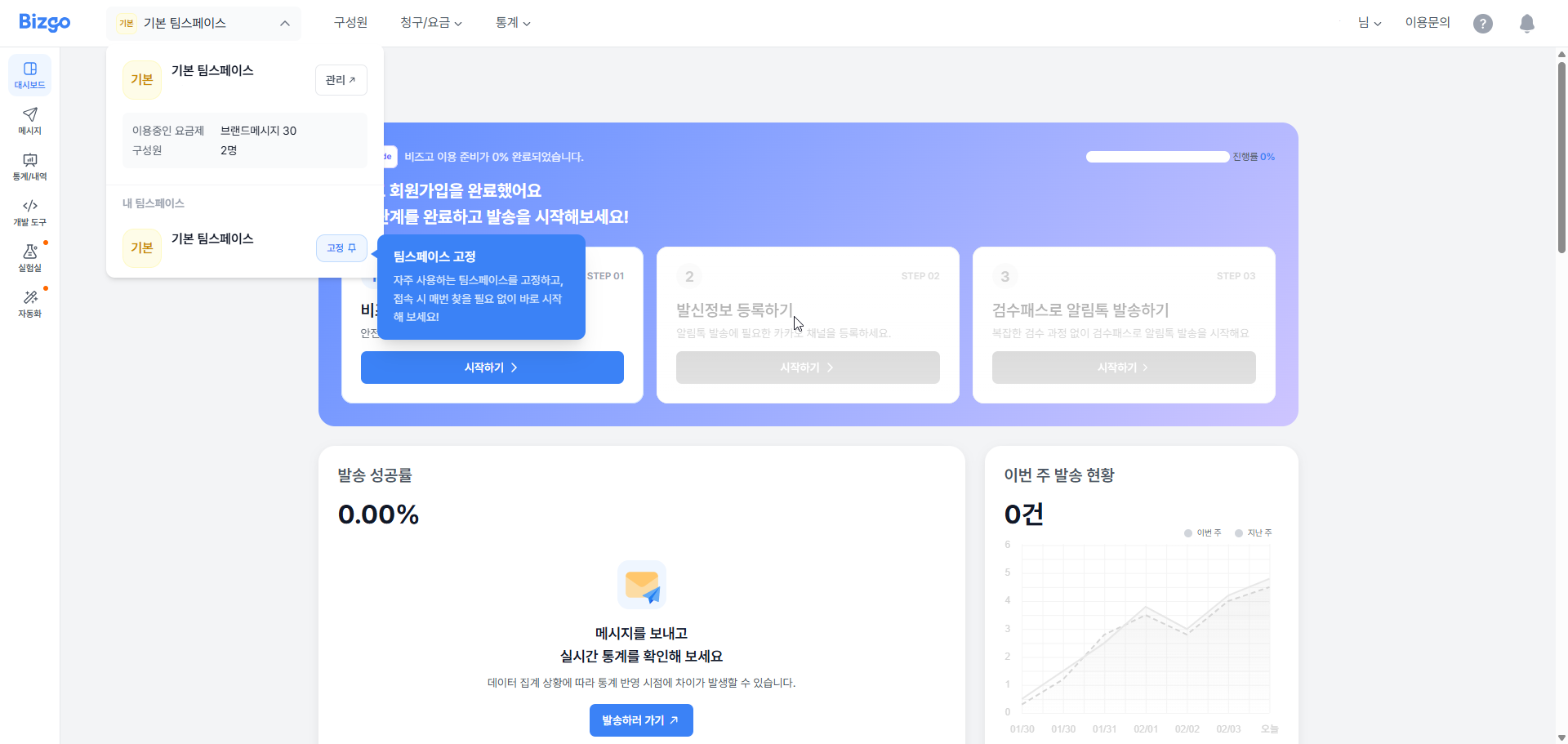
### 추가 팀스페이스 만들기
- **[콘솔] > [팀스페이스]** 메뉴 → **[새 팀스페이스 만들기]** ([팀스페이스 생성하기](/guide/bizgo/console#팀스페이스-생성하기))
- 팀스페이스별로 요금, 담당자 정보, API 키, 발신번호를 따로 관리할 수 있습니다.
---
## 4. 구성원 관리
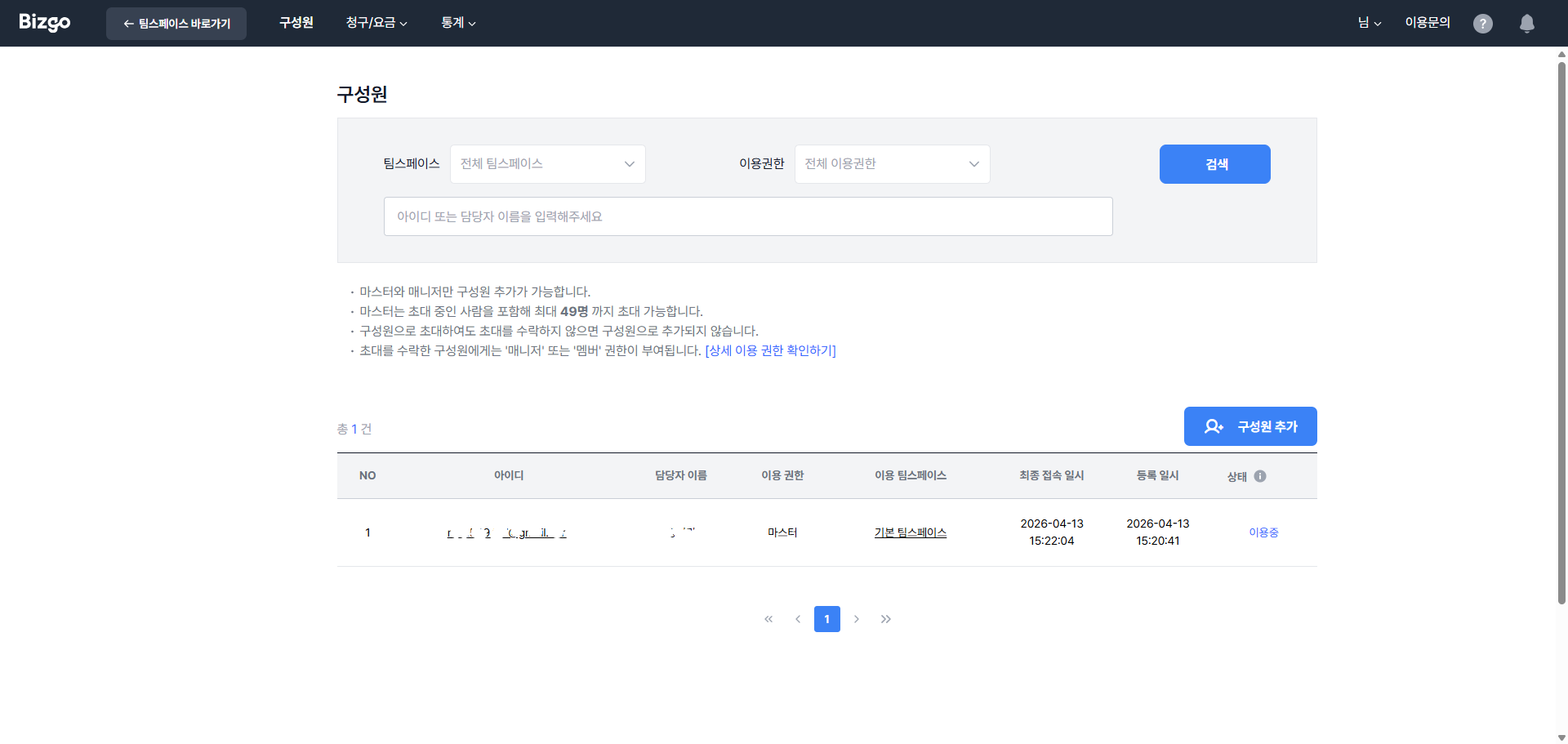
운영을 위해서는 공용 계정 대신 구성원을 초대해 권한을 나눠주는 구조가 좋습니다.
| 역할 | 주요 권한 |
|------|------|
| 마스터 | 콘솔의 모든 기능 (팀스페이스 생성, KEY 발급, 청구·기업 정보 변경 포함) |
| 매니저 | 구성원 초대, 발신번호·발신프로필·알림톡 템플릿 등록, 웹 발송, 이용 내역 조회 |
| 멤버 | 웹 발송, 이용 내역·통계·청구 내역 조회 |
- 초대 권한: 마스터, 매니저
- 초대 중인 구성원을 포함해 최대 49명까지 초대 가능
- 구성원마다 이용할 팀스페이스와 권한을 지정 가능
- 기능별 전체 권한은 [콘솔 사용하기 > 구성원의 이용 권한](/guide/bizgo/console#구성원의-이용-권한)을 확인하세요.
---
## 5. 비즈니스 인증하기
사업자 인증 완료 후 아래 절차를 이어서 진행합니다.
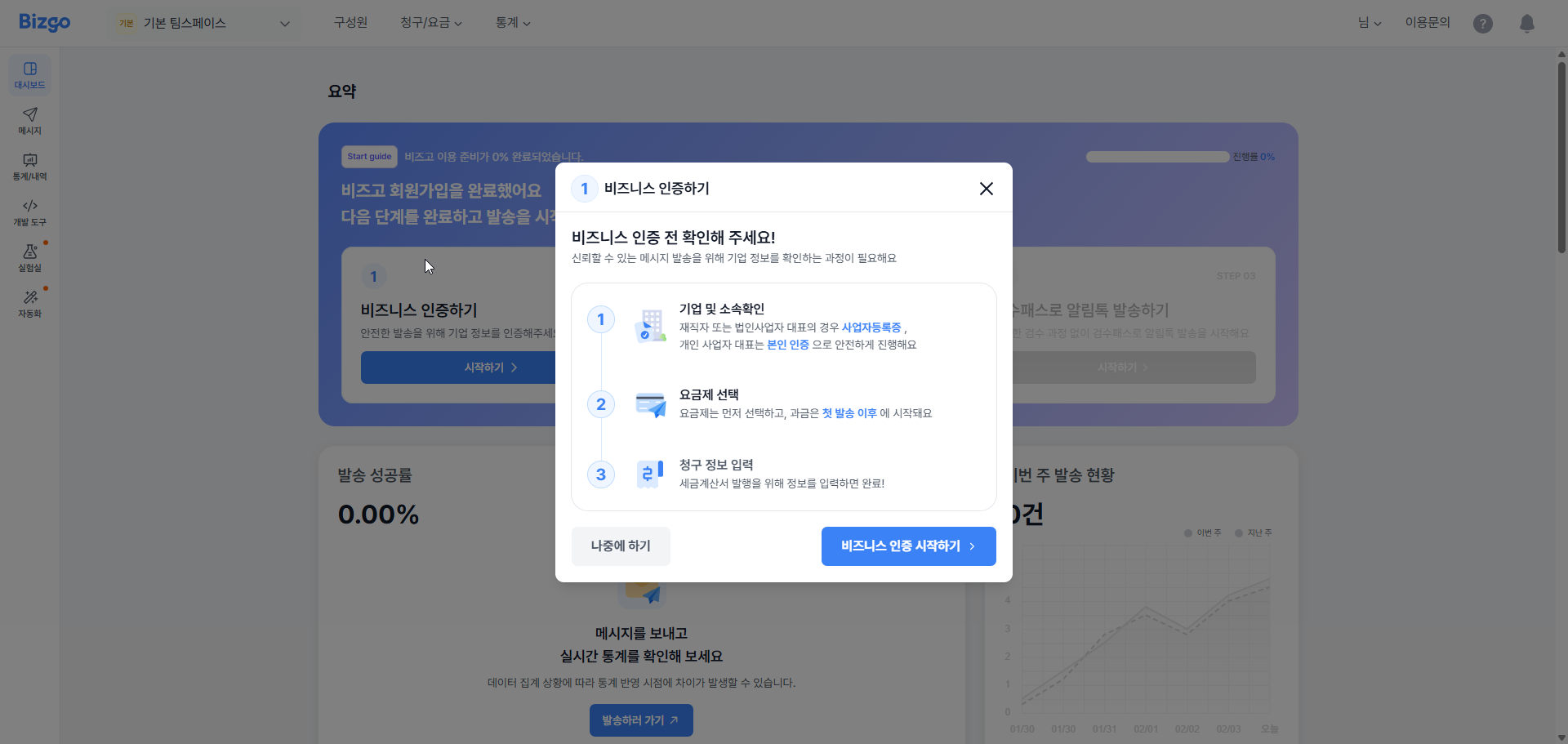
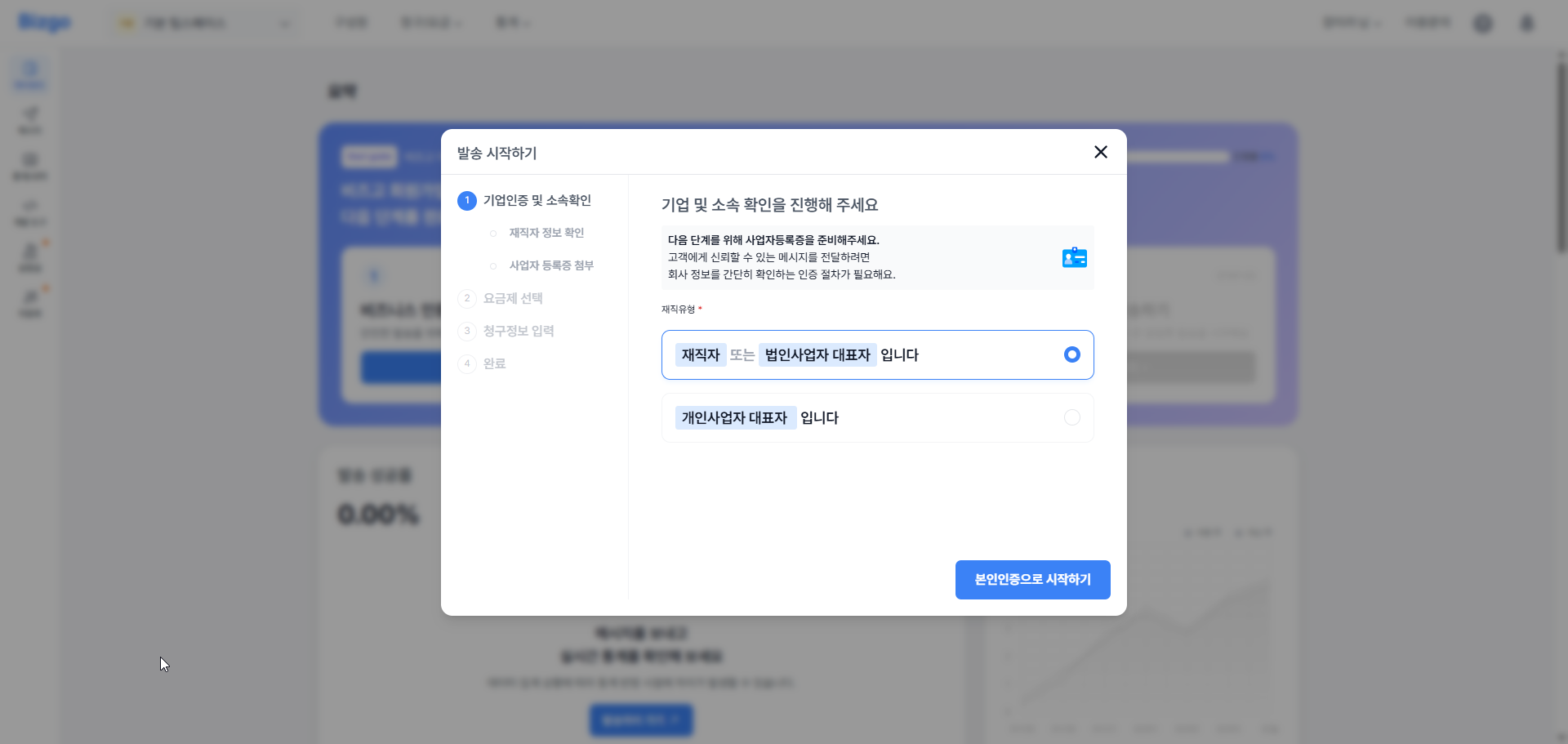
### 기업 및 소속 확인
기업 정보와 소속을 확인합니다.
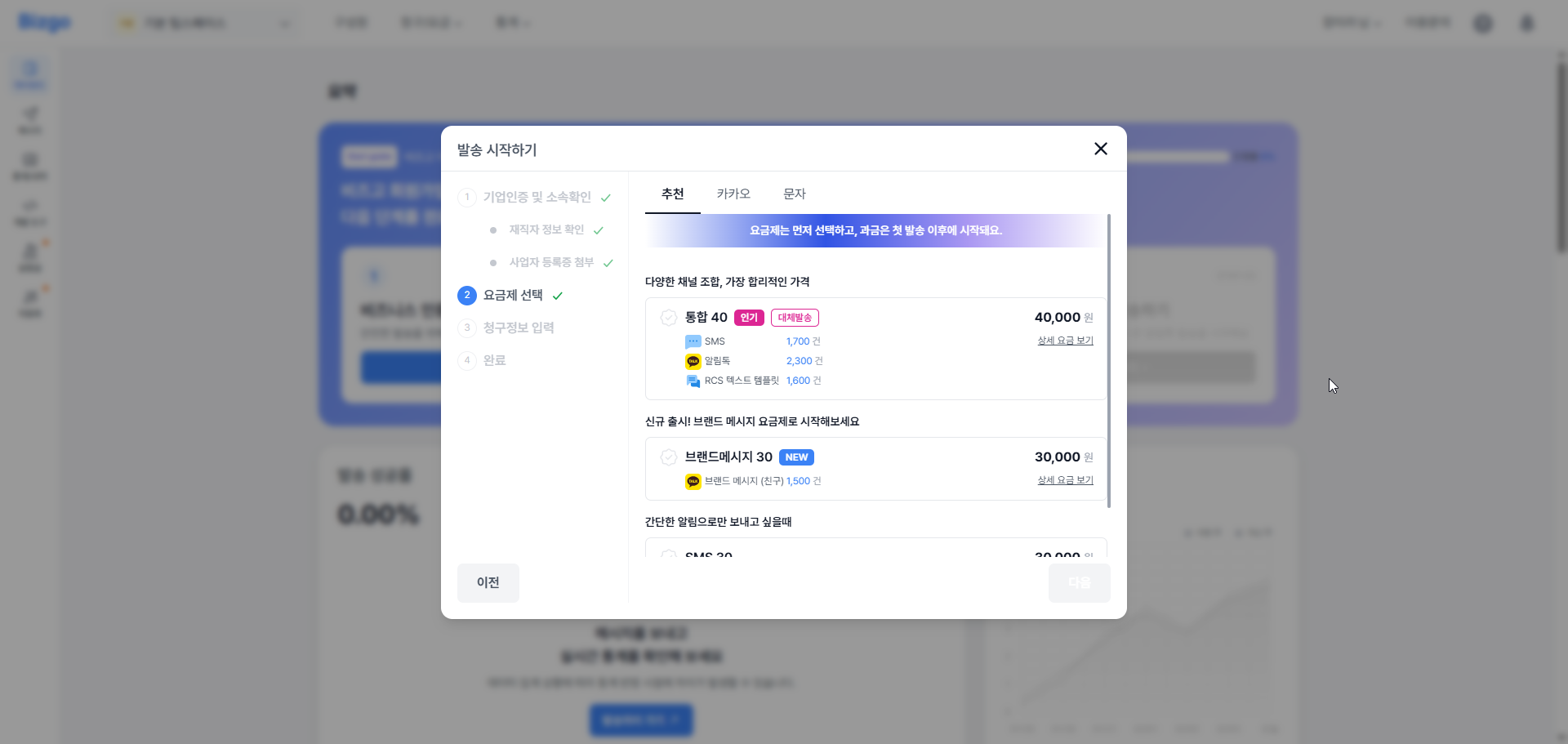
### 요금제 선택
사용 목적에 맞는 요금제를 선택합니다.
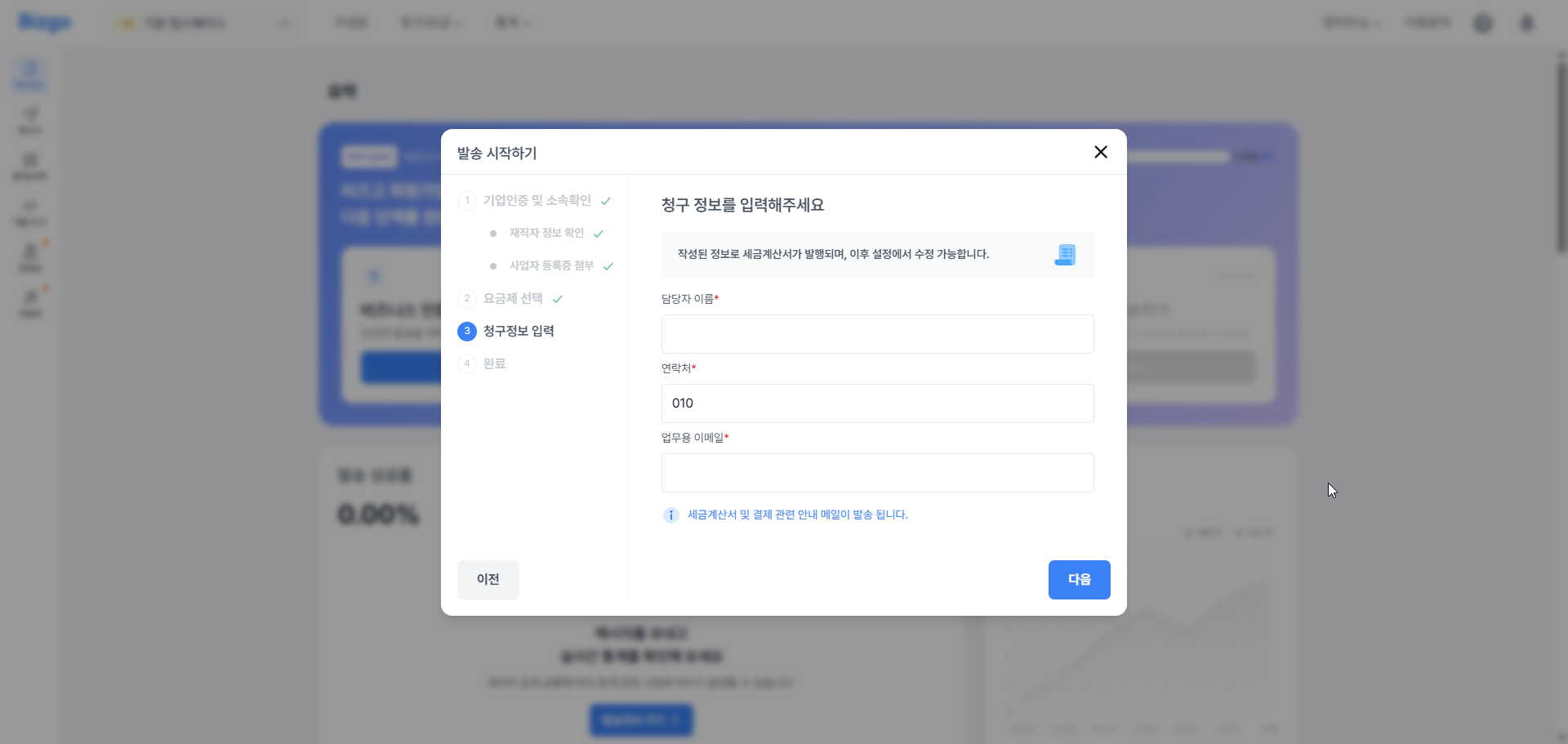
### 청구 정보 입력
요금 청구에 필요한 정보를 입력합니다.
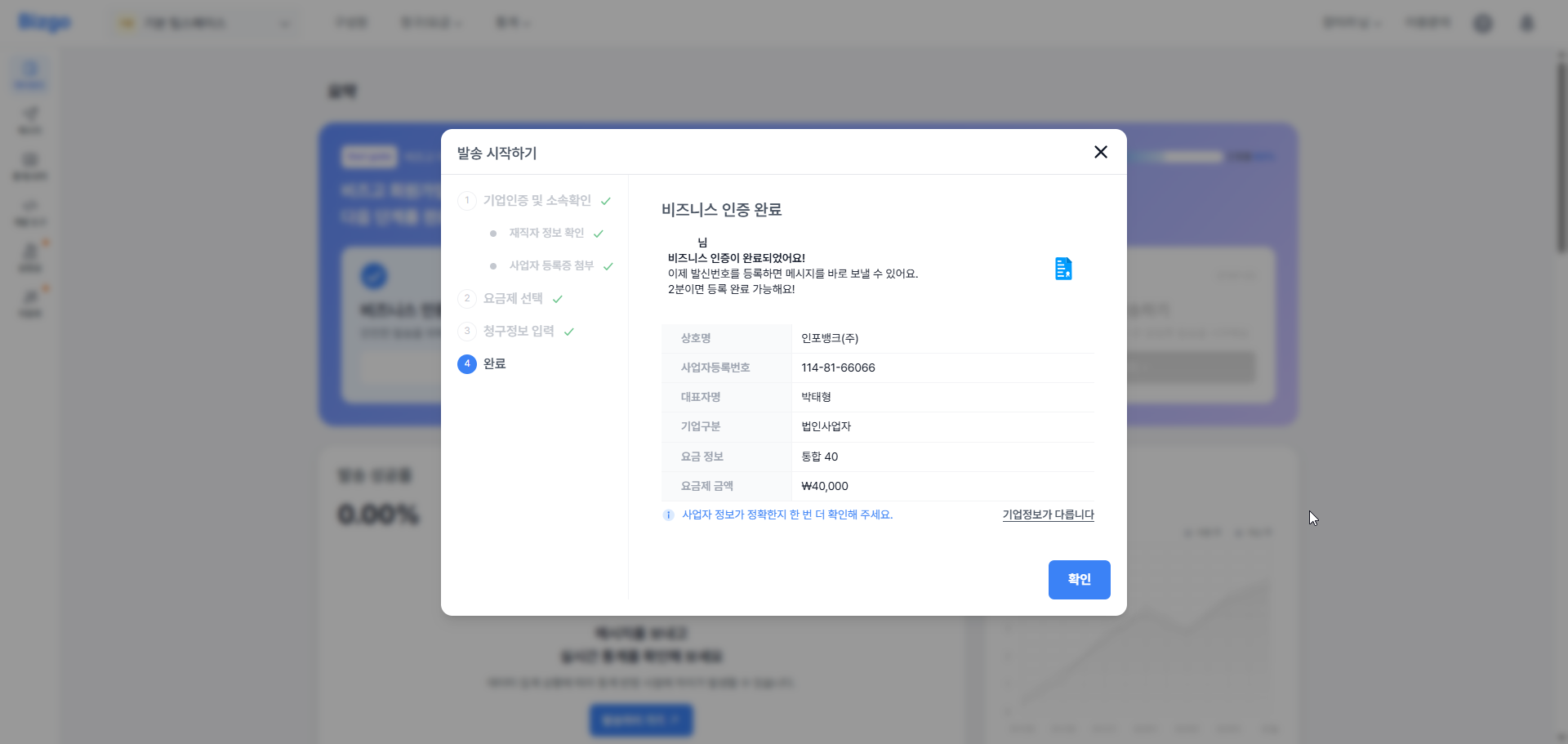
### 비즈니스 인증 완료
모든 절차가 완료되면 인증 완료 화면이 표시됩니다.
---
- [발신정보 등록](/guide/bizgo/sender-registration): SMS 발신번호, 카카오 채널, RCS 브랜드 등 채널별 발신정보 등록 방법을 안내합니다.
---
# 발신정보 등록
URL: https://developers.bizgo.io/guide/bizgo/sender-registration
# 발신정보 등록
실제 발송 전에 채널별 발신정보를 먼저 등록해야 합니다.
---
## 문자 발신번호
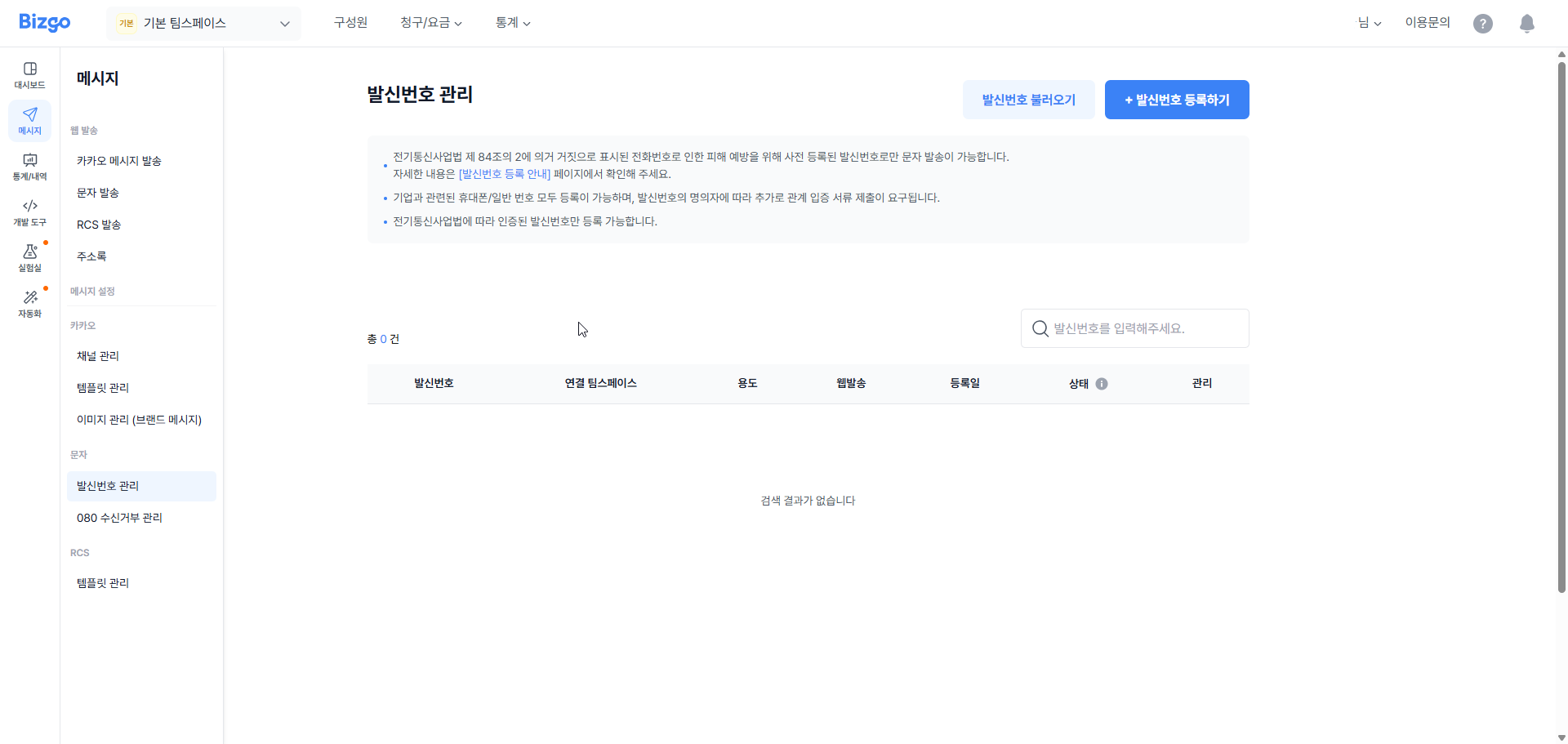
통신사 정책에 따라 등록된 발신번호만 SMS 발송이 가능합니다.
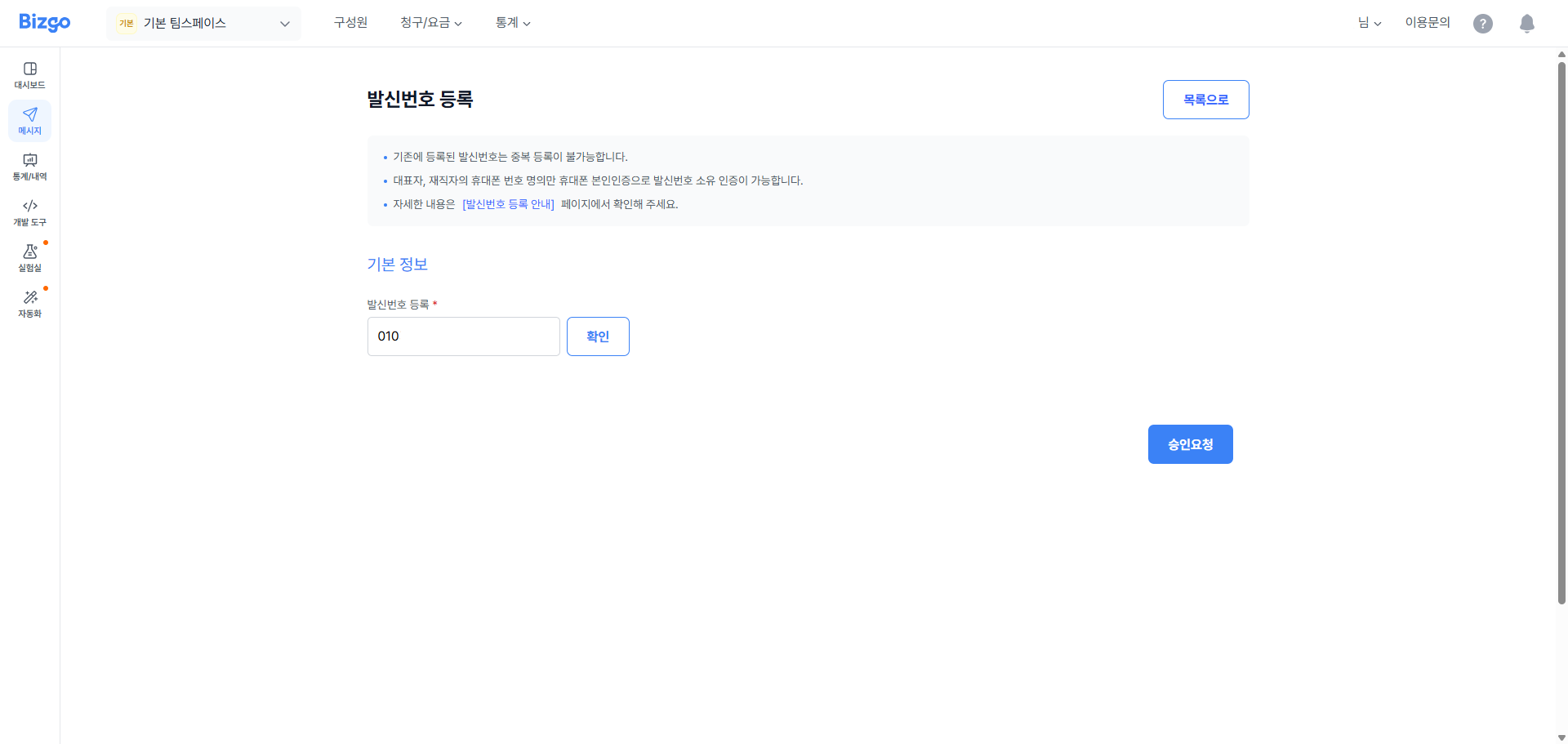
### 발신번호 등록 데이터 입력
사용할 발신번호와 관련 정보를 입력합니다.
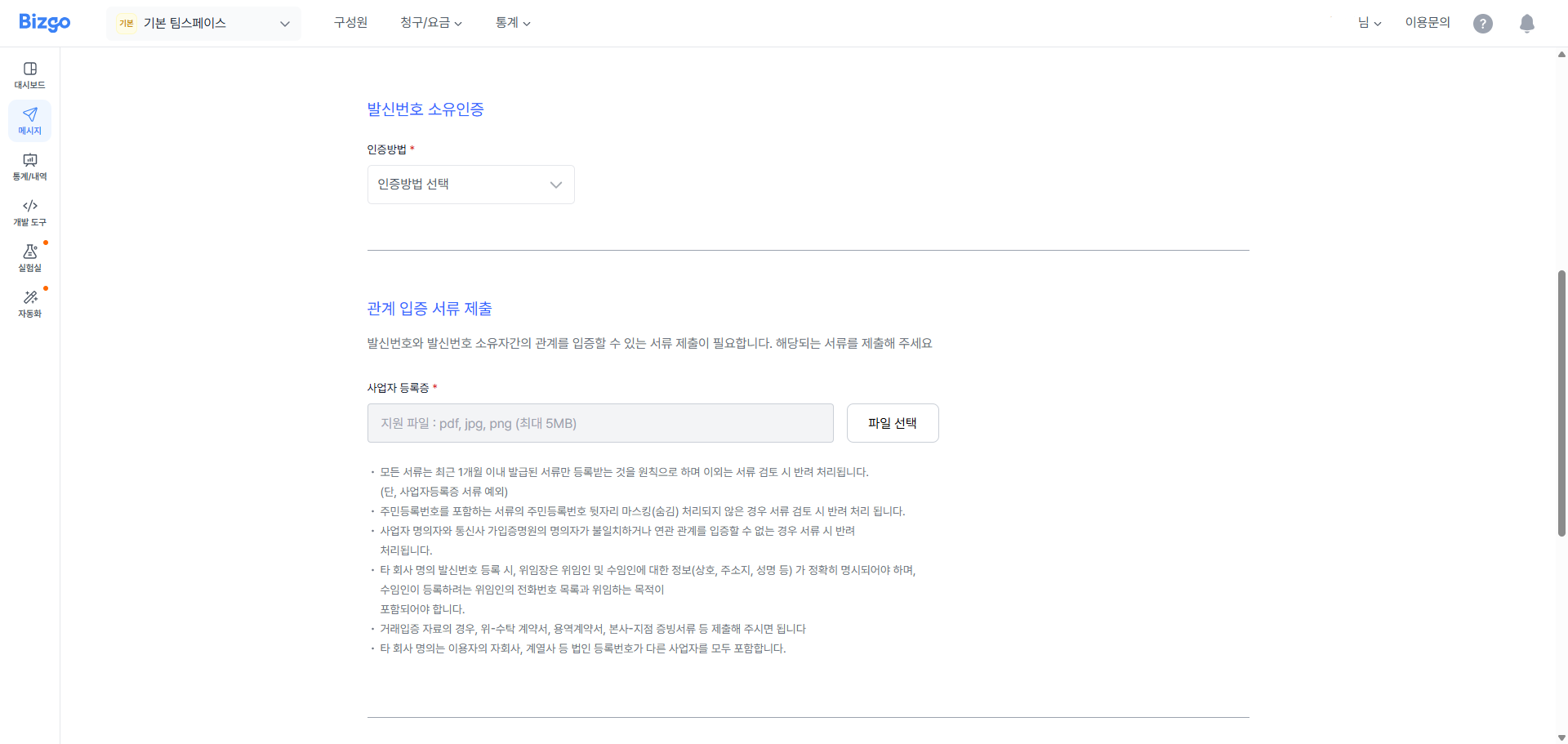
### 발신번호 소유인증
인증방법을 선택하여 인증 및 관련 입증 서류를 제출합니다.
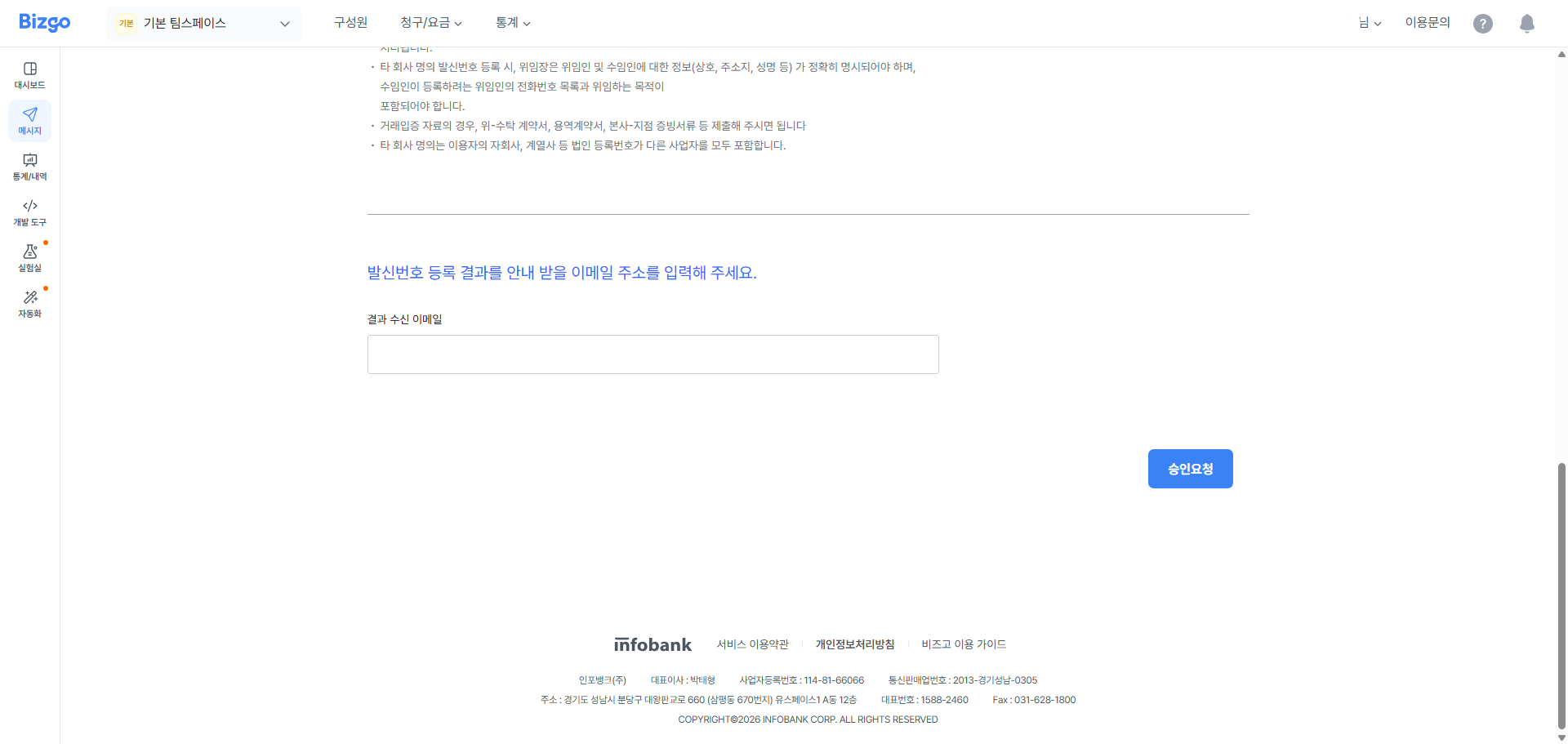
### 승인요청
결과 수신 이메일을 작성한 후, 승인요청을 합니다.
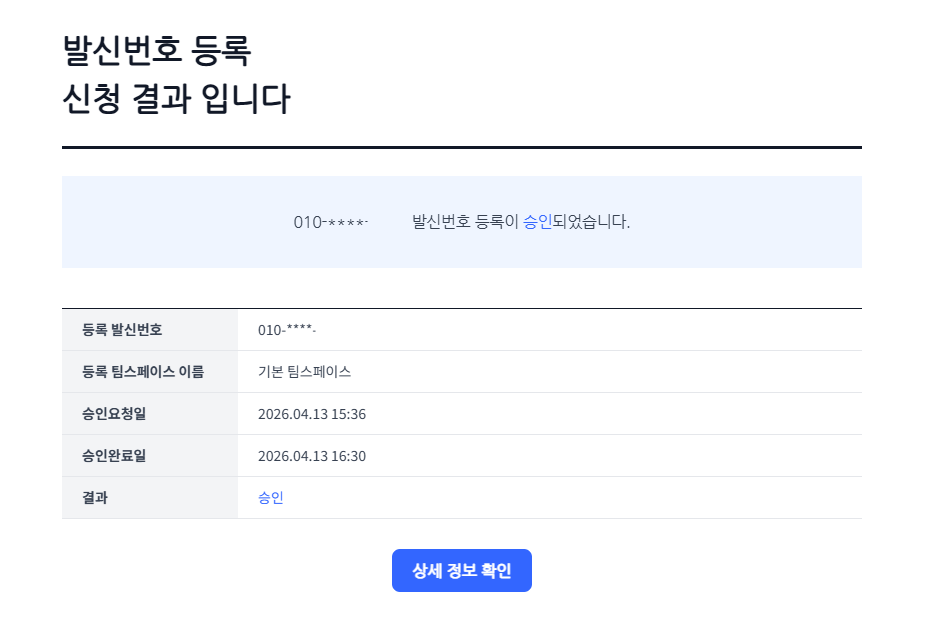
### 승인 완료 이메일 수신
심사 완료 후 등록한 이메일로 승인 결과가 발송됩니다.
---
## 카카오 채널
카카오 채널 등록을 위해서는 카카오 비즈니스 채널이 필요합니다. [카카오 비즈니스 관리자센터](https://business.kakao.com/profiles)에서 채널 개설을 완료하신 후 아래 절차를 진행해 주세요.
### 1단계 : 카카오톡 채널 생성
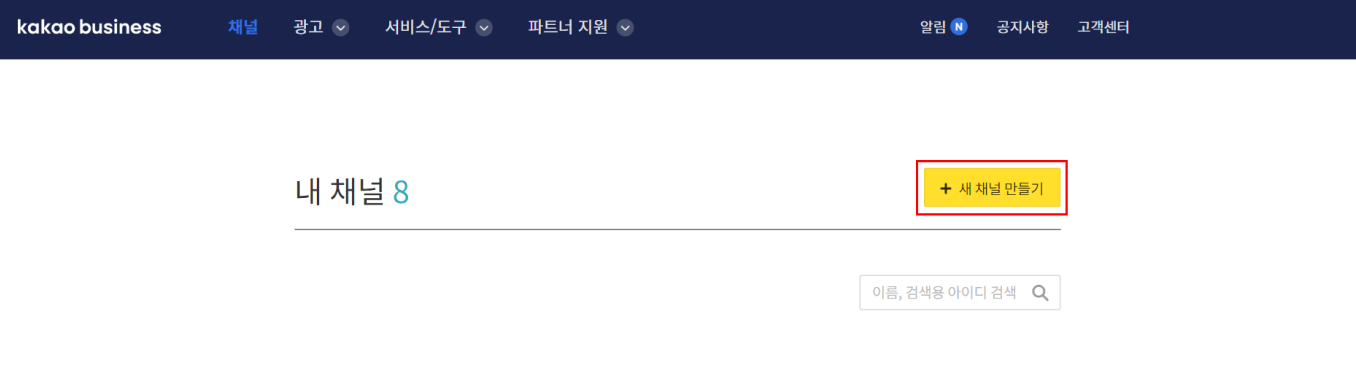
카카오 비즈니스 관리자센터 로그인 후, 상단 메뉴 **[채널]** 버튼을 클릭하시고 **[새 채널 만들기]** 버튼을 클릭해 주세요.
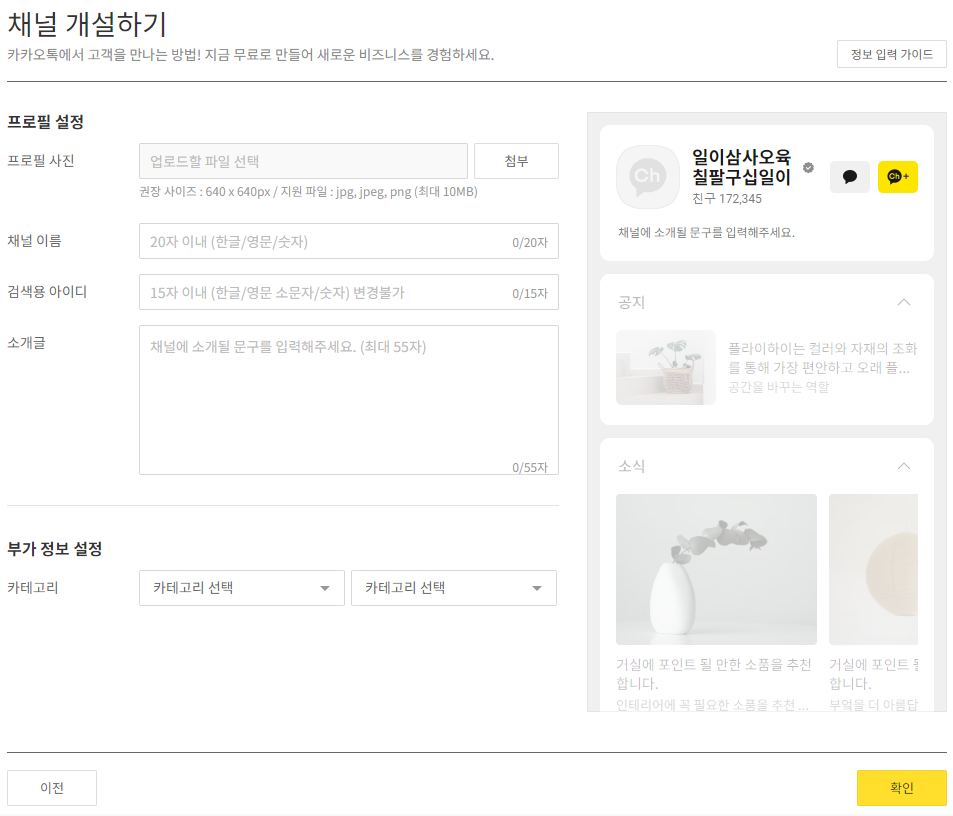
다음으로 채널 개설에 필요한 정보를 입력해 주세요. 채널 홈에 표시되는 채널 이름과 카카오톡에서 채널 검색 시 사용되는 검색용 아이디를 입력해 주세요. 검색용 아이디가 곧 발신프로필입니다. 기업의 카테고리까지 모두 설정하시면 채널 개설이 완료됩니다.
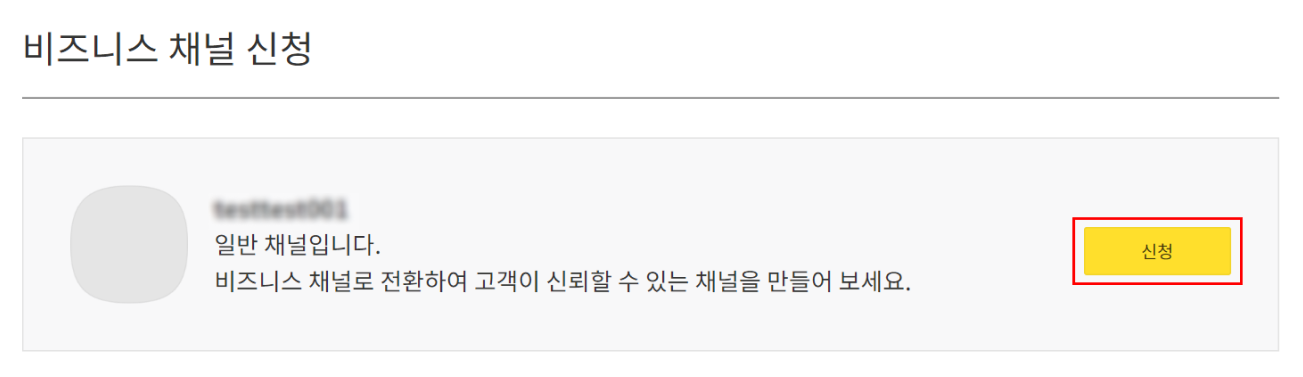
### 2단계 : 비즈니스 채널로 전환
개설한 채널의 채널 관리자센터로 접속 후, 좌측 메뉴의 **[관리]** > **[비즈니스 채널 신청]** 버튼을 클릭하시고 상단에 **[신청]** 버튼을 클릭해 주세요. 사업자 정보 입력 및 요청 제출 서류를 첨부 후 채널 신청을 완료해 주세요.
### 3단계 : 발신프로필 등록
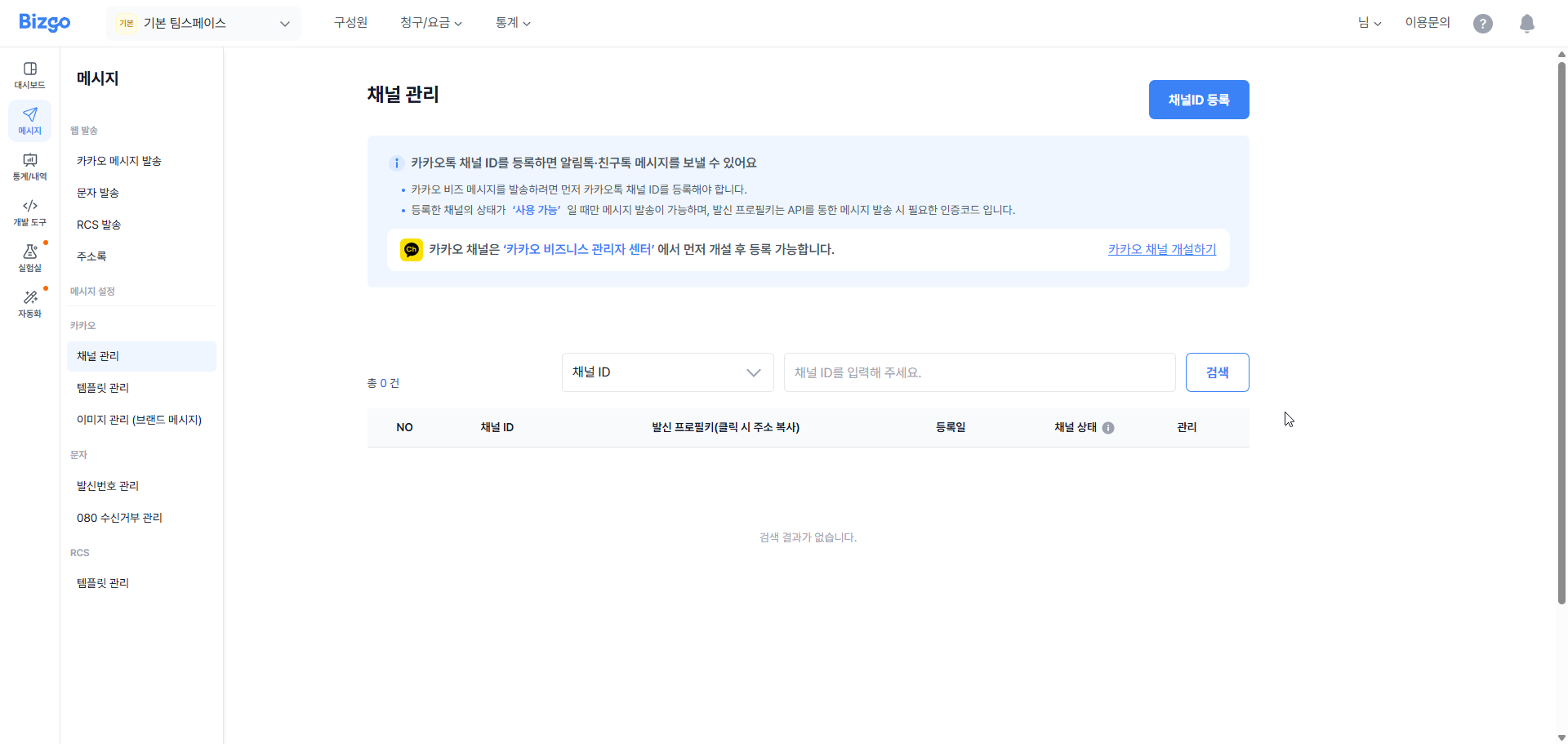
비즈니스 채널로 승인 완료 시 채널 ID를 비즈고에 등록해 주셔야 합니다.
채널 ID를 등록하고자 하시는 팀스페이스에 접속하신 후, 페이지 좌측 메뉴 중 **[카카오톡]** > **[채널관리]** 를 클릭하시고 **[채널ID 등록]** 버튼을 클릭해주세요.
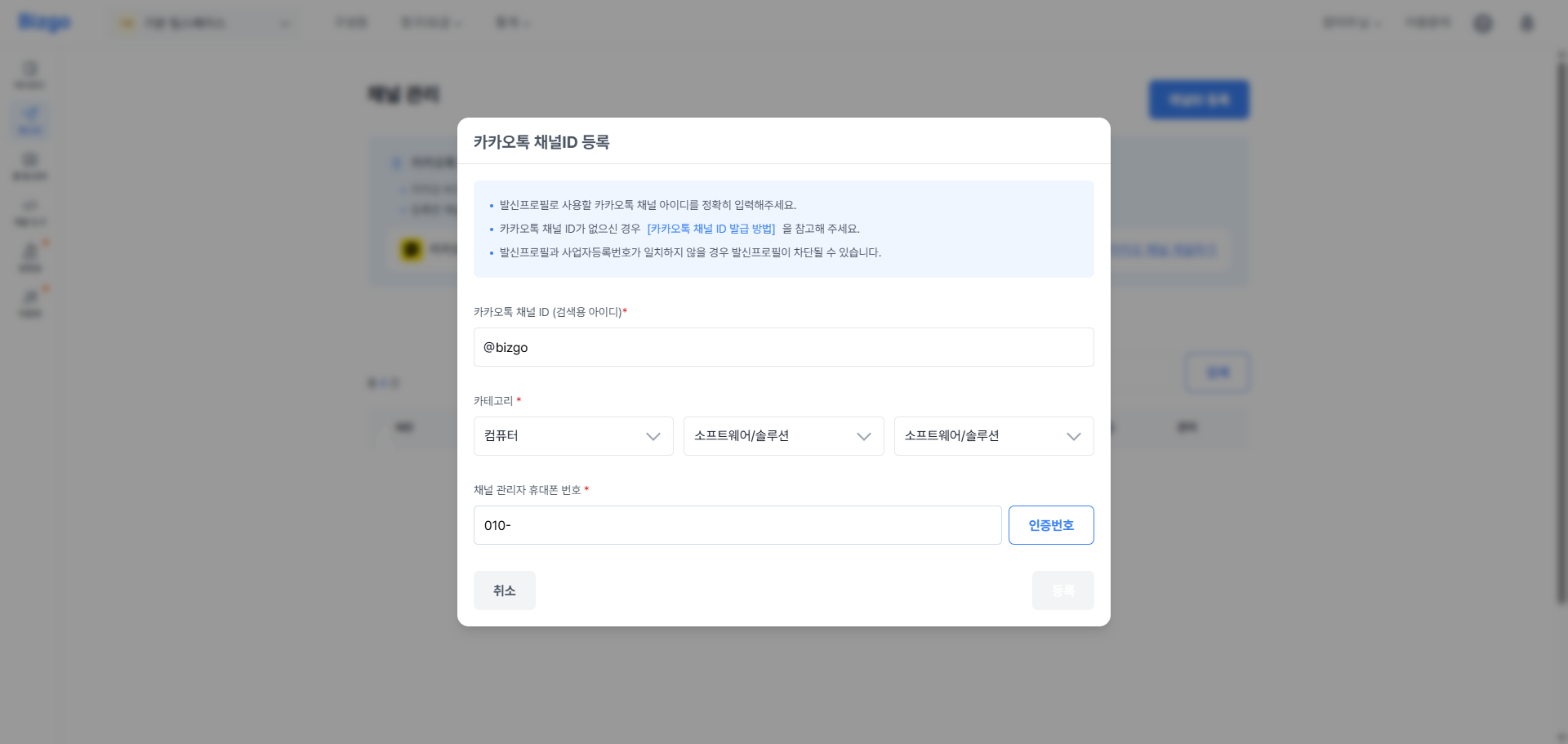
카카오톡 채널 ID와 채널에 등록된 카테고리 정보를 입력해 주세요. 다음으로 채널 관리자로 등록된 관리자의 휴대폰 번호로 인증 절차를 진행해 주세요.
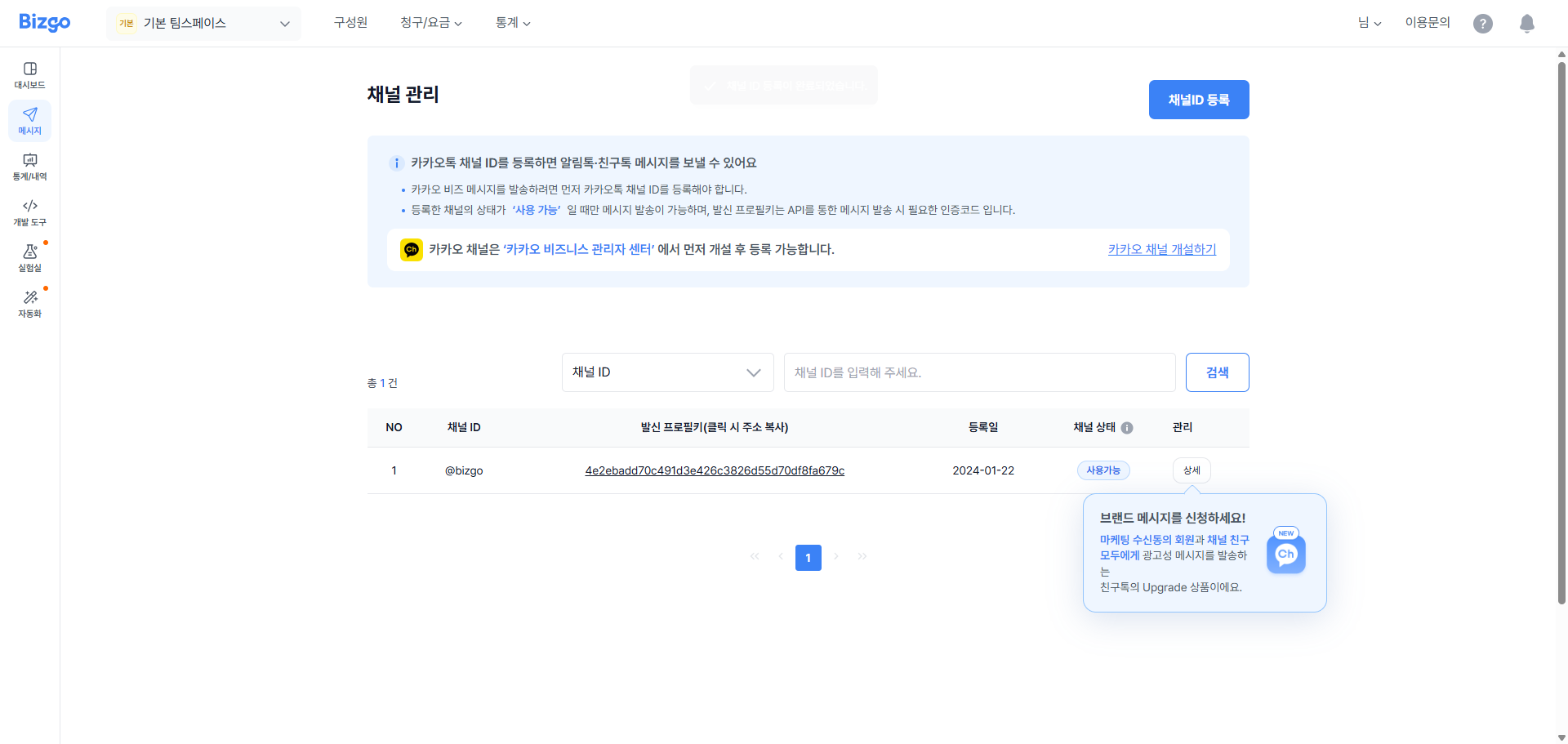
정상 인증 완료 시, 입력하신 채널 ID가 비즈고에 등록 완료됩니다.
> **알림톡 추가 절차**
알림톡 발송을 위해서는 **템플릿 사전 등록 및 승인**이 추가로 필요합니다.
---
## RCS 브랜드 등록하기
RCS 발송을 위해서는 RCS 브랜드가 필요합니다. [RCS Biz Center](https://www.rcsbizcenter.com/main)에서 '기업담당자' 가입을 완료하신 후 기업의 브랜드 개설을 진행해 주세요.
### 1단계 : RCS 브랜드 개설 및 대행사 등록
RCS Biz Center 로그인 후, 상단 메뉴 **[기업 대시보드]** 메뉴를 클릭하시고, 우측 상단의 **[브랜드 개설]** 버튼을 클릭하여 브랜드 개설을 진행해 주세요.
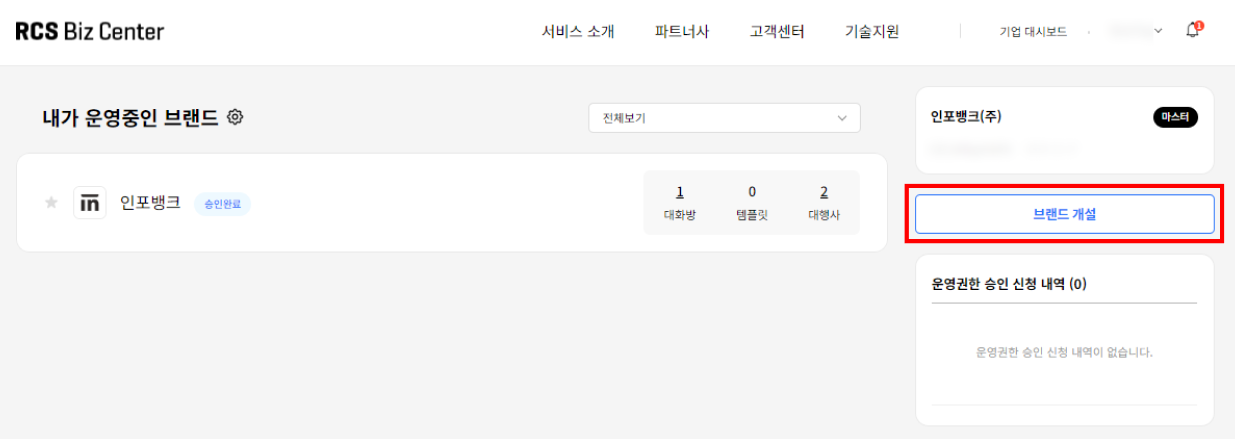
브랜드 개설을 완료하셨다면, 다음으로 대행사 등록을 진행해 주세요. RCS 서비스는 대행사를 통해서 서비스 이용이 가능하기 때문에 브랜드의 대행사를 반드시 지정해 주셔야 합니다. 페이지 상단 메뉴 **[기업 대시보드]** 메뉴를 클릭하시고, 이용하실 브랜드를 선택하셔서 브랜드 관리 페이지로 이동합니다.
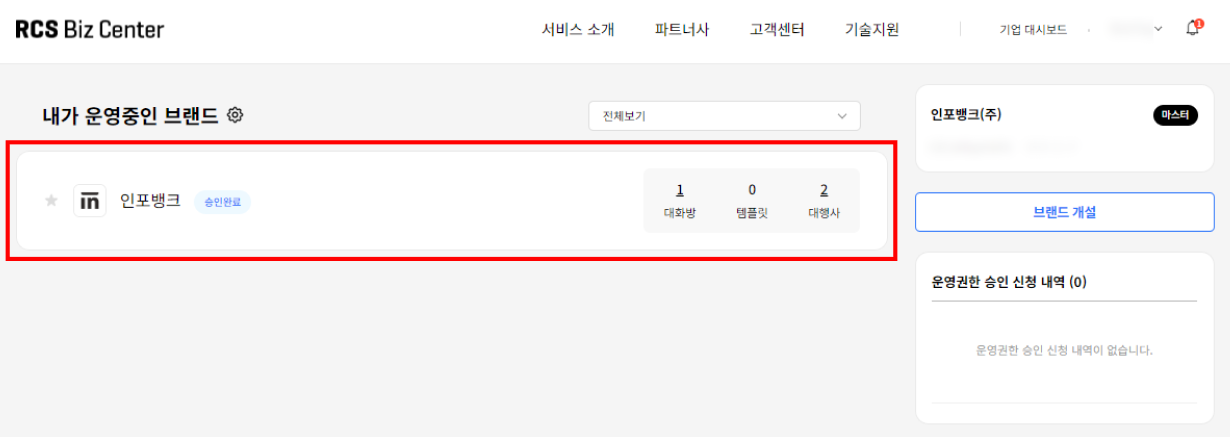
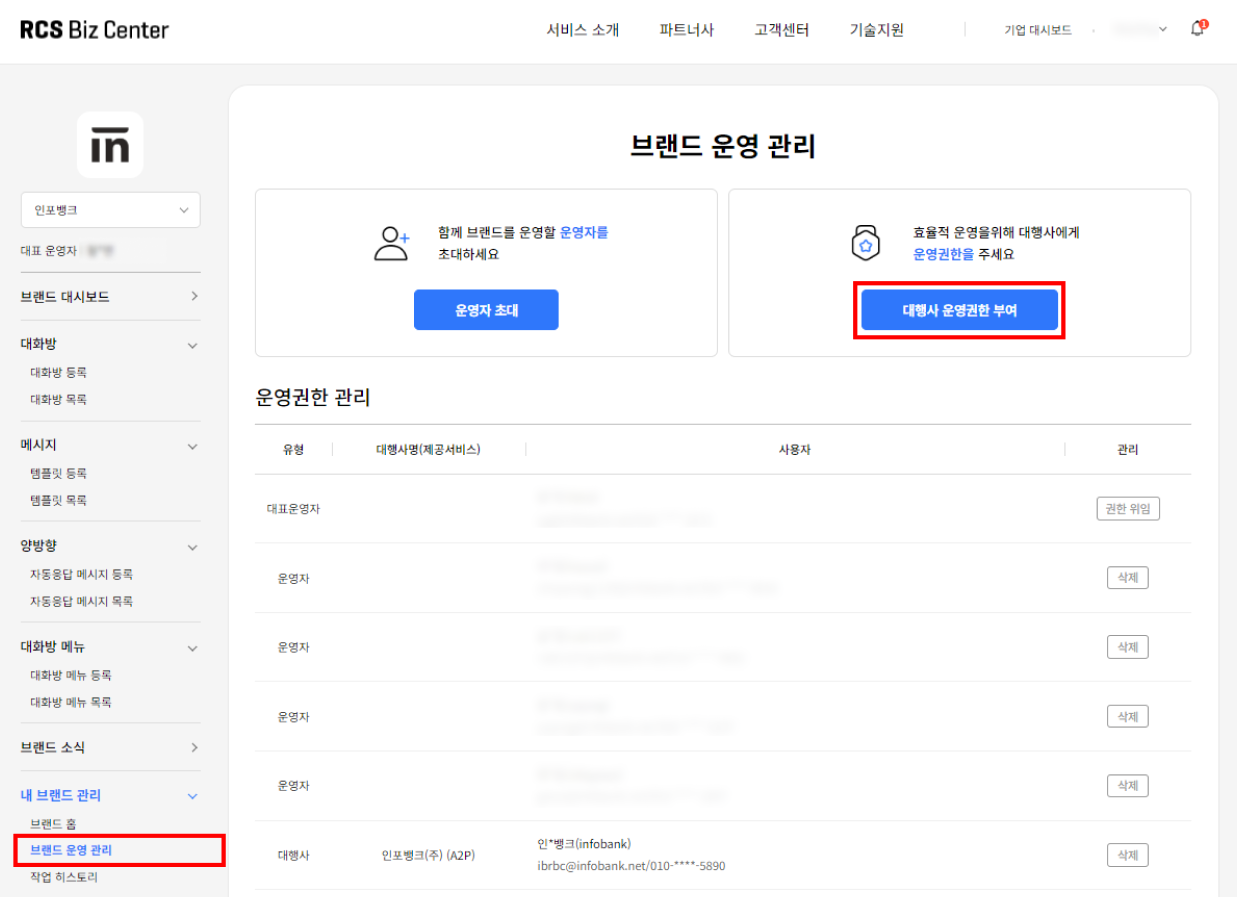
좌측 메뉴 중 **[내 브랜드 관리]** > **[브랜드 운영 관리]** 버튼을 클릭해 주세요. 다음으로 상단에 **[대행사 운영권한 부여]** 버튼을 클릭하신 후, 인포뱅크를 검색하여 선택 후 **[초대]** 버튼을 클릭하여 대행사 추가를 완료해 주세요.
### 2단계 : 발신번호 등록
마지막으로 RCS 발송 시 사용하실 발신번호를 RCS Biz Center와 비즈고에 모두 등록해 주셔야 합니다. 먼저, RCS Biz Center에 접속하셔서 페이지 상단 메뉴 **[기업 대시보드]** 메뉴를 클릭하시고, 이용하실 브랜드를 선택하셔서 브랜드 관리 페이지로 이동합니다.
좌측 메뉴 중 **[대화방]** > **[대화방 등록]** 버튼을 클릭해 주세요. 발신번호를 하나씩 등록하시는 경우 **[개별 등록]** 페이지에서 발신번호를 등록해 주시고, 여러 개의 발신번호를 한번에 등록하시는 경우 **[대량 등록]** 페이지에서 발신번호를 등록해 주세요. (최대 1,000건까지 등록 가능)
> **발신번호 제한 안내**
유선번호, 대표번호, 인터넷 전화번호는 발신번호로 사용할 수 있으나, 휴대 전화번호, 특수문자를 포함한 번호(#, \*로 시작), 특수번호, 8자리 이하 번호는 발신번호로 사용할 수 없습니다.
단, 080의 경우 '080-4자리-4자리'는 기술적인 이유로 인해 사용할 수 없습니다. (080-3자리-4자리는 사용 가능합니다.)
공인알림문자 이용 고객의 경우 RBC 온라인 문의를 통해 문의해 주시기 바랍니다.
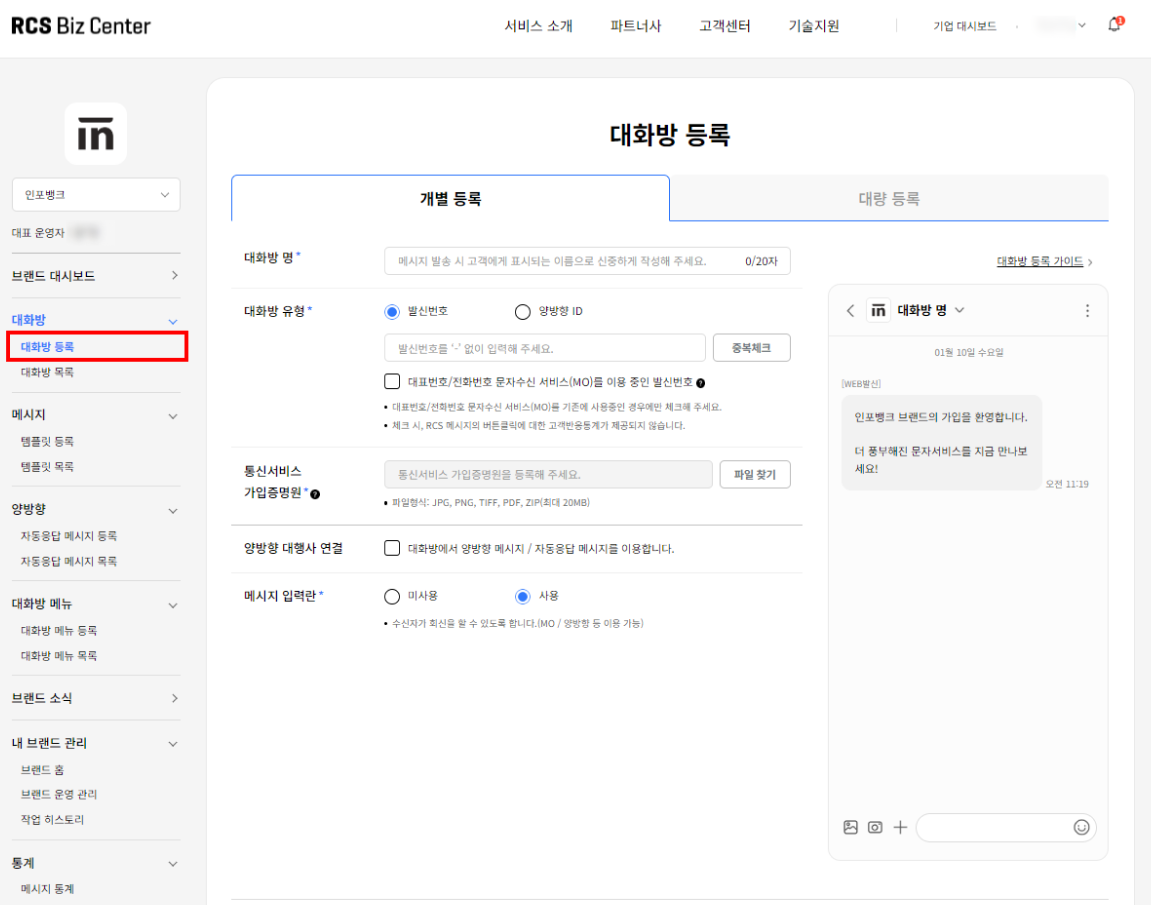
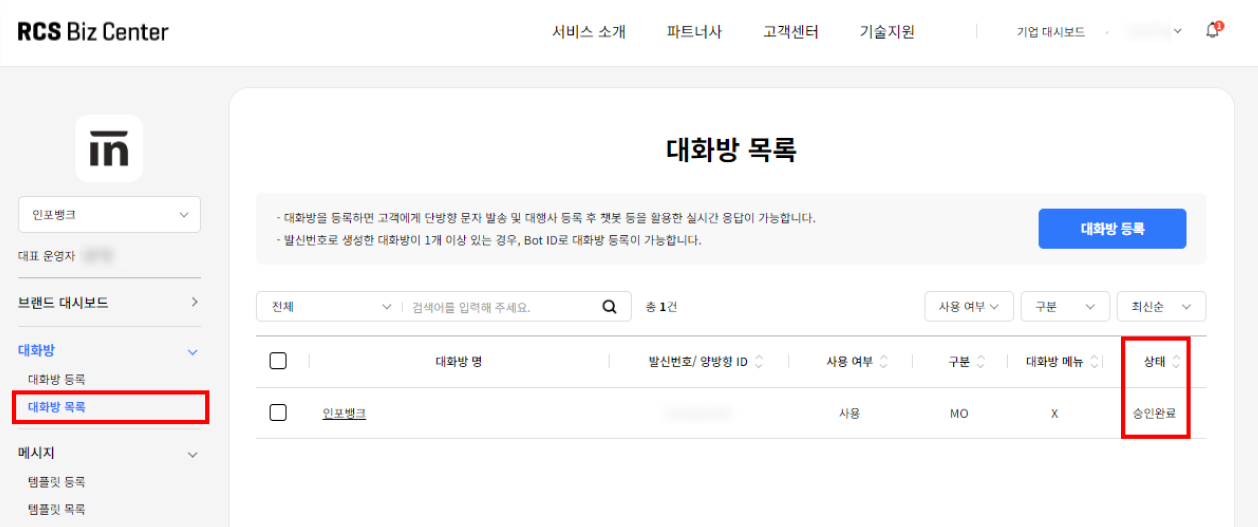
발신번호 상태가 "승인 완료"로 변경되면, 비즈고에 해당 발신번호를 발신번호 등록 가이드에 따라 등록해 주시면 됩니다.
---
## 채널별 등록 소요 기간
| 채널 | 소요 기간 |
|------|-----------|
| SMS 발신번호 (ARS) | 즉시~1시간 |
| SMS 발신번호 (서류) | 영업일 1일 |
| 카카오 채널 연동 | 영업일 3~5일 |
| RCS 브랜드 연동 | 영업일 3~7일 |
> **심사 일정 안내**
심사 기간이 있는 채널은 미리 신청해두고 다른 설정을 병행하는 것이 좋습니다.
---
# 비즈고 시작하기
URL: https://developers.bizgo.io/guide/bizgo/start
# 비즈고 시작하기
비즈고 도입은 먼저 사용 방식부터 정하면 가장 빠릅니다.
코드 없이 콘솔에서 바로 발송할지, 서버에서 API로 연동할지 선택한 뒤 필요한 준비 항목을 이어서 진행하세요.
---
## 먼저 준비할 항목
콘솔 발송과 API 연동 어느 방식을 선택하든 아래 준비는 먼저 끝내두는 것이 좋습니다.
- [회원가입 및 비즈니스 인증](/guide/bizgo/operational-prep)
- [팀스페이스 준비와 구성원 관리](/guide/bizgo/operational-prep#_3-팀스페이스-준비)
- [채널별 발신정보 등록](/guide/bizgo/sender-registration)
> 비즈니스 인증, 문자 발신번호 등록, 카카오 채널 연동, RCS 브랜드 등록은 심사가 필요해 수일이 소요될 수 있습니다. 먼저 신청해두고, 그 사이에 콘솔 사용이나 API 설정을 병행하세요.
---
## 경로별 다음 단계
### 경로 A — 콘솔에서 직접 발송
코드 없이 비즈고 웹 콘솔에서 바로 메시지를 보내는 흐름입니다.
**1단계 · 운영 준비**
회원가입, 비즈니스 인증, 팀스페이스 설정, 발신정보 등록을 순서대로 완료합니다.
- [운영 준비](/guide/bizgo/operational-prep): 계정 생성, 비즈니스 인증, 팀스페이스, 발신정보 등록까지 실제 사용 전에 필요한 준비를 한 번에 확인합니다.
**2단계 · 웹 발송하기**
운영 준비가 끝나면 콘솔에서 수신번호를 입력하고 바로 발송할 수 있습니다. CSV 업로드로 대량 발송도 가능합니다.
- [웹 발송하기](/guide/bizgo/web-send): 콘솔에서 단건 발송과 CSV 대량 발송을 바로 시작하려면 이 문서로 이동합니다.
---
### 경로 B — API로 서버 연동
서버 코드에서 비즈고 API를 직접 호출하는 흐름입니다.
**1단계 · 운영 준비**
콘솔 발송과 동일하게 회원가입, 인증, 발신정보 등록을 먼저 완료합니다.
- [운영 준비](/guide/bizgo/operational-prep): 계정 생성, 비즈니스 인증, 팀스페이스, 발신정보 등록까지 실제 사용 전에 필요한 준비를 한 번에 확인합니다.
**2단계 · 채널 선택**
SMS, 카카오 알림톡, RCS 중 어떤 채널을 사용할지 먼저 결정합니다. 채널에 따라 사전 등록 항목과 API 파라미터가 달라집니다.
- [채널 선택 가이드](/guide/message/channel-guide): SMS, 카카오, RCS 중 어떤 채널을 쓸지 시나리오 기준으로 먼저 결정합니다.
**3단계 · 발송 구조 이해**
API 호출 전에 요청 구조(destinations, messageFlow, fallback)를 파악해두면 연동 중 오류를 줄일 수 있습니다.
- [발송 요청 구조 이해](/guide/deep-dive/message-structure): API 연동 전에 destinations, messageFlow, fallback 구조를 먼저 이해할 때 적합합니다.
**4단계 · API 연동 설정**
API 키 발급, IP ACL 설정, 인증 헤더 구성 방법을 확인하고 첫 번째 API 호출을 테스트합니다.
- [연동관리 (API 키 · 환경 설정)](/guide/setup): API 키 발급, IP ACL 설정, 인증 헤더 구성 방법을 확인합니다.
---
# 웹 발송
URL: https://developers.bizgo.io/guide/bizgo/web-send
# 웹 발송
코드 없이 비즈고 콘솔에서 직접 메시지를 발송하는 방법입니다.
---
## 주소록
자주 사용하는 수신자의 연락처를 등록하고 관리할 수 있습니다.
> **등록 한도**
최대 10만 건의 수신자 등록이 가능합니다.
### 연락처 등록
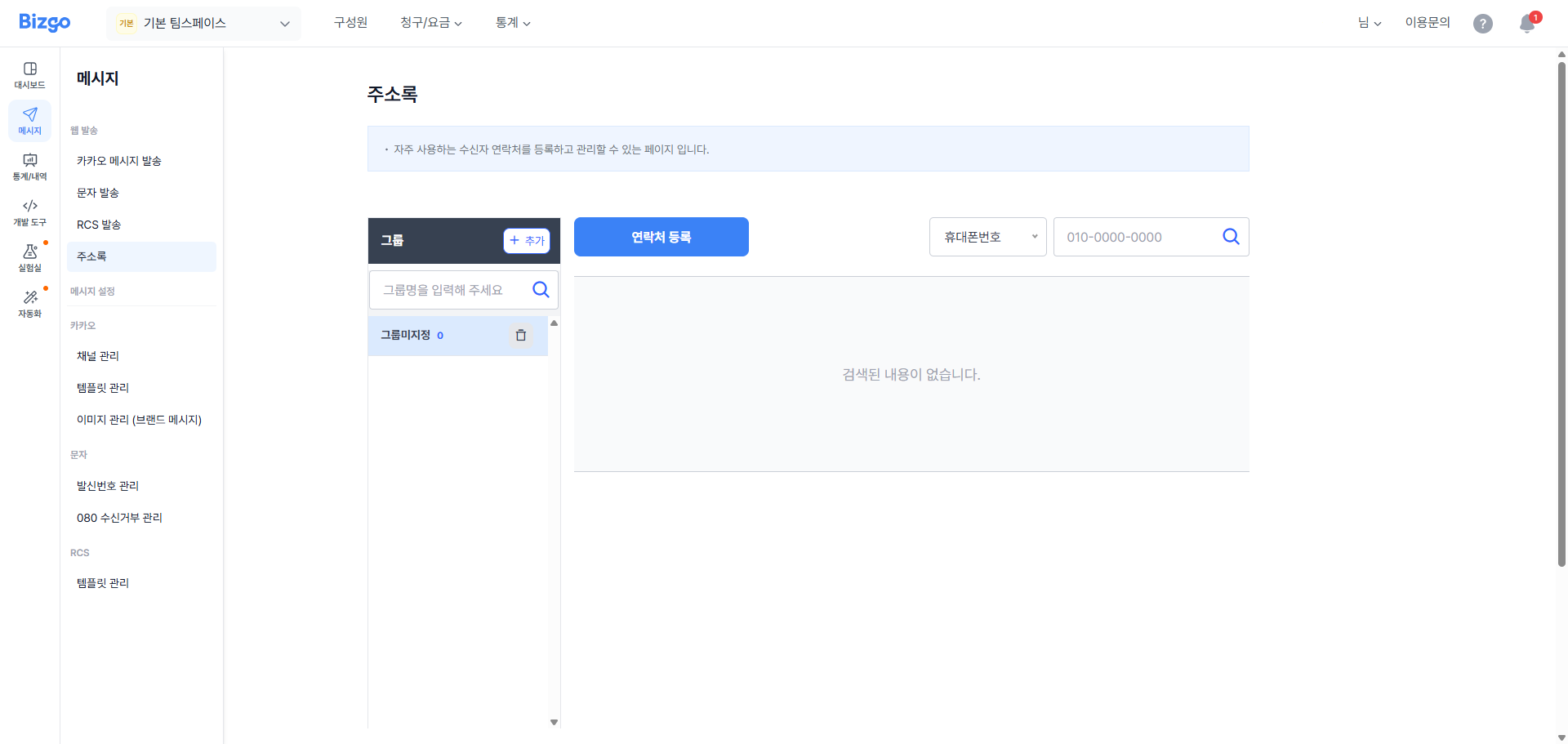
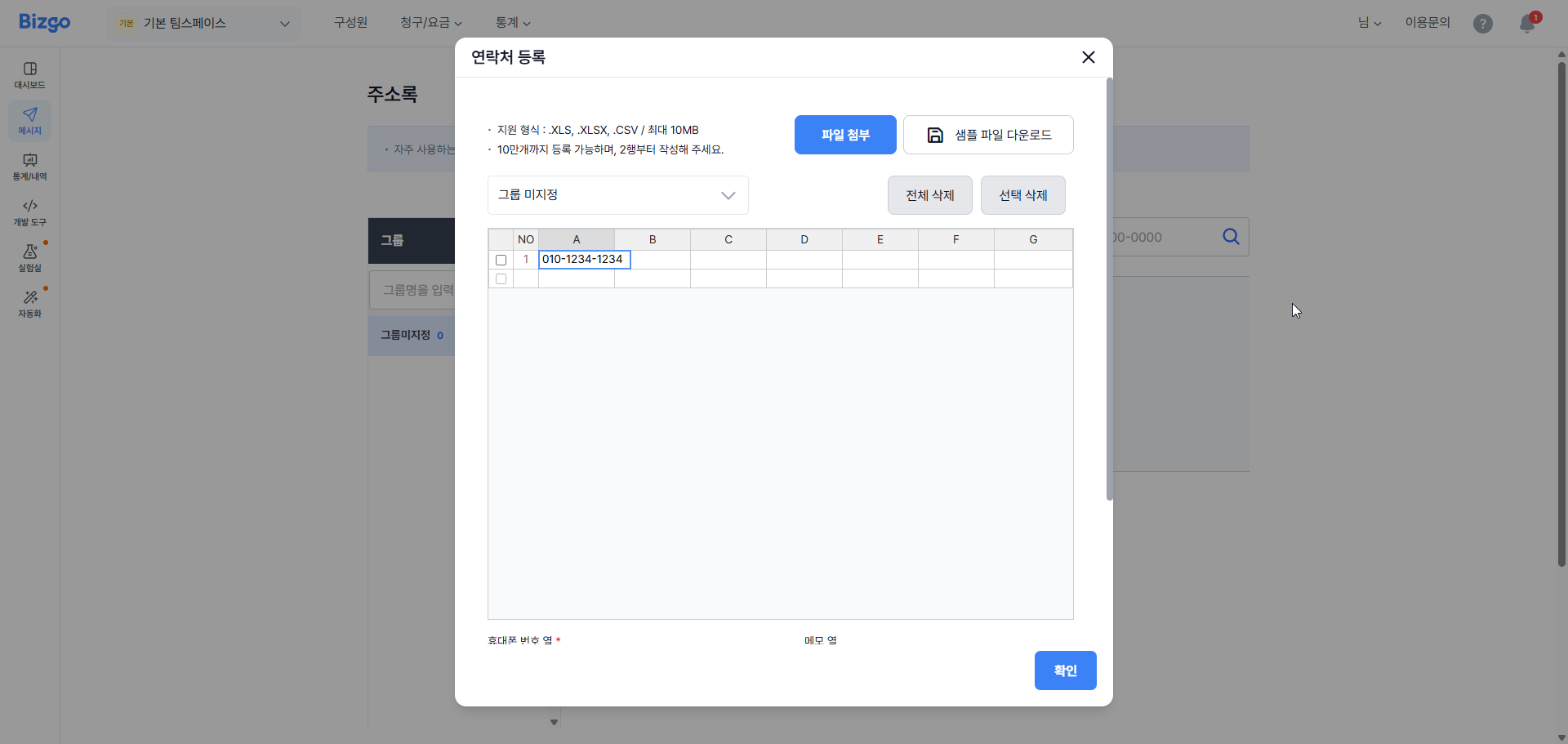
**1단계** — 팀스페이스에 접속하신 후, 좌측 메뉴에서 **[웹 발송]** > **[주소록]** 을 클릭해 주세요.
**2단계** — **[연락처 등록]** 버튼을 클릭해 주세요.
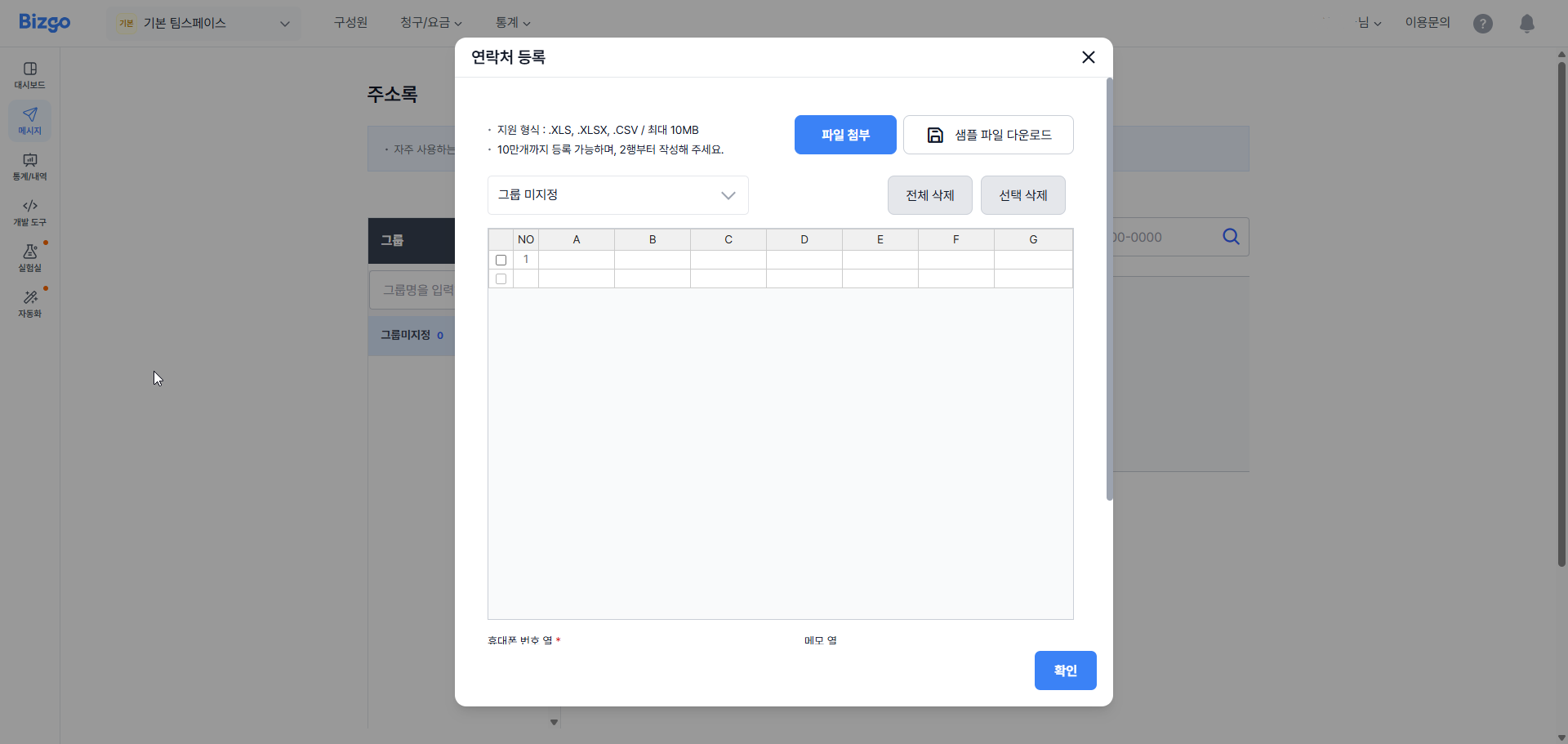
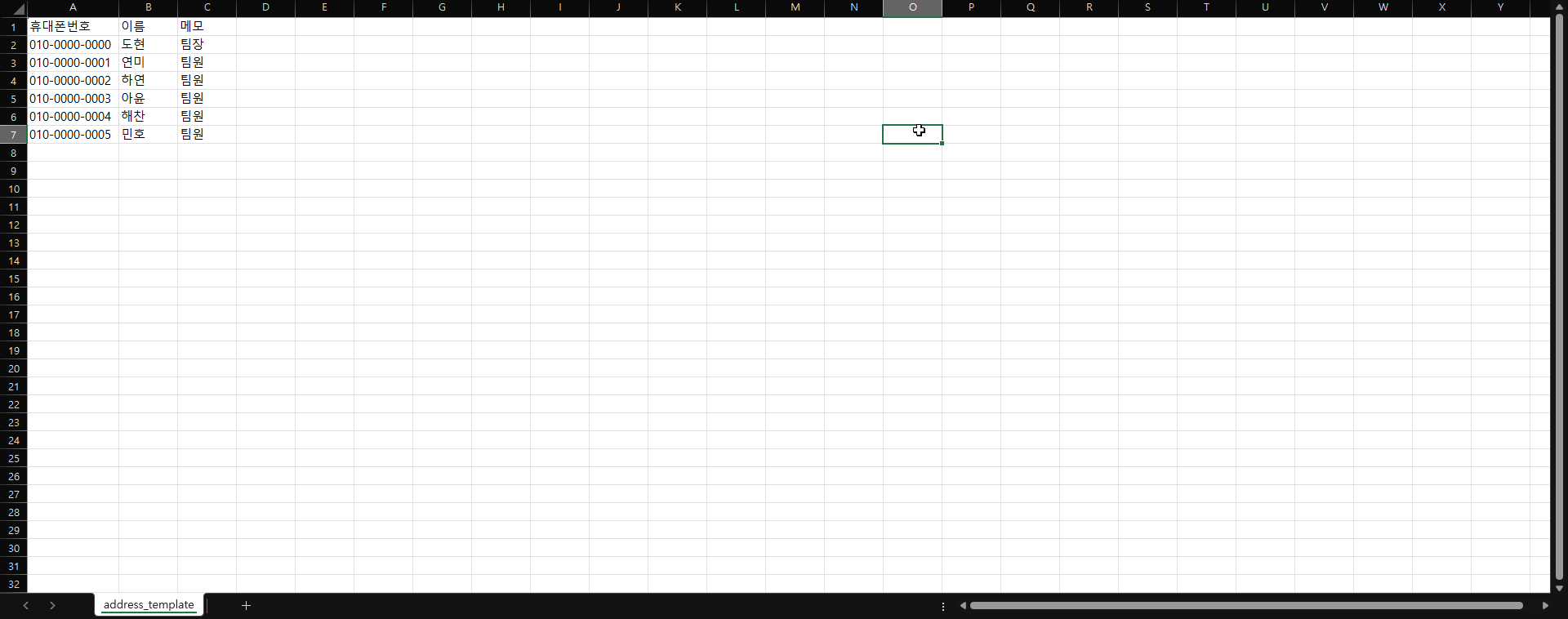
**3단계** — 테이블에 직접 연락처 정보를 입력하거나, **[샘플 파일 다운로드]** 버튼을 클릭하여 가이드에 따라 엑셀 파일에 연락처 정보를 입력한 뒤 파일을 첨부해 주세요.
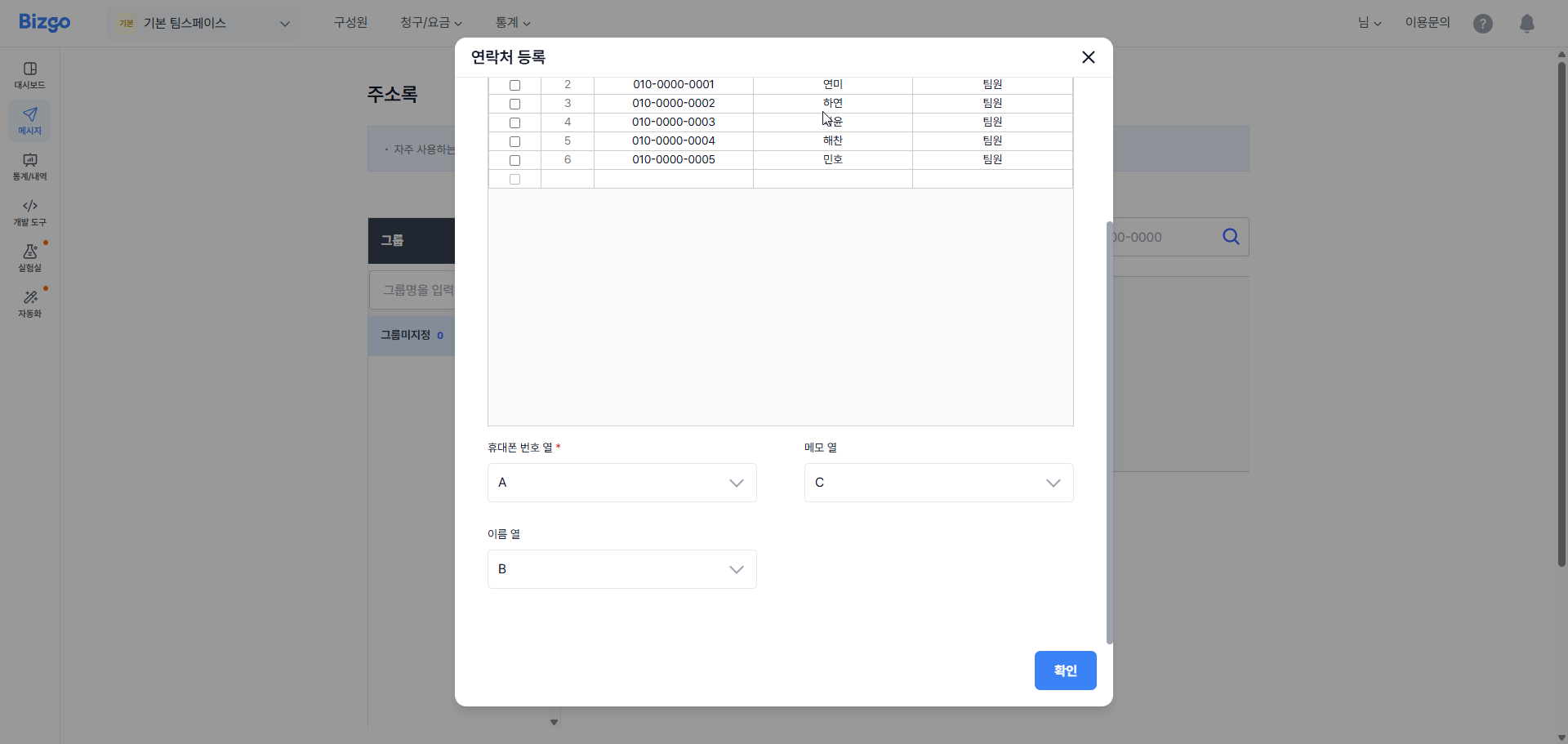
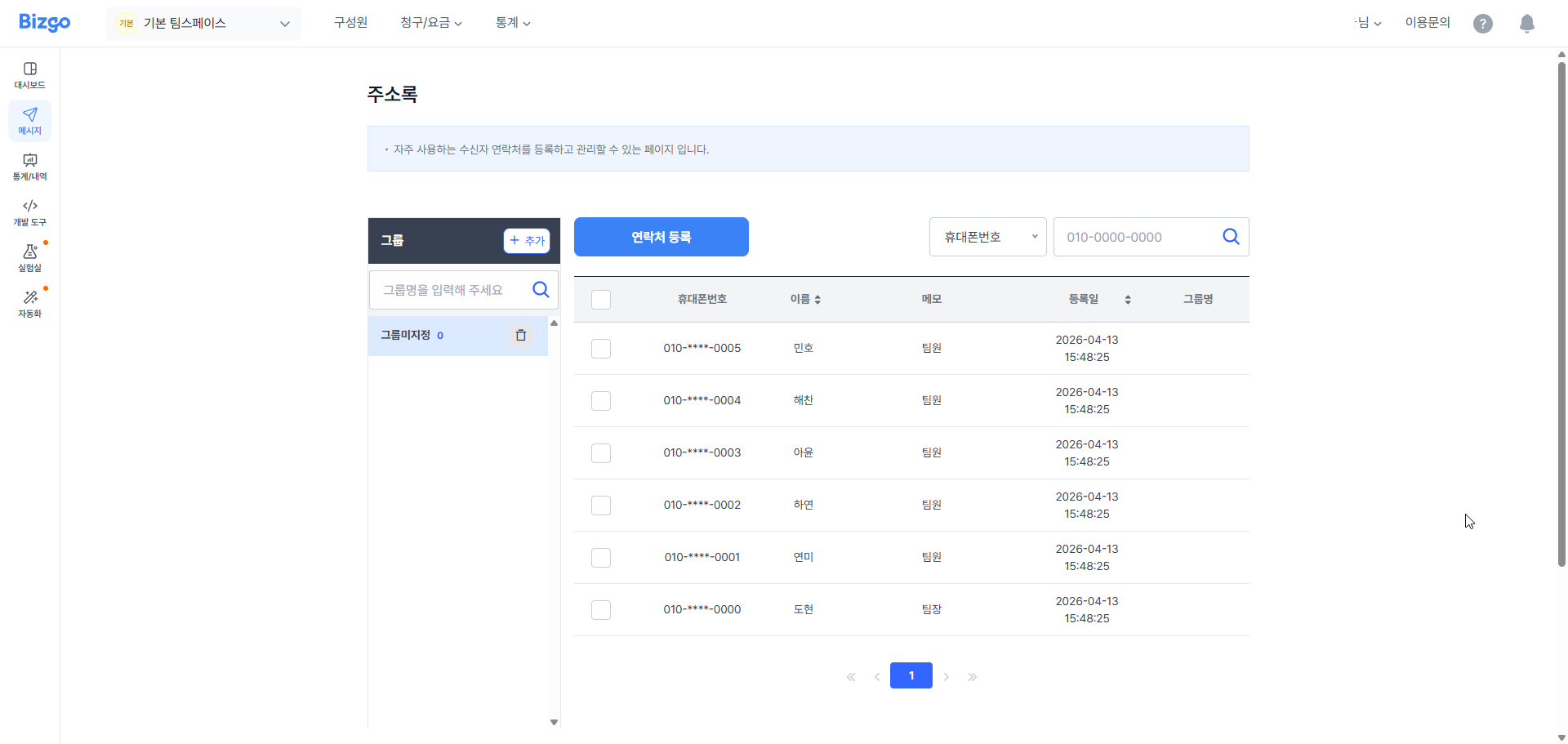
**4단계** — 테이블에 연락처 정보가 표시되면 등록할 그룹 및 휴대폰번호, 이름, 메모 열을 지정하시고 **[확인]** 버튼을 클릭하여 저장해 주세요.
---
## 문자 발송
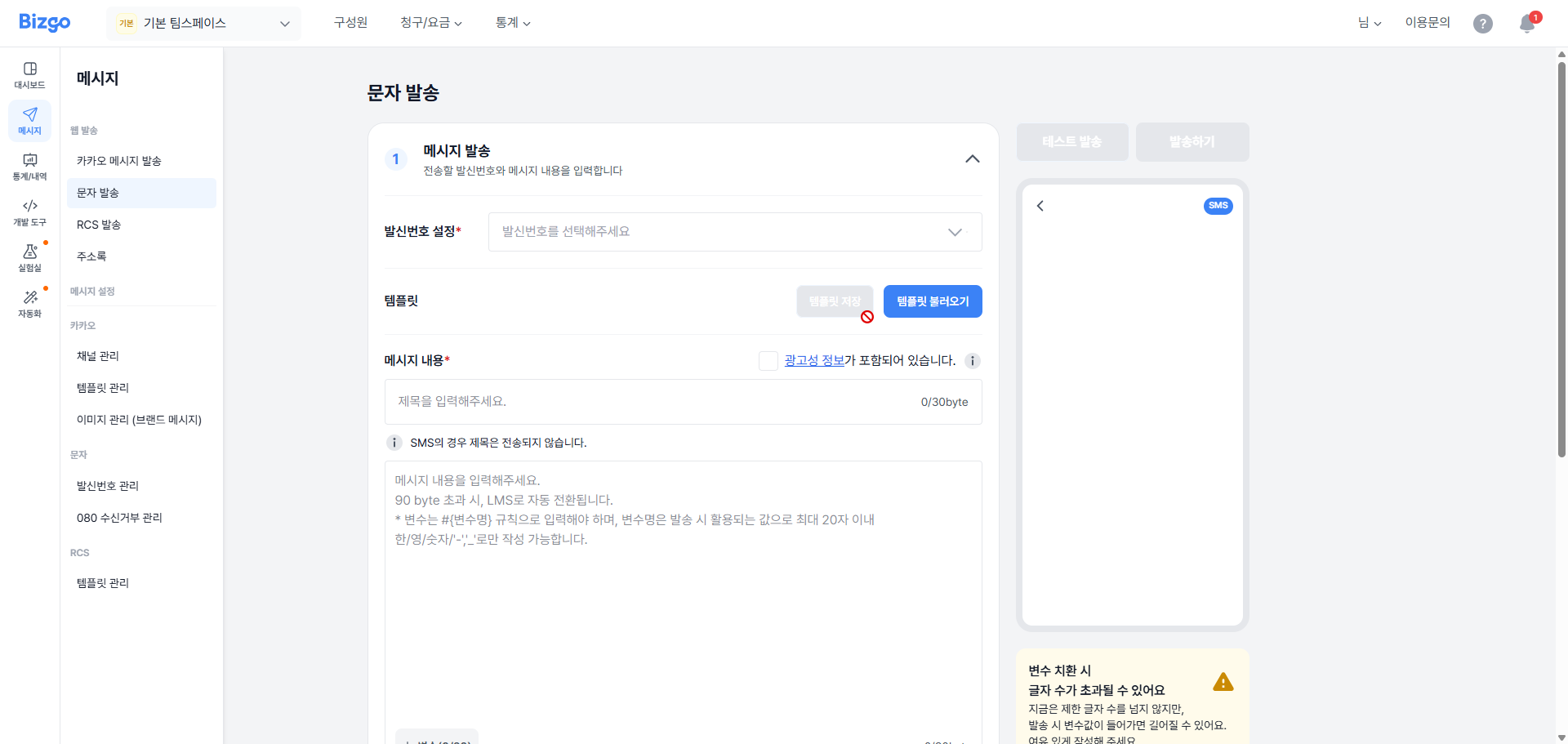
### 1. 발신자 정보 선택
문자를 발송하기 위해서, 팀스페이스 좌측 메뉴 중 **[웹 발송]** > **[발송]** 을 클릭하신 후 페이지 상단에 **[문자]** 탭 메뉴를 클릭해 주세요. 다음으로 발신자 정보 항목에서 발신번호를 선택해 주세요.
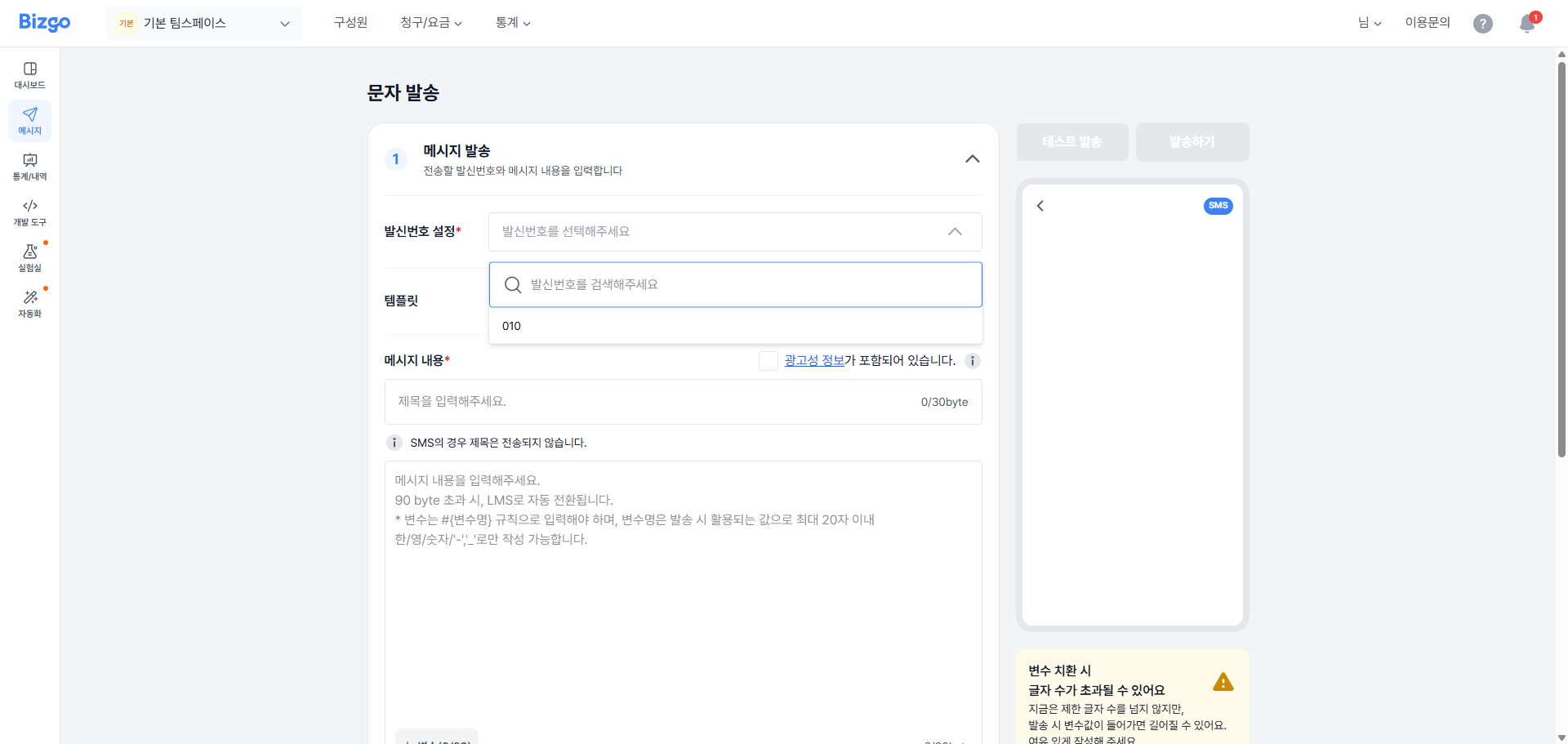
### 2. 메시지 내용 입력
메시지 내용이 광고성인지, 정보성인지 선택해 주세요.
**정보성 메시지** — 메시지 내용을 자유롭게 입력할 수 있습니다.
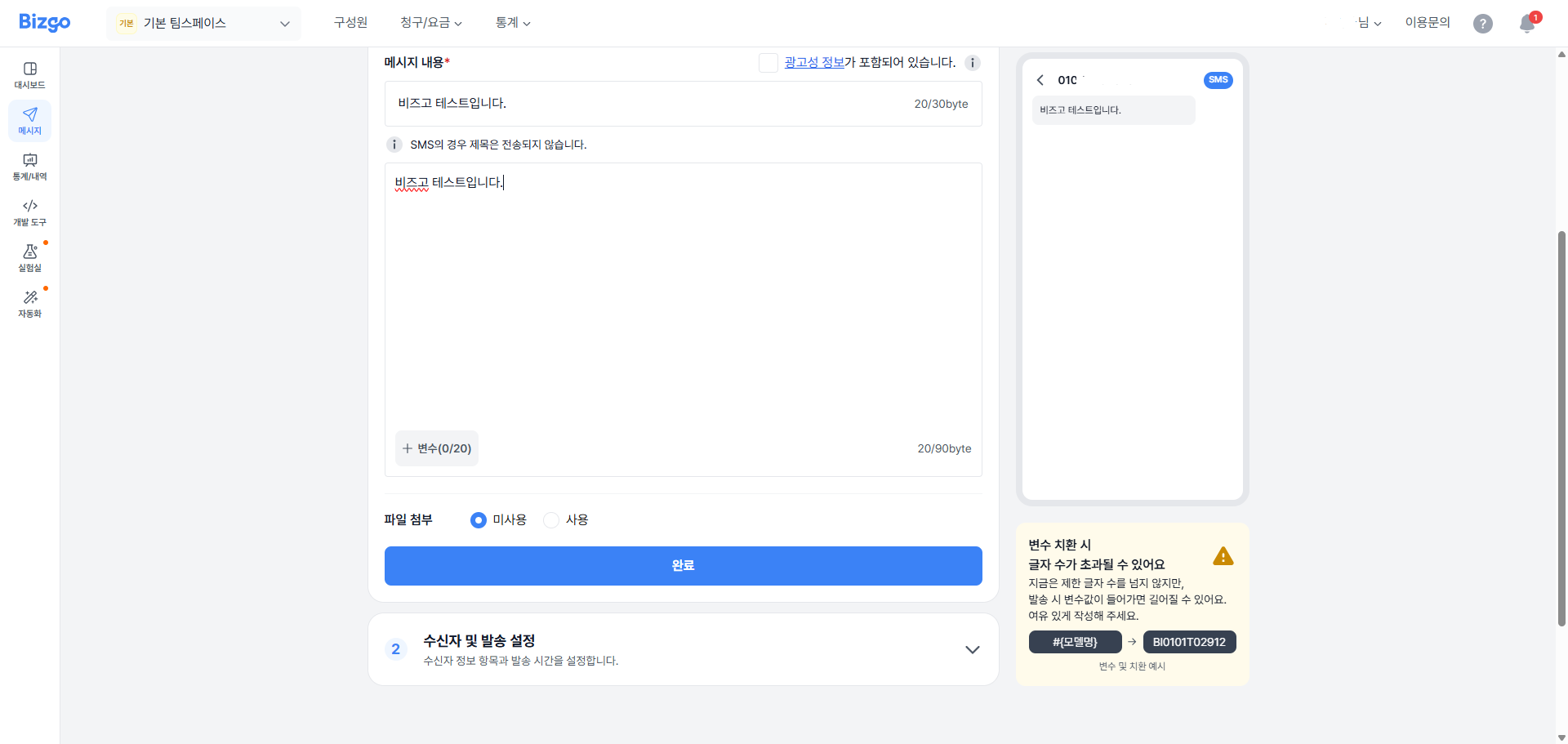
**광고성 메시지** — 한국인터넷진흥원(KISA) '불법스팸방지를 위한 정보통신망법 안내서'의 규칙을 준수하여 본문 내용 앞에 (광고) 문구 삽입, 발송자 업체명, 무료 수신거부 방법을 기재할 수 있게 메시지 내용 입력란에 기본 셋팅됩니다.
> **광고 메시지 규칙 안내**
광고 메시지 규칙 미준수 시 메시지 발송이 중단될 수 있으며 정보통신망법에 따라 과태료 등의 처벌을 받을 수 있습니다.
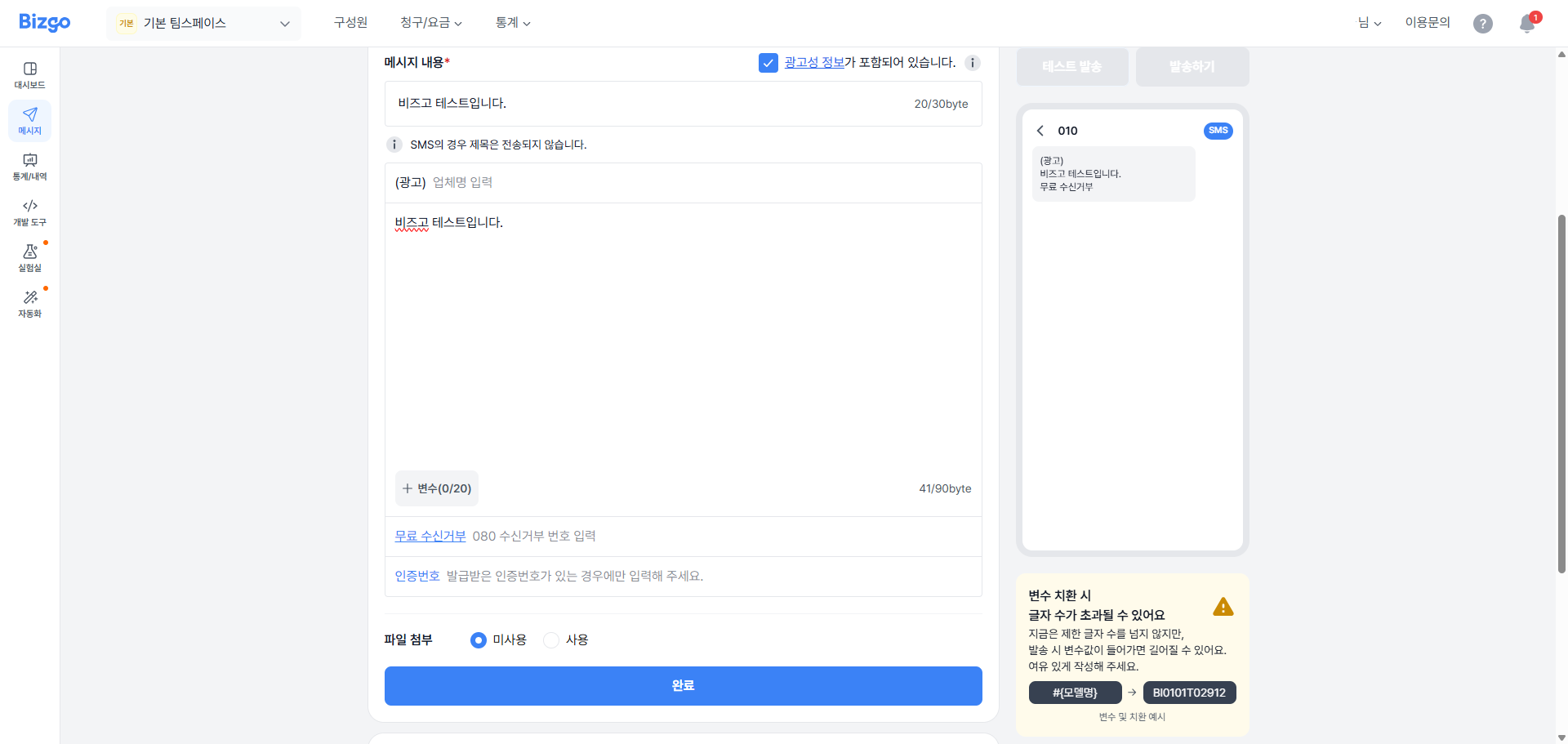
다음으로 메시지 제목과 메시지 내용을 입력해 주세요. 수신자별로 이름, 쿠폰번호 등 개인화된 내용을 전달하려면 **[변수]** 버튼을 클릭하여 변수를 지정해 주세요.
> **변수 사용 예시**
`#{이름}님, #{1} 포인트가 적립되었습니다.`
메시지 제목 입력 시 LMS 또는 MMS(이미지 첨부 시) 메시지 타입으로 자동 변경됩니다. MMS 발송 시 **[이미지 추가]** 버튼을 클릭하여 이미지를 첨부해 주세요. 최대 3장까지 첨부 가능합니다.
### 3. 수신자 정보 입력
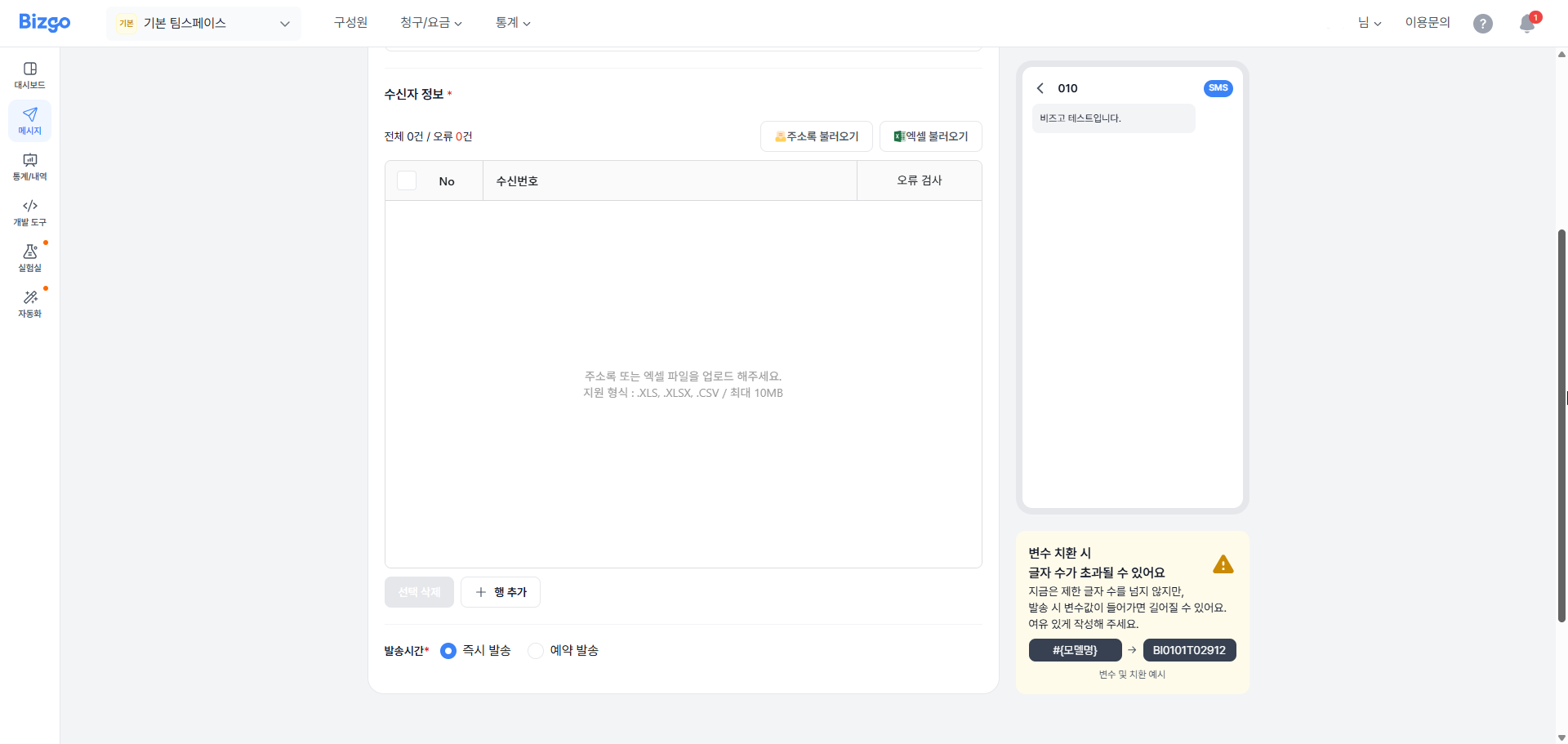
발송할 수신자 정보를 입력해 주세요. **[오류 검사]** 를 클릭하여 수신자별 전송 불가 사유를 확인하세요.
| 오류 상태 | 설명 |
|-----------|------|
| 번호없음 | 수신자 휴대폰번호가 입력되지 않은 경우 |
| 번호오류 | 수신자 휴대폰번호 형식이 잘못된 경우 |
| 중복번호 | 수신자 휴대폰번호와 변수가 중복된 경우 |
| 변수없음 | 메시지 내용에 사용된 변수가 수신자 정보에 입력되지 않은 경우 |
| 길이초과 | 메시지 내용과 변수의 총합이 해당 메시지 타입의 Byte 수를 초과한 경우 |
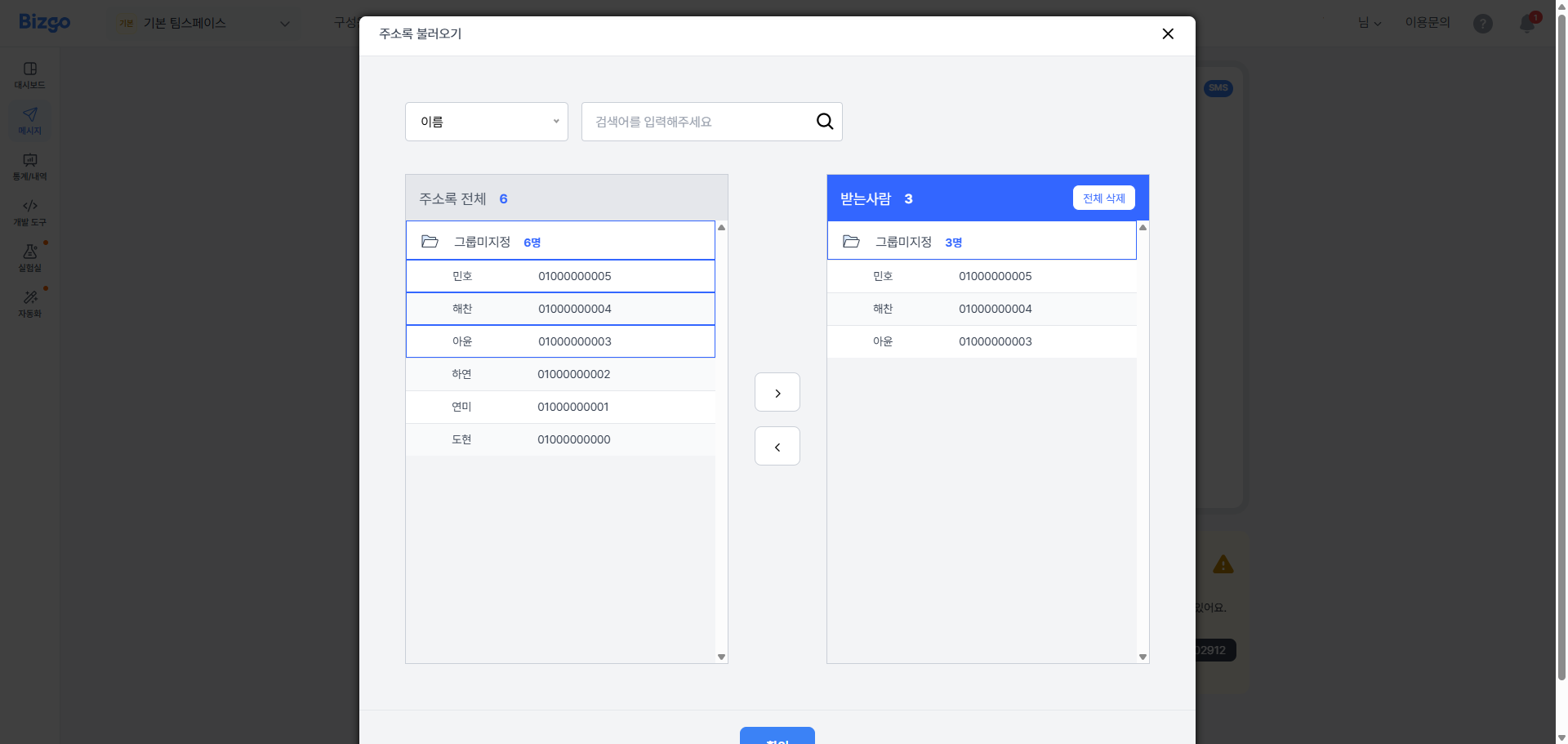
**[주소록 불러오기]** 버튼을 클릭하여 주소록에 등록된 연락처를 수신자 정보에 불러올 수 있습니다.
**[엑셀파일 불러오기]** 버튼을 클릭하여 엑셀에 등록한 연락처를 수신자 정보에 불러올 수 있습니다. **[샘플 파일 다운로드]** 버튼을 클릭하여 입력 양식에 따라 연락처 정보를 입력하신 후 **[파일 첨부]** 버튼을 클릭하여 등록해 주세요. 엑셀 파일 정보가 불러와지면 휴대폰번호와 변수로 지정할 열을 선택한 후 **[확인]** 버튼을 클릭하시면 수신자 정보 등록이 완료됩니다.
> **엑셀 파일 업로드 안내**
엑셀 파일은 최대 10만 건까지 등록 가능하며, 2행부터 입력된 정보가 등록됩니다.
### 4. 예약 설정
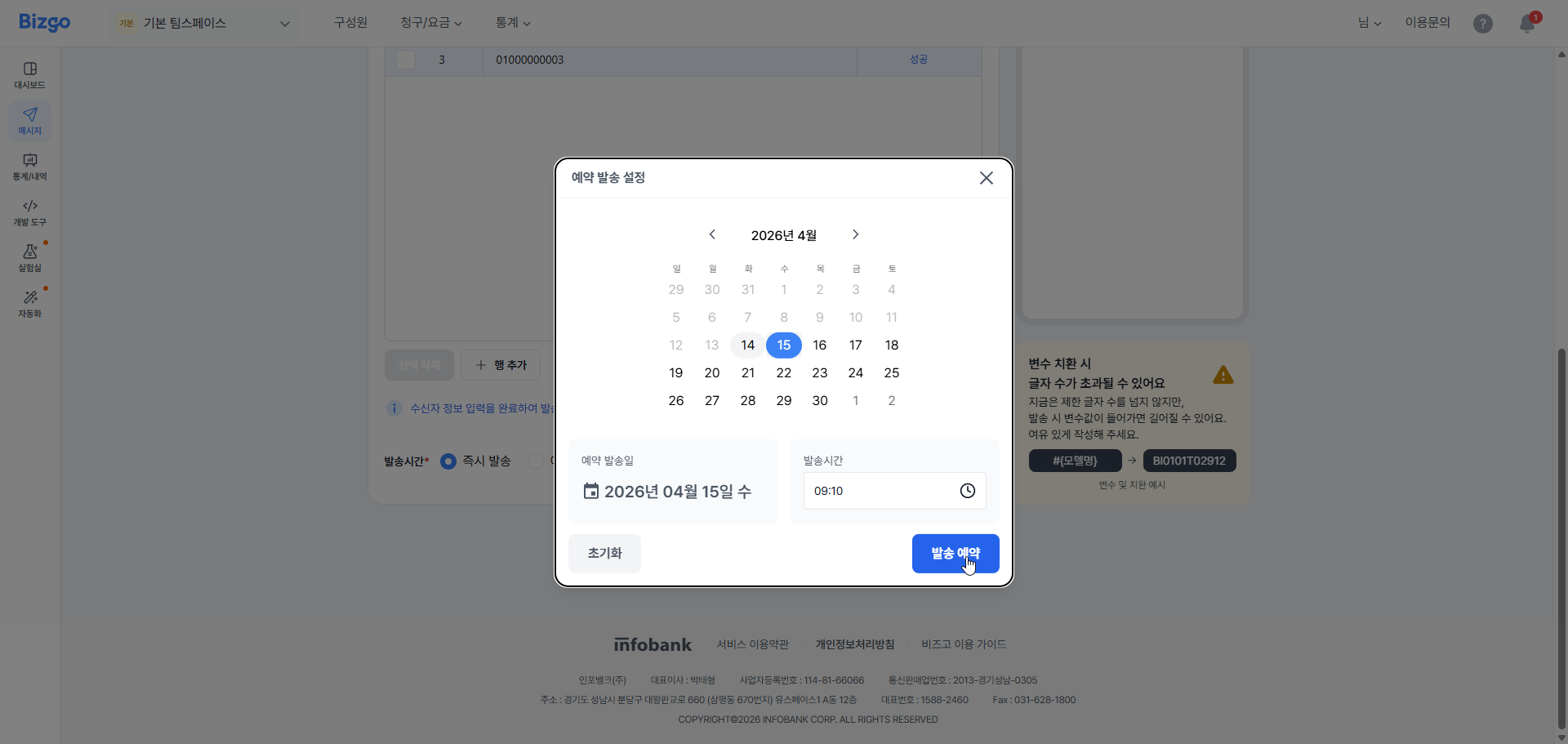
메시지를 즉시 또는 지정된 시간에 예약 발송할 수 있습니다. 예약 발송 시 **[예약 발송]** 을 선택하시고, 발송할 일자와 시간을 선택해 주세요.
### 5. 발송
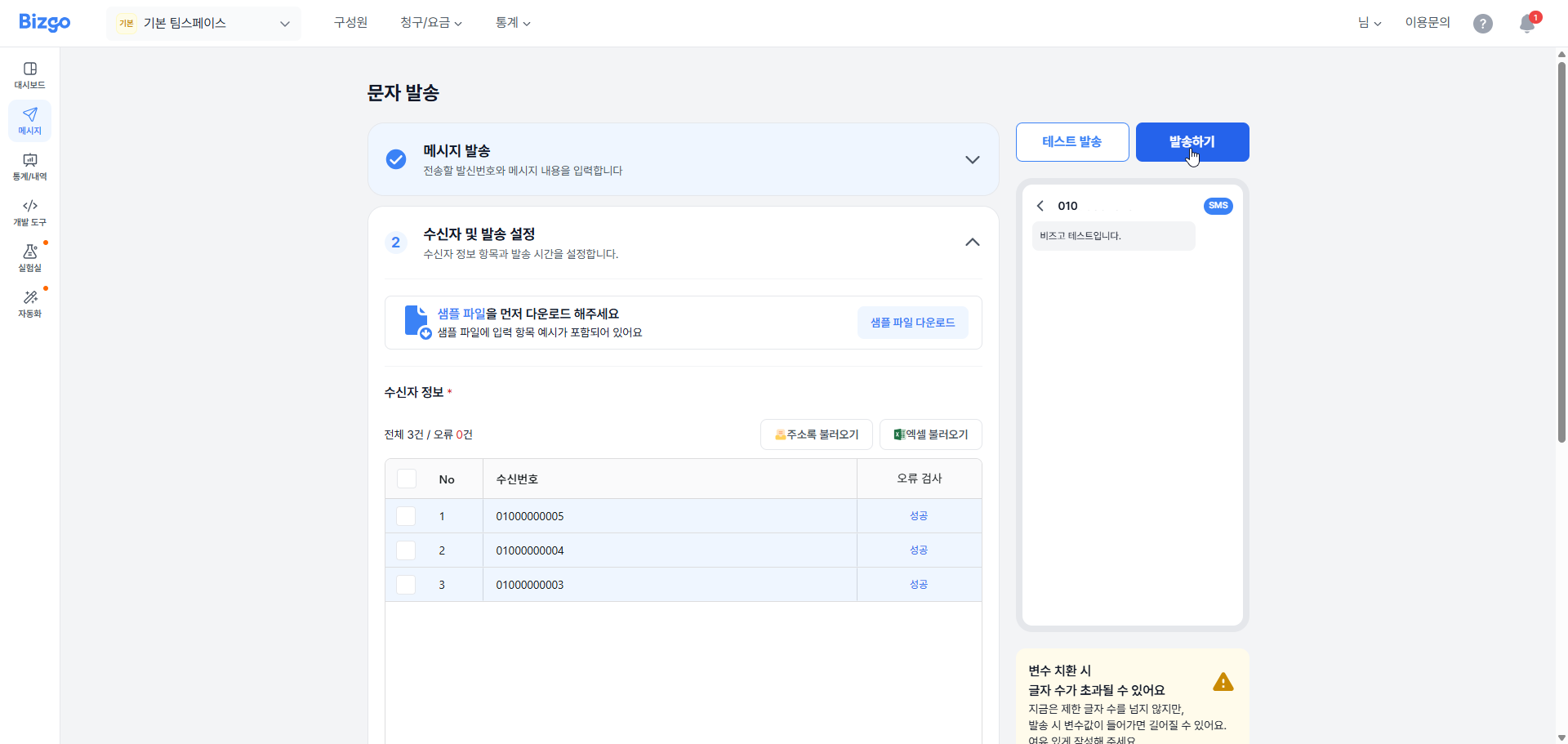
모든 내용을 입력 완료했다면 **[발송]** 버튼을 클릭해 주세요. 총 수신자 수와 메시지 타입을 다시 한번 확인하신 후 **[발송]** 버튼을 클릭하시면 발송이 완료됩니다.
---
## 알림톡 발송
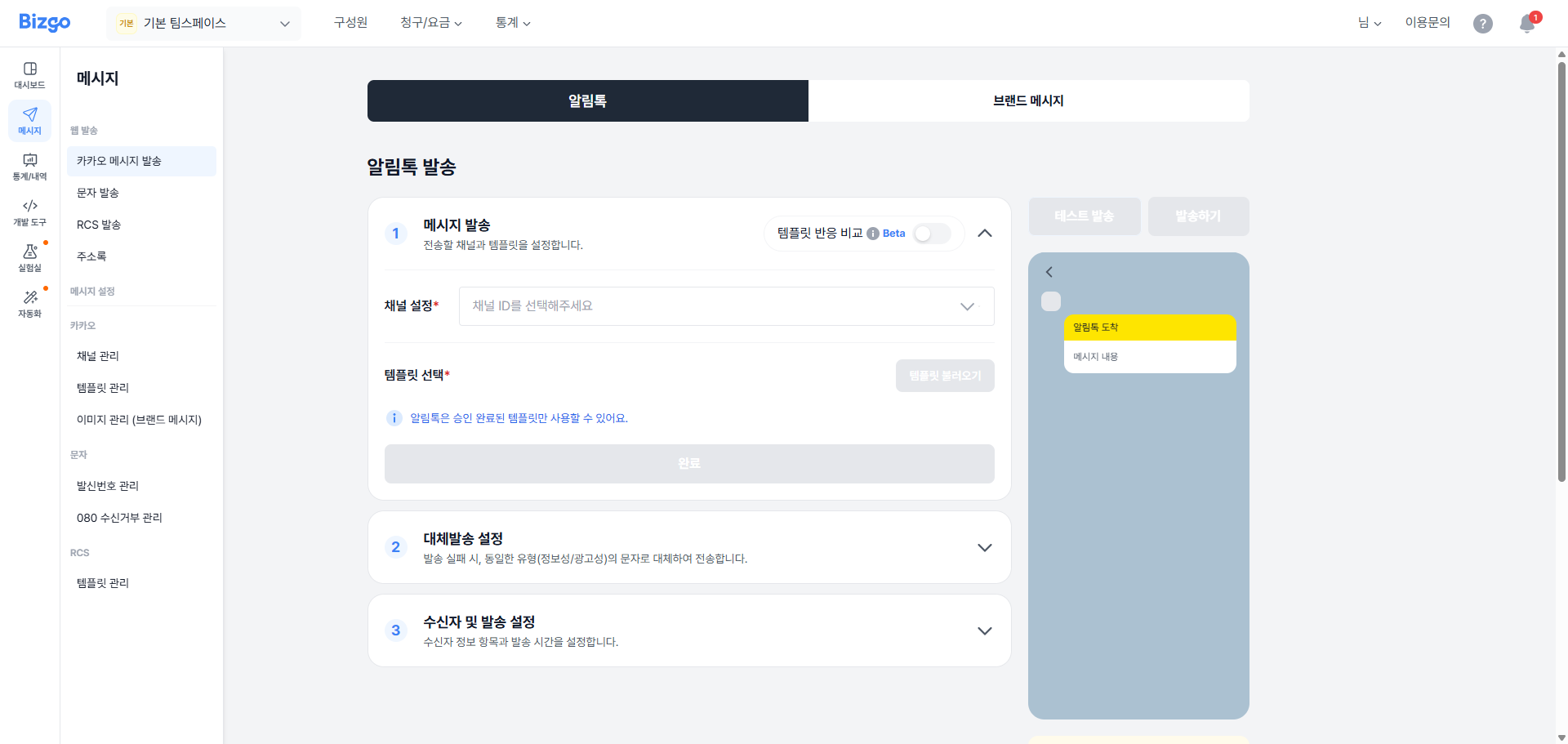
### 1. 메시지 발송 채널 선택
알림톡 템플릿을 발송하기 위해서, 팀스페이스 좌측 메뉴 중 **[웹 발송]** > **[카카오메시지발송]** 을 클릭하세요.
알림톡을 발송하기 위해 카카오 채널 ID를 선택합니다. 해당 채널에 등록된 템플릿을 불러와 알림톡을 발송할 수 있습니다.
> **템플릿 승인 안내**
알림톡은 승인이 완료된 템플릿만 사용할 수 있습니다.
> **검수패스 템플릿**
사전에 미리 승인된 검수 패스 템플릿으로 발송할 수 있습니다.
[검수패스 템플릿 자세히 보기](/updates/25-12/25.12.04)
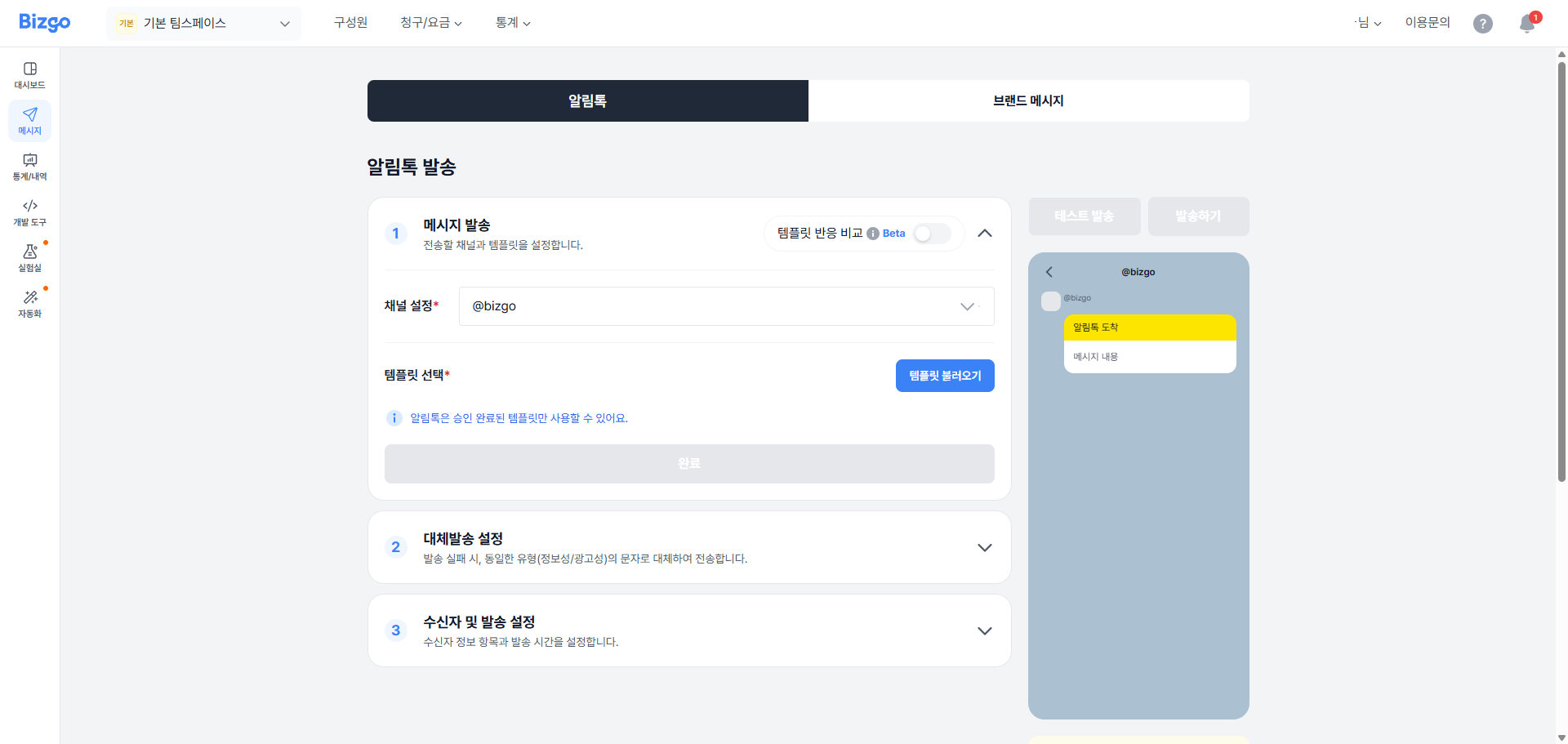
### 2. 템플릿 불러오기
**[템플릿 불러오기]** 버튼을 클릭해 주세요.
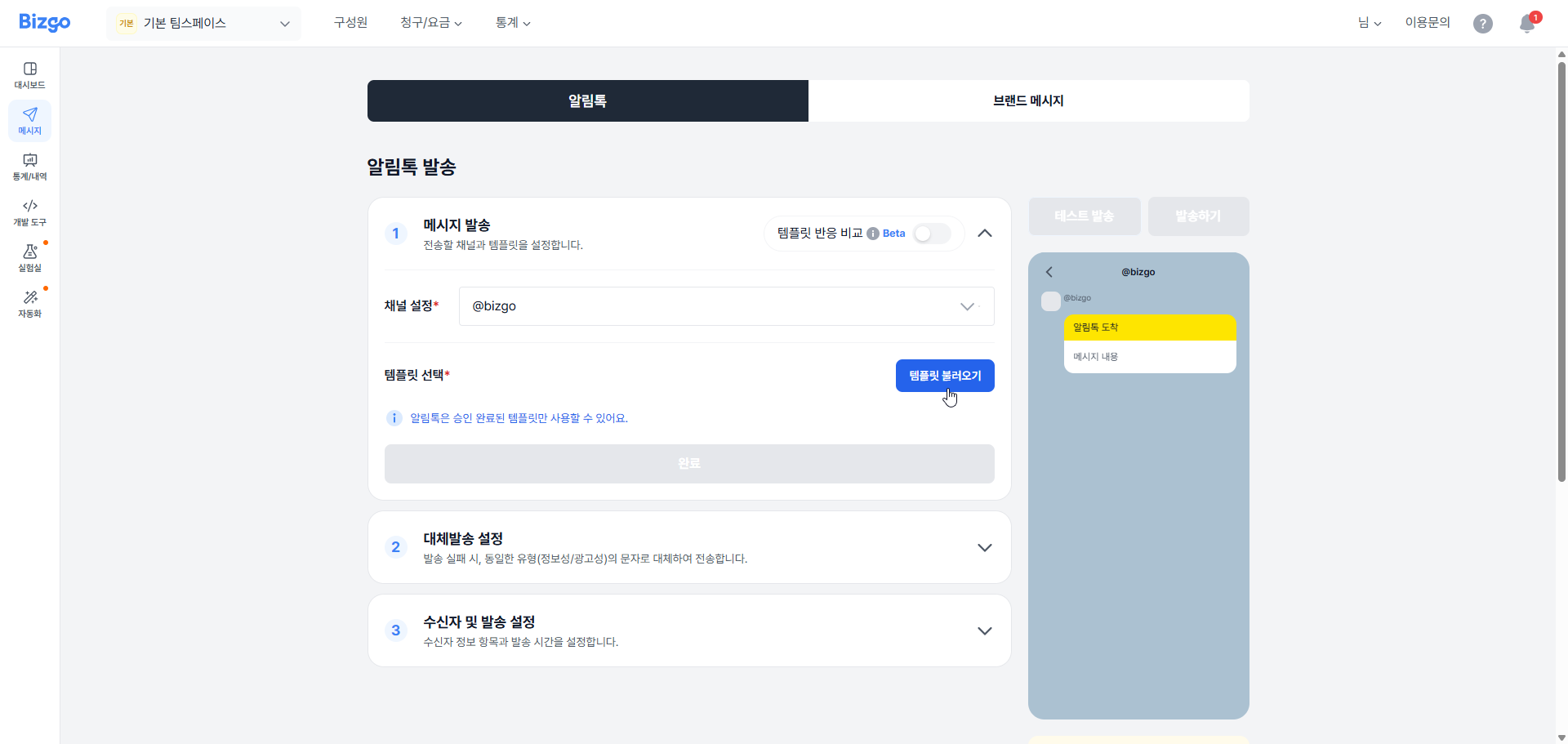
메시지 불러오기 팝업에서 발송하기 원하시는 템플릿의 **[선택하기]** 버튼을 클릭해 주세요. 자주 사용하는 템플릿은 **[즐겨찾기]** 설정이 가능합니다.
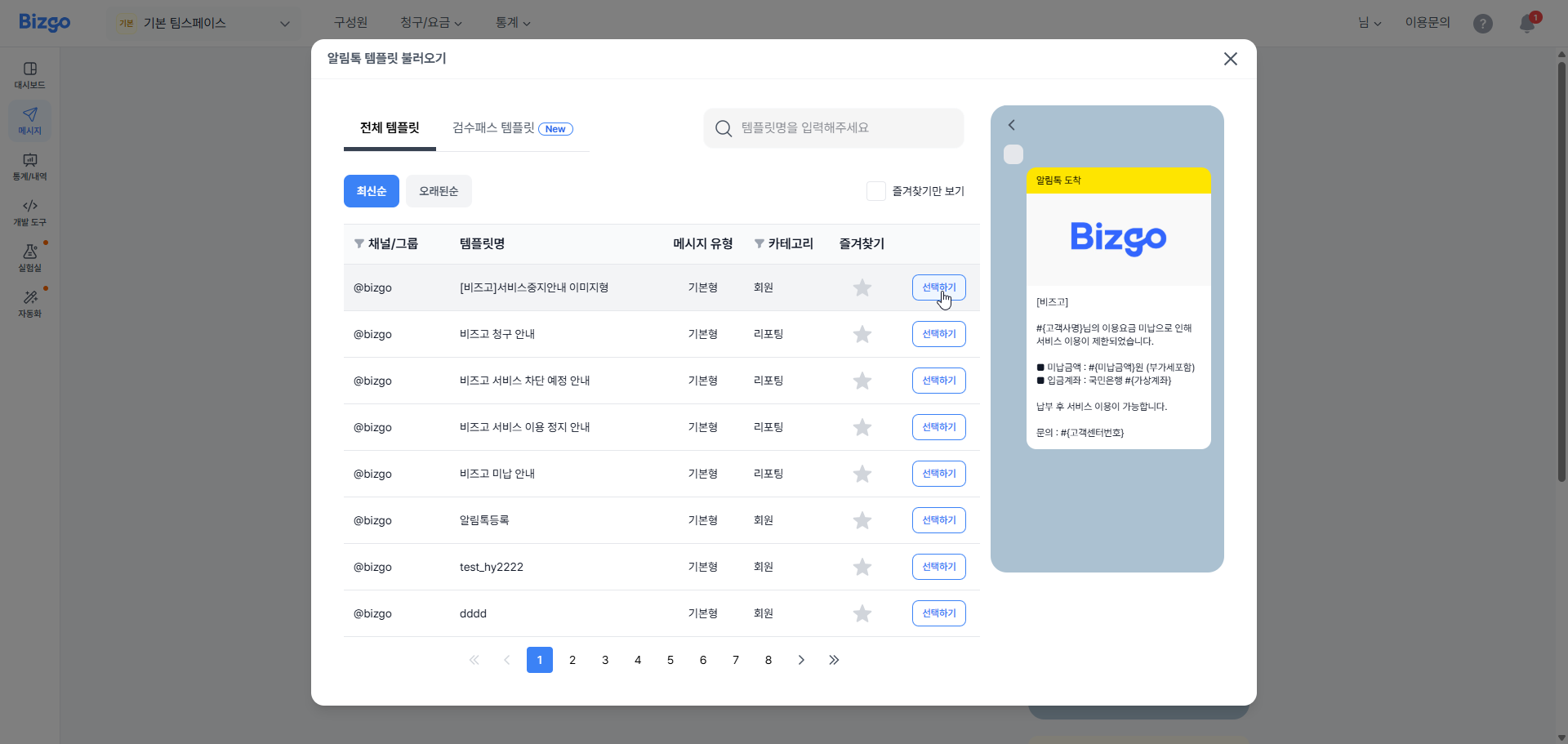
### 3. 템플릿 내용 확인
선택한 템플릿의 내용과 목업을 확인하고, **[확인]** 버튼을 클릭하면 발송할 알림톡 선택이 완료됩니다.
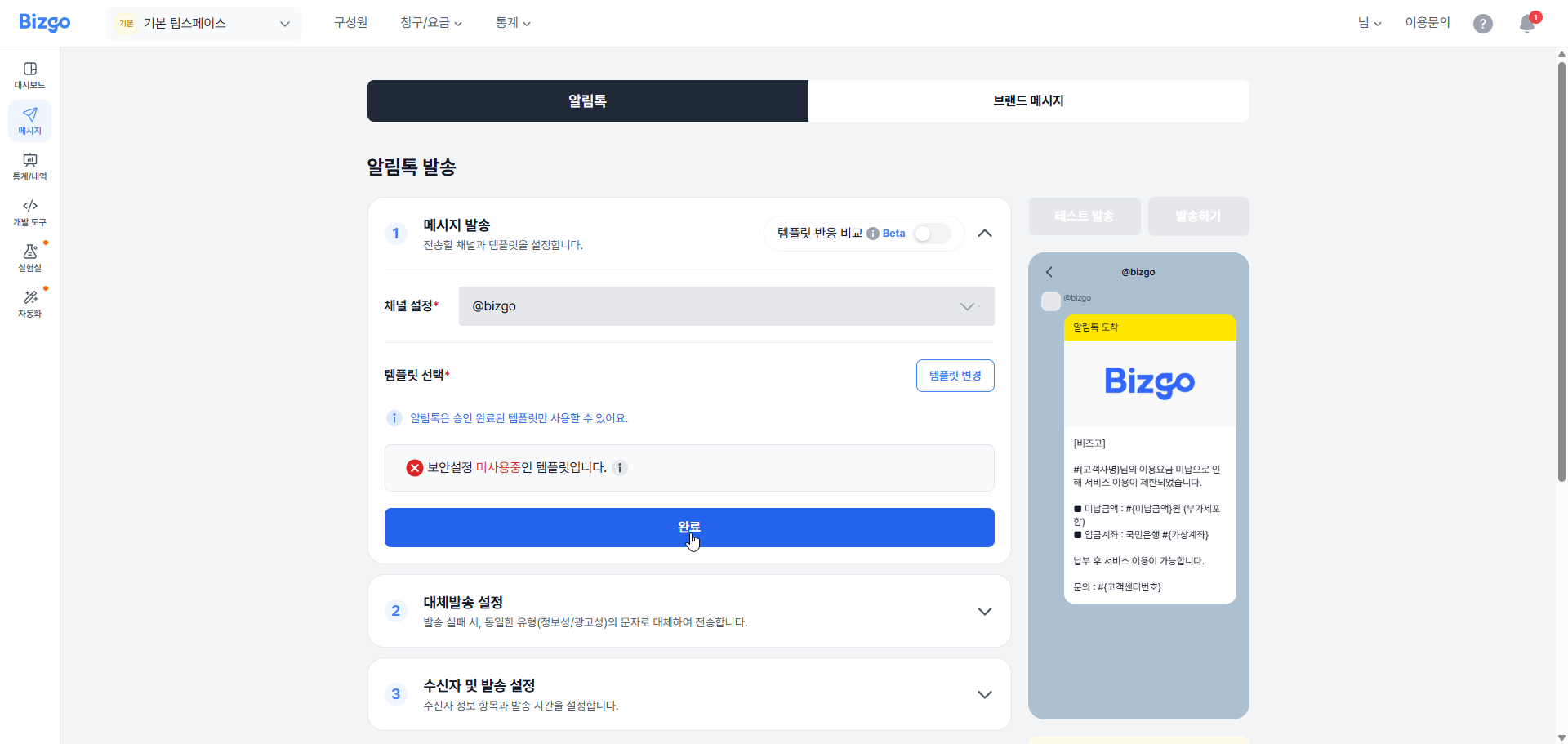
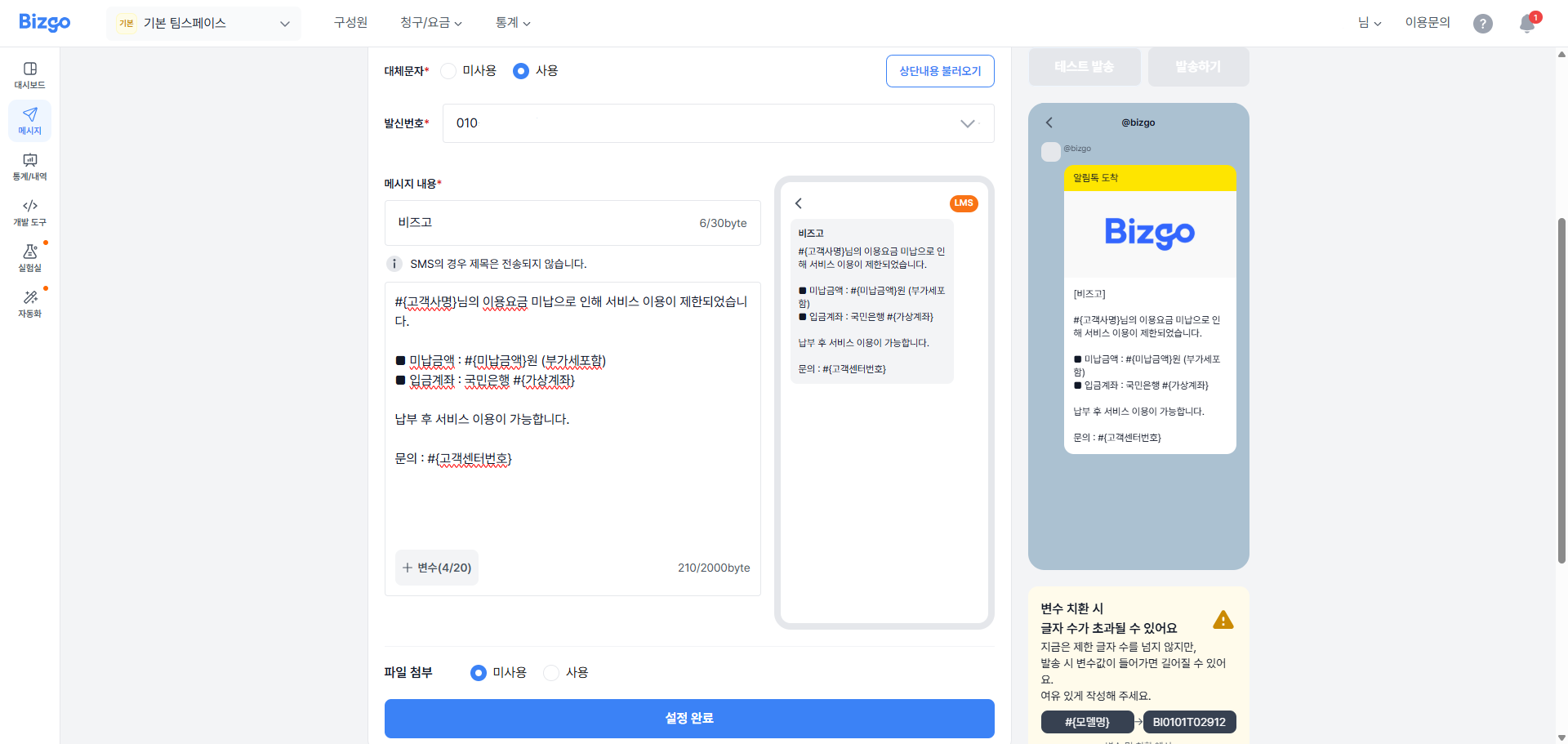
### 4. 대체문자 설정
알림톡 발송 실패 시 대체문자 발송 여부를 선택해 주세요. 사용 선택 시 발신번호와 메시지 정보를 입력해 주세요.
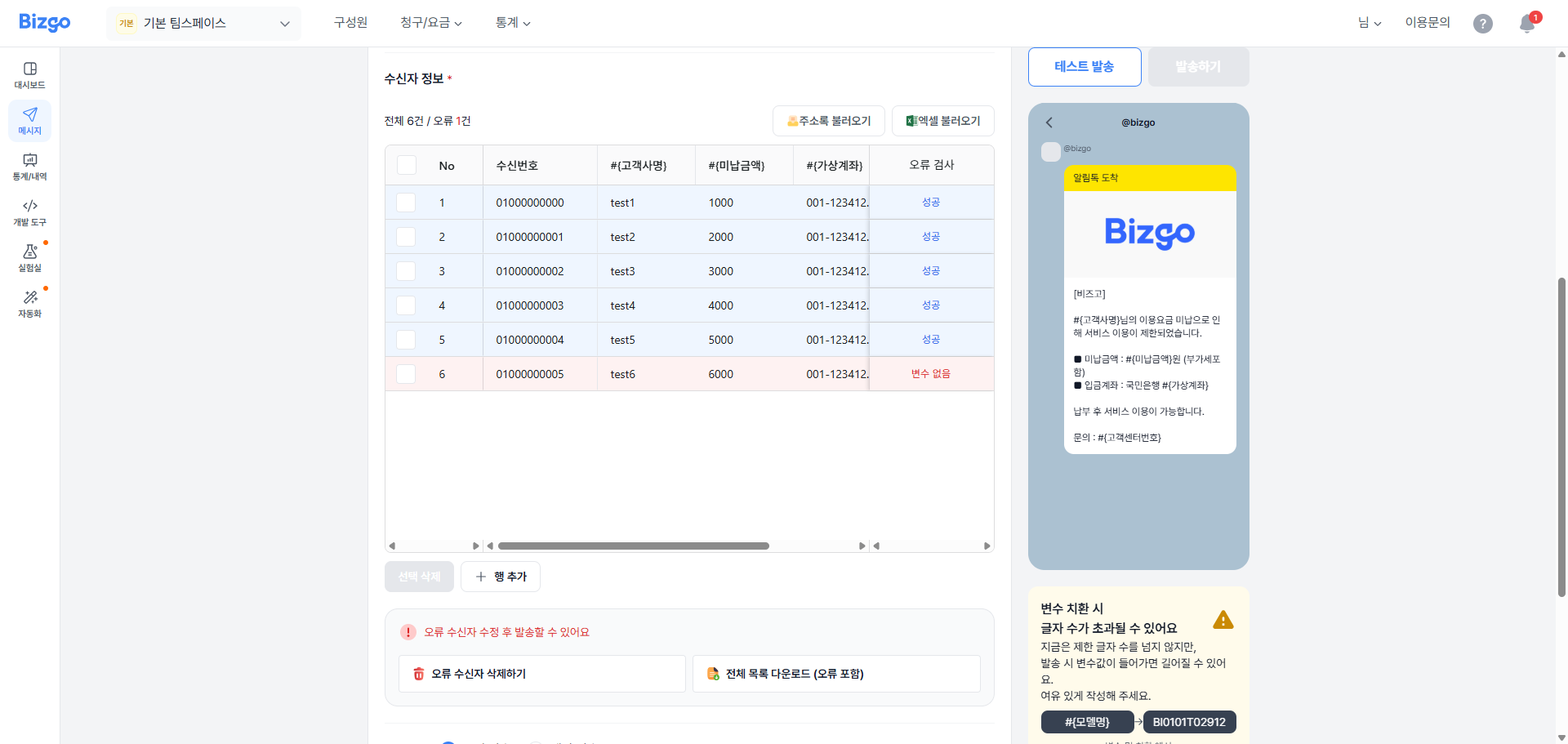
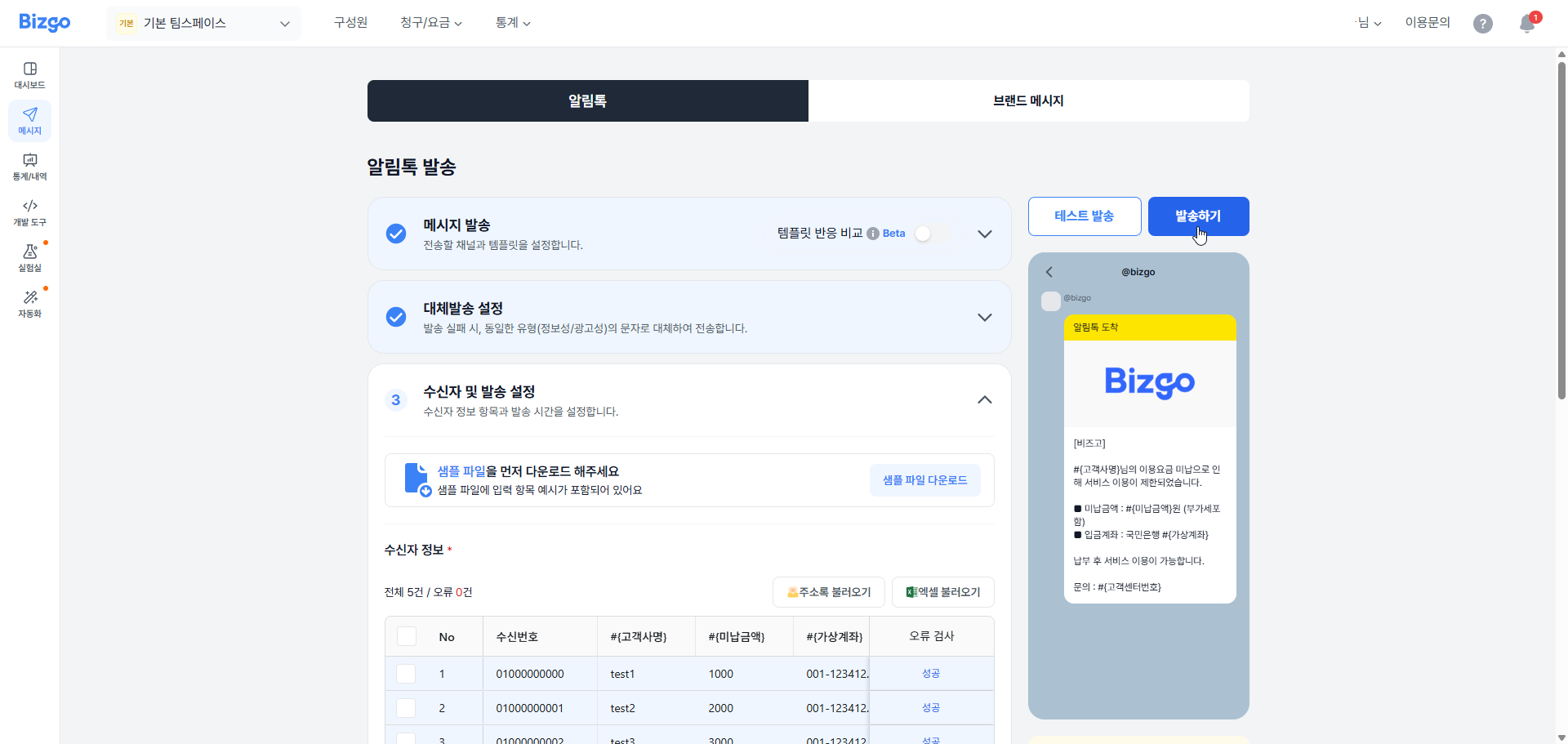
### 5. 수신자 및 발송 설정
발송할 수신자 정보를 입력해 주세요.
| 오류 상태 | 설명 |
|-----------|------|
| 번호없음 | 수신자 휴대폰번호가 입력되지 않은 경우 |
| 번호오류 | 수신자 휴대폰번호 형식이 잘못된 경우 |
| 중복번호 | 수신자 휴대폰번호와 변수가 중복된 경우 |
| 변수없음 | 메시지 내용에 사용된 변수가 수신자 정보에 입력되지 않은 경우 |
| 길이초과 | 메시지 내용과 변수의 총합이 해당 메시지 Byte 수를 초과한 경우 |
- 셀을 직접 수정하여 누락 값을 채워 오류를 수정합니다.
- 오류가 많을 경우 **[전체 목록 다운로드(오류 포함)]** 로 내려받아 엑셀에서 일괄 보정 후 재업로드합니다.
- 불필요한 오류 행은 **[오류 수신자 삭제하기]** 로 한 번에 제거합니다.
> **발송 가능 조건**
모든 오류가 해결되어야 발송 가능합니다. 화면 하단의 "오류 수신자 수정 후 발송할 수 있어요" 안내가 사라지는지 확인하세요.
**[주소록 불러오기]** 버튼을 클릭하여 주소록에 등록된 연락처를 수신자 정보에 불러올 수 있습니다.
**[엑셀파일 불러오기]** 버튼을 클릭하여 엑셀에 등록한 연락처를 수신자 정보에 불러올 수 있습니다. **[샘플 파일 다운로드]** 버튼을 클릭하여 입력 양식에 따라 연락처 정보를 입력하신 후 **[엑셀 불러오기]** 버튼을 클릭하여 등록해 주세요.
> **엑셀 파일 업로드 안내**
엑셀 파일은 최대 20만 건까지 등록 가능합니다.
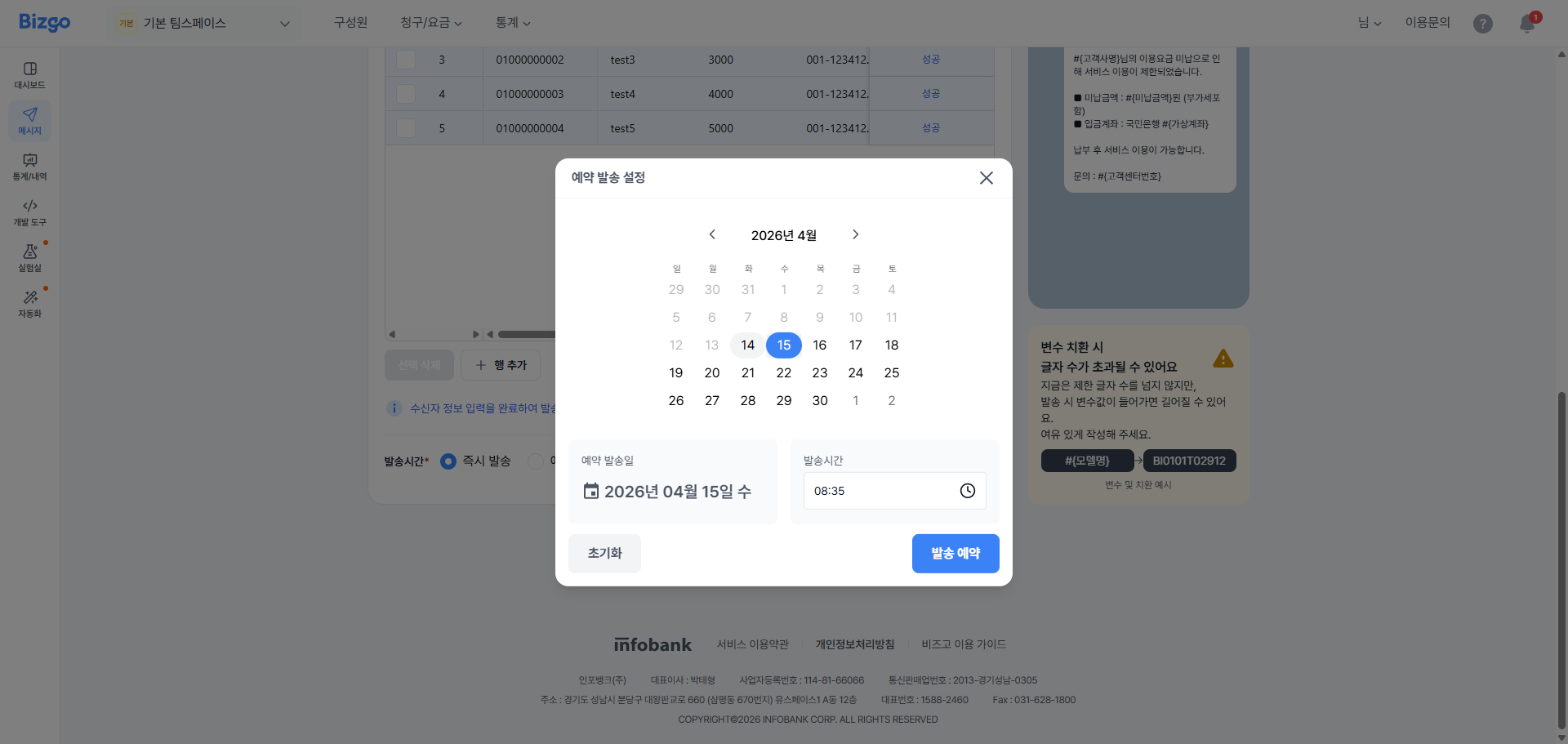
### 6. 예약 설정
메시지를 즉시 또는 지정된 시간에 예약 발송할 수 있습니다. 예약 발송 시 **[예약 발송]** 을 선택하시고, 발송할 일자와 시간을 선택해 주세요.
### 7. 테스트 발송
우측 상단 **[테스트 발송]** 을 클릭하여 소수(최대 5명)에게 테스트 발송하여 변수 치환·줄바꿈·링크·글자 수 등을 실제 단말에서 확인합니다.
테스트 발송 팝업에서 수신번호를 입력하고 **[추가]** 를 클릭한 후, 발송 방식을 선택합니다.
- 알림톡 발송
- 알톡 + 실패 시 대체발송
> **테스트 발송 안내**
**[테스트 발송]** 을 클릭하면 즉시 발송되며 요금이 부과됩니다.
### 8. 발송
모든 내용을 입력 완료했다면 **[발송]** 버튼을 클릭해 주세요. 총 수신자 수와 메시지 타입을 다시 한번 확인하시고, 대체 문자를 설정한 경우 대체 발송될 메시지 타입도 확인해 주세요. 모든 정보를 확인한 뒤 **[발송하기]** 를 클릭합니다.
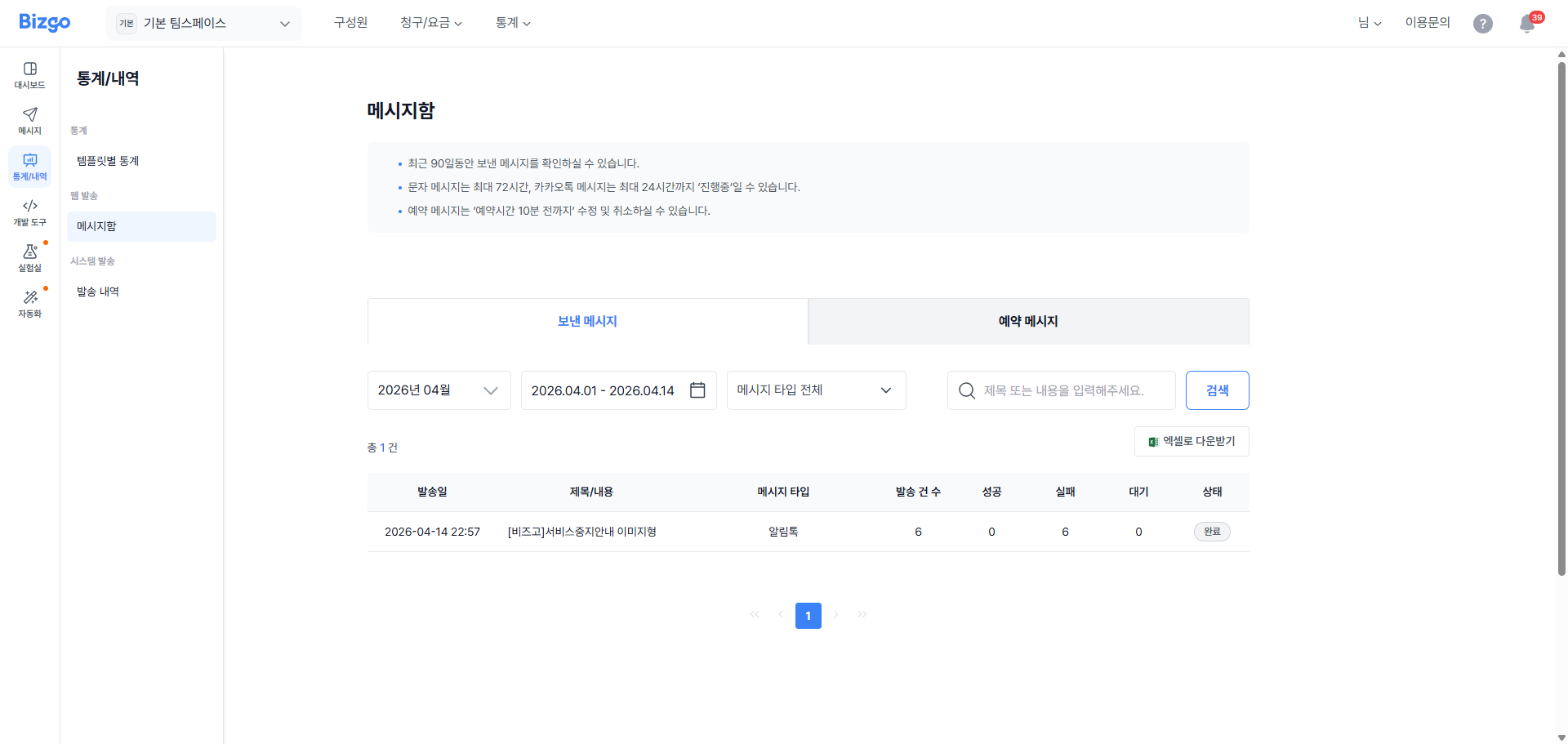
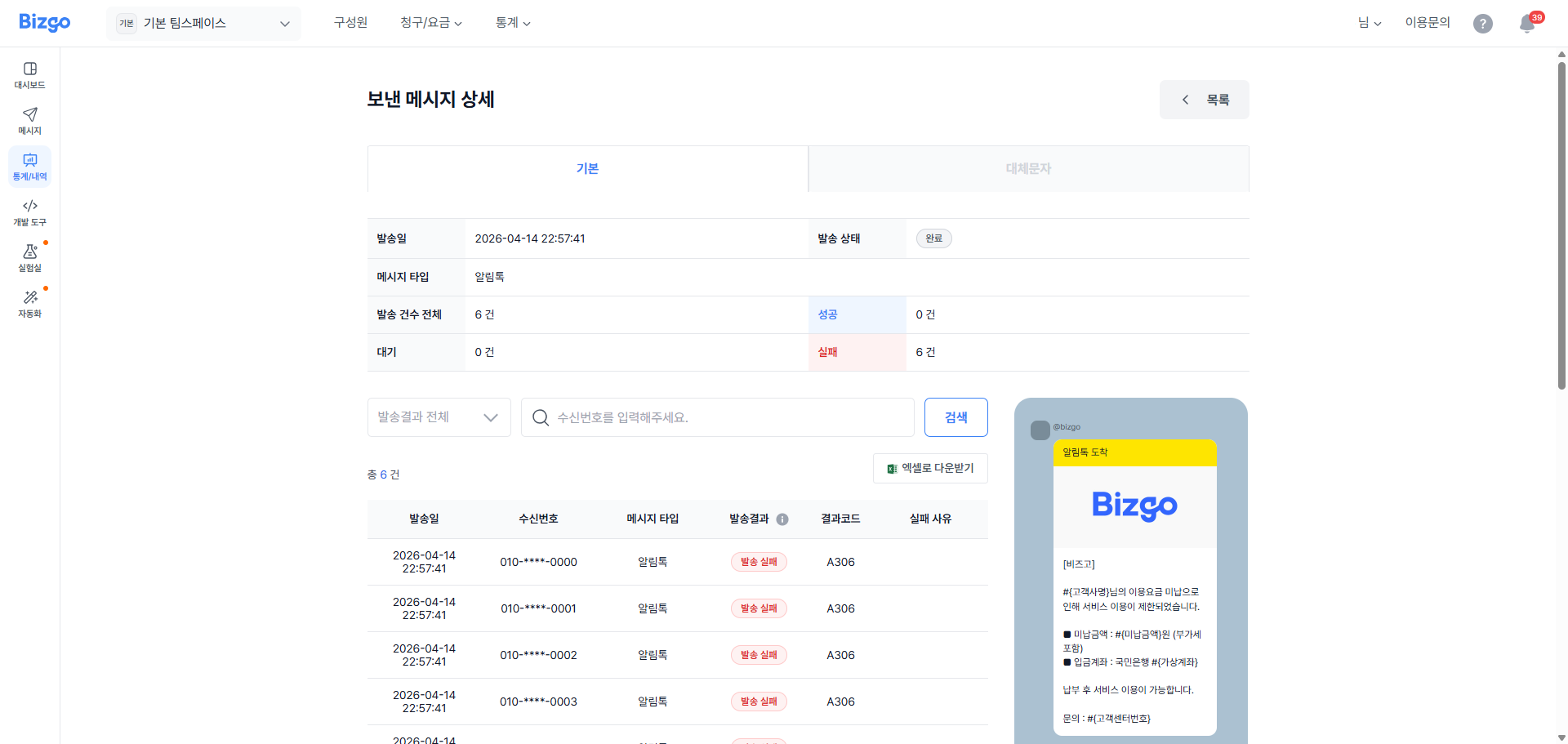
**발송 요청 실패** — 메시지 발송 요청 실패 시 실패 건과 사유를 확인할 수 있습니다. 엑셀 파일을 다운로드하여 실패 원인을 확인한 후 재발송을 시도하세요.
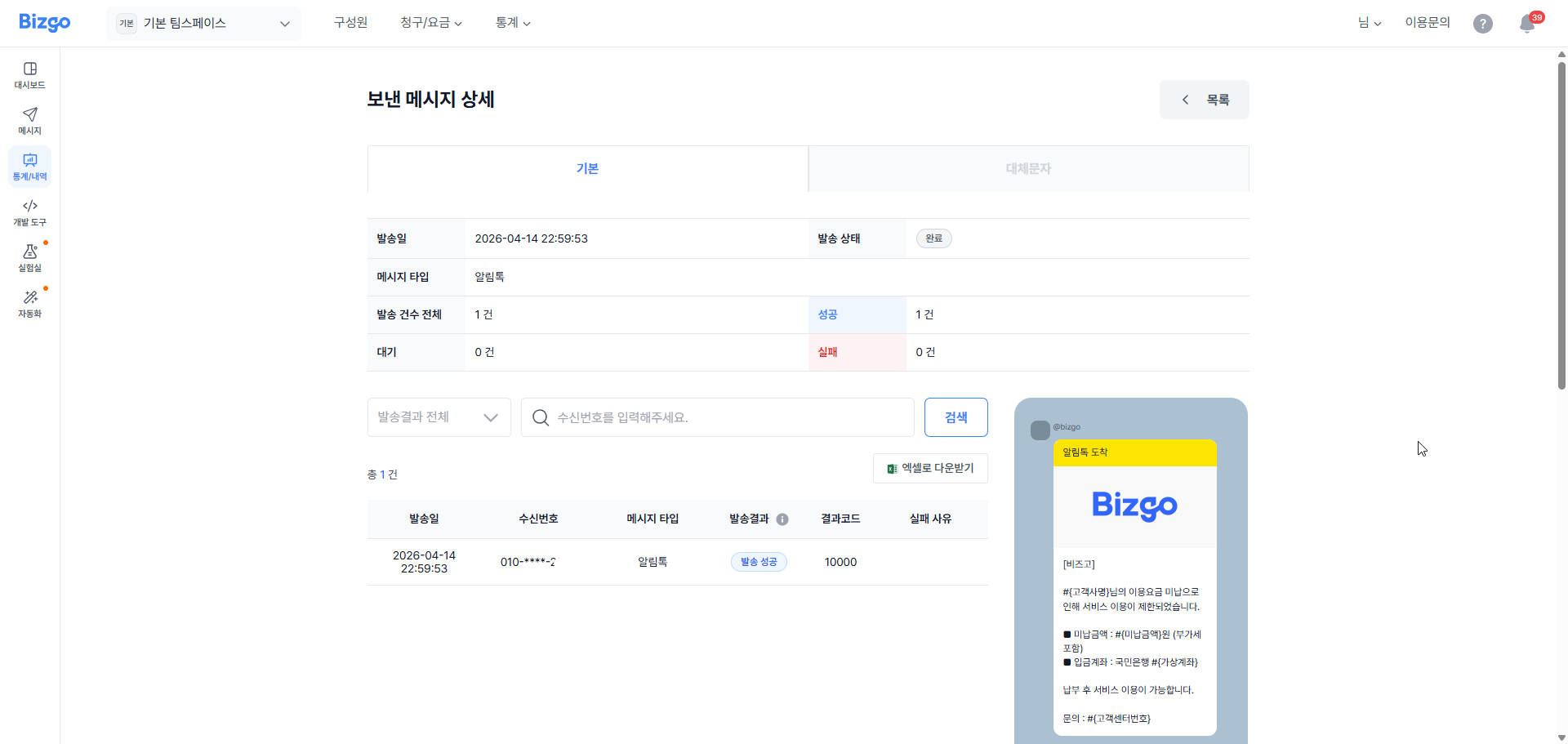
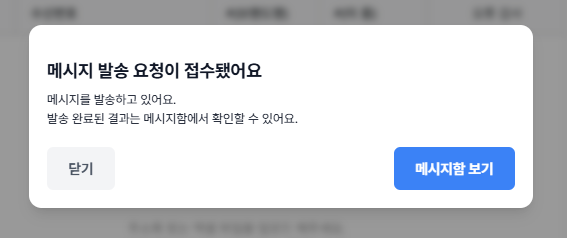
**발송 요청 성공** — 메시지 발송이 성공적으로 접수되면 접수 완료 팝업이 표시됩니다. 메시지함에서 발송 결과를 확인할 수 있습니다.
---
## 브랜드 메시지 발송
브랜드메시지는 **기본형(템플릿) 발송**과 **자유형(신규 메시지 작성) 발송** 두 가지 방식이 있습니다.
---
### 기본형(템플릿) 발송
등록된 템플릿을 불러와 발송하는 방식입니다.
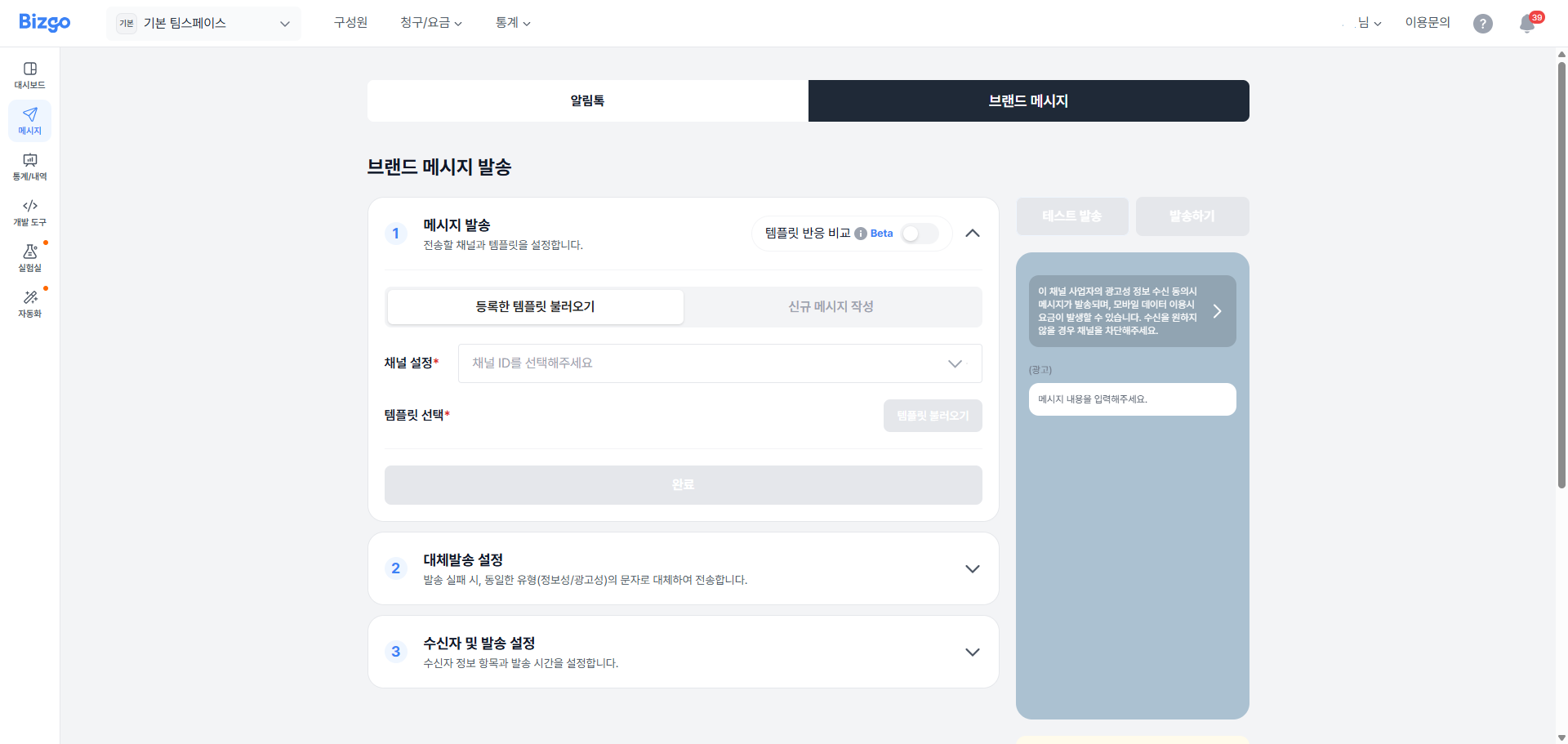
#### 1. 템플릿 불러오기
**템플릿 사용하기** 탭에서 발송 채널을 선택한 후 **[템플릿 불러오기]** 를 클릭하여 사용할 템플릿을 선택합니다.
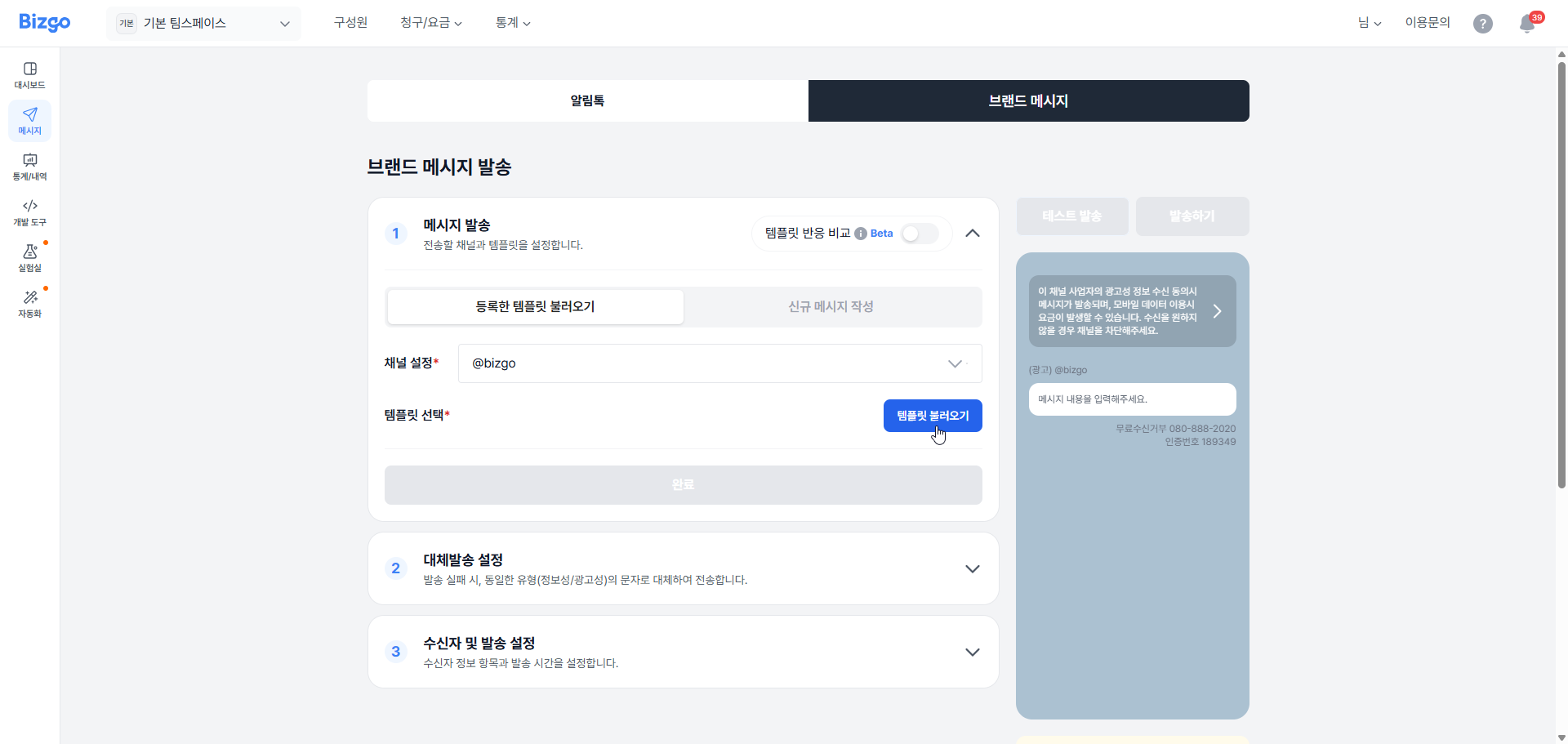
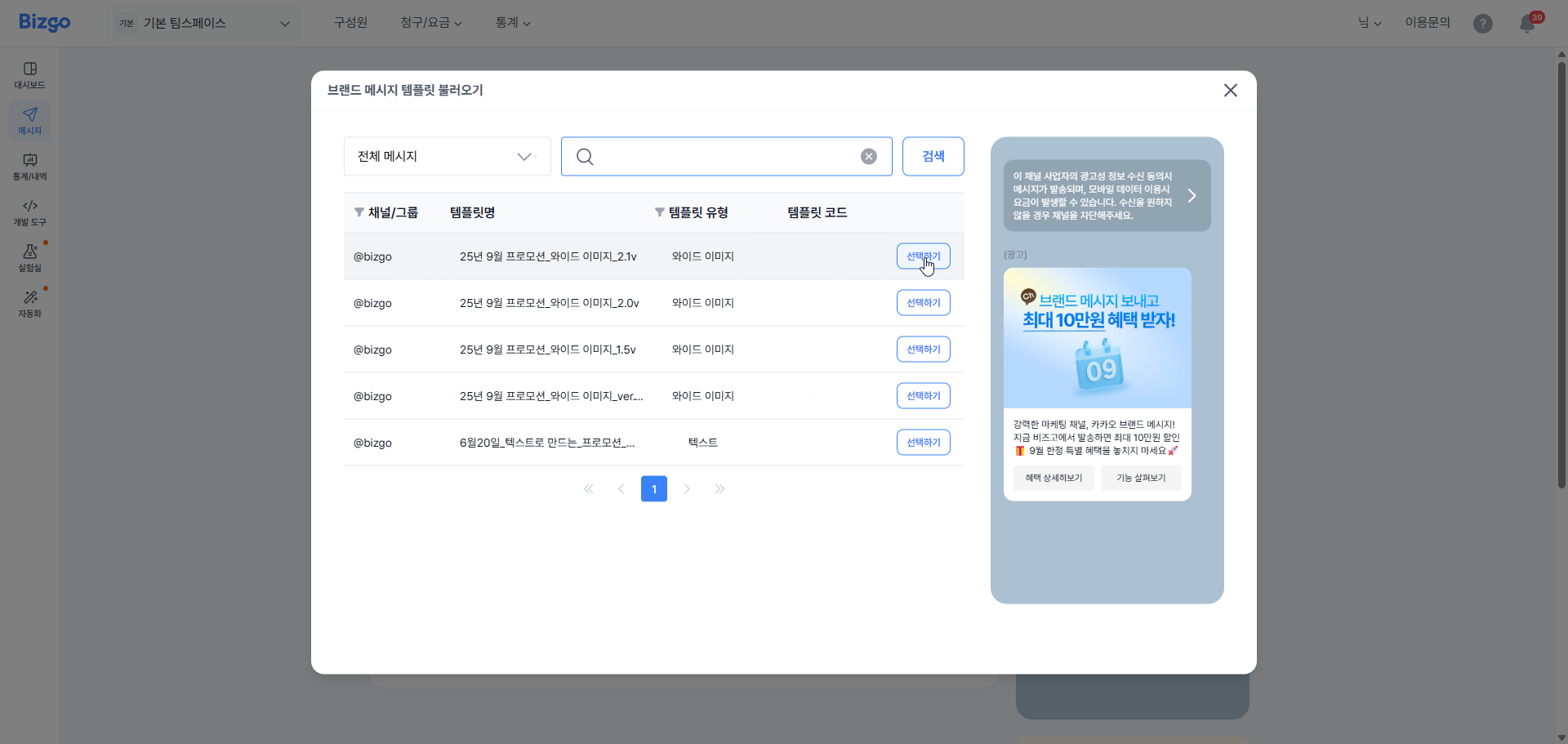
**[템플릿 불러오기]** 를 클릭하면 아래와 같은 팝업이 노출됩니다. 사용할 템플릿을 확인한 후 **[선택하기]** 버튼을 클릭하여 템플릿을 가져옵니다.
템플릿을 선택하면 선택한 템플릿이 화면에 표시됩니다.
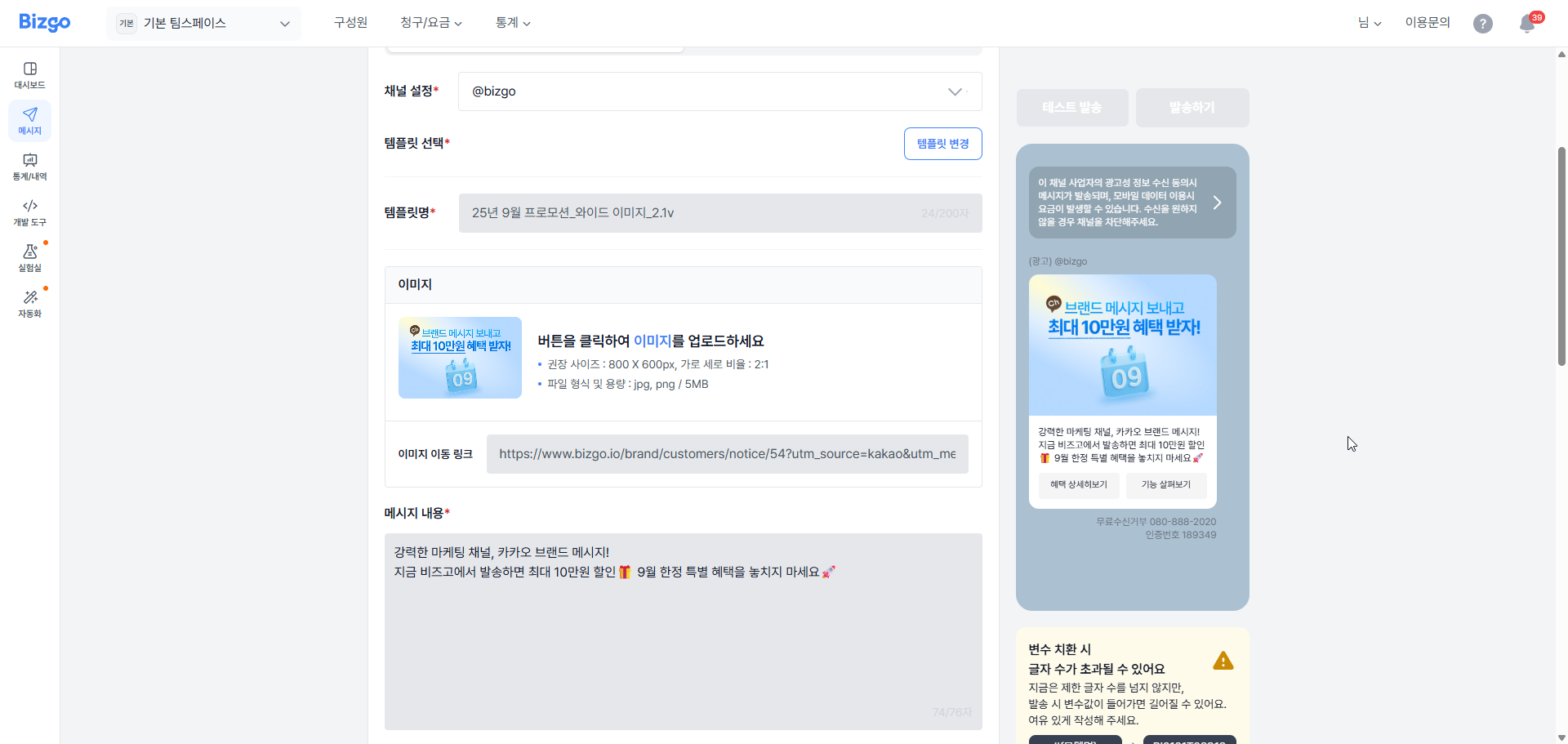
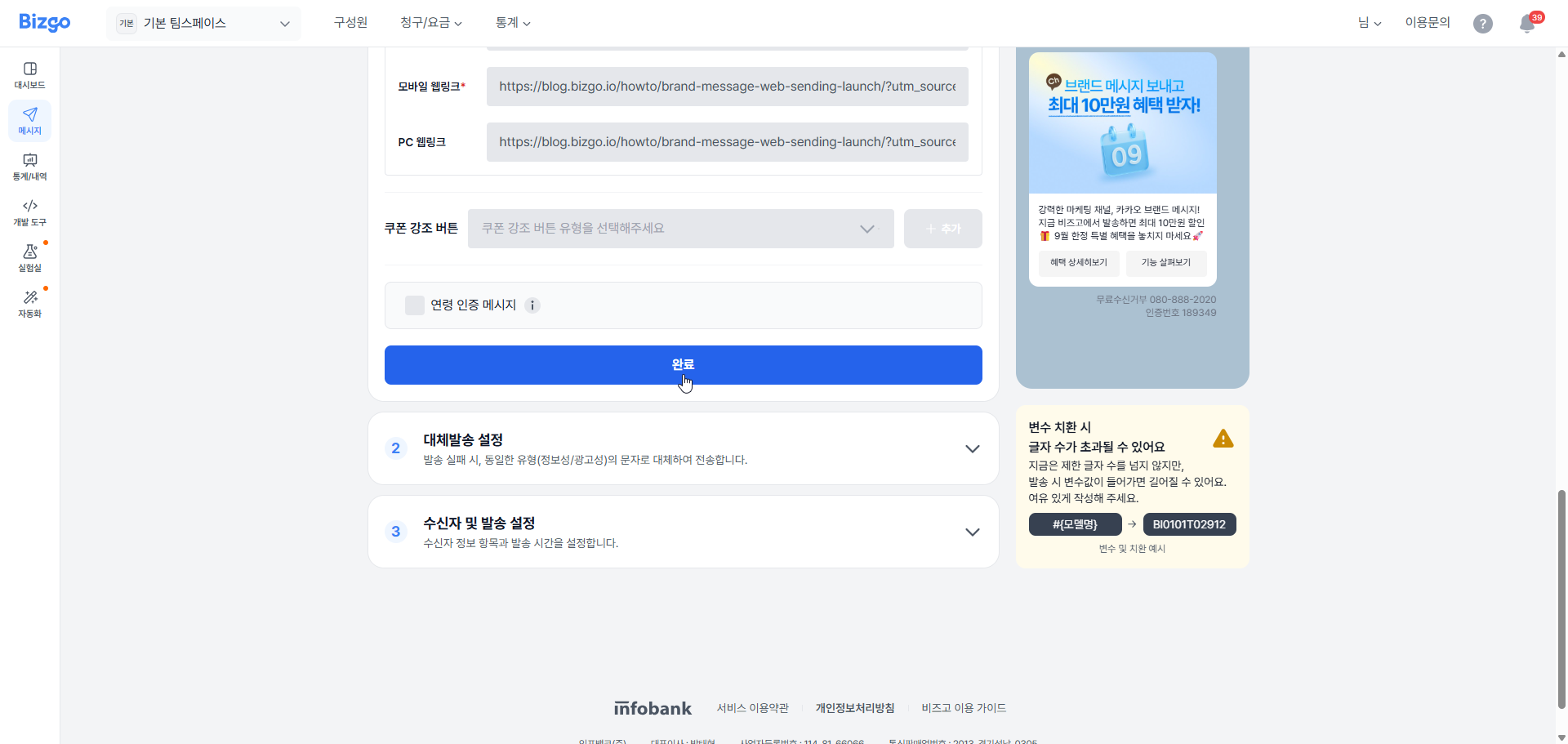
템플릿 변경이 가능하며, 선택한 템플릿으로 웹발송을 진행할 경우 **[완료]** 를 클릭하여 다음 설정으로 이동합니다.
#### 2. 대체발송 설정
메시지 발송이 실패하거나 지원되지 않는 경우에 대비해 SMS/LMS로 대체 발송될 내용을 미리 등록합니다.
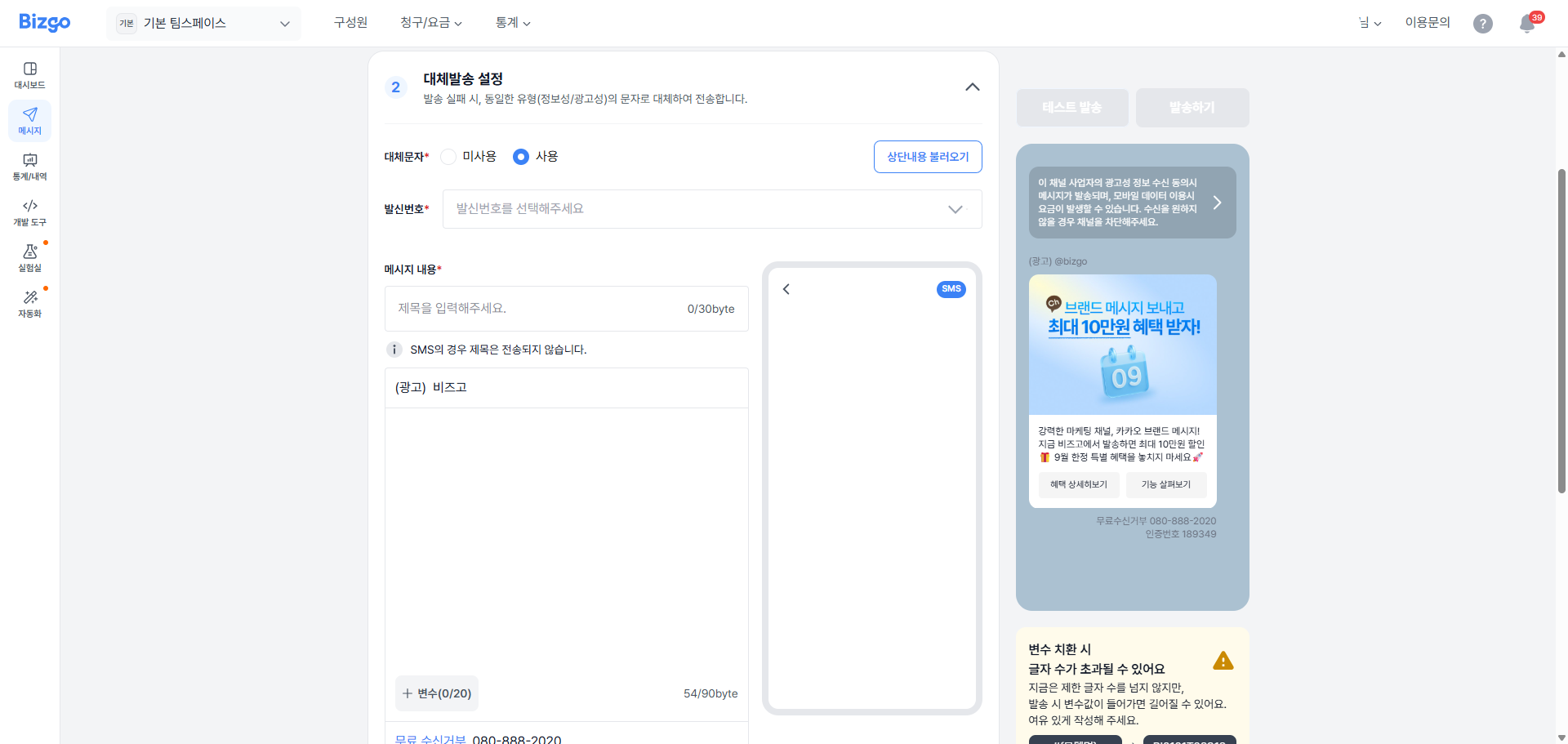
**대체 발송 여부 선택**
발송 실패 시 SMS 또는 LMS로 대체 발송할지 여부를 선택합니다. **미사용** 선택 시 즉시 수신자 설정 단계로 이동합니다.
**대체 발송 내용 작성**
- **사용** 선택 시, 상단 **[내용 불러오기]** 로 브랜드메시지 본문과 동일한 내용을 가져올 수 있습니다.
- 본문이 없는 메시지의 경우 내용을 직접 입력해야 합니다.
- 불러온 내용은 자유롭게 수정 가능합니다.
- 90byte 초과 시 자동으로 LMS로 전환됩니다.
**메시지 구성**
- 제목(선택), 본문(필수) 입력
- 브랜드메시지와 동일하게 변수 추가 가능 (예: `#{브랜드명}`, `#{이름}` 등)
- 괄호 표시(예: `2/20`)는 현재 사용 변수 개수 / 최대 개수를 의미합니다.
- 변수 치환 시 실제 바이트 수가 증가할 수 있으니 여유 있게 작성하세요.
> **광고성 메시지 안내**
광고성/정보성 여부는 원메시지의 성격을 따르므로, 브랜드메시지의 경우 대체문자는 광고성으로 전송됩니다.
**최종 확인**
저장 전, 미리보기를 통해 최종 내용과 바이트/변수 경고를 반드시 확인하세요. **[설정 완료]** 클릭 시 수신자 설정 → 발송 설정 단계로 이동합니다.
#### 3. 수신자 및 발송 설정
수신자 정보 업로드·편집과 발송 시간 설정, 메시지 미리보기(변수 치환)를 설정합니다. 정확한 번호 형식과 파일 업로드 규칙을 지켜야 정상 발송됩니다.
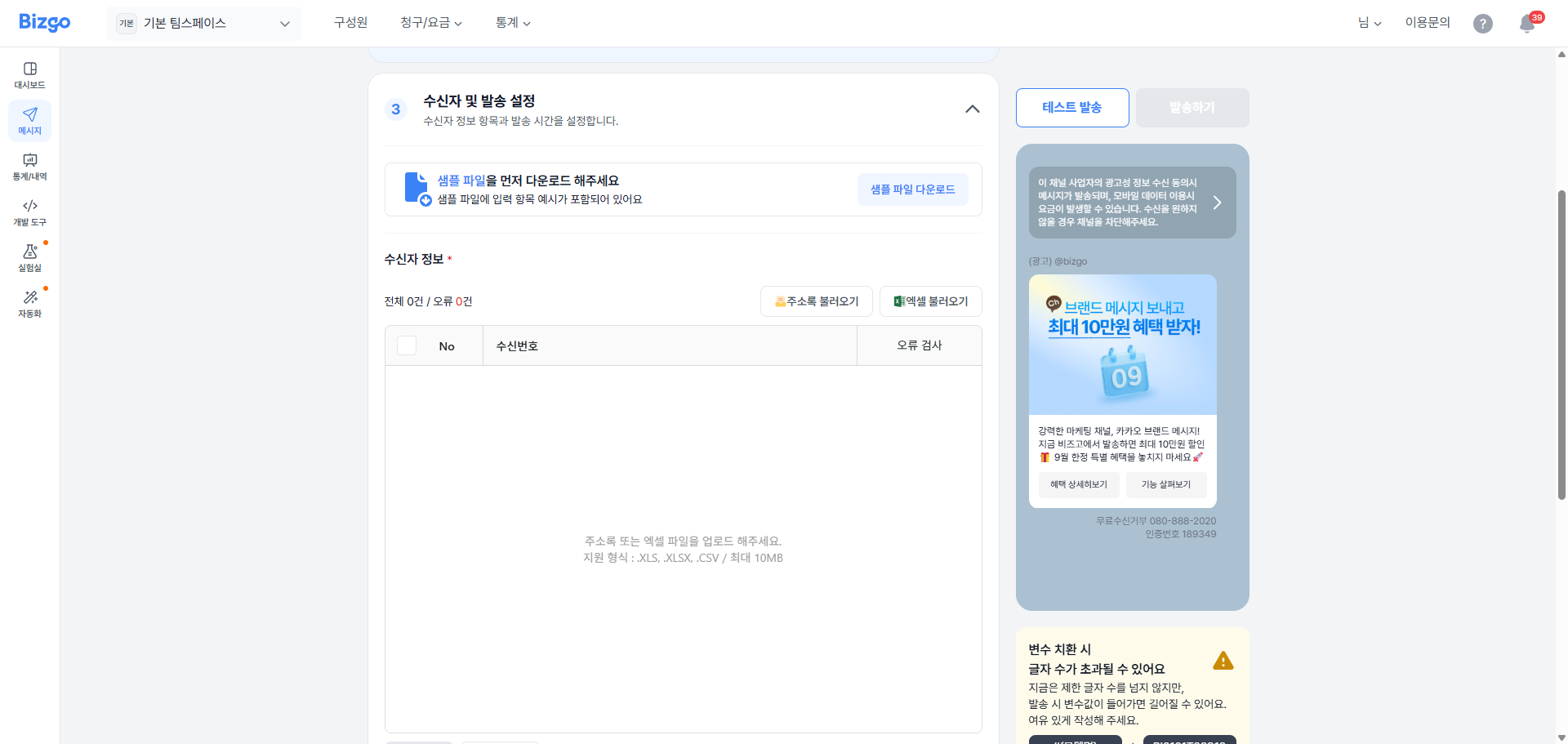
템플릿 내용을 확인하면서 내려오면 수신자 정보를 설정하는 항목이 표시됩니다.
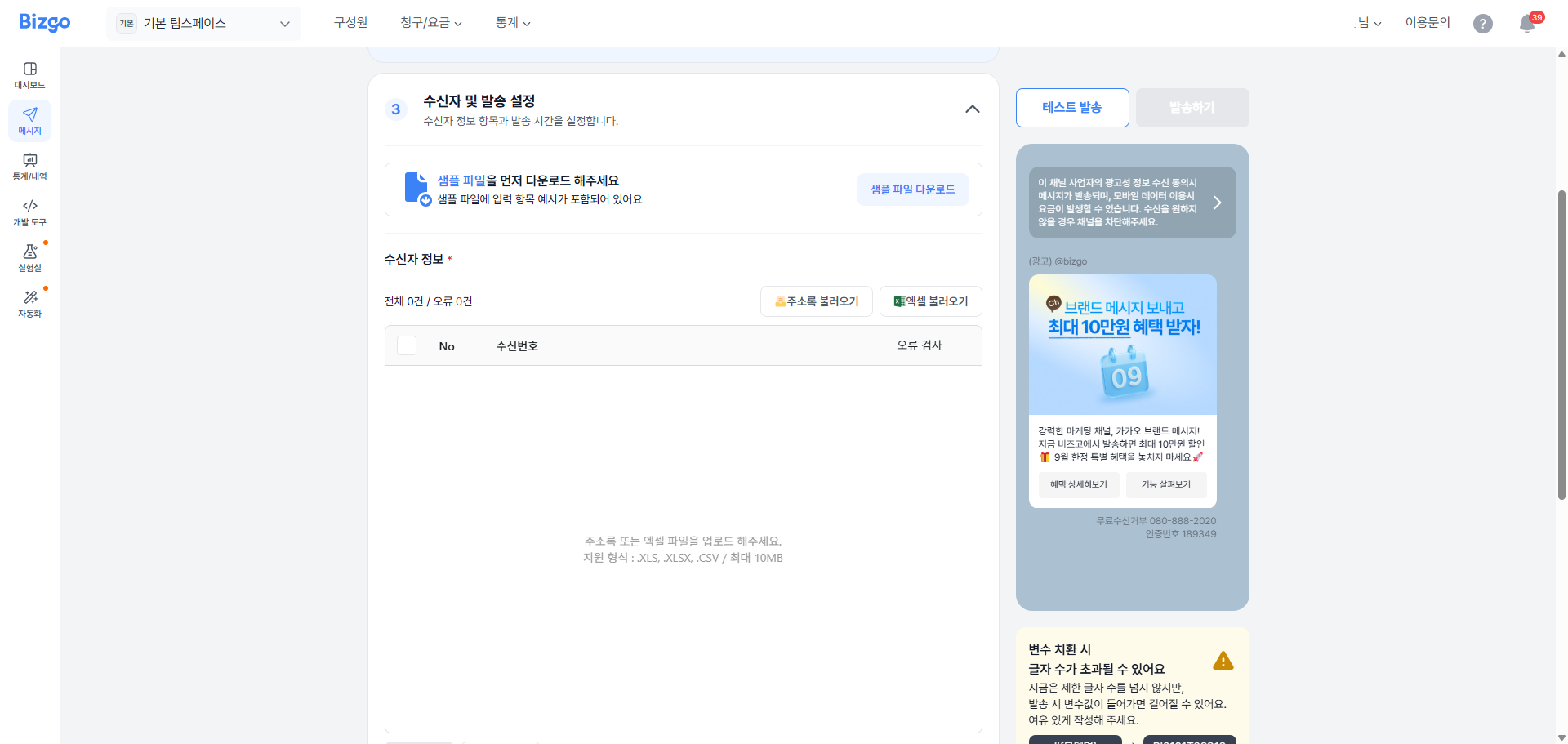
수신자 정보는 **주소록 불러오기**와 **엑셀 불러오기** 두 가지 방식이 있습니다.
- **주소록 불러오기** — 해당 기능에 대한 설명은 [주소록](#주소록) 항목을 확인하세요.
- **엑셀 불러오기** (`.xls`, `.xlsx`, `.csv` / 최대 10MB / 최대 20만 건) — **[샘플 파일 다운로드]** 버튼으로 샘플 파일을 먼저 다운로드한 후 작성합니다. 변수가 있는 경우 변수명 순서대로 변수값을 입력하세요.
- **[행 추가]** 버튼을 클릭하여 그리드 내에서 직접 수신자 번호를 등록할 수 있습니다.
수신자 정보가 등록되면 자동으로 오류 검사가 실행되며, 오류 항목이 오류 컬럼에 표시됩니다.
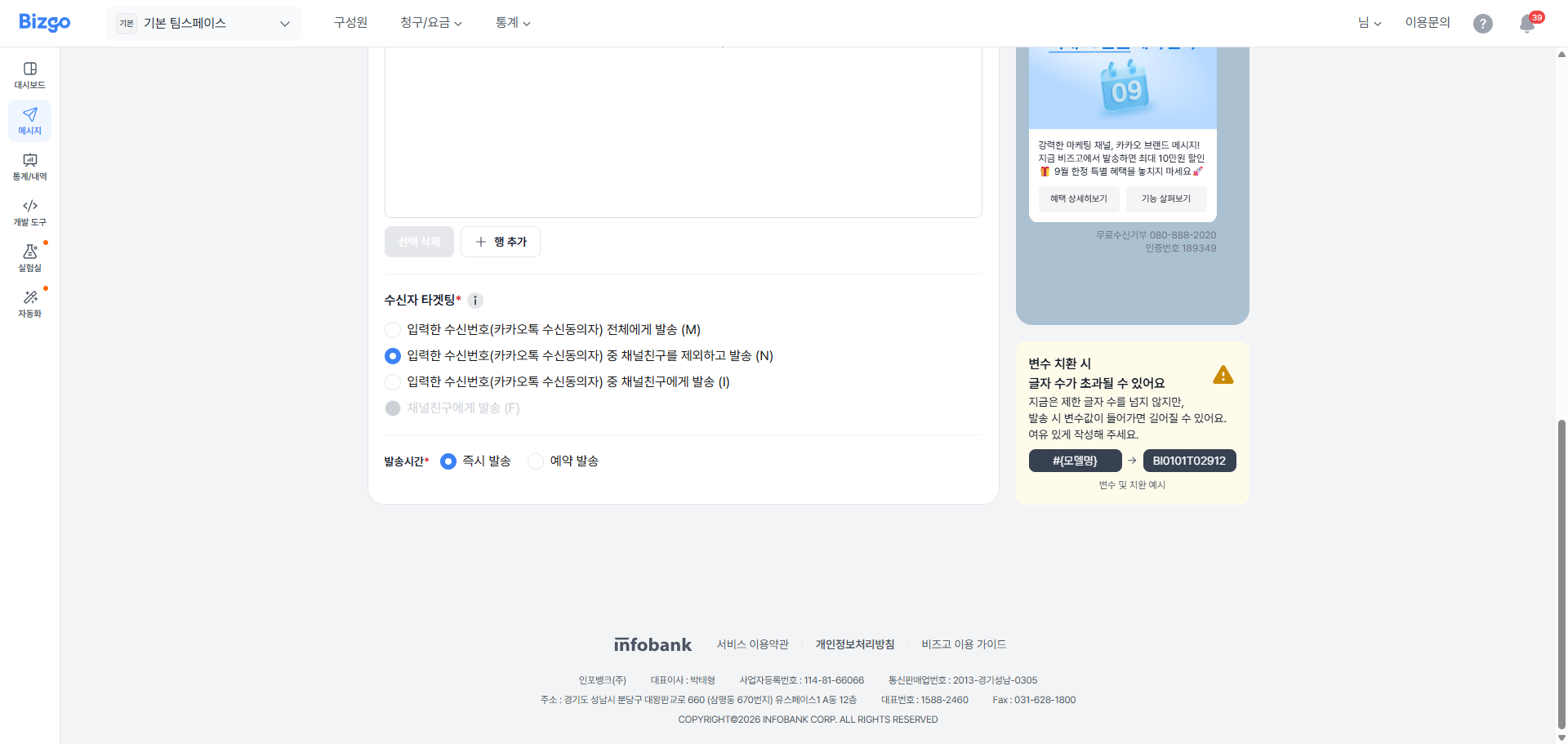
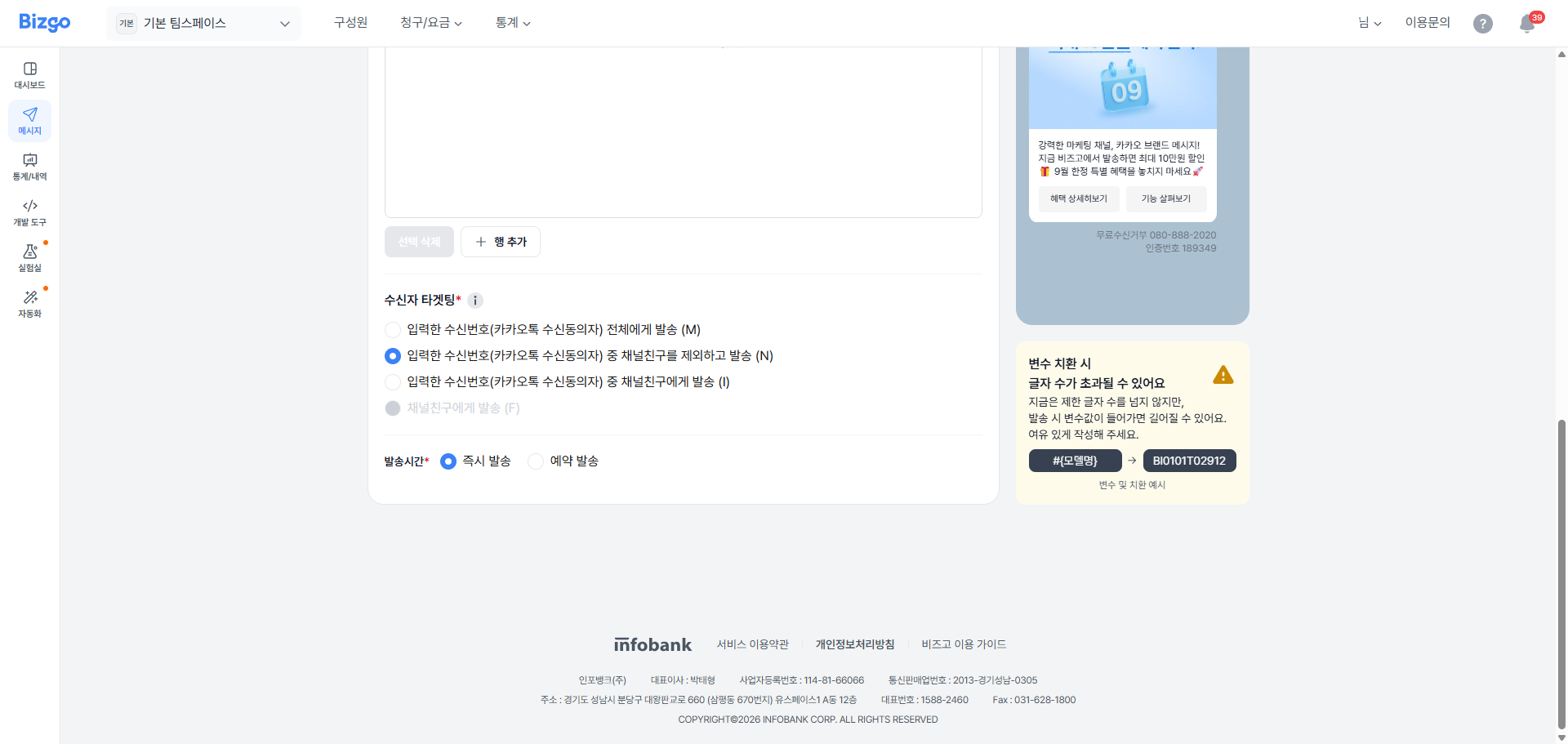
수신자 리스트의 타겟팅 고객 유형을 선택해야 발송할 수 있습니다. 현재 **수신번호 전체**, **수신번호 중 친구 아님**, **수신번호 중 친구** 세 가지 옵션이 제공됩니다.
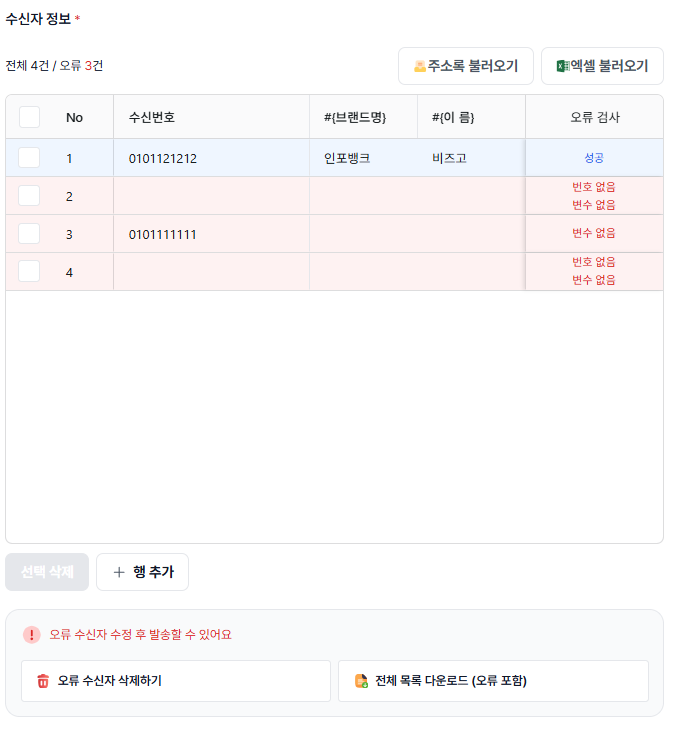
| 오류 상태 | 처리 방법 |
|-----------|-----------|
| 셀 오류 | 셀을 직접 수정하여 누락 값을 채워 오류를 수정합니다. |
| 대량 오류 | **[전체 목록 다운로드(오류 포함)]** 로 내려받아 엑셀에서 일괄 보정 후 재업로드합니다. |
| 오류 행 삭제 | **[오류 수신자 삭제하기]** 로 불필요한 오류 행을 한 번에 제거합니다. |
> **발송 가능 조건**
모든 오류가 해결되어야 발송 가능합니다. 화면 하단의 "오류 수신자 수정 후 발송할 수 있어요" 안내가 사라지는지 확인하세요.
#### 4. 테스트 발송
우측 상단 **[테스트 발송]** 을 클릭하여 소수(최대 5명)에게 테스트 발송하여 변수 치환·줄바꿈·링크·글자 수 등을 실제 단말에서 확인합니다.
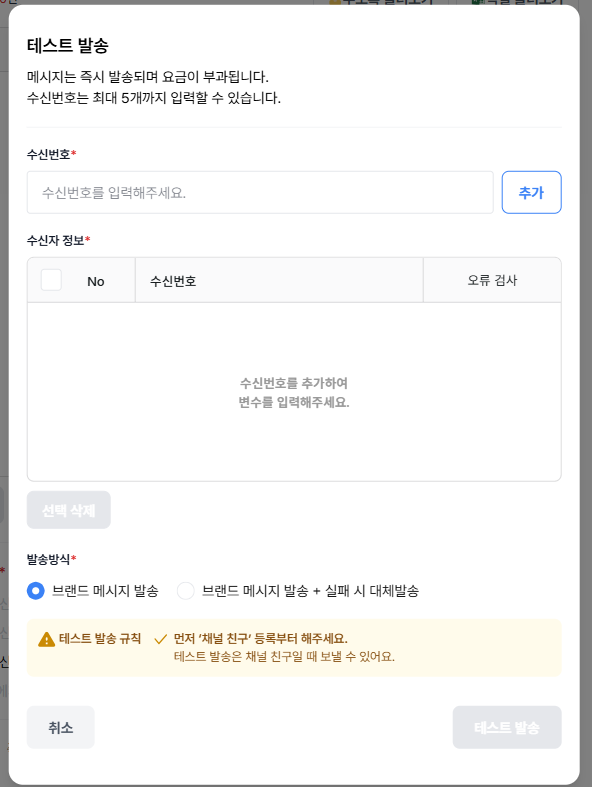
테스트 발송 팝업에서 수신번호를 입력하고 **[추가]** 를 클릭한 후, 발송 방식을 선택합니다.
- 브랜드 메시지 발송
- 브랜드 메시지 + 실패 시 대체발송
> **테스트 발송 안내**
**[테스트 발송]** 을 클릭하면 즉시 발송되며 요금이 부과됩니다. 브랜드 메시지는 채널 친구에게만 테스트 발송이 가능하므로, 채널 친구 추가가 필수입니다.
수신자 정보 오류 검사를 완료하고 발송 방식을 선택하여 테스트 발송을 진행한 후, 발송된 메시지가 정상적으로 표시되는지 확인합니다.
#### 5. 발송 시간 설정
하단 발송 시간에서 다음 중 하나를 선택합니다.
- **즉시 발송** — 현재 시간으로 바로 발송
- **예약 발송** — 날짜·시간 선택 후 저장 (현재 시간 기준 10분 이후부터 예약 가능)
#### 6. 메시지 발송하기
모든 정보를 확인한 뒤 **[발송하기]** 를 클릭합니다. 발송 전 최종 확인 팝업이 표시됩니다.
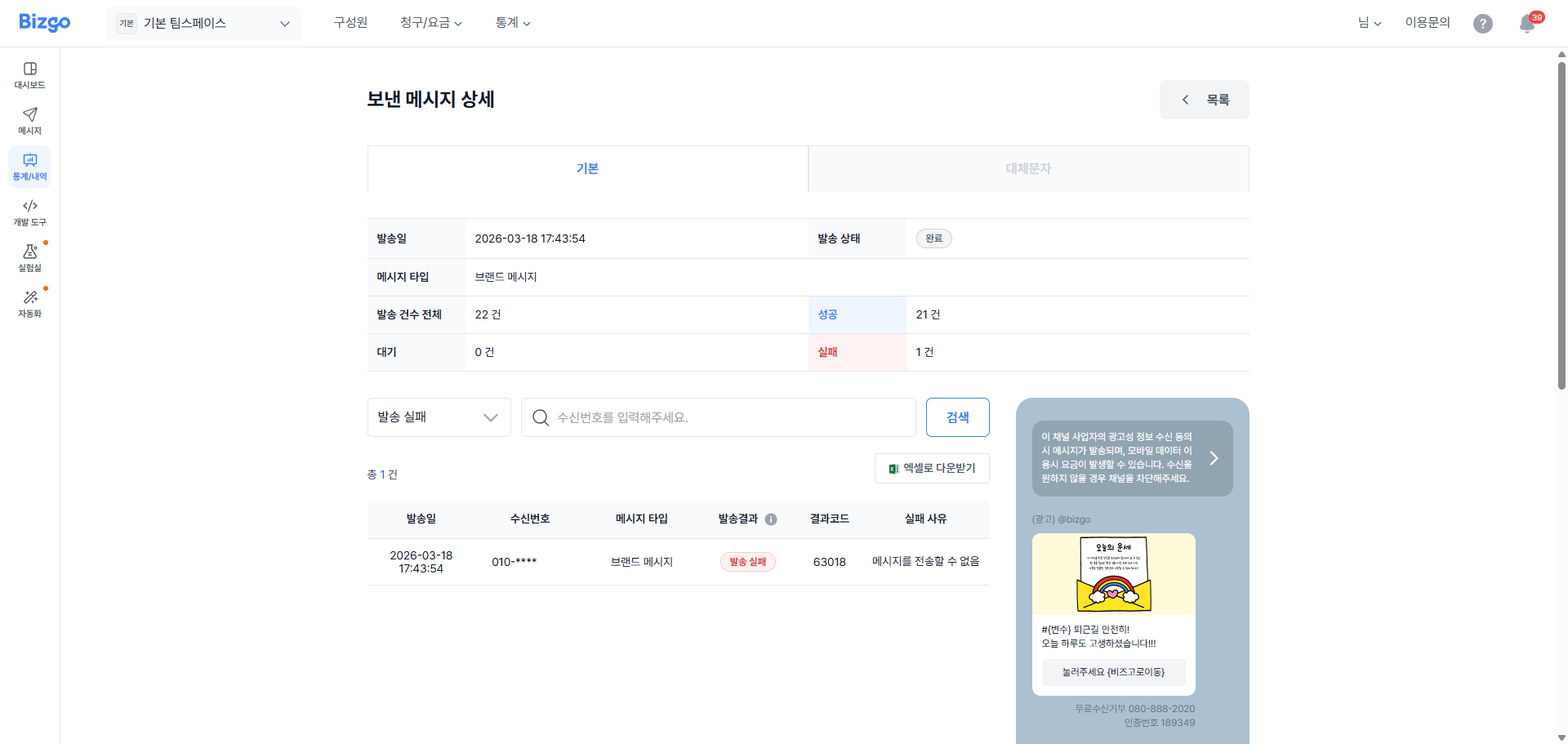
**발송 요청 실패** — 메시지 발송 요청 실패 시, 실패 건과 사유를 확인할 수 있습니다. 엑셀 파일을 다운로드하여 실패 원인을 확인한 후 재발송을 시도하세요.
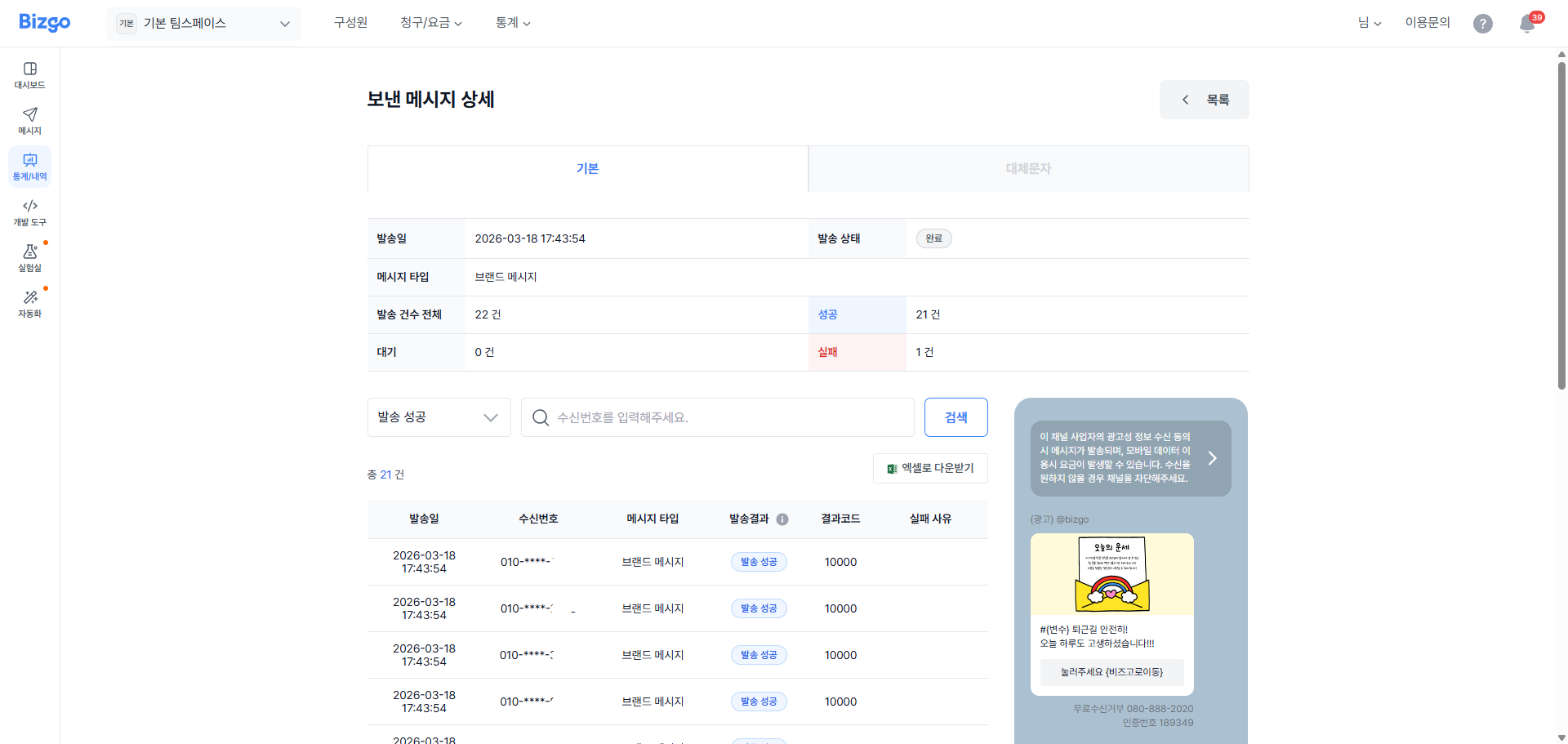
**발송 요청 성공** — 메시지 발송이 성공적으로 진행되면 접수 완료 팝업이 표시됩니다. 메시지함에서 발송 결과를 확인할 수 있습니다.
---
### 자유형(신규 메시지 작성) 발송
신규 메시지를 직접 작성하여 템플릿 없이 8가지 메시지 유형 중 하나를 선택하고 내용을 자유롭게 작성하여 발송합니다.
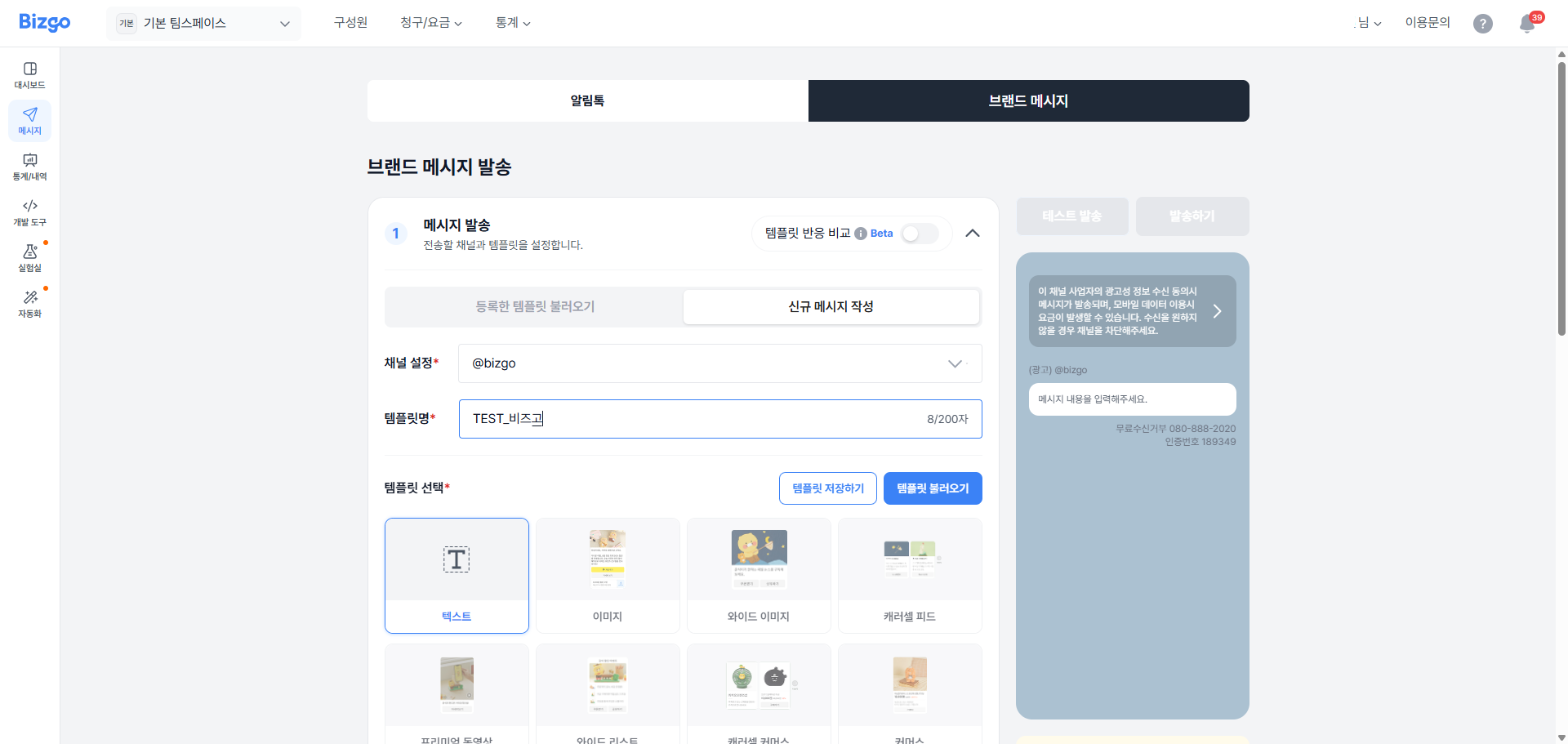
#### 1. 채널 설정 및 메시지 유형 선택
템플릿을 등록할 **채널 ID** 와 템플릿을 구분할 **템플릿명** 을 입력하세요. 채널 ID는 비즈고 내 등록된 채널만 표시됩니다.
브랜드 메시지 8가지 유형 중 작성할 메시지 유형을 선택합니다.
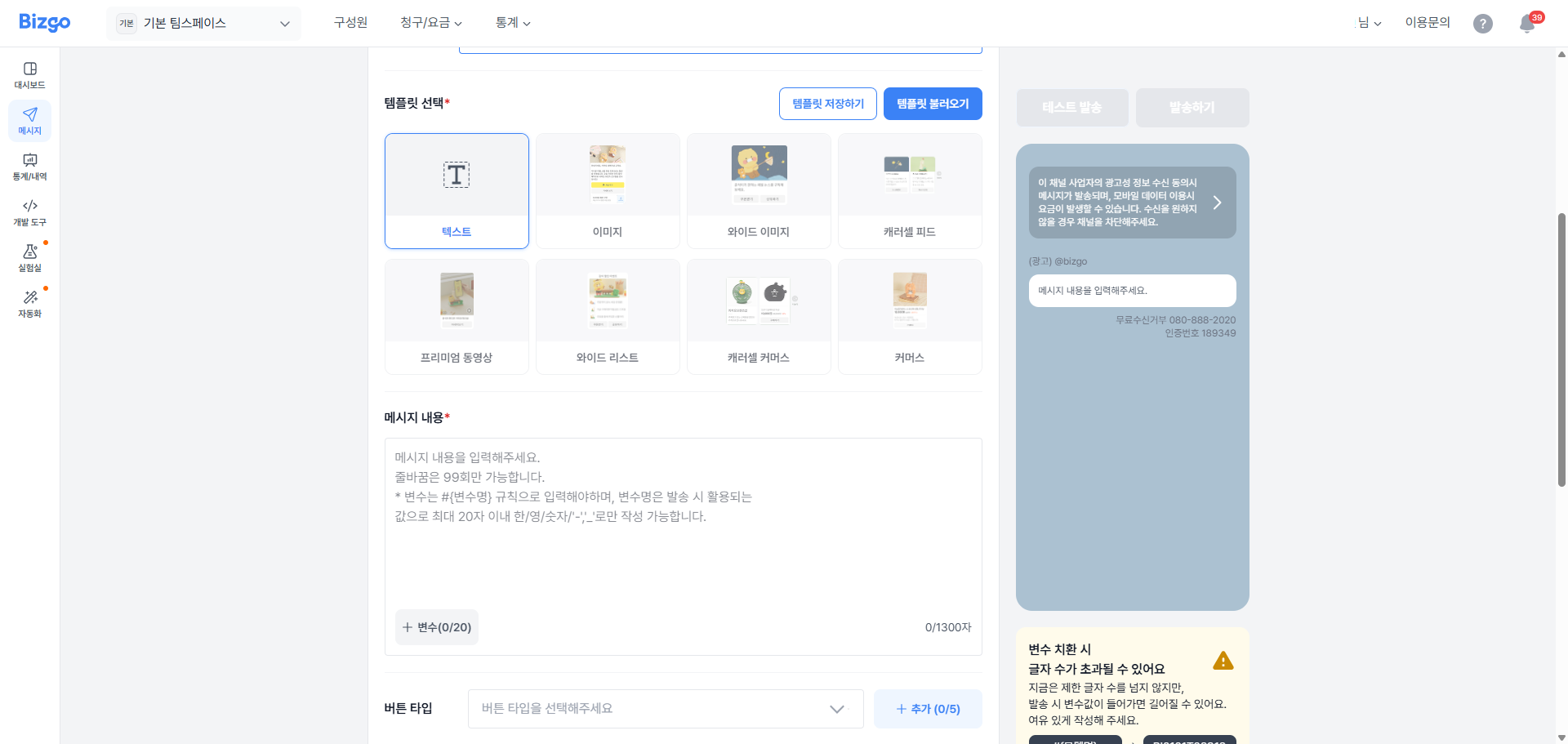
#### 2. 버튼 삽입
템플릿 내 버튼을 추가하려면 **버튼 삽입** 항목의 토글을 활성화하여 등록합니다.
| 버튼 유형 | 설명 |
|-----------|------|
| **웹 링크** | Web page(PC/Mobile)로 이동. PC/Mobile 웹 URL 중 Mobile 웹 URL 필수 입력. 링크에 `http://` 또는 `https://` 입력 필수 |
| **앱 링크** | 모바일 환경에서 버튼 클릭 시 App(Android/iOS)으로 이동. `scheme_ios`, `scheme_android`, Mobile 웹 URL 중 2가지 필수 입력. iOS, Android 각 스킴 형태에 맞게 등록 필요 |
| **봇키워드** | '버튼명'이 봇 또는 상담원에게 발송되며, 봇/상담원에게 유저의 액션을 전달할 때 사용. 카카오톡 채널관리자센터에서 1:1채팅 ON 설정 필요 |
| **메시지전달** | '버튼명+메시지 본문'이 봇 또는 상담원에게 발송. 카카오톡 채널관리자센터에서 1:1채팅 ON 설정 필요 |
| **채널추가** | 카카오톡 채널 홈의 채널 추가 팝업 페이지로 이동. 버튼명 '채널추가'로 고정. 이미 채널을 추가한 수신자에게는 버튼 미노출 |
| **비즈니스폼** | 카카오톡에서 예약·설문·응모 등의 정보와 응답을 받을 수 있는 폼으로 연결. 카카오톡 채널관리자센터에서 비즈니스폼 생성 및 비즈니스폼 ID 보유 필요 |
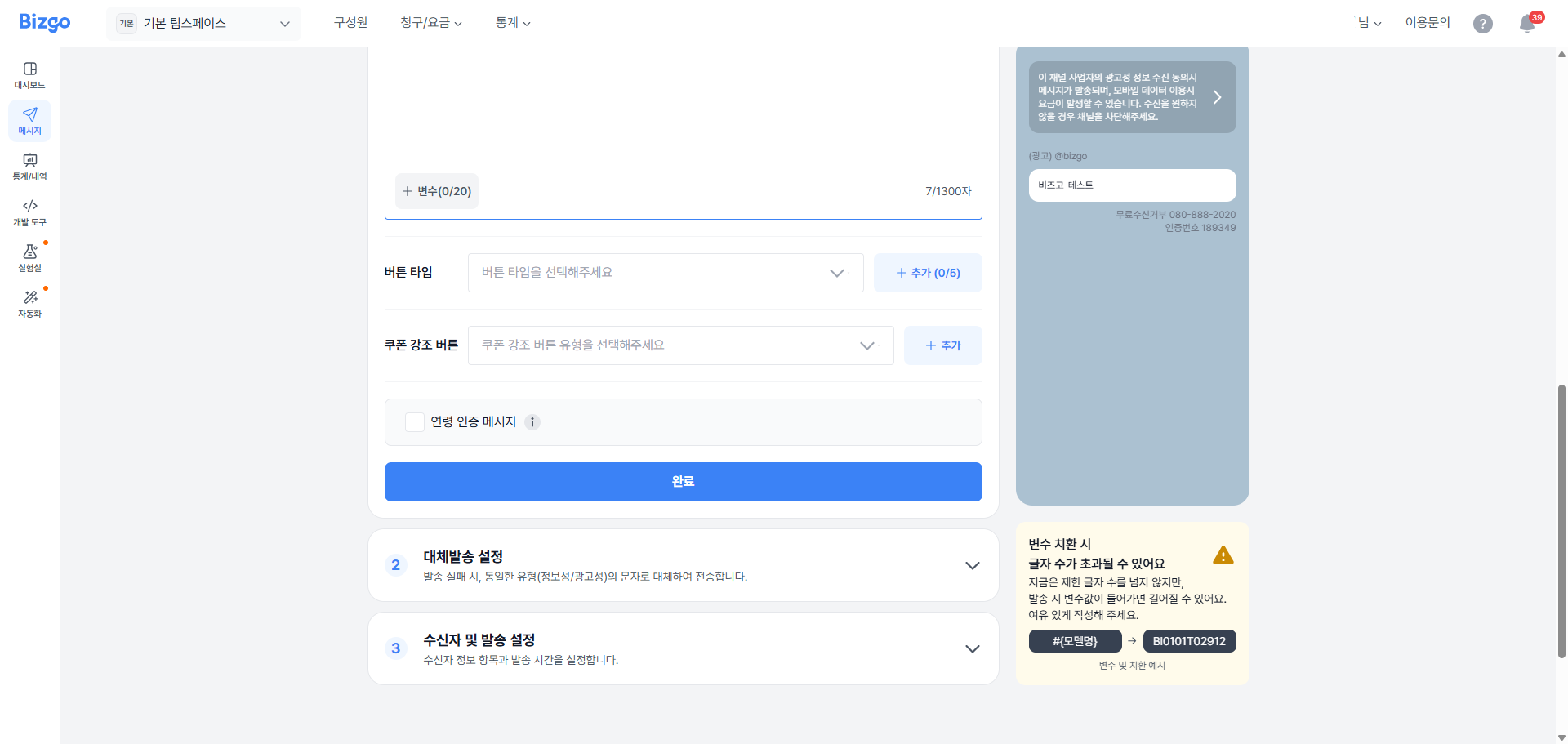
#### 3. 쿠폰 강조 버튼 삽입
쿠폰 강조 버튼을 추가하려면 토글을 활성화하여 등록합니다. 쿠폰명은 변수 치환 또는 직접 숫자를 입력할 수 있으며, 쿠폰에 대한 부가 정보를 선택적으로 입력할 수 있습니다. 쿠폰 링크의 경우 Mobile, Android, iOS 중 1가지 이상을 입력해야 합니다.

| 쿠폰 강조 유형 | 쿠폰명 입력 형식 |
|----------------|-----------------|
| **금액할인** | `#{할인금액}` 또는 숫자 (1 ~ 99,999,999) |
| **할인율** | `#{할인율}` 또는 숫자 (1 ~ 100) |
| **배송비** | — |
| **상품무료** | `#{상품명}` 또는 문자 (7자 이내) |
| **상품 UP** | `#{상품명}` 또는 문자 (7자 이내) |
#### 4. 연령 인증 설정
**연령 인증 메시지** 로 체크하여 발송 시, 20세 이상 성인만 내용을 확인할 수 있도록 채팅방 메시지에 커버가 씌워집니다.

> **연령 인증 필수 적용 업종**
메시지 발송 시 '연령 인증 메시지' 기능은 선택적으로 사용 가능하나, 청소년에게 부적절한 업종 및 관련 콘텐츠의 메시지는 **필수**로 적용해야 합니다.
**필수 업종 및 콘텐츠** — 청소년 이용 불가 등급의 게임물, 청소년 관람불가 영화/비디오물, 청소년 연령 제한 등급의 음반 및 음악 파일, 웹툰, 간행물, 서적 등 콘텐츠, 이외 청소년에게 유해하다고 판단되는 업종 및 관련 콘텐츠
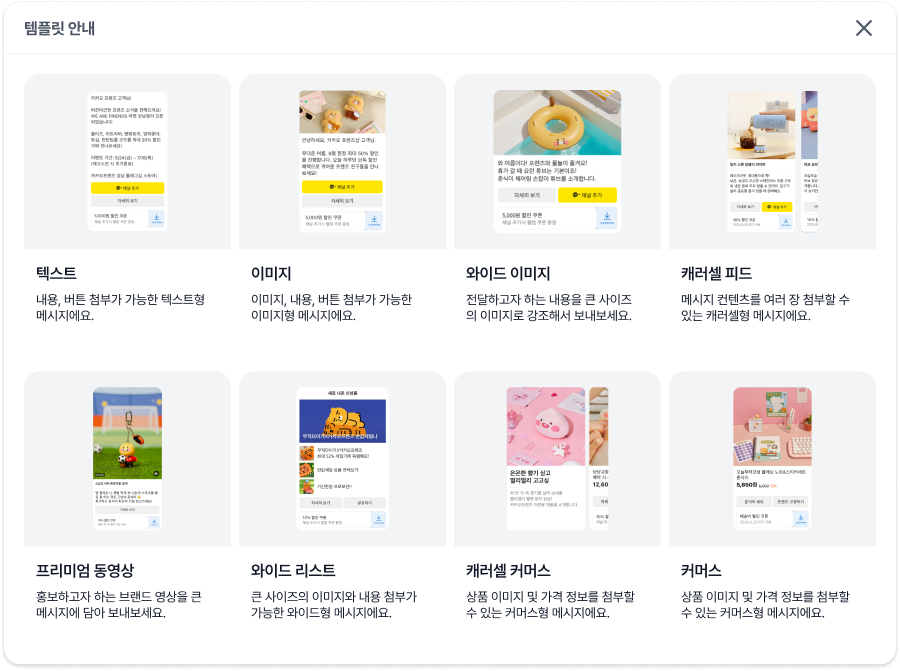
#### 5. 메시지 유형별 작성 내용
메시지 유형에 따라 작성해야 할 내용이 다릅니다.
#### 6. 수신자 및 발송 설정
메시지에 변수를 사용하면 수신자 설정에서 수신자 번호와 변수를 설정해야 합니다. **[수신자 항목 설정하기]** 버튼을 클릭하면 수신자를 설정할 수 있습니다.
수신자를 설정하는 기능은 [기본형(템플릿) 발송](#3-수신자-및-발송-설정)에서 설명한 화면 및 기능과 동일합니다.
모든 과정을 완료한 후 **[발송하기]** 버튼을 클릭하여 발송합니다.
---
## RCS 발송
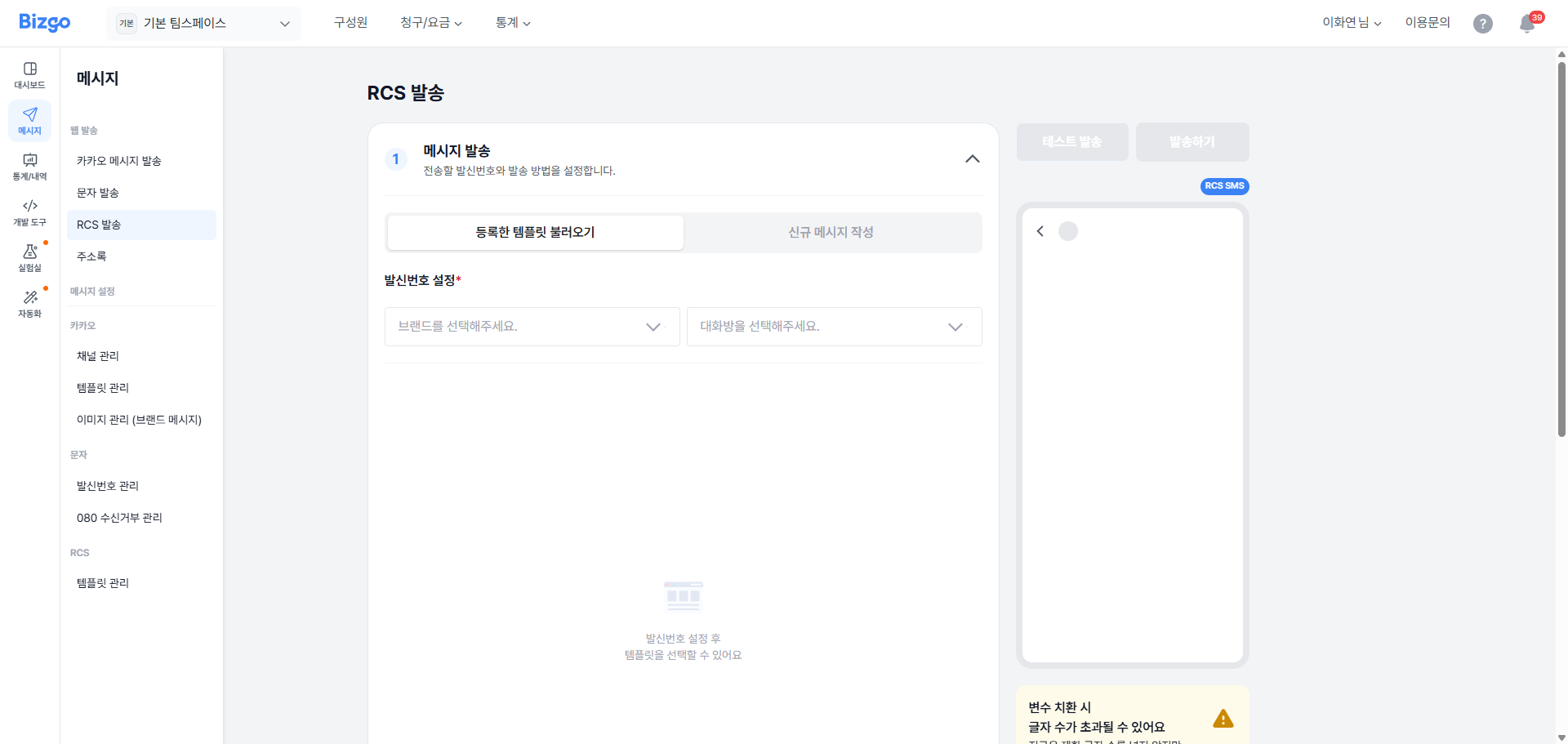
등록된 템플릿을 불러오거나 새 메시지를 직접 작성하여 RCS 메시지를 발송합니다. 브랜드, 발신번호, 발송 방식을 설정하고 수신자 정보와 발송 시점을 지정할 수 있습니다.
---
### 1. 메시지 발송
전송할 발신번호와 발송 방법을 설정합니다. **등록한 템플릿 불러오기** 또는 **신규 메시지 작성** 중 선택할 수 있습니다.
#### 등록한 템플릿 불러오기
기존에 등록된 RCS 템플릿을 선택하여 불러옵니다. 발신번호 설정 후 템플릿 선택이 가능합니다.
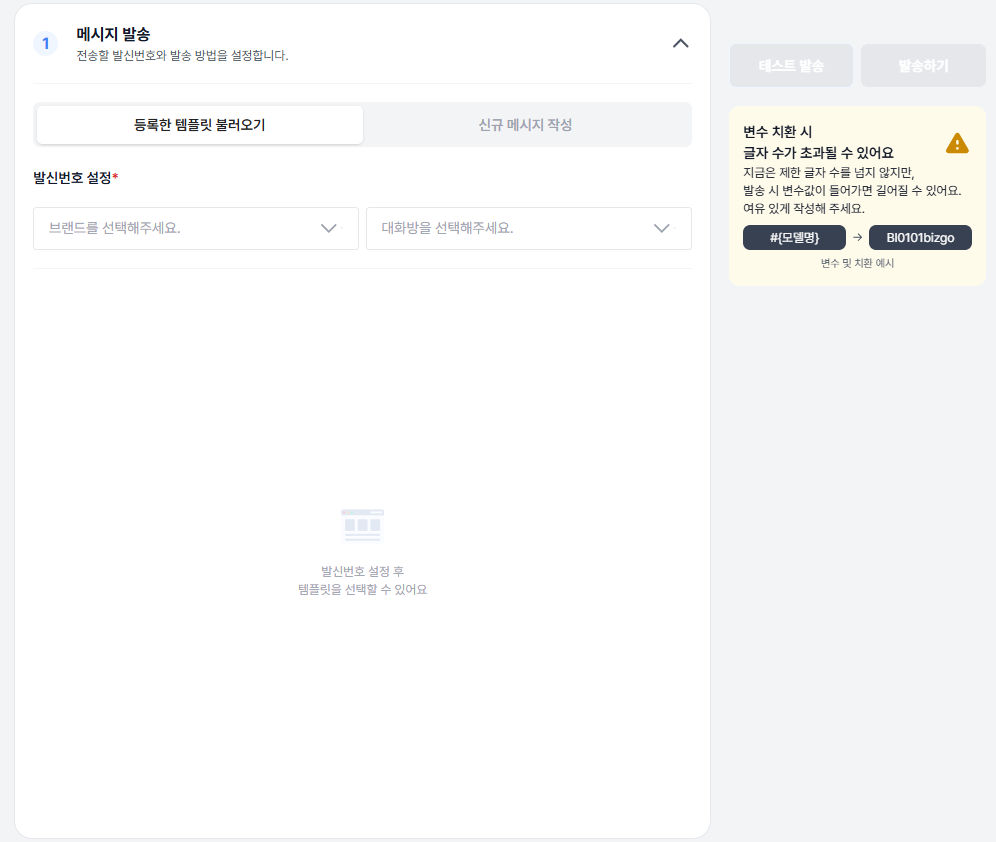
**브랜드 선택** — 발송할 브랜드를 드롭다운에서 선택합니다.
**대화방 선택** — 발신에 사용할 대화방을 선택하면 발신번호가 표시됩니다.
템플릿명, 템플릿 유형, 검색 기능을 통해 원하는 템플릿을 찾습니다. **[선택하기]** 버튼 클릭 시 해당 템플릿이 적용됩니다. 템플릿 행에 마우스를 호버하면 미리보기 목업이 표시됩니다.
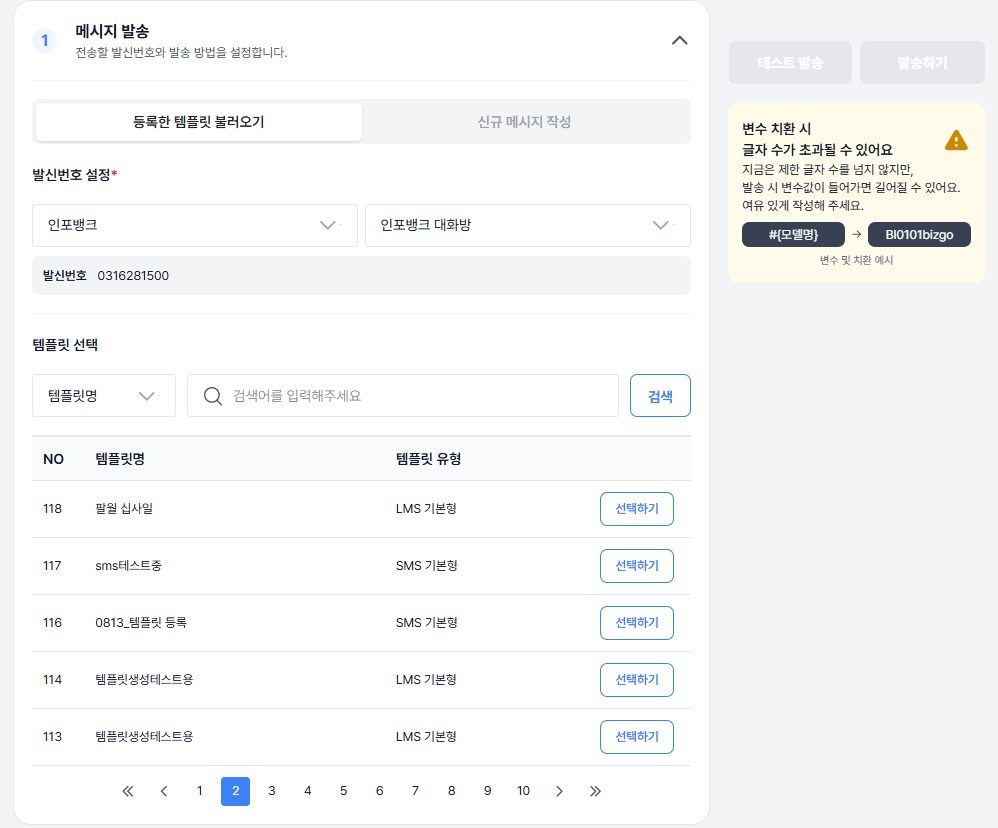
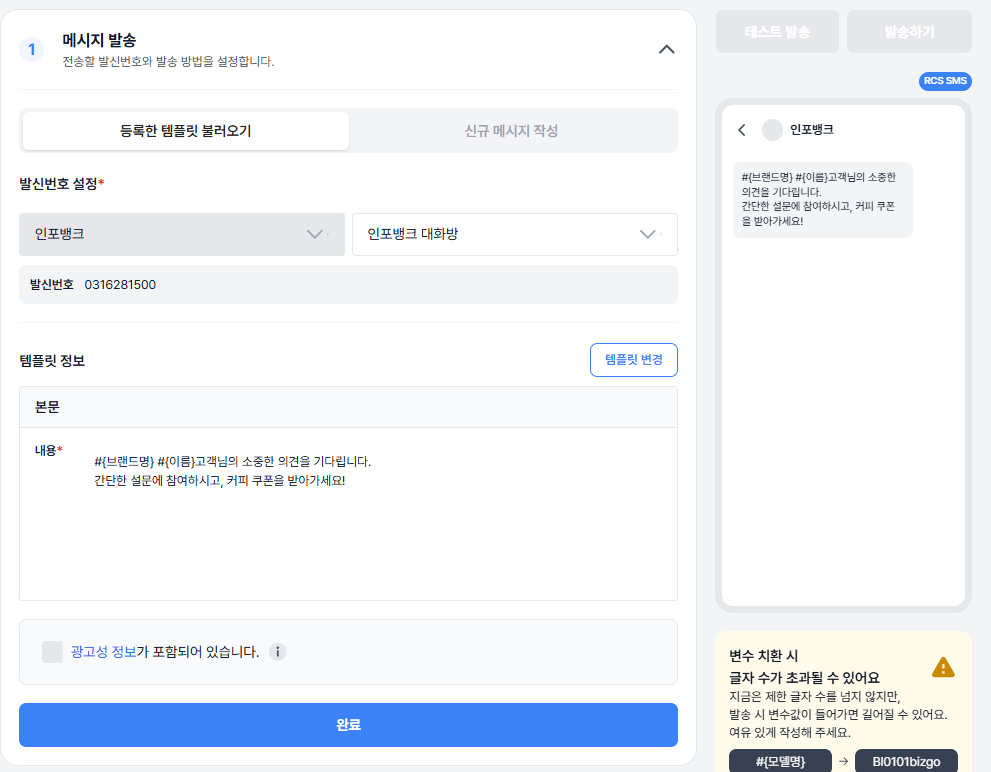
템플릿 선택 시 등록된 템플릿 상세 내용이 자동으로 불러와집니다. 모든 내용이 준비되면 **[완료]** 버튼을 눌러 다음 단계로 이동합니다.
#### 신규 메시지 작성
템플릿을 등록하지 않고 일회성으로 신규 메시지를 작성하여 발송할 수 있습니다.
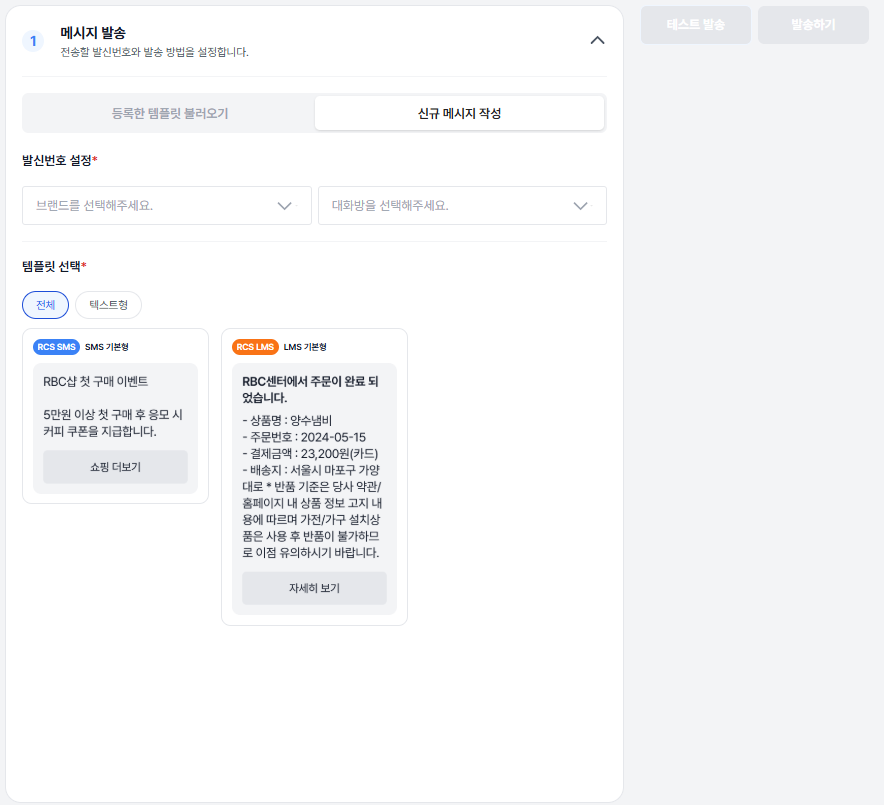
- 템플릿 불러오기와 동일하게 발신번호를 설정합니다.
- **SMS** 또는 **LMS** 형을 선택합니다.
- 선택한 메시지 유형의 본문 내용을 작성합니다.
- 광고성 정보가 포함된 경우 **[광고성 정보]** 체크 버튼을 클릭합니다.
---
### 2. 대체발송 설정
RCS 메시지 발송이 실패하거나 지원되지 않는 경우에 대비해 SMS/LMS로 대체 발송될 내용을 미리 등록합니다.
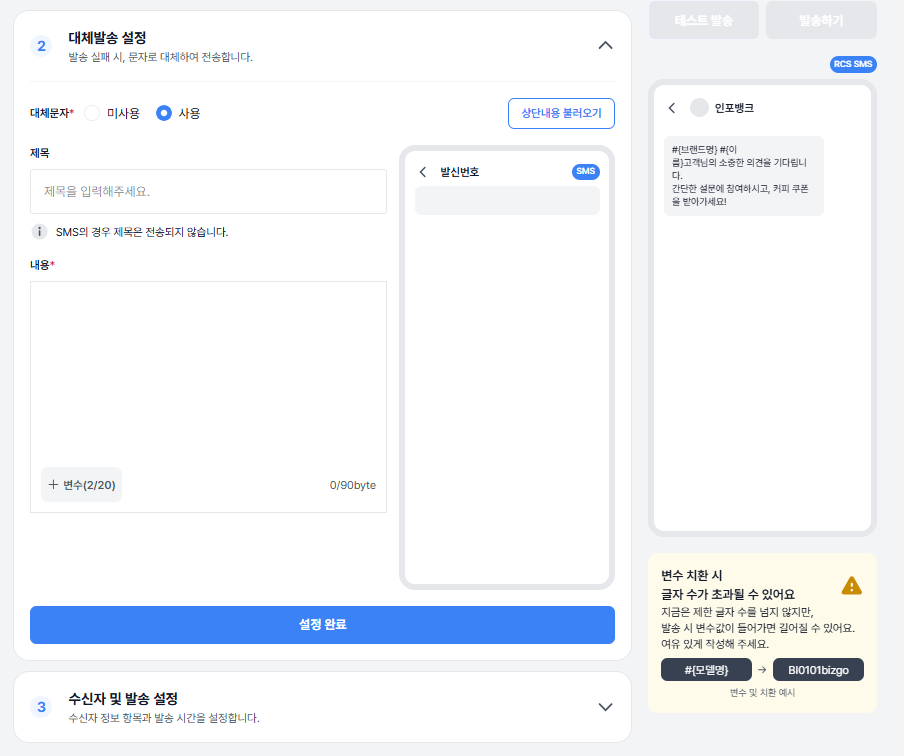
**대체 발송 여부 선택**
발송 실패 시 SMS 또는 LMS로 대체 발송할지 여부를 선택합니다. **미사용** 선택 시 즉시 수신자 설정 단계로 이동합니다.
**대체 발송 내용 작성**
- **사용** 선택 시, 상단 **[내용 불러오기]** 로 RCS와 동일한 내용을 가져올 수 있습니다.
- 불러온 내용은 자유롭게 수정 가능합니다.
- 90byte 초과 시 자동으로 LMS로 전환됩니다.
**메시지 구성**
- 제목(선택), 본문(필수) 입력
- RCS와 동일하게 변수 추가 가능 (예: `#{브랜드명}`, `#{이름}` 등)
- 괄호 표시(예: `2/20`)는 현재 사용 변수 개수 / 최대 개수를 의미합니다.
- 변수 치환 시 실제 바이트 수가 증가할 수 있으니 여유 있게 작성하세요.
- 광고성/정보성 여부는 RCS에서 설정한 유형을 따릅니다.
**최종 확인**
저장 전, 미리보기를 통해 최종 내용과 바이트/변수 경고를 반드시 확인하세요. **[설정 완료]** 클릭 시 수신자 설정 → 발송 설정 단계로 이동합니다.
---
### 3. 수신자 및 발송 설정
수신자 정보 업로드·편집과 발송 시간 설정, 메시지 미리보기(변수 치환)를 설정합니다. 정확한 번호 형식과 파일 업로드 규칙을 지켜야 정상 발송됩니다.
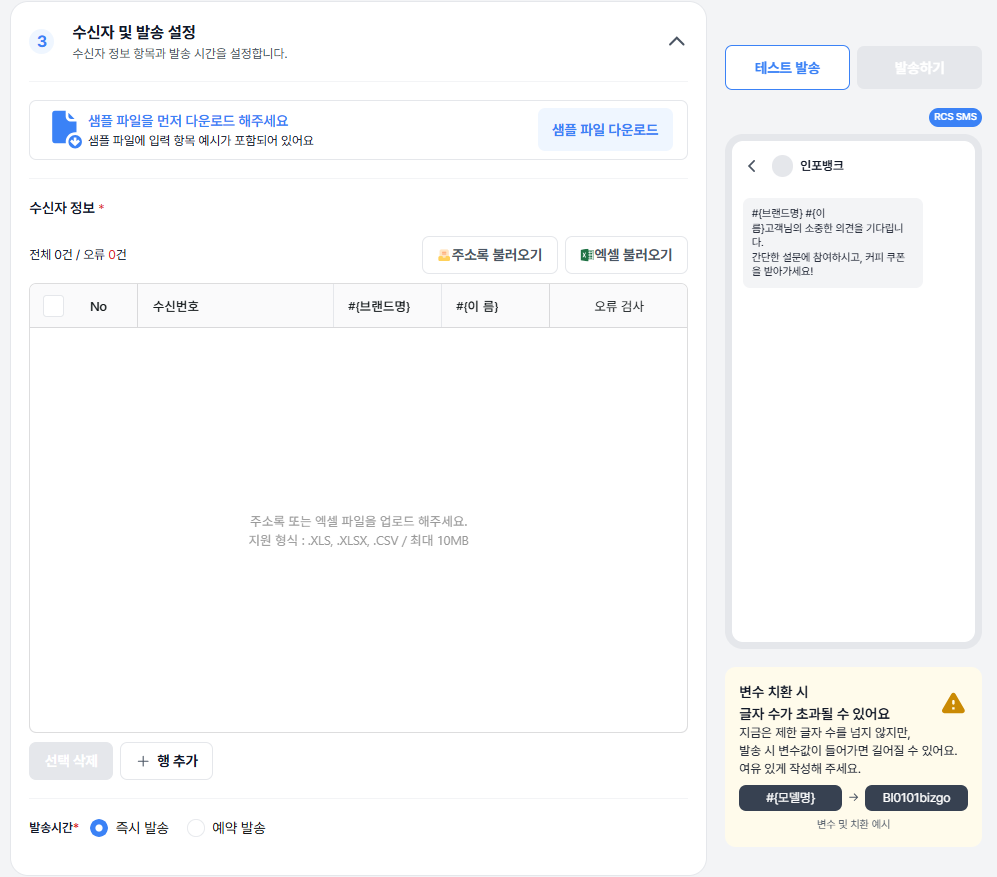
**수신자 등록 방법**
| 방법 | 설명 |
|------|------|
| **주소록 불러오기** | 비즈고에 등록된 주소록을 불러와 수신자를 설정합니다. |
| **엑셀 불러오기** (`.xls`, `.xlsx`, `.csv` / 최대 10MB / 최대 20만 건) | 샘플 파일을 다운로드하여 수신자 번호와 변수를 입력한 후 파일을 업로드합니다. |
| **행 추가** | **[행 추가]** 버튼을 클릭하여 그리드 내에서 직접 수신자 번호를 등록합니다. |
**수신자 오류 검사**
수신번호 또는 변수 검증 실패 시 오류 항목이 표시됩니다.
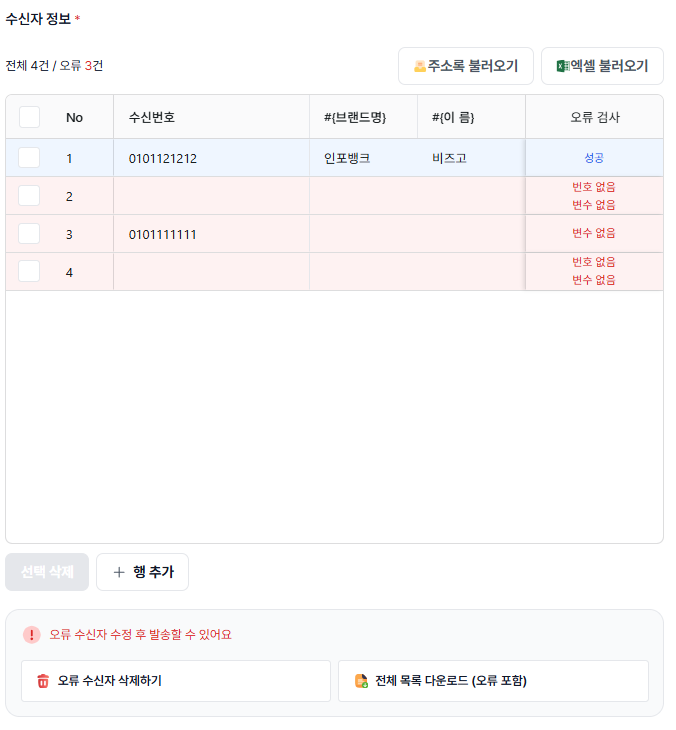
| 오류 상태 | 처리 방법 |
|-----------|-----------|
| 셀 오류 | 셀을 직접 수정하여 누락 값을 채워 오류를 수정합니다. |
| 대량 오류 | **[전체 목록 다운로드(오류 포함)]** 로 내려받아 엑셀에서 일괄 보정 후 재업로드합니다. |
| 오류 행 삭제 | **[오류 수신자 삭제하기]** 로 불필요한 오류 행을 한 번에 제거합니다. |
> **발송 가능 조건**
모든 오류가 해결되어야 발송 가능합니다. 화면 하단의 "오류 수신자 수정 후 발송할 수 있어요" 안내가 사라지는지 확인하세요.
---
### 4. 테스트 발송
우측 상단 **[테스트 발송]** 을 클릭하여 소수(최대 5명)에게 테스트 발송하여 변수 치환·줄바꿈·링크·글자 수 등을 실제 단말에서 확인합니다.
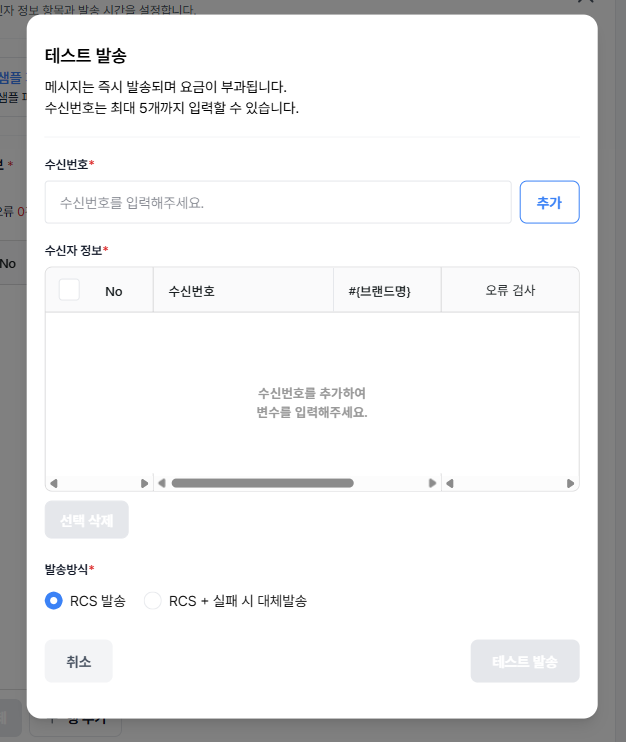
테스트 발송 팝업에서 수신번호를 입력하고 **[추가]** 를 클릭한 후, 발송 방식을 선택합니다.
- RCS 발송
- RCS + 실패 시 대체발송
> **테스트 발송 안내**
**[테스트 발송]** 을 클릭하면 즉시 발송되며 요금이 부과됩니다.
수신자 정보 오류 검사를 완료하고 발송 방식을 선택하여 테스트 발송을 진행한 후, 발송된 메시지가 정상적으로 표시되는지 확인합니다.
---
### 5. 발송 시간 설정
하단 발송 시간에서 다음 중 하나를 선택합니다.
- **즉시 발송** — 현재 시간으로 바로 발송
- **예약 발송** — 날짜·시간 선택 후 저장 (현재 시간 기준 10분 이후부터 예약 가능)
### 6. 메시지 발송하기
모든 정보를 확인한 뒤 **[발송하기]** 를 클릭합니다. 발송 전 최종 확인 팝업이 표시됩니다.
**발송 요청 실패** — 메시지 발송 요청 실패 시, 실패 건과 사유를 확인할 수 있습니다. 엑셀 파일을 다운로드하여 실패 원인을 확인한 후 재발송을 시도하세요.
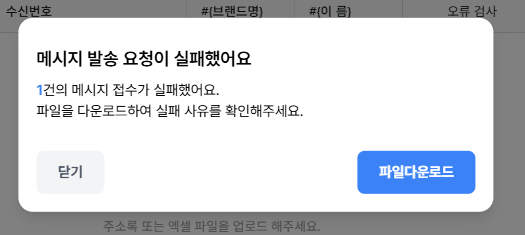
**발송 요청 성공** — 메시지 발송이 성공적으로 진행되면 접수 완료 팝업이 표시됩니다. 메시지함에서 발송 결과를 확인할 수 있습니다.
---
## 메시지함
메시지함에서는 웹 발송한 메시지 이력을 확인하실 수 있습니다. 보낸 메시지에서는 발송 시도를 완료한 건에 대한 이력을, 예약 메시지에서는 발송 예정인 건을 조회할 수 있습니다.
---
### 보낸 메시지
#### 1. 보낸 메시지 목록
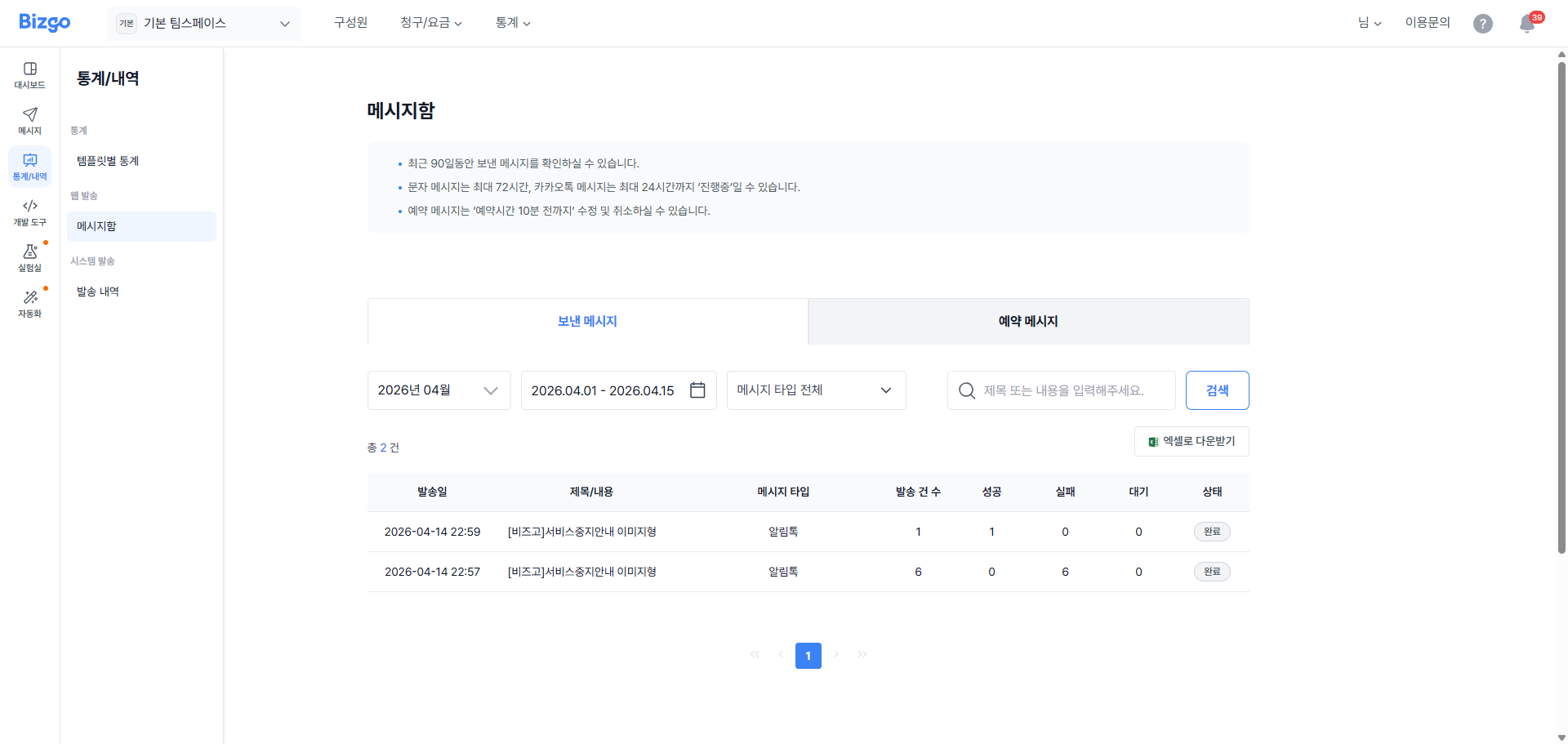
최근 90일동안 보낸 메시지를 확인하실 수 있습니다.
문자 메시지는 최대 72시간, 카카오톡 메시지는 최대 24시간까지 '진행중'일 수 있습니다.
대체문자를 설정한 메시지 건은 목록에서 **[대체문자]** 로 라벨이 표시됩니다.
발송 건수는 발송 요청한 총 수신자의 건수이며, 성공은 발송 요청한 건수 중 발송 결과가 성공인 건수를, 실패 건수는 발송 결과가 실패인 건수, 대기는 발송 결과가 대기인 건수를 의미합니다.
#### 2. 보낸 메시지 상세
보낸 메시지의 상세 내역을 확인하실 수 있습니다.
최초 발송하고자 했던 기본 메시지와 대체문자 메시지 내용을 확인할 수 있습니다.
---
### 예약 메시지
#### 1. 예약 메시지 목록
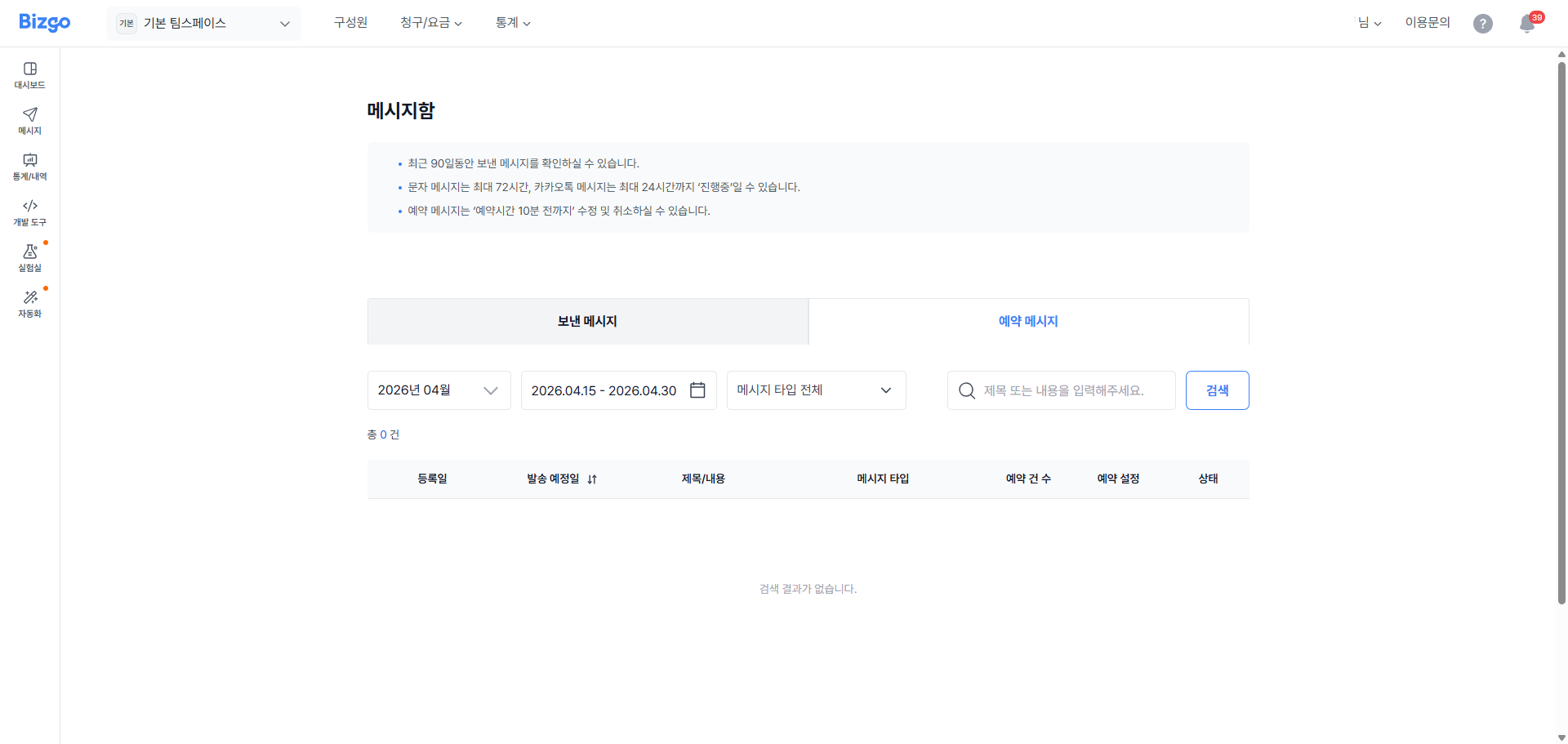
최근 90일동안 예약된 메시지를 확인하실 수 있습니다.
예약 메시지는 **예약시간 10분 전까지** 수정 및 취소하실 수 있습니다.
#### 2. 예약 메시지 상세
예약 메시지의 상세 내역을 확인하실 수 있습니다.
최초 발송하고자 하는 기본 메시지와 대체문자 메시지 내용을 확인할 수 있습니다.
---
# Best Practice
URL: https://developers.bizgo.io/guide/deep-dive/best-practice
# Best Practice
비즈고 API를 프로덕션 환경에서 안정적으로 운영하기 위한 권장 패턴입니다.
---
## 1. 항상 Fallback을 설정하세요
카카오, RCS 등 특정 채널만 사용하면 단말 미지원, 채널 장애 시 발송이 완전히 실패합니다.
**SMS를 마지막 Fallback으로 항상 포함**하는 것을 권장합니다.
```json
"messageFlow": [
{ "kakaoAlimtalk": { ... } },
{ "sms": { "from": "0200000000", "text": "대체 문자" } }
]
```
---
## 2. msgKey를 반드시 저장하세요
발송 응답의 `msgKey`는 이후 **발송 결과 조회, 문의, 재시도**에 필요합니다.
DB에 저장하지 않으면 결과를 추적할 수 없습니다.
```javascript
const response = await sendMessage(payload);
const msgKey = response.data.data.destinations[0].msgKey;
// DB에 저장
await db.messages.insert({ msgKey, ref: payload.ref, status: 'sent' });
```
---
## 3. ref 필드를 활용하세요
`ref`에 주문 ID, 사용자 ID 등 내부 식별자를 넣으면 발송 결과를 내부 시스템과 연결할 수 있습니다.
```json
{
"destinations": [{ "to": "01000000000" }],
"messageFlow": [{ "sms": { ... } }],
"ref": "order-20260403-001"
}
```
---
## 4. API 키는 서버 환경 변수에만 저장하세요
```bash
# .env
BIZGO_API_KEY=your_api_key_here
```
```javascript
// 코드에 직접 하드코딩 금지
const apiKey = process.env.BIZGO_API_KEY; // ✓
const apiKey = "실제키값"; // ✗
```
키가 노출되면 즉시 콘솔에서 폐기하고 재발급하세요.
---
## 5. 웹훅은 빠르게 응답하세요
웹훅 수신 서버는 **5초 이내에 HTTP 200**과 함께 받은 `msgKey`를 그대로 반환해야 합니다.
응답이 늦거나 `msgKey`가 없으면 실패로 보고 재전송하므로, 무거운 처리는 비동기로 분리하세요.
```javascript
app.post('/webhook/bizgo', express.json(), (req, res) => {
// 서명 검증은 보안 정책 > 웹훅 서명 검증 참고
// 처리는 비동기로
setImmediate(() => processReport(req.body));
// 즉시 200 응답 — 수신한 msgKey를 그대로 반환 (필수)
res.status(200).json({ msgKey: req.body.msgKey });
});
```
서명 검증 방법은 [보안 정책 > 웹훅 서명 검증](/guide/deep-dive/security#웹훅-서명-검증)을 참고하세요.
---
## 6. 중복 발송을 방어하세요
웹훅 재시도로 인해 같은 `msgKey`의 리포트가 여러 번 수신될 수 있습니다.
`msgKey`를 기준으로 **멱등성(idempotency) 처리**를 구현하세요.
```javascript
async function processReport(report) {
const exists = await db.reports.findOne({ msgKey: report.msgKey });
if (exists) return; // 이미 처리된 경우 무시
await db.reports.insert(report);
// 후속 처리...
}
```
---
## 7. Sandbox 환경에서 먼저 테스트하세요
프로덕션 발송 전 반드시 Sandbox 환경에서 테스트합니다.
- Sandbox Base URL: `https://sandbox-mars.ibapi.kr/api/comm`
- Sandbox 웹훅 발신 IP: `211.115.98.231`
---
## 8. 발신번호를 사전 등록하세요
미등록 발신번호로 발송하면 이통사에서 차단됩니다.
SMS/LMS/MMS 발송 전 반드시 콘솔에서 발신번호를 등록하세요.
---
## 9. 알림톡 템플릿은 미리 준비하세요
알림톡 템플릿 심사는 **영업일 기준 2일 이내** 처리됩니다.
서비스 오픈 일정에 맞춰 미리 등록 신청하세요.
---
## 10. 에러 로그에 민감정보를 마스킹하세요
전화번호, 인증번호 등 민감정보는 로그에 마스킹 처리합니다.
```javascript
function maskPhone(phone) {
return phone.replace(/(\d{3})\d{4}(\d{4})/, '$1****$2');
}
console.log(`발송 대상: ${maskPhone('01012345678')}`); // 010****5678
```
---
# 상담톡 연동 흐름
URL: https://developers.bizgo.io/guide/deep-dive/cstalk-flow
# 상담톡 연동 흐름
상담톡은 카카오톡 채널로 고객과 1:1 상담 메시지를 주고받는 채널입니다. 처음 연동할 때는 아래 순서로 진행합니다. 각 단계의 요청·응답 규격은 [상담톡 API 레퍼런스](/api-sdk/api-reference/comm/kakao-counsel)에서 확인하세요.
> **상담톡 등록 API가 추가되었습니다**
이제 API로 상담톡을 직접 등록하고 설정을 수정할 수 있습니다. 등록 결과는 처리 단계별로 `data.steps`에 담겨 돌아오므로, 실패하면 어느 단계에서 멈췄는지 바로 확인할 수 있습니다.
## 이런 경우에 잘 맞습니다
상담톡은 메시지를 웹훅으로 받고 API로 보내는 구조라, 상담 화면을 카카오 관리자센터가 아니라 **우리 시스템 안에** 둘 수 있습니다.
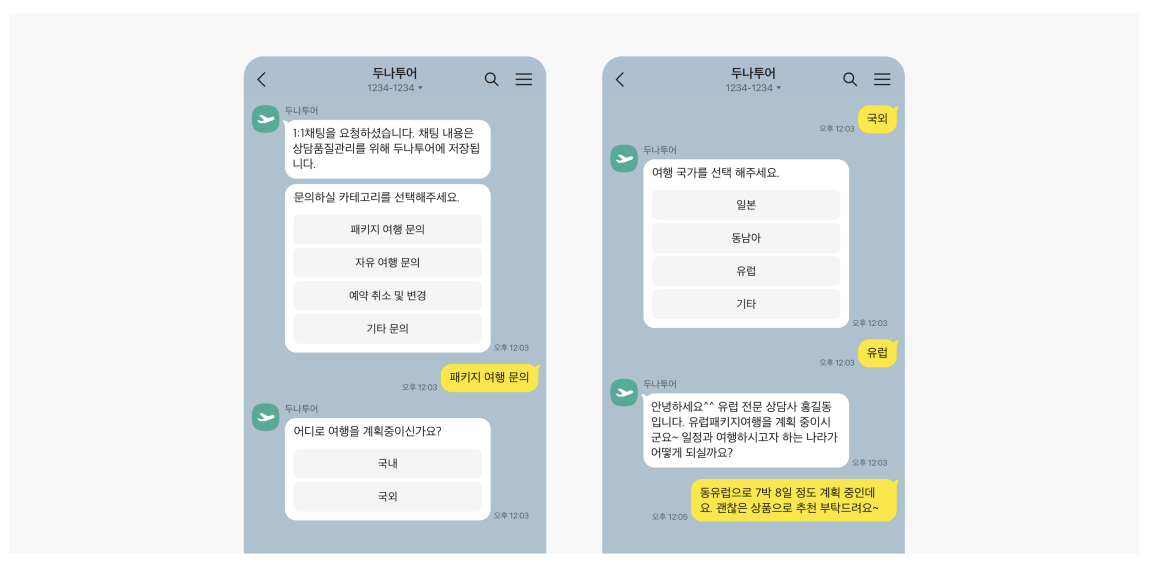
- **CRM과 연결하고 싶을 때** — 고객 메시지가 웹훅으로 들어오므로 `userKey`를 CRM 고객 정보와 묶어 두면, 상담원이 고객 이력·주문 정보를 보면서 같은 화면에서 답할 수 있습니다.
- **자체 상담 시스템을 만들 때** — 상담 배정, 대기열, 상담원별 처리 현황, 응답 템플릿처럼 우리 업무에 맞는 기능을 직접 붙일 수 있습니다. 메시지 송수신은 API가 맡습니다.
- **상담 내역을 직접 보관해야 할 때** — 주고받은 메시지가 모두 우리 서버를 거치므로 원하는 형태로 저장하고 검색·통계에 쓸 수 있습니다.
- **봇과 상담원을 함께 운영할 때** — 봇이 먼저 응대하다 상담원에게 넘기거나, 상담이 끝나면 다시 봇으로 돌려보낼 수 있습니다.
- **웹·앱에서 바로 상담을 열고 싶을 때** — 상담 연결 버튼에 주문번호 같은 메타 정보를 실어 보내면, 상담원이 어떤 화면에서 문의가 왔는지 알고 시작할 수 있습니다.
---
## 1. 상담톡 등록
발신프로필을 상담톡에 등록합니다. 웹훅 URL, 상담톡·채팅 활성화 여부를 이때 함께 정합니다.
- [상담톡 등록](/api-sdk/api-reference/comm/kakao-counsel#상담톡-등록) `POST /api/comm/v1/account/kakao/sender/cstalk`
- 등록한 뒤 웹훅 URL 등을 바꾸려면 [상담톡 수정](/api-sdk/api-reference/comm/kakao-counsel#상담톡-수정) `PUT /api/comm/v1/account/kakao/sender/cstalk/{senderKey}`을 씁니다. 발신프로필 키는 바꿀 수 없습니다.
## 2. 상담톡 이용 활성화
[상담톡 이용 활성화](/api-sdk/api-reference/comm/kakao-counsel#상담톡-이용-활성화)로 채널의 상담톡을 켭니다.
- 활성화하면 상담 내역 유실을 막기 위해 해당 카카오톡 채널의 채팅 기능이 꺼집니다.
- 다른 허브사에서 넘어오는 경우, 기존 허브사의 상담톡을 먼저 비활성화해야 합니다. 그 사이에는 상담 메시지를 받을 수 없으니 Sandbox 연동과 테스트를 미리 끝내 두세요.
## 3. 웹훅으로 상담 메시지 받기
사용자가 보낸 메시지, 세션 종료, 읽음 정보, 발송 결과 등은 등록한 웹훅 URL로 들어옵니다. 수신 규격은 [상담메시지 수신하기 (Webhook)](/api-sdk/api-reference/comm/kakao-counsel#상담메시지-수신하기-webhook)를 참고하세요.
- HTTP 200과 규격에 맞는 응답을 돌려줘야 정상 처리됩니다. 실패하면 최대 3회까지 다시 보냅니다.
- 같은 이벤트가 다시 올 수 있으므로 `msgKey` 기준으로 중복을 걸러 주세요.
- 이벤트가 발생한 순서대로 도착하지 않을 수 있습니다.
## 4. 상담 메시지 보내기
고객 메시지를 받아 상담 세션이 열려 있을 때만 상담원 메시지를 보낼 수 있습니다. 세션은 마지막 고객 메시지를 받은 뒤 30일간 유지되고, 고객 메시지가 올 때마다 연장됩니다.
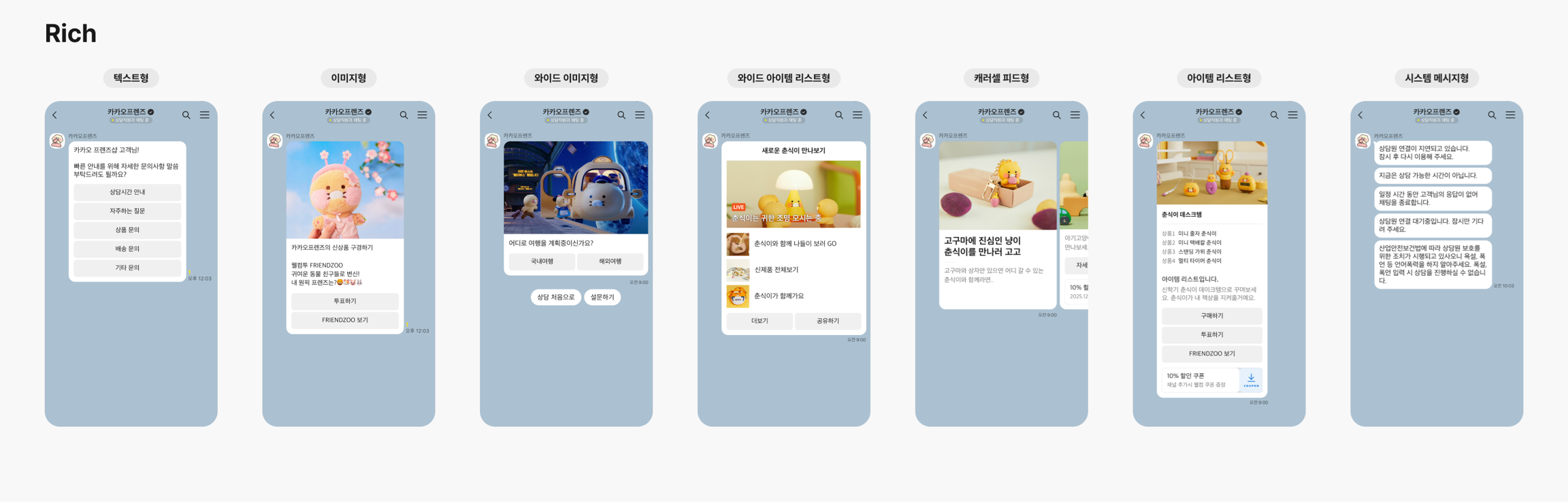
- 텍스트·이미지·파일은 [Plain 메시지 발송](/api-sdk/api-reference/comm/kakao-counsel#plain-메시지-발송), 버튼·카드형 등은 Rich 메시지 발송을 씁니다.
- 고객은 `userKey`로 구분합니다. 같은 사용자라도 카카오톡 채널이 다르면 다른 키입니다.
## 5. 상담 종료
상담이 끝나면 [상담 종료](/api-sdk/api-reference/comm/kakao-counsel#상담-종료)로 세션을 닫습니다. 봇과 함께 운영한다면 [상담 종료 및 봇 전환](/api-sdk/api-reference/comm/kakao-counsel#상담-종료-및-봇-전환)으로 대화를 봇에 넘길 수 있습니다.
---
## 다음 단계
- [상담톡 API 레퍼런스](/api-sdk/api-reference/comm/kakao-counsel): 상담톡 등록부터 발송·웹훅까지 전체 규격을 확인합니다.
- [샌드박스에서 등록해 보기](/sandbox?api=cstalk-regist): 상담톡 등록 API를 샌드박스에서 바로 호출해 봅니다.
---
# 발송 요청 구조 이해
URL: https://developers.bizgo.io/guide/deep-dive/message-structure
# 발송 요청 구조 이해
비즈고는 고객사와 이통사·채널 사이에서 중계 역할을 담당합니다.
---
---
## 다음 단계
- [리포트 조회](/guide/report/polling): 발송 결과를 API로 직접 조회하는 방법을 확인합니다.
- [API 레퍼런스](/api-sdk/api-reference/comm/overview): 전체 발송 API 엔드포인트와 요청·응답 스펙을 확인합니다.
---
# 보안 정책
URL: https://developers.bizgo.io/guide/deep-dive/security
# 보안 정책
API 키 관리, IP ACL 설정, HTTPS 강제, 웹훅 서명 검증 등 비즈고 API를 안전하게 사용하기 위한 보안 정책을 안내합니다.
---
## API 키 보안
- API 키를 코드에 **하드코딩하지 마세요**. 환경 변수 또는 시크릿 관리 서비스를 사용하세요.
- 키가 유출된 경우 즉시 콘솔에서 재발급하세요.
- 개발용·운영용 API 키를 분리해 관리하세요.
```bash
# 잘못된 예
BIZGO_API_KEY = "your_actual_key_here" # 코드에 직접 삽입 금지
# 올바른 예 (.env 파일 또는 시크릿 매니저)
BIZGO_API_KEY = os.environ.get("BIZGO_API_KEY")
```
```javascript
// 잘못된 예
const apiKey = "your_actual_key_here"; // ✗
// 올바른 예
const apiKey = process.env.BIZGO_API_KEY; // ✓
```
---
## IP ACL
비즈고 API는 등록된 IP에서만 요청을 허용합니다.
- 서버 IP 변경 시 반드시 콘솔에서 ACL을 업데이트하세요.
- 개발용/운영용 API 키를 분리해 각각 다른 IP 범위를 등록하세요.
- CIDR 표기로 IP 대역을 등록할 수 있습니다: `203.0.113.0/24`
> IP ACL에 등록되지 않은 IP에서 호출하면 인증 또는 접근 제어 단계에서 차단됩니다. 응답의 `authCode`는 [코드표](/api-sdk/code)에서 확인하세요.
---
## HTTPS 강제
모든 API 요청은 **HTTPS**를 사용해야 합니다.
HTTP 요청은 거부됩니다.
---
## 웹훅 서명 검증
리포트를 웹훅(WEBHOOK)으로 받으면 요청 헤더의 서명으로 비즈고가 보낸 요청인지 확인할 수 있습니다.
위변조 방지를 위해 반드시 서명을 검증하세요.
수신된 헤더:
```
X-IB-Timestamp: 1743381600000
X-IB-Signature: {Base64(HmacSHA256(secret, X-IB-Timestamp))}
```
| 헤더 | 설명 |
|------|------|
| `X-IB-Timestamp` | 웹훅을 보낸 시각입니다. Unix epoch **밀리초(ms)** 값을 문자열로 보냅니다. |
| `X-IB-Signature` | `X-IB-Timestamp` 문자열을 웹훅 시크릿으로 HMAC-SHA256 서명한 뒤 **Base64**로 인코딩한 값입니다. 요청 본문은 서명 대상이 아닙니다. |
- 웹훅 시크릿은 웹훅 검증 전용 값으로, 영업담당자에게 요청해 받습니다. 받은 문자열을 Base64 디코딩하지 않고 그대로 HMAC 키로 씁니다.
- 재전송(replay) 공격을 막으려면 `X-IB-Timestamp`가 현재 시각과 **300초** 넘게 차이 나는 요청을 거부하세요. 비즈고 SDK의 기본 허용 오차와 같습니다.
- 서명은 `crypto.timingSafeEqual` 같은 상수 시간 비교로 확인하세요. `===` 비교는 타이밍 공격에 노출됩니다.
- 방화벽에서는 [비즈고 웹훅 발신 IP](/api-sdk/api-reference#firewall-allow-ip)만 허용하세요.
**응답 규격**
검증에 성공하면 **5초 안에** HTTP 200과 함께 받은 `msgKey`를 그대로 반환합니다.
```json
{ "msgKey": "SMS20260331-000001" }
```
응답이 없거나 응답의 `msgKey`가 받은 값과 다르면 수신 실패로 보고 최대 3회 다시 보냅니다. `OK` 같은 문자열만 반환하면 매번 실패로 처리돼, 재전송이 끝나면 그 리포트를 받을 수 없습니다.
**검증 예제 (Node.js)**
```javascript
const crypto = require('crypto');
const express = require('express');
const app = express();
const WEBHOOK_SECRET = process.env.BIZGO_WEBHOOK_SECRET;
const TOLERANCE_MS = 300 * 1000; // 허용 오차 300초
function verifySignature(timestamp, signature) {
const sentAt = Number(timestamp); // ms 단위
if (!Number.isFinite(sentAt) || typeof signature !== 'string') return false;
if (Math.abs(Date.now() - sentAt) > TOLERANCE_MS) return false;
const expected = crypto
.createHmac('sha256', WEBHOOK_SECRET)
.update(timestamp)
.digest('base64');
const a = Buffer.from(expected);
const b = Buffer.from(signature);
return a.length === b.length && crypto.timingSafeEqual(a, b);
}
app.post('/webhook/report', express.json(), (req, res) => {
const timestamp = req.get('X-IB-Timestamp');
const signature = req.get('X-IB-Signature');
if (!verifySignature(timestamp, signature)) return res.status(401).end();
// 무거운 처리는 비동기로 분리해 5초 안에 응답
setImmediate(() => processReport(req.body));
// 수신한 msgKey를 그대로 반환 (필수)
res.status(200).json({ msgKey: req.body.msgKey });
});
```
> 서명은 요청 본문을 보호하지 않습니다. 결제·인증처럼 중요한 판단은 [리포트 조회 API](/api-sdk/api-reference/comm/report)로 결과를 다시 확인하세요.
---
## 에러 로그 민감정보 마스킹
전화번호, 인증번호 등 민감정보는 로그에 마스킹 처리하세요.
```javascript
function maskPhone(phone) {
return phone.replace(/(\d{3})\d{4}(\d{4})/, '$1****$2');
}
console.log(`발송 대상: ${maskPhone('01012345678')}`); // 010****5678
```
---
## 다음 단계
- 환경 설정 → [환경 설정하기](/guide/setup)
---
# 시작하기
URL: https://developers.bizgo.io/guide
# 시작하기
비즈고를 처음 도입할 때 어떤 문서부터 봐야 할지 빠르게 정리한 시작 가이드입니다.
아래 Step 플로우에서 사용 목적과 단계를 순서대로 선택하면, 현재 상황에 맞는 가이드로 바로 이동할 수 있습니다.
> 서비스와 채널이 바뀌면 준비 항목, 심사 기준, 구현 방식도 함께 달라질 수 있습니다. 먼저 목적을 정한 뒤 진행하는 편이 가장 빠릅니다.
---
---
## 함께 보는 문서
- [운영 준비](/guide/bizgo/operational-prep) — 회원가입, 비즈니스 인증, 발신정보 등록을 한번에 확인합니다
- [환경 설정하기](/guide/setup) — API 키 발급, IP ACL, 인증 헤더 구성 방법을 확인합니다
- [채널 선택 가이드](/guide/message/channel-guide) — SMS, 카카오, RCS 중 어떤 채널을 쓸지 결정합니다
---
# AI 도구로 활용하기
URL: https://developers.bizgo.io/guide/llms
# AI 도구로 활용하기
비즈고 개발자 문서를 AI 도구에 연결하면 코드 생성·디버깅·API 연동 작업을 훨씬 빠르게 처리할 수 있습니다.
---
## llms.txt — AI 전용 문서 인덱스
`llms.txt`는 AI 모델이 문서 구조를 효율적으로 파악할 수 있도록 제공하는 표준 포맷입니다.
각 페이지의 제목·URL·설명이 정리되어 있어 Cursor, Claude, ChatGPT 등에 컨텍스트로 추가하기 좋습니다.
| 파일 | 용도 | URL |
|------|------|-----|
| `llms.txt` | 문서 목록 인덱스 (가볍고 빠름) | `https://developers.bizgo.io/llms.txt` |
| `llms-full.txt` | 전체 문서 내용 (완전한 컨텍스트) | `https://developers.bizgo.io/llms-full.txt` |
---
## Cursor에서 사용하기
Cursor의 **Docs** 기능으로 비즈고 문서를 프로젝트에 등록하면 코드 작성 중 자동으로 참조합니다.
**방법 1 — `@Docs`로 즉시 참조**
```
@Docs https://developers.bizgo.io/llms.txt
비즈고 SMS 발송 API로 주문 완료 알림을 보내는 코드를 작성해줘
```
**방법 2 — Docs 인덱스에 등록 (영구 참조)**
1. Cursor 설정 → **Features → Docs** 열기
2. `+ Add new doc` 클릭
3. URL 입력: `https://developers.bizgo.io/llms.txt`
4. 이후 `@Bizgo Docs`로 언제든 참조 가능
---
## Claude에서 사용하기
### Claude.ai
대화창에 아래 내용을 붙여넣으면 Claude가 비즈고 API 컨텍스트를 갖고 응답합니다.
```
아래 문서를 참고해서 답변해줘:
https://developers.bizgo.io/llms.txt
[질문 작성]
```
전체 문서가 필요한 경우:
```
https://developers.bizgo.io/llms-full.txt 를 읽고
비즈고 알림톡 발송 코드를 Node.js로 작성해줘
```
### Claude Code (CLI)
`.claude/CLAUDE.md` 파일에 추가하면 프로젝트 전체에서 자동 참조됩니다.
```markdown
## 외부 문서 참조
비즈고 API 관련 작업 시 아래 문서를 참고합니다:
- 문서 인덱스: https://developers.bizgo.io/llms.txt
- 전체 문서: https://developers.bizgo.io/llms-full.txt
```
---
## ChatGPT에서 사용하기
**GPT-4o / ChatGPT 프롬프트에 직접 붙여넣기**
```
다음 URL의 내용을 참고해서 비즈고 API 연동 코드를 작성해줘:
https://developers.bizgo.io/llms.txt
```
또는 `llms-full.txt` 내용을 복사해서 프롬프트에 직접 붙여넣으면 가장 정확한 결과를 얻을 수 있습니다.
---
## Function Calling으로 자동 발송
AI 에이전트에서 비즈고 API를 직접 호출하게 만들려면 Tool 정의를 추가합니다.
아래는 OpenAI / Anthropic SDK 기준 예시입니다.
```json
{
"name": "send_bizgo_sms",
"description": "비즈고 API로 SMS 메시지를 발송합니다. 주문 완료·배송 안내·인증번호 등 정보성 메시지에 사용합니다.",
"parameters": {
"type": "object",
"properties": {
"to": {
"type": "string",
"description": "수신번호 (예: 01012345678)"
},
"content": {
"type": "string",
"description": "메시지 본문 (SMS 최대 90byte. 초과 시 messageFlow의 sms 대신 mms 객체(장문 LMS)를 사용하세요)"
}
},
"required": ["to", "content"]
}
}
```
Tool이 호출되면 서버에서 아래처럼 비즈고 API를 실행합니다.
```typescript
async function sendBizgoSms({ to, content }: { to: string; content: string }) {
const res = await fetch("https://mars.ibapi.kr/api/comm/v1/send/omni", {
method: "POST",
headers: {
Authorization: `ApiKey ${process.env.BIZGO_API_KEY}`,
"Content-Type": "application/json",
},
body: JSON.stringify({
destinations: [{ to }],
messageFlow: [
{
sms: {
from: process.env.BIZGO_SENDER_NUMBER,
text: content,
},
},
],
}),
});
return res.json();
}
```
> API 키는 반드시 서버 환경변수로 관리하세요. 클라이언트 코드나 AI 프롬프트에 직접 포함하면 안 됩니다.
---
## 함께 보는 문서
- [환경 설정하기](/guide/setup) — API 키 발급 및 IP ACL 설정
- [API 레퍼런스](/api-sdk/api-reference) — 전체 API 스펙 확인
- [발송 요청 구조 이해](/guide/deep-dive/message-structure) — Fallback·Omni 구조 파악
---
# 채널 선택 가이드
URL: https://developers.bizgo.io/guide/message/channel-guide
# 채널 선택 가이드
아래 질문에 순서대로 답하면 상황에 맞는 채널을 추천해 드립니다.
---
## 채널 전체 비교
| 채널 | 장점 | 단점 / 주의 |
|------|------|------------|
| **문자메시지** | 단말·앱 무관, 도달률 최고 | UI 제한, 광고성 발송 시 수신거부 080 필수 |
| **알림톡** | 카카오 브랜드 신뢰, Fallback 가능 | 템플릿 사전 심사 필요, 카카오톡 설치 사용자만 수신 |
| **브랜드메시지** | 이미지·버튼, 카카오 기반 광고 채널 | 카카오톡 설치 + 광고 수신 동의 모두 필요 |
| **상담톡** | 실시간 1:1 응대 가능 | Fallback 없음, 상담원 운영 필요 |
| **RCS** | 리치 UI (이미지·버튼·브랜드 로고) | 단말 지원 편차 있음 |
| **국제 SMS** | 해외 번호 범용 도달 | 단가 높음, Fallback 별도 구성 필요 |
---
## 채널별 가이드
- [문자메시지 (SMS / LMS / MMS)](/guide/message/sms)
- [RCS 메시지](/guide/message/rcs)
- [카카오 비즈메시지](/guide/message/kakao)
---
# 커뮤니케이션 개요
URL: https://developers.bizgo.io/guide/message/communication-overview
# 커뮤니케이션
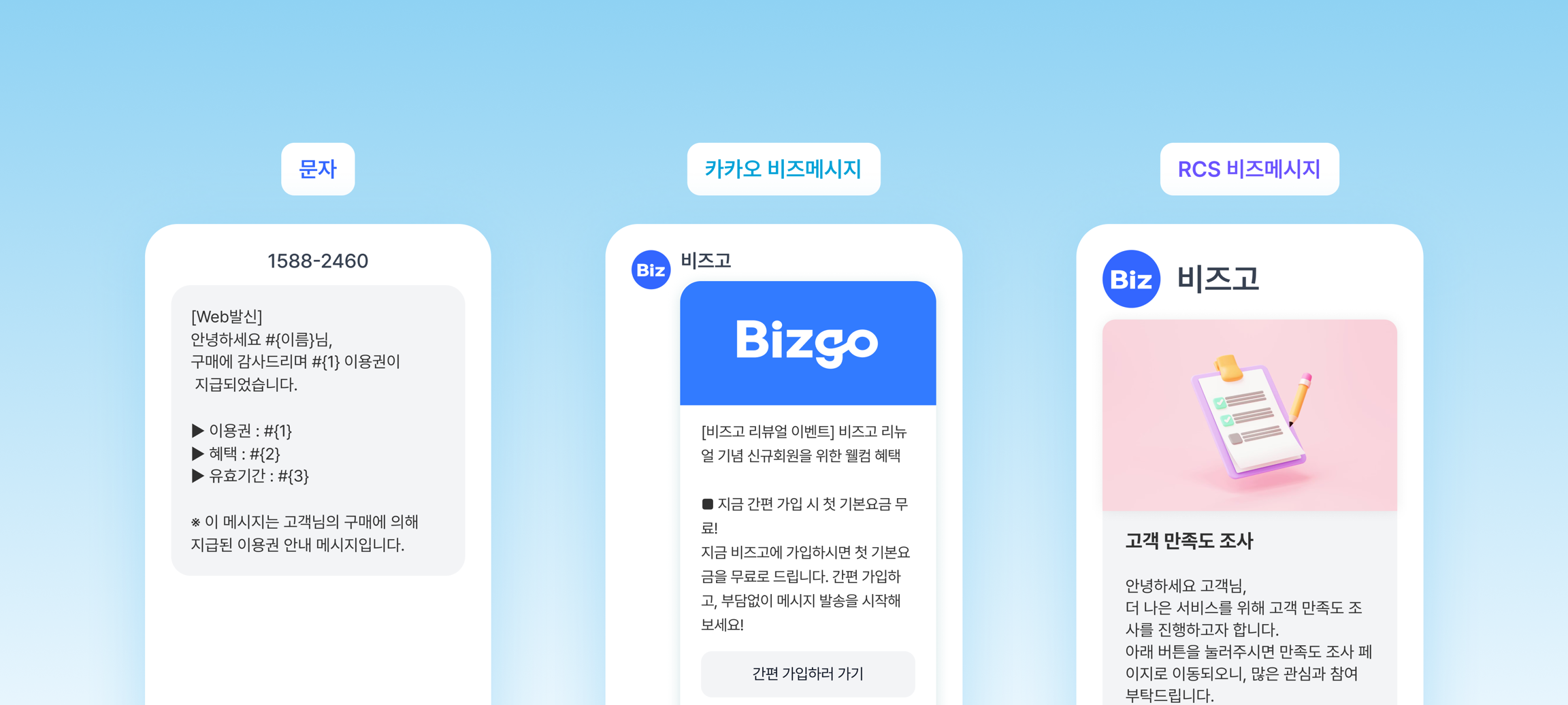
비즈고 커뮤니케이션은 문자메시지·카카오 비즈메시지·RCS·국제메시지를 **하나의 API와 콘솔**로 통합 관리하는 메시지 발송 서비스입니다.
발송 목적·수신 대상·단말 환경에 맞는 채널을 선택하거나, 채널 조합으로 도달률을 극대화할 수 있습니다.
---
## 지원 채널
| 채널 | 설명 | 특징 |
|------|------|------|
| **문자메시지** | SMS / LMS / MMS | 가장 범용적. 수신 단말 제한 없음 |
| **카카오 비즈메시지** | 알림톡 / 브랜드메시지 / 상담톡 | 카카오톡 기반. 템플릿 사전 등록 필요 |
| **RCS 메시지** | 단문 / 장문 / 카드형 / 슬라이드 | 브랜드 로고·이미지·버튼 포함. Android 및 iOS(26+) 지원 |
| **국제메시지** | 해외 SMS | 국가코드 기반 발송. E.164 번호 형식 |
---
## 시작하기 전에: 회원가입 및 API 키 설정
커뮤니케이션 API를 사용하기 전에 아래 두 단계를 먼저 완료해야 합니다.
### 1단계 — 회원가입 및 비즈니스 인증
1. 비즈고 홈페이지에서 **간편 가입하기**로 가입합니다.
2. 가입 후 비즈니스 인증을 진행합니다. (사업자등록번호 입력 + 사업자등록증 업로드, 영업일 1~2일)
3. 팀스페이스를 생성합니다.
- [운영 준비 가이드](/guide/bizgo/operational-prep): 회원가입, 비즈니스 인증, 팀스페이스, 구성원 초대까지 실제 사용 전에 필요한 준비를 한 번에 확인합니다.
### 2단계 — API 키 발급 및 IP ACL 설정
1. 콘솔에서 사용할 팀스페이스의 **[연동관리]** 로 들어가 API 키(통합 Key)를 발급합니다.
2. 발급한 Key에 API를 호출할 서버 IP(ACL)를 등록하고, 이용할 상품을 연결합니다.
3. 발급된 API 키는 안전한 곳에 저장합니다.
메뉴 위치와 화면별 절차는 [연동관리 > 통합 Key 발급받기](/guide/setup#통합-key-발급받기)를 따릅니다.
모든 API 요청에는 아래 헤더를 포함합니다.
```
Authorization: ApiKey {발급받은 API 키}
Content-Type: application/json
```
- [환경 설정하기](/guide/setup): API 키 발급, IP ACL 설정, Base URI, 인증 헤더 구성 방법을 확인합니다.
---
## 채널별 사전 준비
채널마다 API 키 외에 추가로 설정해야 하는 항목이 있습니다.
사용할 채널을 선택하면 해당 섹션으로 이동합니다.
---
## 문자메시지
| 준비 항목 | 내용 |
|-----------|------|
| 발신번호 등록 | 콘솔에서 발신번호를 등록하고 소유인증 후 승인 요청 |
| 인증 방식 | ARS 인증(즉시~1시간) 또는 통신서비스 이용증명원 서류 인증(영업일 1일) |
**등록 절차**
1. 사용할 발신번호와 관련 정보를 입력합니다.
2. 소유인증을 진행하고 승인을 요청합니다.
3. 승인 완료 이메일을 받으면 발송할 수 있습니다.
화면별 절차는 [발신정보 등록 > 문자 발신번호](/guide/bizgo/sender-registration#문자-발신번호)를 따릅니다.
> 등록된 발신번호에서만 SMS 발송이 가능합니다. [전기통신사업법](https://www.law.go.kr/LSW//lsLinkCommonInfo.do?lsJoLnkSeq=1019731109&chrClsCd=010202&ancYnChk=)에 의한 법적 의무 절차입니다.
- [문자메시지 가이드](/guide/message/sms): SMS·LMS·MMS·국제 SMS 발송 방법과 타입 분기 기준을 확인합니다.
---
## 카카오 비즈메시지
| 준비 항목 | 내용 |
|-----------|------|
| 카카오톡 채널 개설 | [카카오비즈니스](https://business.kakao.com)에서 채널 개설 |
| 발신프로필 등록 | 비즈고 콘솔에 카카오톡 채널 ID 등록 (영업일 3~5일) |
| 알림톡 템플릿 등록 | 정보성 발송 시 카카오 심사 필요 |
**등록 절차**
1. [카카오비즈니스](https://business.kakao.com)에서 카카오톡 채널을 개설하고 비즈니스 채널로 전환합니다.
2. 비즈고 콘솔에서 채널 ID를 등록해 발신프로필을 만듭니다.
3. 카카오 검수 완료(영업일 3~5일) 후 사용 가능합니다.
4. **알림톡** 발송이 목적이라면 템플릿을 추가로 등록하고 승인을 받아야 합니다.
화면별 절차는 [발신정보 등록 > 카카오 채널](/guide/bizgo/sender-registration#카카오-채널)을 따릅니다.
> 광고성 메시지(브랜드메시지)는 마케팅 수신동의 관리도 함께 필요합니다.
- [카카오 비즈메시지 가이드](/guide/message/kakao): 알림톡·브랜드메시지·상담톡의 목적과 차이를 이해하고 올바른 카카오 채널을 선택합니다.
---
## RCS 메시지
| 준비 항목 | 내용 |
|-----------|------|
| RCS 브랜드 등록 | [RCS Biz Center](https://www.rcsbizcenter.com/main)에서 브랜드 등록 (영업일 3~7일) |
| 대행사 지정 | RCS Biz Center에서 인포뱅크를 브랜드 대행사로 초대 |
| 발신번호 등록 | RCS Biz Center 대화방과 비즈고 양쪽에 발신번호 등록 |
| 템플릿 등록 (선택) | 텍스트·이미지 템플릿 사용 시 사전 등록 필요 |
**등록 절차**
1. [RCS Biz Center](https://www.rcsbizcenter.com/main)에서 브랜드를 개설합니다. (영업일 3~7일 소요)
2. 브랜드의 대행사로 인포뱅크를 지정합니다.
3. 발송에 쓸 발신번호를 RCS Biz Center 대화방과 비즈고에 모두 등록합니다.
4. 텍스트 또는 이미지 템플릿을 사용할 경우 템플릿을 별도 등록합니다.
화면별 절차는 [발신정보 등록 > RCS 브랜드 등록하기](/guide/bizgo/sender-registration#rcs-브랜드-등록하기)를 따릅니다.
> iOS는 통합 RCS(iOS 26+)부터 지원합니다. 미지원 단말에 대비해 SMS Fallback 설정을 권장합니다.
- [RCS 메시지 가이드](/guide/message/rcs): 브랜드 로고·이미지·버튼이 포함된 RCS 비즈메시지 발송 방법을 확인합니다.
---
## 국제메시지
| 준비 항목 | 내용 |
|-----------|------|
| 발신번호 등록 | 문자메시지와 동일하게 발신번호 등록 필요 |
| 국가 발신 규정 확인 | 발송 대상 국가별 허용 발신자 ID 방식 확인 |
| 번호 형식 | 수신번호는 국가코드 포함 E.164 형식 사용 (예: `+12025551234`) |
**주의사항**
- 영문 160자(GSM-7) 또는 한글 70자(Unicode)를 초과하면 복수 건으로 분리 과금됩니다.
- 국가마다 발신자 ID 허용 방식이 다릅니다. 발송 전 대상 국가 규정을 확인하세요.
- 국제메시지는 Fallback 자동 전환이 어려우므로 재시도 정책을 별도로 설정하는 것이 좋습니다.
- [국제메시지 가이드](/guide/message/international): 해외 번호 발송, E.164 번호 형식, 과금 기준, 국제 발송 예제를 확인합니다.
---
## 함께 보는 문서
- [채널 선택 가이드](/guide/message/channel-guide) — 시나리오 기준으로 어떤 채널을 쓸지 빠르게 결정
- [환경 설정하기](/guide/setup) — API 키, IP ACL, 인증 헤더 구성
- [발송 요청 구조 이해](/guide/deep-dive/message-structure) — destinations, messageFlow, Fallback 구조
- [운영 준비](/guide/bizgo/operational-prep) — 회원가입, 비즈니스 인증, 발신정보 등록
---
# 국제메시지
URL: https://developers.bizgo.io/guide/message/international
# 국제메시지
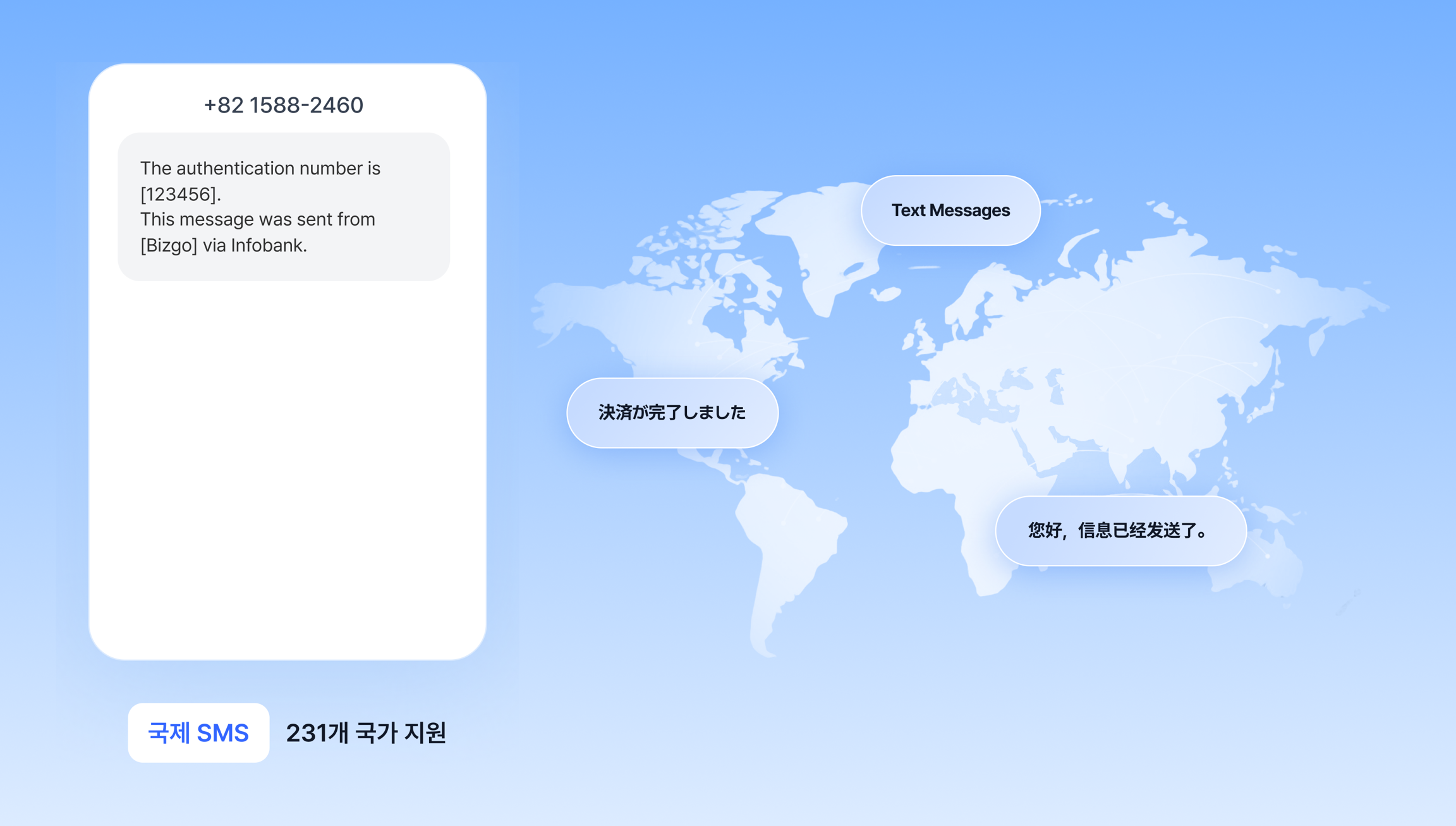
해외 번호로 문자메시지를 발송하는 가이드입니다.
발송 흐름은 국내 문자메시지와 같지만 번호 형식과 과금 기준이 다릅니다.
---
## 번호 형식
수신번호는 국가코드를 포함한 **E.164 형식**으로 입력해야 합니다.
| 국가 | 국가코드 | 입력 예시 |
|------|----------|-----------|
| 미국 | `1` | `+12025551234` |
| 일본 | `81` | `+819012345678` |
| 영국 | `44` | `+447911123456` |
| 싱가포르 | `65` | `+6591234567` |
> 국가코드를 포함하지 않거나 형식이 맞지 않으면 발송이 실패합니다.
---
## 과금 기준
국제 SMS는 메시지 인코딩에 따라 글자 수 기준이 달라지며, 초과 시 건 단위로 분할 과금됩니다.
| 인코딩 | 기본 길이 | 초과 시 분할 단위 | 최대 분할 |
|--------|-----------|-------------------|-----------|
| **GSM-7** (영문·숫자 위주) | 160자 | 153자 단위 | 5건 |
| **Unicode** (한글 등) | 70자 | 67자 단위 | 5건 |
> 예: 영문 200자 → 2건 과금, 한글 80자 → 2건 과금
---
## DLR (Delivery Report)
DLR은 실제 단말기 전송 결과를 의미합니다.
국내 리포트와 개념은 같지만, 국제메시지는 **국제 중계사 접수 결과**를 기본 리포트로 처리합니다. 이 접수 결과가 과금 기준이 됩니다.
요청에 따라 단말 전달 결과(DLR)를 추가로 수신할 수 있습니다.
| 리포트 | 의미 | 수신 조건 | 과금 기준 |
|--------|------|-----------|:---------:|
| **기본 리포트** | 국제 중계사 접수 결과 | 기본 제공 | O |
| **DLR** | 실제 단말기 전송 결과 | API 키별 별도 설정 필요 | X |
DLR을 활성화하면 메시지 1건당 기본 리포트(접수 결과)와 DLR(전송 결과)이 각각 1건씩, 총 2건 수집됩니다.
> **DLR 수신 전 확인 사항**
- DLR 수신은 **API 키별 별도 설정**이 필요합니다. 사용 전 영업 담당자에게 요청해 주세요.
- 국가·해외 중계사에 따라 실제 DLR이 회신되지 않을 수 있습니다. 이 경우 비즈고가 최대 **5일**간 대기한 뒤 실패(Timeout) 코드로 내려주므로, **리포트 2건이 누락되지는 않습니다.**
- 그래서 **DLR의 실패(Timeout)를 단말 전달 실패로 해석하면 안 됩니다.** 단말에 정상 도착했더라도 중계사 회신이 없으면 실패로 내려갈 수 있습니다. 과금은 접수 리포트를 기준으로 합니다.
- 접수 리포트와 DLR 리포트의 **수신 순서는 보장되지 않습니다.** 리포트 종류를 구분해 처리하세요.
---
## 운영 시 주의사항
> **국제메시지 발송 전 확인 사항**
- 국가마다 발신자 ID 허용 방식이 다릅니다. 발송 전 대상 국가 규정을 먼저 확인하세요.
- Fallback 자동 전환이 어려우므로 재시도 정책을 별도로 구성하는 것이 좋습니다.
- 일부 국가는 마케팅 메시지 발송에 별도 규제가 있습니다.
---
## 연동 전에 발송 구조를 먼저 확인하세요
`destinations`와 `messageFlow` 구조를 이해하면 어떤 연동 방식을 쓰든 같은 방식으로 다룰 수 있습니다.
- [발송 요청 구조 이해](/guide/deep-dive/message-structure): destinations, messageFlow, Fallback 구조를 한 페이지에서 확인합니다.
---
## 어떻게 연동하시나요?
구조를 파악했다면 아래에서 연동 방식을 선택하세요.
---
## 다음 단계
- [채널 선택 가이드](/guide/message/channel-guide): 문자메시지 외 다른 채널과 비교해 최적 채널을 결정합니다.
- [Best Practice](/guide/deep-dive/best-practice): 프로덕션 환경을 위한 권장 발송 패턴과 에러 처리 전략을 확인합니다.
---
# 카카오 비즈메시지
URL: https://developers.bizgo.io/guide/message/kakao
# 카카오 비즈메시지
카카오 비즈메시지는 카카오톡 사용자에게 정보성 안내, 광고성 메시지, 상담형 대화를 제공하는 채널 묶음입니다.
도입 전에는 먼저 어떤 카카오 채널이 목적에 맞는지 구분하는 것이 중요합니다.
---
---
## 알림톡
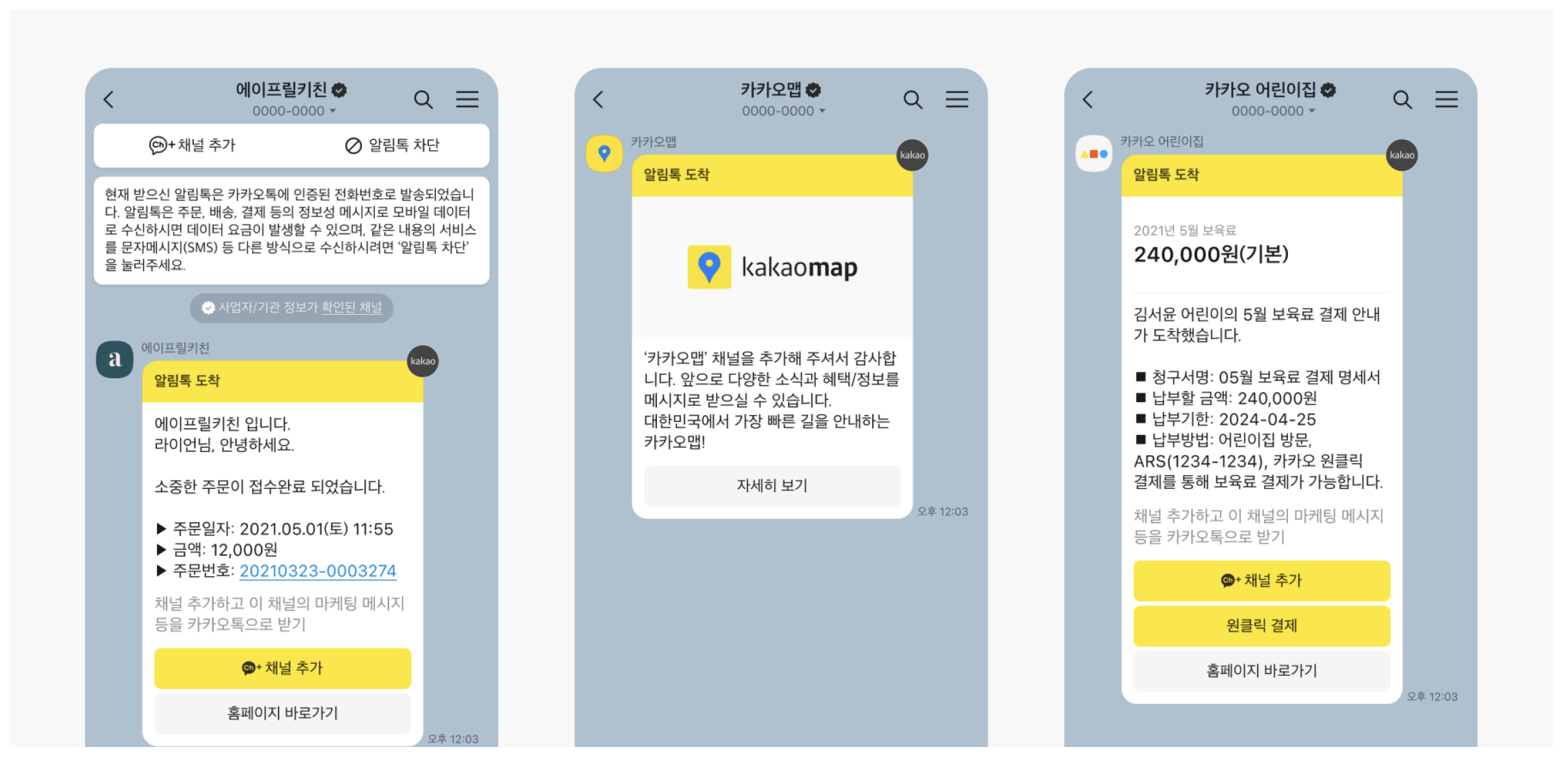
알림톡은 기업이 카카오톡으로 고객에게 **정보성 메시지**를 발송할 때 사용하는 채널입니다.
카카오톡 채널 친구가 아닌 사용자에게도 보낼 수 있고, 사전 심사를 통과한 템플릿 기반으로만 발송합니다.
### 한눈에 보기
- 용도: 주문, 배송, 결제, 인증, 예약 안내 같은 정보성 메시지
- 수신 대상: 카카오톡 사용자, 채널 친구 여부와 무관
- 발송 조건: 승인된 알림톡 템플릿 필요
- 광고 메시지: 발송 불가
- Fallback: 문자 또는 RCS와 함께 설계 가능
### 이런 경우에 적합합니다
- 주문 완료 안내
- 배송 출발 및 도착 안내
- 결제 완료 안내
- 인증번호 발송
- 예약 확인 및 변경 안내
광고, 프로모션, 쿠폰처럼 마케팅 성격이 강한 메시지는 알림톡 대상이 아닙니다.
### 핵심 특징
- 카카오 채널 친구가 아니어도 발송할 수 있습니다.
- 템플릿 심사가 필요합니다.
- 정보성 메시지만 보낼 수 있습니다.
- 실패 시 문자나 RCS로 Fallback을 연결하기 좋습니다.
### 메시지 타입
| 타입 | 의미 | 설명 |
|------|------|------|
| `AL` | 알림톡 텍스트 | 기본 텍스트형 알림톡 |
| `AI` | 알림톡 이미지 | 이미지가 포함된 알림톡 |
어떤 타입이든 승인된 템플릿 코드 기준으로 발송해야 합니다.
### 응답 확인 방식
#### Push 방식
권장되는 방식입니다.
- 대체 발송으로 인한 중복 수신 문제를 줄이는 데 유리합니다.
- 미리 정의한 조건에 맞는 활성 사용자에게 발송하고 성공 처리합니다.
- 조건에 맞지 않으면 `NoSendAvailableException` 오류로 응답할 수 있습니다.
#### Polling 방식
요청 후 별도 조회로 결과를 확인하는 방식입니다.
- 메시지 발송 요청 후, 결과는 발송 결과 조회로 확인합니다.
- `timeout` 안에 결과가 도착하면 성공으로 처리합니다.
- 그렇지 않으면 성공 불확실 상태로 남을 수 있습니다.
`timeout`은 요청 시 설정할 수 있으며, 원문 기준으로 `10초 ~ 86,400초(1일)` 범위를 사용합니다.
## 브랜드메시지
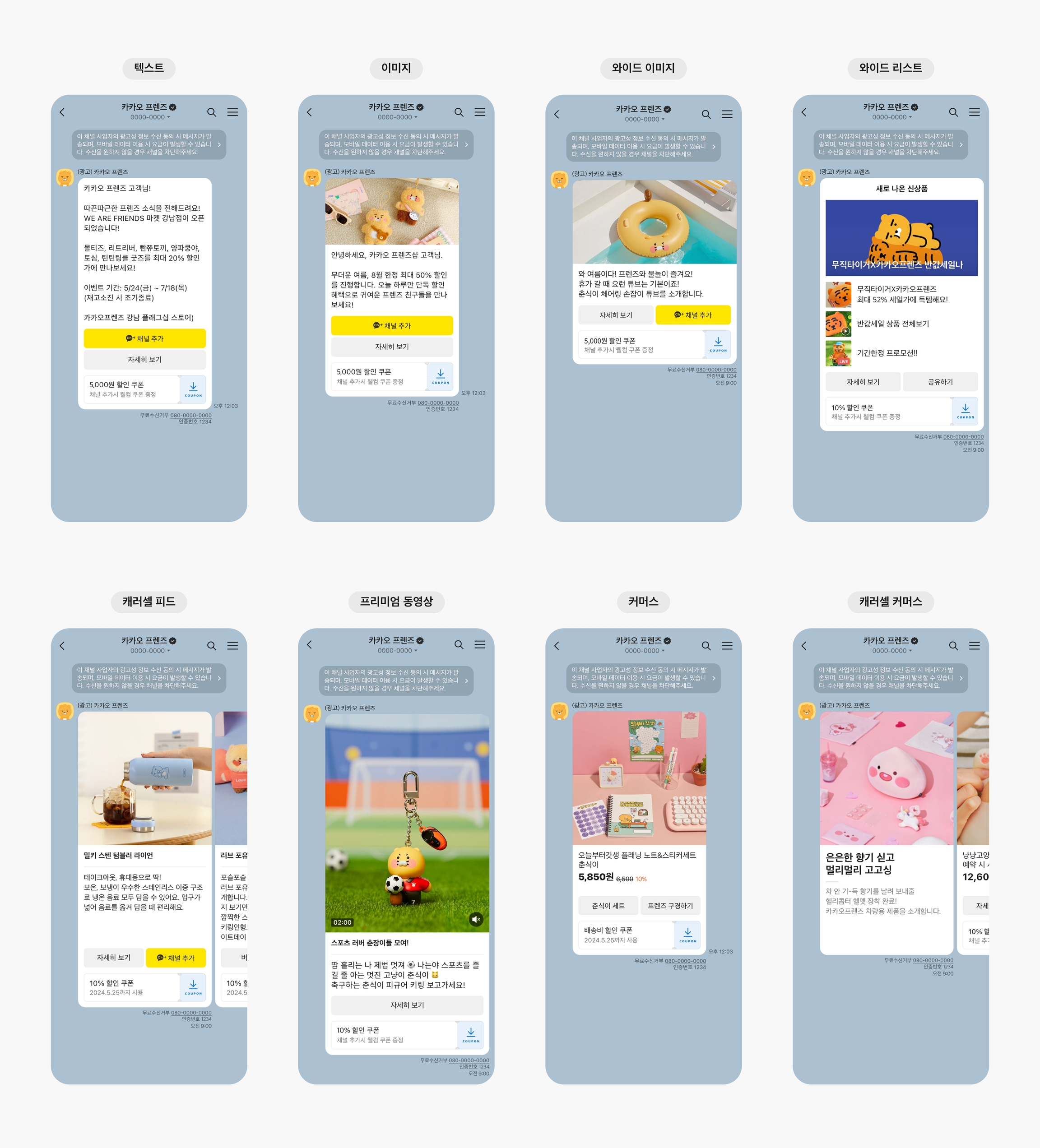
브랜드메시지는 카카오톡 채널 친구와 **마케팅 수신 동의자**를 대상으로 광고성 메시지를 발송할 수 있는 채널입니다.
이벤트, 프로모션, 캠페인처럼 세분화된 타깃에게 홍보 메시지를 전달할 때 적합합니다.
### 한눈에 보기
- 용도: 프로모션, 이벤트, 쿠폰, 캠페인성 광고 메시지
- 수신 대상: 채널 친구 또는 마케팅 수신 동의자
- 발송 시간: 한국 시간 기준 `08:00 ~ 20:50`
- 발송 방식: 템플릿형, 자유형 모두 가능
- 광고 표기: `(광고)` 표시와 무료수신거부 정보 필요
### 이런 경우에 적합합니다
- 채널 친구에게 광고성 메시지를 보내야 할 때
- 채널 친구가 아니더라도 마케팅 수신동의 고객에게 광고를 보내야 할 때
- 버튼, 이미지, 캐러셀, 커머스형 메시지로 캠페인을 운영할 때
### 상품 구조
브랜드 메시지는 발송 대상에 따라 아래와 같이 상품이 구분됩니다.
- **고객사 회원 대상** — 고객사의 광고성 정보 수신 동의를 기반으로 발송
- **채널 친구 대상** — 카카오의 광고성 정보 수신 동의를 기반으로 발송
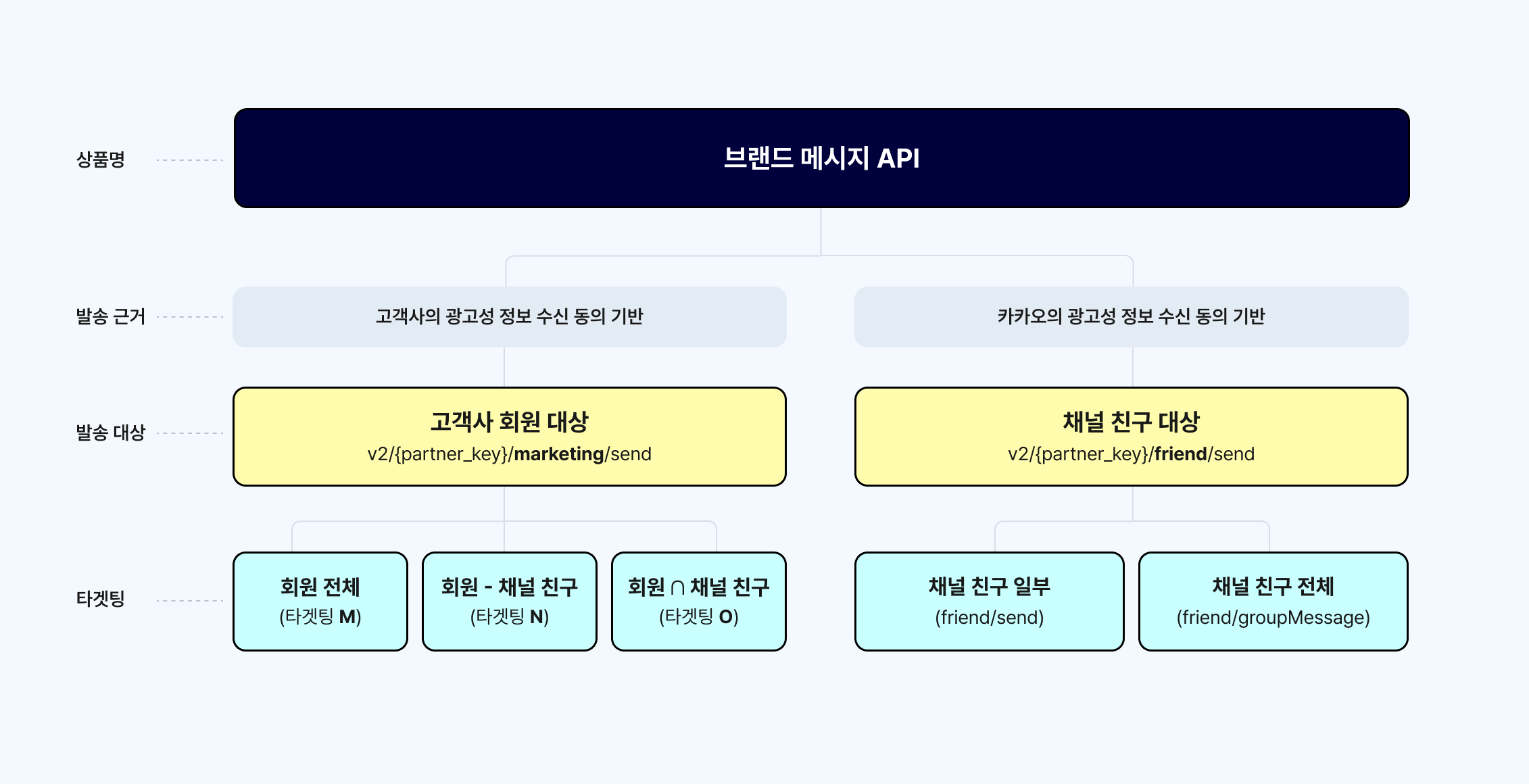
### 발송 방식
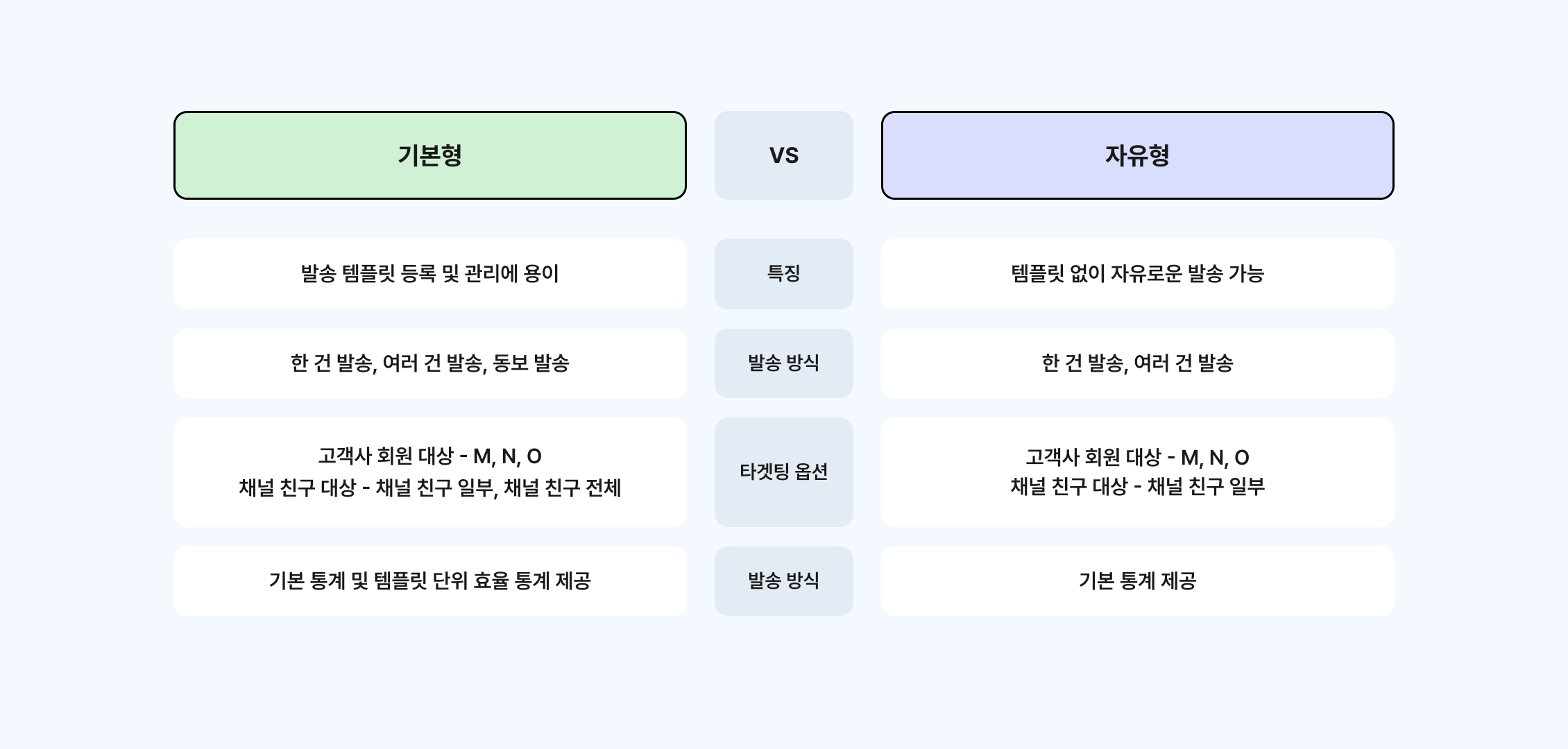
#### 기본형 메시지
- 사전에 템플릿 등록이 필요합니다. 단 알림톡 템플릿과 달리 승인 절차는 없습니다.
- 변수가 존재하는 템플릿의 메시지 변수 치환 방식으로는 전문 방식과 변수 분리 방식이 존재합니다.
- 한 건 발송, 여러 건 발송, 동보 발송을 지원합니다.
- 기본 통계 및 템플릿 단위 효율 통계를 제공합니다.
- 브랜드 메시지 발송 타겟팅 M, N, O, I(고객사 회원 대상)를 사용하기 위해서는 별도의 권한을 받아야 합니다.
#### 자유형 메시지
- 별도의 템플릿 등록 없이 전문 방식으로 발송합니다.
- 한 건 발송, 여러 건 발송을 지원합니다. 동보 발송은 지원하지 않습니다.
- 채널 친구 대상 타겟팅은 채널 친구 일부만 지원합니다.
- 기본 통계를 제공합니다.
### 브랜드 메시지 타겟팅
#### 고객사 회원 대상
> 고객사 회원 대상은 사전 발송 권한 신청이 필요합니다.
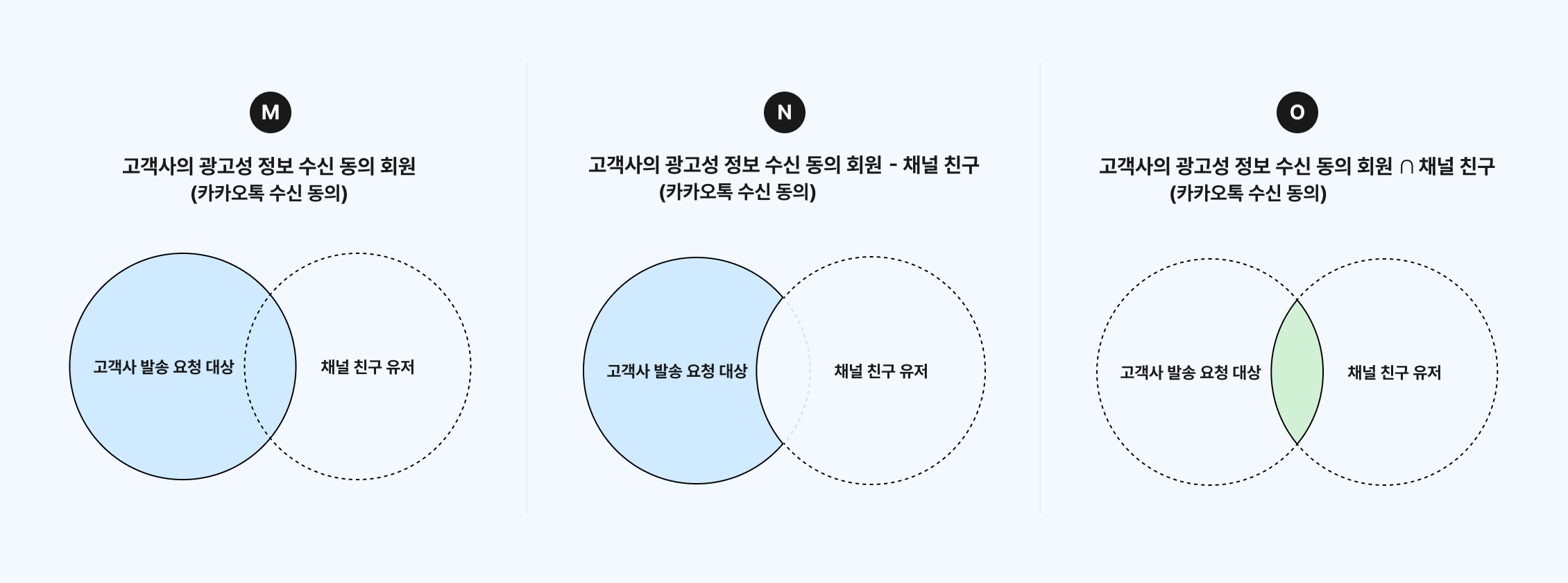
> **M·N 을 쓰려면 세 단계를 모두 마쳐야 합니다**
무료수신거부(080) 번호를 등록하는 것만으로는 열리지 않습니다. 아래가 순서대로 완료되어야 합니다.
| 순서 | 항목 | 설명 |
|------|------|------|
| ① | 브랜드메시지 사용 전환 신청 | 080 수신거부 번호 등록의 선행 조건입니다 |
| ② | 080 무료수신거부 번호 등록 | 전환이 완료된 뒤에 등록할 수 있습니다 |
| ③ | 발송 대상 확장 신청 (채널 친구 외 → 전체) | 카카오 심사 후 승인되면 M·N 이 활성화됩니다 |
콘솔에서 M·N 이 회색으로 비활성이거나 API 가 `628`(해당 타겟팅 옵션 사용 불가)을 돌려준다면, **③ 발송 대상 확장이 아직 승인되지 않은 상태**입니다. 두 증상의 원인은 같습니다.
승인이 완료되면 별도 설정 없이 콘솔과 API 양쪽에서 바로 사용할 수 있습니다.
**M — 고객사의 광고성 정보 수신동의 회원**
고객사의 광고성 정보 수신동의 회원(카카오톡 수신 동의) 대상으로 광고성 메시지를 발송 처리합니다.
고객사의 무료수신거부 정보는 발송 채널의 발신프로필에서 등록 및 관리하실 수 있습니다.
**N — 고객사의 광고성 정보 수신동의 회원 − 채널 친구**
고객사의 광고성 정보 수신동의 회원(카카오톡 수신 동의)에서 채널 친구를 제외하고 광고성 메시지를 발송 처리합니다.
고객사의 무료수신거부 정보는 발송 채널의 발신프로필에서 등록 및 관리하실 수 있습니다.
**O — 고객사의 광고성 정보 수신동의 회원 ∩ 채널 친구 (수신 거부방법: 080 번호 안내)**
고객사의 광고성 정보 수신동의 회원(카카오톡 수신 동의)에서 채널 친구인 경우에만 광고성 메시지를 발송 처리합니다.
고객사의 무료수신거부 정보는 발송 채널의 발신프로필에서 등록 및 관리하실 수 있습니다.
**I — 고객사의 광고성 정보 수신동의 회원 ∩ 채널 친구 (수신 거부방법: 채널 차단 안내)**
발송 모수는 O와 동일하며, 수신 거부방법만 다릅니다.
채널의 수신거부 방법으로 채널 차단 정보를 안내합니다.
> O와 I는 발송 대상이 같습니다. 무료수신거부(080) 번호로 안내하려면 O를, 채널 차단으로 안내하려면 I를 사용합니다.
#### 채널 친구 대상
> 채널 친구 대상은 발신프로필 등록 후 바로 발송 가능합니다.
**채널 친구 일부**
채널 친구 중 고객사의 발송 요청 대상에만 광고성 메시지를 발송 처리합니다.
채널의 수신거부 방법으로 채널 차단 정보를 안내합니다.
**채널 친구 전체**
채널 친구 전체 또는 친구 그룹에 광고성 메시지를 발송 처리합니다.
채널의 수신거부 방법으로 채널 차단 정보를 안내합니다.
### 메시지 타입
### 운영 시 체크할 점
- 광고성 메시지이므로 발송 가능 시간이 제한됩니다.
- 마케팅 수신동의 상태와 무료수신거부 처리를 함께 관리해야 합니다.
- 타겟팅 범위와 메시지 타입에 따라 필요한 필드가 달라집니다.
- 문자나 RCS와 함께 Fallback 전략을 설계하면 운영 안정성이 좋아집니다.
## 상담톡

상담톡은 고객센터 문의, 상담원 연결, 대화형 응대처럼 **실시간 1:1 채팅**이 필요할 때 사용하는 카카오 채널입니다.
상황에 맞게 메시지 내용을 구성할 수 있도록 Plain, Rich 두 가지 계열의 메시지 타입을 제공합니다.
### 한눈에 보기
- 용도: 고객 문의 응대, 상담원 연결, 대화형 운영
- 대화 방식: 고객과 상담원이 카카오톡 채팅방에서 1:1 메시지 교환
- 메시지 구성: Plain 타입, Rich 타입 지원
- 파일 사용: 이미지나 파일은 업로드 후 사용
- 운영 포인트: 상담원 배정, 대기열, 응답 흐름 설계가 중요
### Plain 말풍선 타입
기본 대화형 메시지에 적합한 타입입니다.
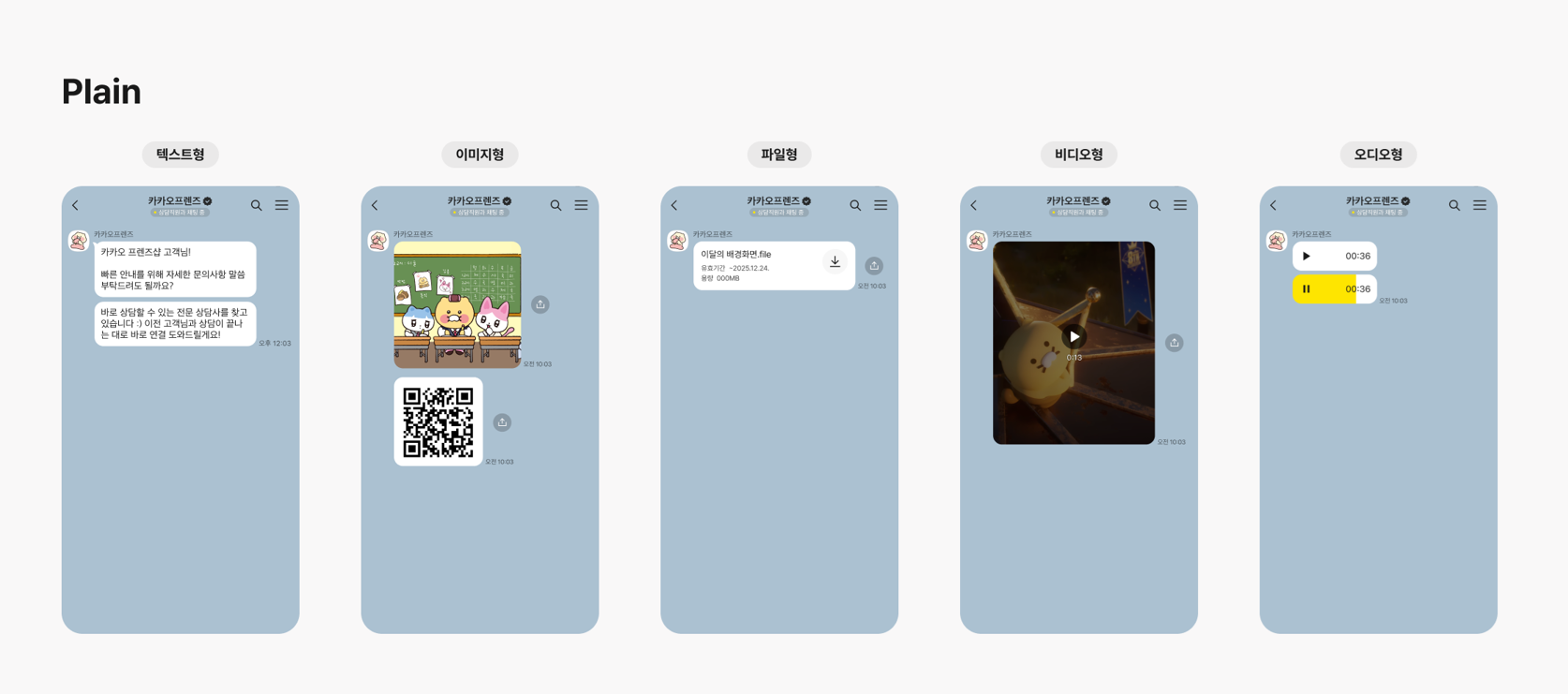
| 타입 | 설명 |
|------|------|
| `TEXT` | 텍스트 |
| `IMAGE` | 이미지 |
| `VIDEO` | 비디오 파일 |
| `AUDIO` | 오디오 파일 |
| `FILE` | 일반 파일 |
#### Plain 타입 제한
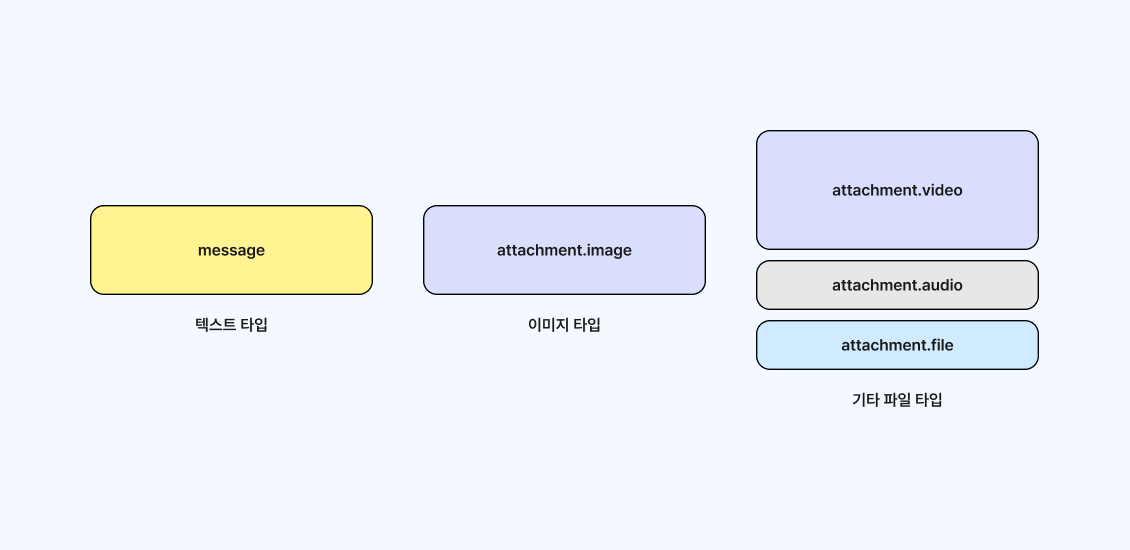
- 텍스트: 최대 1,000자
- 이미지: `jpg`, `png`, `gif`, 최대 `5MB`
- 일반 파일: 최대 `300MB`
- 비디오 파일: 최대 `300MB`
- 오디오 파일: 최대 `10MB`
### Rich 말풍선 타입
버튼, 쿠폰, 리스트, 이미지 조합처럼 더 풍부한 상담 화면이 필요할 때 사용하는 타입입니다.

### 이용 활성화 전 확인
상담톡은 카카오톡 채널의 **채팅 기능과 함께 쓸 수 없습니다.** 활성화 시점에 채널 운영 방식이 바뀌므로 아래를 먼저 확인하세요.
> **상담톡을 '이용중'으로 바꾸면 채널 운영 방식이 달라집니다**
- 상담 내역 유실을 막기 위해 해당 카카오톡 채널의 **채팅 기능이 비활성 상태로 변경**됩니다.
- 카카오톡 채널 관리자는 카카오비즈니스 파트너센터의 **1:1 대화 메뉴를 이용할 수 없습니다.**
- 상담톡 계약이 종료되면 해당 채널의 상담톡 이용 여부를 **이용 중지**로 되돌려야 합니다.
- 활성화 시에는 대화 내역 저장 주체인 **위탁사명(`committalCompany`)** 을 함께 등록합니다. 일반적인 비즈고 상담톡 이용 고객은 **인포뱅크**를 입력하고, 실제 위탁 관계가 다른 경우에는 대화 내역 저장을 위탁받은 사업자명을 입력합니다.
### 타 허브사에서 전환할 때
상담톡은 여러 허브사에서 **동시에 이용할 수 없습니다.** 기존 허브사를 비활성화한 뒤 비즈고를 활성화하는 순서로만 전환할 수 있고, 그 사이에는 상담 메시지를 받을 수 없습니다. 공백을 줄이려면 아래 순서를 권장합니다.
**1단계 — 사전 준비**
- 비즈고 상담톡 Sandbox 환경에서 발신프로필과 Webhook 연동을 미리 완료합니다.
- 고객사 시스템과 비즈고 API 연동 및 테스트를 미리 완료합니다.
**2단계 — 실제 전환**
- 전환 시점에 기존 허브사의 상담톡 이용을 비활성화합니다.
- 이어서 비즈고 상담톡 이용을 활성화합니다. 현재는 API로 제공하며, 비즈고 웹 화면은 추후 제공 예정입니다.
- 상담 메시지가 정상적으로 수신되는지 확인합니다.
활성화·비활성화 API 규격은 [상담톡 — 채널 관리하기](/api-sdk/api-reference/comm/kakao-counsel)에서 확인할 수 있습니다.
### 운영 시 체크할 점
- 단순 발송보다 상담 운영 프로세스와 상담원 체계가 중요합니다.
- 이미지와 파일은 업로드 후 사용해야 합니다.
- 말풍선 타입에 따라 필수 필드와 허용 개수가 달라집니다.
- 고객 문의 분류, 상담원 전환, 응답 대기 정책을 미리 설계하는 편이 좋습니다.
---
## 카카오 채널 한눈에 비교
| 채널 | 목적 | 핵심 조건 | 권장 상황 |
|------|------|-----------|-----------|
| **알림톡** | 정보성 고지 | 템플릿 심사 필요 | 주문, 배송, 인증, 예약 안내 |
| **브랜드메시지** | 광고·프로모션 | 광고 수신동의 필요 | 쿠폰, 이벤트, 마케팅 캠페인 |
| **상담톡** | 1:1 상담 | 상담 운영 체계 필요 | 고객 문의, 상담원 응대 |
---
## 공통 운영 포인트
- 카카오 채널은 발송 목적에 따라 심사, 수신동의, 상담 운영 요건이 다릅니다.
- 알림톡과 브랜드메시지는 발송 실패에 대비해 문자 또는 RCS Fallback을 함께 설계하는 것이 좋습니다.
- 실제 구현 전에는 [발송 요청 구조 이해](/guide/deep-dive/message-structure)를 확인하는 편이 안전합니다.
- 알림톡 원문 참고: [비즈고 API 개발가이드 알림톡](https://infobank-guide.gitbook.io/omni_api/comm/kakao/alimtalk)
---
## 연동 전에 발송 구조를 먼저 확인하세요
`destinations`와 `messageFlow` 구조를 이해하면 어떤 연동 방식을 쓰든 같은 방식으로 다룰 수 있습니다.
플로우 다이어그램으로 발송 흐름을 확인해보세요.
- [발송 요청 구조 이해](/guide/deep-dive/message-structure): destinations, messageFlow, Fallback 구조를 한 페이지에서 확인합니다.
---
## 어떻게 연동하시나요?
구조를 파악했다면 아래에서 연동 방식을 선택하세요.
---
## 다음 단계
- [채널 선택 가이드](/guide/message/channel-guide): 문자메시지 외 다른 채널과 비교해 최적 채널을 결정합니다.
- [Best Practice](/guide/deep-dive/best-practice): 프로덕션 환경을 위한 권장 발송 패턴과 에러 처리 전략을 확인합니다.
---
# RCS
URL: https://developers.bizgo.io/guide/message/rcs
# RCS
RCS(Rich Communication Services)는 기존 문자메시지에 **브랜드 로고, 이미지, 버튼**을 추가한 차세대 메시지 채널입니다.
"문자메시지에 신뢰를 더하는 방법" — SMS보다 저렴하게 브랜딩 효과를 낼 수 있습니다.
> **2025년 9월부터 통합 RCS가 출시**되어 Android와 iOS(26 이상)를 모두 지원합니다.
## 언제 RCS를 써야 하나요?
- 브랜드 로고를 메시지에 표시해 **신뢰도**를 높이고 싶을 때
- SMS보다 **저렴하게** 이미지·버튼이 포함된 메시지를 보내고 싶을 때
- 카카오 채널 없이도 **풍부한 메시지 포맷**을 사용하고 싶을 때
---
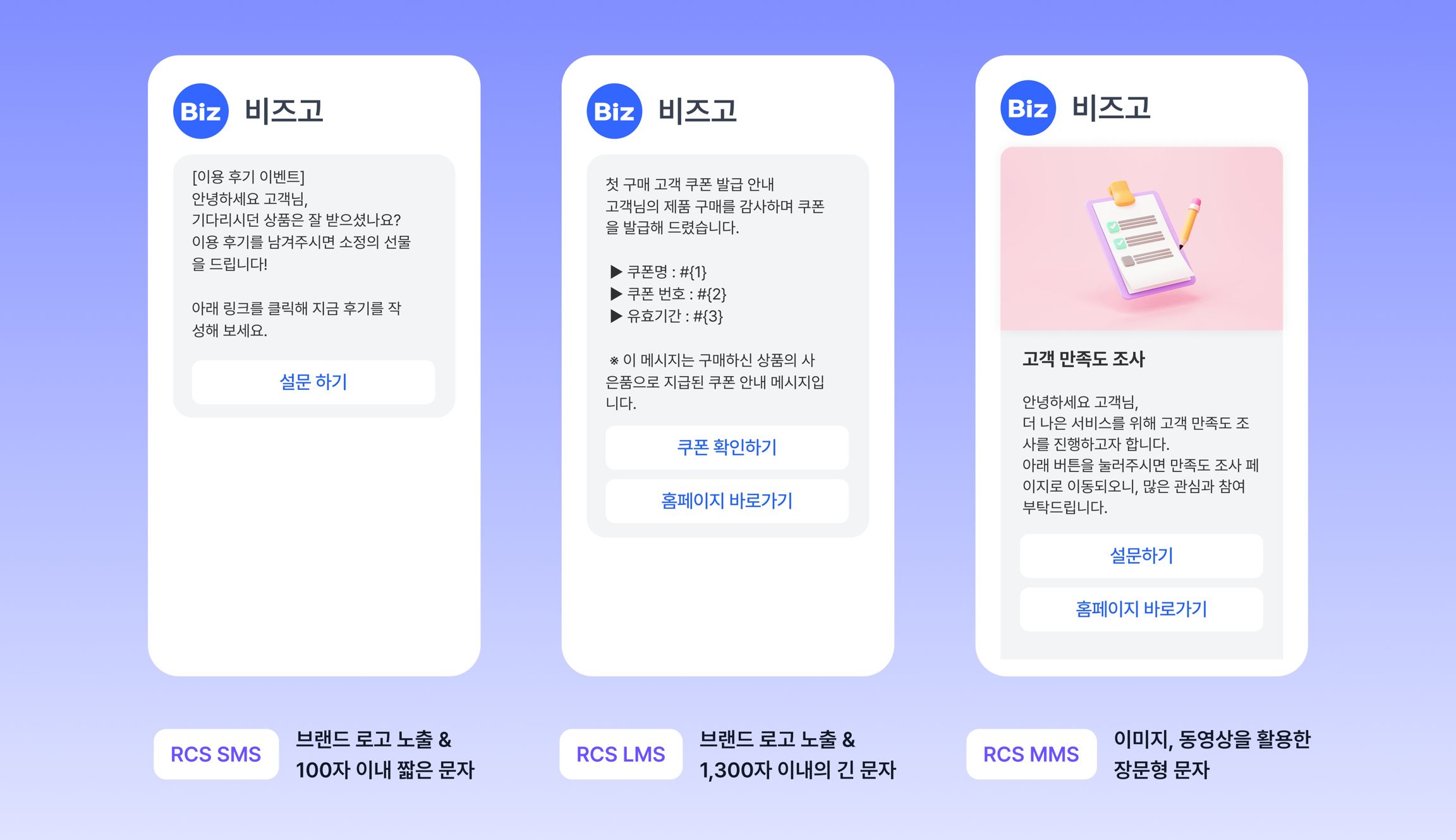
## RCS vs 통합 RCS 차이
| 구분 | RCS (Android 전용) | 통합 RCS (Android + iOS) |
|------|-------------------|--------------------------|
| **지원 단말** | Android 채팅플러스 지원 단말 | 국내 이통사 RCS 연동 모든 단말 |
| **광고 표기** | API `header` 필드로 설정 | 메시지 제목/내용에 직접 표기 |
| **무료수신거부** | API `footer` 필드로 설정 | 메시지 끝에 직접 표기 |
| **오픈리치카드** | ✓ 지원 | ✗ 미지원 |
| **KISA 안심마크** | 삼성 단말만 표시 | 삼성 단말만 표시 |
---
## 서비스 타입
| 타입 | 설명 | 사전 등록 |
|------|------|-----------|
| **SMS** | RCS 단문 메시지 | 브랜드 등록 |
| **LMS** | RCS 장문 메시지 | 브랜드 등록 |
| **MMS** | RCS 이미지 포함 메시지 | 브랜드 등록 |
| **텍스트 템플릿** | 사전 등록된 정보성 메시지 | 브랜드 + 템플릿 등록 |
| **이미지 템플릿** | 사전 등록된 이미지 포함 메시지 | 브랜드 + 템플릿 등록 |
---
## 운영 시 주의사항
- **브랜드 등록 필수** — RCS 이용 전 이통사에 브랜드를 등록해야 합니다 (1~2주 소요)
- **템플릿 등록** — 텍스트/이미지 템플릿 사용 시 사전 등록 필요
- **단말 지원 범위** — iOS는 통합 RCS(iOS 26+)부터 지원, 미지원 단말 대비 Fallback 필수
- **Fallback 설정 권장** — RCS 특성상 미지원 단말 비율이 있으므로 SMS Fallback 항상 포함
---
## 연동 전에 발송 구조를 먼저 확인하세요
`destinations`와 `messageFlow` 구조를 이해하면 어떤 연동 방식을 쓰든 같은 방식으로 다룰 수 있습니다.
플로우 다이어그램으로 발송 흐름을 확인해보세요.
- [발송 요청 구조 이해](/guide/deep-dive/message-structure): destinations, messageFlow, Fallback 구조를 한 페이지에서 확인합니다.
---
## 어떻게 연동하시나요?
구조를 파악했다면 아래에서 연동 방식을 선택하세요.
---
## 다음 단계
- [채널 선택 가이드](/guide/message/channel-guide): 문자메시지 외 다른 채널과 비교해 최적 채널을 결정합니다.
- [Best Practice](/guide/deep-dive/best-practice): 프로덕션 환경을 위한 권장 발송 패턴과 에러 처리 전략을 확인합니다.
---
# 문자메시지 (SMS / LMS / MMS)
URL: https://developers.bizgo.io/guide/message/sms
# 문자메시지
단문(SMS)·장문(LMS)·이미지(MMS)를 포함한 문자메시지를 개인 또는 그룹에 발송하는 가이드입니다.
---
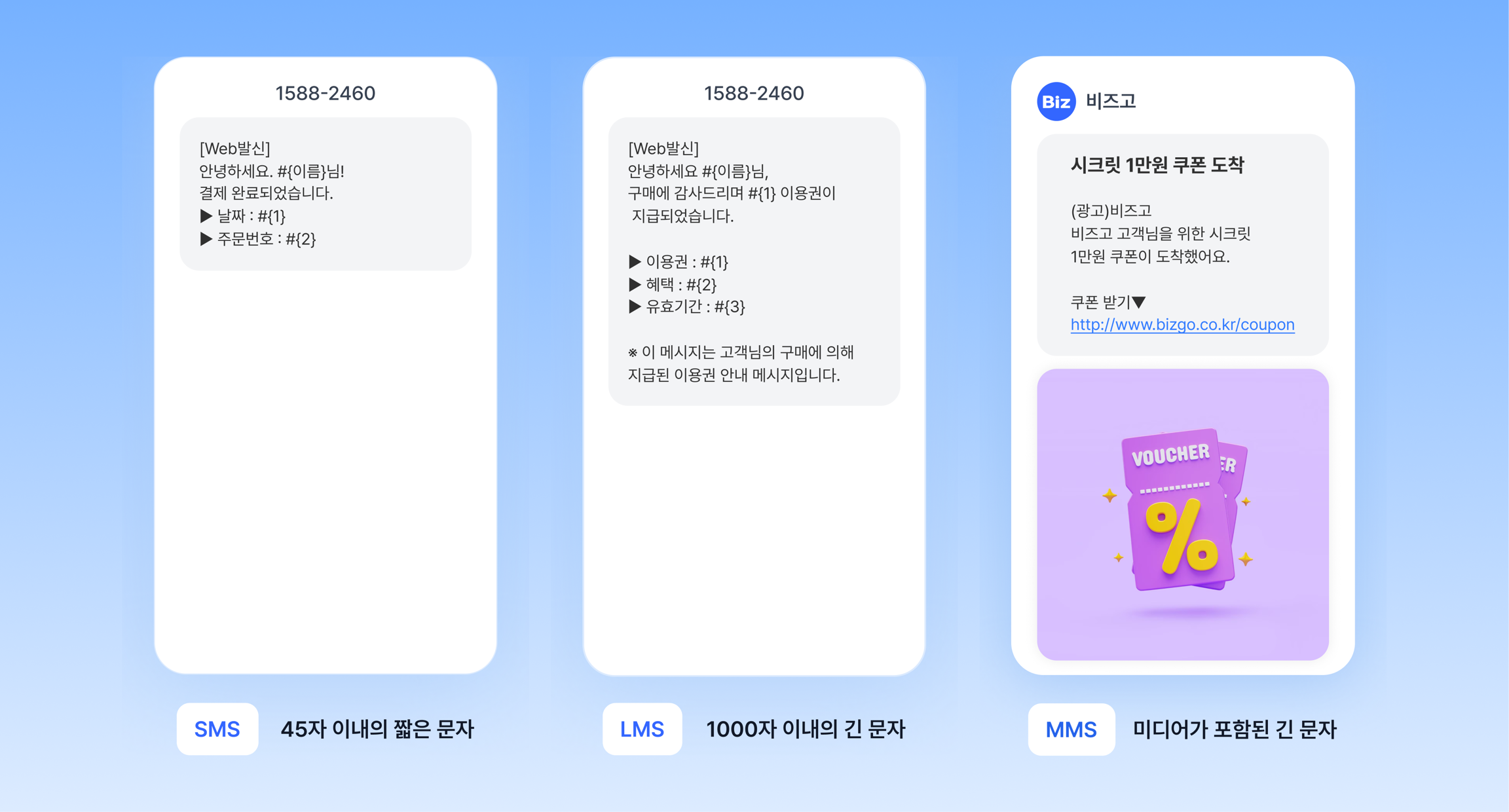
## 문자 종류
> **API에서는 타입을 직접 지정합니다**
API로 보낼 때는 `messageFlow`에 `sms` 또는 `mms` 객체를 직접 지정합니다. 90byte를 넘는 장문(LMS)도 `mms` 객체로 보내고, `fileKey`로 이미지를 첨부하면 MMS로 발송됩니다. 내용 길이와 이미지에 따른 자동 전환은 [콘솔 웹 발송](/guide/bizgo/web-send#문자-발송)에만 적용됩니다.
| 구분 | 최대 길이 | 이미지 | 주요 용도 |
|------|-----------|--------|-----------|
| **SMS** | 90 byte | 없음 | 인증번호, 짧은 안내 |
| **LMS** | 2,000 byte | 없음 | 긴 공지, 상세 안내 |
| **MMS** | 2,000 byte | 포함 가능 | 이미지 포함 메시지 |
> 한글 1자 = 2 byte, 영문·숫자 1자 = 1 byte 기준입니다.
### 언제 쓰나요?
| 상황 | 추천 타입 |
|------|-----------|
| 인증번호, 단순 알림 | SMS |
| 주문 상세 내용, 긴 안내 | LMS |
| 이미지·배너가 포함된 마케팅 | MMS |
| 카카오·RCS 미지원 환경의 Fallback | SMS 또는 LMS |
| 해외 수신자 발송 | 국제 SMS (아래 참고) |
---
## 연동 전에 발송 구조를 먼저 확인하세요
`destinations`와 `messageFlow` 구조를 이해하면 어떤 연동 방식을 쓰든 같은 방식으로 다룰 수 있습니다.
- [발송 요청 구조 이해](/guide/deep-dive/message-structure): destinations, messageFlow, Fallback 구조를 한 페이지에서 확인합니다.
---
## 어떻게 연동하시나요?
구조를 파악했다면 아래에서 연동 방식을 선택하세요.
---
## 다음 단계
- [채널 선택 가이드](/guide/message/channel-guide): 문자메시지 외 다른 채널과 비교해 최적 채널을 결정합니다.
- [Best Practice](/guide/deep-dive/best-practice): 프로덕션 환경을 위한 권장 발송 패턴과 에러 처리 전략을 확인합니다.
---
# 통합메시지 (Omni)
URL: https://developers.bizgo.io/guide/omni/send
# 통합메시지 (Omni)
통합메시지는 `messageFlow`에 채널 우선순위를 지정하면, 앞 채널 발송이 실패했을 때 다음 채널로 자동 전환(Fallback)하는 발송 방식입니다.
발송 성공률을 극대화하고 비용을 최적화할 수 있습니다.
---
## 왜 통합메시지를 사용하나요?
| 상황 | 문제 | 통합메시지 해결 방식 |
|------|------|-------------------|
| 카카오 미설치 수신자 | 알림톡 발송 실패 | SMS로 자동 전환 |
| RCS 미지원 단말 (iOS 등) | RCS 발송 실패 | SMS로 자동 전환 |
| 채널 일시 장애 | 특정 채널 발송 불가 | 다음 채널로 자동 전환 |
| 수신 거부 | 채널 수신 불가 | 대체 채널로 전환 |
---
## 폴백 흐름 예시
```
1순위: 카카오 알림톡 ─── 발송 성공 → 완료
│
└── 실패 (미설치 · 수신 거부)
│
▼
2순위: RCS ─── 발송 성공 → 완료
│
└── 실패 (미지원 단말)
│
▼
3순위: SMS ─── 발송 완료
```
---
## 핵심 구조
통합메시지의 핵심은 `destinations`와 `messageFlow` 두 필드입니다.
- **`destinations`**: 수신자 목록 (번호, 치환어)
- **`messageFlow`**: 채널 우선순위 배열. 인덱스 순서대로 발송을 시도하며, 앞 채널이 실패하면 다음으로 자동 전환됩니다.
발송 구조를 더 자세히 이해하려면 아래 문서를 확인하세요.
- [발송 요청 구조 이해](/guide/deep-dive/message-structure): destinations, messageFlow, Fallback 구조를 한 페이지에서 확인합니다.
---
## 과금 방식
폴백 발송 시 **최종 성공한 채널**의 단가로만 과금됩니다.
시도만 하고 실패한 채널은 과금되지 않습니다.
```
카카오 알림톡 (실패) → SMS (성공) → SMS 단가로만 과금
```
---
## 다음 단계
- API 스펙 확인 → [API 레퍼런스 — Omni 발송](/api-sdk/api-reference/comm/overview)
- 발송 구조 이해 → [발송 요청 구조 이해](/guide/deep-dive/message-structure)
- 발송 결과 확인 → [발송 결과 조회](/guide/report/inquiry)
---
# 발송 결과 조회
URL: https://developers.bizgo.io/guide/report/inquiry
# 발송 결과 조회
비즈고는 발송 결과를 두 가지 방식으로 확인할 수 있습니다.
| 방식 | 설명 | 권장 상황 |
|------|------|-----------|
| **웹훅 (Push)** | 결과 발생 즉시 서버로 전송 | 실시간 처리가 필요한 경우 |
| **개별 조회 (Inquiry)** | `msgKey`로 특정 메시지 결과 직접 조회 | 특정 건 확인 또는 웹훅 미수신 보완 |
> **웹훅을 기본으로 사용**하고, 웹훅 미수신 시 개별 조회로 보완하는 것이 권장 패턴입니다.
---
## 개별 조회 흐름
1. 발송 API 응답에서 `msgKey` 저장
2. `msgKey`로 조회 API 호출
3. `reportCode`로 최종 수신 여부 확인
조회 가능 기간: **최대 30일** 이전까지
---
## msgKey 저장 중요성
`msgKey`가 없으면 이후 결과 조회, 문의, 재시도가 불가능합니다.
발송 응답에서 반드시 DB에 저장해두세요.
```javascript
const response = await sendMessage(payload);
const msgKey = response.data.data.destinations[0].msgKey;
await db.messages.insert({ msgKey, ref: payload.ref, status: 'sent' });
```
---
## 결과 코드 해석
조회 응답의 `reportCode`로 최종 수신 여부를 판단합니다.
---
## 다음 단계
- API 스펙 확인 → [API 레퍼런스 — 발송 결과 조회](/api-sdk/api-reference/comm/overview)
- 대량 결과 배치 조회 → [발송 결과 폴링](/guide/report/polling)
---
# 발송 결과 폴링
URL: https://developers.bizgo.io/guide/report/polling
# 발송 결과 폴링
웹훅을 구성하기 어려운 환경이거나, 웹훅 수신에 실패한 건을 보완할 때 사용하는 방식입니다.
미수신 리포트를 배치로 가져와 처리합니다.
---
## 웹훅 vs 폴링
| 방식 | 동작 | 권장 상황 |
|------|------|-----------|
| **웹훅 (Push)** | 결과 발생 즉시 서버로 전송 | 기본 권장 방식 |
| **폴링 (Pull)** | 주기적으로 API를 호출해 결과 수신 | 웹훅 구성이 어려운 경우, 웹훅 실패 보완 |
---
## 폴링 처리 순서
```
1. 미수신 리포트 조회 (GET)
2. reportId 저장
3. 결과 처리 (DB 저장 등)
4. 수신 확인 처리 (DELETE) ← 반드시 필요
5. 빈 배열이 올 때까지 반복
```
> **수신 확인 처리를 하지 않으면** 다음 폴링에서 동일한 결과가 반복 수신됩니다.
---
## 주요 제약사항
| 항목 | 제한 |
|------|------|
| 1회 최대 수신 건수 | 1,000개 |
| 미처리 리포트 보관 기간 | **3일** (이후 자동 삭제) |
| 수신 확인 처리 | 조회 후 반드시 DELETE 필요 |
---
## 다음 단계
- API 스펙 확인 → [API 레퍼런스 — 발송 결과 폴링](/api-sdk/api-reference/comm/overview)
---
# 연동관리
URL: https://developers.bizgo.io/guide/setup
# 연동관리
시스템 연동 발송 서비스를 이용하기 위해서는 통합 Key를 발급받으셔야 합니다.
통합 Key는 비즈고에서 제공하는 모든 메시지 상품과 다양한 서비스를 하나로 통합해 이용할 수 있는 인증 수단입니다.
> **통합 Key 발급 한도**
통합 Key는 팀스페이스별로 최대 5개까지 발급 가능하며, 5개 초과 발급이 필요하신 경우 고객센터로 문의해 주세요.
---
## 통합 Key 발급받기
통합 Key를 발급받기 위해 **[콘솔] > [팀스페이스]** 접속 후 발급받고자 하시는 팀스페이스로 진입합니다. 좌측 메뉴 중 **[연동관리]** 를 클릭한 후 페이지 내 **[KEY 발급]** 버튼을 클릭해 주세요.
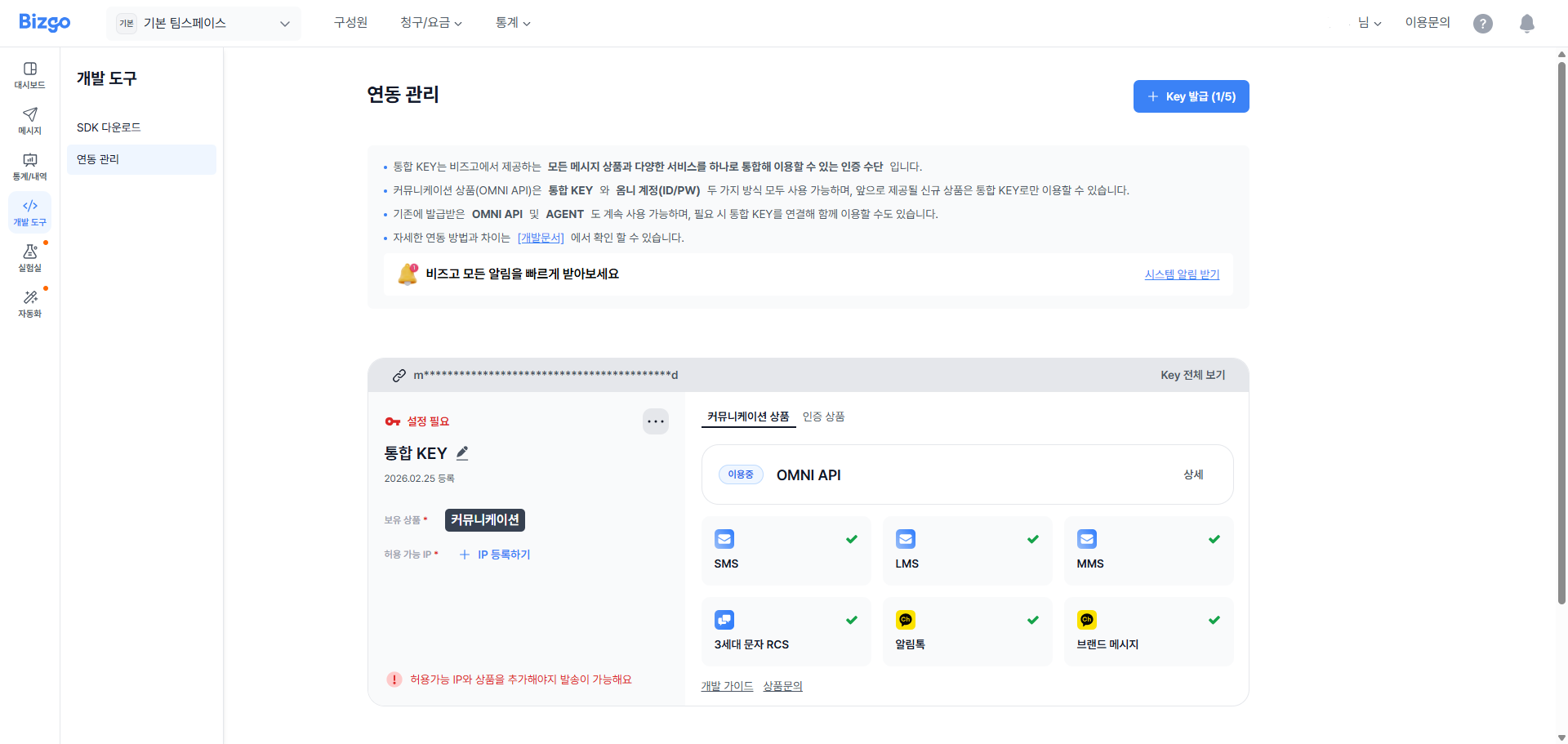
> **최초 가입 시 자동 발급**
최초 신규 가입 시 비즈니스 인증 완료 후 통합 Key 1개가 자동 발급되며, 선택한 요금제에 따라 상품이 추가된 상태로 확인할 수 있습니다.
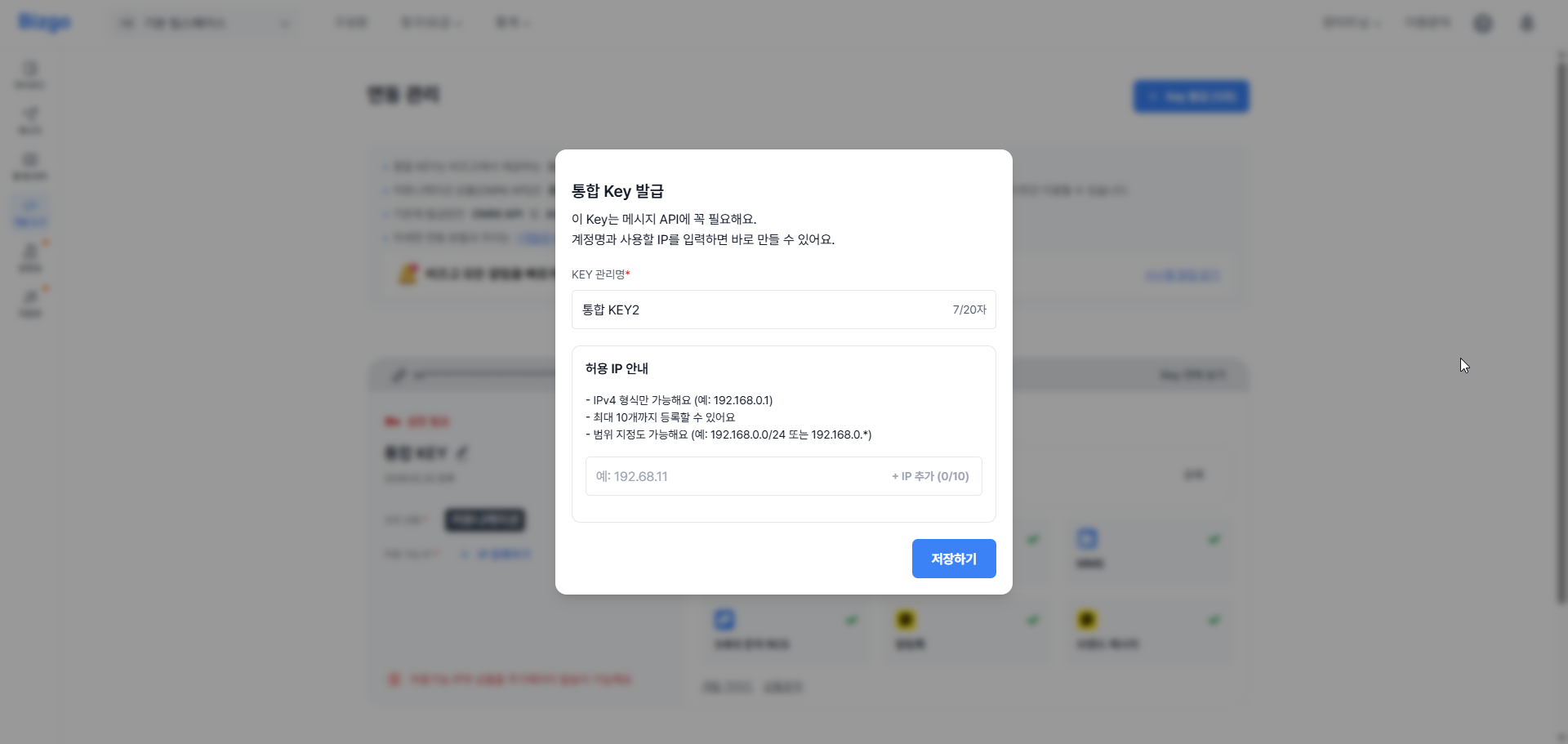
통합 Key 발급 후 허용 가능 IP(ACL)를 설정하고 이용을 원하는 상품을 연결하여 통합 Key를 활성화할 수 있습니다.
Key 관리명을 설정하면 여러 개의 Key를 관리하는 경우 효율적으로 관리할 수 있습니다.
---
## 상품 API/AGENT 정보 확인하기
통합 Key 발급 후 이용을 원하는 상품 연결을 완료하면 API 또는 AGENT의 규격 및 상세 정보를 확인할 수 있습니다.
커뮤니케이션 상품의 경우 규격과 개발 문서 및 설치 파일, 이용 서비스, 리포트 수신 방법, 월/일 전송 가능 건수 등의 상세 정보를 확인하실 수 있으며, 리포트 수신 방식을 변경하실 수 있습니다.
### 리포트 수신이란?
커뮤니케이션 상품으로 발송한 메시지의 발송 최종 결괏값에 대한 리포트를 고객사의 시스템에서 수신할 것인지, 어떠한 방식으로 수신할 것인지를 설정하는 옵션입니다.
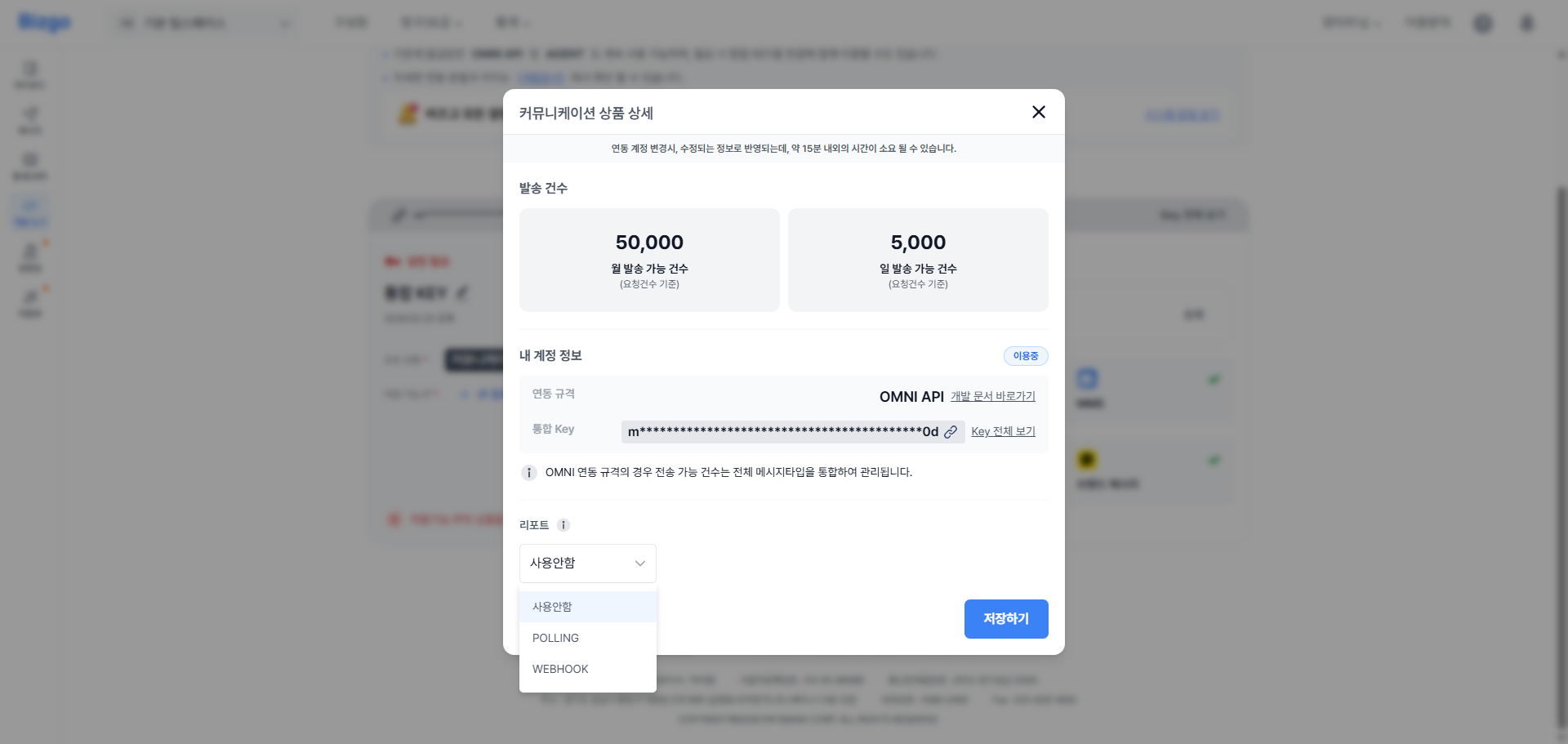
| 방식 | 설명 |
|------|------|
| **사용 안 함** | 최종 발송 결괏값을 고객사의 시스템으로 수신받지 않습니다. |
| **POLLING** | 고객사의 시스템에서 요청할 때마다 결괏값을 제공하는 리포트 방식입니다. |
| **WEBHOOK** | 최종 발송 결괏값이 생성될 때마다 고객사의 WEBHOOK URL로 리포트를 제공하는 방식입니다. |
> **리포트 수신 방법 변경 시 반영 시간**
리포트 수신 방법은 수정 가능하며, 변경 시 수정된 정보가 반영되기까지 최대 15분 내외로 소요됩니다.
---
## Base URI
| 환경 | Base URI |
|------|----------|
| 운영 | `https://mars.ibapi.kr/api/comm` |
| Sandbox | `https://sandbox-mars.ibapi.kr/api/comm` |
---
## 인증 헤더
모든 API 요청에 아래 헤더를 포함합니다.
```
Authorization: ApiKey {발급받은 API 키}
Content-Type: application/json
```
---
## 알림센터
비즈고 서비스에 문제가 발생하면 즉시 알림을 받아볼 수 있습니다. 알림은 연동관리에서 발급한 통합 Key 단위로 구독하며, 수신 채널과 알림 항목을 자유롭게 설정할 수 있습니다.
**[콘솔] > [팀스페이스] > [연동관리] > [알림센터]** 에서 설정할 수 있습니다.
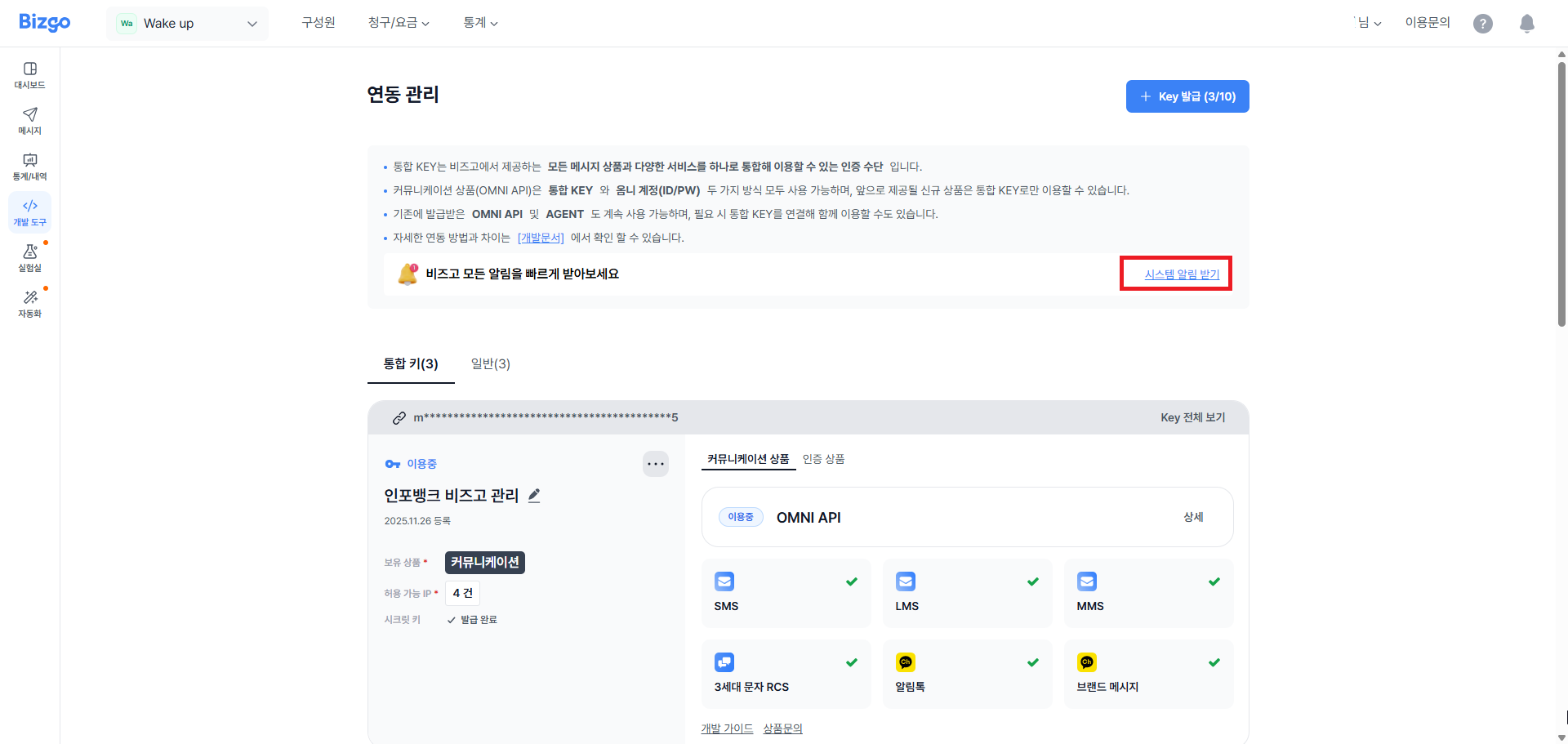
### 알림 항목
알림 항목은 중복 선택이 가능합니다.
| 항목 | 설명 |
|------|------|
| **서비스 공지** | 작업·장애 발생 시 공지 알림 |
| **계정 알림** | 여신 부족, Rate Limit 초과 등 계정 관련 알림 |
| **새 소식** | 신규 기능 업데이트 안내 |
### 수신 채널
알림은 아래 채널 중 원하는 곳으로 수신할 수 있으며, 복수 채널 동시 등록도 가능합니다.
| 채널 | 설명 |
|------|------|
| **Slack** | Webhook URL을 통한 슬랙 채널 수신 |
| **Microsoft Teams** | Incoming Webhook을 통한 팀즈 채널 수신 |
| **Google Chat** | Webhook URL을 통한 구글 챗 스페이스 수신 |
| **Discord** | Webhook URL을 통한 디스코드 채널 수신 |
| **Webhook** | 직접 구성한 URL로 HTTP POST 요청 수신 |
> **알림 등록 기준**
알림은 연동관리에서 발급한 통합 Key 단위로 등록됩니다. Key별로 수신 채널과 알림 항목을 독립적으로 설정할 수 있습니다.
---
## 다음 단계
- 발송 흐름 이해 → [발송 요청 구조 이해](/guide/deep-dive/message-structure)
- 채널 선택 → [채널 선택 가이드](/guide/message/channel-guide)
---
# 개정이력
URL: https://developers.bizgo.io/api-sdk/api-reference/changelog
# Changelog
---
# 예제 모음
URL: https://developers.bizgo.io/api-sdk/api-reference/comm/examples
# Example collection
Pick a message channel and a detailed type on the left, and you can check the request and response examples straight away on the right.
---
# Fallback 메시지(대체발송)
URL: https://developers.bizgo.io/api-sdk/api-reference/comm/fallback
# Failover message
Failover switches automatically to a backup channel when the send on the primary channel fails.
The key is the `messageFlow` field in the request body. `messageFlow` holds message objects in order as an Array, and if the message earlier in the order fails, the next message in the order is sent automatically as the failover.
Different channels use the same `/api/omni` path because the design distinguishes channels inside the `messageFlow` specification rather than by URL.
In other words, Bizgo's unified message model (`omni`) lets you control the message combination and the priority from the request body.
## How it behaves
```text
[Request starts: /api/omni]
|
v
[messageFlow[0] 1st priority send]
| success --------------> [send complete]
| failure
v
[messageFlow[1] 2nd priority send]
| success --------------> [send complete]
| failure
v
[messageFlow[2] 3rd priority send]
| success --------------> [send complete]
| failure
v
[final failure handling]
```
## Example strategies
1. Switch to SMS when Alimtalk fails
2. Retry with RCS after Alimtalk fails, then switch to LMS if that fails
## Design recommendations
- Define the switching conditions (failure code, timeout) clearly.
- Line up the template length and the substitution variables for each channel in advance.
- Apply idempotent handling on the same message key to prevent duplicate sends.
- Review your `messageFlow` design criteria together with the [SMS/LMS/MMS specification](/api-sdk/api-reference/comm/mt).
---
# 메시지 인사이트
URL: https://developers.bizgo.io/api-sdk/api-reference/comm/insight
# Message insight
Message insight is the set of APIs you use to look up message delivery results by statistics, history, and status.
## Look up statistics
- Method: `GET`
- URL: `/api/comm/v1/message/statistics`
Looks up message acceptance and report statistics by period and channel.
### Query Parameters
| Name | Type | Required | Description |
| --- | --- | --- | --- |
| `startDate` | String | Yes | The lookup start date (YYYYMMDD). |
| `endDate` | String | No | The lookup end date (YYYYMMDD). |
| `serviceType` | String | No | The channel type (SMS, MMS, RCS, ALIMTALK, BRANDMESSAGE). |
| `groupKey` | String | No | The message group key. |
### Returns
| Name | Type | Required | Description |
| --- | --- | --- | --- |
| `common` | Object | No | The common response section. |
| `common.authCode` | String | No | The authentication result code. |
| `common.authResult` | String | No | The authentication result message. |
| `common.infobankTrId` | String | No | The Infobank tracking ID. |
| `data` | Object | No | The product response section. |
| `data.code` | String | No | The processing result code. |
| `data.result` | String | No | The processing result message. |
| `data.data` | Object | No | The actual data section. |
| `data.data.statistics` | Object Array | No | The list of daily statistics. |
| `data.data.statistics[].statDate` | String | No | The aggregation date (YYYYMMDD). |
| `data.data.statistics[].recvTotalCnt` | Integer | No | The total number accepted. |
| `data.data.statistics[].recvSuccCnt` | Integer | No | The number accepted successfully. |
| `data.data.statistics[].recvFailCnt` | Integer | No | The number that failed acceptance. |
| `data.data.statistics[].reportTotalCnt` | Integer | No | The total number of reports. |
| `data.data.statistics[].reportSuccCnt` | Integer | No | The number of successful reports. |
| `data.data.statistics[].reportFailCnt` | Integer | No | The number of failed reports. |
### Request example
```bash
curl -X GET "https://mars.ibapi.kr/api/comm/v1/message/statistics?startDate=20251101&endDate=20251130&serviceType=SMS" \
-H "Authorization: {ApiKey}" \
-H "Content-Type: application/json"
```
## Look up delivery history
- Method: `GET`
- URL: `/api/comm/v1/message/history`
Looks up message send history by request time. You can review the detailed history through the acceptance, send, and report stages.
### Query Parameters
| Name | Type | Required | Description |
| --- | --- | --- | --- |
| `requestTime` | String | Yes | The reference time for the lookup (YYYY-MM-DDTHH:mm:ss). |
| `serviceType` | String Array | No | The channel type (SMS, MMS, RCS, ALIMTALK, BRANDMESSAGE). Separate multiple values with commas. |
| `groupKey` | String | No | The message group key. |
| `lastSeq` | Integer | No | The pagination sequence. |
| `limit` | Integer | No | The number of records to look up. Default 100, maximum 1,000. |
### Returns
| Name | Type | Required | Description |
| --- | --- | --- | --- |
| `common` | Object | No | The common response section. |
| `common.authCode` | String | No | The authentication result code. |
| `common.authResult` | String | No | The authentication result message. |
| `common.infobankTrId` | String | No | The Infobank tracking ID. |
| `data` | Object | No | The product response section. |
| `data.code` | String | No | The processing result code. |
| `data.result` | String | No | The processing result message. |
| `data.data` | Object | No | The actual data section. |
| `data.data.messages` | Object Array | No | The list of messages. |
| `data.data.messages[].msgKey` | String | No | The message key. |
| `data.data.messages[].serviceType` | String | No | The service type (SMS, MMS, RCS, ALIMTALK, BRANDMESSAGE). |
| `data.data.messages[].msgType` | String | No | The message type. |
| `data.data.messages[].to` | String | No | The recipient number. |
| `data.data.messages[].fallback` | String | No | Whether failover is used (Y/N). |
| `data.data.messages[].responseCode` | String | No | The acceptance result code. |
| `data.data.messages[].responseText` | String | No | The acceptance result message. |
| `data.data.messages[].requestTime` | String | No | The request time (ISO 8601). |
| `data.data.messages[].sendTime` | String | No | The send time (ISO 8601). |
| `data.data.messages[].reportTime` | String | No | The report time (ISO 8601). |
| `data.data.messages[].reportType` | String | No | The report type. |
| `data.data.messages[].reportCode` | String | No | The report code. |
| `data.data.messages[].reportText` | String | No | The report result message. |
| `data.data.messages[].userType` | String | No | Whether the user is a channel friend. (Brand Message only) |
| `data.data.messages[].carrier` | String | No | The carrier code. |
| `data.data.messages[].ref` | String | No | The reference field you passed in the request. |
### Request example
```bash
curl -X GET "https://mars.ibapi.kr/api/comm/v1/message/history?requestTime=2025-11-01T00:00:00&limit=100" \
-H "Authorization: {ApiKey}" \
-H "Content-Type: application/json"
```
## Look up status (single)
- Method: `GET`
- URL: `/api/comm/v1/message/inquiry/msgKey/{msgKey}`
Looks up the acceptance, send, and report status of a single message by msgKey.
### Path Parameters
| Name | Type | Required | Description |
| --- | --- | --- | --- |
| `msgKey` | String | Yes | The message key to look up. |
### Returns
| Name | Type | Required | Description |
| --- | --- | --- | --- |
| `common` | Object | No | The common response section. |
| `common.authCode` | String | No | The authentication result code. |
| `common.authResult` | String | No | The authentication result message. |
| `common.infobankTrId` | String | No | The Infobank tracking ID. |
| `data` | Object | No | The product response section. |
| `data.code` | String | No | The processing result code. |
| `data.result` | String | No | The processing result message. |
| `data.data` | Object | No | The actual data section. |
| `data.data.messages` | Object Array | No | The list of messages. |
| `data.data.messages[].msgKey` | String | No | The message key. |
| `data.data.messages[].serviceType` | String | No | The service type (SMS, MMS, RCS, ALIMTALK, BRANDMESSAGE). |
| `data.data.messages[].msgType` | String | No | The message type. |
| `data.data.messages[].to` | String | No | The recipient number. |
| `data.data.messages[].fallback` | String | No | Whether failover is used (Y/N). |
| `data.data.messages[].responseCode` | String | No | The acceptance result code. |
| `data.data.messages[].responseText` | String | No | The acceptance result message. |
| `data.data.messages[].requestTime` | String | No | The request time (ISO 8601). |
| `data.data.messages[].sendTime` | String | No | The send time (ISO 8601). |
| `data.data.messages[].reportTime` | String | No | The report time (ISO 8601). |
| `data.data.messages[].reportType` | String | No | The report type. |
| `data.data.messages[].reportCode` | String | No | The report code. |
| `data.data.messages[].reportText` | String | No | The report result message. |
| `data.data.messages[].userType` | String | No | Whether the user is a channel friend. (Brand Message only) |
| `data.data.messages[].carrier` | String | No | The carrier code. |
| `data.data.messages[].ref` | String | No | The reference field you passed in the request. |
### Request example
```bash
curl -X GET "https://mars.ibapi.kr/api/comm/v1/message/inquiry/msgKey/{msgKey}" \
-H "Authorization: {ApiKey}" \
-H "Content-Type: application/json"
```
## Look up status (multiple)
- Method: `GET`
- URL: `/api/comm/v1/message/inquiry/requestId/{requestId}`
Looks up the status of multiple messages in a broadcast request by requestId. requestId is msgKey without its last 3 digits.
### Path Parameters
| Name | Type | Required | Description |
| --- | --- | --- | --- |
| `requestId` | String | Yes | The broadcast request identifier. It is msgKey without its last 3 digits. |
### Returns
| Name | Type | Required | Description |
| --- | --- | --- | --- |
| `common` | Object | No | The common response section. |
| `common.authCode` | String | No | The authentication result code. |
| `common.authResult` | String | No | The authentication result message. |
| `common.infobankTrId` | String | No | The Infobank tracking ID. |
| `data` | Object | No | The product response section. |
| `data.code` | String | No | The processing result code. |
| `data.result` | String | No | The processing result message. |
| `data.data` | Object | No | The actual data section. |
| `data.data.messages` | Object Array | No | The list of messages. |
| `data.data.messages[].msgKey` | String | No | The message key. |
| `data.data.messages[].serviceType` | String | No | The service type (SMS, MMS, RCS, ALIMTALK, BRANDMESSAGE). |
| `data.data.messages[].msgType` | String | No | The message type. |
| `data.data.messages[].to` | String | No | The recipient number. |
| `data.data.messages[].fallback` | String | No | Whether failover is used (Y/N). |
| `data.data.messages[].responseCode` | String | No | The acceptance result code. |
| `data.data.messages[].responseText` | String | No | The acceptance result message. |
| `data.data.messages[].requestTime` | String | No | The request time (ISO 8601). |
| `data.data.messages[].sendTime` | String | No | The send time (ISO 8601). |
| `data.data.messages[].reportTime` | String | No | The report time (ISO 8601). |
| `data.data.messages[].reportType` | String | No | The report type. |
| `data.data.messages[].reportCode` | String | No | The report code. |
| `data.data.messages[].reportText` | String | No | The report result message. |
| `data.data.messages[].userType` | String | No | Whether the user is a channel friend. (Brand Message only) |
| `data.data.messages[].carrier` | String | No | The carrier code. |
| `data.data.messages[].ref` | String | No | The reference field you passed in the request. |
### Request example
```bash
curl -X GET "https://mars.ibapi.kr/api/comm/v1/message/inquiry/requestId/{requestId}" \
-H "Authorization: {ApiKey}" \
-H "Content-Type: application/json"
```
## Look up MO (inbound) history
- Method: `GET`
- URL: `/api/comm/v1/message/history/mo`
Looks up inbound message history in reverse chronological order by the time the MO occurred. Use lastSeq as the cursor to continue to the next page.
### Query Parameters
| Name | Type | Required | Description |
| --- | --- | --- | --- |
| `occurredTime` | String | Yes | The MO occurrence time used as the lookup baseline (YYYY-MM-DDTHH:mm:ss+09:00). You must include the timezone offset. |
| `from` | String | No | Filters by sender number. |
| `to` | String | No | Filters by recipient number (MO number). |
| `lastSeq` | Integer | No | The cursor used to look up the next page. If omitted, the lookup starts from the most recent record. |
| `limit` | Integer | No | The number of records to look up. Default 100, maximum 1,000. |
### Returns
| Name | Type | Required | Description |
| --- | --- | --- | --- |
| `common` | Object | No | The common response section. |
| `common.authCode` | String | No | The authentication result code. |
| `common.authResult` | String | No | The authentication result message. |
| `common.infobankTrId` | String | No | The Infobank tracking ID. |
| `data` | Object | No | The product response section. |
| `data.code` | String | No | The processing result code. |
| `data.result` | String | No | The processing result message. |
| `data.data` | Object | No | The actual data section. |
| `data.data.lastSeq` | Integer | No | The lastSeq to use when looking up the next page. |
| `data.data.hasNext` | Boolean | No | Whether a next page exists. |
| `data.data.messages` | Object Array | No | The list of messages. |
| `data.data.messages[].msgKey` | String | No | The message key. |
| `data.data.messages[].serviceType` | String | No | The service type. Always MO. |
| `data.data.messages[].msgType` | String | No | The message type. |
| `data.data.messages[].to` | String | No | The recipient number (MO number). |
| `data.data.messages[].from` | String | No | The sender number. |
| `data.data.messages[].originator` | String | No | The actual originating number. |
| `data.data.messages[].content` | String | No | The MO message body. |
| `data.data.messages[].carrier` | String | No | The carrier code. |
| `data.data.messages[].occurredTime` | String | No | The time the MO occurred (ISO 8601). |
### Request example
```bash
curl -X GET "https://mars.ibapi.kr/api/comm/v1/message/history/mo?occurredTime=2026-04-23T14:11:01%2B09:00&limit=100" \
-H "Authorization: {ApiKey}" \
-H "Content-Type: application/json"
```
## Look up a single MO (inbound) message
- Method: `GET`
- URL: `/api/comm/v1/message/inquiry/mo/msgKey/{msgKey}`
Looks up MO (inbound) messages by msgKey. Because the same msgKey can match multiple records, they are returned as an array.
### Path Parameters
| Name | Type | Required | Description |
| --- | --- | --- | --- |
| `msgKey` | String | Yes | The MO message key to look up. |
### Returns
| Name | Type | Required | Description |
| --- | --- | --- | --- |
| `common` | Object | No | The common response section. |
| `common.authCode` | String | No | The authentication result code. |
| `common.authResult` | String | No | The authentication result message. |
| `common.infobankTrId` | String | No | The Infobank tracking ID. |
| `data` | Object | No | The product response section. |
| `data.code` | String | No | The processing result code. |
| `data.result` | String | No | The processing result message. |
| `data.data` | Object | No | The actual data section. |
| `data.data.messages` | Object Array | No | The list of messages. |
| `data.data.messages[].msgKey` | String | No | The message key. |
| `data.data.messages[].serviceType` | String | No | The service type. Always MO. |
| `data.data.messages[].msgType` | String | No | The message type. |
| `data.data.messages[].to` | String | No | The recipient number (MO number). |
| `data.data.messages[].from` | String | No | The sender number. |
| `data.data.messages[].originator` | String | No | The actual originating number. |
| `data.data.messages[].content` | String | No | The MO message body. |
| `data.data.messages[].carrier` | String | No | The carrier code. |
| `data.data.messages[].occurredTime` | String | No | The time the MO occurred (ISO 8601). |
### Request example
```bash
curl -X GET "https://mars.ibapi.kr/api/comm/v1/message/inquiry/mo/msgKey/{msgKey}" \
-H "Authorization: {ApiKey}" \
-H "Content-Type: application/json"
```
---
## Kakao Alimtalk insight
Look up the delivery success, read, and click statistics that Kakao provides directly for the Alimtalk channel.
### Look up the main insights
- Method: `GET`
- URL: `/api/comm/v1/center/statistics/alimtalk`
Looks up key Alimtalk statistics — send success/failure, reads, clicks — by period and sender profile.
### Query Parameters
| Name | Type | Required | Description |
| --- | --- | --- | --- |
| `startDate` | String | Yes | The lookup start date (YYYYMMDD). |
| `endDate` | String | Yes | The lookup end date (YYYYMMDD). |
| `senderKey` | String Array | Yes | The sender profile key. To look up several, separate them with commas. |
| `templateCode` | String Array | No | The template code. To look up several, separate them with commas. If omitted, all templates are returned. |
### Returns
| Name | Type | Required | Description |
| --- | --- | --- | --- |
| `common` | Object | No | The common response section. |
| `common.authCode` | String | No | The authentication result code. |
| `common.authResult` | String | No | The authentication result message. |
| `common.infobankTrId` | String | No | The Infobank tracking ID. |
| `data` | Object | No | The product response section. |
| `data.code` | String | No | The processing result code. |
| `data.result` | String | No | The processing result message. |
| `data.data` | Object | No | The actual data section. |
| `data.data.statistics` | Object Array | No | The list of send statistics. |
| `data.data.statistics[].successCount` | Integer | No | The number sent successfully. |
| `data.data.statistics[].failCount` | Integer | No | The number that failed to send. |
| `data.data.statistics[].readCount` | Integer | No | The number of reads. |
| `data.data.statistics[].buttonClickCount` | Integer | No | The number of button clicks. |
| `data.data.statistics[].listClickCount` | Integer | No | The number of list clicks. |
| `data.data.statistics[].thumbnailClickCount` | Integer | No | The number of thumbnail clicks. |
| `data.data.statistics[].etcClickCount` | Integer | No | The number of other clicks. |
| `data.data.statistics[].sendRate` | Double | No | The send success rate. |
| `data.data.statistics[].readRate` | Double | No | The read rate. |
| `data.data.statistics[].clickRate` | Double | No | The click rate. |
| `data.data.statistics[].ctr` | Double | No | The CTR (click rate / read rate). |
### Request example
```bash
curl -X GET "https://mars.ibapi.kr/api/comm/v1/center/statistics/alimtalk?startDate=20251101&endDate=20251130&senderKey={senderKey}" \
-H "Authorization: {ApiKey}" \
-H "Content-Type: application/json"
```
### Hourly reaction metrics
- Method: `GET`
- URL: `/api/comm/v1/center/statistics/alimtalk/reaction/hourly`
Looks up hourly Alimtalk engagement statistics by period and sender profile.
### Query Parameters
| Name | Type | Required | Description |
| --- | --- | --- | --- |
| `startDate` | String | Yes | The lookup start date (YYYYMMDD). |
| `endDate` | String | Yes | The lookup end date (YYYYMMDD). |
| `senderKey` | String Array | Yes | The sender profile key. To look up several, separate them with commas. |
| `templateCode` | String Array | No | The template code. To look up several, separate them with commas. If omitted, all templates are returned. |
### Returns
| Name | Type | Required | Description |
| --- | --- | --- | --- |
| `common` | Object | No | The common response section. |
| `common.authCode` | String | No | The authentication result code. |
| `common.authResult` | String | No | The authentication result message. |
| `common.infobankTrId` | String | No | The Infobank tracking ID. |
| `data` | Object | No | The product response section. |
| `data.code` | String | No | The processing result code. |
| `data.result` | String | No | The processing result message. |
| `data.data` | Object | No | The actual data section. |
| `data.data.statistics` | Object Array | No | The list of hourly statistics. |
| `data.data.statistics[].hour` | String | No | The aggregation hour (0–23). |
| `data.data.statistics[].successCount` | Integer | No | The number sent successfully. |
| `data.data.statistics[].failCount` | Integer | No | The number that failed to send. |
| `data.data.statistics[].readCount` | Integer | No | The number of reads. |
| `data.data.statistics[].buttonClickCount` | Integer | No | The number of button clicks. |
| `data.data.statistics[].listClickCount` | Integer | No | The number of list clicks. |
| `data.data.statistics[].thumbnailClickCount` | Integer | No | The number of thumbnail clicks. |
| `data.data.statistics[].etcClickCount` | Integer | No | The number of other clicks. |
| `data.data.statistics[].sendRate` | Double | No | The send success rate. |
| `data.data.statistics[].readRate` | Double | No | The read rate. |
| `data.data.statistics[].clickRate` | Double | No | The click rate. |
| `data.data.statistics[].ctr` | Double | No | The CTR (click rate / read rate). |
### Request example
```bash
curl -X GET "https://mars.ibapi.kr/api/comm/v1/center/statistics/alimtalk/reaction/hourly?startDate=20251101&endDate=20251130&senderKey={senderKey}" \
-H "Authorization: {ApiKey}" \
-H "Content-Type: application/json"
```
### Look up template details
- Method: `GET`
- URL: `/api/comm/v1/center/statistics/alimtalk/template`
Looks up per-template Alimtalk statistics by period and sender profile.
### Query Parameters
| Name | Type | Required | Description |
| --- | --- | --- | --- |
| `startDate` | String | Yes | The lookup start date (YYYYMMDD). |
| `endDate` | String | Yes | The lookup end date (YYYYMMDD). |
| `senderKey` | String Array | Yes | The sender profile key. To look up several, separate them with commas. |
| `templateCode` | String Array | No | The template code. To look up several, separate them with commas. If omitted, all templates are returned. |
### Returns
| Name | Type | Required | Description |
| --- | --- | --- | --- |
| `common` | Object | No | The common response section. |
| `common.authCode` | String | No | The authentication result code. |
| `common.authResult` | String | No | The authentication result message. |
| `common.infobankTrId` | String | No | The Infobank tracking ID. |
| `data` | Object | No | The product response section. |
| `data.code` | String | No | The processing result code. |
| `data.result` | String | No | The processing result message. |
| `data.data` | Object | No | The actual data section. |
| `data.data.statistics` | Object Array | No | The list of per-template statistics. |
| `data.data.statistics[].templateCode` | String | No | The template code. |
| `data.data.statistics[].templateName` | String | No | The template name. |
| `data.data.statistics[].successCount` | Integer | No | The number sent successfully. |
| `data.data.statistics[].failCount` | Integer | No | The number that failed to send. |
| `data.data.statistics[].readCount` | Integer | No | The number of reads. |
| `data.data.statistics[].buttonClickCount` | Integer | No | The number of button clicks. |
| `data.data.statistics[].listClickCount` | Integer | No | The number of list clicks. |
| `data.data.statistics[].thumbnailClickCount` | Integer | No | The number of thumbnail clicks. |
| `data.data.statistics[].etcClickCount` | Integer | No | The number of other clicks. |
| `data.data.statistics[].sendRate` | Double | No | The send success rate. |
| `data.data.statistics[].readRate` | Double | No | The read rate. |
| `data.data.statistics[].clickRate` | Double | No | The click rate. |
| `data.data.statistics[].ctr` | Double | No | The CTR (click rate / read rate). |
### Request example
```bash
curl -X GET "https://mars.ibapi.kr/api/comm/v1/center/statistics/alimtalk/template?startDate=20251101&endDate=20251130&senderKey={senderKey}" \
-H "Authorization: {ApiKey}" \
-H "Content-Type: application/json"
```
---
## Kakao Brand Message insight
Look up the delivery success, read, and click statistics that Kakao provides directly for the Brand Message channel.
### Look up the main insights
- Method: `GET`
- URL: `/api/comm/v1/center/statistics/brandmessage`
Looks up key Brand Message statistics — send success/failure, reads, clicks — by period and sender profile.
### Query Parameters
| Name | Type | Required | Description |
| --- | --- | --- | --- |
| `startDate` | String | Yes | The lookup start date (YYYYMMDD). |
| `endDate` | String | Yes | The lookup end date (YYYYMMDD). |
| `senderKey` | String Array | Yes | The sender profile key. To look up several, separate them with commas. |
| `templateCode` | String Array | No | The template code. To look up several, separate them with commas. If omitted, all templates are returned. |
### Returns
| Name | Type | Required | Description |
| --- | --- | --- | --- |
| `common` | Object | No | The common response section. |
| `common.authCode` | String | No | The authentication result code. |
| `common.authResult` | String | No | The authentication result message. |
| `common.infobankTrId` | String | No | The Infobank tracking ID. |
| `data` | Object | No | The product response section. |
| `data.code` | String | No | The processing result code. |
| `data.result` | String | No | The processing result message. |
| `data.data` | Object | No | The actual data section. |
| `data.data.statistics` | Object Array | No | The list of send statistics. |
| `data.data.statistics[].successCount` | Integer | No | The number sent successfully. |
| `data.data.statistics[].failCount` | Integer | No | The number that failed to send. |
| `data.data.statistics[].readCount` | Integer | No | The number of reads. |
| `data.data.statistics[].buttonClickCount` | Integer | No | The number of button clicks. |
| `data.data.statistics[].listClickCount` | Integer | No | The number of list clicks. |
| `data.data.statistics[].thumbnailClickCount` | Integer | No | The number of thumbnail clicks. |
| `data.data.statistics[].etcClickCount` | Integer | No | The number of other clicks. |
| `data.data.statistics[].sendRate` | Double | No | The send success rate. |
| `data.data.statistics[].readRate` | Double | No | The read rate. |
| `data.data.statistics[].clickRate` | Double | No | The click rate. |
| `data.data.statistics[].ctr` | Double | No | The CTR (click rate / read rate). |
### Request example
```bash
curl -X GET "https://mars.ibapi.kr/api/comm/v1/center/statistics/brandmessage?startDate=20251101&endDate=20251130&senderKey={senderKey}" \
-H "Authorization: {ApiKey}" \
-H "Content-Type: application/json"
```
### Hourly reaction metrics
- Method: `GET`
- URL: `/api/comm/v1/center/statistics/brandmessage/reaction/hourly`
Looks up hourly Brand Message engagement statistics by period and sender profile.
### Query Parameters
| Name | Type | Required | Description |
| --- | --- | --- | --- |
| `startDate` | String | Yes | The lookup start date (YYYYMMDD). |
| `endDate` | String | Yes | The lookup end date (YYYYMMDD). |
| `senderKey` | String Array | Yes | The sender profile key. To look up several, separate them with commas. |
| `templateCode` | String Array | No | The template code. To look up several, separate them with commas. If omitted, all templates are returned. |
### Returns
| Name | Type | Required | Description |
| --- | --- | --- | --- |
| `common` | Object | No | The common response section. |
| `common.authCode` | String | No | The authentication result code. |
| `common.authResult` | String | No | The authentication result message. |
| `common.infobankTrId` | String | No | The Infobank tracking ID. |
| `data` | Object | No | The product response section. |
| `data.code` | String | No | The processing result code. |
| `data.result` | String | No | The processing result message. |
| `data.data` | Object | No | The actual data section. |
| `data.data.statistics` | Object Array | No | The list of hourly statistics. |
| `data.data.statistics[].hour` | String | No | The aggregation hour (0–23). |
| `data.data.statistics[].successCount` | Integer | No | The number sent successfully. |
| `data.data.statistics[].failCount` | Integer | No | The number that failed to send. |
| `data.data.statistics[].readCount` | Integer | No | The number of reads. |
| `data.data.statistics[].buttonClickCount` | Integer | No | The number of button clicks. |
| `data.data.statistics[].listClickCount` | Integer | No | The number of list clicks. |
| `data.data.statistics[].thumbnailClickCount` | Integer | No | The number of thumbnail clicks. |
| `data.data.statistics[].etcClickCount` | Integer | No | The number of other clicks. |
| `data.data.statistics[].sendRate` | Double | No | The send success rate. |
| `data.data.statistics[].readRate` | Double | No | The read rate. |
| `data.data.statistics[].clickRate` | Double | No | The click rate. |
| `data.data.statistics[].ctr` | Double | No | The CTR (click rate / read rate). |
### Request example
```bash
curl -X GET "https://mars.ibapi.kr/api/comm/v1/center/statistics/brandmessage/reaction/hourly?startDate=20251101&endDate=20251130&senderKey={senderKey}" \
-H "Authorization: {ApiKey}" \
-H "Content-Type: application/json"
```
### Look up template details
- Method: `GET`
- URL: `/api/comm/v1/center/statistics/brandmessage/template`
Looks up per-template Brand Message statistics by period and sender profile.
### Query Parameters
| Name | Type | Required | Description |
| --- | --- | --- | --- |
| `startDate` | String | Yes | The lookup start date (YYYYMMDD). |
| `endDate` | String | Yes | The lookup end date (YYYYMMDD). |
| `senderKey` | String Array | Yes | The sender profile key. To look up several, separate them with commas. |
| `templateCode` | String Array | No | The template code. To look up several, separate them with commas. If omitted, all templates are returned. |
### Returns
| Name | Type | Required | Description |
| --- | --- | --- | --- |
| `common` | Object | No | The common response section. |
| `common.authCode` | String | No | The authentication result code. |
| `common.authResult` | String | No | The authentication result message. |
| `common.infobankTrId` | String | No | The Infobank tracking ID. |
| `data` | Object | No | The product response section. |
| `data.code` | String | No | The processing result code. |
| `data.result` | String | No | The processing result message. |
| `data.data` | Object | No | The actual data section. |
| `data.data.statistics` | Object Array | No | The list of per-template statistics. |
| `data.data.statistics[].templateCode` | String | No | The template code. |
| `data.data.statistics[].templateName` | String | No | The template name. |
| `data.data.statistics[].successCount` | Integer | No | The number sent successfully. |
| `data.data.statistics[].failCount` | Integer | No | The number that failed to send. |
| `data.data.statistics[].readCount` | Integer | No | The number of reads. |
| `data.data.statistics[].buttonClickCount` | Integer | No | The number of button clicks. |
| `data.data.statistics[].listClickCount` | Integer | No | The number of list clicks. |
| `data.data.statistics[].thumbnailClickCount` | Integer | No | The number of thumbnail clicks. |
| `data.data.statistics[].etcClickCount` | Integer | No | The number of other clicks. |
| `data.data.statistics[].sendRate` | Double | No | The send success rate. |
| `data.data.statistics[].readRate` | Double | No | The read rate. |
| `data.data.statistics[].clickRate` | Double | No | The click rate. |
| `data.data.statistics[].ctr` | Double | No | The CTR (click rate / read rate). |
### Request example
```bash
curl -X GET "https://mars.ibapi.kr/api/comm/v1/center/statistics/brandmessage/template?startDate=20251101&endDate=20251130&senderKey={senderKey}" \
-H "Authorization: {ApiKey}" \
-H "Content-Type: application/json"
```
---
## RCS message insight
Look up RCS delivery results by customer response. Beyond delivery and displayed (read) counts, you can see button clicks, persistent menu usage, and brand profile impressions.
Statistics are aggregated per `groupId`. **You must supply a `groupId` when you send an RCS message; that value is what the statistics are grouped and looked up by.** Sends without a `groupId` are not included, so decide the unit you want to measure (a campaign, a message type, and so on) and pass it with the send request.
### Message delivery and display statistics
- Method: `GET`
- URL: `/api/comm/v1/center/rcs/brandId/{brandId}/stat/message`
Looks up RCS message delivery counts and displayed (read) counts by date, for a brand and group.
### Query Parameters
| Name | Type | Required | Description |
| --- | --- | --- | --- |
| `startDate` | String | Yes | The start date of the lookup. format: yyyyMMdd |
| `endDate` | String | Yes | The end date of the lookup. format: yyyyMMdd |
| `groupId` | String | Yes | The group ID. This must be the groupId you supplied in the RCS send request. Sends made without one are not aggregated. |
| `chatbotId` | String | No | The chatbot ID. Supplying it narrows the lookup to that chatbot. |
### Path Parameters
| Name | Type | Required | Description |
| --- | --- | --- | --- |
| `brandId` | String | Yes | The RCS brand ID. |
### Returns
| Name | Type | Required | Description |
| --- | --- | --- | --- |
| `common` | Object | No | The common response section. |
| `common.authCode` | String | No | The authentication result code. |
| `common.authResult` | String | No | The authentication result message. |
| `common.infobankTrId` | String | No | The transaction tracing ID. |
| `data` | Object | No | The product response section. |
| `data.code` | String | No | The processing result code. |
| `data.result` | String | No | The processing result description. |
| `data.rcs` | Object | No | The RCS response information. |
| `data.rcs.stat` | Object Array | No | The statistics list by date. |
| `data.rcs.stat[].statDate` | String | No | The statistics date. |
| `data.rcs.stat[].corpId` | String | No | The corporate ID. |
| `data.rcs.stat[].corpRegNum` | String | No | The business registration number. |
| `data.rcs.stat[].brandId` | String | No | The RCS brand ID. |
| `data.rcs.stat[].chatbotId` | String | No | The chatbot ID. |
| `data.rcs.stat[].groupId` | String | No | The group ID. |
| `data.rcs.stat[].messagebaseId` | String | No | The message base ID. |
| `data.rcs.stat[].deliveredCount` | Integer | No | The number of messages delivered. |
| `data.rcs.stat[].displayedCount` | Integer | No | The number of messages displayed (read). |
### Request example
```bash
curl -X GET "https://mars.ibapi.kr/api/comm/v1/center/rcs/brandId/{brandId}/stat/message?startDate=20260801&endDate=20260831&groupId={groupId}" -H "Authorization: {ApiKey}"
```
### Message button click statistics
- Method: `GET`
- URL: `/api/comm/v1/center/rcs/brandId/{brandId}/stat/messageButton`
Looks up how often the buttons in an RCS message were clicked, per card and per button.
### Query Parameters
| Name | Type | Required | Description |
| --- | --- | --- | --- |
| `startDate` | String | Yes | The start date of the lookup. format: yyyyMMdd |
| `endDate` | String | Yes | The end date of the lookup. format: yyyyMMdd |
| `groupId` | String | Yes | The group ID. This must be the groupId you supplied in the RCS send request. Sends made without one are not aggregated. |
| `chatbotId` | String | No | The chatbot ID. Supplying it narrows the lookup to that chatbot. |
### Path Parameters
| Name | Type | Required | Description |
| --- | --- | --- | --- |
| `brandId` | String | Yes | The RCS brand ID. |
### Returns
| Name | Type | Required | Description |
| --- | --- | --- | --- |
| `common` | Object | No | The common response section. |
| `common.authCode` | String | No | The authentication result code. |
| `common.authResult` | String | No | The authentication result message. |
| `common.infobankTrId` | String | No | The transaction tracing ID. |
| `data` | Object | No | The product response section. |
| `data.code` | String | No | The processing result code. |
| `data.result` | String | No | The processing result description. |
| `data.rcs` | Object | No | The RCS response information. |
| `data.rcs.stat` | Object Array | No | The button click statistics list by date. |
| `data.rcs.stat[].statDate` | String | No | The statistics date. |
| `data.rcs.stat[].corpId` | String | No | The corporate ID. |
| `data.rcs.stat[].corpRegNum` | String | No | The business registration number. |
| `data.rcs.stat[].brandId` | String | No | The RCS brand ID. |
| `data.rcs.stat[].chatbotId` | String | No | The chatbot ID. |
| `data.rcs.stat[].groupId` | String | No | The group ID. |
| `data.rcs.stat[].messagebaseId` | String | No | The message base ID. |
| `data.rcs.stat[].reactionType` | String | No | The reaction type. |
| `data.rcs.stat[].cardNum` | Integer | No | The card number. |
| `data.rcs.stat[].buttonList` | Object Array | No | Click details for each button. |
| `data.rcs.stat[].buttonList[].buttonNum` | Integer | No | The button number. |
| `data.rcs.stat[].buttonList[].actionType` | String | No | The button action type. |
| `data.rcs.stat[].buttonList[].title` | String | No | The button title. |
| `data.rcs.stat[].buttonList[].clickCount` | Integer | No | The number of clicks. |
### Request example
```bash
curl -X GET "https://mars.ibapi.kr/api/comm/v1/center/rcs/brandId/{brandId}/stat/messageButton?startDate=20260801&endDate=20260831&groupId={groupId}" -H "Authorization: {ApiKey}"
```
### Chat room menu click statistics
- Method: `GET`
- URL: `/api/comm/v1/center/rcs/brandId/{brandId}/stat/persistentMenu`
Looks up click counts for the persistent menu at the bottom of the chat room, per menu item. This is the only one of these specifications that requires a chatbot ID.
### Query Parameters
| Name | Type | Required | Description |
| --- | --- | --- | --- |
| `startDate` | String | Yes | The start date of the lookup. format: yyyyMMdd |
| `endDate` | String | Yes | The end date of the lookup. format: yyyyMMdd |
| `chatbotId` | String | Yes | The chatbot ID. Of the four statistics, only this one requires a chatbot ID. The request is rejected if you omit it. |
### Path Parameters
| Name | Type | Required | Description |
| --- | --- | --- | --- |
| `brandId` | String | Yes | The RCS brand ID. |
### Returns
| Name | Type | Required | Description |
| --- | --- | --- | --- |
| `common` | Object | No | The common response section. |
| `common.authCode` | String | No | The authentication result code. |
| `common.authResult` | String | No | The authentication result message. |
| `common.infobankTrId` | String | No | The transaction tracing ID. |
| `data` | Object | No | The product response section. |
| `data.code` | String | No | The processing result code. |
| `data.result` | String | No | The processing result description. |
| `data.rcs` | Object | No | The RCS response information. |
| `data.rcs.stat` | Object Array | No | The menu click statistics list by date. |
| `data.rcs.stat[].statDate` | String | No | The statistics date. |
| `data.rcs.stat[].corpId` | String | No | The corporate ID. |
| `data.rcs.stat[].corpRegNum` | String | No | The business registration number. |
| `data.rcs.stat[].brandId` | String | No | The RCS brand ID. |
| `data.rcs.stat[].chatbotId` | String | No | The chatbot ID. |
| `data.rcs.stat[].menuList` | Object Array | No | Click details for each menu item. |
| `data.rcs.stat[].menuList[].postbackId` | String | No | The postback ID. |
| `data.rcs.stat[].menuList[].menuType` | String | No | The menu type. |
| `data.rcs.stat[].menuList[].actionType` | String | No | The menu action type. |
| `data.rcs.stat[].menuList[].title` | String | No | The menu title. |
| `data.rcs.stat[].menuList[].clickCount` | Integer | No | The number of clicks. |
| `data.rcs.stat[].menuList[].subList` | Object Array | No | The submenu list. Each entry has the same fields as its parent menu. |
### Request example
```bash
curl -X GET "https://mars.ibapi.kr/api/comm/v1/center/rcs/brandId/{brandId}/stat/persistentMenu?startDate=20260801&endDate=20260831&chatbotId={chatbotId}" -H "Authorization: {ApiKey}"
```
### Brand profile display statistics
- Method: `GET`
- URL: `/api/comm/v1/center/rcs/brandId/{brandId}/stat/brandProfile`
Looks up how often the brand profile was displayed, by date. It takes only a period — no group or chatbot condition.
### Query Parameters
| Name | Type | Required | Description |
| --- | --- | --- | --- |
| `startDate` | String | Yes | The start date of the lookup. format: yyyyMMdd |
| `endDate` | String | Yes | The end date of the lookup. format: yyyyMMdd |
### Path Parameters
| Name | Type | Required | Description |
| --- | --- | --- | --- |
| `brandId` | String | Yes | The RCS brand ID. |
### Returns
| Name | Type | Required | Description |
| --- | --- | --- | --- |
| `common` | Object | No | The common response section. |
| `common.authCode` | String | No | The authentication result code. |
| `common.authResult` | String | No | The authentication result message. |
| `common.infobankTrId` | String | No | The transaction tracing ID. |
| `data` | Object | No | The product response section. |
| `data.code` | String | No | The processing result code. |
| `data.result` | String | No | The processing result description. |
| `data.rcs` | Object | No | The RCS response information. |
| `data.rcs.stat` | Object Array | No | The display statistics list by date. |
| `data.rcs.stat[].statDate` | String | No | The statistics date. |
| `data.rcs.stat[].chatbotId` | String | No | The chatbot ID. |
| `data.rcs.stat[].displayedCount` | Integer | No | The number of displays. |
### Request example
```bash
curl -X GET "https://mars.ibapi.kr/api/comm/v1/center/rcs/brandId/{brandId}/stat/brandProfile?startDate=20260801&endDate=20260831" -H "Authorization: {ApiKey}"
```
---
# 국제메시지
URL: https://developers.bizgo.io/api-sdk/api-reference/comm/international
# International message
International message is the channel API for sending messages to overseas recipients. Bizgo integrates with several overseas aggregators to build a send route for each country, and billing is based on acceptance regardless of whether the message actually reaches the handset.
## Send an international message
- Method: `POST`
- URL: `/api/comm/v1/send/omni`
The international message send specification. It uses the messageFlow[].international object and supports a UTF-8 body. International messages are charged on acceptance, regardless of whether they actually reach the device.
### Body Parameters
| Name | Type | Required | Description |
| --- | --- | --- | --- |
| `destinations` | Object Array | Yes | The array of recipient information. Up to 200 per broadcast send. |
| `destinations[].to` | String | Yes | The international recipient number. format: E.164 (without +) length: 8~15 example: 821000000000 |
| `destinations[].replaceWords` | Object | No | Variable substitution variables (JSON). |
| `destinations[].ref` | String | No | A per-message reference field. A custom field that distinguishes requests and messages when you receive delivery reports. You can use it to map internal keys or identifiers. When this field is set, its value is used for that recipient number instead of the request-level ref. max: 200 |
| `destinations[].fallbackFlag` | String | No | Whether to apply fallback processing for this recipient number. Y: falls back to the next object in messageFlow. N: does not fall back, even when messageFlow has a following object. Use it when fallback eligibility differs per recipient number. format: Y or N (default: Y) |
| `messageFlow` | Object Array | Yes | When you add messages, they are handled in order as automatic failover messages. |
| `messageFlow[].international` | Object | Yes | The international message object. |
| `messageFlow[].international.from` | String | Yes | The sender number. example: 01000000000 |
| `messageFlow[].international.text` | String | Yes | The international message body. encoding: UTF-8 max: 1000 chars |
| `messageFlow[].international.ttl` | String | No | The message time-to-live in seconds. default: 86400 |
| `messageFlow[].international.clientSubId` | String | No | A delimiter for specifying multiple Sender ID values and message signatures. max: 20 |
| `groupKey` | String | No | A key you set to group messages and review their statistics in Message Insight. max: 64 |
| `idempotencyKey` | String | No | The idempotency key field that identifies the request for idempotency. You can use this field to prevent duplicate requests. max: 200 |
| `idempotencyTtl` | Integer | No | The validity period of the idempotency key. min: 1 max: 86400 |
| `ref` | String | No | A per-request reference field. A custom field that distinguishes requests and messages when you receive delivery reports. You can use it to map internal keys or identifiers. max: 200 |
### Returns
| Name | Type | Required | Description |
| --- | --- | --- | --- |
| `common` | Object | No | The common response section. |
| `common.authCode` | String | No | The authentication result code. |
| `common.authResult` | String | No | The authentication result message. |
| `common.infobankTrId` | String | No | The tracking ID. |
| `data` | Object | No | The service response section. |
| `data.code` | String | No | The call result code. |
| `data.result` | String | No | The call result message. |
| `data.data` | Object | No | The actual message response data. |
| `data.data.destinations` | Object Array | No | The array of per-recipient results. |
| `data.data.destinations[].to` | String | No | The recipient number. |
| `data.data.destinations[].msgKey` | String | No | The message key. |
| `data.data.destinations[].code` | String | No | The per-recipient result code. |
| `data.data.destinations[].result` | String | No | The per-recipient result. |
| `data.ref` | String | No | The reference value passed with the request. |
### Request example
```bash
curl -X POST "https://mars.ibapi.kr/api/comm/v1/send/omni" \
-H "Authorization: {ApiKey}" \
-H "Content-Type: application/json" \
-d '{
"messageFlow": [{
"international": {
"from": "01000000000",
"text": "Your verification code is 483920."
}
}],
"destinations": [{
"to": "821000000000"
}],
"ref": "international-20260331-001"
}'
```
## Reservation send
- Method: `POST`
- URL: `/api/comm/v1/reservation`
Registers an international message to be sent at the specified time. Enter destinations[].to in E.164 format including the country code (without the +). After registering, see the Reservation management page for lookup, update, cancel, pause, resume, and recipient management.
### Body Parameters
| Name | Type | Required | Description |
| --- | --- | --- | --- |
| `destinations` | Object Array | Yes | The array of recipient information. Up to 200 per broadcast send. |
| `destinations[].to` | String | Yes | The international recipient number. format: E.164 (without +) length: 8~15 example: 821000000000 |
| `destinations[].ref` | String | No | A per-message reference field. A custom field that distinguishes requests and messages when you receive delivery reports. You can use it to map internal keys or identifiers. When this field is set, its value is used for that recipient number instead of the request-level ref. max: 200 |
| `messageFlow` | Object Array | Yes | When you add messages, they are handled in order as automatic failover messages. |
| `messageFlow[].international` | Object | Yes | The international message object. |
| `messageFlow[].international.from` | String | Yes | The sender number. example: 01000000000 |
| `messageFlow[].international.text` | String | Yes | The international message body. encoding: UTF-8 max: 1000 chars |
| `messageFlow[].international.ttl` | String | No | The message time-to-live in seconds. default: 86400 |
| `messageFlow[].international.clientSubId` | String | No | A delimiter for specifying multiple Sender ID values and message signatures. max: 20 |
| `resvSendTime` | String | Yes | The reservation send time. Required by the reservation send registration API. You can use the yyyy-MM-dd HH:mm:ss or yyyy-MM-dd'T'HH:mm:ss format. You can schedule a send from 10 minutes to 1 year from now. Promotional messages cannot be scheduled during the nighttime blackout window (20:00–08:00 KST). |
| `resvName` | String | No | A name that identifies the reservation. max: 100 |
| `destinations[].fallbackFlag` | String | No | Whether to apply fallback processing for this recipient number. Y: falls back to the next object in messageFlow. N: does not fall back, even when messageFlow has a following object. Use it when fallback eligibility differs per recipient number. format: Y or N (default: Y) |
| `ref` | String | No | A per-request reference field. A custom field that distinguishes requests and messages when you receive delivery reports. You can use it to map internal keys or identifiers. max: 200 |
### Returns
| Name | Type | Required | Description |
| --- | --- | --- | --- |
| `common` | Object | No | The common response section. |
| `common.authCode` | String | No | The authentication result code. |
| `common.authResult` | String | No | The authentication result message. |
| `common.infobankTrId` | String | No | The tracking ID. |
| `data` | Object | No | The reservation registration response section. |
| `data.code` | String | No | The reservation registration result code. |
| `data.result` | String | No | The reservation registration result message. |
| `data.resvKey` | String | No | The reservation key. |
| `data.data` | Object | No | The actual message response data. |
| `data.data.destinations` | Object Array | No | The array of processing results per recipient. |
| `data.data.destinations[].to` | String | No | The recipient number. |
| `data.data.destinations[].msgKey` | String | No | The message key. |
| `data.data.destinations[].code` | String | No | The processing code for the recipient. |
| `data.data.destinations[].result` | String | No | The processing result for the recipient. |
| `data.ref` | String | No | The reference value you passed in the request. |
### Request example
```bash
curl -X POST "https://mars.ibapi.kr/api/comm/v1/reservation" \
-H "Authorization: {ApiKey}" \
-H "Content-Type: application/json" \
-d '{
"destinations": [{
"to": "821000000000"
}],
"messageFlow": [{
"international": {
"from": "01000000000",
"text": "Your verification code is 483920.",
"clientSubId": "sender-id-01"
}
}],
"resvSendTime": "2026-05-01 10:00:00",
"resvName": "국제메시지 예약 발송",
"ref": "international-resv-20260501-001"
}'
```
---
# 알림톡
URL: https://developers.bizgo.io/api-sdk/api-reference/comm/kakao-alimtalk
# Alimtalk
Alimtalk is the Kakao Biz Message channel for sending informational messages to customers from templates that Kakao has approved. Alongside the send specification, it also provides operational APIs such as template registration, image upload, and review requests.
> **Biz Form (BF) button support ends (new templates blocked 2026-11-03 · sending ends 2026-12-08)**
Kakao Business is retiring its Business Form service on **31 December 2026**, so the Biz Form button type in Biz Message is being retired in stages.
| Date | What changes |
|------|------|
| 3 November 2026 | **New templates using a Biz Form button can no longer be created or submitted for review** |
| 30 November 2026 | Last day to send with templates that are already registered |
| 8 December 2026 | **Alimtalk and Brand Message can no longer be sent with a Biz Form button** |
**What to use instead** — From 28 October 2026, Kakao Partner Center offers [Business Form+](https://kakaobusiness.gitbook.io/main/ad/moment/engagement/bizformplus). Put the link you create there into a **web link (WL) button** and you can keep using business forms. A web link button also lets you write your own button label, which is more flexible than the fixed Biz Form label.
If you need to keep sending, create a new template with the Business Form+ link in a web link button. For Alimtalk, a new template goes through review.
> **App scheme links in web link (WL) buttons stopped working (2026-10-13)**
Some older templates put an app scheme into `scheme_ios` or `scheme_android` on a web link button to open an app. **From 13 October 2026** that app connection no longer works.
Whether or not an app scheme is registered, the button opens the **PC or mobile URL** entered on the web link. Use an app link (AL) button when you need to open an app.
## Send an Alimtalk
- Method: `POST`
- URL: `/api/comm/v1/send/omni`
Alimtalk uses a single send specification; the messageFlow[].alimtalk.msgType value (AT/AI) distinguishes the text type from the image type.
### Body Parameters
| Name | Type | Required | Description |
| --- | --- | --- | --- |
| `destinations` | Object Array | Yes | Array of recipient information. Up to 200 per broadcast send request. |
| `destinations[].to` | String | Yes | Recipient number. Use the 11-digit mobile phone number format. example: 01000000000 |
| `destinations[].replaceWords` | Object | No | Variable substitution values (JSON). |
| `destinations[].ref` | String | No | Per-recipient reference field. A custom field that distinguishes requests and messages when you receive delivery reports. You can use it to map internal keys or identifiers. When this field is set, its value is used for that recipient number instead of the request-level ref. max: 200 |
| `destinations[].fallbackFlag` | String | No | Whether to apply fallback processing for this recipient number. Y: falls back to the next object in messageFlow. N: does not fall back, even when messageFlow has a following object. Use it when fallback eligibility differs per recipient number. format: Y or N (default: Y) |
| `messageFlow` | Object Array | Yes | Messages you add are automatically processed in order as failover messages . |
| `messageFlow[].alimtalk` | Object | Yes | Alimtalk SMS/LMS/MMS information. |
| `messageFlow[].alimtalk.msgType` | String | Yes | Kakao Biz Message type. |
| `messageFlow[].alimtalk.senderKey` | String | Yes | Kakao Biz Message sender profile key. |
| `messageFlow[].alimtalk.templateCode` | String | Yes | Alimtalk template code. |
| `messageFlow[].alimtalk.responseMethod` | String | No | Kakao response method. See the responseMethod description . push, polling default: push |
| `messageFlow[].alimtalk.timeout` | String | No | How long to wait for the result when sending with polling. min: 10 max: 86400 default: 180 |
| `messageFlow[].alimtalk.text` | String | Yes | Alimtalk body text. max: 1300 |
| `messageFlow[].alimtalk.title` | String | No | Alimtalk title (highlight-type template). max: 50 |
| `messageFlow[].alimtalk.header` | String | No | Title shown at the top of the message. |
| `messageFlow[].alimtalk.link` | Object | No | Primary link information. |
| `messageFlow[].alimtalk.link.urlPc` | String | Yes | URL to open on PC when the button is clicked. |
| `messageFlow[].alimtalk.link.urlMobile` | String | Yes | URL to open on mobile when the button is clicked. |
| `messageFlow[].alimtalk.link.schemeAndroid` | String | No | Android custom scheme. |
| `messageFlow[].alimtalk.link.schemeIos` | String | No | iOS custom scheme. |
| `messageFlow[].alimtalk.attachment` | Object | No | Attachment information. |
| `messageFlow[].alimtalk.attachment.button` | Object Array | No | Button information. |
| `messageFlow[].alimtalk.attachment.button[].type` | String | Yes | Kakao button type code. |
| `messageFlow[].alimtalk.attachment.button[].name` | String | Yes | Kakao button label. |
| `messageFlow[].alimtalk.attachment.button[].urlPc` | String | No | URL to open on PC when the button is clicked. |
| `messageFlow[].alimtalk.attachment.button[].urlMobile` | String | No | URL to open on mobile when the button is clicked. |
| `messageFlow[].alimtalk.attachment.button[].schemeIos` | String | No | Custom scheme to run on iOS when the button is clicked. |
| `messageFlow[].alimtalk.attachment.button[].schemeAndroid` | String | No | Custom scheme to run on Android when the button is clicked. |
| `messageFlow[].alimtalk.attachment.button[].target` | String | No | target value of the web link button. |
| `messageFlow[].alimtalk.attachment.button[].chatExtra` | String | No | Meta information passed when switching to a bot or Consult Talk. |
| `messageFlow[].alimtalk.attachment.button[].chatEvent` | String | No | Event name linked when switching to a bot or Consult Talk. |
| `messageFlow[].alimtalk.attachment.button[].pluginId` | String | No | Biz plugin ID. |
| `messageFlow[].alimtalk.attachment.button[].relayId` | String | No | Biz plugin relay ID. |
| `messageFlow[].alimtalk.attachment.button[].oneclickId` | String | No | One-click payment information ID. |
| `messageFlow[].alimtalk.attachment.button[].productId` | String | No | One-click payment product ID. |
| `messageFlow[].alimtalk.attachment.button[].bizFormKey` | String | No | Biz form key. |
| `messageFlow[].alimtalk.attachment.button[].bizFormId` | String | No | Biz form ID. |
| `messageFlow[].alimtalk.attachment.button[].telNumber` | String | No | Phone number. |
| `messageFlow[].alimtalk.attachment.item` | Object | No | Item information. |
| `messageFlow[].alimtalk.attachment.item.list` | Object Array | No | Item list. min: 2 max: 10 |
| `messageFlow[].alimtalk.attachment.item.list[].title` | String | Yes | Item title. max: 6 |
| `messageFlow[].alimtalk.attachment.item.list[].description` | String | Yes | Item description text. max: 23 |
| `messageFlow[].alimtalk.attachment.item.summary` | Object | No | Item summary information. |
| `messageFlow[].alimtalk.attachment.item.summary.title` | String | Yes | Summary title. max: 6 |
| `messageFlow[].alimtalk.attachment.item.summary.description` | String | Yes | Summary price information. Allowed characters: currency symbols (Unicode currency symbols, 元, 円, 원), currency codes (ISO 4217), digits, commas, decimal points, spaces Up to 2 decimal places are allowed. max: 14 |
| `messageFlow[].alimtalk.attachment.itemHighlight` | Object | No | Item highlight information. |
| `messageFlow[].alimtalk.attachment.itemHighlight.title` | String | Yes | Item highlight title. With an image, max: 21 max: 30 |
| `messageFlow[].alimtalk.attachment.itemHighlight.description` | String | Yes | Item highlight description text. With an image, max: 13 max: 19 |
| `messageFlow[].alimtalk.supplement` | Object | No | Quick reply link information attached to the message. |
| `messageFlow[].alimtalk.supplement.quickReply` | Object Array | No | Quick reply information. |
| `messageFlow[].alimtalk.supplement.quickReply[].type` | String | Yes | Quick reply type code. |
| `messageFlow[].alimtalk.supplement.quickReply[].name` | String | Yes | Quick reply label. |
| `messageFlow[].alimtalk.supplement.quickReply[].urlPc` | String | No | URL to open on PC when the button is clicked. |
| `messageFlow[].alimtalk.supplement.quickReply[].urlMobile` | String | No | URL to open on mobile when the button is clicked. |
| `messageFlow[].alimtalk.supplement.quickReply[].schemeIos` | String | No | iOS custom scheme. |
| `messageFlow[].alimtalk.supplement.quickReply[].schemeAndroid` | String | No | Android custom scheme. |
| `messageFlow[].alimtalk.supplement.quickReply[].chatExtra` | String | No | Meta information passed when switching to a bot or Consult Talk. |
| `messageFlow[].alimtalk.supplement.quickReply[].chatEvent` | String | No | Event name linked when switching to a bot or Consult Talk. |
| `messageFlow[].alimtalk.supplement.quickReply[].bizFormId` | String | No | Biz form ID. |
| `messageFlow[].alimtalk.price` | String | No | Price, amount, or payment amount included in the message. |
| `messageFlow[].alimtalk.currencyType` | String | No | Currency unit of the price, amount, or payment amount. KRW, USD, EUR |
| `messageFlow[].alimtalk.pushAlarm` | String | No | Whether to send a push notification. format: Y or N (default: Y) |
| `groupKey` | String | No | Key that groups messages so you can review statistics together in Message Insight . max: 64 |
| `idempotencyKey` | String | No | Field that identifies the idempotency of a request with an idempotency key . Use this field to prevent duplicate requests. max: 200 |
| `idempotencyTtl` | Integer | No | Time to live for the idempotency key. min: 1 max: 86400 |
| `ref` | String | No | Request reference field. A custom field that distinguishes requests and messages when you receive delivery reports. You can use it to map internal keys or identifiers. max: 200 |
### Returns
| Name | Type | Required | Description |
| --- | --- | --- | --- |
| `common` | Object | No | Common response section. |
| `common.authCode` | String | No | Authentication result code. |
| `common.authResult` | String | No | Authentication result message. |
| `common.infobankTrId` | String | No | Transaction tracking ID. |
| `data` | Object | No | Service response section. |
| `data.code` | String | No | Call result code. |
| `data.result` | String | No | Call result description. |
| `data.data` | Object | No | Actual message response data. |
| `data.data.destinations` | Object Array | No | Array of per-recipient processing results. |
| `data.data.destinations[].to` | String | No | Recipient number. |
| `data.data.destinations[].msgKey` | String | No | Message key. |
| `data.data.destinations[].code` | String | No | Per-recipient processing code. |
| `data.data.destinations[].result` | String | No | Per-recipient processing result. |
| `data.ref` | String | No | Reference value passed in the request. |
### Request example
```bash
curl -X POST "https://mars.ibapi.kr/api/comm/v1/send/omni" \
-H "Authorization: {ApiKey}" \
-H "Content-Type: application/json" \
-d '{
"destinations": [{ "to": "01012345678", "replaceWords": { "name": "홍길동" } }],
"messageFlow": [{
"alimtalk": {
"msgType": "AT",
"senderKey": "{senderKey}",
"templateCode": "BG_pticket_issued_notice",
"text": "#{name}님의 예약이 접수되었습니다.",
"attachment": {
"button": [{
"type": "WL",
"name": "예약 조회",
"urlMobile": "https://bizgo.io/m/reservation/123",
"urlPc": "https://bizgo.io/reservation/123"
}]
}
}
}],
"ref": "alimtalk-at-20260331-001"
}'
```
## Reservation send
- Method: `POST`
- URL: `/api/comm/v1/reservation`
Registers a reservation so the Alimtalk is delivered at the time you specify. resvSendTime is required. After registering, you can look up, edit, cancel, pause, resume, and manage recipients on the reservation management page.
### Body Parameters
| Name | Type | Required | Description |
| --- | --- | --- | --- |
| `destinations` | Object Array | Yes | Array of recipient information. Up to 200 per broadcast send request. |
| `destinations[].to` | String | Yes | Recipient number. Use the 11-digit mobile phone number format. example: 01000000000 |
| `destinations[].replaceWords` | Object | No | Variable substitution values (JSON). |
| `destinations[].ref` | String | No | Per-recipient reference field. A custom field that distinguishes requests and messages when you receive delivery reports. You can use it to map internal keys or identifiers. When this field is set, its value is used for that recipient number instead of the request-level ref. max: 200 |
| `messageFlow` | Object Array | Yes | Messages you add are automatically processed in order as failover messages . |
| `messageFlow[].alimtalk` | Object | Yes | Alimtalk SMS/LMS/MMS information. |
| `messageFlow[].alimtalk.msgType` | String | Yes | Kakao Biz Message type. |
| `messageFlow[].alimtalk.senderKey` | String | Yes | Kakao Biz Message sender profile key. |
| `messageFlow[].alimtalk.templateCode` | String | Yes | Alimtalk template code. |
| `messageFlow[].alimtalk.responseMethod` | String | No | Kakao response method. See the responseMethod description . push, polling default: push |
| `messageFlow[].alimtalk.timeout` | String | No | How long to wait for the result when sending with polling. min: 10 max: 86400 default: 180 |
| `messageFlow[].alimtalk.text` | String | Yes | Alimtalk body text. max: 1300 |
| `messageFlow[].alimtalk.title` | String | No | Alimtalk title (highlight-type template). max: 50 |
| `messageFlow[].alimtalk.header` | String | No | Title shown at the top of the message. |
| `messageFlow[].alimtalk.link` | Object | No | Primary link information. |
| `messageFlow[].alimtalk.link.urlPc` | String | Yes | URL to open on PC when the button is clicked. |
| `messageFlow[].alimtalk.link.urlMobile` | String | Yes | URL to open on mobile when the button is clicked. |
| `messageFlow[].alimtalk.link.schemeAndroid` | String | No | Android custom scheme. |
| `messageFlow[].alimtalk.link.schemeIos` | String | No | iOS custom scheme. |
| `messageFlow[].alimtalk.attachment` | Object | No | Attachment information. |
| `messageFlow[].alimtalk.attachment.button` | Object Array | No | Button information. |
| `messageFlow[].alimtalk.attachment.button[].type` | String | Yes | Kakao button type code. |
| `messageFlow[].alimtalk.attachment.button[].name` | String | Yes | Kakao button label. |
| `messageFlow[].alimtalk.attachment.button[].urlPc` | String | No | URL to open on PC when the button is clicked. |
| `messageFlow[].alimtalk.attachment.button[].urlMobile` | String | No | URL to open on mobile when the button is clicked. |
| `messageFlow[].alimtalk.attachment.button[].schemeIos` | String | No | Custom scheme to run on iOS when the button is clicked. |
| `messageFlow[].alimtalk.attachment.button[].schemeAndroid` | String | No | Custom scheme to run on Android when the button is clicked. |
| `messageFlow[].alimtalk.attachment.button[].target` | String | No | target value of the web link button. |
| `messageFlow[].alimtalk.attachment.button[].chatExtra` | String | No | Meta information passed when switching to a bot or Consult Talk. |
| `messageFlow[].alimtalk.attachment.button[].chatEvent` | String | No | Event name linked when switching to a bot or Consult Talk. |
| `messageFlow[].alimtalk.attachment.button[].pluginId` | String | No | Biz plugin ID. |
| `messageFlow[].alimtalk.attachment.button[].relayId` | String | No | Biz plugin relay ID. |
| `messageFlow[].alimtalk.attachment.button[].oneclickId` | String | No | One-click payment information ID. |
| `messageFlow[].alimtalk.attachment.button[].productId` | String | No | One-click payment product ID. |
| `messageFlow[].alimtalk.attachment.button[].bizFormKey` | String | No | Biz form key. |
| `messageFlow[].alimtalk.attachment.button[].bizFormId` | String | No | Biz form ID. |
| `messageFlow[].alimtalk.attachment.button[].telNumber` | String | No | Phone number. |
| `messageFlow[].alimtalk.attachment.item` | Object | No | Item information. |
| `messageFlow[].alimtalk.attachment.item.list` | Object Array | No | Item list. min: 2 max: 10 |
| `messageFlow[].alimtalk.attachment.item.list[].title` | String | Yes | Item title. max: 6 |
| `messageFlow[].alimtalk.attachment.item.list[].description` | String | Yes | Item description text. max: 23 |
| `messageFlow[].alimtalk.attachment.item.summary` | Object | No | Item summary information. |
| `messageFlow[].alimtalk.attachment.item.summary.title` | String | Yes | Summary title. max: 6 |
| `messageFlow[].alimtalk.attachment.item.summary.description` | String | Yes | Summary price information. Allowed characters: currency symbols (Unicode currency symbols, 元, 円, 원), currency codes (ISO 4217), digits, commas, decimal points, spaces Up to 2 decimal places are allowed. max: 14 |
| `messageFlow[].alimtalk.attachment.itemHighlight` | Object | No | Item highlight information. |
| `messageFlow[].alimtalk.attachment.itemHighlight.title` | String | Yes | Item highlight title. With an image, max: 21 max: 30 |
| `messageFlow[].alimtalk.attachment.itemHighlight.description` | String | Yes | Item highlight description text. With an image, max: 13 max: 19 |
| `messageFlow[].alimtalk.supplement` | Object | No | Quick reply link information attached to the message. |
| `messageFlow[].alimtalk.supplement.quickReply` | Object Array | No | Quick reply information. |
| `messageFlow[].alimtalk.supplement.quickReply[].type` | String | Yes | Quick reply type code. |
| `messageFlow[].alimtalk.supplement.quickReply[].name` | String | Yes | Quick reply label. |
| `messageFlow[].alimtalk.supplement.quickReply[].urlPc` | String | No | URL to open on PC when the button is clicked. |
| `messageFlow[].alimtalk.supplement.quickReply[].urlMobile` | String | No | URL to open on mobile when the button is clicked. |
| `messageFlow[].alimtalk.supplement.quickReply[].schemeIos` | String | No | iOS custom scheme. |
| `messageFlow[].alimtalk.supplement.quickReply[].schemeAndroid` | String | No | Android custom scheme. |
| `messageFlow[].alimtalk.supplement.quickReply[].chatExtra` | String | No | Meta information passed when switching to a bot or Consult Talk. |
| `messageFlow[].alimtalk.supplement.quickReply[].chatEvent` | String | No | Event name linked when switching to a bot or Consult Talk. |
| `messageFlow[].alimtalk.supplement.quickReply[].bizFormId` | String | No | Biz form ID. |
| `messageFlow[].alimtalk.price` | String | No | Price, amount, or payment amount included in the message. |
| `messageFlow[].alimtalk.currencyType` | String | No | Currency unit of the price, amount, or payment amount. KRW, USD, EUR |
| `messageFlow[].alimtalk.pushAlarm` | String | No | Whether to send a push notification. format: Y or N (default: Y) |
| `resvSendTime` | String | Yes | Reservation send time. Required by the reservation send registration API. You can use the yyyy-MM-dd HH:mm:ss or yyyy-MM-dd'T'HH:mm:ss format. You can schedule from 10 minutes after the current time up to 1 year ahead. Promotional messages cannot be scheduled during the night blocking window (20:00~08:00 KST). |
| `resvName` | String | No | Name that identifies the reservation. max: 100 |
| `destinations[].fallbackFlag` | String | No | Whether to apply fallback processing for this recipient number. Y: falls back to the next object in messageFlow. N: does not fall back, even when messageFlow has a following object. Use it when fallback eligibility differs per recipient number. format: Y or N (default: Y) |
| `ref` | String | No | Request reference field. A custom field that distinguishes requests and messages when you receive delivery reports. You can use it to map internal keys or identifiers. max: 200 |
### Returns
| Name | Type | Required | Description |
| --- | --- | --- | --- |
| `common` | Object | No | Common response section. |
| `common.authCode` | String | No | Authentication result code. |
| `common.authResult` | String | No | Authentication result message. |
| `common.infobankTrId` | String | No | Transaction tracking ID. |
| `data` | Object | No | Reservation registration response section. |
| `data.code` | String | No | Reservation registration result code. |
| `data.result` | String | No | Reservation registration result message. |
| `data.resvKey` | String | No | Reservation key. |
| `data.data` | Object | No | The actual message response data. |
| `data.data.destinations` | Object Array | No | The array of processing results per recipient. |
| `data.data.destinations[].to` | String | No | The recipient number. |
| `data.data.destinations[].msgKey` | String | No | The message key. |
| `data.data.destinations[].code` | String | No | The processing code for the recipient. |
| `data.data.destinations[].result` | String | No | The processing result for the recipient. |
| `data.ref` | String | No | The reference value you passed in the request. |
### Request example
```bash
curl -X POST "https://mars.ibapi.kr/api/comm/v1/reservation" \
-H "Authorization: {ApiKey}" \
-H "Content-Type: application/json" \
-d '{
"destinations": [{
"to": "01012345678",
"replaceWords": {
"name": "홍길동"
}
}],
"messageFlow": [{
"alimtalk": {
"msgType": "AT",
"senderKey": "{senderKey}",
"templateCode": "BG_pticket_issued_notice",
"responseMethod": "push",
"text": "#{name}님의 예약이 접수되었습니다."
}
}],
"resvSendTime": "2026-05-01 10:00:00",
"resvName": "알림톡 예약 발송",
"ref": "alimtalk-resv-20260501-001"
}'
```
## Send with automatic template substitution
- Method: `POST`
- URL: `/api/comm/v1/send/omni`
Sends a message by passing only the template code and substitution variables instead of writing the full template payload in the request body. The Bizgo API builds the payload that matches the template code, then substitutes the destinations[].replaceWords values before sending the Alimtalk.
### Body Parameters
| Name | Type | Required | Description |
| --- | --- | --- | --- |
| `destinations` | Object Array | Yes | Array of recipient information. |
| `destinations[].to` | String | Yes | Recipient number. example: 01000000000 |
| `destinations[].replaceWords` | Object | Yes | JSON object substituted into the template variables. |
| `destinations[].ref` | String | No | Per-recipient reference field. max: 200 |
| `destinations[].fallbackFlag` | String | No | Whether to apply fallback processing for this recipient number. Y: falls back to the next object in messageFlow. N: does not fall back, even when messageFlow has a following object. Use it when fallback eligibility differs per recipient number. format: Y or N (default: Y) |
| `messageFlow` | Object Array | Yes | Array of message specifications. |
| `messageFlow[].alimtalk` | Object | Yes | Alimtalk message information. |
| `messageFlow[].alimtalk.senderKey` | String | Yes | Kakao Biz Message sender profile key. |
| `messageFlow[].alimtalk.templateCode` | String | Yes | Alimtalk template code. |
| `messageFlow[].alimtalk.sendType` | String | Yes | Send type for automatic template variable substitution. Enter template. |
| `messageFlow[].alimtalk.responseMethod` | String | No | Kakao response method. See the responseMethod description . Enter push or polling. default: push |
| `messageFlow[].alimtalk.timeout` | String | No | How long to wait for the result when sending with polling. min: 10 max: 86400 default: 180 |
| `messageFlow[].alimtalk.price` | String | No | Price or payment amount included in the message. |
| `messageFlow[].alimtalk.currencyType` | String | No | Currency unit of the price or payment amount. example: KRW |
| `groupKey` | String | No | Key used to group messages and review statistics together. max: 64 |
| `idempotencyKey` | String | No | Key that identifies request idempotency. max: 200 |
| `idempotencyTtl` | Integer | No | Expiration time of the idempotency key. min: 1 max: 86400 |
| `ref` | String | No | Request reference field. max: 200 |
### Returns
| Name | Type | Required | Description |
| --- | --- | --- | --- |
| `common` | Object | No | Common response section. |
| `common.authCode` | String | No | Authentication result code. |
| `common.authResult` | String | No | Authentication result message. |
| `common.infobankTrId` | String | No | Transaction tracking ID. |
| `data` | Object | No | Service response section. |
| `data.code` | String | No | Call result code. |
| `data.result` | String | No | Call result description. |
| `data.data` | Object | No | Message acceptance result data. |
| `data.data.destinations` | Object Array | No | Array of per-recipient acceptance results. |
| `data.data.destinations[].to` | String | No | Recipient number. |
| `data.data.destinations[].msgKey` | String | No | Issued message key. |
| `data.data.destinations[].code` | String | No | Per-recipient acceptance result code. |
| `data.data.destinations[].result` | String | No | Per-recipient acceptance result description. |
| `data.data.destinations[].ref` | String | No | Per-recipient reference field. |
| `data.ref` | String | No | Reference field provided in the request. |
### Request example
```bash
curl -X POST "https://mars.ibapi.kr/api/comm/v1/send/omni" \
-H "Authorization: {ApiKey}" \
-H "Content-Type: application/json" \
-d '{
"destinations": [{
"to": "01000000000",
"replaceWords": {
"name": "홍길동",
"orderName": "비즈고 이용권",
"status": "결제완료"
}
}],
"messageFlow": [{
"alimtalk": {
"senderKey": "{senderKey}",
"templateCode": "{templateCode}",
"sendType": "template"
}
}],
"ref": "alimtalk-template-001"
}'
```
## Manage templates
An Alimtalk template is an operational asset that you must register, edit, and prepare images for before you send. The APIs you need to compose and register templates are provided here. A registered template must pass Kakao's review before you can send it. For the review criteria and rejection reasons, see [Alimtalk template review](/api-sdk/api-reference/comm/overview#alimtalk-template-review).
### Look up a template
- Method: `GET`
- URL: `/api/comm/v1/center/alimtalk/template`
Looks up the details of an Alimtalk template by sender profile key and template code.
### Query Parameters
| Name | Type | Required | Description |
| --- | --- | --- | --- |
| `senderKey` | String | Yes | Sender profile key. |
| `templateCode` | String | Yes | Template code. |
### Returns
| Name | Type | Required | Description |
| --- | --- | --- | --- |
| `common` | Object | No | Common response section. |
| `common.authCode` | String | No | Authentication result code. |
| `common.authResult` | String | No | Authentication result message. |
| `common.infobankTrId` | String | No | Transaction tracking ID. |
| `data` | Object | No | Service response section. |
| `data.code` | String | No | Call result code. |
| `data.result` | String | No | Call result description. |
| `data.data` | Object | No | Template response data. |
| `data.data.alimtalk` | Object | No | Alimtalk template information. |
| `data.data.alimtalk.senderKey` | String | No | Sender profile key. |
| `data.data.alimtalk.senderKeyType` | String | No | Sender profile key type. G: group, S: sender profile default: S |
| `data.data.alimtalk.templateName` | String | No | Template name. |
| `data.data.alimtalk.templateCode` | String | No | Template code. |
| `data.data.alimtalk.templateMessageType` | String | No | Template message type. |
| `data.data.alimtalk.templateEmphasizeType` | String | No | Template emphasis type. |
| `data.data.alimtalk.text` | String | No | Template body. |
| `data.data.alimtalk.title` | String | No | Title of the highlight-type template. |
| `data.data.alimtalk.subTitle` | String | No | Supporting text for the emphasized title. |
| `data.data.alimtalk.header` | String | No | Title shown at the top of the message. |
| `data.data.alimtalk.imgName` | String | No | Image name. |
| `data.data.alimtalk.imgUrl` | String | No | Image URL. |
| `data.data.alimtalk.link` | Object | No | Primary link information. |
| `data.data.alimtalk.link.urlPc` | String | No | URL to open on PC when the button is clicked. |
| `data.data.alimtalk.link.urlMobile` | String | No | URL to open on mobile when the button is clicked. |
| `data.data.alimtalk.link.schemeAndroid` | String | No | Android custom scheme. |
| `data.data.alimtalk.link.schemeIos` | String | No | iOS custom scheme. |
| `data.data.alimtalk.attachment` | Object | No | Attachment information. |
| `data.data.alimtalk.attachment.button` | Object Array | No | Button information. |
| `data.data.alimtalk.attachment.button[].type` | String | No | Kakao button type. |
| `data.data.alimtalk.attachment.button[].name` | String | No | Kakao button label. |
| `data.data.alimtalk.attachment.button[].urlPc` | String | No | URL to open on PC when the button is clicked. |
| `data.data.alimtalk.attachment.button[].urlMobile` | String | No | URL to open on mobile when the button is clicked. |
| `data.data.alimtalk.attachment.button[].schemeIos` | String | No | Custom scheme to run on iOS when the button is clicked. |
| `data.data.alimtalk.attachment.button[].schemeAndroid` | String | No | Custom scheme to run on Android when the button is clicked. |
| `data.data.alimtalk.attachment.button[].target` | String | No | target value of the web link button. When type is WL and target is out, the button behaves as an outlink. |
| `data.data.alimtalk.attachment.button[].chatExtra` | String | No | Meta information passed when switching to a bot or Consult Talk. |
| `data.data.alimtalk.attachment.button[].chatEvent` | String | No | Event name linked when switching to a bot or Consult Talk. |
| `data.data.alimtalk.attachment.button[].pluginId` | String | No | Biz plugin ID. |
| `data.data.alimtalk.attachment.button[].relayId` | String | No | Value delivered in the X-Kakao-Plugin-Relay-Id header when the Biz plugin runs. |
| `data.data.alimtalk.attachment.button[].oneclickId` | String | No | Payment information used by the one-click payment plugin. |
| `data.data.alimtalk.attachment.button[].productId` | String | No | Payment information used by the one-click payment plugin. |
| `data.data.alimtalk.attachment.button[].bizFormKey` | String | No | Biz form key. |
| `data.data.alimtalk.attachment.button[].bizFormId` | String | No | Biz form ID. |
| `data.data.alimtalk.attachment.button[].telNumber` | String | No | Phone number. |
| `data.data.alimtalk.attachment.item` | Object | No | Item information. |
| `data.data.alimtalk.attachment.item.list` | Object Array | No | Item list. min: 2 max: 10 |
| `data.data.alimtalk.attachment.item.list[].title` | String | No | Item title. max: 6 |
| `data.data.alimtalk.attachment.item.list[].description` | String | No | Item description text. max: 23 |
| `data.data.alimtalk.attachment.item.summary` | Object | No | Item summary information. |
| `data.data.alimtalk.attachment.item.summary.title` | String | No | Summary title. max: 6 |
| `data.data.alimtalk.attachment.item.summary.description` | String | No | Summary price information. Allowed characters: currency symbols (Unicode currency symbols, 元, 円, 원), currency codes (ISO 4217), digits, commas, decimal points, spaces Up to 2 decimal places are allowed. max: 14 |
| `data.data.alimtalk.attachment.itemHighlight` | Object | No | Item highlight information. |
| `data.data.alimtalk.attachment.itemHighlight.title` | String | No | Item highlight title. With an image, max: 21 max: 30 |
| `data.data.alimtalk.attachment.itemHighlight.description` | String | No | Item highlight description text. With an image, max: 13 max: 19 |
| `data.data.alimtalk.supplement` | Object | No | Quick reply link information attached to the message. |
| `data.data.alimtalk.supplement.quickReply` | Object Array | No | Quick reply information. |
| `data.data.alimtalk.supplement.quickReply[].type` | String | No | Quick reply type code. |
| `data.data.alimtalk.supplement.quickReply[].name` | String | No | Quick reply label. |
| `data.data.alimtalk.supplement.quickReply[].urlPc` | String | No | URL to open on PC when the button is clicked. |
| `data.data.alimtalk.supplement.quickReply[].urlMobile` | String | No | URL to open on mobile when the button is clicked. |
| `data.data.alimtalk.supplement.quickReply[].schemeIos` | String | No | iOS custom scheme. |
| `data.data.alimtalk.supplement.quickReply[].schemeAndroid` | String | No | Android custom scheme. |
| `data.data.alimtalk.supplement.quickReply[].chatExtra` | String | No | Meta information passed when switching to a bot or Consult Talk. |
| `data.data.alimtalk.supplement.quickReply[].chatEvent` | String | No | Event name linked when switching to a bot or Consult Talk. |
| `data.data.alimtalk.supplement.quickReply[].bizFormId` | String | No | Biz form ID. |
| `data.data.alimtalk.categoryCode` | String | No | Category code. |
| `data.data.alimtalk.securityFlag` | Boolean | No | Whether the template is a secure template. |
| `data.data.alimtalk.adultFlag` | Boolean | No | Whether age verification is required. Until the recipient completes age verification the message is covered in the chat room, and only users aged 20 or older can view the content. default: false |
| `data.data.alimtalk.previewMessage` | String | No | Template preview message. |
| `data.data.alimtalk.extra` | String | No | Additional information. |
| `data.data.alimtalk.inspectionStatus` | String | No | Review status. REG: registered REQ: review requested APR: approved REJ: rejected |
| `data.data.alimtalk.block` | String | No | Whether the template is blocked. Enter true or false. |
| `data.data.alimtalk.dormant` | String | No | Whether the template is dormant. Enter true or false. |
| `data.data.alimtalk.createdAt` | String | No | Creation date. |
| `data.data.alimtalk.modifiedAt` | String | No | Modification date. |
| `data.data.alimtalk.comments` | Object Array | No | The list of template review comments. |
| `data.data.alimtalk.comments[].id` | Integer | No | The review comment ID. |
| `data.data.alimtalk.comments[].userName` | String | No | The name of the reviewer who left the comment. |
| `data.data.alimtalk.comments[].createdAt` | String | No | The date the review comment was created. |
| `data.data.alimtalk.comments[].status` | String | No | The review status at the time of the comment. REG: registered REQ: review requested APR: approved REJ: rejected |
| `data.data.alimtalk.comments[].attachment` | Object Array | No | The list of files attached to the review comment. |
### Request example
```bash
curl -X GET "https://mars.ibapi.kr/api/comm/v1/center/alimtalk/template?senderKey={senderKey}&templateCode={templateCode}" \
-H "Authorization: {ApiKey}"
```
### Look up the template list
- Method: `GET`
- URL: `/api/comm/v1/center/alimtalk/template/list`
Looks up the Alimtalk templates registered under a sender profile, with paging. It reads the templates stored in Bizgo instead of calling Kakao, so you can use it for list screens or periodic synchronization.
### Query Parameters
| Name | Type | Required | Description |
| --- | --- | --- | --- |
| `senderKey` | String | Yes | Sender profile key or group key. max: 40 |
| `senderKeyType` | String | No | Sender key type. S: sender profile G: group default: S |
| `status` | String | No | Template status. A: approved R: pending |
| `inspectionStatus` | String | No | Inspection status. REG: registered REQ: review requested APR: approved REJ: rejected |
| `templateType` | String | No | Template type. default: S |
| `offset` | Integer | No | Offset to start the lookup from. default: 0 min: 0 |
| `limit` | Integer | No | Number of records to look up. default: 100 min: 1 |
### Returns
| Name | Type | Required | Description |
| --- | --- | --- | --- |
| `common` | Object | No | Common response section. |
| `common.authCode` | String | No | Authentication result code. |
| `common.authResult` | String | No | Authentication result message. |
| `common.infobankTrId` | String | No | Transaction tracking ID. |
| `data` | Object | No | Service response section. |
| `data.code` | String | No | Call result code. |
| `data.result` | String | No | Call result description. |
| `data.data` | Object | No | Response data for the template list. |
| `data.data.alimtalk` | Object | No | Alimtalk template result section. |
| `data.data.alimtalk.templates` | Object Array | No | List of templates returned by the lookup. |
| `data.data.alimtalk.templates[].senderKey` | String | No | Sender profile key. |
| `data.data.alimtalk.templates[].senderKeyType` | String | No | Sender profile key type. G: group, S: sender profile default: S |
| `data.data.alimtalk.templates[].templateName` | String | No | Template name. |
| `data.data.alimtalk.templates[].templateCode` | String | No | Template code. |
| `data.data.alimtalk.templates[].templateMessageType` | String | No | Template message type. |
| `data.data.alimtalk.templates[].templateEmphasizeType` | String | No | Template emphasis type. |
| `data.data.alimtalk.templates[].text` | String | No | Template body. |
| `data.data.alimtalk.templates[].title` | String | No | Title of the highlight-type template. |
| `data.data.alimtalk.templates[].subTitle` | String | No | Supporting text for the emphasized title. |
| `data.data.alimtalk.templates[].header` | String | No | Title shown at the top of the message. |
| `data.data.alimtalk.templates[].imgName` | String | No | Image name. |
| `data.data.alimtalk.templates[].imgUrl` | String | No | Image URL. |
| `data.data.alimtalk.templates[].link` | Object | No | Primary link information. |
| `data.data.alimtalk.templates[].link.urlPc` | String | No | URL to open on PC when the button is clicked. |
| `data.data.alimtalk.templates[].link.urlMobile` | String | No | URL to open on mobile when the button is clicked. |
| `data.data.alimtalk.templates[].link.schemeAndroid` | String | No | Android custom scheme. |
| `data.data.alimtalk.templates[].link.schemeIos` | String | No | iOS custom scheme. |
| `data.data.alimtalk.templates[].attachment` | Object | No | Attachment information. |
| `data.data.alimtalk.templates[].attachment.button` | Object Array | No | Button information. |
| `data.data.alimtalk.templates[].attachment.button[].type` | String | No | Kakao button type. |
| `data.data.alimtalk.templates[].attachment.button[].name` | String | No | Kakao button label. |
| `data.data.alimtalk.templates[].attachment.button[].urlPc` | String | No | URL to open on PC when the button is clicked. |
| `data.data.alimtalk.templates[].attachment.button[].urlMobile` | String | No | URL to open on mobile when the button is clicked. |
| `data.data.alimtalk.templates[].attachment.button[].schemeIos` | String | No | Custom scheme to run on iOS when the button is clicked. |
| `data.data.alimtalk.templates[].attachment.button[].schemeAndroid` | String | No | Custom scheme to run on Android when the button is clicked. |
| `data.data.alimtalk.templates[].attachment.button[].target` | String | No | target value of the web link button. When type is WL and target is out, the button behaves as an outlink. |
| `data.data.alimtalk.templates[].attachment.button[].chatExtra` | String | No | Meta information passed when switching to a bot or Consult Talk. |
| `data.data.alimtalk.templates[].attachment.button[].chatEvent` | String | No | Event name linked when switching to a bot or Consult Talk. |
| `data.data.alimtalk.templates[].attachment.button[].pluginId` | String | No | Biz plugin ID. |
| `data.data.alimtalk.templates[].attachment.button[].relayId` | String | No | Value delivered in the X-Kakao-Plugin-Relay-Id header when the Biz plugin runs. |
| `data.data.alimtalk.templates[].attachment.button[].oneclickId` | String | No | Payment information used by the one-click payment plugin. |
| `data.data.alimtalk.templates[].attachment.button[].productId` | String | No | Payment information used by the one-click payment plugin. |
| `data.data.alimtalk.templates[].attachment.button[].bizFormKey` | String | No | Biz form key. |
| `data.data.alimtalk.templates[].attachment.button[].bizFormId` | String | No | Biz form ID. |
| `data.data.alimtalk.templates[].attachment.button[].telNumber` | String | No | Phone number. |
| `data.data.alimtalk.templates[].attachment.item` | Object | No | Item information. |
| `data.data.alimtalk.templates[].attachment.item.list` | Object Array | No | Item list. min: 2 max: 10 |
| `data.data.alimtalk.templates[].attachment.item.list[].title` | String | No | Item title. max: 6 |
| `data.data.alimtalk.templates[].attachment.item.list[].description` | String | No | Item description text. max: 23 |
| `data.data.alimtalk.templates[].attachment.item.summary` | Object | No | Item summary information. |
| `data.data.alimtalk.templates[].attachment.item.summary.title` | String | No | Summary title. max: 6 |
| `data.data.alimtalk.templates[].attachment.item.summary.description` | String | No | Summary price information. Allowed characters: currency symbols (Unicode currency symbols, 元, 円, 원), currency codes (ISO 4217), digits, commas, decimal points, spaces Up to 2 decimal places are allowed. max: 14 |
| `data.data.alimtalk.templates[].attachment.itemHighlight` | Object | No | Item highlight information. |
| `data.data.alimtalk.templates[].attachment.itemHighlight.title` | String | No | Item highlight title. With an image, max: 21 max: 30 |
| `data.data.alimtalk.templates[].attachment.itemHighlight.description` | String | No | Item highlight description text. With an image, max: 13 max: 19 |
| `data.data.alimtalk.templates[].supplement` | Object | No | Quick reply link information attached to the message. |
| `data.data.alimtalk.templates[].supplement.quickReply` | Object Array | No | Quick reply information. |
| `data.data.alimtalk.templates[].supplement.quickReply[].type` | String | No | Quick reply type code. |
| `data.data.alimtalk.templates[].supplement.quickReply[].name` | String | No | Quick reply label. |
| `data.data.alimtalk.templates[].supplement.quickReply[].urlPc` | String | No | URL to open on PC when the button is clicked. |
| `data.data.alimtalk.templates[].supplement.quickReply[].urlMobile` | String | No | URL to open on mobile when the button is clicked. |
| `data.data.alimtalk.templates[].supplement.quickReply[].schemeIos` | String | No | iOS custom scheme. |
| `data.data.alimtalk.templates[].supplement.quickReply[].schemeAndroid` | String | No | Android custom scheme. |
| `data.data.alimtalk.templates[].supplement.quickReply[].chatExtra` | String | No | Meta information passed when switching to a bot or Consult Talk. |
| `data.data.alimtalk.templates[].supplement.quickReply[].chatEvent` | String | No | Event name linked when switching to a bot or Consult Talk. |
| `data.data.alimtalk.templates[].supplement.quickReply[].bizFormId` | String | No | Biz form ID. |
| `data.data.alimtalk.templates[].categoryCode` | String | No | Category code. |
| `data.data.alimtalk.templates[].securityFlag` | Boolean | No | Whether the template is a secure template. |
| `data.data.alimtalk.templates[].adultFlag` | Boolean | No | Whether age verification is required. Until the recipient completes age verification the message is covered in the chat room, and only users aged 20 or older can view the content. default: false |
| `data.data.alimtalk.templates[].previewMessage` | String | No | Template preview message. |
| `data.data.alimtalk.templates[].extra` | String | No | Additional information. |
| `data.data.alimtalk.templates[].inspectionStatus` | String | No | Review status. REG: registered REQ: review requested APR: approved REJ: rejected |
| `data.data.alimtalk.templates[].block` | String | No | Whether the template is blocked. Enter true or false. |
| `data.data.alimtalk.templates[].dormant` | String | No | Whether the template is dormant. Enter true or false. |
| `data.data.alimtalk.templates[].createdAt` | String | No | Creation date. |
| `data.data.alimtalk.templates[].modifiedAt` | String | No | Modification date. |
| `data.data.alimtalk.templates[].comments` | Object Array | No | The list of template review comments. |
| `data.data.alimtalk.templates[].comments[].id` | Integer | No | The review comment ID. |
| `data.data.alimtalk.templates[].comments[].userName` | String | No | The name of the reviewer who left the comment. |
| `data.data.alimtalk.templates[].comments[].createdAt` | String | No | The date the review comment was created. |
| `data.data.alimtalk.templates[].comments[].status` | String | No | The review status at the time of the comment. REG: registered REQ: review requested APR: approved REJ: rejected |
| `data.data.alimtalk.templates[].comments[].attachment` | Object Array | No | The list of files attached to the review comment. |
| `data.data.alimtalk.templates[].status` | String | No | Template status. |
### Request example
```bash
curl -X GET "https://mars.ibapi.kr/api/comm/v1/center/alimtalk/template/list?senderKey={senderKey}&senderKeyType=S&inspectionStatus=APR&offset=0&limit=100" \
-H "Authorization: {ApiKey}"
```
### Look up recently changed templates
- Method: `GET`
- URL: `/api/comm/v1/center/alimtalk/template/lastModified`
Looks up Alimtalk templates modified after the time you specify. You can use it as the basis for template refresh or internal synchronization batches.
### Query Parameters
| Name | Type | Required | Description |
| --- | --- | --- | --- |
| `senderKey` | String | Yes | Sender profile key. max: 40 |
| `senderKeyType` | String | No | Sender key type. default: S |
| `since` | String | No | Start time of the lookup range. Uses the yyyy-MM-dd'T'HH:mm:ss format. example: 2026-04-23T09:00:00 |
| `page` | Integer | No | Page number. default: 1 min: 1 |
| `count` | Integer | No | Number of records per page. default: 100 min: 1 |
### Returns
| Name | Type | Required | Description |
| --- | --- | --- | --- |
| `common` | Object | No | Common response section. |
| `common.authCode` | String | No | Authentication result code. |
| `common.authResult` | String | No | Authentication result message. |
| `common.infobankTrId` | String | No | Transaction tracking ID. |
| `data` | Object | No | Service response section. |
| `data.code` | String | No | Call result code. |
| `data.result` | String | No | Call result description. |
| `data.data` | Object | No | Response data for recently modified templates. |
| `data.data.alimtalk` | Object | No | Alimtalk template result section. |
| `data.data.alimtalk.templates` | Object Array | No | List of recently modified templates. |
| `data.data.alimtalk.templates[].senderKey` | String | No | Sender profile key. |
| `data.data.alimtalk.templates[].senderKeyType` | String | No | Sender profile key type. G: group, S: sender profile default: S |
| `data.data.alimtalk.templates[].templateName` | String | No | Template name. |
| `data.data.alimtalk.templates[].templateCode` | String | No | Template code. |
| `data.data.alimtalk.templates[].templateMessageType` | String | No | Template message type. |
| `data.data.alimtalk.templates[].templateEmphasizeType` | String | No | Template emphasis type. |
| `data.data.alimtalk.templates[].text` | String | No | Template body. |
| `data.data.alimtalk.templates[].title` | String | No | Title of the highlight-type template. |
| `data.data.alimtalk.templates[].subTitle` | String | No | Supporting text for the emphasized title. |
| `data.data.alimtalk.templates[].header` | String | No | Title shown at the top of the message. |
| `data.data.alimtalk.templates[].imgName` | String | No | Image name. |
| `data.data.alimtalk.templates[].imgUrl` | String | No | Image URL. |
| `data.data.alimtalk.templates[].link` | Object | No | Primary link information. |
| `data.data.alimtalk.templates[].link.urlPc` | String | No | URL to open on PC when the button is clicked. |
| `data.data.alimtalk.templates[].link.urlMobile` | String | No | URL to open on mobile when the button is clicked. |
| `data.data.alimtalk.templates[].link.schemeAndroid` | String | No | Android custom scheme. |
| `data.data.alimtalk.templates[].link.schemeIos` | String | No | iOS custom scheme. |
| `data.data.alimtalk.templates[].attachment` | Object | No | Attachment information. |
| `data.data.alimtalk.templates[].attachment.button` | Object Array | No | Button information. |
| `data.data.alimtalk.templates[].attachment.button[].type` | String | No | Kakao button type. |
| `data.data.alimtalk.templates[].attachment.button[].name` | String | No | Kakao button label. |
| `data.data.alimtalk.templates[].attachment.button[].urlPc` | String | No | URL to open on PC when the button is clicked. |
| `data.data.alimtalk.templates[].attachment.button[].urlMobile` | String | No | URL to open on mobile when the button is clicked. |
| `data.data.alimtalk.templates[].attachment.button[].schemeIos` | String | No | Custom scheme to run on iOS when the button is clicked. |
| `data.data.alimtalk.templates[].attachment.button[].schemeAndroid` | String | No | Custom scheme to run on Android when the button is clicked. |
| `data.data.alimtalk.templates[].attachment.button[].target` | String | No | target value of the web link button. When type is WL and target is out, the button behaves as an outlink. |
| `data.data.alimtalk.templates[].attachment.button[].chatExtra` | String | No | Meta information passed when switching to a bot or Consult Talk. |
| `data.data.alimtalk.templates[].attachment.button[].chatEvent` | String | No | Event name linked when switching to a bot or Consult Talk. |
| `data.data.alimtalk.templates[].attachment.button[].pluginId` | String | No | Biz plugin ID. |
| `data.data.alimtalk.templates[].attachment.button[].relayId` | String | No | Value delivered in the X-Kakao-Plugin-Relay-Id header when the Biz plugin runs. |
| `data.data.alimtalk.templates[].attachment.button[].oneclickId` | String | No | Payment information used by the one-click payment plugin. |
| `data.data.alimtalk.templates[].attachment.button[].productId` | String | No | Payment information used by the one-click payment plugin. |
| `data.data.alimtalk.templates[].attachment.button[].bizFormKey` | String | No | Biz form key. |
| `data.data.alimtalk.templates[].attachment.button[].bizFormId` | String | No | Biz form ID. |
| `data.data.alimtalk.templates[].attachment.button[].telNumber` | String | No | Phone number. |
| `data.data.alimtalk.templates[].attachment.item` | Object | No | Item information. |
| `data.data.alimtalk.templates[].attachment.item.list` | Object Array | No | Item list. min: 2 max: 10 |
| `data.data.alimtalk.templates[].attachment.item.list[].title` | String | No | Item title. max: 6 |
| `data.data.alimtalk.templates[].attachment.item.list[].description` | String | No | Item description text. max: 23 |
| `data.data.alimtalk.templates[].attachment.item.summary` | Object | No | Item summary information. |
| `data.data.alimtalk.templates[].attachment.item.summary.title` | String | No | Summary title. max: 6 |
| `data.data.alimtalk.templates[].attachment.item.summary.description` | String | No | Summary price information. Allowed characters: currency symbols (Unicode currency symbols, 元, 円, 원), currency codes (ISO 4217), digits, commas, decimal points, spaces Up to 2 decimal places are allowed. max: 14 |
| `data.data.alimtalk.templates[].attachment.itemHighlight` | Object | No | Item highlight information. |
| `data.data.alimtalk.templates[].attachment.itemHighlight.title` | String | No | Item highlight title. With an image, max: 21 max: 30 |
| `data.data.alimtalk.templates[].attachment.itemHighlight.description` | String | No | Item highlight description text. With an image, max: 13 max: 19 |
| `data.data.alimtalk.templates[].supplement` | Object | No | Quick reply link information attached to the message. |
| `data.data.alimtalk.templates[].supplement.quickReply` | Object Array | No | Quick reply information. |
| `data.data.alimtalk.templates[].supplement.quickReply[].type` | String | No | Quick reply type code. |
| `data.data.alimtalk.templates[].supplement.quickReply[].name` | String | No | Quick reply label. |
| `data.data.alimtalk.templates[].supplement.quickReply[].urlPc` | String | No | URL to open on PC when the button is clicked. |
| `data.data.alimtalk.templates[].supplement.quickReply[].urlMobile` | String | No | URL to open on mobile when the button is clicked. |
| `data.data.alimtalk.templates[].supplement.quickReply[].schemeIos` | String | No | iOS custom scheme. |
| `data.data.alimtalk.templates[].supplement.quickReply[].schemeAndroid` | String | No | Android custom scheme. |
| `data.data.alimtalk.templates[].supplement.quickReply[].chatExtra` | String | No | Meta information passed when switching to a bot or Consult Talk. |
| `data.data.alimtalk.templates[].supplement.quickReply[].chatEvent` | String | No | Event name linked when switching to a bot or Consult Talk. |
| `data.data.alimtalk.templates[].supplement.quickReply[].bizFormId` | String | No | Biz form ID. |
| `data.data.alimtalk.templates[].categoryCode` | String | No | Category code. |
| `data.data.alimtalk.templates[].securityFlag` | Boolean | No | Whether the template is a secure template. |
| `data.data.alimtalk.templates[].adultFlag` | Boolean | No | Whether age verification is required. Until the recipient completes age verification the message is covered in the chat room, and only users aged 20 or older can view the content. default: false |
| `data.data.alimtalk.templates[].previewMessage` | String | No | Template preview message. |
| `data.data.alimtalk.templates[].extra` | String | No | Additional information. |
| `data.data.alimtalk.templates[].inspectionStatus` | String | No | Review status. REG: registered REQ: review requested APR: approved REJ: rejected |
| `data.data.alimtalk.templates[].block` | String | No | Whether the template is blocked. Enter true or false. |
| `data.data.alimtalk.templates[].dormant` | String | No | Whether the template is dormant. Enter true or false. |
| `data.data.alimtalk.templates[].createdAt` | String | No | Creation date. |
| `data.data.alimtalk.templates[].modifiedAt` | String | No | Modification date. |
| `data.data.alimtalk.templates[].comments` | Object Array | No | The list of template review comments. |
| `data.data.alimtalk.templates[].comments[].id` | Integer | No | The review comment ID. |
| `data.data.alimtalk.templates[].comments[].userName` | String | No | The name of the reviewer who left the comment. |
| `data.data.alimtalk.templates[].comments[].createdAt` | String | No | The date the review comment was created. |
| `data.data.alimtalk.templates[].comments[].status` | String | No | The review status at the time of the comment. REG: registered REQ: review requested APR: approved REJ: rejected |
| `data.data.alimtalk.templates[].comments[].attachment` | Object Array | No | The list of files attached to the review comment. |
| `data.data.alimtalk.templates[].status` | String | No | Template status. |
### Request example
```bash
curl -X GET "https://mars.ibapi.kr/api/comm/v1/center/alimtalk/template/lastModified?senderKey={senderKey}&senderKeyType=S&since=2026-04-23T09:00:00&page=1&count=100" \
-H "Authorization: {ApiKey}"
```
### Register a template
- Method: `POST`
- URL: `/api/comm/v1/center/alimtalk/template`
Registers an Alimtalk template. For image-type or item list-type templates, use the imgUrl and imgName issued by the template image upload API.
### Body Parameters
| Name | Type | Required | Description |
| --- | --- | --- | --- |
| `alimtalk` | Object | Yes | Alimtalk template information. |
| `alimtalk.senderKey` | String | Yes | Kakao Biz Message sender profile key. |
| `alimtalk.senderKeyType` | String | No | Sender profile key type. G: group, S: sender profile default: S |
| `alimtalk.templateName` | String | Yes | Template name. max: 200 |
| `alimtalk.templateCode` | String | Yes | Alimtalk template code. max: 30 |
| `alimtalk.templateMessageType` | String | Yes | Template message type. |
| `alimtalk.templateEmphasizeType` | String | Yes | Template emphasis type. |
| `alimtalk.text` | String | Yes | Alimtalk template body. max: 1300 |
| `alimtalk.title` | String | No | Title of the highlight-type template. max: 50 |
| `alimtalk.subTitle` | String | No | Supporting text for the emphasized title. |
| `alimtalk.header` | String | No | Title shown at the top of the message. |
| `alimtalk.imgName` | String | No | Template image file name. |
| `alimtalk.imgUrl` | String | No | Template image URL. |
| `alimtalk.link` | Object | No | Primary link information. |
| `alimtalk.link.urlPc` | String | Yes | URL to open on PC when the button is clicked. |
| `alimtalk.link.urlMobile` | String | Yes | URL to open on mobile when the button is clicked. |
| `alimtalk.link.schemeAndroid` | String | No | Custom scheme to run on Android when the button is clicked. |
| `alimtalk.link.schemeIos` | String | No | Custom scheme to run on iOS when the button is clicked. |
| `alimtalk.attachment` | Object | No | Attachment information such as buttons, items, and highlights. |
| `alimtalk.attachment.button` | Object Array | No | Button information. |
| `alimtalk.attachment.button[].type` | String | No | Kakao button type. |
| `alimtalk.attachment.button[].name` | String | No | Kakao button label. |
| `alimtalk.attachment.button[].urlPc` | String | No | URL to open on PC when the button is clicked. |
| `alimtalk.attachment.button[].urlMobile` | String | No | URL to open on mobile when the button is clicked. |
| `alimtalk.attachment.button[].schemeIos` | String | No | Custom scheme to run on iOS when the button is clicked. |
| `alimtalk.attachment.button[].schemeAndroid` | String | No | Custom scheme to run on Android when the button is clicked. |
| `alimtalk.attachment.button[].target` | String | No | target value of the web link button. When type is WL and target is out, the button behaves as an outlink. |
| `alimtalk.attachment.button[].chatExtra` | String | No | Meta information passed when switching to a bot or Consult Talk. |
| `alimtalk.attachment.button[].chatEvent` | String | No | Event name linked when switching to a bot or Consult Talk. |
| `alimtalk.attachment.button[].pluginId` | String | No | Biz plugin ID. |
| `alimtalk.attachment.button[].relayId` | String | No | Value delivered in the X-Kakao-Plugin-Relay-Id header when the Biz plugin runs. |
| `alimtalk.attachment.button[].oneclickId` | String | No | Payment information used by the one-click payment plugin. |
| `alimtalk.attachment.button[].productId` | String | No | Payment information used by the one-click payment plugin. |
| `alimtalk.attachment.button[].bizFormKey` | String | No | Biz form key. |
| `alimtalk.attachment.button[].bizFormId` | String | No | Biz form ID. |
| `alimtalk.attachment.button[].telNumber` | String | No | Phone number. |
| `alimtalk.attachment.item` | Object | No | Item information. |
| `alimtalk.attachment.item.list` | Object Array | No | Item list. min: 2 max: 10 |
| `alimtalk.attachment.item.list[].title` | String | No | Item title. max: 6 |
| `alimtalk.attachment.item.list[].description` | String | No | Item description text. max: 23 |
| `alimtalk.attachment.item.summary` | Object | No | Item summary information. |
| `alimtalk.attachment.item.summary.title` | String | No | Summary title. max: 6 |
| `alimtalk.attachment.item.summary.description` | String | No | Summary price information. Allowed characters: currency symbols (Unicode currency symbols, 元, 円, 원), currency codes (ISO 4217), digits, commas, decimal points, spaces Up to 2 decimal places are allowed. max: 14 |
| `alimtalk.attachment.itemHighlight` | Object | No | Item highlight information. |
| `alimtalk.attachment.itemHighlight.title` | String | No | Item highlight title. With an image, max: 21 max: 30 |
| `alimtalk.attachment.itemHighlight.description` | String | No | Item highlight description text. With an image, max: 13 max: 19 |
| `alimtalk.supplement` | Object | No | Quick reply information. |
| `alimtalk.supplement.quickReply` | Object Array | No | Quick reply information. |
| `alimtalk.supplement.quickReply[].type` | String | No | Quick reply type code. |
| `alimtalk.supplement.quickReply[].name` | String | No | Quick reply label. max: 14 |
| `alimtalk.supplement.quickReply[].urlPc` | String | No | URL to open on PC when the button is clicked. |
| `alimtalk.supplement.quickReply[].urlMobile` | String | No | URL to open on mobile when the button is clicked. |
| `alimtalk.supplement.quickReply[].schemeIos` | String | No | Custom scheme to run on iOS when the button is clicked. |
| `alimtalk.supplement.quickReply[].schemeAndroid` | String | No | Custom scheme to run on Android when the button is clicked. |
| `alimtalk.supplement.quickReply[].chatExtra` | String | No | Meta information passed when switching to a bot or Consult Talk. |
| `alimtalk.supplement.quickReply[].chatEvent` | String | No | Event name linked when switching to a bot or Consult Talk. |
| `alimtalk.supplement.quickReply[].bizFormId` | String | No | Biz form ID. |
| `alimtalk.categoryCode` | String | No | Template category code. |
| `alimtalk.securityFlag` | Boolean | No | Whether the template is a secure template. |
| `alimtalk.adultFlag` | Boolean | No | Whether age verification is required. Until the recipient completes age verification the message is covered in the chat room, and only users aged 20 or older can view the content. default: false |
| `alimtalk.previewMessage` | String | No | Template preview message. |
| `alimtalk.extra` | String | No | Additional information. |
### Returns
| Name | Type | Required | Description |
| --- | --- | --- | --- |
| `common` | Object | No | Common response section. |
| `common.authCode` | String | No | Authentication result code. |
| `common.authResult` | String | No | Authentication result message. |
| `common.infobankTrId` | String | No | Transaction tracking ID. |
| `data` | Object | No | Service response section. |
| `data.code` | String | No | Call result code. |
| `data.result` | String | No | Call result description. |
| `data.data` | Object | No | Template response data. |
| `data.data.alimtalk` | Object | No | Alimtalk template information. |
| `data.data.alimtalk.senderKey` | String | No | Sender profile key. |
| `data.data.alimtalk.senderKeyType` | String | No | Sender profile key type. G: group, S: sender profile default: S |
| `data.data.alimtalk.templateName` | String | No | Template name. |
| `data.data.alimtalk.templateCode` | String | No | Template code. |
| `data.data.alimtalk.templateMessageType` | String | No | Template message type. |
| `data.data.alimtalk.templateEmphasizeType` | String | No | Template emphasis type. |
| `data.data.alimtalk.text` | String | No | Template body. |
| `data.data.alimtalk.title` | String | No | Title of the highlight-type template. |
| `data.data.alimtalk.subTitle` | String | No | Supporting text for the emphasized title. |
| `data.data.alimtalk.header` | String | No | Title shown at the top of the message. |
| `data.data.alimtalk.imgName` | String | No | Image name. |
| `data.data.alimtalk.imgUrl` | String | No | Image URL. |
| `data.data.alimtalk.link` | Object | No | Primary link information. |
| `data.data.alimtalk.link.urlPc` | String | No | URL to open on PC when the button is clicked. |
| `data.data.alimtalk.link.urlMobile` | String | No | URL to open on mobile when the button is clicked. |
| `data.data.alimtalk.link.schemeAndroid` | String | No | Android custom scheme. |
| `data.data.alimtalk.link.schemeIos` | String | No | iOS custom scheme. |
| `data.data.alimtalk.attachment` | Object | No | Attachment information. |
| `data.data.alimtalk.attachment.button` | Object Array | No | Button information. |
| `data.data.alimtalk.attachment.button[].type` | String | No | Kakao button type. |
| `data.data.alimtalk.attachment.button[].name` | String | No | Kakao button label. |
| `data.data.alimtalk.attachment.button[].urlPc` | String | No | URL to open on PC when the button is clicked. |
| `data.data.alimtalk.attachment.button[].urlMobile` | String | No | URL to open on mobile when the button is clicked. |
| `data.data.alimtalk.attachment.button[].schemeIos` | String | No | Custom scheme to run on iOS when the button is clicked. |
| `data.data.alimtalk.attachment.button[].schemeAndroid` | String | No | Custom scheme to run on Android when the button is clicked. |
| `data.data.alimtalk.attachment.button[].target` | String | No | target value of the web link button. When type is WL and target is out, the button behaves as an outlink. |
| `data.data.alimtalk.attachment.button[].chatExtra` | String | No | Meta information passed when switching to a bot or Consult Talk. |
| `data.data.alimtalk.attachment.button[].chatEvent` | String | No | Event name linked when switching to a bot or Consult Talk. |
| `data.data.alimtalk.attachment.button[].pluginId` | String | No | Biz plugin ID. |
| `data.data.alimtalk.attachment.button[].relayId` | String | No | Value delivered in the X-Kakao-Plugin-Relay-Id header when the Biz plugin runs. |
| `data.data.alimtalk.attachment.button[].oneclickId` | String | No | Payment information used by the one-click payment plugin. |
| `data.data.alimtalk.attachment.button[].productId` | String | No | Payment information used by the one-click payment plugin. |
| `data.data.alimtalk.attachment.button[].bizFormKey` | String | No | Biz form key. |
| `data.data.alimtalk.attachment.button[].bizFormId` | String | No | Biz form ID. |
| `data.data.alimtalk.attachment.button[].telNumber` | String | No | Phone number. |
| `data.data.alimtalk.attachment.item` | Object | No | Item information. |
| `data.data.alimtalk.attachment.item.list` | Object Array | No | Item list. min: 2 max: 10 |
| `data.data.alimtalk.attachment.item.list[].title` | String | No | Item title. max: 6 |
| `data.data.alimtalk.attachment.item.list[].description` | String | No | Item description text. max: 23 |
| `data.data.alimtalk.attachment.item.summary` | Object | No | Item summary information. |
| `data.data.alimtalk.attachment.item.summary.title` | String | No | Summary title. max: 6 |
| `data.data.alimtalk.attachment.item.summary.description` | String | No | Summary price information. Allowed characters: currency symbols (Unicode currency symbols, 元, 円, 원), currency codes (ISO 4217), digits, commas, decimal points, spaces Up to 2 decimal places are allowed. max: 14 |
| `data.data.alimtalk.attachment.itemHighlight` | Object | No | Item highlight information. |
| `data.data.alimtalk.attachment.itemHighlight.title` | String | No | Item highlight title. With an image, max: 21 max: 30 |
| `data.data.alimtalk.attachment.itemHighlight.description` | String | No | Item highlight description text. With an image, max: 13 max: 19 |
| `data.data.alimtalk.supplement` | Object | No | Quick reply link information attached to the message. |
| `data.data.alimtalk.supplement.quickReply` | Object Array | No | Quick reply information. |
| `data.data.alimtalk.supplement.quickReply[].type` | String | No | Quick reply type code. |
| `data.data.alimtalk.supplement.quickReply[].name` | String | No | Quick reply label. |
| `data.data.alimtalk.supplement.quickReply[].urlPc` | String | No | URL to open on PC when the button is clicked. |
| `data.data.alimtalk.supplement.quickReply[].urlMobile` | String | No | URL to open on mobile when the button is clicked. |
| `data.data.alimtalk.supplement.quickReply[].schemeIos` | String | No | iOS custom scheme. |
| `data.data.alimtalk.supplement.quickReply[].schemeAndroid` | String | No | Android custom scheme. |
| `data.data.alimtalk.supplement.quickReply[].chatExtra` | String | No | Meta information passed when switching to a bot or Consult Talk. |
| `data.data.alimtalk.supplement.quickReply[].chatEvent` | String | No | Event name linked when switching to a bot or Consult Talk. |
| `data.data.alimtalk.supplement.quickReply[].bizFormId` | String | No | Biz form ID. |
| `data.data.alimtalk.categoryCode` | String | No | Category code. |
| `data.data.alimtalk.securityFlag` | Boolean | No | Whether the template is a secure template. |
| `data.data.alimtalk.adultFlag` | Boolean | No | Whether age verification is required. Until the recipient completes age verification the message is covered in the chat room, and only users aged 20 or older can view the content. default: false |
| `data.data.alimtalk.previewMessage` | String | No | Template preview message. |
| `data.data.alimtalk.extra` | String | No | Additional information. |
| `data.data.alimtalk.inspectionStatus` | String | No | Review status. REG: registered REQ: review requested APR: approved REJ: rejected |
| `data.data.alimtalk.block` | String | No | Whether the template is blocked. Enter true or false. |
| `data.data.alimtalk.dormant` | String | No | Whether the template is dormant. Enter true or false. |
| `data.data.alimtalk.createdAt` | String | No | Creation date. |
| `data.data.alimtalk.modifiedAt` | String | No | Modification date. |
| `data.data.alimtalk.comments` | Object Array | No | The list of template review comments. |
| `data.data.alimtalk.comments[].id` | Integer | No | The review comment ID. |
| `data.data.alimtalk.comments[].userName` | String | No | The name of the reviewer who left the comment. |
| `data.data.alimtalk.comments[].createdAt` | String | No | The date the review comment was created. |
| `data.data.alimtalk.comments[].status` | String | No | The review status at the time of the comment. REG: registered REQ: review requested APR: approved REJ: rejected |
| `data.data.alimtalk.comments[].attachment` | Object Array | No | The list of files attached to the review comment. |
### Request example
```bash
curl -X POST "https://mars.ibapi.kr/api/comm/v1/center/alimtalk/template" \
-H "Authorization: {ApiKey}" \
-H "Content-Type: application/json" \
-d '{
"alimtalk": {
"senderKey": "{senderKey}",
"templateName": "주문 완료 안내",
"templateCode": "ORDER_DONE_001",
"templateMessageType": "BA",
"templateEmphasizeType": "NONE",
"text": "#{name}님, 주문이 완료되었습니다.",
"categoryCode": "001001"
}
}'
```
### Update a template
- Method: `PUT`
- URL: `/api/comm/v1/center/alimtalk/template`
Updates a registered Alimtalk template. The range of editable fields can vary with the review status and Kakao policy.
### Body Parameters
| Name | Type | Required | Description |
| --- | --- | --- | --- |
| `alimtalk` | Object | Yes | Alimtalk template information. |
| `alimtalk.senderKey` | String | Yes | Kakao Biz Message sender profile key. |
| `alimtalk.senderKeyType` | String | No | Sender profile key type. G: group, S: sender profile default: S |
| `alimtalk.templateName` | String | Yes | Template name. max: 200 |
| `alimtalk.templateCode` | String | Yes | Alimtalk template code. max: 30 |
| `alimtalk.templateMessageType` | String | Yes | Template message type. |
| `alimtalk.templateEmphasizeType` | String | Yes | Template emphasis type. |
| `alimtalk.text` | String | Yes | Alimtalk template body. max: 1300 |
| `alimtalk.title` | String | No | Title of the highlight-type template. max: 50 |
| `alimtalk.subTitle` | String | No | Supporting text for the emphasized title. |
| `alimtalk.header` | String | No | Title shown at the top of the message. |
| `alimtalk.imgName` | String | No | Template image file name. |
| `alimtalk.imgUrl` | String | No | Template image URL. |
| `alimtalk.link` | Object | No | Primary link information. |
| `alimtalk.link.urlPc` | String | Yes | URL to open on PC when the button is clicked. |
| `alimtalk.link.urlMobile` | String | Yes | URL to open on mobile when the button is clicked. |
| `alimtalk.link.schemeAndroid` | String | No | Custom scheme to run on Android when the button is clicked. |
| `alimtalk.link.schemeIos` | String | No | Custom scheme to run on iOS when the button is clicked. |
| `alimtalk.attachment` | Object | No | Attachment information such as buttons, items, and highlights. |
| `alimtalk.attachment.button` | Object Array | No | Button information. |
| `alimtalk.attachment.button[].type` | String | No | Kakao button type. |
| `alimtalk.attachment.button[].name` | String | No | Kakao button label. |
| `alimtalk.attachment.button[].urlPc` | String | No | URL to open on PC when the button is clicked. |
| `alimtalk.attachment.button[].urlMobile` | String | No | URL to open on mobile when the button is clicked. |
| `alimtalk.attachment.button[].schemeIos` | String | No | Custom scheme to run on iOS when the button is clicked. |
| `alimtalk.attachment.button[].schemeAndroid` | String | No | Custom scheme to run on Android when the button is clicked. |
| `alimtalk.attachment.button[].target` | String | No | target value of the web link button. When type is WL and target is out, the button behaves as an outlink. |
| `alimtalk.attachment.button[].chatExtra` | String | No | Meta information passed when switching to a bot or Consult Talk. |
| `alimtalk.attachment.button[].chatEvent` | String | No | Event name linked when switching to a bot or Consult Talk. |
| `alimtalk.attachment.button[].pluginId` | String | No | Biz plugin ID. |
| `alimtalk.attachment.button[].relayId` | String | No | Value delivered in the X-Kakao-Plugin-Relay-Id header when the Biz plugin runs. |
| `alimtalk.attachment.button[].oneclickId` | String | No | Payment information used by the one-click payment plugin. |
| `alimtalk.attachment.button[].productId` | String | No | Payment information used by the one-click payment plugin. |
| `alimtalk.attachment.button[].bizFormKey` | String | No | Biz form key. |
| `alimtalk.attachment.button[].bizFormId` | String | No | Biz form ID. |
| `alimtalk.attachment.button[].telNumber` | String | No | Phone number. |
| `alimtalk.attachment.item` | Object | No | Item information. |
| `alimtalk.attachment.item.list` | Object Array | No | Item list. min: 2 max: 10 |
| `alimtalk.attachment.item.list[].title` | String | No | Item title. max: 6 |
| `alimtalk.attachment.item.list[].description` | String | No | Item description text. max: 23 |
| `alimtalk.attachment.item.summary` | Object | No | Item summary information. |
| `alimtalk.attachment.item.summary.title` | String | No | Summary title. max: 6 |
| `alimtalk.attachment.item.summary.description` | String | No | Summary price information. Allowed characters: currency symbols (Unicode currency symbols, 元, 円, 원), currency codes (ISO 4217), digits, commas, decimal points, spaces Up to 2 decimal places are allowed. max: 14 |
| `alimtalk.attachment.itemHighlight` | Object | No | Item highlight information. |
| `alimtalk.attachment.itemHighlight.title` | String | No | Item highlight title. With an image, max: 21 max: 30 |
| `alimtalk.attachment.itemHighlight.description` | String | No | Item highlight description text. With an image, max: 13 max: 19 |
| `alimtalk.supplement` | Object | No | Quick reply information. |
| `alimtalk.supplement.quickReply` | Object Array | No | Quick reply information. |
| `alimtalk.supplement.quickReply[].type` | String | No | Quick reply type code. |
| `alimtalk.supplement.quickReply[].name` | String | No | Quick reply label. max: 14 |
| `alimtalk.supplement.quickReply[].urlPc` | String | No | URL to open on PC when the button is clicked. |
| `alimtalk.supplement.quickReply[].urlMobile` | String | No | URL to open on mobile when the button is clicked. |
| `alimtalk.supplement.quickReply[].schemeIos` | String | No | Custom scheme to run on iOS when the button is clicked. |
| `alimtalk.supplement.quickReply[].schemeAndroid` | String | No | Custom scheme to run on Android when the button is clicked. |
| `alimtalk.supplement.quickReply[].chatExtra` | String | No | Meta information passed when switching to a bot or Consult Talk. |
| `alimtalk.supplement.quickReply[].chatEvent` | String | No | Event name linked when switching to a bot or Consult Talk. |
| `alimtalk.supplement.quickReply[].bizFormId` | String | No | Biz form ID. |
| `alimtalk.categoryCode` | String | No | Template category code. |
| `alimtalk.securityFlag` | Boolean | No | Whether the template is a secure template. |
| `alimtalk.adultFlag` | Boolean | No | Whether age verification is required. Until the recipient completes age verification the message is covered in the chat room, and only users aged 20 or older can view the content. default: false |
| `alimtalk.previewMessage` | String | No | Template preview message. |
| `alimtalk.extra` | String | No | Additional information. |
### Returns
| Name | Type | Required | Description |
| --- | --- | --- | --- |
| `common` | Object | No | Common response section. |
| `common.authCode` | String | No | Authentication result code. |
| `common.authResult` | String | No | Authentication result message. |
| `common.infobankTrId` | String | No | Transaction tracking ID. |
| `data` | Object | No | Service response section. |
| `data.code` | String | No | Call result code. |
| `data.result` | String | No | Call result description. |
| `data.data` | Object | No | Template response data. |
| `data.data.alimtalk` | Object | No | Alimtalk template information. |
| `data.data.alimtalk.senderKey` | String | No | Sender profile key. |
| `data.data.alimtalk.senderKeyType` | String | No | Sender profile key type. G: group, S: sender profile default: S |
| `data.data.alimtalk.templateName` | String | No | Template name. |
| `data.data.alimtalk.templateCode` | String | No | Template code. |
| `data.data.alimtalk.templateMessageType` | String | No | Template message type. |
| `data.data.alimtalk.templateEmphasizeType` | String | No | Template emphasis type. |
| `data.data.alimtalk.text` | String | No | Template body. |
| `data.data.alimtalk.title` | String | No | Title of the highlight-type template. |
| `data.data.alimtalk.subTitle` | String | No | Supporting text for the emphasized title. |
| `data.data.alimtalk.header` | String | No | Title shown at the top of the message. |
| `data.data.alimtalk.imgName` | String | No | Image name. |
| `data.data.alimtalk.imgUrl` | String | No | Image URL. |
| `data.data.alimtalk.link` | Object | No | Primary link information. |
| `data.data.alimtalk.link.urlPc` | String | No | URL to open on PC when the button is clicked. |
| `data.data.alimtalk.link.urlMobile` | String | No | URL to open on mobile when the button is clicked. |
| `data.data.alimtalk.link.schemeAndroid` | String | No | Android custom scheme. |
| `data.data.alimtalk.link.schemeIos` | String | No | iOS custom scheme. |
| `data.data.alimtalk.attachment` | Object | No | Attachment information. |
| `data.data.alimtalk.attachment.button` | Object Array | No | Button information. |
| `data.data.alimtalk.attachment.button[].type` | String | No | Kakao button type. |
| `data.data.alimtalk.attachment.button[].name` | String | No | Kakao button label. |
| `data.data.alimtalk.attachment.button[].urlPc` | String | No | URL to open on PC when the button is clicked. |
| `data.data.alimtalk.attachment.button[].urlMobile` | String | No | URL to open on mobile when the button is clicked. |
| `data.data.alimtalk.attachment.button[].schemeIos` | String | No | Custom scheme to run on iOS when the button is clicked. |
| `data.data.alimtalk.attachment.button[].schemeAndroid` | String | No | Custom scheme to run on Android when the button is clicked. |
| `data.data.alimtalk.attachment.button[].target` | String | No | target value of the web link button. When type is WL and target is out, the button behaves as an outlink. |
| `data.data.alimtalk.attachment.button[].chatExtra` | String | No | Meta information passed when switching to a bot or Consult Talk. |
| `data.data.alimtalk.attachment.button[].chatEvent` | String | No | Event name linked when switching to a bot or Consult Talk. |
| `data.data.alimtalk.attachment.button[].pluginId` | String | No | Biz plugin ID. |
| `data.data.alimtalk.attachment.button[].relayId` | String | No | Value delivered in the X-Kakao-Plugin-Relay-Id header when the Biz plugin runs. |
| `data.data.alimtalk.attachment.button[].oneclickId` | String | No | Payment information used by the one-click payment plugin. |
| `data.data.alimtalk.attachment.button[].productId` | String | No | Payment information used by the one-click payment plugin. |
| `data.data.alimtalk.attachment.button[].bizFormKey` | String | No | Biz form key. |
| `data.data.alimtalk.attachment.button[].bizFormId` | String | No | Biz form ID. |
| `data.data.alimtalk.attachment.button[].telNumber` | String | No | Phone number. |
| `data.data.alimtalk.attachment.item` | Object | No | Item information. |
| `data.data.alimtalk.attachment.item.list` | Object Array | No | Item list. min: 2 max: 10 |
| `data.data.alimtalk.attachment.item.list[].title` | String | No | Item title. max: 6 |
| `data.data.alimtalk.attachment.item.list[].description` | String | No | Item description text. max: 23 |
| `data.data.alimtalk.attachment.item.summary` | Object | No | Item summary information. |
| `data.data.alimtalk.attachment.item.summary.title` | String | No | Summary title. max: 6 |
| `data.data.alimtalk.attachment.item.summary.description` | String | No | Summary price information. Allowed characters: currency symbols (Unicode currency symbols, 元, 円, 원), currency codes (ISO 4217), digits, commas, decimal points, spaces Up to 2 decimal places are allowed. max: 14 |
| `data.data.alimtalk.attachment.itemHighlight` | Object | No | Item highlight information. |
| `data.data.alimtalk.attachment.itemHighlight.title` | String | No | Item highlight title. With an image, max: 21 max: 30 |
| `data.data.alimtalk.attachment.itemHighlight.description` | String | No | Item highlight description text. With an image, max: 13 max: 19 |
| `data.data.alimtalk.supplement` | Object | No | Quick reply link information attached to the message. |
| `data.data.alimtalk.supplement.quickReply` | Object Array | No | Quick reply information. |
| `data.data.alimtalk.supplement.quickReply[].type` | String | No | Quick reply type code. |
| `data.data.alimtalk.supplement.quickReply[].name` | String | No | Quick reply label. |
| `data.data.alimtalk.supplement.quickReply[].urlPc` | String | No | URL to open on PC when the button is clicked. |
| `data.data.alimtalk.supplement.quickReply[].urlMobile` | String | No | URL to open on mobile when the button is clicked. |
| `data.data.alimtalk.supplement.quickReply[].schemeIos` | String | No | iOS custom scheme. |
| `data.data.alimtalk.supplement.quickReply[].schemeAndroid` | String | No | Android custom scheme. |
| `data.data.alimtalk.supplement.quickReply[].chatExtra` | String | No | Meta information passed when switching to a bot or Consult Talk. |
| `data.data.alimtalk.supplement.quickReply[].chatEvent` | String | No | Event name linked when switching to a bot or Consult Talk. |
| `data.data.alimtalk.supplement.quickReply[].bizFormId` | String | No | Biz form ID. |
| `data.data.alimtalk.categoryCode` | String | No | Category code. |
| `data.data.alimtalk.securityFlag` | Boolean | No | Whether the template is a secure template. |
| `data.data.alimtalk.adultFlag` | Boolean | No | Whether age verification is required. Until the recipient completes age verification the message is covered in the chat room, and only users aged 20 or older can view the content. default: false |
| `data.data.alimtalk.previewMessage` | String | No | Template preview message. |
| `data.data.alimtalk.extra` | String | No | Additional information. |
| `data.data.alimtalk.inspectionStatus` | String | No | Review status. REG: registered REQ: review requested APR: approved REJ: rejected |
| `data.data.alimtalk.block` | String | No | Whether the template is blocked. Enter true or false. |
| `data.data.alimtalk.dormant` | String | No | Whether the template is dormant. Enter true or false. |
| `data.data.alimtalk.createdAt` | String | No | Creation date. |
| `data.data.alimtalk.modifiedAt` | String | No | Modification date. |
| `data.data.alimtalk.comments` | Object Array | No | The list of template review comments. |
| `data.data.alimtalk.comments[].id` | Integer | No | The review comment ID. |
| `data.data.alimtalk.comments[].userName` | String | No | The name of the reviewer who left the comment. |
| `data.data.alimtalk.comments[].createdAt` | String | No | The date the review comment was created. |
| `data.data.alimtalk.comments[].status` | String | No | The review status at the time of the comment. REG: registered REQ: review requested APR: approved REJ: rejected |
| `data.data.alimtalk.comments[].attachment` | Object Array | No | The list of files attached to the review comment. |
### Request example
```bash
curl -X PUT "https://mars.ibapi.kr/api/comm/v1/center/alimtalk/template" \
-H "Authorization: {ApiKey}" \
-H "Content-Type: application/json" \
-d '{
"alimtalk": {
"senderKey": "{senderKey}",
"templateName": "주문 완료 안내 수정",
"templateCode": "ORDER_DONE_001",
"templateMessageType": "BA",
"templateEmphasizeType": "NONE",
"text": "#{name}님, 주문 접수가 완료되었습니다."
}
}'
```
### Delete a template
- Method: `DELETE`
- URL: `/api/comm/v1/center/alimtalk/template/senderKey/{senderKey}/templateCode/{templateCode}`
Deletes an Alimtalk template by sender profile key and template code.
### Path Parameters
| Name | Type | Required | Description |
| --- | --- | --- | --- |
| `senderKey` | String | Yes | Sender profile key. |
| `templateCode` | String | Yes | Code of the template to delete. |
### Returns
| Name | Type | Required | Description |
| --- | --- | --- | --- |
| `common` | Object | No | Common response section. |
| `common.authCode` | String | No | Authentication result code. |
| `common.authResult` | String | No | Authentication result message. |
| `common.infobankTrId` | String | No | Transaction tracking ID. |
| `data` | Object | No | Service response section. |
| `data.code` | String | No | Call result code. |
| `data.result` | String | No | Call result description. |
### Request example
```bash
curl -X DELETE "https://mars.ibapi.kr/api/comm/v1/center/alimtalk/template/senderKey/{senderKey}/templateCode/{templateCode}" \
-H "Authorization: {ApiKey}"
```
### Upload a template image
- Method: `POST`
- URL: `/api/comm/v1/file/alimtalk/template`
Uploads an image used when registering image-type, wide image-type, or item list-type Alimtalk templates. This is a pre-registration API for template images, not an image upload for sending messages.
### Body Parameters
| Name | Type | Required | Description |
| --- | --- | --- | --- |
| `file` | Binary | Yes | Binary of the image file to upload. Recommended size: 800 x 400px Width: 500px or more Ratio: height ÷ width = 0.5 File formats: jpg, png File name: 40 characters or fewer max: 500KB |
| `fileKey` | String | No | The key that identifies the uploaded file. If you omit it, the server generates one. max: 64 |
| `imageName` | String | No | The name of the uploaded file. If you omit it, the file name without its extension is used. |
### Returns
| Name | Type | Required | Description |
| --- | --- | --- | --- |
| `common` | Object | No | Common response section. |
| `common.authCode` | String | No | Authentication result code. |
| `common.authResult` | String | No | Authentication result message. |
| `common.infobankTrId` | String | No | Transaction tracking ID. |
| `data` | Object | No | Service response section. |
| `data.code` | String | No | Call result code. |
| `data.result` | String | No | Call result description. |
| `data.data` | Object | No | Upload result data. |
| `data.data.imgUrl` | String | No | URL of the uploaded image. |
| `data.data.fileName` | String | No | File name of the uploaded image. |
### Request example
```bash
curl -X POST "https://mars.ibapi.kr/api/comm/v1/file/alimtalk/template" \
-H "Authorization: {ApiKey}" \
-F "file=@/path/template-image.jpg"
```
### Upload a template item highlight image
- Method: `POST`
- URL: `/api/comm/v1/file/alimtalk/itemHighlight`
Uploads an image used in the item highlight area of an item list-type Alimtalk template. Like the template image upload, this is a pre-registration API for template images.
### Body Parameters
| Name | Type | Required | Description |
| --- | --- | --- | --- |
| `file` | Binary | Yes | Binary of the item highlight image file to upload. Size limit: 108 x 108px or larger Ratio: height ÷ width = 1 File formats: jpg, png File name: 40 characters or fewer max: 500KB |
| `fileKey` | String | No | The key that identifies the uploaded file. If you omit it, the server generates one. max: 64 |
| `imageName` | String | No | The name of the uploaded file. If you omit it, the file name without its extension is used. |
### Returns
| Name | Type | Required | Description |
| --- | --- | --- | --- |
| `common` | Object | No | Common response section. |
| `common.authCode` | String | No | Authentication result code. |
| `common.authResult` | String | No | Authentication result message. |
| `common.infobankTrId` | String | No | Transaction tracking ID. |
| `data` | Object | No | Service response section. |
| `data.code` | String | No | Call result code. |
| `data.result` | String | No | Call result description. |
| `data.data` | Object | No | Upload result data. |
| `data.data.imgUrl` | String | No | URL of the uploaded image. |
| `data.data.fileName` | String | No | File name of the uploaded image. |
### Request example
```bash
curl -X POST "https://mars.ibapi.kr/api/comm/v1/file/alimtalk/itemHighlight" \
-H "Authorization: {ApiKey}" \
-F "file=@/path/item-highlight.jpg"
```
## Manage template categories
You use template categories to check the template classification that matches Kakao's review and policy criteria. They let you double-check your category choice before you register.
### Look up all template categories
- Method: `GET`
- URL: `/api/comm/v1/center/alimtalk/category`
Looks up the full list of template categories available when registering an Alimtalk template.
### Returns
| Name | Type | Required | Description |
| --- | --- | --- | --- |
| `common` | Object | No | Common response section. |
| `common.authCode` | String | No | Authentication result code. |
| `common.authResult` | String | No | Authentication result message. |
| `common.infobankTrId` | String | No | Transaction tracking ID. |
| `data` | Object | No | Service response section. |
| `data.code` | String | No | Call result code. |
| `data.result` | String | No | Call result description. |
| `data.data` | Object | No | Category response data. |
| `data.data.categories` | Object Array | No | List of template categories. |
| `data.data.categories[].code` | String | No | Category code. |
| `data.data.categories[].name` | String | No | Category name. |
| `data.data.categories[].groupName` | String | No | Category group name. |
| `data.data.categories[].inclusion` | String | No | Description of what the category includes. |
| `data.data.categories[].exclusion` | String | No | Description of what the category excludes. |
### Request example
```bash
curl -X GET "https://mars.ibapi.kr/api/comm/v1/center/alimtalk/category" \
-H "Authorization: {ApiKey}"
```
### Look up a template category
- Method: `GET`
- URL: `/api/comm/v1/center/alimtalk/category`
Looks up the details of an Alimtalk template category by category code.
### Query Parameters
| Name | Type | Required | Description |
| --- | --- | --- | --- |
| `categoryCode` | String | Yes | Code of the template category to look up. |
### Returns
| Name | Type | Required | Description |
| --- | --- | --- | --- |
| `common` | Object | No | Common response section. |
| `common.authCode` | String | No | Authentication result code. |
| `common.authResult` | String | No | Authentication result message. |
| `common.infobankTrId` | String | No | Transaction tracking ID. |
| `data` | Object | No | Service response section. |
| `data.code` | String | No | Call result code. |
| `data.result` | String | No | Call result description. |
| `data.data` | Object | No | Category response data. |
| `data.data.category` | Object Array | No | List of template categories. |
| `data.data.category.code` | String | No | Category code. |
| `data.data.category.name` | String | No | Category name. |
| `data.data.category.groupName` | String | No | Category group name. |
| `data.data.category.inclusion` | String | No | Description of what the category includes. |
| `data.data.category.exclusion` | String | No | Description of what the category excludes. |
### Request example
```bash
curl -X GET "https://mars.ibapi.kr/api/comm/v1/center/alimtalk/category?categoryCode={categoryCode}" \
-H "Authorization: {ApiKey}"
```
## Template review
You can use an Alimtalk template only after Kakao approves it in review. The review request, review with attachments, and request cancellation APIs are provided in order.
### Request a template review
- Method: `POST`
- URL: `/api/comm/v1/center/alimtalk/template/request`
Submits a registered Alimtalk template for Kakao review. You can submit it when the template status is pending and the review status is registered.
### Body Parameters
| Name | Type | Required | Description |
| --- | --- | --- | --- |
| `alimtalk` | Object | Yes | Information about the Alimtalk template to submit for review. |
| `alimtalk.senderKey` | String | Yes | Sender profile key. |
| `alimtalk.senderKeyType` | String | No | Sender profile key type. G: group, S: sender profile default: S |
| `alimtalk.templateCode` | String | Yes | Template code. |
| `alimtalk.comment` | String | No | Review comment or inquiry. |
### Returns
| Name | Type | Required | Description |
| --- | --- | --- | --- |
| `common` | Object | No | Common response section. |
| `common.authCode` | String | No | Authentication result code. |
| `common.authResult` | String | No | Authentication result message. |
| `common.infobankTrId` | String | No | Transaction tracking ID. |
| `data` | Object | No | Service response section. |
| `data.code` | String | No | Call result code. |
| `data.result` | String | No | Call result description. |
### Request example
```bash
curl -X POST "https://mars.ibapi.kr/api/comm/v1/center/alimtalk/template/request" \
-H "Authorization: {ApiKey}" \
-H "Content-Type: application/json" \
-d '{
"alimtalk": {
"senderKey": "{senderKey}",
"templateCode": "{templateCode}",
"comment": "검수 요청합니다."
}
}'
```
### Request a template review (with file attachment)
- Method: `POST`
- URL: `/api/comm/v1/center/alimtalk/template/request`
Submits a registered Alimtalk template for Kakao review together with attachments. Allowed file formats are png, jpg, jpeg, gif, pdf, hwp, doc, and docx.
### Body Parameters
| Name | Type | Required | Description |
| --- | --- | --- | --- |
| `senderKey` | String | Yes | Sender profile key. |
| `senderKeyType` | String | No | Sender profile key type. G: group, S: sender profile default: S |
| `templateCode` | String | Yes | Template code. |
| `comment` | String | Yes | Review comment or inquiry. |
| `attachment` | Binary | No | File attached to the review request. file max: 50MB total max: 100MB max: 10 files |
### Returns
| Name | Type | Required | Description |
| --- | --- | --- | --- |
| `common` | Object | No | Common response section. |
| `common.authCode` | String | No | Authentication result code. |
| `common.authResult` | String | No | Authentication result message. |
| `common.infobankTrId` | String | No | Transaction tracking ID. |
| `data` | Object | No | Service response section. |
| `data.code` | String | No | Call result code. |
| `data.result` | String | No | Call result description. |
### Request example
```bash
curl -X POST "https://mars.ibapi.kr/api/comm/v1/center/alimtalk/template/request" \
-H "Authorization: {ApiKey}" \
-F "senderKey={senderKey}" \
-F "templateCode={templateCode}" \
-F "comment=검수 요청합니다." \
-F "attachment=@/path/review-file.pdf"
```
### Cancel a template review request
- Method: `POST`
- URL: `/api/comm/v1/center/alimtalk/template/request/cancel`
Cancels the review request for an Alimtalk template that has been submitted for review.
### Body Parameters
| Name | Type | Required | Description |
| --- | --- | --- | --- |
| `alimtalk` | Object | Yes | Information about the template whose review request is canceled. |
| `alimtalk.senderKey` | String | Yes | Sender profile key. |
| `alimtalk.templateCode` | String | Yes | Template code. |
### Returns
| Name | Type | Required | Description |
| --- | --- | --- | --- |
| `common` | Object | No | Common response section. |
| `common.authCode` | String | No | Authentication result code. |
| `common.authResult` | String | No | Authentication result message. |
| `common.infobankTrId` | String | No | Transaction tracking ID. |
| `data` | Object | No | Service response section. |
| `data.code` | String | No | Call result code. |
| `data.result` | String | No | Call result description. |
### Request example
```bash
curl -X POST "https://mars.ibapi.kr/api/comm/v1/center/alimtalk/template/request/cancel" \
-H "Authorization: {ApiKey}" \
-H "Content-Type: application/json" \
-d '{
"alimtalk": {
"senderKey": "{senderKey}",
"templateCode": "{templateCode}"
}
}'
```
## Public templates
This is the API for looking up the public templates that Kakao provides. Use it to check how public templates are operated or to see examples of template composition.
> **Public templates are not recommended for new sends**
Public templates have been **removed from the template picker in the Bizgo console**; only this lookup API remains.
If the substituted variables make the message exceed the character count defined in the template, **the send fails**. It is not truncated and it does not fall through to a failover channel, so the behavior differs from Bizgo's other send specifications.
For a new integration, create your own template with [Register a template](#register-a-template). Public templates will be discontinued.
### Look up public templates
- Method: `GET`
- URL: `/api/comm/v1/center/alimtalk/public/template`
Looks up the list of public templates that Kakao provides. Use it to review public templates when registering templates or setting operational policy.
### Query Parameters
| Name | Type | Required | Description |
| --- | --- | --- | --- |
| `since` | String | No | Reference time for the lookup. default: 20250708000000 |
| `page` | Integer | No | Page number to look up. default: 1 |
| `count` | Integer | No | Number of records per page. default: 100 max: 1000 |
### Returns
| Name | Type | Required | Description |
| --- | --- | --- | --- |
| `common` | Object | No | Common response section. |
| `common.authCode` | String | No | Authentication result code. |
| `common.authResult` | String | No | Authentication result message. |
| `common.infobankTrId` | String | No | Transaction tracking ID. |
| `data` | Object | No | Service response section. |
| `data.code` | String | No | Call result code. |
| `data.result` | String | No | Call result description. |
| `data.data` | Object | No | Public template response data. |
| `data.data.templates` | Object Array | No | List of public templates. |
| `data.data.templates[].templateName` | String | No | Public template name. |
| `data.data.templates[].templateCode` | String | No | Public template code. |
| `data.data.templates[].status` | String | No | Public template status. |
| `data.data.templates[].categoryCode` | String | No | Category code. |
| `data.data.templates[].releaseDate` | String | No | Public template release date and time. |
| `data.data.templates[].previewImageUrl` | String | No | Preview image URL. |
### Request example
```bash
curl -X GET "https://mars.ibapi.kr/api/comm/v1/center/alimtalk/public/template?since=20250708000000&page=1&count=100" \
-H "Authorization: {ApiKey}"
```
---
# 브랜드메시지
URL: https://developers.bizgo.io/api-sdk/api-reference/comm/kakao-brand
# Brand Message
Brand Message is the Kakao Biz Message channel for sending brand-style messages to KakaoTalk channel friends. It supports both template-based basic sends and free-form sends where you compose the message content yourself.
> **Biz Form (BF) button support ends (new templates blocked 2026-11-03 · sending ends 2026-12-08)**
Kakao Business is retiring its Business Form service on **31 December 2026**, so the Biz Form button type in Biz Message is being retired in stages.
| Date | What changes |
|------|------|
| 3 November 2026 | **New templates using a Biz Form button can no longer be created or submitted for review** |
| 30 November 2026 | Last day to send with templates that are already registered |
| 8 December 2026 | **Alimtalk and Brand Message can no longer be sent with a Biz Form button** |
**What to use instead** — From 28 October 2026, Kakao Partner Center offers [Business Form+](https://kakaobusiness.gitbook.io/main/ad/moment/engagement/bizformplus). Put the link you create there into a **web link (WL) button** and you can keep using business forms. A web link button also lets you write your own button label, which is more flexible than the fixed Biz Form label.
If you need to keep sending, create a new template with the Business Form+ link in a web link button. For Alimtalk, a new template goes through review.
> **App scheme links in web link (WL) buttons stopped working (2026-10-13)**
Some older templates put an app scheme into `scheme_ios` or `scheme_android` on a web link button to open an app. **From 13 October 2026** that app connection no longer works.
Whether or not an app scheme is registered, the button opens the **PC or mobile URL** entered on the web link. Use an app link (AL) button when you need to open an app.
> **About the catalog type (FG)**
- A catalog message requires a header title and an item list. The list holds **3 to 7 items**. Description, buttons, and coupons are optional.
- Item images use two upload APIs. Use [Upload a catalog image](#upload-a-catalog-image) for 1:1 square images.
- With an **odd number of items (3, 5, or 7)**, only the first item is a 2:1 landscape image — upload it with [Upload the first image of an odd-layout catalog](#upload-the-first-image-of-an-odd-layout-catalog). With an **even number (4 or 6)**, every image is 1:1 and this API is not used.
- A catalog template registered as a basic message can be sent with targeting `M` or `N`.
- It cannot be sent in Friendtalk compatibility mode.
- It is not shown on PC or Mac KakaoTalk, and requires KakaoTalk v25.8.0 or later.
## Send a basic Brand Message
A basic Brand Message is sent against a template you registered in advance. You can use it for template-code-based substitution sends.
### Send a basic message
- Method: `POST`
- URL: `/api/comm/v1/send/omni`
The basic Brand Message send specification. It uses a pre-approved template code, and sendType is basic.There are two ways to send a basic message.1. Variable separation: put the substitution values in Variable fields such as messageVariable, buttonVariable, and couponVariable.2. Payload: put the values directly into the text, attachment, and carousel structures, similar to Alimtalk.The two are alternatives within the same basic send, and you must use the fields that match the template structure and msgType. Use Variable fields only when you need variable substitution.
### Body Parameters
| Name | Type | Required | Description |
| --- | --- | --- | --- |
| `destinations` | Object Array | Yes | The array of recipient information. Up to 200 per broadcast send. |
| `destinations[].to` | String | Yes | The recipient number. An 11-digit mobile phone number. example: 01000000000 |
| `destinations[].replaceWords` | Object | No | Variable substitution variables (JSON). |
| `destinations[].ref` | String | No | A per-message reference field. A custom field that distinguishes requests and messages when you receive delivery reports. You can use it to map internal keys or identifiers. When this field is set, its value is used for that recipient number instead of the request-level ref. max: 200 |
| `destinations[].fallbackFlag` | String | No | Whether to apply fallback processing for this recipient number. Y: falls back to the next object in messageFlow. N: does not fall back, even when messageFlow has a following object. Use it when fallback eligibility differs per recipient number. format: Y or N (default: Y) |
| `messageFlow` | Object Array | Yes | When you add messages, they are handled in order as automatic failover messages. |
| `messageFlow[].brandmessage` | Object | Yes | The basic Brand Message object. |
| `messageFlow[].brandmessage.sendType` | String | Yes | The Brand Message send type. Enter basic because this is a basic send. |
| `messageFlow[].brandmessage.msgType` | String | Yes | The Kakao Biz Message type. |
| `messageFlow[].brandmessage.senderKey` | String | Yes | The sender profile key. |
| `messageFlow[].brandmessage.templateCode` | String | Yes | The Brand Message template code. |
| `messageFlow[].brandmessage.targeting` | String | Yes | Targets members who consented to receive your promotional information. Only allowlisted sender profiles can use it. M: Members who consented to receive your promotional information N: Members who consented to receive your promotional information — channel friends O: Members who consented to receive your promotional information ∩ channel friends (opt-out method — 080 number guidance) I: Members who consented to receive your promotional information ∩ channel friends (opt-out method — channel block guidance) |
| `messageFlow[].brandmessage.text` | String | No | The Brand Message body. max: 1,300 characters (FT), 400 (FI), 76 (FW/FP) |
| `messageFlow[].brandmessage.header` | String | No | The header information. max: 20 |
| `messageFlow[].brandmessage.headerDescription` | String | No | The header description. Used only when msgType is FG. Variables can be used max: 36 |
| `messageFlow[].brandmessage.additionalContent` | String | No | Additional information. FM type only max: 34 |
| `messageFlow[].brandmessage.pushAlarm` | String | No | Whether to send a push notification. format: Y or N (default: Y) |
| `messageFlow[].brandmessage.messageVariable` | Object | No | The variable definitions for the message area. Used with the variable separation method of the basic type. Used with the FT, FI, FW, FL, FP, and FM types. |
| `messageFlow[].brandmessage.buttonVariable` | Object | No | The variable definitions for the button area. Used with the variable separation method of the basic type. Used with the FT, FI, FW, FL, FP, and FM types. |
| `messageFlow[].brandmessage.couponVariable` | Object | No | The variable definitions for the coupon area. Used with the variable separation method of the basic type. Used with the FT, FI, FW, FL, FP, and FM types. |
| `messageFlow[].brandmessage.imageVariable` | Object | No | The variable definitions for the image area. Used with the variable separation method of the basic type. Used with the FI, FW, FL, and FM types. |
| `messageFlow[].brandmessage.videoVariable` | Object | No | The variable definitions for the video area. Used with the variable separation method of the basic type. Used with the FP type. |
| `messageFlow[].brandmessage.commerceVariable` | Object | No | The variable definitions for the commerce area. Used with the variable separation method of the basic type. Used with the FM type. |
| `messageFlow[].brandmessage.carouselVariable` | Object Array | No | The list of variables for the carousel area. Used with the variable separation method of the basic type. Used with the FC and FA types. |
| `messageFlow[].brandmessage.carouselVariable[].messageVariable` | Object | No | The variables for the carousel message area. Used with the variable separation method of the basic type. Used in the carousel list of the FC and FA types. |
| `messageFlow[].brandmessage.carouselVariable[].buttonVariable` | Object | No | The variables for the carousel button area. Used with the variable separation method of the basic type. Used with the FC and FA types. |
| `messageFlow[].brandmessage.carouselVariable[].couponVariable` | Object | No | The variables for the carousel coupon area. Used with the variable separation method of the basic type. Used in the carousel list of the FC and FA types. |
| `messageFlow[].brandmessage.carouselVariable[].imageVariable` | Object | No | The variables for the carousel image area. Used with the variable separation method of the basic type. Used in the carousel list of the FC and FA types. |
| `messageFlow[].brandmessage.carouselVariable[].commerceVariable` | Object | No | The variables for the carousel commerce area. Used with the variable separation method of the basic type. Used in the carousel list of the FA type. |
| `messageFlow[].brandmessage.catalogVariable` | Object Array | No | Item-level variables for FG (catalog). Matches the order of attachment.catalog.list one to one |
| `messageFlow[].brandmessage.catalogVariable[].messageVariable` | Object | No | The variables for title and description. |
| `messageFlow[].brandmessage.catalogVariable[].commerceVariable` | Object | No | The price-related variables. Price labels and fixed variable names |
| `messageFlow[].brandmessage.catalogVariable[].imageVariable` | Object | No | The variables for imgUrl and imgLink. |
| `messageFlow[].brandmessage.originCID` | String | No | The original sending provider identification code. Required for resellers and special providers max: 9 |
| `messageFlow[].brandmessage.unsubscribePhoneNumber` | String | No | The toll-free opt-out phone number. max: 13 |
| `messageFlow[].brandmessage.unsubscribeAuthNumber` | String | No | The toll-free opt-out verification code. max: 10 |
| `messageFlow[].brandmessage.attachment` | Object | No | The attachment information object. |
| `messageFlow[].brandmessage.attachment.button` | Object Array | No | The list of buttons. max: 4 (FT/FI + coupon), 5 (otherwise) |
| `messageFlow[].brandmessage.attachment.button[].type` | String | Yes | The button type. |
| `messageFlow[].brandmessage.attachment.button[].name` | String | No | The button name. max: 28 |
| `messageFlow[].brandmessage.attachment.button[].urlPc` | String | No | The PC click URL. Required for the WL type |
| `messageFlow[].brandmessage.attachment.button[].urlMobile` | String | No | The mobile click URL. Required for the WL and AL types |
| `messageFlow[].brandmessage.attachment.button[].schemeIos` | String | No | The iOS custom scheme. |
| `messageFlow[].brandmessage.attachment.button[].schemeAndroid` | String | No | The Android custom scheme. |
| `messageFlow[].brandmessage.attachment.button[].chatExtra` | String | No | The bot / CS Talk metadata. |
| `messageFlow[].brandmessage.attachment.button[].chatEvent` | String | No | The bot / CS Talk event name. |
| `messageFlow[].brandmessage.attachment.button[].bizFormKey` | String | No | The Biz Form key. |
| `messageFlow[].brandmessage.attachment.image` | Object | No | The image element. Required for the FI, FW, and FM types |
| `messageFlow[].brandmessage.attachment.image.imgUrl` | String | Yes | The URL of the registered image. |
| `messageFlow[].brandmessage.attachment.image.imgLink` | String | No | The image click URL. Opens in the Kakao viewer when not set max: 1000 |
| `messageFlow[].brandmessage.attachment.item` | Object | No | The wide item element. |
| `messageFlow[].brandmessage.attachment.item.list` | Object Array | No | The list of items. |
| `messageFlow[].brandmessage.attachment.item.list[].title` | String | No | The item title. 1st: max 25 characters (1 line break) 2nd–4th: max 30 characters (1 line break) |
| `messageFlow[].brandmessage.attachment.item.list[].imgUrl` | String | No | The item image URL. |
| `messageFlow[].brandmessage.attachment.item.list[].urlMobile` | String | No | The mobile click URL. max: 1000 |
| `messageFlow[].brandmessage.attachment.item.list[].urlPc` | String | No | The PC click URL. max: 1000 |
| `messageFlow[].brandmessage.attachment.item.list[].schemeIos` | String | No | The iOS custom scheme. max: 1000 |
| `messageFlow[].brandmessage.attachment.item.list[].schemeAndroid` | String | No | The Android custom scheme. max: 1000 |
| `messageFlow[].brandmessage.attachment.coupon` | Object | No | The coupon element. |
| `messageFlow[].brandmessage.attachment.coupon.title` | String | Yes | The coupon name. Supports the formats ${n} KRW off, ${n}% off, shipping discount, ${≤7 chars} free, and ${≤7 chars} UP |
| `messageFlow[].brandmessage.attachment.coupon.description` | String | Yes | The coupon details. max: 18 characters (WIDE/WIDE_ITEM_LIST/PREMIUM_VIDEO) max: 12 characters (otherwise) |
| `messageFlow[].brandmessage.attachment.coupon.urlPc` | String | No | The PC click URL. |
| `messageFlow[].brandmessage.attachment.coupon.urlMobile` | String | No | The mobile click URL. |
| `messageFlow[].brandmessage.attachment.coupon.schemeAndroid` | String | No | The Android custom scheme. |
| `messageFlow[].brandmessage.attachment.coupon.schemeIos` | String | No | The iOS custom scheme. |
| `messageFlow[].brandmessage.attachment.commerce` | Object | No | The commerce element. |
| `messageFlow[].brandmessage.attachment.commerce.title` | String | Yes | The product name. max: 30 |
| `messageFlow[].brandmessage.attachment.commerce.regularPrice` | Integer | Yes | The list price. 0~99,999,999 |
| `messageFlow[].brandmessage.attachment.commerce.discountPrice` | Integer | No | The discounted price. 0~99,999,999 |
| `messageFlow[].brandmessage.attachment.commerce.discountRate` | Integer | No | The discount rate (%). 0~100 Used together with discountPrice |
| `messageFlow[].brandmessage.attachment.commerce.discountFixed` | Integer | No | The fixed discount amount. 0~999,999 Used together with discountPrice |
| `messageFlow[].brandmessage.attachment.commerce.regularPriceName` | String | No | The regular price label. |
| `messageFlow[].brandmessage.attachment.commerce.discountPriceName` | String | No | The discounted price label. |
| `messageFlow[].brandmessage.attachment.commerce.discountRateName` | String | No | The discount rate label. |
| `messageFlow[].brandmessage.attachment.commerce.discountFixedName` | String | No | The fixed discount amount label. |
| `messageFlow[].brandmessage.attachment.video` | Object | No | The video element. |
| `messageFlow[].brandmessage.attachment.video.videoUrl` | String | Yes | The Kakao TV video URL. max: 500 |
| `messageFlow[].brandmessage.attachment.video.thumbnailUrl` | String | No | The video thumbnail URL. Required for a private video max: 500 |
| `messageFlow[].brandmessage.attachment.catalog` | Object | No | The catalog element. Used when msgType is FG. |
| `messageFlow[].brandmessage.attachment.catalog.list` | Object Array | No | The catalog item list. min: 3 max: 7 |
| `messageFlow[].brandmessage.attachment.catalog.list[].type` | String | Yes | The catalog item type. COMMERCE_DISCOUNT: emphasizes the discount rate COMMERCE_PRICE: emphasizes the price CONTENT: content |
| `messageFlow[].brandmessage.attachment.catalog.list[].imgUrl` | String | No | The item image URL. Issue a 1:1 image with the catalog image upload API. The first item of an odd layout is 2:1, so use the catalog odd-layout first image upload API. |
| `messageFlow[].brandmessage.attachment.catalog.list[].imgLink` | String | No | The URL to open when the image is clicked. |
| `messageFlow[].brandmessage.attachment.catalog.list[].title` | String | No | The product name. Variables can be used |
| `messageFlow[].brandmessage.attachment.catalog.list[].description` | String | No | The product description. Variables can be used |
| `messageFlow[].brandmessage.attachment.catalog.list[].regularPrice` | Integer | No | The regular price. |
| `messageFlow[].brandmessage.attachment.catalog.list[].discountPrice` | Integer | No | The discounted price. |
| `messageFlow[].brandmessage.attachment.catalog.list[].discountRate` | Integer | No | The discount rate. 1-100 |
| `messageFlow[].brandmessage.attachment.catalog.list[].discountFixed` | Integer | No | The fixed discount amount. |
| `messageFlow[].brandmessage.attachment.catalog.list[].regularPriceName` | String | No | The regular price label. |
| `messageFlow[].brandmessage.attachment.catalog.list[].discountPriceName` | String | No | The discounted price label. |
| `messageFlow[].brandmessage.attachment.catalog.list[].regularPriceVariableName` | String | No | The fixed variable name for the regular price. Returned by lookup responses only Kakao assigns it when the template does not set the price directly; fill this key in when you send |
| `messageFlow[].brandmessage.attachment.catalog.list[].discountPriceVariableName` | String | No | The fixed variable name for the discounted price. Returned by lookup responses only Kakao assigns it when the template does not set the price directly; fill this key in when you send |
| `messageFlow[].brandmessage.attachment.catalog.list[].discountRateVariableName` | String | No | The fixed variable name for the discount rate. Returned by lookup responses only Kakao assigns it when the template does not set the price directly; fill this key in when you send |
| `messageFlow[].brandmessage.attachment.catalog.list[].discountFixedVariableName` | String | No | The fixed variable name for the fixed discount amount. Returned by lookup responses only Kakao assigns it when the template does not set the price directly; fill this key in when you send |
| `messageFlow[].brandmessage.carousel` | Object | No | The carousel object. |
| `messageFlow[].brandmessage.carousel.head` | Object | No | The carousel intro information. Not available for the FC type |
| `messageFlow[].brandmessage.carousel.head.header` | String | No | The carousel intro header. Line breaks not allowed max: 20 |
| `messageFlow[].brandmessage.carousel.head.content` | String | No | The carousel intro content. Up to 2 line breaks max: 50 |
| `messageFlow[].brandmessage.carousel.head.imageUrl` | String | No | The carousel intro image URL. |
| `messageFlow[].brandmessage.carousel.head.urlMobile` | String | No | The mobile click URL. Required when at least one of URL or scheme is set max: 1000 |
| `messageFlow[].brandmessage.carousel.head.urlPc` | String | No | The PC click URL. max: 1000 |
| `messageFlow[].brandmessage.carousel.head.schemeAndroid` | String | No | The Android custom scheme. max: 1000 |
| `messageFlow[].brandmessage.carousel.head.schemeIos` | String | No | The iOS custom scheme. max: 1000 |
| `messageFlow[].brandmessage.carousel.list` | Object Array | No | The list of carousel items. min: 2 max: 10 |
| `messageFlow[].brandmessage.carousel.list[].header` | String | No | The carousel item title. Required for the FC type, not available for the FA type Line breaks not allowed max: 20 |
| `messageFlow[].brandmessage.carousel.list[].message` | String | No | The carousel item body. Required for the FC type, not available for the FA type Up to 2 line breaks max: 180 |
| `messageFlow[].brandmessage.carousel.list[].additionalContent` | String | No | Additional information. Not available for the FA type Up to 1 line break max: 34 |
| `messageFlow[].brandmessage.carousel.list[].attachment` | Object | No | The carousel item attachment information. |
| `messageFlow[].brandmessage.carousel.list[].attachment.button` | Object Array | No | The list of carousel item buttons. max: 4 (FC/FA + coupon), 5 (otherwise) |
| `messageFlow[].brandmessage.carousel.list[].attachment.button[].type` | String | Yes | The button type. |
| `messageFlow[].brandmessage.carousel.list[].attachment.button[].name` | String | No | The button name. max: 28 |
| `messageFlow[].brandmessage.carousel.list[].attachment.button[].urlPc` | String | No | The PC click URL. Required for the WL type |
| `messageFlow[].brandmessage.carousel.list[].attachment.button[].urlMobile` | String | No | The mobile click URL. Required for the WL and AL types |
| `messageFlow[].brandmessage.carousel.list[].attachment.button[].schemeIos` | String | No | The iOS custom scheme. |
| `messageFlow[].brandmessage.carousel.list[].attachment.button[].schemeAndroid` | String | No | The Android custom scheme. |
| `messageFlow[].brandmessage.carousel.list[].attachment.button[].chatExtra` | String | No | The bot / CS Talk metadata. |
| `messageFlow[].brandmessage.carousel.list[].attachment.button[].chatEvent` | String | No | The bot / CS Talk event name. |
| `messageFlow[].brandmessage.carousel.list[].attachment.button[].bizFormKey` | String | No | The Biz Form key. |
| `messageFlow[].brandmessage.carousel.list[].attachment.image` | Object | No | The image element. Required for the FC and FA types |
| `messageFlow[].brandmessage.carousel.list[].attachment.image.imgUrl` | String | Yes | The URL of the registered image. |
| `messageFlow[].brandmessage.carousel.list[].attachment.image.imgLink` | String | No | The image click URL. Opens in the Kakao viewer when not set max: 1000 |
| `messageFlow[].brandmessage.carousel.list[].attachment.coupon` | Object | No | The coupon element. |
| `messageFlow[].brandmessage.carousel.list[].attachment.coupon.title` | String | Yes | The coupon name. Supports the formats ${n} KRW off, ${n}% off, shipping discount, ${≤7 chars} free, and ${≤7 chars} UP |
| `messageFlow[].brandmessage.carousel.list[].attachment.coupon.description` | String | Yes | The coupon details. max: 12 characters |
| `messageFlow[].brandmessage.carousel.list[].attachment.coupon.urlPc` | String | No | The PC click URL. |
| `messageFlow[].brandmessage.carousel.list[].attachment.coupon.urlMobile` | String | No | The mobile click URL. |
| `messageFlow[].brandmessage.carousel.list[].attachment.coupon.schemeAndroid` | String | No | The Android custom scheme. |
| `messageFlow[].brandmessage.carousel.list[].attachment.coupon.schemeIos` | String | No | The iOS custom scheme. |
| `messageFlow[].brandmessage.carousel.list[].attachment.commerce` | Object | No | The commerce element. |
| `messageFlow[].brandmessage.carousel.list[].attachment.commerce.title` | String | Yes | The product name. max: 30 |
| `messageFlow[].brandmessage.carousel.list[].attachment.commerce.regularPrice` | Integer | Yes | The list price. 0~99,999,999 |
| `messageFlow[].brandmessage.carousel.list[].attachment.commerce.discountPrice` | Integer | No | The discounted price. 0~99,999,999 |
| `messageFlow[].brandmessage.carousel.list[].attachment.commerce.discountRate` | Integer | No | The discount rate (%). 0~100 Used together with discountPrice |
| `messageFlow[].brandmessage.carousel.list[].attachment.commerce.discountFixed` | Integer | No | The fixed discount amount. 0~999,999 Used together with discountPrice |
| `messageFlow[].brandmessage.carousel.list[].attachment.commerce.regularPriceName` | String | No | The regular price label. |
| `messageFlow[].brandmessage.carousel.list[].attachment.commerce.discountPriceName` | String | No | The discounted price label. |
| `messageFlow[].brandmessage.carousel.list[].attachment.commerce.discountRateName` | String | No | The discount rate label. |
| `messageFlow[].brandmessage.carousel.list[].attachment.commerce.discountFixedName` | String | No | The fixed discount amount label. |
| `messageFlow[].brandmessage.carousel.tail` | Object | No | The "more" button information. |
| `messageFlow[].brandmessage.carousel.tail.urlMobile` | String | Yes | The mobile click URL. max: 1000 |
| `messageFlow[].brandmessage.carousel.tail.urlPc` | String | No | The PC click URL. max: 1000 |
| `messageFlow[].brandmessage.carousel.tail.schemeIos` | String | No | The iOS custom scheme. max: 1000 |
| `messageFlow[].brandmessage.carousel.tail.schemeAndroid` | String | No | The Android custom scheme. max: 1000 |
| `groupKey` | String | No | A key you set to group messages and review their statistics in Message Insight. max: 64 |
| `idempotencyKey` | String | No | The idempotency key field that identifies the request for idempotency. You can use this field to prevent duplicate requests. max: 200 |
| `idempotencyTtl` | Integer | No | The validity period of the idempotency key. min: 1 max: 86400 |
| `ref` | String | No | A per-request reference field. A custom field that distinguishes requests and messages when you receive delivery reports. You can use it to map internal keys or identifiers. max: 200 |
### Returns
| Name | Type | Required | Description |
| --- | --- | --- | --- |
| `common` | Object | No | The common response section. |
| `common.authCode` | String | No | The authentication result code. |
| `common.authResult` | String | No | The authentication result message. |
| `common.infobankTrId` | String | No | The tracking ID. |
| `data` | Object | No | The service response section. |
| `data.code` | String | No | The call result code. |
| `data.result` | String | No | The call result message. |
| `data.data` | Object | No | The actual message response data. |
| `data.data.destinations` | Object Array | No | The array of per-recipient results. |
| `data.data.destinations[].to` | String | No | The recipient number. |
| `data.data.destinations[].msgKey` | String | No | The message key. |
| `data.data.destinations[].code` | String | No | The per-recipient result code. |
| `data.data.destinations[].result` | String | No | The per-recipient result. |
| `data.ref` | String | No | The reference value passed with the request. |
### Request example
```bash
curl -X POST "https://mars.ibapi.kr/api/comm/v1/send/omni" \
-H "Authorization: {ApiKey}" \
-H "Content-Type: application/json" \
-d '{
"destinations": [{ "to": "01012345678" }],
"messageFlow": [{
"brandmessage": {
"sendType": "basic",
"msgType": "FT",
"senderKey": "{senderKey}",
"templateCode": "BM_TEMPLATE_001",
"targeting": "M",
"messageVariable": { "name": "홍길동" }
}
}],
"ref": "brand-basic-20260331-001"
}'
```
### Basic reservation send
- Method: `POST`
- URL: `/api/comm/v1/reservation`
Registers a basic Brand Message to be sent at the specified time. The detailed fields you can send are the same as in the basic message send specification. After registering, see the Reservation management page for lookup, update, cancel, pause, resume, and recipient management.
### Body Parameters
| Name | Type | Required | Description |
| --- | --- | --- | --- |
| `destinations` | Object Array | Yes | The array of recipient information. Up to 200 per broadcast send. |
| `destinations[].to` | String | Yes | The recipient number. An 11-digit mobile phone number. example: 01000000000 |
| `destinations[].ref` | String | No | A per-message reference field. A custom field that distinguishes requests and messages when you receive delivery reports. You can use it to map internal keys or identifiers. When this field is set, its value is used for that recipient number instead of the request-level ref. max: 200 |
| `messageFlow` | Object Array | Yes | When you add messages, they are handled in order as automatic failover messages. |
| `messageFlow[].brandmessage` | Object | Yes | The basic Brand Message object. |
| `messageFlow[].brandmessage.sendType` | String | Yes | The Brand Message send type. Enter basic because this is a basic send. |
| `messageFlow[].brandmessage.msgType` | String | Yes | The Kakao Biz Message type. |
| `messageFlow[].brandmessage.senderKey` | String | Yes | The sender profile key. |
| `messageFlow[].brandmessage.templateCode` | String | Yes | The Brand Message template code. |
| `messageFlow[].brandmessage.targeting` | String | Yes | Targets members who consented to receive your promotional information. Only allowlisted sender profiles can use it. M: Members who consented to receive your promotional information N: Members who consented to receive your promotional information — channel friends O: Members who consented to receive your promotional information ∩ channel friends (opt-out method — 080 number guidance) I: Members who consented to receive your promotional information ∩ channel friends (opt-out method — channel block guidance) |
| `messageFlow[].brandmessage.text` | String | No | The Brand Message body. max: 1,300 characters (FT), 400 (FI), 76 (FW/FP) |
| `messageFlow[].brandmessage.header` | String | No | The header information. max: 20 |
| `messageFlow[].brandmessage.headerDescription` | String | No | The header description. Used only when msgType is FG. Variables can be used max: 36 |
| `messageFlow[].brandmessage.additionalContent` | String | No | Additional information. FM type only max: 34 |
| `messageFlow[].brandmessage.pushAlarm` | String | No | Whether to send a push notification. format: Y or N (default: Y) |
| `messageFlow[].brandmessage.messageVariable` | Object | No | The variable definitions for the message area. Used with the variable separation method of the basic type. Used with the FT, FI, FW, FL, FP, and FM types. |
| `messageFlow[].brandmessage.buttonVariable` | Object | No | The variable definitions for the button area. Used with the variable separation method of the basic type. Used with the FT, FI, FW, FL, FP, and FM types. |
| `messageFlow[].brandmessage.couponVariable` | Object | No | The variable definitions for the coupon area. Used with the variable separation method of the basic type. Used with the FT, FI, FW, FL, FP, and FM types. |
| `messageFlow[].brandmessage.imageVariable` | Object | No | The variable definitions for the image area. Used with the variable separation method of the basic type. Used with the FI, FW, FL, and FM types. |
| `messageFlow[].brandmessage.videoVariable` | Object | No | The variable definitions for the video area. Used with the variable separation method of the basic type. Used with the FP type. |
| `messageFlow[].brandmessage.commerceVariable` | Object | No | The variable definitions for the commerce area. Used with the variable separation method of the basic type. Used with the FM type. |
| `messageFlow[].brandmessage.carouselVariable` | Object Array | No | The list of variables for the carousel area. Used with the variable separation method of the basic type. Used with the FC and FA types. |
| `messageFlow[].brandmessage.carouselVariable[].messageVariable` | Object | No | The variables for the carousel message area. Used with the variable separation method of the basic type. Used in the carousel list of the FC and FA types. |
| `messageFlow[].brandmessage.carouselVariable[].buttonVariable` | Object | No | The variables for the carousel button area. Used with the variable separation method of the basic type. Used with the FC and FA types. |
| `messageFlow[].brandmessage.carouselVariable[].couponVariable` | Object | No | The variables for the carousel coupon area. Used with the variable separation method of the basic type. Used in the carousel list of the FC and FA types. |
| `messageFlow[].brandmessage.carouselVariable[].imageVariable` | Object | No | The variables for the carousel image area. Used with the variable separation method of the basic type. Used in the carousel list of the FC and FA types. |
| `messageFlow[].brandmessage.carouselVariable[].commerceVariable` | Object | No | The variables for the carousel commerce area. Used with the variable separation method of the basic type. Used in the carousel list of the FA type. |
| `messageFlow[].brandmessage.catalogVariable` | Object Array | No | Item-level variables for FG (catalog). Matches the order of attachment.catalog.list one to one |
| `messageFlow[].brandmessage.catalogVariable[].messageVariable` | Object | No | The variables for title and description. |
| `messageFlow[].brandmessage.catalogVariable[].commerceVariable` | Object | No | The price-related variables. Price labels and fixed variable names |
| `messageFlow[].brandmessage.catalogVariable[].imageVariable` | Object | No | The variables for imgUrl and imgLink. |
| `messageFlow[].brandmessage.originCID` | String | No | The original sending provider identification code. Required for resellers and special providers max: 9 |
| `messageFlow[].brandmessage.unsubscribePhoneNumber` | String | No | The toll-free opt-out phone number. max: 13 |
| `messageFlow[].brandmessage.unsubscribeAuthNumber` | String | No | The toll-free opt-out verification code. max: 10 |
| `messageFlow[].brandmessage.attachment` | Object | No | The attachment information object. |
| `messageFlow[].brandmessage.attachment.button` | Object Array | No | The list of buttons. max: 4 (FT/FI + coupon), 5 (otherwise) |
| `messageFlow[].brandmessage.attachment.button[].type` | String | Yes | The button type. |
| `messageFlow[].brandmessage.attachment.button[].name` | String | No | The button name. max: 28 |
| `messageFlow[].brandmessage.attachment.button[].urlPc` | String | No | The PC click URL. Required for the WL type |
| `messageFlow[].brandmessage.attachment.button[].urlMobile` | String | No | The mobile click URL. Required for the WL and AL types |
| `messageFlow[].brandmessage.attachment.button[].schemeIos` | String | No | The iOS custom scheme. |
| `messageFlow[].brandmessage.attachment.button[].schemeAndroid` | String | No | The Android custom scheme. |
| `messageFlow[].brandmessage.attachment.button[].chatExtra` | String | No | The bot / CS Talk metadata. |
| `messageFlow[].brandmessage.attachment.button[].chatEvent` | String | No | The bot / CS Talk event name. |
| `messageFlow[].brandmessage.attachment.button[].bizFormKey` | String | No | The Biz Form key. |
| `messageFlow[].brandmessage.attachment.image` | Object | No | The image element. Required for the FI, FW, and FM types |
| `messageFlow[].brandmessage.attachment.image.imgUrl` | String | Yes | The URL of the registered image. |
| `messageFlow[].brandmessage.attachment.image.imgLink` | String | No | The image click URL. Opens in the Kakao viewer when not set max: 1000 |
| `messageFlow[].brandmessage.attachment.item` | Object | No | The wide item element. |
| `messageFlow[].brandmessage.attachment.item.list` | Object Array | No | The list of items. |
| `messageFlow[].brandmessage.attachment.item.list[].title` | String | No | The item title. 1st: max 25 characters (1 line break) 2nd–4th: max 30 characters (1 line break) |
| `messageFlow[].brandmessage.attachment.item.list[].imgUrl` | String | No | The item image URL. |
| `messageFlow[].brandmessage.attachment.item.list[].urlMobile` | String | No | The mobile click URL. max: 1000 |
| `messageFlow[].brandmessage.attachment.item.list[].urlPc` | String | No | The PC click URL. max: 1000 |
| `messageFlow[].brandmessage.attachment.item.list[].schemeIos` | String | No | The iOS custom scheme. max: 1000 |
| `messageFlow[].brandmessage.attachment.item.list[].schemeAndroid` | String | No | The Android custom scheme. max: 1000 |
| `messageFlow[].brandmessage.attachment.coupon` | Object | No | The coupon element. |
| `messageFlow[].brandmessage.attachment.coupon.title` | String | Yes | The coupon name. Supports the formats ${n} KRW off, ${n}% off, shipping discount, ${≤7 chars} free, and ${≤7 chars} UP |
| `messageFlow[].brandmessage.attachment.coupon.description` | String | Yes | The coupon details. max: 18 characters (WIDE/WIDE_ITEM_LIST/PREMIUM_VIDEO) max: 12 characters (otherwise) |
| `messageFlow[].brandmessage.attachment.coupon.urlPc` | String | No | The PC click URL. |
| `messageFlow[].brandmessage.attachment.coupon.urlMobile` | String | No | The mobile click URL. |
| `messageFlow[].brandmessage.attachment.coupon.schemeAndroid` | String | No | The Android custom scheme. |
| `messageFlow[].brandmessage.attachment.coupon.schemeIos` | String | No | The iOS custom scheme. |
| `messageFlow[].brandmessage.attachment.commerce` | Object | No | The commerce element. |
| `messageFlow[].brandmessage.attachment.commerce.title` | String | Yes | The product name. max: 30 |
| `messageFlow[].brandmessage.attachment.commerce.regularPrice` | Integer | Yes | The list price. 0~99,999,999 |
| `messageFlow[].brandmessage.attachment.commerce.discountPrice` | Integer | No | The discounted price. 0~99,999,999 |
| `messageFlow[].brandmessage.attachment.commerce.discountRate` | Integer | No | The discount rate (%). 0~100 Used together with discountPrice |
| `messageFlow[].brandmessage.attachment.commerce.discountFixed` | Integer | No | The fixed discount amount. 0~999,999 Used together with discountPrice |
| `messageFlow[].brandmessage.attachment.commerce.regularPriceName` | String | No | The regular price label. |
| `messageFlow[].brandmessage.attachment.commerce.discountPriceName` | String | No | The discounted price label. |
| `messageFlow[].brandmessage.attachment.commerce.discountRateName` | String | No | The discount rate label. |
| `messageFlow[].brandmessage.attachment.commerce.discountFixedName` | String | No | The fixed discount amount label. |
| `messageFlow[].brandmessage.attachment.video` | Object | No | The video element. |
| `messageFlow[].brandmessage.attachment.video.videoUrl` | String | Yes | The Kakao TV video URL. max: 500 |
| `messageFlow[].brandmessage.attachment.video.thumbnailUrl` | String | No | The video thumbnail URL. Required for a private video max: 500 |
| `messageFlow[].brandmessage.attachment.catalog` | Object | No | The catalog element. Used when msgType is FG. |
| `messageFlow[].brandmessage.attachment.catalog.list` | Object Array | No | The catalog item list. min: 3 max: 7 |
| `messageFlow[].brandmessage.attachment.catalog.list[].type` | String | Yes | The catalog item type. COMMERCE_DISCOUNT: emphasizes the discount rate COMMERCE_PRICE: emphasizes the price CONTENT: content |
| `messageFlow[].brandmessage.attachment.catalog.list[].imgUrl` | String | No | The item image URL. Issue a 1:1 image with the catalog image upload API. The first item of an odd layout is 2:1, so use the catalog odd-layout first image upload API. |
| `messageFlow[].brandmessage.attachment.catalog.list[].imgLink` | String | No | The URL to open when the image is clicked. |
| `messageFlow[].brandmessage.attachment.catalog.list[].title` | String | No | The product name. Variables can be used |
| `messageFlow[].brandmessage.attachment.catalog.list[].description` | String | No | The product description. Variables can be used |
| `messageFlow[].brandmessage.attachment.catalog.list[].regularPrice` | Integer | No | The regular price. |
| `messageFlow[].brandmessage.attachment.catalog.list[].discountPrice` | Integer | No | The discounted price. |
| `messageFlow[].brandmessage.attachment.catalog.list[].discountRate` | Integer | No | The discount rate. 1-100 |
| `messageFlow[].brandmessage.attachment.catalog.list[].discountFixed` | Integer | No | The fixed discount amount. |
| `messageFlow[].brandmessage.attachment.catalog.list[].regularPriceName` | String | No | The regular price label. |
| `messageFlow[].brandmessage.attachment.catalog.list[].discountPriceName` | String | No | The discounted price label. |
| `messageFlow[].brandmessage.attachment.catalog.list[].regularPriceVariableName` | String | No | The fixed variable name for the regular price. Returned by lookup responses only Kakao assigns it when the template does not set the price directly; fill this key in when you send |
| `messageFlow[].brandmessage.attachment.catalog.list[].discountPriceVariableName` | String | No | The fixed variable name for the discounted price. Returned by lookup responses only Kakao assigns it when the template does not set the price directly; fill this key in when you send |
| `messageFlow[].brandmessage.attachment.catalog.list[].discountRateVariableName` | String | No | The fixed variable name for the discount rate. Returned by lookup responses only Kakao assigns it when the template does not set the price directly; fill this key in when you send |
| `messageFlow[].brandmessage.attachment.catalog.list[].discountFixedVariableName` | String | No | The fixed variable name for the fixed discount amount. Returned by lookup responses only Kakao assigns it when the template does not set the price directly; fill this key in when you send |
| `messageFlow[].brandmessage.carousel` | Object | No | The carousel object. |
| `messageFlow[].brandmessage.carousel.head` | Object | No | The carousel intro information. Not available for the FC type |
| `messageFlow[].brandmessage.carousel.head.header` | String | No | The carousel intro header. Line breaks not allowed max: 20 |
| `messageFlow[].brandmessage.carousel.head.content` | String | No | The carousel intro content. Up to 2 line breaks max: 50 |
| `messageFlow[].brandmessage.carousel.head.imageUrl` | String | No | The carousel intro image URL. |
| `messageFlow[].brandmessage.carousel.head.urlMobile` | String | No | The mobile click URL. Required when at least one of URL or scheme is set max: 1000 |
| `messageFlow[].brandmessage.carousel.head.urlPc` | String | No | The PC click URL. max: 1000 |
| `messageFlow[].brandmessage.carousel.head.schemeAndroid` | String | No | The Android custom scheme. max: 1000 |
| `messageFlow[].brandmessage.carousel.head.schemeIos` | String | No | The iOS custom scheme. max: 1000 |
| `messageFlow[].brandmessage.carousel.list` | Object Array | No | The list of carousel items. min: 2 max: 10 |
| `messageFlow[].brandmessage.carousel.list[].header` | String | No | The carousel item title. Required for the FC type, not available for the FA type Line breaks not allowed max: 20 |
| `messageFlow[].brandmessage.carousel.list[].message` | String | No | The carousel item body. Required for the FC type, not available for the FA type Up to 2 line breaks max: 180 |
| `messageFlow[].brandmessage.carousel.list[].additionalContent` | String | No | Additional information. Not available for the FA type Up to 1 line break max: 34 |
| `messageFlow[].brandmessage.carousel.list[].attachment` | Object | No | The carousel item attachment information. |
| `messageFlow[].brandmessage.carousel.list[].attachment.button` | Object Array | No | The list of carousel item buttons. max: 4 (FC/FA + coupon), 5 (otherwise) |
| `messageFlow[].brandmessage.carousel.list[].attachment.button[].type` | String | Yes | The button type. |
| `messageFlow[].brandmessage.carousel.list[].attachment.button[].name` | String | No | The button name. max: 28 |
| `messageFlow[].brandmessage.carousel.list[].attachment.button[].urlPc` | String | No | The PC click URL. Required for the WL type |
| `messageFlow[].brandmessage.carousel.list[].attachment.button[].urlMobile` | String | No | The mobile click URL. Required for the WL and AL types |
| `messageFlow[].brandmessage.carousel.list[].attachment.button[].schemeIos` | String | No | The iOS custom scheme. |
| `messageFlow[].brandmessage.carousel.list[].attachment.button[].schemeAndroid` | String | No | The Android custom scheme. |
| `messageFlow[].brandmessage.carousel.list[].attachment.button[].chatExtra` | String | No | The bot / CS Talk metadata. |
| `messageFlow[].brandmessage.carousel.list[].attachment.button[].chatEvent` | String | No | The bot / CS Talk event name. |
| `messageFlow[].brandmessage.carousel.list[].attachment.button[].bizFormKey` | String | No | The Biz Form key. |
| `messageFlow[].brandmessage.carousel.list[].attachment.image` | Object | No | The image element. Required for the FC and FA types |
| `messageFlow[].brandmessage.carousel.list[].attachment.image.imgUrl` | String | Yes | The URL of the registered image. |
| `messageFlow[].brandmessage.carousel.list[].attachment.image.imgLink` | String | No | The image click URL. Opens in the Kakao viewer when not set max: 1000 |
| `messageFlow[].brandmessage.carousel.list[].attachment.coupon` | Object | No | The coupon element. |
| `messageFlow[].brandmessage.carousel.list[].attachment.coupon.title` | String | Yes | The coupon name. Supports the formats ${n} KRW off, ${n}% off, shipping discount, ${≤7 chars} free, and ${≤7 chars} UP |
| `messageFlow[].brandmessage.carousel.list[].attachment.coupon.description` | String | Yes | The coupon details. max: 12 characters |
| `messageFlow[].brandmessage.carousel.list[].attachment.coupon.urlPc` | String | No | The PC click URL. |
| `messageFlow[].brandmessage.carousel.list[].attachment.coupon.urlMobile` | String | No | The mobile click URL. |
| `messageFlow[].brandmessage.carousel.list[].attachment.coupon.schemeAndroid` | String | No | The Android custom scheme. |
| `messageFlow[].brandmessage.carousel.list[].attachment.coupon.schemeIos` | String | No | The iOS custom scheme. |
| `messageFlow[].brandmessage.carousel.list[].attachment.commerce` | Object | No | The commerce element. |
| `messageFlow[].brandmessage.carousel.list[].attachment.commerce.title` | String | Yes | The product name. max: 30 |
| `messageFlow[].brandmessage.carousel.list[].attachment.commerce.regularPrice` | Integer | Yes | The list price. 0~99,999,999 |
| `messageFlow[].brandmessage.carousel.list[].attachment.commerce.discountPrice` | Integer | No | The discounted price. 0~99,999,999 |
| `messageFlow[].brandmessage.carousel.list[].attachment.commerce.discountRate` | Integer | No | The discount rate (%). 0~100 Used together with discountPrice |
| `messageFlow[].brandmessage.carousel.list[].attachment.commerce.discountFixed` | Integer | No | The fixed discount amount. 0~999,999 Used together with discountPrice |
| `messageFlow[].brandmessage.carousel.list[].attachment.commerce.regularPriceName` | String | No | The regular price label. |
| `messageFlow[].brandmessage.carousel.list[].attachment.commerce.discountPriceName` | String | No | The discounted price label. |
| `messageFlow[].brandmessage.carousel.list[].attachment.commerce.discountRateName` | String | No | The discount rate label. |
| `messageFlow[].brandmessage.carousel.list[].attachment.commerce.discountFixedName` | String | No | The fixed discount amount label. |
| `messageFlow[].brandmessage.carousel.tail` | Object | No | The "more" button information. |
| `messageFlow[].brandmessage.carousel.tail.urlMobile` | String | Yes | The mobile click URL. max: 1000 |
| `messageFlow[].brandmessage.carousel.tail.urlPc` | String | No | The PC click URL. max: 1000 |
| `messageFlow[].brandmessage.carousel.tail.schemeIos` | String | No | The iOS custom scheme. max: 1000 |
| `messageFlow[].brandmessage.carousel.tail.schemeAndroid` | String | No | The Android custom scheme. max: 1000 |
| `resvSendTime` | String | Yes | The reservation send time. Required by the reservation send registration API. You can use the yyyy-MM-dd HH:mm:ss or yyyy-MM-dd'T'HH:mm:ss format. You can schedule a send from 10 minutes to 1 year from now. Promotional messages cannot be scheduled during the nighttime blackout window (20:00–08:00 KST). |
| `resvName` | String | No | A name that identifies the reservation. max: 100 |
| `destinations[].fallbackFlag` | String | No | Whether to apply fallback processing for this recipient number. Y: falls back to the next object in messageFlow. N: does not fall back, even when messageFlow has a following object. Use it when fallback eligibility differs per recipient number. format: Y or N (default: Y) |
| `ref` | String | No | A per-request reference field. A custom field that distinguishes requests and messages when you receive delivery reports. You can use it to map internal keys or identifiers. max: 200 |
### Returns
| Name | Type | Required | Description |
| --- | --- | --- | --- |
| `common` | Object | No | The common response section. |
| `common.authCode` | String | No | The authentication result code. |
| `common.authResult` | String | No | The authentication result message. |
| `common.infobankTrId` | String | No | The tracking ID. |
| `data` | Object | No | The reservation registration response section. |
| `data.code` | String | No | The reservation registration result code. |
| `data.result` | String | No | The reservation registration result message. |
| `data.resvKey` | String | No | The reservation key. |
| `data.data` | Object | No | The actual message response data. |
| `data.data.destinations` | Object Array | No | The array of processing results per recipient. |
| `data.data.destinations[].to` | String | No | The recipient number. |
| `data.data.destinations[].msgKey` | String | No | The message key. |
| `data.data.destinations[].code` | String | No | The processing code for the recipient. |
| `data.data.destinations[].result` | String | No | The processing result for the recipient. |
| `data.ref` | String | No | The reference value you passed in the request. |
### Request example
```bash
curl -X POST "https://mars.ibapi.kr/api/comm/v1/reservation" \
-H "Authorization: {ApiKey}" \
-H "Content-Type: application/json" \
-d '{
"destinations": [{
"to": "01012345678"
}],
"messageFlow": [{
"brandmessage": {
"sendType": "basic",
"msgType": "FT",
"senderKey": "{senderKey}",
"templateCode": "BM_TEMPLATE_001",
"targeting": "M"
}
}],
"resvSendTime": "2026-05-01 10:00:00",
"resvName": "브랜드메시지 기본형 예약 발송",
"ref": "brand-basic-resv-20260501-001"
}'
```
### Basic send with automatic template substitution
- Method: `POST`
- URL: `/api/comm/v1/send/omni`
Sends a basic Brand Message using only a template code and substitution variables, without a template payload. The Bizgo API builds the payload that matches the template code and substitutes the destinations[].replaceWords values before sending.
### Body Parameters
| Name | Type | Required | Description |
| --- | --- | --- | --- |
| `destinations` | Object Array | Yes | The array of recipient information. |
| `destinations[].to` | String | Yes | The recipient number. example: 01000000000 |
| `destinations[].replaceWords` | Object | Yes | The JSON object substituted into the template variables. |
| `messageFlow` | Object Array | Yes | The array of message specifications. |
| `messageFlow[].brandmessage` | Object | Yes | The Brand Message information. |
| `messageFlow[].brandmessage.senderKey` | String | Yes | The sender profile key. |
| `messageFlow[].brandmessage.templateCode` | String | Yes | The Brand Message template code. |
| `messageFlow[].brandmessage.sendType` | String | Yes | The send type that substitutes template variables automatically. Enter template. |
| `messageFlow[].brandmessage.targeting` | String | Yes | Targets members who consented to receive your promotional information. Only allowlisted sender profiles can use it. M: Members who consented to receive your promotional information N: Members who consented to receive your promotional information — channel friends O: Members who consented to receive your promotional information ∩ channel friends (opt-out method — 080 number guidance) I: Members who consented to receive your promotional information ∩ channel friends (opt-out method — channel block guidance) |
| `messageFlow[].brandmessage.pushAlarm` | String | No | Whether to send a push notification when the message arrives. format: Y or N (default: Y) |
| `messageFlow[].brandmessage.originCID` | String | No | The original sending provider identification code. Required for resellers and special providers max: 9 |
| `messageFlow[].brandmessage.unsubscribePhoneNumber` | String | No | The toll-free opt-out phone number. max: 13 |
| `messageFlow[].brandmessage.unsubscribeAuthNumber` | String | No | The toll-free opt-out verification code. max: 10 |
| `groupKey` | String | No | The group key. max: 64 |
| `idempotencyKey` | String | No | The idempotency key. max: 200 |
| `idempotencyTtl` | Integer | No | The idempotency key expiration time in seconds. 1 ~ 86400 |
| `ref` | String | No | A per-request reference field. max: 200 |
### Returns
| Name | Type | Required | Description |
| --- | --- | --- | --- |
| `common` | Object | No | The common response section. |
| `common.authCode` | String | No | The authentication result code. |
| `common.authResult` | String | No | The authentication result message. |
| `common.infobankTrId` | String | No | The transaction tracing ID. |
| `data` | Object | No | The service response section. |
| `data.code` | String | No | The call result code. |
| `data.result` | String | No | The call result description. |
| `data.data` | Object | No | The message acceptance result data. |
| `data.data.destinations` | Object Array | No | The array of per-recipient acceptance results. |
| `data.data.destinations[].to` | String | No | The recipient number. |
| `data.data.destinations[].msgKey` | String | No | The issued message key. |
| `data.data.destinations[].code` | String | No | The per-recipient acceptance result code. |
| `data.data.destinations[].result` | String | No | The per-recipient acceptance result description. |
| `data.ref` | String | No | The reference field you entered in the request. |
### Request example
```bash
curl -X POST "https://mars.ibapi.kr/api/comm/v1/send/omni" \
-H "Authorization: {ApiKey}" \
-H "Content-Type: application/json" \
-d '{
"destinations": [{
"to": "01000000000",
"replaceWords": {
"customerName": "홍길동",
"point": "500"
}
}],
"messageFlow": [{
"brandmessage": {
"senderKey": "{senderKey}",
"templateCode": "{templateCode}",
"sendType": "template",
"targeting": "I",
"pushAlarm": "Y",
"originCID": "123456789",
"unsubscribePhoneNumber": "0801234567",
"unsubscribeAuthNumber": "12345"
}
}],
"groupKey": "brand-template-group-01",
"idempotencyKey": "brand-template-idempotency-001",
"idempotencyTtl": 300,
"ref": "brand-template-001"
}'
```
## Send a free-form Brand Message
A free-form Brand Message is sent with content you compose directly, without registering a template. You can define the image, button, and carousel elements that suit the message type.
> **About discountRate (discount rate) for commerce and carousel commerce**
- Allowed range: `1` to `100`
- From 2026-08-04, a `discountRate` value of `0` makes the template registration or send request fail.
- The same applies to `discount_rate` in free-form sends and to the fixed variable `할인율` ("discount rate") in the variable-separation method.
- When you are not using a discount rate, send `null` instead of `0`.
### Send a free-form message
- Method: `POST`
- URL: `/api/comm/v1/send/omni`
The free-form Brand Message send specification. You compose the body and button values directly without a template code, and sendType is free.
### Body Parameters
| Name | Type | Required | Description |
| --- | --- | --- | --- |
| `destinations` | Object Array | Yes | The array of recipient information. Up to 200 per broadcast send. |
| `destinations[].to` | String | Yes | The recipient number. An 11-digit mobile phone number. example: 01000000000 |
| `destinations[].replaceWords` | Object | No | Variable substitution variables (JSON). |
| `destinations[].ref` | String | No | A per-message reference field. A custom field that distinguishes requests and messages when you receive delivery reports. You can use it to map internal keys or identifiers. When this field is set, its value is used for that recipient number instead of the request-level ref. max: 200 |
| `destinations[].fallbackFlag` | String | No | Whether to apply fallback processing for this recipient number. Y: falls back to the next object in messageFlow. N: does not fall back, even when messageFlow has a following object. Use it when fallback eligibility differs per recipient number. format: Y or N (default: Y) |
| `messageFlow` | Object Array | Yes | When you add messages, they are handled in order as automatic failover messages. |
| `messageFlow[].brandmessage` | Object | Yes | The free-form Brand Message object. |
| `messageFlow[].brandmessage.sendType` | String | Yes | The Brand Message send type. Enter free because this is a free-form send. |
| `messageFlow[].brandmessage.msgType` | String | Yes | The Kakao Biz Message type. |
| `messageFlow[].brandmessage.text` | String | No | The message body. max: 1,300 characters (FT), 400 (FI), 76 (FW/FP) |
| `messageFlow[].brandmessage.senderKey` | String | Yes | The sender profile key. |
| `messageFlow[].brandmessage.targeting` | String | No | Targets members who consented to receive your promotional information. Only allowlisted sender profiles can use it. M: Members who consented to receive your promotional information N: Members who consented to receive your promotional information — channel friends O: Members who consented to receive your promotional information ∩ channel friends (opt-out method — 080 number guidance) I: Members who consented to receive your promotional information ∩ channel friends (opt-out method — channel block guidance) |
| `messageFlow[].brandmessage.header` | String | No | The header information. max: 20 |
| `messageFlow[].brandmessage.headerDescription` | String | No | The header description. Used only when msgType is FG. Variables can be used max: 36 |
| `messageFlow[].brandmessage.additionalContent` | String | No | Additional information. FM type only max: 34 |
| `messageFlow[].brandmessage.groupTagKey` | String | No | The key issued by group tag registration. max: 40 |
| `messageFlow[].brandmessage.adult` | String | No | Whether the message targets adults. Y or N default: N |
| `messageFlow[].brandmessage.pushAlarm` | String | No | Whether to send a push notification. format: Y or N (default: Y) |
| `messageFlow[].brandmessage.adFlag` | String | No | Whether to show the disclosures required for promotional messages. Y (default) or N When msgType is FL, FC, or FA, you can only send with Y. |
| `messageFlow[].brandmessage.originCID` | String | No | The original sending provider identification code. Required for resellers and special providers max: 9 |
| `messageFlow[].brandmessage.unsubscribePhoneNumber` | String | No | The toll-free opt-out phone number. max: 13 |
| `messageFlow[].brandmessage.unsubscribeAuthNumber` | String | No | The toll-free opt-out verification code. max: 10 |
| `messageFlow[].brandmessage.attachment` | Object | No | The attachment information object. |
| `messageFlow[].brandmessage.attachment.button` | Object Array | No | The list of buttons. max: 4 (FT/FI + coupon), 5 (otherwise) |
| `messageFlow[].brandmessage.attachment.button[].type` | String | Yes | The button type. |
| `messageFlow[].brandmessage.attachment.button[].name` | String | No | The button name. max: 28 |
| `messageFlow[].brandmessage.attachment.button[].urlPc` | String | No | The PC click URL. Required for the WL type |
| `messageFlow[].brandmessage.attachment.button[].urlMobile` | String | No | The mobile click URL. Required for the WL and AL types |
| `messageFlow[].brandmessage.attachment.button[].schemeIos` | String | No | The iOS custom scheme. |
| `messageFlow[].brandmessage.attachment.button[].schemeAndroid` | String | No | The Android custom scheme. |
| `messageFlow[].brandmessage.attachment.button[].chatExtra` | String | No | The bot / CS Talk metadata. |
| `messageFlow[].brandmessage.attachment.button[].chatEvent` | String | No | The bot / CS Talk event name. |
| `messageFlow[].brandmessage.attachment.button[].bizFormKey` | String | No | The Biz Form key. |
| `messageFlow[].brandmessage.attachment.image` | Object | No | The image element. Required for the FI, FW, and FM types |
| `messageFlow[].brandmessage.attachment.image.imgUrl` | String | Yes | The URL of the registered image. |
| `messageFlow[].brandmessage.attachment.image.imgLink` | String | No | The image click URL. Opens in the Kakao viewer when not set max: 1000 |
| `messageFlow[].brandmessage.attachment.item` | Object | No | The wide item element. |
| `messageFlow[].brandmessage.attachment.item.list` | Object Array | No | The list of items. |
| `messageFlow[].brandmessage.attachment.item.list[].title` | String | No | The item title. 1st: max 25 characters (1 line break) 2nd–4th: max 30 characters (1 line break) |
| `messageFlow[].brandmessage.attachment.item.list[].imgUrl` | String | No | The item image URL. |
| `messageFlow[].brandmessage.attachment.item.list[].urlMobile` | String | No | The mobile click URL. max: 1000 |
| `messageFlow[].brandmessage.attachment.item.list[].urlPc` | String | No | The PC click URL. max: 1000 |
| `messageFlow[].brandmessage.attachment.item.list[].schemeIos` | String | No | The iOS custom scheme. max: 1000 |
| `messageFlow[].brandmessage.attachment.item.list[].schemeAndroid` | String | No | The Android custom scheme. max: 1000 |
| `messageFlow[].brandmessage.attachment.coupon` | Object | No | The coupon element. |
| `messageFlow[].brandmessage.attachment.coupon.title` | String | Yes | The coupon name. Supports the formats ${n} KRW off, ${n}% off, shipping discount, ${≤7 chars} free, and ${≤7 chars} UP |
| `messageFlow[].brandmessage.attachment.coupon.description` | String | Yes | The coupon details. max: 18 characters (WIDE/WIDE_ITEM_LIST/PREMIUM_VIDEO) max: 12 characters (otherwise) |
| `messageFlow[].brandmessage.attachment.coupon.urlPc` | String | No | The PC click URL. |
| `messageFlow[].brandmessage.attachment.coupon.urlMobile` | String | No | The mobile click URL. |
| `messageFlow[].brandmessage.attachment.coupon.schemeAndroid` | String | No | The Android custom scheme. |
| `messageFlow[].brandmessage.attachment.coupon.schemeIos` | String | No | The iOS custom scheme. |
| `messageFlow[].brandmessage.attachment.commerce` | Object | No | The commerce element. |
| `messageFlow[].brandmessage.attachment.commerce.title` | String | Yes | The product name. max: 30 |
| `messageFlow[].brandmessage.attachment.commerce.regularPrice` | Integer | Yes | The list price. 0~99,999,999 |
| `messageFlow[].brandmessage.attachment.commerce.discountPrice` | Integer | No | The discounted price. 0~99,999,999 |
| `messageFlow[].brandmessage.attachment.commerce.discountRate` | Integer | No | The discount rate (%). 0~100 Used together with discountPrice |
| `messageFlow[].brandmessage.attachment.commerce.discountFixed` | Integer | No | The fixed discount amount. 0~999,999 Used together with discountPrice |
| `messageFlow[].brandmessage.attachment.commerce.regularPriceName` | String | No | The regular price label. |
| `messageFlow[].brandmessage.attachment.commerce.discountPriceName` | String | No | The discounted price label. |
| `messageFlow[].brandmessage.attachment.commerce.discountRateName` | String | No | The discount rate label. |
| `messageFlow[].brandmessage.attachment.commerce.discountFixedName` | String | No | The fixed discount amount label. |
| `messageFlow[].brandmessage.attachment.video` | Object | No | The video element. |
| `messageFlow[].brandmessage.attachment.video.videoUrl` | String | Yes | The Kakao TV video URL. max: 500 |
| `messageFlow[].brandmessage.attachment.video.thumbnailUrl` | String | No | The video thumbnail URL. Required for a private video max: 500 |
| `messageFlow[].brandmessage.attachment.catalog` | Object | No | The catalog element. Used when msgType is FG. |
| `messageFlow[].brandmessage.attachment.catalog.list` | Object Array | No | The catalog item list. min: 3 max: 7 |
| `messageFlow[].brandmessage.attachment.catalog.list[].type` | String | Yes | The catalog item type. COMMERCE_DISCOUNT: emphasizes the discount rate COMMERCE_PRICE: emphasizes the price CONTENT: content |
| `messageFlow[].brandmessage.attachment.catalog.list[].imgUrl` | String | No | The item image URL. Issue a 1:1 image with the catalog image upload API. The first item of an odd layout is 2:1, so use the catalog odd-layout first image upload API. |
| `messageFlow[].brandmessage.attachment.catalog.list[].imgLink` | String | No | The URL to open when the image is clicked. |
| `messageFlow[].brandmessage.attachment.catalog.list[].title` | String | No | The product name. Variables can be used |
| `messageFlow[].brandmessage.attachment.catalog.list[].description` | String | No | The product description. Variables can be used |
| `messageFlow[].brandmessage.attachment.catalog.list[].regularPrice` | Integer | No | The regular price. |
| `messageFlow[].brandmessage.attachment.catalog.list[].discountPrice` | Integer | No | The discounted price. |
| `messageFlow[].brandmessage.attachment.catalog.list[].discountRate` | Integer | No | The discount rate. 1-100 |
| `messageFlow[].brandmessage.attachment.catalog.list[].discountFixed` | Integer | No | The fixed discount amount. |
| `messageFlow[].brandmessage.attachment.catalog.list[].regularPriceName` | String | No | The regular price label. |
| `messageFlow[].brandmessage.attachment.catalog.list[].discountPriceName` | String | No | The discounted price label. |
| `messageFlow[].brandmessage.attachment.catalog.list[].regularPriceVariableName` | String | No | The fixed variable name for the regular price. Returned by lookup responses only Kakao assigns it when the template does not set the price directly; fill this key in when you send |
| `messageFlow[].brandmessage.attachment.catalog.list[].discountPriceVariableName` | String | No | The fixed variable name for the discounted price. Returned by lookup responses only Kakao assigns it when the template does not set the price directly; fill this key in when you send |
| `messageFlow[].brandmessage.attachment.catalog.list[].discountRateVariableName` | String | No | The fixed variable name for the discount rate. Returned by lookup responses only Kakao assigns it when the template does not set the price directly; fill this key in when you send |
| `messageFlow[].brandmessage.attachment.catalog.list[].discountFixedVariableName` | String | No | The fixed variable name for the fixed discount amount. Returned by lookup responses only Kakao assigns it when the template does not set the price directly; fill this key in when you send |
| `messageFlow[].brandmessage.carousel` | Object | No | The carousel object. |
| `messageFlow[].brandmessage.carousel.head` | Object | No | The carousel intro information. Not available for the FC type |
| `messageFlow[].brandmessage.carousel.head.header` | String | No | The carousel intro header. Line breaks not allowed max: 20 |
| `messageFlow[].brandmessage.carousel.head.content` | String | No | The carousel intro content. Up to 2 line breaks max: 50 |
| `messageFlow[].brandmessage.carousel.head.imageUrl` | String | No | The carousel intro image URL. |
| `messageFlow[].brandmessage.carousel.head.urlMobile` | String | No | The mobile click URL. Required when at least one of URL or scheme is set max: 1000 |
| `messageFlow[].brandmessage.carousel.head.urlPc` | String | No | The PC click URL. max: 1000 |
| `messageFlow[].brandmessage.carousel.head.schemeAndroid` | String | No | The Android custom scheme. max: 1000 |
| `messageFlow[].brandmessage.carousel.head.schemeIos` | String | No | The iOS custom scheme. max: 1000 |
| `messageFlow[].brandmessage.carousel.list` | Object Array | No | The list of carousel items. min: 2 max: 10 |
| `messageFlow[].brandmessage.carousel.list[].header` | String | No | The carousel item title. Required for the FC type, not available for the FA type Line breaks not allowed max: 20 |
| `messageFlow[].brandmessage.carousel.list[].message` | String | No | The carousel item body. Required for the FC type, not available for the FA type Up to 2 line breaks max: 180 |
| `messageFlow[].brandmessage.carousel.list[].additionalContent` | String | No | Additional information. Not available for the FA type Up to 1 line break max: 34 |
| `messageFlow[].brandmessage.carousel.list[].attachment` | Object | No | The carousel item attachment information. |
| `messageFlow[].brandmessage.carousel.list[].attachment.button` | Object Array | No | The list of carousel item buttons. max: 4 (FC/FA + coupon), 5 (otherwise) |
| `messageFlow[].brandmessage.carousel.list[].attachment.button[].type` | String | Yes | The button type. |
| `messageFlow[].brandmessage.carousel.list[].attachment.button[].name` | String | No | The button name. max: 28 |
| `messageFlow[].brandmessage.carousel.list[].attachment.button[].urlPc` | String | No | The PC click URL. Required for the WL type |
| `messageFlow[].brandmessage.carousel.list[].attachment.button[].urlMobile` | String | No | The mobile click URL. Required for the WL and AL types |
| `messageFlow[].brandmessage.carousel.list[].attachment.button[].schemeIos` | String | No | The iOS custom scheme. |
| `messageFlow[].brandmessage.carousel.list[].attachment.button[].schemeAndroid` | String | No | The Android custom scheme. |
| `messageFlow[].brandmessage.carousel.list[].attachment.button[].chatExtra` | String | No | The bot / CS Talk metadata. |
| `messageFlow[].brandmessage.carousel.list[].attachment.button[].chatEvent` | String | No | The bot / CS Talk event name. |
| `messageFlow[].brandmessage.carousel.list[].attachment.button[].bizFormKey` | String | No | The Biz Form key. |
| `messageFlow[].brandmessage.carousel.list[].attachment.image` | Object | No | The image element. Required for the FC and FA types |
| `messageFlow[].brandmessage.carousel.list[].attachment.image.imgUrl` | String | Yes | The URL of the registered image. |
| `messageFlow[].brandmessage.carousel.list[].attachment.image.imgLink` | String | No | The image click URL. Opens in the Kakao viewer when not set max: 1000 |
| `messageFlow[].brandmessage.carousel.list[].attachment.coupon` | Object | No | The coupon element. |
| `messageFlow[].brandmessage.carousel.list[].attachment.coupon.title` | String | Yes | The coupon name. Supports the formats ${n} KRW off, ${n}% off, shipping discount, ${≤7 chars} free, and ${≤7 chars} UP |
| `messageFlow[].brandmessage.carousel.list[].attachment.coupon.description` | String | Yes | The coupon details. max: 12 characters |
| `messageFlow[].brandmessage.carousel.list[].attachment.coupon.urlPc` | String | No | The PC click URL. |
| `messageFlow[].brandmessage.carousel.list[].attachment.coupon.urlMobile` | String | No | The mobile click URL. |
| `messageFlow[].brandmessage.carousel.list[].attachment.coupon.schemeAndroid` | String | No | The Android custom scheme. |
| `messageFlow[].brandmessage.carousel.list[].attachment.coupon.schemeIos` | String | No | The iOS custom scheme. |
| `messageFlow[].brandmessage.carousel.list[].attachment.commerce` | Object | No | The commerce element. |
| `messageFlow[].brandmessage.carousel.list[].attachment.commerce.title` | String | Yes | The product name. max: 30 |
| `messageFlow[].brandmessage.carousel.list[].attachment.commerce.regularPrice` | Integer | Yes | The list price. 0~99,999,999 |
| `messageFlow[].brandmessage.carousel.list[].attachment.commerce.discountPrice` | Integer | No | The discounted price. 0~99,999,999 |
| `messageFlow[].brandmessage.carousel.list[].attachment.commerce.discountRate` | Integer | No | The discount rate (%). 0~100 Used together with discountPrice |
| `messageFlow[].brandmessage.carousel.list[].attachment.commerce.discountFixed` | Integer | No | The fixed discount amount. 0~999,999 Used together with discountPrice |
| `messageFlow[].brandmessage.carousel.list[].attachment.commerce.regularPriceName` | String | No | The regular price label. |
| `messageFlow[].brandmessage.carousel.list[].attachment.commerce.discountPriceName` | String | No | The discounted price label. |
| `messageFlow[].brandmessage.carousel.list[].attachment.commerce.discountRateName` | String | No | The discount rate label. |
| `messageFlow[].brandmessage.carousel.list[].attachment.commerce.discountFixedName` | String | No | The fixed discount amount label. |
| `messageFlow[].brandmessage.carousel.tail` | Object | No | The "more" button information. |
| `messageFlow[].brandmessage.carousel.tail.urlMobile` | String | Yes | The mobile click URL. max: 1000 |
| `messageFlow[].brandmessage.carousel.tail.urlPc` | String | No | The PC click URL. max: 1000 |
| `messageFlow[].brandmessage.carousel.tail.schemeIos` | String | No | The iOS custom scheme. max: 1000 |
| `messageFlow[].brandmessage.carousel.tail.schemeAndroid` | String | No | The Android custom scheme. max: 1000 |
| `groupKey` | String | No | A key you set to group messages and review their statistics in Message Insight. max: 64 |
| `idempotencyKey` | String | No | The idempotency key field that identifies the request for idempotency. You can use this field to prevent duplicate requests. max: 200 |
| `idempotencyTtl` | Integer | No | The validity period of the idempotency key. min: 1 max: 86400 |
| `ref` | String | No | A per-request reference field. A custom field that distinguishes requests and messages when you receive delivery reports. You can use it to map internal keys or identifiers. max: 200 |
### Returns
| Name | Type | Required | Description |
| --- | --- | --- | --- |
| `common` | Object | No | The common response section. |
| `common.authCode` | String | No | The authentication result code. |
| `common.authResult` | String | No | The authentication result message. |
| `common.infobankTrId` | String | No | The tracking ID. |
| `data` | Object | No | The service response section. |
| `data.code` | String | No | The call result code. |
| `data.result` | String | No | The call result message. |
| `data.data` | Object | No | The actual message response data. |
| `data.data.destinations` | Object Array | No | The array of per-recipient results. |
| `data.data.destinations[].to` | String | No | The recipient number. |
| `data.data.destinations[].msgKey` | String | No | The message key. |
| `data.data.destinations[].code` | String | No | The per-recipient result code. |
| `data.data.destinations[].result` | String | No | The per-recipient result. |
| `data.ref` | String | No | The reference value passed with the request. |
### Request example
```bash
curl -X POST "https://mars.ibapi.kr/api/comm/v1/send/omni" \
-H "Authorization: {ApiKey}" \
-H "Content-Type: application/json" \
-d '{
"destinations": [{ "to": "01012345678" }],
"messageFlow": [{
"brandmessage": {
"sendType": "free",
"msgType": "FT",
"senderKey": "{senderKey}",
"text": "자유형 브랜드메시지 본문입니다."
}
}],
"ref": "brand-free-20260331-001"
}'
```
### Free-form reservation send
- Method: `POST`
- URL: `/api/comm/v1/reservation`
Registers a free-form Brand Message to be sent at the specified time. The detailed fields you can send are the same as in the free-form message send specification. After registering, see the Reservation management page for lookup, update, cancel, pause, resume, and recipient management.
### Body Parameters
| Name | Type | Required | Description |
| --- | --- | --- | --- |
| `destinations` | Object Array | Yes | The array of recipient information. Up to 200 per broadcast send. |
| `destinations[].to` | String | Yes | The recipient number. An 11-digit mobile phone number. example: 01000000000 |
| `destinations[].ref` | String | No | A per-message reference field. A custom field that distinguishes requests and messages when you receive delivery reports. You can use it to map internal keys or identifiers. When this field is set, its value is used for that recipient number instead of the request-level ref. max: 200 |
| `messageFlow` | Object Array | Yes | When you add messages, they are handled in order as automatic failover messages. |
| `messageFlow[].brandmessage` | Object | Yes | The free-form Brand Message object. |
| `messageFlow[].brandmessage.sendType` | String | Yes | The Brand Message send type. Enter free because this is a free-form send. |
| `messageFlow[].brandmessage.msgType` | String | Yes | The Kakao Biz Message type. |
| `messageFlow[].brandmessage.text` | String | No | The message body. max: 1,300 characters (FT), 400 (FI), 76 (FW/FP) |
| `messageFlow[].brandmessage.senderKey` | String | Yes | The sender profile key. |
| `messageFlow[].brandmessage.targeting` | String | No | Targets members who consented to receive your promotional information. Only allowlisted sender profiles can use it. M: Members who consented to receive your promotional information N: Members who consented to receive your promotional information — channel friends O: Members who consented to receive your promotional information ∩ channel friends (opt-out method — 080 number guidance) I: Members who consented to receive your promotional information ∩ channel friends (opt-out method — channel block guidance) |
| `messageFlow[].brandmessage.header` | String | No | The header information. max: 20 |
| `messageFlow[].brandmessage.headerDescription` | String | No | The header description. Used only when msgType is FG. Variables can be used max: 36 |
| `messageFlow[].brandmessage.additionalContent` | String | No | Additional information. FM type only max: 34 |
| `messageFlow[].brandmessage.groupTagKey` | String | No | The key issued by group tag registration. max: 40 |
| `messageFlow[].brandmessage.adult` | String | No | Whether the message targets adults. Y or N default: N |
| `messageFlow[].brandmessage.pushAlarm` | String | No | Whether to send a push notification. format: Y or N (default: Y) |
| `messageFlow[].brandmessage.adFlag` | String | No | Whether to show the disclosures required for promotional messages. Y (default) or N When msgType is FL, FC, or FA, you can only send with Y. |
| `messageFlow[].brandmessage.originCID` | String | No | The original sending provider identification code. Required for resellers and special providers max: 9 |
| `messageFlow[].brandmessage.unsubscribePhoneNumber` | String | No | The toll-free opt-out phone number. max: 13 |
| `messageFlow[].brandmessage.unsubscribeAuthNumber` | String | No | The toll-free opt-out verification code. max: 10 |
| `messageFlow[].brandmessage.attachment` | Object | No | The attachment information object. |
| `messageFlow[].brandmessage.attachment.button` | Object Array | No | The list of buttons. max: 4 (FT/FI + coupon), 5 (otherwise) |
| `messageFlow[].brandmessage.attachment.button[].type` | String | Yes | The button type. |
| `messageFlow[].brandmessage.attachment.button[].name` | String | No | The button name. max: 28 |
| `messageFlow[].brandmessage.attachment.button[].urlPc` | String | No | The PC click URL. Required for the WL type |
| `messageFlow[].brandmessage.attachment.button[].urlMobile` | String | No | The mobile click URL. Required for the WL and AL types |
| `messageFlow[].brandmessage.attachment.button[].schemeIos` | String | No | The iOS custom scheme. |
| `messageFlow[].brandmessage.attachment.button[].schemeAndroid` | String | No | The Android custom scheme. |
| `messageFlow[].brandmessage.attachment.button[].chatExtra` | String | No | The bot / CS Talk metadata. |
| `messageFlow[].brandmessage.attachment.button[].chatEvent` | String | No | The bot / CS Talk event name. |
| `messageFlow[].brandmessage.attachment.button[].bizFormKey` | String | No | The Biz Form key. |
| `messageFlow[].brandmessage.attachment.image` | Object | No | The image element. Required for the FI, FW, and FM types |
| `messageFlow[].brandmessage.attachment.image.imgUrl` | String | Yes | The URL of the registered image. |
| `messageFlow[].brandmessage.attachment.image.imgLink` | String | No | The image click URL. Opens in the Kakao viewer when not set max: 1000 |
| `messageFlow[].brandmessage.attachment.item` | Object | No | The wide item element. |
| `messageFlow[].brandmessage.attachment.item.list` | Object Array | No | The list of items. |
| `messageFlow[].brandmessage.attachment.item.list[].title` | String | No | The item title. 1st: max 25 characters (1 line break) 2nd–4th: max 30 characters (1 line break) |
| `messageFlow[].brandmessage.attachment.item.list[].imgUrl` | String | No | The item image URL. |
| `messageFlow[].brandmessage.attachment.item.list[].urlMobile` | String | No | The mobile click URL. max: 1000 |
| `messageFlow[].brandmessage.attachment.item.list[].urlPc` | String | No | The PC click URL. max: 1000 |
| `messageFlow[].brandmessage.attachment.item.list[].schemeIos` | String | No | The iOS custom scheme. max: 1000 |
| `messageFlow[].brandmessage.attachment.item.list[].schemeAndroid` | String | No | The Android custom scheme. max: 1000 |
| `messageFlow[].brandmessage.attachment.coupon` | Object | No | The coupon element. |
| `messageFlow[].brandmessage.attachment.coupon.title` | String | Yes | The coupon name. Supports the formats ${n} KRW off, ${n}% off, shipping discount, ${≤7 chars} free, and ${≤7 chars} UP |
| `messageFlow[].brandmessage.attachment.coupon.description` | String | Yes | The coupon details. max: 18 characters (WIDE/WIDE_ITEM_LIST/PREMIUM_VIDEO) max: 12 characters (otherwise) |
| `messageFlow[].brandmessage.attachment.coupon.urlPc` | String | No | The PC click URL. |
| `messageFlow[].brandmessage.attachment.coupon.urlMobile` | String | No | The mobile click URL. |
| `messageFlow[].brandmessage.attachment.coupon.schemeAndroid` | String | No | The Android custom scheme. |
| `messageFlow[].brandmessage.attachment.coupon.schemeIos` | String | No | The iOS custom scheme. |
| `messageFlow[].brandmessage.attachment.commerce` | Object | No | The commerce element. |
| `messageFlow[].brandmessage.attachment.commerce.title` | String | Yes | The product name. max: 30 |
| `messageFlow[].brandmessage.attachment.commerce.regularPrice` | Integer | Yes | The list price. 0~99,999,999 |
| `messageFlow[].brandmessage.attachment.commerce.discountPrice` | Integer | No | The discounted price. 0~99,999,999 |
| `messageFlow[].brandmessage.attachment.commerce.discountRate` | Integer | No | The discount rate (%). 0~100 Used together with discountPrice |
| `messageFlow[].brandmessage.attachment.commerce.discountFixed` | Integer | No | The fixed discount amount. 0~999,999 Used together with discountPrice |
| `messageFlow[].brandmessage.attachment.commerce.regularPriceName` | String | No | The regular price label. |
| `messageFlow[].brandmessage.attachment.commerce.discountPriceName` | String | No | The discounted price label. |
| `messageFlow[].brandmessage.attachment.commerce.discountRateName` | String | No | The discount rate label. |
| `messageFlow[].brandmessage.attachment.commerce.discountFixedName` | String | No | The fixed discount amount label. |
| `messageFlow[].brandmessage.attachment.video` | Object | No | The video element. |
| `messageFlow[].brandmessage.attachment.video.videoUrl` | String | Yes | The Kakao TV video URL. max: 500 |
| `messageFlow[].brandmessage.attachment.video.thumbnailUrl` | String | No | The video thumbnail URL. Required for a private video max: 500 |
| `messageFlow[].brandmessage.attachment.catalog` | Object | No | The catalog element. Used when msgType is FG. |
| `messageFlow[].brandmessage.attachment.catalog.list` | Object Array | No | The catalog item list. min: 3 max: 7 |
| `messageFlow[].brandmessage.attachment.catalog.list[].type` | String | Yes | The catalog item type. COMMERCE_DISCOUNT: emphasizes the discount rate COMMERCE_PRICE: emphasizes the price CONTENT: content |
| `messageFlow[].brandmessage.attachment.catalog.list[].imgUrl` | String | No | The item image URL. Issue a 1:1 image with the catalog image upload API. The first item of an odd layout is 2:1, so use the catalog odd-layout first image upload API. |
| `messageFlow[].brandmessage.attachment.catalog.list[].imgLink` | String | No | The URL to open when the image is clicked. |
| `messageFlow[].brandmessage.attachment.catalog.list[].title` | String | No | The product name. Variables can be used |
| `messageFlow[].brandmessage.attachment.catalog.list[].description` | String | No | The product description. Variables can be used |
| `messageFlow[].brandmessage.attachment.catalog.list[].regularPrice` | Integer | No | The regular price. |
| `messageFlow[].brandmessage.attachment.catalog.list[].discountPrice` | Integer | No | The discounted price. |
| `messageFlow[].brandmessage.attachment.catalog.list[].discountRate` | Integer | No | The discount rate. 1-100 |
| `messageFlow[].brandmessage.attachment.catalog.list[].discountFixed` | Integer | No | The fixed discount amount. |
| `messageFlow[].brandmessage.attachment.catalog.list[].regularPriceName` | String | No | The regular price label. |
| `messageFlow[].brandmessage.attachment.catalog.list[].discountPriceName` | String | No | The discounted price label. |
| `messageFlow[].brandmessage.attachment.catalog.list[].regularPriceVariableName` | String | No | The fixed variable name for the regular price. Returned by lookup responses only Kakao assigns it when the template does not set the price directly; fill this key in when you send |
| `messageFlow[].brandmessage.attachment.catalog.list[].discountPriceVariableName` | String | No | The fixed variable name for the discounted price. Returned by lookup responses only Kakao assigns it when the template does not set the price directly; fill this key in when you send |
| `messageFlow[].brandmessage.attachment.catalog.list[].discountRateVariableName` | String | No | The fixed variable name for the discount rate. Returned by lookup responses only Kakao assigns it when the template does not set the price directly; fill this key in when you send |
| `messageFlow[].brandmessage.attachment.catalog.list[].discountFixedVariableName` | String | No | The fixed variable name for the fixed discount amount. Returned by lookup responses only Kakao assigns it when the template does not set the price directly; fill this key in when you send |
| `messageFlow[].brandmessage.carousel` | Object | No | The carousel object. |
| `messageFlow[].brandmessage.carousel.head` | Object | No | The carousel intro information. Not available for the FC type |
| `messageFlow[].brandmessage.carousel.head.header` | String | No | The carousel intro header. Line breaks not allowed max: 20 |
| `messageFlow[].brandmessage.carousel.head.content` | String | No | The carousel intro content. Up to 2 line breaks max: 50 |
| `messageFlow[].brandmessage.carousel.head.imageUrl` | String | No | The carousel intro image URL. |
| `messageFlow[].brandmessage.carousel.head.urlMobile` | String | No | The mobile click URL. Required when at least one of URL or scheme is set max: 1000 |
| `messageFlow[].brandmessage.carousel.head.urlPc` | String | No | The PC click URL. max: 1000 |
| `messageFlow[].brandmessage.carousel.head.schemeAndroid` | String | No | The Android custom scheme. max: 1000 |
| `messageFlow[].brandmessage.carousel.head.schemeIos` | String | No | The iOS custom scheme. max: 1000 |
| `messageFlow[].brandmessage.carousel.list` | Object Array | No | The list of carousel items. min: 2 max: 10 |
| `messageFlow[].brandmessage.carousel.list[].header` | String | No | The carousel item title. Required for the FC type, not available for the FA type Line breaks not allowed max: 20 |
| `messageFlow[].brandmessage.carousel.list[].message` | String | No | The carousel item body. Required for the FC type, not available for the FA type Up to 2 line breaks max: 180 |
| `messageFlow[].brandmessage.carousel.list[].additionalContent` | String | No | Additional information. Not available for the FA type Up to 1 line break max: 34 |
| `messageFlow[].brandmessage.carousel.list[].attachment` | Object | No | The carousel item attachment information. |
| `messageFlow[].brandmessage.carousel.list[].attachment.button` | Object Array | No | The list of carousel item buttons. max: 4 (FC/FA + coupon), 5 (otherwise) |
| `messageFlow[].brandmessage.carousel.list[].attachment.button[].type` | String | Yes | The button type. |
| `messageFlow[].brandmessage.carousel.list[].attachment.button[].name` | String | No | The button name. max: 28 |
| `messageFlow[].brandmessage.carousel.list[].attachment.button[].urlPc` | String | No | The PC click URL. Required for the WL type |
| `messageFlow[].brandmessage.carousel.list[].attachment.button[].urlMobile` | String | No | The mobile click URL. Required for the WL and AL types |
| `messageFlow[].brandmessage.carousel.list[].attachment.button[].schemeIos` | String | No | The iOS custom scheme. |
| `messageFlow[].brandmessage.carousel.list[].attachment.button[].schemeAndroid` | String | No | The Android custom scheme. |
| `messageFlow[].brandmessage.carousel.list[].attachment.button[].chatExtra` | String | No | The bot / CS Talk metadata. |
| `messageFlow[].brandmessage.carousel.list[].attachment.button[].chatEvent` | String | No | The bot / CS Talk event name. |
| `messageFlow[].brandmessage.carousel.list[].attachment.button[].bizFormKey` | String | No | The Biz Form key. |
| `messageFlow[].brandmessage.carousel.list[].attachment.image` | Object | No | The image element. Required for the FC and FA types |
| `messageFlow[].brandmessage.carousel.list[].attachment.image.imgUrl` | String | Yes | The URL of the registered image. |
| `messageFlow[].brandmessage.carousel.list[].attachment.image.imgLink` | String | No | The image click URL. Opens in the Kakao viewer when not set max: 1000 |
| `messageFlow[].brandmessage.carousel.list[].attachment.coupon` | Object | No | The coupon element. |
| `messageFlow[].brandmessage.carousel.list[].attachment.coupon.title` | String | Yes | The coupon name. Supports the formats ${n} KRW off, ${n}% off, shipping discount, ${≤7 chars} free, and ${≤7 chars} UP |
| `messageFlow[].brandmessage.carousel.list[].attachment.coupon.description` | String | Yes | The coupon details. max: 12 characters |
| `messageFlow[].brandmessage.carousel.list[].attachment.coupon.urlPc` | String | No | The PC click URL. |
| `messageFlow[].brandmessage.carousel.list[].attachment.coupon.urlMobile` | String | No | The mobile click URL. |
| `messageFlow[].brandmessage.carousel.list[].attachment.coupon.schemeAndroid` | String | No | The Android custom scheme. |
| `messageFlow[].brandmessage.carousel.list[].attachment.coupon.schemeIos` | String | No | The iOS custom scheme. |
| `messageFlow[].brandmessage.carousel.list[].attachment.commerce` | Object | No | The commerce element. |
| `messageFlow[].brandmessage.carousel.list[].attachment.commerce.title` | String | Yes | The product name. max: 30 |
| `messageFlow[].brandmessage.carousel.list[].attachment.commerce.regularPrice` | Integer | Yes | The list price. 0~99,999,999 |
| `messageFlow[].brandmessage.carousel.list[].attachment.commerce.discountPrice` | Integer | No | The discounted price. 0~99,999,999 |
| `messageFlow[].brandmessage.carousel.list[].attachment.commerce.discountRate` | Integer | No | The discount rate (%). 0~100 Used together with discountPrice |
| `messageFlow[].brandmessage.carousel.list[].attachment.commerce.discountFixed` | Integer | No | The fixed discount amount. 0~999,999 Used together with discountPrice |
| `messageFlow[].brandmessage.carousel.list[].attachment.commerce.regularPriceName` | String | No | The regular price label. |
| `messageFlow[].brandmessage.carousel.list[].attachment.commerce.discountPriceName` | String | No | The discounted price label. |
| `messageFlow[].brandmessage.carousel.list[].attachment.commerce.discountRateName` | String | No | The discount rate label. |
| `messageFlow[].brandmessage.carousel.list[].attachment.commerce.discountFixedName` | String | No | The fixed discount amount label. |
| `messageFlow[].brandmessage.carousel.tail` | Object | No | The "more" button information. |
| `messageFlow[].brandmessage.carousel.tail.urlMobile` | String | Yes | The mobile click URL. max: 1000 |
| `messageFlow[].brandmessage.carousel.tail.urlPc` | String | No | The PC click URL. max: 1000 |
| `messageFlow[].brandmessage.carousel.tail.schemeIos` | String | No | The iOS custom scheme. max: 1000 |
| `messageFlow[].brandmessage.carousel.tail.schemeAndroid` | String | No | The Android custom scheme. max: 1000 |
| `resvSendTime` | String | Yes | The reservation send time. Required by the reservation send registration API. You can use the yyyy-MM-dd HH:mm:ss or yyyy-MM-dd'T'HH:mm:ss format. You can schedule a send from 10 minutes to 1 year from now. Promotional messages cannot be scheduled during the nighttime blackout window (20:00–08:00 KST). |
| `resvName` | String | No | A name that identifies the reservation. max: 100 |
| `destinations[].fallbackFlag` | String | No | Whether to apply fallback processing for this recipient number. Y: falls back to the next object in messageFlow. N: does not fall back, even when messageFlow has a following object. Use it when fallback eligibility differs per recipient number. format: Y or N (default: Y) |
| `ref` | String | No | A per-request reference field. A custom field that distinguishes requests and messages when you receive delivery reports. You can use it to map internal keys or identifiers. max: 200 |
### Returns
| Name | Type | Required | Description |
| --- | --- | --- | --- |
| `common` | Object | No | The common response section. |
| `common.authCode` | String | No | The authentication result code. |
| `common.authResult` | String | No | The authentication result message. |
| `common.infobankTrId` | String | No | The tracking ID. |
| `data` | Object | No | The reservation registration response section. |
| `data.code` | String | No | The reservation registration result code. |
| `data.result` | String | No | The reservation registration result message. |
| `data.resvKey` | String | No | The reservation key. |
| `data.data` | Object | No | The actual message response data. |
| `data.data.destinations` | Object Array | No | The array of processing results per recipient. |
| `data.data.destinations[].to` | String | No | The recipient number. |
| `data.data.destinations[].msgKey` | String | No | The message key. |
| `data.data.destinations[].code` | String | No | The processing code for the recipient. |
| `data.data.destinations[].result` | String | No | The processing result for the recipient. |
| `data.ref` | String | No | The reference value you passed in the request. |
### Request example
```bash
curl -X POST "https://mars.ibapi.kr/api/comm/v1/reservation" \
-H "Authorization: {ApiKey}" \
-H "Content-Type: application/json" \
-d '{
"destinations": [{
"to": "01012345678"
}],
"messageFlow": [{
"brandmessage": {
"sendType": "free",
"msgType": "FT",
"senderKey": "{senderKey}",
"text": "자유형 브랜드메시지 예약 발송 본문입니다.",
"targeting": "M"
}
}],
"resvSendTime": "2026-05-01 10:00:00",
"resvName": "브랜드메시지 자유형 예약 발송",
"ref": "brand-free-resv-20260501-001"
}'
```
## Basic Brand Message broadcast send
This capability sends a basic template message in bulk to a friend group or to all friends. It also provides send control (resume, pause, terminate) and status lookup. To check the expected audience size and the estimated duration before you send, see [Pre-send checks for Brand Message](#pre-send-checks-for-brand-message).
### Broadcast send
> **Notes on broadcast sends**
- The template you use for the send must have no variables, and the template status must be registered (A).
- The send runs automatically at the broadcast message start time you requested; it stops automatically from 20:50 to 08:00 the next day and resumes automatically after 08:00 the next day.
- If you use a friend group, the group status must be C (Completed) and the number of registered users in the group (user_count) must be 10 or more before you can schedule a message send.
- Friend relationships inside a friend group are synchronized in real time.
- Both all-friends sends and friend group sends set the send count from the friend relationships at the time of the send request, and messages are then sent sequentially within that set count according to the friend relationships at the actual send time.
- Method: `POST`
- URL: `/api/comm/v1/center/brandmessage/groupMessage`
Schedules a broadcast send to an entire Kakao friend group based on a basic template. You can set the start time to at least 10 minutes after the request, within the 08:00–20:50 (KST) window.
### Body Parameters
| Name | Type | Required | Description |
| --- | --- | --- | --- |
| `brandmessage` | Object | Yes | The basic template broadcast send information. |
| `brandmessage.senderKey` | String | Yes | The sender profile key. |
| `brandmessage.templateCode` | String | Yes | The basic template code. |
| `brandmessage.friendGroupKey` | String | No | The key issued by friend group registration. |
| `brandmessage.sendStartAt` | String | Yes | The broadcast send start time. yyyy-MM-dd HH:mm:ss, KST Set it to at least 10 minutes after the request time. |
| `brandmessage.campaignId` | String | No | The customer campaign identifier. Used to prevent duplicate sends for the same campaign. Exceeding it fails with A213. max: 200 |
| `brandmessage.tpsLimit` | Integer | No | The maximum number of sends per second. Only 100, 500, 1000, 1500, or 2000 is allowed. Any other value fails with A213. |
| `brandmessage.pushAlarm` | String | No | Whether to send a push notification for the message. format: Y or N (default: Y) |
| `brandmessage.originCID` | String | No | The original sending provider identification code. Required for resellers and special providers max: 9 |
### Returns
| Name | Type | Required | Description |
| --- | --- | --- | --- |
| `common` | Object | No | The common response section. |
| `common.authCode` | String | No | The authentication result code. |
| `common.authResult` | String | No | The authentication result message. |
| `common.infobankTrId` | String | No | The transaction tracing ID. |
| `data` | Object | No | The service response section. |
| `data.code` | String | No | The call result code. |
| `data.result` | String | No | The call result description. |
| `data.data` | Object | No | The broadcast send response data. |
| `data.data.brandmessage` | Object | No | The basic broadcast send information. |
| `data.data.brandmessage.requestId` | String | No | The broadcast send request ID. |
| `data.data.brandmessage.status` | String | No | The broadcast send status. READY: waiting to send SENDING: sending PAUSED: send paused DONE: send completed TERMINATED: send terminated BLOCKED: send blocked |
| `data.data.brandmessage.sendStartAt` | String | No | The broadcast send start time. yyyy-MM-dd HH:mm:ss, KST |
| `data.data.brandmessage.campaignId` | String | No | The customer campaign identifier. max: 200 |
| `data.data.brandmessage.tpsLimit` | Integer | No | The maximum number of sends per second. One of 100, 500, 1000, 1500, 2000 |
| `data.data.brandmessage.pushAlarm` | String | No | Whether to send a push notification for the message. format: Y or N |
| `data.data.brandmessage.expectedCount` | Integer | No | The estimated number of sends. |
| `data.data.brandmessage.sendCount` | Integer | No | The number actually sent. |
| `data.data.brandmessage.senderKey` | String | No | The sender profile key. |
| `data.data.brandmessage.msgType` | String | No | The Brand Message message type. |
| `data.data.brandmessage.templateCode` | String | No | The basic template code. |
| `data.data.brandmessage.friendGroupKey` | String | No | The friend group key. |
### Request example
```bash
curl -X POST "https://mars.ibapi.kr/api/comm/v1/center/brandmessage/groupMessage" \
-H "Authorization: {ApiKey}" \
-H "Content-Type: application/json" \
-d '{
"brandmessage": {
"senderKey": "{senderKey}",
"templateCode": "{templateCode}",
"friendGroupKey": "{friendGroupKey}",
"sendStartAt": "2026-04-08 16:40:00",
"campaignId": "spring-sale-2026",
"tpsLimit": 500,
"pushAlarm": "Y"
}
}'
```
### Resume a broadcast send
- Method: `POST`
- URL: `/api/comm/v1/center/brandmessage/groupMessage/resume`
Resumes a paused basic template broadcast send request.
### Body Parameters
| Name | Type | Required | Description |
| --- | --- | --- | --- |
| `brandmessage` | Object | Yes | The broadcast send control information. |
| `brandmessage.senderKey` | String | Yes | The sender profile key. |
| `brandmessage.requestId` | String | Yes | The broadcast send request ID. |
### Returns
| Name | Type | Required | Description |
| --- | --- | --- | --- |
| `common` | Object | No | The common response section. |
| `common.authCode` | String | No | The authentication result code. |
| `common.authResult` | String | No | The authentication result message. |
| `common.infobankTrId` | String | No | The transaction tracing ID. |
| `data` | Object | No | The service response section. |
| `data.code` | String | No | The call result code. |
| `data.result` | String | No | The call result description. |
| `data.data` | Object | No | The broadcast send response data. |
| `data.data.brandmessage` | Object | No | The basic broadcast send information. |
| `data.data.brandmessage.requestId` | String | No | The broadcast send request ID. |
| `data.data.brandmessage.status` | String | No | The broadcast send status. READY: waiting to send SENDING: sending PAUSED: send paused DONE: send completed TERMINATED: send terminated BLOCKED: send blocked |
| `data.data.brandmessage.sendStartAt` | String | No | The broadcast send start time. yyyy-MM-dd HH:mm:ss, KST |
| `data.data.brandmessage.campaignId` | String | No | The customer campaign identifier. max: 200 |
| `data.data.brandmessage.tpsLimit` | Integer | No | The maximum number of sends per second. One of 100, 500, 1000, 1500, 2000 |
| `data.data.brandmessage.pushAlarm` | String | No | Whether to send a push notification for the message. format: Y or N |
| `data.data.brandmessage.expectedCount` | Integer | No | The estimated number of sends. |
| `data.data.brandmessage.sendCount` | Integer | No | The number actually sent. |
| `data.data.brandmessage.senderKey` | String | No | The sender profile key. |
| `data.data.brandmessage.msgType` | String | No | The Brand Message message type. |
| `data.data.brandmessage.templateCode` | String | No | The basic template code. |
| `data.data.brandmessage.friendGroupKey` | String | No | The friend group key. |
### Request example
```bash
curl -X POST "https://mars.ibapi.kr/api/comm/v1/center/brandmessage/groupMessage/resume" \
-H "Authorization: {ApiKey}" \
-H "Content-Type: application/json" \
-d '{
"brandmessage": {
"senderKey": "{senderKey}",
"requestId": "1203981"
}
}'
```
### Pause a broadcast send
- Method: `POST`
- URL: `/api/comm/v1/center/brandmessage/groupMessage/pause`
Pauses a basic template broadcast send request that is in progress.
### Body Parameters
| Name | Type | Required | Description |
| --- | --- | --- | --- |
| `brandmessage` | Object | Yes | The broadcast send control information. |
| `brandmessage.senderKey` | String | Yes | The sender profile key. |
| `brandmessage.requestId` | String | Yes | The broadcast send request ID. |
### Returns
| Name | Type | Required | Description |
| --- | --- | --- | --- |
| `common` | Object | No | The common response section. |
| `common.authCode` | String | No | The authentication result code. |
| `common.authResult` | String | No | The authentication result message. |
| `common.infobankTrId` | String | No | The transaction tracing ID. |
| `data` | Object | No | The service response section. |
| `data.code` | String | No | The call result code. |
| `data.result` | String | No | The call result description. |
| `data.data` | Object | No | The broadcast send response data. |
| `data.data.brandmessage` | Object | No | The basic broadcast send information. |
| `data.data.brandmessage.requestId` | String | No | The broadcast send request ID. |
| `data.data.brandmessage.status` | String | No | The broadcast send status. READY: waiting to send SENDING: sending PAUSED: send paused DONE: send completed TERMINATED: send terminated BLOCKED: send blocked |
| `data.data.brandmessage.sendStartAt` | String | No | The broadcast send start time. yyyy-MM-dd HH:mm:ss, KST |
| `data.data.brandmessage.campaignId` | String | No | The customer campaign identifier. max: 200 |
| `data.data.brandmessage.tpsLimit` | Integer | No | The maximum number of sends per second. One of 100, 500, 1000, 1500, 2000 |
| `data.data.brandmessage.pushAlarm` | String | No | Whether to send a push notification for the message. format: Y or N |
| `data.data.brandmessage.expectedCount` | Integer | No | The estimated number of sends. |
| `data.data.brandmessage.sendCount` | Integer | No | The number actually sent. |
| `data.data.brandmessage.senderKey` | String | No | The sender profile key. |
| `data.data.brandmessage.msgType` | String | No | The Brand Message message type. |
| `data.data.brandmessage.templateCode` | String | No | The basic template code. |
| `data.data.brandmessage.friendGroupKey` | String | No | The friend group key. |
### Request example
```bash
curl -X POST "https://mars.ibapi.kr/api/comm/v1/center/brandmessage/groupMessage/pause" \
-H "Authorization: {ApiKey}" \
-H "Content-Type: application/json" \
-d '{
"brandmessage": {
"senderKey": "{senderKey}",
"requestId": "1203981"
}
}'
```
### Terminate a broadcast send
- Method: `POST`
- URL: `/api/comm/v1/center/brandmessage/groupMessage/terminate`
Terminates a basic template broadcast send request that is reserved or in progress.
### Body Parameters
| Name | Type | Required | Description |
| --- | --- | --- | --- |
| `brandmessage` | Object | Yes | The broadcast send control information. |
| `brandmessage.senderKey` | String | Yes | The sender profile key. |
| `brandmessage.requestId` | String | Yes | The broadcast send request ID. |
### Returns
| Name | Type | Required | Description |
| --- | --- | --- | --- |
| `common` | Object | No | The common response section. |
| `common.authCode` | String | No | The authentication result code. |
| `common.authResult` | String | No | The authentication result message. |
| `common.infobankTrId` | String | No | The transaction tracing ID. |
| `data` | Object | No | The service response section. |
| `data.code` | String | No | The call result code. |
| `data.result` | String | No | The call result description. |
| `data.data` | Object | No | The broadcast send response data. |
| `data.data.brandmessage` | Object | No | The basic broadcast send information. |
| `data.data.brandmessage.requestId` | String | No | The broadcast send request ID. |
| `data.data.brandmessage.status` | String | No | The broadcast send status. READY: waiting to send SENDING: sending PAUSED: send paused DONE: send completed TERMINATED: send terminated BLOCKED: send blocked |
| `data.data.brandmessage.sendStartAt` | String | No | The broadcast send start time. yyyy-MM-dd HH:mm:ss, KST |
| `data.data.brandmessage.campaignId` | String | No | The customer campaign identifier. max: 200 |
| `data.data.brandmessage.tpsLimit` | Integer | No | The maximum number of sends per second. One of 100, 500, 1000, 1500, 2000 |
| `data.data.brandmessage.pushAlarm` | String | No | Whether to send a push notification for the message. format: Y or N |
| `data.data.brandmessage.expectedCount` | Integer | No | The estimated number of sends. |
| `data.data.brandmessage.sendCount` | Integer | No | The number actually sent. |
| `data.data.brandmessage.senderKey` | String | No | The sender profile key. |
| `data.data.brandmessage.msgType` | String | No | The Brand Message message type. |
| `data.data.brandmessage.templateCode` | String | No | The basic template code. |
| `data.data.brandmessage.friendGroupKey` | String | No | The friend group key. |
### Request example
```bash
curl -X POST "https://mars.ibapi.kr/api/comm/v1/center/brandmessage/groupMessage/terminate" \
-H "Authorization: {ApiKey}" \
-H "Content-Type: application/json" \
-d '{
"brandmessage": {
"senderKey": "{senderKey}",
"requestId": "1203981"
}
}'
```
### Look up a broadcast send
- Method: `GET`
- URL: `/api/comm/v1/center/brandmessage/groupMessage`
Looks up the status of a specific broadcast send request by sender profile key and request ID.
### Query Parameters
| Name | Type | Required | Description |
| --- | --- | --- | --- |
| `senderKey` | String | Yes | The sender profile key. |
| `requestId` | Integer | Yes | The broadcast send request ID. |
### Returns
| Name | Type | Required | Description |
| --- | --- | --- | --- |
| `common` | Object | No | The common response section. |
| `common.authCode` | String | No | The authentication result code. |
| `common.authResult` | String | No | The authentication result message. |
| `common.infobankTrId` | String | No | The transaction tracing ID. |
| `data` | Object | No | The service response section. |
| `data.code` | String | No | The call result code. |
| `data.result` | String | No | The call result description. |
| `data.data` | Object | No | The broadcast send response data. |
| `data.data.brandmessage` | Object | No | The basic broadcast send information. |
| `data.data.brandmessage.requestId` | String | No | The broadcast send request ID. |
| `data.data.brandmessage.status` | String | No | The broadcast send status. READY: waiting to send SENDING: sending PAUSED: send paused DONE: send completed TERMINATED: send terminated BLOCKED: send blocked |
| `data.data.brandmessage.sendStartAt` | String | No | The broadcast send start time. yyyy-MM-dd HH:mm:ss, KST |
| `data.data.brandmessage.campaignId` | String | No | The customer campaign identifier. max: 200 |
| `data.data.brandmessage.tpsLimit` | Integer | No | The maximum number of sends per second. One of 100, 500, 1000, 1500, 2000 |
| `data.data.brandmessage.pushAlarm` | String | No | Whether to send a push notification for the message. format: Y or N |
| `data.data.brandmessage.expectedCount` | Integer | No | The estimated number of sends. |
| `data.data.brandmessage.sendCount` | Integer | No | The number actually sent. |
| `data.data.brandmessage.senderKey` | String | No | The sender profile key. |
| `data.data.brandmessage.msgType` | String | No | The Brand Message message type. |
| `data.data.brandmessage.templateCode` | String | No | The basic template code. |
| `data.data.brandmessage.friendGroupKey` | String | No | The friend group key. |
### Request example
```bash
curl -X GET "https://mars.ibapi.kr/api/comm/v1/center/brandmessage/groupMessage?senderKey={senderKey}&requestId=1203981" \
-H "Authorization: {ApiKey}"
```
## Pre-send checks for Brand Message
These lookups let you check the expected send count and charge, the number of friends you hold, and the estimated duration before you send. They support both friend-group-based and phone-number-list-based checks, and you use them not only for broadcast sends but also to validate any send in advance.
### Check the expected audience size (friend group based)
- Method: `GET`
- URL: `/api/comm/v1/center/brandmessage/groupMessage/possible`
Looks up the estimated number of sends for a broadcast based on the message type and friend group conditions. When you use a friend group, its status must be complete (C) and it must contain at least 10 registered users to schedule a send; friend relationships are synced in real time.
### Query Parameters
| Name | Type | Required | Description |
| --- | --- | --- | --- |
| `senderKey` | String | Yes | The sender profile key. |
| `msgType` | String | Yes | The Brand Message type. (Converted to Kakao's original chatBubbleType.) |
| `friendGroupKey` | String | No | The target friend group key. If omitted, the lookup covers all friends. |
### Returns
| Name | Type | Required | Description |
| --- | --- | --- | --- |
| `common` | Object | No | The common response section. |
| `common.authCode` | String | No | The authentication result code. |
| `common.authResult` | String | No | The authentication result message. |
| `common.infobankTrId` | String | No | The transaction tracing ID. |
| `data` | Object | No | The service response section. |
| `data.code` | String | No | The call result code. |
| `data.result` | String | No | The call result description. |
| `data.data` | Object | No | The response data for the number of sends available. |
| `data.data.brandmessage` | Object | No | The result for the number of sends available. |
| `data.data.brandmessage.possible` | Integer | No | The estimated number of sends. |
### Request example
```bash
curl -X GET "https://mars.ibapi.kr/api/comm/v1/center/brandmessage/groupMessage/possible?senderKey={senderKey}&msgType=FI&friendGroupKey={friendGroupKey}" \
-H "Authorization: {ApiKey}"
```
### Check the expected audience size (phone number list based)
- Method: `POST`
- URL: `/api/comm/v1/center/brandmessage/groupMessage/friend/possible`
Looks up the estimated number of eligible sends for a broadcast based on a phone number list. Country codes in the list are normalized automatically, and the eligible audience is calculated from the valid numbers. You need at least 10 entries, and the whole request is rejected if any entry is malformed.
### Body Parameters
| Name | Type | Required | Description |
| --- | --- | --- | --- |
| `senderKey` | String | Yes | The sender profile key. |
| `phoneNumbers` | String Array | Yes | The list of phone numbers to check for send eligibility. Country codes are normalized automatically (010 / +82 / 82 → 82) min: 10 |
### Returns
| Name | Type | Required | Description |
| --- | --- | --- | --- |
| `common` | Object | No | The common response section. |
| `common.authCode` | String | No | The authentication result code. |
| `common.authResult` | String | No | The authentication result message. |
| `common.infobankTrId` | String | No | The transaction tracing ID. |
| `data` | Object | No | The service response section. |
| `data.code` | String | No | The call result code. |
| `data.result` | String | No | The call result description. |
| `data.data` | Object | No | The response data for the number of sends available. |
| `data.data.brandmessage` | Object | No | The result for the number of sends available. |
| `data.data.brandmessage.possible` | Integer | No | The estimated number of sends. |
### Request example
```bash
curl -X POST "https://mars.ibapi.kr/api/comm/v1/center/brandmessage/groupMessage/friend/possible" \
-H "Authorization: {ApiKey}" \
-H "Content-Type: application/json" \
-d '{
"senderKey": "{senderKey}",
"phoneNumbers": [
"01000000000",
"01000000001"
]
}'
```
### Look up the total friend count for the channel
- Method: `GET`
- URL: `/api/comm/v1/center/brandmessage/groupMessage/friendCount`
Looks up the friend count for the sender profile. Use it to check the eligible audience size for a broadcast send in advance.
### Query Parameters
| Name | Type | Required | Description |
| --- | --- | --- | --- |
| `senderKey` | String | Yes | The sender profile key. |
### Returns
| Name | Type | Required | Description |
| --- | --- | --- | --- |
| `common` | Object | No | The common response section. |
| `common.authCode` | String | No | The authentication result code. |
| `common.authResult` | String | No | The authentication result message. |
| `common.infobankTrId` | String | No | The transaction tracing ID. |
| `data` | Object | No | The service response section. |
| `data.code` | String | No | The call result code. |
| `data.result` | String | No | The call result description. |
| `data.data` | Object | No | The friend count response data. |
| `data.data.brandmessage` | Object | No | The friend count lookup result. |
| `data.data.brandmessage.count` | Integer | No | The number of friends held. |
### Request example
```bash
curl -X GET "https://mars.ibapi.kr/api/comm/v1/center/brandmessage/groupMessage/friendCount?senderKey={senderKey}" \
-H "Authorization: {ApiKey}"
```
### Look up the estimated duration
- Method: `GET`
- URL: `/api/comm/v1/center/brandmessage/groupMessage/estimate`
Looks up the estimated end time and duration based on the broadcast send start time and audience size.
### Query Parameters
| Name | Type | Required | Description |
| --- | --- | --- | --- |
| `senderKey` | String | Yes | The sender profile key. |
| `startTime` | String | Yes | The broadcast send start time. yyyy-MM-dd'T'HH:mm:ss, KST |
| `count` | Integer | Yes | The send audience size. |
| `target` | String | No | The target type. NONE or FRIEND_GROUP default: NONE |
### Returns
| Name | Type | Required | Description |
| --- | --- | --- | --- |
| `common` | Object | No | The common response section. |
| `common.authCode` | String | No | The authentication result code. |
| `common.authResult` | String | No | The authentication result message. |
| `common.infobankTrId` | String | No | The transaction tracing ID. |
| `data` | Object | No | The service response section. |
| `data.code` | String | No | The call result code. |
| `data.result` | String | No | The call result description. |
| `data.data` | Object | No | The estimated duration response data. |
| `data.data.brandmessage` | Object | No | The estimated broadcast send duration result. |
| `data.data.brandmessage.estimatedFinishedAt` | String | No | The estimated end time. yyyy-MM-dd'T'HH:mm:ss, KST |
| `data.data.brandmessage.duration` | Integer | No | The estimated duration in minutes. |
### Request example
```bash
curl -X GET "https://mars.ibapi.kr/api/comm/v1/center/brandmessage/groupMessage/estimate?senderKey={senderKey}&startTime=2026-04-08T16:40:00&count=320&target=FRIEND_GROUP" \
-H "Authorization: {ApiKey}"
```
## Manage Brand Message send permission
To send to your own members (targeting M, N, and O), Kakao must grant you send permission. Check whether you can apply first, then submit the application.
> **Requirements for sending to your own members**
- A business-verified channel
- A registered channel phone number (enter the main or customer-service number under Channel > Channel info > Customer service info)
- At least 50,000 channel friends
- An uploaded evidence file for consent to receive promotional information
- An Alimtalk send history within the last three months
The response does not tell you which requirement is unmet. If the eligibility check fails, work through the list above in order.
### Check whether you can apply for Brand Message send permission
- Method: `GET`
- URL: `/api/comm/v1/center/brandmessage/sendPermission`
Checks whether a sender profile is eligible to apply for permission to send to your own members.
### Query Parameters
| Name | Type | Required | Description |
| --- | --- | --- | --- |
| `senderKey` | String | Yes | The sender profile key. max: 40 |
### Returns
| Name | Type | Required | Description |
| --- | --- | --- | --- |
| `common` | Object | No | The common response section. |
| `common.authCode` | String | No | The authentication result code. |
| `common.authResult` | String | No | The authentication result message. |
| `common.infobankTrId` | String | No | The transaction tracing ID. |
| `data` | Object | No | The service response section. |
| `data.code` | String | No | The call result code. |
| `data.result` | String | No | The call result description. |
### Request example
```bash
curl -X GET "https://mars.ibapi.kr/api/comm/v1/center/brandmessage/sendPermission?senderKey={senderKey}" -H "Authorization: {ApiKey}"
```
### Apply for Brand Message send permission
- Method: `POST`
- URL: `/api/comm/v1/center/brandmessage/sendPermission`
Applies for permission to send to your own members (targeting M, N, and O). Permission is granted per KakaoTalk channel, so it also applies to other dealers' sender profiles on the same channel.
### Body Parameters
| Name | Type | Required | Description |
| --- | --- | --- | --- |
| `brandMessage` | Object | Yes | The send permission application details. |
| `brandMessage.senderKey` | String | Yes | The sender profile key. max: 40 |
### Returns
| Name | Type | Required | Description |
| --- | --- | --- | --- |
| `common` | Object | No | The common response section. |
| `common.authCode` | String | No | The authentication result code. |
| `common.authResult` | String | No | The authentication result message. |
| `common.infobankTrId` | String | No | The transaction tracing ID. |
| `data` | Object | No | The service response section. |
| `data.code` | String | No | The call result code. |
| `data.result` | String | No | The call result description. |
### Request example
```bash
curl -X POST "https://mars.ibapi.kr/api/comm/v1/center/brandmessage/sendPermission" -H "Content-Type: application/json" -H "Authorization: {ApiKey}" -d '{
"brandMessage": {
"senderKey": "{senderKey}"
}
}'
```
## Manage image files
Upload the image files you will use in Brand Message templates and free-form message composition. The upload path differs by message type and layout.
### Upload an image
- Method: `POST`
- URL: `/api/comm/v1/file/brandmessage/default`
Uploads an image used in a basic Brand Message. This API does not attach a file directly to the message body — it issues an image URL you use when registering and composing a Brand Message template.
### Body Parameters
| Name | Type | Required | Description |
| --- | --- | --- | --- |
| `file` | Binary | Yes | The binary of the Brand Message image file to upload. 권장 사이즈: 800 x 400px 가로: 500px 이상 비율: 0.5 ~ 1.333 파일 형식: jpg, png 파일명: 40자 이하 max: 5MB |
| `fileKey` | String | No | The key that identifies the uploaded file. If you omit it, the server generates one. max: 64 |
| `imageName` | String | No | The name of the uploaded file. If you omit it, the file name without its extension is used. |
### Returns
| Name | Type | Required | Description |
| --- | --- | --- | --- |
| `common` | Object | No | The common response section. |
| `common.authCode` | String | No | The authentication result code. |
| `common.authResult` | String | No | The authentication result message. |
| `common.infobankTrId` | String | No | The transaction tracing ID. |
| `data` | Object | No | The service response section. |
| `data.code` | String | No | The call result code. |
| `data.result` | String | No | The call result description. |
| `data.data` | Object | No | The upload result data. |
| `data.data.imgUrl` | String | No | The image URL used in the Brand Message template. |
### Request example
```bash
curl -X POST "https://mars.ibapi.kr/api/comm/v1/file/brandmessage/default" \
-H "Authorization: {ApiKey}" \
-F "file=@/path/brand-image.jpg"
```
### Upload a wide image
- Method: `POST`
- URL: `/api/comm/v1/file/brandmessage/wide`
Uploads an image used in a wide image Brand Message. Use the issued imgUrl in the Brand Message template or send configuration.
### Body Parameters
| Name | Type | Required | Description |
| --- | --- | --- | --- |
| `file` | Binary | Yes | The binary of the Brand Message image file to upload. 권장 사이즈: 800 x 600px 가로: 500px 이상 비율: 0.5 ~ 1 파일 형식: jpg, png 파일명: 40자 이하 max: 5MB |
| `fileKey` | String | No | The key that identifies the uploaded file. If you omit it, the server generates one. max: 64 |
| `imageName` | String | No | The name of the uploaded file. If you omit it, the file name without its extension is used. |
### Returns
| Name | Type | Required | Description |
| --- | --- | --- | --- |
| `common` | Object | No | The common response section. |
| `common.authCode` | String | No | The authentication result code. |
| `common.authResult` | String | No | The authentication result message. |
| `common.infobankTrId` | String | No | The transaction tracing ID. |
| `data` | Object | No | The service response section. |
| `data.code` | String | No | The call result code. |
| `data.result` | String | No | The call result description. |
| `data.data` | Object | No | The upload result data. |
| `data.data.imgUrl` | String | No | The image URL used in the Brand Message template. |
### Request example
```bash
curl -X POST "https://mars.ibapi.kr/api/comm/v1/file/brandmessage/wide" \
-H "Authorization: {ApiKey}" \
-F "file=@/path/brand-image.jpg"
```
### Upload the first wide list image
- Method: `POST`
- URL: `/api/comm/v1/file/brandmessage/wideItemList/first`
Uploads the image used for the first list image of a wide list Brand Message.
### Body Parameters
| Name | Type | Required | Description |
| --- | --- | --- | --- |
| `file` | Binary | Yes | The binary of the Brand Message image file to upload. 가로: 500px 이상 비율: 세로 ÷ 가로 = 0.5 파일 형식: jpg, png 파일명: 40자 이하 max: 5MB |
| `fileKey` | String | No | The key that identifies the uploaded file. If you omit it, the server generates one. max: 64 |
| `imageName` | String | No | The name of the uploaded file. If you omit it, the file name without its extension is used. |
### Returns
| Name | Type | Required | Description |
| --- | --- | --- | --- |
| `common` | Object | No | The common response section. |
| `common.authCode` | String | No | The authentication result code. |
| `common.authResult` | String | No | The authentication result message. |
| `common.infobankTrId` | String | No | The transaction tracing ID. |
| `data` | Object | No | The service response section. |
| `data.code` | String | No | The call result code. |
| `data.result` | String | No | The call result description. |
| `data.data` | Object | No | The upload result data. |
| `data.data.imgUrl` | String | No | The image URL used in the Brand Message template. |
### Request example
```bash
curl -X POST "https://mars.ibapi.kr/api/comm/v1/file/brandmessage/wideItemList/first" \
-H "Authorization: {ApiKey}" \
-F "file=@/path/brand-image.jpg"
```
### Upload a wide list image
- Method: `POST`
- URL: `/api/comm/v1/file/brandmessage/wideItemList`
Uploads the image used for the 2nd–4th list images of a wide list Brand Message.
### Body Parameters
| Name | Type | Required | Description |
| --- | --- | --- | --- |
| `file` | Binary | Yes | The binary of the Brand Message image file to upload. 가로: 200px 이상 비율: 세로 ÷ 가로 = 1 파일 형식: jpg, png 파일명: 40자 이하 max: 5MB |
| `fileKey` | String | No | The key that identifies the uploaded file. If you omit it, the server generates one. max: 64 |
| `imageName` | String | No | The name of the uploaded file. If you omit it, the file name without its extension is used. |
### Returns
| Name | Type | Required | Description |
| --- | --- | --- | --- |
| `common` | Object | No | The common response section. |
| `common.authCode` | String | No | The authentication result code. |
| `common.authResult` | String | No | The authentication result message. |
| `common.infobankTrId` | String | No | The transaction tracing ID. |
| `data` | Object | No | The service response section. |
| `data.code` | String | No | The call result code. |
| `data.result` | String | No | The call result description. |
| `data.data` | Object | No | The upload result data. |
| `data.data.imgUrl` | String | No | The image URL used in the Brand Message template. |
### Request example
```bash
curl -X POST "https://mars.ibapi.kr/api/comm/v1/file/brandmessage/wideItemList" \
-H "Authorization: {ApiKey}" \
-F "file=@/path/brand-image.jpg"
```
### Upload a carousel feed image
- Method: `POST`
- URL: `/api/comm/v1/file/brandmessage/carouselFeed`
Uploads an image used in a carousel feed Brand Message.
### Body Parameters
| Name | Type | Required | Description |
| --- | --- | --- | --- |
| `file` | Binary | Yes | The binary of the Brand Message image file to upload. 권장 사이즈: 800 x 600px 또는 800 x 400px 가로: 500px 이상 비율: 0.5 ~ 1.333 파일 형식: jpg, png 파일명: 40자 이하 max: 5MB |
| `fileKey` | String | No | The key that identifies the uploaded file. If you omit it, the server generates one. max: 64 |
| `imageName` | String | No | The name of the uploaded file. If you omit it, the file name without its extension is used. |
### Returns
| Name | Type | Required | Description |
| --- | --- | --- | --- |
| `common` | Object | No | The common response section. |
| `common.authCode` | String | No | The authentication result code. |
| `common.authResult` | String | No | The authentication result message. |
| `common.infobankTrId` | String | No | The transaction tracing ID. |
| `data` | Object | No | The service response section. |
| `data.code` | String | No | The call result code. |
| `data.result` | String | No | The call result description. |
| `data.data` | Object | No | The upload result data. |
| `data.data.imgUrl` | String | No | The image URL used in the Brand Message template. |
### Request example
```bash
curl -X POST "https://mars.ibapi.kr/api/comm/v1/file/brandmessage/carouselFeed" \
-H "Authorization: {ApiKey}" \
-F "file=@/path/brand-image.jpg"
```
### Upload a carousel commerce image
- Method: `POST`
- URL: `/api/comm/v1/file/brandmessage/carouselCommerce`
Uploads an image used in a carousel commerce Brand Message. All carousel images must use the same ratio.
### Body Parameters
| Name | Type | Required | Description |
| --- | --- | --- | --- |
| `file` | Binary | Yes | The binary of the Brand Message image file to upload. 권장 사이즈: 800 x 600px 또는 800 x 400px 가로: 500px 이상 비율: 0.5 ~ 1.333 파일 형식: jpg, png 파일명: 40자 이하 max: 5MB |
| `fileKey` | String | No | The key that identifies the uploaded file. If you omit it, the server generates one. max: 64 |
| `imageName` | String | No | The name of the uploaded file. If you omit it, the file name without its extension is used. |
### Returns
| Name | Type | Required | Description |
| --- | --- | --- | --- |
| `common` | Object | No | The common response section. |
| `common.authCode` | String | No | The authentication result code. |
| `common.authResult` | String | No | The authentication result message. |
| `common.infobankTrId` | String | No | The transaction tracing ID. |
| `data` | Object | No | The service response section. |
| `data.code` | String | No | The call result code. |
| `data.result` | String | No | The call result description. |
| `data.data` | Object | No | The upload result data. |
| `data.data.imgUrl` | String | No | The image URL used in the Brand Message template. |
### Request example
```bash
curl -X POST "https://mars.ibapi.kr/api/comm/v1/file/brandmessage/carouselCommerce" \
-H "Authorization: {ApiKey}" \
-F "file=@/path/brand-image.jpg"
```
### Upload a catalog image
- Method: `POST`
- URL: `/api/comm/v1/file/brandmessage/catalog`
Uploads a 1:1 image used in a catalog Brand Message. The first item of an odd layout uses a 2:1 ratio, so upload it with the catalog odd-layout first image upload API.
### Body Parameters
| Name | Type | Required | Description |
| --- | --- | --- | --- |
| `file` | Binary | Yes | The binary of the Brand Message image file to upload. 권장 사이즈: 800 x 800px 비율: 세로 ÷ 가로 = 1 파일 형식: jpg, png 파일명: 40자 이하 max: 5MB |
| `fileKey` | String | No | The key that identifies the uploaded file. If you omit it, the server generates one. max: 64 |
| `imageName` | String | No | The name of the uploaded file. If you omit it, the file name without its extension is used. |
### Returns
| Name | Type | Required | Description |
| --- | --- | --- | --- |
| `common` | Object | No | The common response section. |
| `common.authCode` | String | No | The authentication result code. |
| `common.authResult` | String | No | The authentication result message. |
| `common.infobankTrId` | String | No | The transaction tracing ID. |
| `data` | Object | No | The service response section. |
| `data.code` | String | No | The call result code. |
| `data.result` | String | No | The call result description. |
| `data.data` | Object | No | The upload result data. |
| `data.data.imgUrl` | String | No | The image URL used in the Brand Message template. |
### Request example
```bash
curl -X POST "https://mars.ibapi.kr/api/comm/v1/file/brandmessage/catalog" \
-H "Authorization: {ApiKey}" \
-F "file=@/path/brand-image.jpg"
```
### Upload the first image of an odd-layout catalog
- Method: `POST`
- URL: `/api/comm/v1/file/brandmessage/catalog/oddFirst`
Uploads the 2:1 image used for the first item of an odd-layout catalog Brand Message. Upload the remaining items with the catalog image upload API.
### Body Parameters
| Name | Type | Required | Description |
| --- | --- | --- | --- |
| `file` | Binary | Yes | The binary of the Brand Message image file to upload. 권장 사이즈: 800 x 400px 가로: 500px 이상 비율: 세로 ÷ 가로 = 0.5 파일 형식: jpg, png 파일명: 40자 이하 max: 5MB |
| `fileKey` | String | No | The key that identifies the uploaded file. If you omit it, the server generates one. max: 64 |
| `imageName` | String | No | The name of the uploaded file. If you omit it, the file name without its extension is used. |
### Returns
| Name | Type | Required | Description |
| --- | --- | --- | --- |
| `common` | Object | No | The common response section. |
| `common.authCode` | String | No | The authentication result code. |
| `common.authResult` | String | No | The authentication result message. |
| `common.infobankTrId` | String | No | The transaction tracing ID. |
| `data` | Object | No | The service response section. |
| `data.code` | String | No | The call result code. |
| `data.result` | String | No | The call result description. |
| `data.data` | Object | No | The upload result data. |
| `data.data.imgUrl` | String | No | The image URL used in the Brand Message template. |
### Request example
```bash
curl -X POST "https://mars.ibapi.kr/api/comm/v1/file/brandmessage/catalog/oddFirst" \
-H "Authorization: {ApiKey}" \
-F "file=@/path/brand-image.jpg"
```
## Manage videos
Register the videos you will use in Brand Message and look up their processing status. There are two ways to prepare a video for sending.
- **New upload** — a video you have not yet uploaded to Kakao. This is a 2-step structure: you are issued an upload channel, then your client uploads the file directly to that channel. (Unlike the image file management APIs, **the file is not transmitted to us directly.**)
- **Register an existing video** — a video that is already on the channel. You register it for sending with just the `vid` or the `videoUrl`, with no re-upload.
#### New upload flow
```
1. Register the upload POST /video/upload/register
→ the response issues vid, uploadUrl, and token
│
▼
2. Transmit the file client → uploadUrl (sent directly to the Kakao server, using token)
│
▼
3. Check the status GET /video?vid=...
→ sendable once status is PUBLIC (PRIVATE allows template registration only)
```
> The `A000` in the step 1 response only means **the upload channel was issued successfully**; it does not mean the video registration is complete. Check whether it is actually usable with the `status` from the step 3 lookup.
#### Step 2: transmit the video file
Transmit the video file directly to the `uploadUrl` you received in the step 1 response. The `uploadUrl` and the `token` are **valid for only 5 minutes after issue**, and if the transmission fails you must **start again from the upload registration (step 1)**.
| Item | Value |
|------|-----|
| Method and URL | `POST {uploadUrl}` |
| Headers | `x-kamp-upload-token: {token}` · `Content-Type: multipart/form-data` |
| Body | `file` — the video binary |
```bash
curl -X POST \
-H 'x-kamp-upload-token: {token}' \
-H 'Content-Type: multipart/form-data' \
-F 'file=@{video_file}' \
'{uploadUrl}'
```
> This transmission goes directly to the Kakao upload server and does not pass through the Bizgo API. Use the `vid` from the success response to run the step 3 status lookup. If it fails, the `errCode` and `message` in the response tell you the cause (nonexistent vid, size, resolution, or length exceeded, unsupported format, token authentication failure, and so on).
#### Rules for registering an existing video
A video you have already uploaded to your KakaoTalk channel skips step 2 above; you register it straight away by specifying only the `vid` or the `videoUrl`.
- **Exactly one** — enter exactly one of `vid` and `videoUrl`. Entering both, or neither, fails with `A502`.
- **`videoUrl` format** — `https://business.kakao.com/{채널식별자}/videos/{vid}`
- **Registrable states** — you can only register a video in the `PUBLIC` or `PRIVATE` state.
#### Video status codes
These are the `status` values in the lookup and registration responses.
| status | Description |
|--------|------|
| `REGISTERED` | Upload registered |
| `ENCODING` | Encoding in progress |
| `PUBLIC` | Public — can be sent and registered in a template |
| `PRIVATE` | Private — can be registered in a template only |
| `VIOLATED` | Video that violates policy |
| `ILLEGAL` | Illegally filmed material (불법촬영물) |
| `DELETED` | Deleted video |
| `ERROR` | An error occurred during upload or encoding |
### Register a video upload
- Method: `POST`
- URL: `/api/comm/v1/center/brandmessage/video/upload/register`
Registers a video upload for a Brand Message and issues Kakao upload channel information. This API only issues the upload channel — you must send the file yourself to the uploadUrl returned in the response.
### Body Parameters
| Name | Type | Required | Description |
| --- | --- | --- | --- |
| `senderKey` | String | Yes | The sender profile key. max: 40 |
| `fileName` | String | Yes | The name of the video file to upload. |
| `fileSize` | Number | Yes | The size of the video file to upload. Unit: bytes |
### Returns
| Name | Type | Required | Description |
| --- | --- | --- | --- |
| `common` | Object | No | The common response section. |
| `common.authCode` | String | No | The authentication result code. |
| `common.authResult` | String | No | The authentication result message. |
| `common.infobankTrId` | String | No | The transaction tracing ID. |
| `data` | Object | No | The service response section. |
| `data.code` | String | No | The call result code. |
| `data.result` | String | No | The call result description. |
| `data.data` | Object | No | The upload registration result data. |
| `data.data.brandmessage` | Object | No | The Brand Message response section. |
| `data.data.brandmessage.video` | Object | No | The issued upload channel information. |
| `data.data.brandmessage.video.vid` | String | No | The video identifier. Use it in the lookup APIs later. |
| `data.data.brandmessage.video.uploadUrl` | String | No | The Kakao upload URL to send the video file to. |
| `data.data.brandmessage.video.token` | String | No | The authentication token (JWT) used for the upload request. |
### Request example
```bash
curl -X POST "https://mars.ibapi.kr/api/comm/v1/center/brandmessage/video/upload/register" \
-H "Authorization: {ApiKey}" \
-H "Content-Type: application/json" \
-d '{
"senderKey": "{senderKey}",
"fileName": "brand-promotion.mp4",
"fileSize": 4075447
}'
```
### Register an existing video
- Method: `POST`
- URL: `/api/comm/v1/center/brandmessage/video/register`
Registers a video already uploaded to your KakaoTalk channel for Brand Message sending, without re-uploading it. This is a separate API from the video upload registration that issues an upload channel, and you identify the video with either vid or videoUrl — not both.
### Body Parameters
| Name | Type | Required | Description |
| --- | --- | --- | --- |
| `senderKey` | String | Yes | The sender profile key. max: 40 |
| `vid` | String | No | The video identifier to register. Cannot be used together with videoUrl. |
| `videoUrl` | String | No | The channel video URL to register. Cannot be used together with vid. |
### Returns
| Name | Type | Required | Description |
| --- | --- | --- | --- |
| `common` | Object | No | The common response section. |
| `common.authCode` | String | No | The authentication result code. |
| `common.authResult` | String | No | The authentication result message. |
| `common.infobankTrId` | String | No | The transaction tracing ID. |
| `data` | Object | No | The service response section. |
| `data.code` | String | No | The call result code. |
| `data.result` | String | No | The call result description. |
| `data.data` | Object | No | The registration result data. |
| `data.data.brandmessage` | Object | No | The Brand Message response section. |
| `data.data.brandmessage.video` | Object | No | The registered video information. |
| `data.data.brandmessage.video.vid` | String | No | The video identifier. |
| `data.data.brandmessage.video.status` | String | No | The video visibility status. PUBLIC: public PRIVATE: private |
| `data.data.brandmessage.video.title` | String | No | The video title. |
| `data.data.brandmessage.video.thumbnailUrl` | String | No | The video thumbnail URL. |
| `data.data.brandmessage.video.videoUrl` | String | No | The video playback URL. |
### Request example
```bash
curl -X POST "https://mars.ibapi.kr/api/comm/v1/center/brandmessage/video/register" \
-H "Authorization: {ApiKey}" \
-H "Content-Type: application/json" \
-d '{
"senderKey": "{senderKey}",
"vid": "rvhyrk8x0dqp0d8oiyc1w2m9t"
}'
```
### Look up a video
- Method: `GET`
- URL: `/api/comm/v1/center/brandmessage/video`
Looks up the processing status and metadata of a single uploaded video by its identifier.
### Query Parameters
| Name | Type | Required | Description |
| --- | --- | --- | --- |
| `vid` | String | Yes | The identifier of the video to look up. |
| `senderKey` | String | Yes | The sender profile key. max: 40 |
### Returns
| Name | Type | Required | Description |
| --- | --- | --- | --- |
| `common` | Object | No | The common response section. |
| `common.authCode` | String | No | The authentication result code. |
| `common.authResult` | String | No | The authentication result message. |
| `common.infobankTrId` | String | No | The transaction tracing ID. |
| `data` | Object | No | The service response section. |
| `data.code` | String | No | The call result code. |
| `data.result` | String | No | The call result description. |
| `data.data` | Object | No | The lookup result data. |
| `data.data.brandmessage` | Object | No | The Brand Message response section. |
| `data.data.brandmessage.video` | Object | No | The video information. |
| `data.data.brandmessage.video.vid` | String | No | The video identifier. |
| `data.data.brandmessage.video.status` | String | No | The video processing status. PUBLIC: available ERROR: upload or conversion failed |
| `data.data.brandmessage.video.title` | String | No | The video title. |
| `data.data.brandmessage.video.thumbnailUrl` | String | No | The video thumbnail URL. |
| `data.data.brandmessage.video.videoUrl` | String | No | The video playback URL. |
### Request example
```bash
curl -X GET "https://mars.ibapi.kr/api/comm/v1/center/brandmessage/video?vid={vid}&senderKey={senderKey}" \
-H "Authorization: {ApiKey}"
```
### Look up the video list
- Method: `GET`
- URL: `/api/comm/v1/center/brandmessage/video/list`
Looks up the history of videos uploaded for the sender profile. You can filter by registration date and page through the results with offset and limit.
### Query Parameters
| Name | Type | Required | Description |
| --- | --- | --- | --- |
| `senderKey` | String | Yes | The sender profile key. max: 40 |
| `date` | String | No | The registration date to look up. If omitted, all records are returned. Format: yyyyMMdd |
| `offset` | Integer | No | The lookup start offset. Negative values are not allowed. default: 0 |
| `limit` | Integer | No | The number of records to look up. default: 100, max: 1000 |
### Returns
| Name | Type | Required | Description |
| --- | --- | --- | --- |
| `common` | Object | No | The common response section. |
| `common.authCode` | String | No | The authentication result code. |
| `common.authResult` | String | No | The authentication result message. |
| `common.infobankTrId` | String | No | The transaction tracing ID. |
| `data` | Object | No | The service response section. |
| `data.code` | String | No | The call result code. |
| `data.result` | String | No | The call result description. |
| `data.data` | Object | No | The lookup result data. |
| `data.data.offset` | Number | No | The lookup start offset. |
| `data.data.limit` | Number | No | The number of records to look up. |
| `data.data.totalCount` | Number | No | The total number of videos. |
| `data.data.videos` | Object Array | No | The array of video history entries. |
| `data.data.videos[].vid` | String | No | The video identifier. |
| `data.data.videos[].senderKey` | String | No | The sender profile key. |
| `data.data.videos[].fileName` | String | No | The name of the uploaded file. |
| `data.data.videos[].fileSize` | Number | No | The size of the uploaded file. Unit: bytes |
| `data.data.videos[].status` | String | No | The video processing status. PUBLIC: available ERROR: upload or conversion failed |
| `data.data.videos[].title` | String | No | The video title. |
| `data.data.videos[].thumbnailUrl` | String | No | The video thumbnail URL. Empty if processing failed. |
| `data.data.videos[].videoUrl` | String | No | The video playback URL. Empty if processing failed. |
| `data.data.videos[].modifiedAt` | String | No | The last change time on Kakao's side. Not returned if processing failed. |
| `data.data.videos[].regDate` | String | No | The upload registration time. |
| `data.data.videos[].updateDate` | String | No | The last update time. |
### Request example
```bash
curl -X GET "https://mars.ibapi.kr/api/comm/v1/center/brandmessage/video/list?senderKey={senderKey}&date=20260624&offset=0&limit=100" \
-H "Authorization: {ApiKey}"
```
## Manage basic templates
Look up, register, update, and delete the templates you use for basic Brand Message sends. For types that need an image, issue the `imgUrl` first with the image file management APIs, then use it.
### Look up a template
- Method: `GET`
- URL: `/api/comm/v1/center/brandmessage/template`
Looks up Brand Message template details by sender profile key and template code.
### Query Parameters
| Name | Type | Required | Description |
| --- | --- | --- | --- |
| `senderKey` | String | Yes | The sender profile key. |
| `templateCode` | String | Yes | The template code. |
| `sendType` | String | No | The Brand Message send type. basic: basic free: free-form |
### Returns
| Name | Type | Required | Description |
| --- | --- | --- | --- |
| `common` | Object | No | The common response section. |
| `common.authCode` | String | No | The authentication result code. |
| `common.authResult` | String | No | The authentication result message. |
| `common.infobankTrId` | String | No | The transaction tracing ID. |
| `data` | Object | No | The service response section. |
| `data.code` | String | No | The call result code. |
| `data.result` | String | No | The call result description. |
| `data.data` | Object | No | The template response data. |
| `data.data.brandmessage` | Object | No | The Brand Message template information. |
| `data.data.brandmessage.senderKey` | String | No | The sender profile key. |
| `data.data.brandmessage.sendType` | String | No | The Brand Message send type. |
| `data.data.brandmessage.templateCode` | String | No | The template code. |
| `data.data.brandmessage.msgType` | String | No | The Brand Message message type. |
| `data.data.brandmessage.text` | String | No | The template body. |
| `data.data.brandmessage.carousel` | Object | No | The carousel information. |
| `data.data.brandmessage.carousel.head` | Object | No | The carousel intro information. |
| `data.data.brandmessage.carousel.head.header` | String | No | The carousel intro header. |
| `data.data.brandmessage.carousel.head.content` | String | No | The carousel intro content. |
| `data.data.brandmessage.carousel.head.imageUrl` | String | No | The carousel intro image URL. |
| `data.data.brandmessage.carousel.head.urlMobile` | String | No | The mobile click URL. |
| `data.data.brandmessage.carousel.head.urlPc` | String | No | The PC click URL. |
| `data.data.brandmessage.carousel.head.schemeAndroid` | String | No | The Android custom scheme. |
| `data.data.brandmessage.carousel.head.schemeIos` | String | No | The iOS custom scheme. |
| `data.data.brandmessage.carousel.list` | Object Array | No | The carousel item list. min: 2 max: 10 |
| `data.data.brandmessage.carousel.list[].header` | String | No | The carousel item title. |
| `data.data.brandmessage.carousel.list[].message` | String | No | The carousel item body. |
| `data.data.brandmessage.carousel.list[].additionalContent` | String | No | Additional carousel item information. |
| `data.data.brandmessage.carousel.list[].attachment` | Object | No | The carousel item attachment information. |
| `data.data.brandmessage.carousel.list[].attachment.button` | Object Array | No | The list of carousel item buttons. |
| `data.data.brandmessage.carousel.list[].attachment.button[].type` | String | No | The button type. |
| `data.data.brandmessage.carousel.list[].attachment.button[].name` | String | No | The button name. |
| `data.data.brandmessage.carousel.list[].attachment.button[].urlPc` | String | No | The PC click URL. |
| `data.data.brandmessage.carousel.list[].attachment.button[].urlMobile` | String | No | The mobile click URL. |
| `data.data.brandmessage.carousel.list[].attachment.button[].schemeIos` | String | No | The iOS custom scheme. |
| `data.data.brandmessage.carousel.list[].attachment.button[].schemeAndroid` | String | No | The Android custom scheme. |
| `data.data.brandmessage.carousel.list[].attachment.button[].chatExtra` | String | No | The bot / CS Talk metadata. |
| `data.data.brandmessage.carousel.list[].attachment.button[].chatEvent` | String | No | The bot / CS Talk event name. |
| `data.data.brandmessage.carousel.list[].attachment.button[].bizFormKey` | String | No | The Biz Form key. |
| `data.data.brandmessage.carousel.list[].attachment.image` | Object | No | The carousel item image element. |
| `data.data.brandmessage.carousel.list[].attachment.image.imgUrl` | String | No | The URL of the registered image. |
| `data.data.brandmessage.carousel.list[].attachment.image.imgLink` | String | No | The image click URL. |
| `data.data.brandmessage.carousel.list[].attachment.coupon` | Object | No | The carousel item coupon element. |
| `data.data.brandmessage.carousel.list[].attachment.coupon.title` | String | No | The coupon name. |
| `data.data.brandmessage.carousel.list[].attachment.coupon.description` | String | No | The coupon details. |
| `data.data.brandmessage.carousel.list[].attachment.coupon.urlPc` | String | No | The PC click URL. |
| `data.data.brandmessage.carousel.list[].attachment.coupon.urlMobile` | String | No | The mobile click URL. |
| `data.data.brandmessage.carousel.list[].attachment.coupon.schemeAndroid` | String | No | The Android custom scheme. |
| `data.data.brandmessage.carousel.list[].attachment.coupon.schemeIos` | String | No | The iOS custom scheme. |
| `data.data.brandmessage.carousel.list[].attachment.commerce` | Object | No | The carousel item commerce element. |
| `data.data.brandmessage.carousel.list[].attachment.commerce.title` | String | No | The product name. |
| `data.data.brandmessage.carousel.list[].attachment.commerce.regularPrice` | Integer | No | The list price. |
| `data.data.brandmessage.carousel.list[].attachment.commerce.discountPrice` | Integer | No | The discounted price. |
| `data.data.brandmessage.carousel.list[].attachment.commerce.discountRate` | Integer | No | The discount rate. |
| `data.data.brandmessage.carousel.list[].attachment.commerce.discountFixed` | Integer | No | The fixed discount amount. |
| `data.data.brandmessage.carousel.tail` | Object | No | The "more" button information. |
| `data.data.brandmessage.carousel.tail.urlMobile` | String | No | The mobile click URL. |
| `data.data.brandmessage.carousel.tail.urlPc` | String | No | The PC click URL. |
| `data.data.brandmessage.carousel.tail.schemeIos` | String | No | The iOS custom scheme. |
| `data.data.brandmessage.carousel.tail.schemeAndroid` | String | No | The Android custom scheme. |
| `data.data.brandmessage.attachment` | Object | No | The attachment information. |
| `data.data.brandmessage.attachment.button` | Object Array | No | The list of buttons. |
| `data.data.brandmessage.attachment.button[].type` | String | No | The button type. |
| `data.data.brandmessage.attachment.button[].name` | String | No | The button name. |
| `data.data.brandmessage.attachment.button[].urlPc` | String | No | The PC click URL. |
| `data.data.brandmessage.attachment.button[].urlMobile` | String | No | The mobile click URL. |
| `data.data.brandmessage.attachment.button[].schemeIos` | String | No | The iOS custom scheme. |
| `data.data.brandmessage.attachment.button[].schemeAndroid` | String | No | The Android custom scheme. |
| `data.data.brandmessage.attachment.button[].chatExtra` | String | No | The bot / CS Talk metadata. |
| `data.data.brandmessage.attachment.button[].chatEvent` | String | No | The bot / CS Talk event name. |
| `data.data.brandmessage.attachment.button[].bizFormKey` | String | No | The Biz Form key. |
| `data.data.brandmessage.attachment.image` | Object | No | The image element. |
| `data.data.brandmessage.attachment.image.imgUrl` | String | No | The URL of the registered image. |
| `data.data.brandmessage.attachment.image.imgLink` | String | No | The image click URL. |
| `data.data.brandmessage.attachment.item` | Object | No | The wide list element. |
| `data.data.brandmessage.attachment.item.list` | Object Array | No | The list of items. |
| `data.data.brandmessage.attachment.item.list[].title` | String | No | The item title. |
| `data.data.brandmessage.attachment.item.list[].imgUrl` | String | No | The item image URL. |
| `data.data.brandmessage.attachment.item.list[].urlMobile` | String | No | The mobile click URL. |
| `data.data.brandmessage.attachment.item.list[].urlPc` | String | No | The PC click URL. |
| `data.data.brandmessage.attachment.item.list[].schemeIos` | String | No | The iOS custom scheme. |
| `data.data.brandmessage.attachment.item.list[].schemeAndroid` | String | No | The Android custom scheme. |
| `data.data.brandmessage.attachment.coupon` | Object | No | The coupon element. |
| `data.data.brandmessage.attachment.coupon.title` | String | No | The coupon name. |
| `data.data.brandmessage.attachment.coupon.description` | String | No | The coupon details. |
| `data.data.brandmessage.attachment.coupon.urlPc` | String | No | The PC click URL. |
| `data.data.brandmessage.attachment.coupon.urlMobile` | String | No | The mobile click URL. |
| `data.data.brandmessage.attachment.coupon.schemeAndroid` | String | No | The Android custom scheme. |
| `data.data.brandmessage.attachment.coupon.schemeIos` | String | No | The iOS custom scheme. |
| `data.data.brandmessage.attachment.commerce` | Object | No | The commerce element. |
| `data.data.brandmessage.attachment.commerce.title` | String | No | The product name. |
| `data.data.brandmessage.attachment.commerce.regularPrice` | Integer | No | The list price. |
| `data.data.brandmessage.attachment.commerce.discountPrice` | Integer | No | The discounted price. |
| `data.data.brandmessage.attachment.commerce.discountRate` | Integer | No | The discount rate. |
| `data.data.brandmessage.attachment.commerce.discountFixed` | Integer | No | The fixed discount amount. |
| `data.data.brandmessage.attachment.video` | Object | No | The video element. |
| `data.data.brandmessage.attachment.video.videoUrl` | String | No | The Kakao TV video URL. |
| `data.data.brandmessage.attachment.video.thumbnailUrl` | String | No | The video thumbnail URL. |
| `data.data.brandmessage.header` | String | No | The header information. |
| `data.data.brandmessage.additionalContent` | String | No | Additional information. |
| `data.data.brandmessage.pushAlarm` | String | No | Whether to send a push notification for the message. format: Y or N (default: Y) |
| `data.data.brandmessage.messageVariable` | Object | No | The variables for the message area. |
| `data.data.brandmessage.buttonVariable` | Object | No | The variables for the button area. |
| `data.data.brandmessage.couponVariable` | Object | No | The variables for the coupon area. |
| `data.data.brandmessage.imageVariable` | Object | No | The variables for the image area. |
| `data.data.brandmessage.videoVariable` | Object | No | The variables for the video area. |
| `data.data.brandmessage.commerceVariable` | Object | No | The variables for the commerce area. |
| `data.data.brandmessage.carouselVariable` | Object Array | No | The variables for the carousel area. |
| `data.data.brandmessage.createAt` | String | No | The registration date. |
| `data.data.brandmessage.modifiedAt` | String | No | The update date. |
| `data.data.brandmessage.status` | String | No | The template status. A: registered S: blocked |
### Request example
```bash
curl -X GET "https://mars.ibapi.kr/api/comm/v1/center/brandmessage/template?senderKey={senderKey}&templateCode={templateCode}&sendType=basic" \
-H "Authorization: {ApiKey}"
```
### Look up the template list
- Method: `GET`
- URL: `/api/comm/v1/center/brandmessage/template/list`
Looks up the Brand Message templates registered under a sender profile, with paging. It reads the templates stored in Bizgo instead of calling Kakao, so you can use it for list screens or periodic synchronization.
### Query Parameters
| Name | Type | Required | Description |
| --- | --- | --- | --- |
| `senderKey` | String | Yes | The sender profile key or group key. max: 40 |
| `senderKeyType` | String | No | The sender key type. S: sender profile G: group default: S |
| `status` | String | No | The template status. |
| `templateType` | String | No | The template type. |
| `offset` | Integer | No | The offset to start the lookup from. default: 0 min: 0 |
| `limit` | Integer | No | The number of records to look up. default: 100 min: 1 |
### Returns
| Name | Type | Required | Description |
| --- | --- | --- | --- |
| `common` | Object | No | The common response section. |
| `common.authCode` | String | No | The authentication result code. |
| `common.authResult` | String | No | The authentication result message. |
| `common.infobankTrId` | String | No | The transaction tracing ID. |
| `data` | Object | No | The service response section. |
| `data.code` | String | No | The call result code. |
| `data.result` | String | No | The call result description. |
| `data.data` | Object | No | The template list response data. |
| `data.data.brandmessage` | Object | No | The Brand Message template result section. |
| `data.data.brandmessage.templates` | Object Array | No | The list of templates returned by the lookup. |
| `data.data.brandmessage.templates[].senderKey` | String | No | The sender profile key. |
| `data.data.brandmessage.templates[].senderKeyType` | String | No | The sender key type. default: S |
| `data.data.brandmessage.templates[].templateCode` | String | No | The template code. |
| `data.data.brandmessage.templates[].status` | String | No | The template status. |
### Request example
```bash
curl -X GET "https://mars.ibapi.kr/api/comm/v1/center/brandmessage/template/list?senderKey={senderKey}&senderKeyType=S&offset=0&limit=100" \
-H "Authorization: {ApiKey}"
```
### Look up recently changed templates
- Method: `GET`
- URL: `/api/comm/v1/center/brandmessage/template/lastModified`
Looks up Brand Message templates changed after the specified time. Use it as the basis for refreshing templates or for an internal sync batch.
### Query Parameters
| Name | Type | Required | Description |
| --- | --- | --- | --- |
| `senderKey` | String | Yes | The sender profile key. max: 40 |
| `senderKeyType` | String | No | The sender key type. default: S |
| `since` | String | No | The lookup start time. In yyyy-MM-dd'T'HH:mm:ss format. example: 2026-04-23T09:00:00 |
| `page` | Integer | No | The page number. default: 1 min: 1 |
| `count` | Integer | No | The number of records per page. default: 100 min: 1 |
### Returns
| Name | Type | Required | Description |
| --- | --- | --- | --- |
| `common` | Object | No | The common response section. |
| `common.authCode` | String | No | The authentication result code. |
| `common.authResult` | String | No | The authentication result message. |
| `common.infobankTrId` | String | No | The transaction tracing ID. |
| `data` | Object | No | The service response section. |
| `data.code` | String | No | The call result code. |
| `data.result` | String | No | The call result description. |
| `data.data` | Object | No | The recently changed template response data. |
| `data.data.brandmessage` | Object | No | The Brand Message template result section. |
| `data.data.brandmessage.templates` | Object Array | No | The list of recently changed templates. |
| `data.data.brandmessage.templates[].senderKey` | String | No | The sender profile key. |
| `data.data.brandmessage.templates[].senderKeyType` | String | No | The sender key type. default: S |
| `data.data.brandmessage.templates[].templateCode` | String | No | The template code. |
### Request example
```bash
curl -X GET "https://mars.ibapi.kr/api/comm/v1/center/brandmessage/template/lastModified?senderKey={senderKey}&senderKeyType=S&since=2026-04-23T09:00:00&page=1&count=100" \
-H "Authorization: {ApiKey}"
```
### Register a template
- Method: `POST`
- URL: `/api/comm/v1/center/brandmessage/template`
Registers a Brand Message template. For types that require an image, use the imgUrl issued by the Brand Message image upload API.
### Body Parameters
| Name | Type | Required | Description |
| --- | --- | --- | --- |
| `brandmessage` | Object | Yes | The Brand Message template information. |
| `brandmessage.senderKey` | String | Yes | The Kakao Biz Message sender profile key. |
| `brandmessage.senderKeyType` | String | Yes | The sender profile key type. normal: a normal sender profile group: a group sender profile |
| `brandmessage.sendType` | String | Yes | The Kakao Brand Message type. basic (basic) or free (free-form) |
| `brandmessage.templateName` | String | Yes | The template name. max: 200 |
| `brandmessage.msgType` | String | Yes | The Brand Message message type. FT, FI, FW, FL, FC, FM, FA, FP, FG |
| `brandmessage.templateCode` | String | No | The template code. Identifies the template to change when you update it (PUT) Not used when you register (POST) — it is issued in the response |
| `brandmessage.text` | String | No | The template body. |
| `brandmessage.carousel` | Object | No | The carousel information. |
| `brandmessage.carousel.head` | Object | No | The carousel intro information. |
| `brandmessage.carousel.head.header` | String | No | The carousel intro header. |
| `brandmessage.carousel.head.content` | String | No | The carousel intro content. |
| `brandmessage.carousel.head.imageUrl` | String | No | The carousel intro image URL. |
| `brandmessage.carousel.head.urlMobile` | String | No | The mobile click URL. |
| `brandmessage.carousel.head.urlPc` | String | No | The PC click URL. |
| `brandmessage.carousel.head.schemeAndroid` | String | No | The Android custom scheme. |
| `brandmessage.carousel.head.schemeIos` | String | No | The iOS custom scheme. |
| `brandmessage.carousel.list` | Object Array | No | The carousel item list. min: 2 max: 10 |
| `brandmessage.carousel.list[].header` | String | No | The carousel item title. |
| `brandmessage.carousel.list[].message` | String | No | The carousel item body. |
| `brandmessage.carousel.list[].additionalContent` | String | No | Additional carousel item information. |
| `brandmessage.carousel.list[].attachment` | Object | No | The carousel item attachment information. |
| `brandmessage.carousel.list[].attachment.button` | Object Array | No | The list of carousel item buttons. |
| `brandmessage.carousel.list[].attachment.button[].type` | String | No | The button type. |
| `brandmessage.carousel.list[].attachment.button[].name` | String | No | The button name. |
| `brandmessage.carousel.list[].attachment.button[].urlPc` | String | No | The PC click URL. |
| `brandmessage.carousel.list[].attachment.button[].urlMobile` | String | No | The mobile click URL. |
| `brandmessage.carousel.list[].attachment.button[].schemeIos` | String | No | The iOS custom scheme. |
| `brandmessage.carousel.list[].attachment.button[].schemeAndroid` | String | No | The Android custom scheme. |
| `brandmessage.carousel.list[].attachment.button[].chatExtra` | String | No | The bot / CS Talk metadata. |
| `brandmessage.carousel.list[].attachment.button[].chatEvent` | String | No | The bot / CS Talk event name. |
| `brandmessage.carousel.list[].attachment.button[].bizFormKey` | String | No | The Biz Form key. |
| `brandmessage.carousel.list[].attachment.image` | Object | No | The carousel item image element. |
| `brandmessage.carousel.list[].attachment.image.imgUrl` | String | No | The URL of the registered image. |
| `brandmessage.carousel.list[].attachment.image.imgLink` | String | No | The image click URL. |
| `brandmessage.carousel.list[].attachment.coupon` | Object | No | The carousel item coupon element. |
| `brandmessage.carousel.list[].attachment.coupon.title` | String | No | The coupon name. |
| `brandmessage.carousel.list[].attachment.coupon.description` | String | No | The coupon details. |
| `brandmessage.carousel.list[].attachment.coupon.urlPc` | String | No | The PC click URL. |
| `brandmessage.carousel.list[].attachment.coupon.urlMobile` | String | No | The mobile click URL. |
| `brandmessage.carousel.list[].attachment.coupon.schemeAndroid` | String | No | The Android custom scheme. |
| `brandmessage.carousel.list[].attachment.coupon.schemeIos` | String | No | The iOS custom scheme. |
| `brandmessage.carousel.list[].attachment.commerce` | Object | No | The carousel item commerce element. |
| `brandmessage.carousel.list[].attachment.commerce.title` | String | No | The product name. |
| `brandmessage.carousel.list[].attachment.commerce.regularPrice` | Integer | No | The list price. |
| `brandmessage.carousel.list[].attachment.commerce.discountPrice` | Integer | No | The discounted price. |
| `brandmessage.carousel.list[].attachment.commerce.discountRate` | Integer | No | The discount rate. |
| `brandmessage.carousel.list[].attachment.commerce.discountFixed` | Integer | No | The fixed discount amount. |
| `brandmessage.carousel.list[].attachment.commerce.regularPriceName` | String | No | The regular price label. |
| `brandmessage.carousel.list[].attachment.commerce.discountPriceName` | String | No | The discounted price label. |
| `brandmessage.carousel.list[].attachment.commerce.discountRateName` | String | No | The discount rate label. |
| `brandmessage.carousel.list[].attachment.commerce.discountFixedName` | String | No | The fixed discount amount label. |
| `brandmessage.carousel.tail` | Object | No | The "more" button information. |
| `brandmessage.carousel.tail.urlMobile` | String | No | The mobile click URL. |
| `brandmessage.carousel.tail.urlPc` | String | No | The PC click URL. |
| `brandmessage.carousel.tail.schemeIos` | String | No | The iOS custom scheme. |
| `brandmessage.carousel.tail.schemeAndroid` | String | No | The Android custom scheme. |
| `brandmessage.attachment` | Object | No | The attachment information. |
| `brandmessage.attachment.button` | Object Array | No | The list of buttons. Up to 4 when msgType is FT or FI with a coupon applied, otherwise up to 5 |
| `brandmessage.attachment.button[].type` | String | No | The button type. |
| `brandmessage.attachment.button[].name` | String | No | The button name. |
| `brandmessage.attachment.button[].urlPc` | String | No | The PC click URL. |
| `brandmessage.attachment.button[].urlMobile` | String | No | The mobile click URL. |
| `brandmessage.attachment.button[].schemeIos` | String | No | The iOS custom scheme. |
| `brandmessage.attachment.button[].schemeAndroid` | String | No | The Android custom scheme. |
| `brandmessage.attachment.button[].chatExtra` | String | No | The bot / CS Talk metadata. |
| `brandmessage.attachment.button[].chatEvent` | String | No | The bot / CS Talk event name. |
| `brandmessage.attachment.button[].bizFormKey` | String | No | The Biz Form key. |
| `brandmessage.attachment.image` | Object | No | The image information. |
| `brandmessage.attachment.image.imgUrl` | String | No | The URL of the registered image. |
| `brandmessage.attachment.image.imgLink` | String | No | The image click URL. |
| `brandmessage.attachment.item` | Object | No | The wide list element. |
| `brandmessage.attachment.item.list` | Object Array | No | The list of items. |
| `brandmessage.attachment.item.list[].title` | String | No | The item title. |
| `brandmessage.attachment.item.list[].imgUrl` | String | No | The item image URL. |
| `brandmessage.attachment.item.list[].urlMobile` | String | No | The mobile click URL. |
| `brandmessage.attachment.item.list[].urlPc` | String | No | The PC click URL. |
| `brandmessage.attachment.item.list[].schemeIos` | String | No | The iOS custom scheme. |
| `brandmessage.attachment.item.list[].schemeAndroid` | String | No | The Android custom scheme. |
| `brandmessage.attachment.coupon` | Object | No | The coupon element. |
| `brandmessage.attachment.coupon.title` | String | No | The coupon name. |
| `brandmessage.attachment.coupon.description` | String | No | The coupon details. |
| `brandmessage.attachment.coupon.urlPc` | String | No | The PC click URL. |
| `brandmessage.attachment.coupon.urlMobile` | String | No | The mobile click URL. |
| `brandmessage.attachment.coupon.schemeAndroid` | String | No | The Android custom scheme. |
| `brandmessage.attachment.coupon.schemeIos` | String | No | The iOS custom scheme. |
| `brandmessage.attachment.commerce` | Object | No | The commerce element. |
| `brandmessage.attachment.commerce.title` | String | No | The product name. |
| `brandmessage.attachment.commerce.regularPrice` | Integer | No | The list price. |
| `brandmessage.attachment.commerce.discountPrice` | Integer | No | The discounted price. |
| `brandmessage.attachment.commerce.discountRate` | Integer | No | The discount rate. |
| `brandmessage.attachment.commerce.discountFixed` | Integer | No | The fixed discount amount. |
| `brandmessage.attachment.commerce.regularPriceName` | String | No | The regular price label. |
| `brandmessage.attachment.commerce.discountPriceName` | String | No | The discounted price label. |
| `brandmessage.attachment.commerce.discountRateName` | String | No | The discount rate label. |
| `brandmessage.attachment.commerce.discountFixedName` | String | No | The fixed discount amount label. |
| `brandmessage.attachment.video` | Object | No | The video element. |
| `brandmessage.attachment.video.videoUrl` | String | No | The Kakao TV video URL. |
| `brandmessage.attachment.video.thumbnailUrl` | String | No | The video thumbnail URL. |
| `brandmessage.attachment.catalog` | Object | No | The catalog element. Used when msgType is FG. |
| `brandmessage.attachment.catalog.list` | Object Array | No | The catalog item list. min: 3 max: 7 |
| `brandmessage.attachment.catalog.list[].type` | String | Yes | The catalog item type. COMMERCE_DISCOUNT: emphasizes the discount rate COMMERCE_PRICE: emphasizes the price CONTENT: content |
| `brandmessage.attachment.catalog.list[].imgUrl` | String | No | The item image URL. Issue a 1:1 image with the catalog image upload API. The first item of an odd layout is 2:1, so use the catalog odd-layout first image upload API. |
| `brandmessage.attachment.catalog.list[].imgLink` | String | No | The URL to open when the image is clicked. |
| `brandmessage.attachment.catalog.list[].title` | String | No | The product name. Variables can be used |
| `brandmessage.attachment.catalog.list[].description` | String | No | The product description. Variables can be used |
| `brandmessage.attachment.catalog.list[].regularPrice` | Integer | No | The regular price. |
| `brandmessage.attachment.catalog.list[].discountPrice` | Integer | No | The discounted price. |
| `brandmessage.attachment.catalog.list[].discountRate` | Integer | No | The discount rate. 1-100 |
| `brandmessage.attachment.catalog.list[].discountFixed` | Integer | No | The fixed discount amount. |
| `brandmessage.attachment.catalog.list[].regularPriceName` | String | No | The regular price label. |
| `brandmessage.attachment.catalog.list[].discountPriceName` | String | No | The discounted price label. |
| `brandmessage.attachment.catalog.list[].regularPriceVariableName` | String | No | The fixed variable name for the regular price. Returned by lookup responses only Kakao assigns it when the template does not set the price directly |
| `brandmessage.attachment.catalog.list[].discountPriceVariableName` | String | No | The fixed variable name for the discounted price. Returned by lookup responses only Kakao assigns it when the template does not set the price directly |
| `brandmessage.attachment.catalog.list[].discountRateVariableName` | String | No | The fixed variable name for the discount rate. Returned by lookup responses only Kakao assigns it when the template does not set the price directly |
| `brandmessage.attachment.catalog.list[].discountFixedVariableName` | String | No | The fixed variable name for the fixed discount amount. Returned by lookup responses only Kakao assigns it when the template does not set the price directly |
| `brandmessage.header` | String | No | The header information. max: 20 |
| `brandmessage.headerDescription` | String | No | The header description. Used only when msgType is FG. Variables can be used max: 36 |
| `brandmessage.additionalContent` | String | No | Additional information. Used when msgType is FM |
| `brandmessage.pushAlarm` | String | No | Whether to send a push alert for the message. format: Y or N (default: Y) |
| `brandmessage.messageVariable` | Object | No | The variables for the message area. |
| `brandmessage.buttonVariable` | Object | No | The variables for the button area. |
| `brandmessage.couponVariable` | Object | No | The variables for the coupon area. |
| `brandmessage.imageVariable` | Object | No | The variables for the image area. |
| `brandmessage.videoVariable` | Object | No | The variables for the video area. |
| `brandmessage.commerceVariable` | Object | No | The variables for the commerce area. |
| `brandmessage.carouselVariable` | Object Array | No | The variables for the carousel area. |
| `brandmessage.catalogVariable` | Object Array | No | Item-level variables for FG (catalog). Matches the order of attachment.catalog.list one to one |
| `brandmessage.createAt` | String | No | The registration date. |
| `brandmessage.modifiedAt` | String | No | The update date. |
| `brandmessage.status` | String | No | The template status. A: registered S: blocked |
### Returns
| Name | Type | Required | Description |
| --- | --- | --- | --- |
| `common` | Object | No | The common response section. |
| `common.authCode` | String | No | The authentication result code. |
| `common.authResult` | String | No | The authentication result message. |
| `common.infobankTrId` | String | No | The transaction tracing ID. |
| `data` | Object | No | The service response section. |
| `data.code` | String | No | The call result code. |
| `data.result` | String | No | The call result description. |
| `data.data` | Object | No | The template response data. |
| `data.data.brandmessage` | Object | No | The Brand Message template information. |
| `data.data.brandmessage.senderKey` | String | No | The sender profile key. |
| `data.data.brandmessage.sendType` | String | No | The Brand Message send type. |
| `data.data.brandmessage.templateCode` | String | No | The template code. |
| `data.data.brandmessage.msgType` | String | No | The Brand Message message type. |
| `data.data.brandmessage.text` | String | No | The template body. |
| `data.data.brandmessage.carousel` | Object | No | The carousel information. |
| `data.data.brandmessage.carousel.head` | Object | No | The carousel intro information. |
| `data.data.brandmessage.carousel.head.header` | String | No | The carousel intro header. |
| `data.data.brandmessage.carousel.head.content` | String | No | The carousel intro content. |
| `data.data.brandmessage.carousel.head.imageUrl` | String | No | The carousel intro image URL. |
| `data.data.brandmessage.carousel.head.urlMobile` | String | No | The mobile click URL. |
| `data.data.brandmessage.carousel.head.urlPc` | String | No | The PC click URL. |
| `data.data.brandmessage.carousel.head.schemeAndroid` | String | No | The Android custom scheme. |
| `data.data.brandmessage.carousel.head.schemeIos` | String | No | The iOS custom scheme. |
| `data.data.brandmessage.carousel.list` | Object Array | No | The carousel item list. min: 2 max: 10 |
| `data.data.brandmessage.carousel.list[].header` | String | No | The carousel item title. |
| `data.data.brandmessage.carousel.list[].message` | String | No | The carousel item body. |
| `data.data.brandmessage.carousel.list[].additionalContent` | String | No | Additional carousel item information. |
| `data.data.brandmessage.carousel.list[].attachment` | Object | No | The carousel item attachment information. |
| `data.data.brandmessage.carousel.list[].attachment.button` | Object Array | No | The list of carousel item buttons. |
| `data.data.brandmessage.carousel.list[].attachment.button[].type` | String | No | The button type. |
| `data.data.brandmessage.carousel.list[].attachment.button[].name` | String | No | The button name. |
| `data.data.brandmessage.carousel.list[].attachment.button[].urlPc` | String | No | The PC click URL. |
| `data.data.brandmessage.carousel.list[].attachment.button[].urlMobile` | String | No | The mobile click URL. |
| `data.data.brandmessage.carousel.list[].attachment.button[].schemeIos` | String | No | The iOS custom scheme. |
| `data.data.brandmessage.carousel.list[].attachment.button[].schemeAndroid` | String | No | The Android custom scheme. |
| `data.data.brandmessage.carousel.list[].attachment.button[].chatExtra` | String | No | The bot / CS Talk metadata. |
| `data.data.brandmessage.carousel.list[].attachment.button[].chatEvent` | String | No | The bot / CS Talk event name. |
| `data.data.brandmessage.carousel.list[].attachment.button[].bizFormKey` | String | No | The Biz Form key. |
| `data.data.brandmessage.carousel.list[].attachment.image` | Object | No | The carousel item image element. |
| `data.data.brandmessage.carousel.list[].attachment.image.imgUrl` | String | No | The URL of the registered image. |
| `data.data.brandmessage.carousel.list[].attachment.image.imgLink` | String | No | The image click URL. |
| `data.data.brandmessage.carousel.list[].attachment.coupon` | Object | No | The carousel item coupon element. |
| `data.data.brandmessage.carousel.list[].attachment.coupon.title` | String | No | The coupon name. |
| `data.data.brandmessage.carousel.list[].attachment.coupon.description` | String | No | The coupon details. |
| `data.data.brandmessage.carousel.list[].attachment.coupon.urlPc` | String | No | The PC click URL. |
| `data.data.brandmessage.carousel.list[].attachment.coupon.urlMobile` | String | No | The mobile click URL. |
| `data.data.brandmessage.carousel.list[].attachment.coupon.schemeAndroid` | String | No | The Android custom scheme. |
| `data.data.brandmessage.carousel.list[].attachment.coupon.schemeIos` | String | No | The iOS custom scheme. |
| `data.data.brandmessage.carousel.list[].attachment.commerce` | Object | No | The carousel item commerce element. |
| `data.data.brandmessage.carousel.list[].attachment.commerce.title` | String | No | The product name. |
| `data.data.brandmessage.carousel.list[].attachment.commerce.regularPrice` | Integer | No | The list price. |
| `data.data.brandmessage.carousel.list[].attachment.commerce.discountPrice` | Integer | No | The discounted price. |
| `data.data.brandmessage.carousel.list[].attachment.commerce.discountRate` | Integer | No | The discount rate. |
| `data.data.brandmessage.carousel.list[].attachment.commerce.discountFixed` | Integer | No | The fixed discount amount. |
| `data.data.brandmessage.carousel.tail` | Object | No | The "more" button information. |
| `data.data.brandmessage.carousel.tail.urlMobile` | String | No | The mobile click URL. |
| `data.data.brandmessage.carousel.tail.urlPc` | String | No | The PC click URL. |
| `data.data.brandmessage.carousel.tail.schemeIos` | String | No | The iOS custom scheme. |
| `data.data.brandmessage.carousel.tail.schemeAndroid` | String | No | The Android custom scheme. |
| `data.data.brandmessage.attachment` | Object | No | The attachment information. |
| `data.data.brandmessage.attachment.button` | Object Array | No | The list of buttons. |
| `data.data.brandmessage.attachment.button[].type` | String | No | The button type. |
| `data.data.brandmessage.attachment.button[].name` | String | No | The button name. |
| `data.data.brandmessage.attachment.button[].urlPc` | String | No | The PC click URL. |
| `data.data.brandmessage.attachment.button[].urlMobile` | String | No | The mobile click URL. |
| `data.data.brandmessage.attachment.button[].schemeIos` | String | No | The iOS custom scheme. |
| `data.data.brandmessage.attachment.button[].schemeAndroid` | String | No | The Android custom scheme. |
| `data.data.brandmessage.attachment.button[].chatExtra` | String | No | The bot / CS Talk metadata. |
| `data.data.brandmessage.attachment.button[].chatEvent` | String | No | The bot / CS Talk event name. |
| `data.data.brandmessage.attachment.button[].bizFormKey` | String | No | The Biz Form key. |
| `data.data.brandmessage.attachment.image` | Object | No | The image element. |
| `data.data.brandmessage.attachment.image.imgUrl` | String | No | The URL of the registered image. |
| `data.data.brandmessage.attachment.image.imgLink` | String | No | The image click URL. |
| `data.data.brandmessage.attachment.item` | Object | No | The wide list element. |
| `data.data.brandmessage.attachment.item.list` | Object Array | No | The list of items. |
| `data.data.brandmessage.attachment.item.list[].title` | String | No | The item title. |
| `data.data.brandmessage.attachment.item.list[].imgUrl` | String | No | The item image URL. |
| `data.data.brandmessage.attachment.item.list[].urlMobile` | String | No | The mobile click URL. |
| `data.data.brandmessage.attachment.item.list[].urlPc` | String | No | The PC click URL. |
| `data.data.brandmessage.attachment.item.list[].schemeIos` | String | No | The iOS custom scheme. |
| `data.data.brandmessage.attachment.item.list[].schemeAndroid` | String | No | The Android custom scheme. |
| `data.data.brandmessage.attachment.coupon` | Object | No | The coupon element. |
| `data.data.brandmessage.attachment.coupon.title` | String | No | The coupon name. |
| `data.data.brandmessage.attachment.coupon.description` | String | No | The coupon details. |
| `data.data.brandmessage.attachment.coupon.urlPc` | String | No | The PC click URL. |
| `data.data.brandmessage.attachment.coupon.urlMobile` | String | No | The mobile click URL. |
| `data.data.brandmessage.attachment.coupon.schemeAndroid` | String | No | The Android custom scheme. |
| `data.data.brandmessage.attachment.coupon.schemeIos` | String | No | The iOS custom scheme. |
| `data.data.brandmessage.attachment.commerce` | Object | No | The commerce element. |
| `data.data.brandmessage.attachment.commerce.title` | String | No | The product name. |
| `data.data.brandmessage.attachment.commerce.regularPrice` | Integer | No | The list price. |
| `data.data.brandmessage.attachment.commerce.discountPrice` | Integer | No | The discounted price. |
| `data.data.brandmessage.attachment.commerce.discountRate` | Integer | No | The discount rate. |
| `data.data.brandmessage.attachment.commerce.discountFixed` | Integer | No | The fixed discount amount. |
| `data.data.brandmessage.attachment.video` | Object | No | The video element. |
| `data.data.brandmessage.attachment.video.videoUrl` | String | No | The Kakao TV video URL. |
| `data.data.brandmessage.attachment.video.thumbnailUrl` | String | No | The video thumbnail URL. |
| `data.data.brandmessage.header` | String | No | The header information. |
| `data.data.brandmessage.additionalContent` | String | No | Additional information. |
| `data.data.brandmessage.pushAlarm` | String | No | Whether to send a push notification for the message. format: Y or N (default: Y) |
| `data.data.brandmessage.messageVariable` | Object | No | The variables for the message area. |
| `data.data.brandmessage.buttonVariable` | Object | No | The variables for the button area. |
| `data.data.brandmessage.couponVariable` | Object | No | The variables for the coupon area. |
| `data.data.brandmessage.imageVariable` | Object | No | The variables for the image area. |
| `data.data.brandmessage.videoVariable` | Object | No | The variables for the video area. |
| `data.data.brandmessage.commerceVariable` | Object | No | The variables for the commerce area. |
| `data.data.brandmessage.carouselVariable` | Object Array | No | The variables for the carousel area. |
| `data.data.brandmessage.createAt` | String | No | The registration date. |
| `data.data.brandmessage.modifiedAt` | String | No | The update date. |
| `data.data.brandmessage.status` | String | No | The template status. A: registered S: blocked |
### Request example
```bash
curl -X POST "https://mars.ibapi.kr/api/comm/v1/center/brandmessage/template" \
-H "Authorization: {ApiKey}" \
-H "Content-Type: application/json" \
-d '{
"brandmessage": {
"senderKey": "{senderKey}",
"sendType": "basic",
"templateName": "브랜드 혜택 안내",
"msgType": "FT",
"text": "#{customerName}님, 새로운 혜택을 확인해 주세요.",
"pushAlarm": "Y"
}
}'
```
### Update a template
- Method: `PUT`
- URL: `/api/comm/v1/center/brandmessage/template`
Updates a registered Brand Message template. What you can change depends on the review status and Kakao's policy.
### Body Parameters
| Name | Type | Required | Description |
| --- | --- | --- | --- |
| `brandmessage` | Object | Yes | The Brand Message template information. |
| `brandmessage.senderKey` | String | Yes | The Kakao Biz Message sender profile key. |
| `brandmessage.senderKeyType` | String | Yes | The sender profile key type. normal: a normal sender profile group: a group sender profile |
| `brandmessage.sendType` | String | Yes | The Kakao Brand Message type. basic (basic) or free (free-form) |
| `brandmessage.templateName` | String | Yes | The template name. max: 200 |
| `brandmessage.msgType` | String | Yes | The Brand Message message type. FT, FI, FW, FL, FC, FM, FA, FP, FG |
| `brandmessage.templateCode` | String | No | The template code. Identifies the template to change when you update it (PUT) Not used when you register (POST) — it is issued in the response |
| `brandmessage.text` | String | No | The template body. |
| `brandmessage.carousel` | Object | No | The carousel information. |
| `brandmessage.carousel.head` | Object | No | The carousel intro information. |
| `brandmessage.carousel.head.header` | String | No | The carousel intro header. |
| `brandmessage.carousel.head.content` | String | No | The carousel intro content. |
| `brandmessage.carousel.head.imageUrl` | String | No | The carousel intro image URL. |
| `brandmessage.carousel.head.urlMobile` | String | No | The mobile click URL. |
| `brandmessage.carousel.head.urlPc` | String | No | The PC click URL. |
| `brandmessage.carousel.head.schemeAndroid` | String | No | The Android custom scheme. |
| `brandmessage.carousel.head.schemeIos` | String | No | The iOS custom scheme. |
| `brandmessage.carousel.list` | Object Array | No | The carousel item list. min: 2 max: 10 |
| `brandmessage.carousel.list[].header` | String | No | The carousel item title. |
| `brandmessage.carousel.list[].message` | String | No | The carousel item body. |
| `brandmessage.carousel.list[].additionalContent` | String | No | Additional carousel item information. |
| `brandmessage.carousel.list[].attachment` | Object | No | The carousel item attachment information. |
| `brandmessage.carousel.list[].attachment.button` | Object Array | No | The list of carousel item buttons. |
| `brandmessage.carousel.list[].attachment.button[].type` | String | No | The button type. |
| `brandmessage.carousel.list[].attachment.button[].name` | String | No | The button name. |
| `brandmessage.carousel.list[].attachment.button[].urlPc` | String | No | The PC click URL. |
| `brandmessage.carousel.list[].attachment.button[].urlMobile` | String | No | The mobile click URL. |
| `brandmessage.carousel.list[].attachment.button[].schemeIos` | String | No | The iOS custom scheme. |
| `brandmessage.carousel.list[].attachment.button[].schemeAndroid` | String | No | The Android custom scheme. |
| `brandmessage.carousel.list[].attachment.button[].chatExtra` | String | No | The bot / CS Talk metadata. |
| `brandmessage.carousel.list[].attachment.button[].chatEvent` | String | No | The bot / CS Talk event name. |
| `brandmessage.carousel.list[].attachment.button[].bizFormKey` | String | No | The Biz Form key. |
| `brandmessage.carousel.list[].attachment.image` | Object | No | The carousel item image element. |
| `brandmessage.carousel.list[].attachment.image.imgUrl` | String | No | The URL of the registered image. |
| `brandmessage.carousel.list[].attachment.image.imgLink` | String | No | The image click URL. |
| `brandmessage.carousel.list[].attachment.coupon` | Object | No | The carousel item coupon element. |
| `brandmessage.carousel.list[].attachment.coupon.title` | String | No | The coupon name. |
| `brandmessage.carousel.list[].attachment.coupon.description` | String | No | The coupon details. |
| `brandmessage.carousel.list[].attachment.coupon.urlPc` | String | No | The PC click URL. |
| `brandmessage.carousel.list[].attachment.coupon.urlMobile` | String | No | The mobile click URL. |
| `brandmessage.carousel.list[].attachment.coupon.schemeAndroid` | String | No | The Android custom scheme. |
| `brandmessage.carousel.list[].attachment.coupon.schemeIos` | String | No | The iOS custom scheme. |
| `brandmessage.carousel.list[].attachment.commerce` | Object | No | The carousel item commerce element. |
| `brandmessage.carousel.list[].attachment.commerce.title` | String | No | The product name. |
| `brandmessage.carousel.list[].attachment.commerce.regularPrice` | Integer | No | The list price. |
| `brandmessage.carousel.list[].attachment.commerce.discountPrice` | Integer | No | The discounted price. |
| `brandmessage.carousel.list[].attachment.commerce.discountRate` | Integer | No | The discount rate. |
| `brandmessage.carousel.list[].attachment.commerce.discountFixed` | Integer | No | The fixed discount amount. |
| `brandmessage.carousel.list[].attachment.commerce.regularPriceName` | String | No | The regular price label. |
| `brandmessage.carousel.list[].attachment.commerce.discountPriceName` | String | No | The discounted price label. |
| `brandmessage.carousel.list[].attachment.commerce.discountRateName` | String | No | The discount rate label. |
| `brandmessage.carousel.list[].attachment.commerce.discountFixedName` | String | No | The fixed discount amount label. |
| `brandmessage.carousel.tail` | Object | No | The "more" button information. |
| `brandmessage.carousel.tail.urlMobile` | String | No | The mobile click URL. |
| `brandmessage.carousel.tail.urlPc` | String | No | The PC click URL. |
| `brandmessage.carousel.tail.schemeIos` | String | No | The iOS custom scheme. |
| `brandmessage.carousel.tail.schemeAndroid` | String | No | The Android custom scheme. |
| `brandmessage.attachment` | Object | No | The attachment information. |
| `brandmessage.attachment.button` | Object Array | No | The list of buttons. Up to 4 when msgType is FT or FI with a coupon applied, otherwise up to 5 |
| `brandmessage.attachment.button[].type` | String | No | The button type. |
| `brandmessage.attachment.button[].name` | String | No | The button name. |
| `brandmessage.attachment.button[].urlPc` | String | No | The PC click URL. |
| `brandmessage.attachment.button[].urlMobile` | String | No | The mobile click URL. |
| `brandmessage.attachment.button[].schemeIos` | String | No | The iOS custom scheme. |
| `brandmessage.attachment.button[].schemeAndroid` | String | No | The Android custom scheme. |
| `brandmessage.attachment.button[].chatExtra` | String | No | The bot / CS Talk metadata. |
| `brandmessage.attachment.button[].chatEvent` | String | No | The bot / CS Talk event name. |
| `brandmessage.attachment.button[].bizFormKey` | String | No | The Biz Form key. |
| `brandmessage.attachment.image` | Object | No | The image information. |
| `brandmessage.attachment.image.imgUrl` | String | No | The URL of the registered image. |
| `brandmessage.attachment.image.imgLink` | String | No | The image click URL. |
| `brandmessage.attachment.item` | Object | No | The wide list element. |
| `brandmessage.attachment.item.list` | Object Array | No | The list of items. |
| `brandmessage.attachment.item.list[].title` | String | No | The item title. |
| `brandmessage.attachment.item.list[].imgUrl` | String | No | The item image URL. |
| `brandmessage.attachment.item.list[].urlMobile` | String | No | The mobile click URL. |
| `brandmessage.attachment.item.list[].urlPc` | String | No | The PC click URL. |
| `brandmessage.attachment.item.list[].schemeIos` | String | No | The iOS custom scheme. |
| `brandmessage.attachment.item.list[].schemeAndroid` | String | No | The Android custom scheme. |
| `brandmessage.attachment.coupon` | Object | No | The coupon element. |
| `brandmessage.attachment.coupon.title` | String | No | The coupon name. |
| `brandmessage.attachment.coupon.description` | String | No | The coupon details. |
| `brandmessage.attachment.coupon.urlPc` | String | No | The PC click URL. |
| `brandmessage.attachment.coupon.urlMobile` | String | No | The mobile click URL. |
| `brandmessage.attachment.coupon.schemeAndroid` | String | No | The Android custom scheme. |
| `brandmessage.attachment.coupon.schemeIos` | String | No | The iOS custom scheme. |
| `brandmessage.attachment.commerce` | Object | No | The commerce element. |
| `brandmessage.attachment.commerce.title` | String | No | The product name. |
| `brandmessage.attachment.commerce.regularPrice` | Integer | No | The list price. |
| `brandmessage.attachment.commerce.discountPrice` | Integer | No | The discounted price. |
| `brandmessage.attachment.commerce.discountRate` | Integer | No | The discount rate. |
| `brandmessage.attachment.commerce.discountFixed` | Integer | No | The fixed discount amount. |
| `brandmessage.attachment.commerce.regularPriceName` | String | No | The regular price label. |
| `brandmessage.attachment.commerce.discountPriceName` | String | No | The discounted price label. |
| `brandmessage.attachment.commerce.discountRateName` | String | No | The discount rate label. |
| `brandmessage.attachment.commerce.discountFixedName` | String | No | The fixed discount amount label. |
| `brandmessage.attachment.video` | Object | No | The video element. |
| `brandmessage.attachment.video.videoUrl` | String | No | The Kakao TV video URL. |
| `brandmessage.attachment.video.thumbnailUrl` | String | No | The video thumbnail URL. |
| `brandmessage.attachment.catalog` | Object | No | The catalog element. Used when msgType is FG. |
| `brandmessage.attachment.catalog.list` | Object Array | No | The catalog item list. min: 3 max: 7 |
| `brandmessage.attachment.catalog.list[].type` | String | Yes | The catalog item type. COMMERCE_DISCOUNT: emphasizes the discount rate COMMERCE_PRICE: emphasizes the price CONTENT: content |
| `brandmessage.attachment.catalog.list[].imgUrl` | String | No | The item image URL. Issue a 1:1 image with the catalog image upload API. The first item of an odd layout is 2:1, so use the catalog odd-layout first image upload API. |
| `brandmessage.attachment.catalog.list[].imgLink` | String | No | The URL to open when the image is clicked. |
| `brandmessage.attachment.catalog.list[].title` | String | No | The product name. Variables can be used |
| `brandmessage.attachment.catalog.list[].description` | String | No | The product description. Variables can be used |
| `brandmessage.attachment.catalog.list[].regularPrice` | Integer | No | The regular price. |
| `brandmessage.attachment.catalog.list[].discountPrice` | Integer | No | The discounted price. |
| `brandmessage.attachment.catalog.list[].discountRate` | Integer | No | The discount rate. 1-100 |
| `brandmessage.attachment.catalog.list[].discountFixed` | Integer | No | The fixed discount amount. |
| `brandmessage.attachment.catalog.list[].regularPriceName` | String | No | The regular price label. |
| `brandmessage.attachment.catalog.list[].discountPriceName` | String | No | The discounted price label. |
| `brandmessage.attachment.catalog.list[].regularPriceVariableName` | String | No | The fixed variable name for the regular price. Returned by lookup responses only Kakao assigns it when the template does not set the price directly |
| `brandmessage.attachment.catalog.list[].discountPriceVariableName` | String | No | The fixed variable name for the discounted price. Returned by lookup responses only Kakao assigns it when the template does not set the price directly |
| `brandmessage.attachment.catalog.list[].discountRateVariableName` | String | No | The fixed variable name for the discount rate. Returned by lookup responses only Kakao assigns it when the template does not set the price directly |
| `brandmessage.attachment.catalog.list[].discountFixedVariableName` | String | No | The fixed variable name for the fixed discount amount. Returned by lookup responses only Kakao assigns it when the template does not set the price directly |
| `brandmessage.header` | String | No | The header information. max: 20 |
| `brandmessage.headerDescription` | String | No | The header description. Used only when msgType is FG. Variables can be used max: 36 |
| `brandmessage.additionalContent` | String | No | Additional information. Used when msgType is FM |
| `brandmessage.pushAlarm` | String | No | Whether to send a push alert for the message. format: Y or N (default: Y) |
| `brandmessage.messageVariable` | Object | No | The variables for the message area. |
| `brandmessage.buttonVariable` | Object | No | The variables for the button area. |
| `brandmessage.couponVariable` | Object | No | The variables for the coupon area. |
| `brandmessage.imageVariable` | Object | No | The variables for the image area. |
| `brandmessage.videoVariable` | Object | No | The variables for the video area. |
| `brandmessage.commerceVariable` | Object | No | The variables for the commerce area. |
| `brandmessage.carouselVariable` | Object Array | No | The variables for the carousel area. |
| `brandmessage.catalogVariable` | Object Array | No | Item-level variables for FG (catalog). Matches the order of attachment.catalog.list one to one |
| `brandmessage.createAt` | String | No | The registration date. |
| `brandmessage.modifiedAt` | String | No | The update date. |
| `brandmessage.status` | String | No | The template status. A: registered S: blocked |
### Returns
| Name | Type | Required | Description |
| --- | --- | --- | --- |
| `common` | Object | No | The common response section. |
| `common.authCode` | String | No | The authentication result code. |
| `common.authResult` | String | No | The authentication result message. |
| `common.infobankTrId` | String | No | The transaction tracing ID. |
| `data` | Object | No | The service response section. |
| `data.code` | String | No | The call result code. |
| `data.result` | String | No | The call result description. |
| `data.data` | Object | No | The template response data. |
| `data.data.brandmessage` | Object | No | The Brand Message template information. |
| `data.data.brandmessage.senderKey` | String | No | The sender profile key. |
| `data.data.brandmessage.sendType` | String | No | The Brand Message send type. |
| `data.data.brandmessage.templateCode` | String | No | The template code. |
| `data.data.brandmessage.msgType` | String | No | The Brand Message message type. |
| `data.data.brandmessage.text` | String | No | The template body. |
| `data.data.brandmessage.carousel` | Object | No | The carousel information. |
| `data.data.brandmessage.carousel.head` | Object | No | The carousel intro information. |
| `data.data.brandmessage.carousel.head.header` | String | No | The carousel intro header. |
| `data.data.brandmessage.carousel.head.content` | String | No | The carousel intro content. |
| `data.data.brandmessage.carousel.head.imageUrl` | String | No | The carousel intro image URL. |
| `data.data.brandmessage.carousel.head.urlMobile` | String | No | The mobile click URL. |
| `data.data.brandmessage.carousel.head.urlPc` | String | No | The PC click URL. |
| `data.data.brandmessage.carousel.head.schemeAndroid` | String | No | The Android custom scheme. |
| `data.data.brandmessage.carousel.head.schemeIos` | String | No | The iOS custom scheme. |
| `data.data.brandmessage.carousel.list` | Object Array | No | The carousel item list. min: 2 max: 10 |
| `data.data.brandmessage.carousel.list[].header` | String | No | The carousel item title. |
| `data.data.brandmessage.carousel.list[].message` | String | No | The carousel item body. |
| `data.data.brandmessage.carousel.list[].additionalContent` | String | No | Additional carousel item information. |
| `data.data.brandmessage.carousel.list[].attachment` | Object | No | The carousel item attachment information. |
| `data.data.brandmessage.carousel.list[].attachment.button` | Object Array | No | The list of carousel item buttons. |
| `data.data.brandmessage.carousel.list[].attachment.button[].type` | String | No | The button type. |
| `data.data.brandmessage.carousel.list[].attachment.button[].name` | String | No | The button name. |
| `data.data.brandmessage.carousel.list[].attachment.button[].urlPc` | String | No | The PC click URL. |
| `data.data.brandmessage.carousel.list[].attachment.button[].urlMobile` | String | No | The mobile click URL. |
| `data.data.brandmessage.carousel.list[].attachment.button[].schemeIos` | String | No | The iOS custom scheme. |
| `data.data.brandmessage.carousel.list[].attachment.button[].schemeAndroid` | String | No | The Android custom scheme. |
| `data.data.brandmessage.carousel.list[].attachment.button[].chatExtra` | String | No | The bot / CS Talk metadata. |
| `data.data.brandmessage.carousel.list[].attachment.button[].chatEvent` | String | No | The bot / CS Talk event name. |
| `data.data.brandmessage.carousel.list[].attachment.button[].bizFormKey` | String | No | The Biz Form key. |
| `data.data.brandmessage.carousel.list[].attachment.image` | Object | No | The carousel item image element. |
| `data.data.brandmessage.carousel.list[].attachment.image.imgUrl` | String | No | The URL of the registered image. |
| `data.data.brandmessage.carousel.list[].attachment.image.imgLink` | String | No | The image click URL. |
| `data.data.brandmessage.carousel.list[].attachment.coupon` | Object | No | The carousel item coupon element. |
| `data.data.brandmessage.carousel.list[].attachment.coupon.title` | String | No | The coupon name. |
| `data.data.brandmessage.carousel.list[].attachment.coupon.description` | String | No | The coupon details. |
| `data.data.brandmessage.carousel.list[].attachment.coupon.urlPc` | String | No | The PC click URL. |
| `data.data.brandmessage.carousel.list[].attachment.coupon.urlMobile` | String | No | The mobile click URL. |
| `data.data.brandmessage.carousel.list[].attachment.coupon.schemeAndroid` | String | No | The Android custom scheme. |
| `data.data.brandmessage.carousel.list[].attachment.coupon.schemeIos` | String | No | The iOS custom scheme. |
| `data.data.brandmessage.carousel.list[].attachment.commerce` | Object | No | The carousel item commerce element. |
| `data.data.brandmessage.carousel.list[].attachment.commerce.title` | String | No | The product name. |
| `data.data.brandmessage.carousel.list[].attachment.commerce.regularPrice` | Integer | No | The list price. |
| `data.data.brandmessage.carousel.list[].attachment.commerce.discountPrice` | Integer | No | The discounted price. |
| `data.data.brandmessage.carousel.list[].attachment.commerce.discountRate` | Integer | No | The discount rate. |
| `data.data.brandmessage.carousel.list[].attachment.commerce.discountFixed` | Integer | No | The fixed discount amount. |
| `data.data.brandmessage.carousel.tail` | Object | No | The "more" button information. |
| `data.data.brandmessage.carousel.tail.urlMobile` | String | No | The mobile click URL. |
| `data.data.brandmessage.carousel.tail.urlPc` | String | No | The PC click URL. |
| `data.data.brandmessage.carousel.tail.schemeIos` | String | No | The iOS custom scheme. |
| `data.data.brandmessage.carousel.tail.schemeAndroid` | String | No | The Android custom scheme. |
| `data.data.brandmessage.attachment` | Object | No | The attachment information. |
| `data.data.brandmessage.attachment.button` | Object Array | No | The list of buttons. |
| `data.data.brandmessage.attachment.button[].type` | String | No | The button type. |
| `data.data.brandmessage.attachment.button[].name` | String | No | The button name. |
| `data.data.brandmessage.attachment.button[].urlPc` | String | No | The PC click URL. |
| `data.data.brandmessage.attachment.button[].urlMobile` | String | No | The mobile click URL. |
| `data.data.brandmessage.attachment.button[].schemeIos` | String | No | The iOS custom scheme. |
| `data.data.brandmessage.attachment.button[].schemeAndroid` | String | No | The Android custom scheme. |
| `data.data.brandmessage.attachment.button[].chatExtra` | String | No | The bot / CS Talk metadata. |
| `data.data.brandmessage.attachment.button[].chatEvent` | String | No | The bot / CS Talk event name. |
| `data.data.brandmessage.attachment.button[].bizFormKey` | String | No | The Biz Form key. |
| `data.data.brandmessage.attachment.image` | Object | No | The image element. |
| `data.data.brandmessage.attachment.image.imgUrl` | String | No | The URL of the registered image. |
| `data.data.brandmessage.attachment.image.imgLink` | String | No | The image click URL. |
| `data.data.brandmessage.attachment.item` | Object | No | The wide list element. |
| `data.data.brandmessage.attachment.item.list` | Object Array | No | The list of items. |
| `data.data.brandmessage.attachment.item.list[].title` | String | No | The item title. |
| `data.data.brandmessage.attachment.item.list[].imgUrl` | String | No | The item image URL. |
| `data.data.brandmessage.attachment.item.list[].urlMobile` | String | No | The mobile click URL. |
| `data.data.brandmessage.attachment.item.list[].urlPc` | String | No | The PC click URL. |
| `data.data.brandmessage.attachment.item.list[].schemeIos` | String | No | The iOS custom scheme. |
| `data.data.brandmessage.attachment.item.list[].schemeAndroid` | String | No | The Android custom scheme. |
| `data.data.brandmessage.attachment.coupon` | Object | No | The coupon element. |
| `data.data.brandmessage.attachment.coupon.title` | String | No | The coupon name. |
| `data.data.brandmessage.attachment.coupon.description` | String | No | The coupon details. |
| `data.data.brandmessage.attachment.coupon.urlPc` | String | No | The PC click URL. |
| `data.data.brandmessage.attachment.coupon.urlMobile` | String | No | The mobile click URL. |
| `data.data.brandmessage.attachment.coupon.schemeAndroid` | String | No | The Android custom scheme. |
| `data.data.brandmessage.attachment.coupon.schemeIos` | String | No | The iOS custom scheme. |
| `data.data.brandmessage.attachment.commerce` | Object | No | The commerce element. |
| `data.data.brandmessage.attachment.commerce.title` | String | No | The product name. |
| `data.data.brandmessage.attachment.commerce.regularPrice` | Integer | No | The list price. |
| `data.data.brandmessage.attachment.commerce.discountPrice` | Integer | No | The discounted price. |
| `data.data.brandmessage.attachment.commerce.discountRate` | Integer | No | The discount rate. |
| `data.data.brandmessage.attachment.commerce.discountFixed` | Integer | No | The fixed discount amount. |
| `data.data.brandmessage.attachment.video` | Object | No | The video element. |
| `data.data.brandmessage.attachment.video.videoUrl` | String | No | The Kakao TV video URL. |
| `data.data.brandmessage.attachment.video.thumbnailUrl` | String | No | The video thumbnail URL. |
| `data.data.brandmessage.header` | String | No | The header information. |
| `data.data.brandmessage.additionalContent` | String | No | Additional information. |
| `data.data.brandmessage.pushAlarm` | String | No | Whether to send a push notification for the message. format: Y or N (default: Y) |
| `data.data.brandmessage.messageVariable` | Object | No | The variables for the message area. |
| `data.data.brandmessage.buttonVariable` | Object | No | The variables for the button area. |
| `data.data.brandmessage.couponVariable` | Object | No | The variables for the coupon area. |
| `data.data.brandmessage.imageVariable` | Object | No | The variables for the image area. |
| `data.data.brandmessage.videoVariable` | Object | No | The variables for the video area. |
| `data.data.brandmessage.commerceVariable` | Object | No | The variables for the commerce area. |
| `data.data.brandmessage.carouselVariable` | Object Array | No | The variables for the carousel area. |
| `data.data.brandmessage.createAt` | String | No | The registration date. |
| `data.data.brandmessage.modifiedAt` | String | No | The update date. |
| `data.data.brandmessage.status` | String | No | The template status. A: registered S: blocked |
### Request example
```bash
curl -X PUT "https://mars.ibapi.kr/api/comm/v1/center/brandmessage/template" \
-H "Authorization: {ApiKey}" \
-H "Content-Type: application/json" \
-d '{
"brandmessage": {
"senderKey": "{senderKey}",
"sendType": "basic",
"templateName": "브랜드 혜택 안내 수정",
"msgType": "FT",
"text": "#{customerName}님, 업데이트된 혜택을 확인해 주세요.",
"pushAlarm": "Y"
}
}'
```
### Delete a template
- Method: `DELETE`
- URL: `/api/comm/v1/center/brandmessage/template/senderKey/{senderKey}/templateCode/{templateCode}`
Deletes a Brand Message template by sender profile key and template code.
### Path Parameters
| Name | Type | Required | Description |
| --- | --- | --- | --- |
| `senderKey` | String | Yes | The sender profile key. |
| `templateCode` | String | Yes | The code of the template to delete. |
### Returns
| Name | Type | Required | Description |
| --- | --- | --- | --- |
| `common` | Object | No | The common response section. |
| `common.authCode` | String | No | The authentication result code. |
| `common.authResult` | String | No | The authentication result message. |
| `common.infobankTrId` | String | No | The transaction tracing ID. |
| `data` | Object | No | The service response section. |
| `data.code` | String | No | The call result code. |
| `data.result` | String | No | The call result description. |
### Request example
```bash
curl -X DELETE "https://mars.ibapi.kr/api/comm/v1/center/brandmessage/template/senderKey/{senderKey}/templateCode/{templateCode}" \
-H "Authorization: {ApiKey}"
```
## Manage group tags
A group tag is management information for classifying Brand Message templates and operational targets. You can look up, register, update, and delete group tags by sender profile.
### Look up all group tags
- Method: `GET`
- URL: `/api/comm/v1/center/brandmessage/groupTag/list`
Looks up all Brand Message group tags for the sender profile.
### Query Parameters
| Name | Type | Required | Description |
| --- | --- | --- | --- |
| `senderKey` | String | Yes | The sender profile key. |
### Returns
| Name | Type | Required | Description |
| --- | --- | --- | --- |
| `common` | Object | No | The common response section. |
| `common.authCode` | String | No | The authentication result code. |
| `common.authResult` | String | No | The authentication result message. |
| `common.infobankTrId` | String | No | The transaction tracing ID. |
| `data` | Object | No | The service response section. |
| `data.code` | String | No | The call result code. |
| `data.result` | String | No | The call result description. |
| `data.data` | Object | No | The group tag response data. |
| `data.data.groupTags` | Object Array | No | The list of group tags. |
| `data.data.groupTags[].groupTagKey` | String | No | The group tag key. |
| `data.data.groupTags[].groupTagName` | String | No | The group tag name. |
### Request example
```bash
curl -X GET "https://mars.ibapi.kr/api/comm/v1/center/brandmessage/groupTag/list?senderKey={senderKey}" \
-H "Authorization: {ApiKey}"
```
### Look up a group tag
- Method: `GET`
- URL: `/api/comm/v1/center/brandmessage/groupTag`
Looks up Brand Message group tag details by sender profile key and group tag key.
### Query Parameters
| Name | Type | Required | Description |
| --- | --- | --- | --- |
| `senderKey` | String | Yes | The sender profile key. |
| `groupTagKey` | String | Yes | The group tag key. |
### Returns
| Name | Type | Required | Description |
| --- | --- | --- | --- |
| `common` | Object | No | The common response section. |
| `common.authCode` | String | No | The authentication result code. |
| `common.authResult` | String | No | The authentication result message. |
| `common.infobankTrId` | String | No | The transaction tracing ID. |
| `data` | Object | No | The service response section. |
| `data.code` | String | No | The call result code. |
| `data.result` | String | No | The call result description. |
| `data.data` | Object | No | The group tag response data. |
| `data.data.groupTags` | Object Array | No | The list of group tags. |
| `data.data.groupTags[].groupTagKey` | String | No | The group tag key. |
| `data.data.groupTags[].groupTagName` | String | No | The group tag name. |
### Request example
```bash
curl -X GET "https://mars.ibapi.kr/api/comm/v1/center/brandmessage/groupTag?senderKey={senderKey}&groupTagKey={groupTagKey}" \
-H "Authorization: {ApiKey}"
```
### Register a group tag
- Method: `POST`
- URL: `/api/comm/v1/center/brandmessage/groupTag`
Registers a Brand Message group tag.
### Body Parameters
| Name | Type | Required | Description |
| --- | --- | --- | --- |
| `groupTag` | Object | Yes | The Brand Message group tag information. |
| `groupTag.groupTagKey` | String | Yes | The group tag key. |
| `groupTag.groupTagName` | String | Yes | The group tag name. |
### Returns
| Name | Type | Required | Description |
| --- | --- | --- | --- |
| `common` | Object | No | The common response section. |
| `common.authCode` | String | No | The authentication result code. |
| `common.authResult` | String | No | The authentication result message. |
| `common.infobankTrId` | String | No | The transaction tracing ID. |
| `data` | Object | No | The service response section. |
| `data.code` | String | No | The call result code. |
| `data.result` | String | No | The call result description. |
| `data.data` | Object | No | The group tag response data. |
| `data.data.groupTags` | Object Array | No | The list of group tags. |
| `data.data.groupTags[].groupTagKey` | String | No | The group tag key. |
| `data.data.groupTags[].groupTagName` | String | No | The group tag name. |
### Request example
```bash
curl -X POST "https://mars.ibapi.kr/api/comm/v1/center/brandmessage/groupTag" \
-H "Authorization: {ApiKey}" \
-H "Content-Type: application/json" \
-d '{
"groupTag": {
"groupTagKey": "VIP_CUSTOMER",
"groupTagName": "VIP 고객"
}
}'
```
### Update a group tag
- Method: `PUT`
- URL: `/api/comm/v1/center/brandmessage/groupTag`
Updates a registered Brand Message group tag.
### Body Parameters
| Name | Type | Required | Description |
| --- | --- | --- | --- |
| `groupTag` | Object | Yes | The Brand Message group tag information. |
| `groupTag.groupTagKey` | String | Yes | The group tag key. |
| `groupTag.groupTagName` | String | Yes | The group tag name. |
### Returns
| Name | Type | Required | Description |
| --- | --- | --- | --- |
| `common` | Object | No | The common response section. |
| `common.authCode` | String | No | The authentication result code. |
| `common.authResult` | String | No | The authentication result message. |
| `common.infobankTrId` | String | No | The transaction tracing ID. |
| `data` | Object | No | The service response section. |
| `data.code` | String | No | The call result code. |
| `data.result` | String | No | The call result description. |
| `data.data` | Object | No | The group tag response data. |
| `data.data.groupTags` | Object Array | No | The list of group tags. |
| `data.data.groupTags[].groupTagKey` | String | No | The group tag key. |
| `data.data.groupTags[].groupTagName` | String | No | The group tag name. |
### Request example
```bash
curl -X PUT "https://mars.ibapi.kr/api/comm/v1/center/brandmessage/groupTag" \
-H "Authorization: {ApiKey}" \
-H "Content-Type: application/json" \
-d '{
"groupTag": {
"groupTagKey": "VIP_CUSTOMER",
"groupTagName": "VIP 고객 수정"
}
}'
```
### Delete a group tag
- Method: `DELETE`
- URL: `/api/comm/v1/center/brandmessage/groupTag/senderKey/{senderKey}/groupTagKey/{groupTagKey}`
Deletes a Brand Message group tag by sender profile key and group tag key.
### Path Parameters
| Name | Type | Required | Description |
| --- | --- | --- | --- |
| `senderKey` | String | Yes | The sender profile key. |
| `groupTagKey` | String | Yes | The key of the group tag to delete. |
### Returns
| Name | Type | Required | Description |
| --- | --- | --- | --- |
| `common` | Object | No | The common response section. |
| `common.authCode` | String | No | The authentication result code. |
| `common.authResult` | String | No | The authentication result message. |
| `common.infobankTrId` | String | No | The transaction tracing ID. |
| `data` | Object | No | The service response section. |
| `data.code` | String | No | The call result code. |
| `data.result` | String | No | The call result description. |
### Request example
```bash
curl -X DELETE "https://mars.ibapi.kr/api/comm/v1/center/brandmessage/groupTag/senderKey/{senderKey}/groupTagKey/{groupTagKey}" \
-H "Authorization: {ApiKey}"
```
## Manage friend groups
A friend group is a management capability that groups friend audiences by sender profile for use in basic broadcast sends. You can create a group from a file upload or a phone number array, and add or delete phone numbers per group.
### Upload a friend group file
- Method: `POST`
- URL: `/api/comm/v1/center/brandmessage/friendGroup/file`
Uploads a phone number list file and issues a temporary file key for registering a friend group or adding and removing phone numbers.
### Body Parameters
| Name | Type | Required | Description |
| --- | --- | --- | --- |
| `senderKey` | String | Yes | The sender profile key. |
| `file` | Binary | Yes | The phone number list file to upload. A file of phone numbers separated by line breaks Only txt and csv are allowed |
### Returns
| Name | Type | Required | Description |
| --- | --- | --- | --- |
| `common` | Object | No | The common response section. |
| `common.authCode` | String | No | The authentication result code. |
| `common.authResult` | String | No | The authentication result message. |
| `common.infobankTrId` | String | No | The transaction tracing ID. |
| `data` | Object | No | The service response section. |
| `data.code` | String | No | The call result code. |
| `data.result` | String | No | The call result description. |
| `data.data` | Object | No | The friend group file upload result. |
| `data.data.friendGroup` | Object | No | The temporary upload file information. |
| `data.data.friendGroup.fileKey` | String | No | The file key. |
| `data.data.friendGroup.expiredAt` | String | No | The expiration time. yyyy-MM-dd HH:mm:ss |
### Request example
```bash
curl -X POST "https://mars.ibapi.kr/api/comm/v1/center/brandmessage/friendGroup/file" \
-H "Authorization: {ApiKey}" \
-H "Content-Type: multipart/form-data" \
-F "senderKey={senderKey}" \
-F "file=@friend-group.csv"
```
### Register a friend group
- Method: `POST`
- URL: `/api/comm/v1/center/brandmessage/friendGroup`
Creates a friend group. You can register the phone numbers to include with fileKey or phoneNumbers.
### Body Parameters
| Name | Type | Required | Description |
| --- | --- | --- | --- |
| `friendGroup` | Object | Yes | The friend group information. |
| `friendGroup.senderKey` | String | Yes | The sender profile key. |
| `friendGroup.friendGroupKey` | String | Yes | The friend group key. You can use Korean, English letters, digits, and some special characters min: 1 max: 50 |
| `friendGroup.fileKey` | String | No | The temporary file key issued by the friend group file upload. |
| `friendGroup.phoneNumbers` | String Array | No | The list of phone numbers. min: 1 max: 10000 |
### Returns
| Name | Type | Required | Description |
| --- | --- | --- | --- |
| `common` | Object | No | The common response section. |
| `common.authCode` | String | No | The authentication result code. |
| `common.authResult` | String | No | The authentication result message. |
| `common.infobankTrId` | String | No | The transaction tracing ID. |
| `data` | Object | No | The service response section. |
| `data.code` | String | No | The call result code. |
| `data.result` | String | No | The call result description. |
| `data.data` | Object | No | The friend group response data. |
| `data.data.friendGroup` | Object | No | The friend group information. |
| `data.data.friendGroup.friendGroupKey` | String | No | The friend group key. |
| `data.data.friendGroup.requestId` | String | No | The request ID. A 19-digit string. |
| `data.data.friendGroup.status` | String | No | The friend group processing status. IN_PROGRESS, COMPLETED |
| `data.data.friendGroup.createdAt` | String | No | The creation time. yyyy-MM-dd HH:mm:ss |
| `data.data.friendGroup.modifiedAt` | String | No | The update time. yyyy-MM-dd HH:mm:ss |
### Request example
```bash
curl -X POST "https://mars.ibapi.kr/api/comm/v1/center/brandmessage/friendGroup" \
-H "Authorization: {ApiKey}" \
-H "Content-Type: application/json" \
-d '{
"friendGroup": {
"senderKey": "{senderKey}",
"friendGroupKey": "VIP_CUSTOMERS",
"phoneNumbers": [
"01000000000",
"01000000001"
]
}
}'
```
### Look up a friend group
- Method: `GET`
- URL: `/api/comm/v1/center/brandmessage/friendGroup`
Looks up friend group details by sender profile key and friend group key.
### Query Parameters
| Name | Type | Required | Description |
| --- | --- | --- | --- |
| `senderKey` | String | Yes | The sender profile key. |
| `friendGroupKey` | String | Yes | The friend group key. |
### Returns
| Name | Type | Required | Description |
| --- | --- | --- | --- |
| `common` | Object | No | The common response section. |
| `common.authCode` | String | No | The authentication result code. |
| `common.authResult` | String | No | The authentication result message. |
| `common.infobankTrId` | String | No | The transaction tracing ID. |
| `data` | Object | No | The service response section. |
| `data.code` | String | No | The call result code. |
| `data.result` | String | No | The call result description. |
| `data.data` | Object | No | The friend group detail response data. |
| `data.data.friendGroup` | Object | No | The friend group details. |
| `data.data.friendGroup.friendGroupKey` | String | No | The friend group key. |
| `data.data.friendGroup.userCount` | Integer | No | The number of registered users. |
| `data.data.friendGroup.friendCount` | Integer | No | The number of friends. May not be provided while status is IN_PROGRESS |
| `data.data.friendGroup.status` | String | No | The friend group processing status. IN_PROGRESS, COMPLETED |
| `data.data.friendGroup.createdAt` | String | No | The creation time. yyyy-MM-dd HH:mm:ss |
| `data.data.friendGroup.modifiedAt` | String | No | The update time. yyyy-MM-dd HH:mm:ss |
### Request example
```bash
curl -X GET "https://mars.ibapi.kr/api/comm/v1/center/brandmessage/friendGroup?senderKey={senderKey}&friendGroupKey=VIP_CUSTOMERS" \
-H "Authorization: {ApiKey}"
```
### Look up the friend group list
- Method: `GET`
- URL: `/api/comm/v1/center/brandmessage/friendGroup/list`
Looks up the friend groups registered for the sender profile.
### Query Parameters
| Name | Type | Required | Description |
| --- | --- | --- | --- |
| `senderKey` | String | Yes | The sender profile key. |
### Returns
| Name | Type | Required | Description |
| --- | --- | --- | --- |
| `common` | Object | No | The common response section. |
| `common.authCode` | String | No | The authentication result code. |
| `common.authResult` | String | No | The authentication result message. |
| `common.infobankTrId` | String | No | The transaction tracing ID. |
| `data` | Object | No | The service response section. |
| `data.code` | String | No | The call result code. |
| `data.result` | String | No | The call result description. |
| `data.data` | Object | No | The friend group list response data. |
| `data.data.friendGroups` | Object Array | No | The list of friend groups. |
| `data.data.friendGroups[].friendGroupKey` | String | No | The friend group key. |
| `data.data.friendGroups[].userCount` | Integer | No | The number of registered users. |
| `data.data.friendGroups[].friendCount` | Integer | No | The number of friends. |
| `data.data.friendGroups[].status` | String | No | The friend group processing status. IN_PROGRESS, COMPLETED |
| `data.data.friendGroups[].createdAt` | String | No | The creation time. yyyy-MM-dd HH:mm:ss |
| `data.data.friendGroups[].modifiedAt` | String | No | The update time. yyyy-MM-dd HH:mm:ss |
### Request example
```bash
curl -X GET "https://mars.ibapi.kr/api/comm/v1/center/brandmessage/friendGroup/list?senderKey={senderKey}" \
-H "Authorization: {ApiKey}"
```
### Delete a friend group
- Method: `DELETE`
- URL: `/api/comm/v1/center/brandmessage/friendGroup/senderKey/{senderKey}/friendGroupKey/{friendGroupKey}`
Deletes a friend group by sender profile key and friend group key.
### Path Parameters
| Name | Type | Required | Description |
| --- | --- | --- | --- |
| `senderKey` | String | Yes | The sender profile key. |
| `friendGroupKey` | String | Yes | The key of the friend group to delete. |
### Returns
| Name | Type | Required | Description |
| --- | --- | --- | --- |
| `common` | Object | No | The common response section. |
| `common.authCode` | String | No | The authentication result code. |
| `common.authResult` | String | No | The authentication result message. |
| `common.infobankTrId` | String | No | The transaction tracing ID. |
| `data` | Object | No | The service response section. |
| `data.code` | String | No | The call result code. |
| `data.result` | String | No | The call result description. |
### Request example
```bash
curl -X DELETE "https://mars.ibapi.kr/api/comm/v1/center/brandmessage/friendGroup/senderKey/{senderKey}/friendGroupKey/{friendGroupKey}" \
-H "Authorization: {ApiKey}"
```
### Add phone numbers to a friend group
- Method: `POST`
- URL: `/api/comm/v1/center/brandmessage/friendGroup/phoneNumber/update`
Adds phone numbers to an existing friend group. You can supply them with fileKey or phoneNumbers.
### Body Parameters
| Name | Type | Required | Description |
| --- | --- | --- | --- |
| `friendGroup` | Object | Yes | The friend group information. |
| `friendGroup.senderKey` | String | Yes | The sender profile key. |
| `friendGroup.friendGroupKey` | String | Yes | The friend group key. You can use Korean, English letters, digits, and some special characters min: 1 max: 50 |
| `friendGroup.fileKey` | String | No | The temporary file key issued by the friend group file upload. |
| `friendGroup.phoneNumbers` | String Array | No | The list of phone numbers. min: 1 max: 10000 |
### Returns
| Name | Type | Required | Description |
| --- | --- | --- | --- |
| `common` | Object | No | The common response section. |
| `common.authCode` | String | No | The authentication result code. |
| `common.authResult` | String | No | The authentication result message. |
| `common.infobankTrId` | String | No | The transaction tracing ID. |
| `data` | Object | No | The service response section. |
| `data.code` | String | No | The call result code. |
| `data.result` | String | No | The call result description. |
| `data.data` | Object | No | The friend group response data. |
| `data.data.friendGroup` | Object | No | The friend group information. |
| `data.data.friendGroup.friendGroupKey` | String | No | The friend group key. |
| `data.data.friendGroup.requestId` | String | No | The request ID. A 19-digit string. |
| `data.data.friendGroup.status` | String | No | The friend group processing status. IN_PROGRESS, COMPLETED |
| `data.data.friendGroup.createdAt` | String | No | The creation time. yyyy-MM-dd HH:mm:ss |
| `data.data.friendGroup.modifiedAt` | String | No | The update time. yyyy-MM-dd HH:mm:ss |
### Request example
```bash
curl -X POST "https://mars.ibapi.kr/api/comm/v1/center/brandmessage/friendGroup/phoneNumber/update" \
-H "Authorization: {ApiKey}" \
-H "Content-Type: application/json" \
-d '{
"friendGroup": {
"senderKey": "{senderKey}",
"friendGroupKey": "VIP_CUSTOMERS",
"phoneNumbers": [
"01000000002",
"01000000003"
]
}
}'
```
### Delete phone numbers from a friend group
- Method: `POST`
- URL: `/api/comm/v1/center/brandmessage/friendGroup/phoneNumber/delete`
Removes phone numbers from an existing friend group. You can supply them with fileKey or phoneNumbers.
### Body Parameters
| Name | Type | Required | Description |
| --- | --- | --- | --- |
| `friendGroup` | Object | Yes | The friend group information. |
| `friendGroup.senderKey` | String | Yes | The sender profile key. |
| `friendGroup.friendGroupKey` | String | Yes | The friend group key. You can use Korean, English letters, digits, and some special characters min: 1 max: 50 |
| `friendGroup.fileKey` | String | No | The temporary file key issued by the friend group file upload. |
| `friendGroup.phoneNumbers` | String Array | No | The list of phone numbers. min: 1 max: 10000 |
### Returns
| Name | Type | Required | Description |
| --- | --- | --- | --- |
| `common` | Object | No | The common response section. |
| `common.authCode` | String | No | The authentication result code. |
| `common.authResult` | String | No | The authentication result message. |
| `common.infobankTrId` | String | No | The transaction tracing ID. |
| `data` | Object | No | The service response section. |
| `data.code` | String | No | The call result code. |
| `data.result` | String | No | The call result description. |
| `data.data` | Object | No | The friend group response data. |
| `data.data.friendGroup` | Object | No | The friend group information. |
| `data.data.friendGroup.friendGroupKey` | String | No | The friend group key. |
| `data.data.friendGroup.requestId` | String | No | The request ID. A 19-digit string. |
| `data.data.friendGroup.status` | String | No | The friend group processing status. IN_PROGRESS, COMPLETED |
| `data.data.friendGroup.createdAt` | String | No | The creation time. yyyy-MM-dd HH:mm:ss |
| `data.data.friendGroup.modifiedAt` | String | No | The update time. yyyy-MM-dd HH:mm:ss |
### Request example
```bash
curl -X POST "https://mars.ibapi.kr/api/comm/v1/center/brandmessage/friendGroup/phoneNumber/delete" \
-H "Authorization: {ApiKey}" \
-H "Content-Type: application/json" \
-d '{
"friendGroup": {
"senderKey": "{senderKey}",
"friendGroupKey": "VIP_CUSTOMERS",
"phoneNumbers": [
"01000000003"
]
}
}'
```
### Look up the phone number request list
- Method: `GET`
- URL: `/api/comm/v1/center/brandmessage/friendGroup/phoneNumber/requests`
Looks up the processing status of friend group phone number add/delete requests as a list. Because add and delete run asynchronously, you can track progress here instead of relying on the requestId returned right after the request.
### Query Parameters
| Name | Type | Required | Description |
| --- | --- | --- | --- |
| `senderKey` | String | Yes | The sender profile key. |
| `friendGroupKey` | String | Yes | The friend group key. |
| `lastRequestId` | String | No | The last request ID of the previous page. Used as the paging cursor. |
| `count` | Integer | No | The number of records to look up. default: 10 min: 1 |
### Returns
| Name | Type | Required | Description |
| --- | --- | --- | --- |
| `common` | Object | No | The common response section. |
| `common.authCode` | String | No | The authentication result code. |
| `common.authResult` | String | No | The authentication result message. |
| `common.infobankTrId` | String | No | The transaction tracing ID. |
| `data` | Object | No | The service response section. |
| `data.code` | String | No | The call result code. |
| `data.result` | String | No | The call result description. |
| `data.data` | Object | No | The phone number request list response data. |
| `data.data.friendGroups` | Object Array | No | The list of phone number add/delete requests. |
| `data.data.friendGroups[].friendGroupKey` | String | No | The friend group key. |
| `data.data.friendGroups[].requestId` | String | No | The request ID. A 19-digit string. |
| `data.data.friendGroups[].type` | String | No | The request type. ADD: add DELETE: delete |
| `data.data.friendGroups[].status` | String | No | The request processing status. IN_PROGRESS, COMPLETED |
| `data.data.friendGroups[].processedCount` | Integer | No | The number of phone numbers processed. |
| `data.data.friendGroups[].createdAt` | String | No | The request time. yyyy-MM-dd HH:mm:ss |
| `data.data.friendGroups[].modifiedAt` | String | No | The status change time. yyyy-MM-dd HH:mm:ss |
| `data.data.hasNext` | Boolean | No | Whether a next page exists. |
### Request example
```bash
curl -X GET "https://mars.ibapi.kr/api/comm/v1/center/brandmessage/friendGroup/phoneNumber/requests?senderKey={senderKey}&friendGroupKey=VIP_CUSTOMERS&count=10" \
-H "Authorization: {ApiKey}"
```
### Look up a phone number request
- Method: `GET`
- URL: `/api/comm/v1/center/brandmessage/friendGroup/phoneNumber/request`
Looks up the processing status of a single request using the requestId returned by the phone number add or delete API.
### Query Parameters
| Name | Type | Required | Description |
| --- | --- | --- | --- |
| `senderKey` | String | Yes | The sender profile key. |
| `friendGroupKey` | String | Yes | The friend group key. |
| `requestId` | String | Yes | The request ID to look up. The data.friendGroup.requestId from the phone number add or delete response. A 19-digit string. |
### Returns
| Name | Type | Required | Description |
| --- | --- | --- | --- |
| `common` | Object | No | The common response section. |
| `common.authCode` | String | No | The authentication result code. |
| `common.authResult` | String | No | The authentication result message. |
| `common.infobankTrId` | String | No | The transaction tracing ID. |
| `data` | Object | No | The service response section. |
| `data.code` | String | No | The call result code. |
| `data.result` | String | No | The call result description. |
| `data.data` | Object | No | The phone number request response data. |
| `data.data.friendGroup` | Object | No | The phone number add/delete request information. |
| `data.data.friendGroup.friendGroupKey` | String | No | The friend group key. |
| `data.data.friendGroup.requestId` | String | No | The request ID. A 19-digit string. |
| `data.data.friendGroup.type` | String | No | The request type. ADD: add DELETE: delete |
| `data.data.friendGroup.status` | String | No | The request processing status. IN_PROGRESS, COMPLETED |
| `data.data.friendGroup.processedCount` | Integer | No | The number of phone numbers processed. |
| `data.data.friendGroup.createdAt` | String | No | The request time. yyyy-MM-dd HH:mm:ss |
| `data.data.friendGroup.modifiedAt` | String | No | The status change time. yyyy-MM-dd HH:mm:ss |
### Request example
```bash
curl -X GET "https://mars.ibapi.kr/api/comm/v1/center/brandmessage/friendGroup/phoneNumber/request?senderKey={senderKey}&friendGroupKey=VIP_CUSTOMERS&requestId=3930171852209730143" \
-H "Authorization: {ApiKey}"
```
## Manage consent to receive promotional information
Upload, by sender profile, the consent evidence required to send promotional Brand Messages. Korean regulations require you to hold this consent evidence.
### Upload an evidence file
- Method: `POST`
- URL: `/api/comm/v1/center/brandmessage/marketingAgree`
Uploads a supporting evidence file that proves consent to receive promotional information. Uploaded files are managed per sender profile, and you can check the registration result with the file key and URL returned in the response.
### Body Parameters
| Name | Type | Required | Description |
| --- | --- | --- | --- |
| `senderKey` | String | Yes | The sender profile key. max: 40 |
| `file` | Binary | Yes | The supporting evidence file to upload. |
### Returns
| Name | Type | Required | Description |
| --- | --- | --- | --- |
| `common` | Object | No | The common response section. |
| `common.authCode` | String | No | The authentication result code. |
| `common.authResult` | String | No | The authentication result message. |
| `common.infobankTrId` | String | No | The transaction tracing ID. |
| `data` | Object | No | The service response section. |
| `data.code` | String | No | The call result code. |
| `data.result` | String | No | The call result description. |
| `data.data` | Object | No | The upload result data. |
| `data.data.marketingAgree` | Object | No | The uploaded supporting evidence information. |
| `data.data.marketingAgree.fileKey` | String | No | The identification key of the uploaded file. |
| `data.data.marketingAgree.fileUrl` | String | No | The URL of the uploaded file. |
### Request example
```bash
curl -X POST "https://mars.ibapi.kr/api/comm/v1/center/brandmessage/marketingAgree" \
-H "Authorization: {ApiKey}" \
-F "senderKey={senderKey}" \
-F "file=@/path/marketing-agree.pdf"
```
## Manage toll-free opt-out
Manage, by sender profile, the toll-free opt-out information required in Brand Message promotional notices under Korean regulations.
### Set the toll-free opt-out information for a sender profile
- Method: `POST`
- URL: `/api/comm/v1/center/brandmessage/unSubscribeContent`
Registers the toll-free opt-out phone number and verification code for the sender profile. You can use them in the toll-free opt-out notice at the bottom of promotional messages.
### Body Parameters
| Name | Type | Required | Description |
| --- | --- | --- | --- |
| `brandmessage` | Object | Yes | The toll-free opt-out information. |
| `brandmessage.senderKey` | String | Yes | The sender profile key. |
| `brandmessage.unsubscribePhoneNumber` | String | Yes | The toll-free opt-out phone number. example: 080-1111-2222 |
| `brandmessage.unsubscribeAuthNumber` | String | No | The toll-free opt-out verification code. example: 12345 |
### Returns
| Name | Type | Required | Description |
| --- | --- | --- | --- |
| `common` | Object | No | The common response section. |
| `common.authCode` | String | No | The authentication result code. |
| `common.authResult` | String | No | The authentication result message. |
| `common.infobankTrId` | String | No | The transaction tracing ID. |
| `data` | Object | No | The service response section. |
| `data.code` | String | No | The call result code. |
| `data.result` | String | No | The call result description. |
### Request example
```bash
curl -X POST "https://mars.ibapi.kr/api/comm/v1/center/brandmessage/unSubscribeContent" \
-H "Authorization: {ApiKey}" \
-H "Content-Type: application/json" \
-d '{
"brandmessage": {
"senderKey": "{senderKey}",
"unsubscribePhoneNumber": "080-1234-1234",
"unsubscribeAuthNumber": "12345"
}
}'
```
---
# 카카오 비즈메시지(공통)
URL: https://developers.bizgo.io/api-sdk/api-reference/comm/kakao-common
# Kakao Biz Message (common)
The Kakao Biz Message common APIs let you look up and manage the sender profiles and operational status that Alimtalk, Brand Message, and CS Talk all share.
## Channel authentication and sender profile registration
Request a Kakao channel authentication token with your API key, then use the authenticated token to register a sender profile or look up channel information by uuid or senderKey.
### Request a Kakao channel authentication token
This API requests the KakaoTalk channel authentication token needed to register a sender profile. If the KakaoTalk account linked to the phone number you enter has not blocked the KakaoTalk channel, an authentication token is sent, and you use that token when you register the sender profile. The authenticated token is kept on the Biz Message Center server for 7 days.
- Method: `POST`
- URL: `/api/comm/v1/account/kakao/sender/token`
Requests a KakaoTalk channel authentication token for registering a sender profile. If the KakaoTalk account linked to the phone number you enter has not blocked the channel, an authentication token is sent, and you use it when registering the sender profile. The verified token is kept on the Biz Message Center server for 7 days.
### Body Parameters
| Name | Type | Required | Description |
| --- | --- | --- | --- |
| `yellowId` | String | Yes | The KakaoTalk channel ID. (ex: @bizgo). |
| `phoneNumber` | String | Yes | The phone number of the administrator who receives KakaoTalk channel notifications. |
### Returns
| Name | Type | Required | Description |
| --- | --- | --- | --- |
| `common` | Object | No | The common response section. |
| `common.authCode` | String | No | The authentication result code. |
| `common.authResult` | String | No | The authentication result message. |
| `common.infobankTrId` | String | No | The transaction tracing ID. |
| `data` | Object | No | The service response section. |
| `data.code` | String | No | The call result code. |
| `data.result` | String | No | The call result description. |
| `data.resultMsg` | String | No | The call result message. |
### Request example
```bash
curl -X POST "https://mars.ibapi.kr/api/comm/v1/account/kakao/sender/token" \
-H "Content-Type: application/json" \
-H "Authorization: {ApiKey}" \
-d '{
"yellowId": "{yellowId}",
"phoneNumber": "{phoneNumber}"
}'
```
### Register a sender profile with an authentication token
This registers a KakaoTalk channel as a new sender profile.
You need a KakaoTalk channel that has passed business verification in the Kakao Business Partner Center, and the profile must be in the activated state and not blocked by an operator. You request sender profile registration with the token you received from the KakaoTalk channel authentication token request and the phone number you requested the token for. You can check which category codes are available with the lookup of all sender profile categories.
If the KakaoTalk channel you request is already registered at the request of another hub partner, it is registered with the category code of the previously registered sender profile. A sender profile that uses Brand Message can set a toll-free opt-out phone number (verification number). (Required when you use targeting M, N, or O for message sends.)
- Method: `POST`
- URL: `/api/comm/v1/account/kakao/sender`
Registers a KakaoTalk channel as a new sender profile. The channel must be business-verified in the Kakao Business Partner Center, have an activated profile, and not be blocked by an operator. Submit the registration with the token from the authentication token request and the phone number you used for that request.
### Header Parameters
| Name | Type | Required | Description |
| --- | --- | --- | --- |
| `token` | String | Yes | The channel authentication token value. The token value issued by the Kakao channel authentication token request |
| `phoneNumber` | String | Yes | The administrator's phone number. The number you entered when requesting the Kakao channel authentication token |
### Body Parameters
| Name | Type | Required | Description |
| --- | --- | --- | --- |
| `yellowId` | String | Yes | The KakaoTalk channel to register. |
| `categoryCode` | String | Yes | The category code (an 11-digit number). |
| `unsubscribePhoneNumber` | String | No | The toll-free opt-out phone number. ex: 080-1111-2222 |
| `unsubscribeAuthNumber` | String | No | The toll-free opt-out verification code. (ex: 12345). |
### Returns
| Name | Type | Required | Description |
| --- | --- | --- | --- |
| `common` | Object | No | The common response section. |
| `common.authCode` | String | No | The authentication result code. |
| `common.authResult` | String | No | The authentication result message. |
| `common.infobankTrId` | String | No | The transaction tracing ID. |
| `data` | Object | No | The service response section. |
| `data.code` | String | No | The call result code. |
| `data.result` | String | No | The call result description. |
| `data.resultMsg` | String | No | The call result message. |
| `data.kakao` | Object | No | The Kakao response section. |
| `data.kakao.senderProfile` | Object | No | The sender profile information. |
| `data.kakao.senderProfile.senderKey` | String | No | The sender profile key. |
| `data.kakao.senderProfile.uuid` | String | No | The KakaoTalk channel ID (uuid). |
| `data.kakao.senderProfile.name` | String | No | The KakaoTalk channel profile name. |
| `data.kakao.senderProfile.status` | String | No | The status value. (A: normal). |
| `data.kakao.senderProfile.block` | Boolean | No | Whether the sender profile is blocked. |
| `data.kakao.senderProfile.dormant` | Boolean | No | Whether the sender profile is dormant. |
| `data.kakao.senderProfile.profileStatus` | String | No | The KakaoTalk channel status. A: activated, C: deactivated, B: block, E: deleting |
| `data.kakao.senderProfile.createdAt` | String | No | The registration date. |
| `data.kakao.senderProfile.modifiedAt` | String | No | The last update date. |
| `data.kakao.senderProfile.categoryCode` | String | No | The category code. |
| `data.kakao.senderProfile.brandtalk` | Boolean | No | Whether Brandtalk is enabled. |
| `data.kakao.senderProfile.brandMessage` | Boolean | No | Whether Brand Message targeting is used. Whether M, N, and O targeting are used |
| `data.kakao.senderProfile.channelKey` | String | No | The channel key that receives message send results. |
| `data.kakao.senderProfile.businessProfile` | Boolean | No | Whether the KakaoTalk channel is business-verified. |
| `data.kakao.senderProfile.businessType` | String | No | The business type. (For example, BUSINESS). |
| `data.kakao.senderProfile.unsubscribePhoneNumber` | String | No | The toll-free opt-out phone number. |
| `data.kakao.senderProfile.unsubscribeAuthNumber` | String | No | The toll-free opt-out verification code. |
| `data.kakao.senderProfile.profileSpamLevel` | String | No | The KakaoTalk channel spam status. Normal / warning restriction / permanent restriction |
| `data.kakao.senderProfile.profileMessageSpamLevel` | String | No | The KakaoTalk message spam status. Normal / warning restriction / activity restriction |
| `data.kakao.senderProfile.clearBlockUrl` | String | No | The link to unblock Alimtalk. |
### Request example
```bash
curl -X POST "https://mars.ibapi.kr/api/comm/v1/account/kakao/sender" \
-H "token: {token}" \
-H "phoneNumber: {phoneNumber}" \
-H "Content-Type: application/json" \
-H "Authorization: {ApiKey}" \
-d '{
"yellowId": "{yellowId}",
"categoryCode": "{categoryCode}",
"unsubscribePhoneNumber": "{unsubscribePhoneNumber}",
"unsubscribeAuthNumber": "{unsubscribeAuthNumber}"
}'
```
### Look up by sender profile key or uuid
This looks up the sender profile that matches the sender profile key (senderKey) or the uuid. You must enter either senderKey or uuid.
- Method: `GET`
- URL: `/api/comm/v1/account/kakao/sender`
Looks up the sender profile matching the sender profile key (senderKey) or uuid. You must supply either senderKey or uuid.
### Query Parameters
| Name | Type | Required | Description |
| --- | --- | --- | --- |
| `uuid` | String | No | The uuid of the KakaoTalk channel to look up. The KakaoTalk channel ID that starts with @ |
| `senderKey` | String | No | The sender profile key to look up. |
### Returns
| Name | Type | Required | Description |
| --- | --- | --- | --- |
| `common` | Object | No | The common response section. |
| `common.authCode` | String | No | The authentication result code. |
| `common.authResult` | String | No | The authentication result message. |
| `common.infobankTrId` | String | No | The transaction tracing ID. |
| `data` | Object | No | The service response section. |
| `data.code` | String | No | The call result code. |
| `data.result` | String | No | The call result description. |
| `data.resultMsg` | String | No | The call result message. |
| `data.kakao` | Object | No | The Kakao response section. |
| `data.kakao.senderProfile` | Object | No | The sender profile information. |
| `data.kakao.senderProfile.senderKey` | String | No | The sender profile key. |
| `data.kakao.senderProfile.uuid` | String | No | The KakaoTalk channel ID (uuid). |
| `data.kakao.senderProfile.name` | String | No | The KakaoTalk channel profile name. |
| `data.kakao.senderProfile.status` | String | No | The status value. (A: normal). |
| `data.kakao.senderProfile.block` | Boolean | No | Whether the sender profile is blocked. |
| `data.kakao.senderProfile.dormant` | Boolean | No | Whether the sender profile is dormant. |
| `data.kakao.senderProfile.profileStatus` | String | No | The KakaoTalk channel status. A: activated, C: deactivated, B: block, E: deleting |
| `data.kakao.senderProfile.createdAt` | String | No | The registration date. |
| `data.kakao.senderProfile.modifiedAt` | String | No | The last update date. |
| `data.kakao.senderProfile.categoryCode` | String | No | The category code. |
| `data.kakao.senderProfile.bizchat` | Boolean | No | Whether CS Talk is enabled. |
| `data.kakao.senderProfile.brandtalk` | Boolean | No | Whether Brandtalk is enabled. |
| `data.kakao.senderProfile.brandMessage` | Boolean | No | Whether Brand Message targeting is used. Whether M, N, and O targeting are used |
| `data.kakao.senderProfile.committalCompanyName` | String | No | The name of the CS Talk outsourcing company. |
| `data.kakao.senderProfile.channelKey` | String | No | The channel key that receives message send results. |
| `data.kakao.senderProfile.businessProfile` | Boolean | No | Whether the KakaoTalk channel is business-verified. |
| `data.kakao.senderProfile.businessType` | String | No | The business type. (For example, BUSINESS). |
| `data.kakao.senderProfile.unsubscribePhoneNumber` | String | No | The toll-free opt-out phone number. |
| `data.kakao.senderProfile.unsubscribeAuthNumber` | String | No | The toll-free opt-out verification code. |
| `data.kakao.senderProfile.profileSpamLevel` | String | No | The KakaoTalk channel spam status. Normal / warning restriction / permanent restriction |
| `data.kakao.senderProfile.profileMessageSpamLevel` | String | No | The KakaoTalk message spam status. Normal / warning restriction / activity restriction |
| `data.kakao.senderProfile.clearBlockUrl` | String | No | The link to unblock Alimtalk. |
### Request example
```bash
curl -X GET "https://mars.ibapi.kr/api/comm/v1/account/kakao/sender?uuid={uuid}&senderKey={senderKey}" \
-H "Authorization: {ApiKey}"
```
### Look up the sender profile list
Looks up the sender profiles registered under the API key. You can narrow the range by search period and sender profile key, and the result is returned page by page.
- Method: `GET`
- URL: `/api/comm/v1/account/kakao/sender/profiles`
Looks up the sender profiles registered under the API key. You can narrow the range by search period and sender profile key, and the result is returned page by page.
### Query Parameters
| Name | Type | Required | Description |
| --- | --- | --- | --- |
| `startDate` | String | No | The search start date. yyyy-MM-dd If you supply it, you must also supply endDate. When neither is supplied, the current day is searched. |
| `endDate` | String | No | The search end date. yyyy-MM-dd If you supply it, you must also supply startDate. When neither is supplied, the current day is searched. |
| `senderKey` | String | No | The sender profile key or sender profile group key. |
| `page` | Integer | No | The page number. default: 1 |
| `rows` | Integer | No | The number of records per page. default: 100 |
### Returns
| Name | Type | Required | Description |
| --- | --- | --- | --- |
| `common` | Object | No | The common response section. |
| `common.authCode` | String | No | The authentication result code. |
| `common.authResult` | String | No | The authentication result message. |
| `common.infobankTrId` | String | No | The transaction tracing ID. |
| `data` | Object | No | The service response section. |
| `data.code` | String | No | The call result code. |
| `data.result` | String | No | The call result description. |
| `data.resultMsg` | String | No | The call result message. |
| `data.page` | Integer | No | The current page number. |
| `data.totalPage` | Integer | No | The total number of pages. |
| `data.totalCount` | Integer | No | The total number of records found. |
| `data.hasNext` | Boolean | No | Whether a next page exists. |
| `data.channels` | Object Array | No | The list of sender profiles. |
| `data.channels[].senderKey` | String | No | The sender profile key. |
| `data.channels[].senderKeyType` | String | No | The sender key type. S: sender profile G: group |
| `data.channels[].channelName` | String | No | The KakaoTalk channel name. |
| `data.channels[].channelId` | String | No | The KakaoTalk channel search ID. |
| `data.channels[].channelKey` | String | No | The KakaoTalk channel key. |
| `data.channels[].categoryCode` | String | No | The sender profile category code. |
| `data.channels[].status` | String | No | The sender profile status. |
| `data.channels[].profileStatus` | String | No | The KakaoTalk channel profile status. |
| `data.channels[].dormant` | Boolean | No | Whether the profile is dormant. |
| `data.channels[].block` | Boolean | No | Whether the profile is blocked. |
| `data.channels[].businessProfile` | Boolean | No | Whether the channel is business-verified. |
| `data.channels[].businessType` | String | No | The business verification type. |
| `data.channels[].createdAt` | String | No | The time the sender profile was created. |
| `data.channels[].regDate` | String | No | The registration time. |
| `data.channels[].updateDate` | String | No | The update time. |
### Request example
```bash
curl -X GET "https://mars.ibapi.kr/api/comm/v1/account/kakao/sender/profiles?startDate={startDate}&endDate={endDate}&senderKey={senderKey}&page={page}&rows={rows}" \
-H "Authorization: {ApiKey}"
```
## Manage sender profiles
The sender profile is the reference information for Kakao Biz Message sends. Use these APIs to check the status by sender profile key or to lift a dormant state.
### Look up by sender profile key
- Method: `GET`
- URL: `/api/comm/v1/center/kakao/sender`
Looks up Kakao sender profile information by sender profile key. Use it to check the status of the senderKey used by Alimtalk, Brand Message, and CS Talk.
### Query Parameters
| Name | Type | Required | Description |
| --- | --- | --- | --- |
| `senderKey` | String | Yes | The sender profile key. |
### Returns
| Name | Type | Required | Description |
| --- | --- | --- | --- |
| `common` | Object | No | The common response section. |
| `common.authCode` | String | No | The authentication result code. |
| `common.authResult` | String | No | The authentication result message. |
| `common.infobankTrId` | String | No | The transaction tracing ID. |
| `data` | Object | No | The service response section. |
| `data.code` | String | No | The call result code. |
| `data.result` | String | No | The call result description. |
| `data.data` | Object | No | The actual response data. |
| `data.data.kakao` | Object | No | The Kakao Biz Message response data. |
| `data.data.kakao.senderProfile` | Object | No | The sender profile information. |
| `data.data.kakao.senderProfile.senderKey` | String | No | The sender profile key. |
| `data.data.kakao.senderProfile.uuid` | String | No | The KakaoTalk channel. |
| `data.data.kakao.senderProfile.name` | String | No | The KakaoTalk channel profile name. |
| `data.data.kakao.senderProfile.status` | String | No | The status value. A: normal |
| `data.data.kakao.senderProfile.block` | Boolean | No | Whether the sender profile is blocked. |
| `data.data.kakao.senderProfile.dormant` | Boolean | No | Whether the sender profile is dormant. |
| `data.data.kakao.senderProfile.profileStatus` | String | No | The KakaoTalk channel status. A: activated C: deactivated B: block E: deleting |
| `data.data.kakao.senderProfile.createdAt` | String | No | The registration date. |
| `data.data.kakao.senderProfile.modifiedAt` | String | No | The last update date. |
| `data.data.kakao.senderProfile.categoryCode` | String | No | The category code. |
| `data.data.kakao.senderProfile.bizchat` | Boolean | No | Whether CS Talk is enabled. |
| `data.data.kakao.senderProfile.brandMessage` | Boolean | No | Whether Brand Message targeting M and N are used. |
| `data.data.kakao.senderProfile.committalCompanyName` | String | No | The name of the CS Talk outsourcing company. |
| `data.data.kakao.senderProfile.channelKey` | String | No | The channel key that receives message send results. |
| `data.data.kakao.senderProfile.businessProfile` | Boolean | No | Whether the KakaoTalk channel is business-verified. |
| `data.data.kakao.senderProfile.unsubscribePhoneNumber` | String | No | The toll-free opt-out phone number. |
| `data.data.kakao.senderProfile.unsubscribeAuthNumber` | String | No | The toll-free opt-out verification code. |
| `data.data.kakao.senderProfile.profileSpamLevel` | String | No | The KakaoTalk channel spam status. Normal Warning restriction: the profile is reset, and support and message sending remain available Permanent restriction: support and message sending are unavailable |
| `data.data.kakao.senderProfile.profileMessageSpamLevel` | String | No | The KakaoTalk message spam status. Normal Warning restriction: support and message sending remain available Activity restriction: support is available, but message sending is not |
| `data.data.kakao.senderProfile.clearBlockUrl` | String | No | The link to unblock Alimtalk. |
### Request example
```bash
curl -X GET "https://mars.ibapi.kr/api/comm/v1/center/kakao/sender?senderKey={senderKey}" \
-H "Authorization: {ApiKey}"
```
### Recover a sender profile from dormancy
- Method: `POST`
- URL: `/api/comm/v1/center/kakao/sender/recover`
Reactivates a dormant sender profile. Use it when you need to restore the sender profile status before sending Kakao Biz Messages.
### Body Parameters
| Name | Type | Required | Description |
| --- | --- | --- | --- |
| `senderKey` | String | Yes | The key of the sender profile to reactivate. |
### Returns
| Name | Type | Required | Description |
| --- | --- | --- | --- |
| `common` | Object | No | The common response section. |
| `common.authCode` | String | No | The authentication result code. |
| `common.authResult` | String | No | The authentication result message. |
| `common.infobankTrId` | String | No | The transaction tracing ID. |
| `data` | Object | No | The service response section. |
| `data.code` | String | No | The call result code. |
| `data.result` | String | No | The call result description. |
### Request example
```bash
curl -X POST "https://mars.ibapi.kr/api/comm/v1/center/kakao/sender/recover" \
-H "Authorization: {ApiKey}" \
-H "Content-Type: application/json" \
-d '{
"senderKey": "{senderKey}"
}'
```
## Manage sender profile categories
These APIs look up the sender profile category information used in Kakao Biz Message. Refer to them when you register a sender profile or check operational policy.
### Look up all categories
- Method: `GET`
- URL: `/api/comm/v1/center/kakao/sender/category/list`
Looks up the Kakao Biz Message categories available when registering a sender profile.
### Returns
| Name | Type | Required | Description |
| --- | --- | --- | --- |
| `common` | Object | No | The common response section. |
| `common.authCode` | String | No | The authentication result code. |
| `common.authResult` | String | No | The authentication result message. |
| `common.infobankTrId` | String | No | The transaction tracing ID. |
| `data` | Object | No | The service response section. |
| `data.code` | String | No | The call result code. |
| `data.result` | String | No | The call result description. |
| `data.data` | Object | No | The actual response data. |
| `data.data.kakao` | Object | No | The Kakao Biz Message response data. |
| `data.data.kakao.categories` | Object Array | No | The list of categories. |
| `data.data.kakao.categories[].code` | String | No | The category code. |
| `data.data.kakao.categories[].name` | String | No | The category name. |
### Request example
```bash
curl -X GET "https://mars.ibapi.kr/api/comm/v1/center/kakao/sender/category/list" \
-H "Authorization: {ApiKey}"
```
### Look up category details
- Method: `GET`
- URL: `/api/comm/v1/center/kakao/sender/category`
Looks up Kakao Biz Message category details by category code.
### Query Parameters
| Name | Type | Required | Description |
| --- | --- | --- | --- |
| `code` | String | Yes | The category code to look up. |
### Returns
| Name | Type | Required | Description |
| --- | --- | --- | --- |
| `common` | Object | No | The common response section. |
| `common.authCode` | String | No | The authentication result code. |
| `common.authResult` | String | No | The authentication result message. |
| `common.infobankTrId` | String | No | The transaction tracing ID. |
| `data` | Object | No | The service response section. |
| `data.code` | String | No | The call result code. |
| `data.result` | String | No | The call result description. |
| `data.data` | Object | No | The actual response data. |
| `data.data.kakao` | Object | No | The Kakao Biz Message response data. |
| `data.data.kakao.category` | Object | No | The category details. |
| `data.data.kakao.category.code` | String | No | The category code. |
| `data.data.kakao.category.name` | String | No | The category name. |
### Request example
```bash
curl -X GET "https://mars.ibapi.kr/api/comm/v1/center/kakao/sender/category?code={code}" \
-H "Authorization: {ApiKey}"
```
## Manage sender profile groups
A sender profile group is the management unit you use when you operate several sender profiles together. Use these APIs to look up group membership, or to add a sender profile to a group and remove it.
### Look up a group by sender profile key
- Method: `GET`
- URL: `/api/comm/v1/center/kakao/group`
Looks up the linked group information by sender profile key. If you omit senderKey, the response is based on the groups you can access.
### Query Parameters
| Name | Type | Required | Description |
| --- | --- | --- | --- |
| `senderKey` | String | No | The sender profile key used for the lookup. |
### Returns
| Name | Type | Required | Description |
| --- | --- | --- | --- |
| `common` | Object | No | The common response section. |
| `common.authCode` | String | No | The authentication result code. |
| `common.authResult` | String | No | The authentication result message. |
| `common.infobankTrId` | String | No | The transaction tracing ID. |
| `data` | Object | No | The service response section. |
| `data.code` | String | No | The call result code. |
| `data.result` | String | No | The call result description. |
| `data.data` | Object | No | The actual response data. |
| `data.data.kakao` | Object | No | The Kakao Biz Message response data. |
| `data.data.kakao.groups` | Object Array | No | The list of sender profile groups. |
| `data.data.kakao.groups[].groupKey` | String | No | The group key. |
| `data.data.kakao.groups[].groupName` | String | No | The group name. |
### Request example
```bash
curl -X GET "https://mars.ibapi.kr/api/comm/v1/center/kakao/group?senderKey={senderKey}" \
-H "Authorization: {ApiKey}"
```
### Add a sender profile to a group
- Method: `POST`
- URL: `/api/comm/v1/center/kakao/group`
Registers a sender profile in a sender profile group. Pass both the group key and the sender profile key.
### Body Parameters
| Name | Type | Required | Description |
| --- | --- | --- | --- |
| `groupKey` | String | Yes | The key of the group to register the sender profile in. |
| `senderKey` | String | Yes | The sender profile key to register. max: 40 |
| `groupName` | String | No | The group name. |
### Returns
| Name | Type | Required | Description |
| --- | --- | --- | --- |
| `common` | Object | No | The common response section. |
| `common.authCode` | String | No | The authentication result code. |
| `common.authResult` | String | No | The authentication result message. |
| `common.infobankTrId` | String | No | The transaction tracing ID. |
| `data` | Object | No | The service response section. |
| `data.code` | String | No | The call result code. |
| `data.result` | String | No | The call result description. |
| `data.data` | Object | No | The actual response data. |
### Request example
```bash
curl -X POST "https://mars.ibapi.kr/api/comm/v1/center/kakao/group" \
-H "Authorization: {ApiKey}" \
-H "Content-Type: application/json" \
-d '{
"groupKey": "{groupKey}",
"senderKey": "{senderKey}"
}'
```
### Delete a sender profile from a group
- Method: `DELETE`
- URL: `/api/comm/v1/center/kakao/group/groupKey/{groupKey}/senderKey/{senderKey}`
Removes a specific sender profile from a sender profile group.
### Path Parameters
| Name | Type | Required | Description |
| --- | --- | --- | --- |
| `groupKey` | String | Yes | The group key. |
| `senderKey` | String | Yes | The sender profile key to delete. |
### Returns
| Name | Type | Required | Description |
| --- | --- | --- | --- |
| `common` | Object | No | The common response section. |
| `common.authCode` | String | No | The authentication result code. |
| `common.authResult` | String | No | The authentication result message. |
| `common.infobankTrId` | String | No | The transaction tracing ID. |
| `data` | Object | No | The service response section. |
| `data.code` | String | No | The call result code. |
| `data.result` | String | No | The call result description. |
| `data.data` | Object | No | The actual response data. |
### Request example
```bash
curl -X DELETE "https://mars.ibapi.kr/api/comm/v1/center/kakao/group/groupKey/{groupKey}/senderKey/{senderKey}" \
-H "Authorization: {ApiKey}"
```
## Manage sanctions
A sanction is a state in which message sending is restricted at the sender profile or template level because of a Kakao Biz Message operational policy violation, suspected spam or abuse, or the state of the KakaoTalk channel. When a sanction applies, sending may be blocked or some send capabilities may be limited, so use the sanction lookup APIs to check operational status before you send.
- Look up sender profile sanctions: check the sanction information applied to a specific sender profile.
- Look up group template sender profile exclusions: check where a specific sender profile is excluded from or restricted in a group template.
- Look up template sanctions: check the sanction information applied to a specific template.
### Look up sender profile sanctions
- Method: `GET`
- URL: `/api/comm/v1/center/kakao/abusing/block/sender`
Looks up the sender profile sanction information for a specific date.
### Query Parameters
| Name | Type | Required | Description |
| --- | --- | --- | --- |
| `date` | String | Yes | The reference date for the lookup. example: 20260305 |
| `senderKey` | String | Yes | The sender profile key. |
### Returns
| Name | Type | Required | Description |
| --- | --- | --- | --- |
| `common` | Object | No | The common response section. |
| `common.authCode` | String | No | The authentication result code. |
| `common.authResult` | String | No | The authentication result message. |
| `common.infobankTrId` | String | No | The transaction tracing ID. |
| `data` | Object | No | The service response section. |
| `data.code` | String | No | The call result code. |
| `data.result` | String | No | The call result description. |
| `data.data` | Object | No | The actual response data. |
| `data.data.kakao` | Object | No | The Kakao Biz Message response data. |
| `data.data.kakao.abusing` | Object | No | The sanction information. |
| `data.data.kakao.abusing.restrictedAt` | String | No | The time the sanction was applied. |
| `data.data.kakao.abusing.senderKey` | String | No | The sender profile key. |
| `data.data.kakao.abusing.templateCode` | String | No | The template code. |
| `data.data.kakao.abusing.groupKey` | String | No | The sender profile group key. |
| `data.data.kakao.abusing.senderKeyType` | String | No | The sender profile key type. G: group S: sender profile |
| `data.data.kakao.abusing.reasonType` | String | No | The sanction reason. BZM: Biz Message operating policy violation (spam/abuse) CHANNEL: channel operating policy violation |
### Request example
```bash
curl -X GET "https://mars.ibapi.kr/api/comm/v1/center/kakao/abusing/block/sender?date={date}&senderKey={senderKey}" \
-H "Authorization: {ApiKey}"
```
### Look up group template sender profile exclusions
- Method: `GET`
- URL: `/api/comm/v1/center/kakao/abusing/block/senderGroup`
Looks up sanction information where a specific sender profile was excluded from a group template.
### Query Parameters
| Name | Type | Required | Description |
| --- | --- | --- | --- |
| `date` | String | Yes | The reference date for the lookup. example: 20260305 |
| `senderKey` | String | Yes | The sender profile key. |
| `groupKey` | String | Yes | The group sender profile key. |
| `templateCode` | String | Yes | The template code. |
### Returns
| Name | Type | Required | Description |
| --- | --- | --- | --- |
| `common` | Object | No | The common response section. |
| `common.authCode` | String | No | The authentication result code. |
| `common.authResult` | String | No | The authentication result message. |
| `common.infobankTrId` | String | No | The transaction tracing ID. |
| `data` | Object | No | The service response section. |
| `data.code` | String | No | The call result code. |
| `data.result` | String | No | The call result description. |
| `data.data` | Object | No | The actual response data. |
| `data.data.kakao` | Object | No | The Kakao Biz Message response data. |
| `data.data.kakao.abusing` | Object | No | The sanction information. |
| `data.data.kakao.abusing.restrictedAt` | String | No | The time the sanction was applied. |
| `data.data.kakao.abusing.senderKey` | String | No | The sender profile key. |
| `data.data.kakao.abusing.templateCode` | String | No | The template code. |
| `data.data.kakao.abusing.groupKey` | String | No | The sender profile group key. |
| `data.data.kakao.abusing.senderKeyType` | String | No | The sender profile key type. G: group S: sender profile |
| `data.data.kakao.abusing.reasonType` | String | No | The sanction reason. BZM: Biz Message operating policy violation (spam/abuse) CHANNEL: channel operating policy violation |
### Request example
```bash
curl -X GET "https://mars.ibapi.kr/api/comm/v1/center/kakao/abusing/block/senderGroup?date={date}&senderKey={senderKey}&groupKey={groupKey}&templateCode={templateCode}" \
-H "Authorization: {ApiKey}"
```
### Look up template sanctions
- Method: `GET`
- URL: `/api/comm/v1/center/kakao/abusing/block/template`
Looks up the sanction information for a specific template.
### Query Parameters
| Name | Type | Required | Description |
| --- | --- | --- | --- |
| `date` | String | Yes | The reference date for the lookup. example: 20260305 |
| `senderKey` | String | Yes | The sender profile key. |
| `templateCode` | String | Yes | The template code. |
### Returns
| Name | Type | Required | Description |
| --- | --- | --- | --- |
| `common` | Object | No | The common response section. |
| `common.authCode` | String | No | The authentication result code. |
| `common.authResult` | String | No | The authentication result message. |
| `common.infobankTrId` | String | No | The transaction tracing ID. |
| `data` | Object | No | The service response section. |
| `data.code` | String | No | The call result code. |
| `data.result` | String | No | The call result description. |
| `data.data` | Object | No | The actual response data. |
| `data.data.kakao` | Object | No | The Kakao Biz Message response data. |
| `data.data.kakao.abusing` | Object | No | The sanction information. |
| `data.data.kakao.abusing.restrictedAt` | String | No | The time the sanction was applied. |
| `data.data.kakao.abusing.senderKey` | String | No | The sender profile key. |
| `data.data.kakao.abusing.templateCode` | String | No | The template code. |
| `data.data.kakao.abusing.groupKey` | String | No | The sender profile group key. |
| `data.data.kakao.abusing.senderKeyType` | String | No | The sender profile key type. G: group S: sender profile |
| `data.data.kakao.abusing.reasonType` | String | No | The sanction reason. BZM: Biz Message operating policy violation (spam/abuse) CHANNEL: channel operating policy violation |
### Request example
```bash
curl -X GET "https://mars.ibapi.kr/api/comm/v1/center/kakao/abusing/block/template?date={date}&senderKey={senderKey}&templateCode={templateCode}" \
-H "Authorization: {ApiKey}"
```
---
# 상담톡
URL: https://developers.bizgo.io/api-sdk/api-reference/comm/kakao-counsel
# CS Talk
CS Talk is the Kakao Biz Message channel that lets you exchange 1:1 support messages with customers over a KakaoTalk channel and manage support sessions and operational settings alongside them.
## Run a support conversation
### Send a Plain message
- Method: `POST`
- URL: `/api/comm/v1/cstalk/plain`
Sends a CS Talk plain message. Depending on msgType, you can send TEXT, IMAGE, VIDEO, AUDIO, and FILE.
### Body Parameters
| Name | Type | Required | Description |
| --- | --- | --- | --- |
| `userKey` | String | Yes | The user key. |
| `senderKey` | String | Yes | The sender profile key. |
| `msgType` | String | Yes | The message type. |
| `message` | String | Yes | The message to deliver to the user. Up to 1,000 characters. |
| `attachment` | Object | No | The attachment message object. Used with the IMAGE, VIDEO, AUDIO, and FILE types. |
| `attachment.image` | Object | No | The image attachment information. |
| `attachment.image.imgUrl` | String | Yes | The image URL registered with the file upload API. |
| `attachment.image.imgLink` | String | No | The URL opened when the image is clicked. |
| `attachment.file` | Object | No | The file attachment information. |
| `attachment.file.fileUrl` | String | Yes | The file URL registered with the file upload API. |
| `attachment.file.fileName` | String | No | The file name. Required when sending the FILE type. |
| `attachment.file.fileSize` | String | No | The file size. Required when sending the FILE type. |
| `ref` | String | No | A reference field. Up to 200 characters; it is returned in the send-request result webhook. |
### Returns
| Name | Type | Required | Description |
| --- | --- | --- | --- |
| `common` | Object | No | The common response section. |
| `common.authCode` | String | No | The authentication result code. |
| `common.authResult` | String | No | The authentication result message. |
| `common.infobankTrId` | String | No | The Infobank transaction ID. |
| `data` | Object | No | The product response section. |
| `data.code` | String | No | The processing result code. |
| `data.result` | String | No | The processing result message. |
| `data.msgKey` | String | No | The message key. |
| `data.ref` | String | No | The reference field you entered in the request. |
### Request example
```bash
curl -X POST "https://mars.ibapi.kr/api/comm/v1/cstalk/plain" \
-H "Authorization: {ApiKey}" \
-H "Content-Type: application/json" \
-d '{
"userKey":"{userKey}",
"senderKey":"{senderKey}",
"msgType":"TEXT",
"message":"상담 안내 메시지입니다.",
"ref":"client-ref-001"
}'
```
### Send a Rich message
- Method: `POST`
- URL: `/api/comm/v1/cstalk/rich`
> **Button extra field capped at 100 characters (2027-03-31)**
`attachment.buttons[].extra` is the metadata sent together with a support message that includes a bot keyword (BK) or message delivery (MD) button.
There is no length limit today, but following Kakao's schedule it will be capped at **100 characters from Wednesday 31 March 2027**.
If you currently send values longer than that, shorten them before the date — after it takes effect the send may be rejected. The same applies to `carousel.list[].attachment.buttons[].extra`.
> **KAKAO_CERT (identity verification) requires a channel whitelist request**
- To send with `msgType` set to `KAKAO_CERT`, the KakaoTalk channel must be **registered on the identity verification whitelist in advance**.
- Submit the request through a general inquiry or your sales representative.
- The request must include **evidence of whether CI (Connecting Information) is used** and the **channel details**.
Sends a CS Talk rich message. It supports the TEXT, IMAGE, WIDE, ITEM_LIST, WIDE_ITEM_LIST, CAROUSEL_FEED, and PERSONAL types.
### Body Parameters
| Name | Type | Required | Description |
| --- | --- | --- | --- |
| `userKey` | String | Yes | The user key. |
| `senderKey` | String | Yes | The sender profile key. |
| `msgType` | String | Yes | The message bubble type. |
| `message` | String | No | The message to deliver to the user. |
| `description` | String | No | An additional message to deliver to the user. |
| `header` | String | No | The header. |
| `attachment` | Object | No | The message attachment information. |
| `attachment.image` | Object | No | The image element. Used with the IMAGE and WIDE types; the image field is required. |
| `attachment.image.imgUrl` | String | Yes | The registered image URL. Use the URL registered with the image upload API. |
| `attachment.image.imgLink` | String | No | The URL opened when the image is clicked. If not set, the in-KakaoTalk image viewer is used. |
| `attachment.buttons` | Object Array | No | The list of buttons. For TEXT, IMAGE, and ITEM_LIST, up to 4 when a coupon is applied and up to 5 otherwise; for WIDE, WIDE_ITEM_LIST, and CAROUSEL_FEED, up to 2. |
| `attachment.buttons[].type` | String | Yes | The Kakao button type. |
| `attachment.buttons[].name` | String | Yes | The button name. |
| `attachment.buttons[].urlMobile` | String | No | The URL opened when the button is clicked on mobile. |
| `attachment.buttons[].urlPc` | String | No | The URL opened when the button is clicked on PC. |
| `attachment.buttons[].schemeIos` | String | No | The application custom scheme run when the button is clicked on iOS. |
| `attachment.buttons[].schemeAndroid` | String | No | The application custom scheme run when the button is clicked on Android. |
| `attachment.buttons[].urlTarget` | String | No | For the WL type, enter out to open it in an external browser. |
| `attachment.buttons[].extra` | String | No | The metadata passed when switching to the bot or CS Talk. |
| `attachment.buttons[].chatEvent` | String | No | The name of the event to connect to when switching to the bot or CS Talk. |
| `attachment.buttons[].startType` | String | No | The support start type. |
| `attachment.buttons[].bizFormKey` | String | No | The Biz Form key. Used with the BF type. |
| `attachment.quickReplies` | Object Array | No | The list of quick connects. You can use up to 10. |
| `attachment.quickReplies[].type` | String | Yes | The Kakao quick-connect type. |
| `attachment.quickReplies[].name` | String | Yes | The quick-connect title. Up to 14 characters. |
| `attachment.quickReplies[].urlPc` | String | No | The URL opened when the button is clicked on PC. |
| `attachment.quickReplies[].urlMobile` | String | No | The URL opened when the button is clicked on mobile. |
| `attachment.quickReplies[].schemeIos` | String | No | The custom scheme run when the button is clicked on iOS. |
| `attachment.quickReplies[].schemeAndroid` | String | No | The custom scheme run when the button is clicked on Android. |
| `attachment.quickReplies[].urlTarget` | String | No | Enter out to open it in an external browser. |
| `attachment.quickReplies[].extra` | String | No | The metadata passed when sending a BK button or switching to CS Talk or the chatbot. |
| `attachment.quickReplies[].chatEvent` | String | No | The name of the bot event to connect to when switching to the bot. |
| `attachment.coupon` | Object | No | The coupon element shown at the very bottom of the message. |
| `attachment.coupon.title` | String | Yes | The coupon name. It must use one of the five formats below. |
| `attachment.coupon.description` | String | Yes | The coupon description. Up to 18 characters for the WIDE and WIDE_ITEM_LIST types and up to 12 for other types. |
| `attachment.coupon.urlPc` | String | No | The URL opened when the coupon is clicked on PC. |
| `attachment.coupon.urlMobile` | String | No | The URL opened when the coupon is clicked on mobile. |
| `attachment.coupon.schemeIos` | String | No | The custom scheme run when the coupon is clicked on iOS. |
| `attachment.coupon.schemeAndroid` | String | No | The custom scheme run when the coupon is clicked on Android. |
| `attachment.item` | Object | No | The item list element. The item field is required for the ITEM_LIST and WIDE_ITEM_LIST types. |
| `attachment.item.highlight` | Object | No | The item highlight area for the ITEM_LIST type. |
| `attachment.item.highlight.title` | String | No | The highlight title. |
| `attachment.item.highlight.description` | String | Yes | Additional highlight description. |
| `attachment.item.highlight.imgUrl` | String | No | The highlight image URL. |
| `attachment.item.list` | Object Array | Yes | The item list. ITEM_LIST takes at least 2 and at most 10; WIDE_ITEM_LIST takes at least 3 and at most 4. |
| `attachment.item.list[].title` | String | Yes | The item title. |
| `attachment.item.list[].description` | String | No | The additional item description for the ITEM_LIST type. |
| `attachment.item.summary` | Object | No | The item summary for the ITEM_LIST type. |
| `attachment.item.summary.title` | String | No | The summary title. |
| `attachment.item.summary.description` | String | No | Additional summary description. |
| `carousel` | Object | No | The carousel information. Required for the CAROUSEL_FEED type. |
| `carousel.list` | Object Array | No | The carousel item list. At least 2 and at most 10. |
| `carousel.list[].header` | String | No | The carousel item title. Used with the CAROUSEL_FEED type. |
| `carousel.list[].message` | String | No | The carousel item message. Used with the CAROUSEL_FEED type. |
| `carousel.list[].attachment` | Object | No | The carousel item attachment information. |
| `carousel.list[].attachment.buttons` | Object Array | No | The list of carousel item buttons. Up to 4 when a coupon is applied, otherwise up to 5. |
| `carousel.list[].attachment.buttons[].type` | String | Yes | The Kakao button type. |
| `carousel.list[].attachment.buttons[].name` | String | Yes | The Kakao button name. |
| `carousel.list[].attachment.buttons[].urlMobile` | String | No | The URL opened when the button is clicked on mobile. |
| `carousel.list[].attachment.buttons[].urlPc` | String | No | The URL opened when the button is clicked on PC. |
| `carousel.list[].attachment.buttons[].schemeIos` | String | No | The custom scheme run when the button is clicked on iOS. |
| `carousel.list[].attachment.buttons[].schemeAndroid` | String | No | The custom scheme run when the button is clicked on Android. |
| `carousel.list[].attachment.buttons[].urlTarget` | String | No | For the WL type, enter out to open it in an external browser. |
| `carousel.list[].attachment.buttons[].extra` | String | No | The metadata passed when switching to the bot or CS Talk. |
| `carousel.list[].attachment.buttons[].chatEvent` | String | No | The name of the event to connect to when switching to the bot or CS Talk. |
| `carousel.list[].attachment.buttons[].startType` | String | No | The support start type. |
| `carousel.list[].attachment.buttons[].bizFormKey` | String | No | The Biz Form key. |
| `carousel.list[].attachment.image` | Object | Yes | The carousel thumbnail image. |
| `carousel.list[].attachment.image.imgUrl` | String | Yes | The URL of the registered image. |
| `carousel.list[].attachment.image.imgLink` | String | No | The URL opened when the image is clicked. If not set, the in-KakaoTalk image viewer is used. |
| `carousel.list[].attachment.coupon` | Object | No | The coupon element shown at the very bottom of the carousel. |
| `carousel.list[].attachment.coupon.title` | String | Yes | The coupon name. |
| `carousel.list[].attachment.coupon.description` | String | Yes | The coupon description. Enter up to 18 characters for WIDE, WIDE_ITEM_LIST, and PREMIUM_VIDEO, and up to 12 for other types. |
| `carousel.list[].attachment.coupon.urlPc` | String | No | The URL opened when the coupon is clicked on PC. |
| `carousel.list[].attachment.coupon.urlMobile` | String | No | The URL opened when the coupon is clicked on mobile. |
| `carousel.list[].attachment.coupon.schemeAndroid` | String | No | The custom scheme run when the coupon is clicked on Android. |
| `carousel.list[].attachment.coupon.schemeIos` | String | No | The custom scheme run when the coupon is clicked on iOS. |
| `carousel.tail` | Object | No | The carousel "More" button information. |
| `carousel.tail.urlMobile` | String | Yes | The URL opened when the button is clicked on mobile. |
| `carousel.tail.urlPc` | String | No | The URL opened when the button is clicked on PC. |
| `carousel.tail.schemeIos` | String | No | The custom scheme run when the button is clicked on iOS. |
| `carousel.tail.schemeAndroid` | String | No | The custom scheme run when the button is clicked on Android. |
| `autoAnswer` | String | No | The automatic system response message. |
| `lock` | Boolean | No | Whether it is a secure message. |
| `certExpiry` | Integer | No | The identity verification validity period in minutes. Required when msgType is KAKAO_CERT. |
| `ref` | String | No | A reference field. Up to 200 characters; it is returned in the send-request result webhook. |
### Returns
| Name | Type | Required | Description |
| --- | --- | --- | --- |
| `common` | Object | No | The common response section. |
| `common.authCode` | String | No | The authentication result code. |
| `common.authResult` | String | No | The authentication result message. |
| `common.infobankTrId` | String | No | The Infobank transaction ID. |
| `data` | Object | No | The product response section. |
| `data.code` | String | No | The processing result code. |
| `data.result` | String | No | The processing result message. |
| `data.msgKey` | String | No | The message key. |
| `data.ref` | String | No | The reference field you entered in the request. |
### Request example
```bash
curl -X POST "https://mars.ibapi.kr/api/comm/v1/cstalk/rich" \
-H "Authorization: {ApiKey}" \
-H "Content-Type: application/json" \
-d '{
"userKey":"{userKey}",
"senderKey":"{senderKey}",
"msgType":"TEXT",
"message":"상담 안내 메시지입니다.",
"attachment": {
"buttons": [{
"type":"WL",
"name":"바로가기",
"urlMobile":"https://m.example.com",
"urlPc":"https://www.example.com"
}]
},
"ref":"client-ref-001"
}'
```
### End a support conversation
- Method: `POST`
- URL: `/api/comm/v1/cstalk/end`
Ends the currently open support session.
### Body Parameters
| Name | Type | Required | Description |
| --- | --- | --- | --- |
| `userKey` | String | Yes | The user key. |
| `senderKey` | String | Yes | The sender profile key. |
### Returns
| Name | Type | Required | Description |
| --- | --- | --- | --- |
| `common` | Object | No | The common response section. |
| `common.authCode` | String | No | The authentication result code. |
| `common.authResult` | String | No | The authentication result message. |
| `common.infobankTrId` | String | No | The Infobank transaction ID. |
| `data` | Object | No | The product response section. |
| `data.code` | String | No | The processing result code. |
| `data.result` | String | No | The processing result message. |
| `data.data` | Object | No | The API call result data. |
| `data.data.msgKey` | String | No | The message key. |
| `data.ref` | String | No | A reference field. Up to 200 characters; it holds the data you entered in the request. |
### Request example
```bash
curl -X POST "https://mars.ibapi.kr/api/comm/v1/cstalk/end" \
-H "Authorization: {ApiKey}" \
-H "Content-Type: application/json" \
-d '{
"userKey":"{userKey}",
"senderKey":"{senderKey}"
}'
```
### End a support conversation and hand over to the bot
- Method: `POST`
- URL: `/api/comm/v1/cstalk/endWithBot`
Ends the support session and then runs the bot event block.
### Body Parameters
| Name | Type | Required | Description |
| --- | --- | --- | --- |
| `userKey` | String | Yes | The user key. |
| `senderKey` | String | Yes | The sender profile key. |
| `botEvent` | String | No | The name of the bot event to run. |
### Returns
| Name | Type | Required | Description |
| --- | --- | --- | --- |
| `common` | Object | No | The common response section. |
| `common.authCode` | String | No | The authentication result code. |
| `common.authResult` | String | No | The authentication result message. |
| `common.infobankTrId` | String | No | The Infobank transaction ID. |
| `data` | Object | No | The product response section. |
| `data.code` | String | No | The processing result code. |
| `data.result` | String | No | The processing result message. |
| `data.data` | Object | No | The API call result data. |
| `data.data.msgKey` | String | No | The message key. |
| `data.ref` | String | No | A reference field. Up to 200 characters; it holds the data you entered in the request. |
### Request example
```bash
curl -X POST "https://mars.ibapi.kr/api/comm/v1/cstalk/endWithBot" \
-H "Authorization: {ApiKey}" \
-H "Content-Type: application/json" \
-d '{
"userKey":"{userKey}",
"senderKey":"{senderKey}",
"botEvent":"상담종료"
}'
```
### Block a user from receiving messages
- Method: `POST`
- URL: `/api/comm/v1/center/cstalk/profile/user/block`
Blocks a specific user from receiving CS Talk messages.
### Body Parameters
| Name | Type | Required | Description |
| --- | --- | --- | --- |
| `cstalk` | Object | Yes | The CS Talk request object. |
| `cstalk.senderKey` | String | Yes | The sender profile key. |
| `cstalk.userKey` | String | Yes | The key of the user to block. |
### Returns
| Name | Type | Required | Description |
| --- | --- | --- | --- |
| `common` | Object | No | The common response section. |
| `common.authCode` | String | No | The authentication result code. |
| `common.authResult` | String | No | The authentication result message. |
| `common.infobankTrId` | String | No | The Infobank transaction ID. |
| `data` | Object | No | The product response section. |
| `data.code` | String | No | The processing result code. |
| `data.result` | String | No | The processing result message. |
### Request example
```bash
curl -X POST "https://mars.ibapi.kr/api/comm/v1/center/cstalk/profile/user/block" \
-H "Authorization: {ApiKey}" \
-H "Content-Type: application/json" \
-d '{
"cstalk": {
"senderKey":"{senderKey}",
"userKey":"{userKey}"
}
}'
```
### Unblock a user from receiving messages
- Method: `POST`
- URL: `/api/comm/v1/center/cstalk/profile/user/unblock`
Unblocks a blocked user from receiving CS Talk messages.
### Body Parameters
| Name | Type | Required | Description |
| --- | --- | --- | --- |
| `cstalk` | Object | Yes | The CS Talk request object. |
| `cstalk.senderKey` | String | Yes | The sender profile key. |
| `cstalk.userKey` | String | Yes | The key of the user to unblock. |
### Returns
| Name | Type | Required | Description |
| --- | --- | --- | --- |
| `common` | Object | No | The common response section. |
| `common.authCode` | String | No | The authentication result code. |
| `common.authResult` | String | No | The authentication result message. |
| `common.infobankTrId` | String | No | The Infobank transaction ID. |
| `data` | Object | No | The product response section. |
| `data.code` | String | No | The processing result code. |
| `data.result` | String | No | The processing result message. |
### Request example
```bash
curl -X POST "https://mars.ibapi.kr/api/comm/v1/center/cstalk/profile/user/unblock" \
-H "Authorization: {ApiKey}" \
-H "Content-Type: application/json" \
-d '{
"cstalk": {
"senderKey":"{senderKey}",
"userKey":"{userKey}"
}
}'
```
### Look up a session
- Method: `GET`
- URL: `/api/comm/v1/center/cstalk/session`
Looks up the current support session by user key.
### Query Parameters
| Name | Type | Required | Description |
| --- | --- | --- | --- |
| `userKey` | String | Yes | The user key. |
### Returns
| Name | Type | Required | Description |
| --- | --- | --- | --- |
| `common` | Object | No | The common response section. |
| `common.authCode` | String | No | The authentication result code. |
| `common.authResult` | String | No | The authentication result message. |
| `common.infobankTrId` | String | No | The Infobank transaction ID. |
| `data` | Object | No | The product response section. |
| `data.code` | String | No | The processing result code. |
| `data.result` | String | No | The processing result message. |
| `data.data` | Object | No | The API call result data. |
| `data.data.session` | Object | No | The session information. |
| `data.data.session.sessionId` | Integer | No | The session ID. |
| `data.data.session.senderKey` | String | No | The sender profile key. |
| `data.data.session.startedType` | String | No | The session start type. |
| `data.data.session.startedAt` | String | No | The session start time. |
| `data.data.session.expiredType` | String | No | The session end type. |
| `data.data.session.expiredAt` | String | No | The session end time. If it is later than the current time, it is the scheduled end time. |
### Request example
```bash
curl -X GET "https://mars.ibapi.kr/api/comm/v1/center/cstalk/session?userKey=userKeySample" \
-H "Authorization: {ApiKey}"
```
### Look up KakaoTalk certification status
- Method: `GET`
- URL: `/api/comm/v1/center/cstalk/cert/status`
Looks up the progress of a customer's KakaoTalk certification (electronic signature) by certification transaction ID.
### Query Parameters
| Name | Type | Required | Description |
| --- | --- | --- | --- |
| `certTxId` | String | Yes | The certification transaction ID. Kakao issues it when the certification is requested. |
### Returns
| Name | Type | Required | Description |
| --- | --- | --- | --- |
| `common` | Object | No | The common response section. |
| `common.authCode` | String | No | The authentication result code. |
| `common.authResult` | String | No | The authentication result message. |
| `common.infobankTrId` | String | No | The Infobank transaction ID. |
| `data` | Object | No | The product response section. |
| `data.code` | String | No | The processing result code. |
| `data.result` | String | No | The processing result message. |
| `data.data` | Object | No | The API call result data. |
| `data.data.cert` | Object | No | The KakaoTalk certification information. |
| `data.data.cert.txId` | String | No | The certification transaction ID. |
| `data.data.cert.sessionId` | Integer | No | The session ID. |
| `data.data.cert.signStatus` | String | No | The signature status. |
| `data.data.cert.createdAt` | String | No | The time the signature was requested. |
| `data.data.cert.viewedAt` | String | No | The time the user viewed the signature content. |
| `data.data.cert.completedAt` | String | No | The time the signature was completed. |
| `data.data.cert.expiredAt` | String | No | The time the signature expired. |
### Request example
```bash
curl -X GET "https://mars.ibapi.kr/api/comm/v1/center/cstalk/cert/status?certTxId=certTxIdSample" \
-H "Authorization: {ApiKey}"
```
## Receive support messages (webhook)
> **Webhook receipt policy**
- A webhook is the method by which the Bizgo API delivers changes or inbound data to a URL you registered.
- CS Talk, message report, and MO webhooks are all processed normally only when they receive HTTP 200 and a response that matches the specification.
- If there is no response or the response does not match the specification, it is treated as a failure, and a failure is retried up to 3 times.
- If every retry fails, that webhook delivery is treated as failed and is not delivered again.
- The connect timeout and the read timeout are each processed on a 5-second basis.
- For webhook service IPs and security requirements, see [Firewall and security protocol](/api-sdk/api-reference#firewall-and-security).
> **Common webhook fields**
- `msgKey` is present on all seven types, but it does not mean the same thing. The `msgKey` on `result` is the one returned by the send API, while the `msgKey` on the six inbound types is issued per event and does not correspond to a send.
- Correlate sessions with `sessionId`, and match sends with the `msgKey` and `ref` on `result`.
- `sendTime` is when Bizgo received the event, and `reportTime` is when Bizgo sent the webhook.
- `kakaoTime` is the time Kakao supplied. It is the CS Talk server's time, not the time the user typed the message.
- The time format is `yyyy-MM-dd'T'HH:mm:ss.SSS+09:00` (KST). When the source value is missing, an empty string is delivered.
- Fields without a value are omitted from the body, so the set of keys differs per requestType.
- A retry can deliver the same event again, so make your handling idempotent on `msgKey`.
- Delivery order is not guaranteed. Depending on network conditions and payload size, events can arrive out of order.
> **Support sessions and the user key**
- A support session is a prerequisite for an agent to send messages to a customer; an agent can only send messages while a session exists.
- A session is kept for 30 days after the last message received from the KakaoTalk user, and is extended every time a customer message arrives.
- The session end time is set to 30 days from the next exact hour after the time the last message was received.
- A session ends when the agent ends the support conversation or blocks the user, when the user enters `!종료` ("end"), leaves the chatroom, or blocks the channel, or when 30 days have passed since the last message was received.
- `userKey` is the key that identifies a specific KakaoTalk user, and it is delivered together with the CS Talk message on receipt.
- `userKey` must be 1 to 20 characters. An empty value or more than 20 characters returns `A507`.
- `userKey` is valid per KakaoTalk channel, so the same user gets a different user key on a different channel.
- `userKey` is case-sensitive, and it changes to a different key if the user leaves KakaoTalk and signs up again.
### Receive a user message
- Method: `POST`
- URL: `{your webhook URL}/cstalk/message`
The webhook that receives user messages. It delivers the message data the user sent to the customer webhook URL you registered.
### Body Parameters
| Name | Type | Required | Description |
| --- | --- | --- | --- |
| `msgKey` | String | Yes | The message key. |
| `userKey` | String | Yes | The CS Talk user key. |
| `senderKey` | String | Yes | The key of the sender profile that received the message. |
| `serviceType` | String | Yes | The service type. |
| `msgType` | String | Yes | The message type. |
| `requestType` | String | No | The request type. |
| `sendTime` | String | Yes | The send time. Delivered in ISO 8601 format. |
| `reportTime` | String | Yes | The report time. Delivered in ISO 8601 format. |
| `kakaoTime` | String | No | The time the CS Talk server delivered the message. It is not the time the user actually typed it. |
| `sessionId` | String | No | The support session ID. |
| `content` | String | No | The body field kept for backward compatibility. |
| `extra` | String | No | Additional information delivered by Kakao. |
| `contents` | Object Array | No | The array of message data the user sent. The content field is no longer provided after January 2026, so use contents. |
| `contents[].url` | String | No | The path to data such as images and files. |
| `contents[].comment` | String | No | The text the user entered. |
| `attachment` | String | No | The area that additionally delivers the full message as a txt file URL when the user's message exceeds 4,000 characters. |
| `attachment.url` | String | No | The URL of a txt file containing the full message. |
### Returns
| Name | Type | Required | Description |
| --- | --- | --- | --- |
| `code` | String | No | The webhook processing result code. |
| `result` | String | No | The webhook processing result message. |
### Request example
```bash
curl -X POST "{고객 Webhook URL}/cstalk/message" \
-H "Accept: application/json" \
-H "Content-Type: application/json" \
-d '{
"msgKey":"20260424104234546POM101182450000",
"userKey":"{userKey}",
"senderKey":"{senderKey}",
"serviceType":"CSTALK",
"msgType":"TEXT",
"requestType":"message",
"sendTime":"2026-04-24T10:42:34.546+09:00",
"reportTime":"2026-04-24T10:42:35.120+09:00",
"kakaoTime":"2026-04-24T10:42:35.000+09:00",
"contents": [{
"comment":"상담 문의 내용입니다."
}]
}'
```
### Receive user meta information
- Method: `POST`
- URL: `{your webhook URL}/cstalk/reference`
Delivers the metadata from when the user requested a support connection to the customer webhook URL you registered.
### Body Parameters
| Name | Type | Required | Description |
| --- | --- | --- | --- |
| `msgKey` | String | Yes | The message key. |
| `userKey` | String | Yes | A key that identifies a specific KakaoTalk user. It is valid per KakaoTalk channel and is case-sensitive. |
| `senderKey` | String | Yes | The key of the sender profile that received the message. |
| `serviceType` | String | Yes | The service type. |
| `msgType` | String | Yes | The message type. |
| `requestType` | String | Yes | The request type. |
| `sendTime` | String | Yes | The send time. Delivered in ISO 8601 format. |
| `reportTime` | String | Yes | The report time. Delivered in ISO 8601 format. |
| `kakaoTime` | String | No | The time the CS Talk server delivered the message. It is not the time the user actually typed it. |
| `appUserId` | Number | No | The KakaoTalk app user ID. |
| `sessionId` | String | No | The support session ID. An agent can send messages once a support session exists. |
| `reference` | Object | No | The current metadata you configured. |
| `reference.extra` | String | No | The metadata passed through the support connection button. |
| `lastReference` | Object | No | The most recent metadata delivered when there is no current metadata. |
| `lastReference.extra` | String | No | The metadata passed through the previous support connection button. |
| `lastReference.bot` | String | No | A value that indicates how the support session was started. |
| `lastReference.bot_event` | String | No | The bot block event value passed when support starts with the bot. |
| `lastReference.created_at` | String | No | The creation date of the last metadata. |
### Returns
| Name | Type | Required | Description |
| --- | --- | --- | --- |
| `code` | String | No | The webhook processing result code. |
| `result` | String | No | The webhook processing result message. |
### Request example
```bash
curl -X POST "{고객 Webhook URL}/cstalk/reference" \
-H "Accept: application/json" \
-H "Content-Type: application/json" \
-d '{
"msgKey":"20260424104234546POM101182450000",
"userKey":"{userKey}",
"senderKey":"{senderKey}",
"serviceType":"CSTALK",
"msgType":"REFERENCE",
"requestType":"reference",
"sendTime":"2026-04-24T10:42:34.546+09:00",
"reportTime":"2026-04-24T10:42:35.120+09:00",
"kakaoTime":"2026-04-24T10:42:35.000+09:00",
"sessionId":"{sessionId}",
"reference": {
"extra":"orderNo=1234"
},
"lastReference": {
"extra":"orderNo=1233",
"bot":"false",
"bot_event":" 상담시작",
"created_at":"2026-04-23T09:30:00.000+09:00"
}
}'
```
### Receive session expiry
- Method: `POST`
- URL: `{your webhook URL}/cstalk/expired_session`
Delivers session end information to the customer webhook URL you registered when the support session ends.
### Body Parameters
| Name | Type | Required | Description |
| --- | --- | --- | --- |
| `msgKey` | String | Yes | The message key. |
| `userKey` | String | Yes | The CS Talk user key. |
| `senderKey` | String | Yes | The key of the sender profile that received the message. |
| `serviceType` | String | Yes | The service type. |
| `msgType` | String | Yes | The message type. |
| `requestType` | String | Yes | The request type. |
| `sendTime` | String | Yes | The send time. Delivered in ISO 8601 format. |
| `reportTime` | String | Yes | The report time. Delivered in ISO 8601 format. |
| `kakaoTime` | String | No | The time the CS Talk server delivered the message. It is not the time the user actually typed it. |
| `sessionId` | String | No | The ID of the ended support session. |
### Returns
| Name | Type | Required | Description |
| --- | --- | --- | --- |
| `code` | String | No | The webhook processing result code. |
| `result` | String | No | The webhook processing result message. |
### Request example
```bash
curl -X POST "{고객 Webhook URL}/cstalk/expired_session" \
-H "Accept: application/json" \
-H "Content-Type: application/json" \
-d '{
"msgKey":"20260424104234546POM101182450000",
"userKey":"{userKey}",
"senderKey":"{senderKey}",
"serviceType":"CSTALK",
"msgType":"SESSION",
"requestType":"expired_session",
"sendTime":"2026-04-24T10:42:34.546+09:00",
"reportTime":"2026-04-24T10:42:35.120+09:00",
"kakaoTime":"2026-04-24T10:42:35.000+09:00",
"sessionId":"{sessionId}"
}'
```
### Receive read information
- Method: `POST`
- URL: `{your webhook URL}/cstalk/seen_info`
> **When read information is delivered**
- It is delivered only while the support session is connected, and only for up to **24 hours** after the message was sent.
- It is not real time — expect a delay.
- To receive this webhook, contact Kakao Business Lounge separately.
Delivers user read information to the customer webhook URL you registered.
### Body Parameters
| Name | Type | Required | Description |
| --- | --- | --- | --- |
| `msgKey` | String | Yes | The message key. |
| `userKey` | String | Yes | The CS Talk user key. |
| `senderKey` | String | Yes | The key of the sender profile that received the message. |
| `serviceType` | String | Yes | The service type. |
| `msgType` | String | Yes | The message type. |
| `requestType` | String | Yes | The request type. |
| `sendTime` | String | Yes | The send time. Delivered in ISO 8601 format. |
| `reportTime` | String | Yes | The report time. Delivered in ISO 8601 format. |
| `kakaoTime` | String | No | The time the CS Talk server delivered the message. It is not the time the user actually typed it. |
### Returns
| Name | Type | Required | Description |
| --- | --- | --- | --- |
| `code` | String | No | The webhook processing result code. |
| `result` | String | No | The webhook processing result message. |
### Request example
```bash
curl -X POST "{고객 Webhook URL}/cstalk/seen_info" \
-H "Accept: application/json" \
-H "Content-Type: application/json" \
-d '{
"msgKey":"20260424104234546POM101182450000",
"userKey":"{userKey}",
"senderKey":"{senderKey}",
"serviceType":"CSTALK",
"msgType":"SEEN",
"requestType":"seen_info",
"sendTime":"2026-04-24T10:42:34.546+09:00",
"reportTime":"2026-04-24T10:42:35.120+09:00",
"kakaoTime":"2026-04-24T10:42:35.000+09:00"
}'
```
### Receive personal information
- Method: `POST`
- URL: `{your webhook URL}/cstalk/personal_info`
Delivers the personal information provided after the user consents to its collection to the customer webhook URL you registered.
### Body Parameters
| Name | Type | Required | Description |
| --- | --- | --- | --- |
| `msgKey` | String | Yes | The message key. |
| `userKey` | String | Yes | The CS Talk user key. |
| `senderKey` | String | Yes | The key of the sender profile that received the message. |
| `serviceType` | String | Yes | The service type. |
| `msgType` | String | Yes | The message type. |
| `requestType` | String | Yes | The request type. |
| `sendTime` | String | Yes | The send time. Delivered in ISO 8601 format. |
| `reportTime` | String | Yes | The report time. Delivered in ISO 8601 format. |
| `kakaoTime` | String | No | The time the CS Talk server delivered the message. It is not the time the user actually typed it. |
| `sessionId` | String | No | The support session ID. |
| `personalInfo` | Object | No | The personal information the user consented to. |
| `personalInfo.phone_number` | String | No | The phone number of the Kakao account. |
| `personalInfo.nickname` | String | No | The Kakao profile nickname. |
### Returns
| Name | Type | Required | Description |
| --- | --- | --- | --- |
| `code` | String | No | The webhook processing result code. |
| `result` | String | No | The webhook processing result message. |
### Request example
```bash
curl -X POST "{고객 Webhook URL}/cstalk/personal_info" \
-H "Accept: application/json" \
-H "Content-Type: application/json" \
-d '{
"msgKey":"20260424104234546POM101182450000",
"userKey":"{userKey}",
"senderKey":"{senderKey}",
"serviceType":"CSTALK",
"msgType":"PERSONAL",
"requestType":"personal_info",
"sendTime":"2026-04-24T10:42:34.546+09:00",
"reportTime":"2026-04-24T10:42:35.120+09:00",
"kakaoTime":"2026-04-24T10:42:35.000+09:00",
"sessionId":"{sessionId}",
"personalInfo": {
"phone_number":"0100000000",
"nickname":"홍길동"
}
}'
```
### Receive the identity verification result
- Method: `POST`
- URL: `{your webhook URL}/cstalk/cert_result`
> **Do not store certResult**
- `certResult` is the identity verification result encrypted with AES256/CTR/NoPadding and Base64. Decrypting it yields the name, phone number, birthday, gender, nationality, and CI.
- Kakao policy requires that verification data is never stored — **discard it as soon as you have identified the user**.
- Mask it on your side as well so the body never lands in logs, APM, or error reports.
- Kakao delivers the decryption key separately by email. Both the verification data and the key are Base64 encoded.
- The result is delivered regardless of the support session state, and `ci` is provided only to sender profiles that passed the handling review.
The webhook that receives identity verification results. When the KakaoTalk identity verification (electronic signature) requested with a KAKAO_CERT bubble completes, the result is delivered to the registered webhook URL.
### Body Parameters
| Name | Type | Required | Description |
| --- | --- | --- | --- |
| `msgKey` | String | Yes | The message key. |
| `userKey` | String | Yes | The user key. |
| `senderKey` | String | Yes | The sender profile key. |
| `serviceType` | String | Yes | The service type. |
| `msgType` | String | Yes | The message type. |
| `requestType` | String | Yes | The request type. It is delivered as cert_result. |
| `sendTime` | String | Yes | The send time. (ISO 8601, yyyy-MM-dd'T'HH:mm:ss.SSS). |
| `reportTime` | String | Yes | The report time. (ISO 8601, yyyy-MM-dd'T'HH:mm:ss.SSS). |
| `kakaoTime` | String | No | The time the Kakao server received it. |
| `sessionId` | String | No | The support session ID. |
| `certTxId` | String | Yes | The certification transaction ID. It is the same value as certTxId in the certification status API. |
| `certResult` | String | Yes | The encrypted identity verification result. Decrypting it yields the name, phone number, birthday, gender, nationality, and CI. |
### Returns
| Name | Type | Required | Description |
| --- | --- | --- | --- |
| `code` | String | No | The webhook processing result code. |
| `result` | String | No | The webhook processing result message. |
### Request example
```bash
curl -X POST "{고객 Webhook URL}/cstalk/cert_result" \
-H "Accept: application/json" \
-H "Content-Type: application/json" \
-d '{
"msgKey":"20260424104234546POM101182450000",
"userKey":"{userKey}",
"senderKey":"{senderKey}",
"serviceType":"CSTALK",
"msgType":"KAKAO_CERT",
"requestType":"cert_result",
"sendTime":"2026-04-24T10:42:34.546+09:00",
"reportTime":"2026-04-24T10:42:35.120+09:00",
"kakaoTime":"2026-04-24T10:42:35.000+09:00",
"sessionId":"{sessionId}",
"certTxId":"{certTxId}",
"certResult":"amI1a0dQTVVRSm1YTk9BNW9tYWpXdz09"
}'
```
### Receive the delivery result
- Method: `POST`
- URL: `{your webhook URL}/cstalk/result`
Delivers the result of a CS Talk message send request to the customer webhook URL you registered.
### Body Parameters
| Name | Type | Required | Description |
| --- | --- | --- | --- |
| `msgKey` | String | Yes | The message key. |
| `userKey` | String | Yes | The CS Talk user key. |
| `senderKey` | String | Yes | The key of the sender profile that received the message. |
| `serviceType` | String | Yes | The service type. |
| `msgType` | String | No | The message type. |
| `requestType` | String | Yes | The request type. One of write, end, and endwithbot. |
| `sendTime` | String | Yes | The send time. Delivered in ISO 8601 format. |
| `reportTime` | String | Yes | The report time. Delivered in ISO 8601 format. |
| `reportCode` | String | No | The send result code. It is the Kakao response code converted to a Bizgo code. |
| `reportText` | String | No | The report message. |
| `kakaoResCreatedAt` | String | No | The time the Kakao response was created. (ISO 8601). |
| `ref` | String | No | The reference field you passed in the request. |
### Returns
| Name | Type | Required | Description |
| --- | --- | --- | --- |
| `code` | String | No | The webhook processing result code. |
| `result` | String | No | The webhook processing result message. |
### Request example
```bash
curl -X POST "{고객 Webhook URL}/cstalk/result" \
-H "Accept: application/json" \
-H "Content-Type: application/json" \
-d '{
"msgKey":"20260424104234546POM101182450000",
"userKey":"{userKey}",
"senderKey":"{senderKey}",
"serviceType":"CSTALK",
"msgType":"TEXT",
"requestType":"write",
"sendTime":"2026-04-24T10:42:34.546+09:00",
"reportTime":"2026-04-24T10:42:35.120+09:00",
"reportCode":"A000",
"reportText":"Success",
"ref":"client-ref-001"
}'
```
## Upload files
### Upload an image
- Method: `POST`
- URL: `/api/comm/v1/file/cstalk/image`
Uploads a CS Talk image file. It supports jpg, png, and gif, and you can register files up to 5MB.
### Body Parameters
| Name | Type | Required | Description |
| --- | --- | --- | --- |
| `file` | Binary | Yes | The image file to upload. |
| `fileKey` | String | No | The key that identifies the uploaded file. If you omit it, the server generates one. |
| `imageName` | String | No | The name of the uploaded file. If you omit it, the file name without its extension is used. |
| `senderKey` | String | Yes | The Kakao Biz Message sender profile key. |
| `imageType` | String | No | The image type. Enter rich when uploading an image for a Rich message. |
### Returns
| Name | Type | Required | Description |
| --- | --- | --- | --- |
| `common` | Object | No | The common response section. |
| `common.authCode` | String | No | The authentication result code. |
| `common.authResult` | String | No | The authentication result message. |
| `common.infobankTrId` | String | No | The Infobank transaction ID. |
| `data` | Object | No | The product response section. |
| `data.code` | String | No | The processing result code. |
| `data.result` | String | No | The processing result message. |
| `data.data` | Object | No | The image upload result data. |
| `data.data.imgUrl` | String | No | The URL address of the uploaded image. |
### Request example
```bash
curl -X POST "https://mars.ibapi.kr/api/comm/v1/file/cstalk/image" \
-H "Authorization: {ApiKey}" \
-H "Content-Type: multipart/form-data" \
-F "file=@sample.jpg" \
-F "senderKey={senderKey}" \
-F "imageType=rich"
```
### Upload a file
- Method: `POST`
- URL: `/api/comm/v1/file/cstalk`
> **The upload size limit differs by environment**
Production accepts files up to **300MB**, but the Sandbox environment allows only **10MB**.
Files larger than 10MB cannot be tested in the Sandbox, so verify them in production.
Uploads a CS Talk attachment of the FILE, AUDIO, or VIDEO type.
### Body Parameters
| Name | Type | Required | Description |
| --- | --- | --- | --- |
| `file` | Binary | Yes | The binary of the file to upload. |
| `fileKey` | String | No | The key that identifies the uploaded file. If you omit it, the server generates one. |
| `imageName` | String | No | The name of the uploaded file. If you omit it, the file name without its extension is used. |
| `senderKey` | String | Yes | The Kakao Biz Message sender profile key. |
| `fileType` | String | No | The file type. file: general file, audio: audio file, video: video file. |
### Returns
| Name | Type | Required | Description |
| --- | --- | --- | --- |
| `common` | Object | No | The common response section. |
| `common.authCode` | String | No | The authentication result code. |
| `common.authResult` | String | No | The authentication result message. |
| `common.infobankTrId` | String | No | The Infobank transaction ID. |
| `data` | Object | No | The product response section. |
| `data.code` | String | No | The processing result code. |
| `data.result` | String | No | The processing result message. |
| `data.data` | Object | No | The file upload result data. |
| `data.data.fileUrl` | String | No | The URL address of the uploaded file. |
| `data.data.fileName` | String | No | The uploaded file name. |
| `data.data.size` | String | No | The uploaded file size. |
### Request example
```bash
curl -X POST "https://mars.ibapi.kr/api/comm/v1/file/cstalk" \
-H "Authorization: {ApiKey}" \
-H "Content-Type: multipart/form-data" \
-F "file=@sample.pdf" \
-F "senderKey={senderKey}" \
-F "fileType=file"
```
## Manage the channel
### Register CS Talk
Registers a sender profile for CS Talk. Granting the CS Talk permission, registering the sender profile, and linking it to your account run in order, and the result of each step is returned in `data.steps`. If a step fails, the steps up to the failed one are included, so you can see where it stopped.
- Method: `POST`
- URL: `/api/comm/v1/account/kakao/sender/cstalk`
Registers a sender profile for CS Talk. Granting the CS Talk permission, registering the sender profile, and linking it to your account run in order, and the result of each step is returned in data.steps. On failure, the steps up to the failed one are included.
### Body Parameters
| Name | Type | Required | Description |
| --- | --- | --- | --- |
| `senderKey` | String | Yes | The sender profile key to register for CS Talk. 1 to 40 letters and digits CS Talk can be used on only one of v2 and v3, so a key already registered on v2 cannot be registered. |
| `yellowId` | String | Yes | The KakaoTalk channel ID. (ex: @bizgo). Starts with @, up to 20 characters |
| `envType` | String | Yes | The environment. CBT: test environment PRD: production environment When updating, it must match the environment you registered with. |
| `webhookUrl` | String | Yes | The webhook URL that receives CS Talk messages. An absolute URL starting with https, up to 255 characters Query strings (?) and fragments (#) are not allowed. A trailing / is removed when saved. |
| `csTalkActive` | String | Yes | Whether CS Talk is enabled. (Y \| N). |
| `chatActive` | String | Yes | Whether chat is enabled. (Y \| N). |
| `allow` | String | Yes | Whether it is allowed. (Y \| N). |
| `committalCompany` | String | No | The name of the company the support content is outsourced to. |
### Returns
| Name | Type | Required | Description |
| --- | --- | --- | --- |
| `common` | Object | No | The common response section. |
| `common.authCode` | String | No | The authentication result code. |
| `common.authResult` | String | No | The authentication result message. |
| `common.infobankTrId` | String | No | The transaction tracing ID. |
| `data` | Object | No | The service response section. |
| `data.code` | String | No | The call result code. |
| `data.result` | String | No | The call result description. |
| `data.resultMsg` | String | No | The call result message. |
| `data.steps[]` | Array | No | The result of each processing step. On failure, the steps up to the failed one are included. |
| `data.steps[].stepNo` | Integer | No | The step number. |
| `data.steps[].stepName` | String | No | The step name. |
| `data.steps[].success` | Boolean | No | Whether the step succeeded. |
| `data.steps[].message` | String | No | The step result message. |
### Request example
```bash
curl -X POST "https://mars.ibapi.kr/api/comm/v1/account/kakao/sender/cstalk" \
-H "Content-Type: application/json" \
-H "Authorization: {ApiKey}" \
-d '{
"senderKey": "{senderKey}",
"yellowId": "{yellowId}",
"envType": "PRD",
"webhookUrl": "https://example.com/hook",
"csTalkActive": "Y",
"chatActive": "Y",
"allow": "Y",
"committalCompany": "{committalCompany}"
}'
```
### Update CS Talk
Updates a CS Talk registered with your API key, such as its webhook URL and whether CS Talk and chat are enabled. The target sender profile key goes in the path and cannot be changed. `envType` must match the environment you registered with.
- Method: `PUT`
- URL: `/api/comm/v1/account/kakao/sender/cstalk/{senderKey}`
Updates the settings of a CS Talk registered under the API key, such as the webhook URL and whether CS Talk and chat are enabled. The sender profile key itself cannot be changed. The result of each step is returned in data.steps.
### Path Parameters
| Name | Type | Required | Description |
| --- | --- | --- | --- |
| `senderKey` | String | Yes | The sender profile key of the CS Talk to update. You can only update a CS Talk registered with this API key. A sender profile key that belongs to another account is reported as not found. |
### Body Parameters
| Name | Type | Required | Description |
| --- | --- | --- | --- |
| `yellowId` | String | Yes | The KakaoTalk channel ID. (ex: @bizgo). Starts with @, up to 20 characters |
| `envType` | String | Yes | The environment. CBT: test environment PRD: production environment When updating, it must match the environment you registered with. |
| `webhookUrl` | String | Yes | The webhook URL that receives CS Talk messages. An absolute URL starting with https, up to 255 characters Query strings (?) and fragments (#) are not allowed. A trailing / is removed when saved. |
| `csTalkActive` | String | Yes | Whether CS Talk is enabled. (Y \| N). |
| `chatActive` | String | Yes | Whether chat is enabled. (Y \| N). |
| `allow` | String | Yes | Whether it is allowed. (Y \| N). |
| `committalCompany` | String | No | The name of the company the support content is outsourced to. |
### Returns
| Name | Type | Required | Description |
| --- | --- | --- | --- |
| `common` | Object | No | The common response section. |
| `common.authCode` | String | No | The authentication result code. |
| `common.authResult` | String | No | The authentication result message. |
| `common.infobankTrId` | String | No | The transaction tracing ID. |
| `data` | Object | No | The service response section. |
| `data.code` | String | No | The call result code. |
| `data.result` | String | No | The call result description. |
| `data.resultMsg` | String | No | The call result message. |
| `data.steps[]` | Array | No | The result of each processing step. On failure, the steps up to the failed one are included. |
| `data.steps[].stepNo` | Integer | No | The step number. |
| `data.steps[].stepName` | String | No | The step name. |
| `data.steps[].success` | Boolean | No | Whether the step succeeded. |
| `data.steps[].message` | String | No | The step result message. |
### Request example
```bash
curl -X PUT "https://mars.ibapi.kr/api/comm/v1/account/kakao/sender/cstalk/{senderKey}" \
-H "Content-Type: application/json" \
-H "Authorization: {ApiKey}" \
-d '{
"yellowId": "{yellowId}",
"envType": "PRD",
"webhookUrl": "https://example.com/hook",
"csTalkActive": "Y",
"chatActive": "Y",
"allow": "Y",
"committalCompany": "{committalCompany}"
}'
```
### Activate CS Talk
- Method: `POST`
- URL: `/api/comm/v1/center/cstalk/sender/activate`
> **Activating CS Talk turns off the chat feature of the Kakao Talk channel**
- When you register CS Talk usage as **in use**, the **chat feature of that Kakao Talk channel is disabled** so that consultation history is not lost.
- After that, the Kakao Talk channel administrator **cannot use the 1:1 chat menu** in the Kakao Business Partner Center.
- When the CS Talk contract ends, you must change that channel's CS Talk usage to **stopped**. Use the Deactivate CS Talk API below.
> **The outsourcing company (committalCompany) is the party that stores conversation history**
- When you activate CS Talk, you must register the **outsourcing company name** — the party that stores the conversation history.
- Ordinary Bizgo CS Talk customers enter **Infobank**.
- However, when the actual outsourcing relationship differs because of how the CS Talk service is operated or how personal information is processed, enter the name of the business that was entrusted with **storing that service's conversation history**.
> **Migrating from another hub provider**
CS Talk **cannot be used at two hub providers at the same time.** You can only migrate by deactivating CS Talk at your current hub provider first and then activating Bizgo CS Talk, and you cannot receive consultation messages in between.
To keep that gap short, we recommend the following order.
**(1) Prepare in advance**
- Finish the sender profile and webhook integration in the Bizgo CS Talk sandbox environment beforehand.
- Finish integrating and testing your system against the Bizgo API beforehand.
**(2) Migrate**
- At the migration point, deactivate CS Talk at your current hub provider.
- Then activate Bizgo CS Talk. This is provided through the API today; the Bizgo web screen is planned for a later release.
- Check that consultation messages arrive normally.
Enables CS Talk.
### Body Parameters
| Name | Type | Required | Description |
| --- | --- | --- | --- |
| `cstalk` | Object | Yes | The CS Talk request object. |
| `cstalk.senderKey` | String | Yes | The sender profile key. |
| `cstalk.committalCompany` | String | No | The outsourcing company name — the party that stores the conversation history. You can omit it if it is already registered. |
### Returns
| Name | Type | Required | Description |
| --- | --- | --- | --- |
| `common` | Object | No | The common response section. |
| `common.authCode` | String | No | The authentication result code. |
| `common.authResult` | String | No | The authentication result message. |
| `common.infobankTrId` | String | No | The Infobank transaction ID. |
| `data` | Object | No | The product response section. |
| `data.code` | String | No | The processing result code. |
| `data.result` | String | No | The processing result message. |
### Request example
```bash
curl -X POST "https://mars.ibapi.kr/api/comm/v1/center/cstalk/sender/activate" \
-H "Authorization: {ApiKey}" \
-H "Content-Type: application/json" \
-d '{
"cstalk": {
"senderKey":"{senderKey}",
"committalCompany":"비즈고"
}
}'
```
### Deactivate CS Talk
- Method: `POST`
- URL: `/api/comm/v1/center/cstalk/sender/deactivate`
Disables CS Talk.
### Body Parameters
| Name | Type | Required | Description |
| --- | --- | --- | --- |
| `cstalk` | Object | Yes | The CS Talk request object. |
| `cstalk.senderKey` | String | Yes | The sender profile key. |
| `cstalk.committalCompany` | String | No | The outsourcing company name — the party that stores the conversation history. You can omit it if it is already registered. |
### Returns
| Name | Type | Required | Description |
| --- | --- | --- | --- |
| `common` | Object | No | The common response section. |
| `common.authCode` | String | No | The authentication result code. |
| `common.authResult` | String | No | The authentication result message. |
| `common.infobankTrId` | String | No | The Infobank transaction ID. |
| `data` | Object | No | The product response section. |
| `data.code` | String | No | The processing result code. |
| `data.result` | String | No | The processing result message. |
### Request example
```bash
curl -X POST "https://mars.ibapi.kr/api/comm/v1/center/cstalk/sender/deactivate" \
-H "Authorization: {ApiKey}" \
-H "Content-Type: application/json" \
-d '{
"cstalk": {
"senderKey":"{senderKey}",
"committalCompany":"비즈고"
}
}'
```
### Activate the chat capability
- Method: `POST`
- URL: `/api/comm/v1/center/cstalk/sender/chat/activate`
Enables the chat feature of the KakaoTalk channel.
### Body Parameters
| Name | Type | Required | Description |
| --- | --- | --- | --- |
| `cstalk` | Object | Yes | The CS Talk request object. |
| `cstalk.senderKey` | String | Yes | The sender profile key. |
### Returns
| Name | Type | Required | Description |
| --- | --- | --- | --- |
| `common` | Object | No | The common response section. |
| `common.authCode` | String | No | The authentication result code. |
| `common.authResult` | String | No | The authentication result message. |
| `common.infobankTrId` | String | No | The Infobank transaction ID. |
| `data` | Object | No | The product response section. |
| `data.code` | String | No | The processing result code. |
| `data.result` | String | No | The processing result message. |
### Request example
```bash
curl -X POST "https://mars.ibapi.kr/api/comm/v1/center/cstalk/sender/chat/activate" \
-H "Authorization: {ApiKey}" \
-H "Content-Type: application/json" \
-d '{
"cstalk": {
"senderKey":"{senderKey}"
}
}'
```
### Deactivate the chat capability
- Method: `POST`
- URL: `/api/comm/v1/center/cstalk/sender/chat/deactivate`
Disables the chat feature of the KakaoTalk channel.
### Body Parameters
| Name | Type | Required | Description |
| --- | --- | --- | --- |
| `cstalk` | Object | Yes | The CS Talk request object. |
| `cstalk.senderKey` | String | Yes | The sender profile key. |
### Returns
| Name | Type | Required | Description |
| --- | --- | --- | --- |
| `common` | Object | No | The common response section. |
| `common.authCode` | String | No | The authentication result code. |
| `common.authResult` | String | No | The authentication result message. |
| `common.infobankTrId` | String | No | The Infobank transaction ID. |
| `data` | Object | No | The product response section. |
| `data.code` | String | No | The processing result code. |
| `data.result` | String | No | The processing result message. |
### Request example
```bash
curl -X POST "https://mars.ibapi.kr/api/comm/v1/center/cstalk/sender/chat/deactivate" \
-H "Authorization: {ApiKey}" \
-H "Content-Type: application/json" \
-d '{
"cstalk": {
"senderKey":"{senderKey}"
}
}'
```
### Look up support hours
- Method: `GET`
- URL: `/api/comm/v1/center/cstalk/consult/time`
Looks up the support hours.
### Query Parameters
| Name | Type | Required | Description |
| --- | --- | --- | --- |
| `senderKey` | String | Yes | The Kakao Biz Message sender profile key. |
### Returns
| Name | Type | Required | Description |
| --- | --- | --- | --- |
| `common` | Object | No | The common response section. |
| `common.authCode` | String | No | The authentication result code. |
| `common.authResult` | String | No | The authentication result message. |
| `common.infobankTrId` | String | No | The Infobank transaction ID. |
| `data` | Object | No | The product response section. |
| `data.code` | String | No | The processing result code. |
| `data.result` | String | No | The processing result message. |
| `data.data` | Object | No | The CS Talk response data. |
| `data.data.cstalk` | Object | No | The CS Talk data section. |
| `data.data.cstalk.weekTimeTable` | Object Array | No | The list of support hours by day of week. |
| `data.data.cstalk.weekTimeTable[].day` | String | No | The day of week. One of mon, tue, wed, thu, fri, sat, and sun. |
| `data.data.cstalk.weekTimeTable[].startAt` | String | No | The support start time. |
| `data.data.cstalk.weekTimeTable[].endAt` | String | No | The support end time. |
### Request example
```bash
curl -X GET "https://mars.ibapi.kr/api/comm/v1/center/cstalk/consult/time?senderKey={senderKey}" \
-H "Authorization: {ApiKey}"
```
### Save support hours
- Method: `POST`
- URL: `/api/comm/v1/center/cstalk/consult/time`
Saves the support hours for the KakaoTalk channel. Once registered, hours can only be updated, and they are deleted if you disable CS Talk. The hours appear on the KakaoTalk channel home, and the chat feature must be enabled to view the configured hours.
### Body Parameters
| Name | Type | Required | Description |
| --- | --- | --- | --- |
| `cstalk` | Object | Yes | The CS Talk request object. |
| `cstalk.senderKey` | String | Yes | The sender profile key. |
| `cstalk.weekTimeTable` | Object Array | Yes | The list of support hours by day of week. |
| `cstalk.weekTimeTable[].day` | String | Yes | The day of week. One of mon, tue, wed, thu, fri, sat, and sun. |
| `cstalk.weekTimeTable[].startAt` | String | Yes | The support start time. |
| `cstalk.weekTimeTable[].endAt` | String | Yes | The support end time. |
### Returns
| Name | Type | Required | Description |
| --- | --- | --- | --- |
| `common` | Object | No | The common response section. |
| `common.authCode` | String | No | The authentication result code. |
| `common.authResult` | String | No | The authentication result message. |
| `common.infobankTrId` | String | No | The Infobank transaction ID. |
| `data` | Object | No | The product response section. |
| `data.code` | String | No | The processing result code. |
| `data.result` | String | No | The processing result message. |
### Request example
```bash
curl -X POST "https://mars.ibapi.kr/api/comm/v1/center/cstalk/consult/time" \
-H "Authorization: {ApiKey}" \
-H "Content-Type: application/json" \
-d '{
"cstalk": {
"senderKey":"{senderKey}",
"weekTimeTable": [{
"day":"mon",
"startAt":"0900",
"endAt":"1800"
}]
}
}'
```
### Look up system messages
- Method: `GET`
- URL: `/api/comm/v1/center/cstalk/system/message`
Looks up the list of system messages.
### Query Parameters
| Name | Type | Required | Description |
| --- | --- | --- | --- |
| `senderKey` | String | Yes | The Kakao Biz Message sender profile key. |
| `id` | String | No | The system message ID. Enter it to look up a specific message only. |
### Returns
| Name | Type | Required | Description |
| --- | --- | --- | --- |
| `common` | Object | No | The common response section. |
| `common.authCode` | String | No | The authentication result code. |
| `common.authResult` | String | No | The authentication result message. |
| `common.infobankTrId` | String | No | The Infobank transaction ID. |
| `data` | Object | No | The product response section. |
| `data.code` | String | No | The processing result code. |
| `data.result` | String | No | The processing result message. |
| `data.data` | Object | No | The system message response data. |
| `data.data.systemMessages` | Object Array | No | The list of system messages. |
| `data.data.systemMessages[].id` | String | No | The system message ID. |
| `data.data.systemMessages[].name` | String | No | The system message name. |
| `data.data.systemMessages[].status` | String | No | The system message status. |
| `data.data.systemMessages[].createdAt` | String | No | The registration date. |
| `data.data.systemMessages[].modifiedAt` | String | No | The update date. |
| `data.data.systemMessages[].inspectStatus` | String | No | The review status. |
| `data.data.systemMessages[].inspectRequestAt` | String | No | The review request date. |
| `data.data.systemMessages[].inspectedAt` | String | No | The review date. |
| `data.data.systemMessages[].messages` | Object Array | No | The array of system messages. |
| `data.data.systemMessages[].messages[].messageType` | String | No | The system message type. |
| `data.data.systemMessages[].messages[].content` | String | No | The message content. |
| `data.data.systemMessages[].messages[].buttons` | Object Array | No | The list of buttons at the bottom of the message. |
| `data.data.systemMessages[].messages[].buttons[].ordering` | Number | No | The display order of the button. |
| `data.data.systemMessages[].messages[].buttons[].type` | String | No | The link type of the system message button. |
| `data.data.systemMessages[].messages[].buttons[].name` | String | No | The button name. |
| `data.data.systemMessages[].messages[].buttons[].urlMobile` | String | No | The mobile web link address. |
| `data.data.systemMessages[].messages[].buttons[].urlPc` | String | No | The PC web link address. |
| `data.data.systemMessages[].messages[].buttons[].schemeIos` | String | No | The iOS app link address. |
| `data.data.systemMessages[].messages[].buttons[].schemeAndroid` | String | No | The Android app link address. |
| `data.data.systemMessages[].comments` | Object Array | No | The list of review results and inquiries. |
| `data.data.systemMessages[].comments[].id` | String | No | The comment ID. |
| `data.data.systemMessages[].comments[].content` | String | No | The comment content. |
| `data.data.systemMessages[].comments[].userName` | String | No | The author. |
| `data.data.systemMessages[].comments[].createdAt` | String | No | The registration date. |
| `data.data.systemMessages[].comments[].status` | String | No | The status. One of APR (approved), REJ (rejected), and INQ (inquiry). |
### Request example
```bash
curl -X GET "https://mars.ibapi.kr/api/comm/v1/center/cstalk/system/message?senderKey={senderKey}" \
-H "Authorization: {ApiKey}"
```
### Register a system message
- Method: `POST`
- URL: `/api/comm/v1/center/cstalk/system/message`
Registers a system message.
### Body Parameters
| Name | Type | Required | Description |
| --- | --- | --- | --- |
| `cstalk` | Object | Yes | The CS Talk request object. |
| `cstalk.senderKey` | String | Yes | The sender profile key. |
| `cstalk.name` | String | Yes | The system message name. |
| `cstalk.messages` | Object Array | Yes | The array of system messages. |
| `cstalk.messages[].messageType` | String | Yes | The system message type. |
| `cstalk.messages[].content` | String | Yes | The message content. |
| `cstalk.messages[].buttons` | Object Array | Yes | The list of buttons at the bottom of the message. |
| `cstalk.messages[].buttons[].ordering` | Number | Yes | The display order of the button. |
| `cstalk.messages[].buttons[].type` | String | Yes | The link type of the system message button. |
| `cstalk.messages[].buttons[].name` | String | Yes | The button name. |
| `cstalk.messages[].buttons[].urlMobile` | String | No | The mobile web link address. |
| `cstalk.messages[].buttons[].urlPc` | String | No | The PC web link address. |
| `cstalk.messages[].buttons[].schemeIos` | String | No | The iOS app link address. |
| `cstalk.messages[].buttons[].schemeAndroid` | String | No | The Android app link address. |
### Returns
| Name | Type | Required | Description |
| --- | --- | --- | --- |
| `common` | Object | No | The common response section. |
| `common.authCode` | String | No | The authentication result code. |
| `common.authResult` | String | No | The authentication result message. |
| `common.infobankTrId` | String | No | The Infobank transaction ID. |
| `data` | Object | No | The product response section. |
| `data.code` | String | No | The processing result code. |
| `data.result` | String | No | The processing result message. |
| `data.data` | Object | No | The system message registration result data. |
| `data.data.systemMessage` | Object | No | The created system message information. |
| `data.data.systemMessage.id` | String | No | The ID of the created system message. |
### Request example
```bash
curl -X POST "https://mars.ibapi.kr/api/comm/v1/center/cstalk/system/message" \
-H "Authorization: {ApiKey}" \
-H "Content-Type: application/json" \
-d '{
"cstalk": {
"senderKey":"{senderKey}",
"name":"상담 시작 안내",
"messages": [{
"messageType":"ST",
"content":"상담을 시작합니다.",
"buttons": [{
"ordering": 1,
"type":"WL",
"name":"바로가기",
"urlMobile":"https://m.example.com",
"urlPc":"https://www.example.com"
}]
}]
}
}'
```
### Delete a system message
- Method: `DELETE`
- URL: `/api/comm/v1/center/cstalk/system/message/senderKey/{senderKey}/id/{id}`
Deletes a system message.
### Path Parameters
| Name | Type | Required | Description |
| --- | --- | --- | --- |
| `senderKey` | String | Yes | The sender profile key. |
| `id` | String | Yes | The ID of the system message to delete. |
### Returns
| Name | Type | Required | Description |
| --- | --- | --- | --- |
| `common` | Object | No | The common response section. |
| `common.authCode` | String | No | The authentication result code. |
| `common.authResult` | String | No | The authentication result message. |
| `common.infobankTrId` | String | No | The Infobank transaction ID. |
| `data` | Object | No | The product response section. |
| `data.code` | String | No | The processing result code. |
| `data.result` | String | No | The processing result message. |
### Request example
```bash
curl -X DELETE "https://mars.ibapi.kr/api/comm/v1/center/cstalk/system/message/senderKey/%40bizgo/id/sysMsgId" \
-H "Authorization: {ApiKey}"
```
### Request a system message review
- Method: `POST`
- URL: `/api/comm/v1/center/cstalk/system/message/approval/request`
Requests a review of the system message.
### Body Parameters
| Name | Type | Required | Description |
| --- | --- | --- | --- |
| `cstalk` | Object | Yes | The CS Talk request object. |
| `cstalk.senderKey` | String | Yes | The sender profile key. |
### Returns
| Name | Type | Required | Description |
| --- | --- | --- | --- |
| `common` | Object | No | The common response section. |
| `common.authCode` | String | No | The authentication result code. |
| `common.authResult` | String | No | The authentication result message. |
| `common.infobankTrId` | String | No | The Infobank transaction ID. |
| `data` | Object | No | The product response section. |
| `data.code` | String | No | The processing result code. |
| `data.result` | String | No | The processing result message. |
### Request example
```bash
curl -X POST "https://mars.ibapi.kr/api/comm/v1/center/cstalk/system/message/approval/request" \
-H "Authorization: {ApiKey}" \
-H "Content-Type: application/json" \
-d '{
"cstalk": {
"senderKey":"{senderKey}"
}
}'
```
### Cancel a system message review
- Method: `POST`
- URL: `/api/comm/v1/center/cstalk/system/message/approval/cancel`
Cancels the review request for the system message.
### Body Parameters
| Name | Type | Required | Description |
| --- | --- | --- | --- |
| `cstalk` | Object | Yes | The CS Talk request object. |
| `cstalk.senderKey` | String | Yes | The sender profile key. |
### Returns
| Name | Type | Required | Description |
| --- | --- | --- | --- |
| `common` | Object | No | The common response section. |
| `common.authCode` | String | No | The authentication result code. |
| `common.authResult` | String | No | The authentication result message. |
| `common.infobankTrId` | String | No | The Infobank transaction ID. |
| `data` | Object | No | The product response section. |
| `data.code` | String | No | The processing result code. |
| `data.result` | String | No | The processing result message. |
### Request example
```bash
curl -X POST "https://mars.ibapi.kr/api/comm/v1/center/cstalk/system/message/approval/cancel" \
-H "Authorization: {ApiKey}" \
-H "Content-Type: application/json" \
-d '{
"cstalk": {
"senderKey":"{senderKey}"
}
}'
```
### Delete a support message
Deletes a CS Talk message that has already been sent. A deleted message cannot be restored.
> **Before you delete**
- A deleted message cannot be restored.
- The request is rejected with `A502` unless you own the sender profile. You cannot delete another customer's messages.
- Response codes: `A000` deleted · `A502` sender profile not registered, invalid `senderKey`/`msgKey`, or not the owner · `A507` invalid `userKey` · `A822` the message cannot be deleted in its current state · `A213` any other processing failure
- Method: `POST`
- URL: `/api/comm/v1/center/cstalk/chat/delete`
Deletes a CS Talk message that has already been sent. A deleted message cannot be restored.
### Body Parameters
| Name | Type | Required | Description |
| --- | --- | --- | --- |
| `cstalk` | Object | Yes | The CS Talk request object. |
| `cstalk.senderKey` | String | Yes | The sender profile key. |
| `cstalk.userKey` | String | Yes | The key of the user who received the message. |
| `cstalk.msgKey` | String | Yes | The msgKey issued when the message to delete was sent. |
### Returns
| Name | Type | Required | Description |
| --- | --- | --- | --- |
| `common` | Object | No | The common response section. |
| `common.authCode` | String | No | The authentication result code. |
| `common.authResult` | String | No | The authentication result message. |
| `common.infobankTrId` | String | No | The Infobank transaction ID. |
| `data` | Object | No | The product response section. |
| `data.code` | String | No | The processing result code. |
| `data.result` | String | No | The processing result message. |
### Request example
```bash
curl -X POST "https://mars.ibapi.kr/api/comm/v1/center/cstalk/chat/delete" \
-H "Authorization: {ApiKey}" \
-H "Content-Type: application/json" \
-d '{
"cstalk": {
"senderKey":"{senderKey}",
"userKey":"{userKey}",
"msgKey":"{msgKey}"
}
}'
```
## Connect a support conversation
Customers can request support through a support connection button on a PC or mobile page.
When you pass meta information through the support connection button on PC, you must open the requesting page as a new window or a popup; the minimum recommended popup size is `1024 x 800`.
If clicking the support connection button goes through a partner page before moving to the Kakao login page, include the script below inside the partner page and the popup window opens at the recommended size.
```html
```
For a profile that uses both a bot and CS Talk, you can use the `bot` parameter to control whether the connection goes to the bot or to CS Talk.
### Button connection (POST)
- Method: `POST`
- URL: `https://bizmessage.kakao.com/chat/open`
Calls the Kakao support connection URL directly with POST. Use application/x-www-form-urlencoded as the Content-Type.
### Body Parameters
| Name | Type | Required | Description |
| --- | --- | --- | --- |
| `uuid` | String(40) | Yes | The sender profile key. Note that this is not the KakaoTalk channel @id. |
| `extra` | String(1000) | No | The metadata delivered to the user when switching to CS Talk or the bot. |
| `bot` | String(5) | No | Enter true to connect to the bot, false (default) to connect to an agent, and auto to keep an ongoing session. |
| `event` | String(100) | No | The name of the event fired when the user is handed off to the bot. |
| `app_open_type` | String | No | How the app is launched. Enter direct or modal. |
### Returns
| Name | Type | Required | Description |
| --- | --- | --- | --- |
| `redirect` | Redirect | No | Opens the KakaoTalk support connection screen. This is not a separate Bizgo API JSON response. |
### Request example
```bash
curl -X POST "https://bizmessage.kakao.com/chat/open" \
-H "Content-Type: application/x-www-form-urlencoded" \
-d "uuid={uuid}&extra={extra}&bot=false&event={event}&app_open_type=direct"
```
### Button connection (GET)
- Method: `GET`
- URL: `https://bizmessage.kakao.com/chat/open/{uuid}`
Calls the Kakao support connection URL directly with GET. Include uuid in the path and pass the remaining values as query parameters.
### Query Parameters
| Name | Type | Required | Description |
| --- | --- | --- | --- |
| `uuid` | String(40) | Yes | The sender profile key. Pass it as a path parameter, and note that it is not the KakaoTalk channel @id. |
| `extra` | String(50) | No | The metadata delivered to the user when switching to CS Talk or the bot. |
| `bot` | String(5) | No | Enter true to connect to the bot, false (default) to connect to an agent, and auto to keep an ongoing session. |
| `event` | String(100) | No | The name of the event fired when the user is handed off to the bot. |
| `app_open_type` | String | No | How the app is launched. Enter direct or modal. |
### Returns
| Name | Type | Required | Description |
| --- | --- | --- | --- |
| `redirect` | Redirect | No | Opens the KakaoTalk support connection screen. This is not a separate Bizgo API JSON response. |
### Request example
```bash
curl -X GET "https://bizmessage.kakao.com/chat/open/{uuid}?extra={extra}&bot=false&event={event}&app_open_type=direct"
```
---
# 카카오 비즈메시지
URL: https://developers.bizgo.io/api-sdk/api-reference/comm/kakao
# Kakao Biz Message
Kakao Biz Message is split into the following capabilities according to your purpose.
- Alimtalk: template-based informational message sends.
- Brand Message: branding-focused message sends.
- CS Talk: 1:1 support and conversational message integration.
The detailed specifications are provided under each submenu.
---
# MO(인증/투표)
URL: https://developers.bizgo.io/api-sdk/api-reference/comm/mo
# MO (verification/voting)
MO means an inbound message of a verification or voting nature, sent when a user replies to or participates through a specific number.
You receive MO messages at the webhook URL you registered.
## Webhook
- Method: `POST`
- URL: `{your registered webhook URL}`
MO messages are delivered to the webhook URL you registered in advance. The actual webhook URI varies by receiving system; this document describes the POST body specification.
### Header
| Name | Type | Required | Description |
| --- | --- | --- | --- |
| `X-IB-Timestamp` | String | Yes | Timestamp of when the webhook was sent, as a Unix epoch value in milliseconds (ms), sent as a string (for example, 1743381600000). Reject requests that differ from the current time by more than 300 seconds. |
| `X-IB-Signature` | String | Yes | Security signature. The X-IB-Timestamp string signed with HMAC-SHA256 using the secret, then Base64-encoded (Base64(HmacSHA256(secret, X-IB-Timestamp))). Compare it with the value you compute using a constant-time comparison such as timingSafeEqual. The secret is used only for webhook verification. If you need the value for verification, ask your sales representative. |
| `Accept` | String | Yes | application/json. |
| `Content-Type` | String | Yes | application/json. |
### Body Parameters
| Name | Type | Required | Description |
| --- | --- | --- | --- |
| `msgKey` | String | Yes | The message key. |
| `serviceType` | String | Yes | The service type. Fixed value: MO. |
| `msgType` | String | Yes | The message type. Fixed value: SM. |
| `to` | String | Yes | The recipient number (MO number). example: #000000 or a representative number (1588-XXXX) |
| `from` | String | Yes | The number the MO sender entered manually (the device number by default). example: 0100000000 |
| `carrier` | String | Yes | Carrier code. |
| `originator` | String | Yes | The device number that sent the MO. example: 0100000000 |
| `content` | String | Yes | The MO message body content. example: Grand opening!!! |
| `occurredTime` | String | Yes | The time the MO occurred. In ISO 8601 format. example: 2026-04-23T14:11:01+09:00 |
### Returns
| Name | Type | Required | Description |
| --- | --- | --- | --- |
| `msgKey` | String | No | Returns the received message key as is. |
### Request example
```bash
curl -X POST "https://client.example.com/webhooks/mo" \
-H "Content-Type: application/json" \
-H "Accept: application/json" \
-H "X-IB-Timestamp: 1743381600000" \
-H "X-IB-Signature: {Base64(HmacSHA256(secret, X-IB-Timestamp))}" \
-d '{
"msgKey":"20260423141101437PSM949194539147",
"serviceType":"MO",
"msgType":"SM",
"to":"#000000",
"from":"0100000000",
"carrier":"10001",
"originator":"0100000000",
"content":"그랜드 오픈!!!",
"occurredTime":"2026-04-23T14:11:01+09:00"
}'
```
---
# 문자메시지
URL: https://developers.bizgo.io/api-sdk/api-reference/comm/mt
# SMS/LMS/MMS
Domestic text sending is made up of short messages (SMS), long messages (LMS), and long messages with images (MMS).
The body fields differ by message type, and you can check the fields, requests, and responses for each below.
## Send an SMS (short message)
- Method: `POST`
- URL: `/api/comm/v1/send/omni`
Use this for verification codes and short informational messages. It uses the messageFlow[].sms object, the body holds up to 90 bytes, and there is no title field.
### Body Parameters
| Name | Type | Required | Description |
| --- | --- | --- | --- |
| `destinations` | Object Array | Yes | The array of recipient information. Up to 200 entries per broadcast send request. |
| `destinations[].to` | String | Yes | The recipient number. Use the 11-digit mobile phone number format. example: 01000000000 |
| `destinations[].replaceWords` | Object | No | The variables (JSON) used for variable substitution messages. |
| `destinations[].ref` | String | No | The per-recipient reference field. A custom field you define to tell requests and messages apart when you receive delivery reports. You can use it to map internal key or classification values. When this field is set, its value is used for that recipient number instead of the request-level ref. max: 200 |
| `destinations[].fallbackFlag` | String | No | Whether to apply fallback processing for this recipient number. Y: falls back to the next object in messageFlow. N: does not fall back, even when messageFlow has a following object. Use it when fallback eligibility differs per recipient number. format: Y or N (default: Y) |
| `messageFlow` | Object Array | Yes | When you add more messages, they are automatically handled in order as Failover message. |
| `messageFlow[].sms` | Object | Yes | The SMS message information. |
| `messageFlow[].sms.from` | String | Yes | The sender number. It must be a sender number registered with Bizgo in advance. |
| `messageFlow[].sms.text` | String | Yes | The SMS body. Carrier specifications require EUC-KR, so characters outside that character set can cause an error on the send request. max: 90byte |
| `messageFlow[].sms.ttl` | String | No | The maximum time, in seconds, the message stays valid until it is delivered to the carrier. If the time you set elapses before delivery, the message is treated as failed. default: 86400 (1day) |
| `messageFlow[].sms.originCID` | String | No | The originating operator identification code. Regular customers do not fill in this field. length: 9 |
| `groupKey` | String | No | The key you set to group messages together and review their statistics in Message insight. max: 64 |
| `idempotencyKey` | String | No | The idempotency key field that identifies a request as idempotent. Use this field to prevent duplicate requests. max: 200 |
| `idempotencyTtl` | Integer | No | The validity period of the idempotency key, in seconds. min: 1 max: 86400 |
| `ref` | String | No | The request-level reference field. A custom field you define to tell requests and messages apart when you receive delivery reports. You can use it to map internal key or classification values. max: 200 |
### Returns
| Name | Type | Required | Description |
| --- | --- | --- | --- |
| `common` | Object | No | The common response section. |
| `common.authCode` | String | No | The authentication result code. |
| `common.authResult` | String | No | The authentication result message. |
| `common.infobankTrId` | String | No | The transaction tracking ID. |
| `data` | Object | No | The service response section. |
| `data.code` | String | No | The call result code. |
| `data.result` | String | No | The call result description. |
| `data.data` | Object | No | The actual message response data. |
| `data.data.destinations` | Object Array | No | The array of processing results per recipient. |
| `data.data.destinations[].to` | String | No | The recipient number. |
| `data.data.destinations[].msgKey` | String | No | The message key. |
| `data.data.destinations[].code` | String | No | The processing code for the recipient. |
| `data.data.destinations[].result` | String | No | The processing result for the recipient. |
| `data.ref` | String | No | The reference value you passed in the request. |
### Request example
```bash
curl -X POST "https://mars.ibapi.kr/api/comm/v1/send/omni" \
-H "Authorization: {ApiKey}" \
-H "Content-Type: application/json" \
-d '{
"destinations": [{ "to": "01000000000" }],
"messageFlow": [{
"sms": {
"from": "01000000000",
"text": "인증번호는 123456 입니다."
}
}],
"ref": "sms-20260330-001"
}'
```
## Send an LMS (long message)
- Method: `POST`
- URL: `/api/comm/v1/send/omni`
Use this for long informational text messages. It uses the messageFlow[].mms object, and the body holds up to 2,000 bytes.
### Body Parameters
| Name | Type | Required | Description |
| --- | --- | --- | --- |
| `destinations` | Object Array | Yes | The array of recipient information. Up to 200 entries per broadcast send request. |
| `destinations[].to` | String | Yes | The recipient number. Use the 11-digit mobile phone number format. example: 01000000000 |
| `destinations[].replaceWords` | Object | No | The variables (JSON) used for variable substitution messages. |
| `destinations[].ref` | String | No | The per-recipient reference field. A custom field you define to tell requests and messages apart when you receive delivery reports. You can use it to map internal key or classification values. When this field is set, its value is used for that recipient number instead of the request-level ref. max: 200 |
| `destinations[].fallbackFlag` | String | No | Whether to apply fallback processing for this recipient number. Y: falls back to the next object in messageFlow. N: does not fall back, even when messageFlow has a following object. Use it when fallback eligibility differs per recipient number. format: Y or N (default: Y) |
| `messageFlow` | Object Array | Yes | When you add more messages, they are automatically handled in order as Failover message. |
| `messageFlow[].mms` | Object | Yes | The LMS message information. |
| `messageFlow[].mms.from` | String | Yes | The sender number. It must be a sender number registered with Bizgo in advance. |
| `messageFlow[].mms.title` | String | No | The LMS title. max: 40byte |
| `messageFlow[].mms.text` | String | Yes | The LMS body. Carrier specifications require EUC-KR, so characters outside that character set can cause an error on the send request. max: 2000byte |
| `messageFlow[].mms.ttl` | String | No | The maximum time, in seconds, the message stays valid until it is delivered to the carrier. If the time you set elapses before delivery, the message is treated as failed. default: 86400 (1day) |
| `messageFlow[].mms.originCID` | String | No | The originating operator identification code. Regular customers do not fill in this field. length: 9 |
| `groupKey` | String | No | The key you set to group messages together and review their statistics in Message insight. max: 64 |
| `idempotencyKey` | String | No | The idempotency key field that identifies a request as idempotent. Use this field to prevent duplicate requests. max: 200 |
| `idempotencyTtl` | Integer | No | The validity period of the idempotency key, in seconds. min: 1 max: 86400 |
| `ref` | String | No | The request-level reference field. A custom field you define to tell requests and messages apart when you receive delivery reports. You can use it to map internal key or classification values. max: 200 |
### Returns
| Name | Type | Required | Description |
| --- | --- | --- | --- |
| `common` | Object | No | The common response section. |
| `common.authCode` | String | No | The authentication result code. |
| `common.authResult` | String | No | The authentication result message. |
| `common.infobankTrId` | String | No | The transaction tracking ID. |
| `data` | Object | No | The service response section. |
| `data.code` | String | No | The call result code. |
| `data.result` | String | No | The call result description. |
| `data.data` | Object | No | The actual message response data. |
| `data.data.destinations` | Object Array | No | The array of processing results per recipient. |
| `data.data.destinations[].to` | String | No | The recipient number. |
| `data.data.destinations[].msgKey` | String | No | The message key. |
| `data.data.destinations[].code` | String | No | The processing code for the recipient. |
| `data.data.destinations[].result` | String | No | The processing result for the recipient. |
| `data.ref` | String | No | The reference value you passed in the request. |
### Request example
```bash
curl -X POST "https://mars.ibapi.kr/api/comm/v1/send/omni" \
-H "Authorization: {ApiKey}" \
-H "Content-Type: application/json" \
-d '{
"destinations": [{ "to": "01000000000" }],
"messageFlow": [{
"mms": {
"from": "01000000000",
"title": "주문 안내",
"text": "주문이 정상 접수되었습니다. 배송은 내일부터 시작됩니다."
}
}],
"ref": "lms-20260330-001"
}'
```
## Send an MMS (image + long message)
- Method: `POST`
- URL: `/api/comm/v1/send/omni`
Use this for sends that need an image attachment. messageFlow[].mms.fileKey is required, and the body holds up to 2,000 bytes.
### Body Parameters
| Name | Type | Required | Description |
| --- | --- | --- | --- |
| `destinations` | Object Array | Yes | The array of recipient information. Up to 200 entries per broadcast send request. |
| `destinations[].to` | String | Yes | The recipient number. Use the 11-digit mobile phone number format. example: 01000000000 |
| `destinations[].replaceWords` | Object | No | The variables (JSON) used for variable substitution messages. |
| `destinations[].ref` | String | No | The per-recipient reference field. A custom field you define to tell requests and messages apart when you receive delivery reports. You can use it to map internal key or classification values. When this field is set, its value is used for that recipient number instead of the request-level ref. max: 200 |
| `destinations[].fallbackFlag` | String | No | Whether to apply fallback processing for this recipient number. Y: falls back to the next object in messageFlow. N: does not fall back, even when messageFlow has a following object. Use it when fallback eligibility differs per recipient number. format: Y or N (default: Y) |
| `messageFlow` | Object Array | Yes | When you add more messages, they are automatically handled in order as Failover message. |
| `messageFlow[].mms` | Object | Yes | The MMS message information. |
| `messageFlow[].mms.from` | String | Yes | The sender number. It must be a sender number registered with Bizgo in advance. |
| `messageFlow[].mms.title` | String | No | The MMS title. max: 40byte |
| `messageFlow[].mms.text` | String | Yes | The MMS body. Carrier specifications require EUC-KR, so characters outside that character set can cause an error on the send request. max: 2000byte |
| `messageFlow[].mms.fileKey` | String Array | Yes | The file key issued after you upload an image. You can obtain it through Upload an image. The image order is not guaranteed because it depends on the carrier environment. max: 3 |
| `messageFlow[].mms.ttl` | String | No | The maximum time, in seconds, the message stays valid until it is delivered to the carrier. If the time you set elapses before delivery, the message is treated as failed. default: 86400 (1day) |
| `messageFlow[].mms.originCID` | String | No | The originating operator identification code. Regular customers do not fill in this field. length: 9 |
| `groupKey` | String | No | The key you set to group messages together and review their statistics in Message insight. max: 64 |
| `idempotencyKey` | String | No | The idempotency key field that identifies a request as idempotent. Use this field to prevent duplicate requests. max: 200 |
| `idempotencyTtl` | Integer | No | The validity period of the idempotency key, in seconds. min: 1 max: 86400 |
| `ref` | String | No | The request-level reference field. A custom field you define to tell requests and messages apart when you receive delivery reports. You can use it to map internal key or classification values. max: 200 |
### Returns
| Name | Type | Required | Description |
| --- | --- | --- | --- |
| `common` | Object | No | The common response section. |
| `common.authCode` | String | No | The authentication result code. |
| `common.authResult` | String | No | The authentication result message. |
| `common.infobankTrId` | String | No | The transaction tracking ID. |
| `data` | Object | No | The service response section. |
| `data.code` | String | No | The call result code. |
| `data.result` | String | No | The call result description. |
| `data.data` | Object | No | The actual message response data. |
| `data.data.destinations` | Object Array | No | The array of processing results per recipient. |
| `data.data.destinations[].to` | String | No | The recipient number. |
| `data.data.destinations[].msgKey` | String | No | The message key. |
| `data.data.destinations[].code` | String | No | The processing code for the recipient. |
| `data.data.destinations[].result` | String | No | The processing result for the recipient. |
| `data.ref` | String | No | The reference value you passed in the request. |
### Request example
```bash
curl -X POST "https://mars.ibapi.kr/api/comm/v1/send/omni" \
-H "Authorization: {ApiKey}" \
-H "Content-Type: application/json" \
-d '{
"destinations": [{ "to": "01000000000" }],
"messageFlow": [{
"mms": {
"from": "01000000000",
"title": "프로모션 안내",
"text": "첨부 이미지를 확인해 주세요.",
"fileKey": ["FILE_KEY_001"]
}
}],
"ref": "mms-20260330-001"
}'
```
## Reservation send
- Method: `POST`
- URL: `/api/comm/v1/reservation`
Registers an SMS/LMS/MMS message to be sent at a time you specify. resvSendTime is required. After you register a reservation, you can look it up, update, cancel, stop, or resume it, and manage its recipients on the Reservation management page.
### Body Parameters
| Name | Type | Required | Description |
| --- | --- | --- | --- |
| `destinations` | Object Array | Yes | The array of recipient information. Up to 200 entries per broadcast send request. |
| `destinations[].to` | String | Yes | The recipient number. Use the 11-digit mobile phone number format. example: 01000000000 |
| `destinations[].replaceWords` | Object | No | The variables (JSON) used for variable substitution messages. |
| `destinations[].ref` | String | No | The per-recipient reference field. A custom field you define to tell requests and messages apart when you receive delivery reports. You can use it to map internal key or classification values. When this field is set, its value is used for that recipient number instead of the request-level ref. max: 200 |
| `messageFlow` | Object Array | Yes | When you add more messages, they are automatically handled in order as Failover message. |
| `messageFlow[].sms` | Object | No | The message object you use for an SMS reservation send. |
| `messageFlow[].sms.from` | String | Yes | The sender number. It must be a sender number registered with Bizgo in advance. |
| `messageFlow[].sms.text` | String | Yes | The SMS body. Carrier specifications require EUC-KR, so characters outside that character set can cause an error on the send request. max: 90byte |
| `messageFlow[].sms.ttl` | String | No | The maximum time, in seconds, the message stays valid until it is delivered to the carrier. If the time you set elapses before delivery, the message is treated as failed. default: 86400 (1day) |
| `messageFlow[].sms.originCID` | String | No | The originating operator identification code. Regular customers do not fill in this field. length: 9 |
| `messageFlow[].mms` | Object | No | The message object you use for an MMS reservation send. |
| `messageFlow[].mms.from` | String | Yes | The sender number. It must be a sender number registered with Bizgo in advance. |
| `messageFlow[].mms.title` | String | No | The MMS title. max: 40byte |
| `messageFlow[].mms.text` | String | Yes | The MMS body. Carrier specifications require EUC-KR, so characters outside that character set can cause an error on the send request. max: 2000byte |
| `messageFlow[].mms.fileKey` | String Array | Yes | The file key issued after you upload an image. You can obtain it through Upload an image. The image order is not guaranteed because it depends on the carrier environment. max: 3 |
| `messageFlow[].mms.ttl` | String | No | The maximum time, in seconds, the message stays valid until it is delivered to the carrier. If the time you set elapses before delivery, the message is treated as failed. default: 86400 (1day) |
| `messageFlow[].mms.originCID` | String | No | The originating operator identification code. Regular customers do not fill in this field. length: 9 |
| `resvSendTime` | String | Yes | The reservation send time. This field is required in the reservation send registration API. You can use the yyyy-MM-dd HH:mm:ss or yyyy-MM-dd'T'HH:mm:ss format. You can schedule a send from 10 minutes after the current time up to 1 year ahead. Promotional messages cannot be scheduled during the night-time blocking hours (20:00~08:00 KST). |
| `resvName` | String | No | The reservation name. A name that identifies the reservation. max: 100 |
| `destinations[].fallbackFlag` | String | No | Whether to apply fallback processing for this recipient number. Y: falls back to the next object in messageFlow. N: does not fall back, even when messageFlow has a following object. Use it when fallback eligibility differs per recipient number. format: Y or N (default: Y) |
| `ref` | String | No | The request-level reference field. A custom field you define to tell requests and messages apart when you receive delivery reports. You can use it to map internal key or classification values. max: 200 |
### Returns
| Name | Type | Required | Description |
| --- | --- | --- | --- |
| `common` | Object | No | The common response section. |
| `common.authCode` | String | No | The authentication result code. |
| `common.authResult` | String | No | The authentication result message. |
| `common.infobankTrId` | String | No | The transaction tracking ID. |
| `data` | Object | No | The reservation registration response section. |
| `data.code` | String | No | The reservation registration result code. |
| `data.result` | String | No | The reservation registration result message. |
| `data.resvKey` | String | No | The reservation key. |
| `data.data` | Object | No | The actual message response data. |
| `data.data.destinations` | Object Array | No | The array of processing results per recipient. |
| `data.data.destinations[].to` | String | No | The recipient number. |
| `data.data.destinations[].msgKey` | String | No | The message key. |
| `data.data.destinations[].code` | String | No | The processing code for the recipient. |
| `data.data.destinations[].result` | String | No | The processing result for the recipient. |
| `data.ref` | String | No | The reference value you passed in the request. |
### Request example
```bash
curl -X POST "https://mars.ibapi.kr/api/comm/v1/reservation" \
-H "Authorization: {ApiKey}" \
-H "Content-Type: application/json" \
-d '{
"destinations": [{ "to": "01000000000" }],
"messageFlow": [
{
"sms": {
"from": "01000000000",
"text": "예약 SMS 발송 테스트입니다."
}
},
{
"mms": {
"from": "01000000000",
"title": "예약 MMS 안내",
"text": "예약 MMS 발송 테스트입니다.",
"fileKey": ["FILE_KEY_001"]
}
}
],
"resvSendTime": "2026-05-01 10:00:00",
"resvName": "문자 예약 발송",
"ref": "mt-resv-20260501-001"
}'
```
## Upload an image
- Method: `POST`
- URL: `/api/comm/v1/file/mms`
Upload an image for an MMS send and use the issued fileKey in the message body (messageFlow[].mms.fileKey). You can set up to 3 fileKey values, and the image order is not guaranteed because it depends on the carrier environment.
### Body Parameters
| Name | Type | Required | Description |
| --- | --- | --- | --- |
| `file` | Binary | Yes | The binary of the image file to upload. Image format: jpg (jpeg). Recommended size: 1,500px wide by 1,440px high or smaller. Maximum file size: 300KB. File name: 40 characters or fewer |
| `fileKey` | String | No | The key that identifies the uploaded file. If you omit it, the server generates one. max: 64 |
| `imageName` | String | No | The name of the uploaded file. If you omit it, the file name without its extension is used. |
### Returns
| Name | Type | Required | Description |
| --- | --- | --- | --- |
| `common` | Object | No | The common response section. |
| `common.authCode` | String | No | The authentication result code. |
| `common.authResult` | String | No | The authentication result message. |
| `common.infobankTrId` | String | No | The transaction tracking ID. |
| `data` | Object | No | The service response section. |
| `data.code` | String | No | The processing result code. |
| `data.result` | String | No | The processing result description. |
| `data.data` | Object | No | The actual upload response data. |
| `data.data.fileKey` | String | No | The file key issued after the upload. |
| `data.data.expired` | String | No | The file key expiration date and time (ISO 8601). |
### Request example
```bash
curl -X POST "https://mars.ibapi.kr/api/comm/v1/file/mms" \
-H "Accept: application/json" \
-H "Authorization: {ApiKey}" \
-H "Content-Type: multipart/form-data" \
-F "file=@/path/to/image.jpg"
```
---
# 네이버 톡톡
URL: https://developers.bizgo.io/api-sdk/api-reference/comm/naver-talktalk
# Naver TalkTalk
Naver TalkTalk is a message channel that delivers informational messages to customers through a Naver business channel. Bizgo supports template-based message sending in line with the Naver Smart Notification specification.
## Send a Naver Smart Notification
- Method: `POST`
- URL: `/api/comm/v1/send/omni`
The Naver TalkTalk send specification. It uses the messageFlow[].navertalk object.
### Body Parameters
| Name | Type | Required | Description |
| --- | --- | --- | --- |
| `destinations` | Object Array | Yes | The array of recipient information. Up to 200 per broadcast send. |
| `destinations[].to` | String | Yes | The recipient number. An 11-digit mobile phone number. example: 01000000000 |
| `destinations[].replaceWords` | Object | No | Variable substitution variables (JSON). |
| `destinations[].ref` | String | No | A per-message reference field. A custom field that distinguishes requests and messages when you receive delivery reports. You can use it to map internal keys or identifiers. When this field is set, its value is used for that recipient number instead of the request-level ref. max: 200 |
| `destinations[].fallbackFlag` | String | No | Whether to apply fallback processing for this recipient number. Y: falls back to the next object in messageFlow. N: does not fall back, even when messageFlow has a following object. Use it when fallback eligibility differs per recipient number. format: Y or N (default: Y) |
| `messageFlow` | Object Array | Yes | When you add messages, they are handled in order as automatic failover messages. |
| `messageFlow[].navertalk` | Object | Yes | The Naver TalkTalk message object. |
| `messageFlow[].navertalk.partnerKey` | String | Yes | The Naver TalkTalk partner key. |
| `messageFlow[].navertalk.templateCode` | String | Yes | The Naver TalkTalk template code. |
| `messageFlow[].navertalk.productCode` | String | Yes | The product code in the template. |
| `messageFlow[].navertalk.userName` | String | No | The real name of the phone number owner. |
| `messageFlow[].navertalk.text` | String | No | The template body. max: 2048 chars |
| `messageFlow[].navertalk.templateParams` | Object | No | The template substitution variables. The key-value pairs to substitute. max: 150 chars |
| `messageFlow[].navertalk.attachments` | Object | No | The attachment information object. |
| `messageFlow[].navertalk.attachments.imageUrl` | String | No | The attached image URL. |
| `messageFlow[].navertalk.attachments.imageHashId` | String | No | The hashId of the attached image. |
| `messageFlow[].navertalk.attachments.buttons` | Object Array | No | The list of buttons. |
| `messageFlow[].navertalk.attachments.buttons[].buttonCode` | String | Yes | The button code. |
| `messageFlow[].navertalk.attachments.buttons[].mobileUrl` | String | No | The mobile destination URL. |
| `messageFlow[].navertalk.attachments.buttons[].pcUrl` | String | No | The PC destination URL. |
| `messageFlow[].navertalk.attachments.buttons[].aOsAppScheme` | String | No | The app link opened when the button is tapped on Android. |
| `messageFlow[].navertalk.attachments.buttons[].iOsAppScheme` | String | No | The app link opened when the button is tapped on iOS. |
| `messageFlow[].navertalk.attachments.gift` | Object | No | The coupon information object. |
| `messageFlow[].navertalk.attachments.gift.code` | String | Yes | The coupon code. |
| `messageFlow[].navertalk.attachments.gift.imageUrl` | String | Yes | The coupon image URL. |
| `messageFlow[].navertalk.attachments.gift.endDate` | String | Yes | The coupon end date. |
| `messageFlow[].navertalk.attachments.gift.name` | String | No | The coupon name. If omitted, the message is sent with the name registered on the template. |
| `messageFlow[].navertalk.attachments.gift.publisher` | String | No | The coupon issuer. |
| `messageFlow[].navertalk.attachments.gift.couponDescription` | String | No | The coupon description. |
| `messageFlow[].navertalk.attachments.gift.label` | String | No | The coupon label. |
| `messageFlow[].navertalk.attachments.gift.value` | String | No | The coupon content. |
| `messageFlow[].navertalk.groupKey` | String | No | The Naver TalkTalk send group. |
| `groupKey` | String | No | A key you set to group messages and review their statistics in Message Insight. max: 64 |
| `idempotencyKey` | String | No | The idempotency key field that identifies the request for idempotency. You can use this field to prevent duplicate requests. max: 200 |
| `idempotencyTtl` | Integer | No | The validity period of the idempotency key. min: 1 max: 86400 |
| `ref` | String | No | A per-request reference field. A custom field that distinguishes requests and messages when you receive delivery reports. You can use it to map internal keys or identifiers. max: 200 |
### Returns
| Name | Type | Required | Description |
| --- | --- | --- | --- |
| `common` | Object | No | The common response section. |
| `common.authCode` | String | No | The authentication result code. |
| `common.authResult` | String | No | The authentication result message. |
| `common.infobankTrId` | String | No | The tracking ID. |
| `data` | Object | No | The service response section. |
| `data.code` | String | No | The call result code. |
| `data.result` | String | No | The call result message. |
| `data.data` | Object | No | The actual message response data. |
| `data.data.destinations` | Object Array | No | The array of per-recipient results. |
| `data.data.destinations[].to` | String | No | The recipient number. |
| `data.data.destinations[].msgKey` | String | No | The message key. |
| `data.data.destinations[].code` | String | No | The per-recipient result code. |
| `data.data.destinations[].result` | String | No | The per-recipient result. |
| `data.ref` | String | No | The reference value passed with the request. |
### Request example
```bash
curl -X POST "https://mars.ibapi.kr/api/comm/v1/send/omni" \
-H "Authorization: {ApiKey}" \
-H "Content-Type: application/json" \
-d '{
"destinations": [{ "to": "01012345678" }],
"messageFlow": [{
"navertalk": {
"partnerKey": "PARTNER_KEY",
"templateCode": "NAVER_TEMPLATE_001",
"productCode": "INFORMATION",
"text": "네이버 톡톡 메시지 본문입니다.",
"attachments": {
"buttons": [{
"buttonCode": "WEB_LINK",
"mobileUrl": "https://m.example.com",
"pcUrl": "https://example.com"
}]
}
}
}],
"ref": "naver-talktalk-20260331-001"
}'
```
---
# 메시지 이해하기
URL: https://developers.bizgo.io/api-sdk/api-reference/comm/overview
# Understand messages
This page collects the core concepts worth understanding about messaging before you read the detailed Communication API specifications.
The per-channel specifications (SMS/LMS/MMS/RCS/Biz Message) each have different fields, but in day-to-day operation you integrate more reliably when you also understand the shared concepts: broadcast send, failover (Fallback), variable substitution messages, idempotency keys, and the sender identification code.
The items below focus on the criteria people ask about most often in practice, and are arranged so that you can pick up the context immediately when you meet the same term on a detailed specification page.
## Broadcast send (sending multiple messages)
A broadcast send delivers the same message to many recipients at once.
- Split it into request units that match your operational policy.
- Pass the recipient list in the `destinations` field.
- Recipients are handled separately according to anti-spam policy and each recipient's status.
- A single request can carry up to 200 recipient numbers.
- Avoid firing requests back to back too quickly, and leave a request interval that suits your production environment.
- If you use variable substitution messages, the substitution values are applied per recipient number.
- The acceptance response is also broken out into a result per recipient number.
## Fallback messages (failover)
Fallback is the capability that performs an automatic failover send following the `messageFlow` order in the send request.
- `messageFlow` holds the messages in order as an Array.
- If the message earlier in the order fails, it switches automatically to the next message in the order.
- Because the per-channel messages are distinguished inside `messageFlow`, the send request path stays the same: `/api/omni`.
## Unified RCS and Android RCS
RCS is broadly divided into the unified RCS and Android RCS specifications. Unless you have a specific requirement, we recommend you look first at unified RCS, which supports iOS and Android together.
## Kakao request response method (responseMethod)
For Kakao Biz Message, the `responseMethod` setting changes the criterion used to judge a send request successful.
### Push method (recommended)
This method treats the send as successful without checking whether an ACK was received, as long as the active user conditions are met.
- Because you can judge send success quickly, it reduces duplicate message receipt caused by failover sends.
- If the active user conditions are not met, it responds with a `NoSendAvailableException` error as the result.
> **Active user conditions**
- A KakaoTalk user who is connected to the server
- A user who has used KakaoTalk within the last 7 days (168 hours), excluding users who signed up on the day of the send
### Polling method
With this method you make the send request, then confirm separately whether the message actually reached the handset.
- The message sending system treats messages whose receipt result arrives within the `timeout` as successful (`MS03`), and treats the rest as success-uncertain (`ME09`).
- After that, you confirm the send result by requesting the delivery result at regular intervals.
- You can set the `timeout` on the send request; the range is 10 seconds to 86,400 seconds (1 day). The default is 180 seconds (3 minutes).
## International message operational concepts
Because carrier policy differs greatly by country, international message — unlike domestic messages — requires you to review the sender display method, the message signature, and how handset delivery results are collected.
### Message signature
When you send messages overseas, some countries require you to insert content that identifies the sender's service name or company name inside the message body, in order to block impersonation of other services and spam messages. This is called a message signature, and it may require pre-registration.
- A well-known example is China, where you must insert a signature of the form `【INFO中国】` at the very front of the text body.
- The signature format can differ by country and carrier, so check whether registration is required and what the insertion rules are before you go live.
### Sender ID
The Sender ID is the message sender information — the digits or string shown in the "from" area when the message is received on a handset.
- Some countries and carriers allow string Sender IDs such as `Korea` as well as numeric ones such as `15882460`.
- In some countries you must pre-register a company- or service-specific string with the overseas carrier before you send, in order to block impersonation of other services and spam messages.
- Well-known examples where Sender ID pre-registration matters include Indonesia, India, the Philippines, and Thailand.
- You can get the details from your sales representative; registration typically takes about 2 to 4 weeks.
### DLR (delivery report)
DLR means the actual handset delivery result.
- The concept is the same as a domestic report, but for international message the acceptance result from the international aggregator is treated as the standard report. That acceptance result is the basis for billing.
- On request, you can additionally receive the handset delivery result (DLR).
- For 1 message you may collect 1 standard report (acceptance result) and 1 DLR (delivery result) — 2 records in total.
- Receiving DLRs requires a separate setup per API key, so request it from your sales representative before you use it.
- Depending on the country and the overseas aggregator, the actual DLR may never be returned. In that case Bizgo waits up to 5 days and then returns the report with a failure (timeout) code, so once DLR is enabled neither of the 2 reports goes missing.
- A DLR failure (timeout) therefore does not mean the handset delivery failed. The message may have arrived on the handset while the aggregator simply never returned a result. Billing is based on the acceptance report.
- The order in which the standard report and the DLR arrive is not guaranteed, so handle each report by its type.
## Variable substitution messages
A variable substitution message is one where you specify substitution keywords in the message body or title and send it with the values substituted per recipient.
- Specify substitution keywords in the form `#{key}` inside the message content (text) or the title (title).
- Enter the substitution values as JSON in `replaceWords` within the recipient information (`destinations`).
- The final sentence, with the `replaceWords` values substituted in, is what reaches the handset.
**Message content (`text`)**
```text
안녕하세요 #{name}님,
#{orderName} 주문이 #{status} 상태입니다.
```
**Substitution variables (`replaceWords`)**
```json
{
"name": "홍길동",
"orderName": "무선 키보드",
"status": "배송중"
}
```
**Final handset message**
```text
안녕하세요 홍길동님,
무선 키보드 주문이 배송중 상태입니다.
```
## Idempotency key
An idempotency key is an identifying value that prevents duplicate processing of the same request.
- Idempotency key field: `idempotencyKey`
- Time-to-live field: `idempotencyTtl` (seconds)
- Re-requesting with the same key reduces duplicate sends even during network retries and timeouts.
- We recommend generating the key from a business unit such as an order number or a verification transaction number.
## Originating operator identification code
`originCID` is the identification code inserted to identify the originating operator when text is sent over the internet; it uses the registration number of a special-category value-added telecommunications operator (9 digits).
- Where it applies: `messageFlow[].sms.originCID`, `messageFlow[].mms.originCID`
- Format: `length: 9`
- If the originating operator is a reseller, the registration number of the first reseller is recorded.
- If the message goes to a text relay operator without passing through a reseller, the text relay operator's registration number is recorded.
Example 1) Company → Reseller 1 → Reseller 2 → Text relay operator → Mobile carrier
Reseller 1's registration number is inserted.
Example 2) Company → Text relay operator → Mobile carrier
The text relay operator's registration number is inserted.
## Alimtalk template review
After you register an Alimtalk template it must pass Kakao's review before you can send it. Reviews are processed in order **within 2 business days**, and a rejected template has to be fixed and resubmitted.
**Approval criteria**
The template must be an informational message and must also meet the Alimtalk service criteria. An informational message is information you must deliver under a contract or transaction with the recipient; promotional information for commercial purposes does not qualify.
**Common rejection reasons**
- Promotional wording anywhere in the message
- Variable errors, more than 40 variables, or content made up only of variables
- Coupon issuance notices the recipient did not consent to
**Variable constraints**
- Every variable needs example text.
- You cannot use more than 40 variables.
- Button names and the preview cannot contain variables.
For the detailed review criteria and image specifications, see the [Kakao Alimtalk review guide](https://kakaobusiness.gitbook.io/main/ad/infotalk/audit).
---
# RCS 메시지
URL: https://developers.bizgo.io/api-sdk/api-reference/comm/rcs
# RCS message
RCS message is the channel API that supports rich messages with buttons, cards, and images.
## Send a unified RCS message
- Method: `POST`
- URL: `/api/comm/v1/send/omni`
Unified RCS is a send method that supports both iOS and Android. Unless you are maintaining an existing integration, review the difference between unified RCS and Android RCS and prefer unified RCS.
### Body Parameters
| Name | Type | Required | Description |
| --- | --- | --- | --- |
| `destinations` | Object Array | Yes | The array of recipient information. Up to 200 per broadcast send. |
| `destinations[].to` | String | Yes | The recipient number. An 11-digit mobile phone number. example: 01000000000 |
| `destinations[].replaceWords` | Object | No | Variable substitution variables (JSON). |
| `destinations[].ref` | String | No | A per-message reference field. A custom field that distinguishes requests and messages when you receive delivery reports. You can use it to map internal keys or identifiers. When this field is set, its value is used for that recipient number instead of the request-level ref. max: 200 |
| `destinations[].fallbackFlag` | String | No | Whether to apply fallback processing for this recipient number. Y: falls back to the next object in messageFlow. N: does not fall back, even when messageFlow has a following object. Use it when fallback eligibility differs per recipient number. format: Y or N (default: Y) |
| `messageFlow` | Object Array | Yes | When you add messages, they are handled in order as automatic failover messages. |
| `messageFlow[].rcs` | Object | Yes | The unified RCS message object. |
| `messageFlow[].rcs.from` | String | Yes | The sender number. |
| `messageFlow[].rcs.formatId` | String | Yes | The RCS message format ID. |
| `messageFlow[].rcs.brandKey` | String | Yes | The RCS brand key. |
| `messageFlow[].rcs.body` | Object | Yes | The RCS message body object. |
| `messageFlow[].rcs.body.description` | String | No | The message body. |
| `messageFlow[].rcs.body.title` | String | No | The message title. |
| `messageFlow[].rcs.body.media` | String | No | The image URL. |
| `messageFlow[].rcs.buttons` | Object Array | No | The list of RCS buttons. |
| `messageFlow[].rcs.buttons[].suggestions` | Object Array | No | The list of button action definitions. |
| `messageFlow[].rcs.buttons[].suggestions[].action` | Object | No | The button action object. |
| `messageFlow[].rcs.buttons[].suggestions[].action.urlAction` | Object | No | Opens a web link. |
| `messageFlow[].rcs.buttons[].suggestions[].action.urlAction.openUrl` | Object | Yes | The web link object. |
| `messageFlow[].rcs.buttons[].suggestions[].action.urlAction.openUrl.url` | String | Yes | The web link URL. |
| `messageFlow[].rcs.buttons[].suggestions[].action.dialerAction` | Object | No | Places a call. |
| `messageFlow[].rcs.buttons[].suggestions[].action.dialerAction.dialPhoneNumber` | Object | Yes | The call object. |
| `messageFlow[].rcs.buttons[].suggestions[].action.dialerAction.dialPhoneNumber.phoneNumber` | String | Yes | The phone number. |
| `messageFlow[].rcs.buttons[].suggestions[].action.mapAction` | Object | No | Map search, map display, and location share. |
| `messageFlow[].rcs.buttons[].suggestions[].action.mapAction.showLocation` | Object | Yes | The map location display object. |
| `messageFlow[].rcs.buttons[].suggestions[].action.mapAction.showLocation.location` | Object | Yes | The map location. |
| `messageFlow[].rcs.buttons[].suggestions[].action.mapAction.showLocation.location.latitude` | Number | Yes | The latitude. |
| `messageFlow[].rcs.buttons[].suggestions[].action.mapAction.showLocation.location.longitude` | Number | Yes | The longitude. |
| `messageFlow[].rcs.buttons[].suggestions[].action.mapAction.showLocation.location.label` | Number | No | The label. |
| `messageFlow[].rcs.buttons[].suggestions[].action.mapAction.showLocation.location.query` | String | Yes | The search text. |
| `messageFlow[].rcs.buttons[].suggestions[].action.mapAction.showLocation.fallbackUrl` | String | No | The fallback URL used when the location lookup fails. |
| `messageFlow[].rcs.buttons[].suggestions[].action.mapAction.requestLocationPush` | Object | No | The location share request object. |
| `messageFlow[].rcs.buttons[].suggestions[].action.calendarAction` | Object | No | Registers a calendar event. |
| `messageFlow[].rcs.buttons[].suggestions[].action.calendarAction.createCalendarEvent` | Object | Yes | The calendar event object. |
| `messageFlow[].rcs.buttons[].suggestions[].action.calendarAction.createCalendarEvent.startTime` | String | Yes | The start time. |
| `messageFlow[].rcs.buttons[].suggestions[].action.calendarAction.createCalendarEvent.endTime` | String | Yes | The end time. |
| `messageFlow[].rcs.buttons[].suggestions[].action.calendarAction.createCalendarEvent.title` | String | Yes | The event title. |
| `messageFlow[].rcs.buttons[].suggestions[].action.calendarAction.createCalendarEvent.description` | String | No | The event description. |
| `messageFlow[].rcs.buttons[].suggestions[].action.composeAction` | Object | No | Text/video and call. |
| `messageFlow[].rcs.buttons[].suggestions[].action.composeAction.composeTextMessage` | Object | Yes | The send-text object. |
| `messageFlow[].rcs.buttons[].suggestions[].action.composeAction.composeTextMessage.phoneNumber` | String | Yes | The phone number. |
| `messageFlow[].rcs.buttons[].suggestions[].action.composeAction.composeTextMessage.text` | String | No | The SMS/LMS/MMS message content. |
| `messageFlow[].rcs.buttons[].suggestions[].action.composeAction.composeRecordingMessage` | Object | No | The send video/voice object. |
| `messageFlow[].rcs.buttons[].suggestions[].action.composeAction.composeRecordingMessage.phoneNumber` | String | Yes | The phone number. |
| `messageFlow[].rcs.buttons[].suggestions[].action.composeAction.composeRecordingMessage.type` | String | Yes | VIDEO or AUDIO. |
| `messageFlow[].rcs.buttons[].suggestions[].displayText` | String | Yes | The button name. |
| `messageFlow[].rcs.brandId` | String | No | The RCS brand ID. |
| `messageFlow[].rcs.groupId` | String | No | The RCS message group ID. |
| `messageFlow[].rcs.expiryOption` | String | No | The send timeout setting. 1: 24 hours, 2: 40 seconds, 3: 3 minutes 10 seconds, 4: 1 hour default: 1 |
| `messageFlow[].rcs.agencyId` | String | No | The agency ID. default: infobank |
| `messageFlow[].rcs.agencyKey` | String | No | The agency key. |
| `messageFlow[].rcs.ttl` | String | No | The message time-to-live in seconds. default: 86400 |
| `groupKey` | String | No | A key you set to group messages and review their statistics in Message Insight. max: 64 |
| `idempotencyKey` | String | No | The idempotency key field that identifies the request for idempotency. You can use this field to prevent duplicate requests. max: 200 |
| `idempotencyTtl` | Integer | No | The validity period of the idempotency key. min: 1 max: 86400 |
| `ref` | String | No | A per-request reference field. A custom field that distinguishes requests and messages when you receive delivery reports. You can use it to map internal keys or identifiers. max: 200 |
### Returns
| Name | Type | Required | Description |
| --- | --- | --- | --- |
| `common` | Object | No | The common response section. |
| `common.authCode` | String | No | The authentication result code. |
| `common.authResult` | String | No | The authentication result message. |
| `common.infobankTrId` | String | No | The tracking ID. |
| `data` | Object | No | The service response section. |
| `data.code` | String | No | The call result code. |
| `data.result` | String | No | The call result message. |
| `data.data` | Object | No | The actual message response data. |
| `data.data.destinations` | Object Array | No | The array of per-recipient results. |
| `data.data.destinations[].to` | String | No | The recipient number. |
| `data.data.destinations[].msgKey` | String | No | The message key. |
| `data.data.destinations[].code` | String | No | The per-recipient result code. |
| `data.data.destinations[].result` | String | No | The per-recipient result. |
| `data.ref` | String | No | The reference value passed with the request. |
### Request example
```bash
curl -X POST "https://mars.ibapi.kr/api/comm/v1/send/omni" \
-H "Authorization: {ApiKey}" \
-H "Content-Type: application/json" \
-d '{
"destinations": [{ "to": "01012345678" }],
"messageFlow": [{
"rcs": {
"from": "{senderNumber}",
"formatId": "RCS_FORMAT_ID",
"brandKey": "RCS_BRAND_KEY",
"body": {
"title": "통합 RCS 안내",
"description": "통합 RCS 본문입니다."
}
}
}],
"ref": "rcs-unified-20260331-001"
}'
```
## Reservation send
- Method: `POST`
- URL: `/api/comm/v1/reservation`
Registers a unified RCS message to be sent at the specified time. The detailed fields you can send are the same as in the unified RCS send specification. After registering, see the Reservation management page for lookup, update, cancel, pause, resume, and recipient management.
### Body Parameters
| Name | Type | Required | Description |
| --- | --- | --- | --- |
| `destinations` | Object Array | Yes | The array of recipient information. Up to 200 per broadcast send. |
| `destinations[].to` | String | Yes | The recipient number. An 11-digit mobile phone number. example: 01000000000 |
| `destinations[].ref` | String | No | A per-message reference field. A custom field that distinguishes requests and messages when you receive delivery reports. You can use it to map internal keys or identifiers. When this field is set, its value is used for that recipient number instead of the request-level ref. max: 200 |
| `messageFlow` | Object Array | Yes | When you add messages, they are handled in order as automatic failover messages. |
| `messageFlow[].rcs` | Object | Yes | The unified RCS message object. |
| `messageFlow[].rcs.from` | String | Yes | The sender number. |
| `messageFlow[].rcs.formatId` | String | Yes | The RCS message format ID. |
| `messageFlow[].rcs.brandKey` | String | Yes | The RCS brand key. |
| `messageFlow[].rcs.body` | Object | Yes | The RCS message body object. |
| `messageFlow[].rcs.body.description` | String | No | The message body. |
| `messageFlow[].rcs.body.title` | String | No | The message title. |
| `messageFlow[].rcs.body.media` | String | No | The image URL. |
| `messageFlow[].rcs.buttons` | Object Array | No | The list of RCS buttons. |
| `messageFlow[].rcs.buttons[].suggestions` | Object Array | No | The list of button action definitions. |
| `messageFlow[].rcs.buttons[].suggestions[].action` | Object | No | The button action object. |
| `messageFlow[].rcs.buttons[].suggestions[].action.urlAction` | Object | No | Opens a web link. |
| `messageFlow[].rcs.buttons[].suggestions[].action.urlAction.openUrl` | Object | Yes | The web link object. |
| `messageFlow[].rcs.buttons[].suggestions[].action.urlAction.openUrl.url` | String | Yes | The web link URL. |
| `messageFlow[].rcs.buttons[].suggestions[].action.dialerAction` | Object | No | Places a call. |
| `messageFlow[].rcs.buttons[].suggestions[].action.dialerAction.dialPhoneNumber` | Object | Yes | The call object. |
| `messageFlow[].rcs.buttons[].suggestions[].action.dialerAction.dialPhoneNumber.phoneNumber` | String | Yes | The phone number. |
| `messageFlow[].rcs.buttons[].suggestions[].action.mapAction` | Object | No | Map search, map display, and location share. |
| `messageFlow[].rcs.buttons[].suggestions[].action.mapAction.showLocation` | Object | Yes | The map location display object. |
| `messageFlow[].rcs.buttons[].suggestions[].action.mapAction.showLocation.location` | Object | Yes | The map location. |
| `messageFlow[].rcs.buttons[].suggestions[].action.mapAction.showLocation.location.latitude` | Number | Yes | The latitude. |
| `messageFlow[].rcs.buttons[].suggestions[].action.mapAction.showLocation.location.longitude` | Number | Yes | The longitude. |
| `messageFlow[].rcs.buttons[].suggestions[].action.mapAction.showLocation.location.label` | Number | No | The label. |
| `messageFlow[].rcs.buttons[].suggestions[].action.mapAction.showLocation.location.query` | String | Yes | The search text. |
| `messageFlow[].rcs.buttons[].suggestions[].action.mapAction.showLocation.fallbackUrl` | String | No | The fallback URL used when the location lookup fails. |
| `messageFlow[].rcs.buttons[].suggestions[].action.mapAction.requestLocationPush` | Object | No | The location share request object. |
| `messageFlow[].rcs.buttons[].suggestions[].action.calendarAction` | Object | No | Registers a calendar event. |
| `messageFlow[].rcs.buttons[].suggestions[].action.calendarAction.createCalendarEvent` | Object | Yes | The calendar event object. |
| `messageFlow[].rcs.buttons[].suggestions[].action.calendarAction.createCalendarEvent.startTime` | String | Yes | The start time. |
| `messageFlow[].rcs.buttons[].suggestions[].action.calendarAction.createCalendarEvent.endTime` | String | Yes | The end time. |
| `messageFlow[].rcs.buttons[].suggestions[].action.calendarAction.createCalendarEvent.title` | String | Yes | The event title. |
| `messageFlow[].rcs.buttons[].suggestions[].action.calendarAction.createCalendarEvent.description` | String | No | The event description. |
| `messageFlow[].rcs.buttons[].suggestions[].action.composeAction` | Object | No | Text/video and call. |
| `messageFlow[].rcs.buttons[].suggestions[].action.composeAction.composeTextMessage` | Object | Yes | The send-text object. |
| `messageFlow[].rcs.buttons[].suggestions[].action.composeAction.composeTextMessage.phoneNumber` | String | Yes | The phone number. |
| `messageFlow[].rcs.buttons[].suggestions[].action.composeAction.composeTextMessage.text` | String | No | The SMS/LMS/MMS message content. |
| `messageFlow[].rcs.buttons[].suggestions[].action.composeAction.composeRecordingMessage` | Object | No | The send video/voice object. |
| `messageFlow[].rcs.buttons[].suggestions[].action.composeAction.composeRecordingMessage.phoneNumber` | String | Yes | The phone number. |
| `messageFlow[].rcs.buttons[].suggestions[].action.composeAction.composeRecordingMessage.type` | String | Yes | VIDEO or AUDIO. |
| `messageFlow[].rcs.buttons[].suggestions[].displayText` | String | Yes | The button name. |
| `messageFlow[].rcs.brandId` | String | No | The RCS brand ID. |
| `messageFlow[].rcs.groupId` | String | No | The RCS message group ID. |
| `messageFlow[].rcs.expiryOption` | String | No | The send timeout setting. 1: 24 hours, 2: 40 seconds, 3: 3 minutes 10 seconds, 4: 1 hour default: 1 |
| `messageFlow[].rcs.agencyId` | String | No | The agency ID. default: infobank |
| `messageFlow[].rcs.agencyKey` | String | No | The agency key. |
| `messageFlow[].rcs.ttl` | String | No | The message time-to-live in seconds. default: 86400 |
| `resvSendTime` | String | Yes | The reservation send time. Required by the reservation send registration API. You can use the yyyy-MM-dd HH:mm:ss or yyyy-MM-dd'T'HH:mm:ss format. You can schedule a send from 10 minutes to 1 year from now. Promotional messages cannot be scheduled during the nighttime blackout window (20:00–08:00 KST). |
| `resvName` | String | No | A name that identifies the reservation. max: 100 |
| `destinations[].fallbackFlag` | String | No | Whether to apply fallback processing for this recipient number. Y: falls back to the next object in messageFlow. N: does not fall back, even when messageFlow has a following object. Use it when fallback eligibility differs per recipient number. format: Y or N (default: Y) |
| `ref` | String | No | A per-request reference field. A custom field that distinguishes requests and messages when you receive delivery reports. You can use it to map internal keys or identifiers. max: 200 |
### Returns
| Name | Type | Required | Description |
| --- | --- | --- | --- |
| `common` | Object | No | The common response section. |
| `common.authCode` | String | No | The authentication result code. |
| `common.authResult` | String | No | The authentication result message. |
| `common.infobankTrId` | String | No | The tracking ID. |
| `data` | Object | No | The reservation registration response section. |
| `data.code` | String | No | The reservation registration result code. |
| `data.result` | String | No | The reservation registration result message. |
| `data.resvKey` | String | No | The reservation key. |
| `data.data` | Object | No | The actual message response data. |
| `data.data.destinations` | Object Array | No | The array of processing results per recipient. |
| `data.data.destinations[].to` | String | No | The recipient number. |
| `data.data.destinations[].msgKey` | String | No | The message key. |
| `data.data.destinations[].code` | String | No | The processing code for the recipient. |
| `data.data.destinations[].result` | String | No | The processing result for the recipient. |
| `data.ref` | String | No | The reference value you passed in the request. |
### Request example
```bash
curl -X POST "https://mars.ibapi.kr/api/comm/v1/reservation" \
-H "Authorization: {ApiKey}" \
-H "Content-Type: application/json" \
-d '{
"destinations": [{
"to": "01000000000"
}],
"messageFlow": [{
"rcs": {
"from": "{senderNumber}",
"formatId": "RCS_FORMAT_ID",
"brandKey": "RCS_BRAND_KEY",
"body": {
"title": "통합 RCS 예약 안내",
"description": "지정한 시각에 발송되는 통합 RCS 메시지입니다."
},
"expiryOption": "1"
}
}],
"resvSendTime": "2026-05-01 10:00:00",
"resvName": "통합 RCS 예약 발송",
"ref": "rcs-resv-20260501-001"
}'
```
## Send an Android RCS message
- Method: `POST`
- URL: `/api/comm/v1/send/omni`
Use Android RCS when you need to keep an existing Android Chat+ integration. Before starting a new integration, first review the difference between unified RCS and Android RCS.
### Body Parameters
| Name | Type | Required | Description |
| --- | --- | --- | --- |
| `destinations` | Object Array | Yes | The array of recipient information. Up to 200 per broadcast send. |
| `destinations[].to` | String | Yes | The recipient number. An 11-digit mobile phone number. example: 01000000000 |
| `destinations[].replaceWords` | Object | No | Variable substitution variables (JSON). |
| `destinations[].ref` | String | No | A per-message reference field. A custom field that distinguishes requests and messages when you receive delivery reports. You can use it to map internal keys or identifiers. When this field is set, its value is used for that recipient number instead of the request-level ref. max: 200 |
| `destinations[].fallbackFlag` | String | No | Whether to apply fallback processing for this recipient number. Y: falls back to the next object in messageFlow. N: does not fall back, even when messageFlow has a following object. Use it when fallback eligibility differs per recipient number. format: Y or N (default: Y) |
| `messageFlow` | Object Array | Yes | When you add messages, they are handled in order as automatic failover messages. |
| `messageFlow[].rcs` | Object | Yes | The Android RCS message object. |
| `messageFlow[].rcs.from` | String | Yes | The sender number. |
| `messageFlow[].rcs.formatId` | String | Yes | The RCS message format template ID. |
| `messageFlow[].rcs.brandKey` | String | Yes | The RCS brand identification key. |
| `messageFlow[].rcs.body` | Object | Yes | The RCS message body object. |
| `messageFlow[].rcs.body.description` | String | No | The message body. |
| `messageFlow[].rcs.body.title` | String | No | The message title. |
| `messageFlow[].rcs.body.media` | String | No | The image URL. |
| `messageFlow[].rcs.buttons` | Object Array | No | The list of RCS buttons. |
| `messageFlow[].rcs.buttons[].suggestions` | Object Array | No | The list of button action definitions. |
| `messageFlow[].rcs.buttons[].suggestions[].action` | Object | No | The button action object. |
| `messageFlow[].rcs.buttons[].suggestions[].action.urlAction` | Object | No | Opens a web link. |
| `messageFlow[].rcs.buttons[].suggestions[].action.urlAction.openUrl` | Object | Yes | The web link object. |
| `messageFlow[].rcs.buttons[].suggestions[].action.urlAction.openUrl.url` | String | Yes | The web link URL. |
| `messageFlow[].rcs.buttons[].suggestions[].action.dialerAction` | Object | No | Places a call. |
| `messageFlow[].rcs.buttons[].suggestions[].action.dialerAction.dialPhoneNumber` | Object | Yes | The call object. |
| `messageFlow[].rcs.buttons[].suggestions[].action.dialerAction.dialPhoneNumber.phoneNumber` | String | Yes | The phone number. |
| `messageFlow[].rcs.buttons[].suggestions[].action.mapAction` | Object | No | Map search, map display, and location share. |
| `messageFlow[].rcs.buttons[].suggestions[].action.mapAction.showLocation` | Object | Yes | The map location display object. |
| `messageFlow[].rcs.buttons[].suggestions[].action.mapAction.showLocation.location` | Object | Yes | The map location. |
| `messageFlow[].rcs.buttons[].suggestions[].action.mapAction.showLocation.location.latitude` | Number | Yes | The latitude. |
| `messageFlow[].rcs.buttons[].suggestions[].action.mapAction.showLocation.location.longitude` | Number | Yes | The longitude. |
| `messageFlow[].rcs.buttons[].suggestions[].action.mapAction.showLocation.location.label` | Number | No | The label. |
| `messageFlow[].rcs.buttons[].suggestions[].action.mapAction.showLocation.location.query` | String | Yes | The search text. |
| `messageFlow[].rcs.buttons[].suggestions[].action.mapAction.showLocation.fallbackUrl` | String | No | The fallback URL used when the location lookup fails. |
| `messageFlow[].rcs.buttons[].suggestions[].action.mapAction.requestLocationPush` | Object | No | The location share request object. |
| `messageFlow[].rcs.buttons[].suggestions[].action.calendarAction` | Object | No | Registers a calendar event. |
| `messageFlow[].rcs.buttons[].suggestions[].action.calendarAction.createCalendarEvent` | Object | Yes | The calendar event object. |
| `messageFlow[].rcs.buttons[].suggestions[].action.calendarAction.createCalendarEvent.startTime` | String | Yes | The start time. |
| `messageFlow[].rcs.buttons[].suggestions[].action.calendarAction.createCalendarEvent.endTime` | String | Yes | The end time. |
| `messageFlow[].rcs.buttons[].suggestions[].action.calendarAction.createCalendarEvent.title` | String | Yes | The event title. |
| `messageFlow[].rcs.buttons[].suggestions[].action.calendarAction.createCalendarEvent.description` | String | No | The event description. |
| `messageFlow[].rcs.buttons[].suggestions[].action.composeAction` | Object | No | Text/video and call. |
| `messageFlow[].rcs.buttons[].suggestions[].action.composeAction.composeTextMessage` | Object | Yes | The send-text object. |
| `messageFlow[].rcs.buttons[].suggestions[].action.composeAction.composeTextMessage.phoneNumber` | String | Yes | The phone number. |
| `messageFlow[].rcs.buttons[].suggestions[].action.composeAction.composeTextMessage.text` | String | No | The SMS/LMS/MMS message content. |
| `messageFlow[].rcs.buttons[].suggestions[].action.composeAction.composeRecordingMessage` | Object | No | The send video/voice object. |
| `messageFlow[].rcs.buttons[].suggestions[].action.composeAction.composeRecordingMessage.phoneNumber` | String | Yes | The phone number. |
| `messageFlow[].rcs.buttons[].suggestions[].action.composeAction.composeRecordingMessage.type` | String | Yes | VIDEO or AUDIO. |
| `messageFlow[].rcs.buttons[].suggestions[].displayText` | String | Yes | The button name. |
| `messageFlow[].rcs.brandId` | String | No | The RCS brand ID. |
| `messageFlow[].rcs.groupId` | String | No | The RCS message group ID. |
| `messageFlow[].rcs.expiryOption` | String | No | The send timeout setting. 1: 24 hours, 2: 40 seconds, 3: 3 minutes 10 seconds, 4: 1 hour default: 1 |
| `messageFlow[].rcs.copyAllowed` | String | No | Whether copying the message is allowed. 0 = not allowed, 1 = allowed default: 0 |
| `messageFlow[].rcs.header` | String | No | Whether to show the advertising label. 0 = hidden, 1 = shown default: 0 |
| `messageFlow[].rcs.footer` | String | No | The opt-out number. Required when header=1 max: 100 |
| `messageFlow[].rcs.agencyId` | String | No | The agency ID. default: infobank |
| `messageFlow[].rcs.agencyKey` | String | No | The agency key. |
| `messageFlow[].rcs.ttl` | String | No | The message time-to-live in seconds. default: 86400 |
| `groupKey` | String | No | A key you set to group messages and review their statistics in Message Insight. max: 64 |
| `idempotencyKey` | String | No | The idempotency key field that identifies the request for idempotency. You can use this field to prevent duplicate requests. max: 200 |
| `idempotencyTtl` | Integer | No | The validity period of the idempotency key. min: 1 max: 86400 |
| `ref` | String | No | A per-request reference field. A custom field that distinguishes requests and messages when you receive delivery reports. You can use it to map internal keys or identifiers. max: 200 |
### Returns
| Name | Type | Required | Description |
| --- | --- | --- | --- |
| `common` | Object | No | The common response section. |
| `common.authCode` | String | No | The authentication result code. |
| `common.authResult` | String | No | The authentication result message. |
| `common.infobankTrId` | String | No | The tracking ID. |
| `data` | Object | No | The service response section. |
| `data.code` | String | No | The call result code. |
| `data.result` | String | No | The call result message. |
| `data.data` | Object | No | The actual message response data. |
| `data.data.destinations` | Object Array | No | The array of per-recipient results. |
| `data.data.destinations[].to` | String | No | The recipient number. |
| `data.data.destinations[].msgKey` | String | No | The message key. |
| `data.data.destinations[].code` | String | No | The per-recipient result code. |
| `data.data.destinations[].result` | String | No | The per-recipient result. |
| `data.ref` | String | No | The reference value passed with the request. |
### Request example
```bash
curl -X POST "https://mars.ibapi.kr/api/comm/v1/send/omni" \
-H "Authorization: {ApiKey}" \
-H "Content-Type: application/json" \
-d '{
"destinations": [{ "to": "01012345678" }],
"messageFlow": [{
"rcs": {
"from": "{senderNumber}",
"formatId": "RCS_FORMAT_ID",
"brandKey": "RCS_BRAND_KEY",
"body": {
"title": "RCS 안내",
"description": "안드로이드 RCS 메시지입니다."
}
}
}],
"ref": "rcs-android-20260331-001"
}'
```
## Upload an image
- Method: `POST`
- URL: `/api/comm/v1/file/rcs`
Upload the image before sending the RCS message, then put the issued media value in messageFlow[].rcs.body.media.
### Body Parameters
| Name | Type | Required | Description |
| --- | --- | --- | --- |
| `file` | Binary | Yes | The RCS image file to upload. Supported formats: jpg, bmp, png, gif max: 1MB File name: 40 characters or fewer |
| `fileKey` | String | No | The key that identifies the uploaded file. If you omit it, the server generates one. max: 64 |
| `imageName` | String | No | The name of the uploaded file. If you omit it, the file name without its extension is used. |
### Returns
| Name | Type | Required | Description |
| --- | --- | --- | --- |
| `common` | Object | No | The common response section. |
| `common.authCode` | String | No | The authentication result code. |
| `common.authResult` | String | No | The authentication result message. |
| `common.infobankTrId` | String | No | The transaction tracing ID. |
| `data` | Object | No | The service response section. |
| `data.code` | String | No | The call result code. |
| `data.result` | String | No | The call result description. |
| `data.data` | Object | No | The actual upload response data. |
| `data.data.media` | String | No | The media key to put in the RCS message body (body.media). |
| `data.data.expired` | String | No | The media key expiration time (ISO 8601). |
### Request example
```bash
curl -X POST "https://mars.ibapi.kr/api/comm/v1/file/rcs" \
-H "Authorization: {ApiKey}" \
-H "Content-Type: multipart/form-data" \
-F "file=@/path/to/rcs-image.jpg"
```
## Manage brands
### Look up brand details
- Method: `GET`
- URL: `/api/comm/v1/center/rcs/brand`
Looks up RCS brand details by brandId.
### Query Parameters
| Name | Type | Required | Description |
| --- | --- | --- | --- |
| `brandId` | String | Yes | The brand ID to look up. |
### Returns
| Name | Type | Required | Description |
| --- | --- | --- | --- |
| `common` | Object | No | The common response section. |
| `common.authCode` | String | No | The authentication result code. |
| `common.authResult` | String | No | The authentication result message. |
| `common.infobankTrId` | String | No | The transaction ID used for tracing. |
| `data` | Object | No | The API result section. |
| `data.code` | String | No | The processing result code. |
| `data.result` | String | No | The processing result message. |
| `data.data` | Object | No | The actual response data. |
| `data.data.rcs` | Object | No | The RCS brand response information. |
| `data.data.rcs.brandId` | String | No | The brand ID. |
| `data.data.rcs.name` | String | No | The brand name. |
| `data.data.rcs.brandKey` | String(200) | No | The brand key. |
| `data.data.rcs.registerDate` | String(30) | No | The registration time. |
| `data.data.rcs.approvalDate` | String | No | The approval time. |
| `data.data.rcs.updateDate` | String | No | The update time. |
| `data.data.rcs.status` | String(1300) | No | The brand status. |
| `data.data.rcs.mediaUrl` | Object Array | No | The image file ID, URL, and usage type. |
| `data.data.rcs.mediaUrl[].fileId` | String | No | The file ID. |
| `data.data.rcs.mediaUrl[].url` | String | No | The file URL. |
| `data.data.rcs.mediaUrl[].typeName` | String | No | Distinguishes how the image is used. icon — template form icon image profile — brand profile image background — brand background image |
| `data.data.rcs.mediaUrl[].fileName` | String | No | The name of the registered file. |
| `data.data.rcs.chatbotDate` | String | No | The time the most recently changed chat room under the brand was updated. |
| `data.data.rcs.logoDate` | String | No | The time the most recently changed logo image was updated. |
| `data.data.rcs.messagebaseDate` | String | No | The time the most recently changed template under the brand was updated. |
| `data.data.rcs.description` | String | No | The content registered in the brand description. |
| `data.data.rcs.tel` | String | No | The phone number shown on the brand home. |
| `data.data.rcs.menus` | Object Array | No | The menu. |
| `data.data.rcs.menus[].buttonType` | String | No | The button type. |
| `data.data.rcs.menus[].applink` | String | No | The app link. |
| `data.data.rcs.menus[].weblink` | String | No | The web link. |
| `data.data.rcs.categoryId` | Object | No | The brand category ID. |
| `data.data.rcs.categoryName` | Object Array | No | The brand category name. |
| `data.data.rcs.subCategoryId` | Object | No | The brand subcategory ID. |
| `data.data.rcs.subCategoryName` | Object | No | The brand subcategory name. |
| `data.data.rcs.categoryOpt` | Object | No | The search keywords. |
| `data.data.rcs.zipCode` | Object Array | No | The postal code shown on the brand home. |
| `data.data.rcs.roadAddress` | String | No | The street address shown on the brand home. |
| `data.data.rcs.detailAddress` | String | No | The detailed address shown on the brand home. |
| `data.data.rcs.email` | String | No | The email address shown on the brand home. |
| `data.data.rcs.webSiteUrl` | String | No | The website address shown on the brand home. |
| `data.data.rcs.approvalReason` | String | No | The rejection reason from the review. |
| `data.data.rcs.brandFeedUrl` | String | No | The brand news URL. |
| `data.data.rcs.initTab` | String | No | Specifies the default tab of the brand home shown on the device. |
| `data.data.rcs.initFeedItems` | String | No | Specifies the menu shown on the news tab when initTab is FEED. |
| `data.data.rcs.templateColor` | String | No | The button color used by templates registered under the brand. |
| `data.data.rcs.bizInfoYn` | String | No | Sets whether operational information is shown on the brand news tab. |
| `data.data.rcs.bizInfoTitle` | String | No | Specifies the operational information title when bizInfoYn is Y. |
| `data.data.rcs.bizInfoContent` | String | No | Specifies the operational information content when bizInfoYn is Y. |
| `data.data.rcs.saftyStatusYn` | String | No | Whether the company is designated with the trust mark. |
### Request example
```bash
curl -X GET "https://mars.ibapi.kr/api/comm/v1/center/rcs/brand?brandId={brandId}" \
-H "Authorization: {ApiKey}"
```
### Update a brand
- Method: `PUT`
- URL: `/api/comm/v1/center/rcs/brand`
Updates the brand's basic information and images.
### Body Parameters
| Name | Type | Required | Description |
| --- | --- | --- | --- |
| `brandId` | String | Yes | The brand ID to update. |
| `regBrand` | Object | Yes | The brand update information. |
| `regBrand.brandId` | String | Yes | The brand ID. |
| `regBrand.name` | String | Yes | The brand name. |
| `regBrand.brandKey` | String(200) | No | The brand key. |
| `regBrand.registerDate` | String(30) | No | The registration time. |
| `regBrand.approvalDate` | String | No | The approval time. |
| `regBrand.updateDate` | String | No | The update time. |
| `regBrand.status` | String(1300) | No | The brand status. |
| `regBrand.mediaUrl` | Object Array | No | The image file ID, URL, and usage type. |
| `regBrand.mediaUrl[].fileId` | String | No | The file ID. |
| `regBrand.mediaUrl[].url` | String | No | The file URL. |
| `regBrand.mediaUrl[].typeName` | String | No | Distinguishes how the image is used. icon — template form icon image profile — brand profile image background — brand background image |
| `regBrand.mediaUrl[].fileName` | String | No | The name of the registered file. |
| `regBrand.chatbotDate` | String | No | The time the most recently changed chat room under the brand was updated. |
| `regBrand.logoDate` | String | No | The time the most recently changed logo image was updated. |
| `regBrand.messagebaseDate` | String | No | The time the most recently changed template under the brand was updated. |
| `regBrand.description` | String | No | The content registered in the brand description. |
| `regBrand.tel` | String | No | The phone number shown on the brand home. |
| `regBrand.menus` | Object Array | No | The menu. |
| `regBrand.menus[].buttonType` | String | No | The button type. |
| `regBrand.menus[].applink` | String | No | The app link. |
| `regBrand.menus[].weblink` | String | No | The web link. |
| `regBrand.categoryId` | Object | No | The brand category ID. |
| `regBrand.categoryName` | Object Array | No | The brand category name. |
| `regBrand.subCategoryId` | Object | No | The brand subcategory ID. |
| `regBrand.subCategoryName` | Object | No | The brand subcategory name. |
| `regBrand.categoryOpt` | Object | No | The search keywords. |
| `regBrand.zipCode` | Object Array | No | The postal code shown on the brand home. |
| `regBrand.roadAddress` | String | No | The street address shown on the brand home. |
| `regBrand.detailAddress` | String | No | The detailed address shown on the brand home. |
| `regBrand.email` | String | No | The email address shown on the brand home. |
| `regBrand.webSiteUrl` | String | No | The website address shown on the brand home. |
| `regBrand.approvalReason` | String | No | The rejection reason from the review. |
| `regBrand.brandFeedUrl` | String | No | The brand news URL. |
| `regBrand.initTab` | String | No | Specifies the default tab of the brand home shown on the device. |
| `regBrand.initFeedItems` | String | No | Specifies the menu shown on the news tab when initTab is FEED. |
| `regBrand.templateColor` | String | No | The button color used by templates registered under the brand. |
| `regBrand.bizInfoYn` | String | No | Sets whether operational information is shown on the brand news tab. |
| `regBrand.bizInfoTitle` | String | No | Specifies the operational information title when bizInfoYn is Y. |
| `regBrand.bizInfoContent` | String | No | Specifies the operational information content when bizInfoYn is Y. |
| `regBrand.saftyStatusYn` | String | No | Whether the company is designated with the trust mark. |
| `brandProfile` | Binary | No | The brand profile image file. |
| `brandBackground` | Binary | No | The brand background image file. |
| `seasonDocFile` | Binary | No | The seasonal supporting document file. |
### Returns
| Name | Type | Required | Description |
| --- | --- | --- | --- |
| `common` | Object | No | The common response section. |
| `common.authCode` | String | No | The authentication result code. |
| `common.authResult` | String | No | The authentication result message. |
| `common.infobankTrId` | String | No | The transaction ID used for tracing. |
| `data` | Object | No | The API result section. |
| `data.code` | String | No | The processing result code. |
| `data.result` | String | No | The processing result message. |
| `data.data` | Object | No | The actual response data. |
| `data.data.rcs` | Object | No | The RCS brand response information. |
| `data.data.rcs.brandId` | String | No | The brand ID. |
| `data.data.rcs.name` | String | No | The brand name. |
| `data.data.rcs.brandKey` | String(200) | No | The brand key. |
| `data.data.rcs.registerDate` | String(30) | No | The registration time. |
| `data.data.rcs.approvalDate` | String | No | The approval time. |
| `data.data.rcs.updateDate` | String | No | The update time. |
| `data.data.rcs.status` | String(1300) | No | The brand status. |
| `data.data.rcs.mediaUrl` | Object Array | No | The image file ID, URL, and usage type. |
| `data.data.rcs.mediaUrl[].fileId` | String | No | The file ID. |
| `data.data.rcs.mediaUrl[].url` | String | No | The file URL. |
| `data.data.rcs.mediaUrl[].typeName` | String | No | Distinguishes how the image is used. icon — template form icon image profile — brand profile image background — brand background image |
| `data.data.rcs.mediaUrl[].fileName` | String | No | The name of the registered file. |
| `data.data.rcs.chatbotDate` | String | No | The time the most recently changed chat room under the brand was updated. |
| `data.data.rcs.logoDate` | String | No | The time the most recently changed logo image was updated. |
| `data.data.rcs.messagebaseDate` | String | No | The time the most recently changed template under the brand was updated. |
| `data.data.rcs.description` | String | No | The content registered in the brand description. |
| `data.data.rcs.tel` | String | No | The phone number shown on the brand home. |
| `data.data.rcs.menus` | Object Array | No | The menu. |
| `data.data.rcs.menus[].buttonType` | String | No | The button type. |
| `data.data.rcs.menus[].applink` | String | No | The app link. |
| `data.data.rcs.menus[].weblink` | String | No | The web link. |
| `data.data.rcs.categoryId` | Object | No | The brand category ID. |
| `data.data.rcs.categoryName` | Object Array | No | The brand category name. |
| `data.data.rcs.subCategoryId` | Object | No | The brand subcategory ID. |
| `data.data.rcs.subCategoryName` | Object | No | The brand subcategory name. |
| `data.data.rcs.categoryOpt` | Object | No | The search keywords. |
| `data.data.rcs.zipCode` | Object Array | No | The postal code shown on the brand home. |
| `data.data.rcs.roadAddress` | String | No | The street address shown on the brand home. |
| `data.data.rcs.detailAddress` | String | No | The detailed address shown on the brand home. |
| `data.data.rcs.email` | String | No | The email address shown on the brand home. |
| `data.data.rcs.webSiteUrl` | String | No | The website address shown on the brand home. |
| `data.data.rcs.approvalReason` | String | No | The rejection reason from the review. |
| `data.data.rcs.brandFeedUrl` | String | No | The brand news URL. |
| `data.data.rcs.initTab` | String | No | Specifies the default tab of the brand home shown on the device. |
| `data.data.rcs.initFeedItems` | String | No | Specifies the menu shown on the news tab when initTab is FEED. |
| `data.data.rcs.templateColor` | String | No | The button color used by templates registered under the brand. |
| `data.data.rcs.bizInfoYn` | String | No | Sets whether operational information is shown on the brand news tab. |
| `data.data.rcs.bizInfoTitle` | String | No | Specifies the operational information title when bizInfoYn is Y. |
| `data.data.rcs.bizInfoContent` | String | No | Specifies the operational information content when bizInfoYn is Y. |
| `data.data.rcs.saftyStatusYn` | String | No | Whether the company is designated with the trust mark. |
### Request example
```bash
curl -X PUT "https://mars.ibapi.kr/api/comm/v1/center/rcs/brand" \
-H "Authorization: {ApiKey}" \
-F "brandId={brandId}" \
-F 'regBrand={
"name": "비즈고",
"description": "브랜드 소개 문구",
"tel": "0212345678",
"webSiteUrl": "https://www.example.com"
}' \
-F "brandProfile=@brand-profile.png"
```
## Manage chatrooms
A chatroom (chatbot) belongs to a brand and is the unit that actually exchanges messages. Use these APIs to look up and update the chatroom information under a brand, or to cancel an approval request and delete it.
### Look up the chatroom list
- Method: `GET`
- URL: `/api/comm/v1/center/rcs/chatbot/list`
Looks up the RCS chat rooms registered under a brand ID.
### Query Parameters
| Name | Type | Required | Description |
| --- | --- | --- | --- |
| `brandId` | String | Yes | The brand ID to look up. |
| `offset` | Integer | No | The lookup start offset. default: 0 |
| `limit` | Integer | No | The maximum number of records to look up. default: 1000 |
### Returns
| Name | Type | Required | Description |
| --- | --- | --- | --- |
| `common` | Object | No | The common response section. |
| `common.authCode` | String | No | The authentication result code. |
| `common.authResult` | String | No | The authentication result message. |
| `common.infobankTrId` | String | No | The transaction tracing ID. |
| `data` | Object | No | The product response section. |
| `data.code` | String | No | The processing result code. |
| `data.result` | String | No | The processing result description. |
| `data.data` | Object | No | The processing result data. |
| `data.data.rcs` | Object | No | The RCS response section. |
| `data.data.rcs.chatbot` | Object Array | No | The array of chat room information. |
| `data.data.rcs.chatbot[].chatbotId` | String | No | The chat room ID. |
| `data.data.rcs.chatbot[].brandId` | String | No | The ID of the brand the chat room belongs to. |
| `data.data.rcs.chatbot[].groupId` | String | No | The ID of the group the chat room belongs to. |
| `data.data.rcs.chatbot[].mdn` | String | No | The sender number linked to the chat room. |
| `data.data.rcs.chatbot[].subNum` | String | No | The additional number linked to the chat room. |
| `data.data.rcs.chatbot[].isMainNum` | String | No | Whether it is the representative number. Y: representative number N: additional number |
| `data.data.rcs.chatbot[].subTitle` | String | No | The chat room subtitle. |
| `data.data.rcs.chatbot[].subDescr` | String | No | The additional chat room description. |
| `data.data.rcs.chatbot[].service` | String | No | The service classification value of the chat room. |
| `data.data.rcs.chatbot[].display` | String | No | The chat room visibility setting. |
| `data.data.rcs.chatbot[].inputField` | Integer | No | The setting for the chat room input field. |
| `data.data.rcs.chatbot[].botAgencyId` | String | No | The ID of the agency that registered the chat room. |
| `data.data.rcs.chatbot[].saftyStatusYn` | String | No | Whether the company is designated with the trust mark. |
| `data.data.rcs.chatbot[].psMenuUse` | String | No | Whether the persistent menu is used. Y: enabled N: disabled |
| `data.data.rcs.chatbot[].persistentMenu` | Object | No | The persistent menu configuration of the chat room. |
| `data.data.rcs.chatbot[].rcsReply` | String | No | The chat room response setting. |
| `data.data.rcs.chatbot[].webhook` | String | No | The webhook URL that receives chat room events. |
| `data.data.rcs.chatbot[].searchWeight` | String | No | The chat room search weight. |
| `data.data.rcs.chatbot[].botTcPage` | String | No | The URL of the chat room terms of service page. |
| `data.data.rcs.chatbot[].mediaUrl` | Object | No | The chat room image file ID, URL, and usage type. |
| `data.data.rcs.chatbot[].status` | String | No | The chat room status. |
| `data.data.rcs.chatbot[].approvalResult` | String | No | The chat room approval result. |
| `data.data.rcs.chatbot[].approvalReason` | String | No | The rejection reason from the review. |
| `data.data.rcs.chatbot[].approvalDate` | String | No | The approval time. |
| `data.data.rcs.chatbot[].registerDate` | String | No | The registration time. |
| `data.data.rcs.chatbot[].registerId` | String | No | The ID of the registrant. |
| `data.data.rcs.chatbot[].updateDate` | String | No | The update time. |
| `data.data.rcs.chatbot[].updateId` | String | No | The ID of the last editor. |
### Request example
```bash
curl -X GET "https://mars.ibapi.kr/api/comm/v1/center/rcs/chatbot/list?brandId={brandId}&offset=0&limit=1000" \
-H "Content-Type: application/json" \
-H "Authorization: {ApiKey}"
```
### Look up chatroom details
- Method: `GET`
- URL: `/api/comm/v1/center/rcs/chatbot`
Looks up RCS chat room details by brand ID and chat room ID.
### Query Parameters
| Name | Type | Required | Description |
| --- | --- | --- | --- |
| `brandId` | String | Yes | The brand ID to look up. |
| `chatbotId` | String | Yes | The chat room ID to look up. |
### Returns
| Name | Type | Required | Description |
| --- | --- | --- | --- |
| `common` | Object | No | The common response section. |
| `common.authCode` | String | No | The authentication result code. |
| `common.authResult` | String | No | The authentication result message. |
| `common.infobankTrId` | String | No | The transaction tracing ID. |
| `data` | Object | No | The product response section. |
| `data.code` | String | No | The processing result code. |
| `data.result` | String | No | The processing result description. |
| `data.data` | Object | No | The processing result data. |
| `data.data.rcs` | Object | No | The RCS response section. |
| `data.data.rcs.chatbot` | Object Array | No | The array of chat room information. |
| `data.data.rcs.chatbot[].chatbotId` | String | No | The chat room ID. |
| `data.data.rcs.chatbot[].brandId` | String | No | The ID of the brand the chat room belongs to. |
| `data.data.rcs.chatbot[].groupId` | String | No | The ID of the group the chat room belongs to. |
| `data.data.rcs.chatbot[].mdn` | String | No | The sender number linked to the chat room. |
| `data.data.rcs.chatbot[].subNum` | String | No | The additional number linked to the chat room. |
| `data.data.rcs.chatbot[].isMainNum` | String | No | Whether it is the representative number. Y: representative number N: additional number |
| `data.data.rcs.chatbot[].subTitle` | String | No | The chat room subtitle. |
| `data.data.rcs.chatbot[].subDescr` | String | No | The additional chat room description. |
| `data.data.rcs.chatbot[].service` | String | No | The service classification value of the chat room. |
| `data.data.rcs.chatbot[].display` | String | No | The chat room visibility setting. |
| `data.data.rcs.chatbot[].inputField` | Integer | No | The setting for the chat room input field. |
| `data.data.rcs.chatbot[].botAgencyId` | String | No | The ID of the agency that registered the chat room. |
| `data.data.rcs.chatbot[].saftyStatusYn` | String | No | Whether the company is designated with the trust mark. |
| `data.data.rcs.chatbot[].psMenuUse` | String | No | Whether the persistent menu is used. Y: enabled N: disabled |
| `data.data.rcs.chatbot[].persistentMenu` | Object | No | The persistent menu configuration of the chat room. |
| `data.data.rcs.chatbot[].rcsReply` | String | No | The chat room response setting. |
| `data.data.rcs.chatbot[].webhook` | String | No | The webhook URL that receives chat room events. |
| `data.data.rcs.chatbot[].searchWeight` | String | No | The chat room search weight. |
| `data.data.rcs.chatbot[].botTcPage` | String | No | The URL of the chat room terms of service page. |
| `data.data.rcs.chatbot[].mediaUrl` | Object | No | The chat room image file ID, URL, and usage type. |
| `data.data.rcs.chatbot[].status` | String | No | The chat room status. |
| `data.data.rcs.chatbot[].approvalResult` | String | No | The chat room approval result. |
| `data.data.rcs.chatbot[].approvalReason` | String | No | The rejection reason from the review. |
| `data.data.rcs.chatbot[].approvalDate` | String | No | The approval time. |
| `data.data.rcs.chatbot[].registerDate` | String | No | The registration time. |
| `data.data.rcs.chatbot[].registerId` | String | No | The ID of the registrant. |
| `data.data.rcs.chatbot[].updateDate` | String | No | The update time. |
| `data.data.rcs.chatbot[].updateId` | String | No | The ID of the last editor. |
### Request example
```bash
curl -X GET "https://mars.ibapi.kr/api/comm/v1/center/rcs/chatbot?brandId={brandId}&chatbotId={chatbotId}" \
-H "Content-Type: application/json" \
-H "Authorization: {ApiKey}"
```
### Update a chatroom
- Method: `PUT`
- URL: `/api/comm/v1/center/rcs/chatbot`
Updates a registered RCS chat room. Send the chat room information as a JSON string and the additional-number proof document as a file.
### Body Parameters
| Name | Type | Required | Description |
| --- | --- | --- | --- |
| `brandId` | String | Yes | The ID of the brand the chat room to update belongs to. |
| `chatbot` | String | Yes | A JSON string containing the chat room information to update. |
| `chatbot.chatbotId` | String | No | The chat room ID. |
| `chatbot.brandId` | String | No | The ID of the brand the chat room belongs to. |
| `chatbot.groupId` | String | No | The ID of the group the chat room belongs to. |
| `chatbot.mdn` | String | No | The sender number linked to the chat room. |
| `chatbot.subNum` | String | No | The additional number linked to the chat room. |
| `chatbot.isMainNum` | String | No | Whether it is the representative number. Y: representative number N: additional number |
| `chatbot.subTitle` | String | No | The chat room subtitle. |
| `chatbot.subDescr` | String | No | The additional chat room description. |
| `chatbot.service` | String | No | The service classification value of the chat room. |
| `chatbot.display` | String | No | The chat room visibility setting. |
| `chatbot.inputField` | Integer | No | The setting for the chat room input field. |
| `chatbot.botAgencyId` | String | No | The ID of the agency that registered the chat room. |
| `chatbot.saftyStatusYn` | String | No | Whether the company is designated with the trust mark. |
| `chatbot.psMenuUse` | String | No | Whether the persistent menu is used. Y: enabled N: disabled |
| `chatbot.persistentMenu` | Object | No | The persistent menu configuration of the chat room. |
| `chatbot.rcsReply` | String | No | The chat room response setting. |
| `chatbot.webhook` | String | No | The webhook URL that receives chat room events. |
| `chatbot.searchWeight` | String | No | The chat room search weight. |
| `chatbot.botTcPage` | String | No | The URL of the chat room terms of service page. |
| `chatbot.mediaUrl` | Object | No | The chat room image file ID, URL, and usage type. |
| `chatbot.status` | String | No | The chat room status. |
| `chatbot.approvalResult` | String | No | The chat room approval result. |
| `chatbot.approvalReason` | String | No | The rejection reason from the review. |
| `chatbot.approvalDate` | String | No | The approval time. |
| `chatbot.registerDate` | String | No | The registration time. |
| `chatbot.registerId` | String | No | The ID of the registrant. |
| `chatbot.updateDate` | String | No | The update time. |
| `chatbot.updateId` | String | No | The ID of the last editor. |
| `subNumCertificate` | Binary | Yes | The document file that proves use of the additional number. |
### Returns
| Name | Type | Required | Description |
| --- | --- | --- | --- |
| `common` | Object | No | The common response section. |
| `common.authCode` | String | No | The authentication result code. |
| `common.authResult` | String | No | The authentication result message. |
| `common.infobankTrId` | String | No | The transaction tracing ID. |
| `data` | Object | No | The product response section. |
| `data.code` | String | No | The processing result code. |
| `data.result` | String | No | The processing result description. |
| `data.data` | Object | No | The processing result data. |
| `data.data.rcs` | Object | No | The RCS response section. |
| `data.data.rcs.chatbot` | Object Array | No | The array of chat room information. |
| `data.data.rcs.chatbot[].chatbotId` | String | No | The chat room ID. |
| `data.data.rcs.chatbot[].brandId` | String | No | The ID of the brand the chat room belongs to. |
| `data.data.rcs.chatbot[].groupId` | String | No | The ID of the group the chat room belongs to. |
| `data.data.rcs.chatbot[].mdn` | String | No | The sender number linked to the chat room. |
| `data.data.rcs.chatbot[].subNum` | String | No | The additional number linked to the chat room. |
| `data.data.rcs.chatbot[].isMainNum` | String | No | Whether it is the representative number. Y: representative number N: additional number |
| `data.data.rcs.chatbot[].subTitle` | String | No | The chat room subtitle. |
| `data.data.rcs.chatbot[].subDescr` | String | No | The additional chat room description. |
| `data.data.rcs.chatbot[].service` | String | No | The service classification value of the chat room. |
| `data.data.rcs.chatbot[].display` | String | No | The chat room visibility setting. |
| `data.data.rcs.chatbot[].inputField` | Integer | No | The setting for the chat room input field. |
| `data.data.rcs.chatbot[].botAgencyId` | String | No | The ID of the agency that registered the chat room. |
| `data.data.rcs.chatbot[].saftyStatusYn` | String | No | Whether the company is designated with the trust mark. |
| `data.data.rcs.chatbot[].psMenuUse` | String | No | Whether the persistent menu is used. Y: enabled N: disabled |
| `data.data.rcs.chatbot[].persistentMenu` | Object | No | The persistent menu configuration of the chat room. |
| `data.data.rcs.chatbot[].rcsReply` | String | No | The chat room response setting. |
| `data.data.rcs.chatbot[].webhook` | String | No | The webhook URL that receives chat room events. |
| `data.data.rcs.chatbot[].searchWeight` | String | No | The chat room search weight. |
| `data.data.rcs.chatbot[].botTcPage` | String | No | The URL of the chat room terms of service page. |
| `data.data.rcs.chatbot[].mediaUrl` | Object | No | The chat room image file ID, URL, and usage type. |
| `data.data.rcs.chatbot[].status` | String | No | The chat room status. |
| `data.data.rcs.chatbot[].approvalResult` | String | No | The chat room approval result. |
| `data.data.rcs.chatbot[].approvalReason` | String | No | The rejection reason from the review. |
| `data.data.rcs.chatbot[].approvalDate` | String | No | The approval time. |
| `data.data.rcs.chatbot[].registerDate` | String | No | The registration time. |
| `data.data.rcs.chatbot[].registerId` | String | No | The ID of the registrant. |
| `data.data.rcs.chatbot[].updateDate` | String | No | The update time. |
| `data.data.rcs.chatbot[].updateId` | String | No | The ID of the last editor. |
### Request example
```bash
curl -X PUT "https://mars.ibapi.kr/api/comm/v1/center/rcs/chatbot" \
-H "Authorization: {ApiKey}" \
-F "brandId={brandId}" \
-F 'chatbot={
"chatbotId": "{chatbotId}",
"subTitle": "고객센터 대화방",
"subDescr": "주문/배송 문의 대화방입니다",
"webhook": "https://example.com/rcs/webhook"
}' \
-F "subNumCertificate=@/path/sub-num-certificate.pdf"
```
### Cancel chatroom approval
- Method: `PUT`
- URL: `/api/comm/v1/center/rcs/brandId/{brandId}/chatbotId/{chatbotId}/cancel`
Cancels the approval request for an RCS chat room under review.
### Path Parameters
| Name | Type | Required | Description |
| --- | --- | --- | --- |
| `brandId` | String | Yes | The brand ID. |
| `chatbotId` | String | Yes | The chat room ID. |
### Returns
| Name | Type | Required | Description |
| --- | --- | --- | --- |
| `common` | Object | No | The common response section. |
| `common.authCode` | String | No | The authentication result code. |
| `common.authResult` | String | No | The authentication result message. |
| `common.infobankTrId` | String | No | The transaction tracing ID. |
| `data` | Object | No | The product response section. |
| `data.code` | String | No | The processing result code. |
| `data.result` | String | No | The processing result description. |
| `data.data` | Object | No | The processing result data. |
| `data.data.rcs` | Object | No | The RCS response section. |
| `data.data.rcs.chatbot` | Object Array | No | The array of chat room information. |
| `data.data.rcs.chatbot[].chatbotId` | String | No | The chat room ID. |
| `data.data.rcs.chatbot[].brandId` | String | No | The ID of the brand the chat room belongs to. |
| `data.data.rcs.chatbot[].groupId` | String | No | The ID of the group the chat room belongs to. |
| `data.data.rcs.chatbot[].mdn` | String | No | The sender number linked to the chat room. |
| `data.data.rcs.chatbot[].subNum` | String | No | The additional number linked to the chat room. |
| `data.data.rcs.chatbot[].isMainNum` | String | No | Whether it is the representative number. Y: representative number N: additional number |
| `data.data.rcs.chatbot[].subTitle` | String | No | The chat room subtitle. |
| `data.data.rcs.chatbot[].subDescr` | String | No | The additional chat room description. |
| `data.data.rcs.chatbot[].service` | String | No | The service classification value of the chat room. |
| `data.data.rcs.chatbot[].display` | String | No | The chat room visibility setting. |
| `data.data.rcs.chatbot[].inputField` | Integer | No | The setting for the chat room input field. |
| `data.data.rcs.chatbot[].botAgencyId` | String | No | The ID of the agency that registered the chat room. |
| `data.data.rcs.chatbot[].saftyStatusYn` | String | No | Whether the company is designated with the trust mark. |
| `data.data.rcs.chatbot[].psMenuUse` | String | No | Whether the persistent menu is used. Y: enabled N: disabled |
| `data.data.rcs.chatbot[].persistentMenu` | Object | No | The persistent menu configuration of the chat room. |
| `data.data.rcs.chatbot[].rcsReply` | String | No | The chat room response setting. |
| `data.data.rcs.chatbot[].webhook` | String | No | The webhook URL that receives chat room events. |
| `data.data.rcs.chatbot[].searchWeight` | String | No | The chat room search weight. |
| `data.data.rcs.chatbot[].botTcPage` | String | No | The URL of the chat room terms of service page. |
| `data.data.rcs.chatbot[].mediaUrl` | Object | No | The chat room image file ID, URL, and usage type. |
| `data.data.rcs.chatbot[].status` | String | No | The chat room status. |
| `data.data.rcs.chatbot[].approvalResult` | String | No | The chat room approval result. |
| `data.data.rcs.chatbot[].approvalReason` | String | No | The rejection reason from the review. |
| `data.data.rcs.chatbot[].approvalDate` | String | No | The approval time. |
| `data.data.rcs.chatbot[].registerDate` | String | No | The registration time. |
| `data.data.rcs.chatbot[].registerId` | String | No | The ID of the registrant. |
| `data.data.rcs.chatbot[].updateDate` | String | No | The update time. |
| `data.data.rcs.chatbot[].updateId` | String | No | The ID of the last editor. |
### Request example
```bash
curl -X PUT "https://mars.ibapi.kr/api/comm/v1/center/rcs/brandId/{brandId}/chatbotId/{chatbotId}/cancel" \
-H "Content-Type: application/json" \
-H "Authorization: {ApiKey}"
```
### Delete a chatroom
- Method: `DELETE`
- URL: `/api/comm/v1/center/rcs/brandId/{brandId}/chatbotId/{chatbotId}`
Deletes a registered RCS chat room.
### Path Parameters
| Name | Type | Required | Description |
| --- | --- | --- | --- |
| `brandId` | String | Yes | The brand ID. |
| `chatbotId` | String | Yes | The chat room ID. |
### Returns
| Name | Type | Required | Description |
| --- | --- | --- | --- |
| `common` | Object | No | The common response section. |
| `common.authCode` | String | No | The authentication result code. |
| `common.authResult` | String | No | The authentication result message. |
| `common.infobankTrId` | String | No | The transaction tracing ID. |
| `data` | Object | No | The product response section. |
| `data.code` | String | No | The processing result code. |
| `data.result` | String | No | The processing result description. |
| `data.data` | Object | No | The processing result data. |
| `data.data.rcs` | Object | No | The RCS response section. |
| `data.data.rcs.chatbot` | Object Array | No | The array of chat room information. |
| `data.data.rcs.chatbot[].chatbotId` | String | No | The chat room ID. |
| `data.data.rcs.chatbot[].brandId` | String | No | The ID of the brand the chat room belongs to. |
| `data.data.rcs.chatbot[].groupId` | String | No | The ID of the group the chat room belongs to. |
| `data.data.rcs.chatbot[].mdn` | String | No | The sender number linked to the chat room. |
| `data.data.rcs.chatbot[].subNum` | String | No | The additional number linked to the chat room. |
| `data.data.rcs.chatbot[].isMainNum` | String | No | Whether it is the representative number. Y: representative number N: additional number |
| `data.data.rcs.chatbot[].subTitle` | String | No | The chat room subtitle. |
| `data.data.rcs.chatbot[].subDescr` | String | No | The additional chat room description. |
| `data.data.rcs.chatbot[].service` | String | No | The service classification value of the chat room. |
| `data.data.rcs.chatbot[].display` | String | No | The chat room visibility setting. |
| `data.data.rcs.chatbot[].inputField` | Integer | No | The setting for the chat room input field. |
| `data.data.rcs.chatbot[].botAgencyId` | String | No | The ID of the agency that registered the chat room. |
| `data.data.rcs.chatbot[].saftyStatusYn` | String | No | Whether the company is designated with the trust mark. |
| `data.data.rcs.chatbot[].psMenuUse` | String | No | Whether the persistent menu is used. Y: enabled N: disabled |
| `data.data.rcs.chatbot[].persistentMenu` | Object | No | The persistent menu configuration of the chat room. |
| `data.data.rcs.chatbot[].rcsReply` | String | No | The chat room response setting. |
| `data.data.rcs.chatbot[].webhook` | String | No | The webhook URL that receives chat room events. |
| `data.data.rcs.chatbot[].searchWeight` | String | No | The chat room search weight. |
| `data.data.rcs.chatbot[].botTcPage` | String | No | The URL of the chat room terms of service page. |
| `data.data.rcs.chatbot[].mediaUrl` | Object | No | The chat room image file ID, URL, and usage type. |
| `data.data.rcs.chatbot[].status` | String | No | The chat room status. |
| `data.data.rcs.chatbot[].approvalResult` | String | No | The chat room approval result. |
| `data.data.rcs.chatbot[].approvalReason` | String | No | The rejection reason from the review. |
| `data.data.rcs.chatbot[].approvalDate` | String | No | The approval time. |
| `data.data.rcs.chatbot[].registerDate` | String | No | The registration time. |
| `data.data.rcs.chatbot[].registerId` | String | No | The ID of the registrant. |
| `data.data.rcs.chatbot[].updateDate` | String | No | The update time. |
| `data.data.rcs.chatbot[].updateId` | String | No | The ID of the last editor. |
### Request example
```bash
curl -X DELETE "https://mars.ibapi.kr/api/comm/v1/center/rcs/brandId/{brandId}/chatbotId/{chatbotId}" \
-H "Content-Type: application/json" \
-H "Authorization: {ApiKey}"
```
### Look up the available queries
- Method: `GET`
- URL: `/api/comm/v1/center/rcs/usableQuery/chatbotId/{chatbotId}`
Looks up the queries available for a chat room by its chat room ID.
### Path Parameters
| Name | Type | Required | Description |
| --- | --- | --- | --- |
| `chatbotId` | String | Yes | The chat room ID. |
### Returns
| Name | Type | Required | Description |
| --- | --- | --- | --- |
| `common` | Object | No | The common response section. |
| `common.authCode` | String | No | The authentication result code. |
| `common.authResult` | String | No | The authentication result message. |
| `common.infobankTrId` | String | No | The transaction tracing ID. |
| `data` | Object | No | The product response section. |
| `data.code` | String | No | The processing result code. |
| `data.result` | String | No | The processing result description. |
| `data.data` | Object | No | The processing result data. |
| `data.data.rcs` | Object | No | The RCS response section. |
| `data.data.rcs.chatbot` | Object Array | No | The array of chat room information. |
| `data.data.rcs.chatbot[].chatbotId` | String | No | The chat room ID. |
| `data.data.rcs.chatbot[].brandId` | String | No | The ID of the brand the chat room belongs to. |
| `data.data.rcs.chatbot[].groupId` | String | No | The ID of the group the chat room belongs to. |
| `data.data.rcs.chatbot[].mdn` | String | No | The sender number linked to the chat room. |
| `data.data.rcs.chatbot[].subNum` | String | No | The additional number linked to the chat room. |
| `data.data.rcs.chatbot[].isMainNum` | String | No | Whether it is the representative number. Y: representative number N: additional number |
| `data.data.rcs.chatbot[].subTitle` | String | No | The chat room subtitle. |
| `data.data.rcs.chatbot[].subDescr` | String | No | The additional chat room description. |
| `data.data.rcs.chatbot[].service` | String | No | The service classification value of the chat room. |
| `data.data.rcs.chatbot[].display` | String | No | The chat room visibility setting. |
| `data.data.rcs.chatbot[].inputField` | Integer | No | The setting for the chat room input field. |
| `data.data.rcs.chatbot[].botAgencyId` | String | No | The ID of the agency that registered the chat room. |
| `data.data.rcs.chatbot[].saftyStatusYn` | String | No | Whether the company is designated with the trust mark. |
| `data.data.rcs.chatbot[].psMenuUse` | String | No | Whether the persistent menu is used. Y: enabled N: disabled |
| `data.data.rcs.chatbot[].persistentMenu` | Object | No | The persistent menu configuration of the chat room. |
| `data.data.rcs.chatbot[].rcsReply` | String | No | The chat room response setting. |
| `data.data.rcs.chatbot[].webhook` | String | No | The webhook URL that receives chat room events. |
| `data.data.rcs.chatbot[].searchWeight` | String | No | The chat room search weight. |
| `data.data.rcs.chatbot[].botTcPage` | String | No | The URL of the chat room terms of service page. |
| `data.data.rcs.chatbot[].mediaUrl` | Object | No | The chat room image file ID, URL, and usage type. |
| `data.data.rcs.chatbot[].status` | String | No | The chat room status. |
| `data.data.rcs.chatbot[].approvalResult` | String | No | The chat room approval result. |
| `data.data.rcs.chatbot[].approvalReason` | String | No | The rejection reason from the review. |
| `data.data.rcs.chatbot[].approvalDate` | String | No | The approval time. |
| `data.data.rcs.chatbot[].registerDate` | String | No | The registration time. |
| `data.data.rcs.chatbot[].registerId` | String | No | The ID of the registrant. |
| `data.data.rcs.chatbot[].updateDate` | String | No | The update time. |
| `data.data.rcs.chatbot[].updateId` | String | No | The ID of the last editor. |
### Request example
```bash
curl -X GET "https://mars.ibapi.kr/api/comm/v1/center/rcs/usableQuery/chatbotId/{chatbotId}" \
-H "Content-Type: application/json" \
-H "Authorization: {ApiKey}"
```
## Manage common formats
### Look up common formats
- Method: `GET`
- URL: `/api/comm/v1/center/rcs/messagebase/common/list`
Looks up the common formats available for RCS.
### Returns
| Name | Type | Required | Description |
| --- | --- | --- | --- |
| `common` | Object | No | The common response section. |
| `common.authCode` | String | No | The authentication result code. |
| `common.authResult` | String | No | The authentication result message. |
| `common.infobankTrId` | String | No | The transaction tracing ID. |
| `data` | Object | No | The product response section. |
| `data.code` | String | No | The processing result code. |
| `data.result` | String | No | The processing result description. |
| `data.data` | Object | No | The processing result data. |
| `data.data.rcs` | Object | No | The RCS response information. |
| `data.data.rcs.pagination` | Object | No | The total count and paging conditions. |
| `data.data.rcs.pagination.offset` | String | No | The lookup reference offset. |
| `data.data.rcs.pagination.limit` | String | No | The number of records per page. |
| `data.data.rcs.pagination.total` | String | No | The total count. |
| `data.data.rcs.messageForms` | Object Array | No | The list of common formats. |
| `data.data.rcs.messageForms[].messagebaseformId` | String | No | The ID of the template form the template is based on. |
| `data.data.rcs.messageForms[].formName` | String | No | The format name. |
| `data.data.rcs.messageForms[].bizCondition` | String Array | No | The list of business conditions. |
| `data.data.rcs.messageForms[].cardType` | String | No | The card type. |
| `data.data.rcs.messageForms[].formatId` | String | No | The template format ID. |
| `data.data.rcs.messageForms[].templateName` | String | No | The template name entered when the template was registered. |
| `data.data.rcs.messageForms[].brandId` | String | No | The brand ID. |
| `data.data.rcs.messageForms[].status` | String | No | The template status. |
| `data.data.rcs.messageForms[].approvalResult` | String | No | The template approval status. |
| `data.data.rcs.messageForms[].updateId` | String | No | The account ID that updated the template. |
| `data.data.rcs.messageForms[].registerDate` | String | No | The template registration time. |
| `data.data.rcs.messageForms[].approvalDate` | String | No | The template approval time. |
| `data.data.rcs.messageForms[].updateDate` | String | No | The template update time. |
### Request example
```bash
curl -X GET "https://mars.ibapi.kr/api/comm/v1/center/rcs/messagebase/common/list" \
-H "Content-Type: application/json" \
-H "Authorization: {ApiKey}"
```
### Look up common format details
- Method: `GET`
- URL: `/api/comm/v1/center/rcs/messagebase/common`
Looks up RCS common format details by message base ID.
### Query Parameters
| Name | Type | Required | Description |
| --- | --- | --- | --- |
| `messagebaseId` | String | Yes | The message base ID to look up. |
### Returns
| Name | Type | Required | Description |
| --- | --- | --- | --- |
| `common` | Object | No | The common response section. |
| `common.authCode` | String | No | The authentication result code. |
| `common.authResult` | String | No | The authentication result message. |
| `common.infobankTrId` | String | No | The transaction tracing ID. |
| `data` | Object | No | The product response section. |
| `data.code` | String | No | The processing result code. |
| `data.result` | String | No | The processing result description. |
| `data.data` | Object | No | The processing result data. |
| `data.data.rcs` | Object | No | The RCS response information. |
| `data.data.rcs.messageForm` | Object | No | The common format details. |
| `data.data.rcs.messageForm.formatId` | String | No | The template format ID. |
| `data.data.rcs.messageForm.templateName` | String | No | The template name entered when the template was registered. |
| `data.data.rcs.messageForm.body` | Object Array | No | The body definition. |
| `data.data.rcs.messageForm.body[].param` | String | No | The validation parameter name. You can use only English letters, digits, and '_'. |
| `data.data.rcs.messageForm.body[].isMandatory` | String | No | Whether it is required. |
| `data.data.rcs.messageForm.body[].type` | String | No | The technical validation type. |
| `data.data.rcs.messageForm.body[].strSize` | String | No | The maximum string size. |
| `data.data.rcs.messageForm.body[].imageWidth` | String | No | The minimum image width. |
| `data.data.rcs.messageForm.body[].imageHeight` | String | No | The minimum image height. |
| `data.data.rcs.messageForm.buttons` | Object | No | The button definition. |
| `data.data.rcs.messageForm.buttons.suggestions` | Object Array | No | The list of button actions. |
| `data.data.rcs.messageForm.agencyId` | String | No | The agency ID. |
| `data.data.rcs.messageForm.brandId` | String | No | The brand ID. |
| `data.data.rcs.messageForm.messagebaseformId` | String | No | The ID of the template form the template is based on. |
| `data.data.rcs.messageForm.policyInfo` | Object | No | The validation policy for the content included in rich cards and open rich cards. |
| `data.data.rcs.messageForm.policyInfo.buttonsAllowed` | Boolean | No | Whether buttons can be used. |
| `data.data.rcs.messageForm.policyInfo.adHeaderAllowed` | Boolean | No | Whether the header advertising text is used. |
| `data.data.rcs.messageForm.policyInfo.adBodyAllowed` | Boolean | No | Whether the body advertising text is used. |
| `data.data.rcs.messageForm.policyInfo.cardCount` | Integer | No | The number of cards. |
| `data.data.rcs.messageForm.policyInfo.maxButtonCount` | Integer | No | The maximum number of buttons. |
| `data.data.rcs.messageForm.policyInfo.maxDescriptionSize` | Integer | No | The maximum character count for the description area. |
| `data.data.rcs.messageForm.policyInfo.maxMediaSize` | Integer | No | The maximum media size. |
| `data.data.rcs.messageForm.status` | String | No | The template status. |
| `data.data.rcs.messageForm.approvalResult` | String | No | The template approval status. |
| `data.data.rcs.messageForm.registerDate` | String | No | The template registration time. |
| `data.data.rcs.messageForm.approvalDate` | String | No | The template approval time. |
| `data.data.rcs.messageForm.updateDate` | String | No | The template update time. |
| `data.data.rcs.messageForm.updateId` | String | No | The account ID that updated the template. |
| `data.data.rcs.messageForm.productCode` | String | No | The message product type. |
| `data.data.rcs.messageForm.spec` | String | No | The layout structure. |
| `data.data.rcs.messageForm.cardType` | String | No | The card kind. |
### Request example
```bash
curl -X GET "https://mars.ibapi.kr/api/comm/v1/center/rcs/messagebase/common?messagebaseId={messagebaseId}" \
-H "Content-Type: application/json" \
-H "Authorization: {ApiKey}"
```
## Manage templates
### Look up the template form list
- Method: `GET`
- URL: `/api/comm/v1/center/rcs/messagebase/messagebaseform/list`
Looks up the template forms available for registering an RCS template.
### Query Parameters
| Name | Type | Required | Description |
| --- | --- | --- | --- |
| `offset` | Integer | No | The lookup start offset. default: 0 |
| `limit` | Integer | No | The maximum number of records to look up. min: 100 max: 1000 default: 100 |
### Returns
| Name | Type | Required | Description |
| --- | --- | --- | --- |
| `common` | Object | No | The common response section. |
| `common.authCode` | String | No | The authentication result code. |
| `common.authResult` | String | No | The authentication result message. |
| `common.infobankTrId` | String | No | The transaction tracing ID. |
| `data` | Object | No | The product response section. |
| `data.code` | String | No | The processing result code. |
| `data.result` | String | No | The processing result description. |
| `data.data` | Object | No | The processing result data. |
| `data.data.rcs` | Object | No | The RCS response information. |
| `data.data.rcs.pagination` | Object | No | The total count and paging conditions. |
| `data.data.rcs.pagination.offset` | String | No | The lookup reference offset. |
| `data.data.rcs.pagination.limit` | String | No | The number of records per page. |
| `data.data.rcs.pagination.total` | String | No | The total count. |
| `data.data.rcs.messageForms` | Object Array | No | The list of template forms. |
| `data.data.rcs.messageForms[].messagebaseformId` | String | No | The template form ID. |
| `data.data.rcs.messageForms[].formName` | String | No | The template form name. |
| `data.data.rcs.messageForms[].bizCondition` | String | No | The list of business types that can use the form. |
| `data.data.rcs.messageForms[].cardType` | String | No | The card kind. |
| `data.data.rcs.messageForms[].bizCategory` | String | No | The type group of Description and Cell. |
| `data.data.rcs.messageForms[].bizService` | String | No | The detailed type of Description and Cell. |
| `data.data.rcs.messageForms[].registerDate` | String | No | The registration time. |
| `data.data.rcs.messageForms[].updateDate` | String | No | The update time. |
### Request example
```bash
curl -X GET "https://mars.ibapi.kr/api/comm/v1/center/rcs/messagebase/messagebaseform/list?offset=0&limit=100" \
-H "Content-Type: application/json" \
-H "Authorization: {ApiKey}"
```
### Look up template form details
- Method: `GET`
- URL: `/api/comm/v1/center/rcs/messagebase/messagebaseform`
Looks up template form details by template form ID.
### Query Parameters
| Name | Type | Required | Description |
| --- | --- | --- | --- |
| `messagebaseformId` | String | Yes | The message form ID. |
### Returns
| Name | Type | Required | Description |
| --- | --- | --- | --- |
| `common` | Object | No | The common response section. |
| `common.authCode` | String | No | The authentication result code. |
| `common.authResult` | String | No | The authentication result message. |
| `common.infobankTrId` | String | No | The transaction tracing ID. |
| `data` | Object | No | The product response section. |
| `data.code` | String | No | The processing result code. |
| `data.result` | String | No | The processing result description. |
| `data.data` | Object | No | The processing result data. |
| `data.data.rcs` | Object | No | The RCS response information. |
| `data.data.rcs.messageForm` | Object | No | The template form details. |
| `data.data.rcs.messageForm.formatId` | String | No | The template format ID. |
| `data.data.rcs.messageForm.templateName` | String | No | The template name entered when the template was registered. |
| `data.data.rcs.messageForm.body` | Object Array | No | The body definition. |
| `data.data.rcs.messageForm.buttons` | Object | No | The button definition. |
| `data.data.rcs.messageForm.agencyId` | String | No | The agency ID. |
| `data.data.rcs.messageForm.brandId` | String | No | The brand ID. |
| `data.data.rcs.messageForm.messagebaseformId` | String | No | The ID of the template form the template is based on. |
| `data.data.rcs.messageForm.policyInfo` | Object | No | The validation policy for the content included in rich cards and open rich cards. |
| `data.data.rcs.messageForm.policyInfo.maxButtonCount` | Integer | No | The maximum number of buttons. |
| `data.data.rcs.messageForm.policyInfo.maxMediaSize` | Integer | No | The maximum media size. |
| `data.data.rcs.messageForm.registerDate` | String | No | The template registration time. |
| `data.data.rcs.messageForm.updateDate` | String | No | The template update time. |
| `data.data.rcs.messageForm.productCode` | String | No | The message product type. |
| `data.data.rcs.messageForm.spec` | String | No | The layout structure. |
| `data.data.rcs.messageForm.cardType` | String | No | The card kind. |
### Request example
```bash
curl -X GET "https://mars.ibapi.kr/api/comm/v1/center/rcs/messagebase/messagebaseform?messagebaseformId={messagebaseformId}" \
-H "Content-Type: application/json" \
-H "Authorization: {ApiKey}"
```
### Look up the template list
- Method: `GET`
- URL: `/api/comm/v1/center/rcs/messagebase/list`
Looks up the RCS templates registered under a brand ID.
### Returns
| Name | Type | Required | Description |
| --- | --- | --- | --- |
| `common` | Object | No | The common response section. |
| `common.authCode` | String | No | The authentication result code. |
| `common.authResult` | String | No | The authentication result message. |
| `common.infobankTrId` | String | No | The transaction tracing ID. |
| `data` | Object | No | The product response section. |
| `data.code` | String | No | The processing result code. |
| `data.result` | String | No | The processing result description. |
| `data.data` | Object | No | The processing result data. |
| `data.data.rcs` | Object | No | The RCS response information. |
| `data.data.rcs.pagination` | Object | No | The total count and paging conditions. |
| `data.data.rcs.pagination.offset` | String | No | The lookup reference offset. |
| `data.data.rcs.pagination.limit` | String | No | The number of records per page. |
| `data.data.rcs.pagination.total` | String | No | The total count. |
| `data.data.rcs.templates` | Object Array | No | The list of templates. |
| `data.data.rcs.templates[].messagebaseId` | String | No | The message base ID. When sending, put this value in the formatId field. |
| `data.data.rcs.templates[].formatId` | String | No | The template form ID. |
| `data.data.rcs.templates[].templateName` | String | No | The template name. |
| `data.data.rcs.templates[].brandId` | String | No | The brand ID. |
| `data.data.rcs.templates[].status` | String | No | Shows the template status. ready: in use pause: suspended |
| `data.data.rcs.templates[].approvalResult` | String | No | The template approval status. |
| `data.data.rcs.templates[].approvalReason` | String | No | The approval reason. |
| `data.data.rcs.templates[].registerDate` | String | No | The template registration time. |
| `data.data.rcs.templates[].approvalDate` | String | No | The template approval time. |
| `data.data.rcs.templates[].updateDate` | String | No | The template update time. |
| `data.data.rcs.templates[].registerId` | String | No | The ID of the account that registered the template. |
| `data.data.rcs.templates[].updateId` | String | No | The ID of the account that updated the template. |
### Request example
```bash
curl -X GET "https://mars.ibapi.kr/api/comm/v1/center/rcs/messagebase/list" \
-H "Content-Type: application/json" \
-H "Authorization: {ApiKey}"
```
### Look up template details
- Method: `GET`
- URL: `/api/comm/v1/center/rcs/messagebase`
Looks up registered RCS template details by message base ID.
### Query Parameters
| Name | Type | Required | Description |
| --- | --- | --- | --- |
| `messagebaseId` | String | Yes | The message base ID. |
### Returns
| Name | Type | Required | Description |
| --- | --- | --- | --- |
| `common` | Object | No | The common response section. |
| `common.authCode` | String | No | The authentication result code. |
| `common.authResult` | String | No | The authentication result message. |
| `common.infobankTrId` | String | No | The transaction tracing ID. |
| `data` | Object | No | The product response section. |
| `data.code` | String | No | The processing result code. |
| `data.result` | String | No | The processing result description. |
| `data.data` | Object | No | The processing result data. |
| `data.data.rcs` | Object | No | The RCS response information. |
| `data.data.rcs.status` | String | No | The template status. |
| `data.data.rcs.approvalResult` | String | No | The approval result. |
| `data.data.rcs.approvalReason` | String | No | The approval reason. |
| `data.data.rcs.registerDate` | String | No | The registration time. |
| `data.data.rcs.approvalDate` | String | No | The approval time. |
| `data.data.rcs.updateDate` | String | No | The update time. |
| `data.data.rcs.registerId` | String | No | The ID of the registering account. |
| `data.data.rcs.updateId` | String | No | The ID of the updating account. |
| `data.data.rcs.productCode` | String | No | The product code. |
| `data.data.rcs.spec` | String | No | The template specification. |
| `data.data.rcs.cardType` | String | No | The card kind. |
| `data.data.rcs.body` | Object | No | The body area definition. |
| `data.data.rcs.body.description` | String | No | The body content. |
| `data.data.rcs.body.mTitle` | String | No | The main title. |
| `data.data.rcs.body.title` | String | No | The title. |
| `data.data.rcs.brandKey` | String | No | The brand key. |
| `data.data.rcs.formatId` | String | No | The template form ID. When sending, put this value in the formatId field. |
### Request example
```bash
curl -X GET "https://mars.ibapi.kr/api/comm/v1/center/rcs/messagebase?messagebaseId={messagebaseId}" \
-H "Content-Type: application/json" \
-H "Authorization: {ApiKey}"
```
### Register a template
- Method: `POST`
- URL: `/api/comm/v1/center/rcs/messagebase`
Registers an RCS template for the brand.
### Body Parameters
| Name | Type | Required | Description |
| --- | --- | --- | --- |
| `rcs` | Object | Yes | The RCS template request information. |
| `rcs.brandId` | String | Yes | The brand ID. |
| `rcs.templateName` | String | Yes | The template name. |
| `rcs.body` | Object Array | Yes | The body area definition. |
| `rcs.body[].param` | String | Yes | The validation parameter name. You can use only English letters, digits, and '_'. |
| `rcs.body[].isMandatory` | String | Yes | Whether it is required. |
| `rcs.body[].type` | String | No | The technical validation type. |
| `rcs.body[].strSize` | String | No | The maximum string size. |
| `rcs.body[].imageWidth` | String | No | The minimum image width. |
| `rcs.body[].imageHeight` | String | No | The minimum image height. |
| `rcs.buttons` | Object Array | Yes | The button definition. |
| `rcs.buttons[].suggestions` | Object Array | No | The list of button actions. |
| `rcs.buttons[].suggestions[].action` | Object | No | The button action object. |
| `rcs.buttons[].suggestions[].action.displayText` | String | Yes | The text shown on the button. |
| `rcs.buttons[].suggestions[].action.clipboardAction` | Object | No | The copy-to-clipboard action. |
| `rcs.buttons[].suggestions[].action.clipboardAction.copyToClipboard` | Object | Yes | The copy-to-clipboard object. |
| `rcs.buttons[].suggestions[].action.clipboardAction.copyToClipboard.text` | String | Yes | The text to copy to the clipboard. |
| `rcs.buttons[].suggestions[].action.urlAction` | Object | No | The open-web-link action. |
| `rcs.buttons[].suggestions[].action.urlAction.openUrl` | Object | Yes | The open-web-link object. |
| `rcs.buttons[].suggestions[].action.urlAction.openUrl.url` | String | Yes | The web link URL. |
| `rcs.buttons[].suggestions[].action.dialerAction` | Object | No | The call action. |
| `rcs.buttons[].suggestions[].action.dialerAction.dialPhoneNumber` | Object | Yes | The call object. |
| `rcs.buttons[].suggestions[].action.dialerAction.dialPhoneNumber.phoneNumber` | String | Yes | The phone number. |
| `rcs.buttons[].suggestions[].action.mapAction` | Object | No | The map action. |
| `rcs.buttons[].suggestions[].action.mapAction.showLocation` | Object | No | The map location display object. |
| `rcs.buttons[].suggestions[].action.mapAction.showLocation.location` | Object | Yes | The map location information. |
| `rcs.buttons[].suggestions[].action.mapAction.showLocation.location.latitude` | Number | Yes | The latitude. |
| `rcs.buttons[].suggestions[].action.mapAction.showLocation.location.longitude` | Number | Yes | The longitude. |
| `rcs.buttons[].suggestions[].action.mapAction.showLocation.location.label` | String | No | The label. |
| `rcs.buttons[].suggestions[].action.mapAction.showLocation.location.query` | String | Yes | The search text. |
| `rcs.buttons[].suggestions[].action.mapAction.fallbackUrl` | String | No | The fallback URL used when the location lookup fails. |
| `rcs.buttons[].suggestions[].action.mapAction.requestLocationPush` | Object | No | The location share request object. |
| `rcs.buttons[].suggestions[].action.calendarAction` | Object | No | The calendar event action. |
| `rcs.buttons[].suggestions[].action.calendarAction.createCalendarEvent` | Object | Yes | The calendar event object. |
| `rcs.buttons[].suggestions[].action.calendarAction.createCalendarEvent.startTime` | String | Yes | The start time. |
| `rcs.buttons[].suggestions[].action.calendarAction.createCalendarEvent.endTime` | String | Yes | The end time. |
| `rcs.buttons[].suggestions[].action.calendarAction.createCalendarEvent.title` | String | Yes | The event title. |
| `rcs.buttons[].suggestions[].action.calendarAction.createCalendarEvent.description` | String | No | The event description. |
| `rcs.buttons[].suggestions[].action.composeAction` | Object | No | The text, voice, and video action. |
| `rcs.buttons[].suggestions[].action.composeAction.composeTextMessage` | Object | No | The send-text object. |
| `rcs.buttons[].suggestions[].action.composeAction.composeTextMessage.phoneNumber` | String | Yes | The phone number. |
| `rcs.buttons[].suggestions[].action.composeAction.composeTextMessage.text` | String | No | The SMS/LMS/MMS message content. |
| `rcs.buttons[].suggestions[].action.composeAction.composeRecordingMessage` | Object | No | The send voice/video object. |
| `rcs.buttons[].suggestions[].action.composeAction.composeRecordingMessage.phoneNumber` | String | Yes | The phone number. |
| `rcs.buttons[].suggestions[].action.composeAction.composeRecordingMessage.type` | String | Yes | The VIDEO or AUDIO type. |
### Returns
| Name | Type | Required | Description |
| --- | --- | --- | --- |
| `common` | Object | No | The common response section. |
| `common.authCode` | String | No | The authentication result code. |
| `common.authResult` | String | No | The authentication result message. |
| `common.infobankTrId` | String | No | The transaction tracing ID. |
| `data` | Object | No | The product response section. |
| `data.code` | String | No | The processing result code. |
| `data.result` | String | No | The processing result description. |
| `data.data` | Object | No | The processing result data. |
| `data.data.rcs` | Object | No | The RCS response information. |
| `data.data.rcs.messagebaseId` | String | No | The registered message base ID. When sending, put this value in the formatId field. |
### Request example
```bash
curl -X POST "https://mars.ibapi.kr/api/comm/v1/center/rcs/messagebase" \
-H "Content-Type: application/json" \
-H "Authorization: {ApiKey}" \
-d '{
"rcs": {
"brandId": "{brandId}",
"templateName": "발송 안내 템플릿",
"body": [],
"buttons": []
}
}'
```
### Update a template
- Method: `PUT`
- URL: `/api/comm/v1/center/rcs/messagebase`
Updates a registered RCS template.
### Body Parameters
| Name | Type | Required | Description |
| --- | --- | --- | --- |
| `rcs` | Object | Yes | The RCS template request information. |
| `rcs.brandId` | String | Yes | The brand ID. |
| `rcs.templateName` | String | Yes | The template name. |
| `rcs.body` | Object Array | Yes | The body area definition. |
| `rcs.body[].param` | String | Yes | The validation parameter name. You can use only English letters, digits, and '_'. |
| `rcs.body[].isMandatory` | String | Yes | Whether it is required. |
| `rcs.body[].type` | String | No | The technical validation type. |
| `rcs.body[].strSize` | String | No | The maximum string size. |
| `rcs.body[].imageWidth` | String | No | The minimum image width. |
| `rcs.body[].imageHeight` | String | No | The minimum image height. |
| `rcs.buttons` | Object Array | Yes | The button definition. |
| `rcs.buttons[].suggestions` | Object Array | No | The list of button actions. |
| `rcs.buttons[].suggestions[].action` | Object | No | The button action object. |
| `rcs.buttons[].suggestions[].action.displayText` | String | Yes | The text shown on the button. |
| `rcs.buttons[].suggestions[].action.clipboardAction` | Object | No | The copy-to-clipboard action. |
| `rcs.buttons[].suggestions[].action.clipboardAction.copyToClipboard` | Object | Yes | The copy-to-clipboard object. |
| `rcs.buttons[].suggestions[].action.clipboardAction.copyToClipboard.text` | String | Yes | The text to copy to the clipboard. |
| `rcs.buttons[].suggestions[].action.urlAction` | Object | No | The open-web-link action. |
| `rcs.buttons[].suggestions[].action.urlAction.openUrl` | Object | Yes | The open-web-link object. |
| `rcs.buttons[].suggestions[].action.urlAction.openUrl.url` | String | Yes | The web link URL. |
| `rcs.buttons[].suggestions[].action.dialerAction` | Object | No | The call action. |
| `rcs.buttons[].suggestions[].action.dialerAction.dialPhoneNumber` | Object | Yes | The call object. |
| `rcs.buttons[].suggestions[].action.dialerAction.dialPhoneNumber.phoneNumber` | String | Yes | The phone number. |
| `rcs.buttons[].suggestions[].action.mapAction` | Object | No | The map action. |
| `rcs.buttons[].suggestions[].action.mapAction.showLocation` | Object | No | The map location display object. |
| `rcs.buttons[].suggestions[].action.mapAction.showLocation.location` | Object | Yes | The map location information. |
| `rcs.buttons[].suggestions[].action.mapAction.showLocation.location.latitude` | Number | Yes | The latitude. |
| `rcs.buttons[].suggestions[].action.mapAction.showLocation.location.longitude` | Number | Yes | The longitude. |
| `rcs.buttons[].suggestions[].action.mapAction.showLocation.location.label` | String | No | The label. |
| `rcs.buttons[].suggestions[].action.mapAction.showLocation.location.query` | String | Yes | The search text. |
| `rcs.buttons[].suggestions[].action.mapAction.fallbackUrl` | String | No | The fallback URL used when the location lookup fails. |
| `rcs.buttons[].suggestions[].action.mapAction.requestLocationPush` | Object | No | The location share request object. |
| `rcs.buttons[].suggestions[].action.calendarAction` | Object | No | The calendar event action. |
| `rcs.buttons[].suggestions[].action.calendarAction.createCalendarEvent` | Object | Yes | The calendar event object. |
| `rcs.buttons[].suggestions[].action.calendarAction.createCalendarEvent.startTime` | String | Yes | The start time. |
| `rcs.buttons[].suggestions[].action.calendarAction.createCalendarEvent.endTime` | String | Yes | The end time. |
| `rcs.buttons[].suggestions[].action.calendarAction.createCalendarEvent.title` | String | Yes | The event title. |
| `rcs.buttons[].suggestions[].action.calendarAction.createCalendarEvent.description` | String | No | The event description. |
| `rcs.buttons[].suggestions[].action.composeAction` | Object | No | The text, voice, and video action. |
| `rcs.buttons[].suggestions[].action.composeAction.composeTextMessage` | Object | No | The send-text object. |
| `rcs.buttons[].suggestions[].action.composeAction.composeTextMessage.phoneNumber` | String | Yes | The phone number. |
| `rcs.buttons[].suggestions[].action.composeAction.composeTextMessage.text` | String | No | The SMS/LMS/MMS message content. |
| `rcs.buttons[].suggestions[].action.composeAction.composeRecordingMessage` | Object | No | The send voice/video object. |
| `rcs.buttons[].suggestions[].action.composeAction.composeRecordingMessage.phoneNumber` | String | Yes | The phone number. |
| `rcs.buttons[].suggestions[].action.composeAction.composeRecordingMessage.type` | String | Yes | The VIDEO or AUDIO type. |
### Returns
| Name | Type | Required | Description |
| --- | --- | --- | --- |
| `common` | Object | No | The common response section. |
| `common.authCode` | String | No | The authentication result code. |
| `common.authResult` | String | No | The authentication result message. |
| `common.infobankTrId` | String | No | The transaction tracing ID. |
| `data` | Object | No | The product response section. |
| `data.code` | String | No | The processing result code. |
| `data.result` | String | No | The processing result description. |
| `data.data` | Object | No | The processing result data. |
| `data.data.rcs` | Object | No | The RCS response information. |
| `data.data.rcs.messagebaseId` | String | No | The updated message base ID. When sending, put this value in the formatId field. |
### Request example
```bash
curl -X PUT "https://mars.ibapi.kr/api/comm/v1/center/rcs/messagebase" \
-H "Content-Type: application/json" \
-H "Authorization: {ApiKey}" \
-d '{
"rcs": {
"brandId": "{brandId}",
"templateName": "발송 안내 템플릿",
"body": [],
"buttons": []
}
}'
```
### Cancel template approval
- Method: `PUT`
- URL: `/api/comm/v1/center/rcs/brandId/{brandId}/messagebaseId/{messagebaseId}/cancel`
Cancels the approval request for an RCS template under review.
### Path Parameters
| Name | Type | Required | Description |
| --- | --- | --- | --- |
| `brandId` | String | Yes | The brand ID. |
| `messagebaseId` | String | Yes | The message base ID. Note that it is used under the field name formatId when sending, so be careful not to confuse them. |
### Returns
| Name | Type | Required | Description |
| --- | --- | --- | --- |
| `common` | Object | No | The common response section. |
| `common.authCode` | String | No | The authentication result code. |
| `common.authResult` | String | No | The authentication result message. |
| `common.infobankTrId` | String | No | The transaction tracing ID. |
| `data` | Object | No | The product response section. |
| `data.code` | String | No | The processing result code. |
| `data.result` | String | No | The processing result description. |
| `data.data` | Object | No | The processing result data. |
| `data.data.rcs` | Object | No | The RCS response information. |
| `data.data.rcs.messagebaseId` | String | No | The message base ID whose approval was canceled. When sending, put this value in the formatId field. |
### Request example
```bash
curl -X PUT "https://mars.ibapi.kr/api/comm/v1/center/rcs/brandId/{brandId}/messagebaseId/{messagebaseId}/cancel" \
-H "Content-Type: application/json" \
-H "Authorization: {ApiKey}"
```
### Delete a template
- Method: `DELETE`
- URL: `/api/comm/v1/center/rcs/brandId/{brandId}/messagebaseId/{messagebaseId}`
Deletes a registered RCS template.
### Path Parameters
| Name | Type | Required | Description |
| --- | --- | --- | --- |
| `brandId` | String | Yes | The brand ID. |
| `messagebaseId` | String | Yes | The message base ID. Note that it is used under the field name formatId when sending, so be careful not to confuse them. |
### Returns
| Name | Type | Required | Description |
| --- | --- | --- | --- |
| `common` | Object | No | The common response section. |
| `common.authCode` | String | No | The authentication result code. |
| `common.authResult` | String | No | The authentication result message. |
| `common.infobankTrId` | String | No | The transaction tracing ID. |
| `data` | Object | No | The product response section. |
| `data.code` | String | No | The processing result code. |
| `data.result` | String | No | The processing result description. |
| `data.data` | Object | No | The processing result data. |
| `data.data.rcs` | Object | No | The RCS response information. |
| `data.data.rcs.messagebaseId` | String | No | The deleted message base ID. When sending, put this value in the formatId field. |
### Request example
```bash
curl -X DELETE "https://mars.ibapi.kr/api/comm/v1/center/rcs/brandId/{brandId}/messagebaseId/{messagebaseId}" \
-H "Content-Type: application/json" \
-H "Authorization: {ApiKey}"
```
## Manage template images
### Register a template image
- Method: `POST`
- URL: `/api/comm/v1/center/rcs/messagebase/file`
Uploads an image for registering an RCS template and issues a template file ID.
### Body Parameters
| Name | Type | Required | Description |
| --- | --- | --- | --- |
| `brandId` | String | Yes | The brand ID. |
| `file` | Binary | Yes | The binary of the image file used to register the template. |
### Returns
| Name | Type | Required | Description |
| --- | --- | --- | --- |
| `common` | Object | No | The common response section. |
| `common.authCode` | String | No | The authentication result code. |
| `common.authResult` | String | No | The authentication result message. |
| `common.infobankTrId` | String | No | The transaction tracing ID. |
| `data` | Object | No | The product response section. |
| `data.code` | String | No | The processing result code. |
| `data.result` | String | No | The processing result description. |
| `data.data` | Object | No | The processing result data. |
| `data.data.rcs` | Object | No | The RCS response information. |
| `data.data.rcs.image` | Object | No | The template image information. |
| `data.data.rcs.image.fileId` | String | No | The template file ID. |
| `data.data.rcs.image.fileName` | String | No | The file name. |
| `data.data.rcs.image.imageWidth` | Integer | No | The image width. |
| `data.data.rcs.image.imageHeight` | Integer | No | The image height. |
### Request example
```bash
curl -X POST "https://mars.ibapi.kr/api/comm/v1/center/rcs/messagebase/file" \
-H "Authorization: {ApiKey}" \
-H "Content-Type: multipart/form-data" \
-F "brandId={brandId}" \
-F "file=@/path/to/template-image.jpg"
```
### Look up template image details
- Method: `GET`
- URL: `/api/comm/v1/center/rcs/messagebase/file`
Looks up template image details by brand ID and template file ID.
### Query Parameters
| Name | Type | Required | Description |
| --- | --- | --- | --- |
| `brandId` | String | Yes | The brand ID. |
| `fileId` | String | Yes | The template file ID. |
### Returns
| Name | Type | Required | Description |
| --- | --- | --- | --- |
| `common` | Object | No | The common response section. |
| `common.authCode` | String | No | The authentication result code. |
| `common.authResult` | String | No | The authentication result message. |
| `common.infobankTrId` | String | No | The transaction tracing ID. |
| `data` | Object | No | The product response section. |
| `data.code` | String | No | The processing result code. |
| `data.result` | String | No | The processing result description. |
| `data.data` | Object | No | The processing result data. |
| `data.data.rcs` | Object | No | The RCS response information. |
| `data.data.rcs.image` | Object | No | The template image information. |
| `data.data.rcs.image.fileId` | String | No | The template file ID. |
| `data.data.rcs.image.fileName` | String | No | The file name. |
| `data.data.rcs.image.imageWidth` | Integer | No | The image width. |
| `data.data.rcs.image.imageHeight` | Integer | No | The image height. |
### Request example
```bash
curl -X GET "https://mars.ibapi.kr/api/comm/v1/center/rcs/messagebase/file?brandId={brandId}&fileId={fileId}" \
-H "Authorization: {ApiKey}" \
-H "Content-Type: application/json"
```
### Look up template form logo images
- Method: `GET`
- URL: `/api/comm/v1/center/rcs/messagebase/messagebaseform/logo`
Looks up the logo images available for a template form by its template form ID.
### Query Parameters
| Name | Type | Required | Description |
| --- | --- | --- | --- |
| `messagebaseformId` | String | Yes | The message form ID. |
### Returns
| Name | Type | Required | Description |
| --- | --- | --- | --- |
| `common` | Object | No | The common response section. |
| `common.authCode` | String | No | The authentication result code. |
| `common.authResult` | String | No | The authentication result message. |
| `common.infobankTrId` | String | No | The transaction tracing ID. |
| `data` | Object | No | The product response section. |
| `data.code` | String | No | The processing result code. |
| `data.result` | String | No | The processing result description. |
| `data.data` | Object | No | The processing result data. |
| `data.data.rcs` | Object | No | The RCS response information. |
| `data.data.rcs.images` | Object Array | No | The list of logo images for the template form. |
| `data.data.rcs.images[].fileId` | String | No | The logo image file ID. |
| `data.data.rcs.images[].fileUrl` | String | No | The logo image file URL. |
| `data.data.rcs.images[].fileName` | String(256) | No | The logo image file name. |
### Request example
```bash
curl -X GET "https://mars.ibapi.kr/api/comm/v1/center/rcs/messagebase/messagebaseform/logo?messagebaseformId={messagebaseformId}" \
-H "Authorization: {ApiKey}" \
-H "Content-Type: application/json"
```
---
# 메시지 리포트
URL: https://developers.bizgo.io/api-sdk/api-reference/comm/report
# Message report
For message report integration you use either `Polling` or `Webhook` as your primary method.
If some reports go missing with your primary method, fill the gaps with `Inquiry`.
## Integration methods
Use the buttons below to jump to the section for each integration method.
## Polling
### Fetch (GET)
- Method: `GET`
- URL: `/api/comm/v1/report/polling`
Retrieves completed reports in pull mode. Use the returned reportId to acknowledge receipt (DELETE).
### Query Parameters
| Name | Type | Required | Description |
| --- | --- | --- | --- |
| `(none)` | - | No | There are no request parameters. |
### Returns
| Name | Type | Required | Description |
| --- | --- | --- | --- |
| `common` | Object | No | Common response section. |
| `common.authCode` | String | No | Authentication result code. |
| `common.authResult` | String | No | Authentication result message. |
| `common.infobankTrId` | String | No | Infobank transaction ID. |
| `data` | Object | No | Service response section. |
| `data.code` | String | No | Call result code. |
| `data.result` | String | No | Call result description. |
| `data.data` | Object | No | Detailed result data. |
| `data.data.reportId` | String | No | Report ID used to acknowledge receipt (DELETE). Empty string when there is no report to deliver. |
| `data.data.report` | Object Array | No | List of message reports. null when there is no report to deliver. |
| `data.data.report[].msgKey` | String | No | Message key. |
| `data.data.report[].serviceType` | String | No | Service type. |
| `data.data.report[].msgType` | String | No | Message type. |
| `data.data.report[].sendTime` | String | No | Send processing timestamp. (ISO 8601, yyyy-MM-dd'T'HH:mm:ssXXX) |
| `data.data.report[].reportTime` | String | No | Report received timestamp. (ISO 8601, yyyy-MM-dd'T'HH:mm:ssXXX) |
| `data.data.report[].reportType` | String | No | Report type. |
| `data.data.report[].reportCode` | String | No | Report code. |
| `data.data.report[].reportText` | String | No | Report detail text. |
| `data.data.report[].carrier` | String | No | (SMS/LMS/MMS) Mobile carrier code. |
| `data.data.report[].userType` | String | No | (Kakao Brand Message) Message send handling type. |
| `data.data.report[].resCnt` | String | No | (International message) Number of message segments. |
| `data.data.report[].ref` | String | No | Reference field supplied in the request. |
| `data.data.report[].fallbackFlag` | String | No | The fallback setting that was specified on the send request. Returned only for messages that specified destinations[].fallbackFlag. The field is absent otherwise. The value comes back exactly as sent — Y or N. |
### Request example
```bash
curl -X GET "https://mars.ibapi.kr/api/comm/v1/report/polling" \
-H "Authorization: {ApiKey}" \
-H "Accept: application/json"
```
### Acknowledge receipt (DELETE)
- Method: `DELETE`
- URL: `/api/comm/v1/report/polling/{reportId}`
Pass the reportId from the pull (GET) response to acknowledge receipt.
### Path Parameters
| Name | Type | Required | Description |
| --- | --- | --- | --- |
| `reportId` | String | Yes | Report ID received from the pull (GET) response. |
### Returns
| Name | Type | Required | Description |
| --- | --- | --- | --- |
| `common` | Object | No | Common response section. |
| `common.authCode` | String | No | Authentication result code. |
| `common.authResult` | String | No | Authentication result message. |
| `common.infobankTrId` | String | No | Infobank transaction ID. |
| `data` | Object | No | Service response section. |
| `data.code` | String | No | Call result code. |
| `data.result` | String | No | Call result description. |
### Request example
```bash
curl -X DELETE "https://mars.ibapi.kr/api/comm/v1/report/polling/REPORT-20260331-0001" \
-H "Authorization: {ApiKey}" \
-H "Accept: application/json"
```
## Webhook
- Method: `POST`
- URL: `{registered Webhook URL}`
Reports are pushed to the webhook URL you registered in advance. One request is sent per report, and you must return a response that matches the specification. If no response arrives or it does not match the specification, the delivery is treated as a failure. The timeout is 5 seconds and up to 3 retries are made. Webhook URL registration and firewall configuration are required. Firewall and security protocol
### Header
| Name | Type | Required | Description |
| --- | --- | --- | --- |
| `X-IB-Timestamp` | String | Yes | Timestamp of when the webhook was sent, as a Unix epoch value in milliseconds (ms), sent as a string (for example, 1743381600000). Reject requests that differ from the current time by more than 300 seconds. |
| `X-IB-Signature` | String | Yes | Security signature. The X-IB-Timestamp string signed with HMAC-SHA256 using the secret, then Base64-encoded (Base64(HmacSHA256(secret, X-IB-Timestamp))). Compare it with the value you compute using a constant-time comparison such as timingSafeEqual. The secret is used only for webhook verification. If you need the value for verification, ask your sales representative. |
| `Accept` | String | Yes | application/json |
| `Content-Type` | String | Yes | application/json |
### Body Parameters
| Name | Type | Required | Description |
| --- | --- | --- | --- |
| `msgKey` | String | Yes | Message key. |
| `serviceType` | String | Yes | Service type. |
| `msgType` | String | No | Message type. |
| `sendTime` | String | No | Send processing timestamp. (ISO 8601, yyyy-MM-dd'T'HH:mm:ss.SSS) |
| `reportTime` | String | Yes | Report received timestamp. (ISO 8601, yyyy-MM-dd'T'HH:mm:ss.SSS) |
| `reportType` | String | Yes | Report type. |
| `reportCode` | String | Yes | Report code. |
| `reportText` | String | No | Report detail text. |
| `carrier` | String | No | (SMS/LMS/MMS) Mobile carrier code. |
| `userType` | String | No | (Kakao Brand Message) Message send handling type. |
| `resCnt` | String | No | (International message) Number of message segments. |
| `ref` | String | No | Reference field supplied in the request. |
| `fallbackFlag` | String | No | The fallback setting that was specified on the send request. Returned only for messages that specified destinations[].fallbackFlag. The field is absent otherwise. The value comes back exactly as sent — Y or N. |
### Returns
| Name | Type | Required | Description |
| --- | --- | --- | --- |
| `msgKey` | String | Yes | You must return the received message key as is. If you send no response or it does not match the specification, the delivery is treated as failed and a retry occurs. |
### Request example
```bash
curl -X POST "{등록한 Webhook URL}" \
-H "Content-Type: application/json" \
-H "X-IB-Timestamp: 1743381600000" \
-H "X-IB-Signature: {Base64(HmacSHA256(secret, X-IB-Timestamp))}" \
-d '{
"msgKey": "SMS20260331-000001",
"serviceType": "SMS",
"msgType": "SM",
"sendTime": "2026-03-31T09:30:00.000+09:00",
"reportTime": "2026-03-31T09:30:11.000+09:00",
"reportType": "0",
"reportCode": "10000",
"reportText": "Success",
"carrier": "10001",
"userType": "",
"resCnt": "",
"ref": "요청 시 입력한 데이터"
}'
```
## Inquiry
- Method: `GET`
- URL: `/api/comm/v1/report/inquiry/{msgKey}`
Looks up a single report for a specific message key (msgKey). Reports from up to 30 days ago can be retrieved.
### Path Parameters
| Name | Type | Required | Description |
| --- | --- | --- | --- |
| `msgKey` | String | Yes | Message key to look up. |
### Returns
| Name | Type | Required | Description |
| --- | --- | --- | --- |
| `common` | Object | No | Common response section. |
| `common.authCode` | String | No | Authentication result code. |
| `common.authResult` | String | No | Authentication result message. |
| `common.infobankTrId` | String | No | Infobank transaction ID. |
| `data` | Object | No | Service response section. |
| `data.code` | String | No | Call result code. |
| `data.result` | String | No | Call result description. |
| `data.data` | Object | No | Detailed result data. |
| `data.data.report` | Object Array | No | List of message reports. |
| `data.data.report[].msgKey` | String | No | Message key. |
| `data.data.report[].serviceType` | String | No | Service type. |
| `data.data.report[].msgType` | String | No | Message type. |
| `data.data.report[].sendTime` | String | No | Send processing timestamp. (ISO 8601, yyyy-MM-dd'T'HH:mm:ssXXX) |
| `data.data.report[].reportTime` | String | No | Report received timestamp. (ISO 8601, yyyy-MM-dd'T'HH:mm:ssXXX) |
| `data.data.report[].reportType` | String | No | Report type. |
| `data.data.report[].reportCode` | String | No | Report code. |
| `data.data.report[].reportText` | String | No | Report detail text. |
| `data.data.report[].carrier` | String | No | (SMS/LMS/MMS) Mobile carrier code. |
| `data.data.report[].userType` | String | No | (Kakao Brand Message) Message send handling type. |
| `data.data.report[].resCnt` | String | No | (International message) Number of message segments. |
| `data.data.report[].ref` | String | No | Reference field supplied in the request. |
### Request example
```bash
curl -X GET "https://mars.ibapi.kr/api/comm/v1/report/inquiry/SMS20260331-000001" \
-H "Authorization: {ApiKey}" \
-H "Accept: application/json"
```
---
# 예약 관리
URL: https://developers.bizgo.io/api-sdk/api-reference/comm/reservation
# Reservation management
Once a reservation is registered, you can look up its status, change the send time, and cancel, stop, or resume the reservation.
You can find how to register a reservation in the send flow for each message channel.
## Look up reservations
### Look up the reservation list
- Method: `GET`
- URL: `/api/comm/v1/reservation/list`
Looks up the list of reservations. resvSendTime is required, must use the yyyy-MM-dd HH:mm:ss format, and returns reservations at or after that time.
### Query Parameters
| Name | Type | Required | Description |
| --- | --- | --- | --- |
| `resvSendTime` | String | Yes | The reservation send time used for the lookup. |
| `paymentCode` | String | No | Filters the lookup by settlement code. |
| `lastSeq` | Long | No | The last sequence number used when looking up the next page. |
| `limit` | Integer | No | The number of records to look up. |
### Returns
| Name | Type | Required | Description |
| --- | --- | --- | --- |
| `common` | Object | No | The common response section. |
| `common.authCode` | String | No | The authentication result code. |
| `common.authResult` | String | No | The authentication result message. |
| `common.infobankTrId` | String | No | The transaction tracing ID. |
| `data` | Object | No | The service response section. |
| `data.code` | String | No | The processing result code. |
| `data.result` | String | No | The processing result message. |
| `data.data` | Object | No | The reservation list response data. |
| `data.data.lastSeq` | Long | No | The lastSeq to use when looking up the next page. It is 0 when there are no results. |
| `data.data.hasNext` | Boolean | No | Whether a next page exists. |
| `data.data.reservations` | Object Array | No | The list of reservations. |
| `data.data.reservations[].seq` | Long | No | The reservation sequence number. You can use it as the lastSeq reference in list lookups. |
| `data.data.reservations[].resvKey` | String | No | The reservation key. |
| `data.data.reservations[].paymentCode` | String | No | The settlement code. |
| `data.data.reservations[].resvName` | String | No | The reservation name. |
| `data.data.reservations[].productType` | String | No | The product type. |
| `data.data.reservations[].status` | String | No | The reservation status. |
| `data.data.reservations[].adYn` | String | No | Whether it is a promotional message. |
| `data.data.reservations[].resvSendTime` | String | No | The reservation send time. |
| `data.data.reservations[].resvData` | String | No | The reservation send request body. It may be omitted from update responses. |
| `data.data.reservations[].expectedCnt` | Integer | No | The estimated number of sends. |
| `data.data.reservations[].sentCnt` | Integer | No | The number processed for sending. |
| `data.data.reservations[].successCnt` | Integer | No | The success count. |
| `data.data.reservations[].failCnt` | Integer | No | The failure count. |
| `data.data.reservations[].updateDate` | String | No | The update time. |
| `data.data.reservations[].regDate` | String | No | The registration time. |
### Request example
```bash
curl -X GET "https://mars.ibapi.kr/api/comm/v1/reservation/list?resvSendTime=2026-05-01%2010:00:00&limit=100" \
-H "Authorization: {ApiKey}"
```
### Look up reservation details
- Method: `GET`
- URL: `/api/comm/v1/reservation/resvKey/{resvKey}`
Looks up a single reservation by its reservation key (resvKey).
### Path Parameters
| Name | Type | Required | Description |
| --- | --- | --- | --- |
| `resvKey` | String | Yes | The reservation key. |
### Returns
| Name | Type | Required | Description |
| --- | --- | --- | --- |
| `common` | Object | No | The common response section. |
| `common.authCode` | String | No | The authentication result code. |
| `common.authResult` | String | No | The authentication result message. |
| `common.infobankTrId` | String | No | The transaction tracing ID. |
| `data` | Object | No | The service response section. |
| `data.code` | String | No | The processing result code. |
| `data.result` | String | No | The processing result message. |
| `data.data` | Object | No | The response data object. |
| `data.data.seq` | Long | No | The reservation sequence number. You can use it as the lastSeq reference in list lookups. |
| `data.data.resvKey` | String | No | The reservation key. |
| `data.data.paymentCode` | String | No | The settlement code. |
| `data.data.resvName` | String | No | The reservation name. |
| `data.data.productType` | String | No | The product type. |
| `data.data.status` | String | No | The reservation status. |
| `data.data.adYn` | String | No | Whether it is a promotional message. |
| `data.data.resvSendTime` | String | No | The reservation send time. |
| `data.data.resvData` | String | No | The reservation send request body. It may be omitted from update responses. |
| `data.data.expectedCnt` | Integer | No | The estimated number of sends. |
| `data.data.sentCnt` | Integer | No | The number processed for sending. |
| `data.data.successCnt` | Integer | No | The success count. |
| `data.data.failCnt` | Integer | No | The failure count. |
| `data.data.updateDate` | String | No | The update time. |
| `data.data.regDate` | String | No | The registration time. |
### Request example
```bash
curl -X GET "https://mars.ibapi.kr/api/comm/v1/reservation/resvKey/MO20260501100000abcdef" \
-H "Authorization: {ApiKey}"
```
## Change reservations
### Update a reservation
- Method: `PUT`
- URL: `/api/comm/v1/reservation/resvKey/{resvKey}`
Updates the send time and reservation name of a reservation that is pending (PENDING).
### Body Parameters
| Name | Type | Required | Description |
| --- | --- | --- | --- |
| `resvSendTime` | String | Yes | The new reservation send time. |
| `resvName` | String | No | The reservation name. |
### Returns
| Name | Type | Required | Description |
| --- | --- | --- | --- |
| `common` | Object | No | The common response section. |
| `common.authCode` | String | No | The authentication result code. |
| `common.authResult` | String | No | The authentication result message. |
| `common.infobankTrId` | String | No | The transaction tracing ID. |
| `data` | Object | No | The service response section. |
| `data.code` | String | No | The processing result code. |
| `data.result` | String | No | The processing result message. |
| `data.data` | Object | No | The response data object. |
| `data.data.seq` | Long | No | The reservation sequence number. You can use it as the lastSeq reference in list lookups. |
| `data.data.resvKey` | String | No | The reservation key. |
| `data.data.paymentCode` | String | No | The settlement code. |
| `data.data.resvName` | String | No | The reservation name. |
| `data.data.productType` | String | No | The product type. |
| `data.data.status` | String | No | The reservation status. |
| `data.data.adYn` | String | No | Whether it is a promotional message. |
| `data.data.resvSendTime` | String | No | The reservation send time. |
| `data.data.resvData` | String | No | The reservation send request body. It may be omitted from update responses. |
| `data.data.expectedCnt` | Integer | No | The estimated number of sends. |
| `data.data.sentCnt` | Integer | No | The number processed for sending. |
| `data.data.successCnt` | Integer | No | The success count. |
| `data.data.failCnt` | Integer | No | The failure count. |
| `data.data.updateDate` | String | No | The update time. |
| `data.data.regDate` | String | No | The registration time. |
### Request example
```bash
curl -X PUT "https://mars.ibapi.kr/api/comm/v1/reservation/resvKey/MO20260501100000abcdef" \
-H "Authorization: {ApiKey}" \
-H "Content-Type: application/json" \
-d '{
"resvSendTime": "2026-05-01 11:00:00",
"resvName": "금요일 캠페인 수정"
}'
```
### Cancel a reservation
- Method: `POST`
- URL: `/api/comm/v1/reservation/resvKey/{resvKey}/cancel`
Cancels a reservation that is pending (PENDING) or paused (STOPPED).
### Path Parameters
| Name | Type | Required | Description |
| --- | --- | --- | --- |
| `resvKey` | String | Yes | The reservation key. |
### Returns
| Name | Type | Required | Description |
| --- | --- | --- | --- |
| `common` | Object | No | The common response section. |
| `common.authCode` | String | No | The authentication result code. |
| `common.authResult` | String | No | The authentication result message. |
| `common.infobankTrId` | String | No | The transaction tracing ID. |
| `data` | Object | No | The service response section. |
| `data.code` | String | No | The processing result code. |
| `data.result` | String | No | The processing result message. |
| `data.data` | Object | No | The response data object. |
| `data.data.seq` | Long | No | The reservation sequence number. You can use it as the lastSeq reference in list lookups. |
| `data.data.resvKey` | String | No | The reservation key. |
| `data.data.paymentCode` | String | No | The settlement code. |
| `data.data.resvName` | String | No | The reservation name. |
| `data.data.productType` | String | No | The product type. |
| `data.data.status` | String | No | The reservation status. |
| `data.data.adYn` | String | No | Whether it is a promotional message. |
| `data.data.resvSendTime` | String | No | The reservation send time. |
| `data.data.resvData` | String | No | The reservation send request body. It may be omitted from update responses. |
| `data.data.expectedCnt` | Integer | No | The estimated number of sends. |
| `data.data.sentCnt` | Integer | No | The number processed for sending. |
| `data.data.successCnt` | Integer | No | The success count. |
| `data.data.failCnt` | Integer | No | The failure count. |
| `data.data.updateDate` | String | No | The update time. |
| `data.data.regDate` | String | No | The registration time. |
### Request example
```bash
curl -X POST "https://mars.ibapi.kr/api/comm/v1/reservation/resvKey/MO20260501100000abcdef/cancel" \
-H "Authorization: {ApiKey}"
```
### Stop a reservation
- Method: `POST`
- URL: `/api/comm/v1/reservation/resvKey/{resvKey}/stop`
Pauses a reservation that is being processed (PROCESSING).
### Path Parameters
| Name | Type | Required | Description |
| --- | --- | --- | --- |
| `resvKey` | String | Yes | The reservation key. |
### Returns
| Name | Type | Required | Description |
| --- | --- | --- | --- |
| `common` | Object | No | The common response section. |
| `common.authCode` | String | No | The authentication result code. |
| `common.authResult` | String | No | The authentication result message. |
| `common.infobankTrId` | String | No | The transaction tracing ID. |
| `data` | Object | No | The service response section. |
| `data.code` | String | No | The processing result code. |
| `data.result` | String | No | The processing result message. |
| `data.data` | Object | No | The response data object. |
| `data.data.seq` | Long | No | The reservation sequence number. You can use it as the lastSeq reference in list lookups. |
| `data.data.resvKey` | String | No | The reservation key. |
| `data.data.paymentCode` | String | No | The settlement code. |
| `data.data.resvName` | String | No | The reservation name. |
| `data.data.productType` | String | No | The product type. |
| `data.data.status` | String | No | The reservation status. |
| `data.data.adYn` | String | No | Whether it is a promotional message. |
| `data.data.resvSendTime` | String | No | The reservation send time. |
| `data.data.resvData` | String | No | The reservation send request body. It may be omitted from update responses. |
| `data.data.expectedCnt` | Integer | No | The estimated number of sends. |
| `data.data.sentCnt` | Integer | No | The number processed for sending. |
| `data.data.successCnt` | Integer | No | The success count. |
| `data.data.failCnt` | Integer | No | The failure count. |
| `data.data.updateDate` | String | No | The update time. |
| `data.data.regDate` | String | No | The registration time. |
### Request example
```bash
curl -X POST "https://mars.ibapi.kr/api/comm/v1/reservation/resvKey/MO20260501100000abcdef/stop" \
-H "Authorization: {ApiKey}"
```
### Resume a reservation
- Method: `POST`
- URL: `/api/comm/v1/reservation/resvKey/{resvKey}/resume`
Resumes sending for a reservation that is paused (STOPPED).
### Path Parameters
| Name | Type | Required | Description |
| --- | --- | --- | --- |
| `resvKey` | String | Yes | The reservation key. |
### Returns
| Name | Type | Required | Description |
| --- | --- | --- | --- |
| `common` | Object | No | The common response section. |
| `common.authCode` | String | No | The authentication result code. |
| `common.authResult` | String | No | The authentication result message. |
| `common.infobankTrId` | String | No | The transaction tracing ID. |
| `data` | Object | No | The service response section. |
| `data.code` | String | No | The processing result code. |
| `data.result` | String | No | The processing result message. |
| `data.data` | Object | No | The response data object. |
| `data.data.seq` | Long | No | The reservation sequence number. You can use it as the lastSeq reference in list lookups. |
| `data.data.resvKey` | String | No | The reservation key. |
| `data.data.paymentCode` | String | No | The settlement code. |
| `data.data.resvName` | String | No | The reservation name. |
| `data.data.productType` | String | No | The product type. |
| `data.data.status` | String | No | The reservation status. |
| `data.data.adYn` | String | No | Whether it is a promotional message. |
| `data.data.resvSendTime` | String | No | The reservation send time. |
| `data.data.resvData` | String | No | The reservation send request body. It may be omitted from update responses. |
| `data.data.expectedCnt` | Integer | No | The estimated number of sends. |
| `data.data.sentCnt` | Integer | No | The number processed for sending. |
| `data.data.successCnt` | Integer | No | The success count. |
| `data.data.failCnt` | Integer | No | The failure count. |
| `data.data.updateDate` | String | No | The update time. |
| `data.data.regDate` | String | No | The registration time. |
### Request example
```bash
curl -X POST "https://mars.ibapi.kr/api/comm/v1/reservation/resvKey/MO20260501100000abcdef/resume" \
-H "Authorization: {ApiKey}"
```
## Manage reservation recipients
### Add reservation recipients
- Method: `POST`
- URL: `/api/comm/v1/reservation/resvKey/{resvKey}/destinations`
Adds recipients to an existing reservation. You can add up to 1,000 at a time.
### Body Parameters
| Name | Type | Required | Description |
| --- | --- | --- | --- |
| `destinations` | Object Array | Yes | The list of recipients to add. |
| `destinations[].to` | String | Yes | The recipient number. |
| `destinations[].replaceWords` | Object | No | The substitution variables (JSON). |
| `destinations[].ref` | String | No | A per-recipient reference field. |
### Returns
| Name | Type | Required | Description |
| --- | --- | --- | --- |
| `common` | Object | No | The common response section. |
| `common.authCode` | String | No | The authentication result code. |
| `common.authResult` | String | No | The authentication result message. |
| `common.infobankTrId` | String | No | The transaction tracing ID. |
| `data` | Object | No | The service response section. |
| `data.code` | String | No | The processing result code. |
| `data.result` | String | No | The processing result message. |
| `data.data` | Object | No | The result of adding recipients. |
| `data.data.destinations` | Object Array | No | The per-recipient result of the addition. |
| `data.data.destinations[].to` | String | No | The recipient number. |
| `data.data.destinations[].msgKey` | String | No | The issued message key. |
| `data.data.destinations[].code` | String | No | The per-recipient result code. |
| `data.data.destinations[].result` | String | No | The per-recipient result message. |
### Request example
```bash
curl -X POST "https://mars.ibapi.kr/api/comm/v1/reservation/resvKey/MO20260501100000abcdef/destinations" \
-H "Authorization: {ApiKey}" \
-H "Content-Type: application/json" \
-d '{
"destinations": [{
"to": "01000000000",
"replaceWords": { "name": "홍길동" },
"ref": "dest-001"
}]
}'
```
### Look up the reservation recipient list
- Method: `GET`
- URL: `/api/comm/v1/reservation/resvKey/{resvKey}/destinations`
Looks up the recipients registered on a reservation.
### Query Parameters
| Name | Type | Required | Description |
| --- | --- | --- | --- |
| `lastSeq` | Long | No | The last sequence number used when looking up the next page. |
| `limit` | Integer | No | The number of records to look up. |
### Returns
| Name | Type | Required | Description |
| --- | --- | --- | --- |
| `common` | Object | No | The common response section. |
| `common.authCode` | String | No | The authentication result code. |
| `common.authResult` | String | No | The authentication result message. |
| `common.infobankTrId` | String | No | The transaction tracing ID. |
| `data` | Object | No | The service response section. |
| `data.code` | String | No | The processing result code. |
| `data.result` | String | No | The processing result message. |
| `data.data` | Object | No | The reservation recipient list response data. |
| `data.data.lastSeq` | Long | No | The lastSeq to use when looking up the next page. |
| `data.data.hasNext` | Boolean | No | Whether a next page exists. |
| `data.data.destinations` | Object Array | No | The list of reservation recipients. |
| `data.data.destinations[].msgKey` | String | No | The message key. |
| `data.data.destinations[].destSeq` | Integer | No | The recipient sequence number. |
| `data.data.destinations[].to` | String | No | The recipient number. |
| `data.data.destinations[].destData` | String | No | The per-recipient substitution data. |
| `data.data.destinations[].status` | String | No | The recipient status. |
| `data.data.destinations[].responseCode` | String | No | The processing result code. |
| `data.data.destinations[].responseText` | String | No | The processing result message. |
### Request example
```bash
curl -X GET "https://mars.ibapi.kr/api/comm/v1/reservation/resvKey/MO20260501100000abcdef/destinations?limit=100" \
-H "Authorization: {ApiKey}"
```
### Delete a reservation recipient
- Method: `DELETE`
- URL: `/api/comm/v1/reservation/resvKey/{resvKey}/destinations/msgKey/{msgKey}`
Deletes a recipient registered on a reservation by message key (msgKey).
### Path Parameters
| Name | Type | Required | Description |
| --- | --- | --- | --- |
| `resvKey` | String | Yes | The reservation key. |
| `msgKey` | String | Yes | The message key of the recipient to delete. |
### Returns
| Name | Type | Required | Description |
| --- | --- | --- | --- |
| `common` | Object | No | The common response section. |
| `common.authCode` | String | No | The authentication result code. |
| `common.authResult` | String | No | The authentication result message. |
| `common.infobankTrId` | String | No | The transaction tracing ID. |
| `data` | Object | No | The service response section. |
| `data.code` | String | No | The processing result code. |
| `data.result` | String | No | The processing result message. |
### Request example
```bash
curl -X DELETE "https://mars.ibapi.kr/api/comm/v1/reservation/resvKey/MO20260501100000abcdef/destinations/msgKey/20260424104234546POM101182450000" \
-H "Authorization: {ApiKey}"
```
---
# 에러코드
URL: https://developers.bizgo.io/api-sdk/api-reference/error-codes
# Error codes
When you integrate with the API, you need to look at both the acceptance code returned at request time and the asynchronous report code to judge the state accurately.
## Acceptance codes
Codes returned at the moment you make a send request.
### Common part
Codes from the gateway's authentication, permission, and request format validation stages.
### Individual part
Codes from the business logic processing stage of the product API.
## Report codes
Final processing result codes delivered in the asynchronous report.
## Message codes
Check the mobile carrier codes, service message type codes, and report type codes.
---
# 메시지 발송 체험
URL: https://developers.bizgo.io/api-sdk/api-reference/send-demo
# Try sending a message
You can preview the send flow for each message channel along with the request, response, and report values on a single screen.
---
# 2FA 인증
URL: https://developers.bizgo.io/api-sdk/api-reference/verify/2fa
# Two-factor authentication
You can find every API used by the two-factor authentication product on a single page.
It walks through service name management, requesting and verifying a verification code, and looking up results, in that order.
Use the service name management API when you want to show a service name in the message that carries the verification code.
## Register a service name
- Method: `POST`
- URL: `/api/verify/v1/2fa/service/regist`
Registers the service name shown in verification code messages. The service name can be up to 20 bytes (Korean characters count as 2 bytes; letters, digits, and spaces count as 1 byte).
### Body Parameters
| Name | Type | Required | Description |
| --- | --- | --- | --- |
| `serviceName` | String | Yes | The service name. max: 20byte |
| `userRef` | String | No | A custom reference value you define. |
### Returns
| Name | Type | Required | Description |
| --- | --- | --- | --- |
| `common` | Object | No | The common response section. |
| `common.authCode` | String | No | The authentication result code. |
| `common.authResult` | String | No | The authentication result message. |
| `common.infobankTrId` | String | No | The Infobank transaction ID. |
| `data` | Object | No | The 2FA response data. |
| `data.code` | String | No | The call result code. |
| `data.result` | String | No | The call result. |
| `data.resultMsg` | String | No | A detailed description of the call result. |
| `data.serviceName` | String | No | The registered service name. |
| `data.userRef` | String | No | The user reference value you passed in the request. |
### Request example
```bash
curl -X POST "https://mars.ibapi.kr/api/verify/v1/2fa/service/regist" \
-H "Authorization: {ApiKey}" \
-H "Content-Type: application/json" \
-d '{
"serviceName": "비즈고",
"userRef": "verify-service-regist-001"
}'
```
## Look up service names
- Method: `POST`
- URL: `/api/verify/v1/2fa/service`
Looks up the currently registered service name. If no service name is registered, an empty string is returned.
### Body Parameters
| Name | Type | Required | Description |
| --- | --- | --- | --- |
| `userRef` | String | No | A custom reference value you define. |
### Returns
| Name | Type | Required | Description |
| --- | --- | --- | --- |
| `common` | Object | No | The common response section. |
| `common.authCode` | String | No | The authentication result code. |
| `common.authResult` | String | No | The authentication result message. |
| `common.infobankTrId` | String | No | The Infobank transaction ID. |
| `data` | Object | No | The 2FA response data. |
| `data.code` | String | No | The call result code. |
| `data.result` | String | No | The call result. |
| `data.resultMsg` | String | No | A detailed description of the call result. |
| `data.serviceName` | String | No | The registered service name. |
| `data.regDate` | String | No | The time the service name was registered. |
| `data.userRef` | String | No | The user reference value you passed in the request. |
### Request example
```bash
curl -X POST "https://mars.ibapi.kr/api/verify/v1/2fa/service" \
-H "Authorization: {ApiKey}" \
-H "Content-Type: application/json" \
-d '{
"userRef": "verify-service-list-001"
}'
```
## Delete a service name
- Method: `POST`
- URL: `/api/verify/v1/2fa/service/delete`
Deletes the registered service name. Verification messages sent afterwards no longer include the service name.
### Body Parameters
| Name | Type | Required | Description |
| --- | --- | --- | --- |
| `userRef` | String | No | A custom reference value you define. |
### Returns
| Name | Type | Required | Description |
| --- | --- | --- | --- |
| `common` | Object | No | The common response section. |
| `common.authCode` | String | No | The authentication result code. |
| `common.authResult` | String | No | The authentication result message. |
| `common.infobankTrId` | String | No | The Infobank transaction ID. |
| `data` | Object | No | The 2FA response data. |
| `data.code` | String | No | The call result code. |
| `data.result` | String | No | The call result. |
| `data.resultMsg` | String | No | A detailed description of the call result. |
| `data.userRef` | String | No | The user reference value you passed in the request. |
### Request example
```bash
curl -X POST "https://mars.ibapi.kr/api/verify/v1/2fa/service/delete" \
-H "Authorization: {ApiKey}" \
-H "Content-Type: application/json" \
-d '{
"userRef": "verify-service-delete-001"
}'
```
## Request a verification code
- Method: `POST`
- URL: `/api/verify/v1/2fa/request`
Requests a verification code. The code is 6 digits and stays valid for 3 minutes. You can request it up to 5 times within those 3 minutes.
### Body Parameters
| Name | Type | Required | Description |
| --- | --- | --- | --- |
| `to` | String | Yes | The recipient number. Korea uses the 01000000000 format; other countries use the +447362342247 format. |
| `authNumber` | String | No | A static OTP you specify when you need a fixed verification code. If you omit it, the server generates the code automatically. length: 6 |
| `userRef` | String | No | A custom reference value you define. |
### Returns
| Name | Type | Required | Description |
| --- | --- | --- | --- |
| `common` | Object | No | The common response section. |
| `common.authCode` | String | No | The authentication result code. |
| `common.authResult` | String | No | The authentication result message. |
| `common.infobankTrId` | String | No | The Infobank transaction ID. |
| `data` | Object | No | The 2FA response data. |
| `data.code` | String | No | The call result code. |
| `data.result` | String | No | The call result. |
| `data.resultMsg` | String | No | A detailed description of the call result. |
| `data.requestId` | String | No | The requestId you use for the verification request. length: 36 |
| `data.userRef` | String | No | The user reference value you passed in the request. |
### Request example
```bash
curl -X POST "https://mars.ibapi.kr/api/verify/v1/2fa/request" \
-H "Authorization: {ApiKey}" \
-H "Content-Type: application/json" \
-d '{
"to": "01000000000",
"userRef": "verify-request-001"
}'
```
## Verify
- Method: `POST`
- URL: `/api/verify/v1/2fa/verify`
Verifies the code the user received.
### Body Parameters
| Name | Type | Required | Description |
| --- | --- | --- | --- |
| `authNumber` | String | Yes | The verification code. length: 6 example: 123456 |
| `to` | String | Yes | The recipient number. example: 01000000000 |
| `requestId` | String | No | The verification key returned by the verification code request. length: 36 |
| `userRef` | String | No | A custom reference value you define. |
### Returns
| Name | Type | Required | Description |
| --- | --- | --- | --- |
| `common` | Object | No | The common response section. |
| `common.authCode` | String | No | The authentication result code. |
| `common.authResult` | String | No | The authentication result message. |
| `common.infobankTrId` | String | No | The Infobank transaction ID. |
| `data` | Object | No | The 2FA response data. |
| `data.code` | String | No | The call result code. |
| `data.result` | String | No | The call result. |
| `data.resultMsg` | String | No | A detailed description of the call result. |
| `data.requestId` | String | No | The verification key. |
| `data.userRef` | String | No | The user reference value you passed in the request. |
### Request example
```bash
curl -X POST "https://mars.ibapi.kr/api/verify/v1/2fa/verify" \
-H "Authorization: {ApiKey}" \
-H "Content-Type: application/json" \
-d '{
"authNumber": "123456",
"to": "01000000000",
"requestId": "58f5edaf-0fc1-3ac7-8fe0-c4453abf0ba1",
"userRef": "verify-check-001"
}'
```
## Look up results
- Method: `POST`
- URL: `/api/verify/v1/2fa/logs`
Looks up the 2FA result history by request date.
### Body Parameters
| Name | Type | Required | Description |
| --- | --- | --- | --- |
| `requestDate` | String | Yes | The date the verification code was requested. format: YYYYMMDD default: today |
| `requestId` | String | No | The verification key. length: 36 |
| `userRef` | String | No | A custom reference value you define. |
### Returns
| Name | Type | Required | Description |
| --- | --- | --- | --- |
| `common` | Object | No | The common response section. |
| `common.authCode` | String | No | The authentication result code. |
| `common.authResult` | String | No | The authentication result message. |
| `common.infobankTrId` | String | No | The Infobank transaction ID. |
| `data` | Object | No | The 2FA response data. |
| `data.code` | String | No | The call result code. |
| `data.result` | String | No | The call result. |
| `data.resultMsg` | String | No | A detailed description of the call result. |
| `data.userRef` | String | No | The user reference value you passed in the request. |
| `data.list` | Array | No | The list of results. |
| `data.list[].requestDate` | String | No | The date and time the verification code was requested. |
| `data.list[].status` | String | No | The verification status. PENDING: awaiting verification, SUCCESS: verified, EXPIRED: validity period exceeded. |
| `data.list[].verifyDate` | String | No | The date and time verification succeeded. A value is returned only when verification succeeds. |
| `data.list[].requestId` | String | No | The verification key. |
### Request example
```bash
curl -X POST "https://mars.ibapi.kr/api/verify/v1/2fa/logs" \
-H "Authorization: {ApiKey}" \
-H "Content-Type: application/json" \
-d '{
"requestDate": "20260331",
"requestId": "58f5edaf-0fc1-3ac7-8fe0-c4453abf0ba1",
"userRef": "verify-logs-001"
}'
```
---
# 소셜로그인
URL: https://developers.bizgo.io/api-sdk/api-reference/verify/social-login
# Social login
You can find every API used by the social login product on a single page.
It walks through prerequisites, app information management, login authentication, user lookup, token expiry, and the Kakao Sync-only features, in that order.
## Prerequisites
You must register a Redirect URI when you create an app in the provider's developer console.
- Kakao: `https://mars-verify-cb.ibapi.kr/api/callback/kakao`
- Naver: `https://mars-verify-cb.ibapi.kr/api/callback/naver`
If you use the Kakao Sync feature, you also need to set up Kakao Login, simple sign-up, consent items, and the primary channel in advance in Kakao Developers.
For Naver, register your application and finish issuing the clientId and clientSecret beforehand.
## Register app information
- Method: `POST`
- URL: `/api/verify/v1/social/app-config/regist`
Registers the app information needed for the social login integration. It stores the clientId, clientSecret, and redirectUrl issued during setup.
### Body Parameters
| Name | Type | Required | Description |
| --- | --- | --- | --- |
| `appId` | String | Yes | The service appId. |
| `provider` | String | Yes | The social provider. example: kakao, naver, google. |
| `clientId` | String | Yes | The provider's clientId. |
| `clientSecret` | String | No | The provider's clientSecret. Required when using Naver. |
| `redirectUrl` | String | Yes | The redirect URL that receives the callback after login completes. |
| `userRef` | String | No | The reference value you supplied. |
### Returns
| Name | Type | Required | Description |
| --- | --- | --- | --- |
| `common` | Object | No | The common response section. |
| `common.authCode` | String | No | The authentication result code. |
| `common.authResult` | String | No | The authentication result message. |
| `common.infobankTrId` | String | No | The Infobank transaction ID. |
| `data` | Object | No | The product response data section. |
| `data.code` | String | No | The call result code. |
| `data.result` | String | No | The call result message. |
| `data.resultMsg` | String | No | The detailed call result description. |
| `data.userRef` | String | No | The reference value you supplied. |
### Request example
```bash
curl -X POST "https://mars.ibapi.kr/api/verify/v1/social/app-config/regist" \
-H "Authorization: {ApiKey}" \
-H "Content-Type: application/json" \
-d '{
"appId": "BIZ",
"provider": "kakao",
"clientId": "KAKAO_CLIENT_ID",
"clientSecret": "KAKAO_CLIENT_SECRET",
"redirectUrl": "https://service.example.com/oauth/callback",
"userRef": "social-app-regist-001"
}'
```
## Look up app information
- Method: `POST`
- URL: `/api/verify/v1/social/app-config`
Looks up registered social app information. If you omit appId, all apps are returned.
### Body Parameters
| Name | Type | Required | Description |
| --- | --- | --- | --- |
| `appId` | String | No | The appId to look up. |
| `userRef` | String | No | The reference value you supplied. |
### Returns
| Name | Type | Required | Description |
| --- | --- | --- | --- |
| `common` | Object | No | The common response section. |
| `common.authCode` | String | No | The authentication result code. |
| `common.authResult` | String | No | The authentication result message. |
| `common.infobankTrId` | String | No | The Infobank transaction ID. |
| `data` | Object | No | The product response data section. |
| `data.code` | String | No | The call result code. |
| `data.result` | String | No | The call result message. |
| `data.resultMsg` | String | No | The detailed call result description. |
| `data.userRef` | String | No | The reference value you supplied. |
| `data.list` | Object Array | No | The list of registered app information. |
| `data.list[].appId` | String | No | The service appId. |
| `data.list[].provider` | String | No | The social provider. |
| `data.list[].clientId` | String | No | The provider's clientId. |
| `data.list[].clientSecret` | String | No | The provider's clientSecret. |
| `data.list[].redirectUrl` | String | No | The registered redirect URL. |
| `data.list[].regDate` | String | No | The registration time. |
### Request example
```bash
curl -X POST "https://mars.ibapi.kr/api/verify/v1/social/app-config" \
-H "Authorization: {ApiKey}" \
-H "Content-Type: application/json" \
-d '{
"appId": "BIZ",
"userRef": "social-app-list-001"
}'
```
## Delete app information
- Method: `POST`
- URL: `/api/verify/v1/social/app-config/delete`
Deletes registered app information. If you also send provider, you can delete only that provider.
### Body Parameters
| Name | Type | Required | Description |
| --- | --- | --- | --- |
| `appId` | String | Yes | The appId to delete. |
| `provider` | String | No | The social provider to delete. |
| `userRef` | String | No | The reference value you supplied. |
### Returns
| Name | Type | Required | Description |
| --- | --- | --- | --- |
| `common` | Object | No | The common response section. |
| `common.authCode` | String | No | The authentication result code. |
| `common.authResult` | String | No | The authentication result message. |
| `common.infobankTrId` | String | No | The Infobank transaction ID. |
| `data` | Object | No | The product response data section. |
| `data.code` | String | No | The call result code. |
| `data.result` | String | No | The call result message. |
| `data.resultMsg` | String | No | The detailed call result description. |
| `data.userRef` | String | No | The reference value you supplied. |
### Request example
```bash
curl -X POST "https://mars.ibapi.kr/api/verify/v1/social/app-config/delete" \
-H "Authorization: {ApiKey}" \
-H "Content-Type: application/json" \
-d '{
"appId": "BIZ",
"provider": "kakao",
"userRef": "social-app-delete-001"
}'
```
## Request login authentication
- Method: `GET`
- URL: `/api/verify/v1/social/authorize`
The social login authentication request API. The request redirects to the social login page, and the result is delivered to redirectUrl after login completes.
### Query Parameters
| Name | Type | Required | Description |
| --- | --- | --- | --- |
| `provider` | String | Yes | The social login provider. example: naver, kakao, google. |
| `appId` | String | Yes | The service appId you registered in advance. |
| `state` | String | Yes | A CSRF protection string used to validate the request and response. |
### Returns
| Name | Type | Required | Description |
| --- | --- | --- | --- |
| `common` | Object | No | The common response section. |
| `common.authCode` | String | No | The authentication result code. |
| `common.authResult` | String | No | The authentication result message. |
| `common.infobankTrId` | String | No | The Infobank transaction ID. |
| `data` | Object | No | The product response data section. |
| `data.code` | String | No | The call result code. |
| `data.result` | String | No | The call result message. |
| `data.resultMsg` | String | No | The detailed call result description. |
| `data.state` | String | No | The state value you passed in the request. |
| `data.provider` | String | No | The social login provider. |
| `data.userRef` | String | No | The reference value you supplied. |
| `data.token` | String | No | The user identification token generated by the product. |
## Look up user information
- Method: `POST`
- URL: `/api/verify/v1/social/user/me`
Looks up user information with the token issued after social login completes.
### Body Parameters
| Name | Type | Required | Description |
| --- | --- | --- | --- |
| `provider` | String | Yes | The social login provider. |
| `token` | String | Yes | The token issued during the login authentication request step. |
| `userRef` | String | No | The reference value you supplied. |
### Returns
| Name | Type | Required | Description |
| --- | --- | --- | --- |
| `common` | Object | No | The common response section. |
| `common.authCode` | String | No | The authentication result code. |
| `common.authResult` | String | No | The authentication result message. |
| `common.infobankTrId` | String | No | The Infobank transaction ID. |
| `data` | Object | No | The product response data section. |
| `data.code` | String | No | The call result code. |
| `data.result` | String | No | The call result message. |
| `data.resultMsg` | String | No | The detailed call result description. |
| `data.state` | String | No | The state value you passed in the login request. |
| `data.provider` | String | No | The social login provider. |
| `data.userRef` | String | No | The reference value you supplied. |
| `data.token` | String | No | The user identification token. |
| `data.naver` | Object | No | The Naver user information. |
| `data.naver.id` | String | No | The unique identifier of the Naver user. |
| `data.naver.nickname` | String | No | The Naver nickname. |
| `data.kakao` | Object | No | The Kakao user information. |
| `data.kakao.id` | Long | No | The Kakao member number. |
| `data.kakao.kakaoAccount` | Object | No | The Kakao account information. |
| `data.google` | Object | No | The Google user information. |
| `data.google.sub` | String | No | The unique identifier of the Google user. |
### Request example
```bash
curl -X POST "https://mars.ibapi.kr/api/verify/v1/social/user/me" \
-H "Authorization: {ApiKey}" \
-H "Content-Type: application/json" \
-d '{
"provider": "kakao",
"token": "58f5edaf-0fc1-3ac7-8fe0-c4453abf0ba1",
"userRef": "social-user-me-001"
}'
```
## Request token expiry
- Method: `POST`
- URL: `/api/verify/v1/social/token`
Expires a social login token. Kakao may apply an all-app/all-device logout policy, and Naver restricts external logout APIs by policy.
### Body Parameters
| Name | Type | Required | Description |
| --- | --- | --- | --- |
| `provider` | String | Yes | The social login provider. |
| `token` | String | Yes | The token to expire. |
| `userRef` | String | No | The reference value you supplied. |
### Returns
| Name | Type | Required | Description |
| --- | --- | --- | --- |
| `common` | Object | No | The common response section. |
| `common.authCode` | String | No | The authentication result code. |
| `common.authResult` | String | No | The authentication result message. |
| `common.infobankTrId` | String | No | The Infobank transaction ID. |
| `data` | Object | No | The product response data section. |
| `data.code` | String | No | The call result code. |
| `data.result` | String | No | The call result message. |
| `data.resultMsg` | String | No | The detailed call result description. |
| `data.provider` | String | No | The social login provider. |
| `data.userRef` | String | No | The reference value you supplied. |
### Request example
```bash
curl -X POST "https://mars.ibapi.kr/api/verify/v1/social/token" \
-H "Authorization: {ApiKey}" \
-H "Content-Type: application/json" \
-d '{
"provider": "kakao",
"token": "58f5edaf-0fc1-3ac7-8fe0-c4453abf0ba1",
"userRef": "social-token-expire-001"
}'
```
## Kakao Sync only
These features are available only to services that have adopted Kakao Sync.
Use them to look up, revoke, or grant service terms consent — you manage the actual terms operation policy in your own service.
## Check service terms consent history
- Method: `POST`
- URL: `/api/verify/v1/social/user/kakao/service-terms`
Looks up a Kakao Sync user's service terms consent history.
### Body Parameters
| Name | Type | Required | Description |
| --- | --- | --- | --- |
| `token` | String | Yes | The user identification token. |
| `result` | String | No | The lookup list type. example: agreed_service_terms, app_service_terms. |
| `tags` | String | No | The list of service terms tags to look up. Separate them with commas (,). |
| `userRef` | String | No | The reference value you supplied. |
### Returns
| Name | Type | Required | Description |
| --- | --- | --- | --- |
| `common` | Object | No | The common response section. |
| `common.authCode` | String | No | The authentication result code. |
| `common.authResult` | String | No | The authentication result message. |
| `common.infobankTrId` | String | No | The Infobank transaction ID. |
| `data` | Object | No | The product response data section. |
| `data.code` | String | No | The call result code. |
| `data.result` | String | No | The call result message. |
| `data.resultMsg` | String | No | The detailed call result description. |
| `data.provider` | String | No | The social provider. Fixed to kakao. |
| `data.userRef` | String | No | The reference value you supplied. |
| `data.kakao` | Object | No | The Kakao service terms response object. |
| `data.kakao.id` | Long | No | The Kakao member number. |
| `data.kakao.serviceTerms` | Object Array | No | The list of service terms. |
| `data.kakao.serviceTerms[].tag` | String | No | The terms tag. |
| `data.kakao.serviceTerms[].required` | Boolean | No | Whether the terms are required. |
| `data.kakao.serviceTerms[].agreed` | Boolean | No | The consent status. |
### Request example
```bash
curl -X POST "https://mars.ibapi.kr/api/verify/v1/social/user/kakao/service-terms" \
-H "Authorization: {ApiKey}" \
-H "Content-Type: application/json" \
-d '{
"token": "58f5edaf-0fc1-3ac7-8fe0-c4453abf0ba1",
"result": "agreed_service_terms",
"tags": "service_2020_0218,optional_20200616",
"userRef": "social-kakao-terms-001"
}'
```
## Revoke service terms consent
- Method: `POST`
- URL: `/api/verify/v1/social/user/kakao/service-terms`
Withdraws consent to Kakao Sync service terms. Only items with revocable=true can be withdrawn.
### Body Parameters
| Name | Type | Required | Description |
| --- | --- | --- | --- |
| `token` | String | Yes | The user identification token. |
| `tags` | String | Yes | The list of service terms tags to withdraw. Separate them with commas (,). |
| `userRef` | String | No | The reference value you supplied. |
### Returns
| Name | Type | Required | Description |
| --- | --- | --- | --- |
| `common` | Object | No | The common response section. |
| `common.authCode` | String | No | The authentication result code. |
| `common.authResult` | String | No | The authentication result message. |
| `common.infobankTrId` | String | No | The Infobank transaction ID. |
| `data` | Object | No | The product response data section. |
| `data.code` | String | No | The call result code. |
| `data.result` | String | No | The call result message. |
| `data.resultMsg` | String | No | The detailed call result description. |
| `data.provider` | String | No | The social provider. Fixed to kakao. |
| `data.userRef` | String | No | The reference value you supplied. |
| `data.kakao` | Object | No | The Kakao service terms response object. |
| `data.kakao.id` | Long | No | The Kakao member number. |
| `data.kakao.revokedServiceTerms` | Object Array | No | The list of service terms that were withdrawn. |
| `data.kakao.revokedServiceTerms[].tag` | String | No | The terms tag. |
| `data.kakao.revokedServiceTerms[].agreed` | Boolean | No | The consent status after withdrawal. |
### Request example
```bash
curl -X POST "https://mars.ibapi.kr/api/verify/v1/social/user/kakao/service-terms" \
-H "Authorization: {ApiKey}" \
-H "Content-Type: application/json" \
-d '{
"token": "58f5edaf-0fc1-3ac7-8fe0-c4453abf0ba1",
"result": "agreed_service_terms",
"tags": "optional_20200616",
"userRef": "social-kakao-revoke-001"
}'
```
## Grant service terms consent
- Method: `POST`
- URL: `/api/verify/v1/social/user/kakao/service-terms`
The API that records consent to Kakao Sync service terms. Use it to reflect your own service's consent result on the Kakao API platform.
### Body Parameters
| Name | Type | Required | Description |
| --- | --- | --- | --- |
| `token` | String | Yes | The user identification token. |
| `tags` | String | Yes | The list of service terms tags to agree to. Separate them with commas (,). |
| `userRef` | String | No | The reference value you supplied. |
### Returns
| Name | Type | Required | Description |
| --- | --- | --- | --- |
| `common` | Object | No | The common response section. |
| `common.authCode` | String | No | The authentication result code. |
| `common.authResult` | String | No | The authentication result message. |
| `common.infobankTrId` | String | No | The Infobank transaction ID. |
| `data` | Object | No | The product response data section. |
| `data.code` | String | No | The call result code. |
| `data.result` | String | No | The call result message. |
| `data.resultMsg` | String | No | The detailed call result description. |
| `data.provider` | String | No | The social provider. Fixed to kakao. |
| `data.userRef` | String | No | The reference value you supplied. |
| `data.kakao` | Object | No | The Kakao service terms response object. |
| `data.kakao.id` | Long | No | The Kakao member number. |
| `data.kakao.agreedServiceTerms` | Object Array | No | The list of service terms that were agreed to. |
| `data.kakao.agreedServiceTerms[].tag` | String | No | The terms tag. |
| `data.kakao.agreedServiceTerms[].agreed` | Boolean | No | The consent status. |
| `data.kakao.agreedServiceTerms[].agreedAt` | Datetime | No | The time the terms were agreed to. |
| `data.kakao.agreedServiceTerms[].agreedBy` | String | No | The consent processing path. example: KAPI, KAUTH. |
### Request example
```bash
curl -X POST "https://mars.ibapi.kr/api/verify/v1/social/user/kakao/service-terms" \
-H "Authorization: {ApiKey}" \
-H "Content-Type: application/json" \
-d '{
"token": "58f5edaf-0fc1-3ac7-8fe0-c4453abf0ba1",
"result": "agreed_service_terms",
"tags": "term01,term02",
"userRef": "social-kakao-agree-001"
}'
```
---
# API Overview
URL: https://developers.bizgo.io/api-sdk/api-reference
# API Overview
비즈고 API 연동을 시작하기 전에 먼저 확인해야 할 공통 가이드입니다.
이 페이지에서는 API Key 발급, Base URL, 인증 헤더, 요청/응답 본문 구조, 방화벽 및 보안 설정까지 한 번에 정리합니다.
> **기존 v1 API 문서를 찾고 계신가요?**
현재 개발자센터의 API 레퍼런스는 v2 기준으로 작성되어 있습니다. 기존 v1 API를 사용 중인 경우 [v1 API 문서](https://infobank-guide.gitbook.io/omni_api/v1){target="_blank" rel="noopener noreferrer"}에서 이전 규격을 확인하세요.
## API 키
API Key는 비즈고 API를 호출하는 주체를 식별하고 인증하는 기본 자격 정보입니다.
브라우저에 직접 노출하지 말고 서버 환경 변수 또는 안전한 시크릿 저장소에 보관해 사용합니다.
### API 키 발급 및 확인 절차
1. 비즈고에 로그인한 뒤 비즈니스 인증을 완료합니다.
2. 콘솔에서 사용할 팀스페이스를 선택합니다.

3. 팀스페이스 좌측 메뉴의 `연동관리`로 이동하여 발급된 통합 API Key를 복사해 서버 연동에 사용합니다. 화면별 절차는 [연동관리](/guide/setup)를 참고하세요.

## 인증 및 기타 헤더 설정
비즈고 API는 HTTPS 기반 REST 호출을 사용합니다.
각 상품별 API는 경로만 달라지고 인증 방식과 기본 헤더 규칙은 공통으로 유지됩니다.
### Base URL
운영/테스트 환경 모두 사전에 허용된 공인 IP에서만 호출할 수 있습니다. 자세한 허용 IP는 [방화벽 및 보안 프로토콜](#firewall-and-security)에서 확인할 수 있습니다.
### 요청 헤더
- `Content-Type`: `application/json`
- `Authorization`: [API KEY](#api-key)
## 요청·응답 본문
요청 본문은 JSON 형식을 사용합니다.
응답 본문은 공통부(`common`)와 개별부(`data`)로 나뉘며, 공통부는 인증 및 권한 체크 결과를, 개별부는 실제 상품 API의 처리 결과를 전달합니다.
- 요청 본문 구조는 각 상품별 API 규격에 맞춰 구성합니다.
- 메시지 API는 `destinations`, `messageFlow`, `ref` 같은 공통 필드를 사용하고, 채널별 상세 필드는 각 상품 규격에서 정의합니다.
- 응답의 `common`은 API Gateway 공통 결과, `data`는 실제 상품 처리 결과를 의미합니다.
## 방화벽 및 보안 프로토콜
### TLS
- 모든 API 통신은 HTTPS(TLS)로 제공합니다.
- 최소 TLS 1.2 이상을 지원합니다.
### 방화벽 허용 IP
#### 운영 환경
- 요청 방향(고객 서버 → 비즈고 API)
PORT 443
`3.35.80.15`, `43.203.83.174`, `54.116.59.12`
- 수신 방향(비즈고 Webhook → 고객 서버)
`3.37.214.83`, `3.39.75.204`, `43.200.251.230`, `211.115.98.154`, `211.115.98.155`, `211.115.98.205`
#### Sandbox 환경
- 요청 방향(고객 서버 → 비즈고 API)
PORT 443
`211.115.98.231`
- 수신 방향(비즈고 Webhook → 고객 서버)
`211.115.98.231`
### ACL(IP 접근 제어)
- API 호출 시 사용되는 공인 IP는 API Key 기준으로 사전에 등록되어 있어야 합니다.
- 개발/운영 서버가 분리되어 있다면 각 환경의 공인 IP를 모두 등록합니다.
- 등록되지 않은 IP에서 호출하면 인증 또는 접근 제어 단계에서 차단됩니다.
### IP 등록 방법
1. 비즈고 로그인 후 팀스페이스 좌측 메뉴의 `연동관리`로 이동합니다.
2. 사용 중인 통합 API Key에 허용할 공인 IP를 등록합니다.
3. 개발/운영 서버 IP를 모두 반영한 뒤 저장합니다.

### Rate Limit
- API별 호출 제한이 적용될 수 있습니다.
- 기본 Rate Limit은 현재 기준 발송 API는 `200 TPS`, 그 외 관리·조회·리포트 등 비발송 API는 `5 TPS`로 적용됩니다.
- 제한을 초과하면 `429 Too Many Requests` 또는 동등한 정책 오류가 반환될 수 있습니다.
- 대량 발송이나 반복 조회는 지수 백오프 기반 재시도를 권장합니다.
> **Rate Limit 기준 안내**
위 기준은 현재 기본값이며, 서비스 운영 정책, 계정 상태, API 유형에 따라 추후 변경될 수 있습니다.
### 권장 보안 체크리스트
- API Key는 서버 환경 변수 또는 시크릿 저장소에만 보관합니다.
- 로그에는 API Key, 전화번호, 전문 등 민감 정보를 마스킹해 저장합니다.
- 아웃바운드 방화벽 정책은 비즈고 API 도메인과 허용 포트만 열어 두는 것을 권장합니다.
---
# 개정이력
URL: https://developers.bizgo.io/api-sdk/agent/changelog
# 개정이력
---
# 다운로드
URL: https://developers.bizgo.io/api-sdk/agent/download
# 다운로드
설치 전에 운영 환경에 맞는 배포본을 먼저 선택하세요.
## 설치 전 준비 항목
- 설정 파일: `msgConfig.yml`, `dbConfig.yml`, `logConfig.xml`
- 연동 정보: `API KEY`, DB 접속 정보, 로그 경로
- 운영 정책: 방화벽 허용 IP, 포트, 실행 계정 권한
## 다음 단계
- Windows 환경이면 [Windows](/api-sdk/agent/install-windows) 가이드를 확인합니다.
- Linux / Unix 환경이면 [Linux / Unix](/api-sdk/agent/install-linux-unix) 가이드를 확인합니다.
---
# Callback (사용자 함수)
URL: https://developers.bizgo.io/api-sdk/agent/feature-callback
# Callback (사용자 함수)
Callback은 Agent 처리 결과를 고객 시스템의 사용자 함수 또는 엔드포인트로 전달하는 기능입니다.
## 주요 목적
- 전송 결과의 후처리 자동화.
- 내부 업무 시스템과 상태 동기화.
- 실패 건 재처리 트리거 연동.
## 구현 포인트
- 메시지 식별 키(`messageKey`, `ref`)를 기준으로 멱등 처리.
- timeout, 재시도 횟수, 백오프 정책 정의.
- 실패 Callback의 별도 보관/재전송 큐 구성.
## 운영 권장사항
- Callback 수신 API는 24x7 가용성 기준으로 운영합니다.
- 응답 지연이 길면 Agent 처리량에 영향을 줄 수 있으므로 비동기 처리를 권장합니다.
- 수신 로그와 원문 payload를 추적 가능하게 저장합니다.
---
## MTT Callback
MTT(Message Transform Tool)는 Collector가 DB에서 메시지를 수집한 직후 데이터를 변환할 수 있는 사용자 정의 콜백 인터페이스입니다.
### 인터페이스
```java
public interface MTTCallback {
boolean doTransform(IBUserObject userObject);
}
```
`false` 반환 시 해당 메시지를 발송 제외합니다.
### IBUserObject 주요 메서드
| 필드 | getter / setter |
|------|------|
| 수신번호 | `getRecipient()` / `setRecipient()` |
| 문자 내용 | `getMtContent()` / `setMtContent()` |
| 문자 제목 | `getMtSubject()` / `setMtSubject()` |
| 카카오 내용 | `getKkoContent()` / `setKkoContent()` |
| 기타 필드 | `getEtcText1~3()` / `setEtcText1~3()` |
### 구현 예시
```java
public class MyMTTCallback implements MTTCallback {
@Override
public boolean doTransform(IBUserObject userObject) {
// 수신번호 앞 국가코드 추가
userObject.setRecipient("82" + userObject.getRecipient().replaceFirst("^0", ""));
// 내용 앞에 고정 문구 추가
userObject.setMtContent("[공지] " + userObject.getMtContent());
return true;
}
}
```
사용자가 작성한 class 파일(Java로 컴파일)을 기본 경로 혹은 수정된 경로에 복사하여 적용할 수 있습니다.
- **기본 경로 사용**: `classes/ib/omni/agent/callback` 디렉토리에 class 파일을 배치합니다.
- **경로 변경**: `config/msgConfig.yml`의 `callback.mtt.class` 값을 원하는 패키지 경로로 변경합니다.
`msgConfig.yml`에 등록합니다.
```yaml
callback:
mtt:
yn: Y
class: ib.omni.agent.callback.SampleMTTCallback
```
---
# HA 구성
URL: https://developers.bizgo.io/api-sdk/agent/feature-ha-mode
# HA 구성
HA 구성은 장애 발생 시에도 메시지 처리를 지속하기 위한 이중화 운영 방식입니다.
## 구성 방식
- Active-Standby.
- Multi Active(분산 처리).
- 공용 DB Lock 또는 리더 선출 기반 제어.
## 필수 고려사항
- 중복 발송 방지를 위한 lock/key 정책.
- 장애 전환 시 처리 중 레코드의 상태 일관성.
- 재기동 시 미완료 건 복구 순서.
## 운영 체크리스트
- 장애 전환 테스트를 정기 수행합니다.
- DB 및 네트워크 단절 시나리오를 포함해 검증합니다.
- 전환 시점의 지연/누락/중복 지표를 모니터링합니다.
---
## HA 모드
`msgConfig.yml`의 `ha.mode` 값으로 HA 동작 방식을 설정합니다.
### NONE (단일 노드)
```yaml
ha:
mode: none
```
단일 서버로 운영합니다. 별도 HA 처리 없이 모든 프로세스가 동작합니다.
### ACTIVE-STANDBY
```yaml
ha:
mode: active-standby
status: primary # Primary: primary / Standby: secondary
primary:
host: 192.168.1.10
port: 5000
retryInterval: 10000
initialDelay: 5000
```
- **Primary**: 정상적으로 모든 프로세스 실행
- **Standby**: Primary 서버를 주기적으로 확인, 장애 시 자동 승격
### ACTIVE-ACTIVE
```yaml
ha:
mode: active-active
id: E1 # 노드 1: E1 / 노드 2: E2
```
두 노드가 동시에 처리하며, `agent_id` 필드로 레코드를 분리합니다.
MySQL 8.0+ / MariaDB 10.6+ / Oracle 11.2+ 환경에서는 `FOR UPDATE SKIP LOCKED`로 노드 간 충돌 없이 처리합니다. Active-Active 구성 시 통합인증키(2개)를 별도 발급받으세요.
---
# 스케줄링
URL: https://developers.bizgo.io/api-sdk/agent/feature-scheduler
# 스케줄링
스케줄링은 Agent의 자동 처리 작업을 주기적으로 실행하는 기능입니다. `msgConfig.yml`의 `scheduler` 설정으로 각 스케줄러의 활성화 여부와 주기를 제어합니다.
## 리포트 재조회 스케줄러 (예시)
네트워크 장애 등으로 리포트가 누락된 경우, `ReportInquiryScheduler`가 미수신 건을 개별 조회 API로 자동 재수신합니다.
```yaml
scheduler:
reportInquiry:
yn: Y
cron: 0 * * * * * # 매분 실행
thresholdHours: 72 # 미수신 기준 시간
limitCnt: 50 # 1회 수집 최대 건수
sleepMs: 500 # 건당 API 호출 후 sleep
```
## 운영 포인트
- 트래픽 패턴에 맞춰 polling 주기를 분리 설정합니다.
- 배치 작업이 발송 성능을 방해하지 않도록 시간대를 분리합니다.
- 스케줄 실패 로그를 알림 체계와 연동합니다.
---
# 유틸리티
URL: https://developers.bizgo.io/api-sdk/agent/feature-util
# 유틸리티
OMNI Agent는 설치·운영 점검을 위한 보조 실행 유틸리티를 제공합니다.
## DbCheckMain — DB 연결 및 테이블 생성 확인
```bash
[OMNI_HOME]$ ./dbcheck
```
- DB 연결 확인
- 테이블 생성 및 DB 권한 확인
## SysCheckMain — API 서버 연결 확인
```bash
[OMNI_HOME]$ ./syscheck
```
- `msgConfig.yml`의 `sendRequest` URL로 연결 테스트
- 네트워크 경로 및 방화벽 확인
## EncryptStandardPBE — 비밀번호 암호화
```bash
[OMNI_HOME]$ ./encrypt
```
- DB 비밀번호를 `ENC(...)` 형식으로 암호화
- `application.yml`의 `jasypt.encryptor.password`와 동일한 키 사용
---
# Docker
URL: https://developers.bizgo.io/api-sdk/agent/install-docker
---
# Linux / Unix
URL: https://developers.bizgo.io/api-sdk/agent/install-linux-unix
# Linux / Unix
## 설치
1. 배포 패키지를 서버에 업로드합니다.
2. 설치 경로에 압축을 해제하고 실행 권한을 부여합니다.
3. 환경별 설정 파일(`msgConfig.yml`, `dbConfig.yml`, `logConfig.xml`)을 작성합니다.
## 실행
- 포그라운드 실행 또는 데몬/서비스 방식으로 기동합니다.
- 운영 환경에서는 서비스 매니저(systemd 등) 등록을 권장합니다.
- 기동 후 헬스 로그와 DB 연결 로그를 확인합니다.
## 종료
- 서비스 명령 또는 PID 기반 종료를 수행합니다.
- 종료 후 프로세스 잔존 여부와 Queue 잔량을 확인합니다.
## 운영 권장사항
- 실행 계정의 파일/로그/네트워크 권한을 사전 점검합니다.
- JVM 메모리 옵션과 GC 정책을 운영 트래픽에 맞춰 조정합니다.
- 배포 시 심볼릭 링크 기반 롤백 구조를 준비하면 안정적입니다.
---
# Windows
URL: https://developers.bizgo.io/api-sdk/agent/install-windows
# Windows
## 설치
1. 설치 파일을 실행해 마법사에 따라 설치를 진행합니다.
2. 설치 경로와 바로가기/시작메뉴 생성 여부를 선택합니다.
3. API 계정 정보와 DB 정보를 입력합니다.
4. Windows 서비스 등록 여부를 선택하고 설치를 완료합니다.
## 실행
- `services.msc`에서 `omnisvc` 서비스를 시작합니다.
- 상태가 즉시 갱신되지 않으면 서비스 새로고침 후 재확인합니다.
- 중지 후에는 실제 프로세스 종료 여부까지 점검합니다.
## 제거
- 설치 디렉터리의 `uninstall.exe`를 실행해 제거합니다.
- 서비스 등록을 수동으로 사용 중이면 `sc delete`로 정리합니다.
## 운영 권장사항
- 운영 반영 전 설정 파일(`msgConfig.yml`, `dbConfig.yml`, `logConfig.xml`) 백업.
- 서비스 자동 시작 사용 시 서버 재부팅 후 정상 기동 여부 확인.
- 장애 점검 시 로그 경로 권한과 디스크 용량을 함께 점검.
## 점검 체크리스트
- 서비스 기동 직후 DB 연결 로그를 확인합니다.
- `Receiver` 동작 로그가 정상 기록되는지 확인합니다.
- 테스트 발송 후 접수/리포트 반영까지 한 사이클을 검증합니다.
---
# 설치 및 실행
URL: https://developers.bizgo.io/api-sdk/agent/install
# 설치 및 실행
Agent는 운영 서버 OS에 따라 설치 절차와 서비스 관리 방식이 다릅니다.
설치를 시작하기 전에는 먼저 [다운로드](/api-sdk/agent/download) 페이지에서 배포본 종류와 준비 파일을 확인하는 것을 권장합니다.
## 선택 가이드
- 다운로드: 운영 환경에 맞는 배포 형태와 준비 파일을 먼저 확인합니다.
- Windows: 서비스(`omnisvc`) 중심 운영에 적합합니다.
- Linux / Unix: systemd 등 서비스 매니저 기반 운영에 적합합니다.
---
# 시작하기
## 시스템 요구사항
| 항목 | 요구사항 |
|------|----------|
| Java | JDK 8 이상 |
| OS | Linux / Windows |
| DB | Oracle, MySQL 5.7+/8.0+, MariaDB 10.3+, MSSQL 2016+, PostgreSQL 10+, DB2, Tibero |
| 메모리 | 최소 800MB (권장 1GB 이상) |
| 네트워크 | G/W API 서버 443 포트 아웃바운드 허용 |
### API Endpoint
| 환경 | Base URL |
|------|----------|
| 운영 (PRD) | `https://mars.ibapi.kr` |
| 샌드박스 | `https://sandbox-mars.ibapi.kr` |
### 방화벽 허용 IP (고객 서버 → G/W, PORT 443)
| 환경 | IP |
|------|----|
| 운영 | `3.35.80.15`, `43.203.83.174`, `54.116.59.12` |
| 샌드박스 | `211.115.98.231` |
## Step 1 — DB 설정
`config/dbConfig.yml`에 DB 연결 정보를 입력합니다.
### MySQL / MariaDB
```yaml
db:
vender:
type: mysql # mysql 또는 maria
config:
user: [DB 사용자]
password: [비밀번호] # ENC(...) 형식으로 암호화 가능
ip: [DB 호스트]
port: 3306
database-name: [DB 명]
driver-class-name: com.mysql.cj.jdbc.Driver
url: jdbc:mysql://${db.config.ip}:${db.config.port}/${db.config.database-name}?useUnicode=true&noAccessToProcedureBodies=true&connectTimeout=3000&socketTimeout=60000
```
`connectTimeout=3000&socketTimeout=60000` 포함을 권장합니다. 미설정 시 DB 응답 불가 상황에서 OS 기본 timeout까지 블로킹됩니다.
### Oracle
```yaml
db:
vender:
type: oracle
config:
user: [DB 사용자]
password: [비밀번호]
ip: [DB 호스트]
port: 1521
database-name: [SID 또는 Service Name]
driver-class-name: oracle.jdbc.driver.OracleDriver
url: jdbc:oracle:thin:@${db.config.ip}:${db.config.port}:${db.config.database-name}
table-space: USERS
table-index-space: USERS
```
### MSSQL
```yaml
db:
vender:
type: mssql
config:
user: [DB 사용자]
password: [비밀번호]
ip: [DB 호스트]
port: 1433
database-name: [DB 명]
driver-class-name: com.microsoft.sqlserver.jdbc.SQLServerDriver
url: jdbc:sqlserver://${db.config.ip}:${db.config.port};SelectMethod=cursor;DatabaseName=${db.config.database-name};encrypt=true;trustServerCertificate=true;
```
### PostgreSQL
```yaml
db:
vender:
type: postgre
config:
user: [DB 사용자]
password: [비밀번호]
ip: [DB 호스트]
port: 5432
database-name: [DB 명]
driver-class-name: org.postgresql.Driver
url: jdbc:postgresql://${db.config.ip}:${db.config.port}/${db.config.database-name}
```
### DB2
```yaml
db:
vender:
type: db2
config:
user: [DB 사용자]
password: [비밀번호]
ip: [DB 호스트]
port: 50000
database-name: [DB 명]
driver-class-name: com.ibm.db2.jcc.DB2Driver
url: jdbc:db2://${db.config.ip}:${db.config.port}/${db.config.database-name}
```
### Tibero
```yaml
db:
vender:
type: tibero
config:
user: [DB 사용자]
password: [비밀번호]
ip: [DB 호스트]
port: 8629
database-name: [DB 명]
driver-class-name: com.tmax.tibero.jdbc.TbDriver
url: jdbc:tibero:thin:@${db.config.ip}:${db.config.port}:${db.config.database-name}
table-space: USR
table-index-space: USR
```
### 비밀번호 암호화 (Jasypt)
평문 대신 `ENC(암호화된 값)` 형식으로 저장할 수 있습니다.
```bash
[OMNI_HOME]$ ./encrypt
```
`application.yml`의 `jasypt.encryptor.password` 값과 동일한 키를 사용합니다.
### 로그 파티션 설정
```yaml
db:
log:
partition:
type: 2 # 1: 통합, 2: 월별(month), 3: 연별(year)
```
## Step 2 — API 키 설정
`config/msgConfig.yml`의 `auth.key`에 Bizgo 콘솔에서 발급받은 API Key를 입력합니다.
```yaml
auth:
key: [발급받은 API Key]
originCID: [발신자 식별코드]
```
## Step 3 — DB 연결 및 권한 확인
```bash
# DB 연결 및 테이블 생성 확인
[OMNI_HOME]$ ./dbcheck
```
## Step 4 — 시스템 체크
```bash
# G/W API 서버 연결 확인
[OMNI_HOME]$ ./syscheck
```
## Step 5 — 기동
```bash
# 기동
[OMNI_HOME]$ ./omnisvc start
# 상태 확인
[OMNI_HOME]$ ./omnisvc status
# 종료
[OMNI_HOME]$ ./omnisvc stop
```
정상 기동 로그 확인:
```text
[INFO] Application version: 1.1.0
[INFO] DB skipLocked=true (MySQL 8.0.x detected)
[INFO] sendRequest URL: https://mars.ibapi.kr/api/comm/v1/send/omni
[INFO] Started Application in X.XXX seconds
```
---
# 에러코드
URL: https://developers.bizgo.io/api-sdk/agent/result-codes
# 에러코드
Agent 운영에서는 전송 요청이 정상 접수되었는지, 이후 리포트가 어떤 결과로 돌아왔는지를 구분해서 보는 것이 중요합니다.
아래 코드는 코드표 MD를 단일 소스로 동기화하여 표출하며, 코드표가 수정되면 이 페이지도 함께 반영됩니다.
## AGENT 코드
Agent 프로세스 자체에서 발생하는 실행/운영 코드입니다.
## 접수코드
발송 요청 시점에 반환되는 접수 응답 코드입니다.
### 공통부
게이트웨이 인증/권한/요청 형식 검증 단계에서 반환되는 코드입니다.
### 개별부
상품 API 비즈니스 로직 단계에서 반환되는 코드입니다.
## 리포트 코드
비동기 리포트로 전달되는 최종 처리 결과 코드입니다.
## 메시지 코드
이통사 코드, 서비스/메시지 타입 코드, 리포트 타입 코드를 확인합니다.
---
# 알림톡
URL: https://developers.bizgo.io/api-sdk/agent/send-alimtalk
# 알림톡
카카오 비즈메시지 알림톡입니다. 사전 등록된 템플릿 코드와 발신 프로필 키가 필요합니다.
## 입력 필드
| 컬럼 | 필수 | 설명 |
|------|:---:|------|
| `channel_order` | ✅ | `'alimtalk'` |
| `kko_sender_key` | ✅ | 발신 프로필 키 |
| `kko_template_code` | ✅ | 템플릿 코드 |
| `kko_content` | ✅ | 메시지 내용 (템플릿 변수 `#{변수명}` 치환 포함) |
| `recipient` | ✅ | 수신번호 |
| `msg_status` | ✅ | `'1'` |
| `request_date` | ✅ | 발송 요청 시각 |
| `kko_msg_type` | | `AT`: 일반 알림톡, `AI`: 이미지 알림톡 |
| `kko_option` | | 버튼·이미지·강조문구 등 옵션 (JSON) |
## kko_option 구조
| 키 | 타입 | 설명 |
|----|------|------|
| `attachment.button` | Array | 버튼 목록 |
| `attachment.image` | Object | 이미지 (AI 타입) |
| `title` | String | 강조 표기 제목 |
| `header` | String | 헤더 텍스트 |
| `supplement` | Object | 부가 정보 (바로연결 등) |
## 버튼 타입
| type | 설명 |
|------|------|
| `WL` | 웹링크 |
| `AL` | 앱링크 |
| `AC` | 채널 추가 |
| `DS` | 배송조회 |
| `BK` | 봇 키워드 |
| `MD` | 메시지 전달 |
## 예시
### 기본형 (버튼 없음)
```sql
INSERT INTO msg_tran (
channel_order, request_date, callback, recipient,
kko_msg_type, kko_content, kko_sender_key, kko_template_code, msg_status
) VALUES (
'alimtalk', NOW(), '발신번호', '수신번호',
'AT', '메시지 내용', '발신프로필키', '템플릿코드', '1'
);
```
### 버튼 포함 — WL (웹링크)
```sql
INSERT INTO msg_tran (
channel_order, request_date, callback, recipient,
kko_msg_type, kko_content, kko_sender_key, kko_template_code, kko_option, msg_status
) VALUES (
'alimtalk', NOW(), '발신번호', '수신번호',
'AT', '메시지 내용', '발신프로필키', '템플릿코드',
'{
"attachment": {
"button": [
{
"name": "웹링크 버튼명",
"type": "WL",
"urlMobile": "https://www.bizgo.io/",
"urlPc": "https://www.bizgo.io/"
}
]
}
}',
'1'
);
```
### 버튼 포함 — AL (앱링크)
```sql
INSERT INTO msg_tran (
channel_order, request_date, callback, recipient,
kko_msg_type, kko_content, kko_sender_key, kko_template_code, kko_option, msg_status
) VALUES (
'alimtalk', NOW(), '발신번호', '수신번호',
'AT', '메시지 내용', '발신프로필키', '템플릿코드',
'{
"attachment": {
"button": [
{
"name": "앱링크 버튼명",
"type": "AL",
"schemeAndroid": "bizgoapp://open",
"schemeIos": "bizgoapp://open"
}
]
}
}',
'1'
);
```
### 버튼 포함 — AC (채널 추가)
```sql
INSERT INTO msg_tran (
channel_order, request_date, callback, recipient,
kko_msg_type, kko_content, kko_sender_key, kko_template_code, kko_option, msg_status
) VALUES (
'alimtalk', NOW(), '발신번호', '수신번호',
'AT', '메시지 내용', '발신프로필키', '템플릿코드',
'{"attachment": {"button": [{"name": "채널추가", "type": "AC"}]}}',
'1'
);
```
### 강조 유형 — 이미지형 (AI)
```sql
INSERT INTO msg_tran (
channel_order, request_date, callback, recipient,
kko_msg_type, kko_content, kko_sender_key, kko_template_code, kko_option, msg_status
) VALUES (
'alimtalk', NOW(), '발신번호', '수신번호',
'AI', '메시지 내용', '발신프로필키', '템플릿코드',
'{
"attachment": {
"button": [
{ "name": "채널추가 버튼명", "type": "AC" },
{ "name": "웹링크 버튼명", "type": "WL", "urlMobile": "https://www.bizgo.io/", "urlPc": "https://www.bizgo.io/" }
]
}
}',
'1'
);
```
### 강조 유형 — 강조표기형
```sql
INSERT INTO msg_tran (
channel_order, request_date, callback, recipient,
kko_msg_type, kko_content, kko_sender_key, kko_template_code, kko_option, msg_status
) VALUES (
'alimtalk', NOW(), '발신번호', '수신번호',
'AT', '메시지 내용', '발신프로필키', '템플릿코드',
'{
"title": "강조표기형 제목",
"attachment": {
"button": [
{ "name": "웹링크 버튼명", "type": "WL", "urlMobile": "https://www.bizgo.io/", "urlPc": "https://www.bizgo.io/" }
]
}
}',
'1'
);
```
### 강조 유형 — 아이템리스트형
```sql
INSERT INTO msg_tran (
channel_order, request_date, callback, recipient,
kko_msg_type, kko_content, kko_sender_key, kko_template_code, kko_option, msg_status
) VALUES (
'alimtalk', NOW(), '발신번호', '수신번호',
'AT', '메시지 내용', '발신프로필키', '템플릿코드',
'{
"header": "헤더 내용",
"attachment": {
"button": [
{ "name": "웹링크 버튼명", "type": "WL", "urlMobile": "https://www.bizgo.io/", "urlPc": "https://www.bizgo.io/" }
]
}
}',
'1'
);
```
---
# 브랜드메시지
URL: https://developers.bizgo.io/api-sdk/agent/send-brandmessage
# 브랜드메시지
광고성 정보 수신동의 유저 및 채널 친구 대상 광고성 메시지입니다.
`kko_option`의 `sendType`에 따라 기본형(`basic`, 템플릿 사용)과 자유형(`free`, 템플릿 없음)으로 구분됩니다.
## 입력 필드
| 컬럼 | 필수 | 설명 |
|------|:---:|------|
| `channel_order` | ✅ | `'brandmessage'` |
| `kko_sender_key` | ✅ | 발신 프로필 키 |
| `kko_msg_type` | ✅ | 메시지 타입 (아래 표 참고) |
| `kko_template_code` | | 템플릿 코드 (기본형에서 사용) |
| `kko_content` | | 메시지 내용 (텍스트 타입) |
| `kko_option` | | sendType, 이미지·버튼·광고 표시 등 옵션 (JSON) |
## kko_msg_type 값
| 값 | 설명 |
|----|------|
| `FT` | 텍스트형 |
| `FI` | 이미지형 |
| `FW` | 와이드 이미지형 |
| `FC` | 캐러셀 피드형 |
| `FL` | 와이드 리스트형 |
| `FP` | 프리미엄 동영상형 |
| `FM` | 커머스형 |
| `FA` | 캐러셀 커머스형 |
## kko_option 공통 키
| 키 | 설명 |
|----|------|
| `sendType` | `"basic"` (기본형) 또는 `"free"` (자유형) |
| `targeting` | `"M"` (텍스트 타겟) / `"I"` (이미지 타겟) |
| `adFlag` | `"Y"` / `"N"` (광고성 메시지는 `Y` 필수) |
| `adult` | `"Y"` / `"N"` |
| `attachment` | 버튼·이미지·쿠폰 등 첨부 정보 |
## 예시 데이터
- 발신 프로필 키(Sender Key): `aaaaa22222bbbbb33333ccccc44444ddddd55555`
- 템플릿 코드: `BRANDMESSAGE_TEMPLATECODE`
> **커머스·캐러셀 커머스의 `discountRate`(할인율)는 `1`~`100`만 허용됩니다.** 2026년 8월 4일부터 `discountRate`(변수 분리 방식은 고정변수 `할인율`) 값이 `0`이면 템플릿 등록·발송이 실패 처리됩니다. 할인율을 사용하지 않을 때는 `0` 대신 `null`로 전송하세요.
---
## 기본형 (basic) — 전문 방식
### FT (텍스트형)
```sql
-- FT(텍스트) - 변수 미사용
insert into msg_tran(channel_order, request_date, callback, recipient, kko_msg_type, kko_sender_key, kko_template_code, kko_option)
values('brandmessage', NOW(), '발신번호', '수신번호', 'FT', 'aaaaa22222bbbbb33333ccccc44444ddddd55555', 'BRANDMESSAGE_TEMPLATECODE', '{"targeting":"M","sendType":"basic","adult":"N","adFlag":"Y"}');
-- FT(텍스트) - 변수 사용
insert into msg_tran(channel_order, request_date, callback, recipient, kko_msg_type, kko_sender_key, kko_template_code, kko_content, kko_option)
values('brandmessage', NOW(), '발신번호', '수신번호', 'FT', 'aaaaa22222bbbbb33333ccccc44444ddddd55555', 'BRANDMESSAGE_TEMPLATECODE',
'텍스트 메시지는 최대 1,300자(줄바꿈: 최대 99개, URL 형식 입력 가능)',
'{"targeting":"M","sendType":"basic","adult":"N","adFlag":"Y",
"attachment": {
"button": [
{ "type": "AC" },
{ "type": "WL", "urlMobile": "https://www.bizgo.io" },
{
"type": "AL",
"urlMobile": "https://www.bizgo.io",
"schemeAndroid": "kakao://buttons-linkAnd",
"schemeIos": "kakao://buttons-linkIos"
}
]
}
}');
```
### FI (이미지형)
```sql
insert into msg_tran(channel_order, request_date, callback, recipient, kko_msg_type, kko_sender_key, kko_template_code, kko_content, kko_option)
values('brandmessage', NOW(), '발신번호', '수신번호', 'FI', 'aaaaa22222bbbbb33333ccccc44444ddddd55555', 'BRANDMESSAGE_TEMPLATECODE',
'이미지 메시지는 최대 400자(줄바꿈: 최대 29개, URL 형식 입력 가능)',
'{"targeting":"I","sendType":"basic","adFlag":"Y","adult":"N",
"attachment": {
"button": [
{ "type": "AC" },
{ "type": "WL", "urlMobile": "https://www.bizgo.io" },
{
"type": "AL",
"urlMobile": "https://www.bizgo.io",
"schemeAndroid": "kakao://buttons-linkAnd",
"schemeIos": "kakao://buttons-linkIos"
}
],
"coupon": { "title": "500원 할인 쿠폰" }
}
}');
```
### FW (와이드 이미지형)
```sql
insert into msg_tran(channel_order, request_date, callback, recipient, kko_msg_type, kko_sender_key, kko_template_code, kko_content, kko_option)
values('brandmessage', NOW(), '발신번호', '수신번호', 'FW', 'aaaaa22222bbbbb33333ccccc44444ddddd55555', 'BRANDMESSAGE_TEMPLATECODE',
'와이드 이미지 메시지는 최대 76자(줄바꿈: 최대 1개)',
'{"targeting":"I","sendType":"basic","adFlag":"Y","adult":"N",
"attachment": {
"button": [
{ "type": "AC" },
{ "type": "WL", "urlMobile": "https://www.bizgo.io" },
{
"type": "AL",
"urlMobile": "https://www.bizgo.io",
"schemeAndroid": "kakao://buttons-linkAnd",
"schemeIos": "kakao://buttons-linkIos"
}
],
"coupon": { "title": "500원 할인 쿠폰", "description": "쿠폰설명 최대 18자" }
}
}');
```
### FL (와이드 리스트형)
```sql
insert into msg_tran(channel_order, request_date, callback, recipient, kko_msg_type, kko_sender_key, kko_template_code, kko_option)
values('brandmessage', NOW(), '발신번호', '수신번호', 'FL', 'aaaaa22222bbbbb33333ccccc44444ddddd55555', 'BRANDMESSAGE_TEMPLATECODE',
'{"targeting":"I","sendType":"basic","adFlag":"Y","adult":"N",
"header": "최대 20자(줄바꿈: 불가)",
"attachment": {
"button": [
{
"type": "AL",
"urlMobile": "https://www.bizgo.io",
"schemeAndroid": "kakao://buttons-linkAnd",
"schemeIos": "kakao://buttons-linkIos"
},
{ "type": "AC" }
],
"item": {
"list": [
{ "title": "최대 25자(줄바꿈: 최대 1개)", "imgUrl": "{imgUrl1}", "urlMobile": "https://www.bizgo.io" },
{ "title": "최대 30자(줄바꿈: 최대 1개)", "imgUrl": "{imgUrl2}" },
{ "title": "최대 30자(줄바꿈: 최대 1개)", "imgUrl": "{imgUrl3}", "urlMobile": "https://www.bizgo.io" },
{ "title": "최대 30자(줄바꿈: 최대 1개)", "imgUrl": "{imgUrl4}", "urlMobile": "https://www.bizgo.io" }
]
},
"coupon": { "title": "500원 할인 쿠폰", "urlMobile": "https://www.bizgo.io" }
}
}');
```
### FC (캐러셀 피드형)
```sql
insert into msg_tran(channel_order, request_date, callback, recipient, kko_msg_type, kko_sender_key, kko_template_code, kko_option)
values('brandmessage', NOW(), '발신번호', '수신번호', 'FC', 'aaaaa22222bbbbb33333ccccc44444ddddd55555', 'BRANDMESSAGE_TEMPLATECODE',
'{"targeting":"I","sendType":"basic","adFlag":"Y","adult":"N",
"carousel": {
"list": [
{
"header": "최대 20자(줄바꿈: 불가)",
"message": "최대 180자(줄바꿈: 최대 2개)",
"attachment": {
"coupon": { "title": "이모티콘 무료 쿠폰", "description": "최대 12자", "url_mobile": "https://www.bizgo.io" },
"image": { "imgUrl": "{imgUrl1}", "imgLink": "https://business.kakao.com/" }
}
},
{
"header": "최대 20자(줄바꿈: 불가)",
"message": "최대 180자(줄바꿈: 최대 2개)",
"attachment": { "image": { "imgUrl": "{imgUrl2}" } }
}
]
}
}');
```
### FP (프리미엄 동영상형)
```sql
insert into msg_tran(channel_order, request_date, callback, recipient, kko_msg_type, kko_sender_key, kko_template_code, kko_content, kko_option)
values('brandmessage', NOW(), '발신번호', '수신번호', 'FP', 'aaaaa22222bbbbb33333ccccc44444ddddd55555', 'BRANDMESSAGE_TEMPLATECODE',
'프리미엄 동영상 메시지는 최대 76자 (줄바꿈: 최대 1개)',
'{"targeting":"I","sendType":"basic","adFlag":"Y","adult":"N",
"attachment": {
"video": { "videoUrl": "{videoUrl}", "thumbnailUrl": "{thumbnailUrl}" }
}
}');
```
### FM (커머스형)
```sql
insert into msg_tran(channel_order, request_date, callback, recipient, kko_msg_type, kko_sender_key, kko_template_code, kko_option)
values('brandmessage', NOW(), '발신번호', '수신번호', 'FM', 'aaaaa22222bbbbb33333ccccc44444ddddd55555', 'BRANDMESSAGE_TEMPLATECODE',
'{"targeting":"I","sendType":"basic","adFlag":"Y","adult":"N",
"additional_content": "최대 34자(줄바꿈: 최대 1개)",
"attachment": {
"button": [
{ "type": "AL", "schemeAndroid": "kakao://buttons-linkAnd", "schemeIos": "kakao://buttons-linkIos" },
{ "type": "AC" }
],
"coupon": { "title": "1000원 할인 쿠폰", "description": "최대 12자", "urlMobile": "https://www.bizgo.io" },
"commerce": {
"title": "commerce-title",
"regularPrice": 3000,
"discountPrice": 1000,
"discountRate": 60,
"discountFixed": 2000
}
}
}');
```
### FA (캐러셀 커머스형)
```sql
insert into msg_tran(channel_order, request_date, callback, recipient, kko_msg_type, kko_sender_key, kko_template_code, kko_option)
values('brandmessage', NOW(), '발신번호', '수신번호', 'FA', 'aaaaa22222bbbbb33333ccccc44444ddddd55555', 'BRANDMESSAGE_TEMPLATECODE',
'{"targeting":"I","sendType":"basic","adFlag":"Y","adult":"N",
"carousel": {
"head": { "header": "최대 20자 (줄바꿈: 불가)", "content": "최대 50자 (줄바꿈: 최대 2개)" },
"list": [
{
"attachment": {
"commerce": { "regularPrice": 3000, "discountPrice": 1000, "discountRate": 60, "discountFixed": 2000 },
"button": [{ "type": "WL", "urlMobile": "https://www.bizgo.io" }],
"image": { "imgUrl": "{imgUrl1}" }
}
},
{
"attachment": { "image": { "imgUrl": "{imgUrl2}", "imgLink": "https://business.kakao.com/info/bizmessage/" } }
},
{
"attachment": {
"button": [{ "type": "AL", "urlMobile": "https://www.bizgo.io", "schemeAndroid": "kakao://buttons-linkAnd", "schemeIos": "kakao://buttons-linkIos" }],
"image": { "imgUrl": "{imgUrl3}" }
}
}
]
}
}');
```
---
## 기본형 (basic) — 변수 분리 방식
### FT (텍스트형)
```sql
insert into msg_tran(channel_order, request_date, callback, recipient, kko_msg_type, kko_sender_key, kko_template_code, kko_option)
values('brandmessage', NOW(), '발신번호', '수신번호', 'FT', 'aaaaa22222bbbbb33333ccccc44444ddddd55555', 'BRANDMESSAGE_TEMPLATECODE',
'{"targeting":"M","sendType":"basic","adult":"N","adFlag":"Y",
"messageVariable": { "내용": "텍스트 메시지는 최대 1,300자(줄바꿈: 최대 99개, URL 형식 입력 가능)" },
"buttonVariable": {
"mobile링크": "https://www.bizgo.io",
"android링크": "kakao://buttons-linkAnd",
"ios링크": "kakao://buttons-linkIos"
}
}');
```
### FI (이미지형)
```sql
insert into msg_tran(channel_order, request_date, callback, recipient, kko_msg_type, kko_sender_key, kko_template_code, kko_option)
values('brandmessage', NOW(), '발신번호', '수신번호', 'FI', 'aaaaa22222bbbbb33333ccccc44444ddddd55555', 'BRANDMESSAGE_TEMPLATECODE',
'{"targeting":"M","sendType":"basic","adult":"N","adFlag":"Y",
"messageVariable": { "내용": "이미지 메시지는 최대 400자(줄바꿈: 최대 29개, URL 형식 입력 가능)" },
"buttonVariable": { "mobile링크": "https://www.bizgo.io", "android링크": "kakao://buttons-linkAnd", "ios링크": "kakao://buttons-linkIos" },
"couponVariable": { "할인금액": "500" },
"imageVariable": [{ "imgUrl": "{img_url}", "imgLink": "https://business.kakao.com/" }]
}');
```
### FW (와이드 이미지형)
```sql
insert into msg_tran(channel_order, request_date, callback, recipient, kko_msg_type, kko_sender_key, kko_template_code, kko_option)
values('brandmessage', NOW(), '발신번호', '수신번호', 'FW', 'aaaaa22222bbbbb33333ccccc44444ddddd55555', 'BRANDMESSAGE_TEMPLATECODE',
'{"targeting":"M","sendType":"basic","adult":"N","adFlag":"Y",
"messageVariable": { "내용": "와이드 이미지 메시지는 최대 76자(줄바꿈: 최대 1개)" },
"buttonVariable": { "mobile링크": "https://www.bizgo.io", "android링크": "kakao://buttons-linkAnd", "ios링크": "kakao://buttons-linkIos" },
"couponVariable": { "할인금액": "500", "쿠폰설명": "쿠폰설명 최대 18자" },
"imageVariable": [{ "imgUrl": "{imgUrl}", "imgLink": "https://business.kakao.com/" }]
}');
```
### FL (와이드 리스트형)
```sql
insert into msg_tran(channel_order, request_date, callback, recipient, kko_msg_type, kko_sender_key, kko_template_code, kko_option)
values('brandmessage', NOW(), '발신번호', '수신번호', 'FL', 'aaaaa22222bbbbb33333ccccc44444ddddd55555', 'BRANDMESSAGE_TEMPLATECODE',
'{"targeting":"M","sendType":"basic","adult":"N","adFlag":"Y",
"messageVariable": {
"헤더": "최대 20자(줄바꿈: 불가)",
"메인타이틀": "최대 25자(줄바꿈: 최대 1개)",
"서브타이틀": "최대 30자(줄바꿈: 최대 1개)",
"메인mobile링크": "https://www.bizgo.io",
"메인android링크": "kakao://buttons-linkAnd",
"메인ios링크": "kakao://buttons-linkIos",
"서브mobile링크": "https://www.bizgo.io",
"서브ios링크": "kakao://buttons-linkIos"
},
"buttonVariable": { "mobile링크": "https://www.bizgo.io", "android링크": "kakao://buttons-linkAnd", "ios링크": "kakao://buttons-linkIos" },
"couponVariable": { "할인금액": "500", "쿠폰링크": "https://www.bizgo.io" },
"imageVariable": [{ "imgUrl": "{imgUrl1}" }, { "imgUrl": "{imgUrl2}" }, { "imgUrl": "{imgUrl3}" }, { "imgUrl": "{imgUrl4}" }]
}');
```
### FC (캐러셀 피드형)
```sql
insert into msg_tran(channel_order, request_date, callback, recipient, kko_msg_type, kko_sender_key, kko_template_code, kko_option)
values('brandmessage', NOW(), '발신번호', '수신번호', 'FC', 'aaaaa22222bbbbb33333ccccc44444ddddd55555', 'BRANDMESSAGE_TEMPLATECODE',
'{"targeting":"M","sendType":"basic","adult":"N","adFlag":"Y",
"carouselVariable": [
{
"messageVariable": { "리스트헤더": "최대 20자(줄바꿈: 불가)", "리스트내용": "최대 180자(줄바꿈: 최대 2개)" },
"imageVariable": { "imgUrl": "{imgUrl1}", "imgLink": "https://business.kakao.com/" },
"couponVariable": { "상품명": "이모티콘", "쿠폰설명": "최대 12자", "쿠폰링크": "https://www.bizgo.io" }
},
{
"messageVariable": { "리스트헤더": "최대 20자(줄바꿈: 불가)", "리스트내용": "최대 180자(줄바꿈: 최대 2개)" },
"imageVariable": { "imgUrl": "{imgUrl2}" }
}
]
}');
```
### FP (프리미엄 동영상형)
```sql
insert into msg_tran(channel_order, request_date, callback, recipient, kko_msg_type, kko_sender_key, kko_template_code, kko_option)
values('brandmessage', NOW(), '발신번호', '수신번호', 'FP', 'aaaaa22222bbbbb33333ccccc44444ddddd55555', 'BRANDMESSAGE_TEMPLATECODE',
'{"targeting":"M","sendType":"basic","adult":"N","adFlag":"Y",
"messageVariable": { "헤더": "최대 20자(줄바꿈: 불가)", "내용": "프리미엄 동영상 메시지는 최대 76자 (줄바꿈: 최대 1개)" },
"videoVariable": { "videoUrl": "{videoUrl}", "thumbnailUrl": "{thumbnailUrl}" }
}');
```
### FM (커머스형)
```sql
insert into msg_tran(channel_order, request_date, callback, recipient, kko_msg_type, kko_sender_key, kko_template_code, kko_option)
values('brandmessage', NOW(), '발신번호', '수신번호', 'FM', 'aaaaa22222bbbbb33333ccccc44444ddddd55555', 'BRANDMESSAGE_TEMPLATECODE',
'{"targeting":"M","sendType":"basic","adult":"N","adFlag":"Y",
"messageVariable": { "부가정보": "최대 34자(줄바꿈: 최대 1개)" },
"buttonVariable": { "android링크": "kakao://buttons-linkAnd", "ios링크": "kakao://buttons-linkIos" },
"couponVariable": { "할인금액": "1000", "쿠폰설명": "최대 12자", "쿠폰링크": "https://www.bizgo.io" },
"commerceVariable": { "타이틀": "commerce-title", "정상가격": "3000", "할인가격": "1000", "할인율": "60", "정액할인가격": "2000" },
"imageVariable": [{ "imgUrl": "{imgUrl}", "imgLink": "https://www.bizgo.io" }]
}');
```
### FA (캐러셀 커머스형)
```sql
insert into msg_tran(channel_order, request_date, callback, recipient, kko_msg_type, kko_sender_key, kko_template_code, kko_option)
values('brandmessage', NOW(), '발신번호', '수신번호', 'FA', 'aaaaa22222bbbbb33333ccccc44444ddddd55555', 'BRANDMESSAGE_TEMPLATECODE',
'{"targeting":"M","sendType":"basic","adult":"N","adFlag":"Y",
"carouselVariable": [
{
"messageVariable": { "인트로헤더": "최대 20자 (줄바꿈: 불가)", "인트로내용": "최대 50자 (줄바꿈: 최대 2개)" }
},
{
"buttonVariable": { "mobile링크": "https://www.bizgo.io" },
"imageVariable": { "imgUrl": "{imgUrl1}" },
"commerceVariable": { "정상가격": "3000", "할인가격": "1000", "할인율": "60", "정액할인가격": "2000" }
},
{ "imageVariable": { "imgUrl": "{imgUrl2}", "imgLink": "https://business.kakao.com/info/bizmessage/" } },
{
"buttonVariable": { "mobile링크": "https://www.bizgo.io", "android링크": "kakao://buttons-linkAnd", "ios링크": "kakao://buttons-linkIos" },
"imageVariable": { "imgUrl": "{imgUrl3}" }
}
]
}');
```
---
## 자유형 (free)
### FT (텍스트형)
```sql
insert into msg_tran(channel_order, request_date, callback, recipient, kko_msg_type, kko_sender_key, kko_content, kko_option)
values('brandmessage', NOW(), '발신번호', '수신번호', 'FT', 'aaaaa22222bbbbb33333ccccc44444ddddd55555',
'브랜드 메시지 텍스트 : 자유형 - 한 건 발송',
'{"sendType":"free",
"attachment": {
"button": [{ "name": "버튼1", "type": "WL", "url_pc": "http://bizmessage.kakao.com/", "url_mobile": "http://bizmessage.kakao.com/" }],
"coupon": { "title": "1000원 할인 쿠폰", "description": "소박한 할인쿠폰", "urlMobile": "https://www.bizgo.io", "urlPc": "https://kakao.com" }
}
}');
```
### FI (이미지형)
```sql
insert into msg_tran(channel_order, request_date, callback, recipient, kko_msg_type, kko_sender_key, kko_content, kko_option)
values('brandmessage', NOW(), '발신번호', '수신번호', 'FI', 'aaaaa22222bbbbb33333ccccc44444ddddd55555',
'브랜드 메시지 이미지 : 자유형 - 한 건 발송',
'{"sendType":"free",
"attachment": {
"image": { "imgUrl": "{imgUrl}" },
"button": [{ "name": "버튼1", "type": "WL", "urlPc": "http://bizmessage.kakao.com/", "urlMobile": "http://bizmessage.kakao.com/" }],
"coupon": { "title": "1000원 할인 쿠폰", "description": "소박한 할인쿠폰", "urlMobile": "https://www.bizgo.io", "urlPc": "https://kakao.com" }
}
}');
```
### FW (와이드 이미지형)
```sql
insert into msg_tran(channel_order, request_date, callback, recipient, kko_msg_type, kko_sender_key, kko_content, kko_option)
values('brandmessage', NOW(), '발신번호', '수신번호', 'FW', 'aaaaa22222bbbbb33333ccccc44444ddddd55555',
'브랜드 메시지 와이드 이미지 : 자유형 - 한 건 발송',
'{"sendType":"free",
"attachment": {
"image": { "imgUrl": "{imgUrl}", "imgLink": "http://bizmessage.kakao.com/" },
"button": [{ "name": "버튼1", "type": "WL", "urlPc": "http://bizmessage.kakao.com/", "urlMobile": "http://bizmessage.kakao.com/" }],
"coupon": { "title": "1000원 할인 쿠폰", "description": "소박한 할인쿠폰", "urlMobile": "https://www.bizgo.io", "urlPc": "https://kakao.com" }
}
}');
```
### FL (와이드 리스트형)
```sql
insert into msg_tran(channel_order, request_date, callback, recipient, kko_msg_type, kko_sender_key, kko_option)
values('brandmessage', NOW(), '발신번호', '수신번호', 'FL', 'aaaaa22222bbbbb33333ccccc44444ddddd55555',
'{"sendType":"free",
"header": "와이드 리스트 header",
"attachment": {
"button": [
{ "name": "버튼1", "type": "WL", "urlPc": "http://bizmessage.kakao.com/", "urlMobile": "http://bizmessage.kakao.com/" },
{ "name": "버튼2", "type": "WL", "urlPc": "http://bizmessage.kakao.com/", "urlMobile": "http://bizmessage.kakao.com/" }
],
"item": {
"list": [
{ "title": "1번 아이템", "imgUrl": "{imgUrl}", "urlMobile": "http://bizmessage.kakao.com/" },
{ "title": "2번 아이템", "imgUrl": "{imgUrl}", "urlMobile": "http://bizmessage.kakao.com/" },
{ "title": "3번 아이템", "imgUrl": "{imgUrl}", "urlMobile": "http://bizmessage.kakao.com/" },
{ "title": "4번 아이템", "imgUrl": "{imgUrl}", "urlMobile": "http://bizmessage.kakao.com/" }
]
},
"coupon": { "title": "10000원 할인 쿠폰", "description": "신년맞이 할인쿠폰", "urlMobile": "https://www.bizgo.io", "urlPc": "https://www.bizgo.io" }
}
}');
```
### FC (캐러셀 피드형)
```sql
insert into msg_tran(channel_order, request_date, callback, recipient, kko_msg_type, kko_sender_key, kko_option)
values('brandmessage', NOW(), '발신번호', '수신번호', 'FC', 'aaaaa22222bbbbb33333ccccc44444ddddd55555',
'{"sendType":"free",
"carousel": {
"list": [
{
"header": "1번 캐러셀 피드 헤더",
"message": "1번 캐러셀 피드 메시지",
"attachment": {
"image": { "imgUrl": "{imgUrl}", "imgLink": "http://bizmessage.kakao.com/" },
"button": [
{ "name": "버튼1", "type": "WL", "urlPc": "https://www.bizgo.io", "urlMobile": "https://www.bizgo.io" },
{ "name": "버튼2", "type": "WL", "urlPc": "https://www.bizgo.io", "urlMobile": "https://www.bizgo.io" }
],
"coupon": { "title": "10000원 할인 쿠폰", "description": "신년맞이 할인쿠폰", "urlMobile": "https://www.bizgo.io", "urlPc": "https://www.bizgo.io" }
}
},
{
"header": "2번 캐러셀 피드 헤더",
"message": "2번 캐러셀 피드 메시지",
"attachment": {
"image": { "imgUrl": "{imgUrl}", "imgLink": "http://bizmessage.kakao.com/" },
"button": [
{ "name": "버튼1", "type": "WL", "urlPc": "https://www.bizgo.io", "urlMobile": "https://www.bizgo.io" },
{ "name": "버튼2", "type": "WL", "urlPc": "https://www.bizgo.io", "urlMobile": "https://www.bizgo.io" }
],
"coupon": { "title": "777원 할인 쿠폰", "description": "신년맞이 할인쿠폰", "urlMobile": "https://www.bizgo.io", "urlPc": "https://www.bizgo.io" }
}
}
],
"tail": { "urlPc": "https://www.bizgo.io", "urlMobile": "https://www.bizgo.io" }
}
}');
```
### FP (프리미엄 동영상형)
```sql
insert into msg_tran(channel_order, request_date, callback, recipient, kko_msg_type, kko_sender_key, kko_content, kko_option)
values('brandmessage', NOW(), '발신번호', '수신번호', 'FP', 'aaaaa22222bbbbb33333ccccc44444ddddd55555',
'브랜드 메시지 프리미엄 동영상 : 자유형 - 한 건 발송',
'{"sendType":"free",
"header": "프리미엄 동영상 헤더",
"attachment": {
"video": { "videoUrl": "{videoUrl}", "thumbnailUrl": "{thumbnailUrl}" },
"button": [{ "type": "MD", "name": "메시지 본문 발송" }]
}
}');
```
### FM (커머스형)
```sql
insert into msg_tran(channel_order, request_date, callback, recipient, kko_msg_type, kko_sender_key, kko_option)
values('brandmessage', NOW(), '발신번호', '수신번호', 'FM', 'aaaaa22222bbbbb33333ccccc44444ddddd55555',
'{"sendType":"free",
"attachment": {
"image": { "imgUrl": "{imgUrl}" },
"button": [{ "type": "WL", "name": "상품 링크", "urlMobile": "https://www.bizgo.io" }],
"commerce": {
"title": "브랜드 메시지 커머스 타이틀",
"regularPrice": 10000,
"discountPrice": 9000,
"discountRate": 10
}
},
"additionalContent": "브랜드 메시지 부가정보"
}');
```
### FA (캐러셀 커머스형)
```sql
insert into msg_tran(channel_order, request_date, callback, recipient, kko_msg_type, kko_sender_key, kko_option)
values('brandmessage', NOW(), '발신번호', '수신번호', 'FA', 'aaaaa22222bbbbb33333ccccc44444ddddd55555',
'{"sendType":"free",
"carousel": {
"head": { "header": "인트로 피드 헤더", "content": "인트로 피드 컨텐츠", "imageUrl": "{imageUrl}" },
"list": [
{
"attachment": {
"image": { "imgUrl": "{imgUrl}" },
"button": [
{ "name": "버튼1", "type": "WL", "urlMobile": "https://www.bizgo.io" },
{ "name": "버튼2", "type": "AL", "urlMobile": "https://www.bizgo.io", "schemeAndroid": "https://www.bizgo.io" }
],
"coupon": { "title": "99999원 할인 쿠폰", "description": "쿠폰 설명", "urlMobile": "https://www.bizgo.io" },
"commerce": { "title": "1번 캐러셀 커머스 피드 타이틀", "regularPrice": 10000, "discountPrice": 9000, "discountRate": 10 }
},
"additionalContent": "1번 캐러셀 커머스 피드 부가정보"
},
{
"attachment": {
"image": { "imgUrl": "{imgUrl}" },
"button": [
{ "name": "버튼1", "type": "WL", "urlMobile": "https://www.bizgo.io" },
{ "name": "버튼2", "type": "AL", "urlMobile": "https://www.bizgo.io", "schemeAndroid": "https://www.bizgo.io" }
],
"coupon": { "title": "99999원 할인 쿠폰", "description": "쿠폰 설명", "urlMobile": "https://www.bizgo.io" },
"commerce": { "title": "2번 캐러셀 커머스 피드 타이틀", "regularPrice": 20000000 }
},
"additionalContent": "2번 캐러셀 커머스 피드 부가정보"
}
],
"tail": { "urlPc": "https://www.bizgo.io", "urlMobile": "https://www.bizgo.io" }
}
}');
```
---
# 국제 SMS
URL: https://developers.bizgo.io/api-sdk/agent/send-international
# 국제 SMS
단일 발송만 지원합니다. 수신번호는 국가코드를 포함한 국제번호 형식으로 입력합니다.
## 입력 필드
| 컬럼 | 필수 | 설명 |
|------|:---:|------|
| `channel_order` | ✅ | `'international'` |
| `recipient` | ✅ | 수신번호 (국제 형식, 예: `821012341234`) |
| `msg_status` | ✅ | `'1'` |
| `request_date` | ✅ | 발송 요청 시각 |
| `mt_content` | ✅ | 메시지 내용 |
| `callback` | | 발신번호 |
| `origin_cid` | | 발신자 식별코드 |
## 수신번호 형식
| 국가 | 형식 | 예시 |
|------|------|------|
| 한국 | `82` + 지역번호 + 번호 | `821012341234` |
| 미국 | `1` + 지역번호 + 번호 | `12125551234` |
| 일본 | `81` + 번호 | `819012345678` |
## 예시
```sql
INSERT INTO msg_tran (
channel_order, recipient, msg_status, request_date,
callback, mt_content
) VALUES (
'international', '821012341234', '1', NOW(),
'발신번호', '국제 문자 테스트입니다.'
);
```
---
# LMS / MMS
URL: https://developers.bizgo.io/api-sdk/agent/send-mms
# LMS / MMS
`channel_order`를 `'mms'`로 지정하며, `mt_file_key` 유무에 따라 LMS 또는 MMS로 발송됩니다. MMS는 발송 전 `file_upload` 테이블에 이미지를 등록하고 발급된 `file_key`를 사용합니다.
## LMS
`mt_file_key` 없이 발송하면 장문(LMS) 메시지로 전송됩니다. 최대 2,000bytes까지 입력할 수 있습니다.
### 입력 필드
| 컬럼 | 필수 | 설명 |
|------|:---:|------|
| `channel_order` | ✅ | `'mms'` |
| `callback` | ✅ | 발신번호 |
| `recipient` | ✅ | 수신번호 |
| `msg_status` | ✅ | `'1'` |
| `request_date` | ✅ | 발송 요청 시각 |
| `mt_content` | ✅ | 메시지 내용 (2000bytes 이하) |
| `mt_subject` | | 제목 (선택) |
| `origin_cid` | | 발신자 식별코드 |
### 예시
```sql
-- LMS 발송 (mt_file_key 없이 발송)
INSERT INTO msg_tran (
channel_order, recipient, msg_status, request_date,
callback, mt_subject, mt_content
) VALUES (
'mms', '수신번호', '1', NOW(),
'발신번호', 'LMS 제목', '장문(LMS) 본문 내용입니다.'
);
```
## MMS
이미지 첨부 메시지입니다. `mt_file_key`가 필수이며, 발송 전 `file_upload` 테이블에 이미지를 등록하고 발급된 `file_key`를 사용합니다.
### 입력 필드
| 컬럼 | 필수 | 설명 |
|------|:---:|------|
| `channel_order` | ✅ | `'mms'` |
| `callback` | ✅ | 발신번호 |
| `recipient` | ✅ | 수신번호 |
| `msg_status` | ✅ | `'1'` |
| `request_date` | ✅ | 발송 요청 시각 |
| `mt_content` | ✅ | 메시지 내용 |
| `mt_subject` | | 제목 |
| `mt_file_key` | ✅ | 첨부 파일 키. 복수 파일은 `,`로 구분 |
| `origin_cid` | | 발신자 식별코드 |
### 파일 사전 등록
MMS 발송 전에 이미지를 `file_upload` 테이블에 등록해야 합니다.
`FileUploadScheduler`가 자동으로 업로드하고 `file_key`를 채웁니다.
```sql
-- 1. 파일 등록
INSERT INTO file_upload (file_path, channel_type)
VALUES ('/home/omni/attach_file/sample.jpg', 'MMS');
-- 2. file_status = 2, file_key가 채워지면 발송에 사용 가능
SELECT file_key FROM file_upload WHERE file_path = '/home/omni/attach_file/sample.jpg';
```
### 예시
#### MMS 발송 (파일 1개)
```sql
INSERT INTO msg_tran (
channel_order, recipient, msg_status, request_date,
callback, mt_subject, mt_content, mt_file_key
) VALUES (
'mms', '수신번호', '1', NOW(),
'발신번호', 'MMS 제목', 'MMS 본문 내용입니다.', 'FILE_KEY'
);
```
#### MMS 발송 (파일 2개)
`mt_file_key`를 `,`로 구분하여 여러 파일을 첨부할 수 있습니다.
```sql
INSERT INTO msg_tran (
channel_order, recipient, msg_status, request_date,
callback, mt_subject, mt_content, mt_file_key
) VALUES (
'mms', '수신번호', '1', NOW(),
'발신번호', 'MMS 제목', 'MMS 본문 내용입니다.', 'FILE_KEY1,FILE_KEY2'
);
```
---
# 통합메시지 (Omni)
URL: https://developers.bizgo.io/api-sdk/agent/send-omni
# 통합메시지 (Omni)
`channel_order`에 설정한 채널 순서대로 순차 Fallback 발송합니다.
앞 채널 전송 실패 시 다음 채널로 자동 전환되며, 최대 3개 채널(Fallback 2회)까지 지정할 수 있습니다.
> **필수 필드 확인**
각 채널에 필요한 필드를 모두 입력해야 합니다.
## Fallback 흐름
```
1순위: 알림톡 ─── 성공 → 완료
│
└── 실패 (미설치·수신 거부)
│
▼
2순위: RCS ─── 성공 → 완료
│
└── 실패 (미지원 단말)
│
▼
3순위: SMS ─── 발송 완료
```
## channel_order 예시
| channel_order 값 | 동작 |
|-----------------|------|
| `alimtalk,sms` | 알림톡 실패 시 SMS 발송 |
| `alimtalk,rcs,sms` | 알림톡 실패 시 RCS, RCS 실패 시 SMS 발송 |
## 예시
### 알림톡 실패 시 SMS 발송 (`alimtalk,sms`)
```sql
INSERT INTO msg_tran (
channel_order, request_date, callback, recipient, msg_status,
kko_msg_type, kko_content, kko_sender_key, kko_template_code,
mt_content
) VALUES (
'alimtalk,sms', NOW(), ';발신번호', '수신번호', '1',
'AT', '알림톡 메시지 내용입니다.', '발신프로필키', '템플릿코드',
'SMS 문자 내용입니다.'
);
```
> `callback`의 `;발신번호`: 알림톡은 발신번호 생략(`;`), SMS는 발신번호 지정
### 알림톡 실패 시 RCS, RCS 실패 시 SMS 발송 (`alimtalk,rcs,sms`)
```sql
INSERT INTO msg_tran (
channel_order, request_date, callback, recipient, msg_status,
kko_msg_type, kko_content, kko_sender_key, kko_template_code,
rcs_content, rcs_msgbase_id, rcs_brand_key,
mt_content
) VALUES (
'alimtalk,rcs,sms', NOW(), ';발신번호;발신번호', '수신번호', '1',
'AT', '알림톡 메시지 내용입니다.', '발신프로필키', '템플릿코드',
'{"body":{"description":"RCS 메시지 내용입니다."}}', 'RPSSAXX001', 'RCS 브랜드 키',
'SMS 문자 내용입니다.'
);
```
> `callback`의 `;발신번호;발신번호`: 알림톡 생략, RCS 발신번호, SMS 발신번호 순서
---
# RCS
URL: https://developers.bizgo.io/api-sdk/agent/send-rcs
# RCS
`rcs_content`에 본문 JSON, `rcs_option`에 버튼·옵션 JSON을 입력합니다.
## 입력 필드
| 컬럼 | 필수 | 설명 |
|------|:---:|------|
| `channel_order` | ✅ | `'rcs'` |
| `callback` | ✅ | 발신번호 |
| `rcs_brand_key` | ✅ | 브랜드 키 (RCS 비즈센터에서 확인) |
| `recipient` | ✅ | 수신번호 |
| `msg_status` | ✅ | `'1'` |
| `request_date` | ✅ | 발송 요청 시각 |
| `rcs_msgbase_id` | | 메시지베이스 ID (템플릿 코드) |
| `rcs_agency_key` | | 대행사 키 |
| `rcs_content` | | 메시지 본문 JSON |
| `rcs_option` | | 버튼·헤더·푸터 등 옵션 JSON |
## rcs_content 구조
| RCS 타입 | 메시지베이스 ID 예 | body 키 |
|----------|-----------------|---------|
| SMS | `RPSSAXX001` | `description` |
| LMS | `RPLSAXX001` | `title`, `description` |
| MMS | `RPMSMTX001` | `title`, `description`, `media` |
## 예시
### RCS SMS
```sql
INSERT INTO msg_tran (
channel_order, recipient, msg_status, request_date,
callback, rcs_brand_key, rcs_msgbase_id, rcs_content
) VALUES (
'rcs', '수신번호', '1', NOW(),
'발신번호', '브랜드키', 'RPSSAXX001',
'{"body":{"description":"RCS SMS 테스트입니다."}}'
);
```
### RCS LMS
```sql
INSERT INTO msg_tran (
channel_order, recipient, msg_status, request_date,
callback, rcs_brand_key, rcs_msgbase_id, rcs_content
) VALUES (
'rcs', '수신번호', '1', NOW(),
'발신번호', '브랜드키', 'RPLSAXX001',
'{"body":{"title":"RCS LMS 제목","description":"RCS LMS 본문입니다."}}'
);
```
### RCS LMS — 버튼 포함
```sql
INSERT INTO msg_tran (
channel_order, recipient, msg_status, request_date,
callback, rcs_brand_key, rcs_msgbase_id, rcs_content, rcs_option
) VALUES (
'rcs', '수신번호', '1', NOW(),
'발신번호', '브랜드키', 'RCS_LMS_FORMAT01',
'{"body":{"title":"공지사항","description":"서비스 점검 안내입니다."}}',
'{"buttons":[{"buttonType":"URL","buttonName":"자세히 보기","buttonLink":"https://example.com"}]}'
);
```
### RCS MMS (이미지 포함)
```sql
INSERT INTO msg_tran (
channel_order, recipient, msg_status, request_date,
callback, rcs_content, rcs_msgbase_id, rcs_brand_key
) VALUES (
'rcs', '수신번호', '1', NOW(),
'발신번호',
'{
"body": {
"description": "통합RCS MMS 문자 테스트입니다.",
"title": "MMS 제목입니다.",
"media": "maapfile://sams_om_51807p2i_f621901728194548978d84221593740a"
},
"buttons": [
{
"suggestions": [
{
"action": {
"urlAction": { "openUrl": { "url": "http://www.infobank.net" } },
"displayText": "버튼1"
}
},
{
"action": {
"urlAction": { "openUrl": { "url": "http://www.infobank.net" } },
"displayText": "버튼2"
}
}
]
}
]
}',
'RPMSMTX001',
'브랜드키'
);
```
> RCS는 Android 기기에서만 수신됩니다. iOS 사용자 대비 Fallback 설정을 권장합니다.
---
# SMS
URL: https://developers.bizgo.io/api-sdk/agent/send-sms
# SMS
SMS와 LMS는 자동 전환되지 않으며, 발송 유형에 맞는 `channel_order`를 명시적으로 지정해야 합니다. 단문(SMS)은 `channel_order`를 `'sms'`로 지정합니다. 장문(LMS) 발송은 [LMS / MMS](/api-sdk/agent/send-mms)를 참고하세요.
## 입력 필드
| 컬럼 | 필수 | 설명 |
|------|:---:|------|
| `channel_order` | ✅ | `'sms'` |
| `callback` | ✅ | 발신번호 |
| `recipient` | ✅ | 수신번호 |
| `msg_status` | ✅ | `'1'` |
| `request_date` | ✅ | 발송 요청 시각 |
| `mt_content` | ✅ | 메시지 내용 (90bytes 이하) |
| `origin_cid` | | 발신자 식별코드 |
## 예시
### SMS 단건 발송
```sql
INSERT INTO msg_tran (channel_order, recipient, msg_status, request_date, callback, mt_content)
VALUES ('sms', '수신번호', '1', NOW(), '발신번호', '안녕하세요. 테스트 문자입니다.');
```
### 알림톡 실패 시 SMS Fallback
알림톡 발송이 실패하면 자동으로 SMS를 발송합니다.
```sql
INSERT INTO msg_tran (
channel_order, recipient, msg_status, request_date,
callback,
kko_sender_key, kko_template_code, kko_content, kko_msg_type,
mt_content
) VALUES (
'alimtalk,sms', '수신번호', '1', NOW(),
';발신번호',
'발신프로필키', '템플릿코드', '#{name}님, 주문이 완료되었습니다.', 'AT',
'주문이 완료되었습니다.'
);
```
> `callback`에서 `;`는 알림톡(발신번호 없음)을 건너뛰고 SMS 발신번호를 지정합니다.
---
# 전송하기 개요
URL: https://developers.bizgo.io/api-sdk/agent/send
# 전송하기 개요
OMNI Agent는 `msg_tran` 테이블에 레코드를 INSERT하면 Agent가 자동 수집해 채널 API로 발송합니다.
## 전송 흐름
## 공통 필드
모든 채널에서 공통으로 사용하는 필드입니다.
| 컬럼 | 필수 | 설명 |
|------|:---:|------|
| `channel_order` | ✅ | 발송 채널 순서. 단일(`sms`) 또는 Fallback(`alimtalk,sms`) |
| `recipient` | ✅ | 수신번호. 국내: `01012345678` / 국제: `821012345678` |
| `msg_status` | ✅ | `'1'` 고정 (발송 대기) |
| `request_date` | ✅ | 발송 요청 시각 (`NOW()` 또는 예약 시각) |
| `callback` | | 발신번호. 문자·RCS 발송 시 필수. `;` 구분으로 채널별 지정 가능 |
| `priority` | | 우선순위 (`veryfast` / `fast` / `slow`). 미입력 시 `slow` |
| `payment_code` | | 정산용 부서코드 |
| `ttl` | | 발송 유효 시간 (초). 미입력 시 `86400` (24시간) |
| `etc_text_1~3` | | 사용자 정의 필드 |
## channel_order 채널 키워드
## Fallback (대체 발송)
`channel_order`에 `,`로 채널을 나열하면 앞 채널 발송 실패 시 다음 채널로 자동 전환됩니다.
### 발신번호(callback) Fallback 지정
문자(SMS/LMS/MMS) 또는 RCS 발송 시 발신번호를 `;`로 구분하여 채널 순서에 맞게 지정합니다.
알림톡·브랜드메시지는 발신번호를 사용하지 않으므로 생략합니다.
```
channel_order: alimtalk,rcs,sms
callback: ;01500000001;01500000002
↑ alimtalk(생략) ↑ rcs ↑ sms
```
---
# 설정
URL: https://developers.bizgo.io/api-sdk/agent/settings
# 설정
Bizgo Agent는 메시지 처리 설정, DB 연결 설정, 로그 설정을 분리해 운영합니다.
## MESSAGE 설정 파일
- API 엔드포인트(토큰, 발송, 리포트, 파일업로드).
- 계정/인증정보(API KEY 연계 값).
- 처리 주기(polling interval), session, TPS.
- 스케줄러 동작 주기와 정리 정책.
## DB 설정 파일
- DB 종류별 JDBC URL 및 드라이버.
- 계정, 비밀번호, connection pool.
- timeout, transaction, 문자셋 정책.
## LOG 설정 파일
- 로그 레벨(`INFO`, `WARN`, `ERROR`, `DEBUG`).
- appender, 로그 포맷, 롤링 정책.
- 보관 기간, 압축, 디스크 점검 기준.
## 설정 운영 원칙
1. 운영/테스트 설정 파일을 분리합니다.
2. 민감 정보는 암호화 또는 보안 저장소로 관리합니다.
3. 설정 변경 후에는 단건 검증 후 점진 배포합니다.
4. 변경 이력(버전/일시/담당자)을 반드시 기록합니다.
---
# Agent Overview
URL: https://developers.bizgo.io/api-sdk/agent/start
# Agent Overview
Agent는 고객사 시스템과 비즈고 메시지 API를 안정적으로 연결해 주는 자동 발송 프로그램입니다.
고객사 DB에 쌓인 발송 대상을 읽어 메시지를 보내고, 결과 리포트를 다시 수집해 상태를 업데이트합니다.
쉽게 말해, 반복적으로 구현해야 하는 발송/수집/재시도 흐름을 Agent가 대신 처리해 운영 부담을 줄여줍니다.
현재는 단방향 메시지 범위(문자메시지, RCS, 카카오 알림톡, 카카오 브랜드메시지)를 대상으로 제공합니다.
이 문서에서는 Agent를 처음 도입하는 단계부터 설치, 설정, 기능 구성, 운영/점검까지 순서대로 확인할 수 있습니다.
## 시작하기
### 기본 처리 흐름
1. 고객사 시스템이 전송 대상 데이터를 DB에 적재합니다.
2. Collector가 발송 대상을 수집해 Queue에 적재합니다.
3. Sender가 데이터를 Communication API(`/api/omni`)로 전송합니다.
4. Receiver가 리포트를 수신해 상태를 반영합니다.
5. Migrator가 운영 테이블과 이력 테이블을 정리합니다.
## API 키
Agent는 Bizgo API 호출 시 통합 API KEY를 사용합니다.
API KEY는 브라우저나 클라이언트 앱에 노출하지 말고, Agent 설정 파일 또는 서버 환경변수에서만 관리해야 합니다.
### API 키 발급/확인 절차
1. 비즈고 회원가입 및 로그인 후 비즈니스 인증을 완료합니다.
2. 팀스페이스를 선택합니다.

3. 팀스페이스 대시보드에서 `연동 Key 바로보기 > 연동관리`로 이동합니다.
4. 통합형(API Key)을 복사해 Agent 설정에 적용합니다.

## Agent 연동 설정
### Base URL
### 운영 시 체크 포인트
- API KEY를 교체한 경우 Agent 설정 반영 후 재기동하여 즉시 적용합니다.
- API KEY 발급 직후 최대 10분 정도 동기화 시간이 필요할 수 있습니다.
- Sandbox 환경 연동 테스트는 실제 발송되지 않는 가상망에서 수행됩니다.
## 방화벽 및 보안 프로토콜
### TLS
- 모든 API 통신은 HTTPS(TLS)로 제공됩니다.
- 최소 TLS 1.2 이상을 지원합니다.
### 방화벽 허용 IP
#### 운영 환경
- 요청 방향(고객사 → 비즈고 API)
PORT 443
`3.35.80.15`, `43.203.83.174`, `54.116.59.12`
- 수신 방향(비즈고 Webhook → 고객사 서버)
`3.37.214.83`, `3.39.75.204`, `43.200.251.230`, `211.115.98.154`, `211.115.98.155`, `211.115.98.205`
#### Sandbox 환경
- 요청 방향(고객사 → 비즈고 API)
PORT 443
`211.115.98.231`
- 수신 방향(비즈고 Webhook → 고객사 서버)
`211.115.98.231`
### ACL(IP 접근 제어)
- API 호출 전 통합형(API Key) 기준으로 호출 서버 IP 등록이 필수입니다.
- 개발/운영 환경이 분리되어 있으면 각 환경의 공인 IP를 모두 등록합니다.
- ACL 미등록 IP에서 호출하면 인증/접근 제어 단계에서 차단됩니다.
### IP 등록 방법
1. 비즈고 로그인 후 콘솔 좌측 메뉴에서 `발송관리 > 연동관리`로 이동합니다.
2. 통합형(API Key)별 허용 IP를 등록합니다.
3. 개발/운영 서버 IP를 모두 반영해야 안정적입니다.

### Ratelimit
- API별 초당/분당 호출 수 제한이 적용될 수 있습니다.
- 제한 초과 시 `429 Too Many Requests` 또는 동등한 정책 오류가 반환될 수 있습니다.
- Agent 재시도 간격과 배치 크기를 함께 조정해 안정적으로 운영하는 것을 권장합니다.
### 보안 체크리스트
- API KEY는 Vault 또는 서버 환경변수에만 저장합니다.
- 키 노출 가능성이 있으면 즉시 폐기/재발급합니다.
- 요청/응답 로그는 민감정보(전화번호, 전문, 인증값)를 마스킹해 저장합니다.
- 방화벽 아웃바운드 정책은 비즈고 API 도메인/포트만 허용하도록 관리합니다.
---
# 문제 해결
URL: https://developers.bizgo.io/api-sdk/agent/troubleshooting
# 문제 해결
## 1) Agent가 기동되지 않습니다
- 설정 파일 문법 오류 여부를 확인합니다.
- Java 실행 환경 및 권한을 점검합니다.
- 로그 파일 생성 경로 권한을 확인합니다.
## 2) 발송이 지연됩니다
- Queue 적체, TPS/session 설정을 확인합니다.
- DB 응답 지연과 네트워크 지연을 점검합니다.
- 외부 API 응답 시간과 오류율을 확인합니다.
## 3) 결과 반영이 누락됩니다
- Receiver 및 스케줄러 동작 상태를 확인합니다.
- 리포트 수신 경로와 방화벽 정책을 점검합니다.
- 상태 전이 조건(msg_status 등) 로직을 점검합니다.
## 4) 중복 발송이 발생합니다
- 키 설계(`idempotencyKey`, `ref`, 내부 PK)를 점검합니다.
- 장애 복구 시 재처리 기준을 재검토합니다.
- HA 전환 시 중복 실행 방지(lock) 정책을 확인합니다.
## 장애 대응 권장 순서
1. 증상 구간(수집/발송/수신/이관)을 먼저 분리합니다.
2. 최근 변경 이력(설정/배포)을 확인합니다.
3. 로그와 지표를 기반으로 원인을 좁힙니다.
4. 임시 조치 후 근본 원인 재발 방지 항목을 반영합니다.
---
# 다운로드 (GitHub)
URL: https://developers.bizgo.io/api-sdk/sdk/download
# SDK 다운로드
SDK는 GitHub Organization `icomm-api`에서 공개 저장소로 제공됩니다.
## 저장소 목록
| 언어 | 저장소 | 패키지 |
| --- | --- | --- |
| Java | [bizgo-sdk-comm-java](https://github.com/icomm-api/bizgo-sdk-comm-java) | Maven Central `io.github.icomm-api:bizgo-sdk-comm-java` |
| Node.js | [bizgo-sdk-comm-js](https://github.com/icomm-api/bizgo-sdk-comm-js) | npm `@bizgo/bizgo-sdk-comm-js` |
| Python | [bizgo-sdk-comm-python](https://github.com/icomm-api/bizgo-sdk-comm-python) | PyPI `bizgo-sdk-comm` |
| Go | [bizgo-sdk-comm-go](https://github.com/icomm-api/bizgo-sdk-comm-go) | `github.com/icomm-api/bizgo-sdk-comm-go` |
| PHP | [bizgo-sdk-comm-php](https://github.com/icomm-api/bizgo-sdk-comm-php) | Composer `icomm-api/bizgo-sdk-comm` |
| C# | [bizgo-sdk-comm-cs](https://github.com/icomm-api/bizgo-sdk-comm-cs) | NuGet `Bizgo.Sdk.Comm` |
## 클론 예시
```bash
git clone https://github.com/icomm-api/bizgo-sdk-comm-java.git
git clone https://github.com/icomm-api/bizgo-sdk-comm-js.git
git clone https://github.com/icomm-api/bizgo-sdk-comm-python.git
git clone https://github.com/icomm-api/bizgo-sdk-comm-go.git
git clone https://github.com/icomm-api/bizgo-sdk-comm-php.git
git clone https://github.com/icomm-api/bizgo-sdk-comm-cs.git
```
운영 코드에서는 저장소를 클론하지 않고 패키지 관리자로 설치하세요. 설치 명령은 [설치](/api-sdk/sdk/install)를 참고하세요.
## 운영 반영 전 확인
1. 런타임 버전이 [지원 기준](/api-sdk/sdk/overview#지원-언어-및-런타임)을 만족하는지 확인.
2. API KEY 발급과 호출 서버 공인 IP 등록 확인.
3. sandbox에서 단건 발송과 리포트 수신 검증.
---
# 설치
URL: https://developers.bizgo.io/api-sdk/sdk/install
# SDK 설치
이 페이지는 저장소 README(1.2.0) 기준으로 각 언어 SDK 설치 방법과 첫 발송 예시를 정리합니다.
## 사전 준비
1. 콘솔 `발송관리 > 연동관리`에서 **API Key**를 발급하고, 호출할 서버의 **공인 IP를 등록**합니다.
2. 키를 환경변수로 설정합니다. 키는 코드나 저장소에 쓰지 않습니다. 모든 SDK는 `BIZGO_API_KEY`에서 키를 읽습니다.
```bash
export BIZGO_API_KEY=...
```
아래 예시는 모두 sandbox(실제 발송 없음)로 보냅니다. 운영에 보낼 때는 환경 설정을 생략하거나 운영(Production)으로 바꿉니다.
> **접수 ≠ 발송 완료.** 발송 결과는 접수 결과입니다. 최종 결과는 리포트로 받습니다.
## Java SDK
저장소: [bizgo-sdk-comm-java](https://github.com/icomm-api/bizgo-sdk-comm-java) · Java 17 이상
```groovy
// Gradle
implementation 'io.github.icomm-api:bizgo-sdk-comm-java:1.2.0'
```
```xml
io.github.icomm-apibizgo-sdk-comm-java1.2.0
```
```java
import io.github.icommapi.bizgo.Bizgo;
import io.github.icommapi.bizgo.Environment;
import io.github.icommapi.bizgo.models.SendResult;
try (Bizgo client = Bizgo.builder().environment(Environment.SANDBOX).build()) {
SendResult result = client.send().sms("01000000000", "01000000000", "[비즈고] 인증번호는 123456 입니다.");
System.out.println(result.getMsgKeys());
}
```
> 1.2.0은 1.1.x 이하(`net.bizgo.client.BizgoClient`)와 호환되지 않습니다.
## Node.js SDK
저장소: [bizgo-sdk-comm-js](https://github.com/icomm-api/bizgo-sdk-comm-js) · Node.js 18 이상
```bash
npm install @bizgo/bizgo-sdk-comm-js
```
```ts
import { Bizgo, Environment } from '@bizgo/bizgo-sdk-comm-js';
const client = new Bizgo({ environment: Environment.SANDBOX });
const result = await client.send.sms({ to: '01000000000', from: '01000000000', text: '[비즈고] 인증번호는 123456 입니다.' });
console.log(result.msgKeys);
```
CommonJS에서는 `const { Bizgo, Environment } = require('@bizgo/bizgo-sdk-comm-js');`로 씁니다. 서버에서만 사용하세요.
> 1.2.0은 1.0.x와 호환되지 않습니다. `^1` 범위로 설치했다면 다음 설치 때 1.2.0이 들어오므로, 옮기기 전까지는 `1.0.3`으로 고정하세요.
## Python SDK
저장소: [bizgo-sdk-comm-python](https://github.com/icomm-api/bizgo-sdk-comm-python) · Python 3.10 이상
```bash
pip install bizgo-sdk-comm
```
```python
from bizgo import Bizgo, Environment
with Bizgo(environment=Environment.SANDBOX) as client:
result = client.send.sms(to="01000000000", from_="01000000000", text="[비즈고] 인증번호는 123456 입니다.")
print(result.msg_keys)
```
비동기 클라이언트는 `AsyncBizgo`입니다.
## Go SDK
저장소: [bizgo-sdk-comm-go](https://github.com/icomm-api/bizgo-sdk-comm-go) · Go 1.26 이상
```bash
go get github.com/icomm-api/bizgo-sdk-comm-go@v1.2.0
```
```go
import "github.com/icomm-api/bizgo-sdk-comm-go" // 패키지 이름: bizgo
client, err := bizgo.NewClient(bizgo.WithEnvironment(bizgo.Sandbox))
if err != nil {
log.Fatal(err)
}
result, err := client.Send.SMS(ctx, bizgo.SMSParams{
To: bizgo.To("01000000000"),
From: "01000000000",
Text: "[비즈고] 인증번호는 123456 입니다.",
})
if err != nil {
log.Fatal(err)
}
fmt.Println(result.MsgKeys())
```
## PHP SDK
저장소: [bizgo-sdk-comm-php](https://github.com/icomm-api/bizgo-sdk-comm-php) · PHP 8.2 이상 (확장: `curl`, `json`, `mbstring`)
```bash
composer require icomm-api/bizgo-sdk-comm:^1.2
```
```php
use Bizgo\BizgoClient;
use Bizgo\Environment;
$client = new BizgoClient(environment: Environment::Sandbox);
$result = $client->send->sms(to: '01000000000', from: '01000000000', text: '[비즈고] 인증번호는 123456 입니다.');
$result->msgKeys();
```
> PHP 8.1 이하는 지원하지 않습니다. 이전 PHP 5·PHP 7 SDK를 쓰고 있다면 README의 옮기기 안내를 확인하세요.
## C# SDK
저장소: [bizgo-sdk-comm-cs](https://github.com/icomm-api/bizgo-sdk-comm-cs) · .NET 8, .NET Standard 2.0 (.NET Framework 4.6.1 이상)
```bash
dotnet add package Bizgo.Sdk.Comm --version 1.2.0
```
```csharp
using Bizgo;
using var client = new BizgoClient(new BizgoClientOptions { Environment = BizgoEnvironment.Sandbox });
var result = await client.Send.SmsAsync("01000000000", from: "01000000000", text: "[비즈고] 인증번호는 123456 입니다.");
Console.WriteLine(string.Join(",", result.MsgKeys));
```
## 통합 발송 요청 구조
SDK의 통합 발송(`omni`)은 아래 API 요청 본문을 만듭니다. `messageFlow`에 여러 메시지를 넣으면 앞 메시지가 실패할 때 다음 메시지로 대체발송됩니다.
```json
{
"destinations": [{ "to": "01000000000" }],
"messageFlow": [
{ "sms": { "from": "01000000000", "text": "SDK test message." } }
]
}
```
## 설치 후 권장 점검
1. sandbox에서 단건 SMS 발송.
2. 리포트 수신(Polling/Webhook 중 운영 방식 기준).
3. 대체발송 시나리오(예: 알림톡 실패 → SMS).
---
# 개요
URL: https://developers.bizgo.io/api-sdk/sdk/overview
# SDK 개요
SDK는 Communication API를 애플리케이션 코드에서 안정적으로 호출할 수 있도록 제공하는 언어별 클라이언트 라이브러리입니다.
## 지원 언어 및 런타임
모든 SDK는 같은 스펙([bizgo-api-spec](https://github.com/icomm-api/bizgo-api-spec), OpenAPI 3.1)에서 생성되며 버전을 함께 올립니다. 현재 최신 버전은 **1.2.0**입니다.
| 언어 | 저장소 | 패키지 | 런타임 기준 |
| --- | --- | --- | --- |
| Java | [bizgo-sdk-comm-java](https://github.com/icomm-api/bizgo-sdk-comm-java) | Maven Central `io.github.icomm-api:bizgo-sdk-comm-java` | Java 17 이상 |
| Node.js | [bizgo-sdk-comm-js](https://github.com/icomm-api/bizgo-sdk-comm-js) | npm `@bizgo/bizgo-sdk-comm-js` | Node.js 18 이상 (ESM·CommonJS, TypeScript 타입 포함) |
| Python | [bizgo-sdk-comm-python](https://github.com/icomm-api/bizgo-sdk-comm-python) | PyPI `bizgo-sdk-comm` | Python 3.10 이상 |
| Go | [bizgo-sdk-comm-go](https://github.com/icomm-api/bizgo-sdk-comm-go) | `github.com/icomm-api/bizgo-sdk-comm-go` | Go 1.26 이상 |
| PHP | [bizgo-sdk-comm-php](https://github.com/icomm-api/bizgo-sdk-comm-php) | Composer `icomm-api/bizgo-sdk-comm` | PHP 8.2 이상 |
| C# | [bizgo-sdk-comm-cs](https://github.com/icomm-api/bizgo-sdk-comm-cs) | NuGet `Bizgo.Sdk.Comm` | .NET 8, .NET Standard 2.0 (.NET Framework 4.6.1 이상) |
## 공통 기능
- 인증: API KEY. 환경변수 `BIZGO_API_KEY`에서 읽습니다.
- 환경: sandbox(실제 발송 없음)와 운영(`https://mars.ibapi.kr`).
- 발송: 모든 채널을 통합 발송(`/api/omni`) 하나로 보내고, 메시지를 여러 개 넣으면 앞 메시지가 실패할 때 다음 메시지로 대체발송합니다.
- 보내기 전 검증: 필수 필드, 오타 필드, 바이트 길이(SMS 90byte 등, EUC-KR 기준), EUC-KR 범위 밖 문자(이모지), 수신자 200명 제한.
- 편의 기능: 대량 발송, 클라이언트 속도 제한, 리포트 Polling·Webhook 서명 검증, 테스트 도구, 관측(hooks, OpenTelemetry).
## 이전 버전에서 옮기기
1.2.0은 이전 SDK와 호환되지 않습니다. 버전 번호만 올리면 컴파일되지 않으므로 각 저장소 README의 옮기기 안내를 먼저 확인하세요.
| 이전 | 1.2.0 |
| --- | --- |
| Java 1.1.x 이하 (`net.bizgo.client.BizgoClient`) | `bizgo-sdk-comm-java` 1.2.0 |
| Node.js 1.0.x | `bizgo-sdk-comm-js` 1.2.0 |
| `infobank-omni-sdk-python` (ID/PW 인증) | `bizgo-sdk-comm-python` |
| `infobank-omni-sdk-go` (ID/PW 인증) | `bizgo-sdk-comm-go` |
| `infobank-omni-sdk-php5`, `infobank-omni-sdk-php7` | `bizgo-sdk-comm-php` (PHP 8.2 이상) |
| `Infobank.Omni.Sdk.Cs` (ID/PW 인증) | `bizgo-sdk-comm-cs` |
## 참고 링크
- GitHub Organization: [https://github.com/icomm-api](https://github.com/icomm-api).
- [설치](/api-sdk/sdk/install): 언어별 설치와 첫 발송 예시.
- [발송](/api-sdk/sdk/send) · [리포트·웹훅](/api-sdk/sdk/reports) · [테스트·관측](/api-sdk/sdk/testing): 언어별 사용법.
- [다운로드 (GitHub)](/api-sdk/sdk/download): 저장소·패키지 경로.
---
# 리포트·웹훅
URL: https://developers.bizgo.io/api-sdk/sdk/reports
# 리포트·웹훅
발송 결과는 접수 결과일 뿐이고, 최종 수신 결과는 리포트로 받습니다. 리포트 수신 방식(POLLING 또는 WEBHOOK)은 콘솔에서 API Key별로 정합니다.
| 방식 | 언제 쓰나 | SDK |
| --- | --- | --- |
| Polling | 서버가 외부에서 호출을 받을 수 없을 때 | `reports.consume` |
| Webhook | 비즈고가 내 서버로 바로 보내 주길 원할 때 | `WebhookReceiver` |
| 개별 조회 | 특정 메시지 하나의 결과를 확인할 때 (30일 이내) | `reports.inquiry` |
## Polling
처리에 성공한 배치만 수신 확인(ack)합니다. 처리 함수가 예외(Go는 오류 반환)를 내면 같은 배치를 다시 받습니다. 같은 리포트가 다시 올 수 있으니 저장은 `msgKey` 기준 upsert로 하세요.
```java
int handled = client.reports().consume(reports -> {
for (Report r : reports) {
db.upsert(r.getMsgKey(), r.getReportCode());
}
});
```
```ts
await client.reports.consume(async (reports) => {
for (const r of reports) await db.upsert(r.msgKey, r.reportCode);
});
```
```python
from bizgo.models import Report
def save(reports: list[Report]) -> None:
for r in reports:
db.upsert(r.msg_key, r.report_code)
client.reports.consume(save)
```
```go
n, err := client.Reports.Consume(ctx, func(ctx context.Context, reports []bizgo.Report) error {
for _, r := range reports {
if err := db.Upsert(ctx, r.MsgKey, r.ReportCode); err != nil {
return err
}
}
return nil
}, nil)
```
```php
$client->reports->consume(function (array $reports) use ($db): void {
foreach ($reports as $report) {
$db->upsert($report->msgKey, $report->reportCode);
}
});
```
```csharp
await client.Reports.ConsumeAsync(async (reports, ct) =>
{
foreach (var r in reports)
{
await db.UpsertAsync(r.MsgKey, r.ReportCode, ct);
}
});
```
## Webhook
비즈고가 보낸 요청의 서명을 검증하고, **5초 안에** `{"msgKey": ...}`로 응답합니다. 서명이 틀리면 401로 응답하세요. 웹훅 secret은 비즈고에 요청해 별도로 받고, 환경변수 `BIZGO_WEBHOOK_SECRET`처럼 코드 밖에 둡니다.
```java
WebhookReceiver receiver = new WebhookReceiver(System.getenv("BIZGO_WEBHOOK_SECRET"));
// 사용하는 웹 프레임워크의 핸들러 안에서
try {
ReportWebhookPayload report = receiver.report(headers, rawBody);
enqueue(report); // 무거운 처리는 비동기로
return ok(Webhooks.ackJson(report.getMsgKey())); // {"msgKey":"..."}
} catch (WebhookVerificationException e) {
return status(401);
}
```
```ts
import { WebhookReceiver, WebhookVerificationError } from '@bizgo/bizgo-sdk-comm-js/webhooks';
const receiver = new WebhookReceiver(process.env.BIZGO_WEBHOOK_SECRET!);
// 사용하는 웹 프레임워크의 핸들러 안에서 (헤더와 원문 본문)
try {
const report = receiver.report(req.headers, rawBody);
enqueue(report); // 무거운 처리는 비동기로
res.status(200).json(receiver.ack(report.msgKey));
} catch (error) {
if (error instanceof WebhookVerificationError) res.status(401).json({});
else throw error;
}
```
```python
import os
from collections.abc import Mapping
from bizgo.webhooks import WebhookPayloadError, WebhookReceiver, WebhookVerificationError
receiver = WebhookReceiver(secret=os.environ["BIZGO_WEBHOOK_SECRET"])
def endpoint(headers: Mapping[str, str], body: bytes) -> tuple[int, dict[str, str]]:
try:
report = receiver.report(headers, body)
except WebhookPayloadError: # 본문이 JSON이 아니거나 필드가 문서와 다름
return 400, {}
except WebhookVerificationError: # 서명·시각 검증 실패
return 401, {}
enqueue(report) # 무거운 처리는 비동기로
return 200, receiver.ack(report.msg_key)
```
```go
receiver, err := bizgo.NewWebhookReceiver([]byte(os.Getenv("BIZGO_WEBHOOK_SECRET")))
if err != nil {
return err
}
mux := http.NewServeMux()
// 서명 오류 401, 본문 오류 400, 처리 함수 오류 500 으로 응답
mux.Handle("/bizgo/report", receiver.ReportHandler(func(ctx context.Context, r *bizgo.ReportWebhookPayload) error {
return enqueue(ctx, r) // 무거운 처리는 비동기로
}))
server := &http.Server{
Addr: ":8080",
Handler: mux,
ReadHeaderTimeout: 5 * time.Second,
ReadTimeout: 10 * time.Second,
WriteTimeout: 10 * time.Second,
}
log.Fatal(server.ListenAndServeTLS("server.crt", "server.key"))
```
```php
use Bizgo\Exception\WebhookPayloadException;
use Bizgo\Exception\WebhookVerificationException;
use Bizgo\Webhook\WebhookReceiver;
$receiver = new WebhookReceiver((string) getenv('BIZGO_WEBHOOK_SECRET'));
try {
// PSR-7 요청, getallheaders(), $_SERVER 모두 가능
$report = $receiver->report($_SERVER, (string) file_get_contents('php://input'));
} catch (WebhookPayloadException) {
http_response_code(400); // 본문 형식 오류
exit;
} catch (WebhookVerificationException) {
http_response_code(401); // 서명·timestamp 오류
exit;
}
enqueue($report); // 무거운 처리는 비동기로
echo json_encode(WebhookReceiver::ack($report->msgKey));
```
```csharp
// ASP.NET Core
var receiver = new WebhookReceiver(Environment.GetEnvironmentVariable("BIZGO_WEBHOOK_SECRET")!);
app.MapPost("/bizgo/report", async (HttpRequest request) =>
{
using var buffer = new MemoryStream();
await request.Body.CopyToAsync(buffer);
try
{
var report = receiver.Report(name => request.Headers[name], buffer.ToArray());
queue.Enqueue(report); // 무거운 처리는 비동기로
return Results.Text(Webhooks.AckJson(report.MsgKey!), "application/json");
}
catch (BizgoWebhookVerificationException)
{
return Results.StatusCode(401);
}
});
```
> **보안.** SDK는 서명과 timestamp 허용 오차(기본 300초)를 검증하고, 본문은 최대 1MB·JSON 깊이 64단계까지만 받습니다. 운영 환경에서는 HTTPS, 비즈고 웹훅 발신 IP 허용 목록, `msgKey` 기준 중복 제거를 함께 적용하고, 중요한 판단은 리포트·상태 조회 API로 결과를 다시 확인하세요.
### 상담톡 웹훅
카카오 상담톡 웹훅 7종(`counsel_message`, `counsel_result`, `counsel_reference`, `counsel_expired_session`, `counsel_seen_info`, `counsel_personal_info`, `counsel_cert_result`)도 SDK로 파싱할 수 있습니다. 리포트 웹훅과 다른 점은 다음과 같습니다.
- **서명이 없습니다.** 서명은 리포트·MO 웹훅에만 적용되므로, 상담톡만 받는다면 웹훅 secret이 필요 없습니다.
- 응답은 `{"msgKey"}`가 아니라 `{"code": "A000", "result": "Success"}`입니다.
- 본문에 상담 내용과 개인정보가 들어 있으니 로그·APM·에러 리포트에 남기지 마세요.
언어별 함수 이름은 각 저장소 README의 상담톡 웹훅 절을 참고하세요.
## 개별 조회
`msgKey` 하나의 리포트를 직접 조회합니다. 발송 후 30일 이내만 조회할 수 있습니다.
```java
client.reports().inquiry(msgKey);
```
```ts
await client.reports.inquiry(msgKey); // -> Report[]
```
```python
client.reports.inquiry(msg_key)
```
```go
reports, err := client.Reports.Inquiry(ctx, msgKey)
```
```php
$client->reports->inquiry($msgKey);
```
```csharp
await client.Reports.InquiryAsync(msgKey);
```
---
# 발송
URL: https://developers.bizgo.io/api-sdk/sdk/send
# 발송
모든 채널은 통합 발송(`omni`) 하나로 보냅니다. 메시지를 여러 개 넣으면 **앞 메시지가 실패할 때 다음 메시지로 대체발송**됩니다. 아래 예시는 알림톡을 먼저 보내고, 실패하면 SMS로 대체발송합니다.
클라이언트 만들기와 API Key 설정은 [설치](/api-sdk/sdk/install)를 참고하세요.
## 통합 발송과 대체발송
```java
import io.github.icommapi.bizgo.SendOptions;
import io.github.icommapi.bizgo.models.*;
SendResult result = client.send().omni(
List.of(Destination.builder().to("01000000000").replaceWords(Map.of("name", "홍길동")).build()), // 최대 200명
List.of(
AlimtalkMessage.builder().senderKey("SENDER_KEY_EXAMPLE").templateCode("TEMPLATE_CODE_EXAMPLE")
.msgType("AT").text("#{name}님, 주문이 접수되었습니다.").build(),
SmsMessage.builder().from("01000000000").text("#{name}님, 주문이 접수되었습니다.").build()), // 알림톡 실패 시
SendOptions.builder()
.idempotencyKey("order-20260923-0001") // 재시도해도 중복 발송되지 않음
.ref("order-20260923-0001") // 리포트에 그대로 돌아오는 참조값
.build());
```
```ts
import { alimtalk, sms } from '@bizgo/bizgo-sdk-comm-js';
const result = await client.send.omni({
to: [{ to: '01000000000', replaceWords: { name: '홍길동' } }], // 최대 200명
messages: [
alimtalk({ senderKey: 'SENDER_KEY_EXAMPLE', templateCode: 'TEMPLATE_CODE_EXAMPLE', msgType: 'AT', text: '#{name}님, 주문이 접수되었습니다.' }),
sms({ from: '01000000000', text: '#{name}님, 주문이 접수되었습니다.' }), // 알림톡 실패 시
],
idempotencyKey: 'order-20260923-0001', // 재시도해도 중복 발송되지 않음
ref: 'order-20260923-0001', // 리포트에 그대로 돌아오는 참조값
});
```
```python
from bizgo import AlimtalkMessage, Destination, SmsMessage
result = client.send.omni(
to=[Destination(to="01000000000", replace_words={"name": "홍길동"})], # 최대 200명
messages=[
AlimtalkMessage(sender_key="SENDER_KEY_EXAMPLE", template_code="TEMPLATE_CODE_EXAMPLE", msg_type="AT", text="#{name}님, 주문이 접수되었습니다."),
SmsMessage(from_="01000000000", text="#{name}님, 주문이 접수되었습니다."), # 알림톡 실패 시
],
idempotency_key="order-20260923-0001", # 재시도해도 중복 발송되지 않음
ref="order-20260923-0001", # 리포트에 그대로 돌아오는 참조값
)
```
```go
result, err := client.Send.Omni(ctx, bizgo.OmniParams{
To: []bizgo.Destination{{To: "01000000000", ReplaceWords: map[string]string{"name": "홍길동"}}}, // 최대 200명
Messages: []bizgo.ChannelMessage{
&bizgo.AlimtalkMessage{SenderKey: "SENDER_KEY_EXAMPLE", TemplateCode: "TEMPLATE_CODE_EXAMPLE", MsgType: "AT", Text: "#{name}님, 주문이 접수되었습니다."},
&bizgo.SMSMessage{From: "01000000000", Text: "#{name}님, 주문이 접수되었습니다."}, // 알림톡 실패 시
},
IdempotencyKey: "order-20260923-0001", // 재시도해도 중복 발송되지 않음
Ref: "order-20260923-0001", // 리포트에 그대로 돌아오는 참조값
})
if err != nil {
return err
}
```
```php
use Bizgo\Model\AlimtalkMessage;
use Bizgo\Model\Destination;
use Bizgo\Model\SmsMessage;
$result = $client->send->omni(
to: [new Destination(to: '01000000000', replaceWords: ['name' => '홍길동'])], // 최대 200명
messages: [
new AlimtalkMessage(senderKey: 'SENDER_KEY_EXAMPLE', templateCode: 'TEMPLATE_CODE_EXAMPLE', msgType: 'AT', text: '#{name}님, 주문이 접수되었습니다.'),
new SmsMessage(from: '01000000000', text: '#{name}님, 주문이 접수되었습니다.'), // 알림톡 실패 시
],
idempotencyKey: 'order-20260923-0001', // 재시도해도 중복 발송되지 않음
ref: 'order-20260923-0001', // 리포트에 그대로 돌아오는 참조값
);
```
```csharp
using Bizgo.Models;
var result = await client.Send.OmniAsync(
new Destination("01000000000") { ReplaceWords = new Dictionary { ["name"] = "홍길동" } }, // 최대 200명
new IChannelMessage[]
{
new AlimtalkMessage { SenderKey = "SENDER_KEY_EXAMPLE", TemplateCode = "TEMPLATE_CODE_EXAMPLE", MsgType = "AT", Text = "#{name}님, 주문이 접수되었습니다." },
new SmsMessage { From = "01000000000", Text = "#{name}님, 주문이 접수되었습니다." }, // 알림톡 실패 시
},
new SendOptions
{
IdempotencyKey = "order-20260923-0001", // 재시도해도 중복 발송되지 않음
Ref = "order-20260923-0001", // 리포트에 그대로 돌아오는 참조값
});
```
## 채널별 메시지 모델
모델 이름은 모든 SDK가 같습니다(Go만 `SMSMessage`처럼 약어를 대문자로 씁니다). 필드 이름은 API 이름(`senderKey`, `from`) 그대로이고, Python은 `sender_key`처럼 snake_case로도 쓸 수 있습니다(`from`은 예약어라 `from_`).
| 채널 | 모델 | 간편 메서드 |
| --- | --- | --- |
| SMS (90byte) | `SmsMessage` | `sms` |
| LMS (2,000byte) | `MmsMessage` (`fileKey` 없음) | `lms` |
| MMS | `MmsMessage` (`fileKey` 최대 3개) | `mms` |
| 국제문자 | `InternationalMessage` | |
| RCS | `RcsMessage` | |
| 카카오 알림톡 | `AlimtalkMessage` | |
| 카카오 브랜드메시지 | `BrandMessage` | |
| 네이버 톡톡 | `NaverTalkMessage` | |
SMS·LMS·MMS는 간편 메서드로 수신자와 본문만 넘겨 보낼 수 있습니다. 예시는 [설치](/api-sdk/sdk/install)를 참고하세요.
## 보내기 전 검증
SDK는 요청을 보내기 전에 검사하고, 잘못되면 서버에 보내지 않고 검증 오류를 냅니다. 오류에는 필드 경로와 이유만 담기고, 전화번호 같은 입력값은 담기지 않습니다.
- 필수 필드, 모델에 없는 필드(오타), 허용 값, 수신자 200명 제한.
- **바이트 길이**(SMS 90byte, LMS 2,000byte 등, EUC-KR 기준)와 EUC-KR 범위 밖 문자(이모지).
- **조건부 필수**: 다른 필드 값에 따라 필수가 되는 필드. 알림톡은 아래 두 방식에 따라 필수 필드가 다릅니다.
| 알림톡 발송 방식 | 필요한 값 |
| --- | --- |
| 전문 발송 (`sendType` 없음) | `msgType`(`AT` 텍스트형, `AI` 이미지형)과 `text`. 빠지면 서버가 A523으로 거절하므로 SDK가 먼저 막습니다. `msgType`은 템플릿 조회 결과의 값을 그대로 쓰면 됩니다. |
| 템플릿 자동 치환 (`sendType: template`) | `senderKey`·`templateCode`만 보내고, 모든 수신자에 `replaceWords`가 있어야 합니다. |
## 중복 발송 막기 (idempotencyKey)
`idempotencyKey`를 주면 같은 키로 다시 보내도 중복 발송되지 않습니다. 네트워크 오류로 재시도할 때를 위해 넣기를 권장합니다.
- 비즈고는 키와 함께 `idempotencyTtl`(0~86400초)을 요구합니다(없으면 A309). TTL을 생략하면 SDK가 86400초(24시간)를 채워 보냅니다. 직접 준 값(0 포함)은 그대로 보내고, 키가 없으면 TTL도 보내지 않습니다.
- 같은 키로 이미 접수된 수신자는 결과의 `duplicates`에 들어가며(A301), 다시 발송되지 않습니다.
## 발송 결과 읽기
발송 결과는 **접수 결과**입니다. 최종 수신 결과는 [리포트](/api-sdk/sdk/reports)로 받습니다.
| 결과 | 의미 |
| --- | --- |
| `msgKeys` | 접수된 메시지 키. 리포트와 개별 조회에 씁니다. |
| `failed` | 접수 단계에서 거절된 수신자 (없으면 빈 목록) |
| `duplicates` | 같은 `idempotencyKey`로 이미 접수된 수신자 (A301, 다시 발송되지 않음) |
언어별 이름은 Java `getMsgKeys()`, Python `msg_keys`, Go `MsgKeys()`, PHP `msgKeys()`, C# `MsgKeys`입니다.
## 이미지 메시지 (MMS)
이미지를 먼저 올려 `fileKey`를 받은 뒤 MMS로 보냅니다. MMS 이미지는 jpg, 최대 300KB이며, 넘으면 보내기 전에 오류가 납니다. RCS·브랜드메시지 이미지도 같은 방식으로 올립니다.
```java
FileUploadResult uploaded = client.files().uploadMms(Path.of("banner.jpg"));
client.send().mms("01000000000", "01000000000", "이미지 안내", List.of(uploaded.getFileKey()));
client.files().uploadRcs(Path.of("card.png")); // -> getMedia()
client.files().uploadBrandMessage(Path.of("wide.jpg"), BrandImageKind.WIDE); // -> getImgUrl()
```
```ts
const uploaded = await client.files.uploadMms('banner.jpg'); // 파일 경로, Buffer/Uint8Array, Blob
await client.send.mms({ to: '01000000000', from: '01000000000', text: '이미지 안내', fileKeys: [uploaded.fileKey!] });
await client.files.uploadRcs(buffer, { filename: 'card.png' }); // → media
await client.files.uploadBrandMessage(blob, { kind: 'wide', filename: 'wide.jpg' }); // → imgUrl
```
```python
uploaded = client.files.upload_mms("banner.jpg")
if uploaded.file_key is None: # 응답 모델의 필드는 Optional입니다
raise RuntimeError("fileKey를 받지 못했습니다")
client.send.mms(to="01000000000", from_="01000000000", text="이미지 안내", file_keys=[uploaded.file_key])
client.files.upload_rcs("card.png") # → uploaded.media
client.files.upload_brand_message("wide.jpg", kind="wide") # → uploaded.img_url
```
```go
f, err := os.Open("banner.jpg")
if err != nil {
return err
}
defer f.Close()
uploaded, err := client.Files.UploadMMS(ctx, bizgo.UploadParams{File: f})
if err != nil {
return err
}
_, err = client.Send.MMS(ctx, bizgo.MMSParams{To: bizgo.To("01000000000"), From: "01000000000", Text: "이미지 안내", FileKeys: []string{uploaded.FileKey}})
```
```php
$uploaded = $client->files->uploadMms('banner.jpg');
if ($uploaded->fileKey !== null) {
$client->send->mms(to: '01000000000', from: '01000000000', text: '이미지 안내', fileKeys: [$uploaded->fileKey]);
}
$client->files->uploadRcs('card.png'); // → ->media
$client->files->uploadBrandMessage('wide.jpg', kind: 'wide'); // → ->imgUrl
```
```csharp
var uploaded = await client.Files.UploadMmsAsync(FileUpload.FromPath("banner.jpg"));
await client.Send.MmsAsync("01000000000", "01000000000", "이미지 안내", new[] { uploaded.FileKey! });
await client.Files.UploadRcsAsync(FileUpload.FromBytes(bytes, "card.png")); // → .Media
await client.Files.UploadBrandMessageAsync(FileUpload.FromStream(stream, "wide.jpg"), BrandImageKind.Wide); // → .ImgUrl
```
파일은 한 번만 읽어 재시도할 때 같은 내용을 다시 씁니다. 업로드는 HTTP 429일 때만 재시도합니다.
---
# 테스트·관측
URL: https://developers.bizgo.io/api-sdk/sdk/testing
# 테스트·관측
## 테스트 도구
모든 SDK에는 네트워크와 API Key 없이 **SDK를 쓰는 내 코드**를 테스트하는 가짜 전송 계층이 있습니다. 실제로 발송하지 않고, 보냈을 요청을 기록하고, 원하는 응답이나 오류를 주입할 수 있습니다.
| 언어 | 테스트 도구 | 설치 |
| --- | --- | --- |
| Java | `FakeTransport` | `testImplementation 'io.github.icomm-api:bizgo-sdk-comm-java-testing:1.2.0'` |
| Node.js | `FakeFetch` | 패키지에 포함 (`@bizgo/bizgo-sdk-comm-js/testing`) |
| Python | `FakeTransport` | 패키지에 포함 (`bizgo.testing`) |
| Go | `bizgotest.New()` | 모듈에 포함 (`bizgo-sdk-comm-go/bizgotest`) |
| PHP | `FakeTransport` | 패키지에 포함 (`Bizgo\Testing`) |
| C# | `FakeBizgoHandler` | `dotnet add package Bizgo.Sdk.Comm.Testing --version 1.2.0` |
```java
import io.github.icommapi.bizgo.testing.*;
FakeTransport fake = new FakeTransport();
Bizgo client = fake.client(); // 가짜 키, 속도 제한 끔, 네트워크 연결 없음
client.send().sms("01000000000", "01000000000", "hello"); // 기본: 수신자마다 A000 + 가짜 msgKey
RecordedRequest request = fake.lastRequest();
assertEquals("sendOmni", request.getOperationId());
fake.on("sendOmni")
.thenFail(ErrorLayer.SERVICE, 429, "A020") // 다음 호출: 속도 제한
.thenSendResult("A000", "A306"); // 그다음: 두 번째 수신자 거절
// 웹훅 테스트 요청 (서명 방식은 실제와 같음)
WebhookSigner.SignedWebhook hook = WebhookSigner.sign("test-webhook-secret", "{\"msgKey\":\"K001\"}");
ReportWebhookPayload report = new WebhookReceiver("test-webhook-secret").report(hook.headers(), hook.body());
```
```ts
import { Bizgo } from '@bizgo/bizgo-sdk-comm-js';
import { FakeFetch, signWebhook } from '@bizgo/bizgo-sdk-comm-js/testing';
const fake = new FakeFetch();
const client = new Bizgo(fake.clientOptions()); // 가짜 키, sandbox URL, 속도 제한 끔
await client.send.sms({ to: '01000000000', from: '01000000000', text: 'hello' }); // 기본: 수신자마다 A000 + 가짜 msgKey
expect(fake.lastRequest?.operationId).toBe('sendOmni');
fake.on('sendOmni').fail('service', 200, 'A020'); // 다음 호출: RateLimitError
fake.on('sendOmni').sendResult('A000', 'A306'); // 그다음: 두 번째 수신자 거절
fake.on('getReportPolling').networkError(); // .timeout()도 있음
const { headers, body } = signWebhook('test-webhook-secret', payload); // 웹훅 테스트용 서명 요청
```
```python
from bizgo.testing import FakeTransport, sign_webhook
fake = FakeTransport()
client = fake.client() # 가짜 키, sandbox URL, 속도 제한 끔 (비동기: fake.async_client())
client.send.sms(to="01000000000", from_="01000000000", text="hello") # 기본: 수신자마다 A000 + 가짜 msgKey
assert fake.last_request.operation_id == "sendOmni"
fake.on("sendOmni").fail("service", 200, "A020", retry_after=0) # 다음 호출: RateLimitError
fake.on("sendOmni").send_result("A000", "A306") # 그다음: 두 번째 수신자 거절
fake.on("getReportPolling").network_error() # 또는 .timeout()
headers, body = sign_webhook("test-webhook-secret", {"msgKey": "KEY001"}) # 웹훅 테스트용 요청
```
```go
func TestSignup(t *testing.T) {
fake := bizgotest.New()
client, err := fake.Client() // 가짜 키, sandbox URL, 속도 제한 끔, 네트워크 없음
if err != nil {
t.Fatal(err)
}
fake.On("sendOmni").SendResult("A000", "A306") // 두 번째 수신자 거절
fake.On("getReportPolling").Fail(bizgo.LayerService, 200, "A020") // 오류 주입
result, err := client.Send.SMS(context.Background(), bizgo.SMSParams{To: bizgo.To("01000000000", "01000000001"), From: "01000000000", Text: "hi"})
if err != nil || len(result.Failed()) != 1 {
t.Fatal(result, err)
}
if fake.LastRequest().OperationID != "sendOmni" {
t.Fatal(fake.LastRequest())
}
}
```
```php
use Bizgo\Testing\FakeTransport;
$fake = new FakeTransport();
$client = $fake->client(); // 가짜 키, sandbox, 속도 제한 끔
$client->send->sms(to: '01000000000', from: '01000000000', text: 'hello'); // 기본: 수신자마다 A000 + 가짜 msgKey
$fake->lastRequest()->operationId; // 'sendOmni'
$fake->on('sendOmni')->fail('service', 200, 'A020'); // 오류 주입 -> RateLimitException
$fake->on('sendOmni')->sendResult('A000', 'A306'); // 두 번째 수신자 거절
$fake->on('getMessageStatusByMsgKey')->networkError(); // 또는 ->timeout()
$signed = FakeTransport::signWebhook('test-webhook-secret', ['msgKey' => 'KEY001', /* 리포트 필수 필드 */]);
```
```csharp
using Bizgo.Testing;
using var fake = new FakeBizgoHandler();
using var client = fake.CreateClient(); // 가짜 키, sandbox, 속도 제한·재시도 끔
var result = await client.Send.SmsAsync("01000000000", "01000000000", "hello"); // 기본: 수신자마다 A000 + 가짜 msgKey
Console.WriteLine(fake.LastRequest!.OperationId); // "sendOmni"
fake.On("sendOmni").RateLimited(); // 다음 호출: BizgoRateLimitException
fake.On("sendOmni").Fail(BizgoErrorLayer.Gateway, 401, "A401"); // 그다음: BizgoAuthenticationException
fake.On("sendOmni").SendResult("A000", "A306"); // 그다음: 두 번째 수신자 거부
var signed = WebhookSigner.Sign("test-webhook-secret-not-real", "{\"msgKey\":\"KEY001\"}"); // 웹훅 테스트용
```
- **기본 응답**: 응답을 지정하지 않으면 성공으로 답합니다. 발송·예약 등록은 수신자마다 `A000`과 가짜 `msgKey`를 돌려주고, 그 밖의 API는 빈 결과입니다.
- **응답 주입**: 성공 결과, 서비스·게이트웨이 오류, 네트워크 오류, 타임아웃을 지정할 수 있습니다. 지정한 순서대로 쓰이고 마지막 응답이 반복됩니다.
- **기록**: 요청마다 operation, 메서드, 경로, 쿼리, JSON 본문을 기록합니다. **헤더 값(API Key 포함)은 기록하지 않습니다.**
## 관측 (hooks)
API 호출마다 시작·종료 hook이 불립니다. 재시도를 포함한 한 호출에 한 번씩 불리며(C#은 시도마다), 메트릭이나 로그를 남길 때 씁니다.
hook에는 operationId, `리소스.메서드`(예: `send.omni`), HTTP 메서드, **경로 템플릿**(`/api/comm/v1/report/inquiry/{msgKey}`), 상태 코드, 오류 단계·코드, 시도 횟수, 소요 시간만 넘어갑니다. **본문·쿼리·헤더 값·실제 경로 값·전화번호·API Key는 넘기지 않습니다.** hook에서 난 예외는 SDK가 무시하므로 발송 결과에 영향을 주지 않습니다.
```java
Bizgo client = Bizgo.builder()
.hook(new RequestHook() {
@Override
public void onRequestEnd(RequestEvent e) {
metrics.record(e.getOperationId(), e.getStatus(), e.getErrorCode(), e.getAttempts(), e.getDuration());
}
})
.build();
```
```ts
const client = new Bizgo({
hooks: {
onRequestEnd(e) {
metrics.histogram('bizgo_request_ms', e.durationMs, { op: e.operation, status: String(e.status) });
},
},
});
```
```python
from bizgo import Bizgo, Hooks, RequestEvent
class Metrics(Hooks):
def on_request_end(self, event: RequestEvent) -> None:
print(event.operation, event.status, event.code, event.attempts, event.duration_ms)
client = Bizgo(hooks=Metrics())
```
```go
metrics := bizgo.Hooks{
OnRequestEnd: func(ctx context.Context, e bizgo.RequestEvent) {
log.Println(e.Operation, e.Status, e.Code, e.Attempts, e.Duration)
},
}
client, err := bizgo.NewClient(bizgo.WithHooks(metrics))
```
```php
use Bizgo\BizgoClient;
use Bizgo\Observability\Hook;
use Bizgo\Observability\RequestEvent;
final class Metrics implements Hook
{
public function onRequestStart(RequestEvent $event): void
{
}
public function onRequestEnd(RequestEvent $event): void
{
// $event->operation, ->status, ->code, ->attempts, ->durationMs
}
}
$client = new BizgoClient(hooks: [new Metrics()]);
```
```csharp
var client = new BizgoClient(new BizgoClientOptions
{
Hooks = new BizgoHooks
{
// 콜백은 요청 경로에서 동기로 실행됩니다. async 람다는 거부되니 비동기 작업은 큐에 넣으세요.
OnResponse = e => metrics.Record(e.OperationId, e.StatusCode, e.Code, e.Duration),
},
});
```
## OpenTelemetry
모든 SDK가 호출마다 CLIENT span 하나를 만들 수 있습니다. span 이름은 `bizgo <리소스>.<메서드>`(예: `bizgo send.omni`)이고, 속성은 `http.request.method`, `url.template`, `http.response.status_code`, `bizgo.operation_id`, `bizgo.code`, `bizgo.layer`, `bizgo.retry_count`, 실패 시 `error.type`입니다. 비즈고로 trace 헤더를 보내지는 않습니다.
OpenTelemetry 연동은 선택 사항이라, 쓸 때만 아래 패키지를 추가합니다. SDK 본체의 의존성은 늘지 않습니다.
```java
// implementation 'io.github.icomm-api:bizgo-sdk-comm-java-opentelemetry:1.2.0'
Bizgo client = Bizgo.builder().hook(BizgoTracing.create(GlobalOpenTelemetry.get())).build();
```
```ts
// npm install @opentelemetry/api
import { openTelemetryHooks } from '@bizgo/bizgo-sdk-comm-js/otel';
const client = new Bizgo({ hooks: openTelemetryHooks() });
```
```python
# pip install "bizgo-sdk-comm[otel]"
from bizgo.otel import OpenTelemetryHooks
client = Bizgo(hooks=OpenTelemetryHooks()) # 전역 TracerProvider 사용
```
```go
// go get github.com/icomm-api/bizgo-sdk-comm-go/otel@v1.2.0
import bizgootel "github.com/icomm-api/bizgo-sdk-comm-go/otel"
client, err := bizgo.NewClient(bizgo.WithHooks(bizgootel.Hooks(otel.GetTracerProvider())))
```
```php
// composer require open-telemetry/api
use Bizgo\Observability\OpenTelemetryHook;
$otel = OpenTelemetryHook::create(); // 설치되지 않았으면 null
$client = new BizgoClient(hooks: $otel === null ? [] : [$otel]);
```
```csharp
// net8.0: 추가 패키지 없이 ActivitySource("Bizgo")로 span을 만듭니다.
// OpenTelemetry 설정에서 수집할 소스로 등록합니다.
builder.Services.AddOpenTelemetry().WithTracing(t => t.AddSource("Bizgo"));
```
C#의 netstandard2.0 빌드(.NET Framework 등)는 의존성을 늘리지 않으려고 span을 만들지 않습니다. 이 경우 hooks로 직접 연결하세요.
---
# EMBP API (문자메시지)
URL: https://developers.bizgo.io/api-sdk/bizplus/embp
# EMBP API (문자메시지)
> **레거시 서비스**
비즈플러스 EMBP API는 **레거시 연동 규격**입니다. 신규 연동은 [비즈고 API(V2)](/api-sdk/api-reference)를 권장합니다.
이 문서는 기존 비즈플러스 EMBP 연동을 운영·유지보수하는 고객을 위한 다운로드 페이지입니다.
---
# EMMA (전송 에이전트)
URL: https://developers.bizgo.io/api-sdk/bizplus/emma
# EMMA (전송 에이전트)
> **레거시 서비스**
EMMA는 비즈플러스(레거시) 전송 에이전트입니다. 신규 연동은 [비즈고 API(V2)](/api-sdk/api-reference) 또는 [Agent 레퍼런스](/api-sdk/agent-reference)를 권장합니다.
이 문서는 기존 EMMA 연동을 운영·유지보수하는 고객을 위한 다운로드 페이지입니다.
---
# HTTP API (문자메시지)
URL: https://developers.bizgo.io/api-sdk/bizplus/http
# HTTP API (문자메시지)
> **레거시 서비스**
비즈플러스 HTTP API는 **레거시 연동 규격**입니다. 신규 연동은 [비즈고 API(V2)](/api-sdk/api-reference)를 권장합니다.
이 문서는 기존 비즈플러스 HTTP 연동을 운영·유지보수하는 고객을 위한 다운로드 페이지입니다.
---
# ITA (카카오 알림톡 전송 에이전트)
URL: https://developers.bizgo.io/api-sdk/bizplus/ita
# ITA (카카오 알림톡 전송 에이전트)
> **레거시 서비스**
ITA는 비즈플러스(레거시) 전송 에이전트입니다. 신규 연동은 [비즈고 API(V2)](/api-sdk/api-reference) 또는 [Agent 레퍼런스](/api-sdk/agent-reference)를 권장합니다.
이 문서는 기존 ITA 연동을 운영·유지보수하는 고객을 위한 다운로드 페이지입니다.
---
# KAKAO REST API (카카오 알림톡)
URL: https://developers.bizgo.io/api-sdk/bizplus/kakao-rest
# KAKAO REST API (카카오 알림톡)
> **레거시 서비스**
비즈플러스 KAKAO REST API는 **레거시 연동 규격**입니다. 신규 연동은 [비즈고 카카오 비즈메시지 API(V2)](/api-sdk/api-reference/comm/kakao)를 권장합니다.
이 문서는 기존 비즈플러스 카카오 연동을 운영·유지보수하는 고객을 위한 다운로드 페이지입니다.
---
# 비즈플러스 레퍼런스
URL: https://developers.bizgo.io/api-sdk/bizplus/overview
# 비즈플러스 레퍼런스
> **레거시 서비스**
비즈플러스는 레거시 서비스입니다. 신규 연동은 [비즈고 API(V2)](/api-sdk/api-reference)를 권장합니다.
이 섹션은 기존 비즈플러스 연동을 운영·유지보수하는 고객을 위한 참고 자료입니다.
구 비즈플러스 시절의 서비스별 **연동 규격서·전송 에이전트 설치 파일·매뉴얼**을 한 곳에서 제공합니다.
## 연동 방식
| 구분 | 설명 |
|------|------|
| **REST / HTTP API** | HTTPS로 직접 호출하는 연동 규격 |
| **전송 에이전트** | 고객사 DB에 적재하면 에이전트가 읽어 자동 발송 (EMMA · ITA · RTA) |
| **SMPP / EMBP** | 서버 간 직접 연결 프로토콜 (대량 발송) |
## 문자메시지
| 서비스 | 유형 | 설명 |
|--------|------|------|
| [REST API](/api-sdk/bizplus/rest) | API | SMS / LMS / MMS · 국제 · 이미지 전송 |
| [HTTP API](/api-sdk/bizplus/http) | API | 간결한 HTTPS 방식, 국제·현지어 지원 |
| [EMMA](/api-sdk/bizplus/emma) | 에이전트 | 모든 OS·DBMS를 지원하는 설치형 전송 에이전트 |
| [SMPP API](/api-sdk/bizplus/smpp) | 프로토콜 | 국제 표준 SMPP v3.4, 대량 발송 |
| [EMBP API](/api-sdk/bizplus/embp) | 프로토콜 | TCP/IP 기반 서버 간 대량 전송 |
## 카카오톡 비즈메시지
| 서비스 | 유형 | 설명 |
|--------|------|------|
| [KAKAO REST API](/api-sdk/bizplus/kakao-rest) | API | 알림톡 전송 REST API |
| [ITA](/api-sdk/bizplus/ita) | 에이전트 | 알림톡 전송 설치형 에이전트 |
## Biz RCS
| 서비스 | 유형 | 설명 |
|--------|------|------|
| [RCS API](/api-sdk/bizplus/rcs) | API | RCS SMS / LMS / MMS · 캐러셀 · 템플릿 |
| [RTA](/api-sdk/bizplus/rta) | 에이전트 | Biz RCS 전송 설치형 에이전트 |
## 통합 메시지
| 서비스 | 유형 | 설명 |
|--------|------|------|
| [OMNI API](https://infobank-guide.gitbook.io/omni_api/) | API | 채널 우선순위 기반 Fallback 통합 발송 (외부 가이드) |
> 각 서비스 페이지 상단에서 연동 규격서·설치 파일·매뉴얼을 내려받을 수 있습니다.
> 찾는 문서가 없으면 [고객센터](https://www.bizgo.io/brand/customers/serviceInquiry)로 문의해 주세요.
---
# RCS API (Biz RCS)
URL: https://developers.bizgo.io/api-sdk/bizplus/rcs
# RCS API (Biz RCS)
> **레거시 서비스**
비즈플러스 RCS API는 **레거시 연동 규격**입니다. 신규 연동은 [비즈고 RCS 비즈메시지 API(V2)](/api-sdk/api-reference/comm/rcs)를 권장합니다.
이 문서는 기존 비즈플러스 RCS 연동을 운영·유지보수하는 고객을 위한 다운로드 페이지입니다.
---
# REST API (문자메시지)
URL: https://developers.bizgo.io/api-sdk/bizplus/rest
# REST API (문자메시지)
> **레거시 서비스**
비즈플러스 REST API는 **레거시 연동 규격**입니다. 신규 연동은 [비즈고 API(V2)](/api-sdk/api-reference)를 권장합니다.
이 문서는 기존 비즈플러스 REST 연동을 운영·유지보수하는 고객을 위한 다운로드 페이지입니다.
---
# RTA (Biz RCS 전송 에이전트)
URL: https://developers.bizgo.io/api-sdk/bizplus/rta
# RTA (Biz RCS 전송 에이전트)
> **레거시 서비스**
RTA는 비즈플러스(레거시) 전송 에이전트입니다. 신규 연동은 [비즈고 API(V2)](/api-sdk/api-reference) 또는 [Agent 레퍼런스](/api-sdk/agent-reference)를 권장합니다.
이 문서는 기존 RTA 연동을 운영·유지보수하는 고객을 위한 다운로드 페이지입니다.
---
# SMPP API (문자메시지)
URL: https://developers.bizgo.io/api-sdk/bizplus/smpp
# SMPP API (문자메시지)
> **레거시 서비스**
비즈플러스 SMPP API는 **레거시 연동 규격**입니다. 신규 연동은 [비즈고 API(V2)](/api-sdk/api-reference)를 권장합니다.
이 문서는 기존 비즈플러스 SMPP 연동을 운영·유지보수하는 고객을 위한 다운로드 페이지입니다.
---
# 인증
URL: https://developers.bizgo.io/api-sdk/v1/auth
# 인증
- 토큰은 만료 시간(24시간)이 있으며 만료 시간 후에는 사용이 불가하고 재발급이 필요합니다.
- 토큰이 외부로 노출된 경우 악용의 소지가 있으므로 유의 바랍니다.
> 토큰 발급에 횟수 제한은 없으며, 발급된 토큰은 모두 사용 가능하나 **토큰 만료 시간 안에 재사용하는 것을 권장합니다.**
> **토큰 발급 요청 제한**
과도한 토큰 발급 요청 시 HTTP 429(Too many request) 에러가 발생할 수 있습니다.
## 토큰 발급
`POST` /v1/auth/token
### Request
**Header**
| Name | Type | Description |
|------|------|-------------|
| X-IB-Client-Id | String | OMNI API ID |
| X-IB-Client-Passwd | String | OMNI API Password |
| Accept | String | application/json |
#### cURL
```sh
curl -X POST 'https://omni.ibapi.kr/v1/auth/token' \
-H 'X-IB-Client-Id: 아이디' \
-H 'X-IB-Client-Passwd: 비밀번호'
```
#### Java
```java
import java.io.BufferedReader;
import java.io.InputStream;
import java.io.InputStreamReader;
import java.net.HttpURLConnection;
import java.net.URL;
public final class Auth {
public static void main(String[] args){
HttpURLConnection conn = null;
try{
URL url = new URL( "https://omni.ibapi.kr/v1/auth/token" );
conn = (HttpURLConnection)url.openConnection();
conn.setDoOutput(true);
conn.setRequestMethod("POST");
conn.setRequestProperty("Accept", "application/json");
conn.setRequestProperty("X-IB-Client-Id", "아이디");
conn.setRequestProperty("X-IB-Client-Passwd", "비밀번호");
conn.connect();
InputStream is = conn.getInputStream();
BufferedReader in = new BufferedReader(new InputStreamReader(is));
String line = "";
StringBuffer buff = new StringBuffer();
while ( ( line = in.readLine() ) != null ){
buff.append(line + "\n");
}
String response = buff.toString().trim();
System.out.println(response);
}catch (Exception e){
}finally{
conn.disconnect();
}
}
}
```
#### Go
```go
package main
import (
"fmt"
"net/http"
"io/ioutil"
)
func main() {
url := "https://omni.ibapi.kr/v1/auth/token"
method := "POST"
client := &http.Client {
}
req, err := http.NewRequest(method, url, nil)
if err != nil {
fmt.Println(err)
return
}
req.Header.Add("X-IB-Client-Id", "<발급 받은 ID>")
req.Header.Add("X-IB-Client-Passwd", "<발급 받은 PASSWORD>")
req.Header.Add("Accept", "application/json")
res, err := client.Do(req)
if err != nil {
fmt.Println(err)
return
}
defer res.Body.Close()
body, err := ioutil.ReadAll(res.Body)
if err != nil {
fmt.Println(err)
return
}
fmt.Println(string(body))
}
```
#### PHP
```php
'https://omni.ibapi.kr/v1/auth/token',
CURLOPT_RETURNTRANSFER => true,
CURLOPT_ENCODING => '',
CURLOPT_MAXREDIRS => 10,
CURLOPT_TIMEOUT => 0,
CURLOPT_FOLLOWLOCATION => true,
CURLOPT_HTTP_VERSION => CURL_HTTP_VERSION_1_1,
CURLOPT_CUSTOMREQUEST => 'POST',
CURLOPT_HTTPHEADER => array(
'X-IB-Client-Id: <발급 받은 ID>',
'X-IB-Client-Passwd: <발급 받은 PASSWORD>',
'Accept: application/json'
),
));
$response = curl_exec($curl);
curl_close($curl);
echo $response;
```
#### Node.js
```javascript
var request = require('request');
var options = {
'method': 'POST',
'url': 'https://omni.ibapi.kr/v1/auth/token',
'headers': {
'X-IB-Client-Id': '<발급 받은 ID>',
'X-IB-Client-Passwd': '<발급 받은 PASSWORD>',
'Accept': 'application/json'
}
};
request(options, function (error, response) {
if (error) throw new Error(error);
console.log(response.body);
});
```
#### C#
```csharp
using System;
using RestSharp;
namespace HelloWorldApplication {
class HelloWorld {
static void Main(string[] args) {
var client = new RestClient("https://omni.ibapi.kr/v1/auth/token");
client.Timeout = -1;
var request = new RestRequest(Method.POST);
request.AddHeader("X-IB-Client-Id", "<발급 받은 ID>");
request.AddHeader("X-IB-Client-Passwd", "<발급 받은 PASSWORD>");
request.AddHeader("Accept", "application/json");
IRestResponse response = client.Execute(request);
Console.WriteLine(response.Content);
}
}
}
```
#### JavaScript
```javascript
var settings = {
"url": "https://omni.ibapi.kr/v1/auth/token",
"method": "POST",
"timeout": 5,
"headers": {
"X-IB-Client-Id": "<발급 받은 ID>",
"X-IB-Client-Passwd": "<발급 받은 PASSWORD>",
"Accept": "application/json"
},
};
$.ajax(settings).done(function (response) {
console.log(response);
});
```
#### Python
```python
import requests
url = "https://omni.ibapi.kr/v1/auth/token"
payload={}
headers = {
'X-IB-Client-Id': '<발급 받은 ID>',
'X-IB-Client-Passwd': '<발급 받은 PASSWORD>',
'Accept': 'application/json'
}
response = requests.request("POST", url, headers=headers, data=payload)
print(response.text)
```
#### Ruby
```ruby
require "uri"
require "net/http"
url = URI("https://omni.ibapi.kr/v1/auth/token")
https = Net::HTTP.new(url.host, url.port)
https.use_ssl = true
request = Net::HTTP::Post.new(url)
request["X-IB-Client-Id"] = "<발급 받은 ID>"
request["X-IB-Client-Passwd"] = "<발급 받은 PASSWORD>"
request["Accept"] = "application/json"
response = https.request(request)
puts response.read_body
```
### Response
**Header**
| Name | Type | Description |
|------|------|-------------|
| Content-Type | String | application/json |
**Body**
| Name | Type | Description |
|------|------|-------------|
| code | String(4) | API 호출 결과 코드 |
| result | String | API 호출 결과 설명 |
| data | Object | API 호출 결과 데이터 |
**data**
| Name | Type | Description |
|------|------|-------------|
| token | String | 인증 성공 시 발행된 토큰값 |
| schema | String | 토큰 스키마 (Bearer) |
| expired | String | 토큰 만료 일시 (ISO 8601, yyyy-MM-dd'T'HH:mm:ssXXX) |
#### HTTP 200 (성공: Success)
```json
{
"code": "A000",
"result": "Success",
"data": {
"schema": "Bearer",
"expired": "2024-00-00T00:00:00+09:00",
"token": "발급된 토큰"
}
}
```
#### HTTP 401 (실패: Unauthorized)
```json
{
"result": "Invalid authentication information",
"code": "A100"
}
```
#### HTTP 500 (실패: Forbidden)
```json
{
"result": "Unknown error",
"code": "A999"
}
```
---
# 코드표
URL: https://developers.bizgo.io/api-sdk/v1/code
# 코드표
> **준비 중인 문서**
기존 [GitBook V1 문서](https://infobank-guide.gitbook.io/omni_api/v1)에서 순차적으로 이전될 예정입니다.
---
# 개요
URL: https://developers.bizgo.io/api-sdk/v1/common
# 개요
## Base URL
API 문서에서 참조되는 모든 URL은 다음 도메인을 사용합니다.
```
https://omni.ibapi.kr
```
> API는 HTTPS(TLS 1.2)를 통해 제공됩니다. 데이터 보안을 보장하기 위해 암호화되지 않는 HTTP는 지원되지 않습니다.
테스트 환경의 경우 sandbox URL을 사용하십시오.
```
https://sandbox-omni.ibapi.kr
```
> 참고: 샌드박스 환경으로 발송된 요청은 실제 단말에 전달되지 않으며, 운영 계정과 동일한 방식으로 이용할 수 있습니다.
## 공통 규격
| 항목 | 설명 |
|------|------|
| DATA Format | 요청과 응답 모두 JSON 방식으로 지원 |
| ENCODING | UTF-8 인코딩 사용 |
| TIMEZONE | 한국 표준시 KST(UTC+9) 사용 |
| SECURITY | TLS 프로토콜 1.2 사용 |
| 전화번호 형식 | 국내: 일반 국내 번호규격(010xxxxxxxx), 국제: E.164 형식 |
| 기타 | 계정과 API별 Rate Limit 존재, 개행은 `\n`으로 표시 |
> IP는 동적으로 변경될 수 있으며, PORT는 443입니다.
---
# 발송 이력 조회
URL: https://developers.bizgo.io/api-sdk/v1/insight/history
# 발송 이력 조회
> **준비 중인 문서**
기존 [GitBook V1 문서](https://infobank-guide.gitbook.io/omni_api/v1)에서 순차적으로 이전될 예정입니다.
---
# 상태 조회
URL: https://developers.bizgo.io/api-sdk/v1/insight/inquiry
# 상태 조회
> **준비 중인 문서**
기존 [GitBook V1 문서](https://infobank-guide.gitbook.io/omni_api/v1)에서 순차적으로 이전될 예정입니다.
---
# 알림톡 통계 조회
URL: https://developers.bizgo.io/api-sdk/v1/insight/kakao/alimtalk
# 알림톡 통계 조회
> **준비 중인 문서**
기존 [GitBook V1 문서](https://infobank-guide.gitbook.io/omni_api/v1)에서 순차적으로 이전될 예정입니다.
---
# 브랜드 메시지 통계 조회
URL: https://developers.bizgo.io/api-sdk/v1/insight/kakao/brandmessage
# 브랜드 메시지 통계 조회
> **준비 중인 문서**
기존 [GitBook V1 문서](https://infobank-guide.gitbook.io/omni_api/v1)에서 순차적으로 이전될 예정입니다.
---
# 통계 조회
URL: https://developers.bizgo.io/api-sdk/v1/insight/statistics
# 통계 조회
> **준비 중인 문서**
기존 [GitBook V1 문서](https://infobank-guide.gitbook.io/omni_api/v1)에서 순차적으로 이전될 예정입니다.
---
# 국제메시지 발송
URL: https://developers.bizgo.io/api-sdk/v1/international/send
# 국제메시지 발송
> **준비 중인 문서**
기존 [GitBook V1 문서](https://infobank-guide.gitbook.io/omni_api/v1)에서 순차적으로 이전될 예정입니다.
---
# 이미지 업로드
URL: https://developers.bizgo.io/api-sdk/v1/kakao/alimtalk/image
# 이미지 업로드
> **준비 중인 문서**
기존 [GitBook V1 문서](https://infobank-guide.gitbook.io/omni_api/v1)에서 순차적으로 이전될 예정입니다.
---
# 템플릿 검수
URL: https://developers.bizgo.io/api-sdk/v1/kakao/alimtalk/management/approval
# 템플릿 검수
> **준비 중인 문서**
기존 [GitBook V1 문서](https://infobank-guide.gitbook.io/omni_api/v1)에서 순차적으로 이전될 예정입니다.
---
# 템플릿 카테고리 관리
URL: https://developers.bizgo.io/api-sdk/v1/kakao/alimtalk/management/category
# 템플릿 카테고리 관리
> **준비 중인 문서**
기존 [GitBook V1 문서](https://infobank-guide.gitbook.io/omni_api/v1)에서 순차적으로 이전될 예정입니다.
---
# 공용 템플릿
URL: https://developers.bizgo.io/api-sdk/v1/kakao/alimtalk/management/public
# 공용 템플릿
> **준비 중인 문서**
기존 [GitBook V1 문서](https://infobank-guide.gitbook.io/omni_api/v1)에서 순차적으로 이전될 예정입니다.
---
# 템플릿 관리
URL: https://developers.bizgo.io/api-sdk/v1/kakao/alimtalk/management/template
# 템플릿 관리
> **준비 중인 문서**
기존 [GitBook V1 문서](https://infobank-guide.gitbook.io/omni_api/v1)에서 순차적으로 이전될 예정입니다.
---
# 메시지 발송
URL: https://developers.bizgo.io/api-sdk/v1/kakao/alimtalk/send
# 메시지 발송
> **준비 중인 문서**
기존 [GitBook V1 문서](https://infobank-guide.gitbook.io/omni_api/v1)에서 순차적으로 이전될 예정입니다.
---
# 이미지 업로드
URL: https://developers.bizgo.io/api-sdk/v1/kakao/brandmessage/image
# 이미지 업로드
> **준비 중인 문서**
기존 [GitBook V1 문서](https://infobank-guide.gitbook.io/omni_api/v1)에서 순차적으로 이전될 예정입니다.
---
# 그룹태그 관리
URL: https://developers.bizgo.io/api-sdk/v1/kakao/brandmessage/management/group
# 그룹태그 관리
> **준비 중인 문서**
기존 [GitBook V1 문서](https://infobank-guide.gitbook.io/omni_api/v1)에서 순차적으로 이전될 예정입니다.
---
# 타겟팅 관리
URL: https://developers.bizgo.io/api-sdk/v1/kakao/brandmessage/management/targeting
# 타겟팅 관리
> **준비 중인 문서**
기존 [GitBook V1 문서](https://infobank-guide.gitbook.io/omni_api/v1)에서 순차적으로 이전될 예정입니다.
---
# 템플릿 관리
URL: https://developers.bizgo.io/api-sdk/v1/kakao/brandmessage/management/template
# 템플릿 관리
> **준비 중인 문서**
기존 [GitBook V1 문서](https://infobank-guide.gitbook.io/omni_api/v1)에서 순차적으로 이전될 예정입니다.
---
# 무료수신거부 관리
URL: https://developers.bizgo.io/api-sdk/v1/kakao/brandmessage/management/unsubscribecontent
# 무료수신거부 관리
> **준비 중인 문서**
기존 [GitBook V1 문서](https://infobank-guide.gitbook.io/omni_api/v1)에서 순차적으로 이전될 예정입니다.
---
# 기본형 메시지 발송
URL: https://developers.bizgo.io/api-sdk/v1/kakao/brandmessage/sendbasic
# 기본형 메시지 발송
> **준비 중인 문서**
기존 [GitBook V1 문서](https://infobank-guide.gitbook.io/omni_api/v1)에서 순차적으로 이전될 예정입니다.
---
# 자유형 메시지 발송
URL: https://developers.bizgo.io/api-sdk/v1/kakao/brandmessage/sendfree
# 자유형 메시지 발송
> **준비 중인 문서**
기존 [GitBook V1 문서](https://infobank-guide.gitbook.io/omni_api/v1)에서 순차적으로 이전될 예정입니다.
---
# 제재 관리
URL: https://developers.bizgo.io/api-sdk/v1/kakao/common/abusing
# 제재 관리
> **준비 중인 문서**
기존 [GitBook V1 문서](https://infobank-guide.gitbook.io/omni_api/v1)에서 순차적으로 이전될 예정입니다.
---
# 발신프로필 카테고리 관리
URL: https://developers.bizgo.io/api-sdk/v1/kakao/common/sender_profile_category
# 발신프로필 카테고리 관리
> **준비 중인 문서**
기존 [GitBook V1 문서](https://infobank-guide.gitbook.io/omni_api/v1)에서 순차적으로 이전될 예정입니다.
---
# 발신프로필 그룹 관리
URL: https://developers.bizgo.io/api-sdk/v1/kakao/common/sender_profile_group
# 발신프로필 그룹 관리
> **준비 중인 문서**
기존 [GitBook V1 문서](https://infobank-guide.gitbook.io/omni_api/v1)에서 순차적으로 이전될 예정입니다.
---
# 발신프로필 관리
URL: https://developers.bizgo.io/api-sdk/v1/kakao/common/senderprofile
# 발신프로필 관리
> **준비 중인 문서**
기존 [GitBook V1 문서](https://infobank-guide.gitbook.io/omni_api/v1)에서 순차적으로 이전될 예정입니다.
---
# 사용자 세션 종료 정보 수신
URL: https://developers.bizgo.io/api-sdk/v1/kakao/cstalk/chat-recv/expiredsession
# 사용자 세션 종료 정보 수신
> **준비 중인 문서**
기존 [GitBook V1 문서](https://infobank-guide.gitbook.io/omni_api/v1)에서 순차적으로 이전될 예정입니다.
---
# 사용자 메시지 수신
URL: https://developers.bizgo.io/api-sdk/v1/kakao/cstalk/chat-recv/message
# 사용자 메시지 수신
> **준비 중인 문서**
기존 [GitBook V1 문서](https://infobank-guide.gitbook.io/omni_api/v1)에서 순차적으로 이전될 예정입니다.
---
# 사용자 메타 정보 수신
URL: https://developers.bizgo.io/api-sdk/v1/kakao/cstalk/chat-recv/reference
# 사용자 메타 정보 수신
> **준비 중인 문서**
기존 [GitBook V1 문서](https://infobank-guide.gitbook.io/omni_api/v1)에서 순차적으로 이전될 예정입니다.
---
# 전송 요청 결과
URL: https://developers.bizgo.io/api-sdk/v1/kakao/cstalk/chat-recv/result
# 전송 요청 결과
> **준비 중인 문서**
기존 [GitBook V1 문서](https://infobank-guide.gitbook.io/omni_api/v1)에서 순차적으로 이전될 예정입니다.
---
# 사용자 읽음 정보 수신
URL: https://developers.bizgo.io/api-sdk/v1/kakao/cstalk/chat-recv/user-read
# 사용자 읽음 정보 수신
> **준비 중인 문서**
기존 [GitBook V1 문서](https://infobank-guide.gitbook.io/omni_api/v1)에서 순차적으로 이전될 예정입니다.
---
# 상담종료
URL: https://developers.bizgo.io/api-sdk/v1/kakao/cstalk/chat/end
# 상담종료
> **준비 중인 문서**
기존 [GitBook V1 문서](https://infobank-guide.gitbook.io/omni_api/v1)에서 순차적으로 이전될 예정입니다.
---
# 상담 종료 후 봇 이벤트 말블럭 실행
URL: https://developers.bizgo.io/api-sdk/v1/kakao/cstalk/chat/endwithbot
# 상담 종료 후 봇 이벤트 말블럭 실행
> **준비 중인 문서**
기존 [GitBook V1 문서](https://infobank-guide.gitbook.io/omni_api/v1)에서 순차적으로 이전될 예정입니다.
---
# Plain 메시지 발송
URL: https://developers.bizgo.io/api-sdk/v1/kakao/cstalk/chat/plain
# Plain 메시지 발송
> **준비 중인 문서**
기존 [GitBook V1 문서](https://infobank-guide.gitbook.io/omni_api/v1)에서 순차적으로 이전될 예정입니다.
---
# Rich 메시지 발송
URL: https://developers.bizgo.io/api-sdk/v1/kakao/cstalk/chat/rich
# Rich 메시지 발송
> **준비 중인 문서**
기존 [GitBook V1 문서](https://infobank-guide.gitbook.io/omni_api/v1)에서 순차적으로 이전될 예정입니다.
---
# 세션 조회
URL: https://developers.bizgo.io/api-sdk/v1/kakao/cstalk/chat/session
# 세션 조회
> **준비 중인 문서**
기존 [GitBook V1 문서](https://infobank-guide.gitbook.io/omni_api/v1)에서 순차적으로 이전될 예정입니다.
---
# 사용자 관리
URL: https://developers.bizgo.io/api-sdk/v1/kakao/cstalk/chat/user
# 사용자 관리
> **준비 중인 문서**
기존 [GitBook V1 문서](https://infobank-guide.gitbook.io/omni_api/v1)에서 순차적으로 이전될 예정입니다.
---
# 버튼을 통한 상담 연결
URL: https://developers.bizgo.io/api-sdk/v1/kakao/cstalk/connection/button
# 버튼을 통한 상담 연결
> **준비 중인 문서**
기존 [GitBook V1 문서](https://infobank-guide.gitbook.io/omni_api/v1)에서 순차적으로 이전될 예정입니다.
---
# 파일 업로드
URL: https://developers.bizgo.io/api-sdk/v1/kakao/cstalk/file
# 파일 업로드
> **준비 중인 문서**
기존 [GitBook V1 문서](https://infobank-guide.gitbook.io/omni_api/v1)에서 순차적으로 이전될 예정입니다.
---
# 채팅 기능 관리
URL: https://developers.bizgo.io/api-sdk/v1/kakao/cstalk/management/chat-active
# 채팅 기능 관리
> **준비 중인 문서**
기존 [GitBook V1 문서](https://infobank-guide.gitbook.io/omni_api/v1)에서 순차적으로 이전될 예정입니다.
---
# 상담톡 이용여부 관리
URL: https://developers.bizgo.io/api-sdk/v1/kakao/cstalk/management/cstalk-active
# 상담톡 이용여부 관리
> **준비 중인 문서**
기존 [GitBook V1 문서](https://infobank-guide.gitbook.io/omni_api/v1)에서 순차적으로 이전될 예정입니다.
---
# 챗봇 대화내역 조회
URL: https://developers.bizgo.io/api-sdk/v1/kakao/cstalk/management/history
# 챗봇 대화내역 조회
> **준비 중인 문서**
기존 [GitBook V1 문서](https://infobank-guide.gitbook.io/omni_api/v1)에서 순차적으로 이전될 예정입니다.
---
# 시스템 메시지 관리
URL: https://developers.bizgo.io/api-sdk/v1/kakao/cstalk/management/system-message
# 시스템 메시지 관리
> **준비 중인 문서**
기존 [GitBook V1 문서](https://infobank-guide.gitbook.io/omni_api/v1)에서 순차적으로 이전될 예정입니다.
---
# 상담시간 관리
URL: https://developers.bizgo.io/api-sdk/v1/kakao/cstalk/management/time
# 상담시간 관리
> **준비 중인 문서**
기존 [GitBook V1 문서](https://infobank-guide.gitbook.io/omni_api/v1)에서 순차적으로 이전될 예정입니다.
---
# 이미지 업로드
URL: https://developers.bizgo.io/api-sdk/v1/kakao/friendtalk/image
# 이미지 업로드
> **준비 중인 문서**
기존 [GitBook V1 문서](https://infobank-guide.gitbook.io/omni_api/v1)에서 순차적으로 이전될 예정입니다.
---
# 메시지 발송
URL: https://developers.bizgo.io/api-sdk/v1/kakao/friendtalk/send
# 메시지 발송
> **준비 중인 문서**
기존 [GitBook V1 문서](https://infobank-guide.gitbook.io/omni_api/v1)에서 순차적으로 이전될 예정입니다.
---
# 이미지 파일
URL: https://developers.bizgo.io/api-sdk/v1/management/file
# 이미지 파일
> **준비 중인 문서**
기존 [GitBook V1 문서](https://infobank-guide.gitbook.io/omni_api/v1)에서 순차적으로 이전될 예정입니다.
---
# 메시지 폼
URL: https://developers.bizgo.io/api-sdk/v1/management/form
# 메시지 폼
> **준비 중인 문서**
기존 [GitBook V1 문서](https://infobank-guide.gitbook.io/omni_api/v1)에서 순차적으로 이전될 예정입니다.
---
# 네이버 스마트알림 발송
URL: https://developers.bizgo.io/api-sdk/v1/naver/smart/send
# 네이버 스마트알림 발송
> **준비 중인 문서**
기존 [GitBook V1 문서](https://infobank-guide.gitbook.io/omni_api/v1)에서 순차적으로 이전될 예정입니다.
---
# 이미지 업로드
URL: https://developers.bizgo.io/api-sdk/v1/omni/image
# 이미지 업로드
> **준비 중인 문서**
기존 [GitBook V1 문서](https://infobank-guide.gitbook.io/omni_api/v1)에서 순차적으로 이전될 예정입니다.
---
# 통합 메시지 발송
URL: https://developers.bizgo.io/api-sdk/v1/omni/send
# 통합 메시지 발송
통합 메시지는 `messageFlow`에 지정한 메시지를 순서대로 처리하며, 실패 시 다음 메시지로 자동 전환(Fallback)합니다.
> EUC-KR에 없는 문자는 빈 값(`' '`) 또는 깨져서 전송될 수 있습니다. (국내 이통사 인코딩 규격: EUC-KR)
**주요 제약사항**
- 요청당 최대 200개의 수신번호 전송 가능
- `messageFlow`의 메시지는 순서대로 처리되며, 실패 시 다음 메시지로 Fallback 처리
`POST` /v1/send/omni
## Request
### Header
| Name | Type | Description |
|------|------|-------------|
| Authorization | String | schema + " " + token |
| Content-Type | String | application/json |
| Accept | String | application/json |
### Body
| Name | | Type | Required | Description |
|------|---|------|----------|-------------|
| destinations | | Object Array | YES | 수신 정보 리스트(최대 200) |
| | to | String | YES | 수신번호 |
| | replaceWords | Object | NO | 치환 문구(JSON) |
| | ref | String(200) | NO | 개별 참조필드 |
| messageFlow | | Object Array | YES | 메시지 정보 리스트 |
| | sms | Object | NO | SMS 메시지 정보 |
| | mms | Object | NO | LMS/MMS 메시지 정보 |
| | rcs | Object | NO | RCS 메시지 정보 |
| | alimtalk | Object | NO | 카카오 알림톡 정보 |
| | brandmessage | Object | NO | 카카오 브랜드메시지 정보 |
| groupKey | | String(64) | NO | 메시지 그룹 관리 키 |
| idempotencyKey | | String(200) | NO | 멱등성(중복 방지) 키 |
| idempotencyTtl | | Integer | NO | 멱등성 키 만료시간(1 ~ 86400초) |
| ref | | String(200) | NO | 참조필드 |
#### SMS
| Name | Type | Required | Description |
|------|------|----------|-------------|
| from | String | YES | 발신번호 |
| text | String(90) | YES | SMS 메시지 내용(90byte) |
| ttl | String | NO | 메시지 유효 시간(초), Default: 86400 |
| originCID | String(9) | NO | 최초 발신사업자 식별코드 |
```bash
curl -X POST https://omni.ibapi.kr/v1/send/omni \
-H "content-type: application/json" \
-H "Authorization:Bearer {JWT Token}" \
-d '{"messageFlow":[{"sms":{"from":"발신번호","text":"메시지 내용"}}],"destinations":[{"to":"수신번호"}],"ref":"참조필드"}'
```
#### MMS
| Name | Type | Required | Description |
|------|------|----------|-------------|
| from | String | YES | 발신번호 |
| text | String(2000) | YES | LMS/MMS 메시지 내용(2000byte) |
| title | String(40) | NO | LMS/MMS 메시지 제목(40byte) |
| fileKey | String Array | NO | 파일 키(최대 3개) |
| ttl | String | NO | 메시지 유효 시간(초), Default: 86400 |
| originCID | String(9) | NO | 최초 발신사업자 식별코드 |
```bash
curl -X POST https://omni.ibapi.kr/v1/send/omni \
-H "content-type: application/json" \
-H "Authorization:Bearer {JWT Token}" \
-d '{"messageFlow":[{"mms":{"from":"발신번호","title":"제목","text":"메시지 내용"}}],"destinations":[{"to":"수신번호"}],"ref":"참조필드"}'
```
## Response
### Header
| Name | Type | Description |
|------|------|-------------|
| Content-Type | String | application/json |
### Body
| Name | Type | Description |
|------|------|-------------|
| code | String | 호출 결과 코드 |
| result | String | 호출 결과 설명 |
| data | Object | 호출 결과 데이터 |
| ref | String(200) | 참조필드(요청 시 입력한 데이터) |
**data**
| Name | | Type | Description |
|------|---|------|-------------|
| destinations | | Object Array | 수신 정보 별 접수 결과 |
| | to | String | 수신번호 |
| | msgKey | String | 메시지 키 |
| | code | String | 접수 결과 코드 |
| | result | String | 접수 결과 설명 |
| | ref | String | 개별 참조필드(요청 시 입력한 데이터) |
#### HTTP 200 (Success)
```json
{
"code": "A000",
"result": "Success",
"data": {
"destinations":[
{
"to": "01000000000",
"msgKey": "발급된 메시지키",
"code": "A000",
"result": "Success"
}
]
},
"ref": "요청시 입력한 데이터"
}
```
#### HTTP 400 (Bad Request)
```json
{
"code": "A010",
"result": "Cannot parse JSON"
}
```
#### HTTP 401 (Unauthorized)
```json
{
"code": "A001",
"result": "Expired token"
}
```
#### HTTP 429 (Too Many Requests)
```json
{
"code": "A020",
"result": "Rate limit exceeded"
}
```
#### HTTP 500 (Internal Server Error)
```json
{
"code": "A999",
"result": "Unknown error"
}
```
## Reference
### 최초 발신사업자 식별코드 (originCID)
인터넷 문자 전송 시 최초 발신사업자를 특정하기 위해 삽입하는 식별코드이며, 특수한 유형의 부가통신사업자 등록번호(9자리 숫자)를 사용합니다. 최초 발신사업자가 재판매사업자이면 최초 재판매사업자 등록번호가 수록되고, 재판매사업자를 통하지 않고 문자중계사로 발송할 경우 문자중계사의 등록번호가 수록됩니다.
- 기업 → 재판매사업자1 → 재판매사업자2 → 문자중계사 → 이동통신사: 재판매사업자1의 등록번호가 삽입
- 기업 → 문자중계사 → 이동통신사: 문자중계사의 등록번호가 삽입
### 치환 문구, 치환 전송
메시지 내용 및 제목 등에 `#{key}` 형태로 치환 예약어를 지정합니다. 수신정보(`destinations`)의 `replaceWords`에 치환될 값을 JSON 형태로 입력하면, 실제 단말에서는 value 값으로 치환된 메시지가 전송됩니다. (예: `{"key":"value"}`)
## Example
### SMS 치환문구 (replaceWords)
```json
{
"messageFlow": [
{
"sms": {
"from": "03100000000",
"text": "#{name} 님 안녕하세요!\n반갑습니다.\n오늘도 #{fighting}한 하루 보내세요.",
"ref": "ref",
"originCID": "{{ORIGIN_CID}}"
}
}
],
"destinations": [
{
"to": "01000000000",
"replaceWords": {
"name": "인포뱅크",
"fighting": "파이팅"
}
}
],
"ref": "참조필드"
}
```
---
# 이미지 업로드
URL: https://developers.bizgo.io/api-sdk/v1/rcs/image
# 이미지 업로드
> **준비 중인 문서**
기존 [GitBook V1 문서](https://infobank-guide.gitbook.io/omni_api/v1)에서 순차적으로 이전될 예정입니다.
---
# 통합RCS(Android/iOS) 발송
URL: https://developers.bizgo.io/api-sdk/v1/rcs/rcs-android-ios
# 통합RCS(Android/iOS) 발송
> **준비 중인 문서**
기존 [GitBook V1 문서](https://infobank-guide.gitbook.io/omni_api/v1)에서 순차적으로 이전될 예정입니다.
---
# RCS(Android) 발송
URL: https://developers.bizgo.io/api-sdk/v1/rcs/sendandroid
# RCS(Android) 발송
> **준비 중인 문서**
기존 [GitBook V1 문서](https://infobank-guide.gitbook.io/omni_api/v1)에서 순차적으로 이전될 예정입니다.
---
# 리포트 개별 조회(inquiry)
URL: https://developers.bizgo.io/api-sdk/v1/report/inquiry
# 리포트 개별 조회(inquiry)
> **준비 중인 문서**
기존 [GitBook V1 문서](https://infobank-guide.gitbook.io/omni_api/v1)에서 순차적으로 이전될 예정입니다.
---
# 리포트 가져오기(Polling)
URL: https://developers.bizgo.io/api-sdk/v1/report/polling
# 리포트 가져오기(Polling)
> **준비 중인 문서**
기존 [GitBook V1 문서](https://infobank-guide.gitbook.io/omni_api/v1)에서 순차적으로 이전될 예정입니다.
---
# 리포트 수신받기(Webhook)
URL: https://developers.bizgo.io/api-sdk/v1/report/webhook
# 리포트 수신받기(Webhook)
> **준비 중인 문서**
기존 [GitBook V1 문서](https://infobank-guide.gitbook.io/omni_api/v1)에서 순차적으로 이전될 예정입니다.
---
# 개정 이력
URL: https://developers.bizgo.io/api-sdk/v1/revision-history
# 개정 이력
> **준비 중인 문서**
기존 [GitBook V1 문서](https://infobank-guide.gitbook.io/omni_api/v1)에서 순차적으로 이전될 예정입니다.
---
# Simple 전송
URL: https://developers.bizgo.io/api-sdk/v1/send
# Simple 전송
Simple 전송은 채널별 단일 엔드포인트(`/v1/send/{channel}`)로 메시지를 발송하는 방식입니다.
> **중요 공지**
Simple 전송 방식은 더 이상 기능 개선이 제공되지 않으며, 신규 개발 시 [통합메시지 전송](/api-sdk/v1/omni/send) 방식 사용을 권장합니다.
## 채널별 Simple 전송
| 채널 | 문서 |
|------|------|
| 문자 (SMS/MMS) | [문자](/api-sdk/v1/send/sms) |
| 국제메시지 | [국제메시지](/api-sdk/v1/send/international) |
| RCS | [RCS](/api-sdk/v1/send/rcs) |
| 카카오 비즈메시지 | [카카오 비즈메시지](/api-sdk/v1/send/kakao) |
| 네이버 스마트 알림 | [네이버 스마트 알림](/api-sdk/v1/send/naversmart) |
| PUSH | [PUSH](/api-sdk/v1/send/push) |
---
# 국제메시지 (Simple 전송)
URL: https://developers.bizgo.io/api-sdk/v1/send/international
# 국제메시지 (Simple 전송)
> **준비 중인 문서**
기존 [GitBook V1 문서](https://infobank-guide.gitbook.io/omni_api/v1)에서 순차적으로 이전될 예정입니다.
---
# 카카오 비즈메시지 (Simple 전송)
URL: https://developers.bizgo.io/api-sdk/v1/send/kakao
# 카카오 비즈메시지 (Simple 전송)
> **준비 중인 문서**
기존 [GitBook V1 문서](https://infobank-guide.gitbook.io/omni_api/v1)에서 순차적으로 이전될 예정입니다.
---
# 네이버 스마트 알림 (Simple 전송)
URL: https://developers.bizgo.io/api-sdk/v1/send/naversmart
# 네이버 스마트 알림 (Simple 전송)
> **준비 중인 문서**
기존 [GitBook V1 문서](https://infobank-guide.gitbook.io/omni_api/v1)에서 순차적으로 이전될 예정입니다.
---
# PUSH (Simple 전송)
URL: https://developers.bizgo.io/api-sdk/v1/send/push
# PUSH (Simple 전송)
> **준비 중인 문서**
기존 [GitBook V1 문서](https://infobank-guide.gitbook.io/omni_api/v1)에서 순차적으로 이전될 예정입니다.
---
# RCS (Simple 전송)
URL: https://developers.bizgo.io/api-sdk/v1/send/rcs
# RCS (Simple 전송)
> **준비 중인 문서**
기존 [GitBook V1 문서](https://infobank-guide.gitbook.io/omni_api/v1)에서 순차적으로 이전될 예정입니다.
---
# 문자 (Simple 전송)
URL: https://developers.bizgo.io/api-sdk/v1/send/sms
# 문자 (Simple 전송)
국내 문자 메시지(SMS, LMS, MMS) 발송을 위한 Simple 전송 방식입니다.
> **중요 공지**
Simple 전송 방식은 더 이상 기능 개선이 제공되지 않으며, 신규 개발 시 [통합메시지 전송](/api-sdk/v1/omni/send) 방식 사용을 권장합니다.
## SMS 전송
`POST` /v1/send/sms
### Request
**Header**
| Name | Type | Description |
|------|------|-------------|
| Authorization | String | Bearer 토큰 |
| Content-Type | String | application/json |
| Accept | String | application/json |
**Body**
| Name | Type | Required | Description |
|------|------|----------|-------------|
| from | String | YES | 발신번호 (예: 01012345678) |
| to | String | YES | 수신번호 (예: 01012345678) |
| text | String(90) | YES | 메시지 내용 (최대 90byte) |
| ref | String(200) | NO | 참조필드 |
| originCID | String(9) | NO | 최초 발신사업자 식별코드 |
### Response
| Name | Type | Description |
|------|------|-------------|
| code | String(4) | API 결과 코드 |
| result | String | API 결과 설명 |
| msgKey | String | 발급된 메시지 키 |
| ref | String(200) | 요청 시 입력한 참조 데이터 |
```json
{
"code": "A000",
"result": "Success",
"msgKey": "발급된 메시지 키",
"ref": "요청시 입력한 데이터"
}
```
## MMS / LMS 전송
`POST` /v1/send/mms
### Request
**Header**
| Name | Type | Description |
|------|------|-------------|
| Authorization | String | Bearer 토큰 |
| Content-Type | String | application/json |
| Accept | String | application/json |
**Body**
| Name | Type | Required | Description |
|------|------|----------|-------------|
| from | String | YES | 발신번호 (예: 01012345678) |
| to | String | YES | 수신번호 (예: 01012345678) |
| text | String(2000) | YES | 메시지 내용 (최대 2000byte) |
| title | String(40) | NO | 메시지 제목 (최대 40byte) |
| fileKey | String Array | NO | 파일 키 (최대 3개) |
| ref | String(200) | NO | 참조필드 |
| originCID | String(9) | NO | 최초 발신사업자 식별코드 |
### Response
| Name | Type | Description |
|------|------|-------------|
| code | String(4) | API 결과 코드 |
| result | String | API 결과 설명 |
| msgKey | String | 발급된 메시지 키 |
| ref | String(200) | 요청 시 입력한 참조 데이터 |
```json
{
"code": "A000",
"result": "Success",
"msgKey": "발급된 메시지 키",
"ref": "요청시 입력한 데이터"
}
```
## 주요 제한사항
- SMS: 최대 90byte 전송 가능
- MMS: 최대 2,000byte 본문 + 40byte 제목
- MMS 이미지 발송 시 사전 파일 등록 필수
- EUC-KR 미지원 문자는 공백 또는 깨져서 전송될 수 있음
---
# 이미지 업로드
URL: https://developers.bizgo.io/api-sdk/v1/sms/image
# 이미지 업로드
> **준비 중인 문서**
기존 [GitBook V1 문서](https://infobank-guide.gitbook.io/omni_api/v1)에서 순차적으로 이전될 예정입니다.
---
# 문자메시지 발송
URL: https://developers.bizgo.io/api-sdk/v1/sms/send
# 문자메시지 발송
문자메시지는 통합 메시지 발송 엔드포인트(`/v1/send/omni`)의 `messageFlow`에 `sms` 또는 `mms` 메시지 정보를 담아 발송합니다.
> EUC-KR에 없는 문자는 빈 값(`' '`) 또는 깨져서 전송될 수 있습니다. (국내 이통사 인코딩 규격: EUC-KR)
`POST` /v1/send/omni
## Request
### Header
| Name | Type | Description |
|------|------|-------------|
| Authorization | String | schema + " " + token |
| Content-Type | String | application/json |
### Body
| Name | | Type | Required | Description |
|------|---|------|----------|-------------|
| destinations | | Object Array | YES | 수신 정보 리스트(최대 200) |
| | to | String | YES | 수신번호 |
| | replaceWords | Object | NO | 치환 문구(JSON) |
| | ref | String(200) | NO | 개별 참조필드 |
| messageFlow | | Object Array | YES | 메시지 정보 리스트 |
| | sms | Object | NO | SMS 메시지 정보 |
| | mms | Object | NO | LMS/MMS 메시지 정보 |
| groupKey | | String(64) | NO | 그룹 키 |
| idempotencyKey | | String(200) | NO | 멱등성 키 |
| idempotencyTtl | | Integer | NO | 멱등성 키 만료시간(1 ~ 86400초) |
| ref | | String(200) | NO | 참조필드 |
#### SMS
| Name | Type | Required | Description |
|------|------|----------|-------------|
| from | String | YES | 발신번호 |
| text | String(90) | YES | SMS 메시지 내용(90byte) |
| ttl | String | NO | 메시지 유효 시간(초), Default: 86400 |
| originCID | String(9) | NO | 최초 발신사업자 식별코드 |
```bash
curl -X POST https://omni.ibapi.kr/v1/send/omni \
-H "content-type: application/json" \
-H "Authorization:Bearer {JWT Token}" \
-d '{"messageFlow":[{"sms":{"from":"발신번호","text":"메시지 내용"}}],"destinations":[{"to":"수신번호"}],"ref":"참조필드"}'
```
#### MMS
| Name | Type | Required | Description |
|------|------|----------|-------------|
| from | String | YES | 발신번호 |
| text | String(2000) | YES | LMS/MMS 메시지 내용(2000byte) |
| title | String(40) | NO | LMS/MMS 메시지 제목(40byte) |
| fileKey | String Array | NO | 파일 키(최대 3개) |
| ttl | String | NO | 메시지 유효 시간(초), Default: 86400 |
| originCID | String(9) | NO | 최초 발신사업자 식별코드 |
```bash
curl -X POST https://omni.ibapi.kr/v1/send/omni \
-H "content-type: application/json" \
-H "Authorization:Bearer {JWT Token}" \
-d '{"messageFlow":[{"mms":{"from":"발신번호","title":"제목","text":"메시지 내용"}}],"destinations":[{"to":"수신번호"}],"ref":"참조필드"}'
```
## Response
### Body
| Name | Type | Description |
|------|------|-------------|
| code | String | 호출 결과 코드 |
| result | String | 호출 결과 설명 |
| data | Object | 호출 결과 데이터 |
| ref | String(200) | 참조필드(요청 시 입력한 데이터) |
**data.destinations**
| Name | Type | Description |
|------|------|-------------|
| to | String | 수신번호 |
| msgKey | String | 메시지 키 |
| code | String | 접수 결과 코드 |
| result | String | 접수 결과 설명 |
| ref | String | 개별 참조필드(요청 시 입력한 데이터) |
#### HTTP 200 (Success)
```json
{
"code": "A000",
"result": "Success",
"data": {
"destinations":[
{
"to": "01000000000",
"msgKey": "발급된 메시지키",
"code": "A000",
"result": "Success"
}
]
},
"ref": "요청시 입력한 데이터"
}
```
> 더 상세한 응답 코드는 [코드표](/api-sdk/v1/code)를 참조하세요.
---
# 시작하기
URL: https://developers.bizgo.io/api-sdk/v1/start
# 시작하기
## Step 1. 연동 계정 생성
- 이용하고 계신 인포뱅크 서비스 페이지에서 연동 계정을 발급 받으세요.
- 리포트 방식, 발송 가능 건수 변경 등 연동 계정의 상세 설정에 대한 문의는 영업 담당자에게 문의해 주시기 바랍니다.
## Step 2. 발신번호 등록
문자를 발송하시는 경우 다음 프로세스를 진행해 주세요.
- 이용하고 계신 인포뱅크 서비스 페이지에서 로그인하신 후 발신번호를 등록해 주세요.
## Step 3. 카카오 비즈니스 채널 개설
카카오 비즈메시지를 발송하시는 경우 다음 프로세스를 진행해 주세요.
- [카카오 비즈니스](https://business.kakao.com/) 회원가입을 진행하신 후 카카오톡 채널을 개설하시고 해당 채널을 비즈니스 채널로 전환시켜 주세요.
- 이용하고 계신 인포뱅크 서비스 페이지에 로그인하신 후 카카오 비즈니스에서 개설하신 채널(발신프로필)을 등록해 주시고, 알림톡을 발송하시려는 경우 알림톡 템플릿을 등록 후 심사 요청을 진행해 주세요.
## Step 4. RCS Biz Center 브랜드 개설 및 발신번호 등록
RCS를 발송하시는 경우 다음 프로세스를 진행해 주세요.
- [RCS Biz Center](https://www.rcsbizcenter.com/) 회원가입 후 브랜드를 개설하고 해당 브랜드의 대행사로 '인포뱅크'를 지정해 주세요. 개설한 브랜드 하위에 RCS 발신번호를 등록해 주시고, RCS 템플릿을 발송하시려는 경우 개설한 브랜드 하위에 템플릿을 등록 후 심사 요청을 진행해 주세요.
- 이용하고 계신 인포뱅크 서비스 페이지에 로그인하신 후, RCS Biz Center에서 등록하신 RCS 발송 시 사용할 발신번호를 등록해 주세요.
## Step 5. 방화벽 허용
- API 요청 또는 Report Webhook을 수신 받기 위해 OMNI API Base URL에 대해 방화벽을 허용해 주세요.
> 인포뱅크 방화벽은 Any로 열려 있습니다.
---
# 기술 문의
URL: https://developers.bizgo.io/api-sdk/v1/support/contact
# 기술 문의
> **준비 중인 문서**
기존 [GitBook V1 문서](https://infobank-guide.gitbook.io/omni_api/v1)에서 순차적으로 이전될 예정입니다.
---
# FAQ
URL: https://developers.bizgo.io/api-sdk/v1/support/faq
# FAQ
> **준비 중인 문서**
기존 [GitBook V1 문서](https://infobank-guide.gitbook.io/omni_api/v1)에서 순차적으로 이전될 예정입니다.
---
# SDKs
URL: https://developers.bizgo.io/api-sdk/v1/support/sdks
# SDKs
> **준비 중인 문서**
기존 [GitBook V1 문서](https://infobank-guide.gitbook.io/omni_api/v1)에서 순차적으로 이전될 예정입니다.
---
# Tools
URL: https://developers.bizgo.io/api-sdk/v1/support/tools
# Tools
> **준비 중인 문서**
기존 [GitBook V1 문서](https://infobank-guide.gitbook.io/omni_api/v1)에서 순차적으로 이전될 예정입니다.
---
# Infobank OMNI API (Version 1)
URL: https://developers.bizgo.io/api-sdk/v1
# Infobank OMNI API (Version 1)
> **구버전 문서**
이 문서는 **Version 1(구버전)** 레퍼런스입니다. 신규 연동은 [Version 2(현재 버전)](/api-sdk/api-reference)를 권장합니다.
Infobank OMNI API는 하나의 인터페이스에서 다양한 채널 메시지(문자, 카카오 비즈메시지, RCS 등)를 발송할 수 있는 통합 메시지 API 상품입니다. 비용, 수신자의 특성, 메시지의 도달률 등을 고려해 발송 우선순위를 설정할 수 있을 뿐만 아니라 모니터링·통계·장애를 통합하여 효율적으로 관리할 수 있습니다. 또한 REST API 방식으로 개발 연동이 쉽고 운영 및 기능 확장이 용이하며, SDK 및 Tool을 이용해 손쉽고 빠르게 적용할 수 있습니다.
## 다음 단계
- [시작하기](/api-sdk/v1/start) — 연동 계정 생성부터 방화벽 허용까지 준비 절차
- [개요](/api-sdk/v1/common) — Base URL, 공통 규격
- [인증](/api-sdk/v1/auth) — 토큰 발급
- [통합 메시지 발송](/api-sdk/v1/omni/send) — `/v1/send/omni`
## 문의
- 도입 문의: [바로가기](https://www.bizgo.io/brand/customers/consultingInquiry)
- 메일 문의: [support@infobank.net](mailto:support@infobank.net)
---
# 코드표
URL: https://developers.bizgo.io/api-sdk/code
# 코드표
공통 응답/에러 코드는 `공통 코드` 탭에서 확인하고, 각 API 개별 응답 코드는 `API 코드` 탭에서 확인할 수 있습니다.
세부 원인과 해결 가이드는 `코드 분석기` 탭에서 함께 조회할 수 있습니다.
## HTTP Status Code
HTTP 통신 상태 코드 입니다.
| Code | Text | Description |
| --- | --- | --- |
| 200 | OK | 성공 |
| 400 | Bad Request | 잘못된 요청 |
| 401 | Unauthorized | 권한 없음 |
| 403 | Forbidden | 금지됨 |
| 404 | Not Found | 찾을 수 없음 |
| 405 | Method Not Allowed | 허용되지 않은 방법 |
| 413 | Payload Too Large | 너무 큰 전송데이터 |
| 429 | Too Many Requests | 너무 많은 요청 |
| 500 | Internal Server Error | 내부 서버 오류 |
| 503 | Service Unavailable | 서비스를 이용할 수 없음 |
## API Response Code
API요청 응답코드 입니다.
### 공통부
common 컨테이너의 "authCode", "authResult" 파라미터에서 확인할 수 있습니다.
| Code | Text | Category | Description | Korean Description |
| --- | --- | --- | --- | --- |
| A000 | SUCCESS | Success | HTTP 2XX or application success | 성공 - 요청이 정상적으로 처리됨 |
| A100 | Failed | Application Error | General failure | 실패 - 일반적인 처리 실패 |
| A301 | Moved Permanently | 3XX Redirection | Permanent redirect | 영구 이동 - 페이지가 다른 주소로 완전히 이동됨 |
| A302 | Found | 3XX Redirection | Found | 찾음 - 페이지가 임시로 다른 위치에 있음 |
| A303 | See Other | 3XX Redirection | See other location | 다른 곳 보기 - 다른 페이지를 확인해야 함 |
| A304 | Not Modified | 3XX Redirection | Not modified | 수정되지 않음 - 요청한 내용이 변경되지 않음 |
| A307 | Temporary Redirect | 3XX Redirection | Temporary redirect | 임시 이동 - 페이지가 일시적으로 다른 곳에 있음 |
| A308 | Permanent Redirect | 3XX Redirection | Permanent redirect | 영구 이동 - 페이지가 영구적으로 다른 곳으로 이동됨 |
| A400 | Bad Request | 4XX Client Error | Invalid request | 잘못된 요청 - 요청 형식이 잘못됨 |
| A401 | Unauthorized | 4XX Client Error | Authentication required | 인증 필요 - 로그인이 필요함 |
| A403 | Forbidden | 4XX Client Error | Access forbidden | 접근 금지 - 권한이 없어 접근할 수 없음 |
| A404 | Not Found | 4XX Client Error | Resource not found | 찾을 수 없음 - 요청한 페이지나 파일이 존재하지 않음 |
| A405 | Method Not Allowed | 4XX Client Error | HTTP method not allowed | 허용되지 않은 방법 - 사용한 요청 방식이 지원되지 않음 |
| A406 | Not Acceptable | 4XX Client Error | Not acceptable | 허용되지 않음 - 요청한 형식을 처리할 수 없음 |
| A407 | Proxy Authentication Required | 4XX Client Error | Proxy authentication required | 프록시 인증 필요 - 중간 서버를 통한 인증이 필요함 |
| A413 | Request Entity Too Large | 4XX Client Error | Request payload too large | 요청이 너무 큼 - 전송하려는 데이터가 너무 큼 |
| A414 | Request URI Too Long | 4XX Client Error | Request URI too long | 주소가 너무 김 - 요청한 주소가 너무 길어서 처리할 수 없음 |
| A415 | Unsupported Media Type | 4XX Client Error | Unsupported media type | 지원되지 않는 파일 형식 - 업로드한 파일 형식이 지원되지 않음 |
| A500 | Internal Server Error | 5XX Server Error | Internal server error | 서버 내부 오류 - 서버에서 처리 중 오류가 발생함 |
| A501 | Not Implemented | 5XX Server Error | Feature not implemented | 구현되지 않음 - 요청한 기능이 아직 개발되지 않음 |
| A502 | Bad Gateway | 5XX Server Error | Bad gateway | 잘못된 게이트웨이 - 중간 서버에 문제가 있음 |
| A503 | Service Unavailable | 5XX Server Error | Service unavailable | 서비스 사용 불가 - 서버가 일시적으로 사용할 수 없음 |
| A504 | Gateway Timeout | 5XX Server Error | Gateway timeout | 게이트웨이 시간 초과 - 중간 서버 응답이 너무 늦음 |
| A511 | Network Authentication Required | 5XX Server Error | Network authentication required | 네트워크 인증 필요 - 네트워크 레벨에서 인증이 필요함 |
**Response**
```json
{
"common": {
"authCode" :"A000",
"authResult" :"Success",
"infobankTrId": "헤더값 X-Infobank-Tracking-Id"
}
}
```
---
# API 코드
URL: https://developers.bizgo.io/api-sdk/code-api
API 코드는 공통부와 개별부를 함께 확인할 수 있는 코드표입니다.
공통 응답 코드는 `공통부`에서, 상품별 응답 코드는 `개별부`와 `Report Code`에서 확인할 수 있습니다.
## HTTP Status Code
HTTP 통신 상태 코드 입니다.
| Code | Text | Description |
| --- | --- | --- |
| 200 | OK | 성공 |
| 400 | Bad Request | 잘못된 요청 |
| 401 | Unauthorized | 권한 없음 |
| 403 | Forbidden | 금지됨 |
| 404 | Not Found | 찾을 수 없음 |
| 405 | Method Not Allowed | 허용되지 않은 방법 |
| 413 | Payload Too Large | 너무 큰 전송데이터 |
| 429 | Too Many Requests | 너무 많은 요청 |
| 500 | Internal Server Error | 내부 서버 오류 |
| 503 | Service Unavailable | 서비스를 이용할 수 없음 |
## API Response Code
API요청 응답코드 입니다.
### 공통부
common 컨테이너의 "authCode", "authResult" 파라미터에서 확인할 수 있습니다.
| Code | Text | Category | Description | Korean Description |
| --- | --- | --- | --- | --- |
| A000 | SUCCESS | Success | HTTP 2XX or application success | 성공 - 요청이 정상적으로 처리됨 |
| A100 | Failed | Application Error | General failure | 실패 - 일반적인 처리 실패 |
| A301 | Moved Permanently | 3XX Redirection | Permanent redirect | 영구 이동 - 페이지가 다른 주소로 완전히 이동됨 |
| A302 | Found | 3XX Redirection | Found | 찾음 - 페이지가 임시로 다른 위치에 있음 |
| A303 | See Other | 3XX Redirection | See other location | 다른 곳 보기 - 다른 페이지를 확인해야 함 |
| A304 | Not Modified | 3XX Redirection | Not modified | 수정되지 않음 - 요청한 내용이 변경되지 않음 |
| A307 | Temporary Redirect | 3XX Redirection | Temporary redirect | 임시 이동 - 페이지가 일시적으로 다른 곳에 있음 |
| A308 | Permanent Redirect | 3XX Redirection | Permanent redirect | 영구 이동 - 페이지가 영구적으로 다른 곳으로 이동됨 |
| A400 | Bad Request | 4XX Client Error | Invalid request | 잘못된 요청 - 요청 형식이 잘못됨 |
| A401 | Unauthorized | 4XX Client Error | Authentication required | 인증 필요 - 로그인이 필요함 |
| A403 | Forbidden | 4XX Client Error | Access forbidden | 접근 금지 - 권한이 없어 접근할 수 없음 |
| A404 | Not Found | 4XX Client Error | Resource not found | 찾을 수 없음 - 요청한 페이지나 파일이 존재하지 않음 |
| A405 | Method Not Allowed | 4XX Client Error | HTTP method not allowed | 허용되지 않은 방법 - 사용한 요청 방식이 지원되지 않음 |
| A406 | Not Acceptable | 4XX Client Error | Not acceptable | 허용되지 않음 - 요청한 형식을 처리할 수 없음 |
| A407 | Proxy Authentication Required | 4XX Client Error | Proxy authentication required | 프록시 인증 필요 - 중간 서버를 통한 인증이 필요함 |
| A413 | Request Entity Too Large | 4XX Client Error | Request payload too large | 요청이 너무 큼 - 전송하려는 데이터가 너무 큼 |
| A414 | Request URI Too Long | 4XX Client Error | Request URI too long | 주소가 너무 김 - 요청한 주소가 너무 길어서 처리할 수 없음 |
| A415 | Unsupported Media Type | 4XX Client Error | Unsupported media type | 지원되지 않는 파일 형식 - 업로드한 파일 형식이 지원되지 않음 |
| A500 | Internal Server Error | 5XX Server Error | Internal server error | 서버 내부 오류 - 서버에서 처리 중 오류가 발생함 |
| A501 | Not Implemented | 5XX Server Error | Feature not implemented | 구현되지 않음 - 요청한 기능이 아직 개발되지 않음 |
| A502 | Bad Gateway | 5XX Server Error | Bad gateway | 잘못된 게이트웨이 - 중간 서버에 문제가 있음 |
| A503 | Service Unavailable | 5XX Server Error | Service unavailable | 서비스 사용 불가 - 서버가 일시적으로 사용할 수 없음 |
| A504 | Gateway Timeout | 5XX Server Error | Gateway timeout | 게이트웨이 시간 초과 - 중간 서버 응답이 너무 늦음 |
| A511 | Network Authentication Required | 5XX Server Error | Network authentication required | 네트워크 인증 필요 - 네트워크 레벨에서 인증이 필요함 |
**Response**
```json
{
"common": {
"authCode" :"A000",
"authResult" :"Success",
"infobankTrId": "헤더값 X-Infobank-Tracking-Id"
}
}
```
### 커뮤니케이션 API 코드
커뮤니케이션 API는 접수/검증 응답 코드와 전송 결과 코드를 함께 제공합니다.
#### 개별부
data 컨테이너의 "code", "result", "resultMsg" 파라미터에서 확인할 수 있습니다.
| Http Status | Code | Result | Description |
| --- | --- | --- | --- |
| 200 | A000 | Success | 요청 성공 |
| 401 | A001 | Expired token | 만료된 토큰 |
| 403 | A002 | Invalid token | 토큰 권한 없음 |
| 400 | A010 | Cannot parse JSON | JSON을 파싱 할 수 없음 |
| 400 | A011 | Cannot mapping JSON | JSON을 매핑 할 수 없음 |
| 429 | A020 | Number of 'Ratelimit' exceeded | Ratelimit(TPS) 초과 |
| 500 | A910 | Internal server error | Internal server error |
| 503 | A920 | Server busy | 서비스 처리 일시적 불가 |
| 500 | A999 | Unknown error | 알려지지 않은 에러 |
| 401 | A100 | Invaild authentication information | 잘못된 인증 정보 |
| 403 | A110 | Blocked account | 차단된 계정 |
| 403 | A111 | Blocked account | 차단된 계정 |
| 403 | A113 | Invaild Expired Set Value | 유효하지 않은 Expired Set Value |
| 400 | A200 | Oversize attached file | 파일 크기 초과 |
| 400 | A201 | Overlength the image title | 이미지명 길이 초과 |
| 400 | A202 | Invaild file | 사용할 수 없는 파일 |
| 400 | A203 | Invalid Image resolution | 유효하지 않은 이미지해상도 |
| 400 | A204 | Missing file in the request | 업로드된 파일이 없거나 잘못된 요청 |
| 400 | A205 | Invalid MediaType | 파일의 Content-Type과 실제 MIME 타입 불일치 |
| 400 | A206 | Unsupported file format | 지원하지 않는 파일 형식 |
| 400 | A207 | Invalid or Empty Content-Disposition | 유효하지 않거나 비어있는 Content-Disposition |
| 400 | A208 | Invalid or Empty fileName | 유효하지 않거나 비어있는 fileName |
| 400 | A213 | Wrong request | 잘못된 요청 |
| 500 | A214 | Failed to process image file | 이미지 파일 처리 실패 |
| 500 | A215 | Upload to Mobile carrier failed | 이동통신사 이미지 업로드 실패 |
| 400 | A217 | Invaild fileKey | 유효하지 않은 fileKey |
| 400 | A219 | Invalid serviceType | 유효하지 않은 serviceType |
| 400 | A220 | Invalid msgType | 유효하지 않은 msgType |
| 400 | A250 | Invalid formId | 유효하지 않는 formId |
| 400 | A801 | No permission to POLLING API | 리포트 POLLING API 사용권한 없음 |
| 403 | A802 | Invalid Report ID | 유효하지 않는 Report ID |
| 400 | A300 | Wrong request | 잘못된 메시지 발송 요청 |
| 400 | A301 | Duplicate idempotencyKey | 이미 동일한 요청이 처리되었습니다. |
| 400 | A302 | Invalid or empty 'from' | 유효하지 않거나 비어있는 필드 (필드명 : from) |
| 400 | A303 | Invalid or empty 'text' | 유효하지 않거나 비어있는 필드 (필드명 : text) |
| 400 | A304 | Invalid or empty 'ttl' | 유효하지 않거나 비어있는 필드 (필드명 : ttl) |
| 400 | A305 | Invalid or empty 'ref' | 유효하지 않거나 비어있는 필드 (필드명 : ref) |
| 400 | A306 | Invalid or empty 'to' | 유효하지 않거나 비어있는 필드 (필드명 : to) |
| 400 | A307 | Missing required destination field(to, appUserId, userKey) | 필수 대상자 필드(to, appUserId, userKey) 중 최소 하나는 입력해야 합니다. |
| 400 | A308 | Invalid or empty 'idempotencyKey' | idempotencyKey가 비어 있거나 허용된 길이(최대 200자)를 초과했습니다. |
| 400 | A309 | Invalid 'idempotencyTtl' | idempotencyTtl 값이 숫자가 아니거나 허용된 범위(0~86400초)를 초과했습니다. |
| 400 | A310 | Length of 'paymentCode' exceeded | 최대 길이 초과 (필드명 : paymentCode) |
| 400 | A311 | Invalid or empty 'groupKey' | 유효하지 않거나 비어있는 필드 (필드명 : groupKey) |
| 400 | A312 | Invalid or empty 'fallback.type' | 유효하지 않거나 비어있는 필드 (필드명 : fallback.type) |
| 400 | A313 | Invalid or empty 'clientSubId' | 유효하지 않거나 비어있는 필드 (필드명 : clientSubId) |
| 400 | A314 | Invalid or empty 'fallback.text' | 유효하지 않거나 비어있는 필드 (필드명 : fallback.text) |
| 400 | A315 | Invalid or empty 'resvSendTime' | 유효하지 않거나 비어있는 필드 (필드명 : resvSendTime) |
| 400 | A316 | Invalid reservation send time | 예약 발송 가능 시각보다 이른 시간입니다. |
| 400 | A317 | Number of 'fallback.filekey' exceeded | fallback 메시지 파일 키 수(3건) 초과 |
| 400 | A318 | Number of 'to' exceeded | 발송 가능한 수신번호 수(200건) 초과 |
| 400 | A319 | Number of 'filekey' exceeded | 첨부 가능한 파일 키 수(3건) 초과 |
| 400 | A320 | Number of 'client message count' exceeded | 메시지 제한건수 여분 초과 |
| 400 | A321 | Not Allowed 'title' or 'fileKey' for international SMS | 국제문자에서는 title, fileKey를 사용할 수 없습니다. |
| 400 | A322 | Spam filtering(text) | 스팸 차단(메시지 내용) |
| 400 | A323 | Spam filtering(from) | 스팸 차단(발신 번호) |
| 400 | A324 | Spam filtering(to) | 스팸 차단(수신 번호) |
| 400 | A325 | No permission 'Message-Send' | 발송채널 권한 없음 |
| 400 | A326 | No Permission 'fallback' | MT fallback 기능 권한 없음 |
| 400 | A327 | Not Allowed 'from' | 미등록 발신번호 |
| 400 | A328 | Length of 'text' exceeded | 최대 길이 초과 (필드명 : text) |
| 400 | A329 | Length of 'fallback.text' exceeded | 최대 길이 초과 (필드명 : fallback.text) |
| 400 | A330 | Not allowed reservation time for ad message | 광고 메시지는 야간 차단 시간대(20:00~08:00 KST)에 예약할 수 없습니다. |
| 400 | A331 | Reservation send time exceeded | 예약 발송 가능 기간(1년 이내)을 초과했습니다. |
| 400 | A332 | Length of 'resvName' exceeded | 최대 길이 초과 (필드명 : resvName) |
| 400 | A820 | Requested data not found | 요청한 데이터가 존재하지 않습니다. |
| 400 | A821 | Session is invalid or has expired | 세션이 만료되었거나 존재하지 않음 |
| 400 | A823 | Invalid reservation send time | 예약 발송 가능 시각보다 이른 시간입니다. |
| 400 | A824 | Invalid reservation status | 예약 상태가 요청한 작업을 수행할 수 없는 상태입니다. |
| 400 | A401 | Invalid or empty 'paymentCode' | 유효하지 않거나 비어있는 필드 (필드명 : paymentCode) |
| 400 | A402 | Invalid or empty 'clientSubId' | 유효하지 않거나 비어있는 필드 (필드명 : clientSubId) |
| 400 | A403 | Invalid or empty 'transferTime' | 유효하지 않거나 비어있는 필드 (필드명 : transferTime) |
| 400 | A404 | Invalid or empty 'formatId' | 유효하지 않거나 비어있는 필드 (필드명 : formatId) |
| 400 | A406 | Invalid or empty 'RCS button' | 유효하지 않거나 비어있는 필드 (필드명 : RCS button) |
| 400 | A407 | Invalid or empty 'copyallowed' | 유효하지 않거나 비어있는 필드 (필드명 : copyallowed) |
| 400 | A408 | Invalid or empty 'expiryOption' | 유효하지 않거나 비어있는 필드 (필드명 : expiryOption) |
| 400 | A409 | Invalid or empty 'groupId' | 유효하지 않거나 비어있는 필드 (필드명 : groupId) |
| 400 | A411 | Invalid or empty 'header' | 유효하지 않거나 비어있는 필드 (필드명 : header) |
| 400 | A412 | Invalid or empty 'footer' | 유효하지 않거나 비어있는 필드 (필드명 : footer) |
| 400 | A413 | Invalid or empty 'agencyId' | 유효하지 않거나 비어있는 필드 (필드명 : agencyId) |
| 400 | A415 | Invalid or empty 'rcs.content' | 유효하지 않거나 비어있는 필드 (필드명 : rcs.content) |
| 400 | A417 | Number of 'Carousel card' exceeded | RCS Carousel Card 수 초과 |
| 400 | A418 | Invalid or empty 'agencyKey' | 유효하지 않거나 비어있는 필드 (필드명 : agencyKey) |
| 400 | A419 | Invalid or empty 'brandId' | 유효하지 않거나 비어있는 필드 (필드명 : brandId) |
| 400 | A420 | Invalid or empty 'brandKey' | 유효하지 않거나 비어있는 필드 (필드명 : brandKey) |
| 400 | A424 | Number of 'SubContent' exceeded | RCS subContent 수 초과 |
| 400 | A425 | buttons field is optional when using body field | body 필드를 사용할 때, buttons 필드는 선택 사항입니다. |
| 400 | A426 | Invalid or empty 'button.type' | 유효하지 않거나 비어있는 필드 (button.type) |
| 400 | A427 | Invalid or empty 'button.name' | 유효하지 않거나 비어있는 필드 (button.name) |
| 400 | A428 | Invalid or empty button.type 'MAP_LOC' | 유효하지 않거나 비어있는 필드 ('MAP_LOC' 버튼) |
| 400 | A429 | Invalid or empty button.type 'MAP_QRY' | 유효하지 않거나 비어있는 필드 ('MAP_QRY' 버튼) |
| 400 | A430 | Invalid or empty button.type 'CALENDAR' | 유효하지 않거나 비어있는 필드 ('CALENDAR' 버튼) |
| 400 | A431 | Invalid or empty button.type 'COPY' | 유효하지 않거나 비어있는 필드 ('COPY' 버튼) |
| 400 | A432 | Invalid or empty button.type 'COM_T' | 유효하지 않거나 비어있는 필드 ('COM_T' 버튼) |
| 400 | A433 | Invalid or empty button.type 'COM_V' | 유효하지 않거나 비어있는 필드 ('COM_V' 버튼) |
| 400 | A434 | Invalid or empty button.type 'DIAL' | 유효하지 않거나 비어있는 필드 ('DIAL' 버튼) |
| 400 | A501 | Invalid or empty 'responseMethod' | 유효하지 않거나 비어있는 필드 (responseMethod) |
| 400 | A502 | Invalid or empty 'senderKey' | 유효하지 않거나 비어있는 필드 (senderKey) |
| 400 | A503 | Invalid or empty 'button' | 유효하지 않거나 비어있는 필드 (button) |
| 400 | A505 | Invalid or empty 'templateCode' | 유효하지 않거나 비어있는 필드 (templateCode) |
| 400 | A506 | Invalid or empty 'adFlag' | 유효하지 않거나 비어있는 필드 (adFlag) |
| 400 | A513 | Invalid or empty 'image' | 유효하지 않거나 비어있는 필드 (image) |
| 400 | A521 | Invalid or empty 'item.title/description' | 유효하지 않거나 비어있는 필드 (item`s tltle/description) |
| 400 | A523 | Invalid or empty 'msgType' | 유효하지 않거나 비어있는 필드 (msgType) |
| 400 | A524 | Invalid or empty 'button.type' | 유효하지 않거나 비어있는 필드 (button.type) |
| 400 | A525 | Invalid or empty 'button.name' | 유효하지 않거나 비어있는 필드 (button.name) |
| 400 | A526 | Invalid or empty 'timeout' | 유효하지 않거나 비어있는 필드 (timeout) |
| 400 | A559 | Invalid or empty 'price' | 유효하지 않거나 비어있는 필드 (price) |
| 400 | A560 | Invalid or empty 'itemHighlight.title/description' | 유효하지 않거나 비어있는 필드 (item.title/description) |
| 400 | A561 | Invalid or empty 'item.summary' | 유효하지 않거나 비어있는 필드 (item.summary) |
| 400 | A562 | Invalid or empty 'supplement.quickReply' | 유효하지 않거나 비어있는 필드 (supplement.quickReply) |
| 400 | A563 | Invalid or empty 'supplement.quickReply.type' | 유효하지 않거나 비어있는 필드 (supplement.quickReply.type) |
| 400 | A564 | Invalid or empty 'supplement.quickReply.name' | 유효하지 않거나 비어있는 필드 (supplement.quickReply.name) |
| 400 | A565 | Invalid or empty 'header' | 유효하지 않거나 비어있는 필드 (header) |
| 400 | A567 | Invalid or empty 'carousel' | 유효하지 않거나 비어있는 필드 (carousel) |
| 400 | A568 | Wrong FC/FA request | 잘못된 친구톡 케로셀 요청 |
| 400 | A569 | Invalid or empty 'adult' | 유효하지 않거나 비어있는 필드 (adult) |
| 400 | A570 | Invalid or empty 'targeting' | 유효하지 않거나 비어있는 필드 (targeting) |
| 400 | A571 | Invalid or empty 'sendType' | 유효하지 않거나 비어있는 필드 (sendType) |
| 400 | A572 | Invalid or empty 'message' | 유효하지 않거나 비어있는 필드 (message) |
| 400 | A573 | Invalid or empty 'attachment' | 유효하지 않거나 비어있는 필드 (attachment) |
| 400 | A585 | Invalid or empty 'fallbackFlag' | 유효하지 않거나 비어있는 필드 (fallbackFlag) |
| 400 | A601 | Invalid or empty 'partnerKey' | 유효하지 않거나 비어있는 필드 (partnerKey) |
| 400 | A602 | Invalid 'productCode' | 유효하지 않은 필드 (productCode) |
| 400 | A603 | Invalid 'buttons' | 유효하지 않은 필드 (buttons) |
| 400 | A604 | Invalid 'type' | 유효하지 않은 필드 (type) |
| 400 | A605 | Invalid 'buttonCode' | 유효하지 않은 필드 (buttonCode) |
| 400 | A606 | WEB_LINK buttons must include 'mobileUrl' | WEB_LINK 버튼은 mobileUrl 필수입니다 |
| 400 | A607 | APP_LINK buttons must include both 'aOsAppScheme' and 'iOsAppScheme' | APP_LINK 버튼은 aOsAppScheme과 iOsAppScheme 필수입니다 |
| 400 | A608 | Invalid 'gift' | 유효하지 않은 필드 (gift) |
| 400 | A609 | Invalid 'coupon' | 유효하지 않은 필드 (coupon) |
#### Report Code
메시지 전송 결과 코드 입니다.
| Code | Result |
| --- | --- |
| 10000 | 성공 : 단말기 메시지 정상 도착 |
| 90000 | 실패 : 내부구간 실패 |
| 99999 | 실패 : 알수 없는 에러 |
| 22000 | 전송 시간 초과 |
| 22001 | 전송 실패 (무선망단) |
| 22002 | 전송 실패 (무선망 -> 단말기단) |
| 22003 | 단말기 전원 꺼짐 |
| 22004 | 단말기 메시지 버퍼 풀 |
| 22005 | 음영지역 |
| 22006 | 메시지 삭제됨 |
| 22007 | 일시적인 단말 문제 |
| 23000 | 전송할 수 없음 |
| 23001 | 가입자 없음 |
| 23002 | 성인 인증 실패 |
| 23003 | 수신번호 형식 오류 |
| 23004 | 단말기 서비스 일시 정지 |
| 23005 | 단말기 호 처리 상태 |
| 23006 | 착신 거절 |
| 23008 | 기타 단말기 문제 |
| 23009 | 메시지 형식 오류 |
| 23010 | MMS 미지원 단말 |
| 23011 | 서버 오류 (이통사) |
| 23012 | 스팸 |
| 23013 | 서비스 거부 |
| 23014 | 기타 |
| 23015 | 전송 경로 없음 |
| 23016 | 첨부파일 사이즈 제한 실패 |
| 23018 | 휴대폰 가입 이동통신사를 통해 발신번호 변작 방지 부가 서비스에 가입된 번호를 발신번호로 사용하는 경우 |
| 23019 | KISA에서 모든 고객사에 대하여 차단 처리 요청된 번호를 발신번호로 사용하는 경우 |
| 23022 | Charset conversion error |
| 23023 | 국내 수신 메시지에 적용되는 발신번호가 발신번호 사전등록 번호가 아닌 경우 |
| 23025 | 24시간 이내 중복 발송 |
| 23029 | 광고 전송 제한 시간 발송 |
| 23030 | MMS MT Failover 첨부파일 처리가 실패한 경우 |
| 23031 | FAILOVER_TIMEOUTSEND 발송 안함 설정에 의해Failover 처리하지 않은 경우 |
| 23032 | FAILOVER(MT) 기능 사용 불가 계정 |
| 23033 | MT Failover Parameter Error |
| 23034 | Invalid MMS MT File Key |
| 23035 | 해당 통신사 장애 설정 으로 전송 불가 |
| 23036 | KISA 최초 발신자 식별코드 오류로 발송 불가 |
| 23037 | RCS MT Failover 발송 시,KISA 최초 발신자 식별코드 오류로 발송 |
| 23040 | 이통사 내부 처리 오류 (무효번호 스팸 차단) |
| 23041 | 스미싱 URL 탐지 차단(KISA X-Ray) |
| 32000 | 전송 시간 초과 |
| 32001 | 전송 실패 (무선망단) |
| 32002 | 전송 실패 (무선망 -> 단말기단) |
| 32003 | 단말기 전원 꺼짐 |
| 32004 | 단말기 메시지 버퍼 풀 |
| 32005 | 음영지역 |
| 32006 | 메시지 삭제됨 |
| 32007 | 일시적인 단말 문제 |
| 33000 | 전송할 수 없음 |
| 33001 | 가입자 없음 |
| 33002 | 성인 인증 실패 |
| 33003 | 수신번호 형식 오류 |
| 33004 | 단말기 서비스 일시 정지 |
| 33005 | 단말기 호 처리 상태 |
| 33006 | 착신 거절 |
| 33008 | 기타 단말기 문제 |
| 33009 | 메시지 형식 오류 |
| 33010 | MMS 미지원 단말 |
| 33011 | 서버 오류 (이통사) |
| 33012 | 스팸 |
| 33013 | 서비스 거부 |
| 33014 | 기타 |
| 33015 | 전송 경로 없음 |
| 33016 | 첨부파일 사이즈 제한 실패 |
| 33018 | 휴대폰 가입 이동통신사를 통해 발신번호 변작 방지 부가 서비스에 가입된 번호를 발신번호로 사용하는 경우 |
| 33019 | KISA에서 모든 고객사에 대하여 차단 처리 요청된 번호를 발신번호로 사용하는 경우 |
| 33022 | Charset conversion error |
| 33023 | 국내 수신 메시지에 적용되는 발신번호가 발신번호 사전등록 번호가 아닌 경우 |
| 33025 | 24시간 이내 중복 발송 |
| 33029 | 광고 전송 제한 시간 발송 |
| 33030 | MMS MT Failover 첨부파일 처리가 실패한 경우 |
| 33031 | FAILOVER_TIMEOUTSEND 발송 안함 설정에 의해Failover 처리하지 않은 경우 |
| 33032 | FAILOVER(MT) 기능 사용 불가 계정 |
| 33033 | MT Failover Parameter Error |
| 33034 | Invalid MMS MT File Key |
| 33035 | 해당 통신사 장애 설정 으로 전송 불가 |
| 33036 | KISA 최초 발신자 식별코드 오류로 발송 불가 |
| 33040 | 이통사 내부 처리 오류 (무효번호 스팸 차단) |
| 33041 | 스미싱 URL 탐지 차단(KISA X-Ray) |
| 33100 | 통신사 재전송 시도 타임아웃 |
| 33101 | 아이폰이거나, 단말 자체가 RCS를 지원하지 않는 경우 |
| 33102 | 템플릿 발송시 header 필드 값을 1로 설정한 경우 |
| 33103 | 템플릿 발송시 button을 설정하여 발송한 경우 |
| 33104 | header 필드값이 0(광고문구표시안함),1(광고문구표시함) 이 아닐 경우 |
| 33105 | header 필드가 0(광고문구표시안함)인경우, footer에 값을 설정하는 경우 |
| 33106 | header 필드가 1(광고문구표시함)인경우, footer에 값을 설정하지 않는 경우 |
| 33107 | footer 에는 숫자/하이픈만 허용되며, 최대 20자까지만 허용 됨 |
| 33108 | 템플릿에서 description 타입의 경우, 등록 템플릿의 패턴과 일치 하지 않을 경우 |
| 33109 | title 최대글자수를 초과한 경우 |
| 33110 | description 최대글자수를 초과한 경우 |
| 33111 | 최대 버튼수를 초과한 경우 |
| 33112 | messagebaseID 별 정의된 카드개수에 대해 하기 내용이 한 개라도 없는 경우- MMS 캐로셀 : 카드별 내용, 제목, 이미지 중 한가지라도 입력 필요- MMS Standaard : 이미지 필수 |
| 33113 | 최대 미디어 용량을 초과한 경우 |
| 33114 | 이통사에서 중복 메시지 발생한 경우 |
| 33115 | 발신번호에 대해서 지정하지 않은 대행사로 발송한 경우 |
| 33116 | 브랜드에 대한 대행사가 지정되어 있지 않는 경우 |
| 33117 | 메시지 유효기간에 대한 통신사 설정값이 1(40초), 2(72시간) 이 아닌 경우 |
| 33118 | 최대 버튼 글자수 초과한 경우 |
| 33119 | 정의되지 않은 버튼을 사용한 경우 |
| 33120 | 유효하지 않은 파일 키 |
| 33121 | 메세지베이스 ID가 존재하지 않는 경우 |
| 33122 | 브랜드에 등록되지 않은 발신번호를 사용한 경우 |
| 33123 | 일 메시지 발송량을 초과한 경우 |
| 33124 | messagebase의 param 부정확하거나 누락된 필수 항목이 있을 경우 |
| 33200 | 브랜드 정보 오류 |
| 40001 | Authorization Header 가 누락됨 |
| 40002 | 접근 토큰이 누락됨 |
| 40003 | 접근 토큰이 유효하지 않음 |
| 40004 | 접근 토큰의 유효기간이 만료됨 |
| 40006 | 접근 토큰 내 client_id가 유효하지 않음 |
| 40007 | 접근 토큰 내 scope이 유효하지 않음 |
| 41002 | 송신 요청한 메시지의 상태가 전달됨(delivered)로 변경되기 전에 송신 요청을 취소하거나, expiry 시점에 송신 요청을 취소한 결과 |
| 41100 | RCS 서버 연결이 실패함 |
| 41101 | RCS 서버 연결이 지연됨 |
| 41102 | RCS 서버 요청 처리가 실패함 |
| 41103 | RCS 서버 요청 처리가 지연됨 |
| 41104 | RCS 메시지 처리 서비스(IM) 연결이 실패함 |
| 41105 | RCS 메시지 처리 서비스(IM) 연결이 지연됨 |
| 41106 | RCS 메시지 처리 서비스(IM) 요청 처리가 실패함 |
| 41107 | RCS 메시지 처리 서비스(IM) 요청 처리가 지연됨 |
| 41108 | RCS 메시지 처리 서비스(IM) 요청 처리 수행 중 실패함 |
| 41109 | RCS 메시지 처리 서비스(IM) 내부 오류 |
| 41111 | RCS 사용자 상태 서버 연결이 실패함 |
| 41112 | RCS 사용자 상태 서버 연결이 지연됨 |
| 41113 | RCS 사용자 상태 서버 요청이 실패함 |
| 41114 | RCS 사용자 상태 서버 요청 처리가 지연됨 |
| 41115 | 챗봇 정보 서버 요청이 실패함 |
| 41116 | 챗봇 정보 서버 요청 처리가 지연됨 |
| 41117 | 송신 메시지 취소 요청 처리가 실패함. 해당 메시지가 RCS 사용자에게 전달 되었는지 알 수 없음. |
| 41118 | 송신 요청한 파일 메시지의 파일을 삼성전자 MaaP 서비스 저장소에 저장 실패함. |
| 41200 | RCS 가입자가 아님, 요청한 MSISDN을 사용하는 RCS 사용자가 없음 |
| 41210 | RCS 사용자가 텍스트 메시지를 수신할 수 없음 |
| 41211 | RCS 사용자가 파일 메시지를 수신할 수 없음 |
| 41212 | RCS 사용자가 Richcard 메시지를 수신할 수 없음 * FNW. 11[1] 참고 |
| 41220 | RCS 사용자가 Extended bot message version 1.0 항목이 포함된 메시지를 수신할 수 없음 * FNW. 11[1] 참고 |
| 41221 | RCS 사용자가 Extended bot message version 1.1 항목이 포함된 메시지를 수신할 수 없음 * TTAK.KO-06.0410/R5 [3] 참고 |
| 41222 | RCS 사용자가 Extended bot message version 1.2 항목이 포함된 메시지를 수신할 수 없음 * TTAK.KO-06.0410/R5 [3] 참고 |
| 41230 | RCS 사용자가 Openrichcard version 1.0 항목이 포함된 메시지를 수신할 수 없음 * TTAK.KO-06.0410/R5 [3] 참고 |
| 41231 | RCS 사용자가 Openrichcard version 1.1 항목이 포함된 메시지를 수신할 수 없음 * TTAK.KO-06.0410/R5 [3] 참고 |
| 41232 | RCS 사용자가 Openrichcard version 1.2 항목이 포함된 메시지를 수신할 수 없음 * TTAK.KO-06.0410/R5 [3] 참고 |
| 41240 | RCS 사용자가 위치 정보 요청 메시지를 수신할 수 없음 * FNW. 11[1] 참고 |
| 42001 | BotServiceId를 사용하는 챗봇의 정보를 찾을 수 없음 |
| 42002 | 요청 parameter 에 Message ID 누락 |
| 42003 | 요청 parameter 에 Bot ID 누락 |
| 42004 | 요청 parameter RCS 사용자 MSISDN 누락 |
| 42005 | 요청 parameter의 RCS 사용자 MSISDN 포맷 오류 (+82) 포함 확인 필요함 |
| 42007 | 챗봇 상용화 전 테스트 시점에 수신 가능한 RCS 사용자 목록에 없는 RCS 사용자에게 메시지 송신 시도함 |
| 42008 | 요청 본문(Body)이 누락됨 |
| 42009 | 요청 메시지 필수 항목이 누락됨. 메시지가 isTyping, status, textMessage, audioMessage, fileMessage, geolocationPushMessage, openrichcardMessage, richcardMessage 중 하나가 아님. |
| 42010 | 요청 메시지 중복 항목이 포함됨. RCS Message 본문에 하나이상의 message 종류가 포함됨. |
| 42011 | 조회/변경 하려는 메시지ID를 가진 메시지가 없거나 상태 변경이 불가함 |
| 42012 | 타이핑 메시지 포맷이 잘못됨 |
| 42013 | trafficType에 예약되지 않은 타입이 포함됨. |
| 42014 | Suggested chiplist를 사용할 수 없는 메시지에 포함됨 |
| 42015 | Text 메시지가 비어 있음 (최소 1) |
| 42031 | richcardMessage내부에 richcard 혹은 richcardcarousel이 없음 |
| 42032 | richcardMessage내부에 richcard 와 richcardcarousel이 모두 존재함 |
| 42034 | Richcard layout이 없음 |
| 42035 | Richcard content가 없음 |
| 42036 | Richcard layout에 방향정보가 없거나 잘못됨. (“HORIZONTAL”과 “VERTICAL”만 허용함) |
| 42038 | Richcard 내 이미지 정렬 기준이 잘못됨. (layout 방향이 “HORIZONTAL”인 경우, “LEFT”, “RIGHT”만 허용함) |
| 42039 | Richcard 내 이미지 정렬 기준이 잘못됨. (layout 방향이 “VERTICAL”인 경우, 정력 기준 허용하지 않음. |
| 42040 | Richcard carousel의 카드넓이가 없거나 잘못됨. (“SMALL_WIDTH”, “MEDIUM_WIDTH”만 허용함) |
| 42041 | Richcard carousel의 카드넓이가 “SMALL_WIDTH”인 경우 모든 미디어의 높이가 “TALL_HEIGHT”가 아님. |
| 42042 | Richcard에 media, description, title이 모두 없음. Richcard Title이 없거나 200자 이상임. Richcard Description이 없거나 2000자 이상임. |
| 42043 | SuggestedChipList에 Suggestion 이 없음 |
| 42044 | SuggestedChipList에 Suggestion 이 11개를 초과함 |
| 42045 | Suggestion에 action과 reply가 없음 |
| 42046 | Suggestion이 action과 reply를 모두 가짐. |
| 42047 | Suggestion의 action내 action이 1개 이상임 |
| 42048 | Richcard에 Suggestion이 4개를 초과함 |
| 42049 | Suggestion의 action 혹은 reply의 postback data 길이가 2048을 초과함 |
| 42050 | Suggestion의 action 혹은 reply의 display text가 25자를 초과함 |
| 42051 | Map Action에 포함된 Location 오류 |
| 42052 | Map Action에 포함된 Location 내 query 혹은 latitude/longitude 만 허용함. 모두 포함됨 |
| 42053 | Map Action에 showLocation 혹은 requestLocationPush가 없음 |
| 42054 | Map Action에 showLocation 과 requestLocationPush가 모두 있음. |
| 42055 | Dialer Action에 phone number, enriched call, video call이 모두 없음 |
| 42056 | Dialer Action에 phone number, enriched call, video call 중 두 가지가 있음. |
| 42057 | Compose Action에 text나 recording message가 없음 |
| 42058 | Compose Action에 text와 recording message가 모두 존재함 |
| 42059 | Settings Action에 항목이 존재하지 않음 |
| 42060 | Settings Action에 항목이 중복됨. |
| 42061 | Clipboard Action에 복사할 text가 없음. |
| 42062 | Local browser Action에 url 이 없음 |
| 42063 | Share Action에 공유할 text 가 없음. |
| 42064 | Calendar Action에 createCalendarEvent가 없음 |
| 42065 | Calendar Action의 createCalendarEvent 내에 startTime, endTime, title 중 하나라도 없음 |
| 42066 | Calendar Action의 createCalendarEvent의 title이 최소 1자 최대 100자를 넘어섬 |
| 42067 | Calendar Action의 createCalendarEvent의 description이 최소 1자 최대 500자를 넘어섬 |
| 42068 | Compose Action의 composeTextMessage 내에 전화번호가 없거나 text가 최소 1자 최대 100자를 넘어섬 |
| 42069 | Compose Action의 composeRecodingMessage 내에 전화번호가 없거나 type이 “AUDIO” 혹은 “VIDEO” 가 아님 (대문자) |
| 42070 | Device Action에 requestDeviceSpecifics 가 비어있음 |
| 42071 | Dialer Action에 전화번호가 없거나 DialEnrichedCall 내의 subject 가 60자를 초과함 |
| 42072 | Map Action의 showLocation 내에 location 이 없음 |
| 42073 | Url Action의 openUrl이 없음 |
| 42100 | Richcard media thumbnail URL이 있으나 content type, file size 가 없음 |
| 42101 | File 메시지에 file URL이 없음 |
| 42102 | 오디오 메시지에 file URL이 없음 |
| 42103 | Geolocation push 메시지에 pos 정보가 없음 |
| 42104 | Richcard Media내 URL이 없음 |
| 42105 | Richcard Media내 content type이 없음 |
| 42106 | Richcard Media내 file size가 없음 |
| 42107 | Richcard Media내 높이가 없거나 잘못됨. “SHORT_HEIGHT”, “MEDIUM_HEIGHT”, “TALL_HEIGHT” 만 허용함. |
| 42108 | Suggestion의 action 혹은 reply의 postback data가 없음 |
| 42200 | URL 형태의 항목에 prefix가 없거나 (http:, https:, etc.) URI 포맷에 맞지않음 |
| 42201 | Geolocation push 메시지에 label 길이가 200을 초과함 |
| 42202 | Richcard content description 길이가 200자를 초과함 |
| 42205 | Richcard carousel content가 10개를 초과함 |
| 42206 | Richcard Media내 file size가 잘못됨 (0이하) |
| 42207 | Expiry 포맷이 RFC3339를 따르지 않음. |
| 42208 | Expiry 시각이 현재시각 이전임. |
| 42301 | Openrichcard에 layout이 없음 |
| 42302 | Openrichcard에 card가 없음 |
| 42303 | Openrichcard에 layout widget이 없음 (View, LinearLayout, TextView, ImageView 중 하나가 필수) |
| 42304 | Openrichcard View의 width/height가 누락됨 |
| 42305 | Openrichcard LinearLayout 필수 항목이 누락됨 |
| 42307 | Openrichcard TextView 필수 항목이 누락됨 |
| 42308 | Openrichcard TextView 텍스트 길이가 2000자를 초과함 |
| 42309 | Openrichcard ImageView 필수 항목이 누락됨 |
| 42310 | Openrichcard ImageView 미디어 파일 사이즈가 0 이하임 |
| 42311 | Openrichcard ImageView Scaletype에 허가되지 않은 문자열이 포함됨 |
| 42312 | Openrichcard content의 width/height가 누락됨 |
| 42313 | Openrichcard content의 width/height에 허가되지 않은 문자열이 포함됨 |
| 42314 | Openrichcard 공통 항목 오류 (Weight, Visibility, Background, Padding, PaddingTop, PaddingLeft, PaddingRight, PaddingBottom, Margin, MarginTop, MarginLeft, MarginRight, MarginBottom, CornerRadius) |
| 42315 | Openrichcard depth가 10을 초과함 |
| 42316 | Button widget의 필수 항목인 Click이 누락됨. |
| 42402 | 파일 메시지에 포함된 파일 URL로 다운로드 실패함 |
| 42514 | seqID와 동일한 messageID를 가진 이전 메시지가 존재함. 중복된 메시지 전송일 가능성이 있음. |
| 42601 | 삼성전자 MaaP 서비스가 제공하는 봇 메시지 처리량을 초과함 |
| 42602 | SPAM 메시지로 판정된 메시지(trafficType: advertisement-filtered, filtered)를 수신하여 CDR 생성 후 응답함. |
| 45000 | Internal Server Error |
| 45001 | 봇 정보 parsing 오류 |
| 45002 | RCS 사용자 혹은 봇 capability parsing 오류 |
| 45003 | 파일 메시지(xml) parsing 오류 |
| 45004 | 봇/사용자 메시지 remote cache 접근 실패 |
| 45005 | ChatID remote cache 접근 실패 |
| 45006 | 봇 정보 서버 접근을 위한 HTTP client 생성 실패 |
| 45007 | 챗봇 접근을 위한 HTTP client 생성 실패 |
| 50001 | Authorization 헤더 파라미터 누락 |
| 50002 | Authorization 헤더 값 누락 |
| 50003 | 토큰이 일치하지 않습니다. |
| 50004 | 토큰이 만료되었습니다. |
| 50005 | 인증 토큰 에러 |
| 50006 | 요청된 계정 정보를 찾을 수 없습니다(BP ID) |
| 50007 | 요청된 중계사 전송 계정을 찾을 수 없습니다(RCS ID) |
| 50008 | 잘못된 패스워드 |
| 50009 | 접근 허용된 IP가 아닙니다 |
| 50010 | 토큰 발급 요청 허용횟수를 초과하였습니다.(SKT) 미납으로 송신 불가 |
| 50011 | 중계사 상품코드 사용 권환 에러 |
| 50012 | 중계사 API 권환 에러 |
| 50100 | 메시지 전송을 할 수 없는 상태입니다. (서버의 요청 거부) |
| 50101 | 권한이 없는 API 호출 |
| 50201 | RCS 메시지 TPS가 초과되었습니다. |
| 50202 | RCS 메시지 Quota가 초과되었습니다. |
| 51003 | 중복 Key 오류 |
| 51004 | 요청 파라미터 형식 오류 |
| 51005 | 요청 Body JSON 파싱 에러 |
| 51006 | 데이터를 찾을 수 없음 |
| 51101 | AgencyKey를 찾을 수 없습니다. |
| 51102 | AgencyKey가 일치하지 않습니다. |
| 51103 | BrandKey를 찾을 수 없습니다. |
| 51104 | BrandKey가 일치하지 않습니다. |
| 51900 | 잘못된 요청입니다. |
| 51901 | 삼성 MaaP Gateway NB API 연동 에러 |
| 51902 | 삼성 MaaP Registry Chatbot API 연동 에러 |
| 51903 | Capri 연동 에러 |
| 51904 | Webhook 처리 불가 상태 오류가 발생했습니다. |
| 51905 | Webhook 메시지 전송 과금 이력 작성을 실패했습니다. |
| 51906 | 잘못된 Webhook Url 입니다. |
| 51907 | 만료된 메시지 입니다. |
| 51908 | 재시도 횟수 초과로 인해 메시지 전송을 실패했습니다. |
| 51909 | Webhook 발송 메시지가 존재하지 않습니다. |
| 51910 | Webhook 발송 중계사 정보가 존재하지 않습니다. |
| 51911 | 계약관계가 없습니다. |
| 51912 | 삼성 시뮬레이터 연동 오류 |
| 52001 | 전화번호 형식이 일치하지 않습니다 |
| 52002 | 요청을 처리할 수 없는 상태입니다. |
| 52003 | 이미 사용 중인 챗봇 ID입니다. |
| 52004 | 챗봇을 생성할 수 없습니다. |
| 52005 | 챗봇 정보를 변경할 수 없습니다. |
| 52006 | 챗봇이 있는 브랜드는 삭제 할수 없습니다. |
| 52007 | 챗봇 Type은 a2p, chatbot 로 설정해야 함 |
| 52008 | 요청 URL Parameter의 챗봇 Id와 Body Parameter 불일치 |
| 52009 | 챗봇 생성/업데이트 데이터에 오류가 있습니다. |
| 52010 | 챗봇 MO 메시지 웹훅 대행사 데이터 오류 |
| 52011 | 챗봇 MO 메시지 웹훅 대행사 데이터 정보가 누락되었음 |
| 52012 | Persistent menu JSON 데이터 오류 |
| 52016 | 실시간 메시지 인입 후 10초안에 삼성으로 전달되지 못함 |
| 52023 | 메시지 베이스의 상태가 'pause'인 메시지 베이스 메시지로 전문 구성하여 전송 시도 시 |
| 52098 | 해당 속성 접근 권한이 없음 |
| 52099 | Chatbot 접근 권한이 없음 |
| 52101 | 잘못된 Webhook 중계사 요청 파라미터 입니다. |
| 52102 | Webhook 중계 시스템 연결 오류 |
| 52103 | 중계사 Webhook 전송 요청을 실패 했습니다. |
| 52104 | 중계사 Webhook 처리 응답 수신 오류가 발생 했습니다. |
| 52105 | Webhook 메시지 미 수신 오류가 발생 했습니다. |
| 52106 | Webhook 메시지 처리 오류가 발생 했습니다. |
| 53001 | 요청을 처리할 수 없는 파일 유형입니다. |
| 53002 | 파일 속성 오류 |
| 53003 | fileID가 없거나 ID형식에 맞지 않음 |
| 53004 | File 저장 오류 |
| 53005 | Multipart 데이터 전송 오류 |
| 53006 | 업로드 파일 크기 초과 |
| 53007 | 이미지 크기가 유효하지 않습니다. |
| 53008 | 이미지 크기를 확인할 수 없습니다. |
| 53011 | 오픈리치카드 메시지 파일 크기가 유효하지 않습니다. |
| 54001 | 자사 고객이 아닙니다. |
| 54002 | 자사 고객이지만, RCS메시지를 수신할 수 있는 가입자가 아닙니다. |
| 54003 | 자사 고객이지만, 단말기의 전원 꺼짐 혹은 네트워크 환경 사유로 RCS 메시지를 수신할 수 없습니다. |
| 54004 | MaaP 시스템 혹은 RCS 프로토콜 상의 이슈로 발송 실패되었음 (삼성 에러 40001 ~ 41100, 42601) |
| 54005 | 스팸 필터링에 의해 차단됨 |
| 54006 | RCS가입고객이지만 오픈리치카드 미지원 단말입니다.(SKT)자사 고객이지만, 요청한 스펙의 RCS 메시지를 수신할 수 있는 가입자가 아닙니다. |
| 54007 | 자사 고객이지만, 단말의 스펙 상 해당 메시지 유형을 수신할 수 없습니다. |
| 54008 | 무료번호 발송 차단입니다. |
| 55001 | 기업 정보 내용이 누락된 필수항목이 있습니다. |
| 55002 | 필수 파라미터 검증 오류 |
| 55101 | 대행사 정보 내용이 누락된 필수 항목이 있습니다. |
| 55102 | AgencyID가 존재하지 않습니다. |
| 55103 | BrandID에 대행 권한이 없는 AgencyID |
| 55104 | 계약 정보 내용이 부정확하거나 누락된 필수 항목이 있습니다. |
| 55201 | 브랜드 정보 내용이 누락된 필수항목이 있습니다. |
| 55202 | 브랜드 명이 누락되어 있습니다. |
| 55203 | 브랜드 프로필 이미지가 누락되어 있습니다. |
| 55204 | 브랜드 CS번호가 누락되어 있습니다. |
| 55205 | 브랜드 메뉴 최대 개수를 초과하였거나 부정확합니다. |
| 55206 | 브랜드 카테고리 설정이 잘못되어 있습니다. |
| 55207 | 브랜드 홈페이지 설정이 잘못되어 있습니다. |
| 55208 | 브랜드 이메일 설정이 잘못되어 있습니다. |
| 55209 | 브랜드 주소가 잘못되어 있습니다. |
| 55210 | 브랜드ID가 존재하지 않음 |
| 55301 | 챗봇 정보 내용이 부정확하거나 누락된 필수항목이 있습니다. |
| 55302 | BotID(발신번호)가 전화번호 형식에 맞지 않음 |
| 55303 | BrandID에 존재하지 않는 BotID |
| 55304 | BrandID에 존재하지 않는 BotID |
| 55501 | 메시지베이스 내용이 부정확하거나 누락된 필수항목이 있습니다. |
| 55502 | MessagebaseID가 존재하지 않음 |
| 55503 | BrandID에 존재하지 않는 MessagebaseID입니다. |
| 55504 | messagebase의 formatstring 누락된 필수 항목이 있습니다. |
| 55505 | messagebase의 policy Info가 부정확하거나 누락된 필수 항목이 있습니다. |
| 55506 | messagebase의 param 부정확하거나 누락된 필수 항목이 있습니다. |
| 55507 | messagebase의 attribute 부정확하거나 누락된 필수 항목이 있습니다. |
| 55508 | messagebase의 type 부정확하거나 누락된 필수 항목이 있습니다. |
| 55509 | messagebaseID의 product type과 일치하지 않음 |
| 55601 | MessagebaseForm 내용이 부정확하거나 누락된 필수항목이 있습니다. |
| 55602 | messagebaseformID가 존재하지 않습니다. |
| 55603 | messaegBase의 상품코드 에러 |
| 55604 | messaegBase의 child layout depth가 허용값보다 큽니다. |
| 55621 | AutoReplyMsg Body JSON 포맷 오류 |
| 55622 | AutoReplyMsg Buttons JSON 포맷 오류 |
| 55623 | AutoReplyMsg ChipList JSON 포맷 오류 |
| 55701 | "(광고)"를 사용할 수 없음 |
| 55702 | Action button이 허용되지 않는 messagebaseID에서 Action button을 사용하였음 |
| 55703 | 허용되지 않은 header 값 사용 |
| 55704 | header 값과 일치 하지 않은 footer 사용 (ex. header가 0 인데, footer 가 있음) |
| 55705 | footer값이 누락되어 있습니다 (ex. header가 1 인데, footer 가 없음) |
| 55706 | footer validation 오류 (ex. 숫자, 하이픈만 가능. 20자리) |
| 55707 | 등록한 패턴과 일치 하지 않음 |
| 55708 | title 최대글자수를 초과했습니다. |
| 55709 | description 최대글자수를 초과했습니다. |
| 55710 | 최대 버튼수를 초과했습니다. |
| 55711 | messagebaseID의 number of card 와 입력이 일치하지 않음 |
| 55712 | 최대 미디어 용량을 초과했습니다. |
| 55801 | 중계사 정보가 부정확하거나 누락된 필수 항목이 있습니다. |
| 55802 | 메시지 형식이 부정확하거나 누락된 필수항목이 있습니다. |
| 55803 | 메시지 기술방법이 잘못되었습니다. |
| 55804 | 메시지 내용이 누락되었거나 부정확합니다. |
| 55805 | 요청을 처리할 수 없는 메시지 유형입니다. |
| 55806 | 같은 메시지 ID로 두번 이상 메시지 발송이 요청됨 |
| 55807 | 챗봇 권한 오류 |
| 55808 | 발신 가능한 챗봇 상태가 아님 |
| 55809 | 대행사 권한 오류 |
| 55810 | 메시지 유효기간 입력값 오류 |
| 55811 | 메시지베이스 파라미터의 길이가 한계값 이상 |
| 55812 | 버튼 필드를 받을 수 없는 메시지베이스 입니다. |
| 55813 | 최대 버튼 글자수 초과 |
| 55814 | 버튼 형식 오류 |
| 55815 | 존재하지 않는 File이거나 usageType 오류 |
| 55816 | Empty suggestions array 허용 안함 |
| 55817 | 수신 번호 형식 오류 |
| 55818 | 메세지베이스 ID가 존재하지 않음 |
| 55819 | 챗봇ID가 존재하지 않음 |
| 55820 | Webhook Revoked 메시지 |
| 55821 | 전송 성공 불확실함 (revocation fail 등) |
| 55822 | 메시지 취소되어, 전송안됨 |
| 55880 | 버튼 개수 불일치 (Mismatched Suggestions Count) |
| 55881 | (양방향)유효한 replyId 아님 |
| 55882 | (양방향)replyId 값 누락 됨 |
| 55883 | (양방향)messagebase 상품 코드가 세션 메시지 가능하지 않음 |
| 55884 | (양방향)replyId 와 일치하는 수신번호가 아님 |
| 55885 | (양방향)replyId 와 일치하는 chatbotId 아님 |
| 55886 | (양방향)chipList 발송 가능하지 않음 |
| 55887 | (양방향)세션 메시지 발송 가능한 chatbot 아님 |
| 55900 | 잘못된 메시지 형식으로 인해 발송 실패되었고 재시도 가능하지 않음 (삼성 에러 42001 ~ 42514) |
| 55901 | 담당자 정보가 부정확하거나 누락된 필수항목이 있습니다. |
| 56002 | 메시지 회수 실패 (삼성 에러 41002) |
| 56003 | 메시지 발송은 정상 처리되었으나, 단말의 최종 수신 여부를 확인할 수 없는 상태입니다. |
| 56007 | RCS 세션 연결 전 만료되어 발송 실패 (삼성 에러 41007) |
| 56101 | RCS 수신 가능여부를 확인할 수 없습니다. |
| 59001 | 시스템 에러 |
| 59002 | IO 에러 발생 /Backend(삼성 MaaP G/W) 서버 내부 에러 |
| 59003 | Backend(삼성 MaaP G/W) 서버 타임 아웃 발생 |
| 59202 | Backend 서버(삼성) 전송 에러 |
| 59203 | Backend 서버(삼성) 전송 타임 아웃 |
| 59901 | 시스템이 요청을 처리할 수 없는 상태 |
| 59999 | 기타 정의되지 않은 Error (Webhook Cancelled 메시지 등) |
| 60162 | 최초 발신자 식별 코드 에러 |
| 60400 | 권한 없음 |
| 60500 | 인증 실패 |
| 60501 | 발신프로필 키가 유효하지 않거나 상담을 진행할 수 없음
(카카오톡 채널이 activated 상태가 아닌 경우
상담톡 이용 중 상태가 아닌 경우) |
| 60502 | 세션이 만료되었거나 존재하지 않음 |
| 60503 | 잘못된 형식의 사용자 키 요청 |
| 60504 | 메시지 일련번호가 중복됨
(메시지 일련번호는 CS처리를 위해 고유한 값이 부여되어야 함.) |
| 60505 | 잘못된 파일 전송 요청 |
| 60506 | 메시지 길이 제한 오류 1000자 초과 |
| 60507 | 허브파트너 키가 유효하지 않음 |
| 60508 | 채팅 기능이 비활성 상태인 경우 |
| 60509 | 잘못된 파라메터 요청 |
| 60510 | 잘못된 형식의 메시지 타입 요청 |
| 60511 | 차단된 사용자에게 메시지 전송 요청 |
| 60512 | 유효한 상담톡 계약이 존재하지 않음 |
| 60600 | 메시지 전송 실패 |
| 60681 | 챗봇대화내역 전달 방법이 상담 시작에 포함되어 있음 |
| 61001 | Request Body가 Json형식이 아님 |
| 61002 | 허브 파트너 키가 유효하지 않음 |
| 61003 | 발신 프로필 키가 유효하지 않음 |
| 61004 | Request Body(Json)에서 name을 찾을 수 없음 |
| 61006 | 삭제된 발신프로필. (메시지 사업 담당자에게 문의) |
| 61007 | 차단 상태의 발신프로필. (메시지 사업 담당자에게 문의) |
| 61011 | 계약정보를 찾을 수 없음. (메시지 사업 담당자에게 문의) |
| 61012 | 잘못된 형식의 유저키 요청 |
| 61013 | 유효하지 않은 app연결 |
| 61014 | 유효하지 않은 사업자번호 |
| 61015 | 유효하지 않은 app user id 요청 |
| 61016 | 사업자등록번호 불일치 |
| 61020 | 전화번호 or app user id가 유효하지 않거나 미입력 요청 |
| 61021 | 차단 상태의 카카오톡 채널 (카카오톡 채널 운영툴에서 확인) |
| 61022 | 닫힘 상태의 카카오톡 채널 (카카오톡 채널 운영툴에서 확인) |
| 61023 | 삭제된 카카오톡 채널 (카카오톡 채널 운영툴에서 확인) |
| 61024 | 삭제대기 상태의 카카오톡 채널 (카카오톡 채널 운영툴에서 확인) |
| 61025 | 채널 제재 상태로 인한 메시지 전송 실패 (카카오톡 채널 운영툴에서 확인) |
| 61026 | 해당 message_type에서 사용할 수 없는 response_method로 요청 (이미지알림톡(AI)는 realtime으로 발송 불가) |
| 61027 | 채널 메시지 제재 상태로 인한 메시지 전송 실패 (카카오톡 채널 운영툴에서 확인) |
| 61028 | 해당 타겟팅 옵션 사용할 수 없음 |
| 61030 | 잘못된 파라메터 요청 |
| 61033 | 브랜드메시지 템플릿 타입과 메시지 타입 불일치 |
| 62003 | (테스트 발송) 카카오톡 채널을 추가하지 않았음 |
| 62004 | 템플릿 일치 확인 시 오류 발생(내부 오류 발생) |
| 62005 | 카카오 내부 시스템 오류로 이미지 정보를 읽어오는데 실패함 |
| 62006 | <4.2 메시지 전송 요청>에 명시된 시리얼넘버 형식 불일치 |
| 63000 | 예기치 않은 오류 발생 |
| 63005 | 카카오( Response method REALTIME)메시지를 발송했으나 수신확인 안됨 (성공불확실) - 서버에는 암호화 되어 보관되며 3일 이내 수신 가능 |
| 63006 | 카카오 내부 시스템 오류로 메시지 전송 실패 |
| 63008 | 전화번호 오류 |
| 63010 | Json 파싱 오류 |
| 63011 | 메시지가 존재하지 않음 |
| 63012 | 메시지 일련번호가 중복됨- 메시지 일련번호는 CS처리를 위해 고유한 값이 부여되어야 함. |
| 63013 | 메시지가 비어 있음 |
| 63014 | 메시지 길이 제한 오류(템플릿별 제한 길이 또는 1000자 초과) |
| 63015 | 템플릿을 찾을 수 없음 |
| 63016 | 메시지 내용이 템플릿과 일치하지 않음 |
| 63018 | 메시지를 전송할 수 없음 |
| 63019 | 톡 유저가 아님 |
| 63020 | 알림톡 수신 차단 |
| 63021 | 카카오톡 최소 버전 미지원 |
| 63022 | 메시지 발송 가능한 시간이 아님(친구톡/마케팅 메시지는 08 시~ 20 시까지 발송가능) |
| 63023 | 메시지에 포함된 비디오를 전송할 수 없음(비디오 주소 또는 썸네일 이미지 주소가 올바르지 않거나 썸네일 이미지가 규격에 맞지 않음) |
| 63024 | 메시지에 포함된 이미지를 전송할 수 없음(이미지 주소 또는 링크가 올바르지 않거나 이미지가 규격에 맞지 않음) |
| 63025 | 변수 글자수 제한 초과 |
| 63026 | 상담/봇 전환 버튼 extra, event 글자수 제한 초과 |
| 63027 | 메시지 버튼/바로연결이 템플릿과 일치하지 않음 |
| 63028 | 메시지 강조 표기 타이틀이 템플릿과 일치하지 않음 |
| 63029 | 메시지 강조 표기 타이틀 길이 제한 초과 (50자) |
| 63030 | 메시지 타입과 템플릿 강조유형이 일치하지 않음 |
| 63031 | 헤더가 템플릿과 일치하지 않음 |
| 63032 | 헤더 길이 제한 초과(16자) |
| 63033 | 아이템 하이라이트가 템플릿과 일치하지 않음 |
| 63034 | 아이템 하이라이트 타이틀 길이 제한 초과(이미지 없는 경우 30자, 이미지 있는 경우 21자) |
| 63035 | 아이템 하이라이트 디스크립션 길이 제한 초과(이미지 없는 경우 19자, 이미지 있는 경우 13자) |
| 63036 | 아이템 리스트가 템플릿과 일치하지 않음 |
| 63037 | 아이템 리스트의 아이템의 디스크립션 길이 제한 초과(23자) |
| 63038 | 아이템 요약정보가 템플릿과 일치하지 않음 |
| 63039 | 아이템 요약정보의 디스크립션 길이 제한 초과(14자) |
| 63040 | 아이템 요약정보의 디스크립션에 허용되지 않은 문자 포함(통화기호/코드, 숫자, 콤마, 소수점, 공백을 제외한 문자 포함) |
| 63041 | 와이드 아이템 리스트 갯수 최대 최소 갯수 불일치 |
| 63042 | 대표링크가 템플릿과 일치하지 않음 |
| 63043 | 이미지 변수 개수 템플릿 불일치 |
| 63044 | 쿠폰 변수 템플릿 불일치 |
| 63045 | 커머스 정보 변수 템플릿 불일치 |
| 63046 | 부가 정보 최대 길이 제한 오류 |
| 63047 | 커머스 정보 상품명 최대 길이 제한 오류 |
| 63048 | 유효하지 않은 그룹태그 |
| 63050 | 수신동의거부 스펙 (N타입) 미지원 |
| 63051 | 캐러셀 아이템 리스트 갯수 최소, 최대 갯수 불일치 |
| 63052 | 캐러셀 아이템 메시지 길이 OVER |
| 63053 | 캐러셀 템플릿 불일치 |
| 63054 | 캐러셀 버튼 템플릿 불일치 |
| 63055 | 캐러셀 쿠폰 템플릿 불일치 |
| 63056 | 와이드 아이템 리스트 타이틀 길이 제한 오류 |
| 63057 | 캐러셀 커머스 템플릿 불일치 |
| 63058 | 캐러셀 헤더 길이 제한 오류 |
| 64000 | 메시지 전송 결과를 찾을 수 없음 / 입력값 오류 발생 |
| 64001 | 알 수 없는 메시지 상태 / Request Body Parsing Error |
| 64008 | 계정 사용 권한 없음 |
| 64009 | 알림톡 서비스 사용 권한 없음 (AT(AL), AI) |
| 64010 | 친구톡 서비스 사용 권한 없음 (FT, FI, FW) |
| 64102 | Template 요청 오류 |
| 64104 | 유효한 발신프로필을 찾을 수 없음 |
| 64110 | 유효하지 않은 챗버블 타입 또는 메시지 타입 요청 |
| 64121 | 메시지 발송 대상 오류 |
| 64122 | 메시지 결과 조회 오류 |
| 65000 | (테스트 발송) 관리자 혹은 일회성 인증을 받은 사용자가 아님 |
| 65001 | (테스트 발송) 일일 발송량 초과 |
| 67011 | 시리얼 넘버 패턴 에러 |
| 67014 | 메시지 유효 시간 초과 에러 |
| 68512 | 수신자 타입 찾을 수 없음 |
| 68514 | request_id 찾을 수 없음 |
| 68520 | 지원하지 않는 상품 타입 오류 |
| 68521 | 지원하지 않는 메시지 타입 오류 |
| 68522 | 지원하지 않는 텍스트 유형 오류 |
| 68523 | 지원하지 않는 response method 오류 |
| 68530 | 수신자 목록 사이즈 오류 |
| 68999 | 내부 서버 오류 |
| 6ME09 | (카카오 Response method POLLING)사용자에게 메시지를 발송했으나 수신여부 불투명(성공불확실/비과금) |
| 69998 | 현재 서비스를 제공하고 있지 않습니다. |
| 69999 | 시스템에서 알 수 없는 문제가 발생하였습니다. 담당자가 확인 중입니다. |
| 70001 | 메세지가 유저에게 웹으로 전송되었으나 앱 전송에는 실패하였습니다. |
| 71001 | AgentKey나 PartnerKey가 누락되었습니다. |
| 71002 | 보내기 API의 요청 Body에 문제가 있습니다. |
| 71003 | 전화번호나 액세스 토큰 중 적어도 하나의 파라미터가 필요합니다. |
| 71004 | 전화번호 패턴이 잘못되었습니다. |
| 71005 | 파트너키나 발송그룹키가 반드시 있어야 합니다. |
| 71006 | 유효하지 않은 상품에 해당하는 템플릿 발송으로 계약을 확인해야 합니다. |
| 71007 | 등록된 템플릿의 상품코드와 발송요청한 상품코드가 일치해야 합니다. |
| 72001 | 템플릿에 필요한 파라미터가 부족합니다. |
| 72002 | 템플릿 아이디가 존재하지 않습니다. |
| 72003 | 템플릿에 필요한 파라미터가 일치하지 않습니다. |
| 72004 | 템플릿에 필요한 버튼 갯수와 요청한 버튼 갯수가 일치하지 않습니다. |
| 72005 | 템플릿에 필요한 파라미터가 일치하지 않습니다. 버튼코드를 확인하세요. |
| 72006 | 등록된 템플릿과 일치하지 않는 메세지(message) 파라미터입니다. |
| 72007 | 승인되지 않은 템플릿은 발송할 수 없습니다. 템플릿 승인 상태를 확인하세요. |
| 72008 | 등록된 템플릿과 메세지 파라미터를 비교하던 중 오류가 발생하였습니다.2006 응답코드와 거의 동일한 상황이나, 특수문자에 의해 불일치가 있는 경우입니다. |
| 72009 | 관리자에 의해 차단된 템플릿입니다. 자세한 내용은 문의해주세요. |
| 72010 | 템플릿에 사용하는 샘플 이미지가 등록되지 않았습니다. 샘플 이미지를 등록해주세요. |
| 72011 | 이미지 해시 아이디에 해당하는 파트너키나 템플릿 그룹키를 사용해야 합니다. |
| 72101 | 템플릿에 저장된 템플릿그룹 아이디와 일치하지 않는 템플릿 요청입니다. 템플릿 설정을 확인해주세요. |
| 72102 | 유효하지 않은 템플릿 그룹키 입니다. 그룹키를 확인해주세요. |
| 72103 | 템플릿 그룹의 파트너 목록에 존재하지 않는 요청입니다. |
| 72104 | 이미지 해시 아이디에 해당하는 템플릿 그룹키를 확인해주세요. |
| 72105 | 쿠폰이 첨부된 경우, 이미지는 첨부되지 않습니다. |
| 72106 | 쿠폰이 첨부된 경우, 쿠폰 이미지 URL이 반드시 필요합니다. |
| 72107 | 쿠폰의 만료기간은 필수이며, 오늘 이후의 날짜가 YYYY-MM-DD 형태로 입력돼야 합니다. |
| 72108 | 발송처정보가 없거나 사업자코드가 잘못되었습니다. |
| 72109 | 할부 개월 수 정보가 잘못되었습니다. 숫자 변환에 실패했습니다. 00~36사이의 수를 입력해 주세요. |
| 72110 | 거래유형이 잘못되었습니다. 거래유형 승인(01)/취소(02)/거절(03)으로 입력돼야 합니다. |
| 72111 | 거래금액이 잘못되었습니다. 숫자로 변환하지 못하였습니다. |
| 72112 | 통화코드가 잘못 입력되었습니다. ISO-4217의 통화코드 중 숫자코드를 입력해 주세요. |
| 72113 | 거래일시를 변환하지 못했습니다. 14자리(YYYYMMDDHH24MISS)으로 입력해 주세요. |
| 72114 | 거래금액을 원화로 표시할 때 소수점을 사용할 수 없습니다. |
| 73001 | 에이전트 키에 해당하는 파트너가 매핑되어 있지 않습니다. |
| 73002 | 전화번호에 해당하는 유저가 존재하지 않습니다. |
| 73003 | 매핑된 파트너가 존재하지 않습니다. |
| 73004 | 이미 존재하는 메세지 키입니다. |
| 73005 | 전화번호에 해당하는 서로 다른 유저가 존재합니다. |
| 73006 | 발송 파트너 계정 상태가 비정상 상태입니다. |
| 73007 | 발송 파트너 계정 상태가 비정상 상태입니다. |
| 74001 | 유저가 정보성 알림을 받을 수 있는 상태가 아닙니다. |
| 74002 | 유저가 스마트알림 수신을 차단하였습니다. |
| 74003 | 유저가 파트너 계정을 차단하였습니다. |
| 74004 | 카드승인알림에 가입하지 않은 유저입니다. |
| 74005 | 카드승인알림 가입 단말기에 푸쉬가 도달하지 않았습니다. |
| 74006 | 카드승인알림 가입 전화번호와 일치하지 않는 유저입니다. |
| 79051 | 메세지 시스템의 오류로 정보성 알림 송신이 불가합니다. |
| 79052 | 템플릿에 상품 정보가 없어 발송이 불가합니다. 네이버 담당자에게 연락부탁드립니다. |
| 79999 | 알 수 없는 이유로 메세지가 전송되지 않았습니다. |
### 인증 API 코드
인증 API는 인증/검증 흐름에서 사용하는 2FA 및 소셜로그인 개별 응답 코드를 제공합니다.
#### 2FA 코드 (개별부)
| Code | Result | Result Message |
| --- | --- | --- |
| A000 | SUCCESS | 요청 성공 |
| A010 | Empty Header 'Authorization' | 유효하지 않거나 비어있는 헤더 (Authorization) |
| A011 | Invalid or empty 'to' | 유효하지 않거나 비어있는 필드 (필드명 : to) |
| A012 | Invalid or empty 'authNumber' | 유효하지 않거나 비어있는 필드 (필드명 : authNumber, 6자리 숫자) |
| A013 | Invalid or exceeded 'authNumber' | 유효하지 않거나 만료된 인증번호 (필드명 : authNumber) |
| A014 | Invalid 'requestDate' | 유효하지 않는 날짜 형식 (예시. 20250601) |
| A020 | Number of unsuccessful attempts exceeded | 인증번호 요청 횟수 초과 (5회) |
| A021 | Internal send API error | 발송 API 연동 실패 |
| A910 | Internal server error | 내부 서버 오류 |
| A911 | Request Body Format Error | 요청 바디 포맷 오류 |
| A999 | Unknown error | 알려지지 않은 에러 |
#### 소셜로그인 코드 (개별부)
| Code | Result | Result Message |
| --- | --- | --- |
| A000 | SUCCESS | 요청 성공 |
| A010 | Empty Header 'Authorization' | 유효하지 않거나 비어있는 헤더 (Authorization) |
| A011 | Invalid or empty 'to' | 유효하지 않거나 비어있는 필드 (필드명 : to) |
| A012 | Invalid or empty 'authNumber' | 유효하지 않거나 비어있는 필드 (필드명 : authNumber, 6자리 숫자) |
| A013 | Invalid or exceeded 'authNumber' | 유효하지 않거나 만료된 인증번호 (필드명 : authNumber) |
| A014 | Invalid 'requestDate' | 유효하지 않는 날짜 형식 (예시. 20250601) |
| A020 | Number of unsuccessful attempts exceeded | 인증번호 요청 횟수 초과 (5회) |
| A021 | Internal send API error | 발송 API 연동 실패 |
| A910 | Internal server error | 내부 서버 오류 |
| A911 | Request Body Format Error | 요청 바디 포맷 오류 |
| A999 | Unknown error | 알려지지 않은 에러 |
---
# AGENT 코드
URL: https://developers.bizgo.io/api-sdk/code-agent
AGENT 코드는 AGENT 프로세스의 실행·운영 단계에서 발생하는 전용 상태 코드입니다.
메시지 발송/리포트 결과 해석은 `API 코드` 탭의 개별부와 `Report Code`를 함께 참조해 주세요.
| Code | Description |
| --- | --- |
| E915 | 중복메시지 |
| E916 | 인증서버 차단 번호 |
| E917 | BANLIST 테이블에 등록되어 차단된 메시지 |
| E918 | User callback Fail |
| E930 | 전송 요청 시간 초과(미발송) |
| E931 | 전송 요청 시간 초과(리포트 미수신) |
| E999 | 기타오류 |
| F001 | 파일 없음 |
| F002 | 파일 업로드 시 EXCEPTION 발생 |
---
# 메시지 & 템플릿
URL: https://developers.bizgo.io/faq
## 발송 성공(A000)인데 실제로 메시지가 수신되지 않습니다. 왜 그런가요?
A000은 비즈고 API가 메시지를 정상 접수했다는 의미이며, 실제 단말기 수신 여부를 보장하지 않습니다. 실제 수신 여부는 메시지 리포트의 Polling 조회 또는 Webhook 수신 방식으로 확인해야 합니다.
최종 발송 결과는 [메시지 리포트 가이드](/api-sdk/api-reference/comm/report)의 결과 코드를 통해 확인하세요.
## 발송 한도 초과(A320)가 발생해 발송이 불가합니다. 어떻게 해결하나요?
응답 코드 A320 발생 시 이용문의를 통해 발송 한도 상향을 요청해 주시면 됩니다.
ApiKey(통합키) 생성 시 해킹 및 어뷰징 방지를 위해 기본 한도는 월 발송 가능 건수 50,000건, 일 발송 가능 건수 5,000건으로 설정됩니다.
## 알림톡 실패 시 SMS/LMS 대체발송이 되지 않습니다.
대체발송 설정 방식은 [Fallback 메시지(대체발송) 가이드](/api-sdk/api-reference/comm/fallback)를 먼저 확인해 주세요.
대체발송으로 전환된 SMS/LMS도 각각 메시지 리포트가 전달됩니다. 최종 발송 여부는 [메시지 리포트 가이드](/api-sdk/api-reference/comm/report)의 결과 코드를 통해 확인해 주세요.
## 카카오 알림톡 템플릿이 계속 반려됩니다. 어떤 기준으로 검수되나요?
카카오 알림톡 템플릿은 카카오 검수 정책 기준에 따라 승인 또는 반려됩니다. 다만 반려 사유가 항상 구체적으로 안내되는 것은 아니기 때문에, 안내된 사유가 부족하더라도 카카오 알림톡의 정보성 메시지 기준에 맞춰 내용을 다시 점검해 주세요.
알림톡은 주문, 예약, 결제, 배송 등 고객이 요청했거나 반드시 알아야 하는 정보성 메시지를 발송하는 채널입니다. 할인, 이벤트, 프로모션, 구매 유도 등 영리 목적 또는 광고성 내용이 포함된다면 브랜드메시지 이용을 부탁드립니다.
## 카카오 알림톡 템플릿 수정·삭제·승인취소가 되지 않습니다. 어떻게 처리하나요?
카카오 알림톡 템플릿은 검수 요청 후 승인된 상태에서는 수정 또는 삭제가 불가합니다.
등록만 하고 검수를 요청하지 않은 템플릿은 수정할 수 있습니다. 승인된 템플릿 내용을 변경해야 하는 경우에는 새 템플릿으로 등록 후 검수를 다시 진행해 주세요.
## 카카오 알림톡 변수(#{})가 있는 템플릿을 쉽게 발송할 수 있는 방법이 궁금해요
카카오 알림톡 템플릿에 #{name}처럼 치환 변수가 있는 경우, 수신자별 치환값을 destinations[i].replaceWords에 매핑해 발송할 수 있습니다.
수신자별 치환 방식은 [치환메시지](/api-sdk/api-reference/comm/overview#variable)를 참고하고, 템플릿 전문을 직접 입력하지 않고 템플릿 코드와 치환값만 전달하려면 [알림톡 템플릿 자동 치환 발송 API](/api-sdk/api-reference/comm/kakao-alimtalk#템플릿-자동-치환-발송)를 활용해 주세요.
## 카카오 채널 또는 발신프로필이 보이지 않거나 삭제된 것 같습니다. 어떻게 확인하나요?
카카오 채널 정책 위반, 비즈니스 인증 해제, 채널 정보 오류, 장기간 미사용 등 여러 사유로 채널 또는 발신프로필이 비활성화되거나 삭제된 것처럼 보일 수 있습니다.
정확한 확인을 위해 [비즈고 이용문의](https://www.bizgo.io/brand/customers/serviceInquiry)에 고객사 정보, 카카오 채널 정보, 확인이 필요한 현상을 함께 남겨 주세요. 담당자가 확인 후 안내드리겠습니다.
## 국내에서 해외 번호로 카카오 알림톡을 발송할 수 있나요?
가능합니다. 단, 아래 2가지 조건이 충족되면 해외 번호로 카카오 알림톡 발송이 가능합니다.
1. 수신자가 해외 번호로 카카오톡 계정을 만들고 인증을 완료한 상태라면 카카오 알림톡을 받을 수 있습니다.
2. 카카오톡 애플리케이션이 설치되어 있고, 최근 72시간 이내에 사용된 기록이 있으면 카카오 알림톡을 받을 수 있습니다.
---
# API & 기술 연동
URL: https://developers.bizgo.io/faq
## 문자메시지(SMS) 발송 시 특정 발신번호에서 A327 오류가 발생합니다.
A327은 미등록 발신번호 오류입니다. 문자메시지(SMS) 발송 요청에 사용한 발신번호가 비즈고에 등록되어 있지 않거나, 등록된 발신번호와 일치하지 않을 때 발생할 수 있습니다.
비즈고 콘솔에서 발신번호 등록 상태를 먼저 확인하고, 필요한 경우 [발신정보 등록 가이드](/guide/bizgo/sender-registration)를 참고해 발신번호를 등록해 주세요.
## A325(No Permission) 오류가 발생합니다.
A325(No Permission)는 인증/권한 체크 시 Common 부에서 응답되는 에러입니다. ApiKey(통합키)에 요청한 API 또는 발송 형태의 권한이 부여되어 있지 않을 때 발생할 수 있습니다.
권한 확인 또는 추가가 필요한 경우 고객사 정보와 사용하려는 발송 형태를 [비즈고 이용문의](https://www.bizgo.io/brand/customers/serviceInquiry)에 남겨 주세요. 배정된 담당자가 확인 후 안내드리겠습니다.
## Client ID/PW로 토큰 발급 시 A100/A401/A403 오류가 발생합니다.
A100/A401/A403 오류는 Client ID/PW를 이용해 인증 토큰을 발급받은 뒤 API를 호출하는 연동 방식에서 발생할 수 있습니다. ApiKey(통합키) 기반으로 연동하는 경우에는 일반적으로 별도의 토큰 발급 절차를 사용하지 않습니다.
A100은 Client ID 또는 Client PW가 일치하지 않을 때 발생할 수 있으므로, 발급받은 인증 정보가 정확한지 먼저 확인해 주세요.
A401/A403은 인증 정보가 누락되었거나 유효하지 않은 경우, 또는 해당 계정의 API 사용 권한이 제한된 경우 발생할 수 있습니다.
인증 정보가 맞는데도 오류가 계속 발생하면 고객사 정보와 발생한 오류 코드를 [비즈고 이용문의](https://www.bizgo.io/brand/customers/serviceInquiry)에 전달해 주세요.
## API 호출 시 PKIX path building failed 오류가 발생합니다.
PKIX path building failed, SSLHandshakeException 오류는 호출하는 쪽 Java가 비즈고 API 서버의 TLS 인증서 체인을 신뢰하지 못할 때 발생합니다. 비즈고 서버가 아니라 고객사 환경의 Java 신뢰 저장소(truststore)에 최신 루트 인증서가 없어서 생기는 문제입니다.
사용 중인 Java를 최신 버전으로 업데이트한 뒤 재시도해 주세요. Java 8을 사용하는 경우에도 최신 패치 버전으로 올리면 대부분 해결됩니다. 패치 버전에 최신 루트 인증서가 함께 포함되기 때문입니다.
Java 버전을 올릴 수 없는 환경이라면, 사용 중인 JRE의 truststore(cacerts)를 최신 인증서로 갱신하는 방법으로도 해결할 수 있습니다.
비즈고 API가 지원하는 보안 프로토콜은 [방화벽 및 보안 프로토콜](/api-sdk/api-reference#firewall-and-security)에서 확인할 수 있습니다.
위 조치 후에도 같은 오류가 발생하면 사용 중인 Java 버전(java -version 결과)과 오류 전문을 [비즈고 이용문의](https://www.bizgo.io/brand/customers/serviceInquiry)에 전달해 주세요.
## ApiKey(통합키)의 IP ACL 설정은 1개의 IP만 가능한가요?
아닙니다. 비즈고에서는 ApiKey(통합키)별 IP ACL을 최대 10개까지 등록할 수 있습니다.
단일 IP뿐 아니라 대역대(클래스 C) 형태로도 입력할 수 있습니다. 운영 서버 IP가 여러 개인 경우 필요한 IP 또는 대역대를 함께 등록해 주세요.
## Webhook으로 메시지 리포트가 수신되지 않습니다.
Webhook으로 메시지 리포트를 받으려면 리포트 수신 방식과 Webhook URL이 설정되어 있어야 합니다. 비즈고 콘솔의 연동관리에서 리포트 수신 방식이 Webhook으로 설정되어 있는지, 등록된 URL이 올바른지 먼저 확인해 주세요.
설정 방법은 [연동관리 가이드](/guide/setup)에서 확인할 수 있으며, Webhook URL을 직접 수정하기 어려운 경우 고객사 정보와 Webhook URL을 [비즈고 이용문의](https://www.bizgo.io/brand/customers/serviceInquiry)에 전달해 주세요.
Webhook 수신이 누락되었거나 재확인이 필요한 경우에는 [메시지 리포트 가이드](/api-sdk/api-reference/comm/report)의 Inquiry 방식으로 결과를 확인할 수 있습니다.
## 예약발송은 어떤 방식에서 사용할 수 있나요?
웹발송, AGENT, API 모두 예약 발송이 가능합니다.
예약 등록은 각 메시지 채널의 발송 흐름에서 확인할 수 있고, 등록 시 응답으로 받는 `resvKey`로 예약 조회·수정·취소·중지·재개와 예약 수신자 관리가 가능합니다. 자세한 규격은 [예약 관리](/api-sdk/api-reference/comm/reservation)를 참고하세요.
## TPS 또는 Rate Limit 때문에 발송이 지연될 수 있나요?
비즈고는 안정적인 발송 처리를 위해 계정별 TPS/Rate Limit을 적용하고 있습니다. 요청량이 허용된 처리량을 초과하면 초과한 요청은 대기열에서 순서를 기다리는 것이 아니라 HTTP 429(`A020`, Ratelimit 초과)로 거절됩니다. 거절된 요청은 발송되지 않으므로, 호출 간격을 조절하고 지수 백오프(Exponential Backoff)로 재시도하세요.
기본 제한은 메시지 발송 API는 200TPS, 그 외 관리·조회·리포트 API 등은 5TPS입니다.
429가 반복되거나 처리량 증설이 필요한 경우, 고객사 정보와 예상 발송량, 희망 TPS를 [비즈고 이용문의](https://www.bizgo.io/brand/customers/serviceInquiry)에 전달해 주세요. 확인 후 증설 가능 여부를 안내드리겠습니다.
---
# 발송 정책
URL: https://developers.bizgo.io/faq
## 발신번호 등록이 반려되었습니다. 어떤 내용을 확인해야 하나요?
발신번호 등록 반려는 통신사 증명원 정보 오류, 발신번호 명의 불일치, 위임장 또는 재직증명서 등 관계 증빙 자료 부족으로 발생하는 경우가 많습니다.
반려 사유를 확인한 뒤, 제출 서류의 발신번호와 명의 정보가 실제 등록하려는 정보와 일치하는지 먼저 점검해 주세요. 재등록 방법은 [발신정보 등록 가이드](/guide/bizgo/sender-registration)를 참고해 주세요.
서류를 수정해도 계속 반려되는 경우에는 고객사 정보, 등록하려는 발신번호, 반려 사유를 [비즈고 이용문의](https://www.bizgo.io/brand/customers/serviceInquiry)에 전달해 주세요.
## 안심번호(050)를 발신번호로 등록해 발송할 수 있나요?
안심번호(050)는 일반적으로 발신번호로 등록하거나 발송에 사용할 수 없습니다.
전기통신사업법 제84조의2 발신번호 사전등록제에 따라 실제 소유 또는 사용 증명이 가능한 번호만 발신번호로 등록할 수 있습니다. 050 번호는 착신전용 또는 가상번호 성격으로 분류되는 경우가 많아 발신번호 등록 및 표시가 제한될 수 있습니다.
발송에는 소유 또는 사용 증명이 가능한 일반 전화번호, 대표번호, 휴대전화번호 등을 발신번호로 등록해 사용해 주세요.
## 스팸 신고가 접수되거나 스팸 메시지를 발송하면 서비스가 제한되나요?
네. 스팸 신고가 접수되거나 불법스팸, 스미싱 등으로 판단되는 메시지를 발송한 사실이 확인되면 서비스 이용이 제한될 수 있습니다.
서비스 제한은 회사의 스팸 관리 기준과 정보통신망법 등 스팸 관련 법령에 따라 적용됩니다. 특히 불법스팸 또는 스미싱으로 의심되는 경우에는 피해 확산을 막기 위해 사전 안내 없이 서비스 이용이 일시 정지될 수 있습니다.
광고성 메시지를 발송할 때는 광고 표기, 발신자 정보, 무료 수신거부 방법 등 필수 표기 사항을 반드시 포함해 주세요.
## 회원에게 생일 축하 메시지를 보내는 것도 광고성 메시지인가요?
단순한 생일 축하 인사만 전달하는 경우와 달리, 쿠폰, 할인, 적립금, 이벤트, 구매 유도 등 영리 목적의 내용이 포함되면 광고성 메시지로 볼 수 있습니다.
특히 고객 생일 기념 쿠폰이나 혜택 안내처럼 사업자가 제공하는 재화·서비스 이용을 유도하는 내용은 광고성 정보에 해당할 수 있으므로, 광고성 메시지 발송 기준에 맞춰 처리해 주세요.
광고성 메시지로 발송하는 경우에는 (광고) 표기, 발신자 정보, 무료 수신거부 방법 등 필수 표기 사항을 포함해야 합니다.
출처: [KISA 불법스팸대응센터](https://spam.kisa.or.kr/spam/main.do)
## 웹발송 한도가 부족합니다. 상향하려면 어떻게 해야 하나요?
웹발송은 기본적으로 월 2,000건, 일 300건 한도로 제공됩니다.
한도 상향이 필요한 경우 고객사 정보, 현재 사용량, 희망 월/일 발송 건수, 상향 사유를 [비즈고 이용문의](https://www.bizgo.io/brand/customers/serviceInquiry)에 전달해 주세요. 담당자가 확인 후 상향 가능 여부를 안내드리겠습니다.
## 국내에서 해외 번호로 문자메시지를 발송할 수 있나요?
네, 국제 메시지 발송을 통해 해외 번호로 문자메시지를 발송할 수 있습니다.
다만 국제 메시지는 국내 문자와 요금 및 운영 조건이 다를 수 있으며, 요금제 외 별도의 운영비와 국가별 건당 단가가 적용될 수 있습니다. 자세한 내용은 [국제메시지 가이드](/guide/message/international)를 참고해 주세요.
---
# 요금 & 계정
URL: https://developers.bizgo.io/faq
## 요금제를 변경하려면 어떻게 해야 하나요?
요금제 변경은 고객사별 사용량과 계약 조건 확인이 필요하므로 별도 신청을 통해 진행됩니다.
변경을 원하시는 경우 고객사 정보, 현재 요금제, 변경 희망 요금제 또는 예상 월 발송량, 변경 희망 시점을 [비즈고 이용문의](https://www.bizgo.io/brand/customers/serviceInquiry)에 전달해 주세요. 담당자가 확인 후 변경 가능 여부와 적용 시점을 안내드리겠습니다.
## 매월 납부해야 하는 기본료 또는 운영비가 있나요?
네, 요금제에 따라 매월 기본료가 발생합니다. 기본료는 월 30,000원(VAT 별도)부터 시작하며, 요금제에 따라 제공되는 무료 발송 건수와 단가가 달라질 수 있습니다.
문자, 카카오 메시지 등 발송 채널별 단가는 회원가입 또는 요금제 안내 화면에서 확인할 수 있습니다.
국제 메시지 등 일부 서비스는 기본료와 별도로 운영비가 발생할 수 있습니다.
## 초기 도입 시 비용이 발생하나요?
초기 도입을 위한 별도 구축비나 개발 지원 비용은 발생하지 않습니다.
비즈고에서 제공하는 개발가이드를 기반으로 고객사에서 직접 연동 개발을 진행하는 방식입니다.
서비스 이용 요금은 가입한 요금제의 기본료와 실제 발송 성공 건수를 기준으로 청구됩니다.
## 기본료 외에 추가 비용이 발생할 수 있나요?
네. 발송 목적이나 이용 서비스에 따라 기본료 외 추가 비용이 발생할 수 있습니다.
예를 들어 [국제 메시지](/guide/message/international)를 발송하는 경우 별도의 운영비와 국가별 건당 단가가 적용될 수 있습니다.
또한 광고성 메시지를 발송하는 경우 무료 수신거부를 위한 080 수신거부 서비스 이용 비용이 별도로 발생할 수 있습니다.
## 미납으로 서비스가 중지되었습니다. 어떻게 해제할 수 있나요?
미납으로 서비스가 중지된 경우, 먼저 비즈고 콘솔의 청구/요금 메뉴에서 미납 금액과 전용 가상계좌 정보를 확인해 주세요.
전용 가상계좌로 미납 금액을 입금한 뒤, 고객사 정보와 입금 내역을 [비즈고 이용문의](https://www.bizgo.io/brand/customers/serviceInquiry)에 전달해 주세요. 담당자가 입금 확인 후 서비스 재개 처리를 안내드리겠습니다.
## 청구 내역과 청구 정보는 어디에서 확인할 수 있나요?
비즈고 콘솔 상단 메뉴의 청구/요금에서 청구 내역, 요금제, 청구 정보를 확인할 수 있습니다.
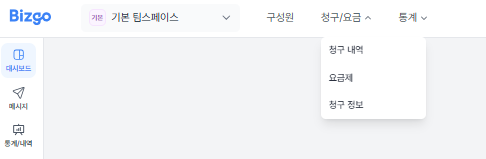
청구 내역에서는 월별 청구 금액과 납부 상태를 확인할 수 있고, 청구 정보에서는 세금계산서 발행 정보와 결제 관련 정보를 확인할 수 있습니다.
## CMS 자동이체 신청이 반려되었습니다. 어떤 내용을 확인해야 하나요?
CMS 자동이체 신청은 첨부 파일 규격, 이미지 식별 불가, 계좌 정보 또는 사업자/주민등록번호 불일치 등으로 반려될 수 있습니다.
먼저 계좌번호, 예금주 정보, 주민등록번호 또는 사업자등록번호가 정확히 입력되었는지 확인해 주세요. 농협 계좌를 사용하는 경우에는 농협 은행점코드가 올바르게 선택되었는지도 함께 확인해 주세요.
첨부 파일 문제로 반려된 경우에는 서류가 선명하게 보이도록 다시 캡처하거나 이미지 파일로 변환한 뒤 재업로드해 주세요.
---
# 서비스 지원
URL: https://developers.bizgo.io/faq
## 서비스 해지 또는 회원 탈퇴는 어떻게 진행하나요?
회원 탈퇴는 비즈고 콘솔의 내 정보 메뉴에서 신청할 수 있습니다.
단, 이용 중인 서비스의 미납 금액이나 정산이 남아 있는 경우 탈퇴 처리가 제한될 수 있습니다. 탈퇴 신청 전 청구/요금 메뉴에서 미납 여부를 먼저 확인해 주세요.
서비스 해지만 필요한 경우에는 탈퇴 전에 이용 중인 상품, 발송 중인 연동, 청구 상태를 확인한 뒤 진행해 주세요.
## 담당자 정보를 변경하려면 어떻게 해야 하나요?
담당자 정보는 비즈고 콘솔의 내 정보 메뉴에서 변경할 수 있습니다.
보안을 위해 본인인증 후 이름, 휴대폰 번호, 이메일 등 계정 담당자 정보를 수정할 수 있습니다.
## 기업 인증이 실패합니다. 어떤 내용을 확인해야 하나요?
기업 인증은 제출 서류가 선명하지 않거나, 사업자등록번호·상호·대표자명 등 입력 정보가 서류와 일치하지 않을 때 실패할 수 있습니다.
먼저 사업자 정보가 정확히 입력되었는지 확인하고, 제출 서류의 주요 정보가 잘 보이도록 선명한 이미지 또는 PDF 파일로 다시 업로드해 주세요.
파일 업로드가 계속 실패하는 경우에는 파일 형식과 용량 제한을 확인한 뒤 다시 시도해 주세요.
---
# 비즈플러스 고객 전환
URL: https://developers.bizgo.io/updates/25-10/25.10.21
# \[ 25.10.21 ] 비즈플러스 고객 전환
### 한줄 요약
기존 비즈플러스 계정과 데이터(발신번호,템플릿,계정 정보)를 클릭 한 번으로 그대로 옮겨 \
비즈고에서 바로 사용할 수 있습니다.
### 한눈에 보기
* 대상: 기존 비즈플러스 사용자
* 핵심 기능: 계정, 발신 번호, 템플릿, 계정 정보 자동 이관, 자동 로그인, 전환 후 즉시 사용
* 시작 위치: 비즈플러스 로그인 → 전환 안내 모달의 \[비즈고로 이관하기]
### 무엇이 달라졌나요?
* 원클릭 이관 플로우:
1. 비즈플러스 로그인 시 전환 안내 모달 노출
2. CTA 클릭 시 비즈고 온보딩 화면으로 이동
3. 최소 정보 확인/입력 후 저장 = 계정 생성 + 자동 로그인
4. 비즈고 콘솔 랜딩, 바로 사용
* 데이터 자동 이관: 기존 발신번호, 템플릿, 팀 정보가 안전하게 이전됩니다.
* 완료 피드백: 이관 완료 모달로 상태 확인 및 후속 설정 가이드 제공
### 왜 중요한가요?
* 재등록/재검수 없이 바로 사용 → 전환 리드타임 최소화
* 기존 자산(템플릿·발신번호) 재활용로 운영 연속성 확보
* 신규 콘솔(비즈고)의 안정적 발송 환경·관리 기능 즉시 활용
### 이렇게 사용하세요
1. 비즈플러스에 로그인하고 전환 모달에서 \[비즈고로 이관하기] 클릭
2. 비즈고 온보딩 화면에서 안내된 정보 확인/입력 → 저장
3. 자동 로그인 후 비즈고 대시보드에서 기능 점검
4. 안내에 따라 필요한 추가 설정(기업 정보 등)을 마무리
### 유의사항
* 일부 항목은 최초 1회 설정 점검이 필요할 수 있습니다.
* 전환 후 정책/권한 체계가 달라질 수 있으니 팀 권한,발신번호 권한을 확인하세요.
* 이관 중 문제 발생 시 고객센터로 문의해 주세요.
---
# 10월 API 업데이트 월간 요약
URL: https://developers.bizgo.io/updates/25-10/25.10.31-10-api
# \[ 25.10.31 ] 10월 API 업데이트 월간 요약
### 한줄 요약
Sandbox(가상망) 오픈과 발송 이력·상태·통계 기능이 대폭 개선되어 개발·운영 품질이 크게 향상되었습니다.
### 한눈에 보기
* Sandbox(가상망) 환경 정식오픈
* 단계별 발송 이력 조회 기능 제공
* 일별 발송/보고 통계 제공
* 발신번호 치환 기능 추가
* 카카오 비즈메시지appUserId/userKey 전송 기능
* 레포트 webhook/polling 사용 시 reportText 한글개선
### 무엇이 달라졌나요?
#### 1. Sandbox(가상망) 환경 오픈
운영과 동일한 API 규격으로 테스트 가능한 분리된 개발·QA 환경이 제공되었습니다.
#### 2. 발송 단계별 이력 조회 기능 추가
메시지 전송 과정을 3단계(수신 → 채널전송 → 최종결과)로 나누어 장애 분석 정확도가 크게 향상되었습니다.
#### 3. 리포트 한글화 및 품질 개선
모든 리포트 사유가 한글화되어 CS 및 운영 대응 속도가 개선되었습니다.
#### 4. 발송 이력 테이블 확장
`paymentCode`, `productType` 등 비즈고 요구사항 기반 필드가 추가되어 데이터 분석·정산 품질이 강화되었습니다.
### 왜 중요한가요?
* Sandbox 환경 제공은 개발·QA 단계에서 운영과 동일한 조건으로 검증할 수 있게 하여 기능 오류와 배포 위험을 줄여줍니다.
* 단계별 발송 이력 조회는 메시지 실패 지점을 명확히 파악할 수 있게 해 장애 분석·CS 대응 속도를 크게 높여줍니다.
* 리포트 한글화는 운영팀·CS팀의 이해도를 높여 고객 대응 정확도와 처리 시간을 개선합니다.
* 중복 리포트 방지 기능은 불필요한 재처리와 잘못된 통계 발생을 막아 운영 안정성을 높여줍니다.
* 발송 이력 테이블 확장은 메시지 상품 구분과 정산 로직을 정확히 적용할 수 있게 해 데이터 기반 운영 품질을 개선합니다.
### 이렇게 사용하세요
* Sandbox 환경은 운영과 동일한 API 규격을 사용하므로 테스트 자동화·QA 검증에 그대로 활용할 수 있습니다.
* msgKey 또는 requestId 값을 이용해 메시지 전송 흐름을 추적하면 장애 원인 파악이 훨씬 수월합니다.
### 유의사항
* Sandbox 환경에서 생성되는 데이터는 실제 운영 데이터와 다를 수 있습니다.
---
# 카카오 브랜드메시지 템플릿별 통계 제공
URL: https://developers.bizgo.io/updates/25-10/25.10.31
# \[ 25.10.31 ] 카카오 브랜드메시지 템플릿별 통계 제공
### 한줄 요약
카카오 브랜드 메시지도 알림톡과 동일하게 템플릿 코드 기준 성과(발송,성공,발송률,유효 읽음,클릭)를 일/월 단위로 조회하고 엑셀로 내려받을 수 있습니다.
### 한눈에 보기
* 대상: 카카오 브랜드 메시지, 알림톡
* 핵심 기능: 템플릿별 일/월 통계, 채널/메시지 타입/타게팅/템플릿 코드·명 검색, 엑셀 다운로드, 표시 항목 설정
* 시작 위치: 콘솔 > \[ 템플릿별 통계] → 상단 탭에서 브랜드 메시지 또는 알림톡 선택
### 무엇이 달라졌나요?
* 브랜드 메시지 지원 확대: 알림톡에 제공되던 템플릿별 통계를 브랜드 메시지에도 동일 적용
* 정교한 필터: 기간(달력), 채널 선택 / 메시지 타입 / 발송 타게팅 / 템플릿 코드·명으로 원하는 구간만 조회
* 집계 단위 전환: 일별 / 월별 탭 제공
* 지표 컬럼: 발송일, 채널ID, 템플릿 코드/명, 메시지 타입, 발송 타게팅, 성공/실패/합계/발송률, 유효 읽음수, 총클릭수, 버튼 상세(버튼/바로연결/그외)
* 리포팅 편의: 엑셀로 다운로드 및 표시할 항목 설정으로 보고서 구성 자유도↑
### 왜 중요한가요?
* 채널별이 아닌 템플릿 수준에서 성과를 비교해 문구/구성 A/B 최적화 가능
* 일/월 뷰로 데일리 모니터링부터 월간 리포트까지 한 화면에서 해결
* 브랜드 메시지와 알림톡을 동일 기준으로 분석해 캠페인 의사결정 속도↑
### 이렇게 사용하세요
1. \[통계 > 템플릿별 통계] 진입 → 상단 탭에서 브랜드 메시지 선택
2. 기간을 고르고, 채널/메시지 타입/발송 타게팅/템플릿 코드명으로 조건을 지정
3. 일별/월별 탭으로 집계 단위를 선택
4. 테이블의 발송률·유효 읽음·총클릭과 버튼 상세를 확인
5. 엑셀로 다운로드로 공유/보관
### 유의사항
* 통계는 매일 오전 8시에 반영됩니다.
* 유효 읽음/클릭은 발송 후 최대 3일 이내 소급 반영될 수 있습니다.
* 동일 수신자의 중복 행동은 제거되어 집계됩니다.
* 발송 성공이 10건 이하인 경우 유효 지표는 제공되지 않을 수 있습니다.
* 서비스/과금 기준과 통계 기준 차이로 일부 수치가 상이할 수 있습니다. 세부 정의는 콘솔 상단 안내문을 기준으로 확인하세요.
---
# 문자 발송 리뉴얼
URL: https://developers.bizgo.io/updates/25-11/25.11.06
# \[ 25.11.06 ] 문자 발송 리뉴얼
### 개요
문자 발송 엔진을 MT Agent에서 Omni Agent로 전면 교체하여, 발송 구조를 SDK 기반의 공통 모듈로 일원화하였습니다.\
이번 개선을 통해 발송 품질·확장성·채널 간 연동 효율이 모두 향상되며, 카카오채널·브랜드 메시지·RCS의 대체발송 경로에 MMS가 추가되었습니다.
### 주요 변경사항
#### 문자발송 에이전트 전환 (MT → Omni)
* 발송 구조를 SDK 기반으로 재설계하여 속도·안정성·장애 대응력 강화
* 모든 메시징 채널(RCS, 알림톡, 브랜드 메시지, SMS/LMS/MMS)이 단일 발송 엔진을 공유하도록 통합
* 향후 신규 채널 또는 발송 정책 추가 시 연동 속도 개선
#### MMS 발송 경로 확장
* 카카오채널(알림톡/브랜드 메시지) 대체발송 경로에 MMS 추가 지원
* RCS 실패 시 MMS 대체발송 가능
* 기존에는 SMS/LMS 중심이었던 대체발송 옵션이 확장되어 콘텐츠 손실 최소화
#### 발송 일관성 및 SDK 구조 정비
* 메시지 구성 규칙, 요청 파라미터, 오류 코드 등 발송 규약을 SDK 표준으로 통일
### 기대효과
#### 💡 고객 관점
* 메시지 실패 시 MMS까지 선택 가능해져 정보 전달력 및 콘텐츠 유지력 향상
* 채널별 정책 차이가 줄어 발송 결과가 더욱 예측 가능
* 리치 콘텐츠 기반의 높은 고객 반응률 기대
#### ⚙️ 운영 관점
* 에이전트 통합으로 발송 구조 단순화 → 장애 대응 및 원인 분석 속도 상승
* SDK 기반 구조로 재정비하여 카카오, RCS 운영 및 품질 관리 체계화
### 안내사항
* 기존 발송 방식은 자동으로 Omni Agent로 전환되며,\
고객 설정 변경 없이 즉시 이용 가능합니다.
* MMS 대체발송은 채널별 제공 정책에 따라 선택 가능하며,\
설정 화면에서 옵션을 확인할 수 있습니다.
---
# 발송 내역 개편
URL: https://developers.bizgo.io/updates/25-11/25.11.12
# \[ 25.11.12 ] 발송 내역 개편
#### 한 줄 요약
이제 발송 내역을 다양한 필터와 상세 로그로 더 정확하고 빠르게 조회할 수 있습니다.
#### 한눈에 보기
대상 : 비즈고 API를 통해 메시지를 발송하는 모든 사용자
핵심기능 : 발송내역 조회 필터 확장, 단건 상세 정보 고도화,Raw Data 확인, 발송 상태 타임라인
위 치 : 콘솔 > 팀스페이스 > 발송내역
항목
내용
변경 내용
발송내역 조회 필터 확장, 단건 상세 정보 고도화
주요 기능
조건별 조회, Raw Data 확인, 발송 상태 타임라인
대상
전체 사용자
시작 위치
비즈고 콘솔 > 발송내역
### 무엇이 달라졌나요?
#### 1) 발송내역 조회 조건 확장
기존에는 수신자 번호 단건 기준 조회만 가능했지만,\
이제 다음 조건들로 다양하게 조합 조회할 수 있습니다.
* 수신자 정보
* 발송 채널 / 메시지 유형
* 발송 상태
* 날짜 및 시간 범위
* 발신번호 / 템플릿 등
→ 원하는 내역을 더 빠르고 정확하게 찾을 수 있습니다.
#### 2) 상세 조회 시 Raw Data 확인 제공
단건 발송 내역 상세 화면에서\
API 호출 당시 전달된 Raw 데이터를 그대로 확인할 수 있습니다.
#### 3) 발송 상태 타임라인 제공
메시지가 어떤 단계로 처리되었는지\
시간 순서대로 로그 형태로 확인할 수 있습니다.
### 왜 중요한가요?
* 고객 문의 대응 및 오류 분석 속도 향상
* 특정 구간에서의 발송 실패/지연 원인 파악 용이
* 대량 발송 시 운영 효율 증가
* 개발/운영/CS 부서 간 커뮤니케이션 비용 감소
### 이렇게 사용하세요
1. 비즈고 콘솔 접속
2. 메뉴에서 발송내역 선택
3. 원하는 조건으로 필터 설정 후 조회
4. 특정 건 클릭 → 상세 / Raw Data / 타임라인 확인
### 유의사항
* Raw Data는 API 발송 내역에 한해 제공됩니다.
* 타임라인 정보는 발송된 메시지 유형 및 채널에 따라 항목이 달라질 수 있습니다.
---
# 11월 API 업데이트 월간 요약
URL: https://developers.bizgo.io/updates/25-11/25.11.30-11-api
# \[ 25.11.30 ] 11월 API 업데이트 월간 요약
### 한줄 요약
11월에는 예약 발송 기능, 카카오 리포트 상세 정보 강화, 메시지 중복 체크(idempotency) 기능, Webhook 보안 검증 기능 등 메시지 운영 안정성과 개발 편의성을 대폭 강화하는 업데이트들이 제공되었습니다.
### 한눈에 보기
* 메시지 중복 체크(Idempotency) 기능 신규 제공
* 리포트 Webhook 보안 검증 헤더 제공
* 예약 발송 기능 신규 제공 (`resvSendTime`)
* 카카오 리포트 `InvalidParameter` 상세 사유 추가
* 리포트 처리 안정성 개선
### 무엇이 달라졌나요?
#### 1. 메시지 중복 체크 기능 추가 (신규)
중복 메시지 전송을 방지하기 위해 `idempotencyKey`, `idempotencyTtl` 필드가 새로 추가되었습니다.\
동일한 key로 동일 시간 내 요청 시 서버는 메시지를 중복 처리하지 않습니다.
필드 설명
| 필드 | 설명 |
| ------------------ | ------------------- |
| idempotencyKey | 중복 여부 판단을 위한 고유 키 |
| idempotencyTtl | 중복 허용 시간(초 단위, TTL) |
허용 조건
* 유효 범위: 1 \~ 86,400초(24시간)
* 범위 초과 또는 비숫자 입력 시 오류 반환
* TTL 시간 내 동일 `idempotencyKey` 재요청 시 _중복 처리 방지_
#### 2. 리포트 Webhook 전달 시 보안 확인 헤더 추가
Webhook 전달 시 요청 위변조 및 신뢰성 검증을 위해 서버 서명을 포함한 보안 헤더가 제공됩니다.
제공 헤더
| 헤더명 | 설명 |
| ------------------ | -------------------------------------- |
| X-IB-Timestamp | Webhook 전송 시점(timestamp). 서명 원문에 포함 |
| X-IB-Signature | HmacSHA256(secret, timestamp)로 생성된 서명값 |
검증 방식
* 서버 수신 측은 제공된 `timestamp`와 사전에 전달받은 `secret`으로\
아래 방식으로 검증 가능:
```
HmacSHA256(secret, timestamp)
```
※ 서명 검증이 필요한 고객사에는 `secret`을 별도 채널로 전달할 예정입니다.
#### 3. 예약 발송 기능 추가 (신규)
새로운 필드 `resvSendTime`이 추가되어 지정한 시간에 메시지를 자동 발송할 수 있습니다.
예약 조건
* 현재 시각 기준 10분 후부터 예약 가능
* 예약 발송 10분 전까지 취소/수정 가능
필드 예시
```json
"resvSendTime": "2025-11-25T10:20:00+09:00"
```
#### 4. 카카오 리포트 실패 상세내용 고도화
`InvalidParameter` 오류가 발생한 경우, 보다 명확한 원인을 확인할 수 있도록 상세 Exception 정보가 추가되었습니다.
AS-IS
```
메시지를 전송할 수 없음
```
TO-BE
```
메시지를 전송할 수 없음(NoSendAvailableException(20251120-sn-r-0132645416POM028018629000))
```
* 내부 처리 Trace ID 기반 정보 포함
* 운영/개발 모두 문제 원인 파악 시간이 크게 단축됨
#### 5. 리포트 처리 안정성 개선
* 재시도 로직의 중복 및 누락 발생 가능성을 최소화
* 고객사 Webhook Timeout 대응 로직 보강
* 메시지 처리 중 리포트 누락 가능성을 줄이기 위한 내부 검증 절차 강화
### 왜 중요한가요?
* 메시지 중복 체크 기능은 네트워크 재시도나 오류 상황에서도 동일 메시지가 반복 발송되는 사고를 방지해 고객 비용과 운영 리스크를 줄여줍니다.
* Webhook 보안 서명 기능은 전달되는 리포트가 위변조되지 않았음을 검증할 수 있어 메시지 결과 데이터의 신뢰성을 강화합니다.
* 예약 발송을 통해 고객사는 대량·정기 발송 스케줄을 보다 안정적으로 관리할 수 있습니다.
* 카카오 리포트 오류 상세화는 문제 발생 시 원인을 즉시 파악할 수 있어 개발·운영 대응 속도를 크게 향상시킵니다.
* 리포트 처리 안정성 개선은 Webhook 지연·누락 가능성을 줄여 전체 메시지 운영 품질과 서비스 신뢰도를 높여줍니다.
### 이렇게 사용하세요
* idempotencyKey는 고객사 시스템에서 유일값 생성을 권장합니다.
* Webhook 서명 검증을 위해 Timestamp·Signature 값을 검증해 주세요.
* 예약 발송은 “10분 이후” 시간으로 설정해야 정상 처리됩니다.
* InvalidParameter 오류 발생 시 상세 사유를 기반으로 즉시 원인 분석이 가능합니다.
### 유의사항
* Webhook `secret` 값은 반드시 안전한 저장소에 보관해야 합니다.
* 예약 발송은 예약시간 10분 전 이후로는 변경/취소가 불가합니다.
* idempotencyKey는 TTL 내 재사용될 경우 중복 처리로 판단됩니다.
* Webhook 재시도는 네트워크 상태에 따라 일정 횟수까지 수행되므로, 중복 처리 방지 로직을 고려해 주세요.
---
# 검수패스 템플릿 제공
URL: https://developers.bizgo.io/updates/25-12/25.12.04
# \[ 25.12.04 ] 검수패스 템플릿 제공
---
url: https://app.arcade.software/share/rcrYP0WJPbqqqsQAgYoL
---
### 한줄 요약
이미 검수가 끝난 템플릿을 바로 불러와 즉시 발송할 수 있습니다.
### 한눈에 보기
* 핵심 기능: 검수패스 템플릿 즉시 사용
* 대상: 알림톡웹발송·템플릿을 자주 발송하는 모든 이용자
* 시작 위치
* 템플릿 관리 > 검수패스 템플릿
* 웹발송 > 카카오메시지 > 템플릿 불러오기 > 검수패스 템플릿
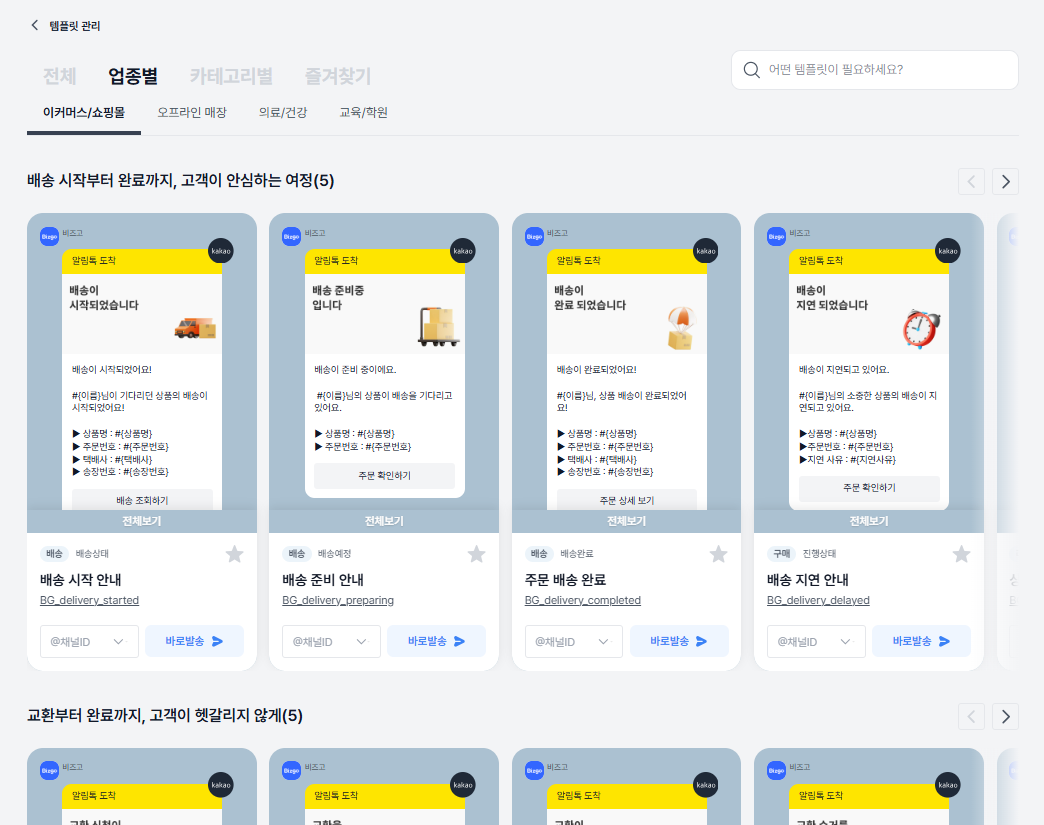
### 무엇이 달라졌나요?
* 카카오 제공 공용템플릿 약 56개
* 비즈고 제공 그룹 템플릿 약 97개\
→ 총 153개 템플릿을 검수 없이 바로 사용
* 별도 승인 절차 없이 즉시 발송 가능
* 업종별·용도별 템플릿이 미리 구성되어 있어 초기 설정 시간을 크게 줄임
### 왜 중요한가요?
* 검수 대기 없이 바로 발송 가능해 운영 속도가 크게 단축됩니다.
* 초보 이용자도 즉시 활용 가능한 표준 템플릿을 제공해 빠른 발송이 가능합니다.
### 이렇게 사용하세요
1. 템플릿 관리에서 ‘검수패스 템플릿’ 메뉴 선택
2. 업종/유형별 템플릿 확인
3. 사용하고 싶은 템플릿을 선택 후 바로 발송 설정 진행
### 유의사항
* 검수패스 템플릿은 수정이 불가하며 변수를 활용하여 발송 가능합니다.
* 변경이 필요한 경우 새 템플릿으로 등록 후 검수 승인 후 사용 가능 합니다.
---
# 12월 API 업데이트 월간 요약
URL: https://developers.bizgo.io/updates/25-12/25.12.30-12-api
# \[ 25.12.30 ] 12월 API 업데이트 월간 요약
### 한줄 요약
네이버톡톡 발송 기능이 새롭게 오픈되었으며, 카카오 비즈메시지 반응 통계 고도화와 API 안정성 강화를 위한 개선이 함께 진행되었습니다.
### 한눈에 보기
* 네이버톡톡 발송 기능 신규 제공
* 카카오 비즈메시지 반응(읽음/클릭) 통계 수집 주기 개선
* 카카오 비즈메시지 `bizFormId` 데이터 타입 버그 수정
* 리포트 Polling 내부 재시도 로직 추가
### 무엇이 달라졌나요?
#### 1. 네이버톡톡 발송 기능 오픈
네이버톡톡 채널을 통한 메시지 발송 API가 새롭게 제공되어, 기존 문자·카카오 중심 구조에서 멀티 채널 메시징이 가능해졌습니다.
#### 2. 카카오 비즈메시지 반응 통계 수집 주기 개선
읽음/클릭 반응 통계 수집 주기가 기존 일 단위 → 1시간 단위로 개선되어 반응 데이터의 최신성이 크게 향상되었습니다.\
해당 데이터는 비즈고 템플릿 실험실 > 메시지 반응 트렌드 화면에서 확인할 수 있습니다.
#### 3. bizFormId 데이터 타입 오류 수정
카카오 비즈메시지 연동 시 발생하던 `bizFormId` 데이터 타입 오류가 수정되었습니다.
#### 4. 리포트 Polling 안정성 강화
Polling 방식 리포트 수신 과정에 내부 재시도 로직이 추가되어, 결과 수신 안정성이 향상되었습니다.
### 왜 중요한가요?
* 네이버톡톡 발송 기능 추가는 고객사가 메시지 목적에 따라 채널을 선택할 수 있는 폭을 넓혀 멀티 채널 전략을 강화해줍니다.
* 반응 통계 수집 주기 개선은 마케팅 성과를 더 빠르게 파악할 수 있게 해 즉각적인 운영·전략 의사결정을 가능하게 합니다.
* bizFormId 데이터 타입 수정은 통계·리포트 데이터 오류를 방지해 데이터 신뢰성과 분석 정확도를 높여줍니다.
* Polling 내부 재시도 로직 추가는 리포트 누락 없이 안정적인 운영을 가능하게 합니다.
### 이렇게 사용하세요
* 네이버톡톡 발송은 기존 메시지 발송 API와 동일한 흐름으로 연동할 수 있어 별도 학습 비용 없이 바로 적용할 수 있습니다.
* 카카오 비즈메시지 반응 통계는 비즈고 웹 > 템플릿 실험실 > 메시지 반응 트렌드 메뉴에서 확인할 수 있습니다.
* Polling 방식 리포트는 별도의 설정 없이 자동으로 재시도 로직이 적용됩니다.
### 유의사항
* 카카오 비즈메시지 반응 1시간통계의 API 조회 기능은 추후 제공 예정이며, 현재는 웹 화면에서만 확인할 수 있습니다.
---
# 메시지 반응 트렌드 기능
URL: https://developers.bizgo.io/updates/25-12/25.12.30
# \[ 25.12.30 ] 메시지 반응 트렌드 기능
---
url: https://app.arcade.software/share/d6kWf240sd9Td1usw0RR
---
### 한줄 요약
메시지 발송 이후 시간대별·기간별 반응 흐름을 한눈에 확인할 수 있는\
‘메시지 반응 트렌드’ 기능이 추가되었습니다.
### 무엇이 달라졌나요?
* 카카오 메시지(알림톡/브랜드 메시지) 템플릿별 시간대 반응 추이 시각화
* 어떤 시간대에 반응(읽음·클릭)이 좋은지 템플릿 단위로 확인 가능
* 기간 및 템플릿을 기준으로 데이터 비교·분석 지원
* 단, 시간/일별 발송 성공 건수가 10건 이하인 경우 데이터 미노출
### 왜 중요한가요?
* 발송 결과를 누적 수치가 아니라 ‘시간 흐름’ 기준으로 해석할 수 있어, 언제 보내는 게 효과적인지 판단할 수 있습니다.
* 템플릿별 반응 차이를 비교해 성과가 낮은 메시지를 빠르게 개선할 수 있습니다.
* 감에 의존하던 발송 전략을 데이터 기반으로 검증·조정할 수 있습니다.
### 이렇게 사용하세요
1. 분석할 기간과 템플릿을 선택합니다.
2. 시간대별 읽음·클릭 추이를 확인해 반응이 집중되는 구간을 파악합니다.
3. 반응이 낮은 시간대는 발송을 피하고, 성과가 좋은 시간대로 발송 전략을 조정합니다.
4. 동일 템플릿을 반복 발송하는 경우, 이전 발송 결과와 비교해 성과 변화를 확인합니다.
### 유의사항
* 본 기능은 BETA 통계 기반으로, 일부 일자 또는 데이터는 제한적으로 노출될 수 있습니다.
* 반응 데이터는 실시간이 아니며, 발송 후 약 2시간 이후부터 확인 가능합니다.
* 통계 수치와 실제 과금 내역 간 차이가 발생할 수 있습니다.
### 활용 포인트
* 반응이 좋은 발송 시간대 탐색
* 템플릿별 성과 비교를 통한 발송 전략 개선
* 반복 발송 템플릿의 효율 점검
---
# SDK 다운로드 허브 오픈
URL: https://developers.bizgo.io/updates/25-6/25.06.10-sdk
# \[ 25.06.10 ] SDK 다운로드 허브 오픈
> 한 줄 요약\
> 개발 언어를 골라 즉시 SDK 다운로드,GitHub 문서 확인,Postman 테스트까지 한 번에 진행할 수 있습니다.
### 한눈에 보기
* 콘솔에서 언어별 SDK를 바로 다운로드하고, GitHub에서 소스와 문서를 확인할 수 있어요.
* 처음 연동하시는 분을 위해 연동 가이드, Postman 테스트 링크, 문의 채널을 한 화면에 모았습니다.
### 무엇이 달라졌나요?
* 각 SDK 카드에서 최신 버전을 확인할 수 있습니다.
* 연동 가이드와 API 테스트(Postman) 진입점을 함께 제공합니다.
### 왜 중요한가요?
* 표준 SDK로 호환성, 안정성 확보, 버전 혼선 최소화
* 문서/예제/이슈 트래킹을 GitHub로 일원화해 운영 효율 상승
### 이렇게 사용하세요
1. 콘솔의 SDK 다운로드로 이동해 사용 언어를 선택합니다.
2. 카드에서 최소 런타임 버전과 최신 릴리스 버전을 확인합니다.
3. 다운로드하거나, GitHub로 이동해 변경 내역/예제/이슈를 확인합니다.
4. 처음이라면 연동 가이드 보기로 환경 변수,키 설정을 빠르게 맞춥니다.
5. Postman 테스트로 API 호출을 검증한 뒤, 서비스 코드에 SDK를 적용합니다.
6. 문제 발생 시 문의하기를 통해 로그/스크린샷과 함께 문의해주세요.
### 유의사항
* 운영/개발 키를 분리하고, 네트워크·방화벽 정책을 사전에 확인하세요.
* SDK는 최신 버전 사용을 권장합니다.
* 예전 환경 사용 시 호환성 이슈가 생길 수 있습니다.
---
# 브랜드 메시지 웹발송/템플릿 관리
URL: https://developers.bizgo.io/updates/25-7/25.07.03
# \[ 25.07.03 ] 브랜드 메시지 웹발송/템플릿 관리
## 카카오톡 브랜드 메시지 웹발송 & 템플릿 관리 기능 오픈
> 한 줄 요약\
> 개발 연동 없이 바로 카카오 브랜드 메시지를 발송할 수 있어요. \
> 템플릿 등록 → 이미지 URL 생성 → 발송 조건 점검 → 080 수신 거부 연계까지 한 흐름으로 지원합니다.
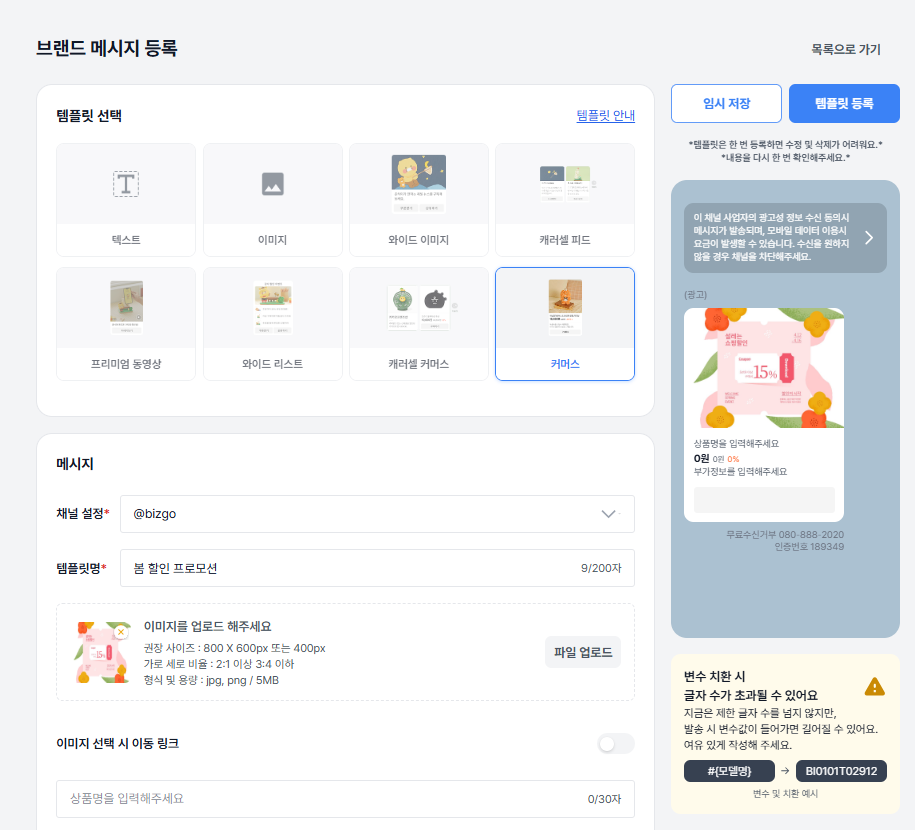
### 무엇이 달라졌나요?
* 웹(web) 발송 : API 연동 없이 브랜드 메시지를 발송할 수 있습니다.
* 템플릿 제공 : 캐러셀 피드, 커머스형, 와이드 이미지형 등 모든 유형의 템플릿을 등록, 관리, 발송을 지원합니다.
* 이미지 관리 : 파일 업로드만 하면 클릭 한 번으로 이미지 URL 자동 생성되어 이미지 url를 사용할 수 있습니다.
* M/N 그룹 발송 편의 : 채널 친구가 아닌 고객에게도 발송 가능하도록 비즈니스 인증/친구 5만+/전화번호 등록 충족 여부를 확인하여 마케팅 수신 동의 증적 자료 업로드를 통해 발송 타겟 확장이 즉시 가능합니다.
* 080 수신 거부 연계: 브랜드메시지 발송 시 필요한 080 무료 수신 거부 번호를 등록 및 수정 진행 가능합니다.
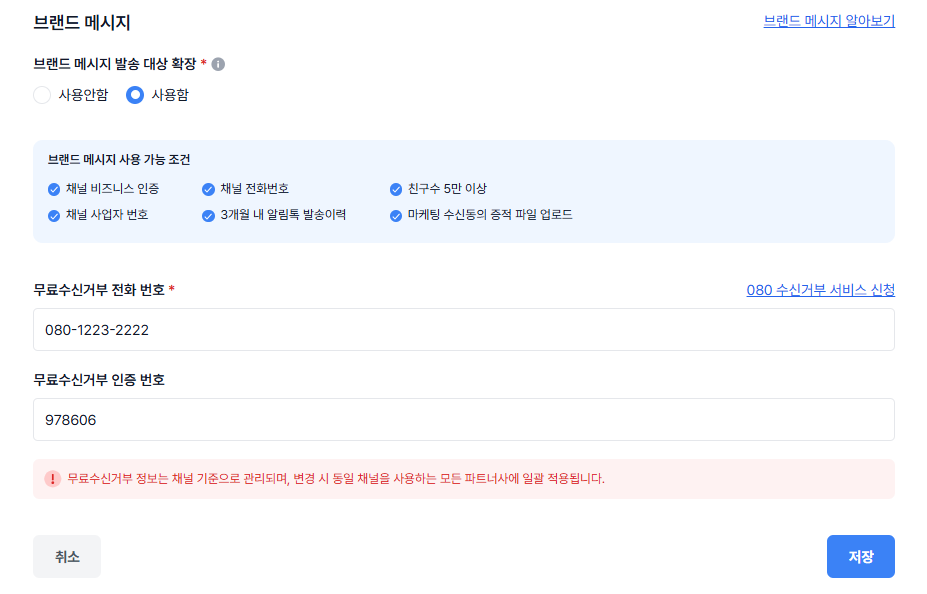
### 왜 중요한가요?
* 개발 대응 없이 즉시 마케팅 활동 진행 가능하여 빠른 대응이 가능합니다.
* 알림톡/문자와 함께 하나의 서비스 안에서 통합 운영이 가능 합니다.
### 이렇게 사용하세요
1. 템플릿 등록 : 콘솔 > \[템플릿 관리 > 브랜드 메시지]에서 타입 선택 후 등록합니다.
2. 대상 확장 설정 : 채널 관리에서 ‘발송 대상 확장( M/N 그룹 )’을 사용함으로 설정하면, \
비즈니스 인증/친구 수/전화번호 등록을 자동 체크합니다. 가능 조건에 충족한다면 수신 동의 증적 자료를 업로드 및 수신거부 연락처를 기입 후 사용 가능합니다.
3. 발송: 브랜드 메시지 웹 발송에서 템플릿 사용 또는 직접 메시지를 작성 후 발송합니다.
### 유의사항
* 카카오톡 채널 친구 5만+, 비즈니스 인증, 전화번호 등록이 필요합니다. 콘솔에서 자동 체크 해보세요.
* M/N 그룹 발송 시 080 무료 수신 거부 번호가 필수입니다. 콘솔에서 신청,연동할 수 있습니다.
---
# 카카오 알림톡 템플릿별 통계 제공
URL: https://developers.bizgo.io/updates/25-7/25.07.29
# \[ 25.07.29 ] 카카오 알림톡 템플릿별 통계 제공
### 한줄 요약
알림톡 템플릿 코드 기준 성과(발송,성공,발송률,유효 읽음,클릭)를 일/월 단위로 조회/다운로드할 수 있습니다.
### 한눈에 보기
* 대상: 카카오톡 알림톡
* 핵심 기능: 템플릿별 일/월 통계, 채널/템플릿 코드 검색, 엑셀 다운로드
* 시작 위치: 콘솔 \[통계 > 템플릿별 통계] → 상단 탭에서 알림톡 선택
### 무엇이 달라졌나요?
* 템플릿 기준 집계: `템플릿 코드` 단위로 발송 이력과 성과를 한눈에 확인
* 다축 필터: 기간(달력), 채널 선택, 템플릿 코드 입력으로 원하는 구간만 조회
* 집계 단위 선택: 일별 / 월별 탭 제공
* 성과 지표 컬럼: 발송일, 채널ID, 템플릿 코드, 성공/실패/합계/발송률, 유효 읽음수, 총클릭수, 버튼 상세(버튼/바로연결/그외)
* 내려받기 : 엑셀로 다운로드를 통해 보고서 구성 자유도↑
### 왜 중요한가요?
* 캠페인 성과를 템플릿 수준에서 비교해 문구/구성 A/B 최적화에 유용
* 일/월 뷰 전환으로 운영 리듬(일간 모니터링 ↔ 월간 리포트)에 맞춘 분석 가능
* 엑셀 추출로 사내 대시보드/보고서 연계가 간편
### 이렇게 사용하세요
1. 기간 선택 후, 채널 선택 또는 템플릿 코드로 검색
2. 상단 일별/월별 탭에서 원하는 집계 단위를 선택
3. 테이블의 발송률·유효 읽음·클릭을 확인하고 하단 버튼 상세로 액션 성과 점검
4. 우측 표시할 항목 설정으로 컬럼을 조정하여 유연하게 확인 가능
### 유의사항
* 통계 반영은 매일 오전 8시에 업데이트됩니다.
* 유효 읽음/클릭은 발송 후 최대 3일 이내 소급 반영될 수 있습니다.
* 동일 수신자의 중복 행동은 제거되어 집계됩니다.
* 발송 성공이 10건 이하인 경우, 유효 지표는 제공되지 않을 수 있습니다.
* 통계 수치와 과금 내역은 기준 차이로 일부 상이할 수 있습니다.
---
# 7월 API 업데이트 월간 요약
URL: https://developers.bizgo.io/updates/25-7/25.07.31-7-api
# \[ 25.07.31 ] 7월 API 업데이트 월간 요약
### 한줄 요약
OMNI API Active-Active(IDC–Cloud) 전환 작업이 6\~7월 동안 단계적으로 완료되었으며, RateLimit 개선과 주요 버그 패치가 포함되었습니다.
### 한눈에 보기
* OMNI API Active-Active(IDC–Cloud) 이관 작업 완료
* API RateLimit 정책 개선
* 브랜드메시지 변수 발송 오류 패치
### 무엇이 달라졌나요?
#### 1. Active-Active(IDC–Cloud) 전환 완료
IDC 기반 단일 운영 구조에서 AWS와 IDC를 동시에 활용하는 Active-Active 구조로 전환되어 서비스 안정성이 크게 강화되었습니다.
#### 2. API RateLimit 정책 고도화
기존 단일 기준의 호출 제한 정책에서, 고객별 특성을 고려한 세분화된 RateLimit 설정이 가능하도록 개선되었습니다.
#### 3. 브랜드메시지 변수 치환 오류 패치
일부 상황에서 변수값이 누락되거나 잘못 치환되던 문제가 해결되어 메시지 발송 정확도가 향상되었습니다.
### 왜 중요한가요?
* Active-Active 구조 전환은 대규모 트래픽 상황 또는 특정 구간 장애 발생 시에도 서비스가 중단되지 않도록 가용성을 크게 높여줍니다.
* RateLimit 정책 고도화는 비정상 호출·폭주 트래픽으로 인한 시스템 영향도를 최소화해 전체 API 안정성을 확보해줍니다.
* 변수 치환 오류 패치는 브랜드메시지 발송 품질을 높여 고객 CS 부담과 운영 리스크를 줄여줍니다.
### 이렇게 사용하세요
* 기존 API 사용 방식은 그대로 유지되며, Active-Active 전환에 따른 별도의 엔드포인트 변경이나 추가 설정은 필요 없습니다.
* RateLimit 오류(429)가 발생할 경우, 지수 백오프 기반 재시도 정책을 적용하면 안정적인 연동 운영에 도움이 됩니다.
### 유의사항
* 기본 발송 TPS는 200 TPS이며 더 높은 RateLimit이 필요한 경우 별도 협의가 필요합니다.
---
# RCS 웹발송 및 템플릿 관리
URL: https://developers.bizgo.io/updates/25-8/25.08.13-rcs
# \[ 25.08.13 ] RCS 웹발송 및 템플릿 관리
## RCS 웹발송 & 템플릿 관리 기능 오픈
RCS 웹발송(미검수형SMS/LMS)과 RCS메시지를 선등록하여 사용할 수 있는 템플릿 관리 기능이 오픈되었습니다. 이제 시스템 연동 없이 비즈고에서 RCS 웹발송을 경험해보세요
### 개요
2025년 하반기, 드디어 아이폰에서도 RCS(Rich Communication Services) 메시지 수신이 가능해질 전망에 따라, 비즈고에서도 발빠르게 RCS 웹발송 기능을 준비했습니다.
> RCS란?
>
>
>
> Rich Communication Services'의 약자로, 기존의 SMS/MMS를 대체하는 차세대 메시징 서비스로 읽음확인, 고화질 미디어 전송 등 다양한 콘텐츠를 담은 메시지입니다.
>
> 자세한 내용은 RBC 홈페이지를 참고하세요.
>
> 참고 링크: [외부 문서 바로가기](https://docs.rcsbizcenter.com/)
### 주요 업데이트 내용
1. RCS 템플릿 관리
* RCS SMS, LMS형 메시지를 미리 등록해 둘 수 있습니다.
* 등록한 템플릿으로 바로 RCS메시지를 발송하세요
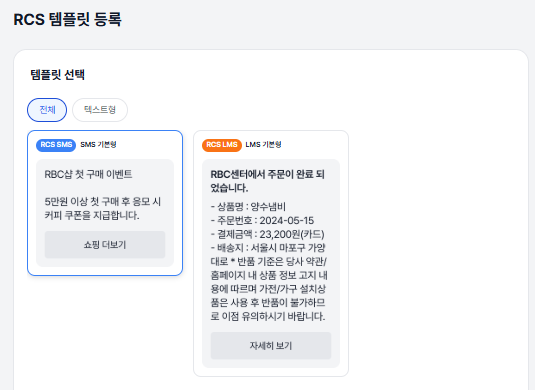
2. RCS 웹발송
* 메시지 발송 방식(템플릿 불러오기 or 신규 메시지 작성)을 선택하고, 등록된 브랜드의 발신번호로 메시지를 보낼 수 있습니다.
* RCS 발송 실패 시, 문자로 대체하여 발송할 수 있는 대체발송 내용도 설정할 수 있습니다.
* 변수 사용 시, 개인별 변수 설정 등 수신자 정보를 관리하세요.
* 테스트 발송으로 변수 치환·줄바꿈·링크·글자 수 등을 실제 단말에서 확인해보세요.
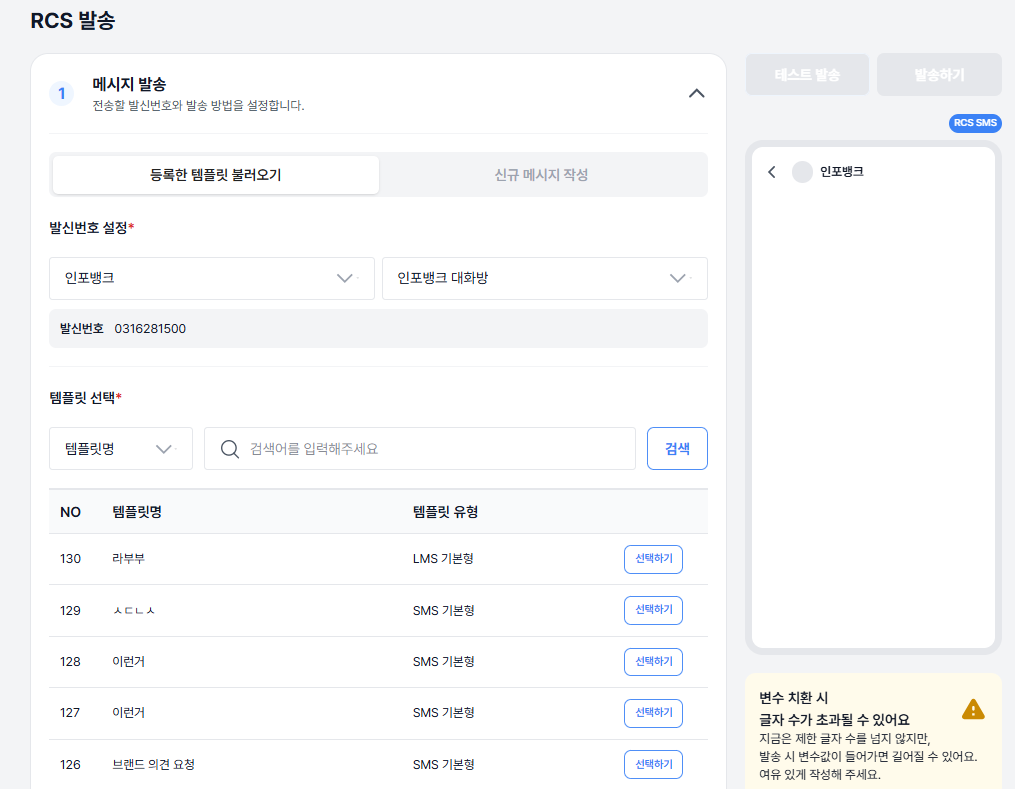
### 사용방법
#### 1. 브랜드 개설
* 브랜드 개설 안내
* RCS 메시지 발송은 RCS Biz Center ([https://www.rcsbizcenter.com/](https://www.rcsbizcenter.com/)) 에서 회원 가입 후 브랜드/대화방 개설 후 가능합니다.
* 브랜드 등록 및 대화방 개설 후, 인포뱅크 이용문의 게시판에 글을 남겨주시면 담당자가 연락을 드립니다.
#### 2. 템플릿 등록
* RCS 템플릿을 등록하여, 자주 보내는 메시지를 저장하여 변수만 변경할 수 있습니다.
* 템플릿을 등록한 후, 등록한 템플릿을 별도의 검수과정 없이 즉시 보낼 수 있습니다.
#### 3. RCS 발송
* 템플릿을 불러오거나, 새로운 메시지를 작성할 수 있습니다.
* RCS 수신이 되지 않는 사용자를 위한 대체발송 설정 기능을 이용해서 메시지 채널을 문자까지 이용해보세요.
* 변수를 사용한 경우, 사용자 별 변수를 편집하여 전송할 수 있습니다.
### 기대효과
⚙️ 운영 관점 : 시스템 효율 및 안정성 강화
* 공통 발송 모듈 기반으로 발송 로직을 표준화했습니다.
* SDK 기반으로 설계되어 장애 대응력과 서비스 확장성이 강화되었습니다.
* 발송 과정이 단계별로 명확하게 구성되어 운영자와 개발자 모두의 관리 효율이 향상되었습니다.
💡 고객 관점 : 사용자 경험(UX) 및 비즈니스 효과 향상
* 메시지 등록부터 발송까지의 흐름이 단순하고 직관적으로 개선되었습니다..
* 브랜드 메시지의 시각적 표현력과 인터랙션 요소(버튼, 링크) 를 통해\
기업의 메시지 품질과 브랜드 신뢰도를 높일 수 있습니다.
* 클릭 유도형 구성으로 고객 참여율 및 캠페인 전환율 향상을 기대할 수 있습니다.
### 안내사항
* RBC에서 브랜드/대화방 개설 후 이용할 수 있습니다.
* 실제 발송 전, 테스트 발송을 통해서 연결된 링크, 치환되는 변수 길이를 확인한 후 고객 발송을 진행하세요.
---
# 8월 API 업데이트 월간 요약
URL: https://developers.bizgo.io/updates/25-8/25.08.31-8-api
# \[ 25.08.31 ] 8월 API 업데이트 월간 요약
### 한줄 요약
통합발송 기능 확장, 번호 자동 치환, MMS 장기 보관 등 고객 요청 기반 기능이 다수 추가되었습니다.
### 한눈에 보기
* 통합발송 수신번호별 `ref` 필드 추가
* 번호 내 ‘-’ 자동 치환 기능
* MMS 파일 보관 기간 7일 → 1년 연장
* 알림톡 `responseMethod` / `timeout` 옵션 제공
### 무엇이 달라졌나요?
#### 발송에서 번호별 ref 필드 활용 가능
동보발송 시 각 수신번호마다 별도의 참조값(ref)을 설정할 수 있어 후속 처리와 상태 추적이 더 정교해졌습니다.
#### 2. 번호 내 '-' 자동 치환 기능 추가
고객이 하이픈 포함 번호를 그대로 전달해도 별도 정규화 과정 없이 자동으로 ‘숫자만’ 형태로 변환됩니다.
#### 3. MMS 파일 장기 보관 지원 (7일 → 1년)
MMS 이미지·첨부 파일이 최대 1년까지 보관되며, 기존 RCS·카카오 이미지 보관 정책과 일관된 구조가 되었습니다.
#### 4. 알림톡 결과 수신 방식 선택 지원
`responseMethod(polling/push)`와 `timeout`을 설정해, 서비스 상황에 맞는 결과 수신 방식을 선택할 수 있습니다.
### 왜 중요한가요?
* 번호별 ref 필드 제공은 대량 메시지를 보내는 기업 고객이 건별 상태를 정확하게 매핑·분석할 수 있게 해 운영 효율을 높여줍니다.
* 번호 자동 치환 기능은 입력 오류를 줄여 메시지 실패율을 낮추고 개발·운영 편의성을 높여줍니다.
* \*\*MMS 장기 보관(1년)\*\*은 엔터프라이즈 고객이 요구하는 장기 로그·이력 분석 요구를 충족해 정산·보안·감사 대응 품질을 높여줍니다.
* 알림톡 결과 방식 선택 옵션은 서비스 구조에 따라 polling 또는 push 기반을 선택해 개발 유연성을 크게 높여줍니다.
### 이렇게 사용하세요
* 발송 시 `ref` 필드를 번호별로 설정하면 이후 상태 조회 및 리포트 분석 시 개별 건 매칭이 용이합니다.
* 알림톡은 `responseMethod`로 polling 또는 push 방식을 선택하고, `timeout` 값을 조정해 서비스 상황에 맞게 최적화할 수 있습니다.
### 유의사항
* `timeout` 값을 과도하게 짧게 설정할 경우 채널 응답을 수신하기 전에 타임아웃이 발생할 수 있으므로 서비스 구조에 맞게 적절한 값을 설정해야 합니다.
---
# 연동 관리 개편 (통합KEY)
URL: https://developers.bizgo.io/updates/25-9/25.09.11-key
# \[ 25.09.11 ] 연동 관리 개편 (통합KEY)
## 통합 인증키 오픈
비즈고 내 모든 API를 하나의 키로 이용할 수 있는 '통합 인증키'가 오픈되었습니다.
\
2FA 인증 API, 간편 소셜 로그인 API를 시작으로 플랫폼 구축/운영에 필요한 다양한 API를 제공할 예정입니다. 이제 하나의 키로 비즈고의 모든 API를 더 쉽고 효율적으로 연동하세요!

#### 🔄주요 변경사항
* 기존 서비스별 개별 키 발급/관리 → 단일 통합키 발급 및 권한 제어
* 통합키 기반으로 OAuth2.0 표준 토큰 구조 적용(예정)
* 통합키 관리 메뉴 추가: \[팀스페이스 > 연동관리 > API Key 확인]
#### ⚙️사용 방법
> 통합키는 계정당 여러개 발급이가능하며, 서비스별 접근 권한은 관리자 콘솔에서 설정할 수 있습니다.
1. 콘솔에 > 팀스페이스 > 연동관리에서 “통합키 발급” 클릭
2. 선택한 요금제에 맞는 권한 확인 가능
3. API 호출 시 Header에 `Authorization: Bearer {통합키}` 로 사용 시작
#### 💡기대효과 / 개선 포인트
* 관리 효율성: 서비스별 키 관리 부담 해소
* 보안 강화: 권한별 접근 통제 및 로그 추적
* 확장성 향상: 신규 서비스 추가 시 별도 키 발급 불필요
* 운영 편의성: 만료·폐기 관리 통합
#### 🧭 안내 및 유의사항
* 개발가이드 : [V2 개발가이드](https://infobank-guide.gitbook.io/omni-api-v2)
* 문의: bizgohelp@infobank.net
---
# 인증 상품 출시
URL: https://developers.bizgo.io/updates/25-9/25.09.11
# \[ 25.09.11 ] 인증 상품 출시
## 기본은 빠르게 갖추고, 핵심개발에 리소스를 집중하는 방법
플랫폼이나 서비스를 새롭게 개발하거나 운영할 때 한정된 개발 리소스 내에서 인증, 로그인 등과 같은 기본 기능과 우리 서비스의 핵심 기능 사이, 어떤 영역에 더 리소스를 투여할지 고민 해보신 적 많으실텐데요! 두 영역 모두 중요하지만 일반적으로 핵심 기능은 '차별화', 기본 기능은 '신뢰'를 의미한다고 합니다. 서비스를 제공하면서 신뢰는 기본이지만 차별점이 없다면 경쟁 서비스에 밀릴 수 밖에 없기 때문에 선택과 집중을 할수 밖에 없기도 하죠.
하지만 기본 기능의 '신뢰'도 꼭 챙겨야하는 여러분의 비즈니스를 위해, 비즈고에서 기본 인증 기능을 더 쉽고 빠르게 개발하실 수 있는 '인증 API'를 새롭게 출시하였습니다!
보다 효율적인 개발을 가능케하는 비즈고 인증 API, 지금 바로 확인해 보세요!
### 🛡️2FA 인증 API 상품
> 예상 개발기간 1일
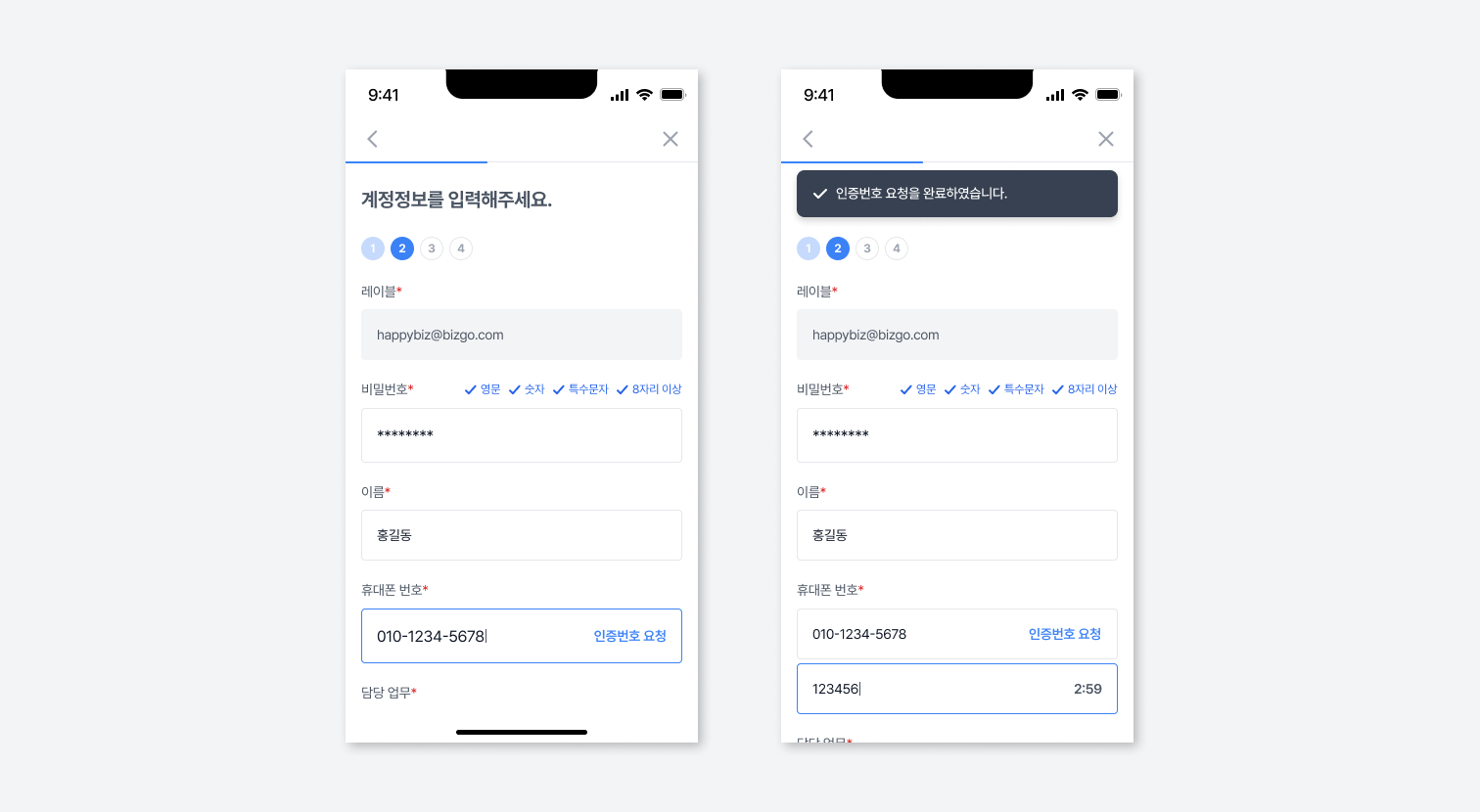
회원가입 휴대폰 번호 인증, 로그인 2차 인증 개발에 활용할 수 있는 간편한 이중 인증 API 상품으로 보안이 중요한 다양한 플랫폼과 서비스에 연동 가능합니다.
#### 주요 기능
* 인증 요청 및 성공/실패 로그 추적 가능
* 중복 인증 방지 및 타임아웃 처리 내장
* 내부 로그인 시스템과도 손쉽게 결합 가능
#### 이런 비즈니스에 추천해요
* 금융, 의료, 커머스 등 개인정보 보호가 중요한 서비스
* 사내 시스템 접근에 2단계 인증이 필요한 기업
\
✅TIP '간편 소셜 로그인 API' 상품과 함께 사용하시면 강력한 보안으로 안전한 계정관리가 가능해요
### ⚡간편 소셜 로그인 API 상품
> 예상 개발기간 3일
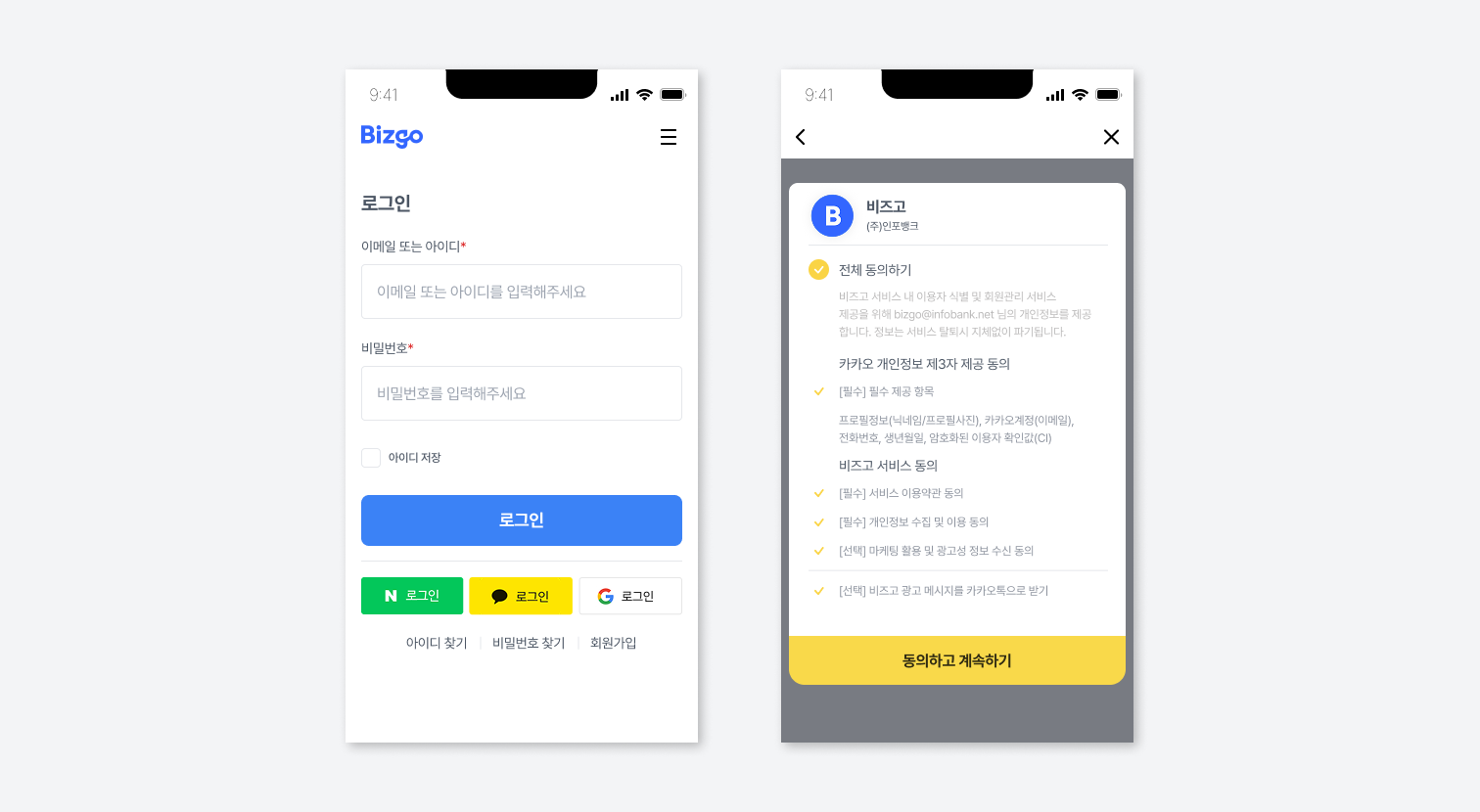
서비스의 복잡한 회원가입 절차를 소셜 플랫폼과 연동하여 한 번에 빠르게 가입 가능하도록 하는 API 상품으로 카카오싱크와 네이버 로그인 API를 통합하여 간편하게 연동이 가능합니다.
#### 주요 기능
* 카카오싱크, 네이버로그인, 구글 로그인 연동을 개별 연동없이 하나의 API로 제공
* provider 파라미터 하나로 간편하게 로그인 방식 지정
* 제공사의 토큰 주기에 맞춘 자동 갱신 제공
#### 이런 비즈니스에 추천해요
* 소셜 로그인을 빠르게 도입하고 싶은 스타트업
* 인증 로직을 단일화해 보안 및 유지보수를 간소화하고 싶은 기업
\
✅TIP '2FA 인증상품'과 함께 연동시 별도 월정액 요금없이 무료로 제공해요 (25년 12월 31일까지)
---
# 알림톡 웹발송 리뉴얼
URL: https://developers.bizgo.io/updates/25-9/25.09.29-1
# \[ 25.09.29 ] 알림톡 웹발송 리뉴얼
### 개요
알림톡 웹발송 화면과 발송 에이전트를 리뉴얼 했습니다. 이번 리뉴얼을 통해 발송 처리 성능, 시스템 안정성, 유지보수 효율이 모두 향상되었으며,SDK 기반의 공통 모듈을 적용하여 향후 신규 채널 연동 시 일관된 발송 경험을 제공합니다. 이제, 카카오 메시지 발송 메뉴에서 알림톡을 보낼 수 있습니다.
### 주요 업데이트 내용
■ 시스템 구조
* 기존 ITA에이전트(ITA Agent) 방식에서 OmniAgent 구조로 전환
■ SDK 기반 발송 모듈 적용
* 발송로직을 SDK로 구성하여 하나의 GUI로 제공하여 일관성 있는 고객경험 제공
* 향후 통계 등 단일 에이전트 기반 마련
변수 치환 구조 개선
* 기존 고정형 변수 구조에서 최대 20개 자유변수 설정 가능
### 기대효과
💡 고객 관점 : 사용자 경험 및 서비스 품질 향상
* 발송 성공률 및 처리 속도가 개선되어 메시지 누락과 지연이 최소화되었습니다.
* 자유변수 기반 메시지 구성으로 고객별 맞춤형 알림 발송이 가능해졌습니다.
⚙️ 운영 관점 : 시스템 효율 및 확장성 강화
* SDK 공통화로 신규 채널(RCS, 브랜드 메시지 등) 연동 효율이 크게 향상되었습니다.
* 발송 로직이 표준화되어 유지보수 및 기능 개선 시 개발 리소스가 절감됩니다.
### 안내사항
* 기존 알림톡 템플릿 및 발송 이력은 기존과 동일하게 메시지함에서 확인할 수 있습니다.
* 알림톡 템플릿은 기존화면을 그대로 이용할 수 있습니다. 추후 템플릿 등록 화면도 리뉴얼 예정입니다.
---
# 브랜드 메시지 대체발송 기능 추가
URL: https://developers.bizgo.io/updates/25-9/25.09.29-2
# \[ 25.09.29 ] 브랜드 메시지 대체발송 기능 추가
### 개요
브랜드 메시지 발송 기능에 SDK 기반 공통 발송 모듈을 적용하였습니다.\
이번 업데이트를 통해 기존에 제공되지 않던 대체발송 기능(SMS/LMS 자동 전환)이 신규 지원됩니다.
### 주요 업데이트 내용
■ 대체발송 기능 신규 지원
* 브랜드 메시지 발송실패 시 SMS/LMS로 자동 전환되는 대체발송 기능을 신규 추가하였습니다.
* 상단 내용 불러오기를 통해, 원메시지의 본문 내용을 그대로 가져올 수 있습니다.
* 브랜드 메시지는 광고성 메시지이므로, 대체발송도 동일하게 광고성 메시지로 전송됩니다.
■ 발송 UI/UX
* 대체발송 설정을 기존 발송 화면 내 옵션 항목으로 통합하여 설정 과정을 단순화하였습니다.
* 수신자 설정 그리드도 고도화하여 행추가, 행삭제 등 수신자 편집을 손쉽게 리뉴얼 하였습니다.
■ 테스트 발송
* 고정변수로 치환되었던 테스트 발송 변수를 직접 설정할 수 있도록 구조를 변경하였습니다.
### 기대효과
#### 💡 고객 관점
* 브랜드 메시지 실패 시 자동으로 SMS/LMS로 대체 발송되어 메시지 도달률이 향상됩니다.
* 본문 불러오기 기능으로 메시지 재작성 과정이 단축되어 작업 효율이 높아집니다.
* 테스트 발송 시 변수 값을 직접 지정할 수 있어, 발송 전 검증 정확도가 향상됩니다.
#### ⚙️ 운영 관점
* 발송 UI 통합 및 옵션 구조 개선으로 설정 단계가 단순화되어 운영 편의성이 높아졌습니다.
* 수신자 관리 그리드 고도화로 대량 수신자 편집 및 검증 과정이 용이합니다.
* 공통 모듈 기반 구조로 리뉴얼 및 장애 대응 시 유지보수 효율이 향상됩니다.
### 안내사항
* 브랜드 메시지는 광고성 메시지로 분류되며, 대체발송도 동일하게 광고성으로 처리됩니다.
* 상단 “내용 불러오기” 기능을 사용하면 원 메시지 본문을 자동으로 가져올 수 있습니다.
---
# 카카오 그룹채널 기능 제공
URL: https://developers.bizgo.io/updates/25-9/25.09.29
# \[ 25.09.29 ] 카카오 그룹채널 기능 제공
### 한줄 요약
그룹으로 묶인 카카오 채널끼리는 템플릿을 공동으로 사용할 수 있으며, 이미 승인된 템플릿을 재검수 없이 즉시 발송할 수 있습니다.
### 한눈에 보기
* 대상: 카카오 그룹채널로 묶인 채널
* 핵심 기능: 템플릿 공유/공동 사용, 기승인 템플릿 재 검수 생략
* 시작 위치: 콘솔 \[채널 관리 > 채널 상세]에서 그룹채널 정보를 확인
### 무엇이 달라졌나요?
* 그룹 단위 템플릿 공유: 같은 그룹에 속한 채널이면 템플릿을 함께 사용 가능
* 승인 템플릿 즉시 활용: 한 채널에서 검수 완료된 템플릿을 그룹 내 다른 채널에서 추가 검수 없이 발송 지원
* 채널 프로필에 그룹 표시: 채널 상세 화면에서 그룹채널 목록을 확인하여 소속을 빠르게 파악
### 왜 중요한가요?
* 리드타임 단축: 재검수 대기 없이 캠페인을 바로 롤아웃
* 운영 효율↑: 동일 템플릿을 여러 채널에서 중복 등록/관리 없이 사용
* 브랜딩 일관성: 문구,버튼 구성 등 템플릿을 그룹 전반에 동일 기준으로 유지
### 이렇게 사용하세요
1. 그룹 구성/소속 확인: 채널 상세에서 해당 채널이 어느 그룹채널에 속해 있는지 확인합니다.
2. 템플릿 준비: 그룹 내 기준 채널에서 템플릿을 등록·검수 완료까지 진행합니다.
3. 공동 사용: 같은 그룹의 다른 채널에서 해당 승인 템플릿을 선택하여 발송합니다. (_추가 검수 불필요_)
4. 운영: 채널별 성과는 통계에서 별도로 확인하고, 필요 시 템플릿을 개선하여 그룹 전반에 반영합니다.
### 유의사항
* 그룹 생성 및 그룹 내 채널 추가를 위해서는 별도 문의 후 진행 가능합니다.
* 공유 범위는 그룹 내부로 한정됩니다. 그룹 외 채널에는 적용되지 않습니다.
* 템플릿 내용(브랜드/정책 고지, 수신 거부 등)은 각 채널의 정책,운영 기준을 충족해야 합니다.
* 템플릿 수정 시 그룹 전체에 영향이 있을 수 있으니 변경·배포 전 사전 검토를 권장합니다.
* 그룹채널 설정/변경 권한과 위치는 조직,환경에 따라 다를 수 있습니다.
---
# 9월 API 업데이트 월간 요약
URL: https://developers.bizgo.io/updates/25-9/25.09.30-9-api
# \[ 25.09.30 ] 9월 API 업데이트 월간 요약
### 한줄 요약
상담톡 기능이 새롭게 추가되고, 카카오센터 연동 기반의 템플릿·카테고리·파일 업로드 등 메시지 관리 API 기능이 크게 확장되었습니다.
### 한눈에 보기
* 상담톡 기능 신규 제공
* 알림톡 템플릿 생성/조회/삭제 API
* 템플릿 카테고리 및 검수 상태 관리
* 브랜드메시지 그룹태그 관리 기능 추가
* 알림톡 이미지 업로드 API 추가
### 무엇이 달라졌나요?
#### 1. 메시지 관리 기능(API) 정식 지원
OMNI API에서 템플릿, 카테고리, 이미지 업로드 등 관리 기능을 직접 호출할 수 있게 되어 카카오센터 UI 의존도가 감소했습니다.
#### 2. 상담톡 기능 신규 오픈
브랜드·상담 채널 운영에 필요한 상담톡 기능이 추가되어 기업의 고객 응대 시나리오를 확장할 수 있습니다.
### 왜 중요한가요?
* 템플릿·카테고리 관리 기능 제공은 대형 고객사가 템플릿을 자동화·내재화하여 운영 효율을 높일 수 있게 해줍니다.
* 이미지 업로드 API 제공은 알림톡 템플릿 제작 과정을 자동화해 개발·운영 프로세스를 단순화합니다.
* 상담톡 기능 추가는 기업이 기존 메시지만 보내는 것을 넘어 고객 상담·응대 기능까지 확장할 수 있게 합니다.
* OMNI API에서 직접 관리 기능 호출 가능은 외부 콘솔(카카오센터) 의존도를 줄여 개발·운영 자동화를 가능하게 합니다.
### 이렇게 사용하세요
* 알림톡 템플릿 생성 시, 이미지가 필요한 경우 이미지 업로드 API로 이미지 키를 먼저 생성하고 템플릿 생성 시 전달해야 정상 등록됩니다.
### 유의사항
* 카카오센터 정책 변경 시 일부 템플릿·카테고리 기능은 사전 공지 후 조정될 수 있습니다.
---
# 브랜드 메시지 UI/UX개선 및 안정화
URL: https://developers.bizgo.io/updates/26-1/26.01.22-ui-ux
# \[26.01.22] 브랜드 메시지 UI/UX개선 및 안정화
#### 개요
브랜드 메시지 템플릿 등록 과정에서 발생하던 오류를 개선하고, 전반적인 UI/UX를 정비하여 사용성을 향상했습니다.
복잡했던 템플릿 등록 흐름을 단순화하고, 구성 요소를 보다 직관적으로 조합·관리할 수 있도록 개선했습니다.
#### 주요 업데이트 내용
■ 캐러셀형 이미지 등록 UI 개선
* 캐러셀(카드형) 템플릿 제작 시 스크롤 방식 대신 탭 기반 편집 구조를 적용했습니다.
* 상단 탭을 통해 원하는 카드를 빠르게 이동·편집할 수 있습니다.
■ 줄바꿈 오류 개선
* 와이드리스트메시지 작성 과정에서 발생하던 줄바꿈 표시 오류를 수정했습니다.
버튼 추가 UI 개선
* 메시지 유형별 사용 가능한 버튼 개수를 직관적으로 확인할 수 있도록 개선했습니다.
* 버튼 추가/삭제 흐름을 명확하게 정비했습니다.
■ 템플릿 상세 화면 가독성 개선
* 항목 구분이 어려웠던 상세 화면에 라벨을 추가하여 정보 인지성을 개선했습니다.
#### 기대효과
* 템플릿 등록 및 관리 과정의 가독성·사용성 향상
* UI 오류 개선을 통한 서비스 안정성 강화
#### 안내사항
* 기존에 등록된 브랜드 메시지 템플릿은 변경 없이 동일하게 사용 가능합니다.
* 템플릿 상세 화면에서 기존 데이터 확인은 가능하나, 수정은 지원되지 않습니다.
---
# 1월 API 업데이트 월간 요약
URL: https://developers.bizgo.io/updates/26-1/26.01.31-1-api
# \[26.01.31] 1월 API 업데이트 월간 요약
### 한눈에 보기
* [국제 메시지 발송](/api-sdk/api-reference/comm/international) 시 `clientSubId` 필드 신규 추가
* [Sender ID / 메시지 서명](/api-sdk/api-reference/comm/overview) 복수 관리 지원
* 해외 통신사 정책 대응을 위한 서명 기능 확장
* ApiKey 인증 이용 고객 RateLimit 제어 버그 수정
### 무엇이 달라졌나요?
#### 1. 국제 메시지 발송 서명 기능 확장
국제 메시지 발송 시 Sender ID 및 메시지 서명을 복수로 관리할 수 있도록\
신규 필드 `clientSubId`가 추가되었습니다.
신규 필드
| 필드명 | 설명 |
| --------------- | ------------------------------- |
| clientSubId | Sender ID / 메시지 서명을 구분하기 위한 식별자 |
| 최대 길이 | 20 byte |
Sender ID란?
Sender ID는 메시지를 수신하는 단말기에서\
“보내는 사람” 영역에 표시되는 발신자 정보입니다.
* 일부 해외 국가/통신사는\
숫자(`15882460`)뿐 아니라 문자열(`Korea`, `MyService`) Sender ID를 허용합니다.
* 스팸·사칭 방지를 위해 기업 또는 서비스 고유 Sender ID를 사전 등록해야 하는 국가도 있습니다.
* 대표 국가: 인도네시아, 인도, 필리핀, 태국 등
* Sender ID 등록에는 통상 2\~4주가 소요됩니다.
메시지 서명이란?
해외 메시지 발송 시, 메시지 본문에\
발송 주체(회사명·서비스명)를 식별할 수 있는 문자열을 필수로 삽입해야 하는 정책이 존재합니다.
* 이를 메시지 서명이라 하며, 사전 등록이 필요합니다.
* 대표 국가: 중국
* 예시 형태:
```
【INFO中国】메시지 내용
```
`clientSubId`를 통해 Sender ID + 메시지 서명 조합을 복수로 관리할 수 있어\
국가·서비스별 국제 발송 대응이 한층 유연해졌습니다.
#### 2. ApiKey인증 이용 고객 RateLimit 제어 버그 개선
ApiKey 기반으로 유입되는 일부 고객에게 RateLimit이 Default 값으로만 적용되던 버그가 수정되었습니다.
* 고객별 설정된 RateLimit 정책이 정상적으로 적용되도록 개선
* 고트래픽 고객 환경에서도 호출 제어의 정합성이 보장됩니다
### 왜 중요한가요? (1줄씩 풀어서 설명)
* 국제 메시지 서명 기능 확장은 국가·통신사별 상이한 정책을 유연하게 대응할 수 있어 글로벌 메시지 발송 안정성을 높여줍니다.
* clientSubId 도입은 하나의 API Key로 여러 Sender ID와 서명을 관리할 수 있게 해 국제 서비스 운영 복잡도를 낮춰줍니다.
* ApiKey 인증 RateLimit 버그 수정은 고객별 호출 정책이 정확히 적용되도록 해 대량 트래픽 환경에서도 예측 가능한 API 운영을 가능하게 합니다.
### 이렇게 사용하세요
* 국제 메시지 발송 시, Sender ID / 메시지 서명 단위로 `clientSubId`를 분리해 설정하는 것을 권장합니다.
* Sender ID 또는 메시지 서명이 필요한 국가는 \*\*사전 등록 기간(2\~4주)\*\*을 고려해 운영 일정을 계획해 주세요.
* ApiKey 인증이용 고객은 별도 설정 변경 없이도 RateLimit 정책이 자동으로 정상 적용됩니다.
### 유의사항
* Sender ID 및 메시지 서명 정책은 국가·통신사별로 상이하며, 사전 등록 없이 발송 시 실패할 수 있습니다.
* 메시지 서명 미삽입 또는 잘못된 Sender ID 사용 시 스팸 또는 사칭 메시지로 차단될 수 있습니다.
* 국제 메시지 정책 관련 상세 사항은 영업 담당자를 통해 별도 확인이 필요합니다.
* RateLimit 정책은 시스템 부하 및 운영 정책에 따라 사전 공지 후 조정될 수 있습니다.
---
# 비즈고 요약 페이지 개편
URL: https://developers.bizgo.io/updates/26-2/26.02.20
# \[26.02.20] 비즈고 요약 페이지 개편
### 한줄 요약
비즈고 서비스 이용 현황을 실시간으로 모니터링하고 관리할 수 있는 환경을 제공하기 위해 요약 페이지가 개편되었습니다. 데이터 시각화를 통해 운영 인사이트를 즉각적으로 제공하고 신규 유저의 원활한 온보딩을 지원합니다.
### 주요 업데이트 내용
#### 온보딩 가이드 위젯 도입
* 신규 유저의 기업인증과 발신정보 등록을 유도하기 위한 3단계 프로세스바를 도입하여 서비스 리드타임을 단축합니다.
* \[시작하기] 클릭 시 단계별 가이드 모달을 호출하여 실제 인증 프로세스와의 브릿지 역할을 수행합니다.
#### 발신번호 등록 위젯
* 알림톡 실패 시 문자로 자동 전환되는 '대체발송' 기능 안내
* \[발신번호 등록하기] 버튼 클릭 시 해당 관리 페이지로 랜딩
#### 발송 성공률 위젯
* 발송 상태의 실시간 모니터링 및 실패 원인 분석
* 실시간 성공률(%) 도넛 차트 및 기간별(오늘/3일/7일/30일) 성공·실패 건수 데이터 제공
#### 이번 주 발송 현황 위젯
* 전주 대비 발송량 변화 추이 비교
* 동일 요일 기준 '이번 주 vs 지난주' 데이터 중첩 차트 제공(마우스 호버 시 상세 데이터 툴팁 노출)
#### 서비스별 이용 비중 위젯
* 채널별 예상 사용 비중과 지출 현황 제공
* 기능: 카카오 비즈메시지, RCS, 문자 등 서비스별 이용 비중을 차트로 시각화
#### 청구 금액 위젯
* 당월 청구 금액 노출 및 비용 관리 지원
* 이번 달 이용 현황의 예상 금액과 확정된 청구 금액을 비교하여 확인할 수 있도록 정보 제공
### 왜 중요한가요?
* 운영 생산성 극대화: 데이터 시각화를 통해 서비스 운영 상태를 한눈에 파악하고 즉각적인 조치가 가능합니다.
* 데이터 기반 예산 관리: 서비스별 이용 비중과 청구 금액 정보를 통해 효율적인 마케팅 예산 계획 및 정산 관리가 가능합니다.
### 이렇게 사용하세요
1. 온보딩 단계 완료: 현재 진행률을 확인하고, 미완료 단계의 \[시작하기]를 눌러 절차를 완료합니다.
2. 발송 품질 모니터링: 발송 성공률 위젯에서 실패 원인을 분석하여 템플릿이나 발송 설정을 점검합니다.
3. 트렌드 비교 분석: 이번 주 발송 현황 차트에서 마우스 호버 시 노출되는 툴팁을 통해 상세 수치를 비교합니다.
4\. 비용 비중 확인: 이번 달 이용 현황 차트에서 채널별 비중을 확인하여 예산 집행 우선순위를 조정합니다.
### 유의사항
* 통계 집계 상황에 따라 실제 발송 결과와 수 분 정도의 데이터 시차가 발생할 수 있습니다.
* 예상 청구액 위젯 데이터는 참고용이며, 실제 정산 및 과금 내역과는 차이가 발생할 수 있습니다.
* 매월 10일 세금계산서 발행 전까지는 데이터가 0원으로 표시될 수 있습니다.
### 활용 포인트
* 온보딩 단계별 가이드를 통한 빠른 서비스 시작
* 전주 대비 발송량 비교를 통한 마케팅 성과 및 추이 측정
* 실시간 실패 사유 분석 및 성공률 관리를 통한 발송 품질 개선
---
# 템플릿 반응 비교 기능 오픈
URL: https://developers.bizgo.io/updates/26-3/26.03.09
# \[ 26.03.09 ] 템플릿 반응 비교 기능 오픈
### 한줄 요약
두 개의 메시지 템플릿을 비교 발송하여 어떤 메시지가 더 높은 반응을 얻는지 확인할 수 있는 템플릿 반응 비교 기능이 추가되었습니다.
메시지 문구나 버튼 구성에 따른 고객 반응 차이를 실제 발송 데이터를 통해 비교할 수 있습니다.
---
url: https://app.arcade.software/share/jQLLED6O5dJ0YsFlLExV
---
---
url: https://app.arcade.software/share/TR8QEK4lhN0AbRh7KdQj
---
### 무엇이 달라졌나요?
#### 템플릿 반응 비교 기능 추가
이제 두 개의 메시지 템플릿을 동일한 조건에서 비교 발송하여\
어떤 메시지가 더 높은 반응을 얻는지 확인할 수 있습니다.
수신자는 자동으로 두 그룹으로 랜덤 분배되며\
동일한 발송 조건에서 템플릿의 반응 차이를 확인할 수 있습니다.
#### 성과 지표 기반 결과 확인
메시지 유형에 따라 다음 기준으로 반응이 높은 템플릿을 확인할 수 있습니다.
* 알림톡 : 유효 읽음 수 기준
* 브랜드 메시지 : CTR(클릭률) 기준
테스트 결과는 시간 단위로 집계되며 테스트 진행 중에도 통계 데이터를 확인할 수 있습니다.
### 왜 중요한가요?
메시지 발송 시 어떤 템플릿이 더 효과적인지 판단하기 어려운 경우가 많습니다.
템플릿 반응 비교 기능을 활용하면
* 메시지 문구
* 버튼 문구
* 메시지 구성
과 같은 요소에 따른 고객 반응 차이를 실제 발송 데이터를 통해 비교할 수 있습니다.
이를 통해 더 높은 반응을 얻는 메시지를 선택하고 메시지 성과를 개선할 수 있습니다.
### 이렇게 사용하세요
1. 메시지 발송 화면에서 템플릿 반응 비교 ON을 선택합니다.
2. 비교할 두 개의 템플릿(A/B)을 설정합니다.
3. 수신자 목록을 등록하여 메시지를 발송합니다.\
수신자는 자동으로 A/B 그룹으로 분배됩니다.
4. 테스트 진행 후\
템플릿 실험실 → 템플릿 반응 비교 → 세부 화면에서 결과를 확인할 수 있습니다.
### 이용 조건 및 정책
* 하나의 테스트는 2개의 템플릿(A/B)으로 구성됩니다.
* 동일 메시지 타입 간 테스트만 가능합니다. (알림톡 vs 알림톡 / 브랜드 메시지 vs 브랜드 메시지)
* 수신자 20명 이상 발송 시 테스트가 진행됩니다.
* 테스트는 발송 후 약 4시간 뒤 자동 종료됩니다.
* 테스트 결과 데이터는 시간 단위로 집계됩니다.
---
# 알림톡 템플릿 등록 UI/UX 개선 및 이미지 만들기 기능 추가
URL: https://developers.bizgo.io/updates/26-3/26.03.26-ui-ux
# \[ 26.03.26 ] 알림톡 템플릿 등록 UI/UX 개선 및 이미지 만들기 기능 추가
### 한줄 요약
알림톡 템플릿 등록 과정의 시각적 복잡도를 낮추고, 사용성을 개선하여, 복잡한 등록 과정을 더 쉽고 빠르게 완료할 수 있습니다. 또한 '알림톡 이미지 만들기' 기능을 새롭게 도입하여 디자인 리소스 없이도 고품질의 알림톡 이미지를 즉시 제작할 수 있도록 지원합니다
### 주요 업데이트 내용
#### '알림톡 이미지 만들기' 에디터 도입
* 알림톡 이미지형 등록 시 사용자가 직접 이미지를 제작할 수 있는 팝업 형태의 에디터를 제공합니다.
* 원하는 구성의 레이아웃을 선택하여 빠르게 제작할 수 있습니다.
* 직접 업로드 외에도 기본 제공되는 200여 개의 아이콘을 제공하여 전문적인 이미지를 만들 수 있어 제작 난이도를 획기적으로 낮췄습니다.
#### 등록 프로세스 UI/UX 최적화
* 직관적인 입력 폼: 복잡했던 입력 항목들을 논리적인 그룹으로 묶어 시각적 피로도를 줄이고, 등록 속도를 개선했습니다.
* 실시간 미리보기 강화: 작성 중인 템플릿 내용과 제작한 이미지가 실제 카카오톡 화면에서 어떻게 노출되는지 직관적으로 확인할 수 있도록 미리보기 기능을 고도화했습니다.
### 이렇게 사용하세요
1. 이미지 제작: 알림톡 이미지형 등록 화면에서 \[이미지 만들기] 버튼을 클릭하여 팝업 에디터를 호출합니다.
2. 디자인 구성: 준비된 레이아웃 중 하나를 선택하고, 서비스 성격에 맞는 아이콘을 배치하거나 사용할 이미지를 업로드합니다.
3. 템플릿 완성: 제작된 이미지를 적용하고 버튼 링크 및 변수 설정을 마친 뒤 승인 요청을 진행합니다.
### 유의사항
* 제작 도구 내에서 생성된 이미지는 카카오의 권장 사이즈 및 용량 가이드에 맞춰 자동으로 최적화됩니다. 별도의 규격 확인 없이도 반려 걱정 없이 안심하고 등록하세요.
* 아이콘 라이브러리는 지속적으로 업데이트될 예정이며, 특정 브라우저 환경에 따라 에디터 로딩 속도에 차이가 있을 수 있습니다.
---
# 3월 API 업데이트 월간 요약
URL: https://developers.bizgo.io/updates/26-3/26.03.31-3-api
# \[26.03.31] 3월 API 업데이트 월간 요약
### 한줄 요약
RCS Biz Center API가 새롭게 오픈되고, 메시지 자동화·템플릿 처리 기능 확장과 함께 발송·리포트 안정성이 개선되었습니다.
### 한눈에 보기
* [RCS Biz Center API](/api-sdk/api-reference/comm/rcs) 기능 신규 제공
* Make / Zapier 연동을 위한 템플릿 변수 조회 API 추가
* [Omni-polling 리포트](/api-sdk/api-reference/comm/report) 타임아웃 개선
* [알림톡](/api-sdk/api-reference/comm/kakao-alimtalk) / [브랜드메시지](/api-sdk/api-reference/comm/kakao-brand) 기본형 템플릿 자동 치환 기능
* [XMS(SMS/LMS/MMS 통합) 자동 치환 발송](/api-sdk/api-reference/comm/mt) 기능 추가
* [브랜드메시지 F타입 발송](/api-sdk/api-reference/comm/kakao-brand) 지원
### 무엇이 달라졌나요?
#### 1. RCS Biz Center API 기능 오픈
RCS 메시지 운영을 위한 Biz Center API가 새롭게 제공되었습니다.
주요 기능
* 브랜드 관리 기능 (대행사 지원)
* 템플릿 관리 기능
* 대화방 관리 기능
이를 통해 RCS 채널 운영을 API 기반으로 자동화할 수 있습니다.
#### 2. Make / Zapier 연동을 위한 템플릿 변수 조회 API 추가
메시지 자동화 도구(예: Make, Zapier)와 연동 시 필요한\
템플릿 변수 목록을 조회할 수 있는 API가 추가되었습니다.
* 자동화 시나리오 구성 시 변수 매핑이 용이해짐
* 노코드/로우코드 기반 메시지 운영 지원 강화
#### 3. Omni-polling 리포트 타임아웃 개선
Polling 방식으로 리포트를 조회할 때 발생하던\
간헐적 타임아웃 문제가 개선되었습니다.
* 대량 조회 시 안정성 향상
* 네트워크 지연 상황에서도 결과 수신 성공률 증가
#### 4. 템플릿 자동 치환 기능 추가 (알림톡 / 브랜드메시지)
기본형 템플릿에 대해 자동 치환 기능이 적용되었습니다.
* 별도 가공 없이 템플릿 변수 자동 치환 처리
#### 5. XMS 기능 추가 (SMS/LMS/MMS 통합 처리)
메시지 유형(SMS/LMS/MMS)에 따라 자동으로 최적 포맷으로 발송되는\
XMS 기능이 추가되었습니다.
* 메시지 길이 및 콘텐츠에 따라 자동 변환
* 개발 시 채널 구분 로직 단순화
#### 6. 브랜드메시지 F타입 발송 지원
브랜드메시지의 F타입 발송이 새롭게 지원되어\
메시지 유형 선택의 폭이 확장되었습니다.
### 왜 중요한가요? (1줄씩 풀어서 설명)
* RCS Biz Center API 제공은 메시지 채널 운영을 UI 중심에서 API 중심으로 전환해 자동화와 확장성을 크게 높여줍니다.
* 템플릿 변수 조회 API 추가는 Make·Zapier와 같은 자동화 도구 연동을 쉽게 만들어 메시지 운영 자동화를 가속화합니다.
* Polling 타임아웃 개선은 대량 리포트 조회 시 실패를 줄여 안정적인 데이터 수집을 가능하게 합니다.
* 템플릿 자동 치환 기능은 별도 치환 로직 없이 메시지를 생성할 수 있어 개발 복잡도를 낮춰줍니다.
* XMS 기능 추가는 메시지 유형을 자동으로 최적화해 발송 효율과 개발 편의성을 동시에 높여줍니다.
* 브랜드메시지 F타입 지원은 다양한 메시지 유형을 활용할 수 있게 해 마케팅 표현력과 활용 범위를 확장합니다.
### 이렇게 사용하세요
* RCS 기능은 기존 메시지 API와 동일한 구조로 확장하여 사용할 수 있으며, 브랜드·템플릿·대화방 단위로 관리하는 것을 권장합니다.
* 자동화 환경에서는 템플릿 변수 조회 API를 활용해 변수 매핑을 사전에 구성하면 운영 효율이 높아집니다.
* XMS 기능을 활용하면 메시지 유형 분기 없이 하나의 로직으로 발송 처리가 가능합니다.
### 유의사항
* RCS 기능은 채널 및 단말 지원 여부에 따라 실제 수신 형태가 달라질 수 있습니다.
* XMS 자동 변환은 메시지 길이 및 콘텐츠 기준으로 동작하므로, 예상과 다른 유형으로 발송될 수 있습니다.
* Polling 방식은 대량 호출 시에도 안정성이 개선되었지만, 과도한 호출은 여전히 RateLimit 영향을 받을 수 있습니다.
---
# 비즈고 LNB 메뉴 구조 개편 및 사용성 개선
URL: https://developers.bizgo.io/updates/26-4/26.04.06-lnb
# \[ 26.04.06 ] 비즈고 LNB 메뉴 구조 개편 및 사용성 개선
### 한줄 요약
LNB 메뉴 구조와 명칭을 직관적으로 재편하고 탐색 동선을 간소화하여, 비즈고의 다양한 기능을 더 쉽고 빠르게 찾을 수 있도록 사용성을 개선했습니다. 비즈고 진입 시 거쳐야 했던 불필요한 단계를 제거하여 핵심 기능으로의 도달 시간을 단축하고, 전반적인 UI 가독성을 높였습니다.
### 주요 업데이트 내용
#### 진입 동선 축소 및 구조 고도화
사용자 피드백과 서비스 확장성을 고려하여, 핵심 기능에 빠르게 도달할 수 있도록 구조를 개편했습니다.
* 대시보드 단계 제거 및 진입 동선 단축: 기존에 대시보드와 GNB를 거쳐 팀 스페이스를 선택해야 했던 번거로움을 없앴습니다 이제 로그인 시 고정된 팀 스페이스의 '요약' 페이지로 즉시 진입하여 불필요한 뎁스를 줄였습니다.
* 메시지 및 발송 플로우 간소화: '발송준비'와 '메시지' 뎁스를 통합하여 템플릿 등록 후 바로 발송 단계로 진입할 수 있도록 개선했습니다.
* 구조 고도화: 1뎁스(기능/관리)와 2뎁스(상품/채널)를 명확히 분리하여 직관적인 네비게이션을 제공합니다. 이를 통해 신규 채널이 추가되더라도 메뉴가 무분별하게 길어지는 것을 방지하고 탐색 효율을 높였습니다.
#### 탐색 동선 및 UI/UX 사용성 향상
* 발송 플로우 유도: 핵심 액션인 '메시지 발송'과 '채널 관리'가 혼재되어 있던 문제를 해결했습니다. '메시지' 메뉴를 통해 채널 설정부터 템플릿 준비, 발송까지 이어지는 전체 프로세스를 사용자가 자연스럽게 인지하고 따라오도록 유도합니다.
* 가독성 및 명칭 최적화: 본문과 메뉴의 구분을 위해 폰트, 색상, 레이아웃을 조정했습니다.
### 이렇게 사용하세요
1. 서비스 진입: 로그인 후 즉시 연결되는 고정 팀 스페이스의 '요약' 페이지에서 주요 현황을 파악하고 바로 업무를 시작하세요.
2. 메뉴 탐색: 좌측 1뎁스 메뉴에 마우스를 올려 빠르고 편리하게 2뎁스 하위 메뉴들을 확인하고 이동하세요.
3. LNB 메시지 메뉴: 새롭게 통합된 '메시지' 메뉴 내에서 템플릿 등록부터 메시지 발송까지 끊김 없는 워크플로우로 업무를 진행하세요.
### 유의사항
* 제작 도구 내에서 생성된 이미지는 카카오의 권장 사이즈 및 용량 가이드에 맞춰 자동으로 최적화됩니다. 별도의 규격 확인 없이도 반려 걱정 없이 안심하고 등록하세요.
* 아이콘 라이브러리는 지속적으로 업데이트될 예정이며, 특정 브라우저 환경에 따라 에디터 로딩 속도에 차이가 있을 수 있습니다.
---
# 4월 API 업데이트 월간 요약
URL: https://developers.bizgo.io/updates/26-4/26.04.30-4-api
# [26.04.30] 4월 API 업데이트 월간 요약
### 한줄 요약
SMO 연동 기능이 추가되고, 메시지 발송·정산 및 템플릿 관리 기능이 강화되었습니다.
### 한눈에 보기
* [SMO 연동 기능](/api-sdk/api-reference/comm/mo) 신규 제공 (MO 수신 흐름 지원)
* [브랜드메시지 동보(F) 발송](/api-sdk/api-reference/comm/kakao-brand) 시 `paymentCode` 추가
* [알림톡](/api-sdk/api-reference/comm/kakao-alimtalk) / [브랜드메시지](/api-sdk/api-reference/comm/kakao-brand) 템플릿 변경이력 조회 API 추가
### 무엇이 달라졌나요?
#### 1. [SMO 연동 기능](/api-sdk/api-reference/comm/mo) 추가 (MO 수신 지원)
MO(수신 메시지)를 고객사 시스템으로 전달할 수 있는 SMO 연동 기능이 추가되었습니다.
메시지 흐름은 `GW → Omni API → 고객사 MO Webhook 서버` 구조로 제공되며, 사용자 응답 메시지를 실시간으로 수신할 수 있습니다. 이를 통해 단방향 메시지 발송을 넘어 양방향 메시징(2-way communication) 구조를 지원할 수 있습니다.
#### 2. [브랜드메시지 동보(F) 발송](/api-sdk/api-reference/comm/kakao-brand) 시 paymentCode 추가
브랜드메시지 동보(F) 발송 시 `paymentCode` 필드가 추가되어 발송 건별 과금 및 정산 관리가 가능해졌습니다.
메시지 비용을 구분하고 추적할 수 있어 정산 및 리포트 정확도를 높일 수 있습니다.
#### 3. [템플릿 최근 변경이력 조회 API](/api-sdk/api-reference/comm/kakao-alimtalk) 추가
알림톡 및 브랜드메시지 템플릿의 최근 변경 이력을 조회할 수 있는 API가 추가되었습니다.
템플릿 수정 이력을 확인할 수 있어 운영 중 변경 추적과 관리가 쉬워졌습니다.
### 왜 중요한가요?
* SMO 연동 기능은 사용자 응답을 실시간으로 수신할 수 있게 해 단방향 메시지를 넘어 양방향 커뮤니케이션을 가능하게 합니다.
* `paymentCode` 추가는 메시지 발송 비용을 정확히 구분하고 정산할 수 있어 운영·회계 관리 효율을 높여줍니다.
* 템플릿 변경이력 조회 API는 템플릿 수정 내역을 추적할 수 있어 운영 안정성과 관리 투명성을 강화합니다.
### 이렇게 사용하세요
* MO 메시지를 처리하려면 고객사 Webhook 서버를 구성하고 SMO 연동 흐름에 맞게 수신 로직을 구현해야 합니다.
* `paymentCode`를 활용해 메시지 유형별 비용을 구분하면 정산 및 리포트 분석이 용이해집니다.
* 템플릿 변경이력 API를 활용해 운영 중 변경 사항을 기록·추적하는 관리 체계를 구축하는 것을 권장합니다.
### 유의사항
* SMO 연동을 위해서는 Webhook 서버의 가용성과 응답 속도 확보가 필요합니다.
* MO 메시지는 채널 정책 및 사용자 응답 여부에 따라 수신되지 않을 수 있습니다.
* `paymentCode` 값은 고객사 기준에 맞게 일관된 정책으로 관리해야 정확한 정산이 가능합니다.
* 템플릿 변경이력은 일정 기간 이후 일부 데이터가 제한될 수 있습니다.
---
# 고객관리 (CRM) 기능 오픈
URL: https://developers.bizgo.io/updates/26-5/26.05.27-crm
# [ 26.05.27 ] 고객관리 (CRM) 기능 오픈
### 한줄 요약
고객 정보를 직접 관리하고 원하는 고객 그룹을 구성할 수 있는 CRM 기능이 새롭게 추가되었습니다.
### 무엇이 달라졌나요?
기존 주소록 기능이 CRM으로 확장되었습니다.
이제 단순 연락처 관리뿐 아니라 고객 정보를 직접 등록, 업로드하고 원하는 항목을 추가하여 고객 데이터를 체계적으로 관리할 수 있습니다.
주요 기능은 다음과 같습니다.
#### 고객 프로필 관리
고객별 정보를 하나의 프로필로 관리할 수 있습니다.
* 고객 정보 등록 및 수정
* 엑셀, CSV 파일 업로드
* 고객별 상세 정보 조회
* 고객 검색 및 필터링
#### 필드 관리
운영 목적에 맞는 고객 정보를 직접 구성할 수 있습니다.
예)
* 이름
* 회사명
* 담당자
* 회원등급
* 구매 상품
* 지역
#### 태그 관리
고객을 원하는 기준으로 그룹화할 수 있습니다.
예)
* VIP 고객
* 이벤트 참여 고객
* 재구매 고객
#### 세그먼트 관리
고객 정보 조건을 기반으로 고객 그룹을 자동 생성할 수 있습니다.
예)
* 최근 가입 고객
* 서울 지역 VIP 고객
* 최근 메시지 수신 고객
고객 정보가 변경되면 세그먼트도 자동으로 업데이트됩니다.
### 왜 중요한가요?
CRM 기능을 활용하면 고객 데이터를 비즈고에서 직접 관리할 수 있습니다.
* 반복적인 수신자 등록 작업 감소
* 고객 정보의 체계적인 관리
* 고객 그룹별 타겟 관리 가능
* 향후 발송 및 자동화 기능 활용 기반 마련
특히 고객 데이터를 비즈고에 축적하여 향후 세그먼트 발송, 자동화 시나리오 등 다양한 기능과 연계할 수 있습니다.
### 이렇게 사용하세요
1. CRM 메뉴에서 고객 프로필을 등록하거나 파일을 업로드합니다.
2. 필요한 고객 정보 필드를 추가합니다.
3. 태그를 활용하여 고객을 분류합니다.
4. 조건을 설정하여 세그먼트를 생성합니다.
5. 생성된 고객 그룹을 운영 목적에 맞게 활용합니다.
### 유의사항
* 고객은 휴대폰 번호를 기준으로 관리됩니다.
* 동일한 휴대폰 번호는 중복 등록할 수 없습니다.
* 엑셀 및 CSV 파일 업로드를 지원합니다.
* 수신거부 여부 및 메시지 발송 이력은 비즈고 데이터 기반으로 자동 제공되며 수정할 수 없습니다.
* 세그먼트는 고객 정보 변경 시 자동으로 갱신됩니다.
* 현재는 고객 데이터 관리 기능 중심으로 제공되며, 향후 발송 연계 및 자동화 기능이 순차적으로 추가될 예정입니다.
이번 CRM 기능은 고객 데이터를 비즈고 안에서 체계적으로 관리하기 위한 첫 단계입니다.
앞으로 세그먼트 기반 발송, 자동화 시나리오 연계 등 고객 데이터를 더욱 효과적으로 활용할 수 있는 기능을 순차적으로 제공할 예정입니다.
---
# 인스타그램 DM 자동화 기능 오픈
URL: https://developers.bizgo.io/updates/26-5/26.05.27-dm
# [ 26.05.27 ] 인스타그램 DM 자동화 기능 오픈
### 한줄 요약
인스타그램 댓글, 키워드, DM을 기반으로 고객 응대를 자동화하고 전환 기회를 놓치지 마세요.
### 무엇이 달라졌나요?
비즈고에서 인스타그램 DM 자동화 기능을 새롭게 제공합니다.
이제 고객의 인스타그램 행동을 기반으로 자동 응답 시나리오를 구성하여 반복적인 고객 응대 업무를 줄이고, 보다 효율적으로 고객과 소통할 수 있습니다.
별도의 개발 없이 간단한 설정만으로 고객 문의 응대, 이벤트 운영, 상품 안내 등 다양한 자동화 시나리오를 구성할 수 있습니다.
#### 게시글 · 릴스 · 스토리 기반 DM 자동화
인스타그램 콘텐츠 유형에 맞춰 자동 응답 시나리오를 설정할 수 있습니다.
* 게시글, 릴스, 스토리 지원
* 특정 콘텐츠별 자동화 설정 가능
#### 댓글 키워드 기반 자동 DM 발송
다중 키워드 설정을 지원합니다.
예시)
* "가격" 댓글 작성 시 → 가격 안내 DM 발송
* "링크" 댓글 작성 시 → 구매 링크 DM 발송
* "이벤트" 댓글 작성 시 → 이벤트 안내 DM 발송
#### 단계형 DM 시나리오 구성
고객 행동에 따라 여러 단계의 DM 흐름을 구성할 수 있습니다.
* 순차 DM 발송 지원
* 텍스트형 메시지 지원
* 카드형(캐러셀) 메시지 지원
* 버튼 및 링크 활용 가능
예시) 댓글 작성 → 상품 소개 DM 발송 → 구매 링크 안내 → 상담 유도
#### 대시보드 및 성과 분석 제공
운영 중인 자동화 시나리오의 성과를 확인할 수 있습니다.
* 콘텐츠 유형별 자동 발동 현황
* 상위 시나리오 성과 확인
* 총 발동 횟수 확인
* 참여 유저 수 확인
* 전환율 분석
### 왜 중요한가요?
인스타그램은 고객 문의와 참여가 가장 활발하게 발생하는 채널 중 하나입니다.
DM 자동화를 활용하면 고객이 댓글이나 메시지를 남긴 순간 즉시 응답할 수 있어 응대 지연을 줄이고, 마케팅 및 상담 프로세스를 효율적으로 운영할 수 있습니다.
또한 반복적인 문의 대응 업무를 자동화하여 운영 부담을 줄이고 고객 경험을 개선할 수 있습니다.
### 이렇게 사용하세요
1. 인스타그램 계정을 연결합니다.
2. 자동화를 적용할 게시글, 릴스 또는 스토리를 선택합니다.
3. 발동 조건이 될 댓글 키워드 또는 고객 행동을 설정합니다.
4. 발송할 DM 시나리오를 구성합니다.
5. 자동화를 활성화하고 성과를 모니터링합니다.
### 유의사항
* 인스타그램 비즈니스 계정 연결이 필요합니다.
* 게시글, 릴스, 스토리 기반 자동화를 지원합니다.
* 댓글 키워드 기반 DM 자동 발송을 지원합니다.
* 텍스트형 및 카드형(캐러셀) 메시지를 지원합니다.
* 제공 기능 및 사용량은 가입한 요금제에 따라 달라질 수 있습니다.
인스타그램 DM 자동화는 고객 커뮤니케이션 자동화를 위한 첫 단계입니다.
앞으로 비즈고는 인스타그램을 통한 리드 수집부터 알림톡·친구톡 발송, CRM 연계까지 하나의 흐름으로 연결되는 고객 커뮤니케이션 플랫폼으로 발전해 나갈 예정입니다.
고객 데이터를 기반으로 더 효과적인 마케팅과 상담이 가능하도록 기능을 지속적으로 확장하겠습니다.
---
# 5월 API 업데이트 월간 요약
URL: https://developers.bizgo.io/updates/26-5/26.05.31-5-api
# [26.05.31] 5월 API 업데이트 월간 요약
### 한줄 요약
예약 관리 기능이 대폭 확장되고, 수신번호 정합성 검증이 도입되어 메시지 발송 안정성이 강화되었습니다.
### 한눈에 보기
* 예약 관리 기능 전면 확장 (조회/변경/제어)
* 예약 수신자 관리 기능 추가
* 발송 전 수신번호 정합성 자동 검증 도입
### 무엇이 달라졌나요?
#### 1. 예약 관리 기능 확장
예약 메시지를 보다 정교하게 제어할 수 있도록 조회, 변경, 수신자 관리 기능이 통합 제공됩니다.
예약 조회 기능
* 예약 목록 조회
* 예약 상세 조회
예약 제어 기능
* 예약 수정
* 예약 취소
* 예약 중지
* 예약 재개
예약 수신자 관리 기능
* 예약 수신자 추가
* 예약 수신자 목록 조회
* 예약 수신자 삭제
#### 2. 수신번호 정합성 자동 검증 도입
메시지 발송 시점에 접수된 수신번호와 실제 발송 대상 수신번호를 비교 검증하는 기능이 추가되었습니다.
* 값이 불일치할 경우 발송 실패 처리
* 데이터 오류 기반 오발송 사전 차단
### 왜 중요한가요?
* 예약 관리 기능 확장은 대량·정기 메시지를 유연하게 제어할 수 있어 운영 효율성과 안정성을 동시에 높여줍니다.
* 예약 수신자 관리 기능은 대상자를 동적으로 관리할 수 있어 캠페인 운영과 메시지 타겟팅 정확도를 향상시킵니다.
* 수신번호 정합성 검증은 잘못된 데이터로 인한 오발송을 사전에 차단해 비용 손실과 장애 리스크를 줄여줍니다.
### 이렇게 사용하세요
* 예약 발송은 생성 이후에도 수정·중지·재개가 가능하므로 운영 상황에 맞춰 유연하게 제어하는 것을 권장합니다.
* 수신자 목록을 API로 관리하면 대량 발송 대상 변경 시 효율적인 운영이 가능합니다.
* 정합성 검증 실패가 발생할 경우 발송 전 수신번호 데이터 생성 로직을 점검해야 합니다.
### 유의사항
* 예약 중지 상태에서는 메시지가 발송되지 않으며, 재개 후 정상 발송됩니다.
* 수신번호 정합성 검증 실패 시 메시지는 발송되지 않고 오류로 반환됩니다.
* 수신자 데이터 변경 시 예약 시점과 발송 시점 간 데이터 불일치가 발생하지 않도록 관리가 필요합니다.
* 대량 수신자 관리 시 API 호출량 증가에 따라 RateLimit 영향을 받을 수 있습니다.
---
# 네이버 커머스 커스텀 템플릿 오픈
URL: https://developers.bizgo.io/updates/26-6/26.06.10
# [ 26.06.10 ] 네이버 커머스 커스텀 템플릿 오픈
### 한줄 요약
직접 등록한 알림톡 템플릿을 네이버 커머스 자동화에 활용하고, 여러 스토어를 더욱 유연하게 운영할 수 있습니다.
### 무엇이 달라졌나요?
기존에는 네이버 커머스 자동화 이용 시 비즈고에서 제공하는 기본 템플릿만 사용할 수 있었습니다.
이제 직접 등록 후 승인받은 알림톡 템플릿을 자동화 시나리오에 활용할 수 있어 브랜드 운영 목적과 고객 여정에 맞는 메시지를 자유롭게 구성할 수 있습니다.
주문 안내, 배송 안내, 리뷰 요청, 이벤트 안내 등 다양한 커머스 시나리오를 더욱 유연하게 자동화해 보세요.
#### 직접 등록한 알림톡 템플릿 사용
비즈고 기본 템플릿뿐 아니라 직접 등록한 알림톡 템플릿을 자동화 시나리오에 연결할 수 있습니다.
#### 네이버 주문 데이터 자동 매핑
템플릿 변수와 네이버에서 제공하는 주문 데이터를 연결하여 고객별 맞춤형 메시지를 발송할 수 있습니다.
예를 들어 고객명, 상품명, 주문번호, 배송정보 등을 자동으로 메시지에 반영할 수 있습니다.
#### 다중 스토어 운영 지원
커머스 Pro 요금제를 통해 여러 네이버 스토어를 하나의 계정에서 관리할 수 있습니다.
### 커머스 Pro 요금제 출시
이번 기능 확장과 함께 커머스 Pro 요금제가 새롭게 추가되었습니다.
커머스 Pro에서는 직접 등록한 템플릿 활용, 다중 스토어 연동 등 보다 확장된 커머스 자동화 기능을 이용할 수 있습니다.
### 왜 중요한가요?
* 브랜드에 맞는 고객 커뮤니케이션 구현
* 다양한 커머스 운영 시나리오 자동화
* 고객 경험 향상 및 운영 효율 증대
* 여러 스토어의 통합 관리 지원
비즈고는 앞으로도 커머스 운영에 필요한 자동화 기능을 지속적으로 확장해 나갈 예정입니다.
---
# 웹발송 CRM 세그먼트 활용
URL: https://developers.bizgo.io/updates/26-6/26.06.23-crm
# [ 26.06.23 ] 웹발송 CRM 세그먼트 활용
### 한줄 요약
CRM에 저장된 고객 정보를 활용해 원하는 고객 그룹을 만들고, 발송 대상자로 바로 사용할 수 있습니다.
### 고객 데이터를 더 쉽게 활용하세요
고객마다 관심사와 행동이 다르기 때문에 같은 메시지를 모든 고객에게 보내는 것은 효과적이지 않습니다.
이제 비즈고 CRM에서는 고객 정보를 기준으로 세그먼트를 생성하고 관리할 수 있습니다. 생성한 세그먼트는 웹발송에서 바로 활용할 수 있어 더욱 정교한 타겟 메시지 발송이 가능합니다.
### 주요 기능
#### 원하는 조건으로 고객 그룹 생성
고객 정보 필드를 기준으로 다양한 고객 그룹을 만들 수 있습니다.
예를 들어 다음과 같은 세그먼트를 구성할 수 있습니다.
* 최근 가입 고객
* 특정 상품 구매 고객
* 특정 지역 고객
* VIP 고객
#### 웹발송 대상자로 바로 활용
생성한 세그먼트는 웹발송 대상 설정 단계에서 바로 선택할 수 있습니다.
별도의 고객 데이터 추출이나 업로드 과정 없이 최신 고객 정보를 기반으로 발송할 수 있습니다.
#### CRM 필드 변수 매핑 지원
고객 정보를 메시지 변수로 활용할 수 있습니다.
예를 들어 고객명, 회사명, 구매상품 등의 정보를 메시지에 자동으로 삽입하여 개인화된 메시지를 발송할 수 있습니다.
### 이렇게 활용해 보세요
* 신규 가입 고객 환영 메시지 발송
* VIP 고객 대상 이벤트 안내
* 구매 상품별 맞춤 안내 메시지 발송
* 지역별 프로모션 메시지 발송
고객 데이터를 더욱 효과적으로 활용하여 개인화된 커뮤니케이션을 경험해 보세요.
---
# 워크플로우 오픈
URL: https://developers.bizgo.io/updates/26-6/26.06.23
# [ 26.06.23 ] 워크플로우 오픈
### 한줄 요약
구글 시트와 CRM 데이터를 활용하여 반복적인 메시지 발송 업무를 자동화할 수 있습니다.
### 발송 업무를 더 효율적으로
정기적으로 고객 데이터를 확인하고, 조건에 맞는 고객을 선별한 뒤 메시지를 발송하는 과정은 많은 시간이 필요합니다.
워크플로우는 이러한 반복 업무를 자동화하여 보다 효율적으로 고객 커뮤니케이션을 운영할 수 있도록 지원합니다.
이번 MVP 버전에서는 발송 자동화를 위한 핵심 기능을 먼저 제공합니다.
### 데모 보기
---
title: 카카오 알림톡 자동화 메시지 워크플로우 만들기
url: https://demo.arcade.software/ZcoGNSeBu8MhGQtpEFF8?embed&embed_mobile=tab&embed_desktop=inline&show_copy_link=true
---
---
title: 구글 계정 외부 연동 추가하기
url: https://demo.arcade.software/BSUujHgG14DyQBZOChVf?embed&embed_mobile=tab&embed_desktop=inline&show_copy_link=true
---
### 주요 기능
#### 구글 시트 연동
구글 시트 데이터를 기반으로 메시지를 발송할 수 있습니다.
별도의 파일 업로드 없이 최신 데이터를 활용할 수 있습니다.
#### CRM 세그먼트 활용
CRM에서 생성한 세그먼트를 발송 대상으로 사용할 수 있습니다.
고객 그룹별 자동화 시나리오를 구성할 수 있습니다.
#### 반복 스케줄 설정
원하는 주기에 맞춰 자동 실행할 수 있습니다.
* 매일
* 매주
* 매월
반복되는 발송 업무를 자동화하여 운영 부담을 줄일 수 있습니다.
#### 조건 분기 처리
설정한 조건에 따라 서로 다른 흐름으로 워크플로우를 실행할 수 있습니다.
예를 들어 구매 고객과 미구매 고객에게 다른 메시지를 발송하도록 설정할 수 있습니다.
### 이렇게 활용해 보세요
* 신규 가입 고객 자동 환영 메시지 발송
* 정기 점검 및 안내 메시지 발송
* 고객 그룹별 프로모션 자동 발송
* 조건 기반 후속 메시지 발송
비즈고 워크플로우를 통해 반복 업무는 줄이고 고객 커뮤니케이션은 더욱 효율적으로 운영해 보세요.
현재는 구글 시트와 CRM 데이터를 활용한 기본적인 자동화 기능을 제공하지만, 향후 다양한 서비스 및 채널과의 연계를 통해 고객 데이터 수집부터 발송, 후속 액션까지 하나의 흐름으로 관리할 수 있도록 발전시켜 나갈 예정입니다.
---
# 6월 API 업데이트 월간 요약
URL: https://developers.bizgo.io/updates/26-6/26.06.30-6-api
# [26.06.30] 6월 API 업데이트 월간 요약
### 한줄 요약
알림톡 연령인증 기능이 추가되고, SMO 이력 조회 및 브랜드메시지 동영상 관리 기능이 확장되었습니다.
### 한눈에 보기
* 알림톡 연령인증(adultFlag) 기능 신규 제공
* SMO(MO 수신) 이력 조회 기능 추가
* 브랜드메시지 프리미엄 동영상 관리 기능 추가
### 무엇이 달라졌나요?
#### 1. 알림톡 연령인증(adultFlag) 기능 추가
청소년 보호가 필요한 콘텐츠에 대해 성인 인증을 거친 사용자에게만 메시지를 노출하는 기능이 추가되었습니다.
연령인증 메시지란?
* 20세 미만 사용자에게 부적절한 콘텐츠를 차단하고 성인에게만 메시지를 노출하는 기능
* 인증 전에는 메시지가 '커버' 처리되며 성인 인증 후 내용 확인 가능
적용 대상
* 청소년 이용불가 콘텐츠 (게임, 성인 콘텐츠 등)
* 주류, 전자담배기기 등 연령 제한 상품
설정 방법
* 알림톡 템플릿 등록 시 '연령 인증 설정' 체크
주요 동작 방식
* 인증 전 메시지는 커버 상태로 표시
* 푸시 알림은 "연령 확인이 필요한 메시지입니다."로 대체
* 인증 전 채팅방 비활성화 가능
* 미리보기/보안 템플릿과 중복 설정 불가
#### 2. SMO 이력 조회 기능 추가
MO(수신 메시지) 흐름에 대한 이력을 조회할 수 있는 기능이 추가되었습니다.
* 사용자 응답 메시지 추적 가능
* 양방향 메시징 운영 가시성 향상
#### 3. 브랜드메시지 프리미엄 동영상 관리 기능 추가
브랜드메시지에서 프리미엄 동영상 콘텐츠를 관리할 수 있는 기능이 추가되었습니다.
* 동영상 콘텐츠 운영 확장
* 메시지 표현력 및 마케팅 활용도 증가
### 왜 중요한가요?
* 알림톡 연령인증 기능은 청소년 보호 정책을 준수하면서도 성인 대상 메시지를 안전하게 발송할 수 있도록 합니다.
* SMO 이력 조회 기능은 사용자 응답 흐름을 추적할 수 있어 고객 대응과 서비스 운영 품질을 향상시킵니다.
* 프리미엄 동영상 관리 기능은 메시지 콘텐츠의 표현력을 높여 마케팅 효과를 극대화할 수 있게 합니다.
### 이렇게 사용하세요
* 연령 제한 콘텐츠는 반드시 알림톡 템플릿 생성 시 연령인증 옵션을 설정해야 합니다.
* SMO 이력 조회 API를 활용해 사용자 응답 데이터를 분석하고 서비스 개선에 활용할 수 있습니다.
* 동영상 콘텐츠는 브랜드메시지 캠페인에 적극 활용하여 사용자 참여도를 높일 수 있습니다.
### 유의사항
* 연령인증 기능은 모든 성인 콘텐츠를 허용하지 않으며, 정책상 금지된 소재는 발송할 수 없습니다.
* 연령 인증 대상 콘텐츠는 일부 메시지 유형(쿠폰, 라이브, 신제품 알림 등)에 제한이 있을 수 있습니다.
* 연령인증 / 보안 템플릿 / 미리보기 메시지는 중복 설정이 불가합니다.
* 연령인증 미적용 상태에서 관련 메시지 발송 시 발송 제한 또는 채널 제재가 발생할 수 있습니다.
* 알림톡 심사 승인은 법적 책임을 보장하지 않으며, 실제 발송 책임은 발송자에게 있습니다.
---
# 카카오 브랜드 메시지 F타입(채널 친구 동보) 오픈
URL: https://developers.bizgo.io/updates/26-7/26.07.23-f
# [ 26.07.23 ] 카카오 브랜드 메시지 F타입(채널 친구 동보) 오픈
### 한줄 요약
수신번호 없이 카카오톡 채널 친구 전체에게 발송하는 F타입 동보 발송을 이제 웹에서 직접 예약하고, 메시지함에서 발송을 재개·중지·종료할 수 있습니다.
### 주요 기능
#### 브랜드메시지 F타입(채널 친구 동보) 웹 발송
채널과 템플릿만 선택하면 채널 친구 전체에게 예약 발송할 수 있습니다. 수신번호를 준비하거나 업로드할 필요가 없으며, F타입 전용 화면에서 간단하게 발송합니다.
#### 메시지함에서 발송 제어 (중지·재개·종료)
발송 후 메시지함에서 진행 상황을 확인하고, 발송을 직접 제어할 수 있습니다.
* 예약 상태의 건도 발송 전에 중지·예약 취소할 수 있습니다.
### 데모 보기
---
url: https://app.arcade.software/share/8xdAtudKPndbYWSaHUv3
---
### 왜 중요한가요?
추석, 블랙프라이데이, 연말처럼 채널 친구 전체에게 한 번에 안내해야 할 때, 수신번호를 따로 모으거나 업로드할 필요 없이 바로 발송을 예약할 수 있어요. 채널 친구가 1만 명이든 50만 명이든 발송 방식은 동일해서, 친구 수가 늘어도 그대로 사용할 수 있습니다.
### 이렇게 사용하세요
1. 카카오메시지 발송 > 브랜드 메시지 발송에서 \[동보발송 F타입] 진입
2. STEP 1 - 채널 선택 후 템플릿 불러오기
3. STEP 2 - 예약 발송 날짜·시간 설정
4. 발송 전 예상 발송 수·예약 일시 확인 후 발송
5. 메시지함에서 발송 현황 확인 및 중지·재개·종료 관리
### 유의사항
* F타입은 변수·수신자 지정·대체발송을 사용할 수 없으며, 변수 없는 템플릿만 사용 가능합니다.
* 즉시 발송은 지원하지 않으며, 예약 발송만 가능합니다. (현재 시각 +15분 이후 ~ 30일 이내, 5분 단위)
* 발송 가능 시간은 08:00~20:50이며, 이후 시간대는 자동 중지 후 다음 날 08:00에 자동 재개됩니다.
* 예약 등록 후 예약 시간은 변경할 수 없습니다. 변경이 필요하면 취소 후 다시 등록해 주세요.
* 동보 발송은 개별 수신자별 성공/실패를 확인할 수 없으며, 집계(전체·성공·대기) 기준으로 표시됩니다.
* 종료한 발송은 다시 재개할 수 없습니다.
---
# 7월 API 업데이트 월간 요약
URL: https://developers.bizgo.io/updates/26-7/26.07.31-7-api
# [26.07.31] 7월 API 업데이트 월간 요약
### 한줄 요약
카카오 브랜드메시지 V2 연동이 적용되고, 신규 타겟팅 옵션과 동영상 등록·증적자료 관리 기능이 확장되었습니다.
### 한눈에 보기
* 카카오 브랜드메시지 V2 연동 및 targeting O 옵션 추가
* 브랜드메시지 프리미엄 동영상 외부 등록 API 추가
* 광고성 정보 수신동의 증적자료 업로드 기능
### 무엇이 달라졌나요?
#### 1. 카카오 브랜드메시지 V2 연동 및 targeting O 옵션 추가
브랜드메시지 V2 출시 대응으로 신규 타겟팅 옵션 `O`가 추가되었습니다.
targeting 옵션 설명
* 기존: M / N / I
* 신규: O
targeting O 특징
* 대상: 광고성 정보 수신동의 회원 ∩ 채널 친구
* 기존 I와 동일한 타겟 조건
* 차이점: 수신거부 안내 방식 변경 (채널 차단 → 고객사 무료수신거부(080) 안내 제공)
기존 targeting(M, N, I)은 그대로 호환되며 고객 변경 사항 없음
#### 2. 브랜드메시지 프리미엄 동영상 외부 등록 API 추가
외부에서 이미 업로드된 동영상을 재사용할 수 있는 API가 추가되었습니다.
* 채널 파트너센터 / 모먼트 등 기존 업로드 영상 재사용
* 채널 동영상 URL 또는 vid 기반 등록
중복 업로드 없이 콘텐츠 재활용이 가능합니다.
#### 3. 광고성 정보 수신동의 증적자료 업로드 기능 추가
광고성 메시지 발송에 필요한 수신동의 증적자료를 파일로 등록할 수 있습니다.
* 광고성 정보 수신동의 증적자료 파일 업로드
### 왜 중요한가요?
* 브랜드메시지 V2 타겟팅 확장은 고객사 데이터 기반 메시지 발송을 가능하게 해 마케팅 정밀도를 높여줍니다.
* targeting O 옵션은 법적 요구사항을 반영한 수신거부 방식 제공으로 컴플라이언스 대응을 강화합니다.
* 외부 동영상 등록 API는 콘텐츠 재사용을 가능하게 해 운영 효율성과 제작 비용을 줄여줍니다.
* 증적자료 관리 기능은 광고성 메시지 발송 시 필요한 정책 준수와 감사 대응을 용이하게 합니다.
### 이렇게 사용하세요
* 기존 targeting 옵션은 그대로 사용 가능하며, 필요 시 targeting O를 적용해 수신거부 정책을 개선할 수 있습니다.
* 동영상 콘텐츠는 외부 업로드 API를 활용해 재사용하면 운영 효율을 높일 수 있습니다.
* 광고성 메시지 발송 시 증적자료 업로드 상태를 사전에 확인하는 것을 권장합니다.
### 유의사항
* targeting O는 광고성 메시지에만 적용되며 관련 법적 기준을 반드시 준수해야 합니다.
* 동영상 등록 시 동일 채널의 콘텐츠만 사용 가능하며, 권한이 없는 영상은 등록할 수 없습니다.
---
# 8월 API 업데이트 월간 요약
URL: https://developers.bizgo.io/updates/26-8/26.08.31-8-api
# [26.08.31] 8월 API 업데이트 월간 요약
### 한줄 요약
Sandbox 연동 속도가 빨라지고 카카오 브랜드메시지 관리 기능과 RCS 고객반응 통계가 확장되었습니다.
### 한눈에 보기
* Sandbox ↔ 운영환경 동기화 주기 단축
* 카카오 브랜드메시지 모수조회 및 발송권한 확인 기능 추가
* RCS 고객반응 통계 4종 메시지 인사이트 추가
### 무엇이 달라졌나요?
#### 1. Sandbox ↔ 운영환경 동기화 주기 단축
비즈고에서 API Key를 생성한 후 Sandbox 환경에 반영되는 동기화 시간이 기존보다 단축되어 약 5분 내 테스트가 가능해졌습니다.
* API Key 생성 후 Sandbox에서 빠르게 테스트 가능
* 개발 및 QA 환경 구성에 필요한 대기 시간 단축
#### 2. 카카오 브랜드메시지 모수조회 및 발송권한 관리 기능 추가
카카오 브랜드메시지의 발송 가능 모수를 확인하고, 고객사 회원 대상 발송에 필요한 발송권한 여부를 확인할 수 있는 기능이 추가되었습니다.
* 발송 가능 모수 조회
* 고객사 회원 대상 발송권한 여부 확인
* 브랜드메시지 발송 전 권한 및 대상 규모 확인 가능
#### 3. RCS 고객반응 통계 추가
메시지 인사이트에 RCS 고객반응을 확인할 수 있는 통계 4종이 추가되었습니다.
* 메시지 발송 통계
* 메시지 버튼 클릭 통계
* 대화방 메뉴 클릭 통계
* 브랜드 프로필 노출 통계
이를 통해 RCS 메시지의 발송 현황뿐 아니라 고객의 실제 반응과 콘텐츠 이용 현황까지 확인할 수 있습니다.
### 왜 중요한가요?
* Sandbox 동기화 시간 단축은 API Key 생성 후 바로 테스트할 수 있어 개발·QA 과정의 대기 시간을 줄이고 개발 생산성을 높여줍니다.
* 브랜드메시지 모수·발송권한 확인은 실제 발송 전에 대상 규모와 권한을 확인할 수 있어 발송 계획과 운영 안정성을 높여줍니다.
* RCS 고객반응 통계 추가는 단순 발송 결과를 넘어 버튼 클릭과 브랜드 프로필 노출까지 분석할 수 있어 메시지 성과를 보다 구체적으로 파악할 수 있습니다.
### 이렇게 사용하세요
* 비즈고에서 API Key를 생성한 후 Sandbox에 반영되기까지 약 5분 정도 기다린 뒤 API 연동 테스트를 진행하세요.
* 카카오 브랜드메시지 발송 전 모수와 발송권한을 확인하여 실제 발송 가능한 대상과 권한 상태를 사전에 점검하세요.
* RCS 메시지 발송 후 메시지 인사이트에서 발송·클릭·메뉴 이용·브랜드 프로필 노출 통계를 확인하여 고객 반응을 분석해보세요.
### 유의사항
* Sandbox 동기화는 환경 및 시스템 상황에 따라 실제 반영 시간이 달라질 수 있습니다.
* 카카오 브랜드메시지 모수조회 및 발송권한 관련 기능은 카카오 정책 및 고객사 권한 상태에 따라 조회 또는 발송 가능 범위가 달라질 수 있습니다.
* RCS 고객반응 통계는 RCS 채널 및 고객의 실제 이용 행태에 따라 집계되는 데이터이므로 모든 발송 건에서 동일한 반응 데이터가 발생하지 않을 수 있습니다.
---
# 9월 개발자센터 문서·기능 업데이트
URL: https://developers.bizgo.io/updates/26-9/26.09.11-9-api
# [26.09.11] 9월 개발자센터 문서·기능 업데이트
### 한줄 요약
카카오 브랜드메시지 카탈로그(FG) 타입이 문서·샌드박스 전반에 반영되고, 상담톡 규격과 파일 업로드 공통 파트가 채워졌습니다.
### 한눈에 보기
* 카카오 브랜드메시지 카탈로그(FG) 타입을 규격·가이드·샌드박스·리포트에 반영
* 브랜드메시지 이미지 업로드 규격을 카카오 원문 기준으로 정정
* 파일 업로드 공통 요청 파트(`fileKey`·`imageName`)를 채널 전체에 반영
* 상담톡 카카오톡 본인인증·Rich 메시지·웹훅 수신 규격 보강
* 상담톡 요금제 신설 안내와 공용템플릿 제공 중단 예정 안내
* 반복 문의가 많던 080 수신거부·브랜드메시지 M·N 타겟팅 조건을 문서화
* 샌드박스 업로드·요청 오류 2건 수정
### 무엇이 달라졌나요?
#### 1. 카카오 브랜드메시지 카탈로그(FG) 타입 반영
카탈로그(FG)가 브랜드메시지 타입에 추가되어, 규격 문서뿐 아니라 카탈로그를 다루는 화면 전체에 함께 반영되었습니다.
* 발송·템플릿 등록 규격에 `msgType` FG와 `headerDescription`(FG 전용, 최대 36자) 추가
* `attachment.catalog.list[]` 아이템 15개 필드와 `catalogVariable[]` 규격 추가
* 가이드 메시지 타입 카드, 샌드박스 발송 폼·템플릿 에디터, 리포트 메시지 유형 코드표에 FG 반영
* 카탈로그 아이템 이미지 업로드 API 2종(`catalog` 1:1, `catalog/oddFirst` 2:1) 추가
#### 2. 브랜드메시지 이미지 업로드 규격 정정
카카오 비즈메시지 이미지 업로드 문서와 대조해 어긋나 있던 규격값을 바로잡았습니다.
* `default`: 비율 0.5 고정·최대 500KB → **비율 0.5~1.333·최대 5MB** (기존 값은 알림톡 template 규격이었습니다)
* `wide`: 권장 사이즈를 800x600 단일로 정리
* `wideItemList`: 가로 하한 500px → 200px
* 카탈로그 2종 규격 확정 — `catalog` 권장 800x800·비율 1, `catalog/oddFirst` 권장 800x400·가로 500px 이상·비율 0.5, 둘 다 최대 5MB
#### 3. 파일 업로드 공통 요청 파트 반영
파일 업로드는 채널과 무관하게 같은 핸들러를 쓰는데 문서에는 `file` 하나만 적혀 있었습니다. 실제로 받는 선택 파트와 공통 제약을 채웠습니다.
* `fileKey`(최대 64자, 생략 시 서버 자동 생성)와 `imageName`(생략 시 확장자를 제외한 파일명)을 MMS·RCS·알림톡·브랜드메시지·상담톡 전 채널에 추가
* 파일명 40자 초과 시 `A201`이 반환되므로 `file` 필드 제약에 40자 이하를 명시
#### 4. 상담톡 규격 보강
요청·수신·조회 3단계 중 일부만 문서화되어 있던 항목들을 채웠습니다.
* **카카오톡 본인인증**: rich 말풍선 타입 `KAKAO_CERT`와 `certExpiry`, 수신 웹훅 `cert_result` 추가
* **Rich 메시지**: 쿠폰 제목 허용 형식 5종, `message`·`description`의 줄바꿈 허용 횟수, 버튼 타입별 제약(AL·BF·AC) 정정
* **웹훅 수신**: `attachment`는 본문이 4,000자를 넘을 때 전체 본문을 담은 txt 파일 URL이라는 점, `content`는 하위 호환 필드이므로 본문은 `contents`를 사용해야 한다는 점, 읽음 정보 수신 조건과 수신 순서 미보장 안내 추가
#### 5. 요금제·템플릿 정책 안내
* **상담톡 요금제 신설**: 요금제 선택 시 옴니키가 발급되며 커뮤니케이션 상품 요금제와 함께 보유할 수 있고, 과금은 채널 수와 채팅방 건수 기준이라는 점을 콘솔 가이드에 추가했습니다.
* **공용템플릿**: 콘솔 템플릿 선택 화면에서 제외되어 조회 API만 남았습니다. 변수 치환 결과가 정의된 글자 수를 넘으면 잘라내거나 대체발송으로 넘기지 않고 **발송이 실패**한다는 점을 경고로 명시했고, 신규 연동은 템플릿 등록을 사용하도록 안내합니다.
#### 6. 반복 문의 항목 문서화
* **080 수신 거부**: 080으로 차단된 번호는 **콘솔 발송에만 자동 제외**되고 API 연동 발송에는 적용되지 않습니다. 목록을 내려받아 발송 시스템에 직접 반영해야 한다는 조치까지 함께 적었습니다.
* **브랜드메시지 M·N 타겟팅**: 고객사 회원 대상 발송에는 브랜드메시지 사용 전환 신청 → 080 무료수신거부 번호 등록 → 발송 대상 확장 신청(카카오 심사) 세 단계가 순서대로 완료되어야 합니다. 콘솔에서 M·N이 비활성인 것과 API가 `628`을 돌려주는 것은 같은 원인(세 번째 단계 미승인)입니다.
#### 7. 샌드박스 요청 오류 수정
* 멀티파트 업로드 API에서 파일 행만 보이고 나머지 본문 필드가 렌더되지 않던 문제를 수정했습니다. 상담톡 이미지·파일 업로드는 필수인 `senderKey`를 보낼 방법이 없어 항상 `A502`로 실패했습니다.
* 래퍼 객체를 요구하는 API에 평평한 본문을 보내던 오류를 수정했습니다.
### 왜 중요한가요?
* 카탈로그(FG)는 규격 페이지에만 있으면 화면마다 타입 목록이 어긋납니다. 가이드·샌드박스·리포트까지 함께 맞춰 어느 경로로 들어와도 같은 타입 목록을 보게 됩니다.
* 이미지 업로드 규격과 파일 업로드 공통 파트는 값이 어긋나 있으면 발송 직전에 실패로 이어집니다. 실제 서버가 받는 값으로 맞춰 사전 검증이 가능해졌습니다.
* 080 수신거부와 M·N 타겟팅은 같은 문의가 반복되던 항목입니다. 조건과 조치를 문서에 적어 연동 단계에서 확인할 수 있습니다.
### 이렇게 사용하세요
* 카탈로그(FG)를 발송하려면 아이템 이미지를 `catalog` 또는 `catalog/oddFirst` 업로드 API로 먼저 등록하고, 받은 URL을 `catalog.list[].imgUrl`에 넣으세요. 아이템이 홀수(3·5·7)면 첫 아이템만 2:1, 짝수(4·6)면 전부 1:1입니다.
* 파일 업로드 시 `fileKey`를 직접 지정하면 이후 조회·관리가 쉬워집니다. 생략하면 서버가 자동 생성합니다.
* API로 발송한다면 080 수신거부 목록을 주기적으로 내려받아 발송 대상에서 직접 제외하세요.
* 브랜드메시지 M·N 타겟팅이 필요하면 세 단계 신청이 모두 승인되었는지 먼저 확인하세요.
### 유의사항
* 카탈로그(FG)는 친구톡 호환 모드로는 발송할 수 없으며, PC톡·맥톡에서는 노출되지 않습니다(카카오톡 v25.8.0 이상에서 확인 가능).
* 공용템플릿은 이후 제공 중단 예정입니다. 신규 연동은 템플릿 등록을 사용하세요.
* 웹 발송 한도는 월 2,000건 / 일 300건입니다. 기존 콘솔 가이드에 API 키 한도가 잘못 적혀 있어 바로잡았습니다.
* 상담톡 채널 등록과 초기 세팅은 현재 수동 지원이며, 상담 시간·시스템 메시지 설정은 순차 제공 예정입니다.
---
# 카카오 브랜드메시지 '카탈로그형' 오픈
URL: https://developers.bizgo.io/updates/26-9/26.09.29-brandmessage-catalog
# [26.09.29] 카카오 브랜드메시지 '카탈로그형' 오픈
### 한줄 요약
하나의 브랜드메시지에 상품·콘텐츠 아이템을 3~7개까지 리스트로 담아 보낼 수 있는 카탈로그형 템플릿이 추가되었습니다.
### 주요 기능
브랜드메시지 템플릿 '카탈로그형'은 상품·콘텐츠 아이템을 3~7개까지 리스트로 구성해 발송할 수 있습니다.
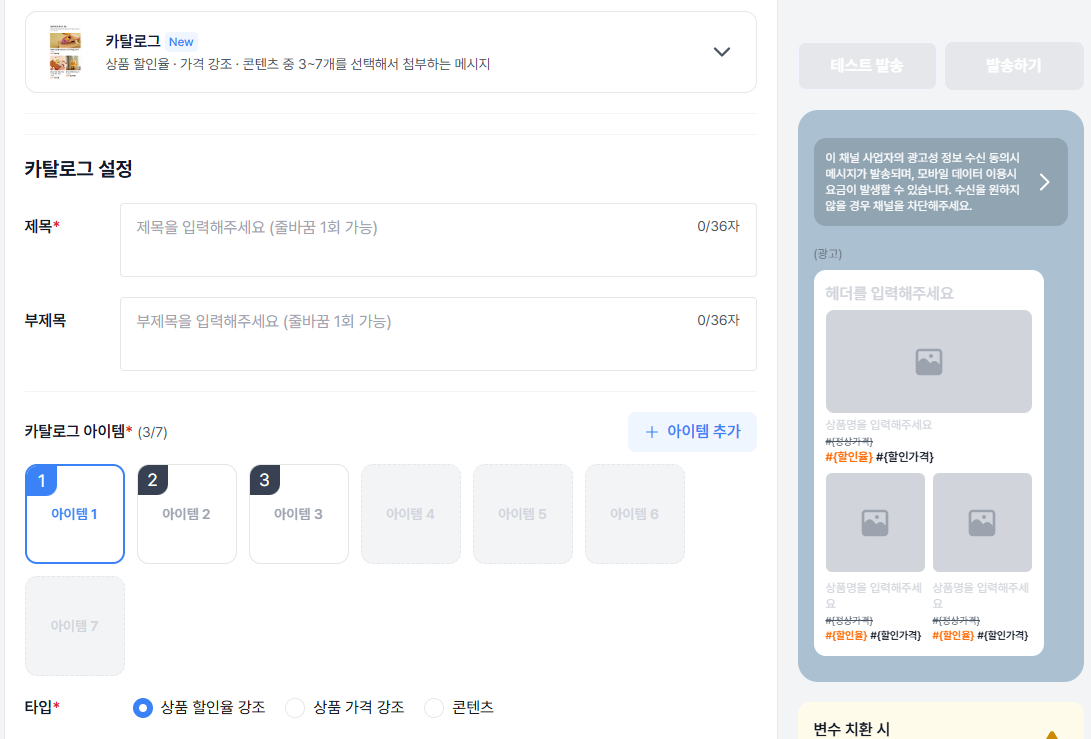
* 하나의 메시지에 여러 아이템(3~7개)을 리스트로 노출하여 상품을 나눠 보내지 않고 한 번에 소개합니다.
* 아이템마다 목적에 맞는 표현 방식을 선택합니다.
* 상품 할인율 강조 — 할인율을 크게 보여줘 세일·특가 노출
* 상품 가격 강조 — 정상가·할인가와 가격명을 함께 노출해 가격 비교
* 콘텐츠 — 가격 없이 이미지·타이틀·설명 중심으로 소개
### 이렇게 활용하세요
* 신상품·베스트 상품 모음전 — 여러 상품을 한 메시지로 한 번에 소개할 수 있습니다.
* 시즌·기획전 세일 — 할인율 강조 타입으로 특가를 부각해 보여줄 수 있습니다.
* 가격대별 라인업 안내 — 가격 강조 타입으로 정상가·할인가를 비교할 수 있습니다.
* 콘텐츠·소식 큐레이션 — 콘텐츠 타입으로 가격 없이 여러 소식을 리스트로 전달합니다.
### 유의사항
* 아이템은 최소 3개 ~ 최대 7개까지 선택 가능합니다. 1~3번은 필수, 4~7번은 선택입니다.
* 타이틀 최대 36자, 홍보문구 최대 36자(개행 1회)이며 링크 입력은 불가합니다.
* 아이템 이미지는 800×800(1:1), JPG·JPEG·PNG, 최대 5MB까지 업로드 가능합니다. 아이템 개수가 홀수면 첫 번째 아이템은 800×400(2:1)을 권장합니다.
### API로 연동하신다면
카탈로그형은 `msgType` **FG**로 발송합니다. 규격은 [카카오 브랜드메시지 API 레퍼런스](/api-sdk/api-reference/comm/kakao-brand)에서 확인하세요.
* 발송·템플릿 등록의 `attachment.catalog.list[]` 아이템 필드와 `catalogVariable[]`
* FG 전용 `headerDescription`(최대 36자)
* 카탈로그 아이템 이미지 업로드 API 2종 — `catalog`(1:1), `catalog/oddFirst`(2:1)
---
# 카카오 브랜드메시지 '프리미엄 동영상형' 오픈
URL: https://developers.bizgo.io/updates/26-9/26.09.29-brandmessage-premium-video
# [26.09.29] 카카오 브랜드메시지 '프리미엄 동영상형' 오픈
### 한줄 요약
동영상 소재로 브랜드메시지를 만들 수 있는 프리미엄 동영상형 템플릿이 추가되었습니다.
동영상은 발송 화면에서 바로 업로드하거나, 동영상 관리에 보관된 영상을 불러와 사용할 수 있습니다.
### 주요 기능
브랜드메시지 템플릿 '프리미엄 동영상형'은 동영상 소재로 메시지를 구성해 발송할 수 있습니다.
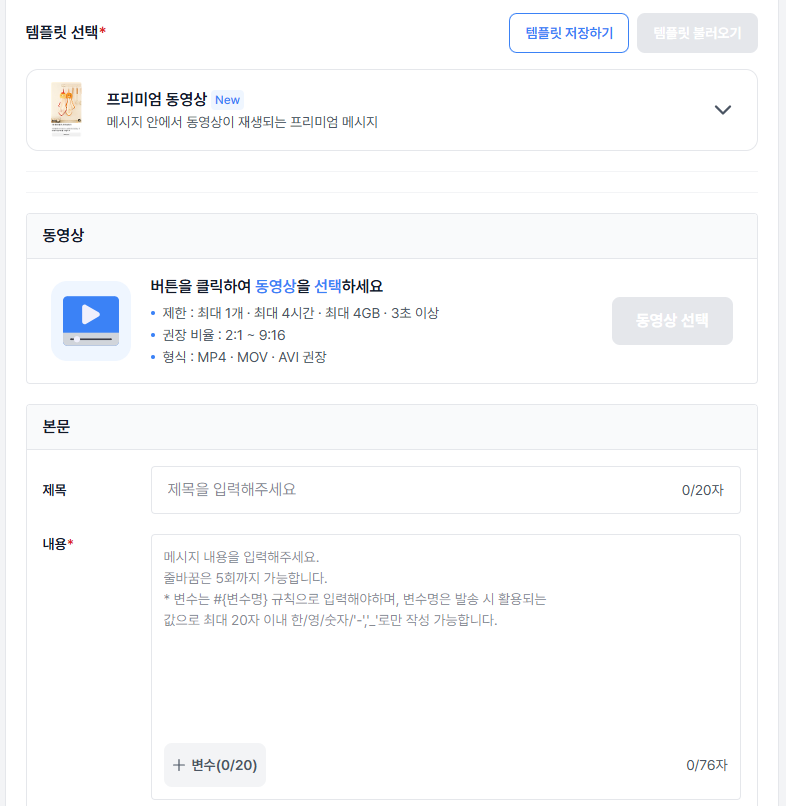
* 발송 화면에서 동영상을 바로 업로드해 사용하거나, 동영상 관리에 보관해 둔 영상을 불러와 사용할 수 있습니다. 직접 업로드한 영상은 인코딩이 끝나면 자동으로 '사용 가능' 상태가 됩니다.
* 카카오 채널에 이미 등록된 영상은 URL을 통해 동영상 관리의 '카카오 동영상 가져오기'로 불러와 사용할 수 있습니다.
* 한 번 등록·가져온 동영상은 동영상 관리에 저장되어 다음 발송에 재사용할 수 있습니다.
* 동영상은 카카오 채널 단위로 관리됩니다. 등록·발송·동기화 모두 채널 기준입니다.
### 이렇게 사용하세요
1. 카카오메시지 발송 > 브랜드메시지 발송 진입
2. 신규 메시지 작성 > 채널과 템플릿명 설정 후 '프리미엄 동영상형' 선택
3. 동영상 선택 — 직접 업로드할 경우 동영상을 선택해 업로드한 뒤 썸네일 확인·선택, 또는 동영상 관리에 보관된 영상을 불러오기
4. 미리보기 확인 후 테스트 발송 → 발송
### 유의사항
* 동영상은 카카오 채널 단위로 귀속됩니다. 타 채널 동영상은 메시지에 사용할 수 없습니다.
* 카카오 채널에 등록된 영상은 동영상 관리의 '카카오 동영상 가져오기'로만 가져올 수 있으며, 메시지 첨부 화면에서는 지원되지 않습니다.
* 동영상 규격은 AVI·MOV·MP4 / 최대 1개 · 최대 4시간 · 최대 4GB / 3초 이상, 권장 비율 2:1 ~ 9:16 입니다.
* 카카오비즈니스 파트너센터에서 '비공개' 상태의 동영상은 템플릿 등록은 가능하나 발송에는 사용할 수 없습니다.
* 동영상 삭제는 카카오 각 채널에서만 가능하며, 비즈고에서는 삭제할 수 없습니다. 카카오에 등록·변경된 동영상이 목록에 보이지 않으면 '동기화'로 갱신해 주세요.
---
# 9월 API 업데이트 월간 요약
URL: https://developers.bizgo.io/updates/26-9/26.09.30-9-api
# [26.09.30] 9월 API 업데이트 월간 요약
### 한줄 요약
카카오 비즈메시지 발신프로필과 템플릿 목록 조회 기능이 추가되어 채널과 메시지 템플릿 관리가 더 편해졌습니다.
### 한눈에 보기
* 카카오 비즈메시지 발신프로필 목록 조회 API 추가
* 알림톡 템플릿 목록 조회 API 추가
* 브랜드메시지 템플릿 목록 조회 API 추가
### 무엇이 달라졌나요?
#### 1. 발신프로필·템플릿 목록 조회
카카오 비즈메시지 운영에 필요한 발신프로필(채널)과 템플릿을 API로 조회할 수 있습니다.
* **발신프로필 목록 조회** — 계정에 등록·연동된 카카오 비즈메시지 발신프로필 목록을 확인합니다.
* **알림톡 템플릿 목록 조회** — 알림톡 템플릿 전체 목록을 조회합니다.
* **브랜드메시지 템플릿 목록 조회** — 브랜드메시지 템플릿 전체 목록을 조회합니다.
### 왜 중요한가요?
카카오센터 UI에 직접 들어가지 않고도 고객사 시스템에서 발신프로필과 템플릿 자산을 파악하고 동기화할 수 있습니다. 채널·템플릿이 늘어날수록 수작업으로 맞추던 부분이 줄어듭니다.
### 이렇게 사용하세요
내부 백오피스(어드민)에 이 API를 연동해, 운영자가 발신프로필과 승인된 템플릿 목록을 실시간으로 확인하고 바로 발송에 쓸 수 있도록 구성해 보세요.
### 유의사항
* 카카오 정책에 따라 템플릿 상태(승인·대기·반려 등)가 다를 수 있습니다. 발송 전에 상태를 확인하세요.
* 사용 권한과 호출 제한은 연동 전에 미리 확인해 주세요.
규격은 [카카오 비즈메시지 공통](/api-sdk/api-reference/comm/kakao-common), [알림톡](/api-sdk/api-reference/comm/kakao-alimtalk), [브랜드메시지](/api-sdk/api-reference/comm/kakao-brand)에서 확인할 수 있습니다.